Every Thanksgiving, I scroll through brand feeds between bites of pie. And every year, I notice the same thing. Some brands post a rushed turkey graphic at noon. Others skip the day entirely.
TL;DR
Thanksgiving social media posts don’t have to be complicated. A simple thank you, a fun poll, or a behind-the-scenes photo can make your brand feel more human. I’ll show you what to post, share captions you can copy, and walk you through scheduling everything ahead so you can enjoy Thanksgiving without scrambling for content.
I get it. You are busy, and the holiday sneaks up on you. But your audience still scrolls. The National Retail Federation reports that a record 202.9 million consumers shopped from Thanksgiving Day to Cyber Monday in 2025.
That’s why your Thanksgiving social media posts deserve a real plan. I pulled together 24 post ideas, 30 captions you can copy, and a hashtag list. Better still, you can schedule it all before the turkey even thaws.
If you run sales too, pair these posts with your Black Friday marketing plan. Let’s make this the year you enjoy the holiday.
Short Summary
- Plan Thanksgiving social media content across the week, from gratitude posts to Black Friday, Small Business Saturday, Cyber Monday, and Giving Tuesday.
- Explore 24 Thanksgiving post ideas for businesses, including customer appreciation, polls, giveaways, community activities, behind-the-scenes, and seasonal trends.
- Find 30 ready-to-use Thanksgiving captions and relevant hashtags for heartfelt, funny, promotional, professional, and community-focused posts.
- Schedule Thanksgiving posts ahead using Social Champ’s content calendar, AI tools, bulk scheduling, and social inbox.
- Follow simple posting tips to keep Thanksgiving content genuine, inclusive, engaging, and focused on gratitude rather than hard selling.
Thanksgiving Week Posting Plan: What to Post Each Day
Here’s the mistake I see most often. Brands treat Thanksgiving as a single post day, then scramble for the rest of the week. Your audience’s mood shifts from Monday to Friday, so your posts should shift too.
I think of the week as a story. It opens slowly with gratitude, goes quiet on the holiday itself, and ends loud with deals. That order feels natural, and it keeps you from sounding pushy. You can use the plan below to pick your Thanksgiving post ideas before the week starts.
| Date | Day | What to Post |
|---|---|---|
| Nov 23 | Monday | Thanksgiving week kickoff, gratitude series starts |
| Nov 25 | Thanksgiving Eve | Holiday hours, travel tips, last-minute help |
| Nov 26 | Thanksgiving | Simple thank you post (no hard selling) |
| Nov 27 | Black Friday | Deal posts |
| Nov 28 | Small Business Saturday | Shop local, partner shoutouts |
| Nov 30 | Cyber Monday | Online deal posts |
| Dec 1 | Giving Tuesday | Giving back and charity posts |
Let me walk you through a few of these days. Thanksgiving Day is the one day I’d keep sales out of your feed. A short Thanksgiving post that says thank you fits the mood better than a discount code. Your customers are at the table, and they will notice if you push a sale.
Then Friday arrives, and shoppers expect deals. If you want help with those, my guide to Black Friday social media posts covers them in detail. For dates and timing, you can also read this guide to Black Friday.
Finally, close the week with Giving Tuesday. It gives you a natural way to end on a warm note instead of a hard sell.
Schedule Before The Feast!
24 Creative Thanksgiving Social Media Posts for Business
Most Thanksgiving lists stack every idea into one long pile. That makes it hard to find what fits your goal. So I split these 24 Thanksgiving social media posts for business into six groups.
These creative Thanksgiving social media posts take little time to make. Pick the group you need, then grab an idea and post it.
If you’re planning beyond this week, you can check out more social media posts for holiday ideas.
Gratitude Posts
I like to start with gratitude, since it’s the heart of the holiday.
-
Thank Your Customers
Post a short message that names what you appreciate about your customers, like their feedback, loyalty, or patience this year. Keep it sincere and skip the sales pitch.
Tip: Add a team photo with a thank you sign for a personal touch.
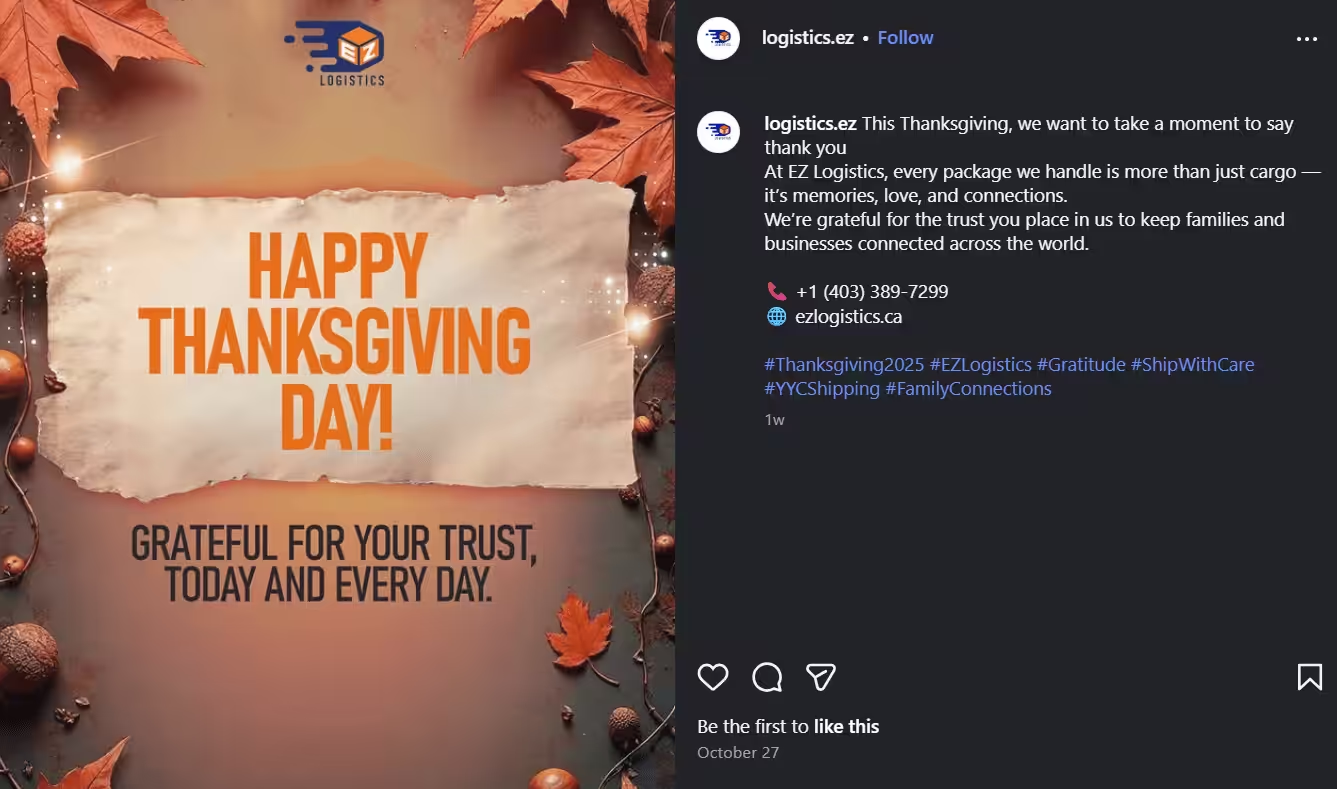
A Brand’s Instagram Post Thanking Customers -
Thank Your Team
Your team fills every order, answers every message, and solves every problem. Give them the spotlight. Post a group photo or a short note about what they did this year.
Tip: Tag each person, with their permission, so the post feels personal.
-
Share “5 Things We Are Thankful For”
Make a simple list that mixes big wins with small moments, like a new hire or a record sales day. Use a carousel with one item per slide.
Tip: End with a question, such as “What are you thankful for?”, to start the conversation.
-
Post a Handwritten Note
A handwritten note stands out in a feed full of graphics. Write a short thank-you on paper, add a small fall detail like a leaf, and post the photo.
Tip: Shoot it in natural light so the writing looks sharp.
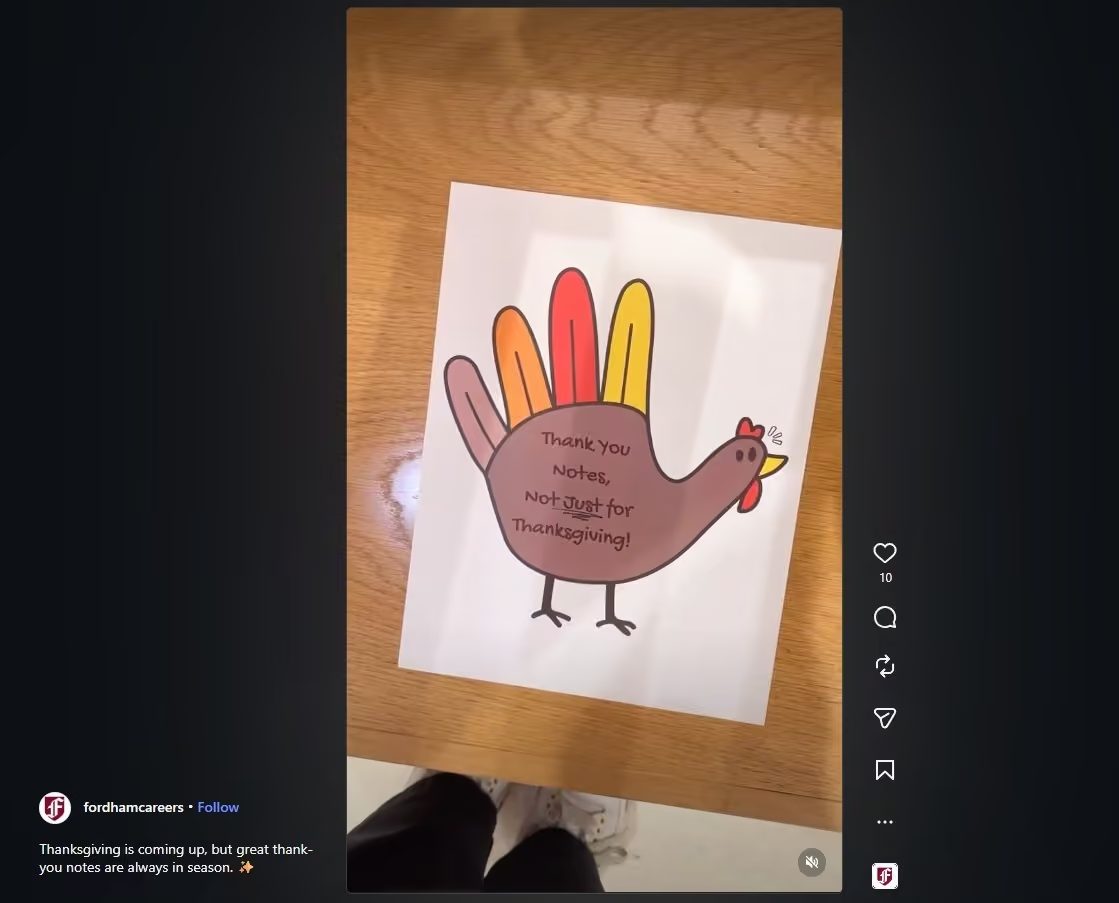
Handwritten Thanksgiving Thank You Note Engagement Posts
Next, let’s get people talking. These posts invite votes, replies, and shares.
-
Run a Best Side Dish Poll
Everyone has a strong opinion about stuffing versus mashed potatoes. Post a poll with four side dishes and let your followers vote. Share the winner in a follow-up post.
Tip: Use the poll sticker in Instagram Stories so people can vote in one tap.
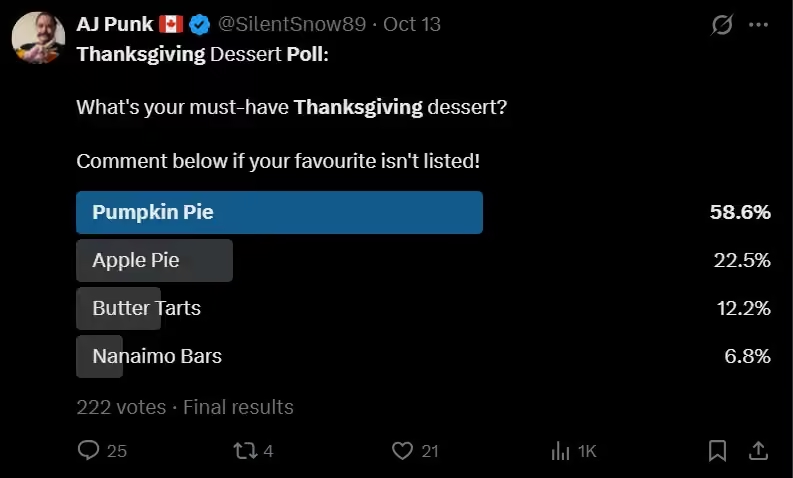
A Poll on X Asking Followers to Vote for Their Must-Have Thanksgiving Dessert -
Post Thanksgiving Trivia
Test your audience with three or four quick questions, like the year of the first Macy’s parade. Reveal the answers in the comments or on the next slide.
Tip: Tie one question to your industry so the post still feels like your brand.
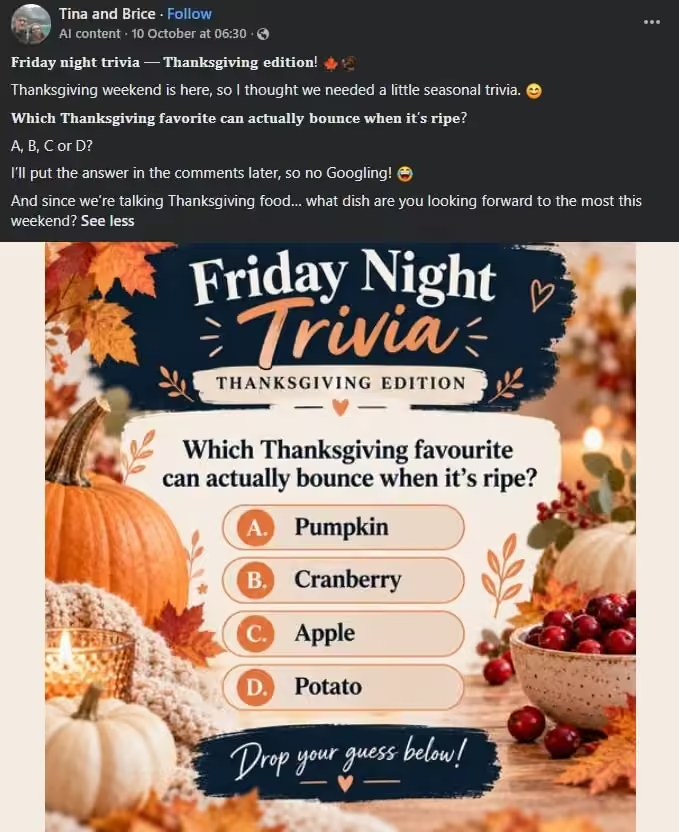
Thanksgiving Trivia Post on Facebook -
Play This or That
Give followers two options and let them pick, like pumpkin pie or pecan pie, or football or the parade. It takes five seconds to answer, so more people join in.
Tip: Use a carousel with one pair per slide and ask for picks in the comments.
-
Try a Fill in the Blank
Post a simple prompt like “My favorite Thanksgiving dish is ___.” People can answer in one word, so replies come fast. Reply to a few comments to keep the thread going.
Tip: Use big, bold text on the graphic so the prompt reads fast on a phone.
Promo Posts
Now, let’s talk about sales. Keep these off Thanksgiving Day itself. If your promos run into December, these social media posts for Christmas can pick up where this list ends.
-
Send a Fall Sale Reminder
Remind followers that your fall sale ends soon. State the end date, the offer, and the link in the first two lines of the caption.
Tip: Pin the post to your profile or page so new visitors see it first.
-
Tease a Black Friday Sneak Peek
Give your audience a small preview of your Black Friday deals. Show one product or offer, and hide the rest.
Tip: Ask followers to turn on notifications or join your email list so they do not miss the full reveal.
-
Host a Thanksgiving Giveaway
Offer one prize that fits your brand, like a product bundle or a gift card. Ask people to like the post, follow your account, and tag a friend.
Tip: Post the rules and end date, and check each platform’s contest rules first.
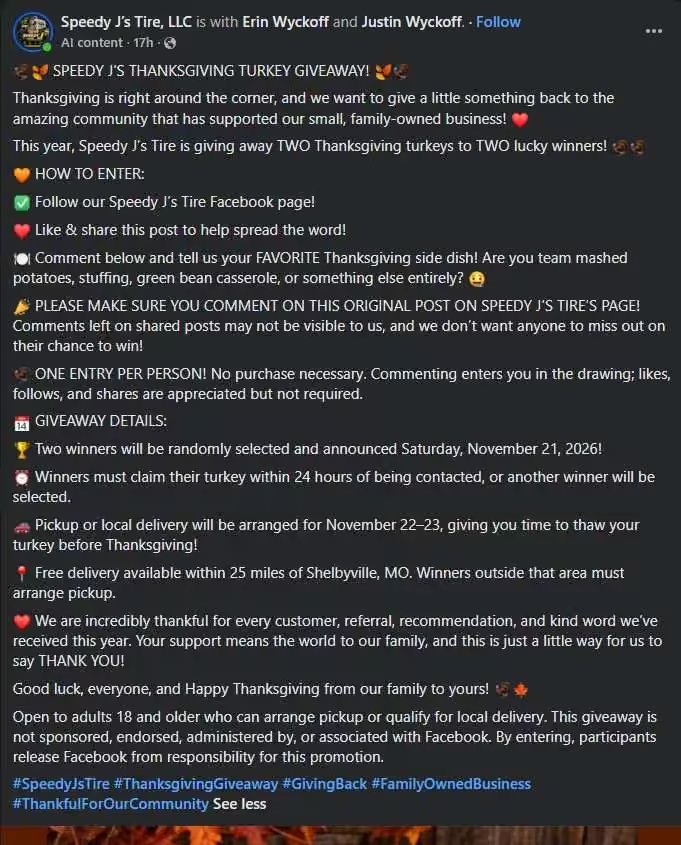
Thanksgiving Giveaway Post on Facebook -
Share a Holiday Gift Guide
Pick four or five products and group them by price or by who they suit. Use one image per product with a short line on why it makes a good gift.
Tip: Link each item so shoppers can buy in one tap.
Community and Giving Back
Then, let’s give back. These posts show your community who you are beyond the sale.
-
Promote a Food Drive
Partner with a local food bank and ask followers to donate cans or funds. Name the food bank, and share the drop-off spot, dates, and goal in one clear graphic.
Tip: Post progress updates so people see their impact.
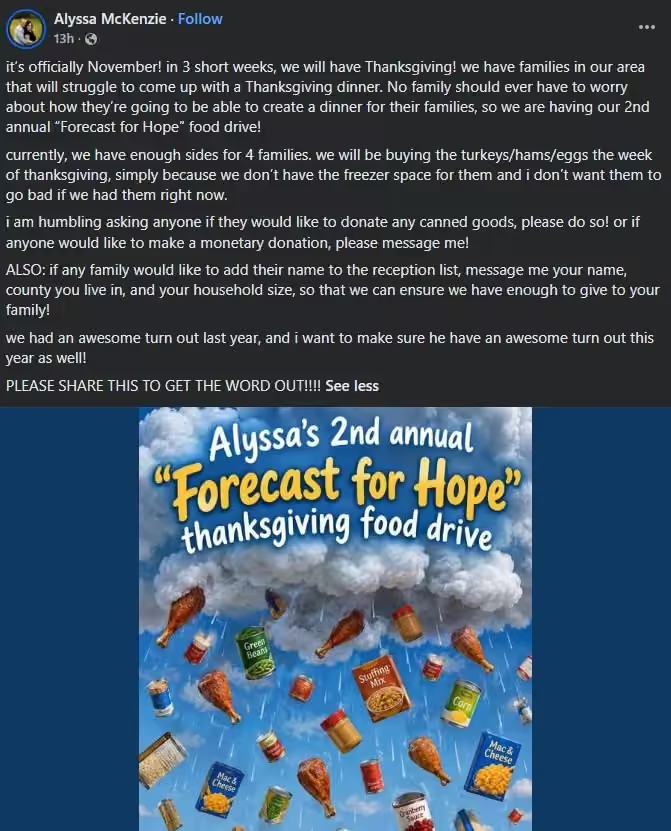
Facebook Post Announcing a Thanksgiving Food Drive -
Announce a Volunteer Day
Plan a day for your team to help out, like packing meals or sorting donations. Post photos and a short note on what you did and why it matters to you.
Tip: Invite followers to join next time so the effort grows.
-
Give a Local Partner a Shoutout
Pick a nearby business you trust, like a bakery or a farm. Tell your followers what you love about them and tag their account.
Tip: Ask the owner to share your post, since that puts you both in front of new people.
-
Promote Small Business Saturday
Small Business Saturday falls on November 28 this year. Share your story, show your products, and invite locals to visit or shop online. Keep the tone friendly and personal.
Tip: Use #SmallBusinessSaturday so shoppers who search for local deals can find you.
Behind the Scenes
After that, let’s show the people behind the brand. I love behind-the-scenes posts because they feel real and take little effort.
-
Show Your Team Traditions
Many teams have a small Thanksgiving habit, like a shared lunch or a gratitude jar. Share yours with a photo or a short video from the day.
Tip: Ask followers about their own traditions so the post turns into a conversation.
-
Share Your Office Potluck
Snap the table before everyone digs in. Add a caption that names each dish and who made it. Keep the tone playful so followers feel like guests.
Tip: Ask them to guess which coworker brought the best dish this year.
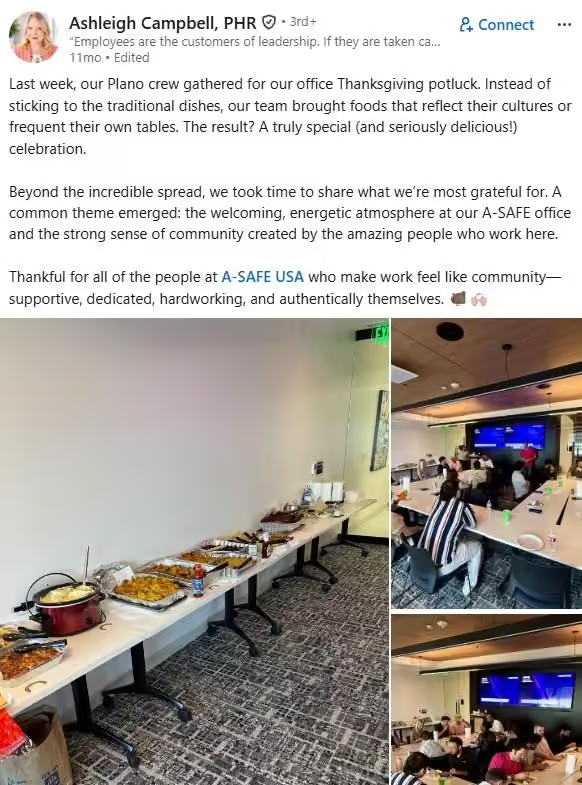
Office Potluck Table With Thanksgiving Dishes -
Show How Your Product Is Made
Take followers behind the scenes with a short video or photo series of your process. Show the raw materials, the work, and the finished product. If you’re a service brand, show your process.
Tip: Add a line about who does each step so the post feels warm and human.
-
Share a Founder Message
Record a short, honest video or write a note from the founder about the year. Mention one lesson, one win, and one thank you.
Tip: Keep it under one minute and add captions so people can watch with the sound off.
Fun and Seasonal
Finally, let’s keep it light. These posts add some fun and fit the season.
-
React to the Parade or the Game
Post a quick reaction to the Macy’s Thanksgiving Day Parade or the football games on TV. Use a short caption and one funny photo or GIF.
Tip: Post while the event runs, since many people check their phones as they watch.
-
Post a Thanksgiving Meme
Pick a relatable meme about holiday travel, family dinners, or leftovers, and add a brand twist. Keep it friendly and avoid jokes that target any group.
Tip: Check that the meme format is still popular and fits your brand voice before you post it.
-
Share a Thanksgiving Playlist
Build a playlist of cozy songs for cooking, driving, or hosting, and share the link. Ask followers to add their picks in the comments.
Tip: Post a cover image that matches your brand colors so the post stays on theme.
-
Join a Reel or TikTok Trend
Pick a trend that fits Thanksgiving, like a cooking fail or a kitchen setup video. Add your brand twist and keep the clip under 30 seconds. Watch a few versions first.
Tip: Save the trending audio early, since trends fade fast.
Featured Article: Social Media Marketing for Restaurants
Ready-to-Use Thanksgiving Captions and Hashtags
A blank caption box during a busy week is no fun. So I wrote 30 original captions you can copy, tweak, and post. Each runs one or two lines. I grouped them by tone, so you can pick the voice that fits your brand. Replace anything in [brackets] with your own details.
If you plan bigger marketing campaigns for holiday weeks, reuse these captions across your channels. Better yet, schedule each Thanksgiving post at the best times to post on social media.
Heartfelt Captions
- Thank you for choosing us this year. Every order, message, and review means more than you know.
- Our table is full because of you. Happy Thanksgiving from our team to your family.
- Grateful for our customers, our team, and all the small moments in between.
- This year taught us a lot. The best lesson? Our community shows up. Thank you.
- Today, we close the laptops and count our blessings. Happy Thanksgiving.
- We built this business for people like you. Thank you for being part of our story.
Funny Captions
- Our team’s Thanksgiving plan: eat, nap, repeat. We suggest you do the same.
- Calories do not count today. That is an official rule from our team.
- We asked the office: stuffing or mashed potatoes? Peace talks are still ongoing. Vote below.
- Gravy goes on everything today. We did not make the rule. We just follow it.
- Out of office until the pie is gone.
- Elastic waistbands are now part of our dress code.
Promo and Sale Captions
- Our fall sale ends [day]. Shop your favorites before it is gone.
- Black Friday sneak peek: one early deal is live for our followers. Tap the link.
- Giveaway time. Follow us, tag a friend, and win a Thanksgiving bundle. Ends [date].
- Gift shopping starts now. Our holiday gift guide is live. Tap to browse.
- Join our early access list and shop Black Friday deals before everyone else.
- Holiday hours are posted. We close Thursday and reopen [day] at [time].
B2B and Professional Captions
- Thank you to our clients and partners. We value the trust you place in our team.
- Wishing our clients and partners a restful Thanksgiving. We look forward to what comes next.
- Grateful for a team that delivers and clients who make the work worthwhile. Happy Thanksgiving.
- We grew this year because of the relationships we built. Thank you for being part of them.
- Our office closes Thursday and reopens [day]. We will reply to your messages when we return.
- Thankful for the people who make every project better. Happy Thanksgiving to our clients and team.
Community and Small Business Captions
- Small Business Saturday is here. Shop local, and thank you for supporting our shop.
- We are thankful for the local businesses that make our town special. Go say hello this weekend.
- Every small business purchase supports real people. Thank you for choosing us.
- Our food drive runs through [date]. Drop off cans at [location] and help a neighbor.
- Our team spent the morning volunteering at [organization]. Thank you for everything you do.
- Giving Tuesday is almost here. We are donating [amount or percent] of sales to [charity].
Thanksgiving Hashtags by Purpose
Captions get the attention. Hashtags help the right people find your post. So I grouped them by purpose, and you can pick the group that matches each post.
| Category | Hashtags |
|---|---|
| General | #Thanksgiving #HappyThanksgiving #GiveThanks |
| Gratitude | #Thankful #Grateful |
| Food | #ThanksgivingDinner #TurkeyDay |
| Local | #ShopSmall #SmallBusinessSaturday |
| Sales | #BlackFriday #CyberMonday |
| Giving | #GivingTuesday |
Use 3 to 5 relevant hashtags, not 20. Too many make a post look cluttered.
How to Schedule Thanksgiving Social Media Posts in Advance
The best Thanksgiving gift you can give your team is a finished content calendar before Wednesday. Schedule once, and you can silence your notifications and enjoy the day.
Here’s the five-step setup I recommend in Social Champ. It also works for other social media posts for holidays later this year.
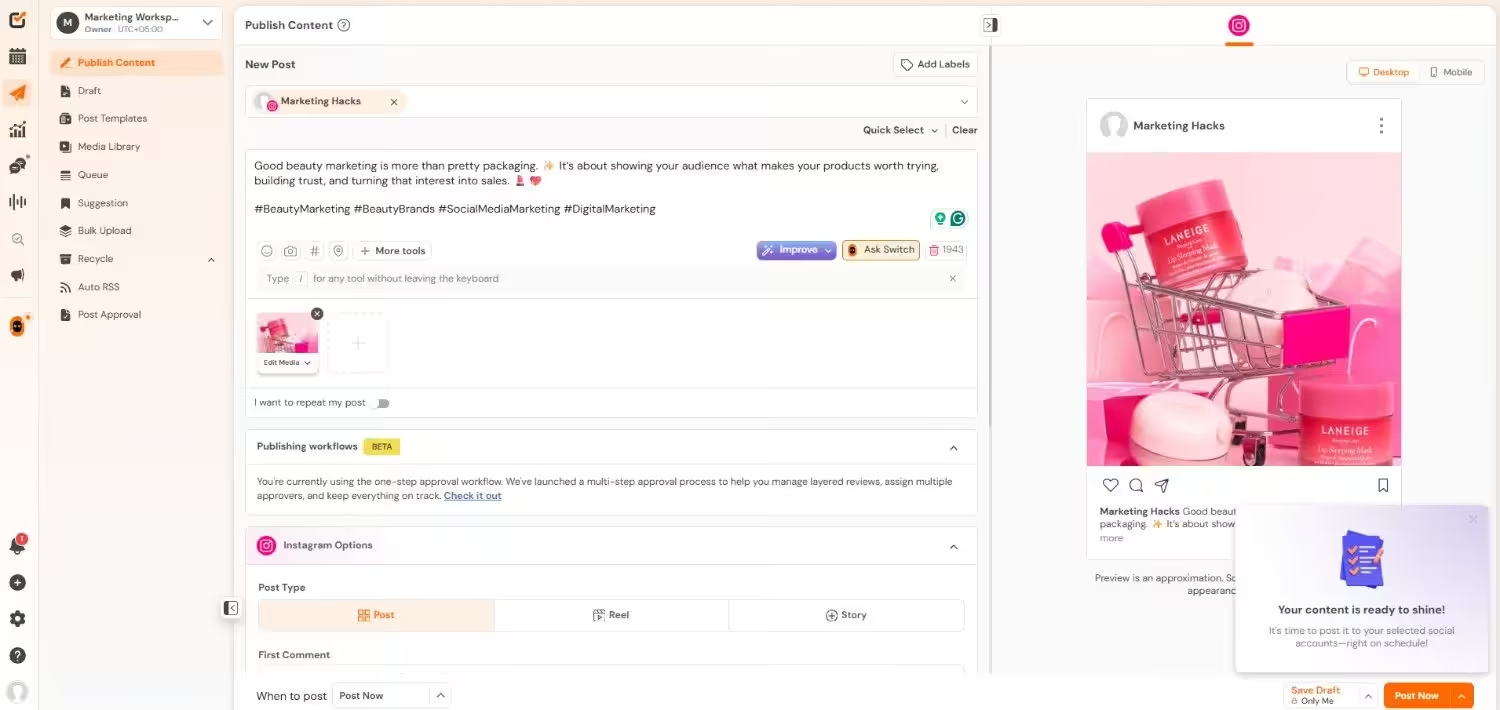
Step 1: Map Every Post in Your Content Calendar
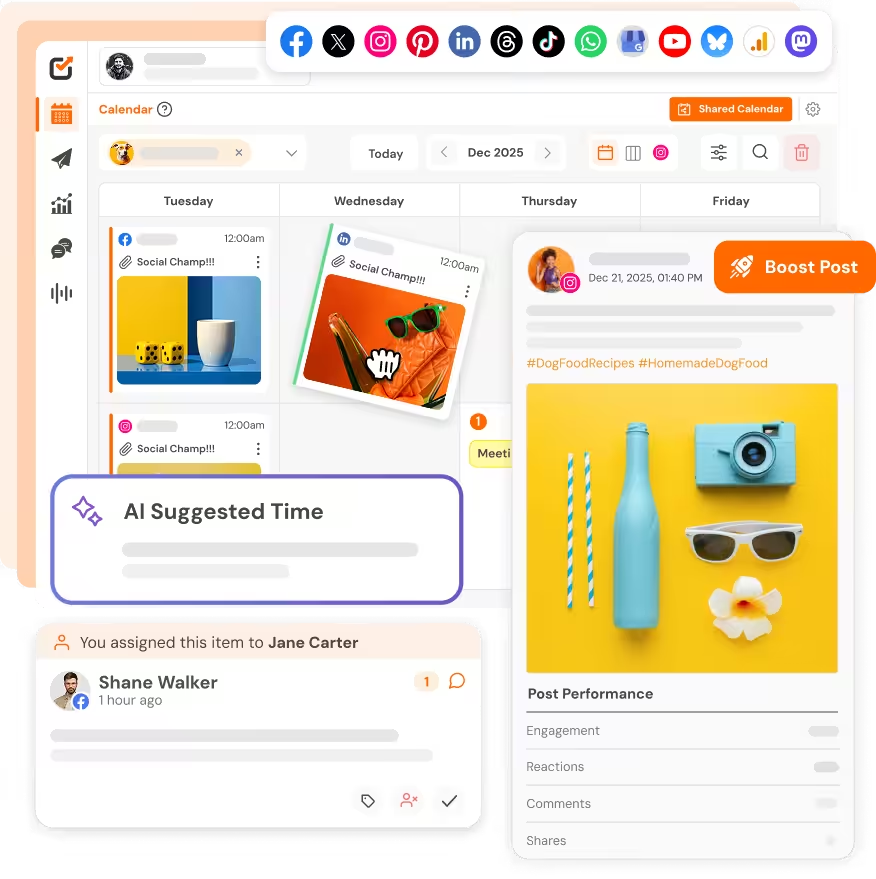
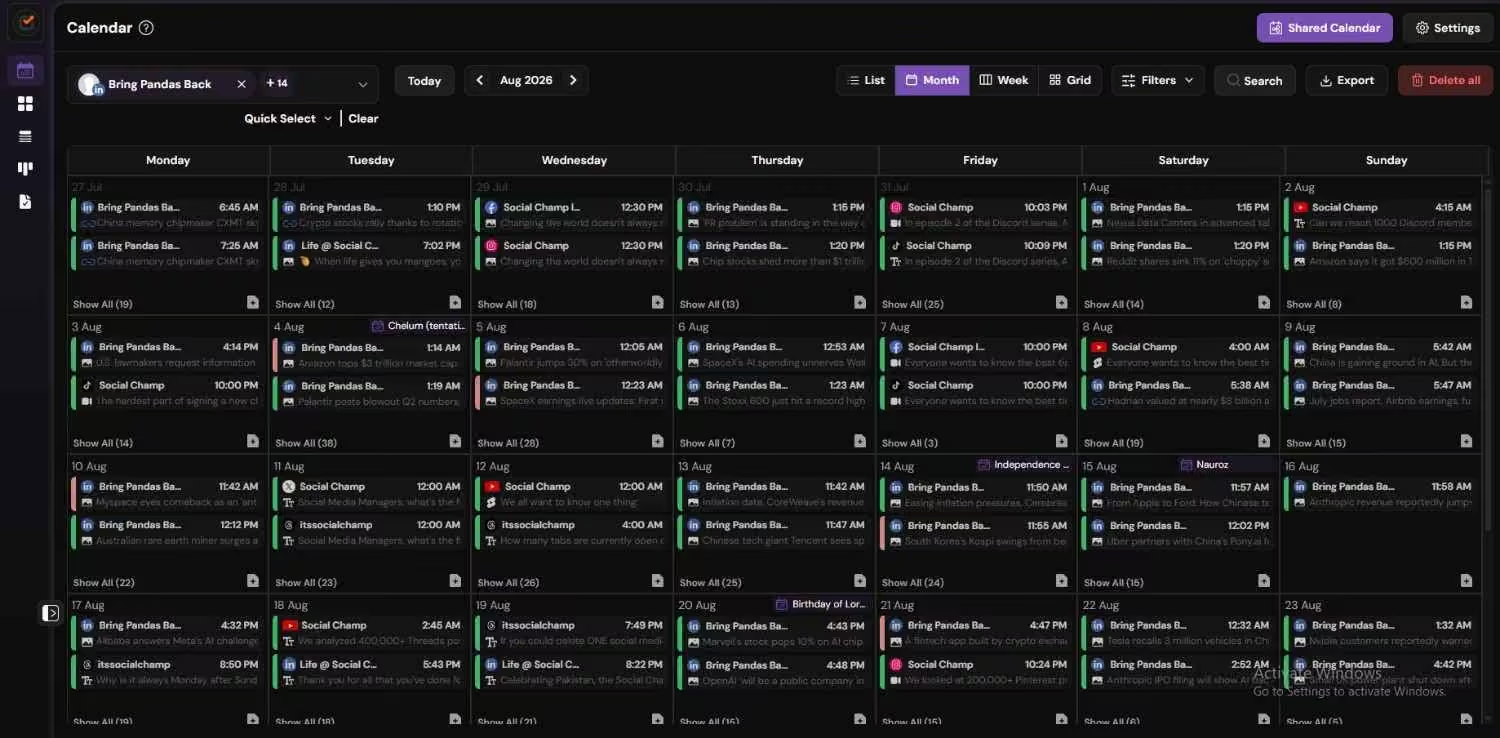
Pick your Thanksgiving post ideas from the lists above. Then drop each one into Social Champ’s content calendar by day. A full week in one view shows gaps fast. You might notice you have nothing planned for Thanksgiving Eve, and you can fix that in a minute.
Step 2: Create Visuals With Canva and Switch
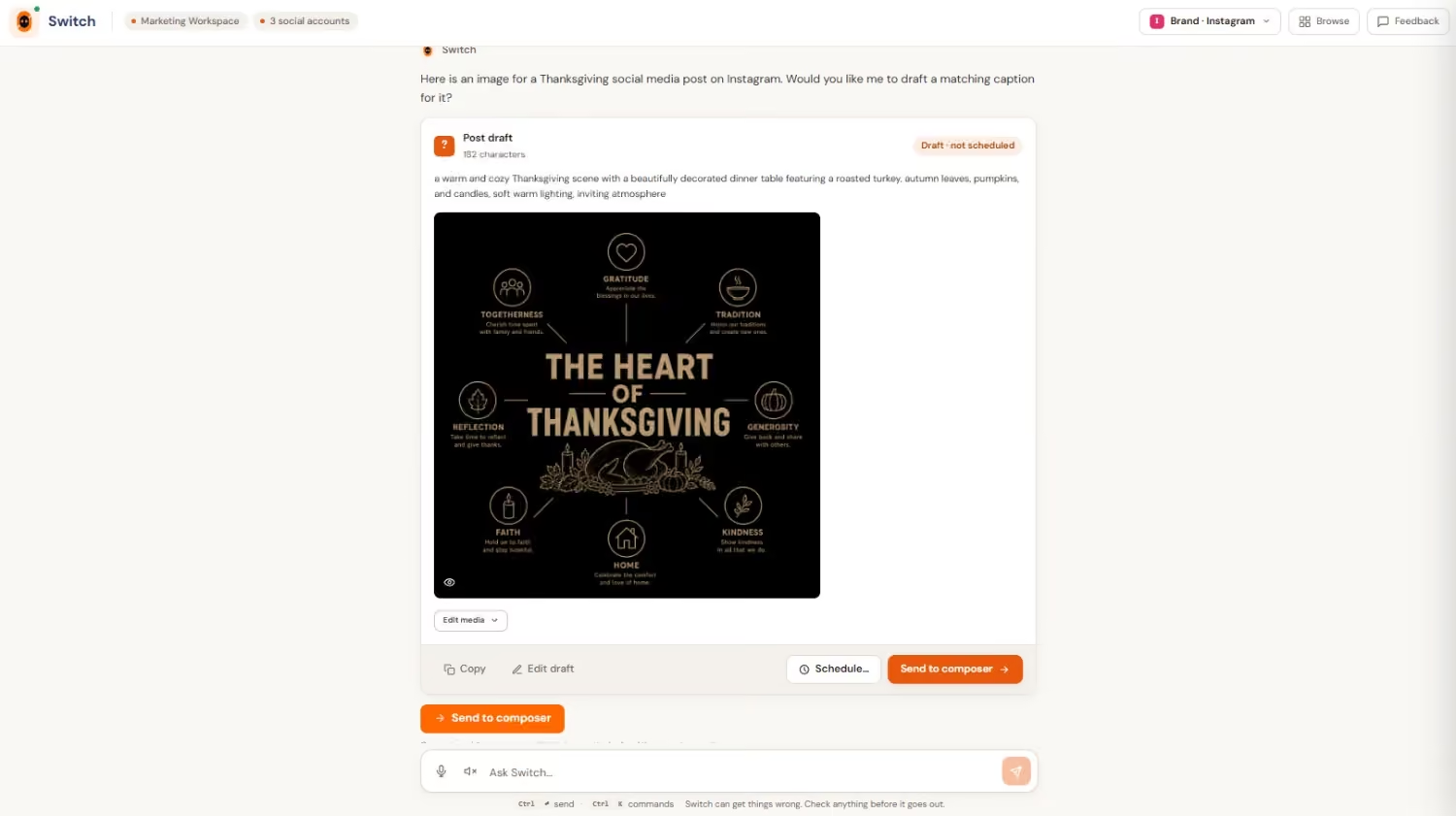
Connect Canva and design your graphics without leaving Social Champ. If you’re short on time, ask Switch, the AI assistant inside Social Champ. It turns one idea into ready-to-review posts and generates images in your brand style.
Step 3: Write Captions Faster
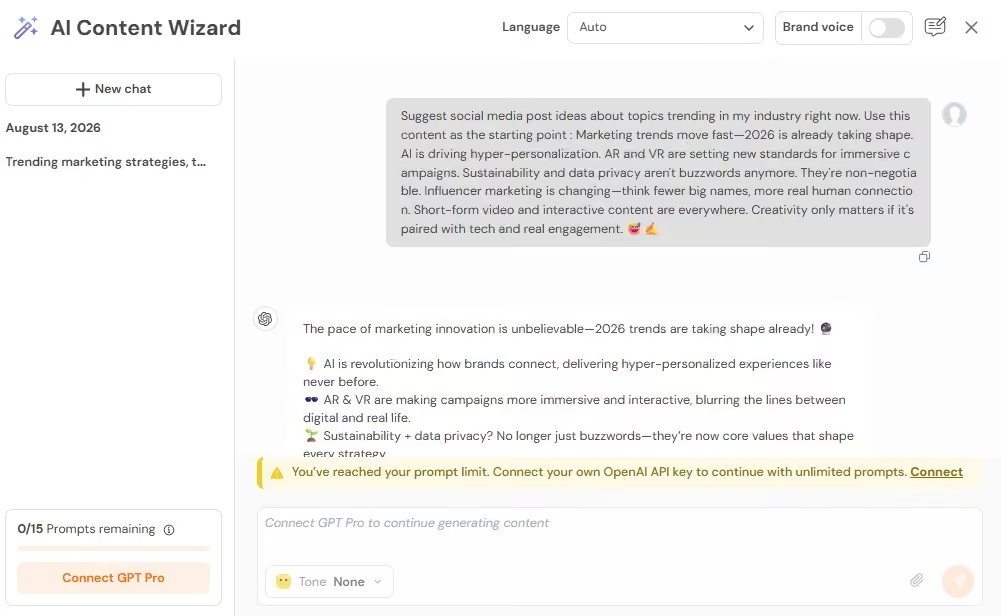
Open the AI Content Wizard in the Champ AI Suite. Give it a short prompt, and it drafts platform-specific captions. Set a custom brand voice so the tone matches yours. You can also paste in any caption from the list above and edit it.
Step 4: Bulk Schedule Posts at the Best Times
Upload your posts in bulk, then set your publish times. Use the AI-suggested time to see when your followers are most active, based on your past performance. Keep Thanksgiving Day itself light, as the posting plan suggests. One thank-you post is enough.
Step 5: Reply to Holiday Comments From One Inbox
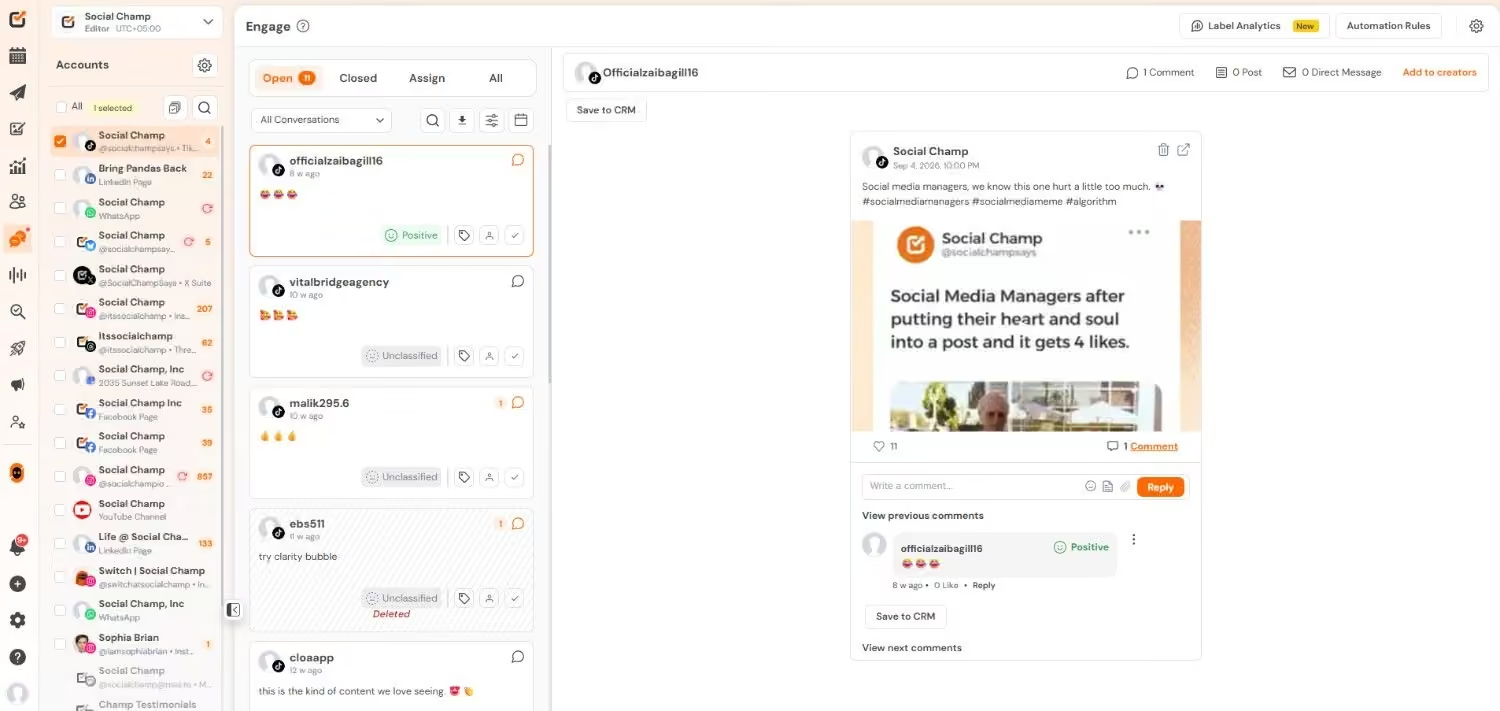
Scheduled posts still bring replies. Social Champ’s social inbox collects comments, messages, and mentions in one place. Check it once Thursday morning and once that evening. A quick reply keeps the holiday mood friendly.
Beat The Holiday Rush!
Thanksgiving Posting Do’s and Don’ts for Brands
Good ideas can still miss the mark if the timing or tone is off. So I’d run this quick checklist before you schedule any Thanksgiving post. It takes two minutes, and it can save you an awkward cleanup on Thursday.
| Do | Don’t |
|---|---|
| Keep Thanksgiving Day posts about gratitude, not hard selling | Push sales on Thanksgiving Day |
| Post holiday hours early | Wait until the last minute to share closures |
| Be inclusive, since not everyone celebrates the same way | Use stereotypes or culturally insensitive images |
| Check comments within the first hour of posting | Forget to reply to comments over the holiday |
| Use 3 to 5 relevant hashtags | Stuff your caption with 20 hashtags |
| Spread your sales posts across the week | Post too many sales posts in one day |
| Add one clear call to action | Leave readers guessing what to do next |
The first row matters most. People spend the day with family, so a warm thank you fits the mood. Save the deals for Friday.
Featured Article: 10 Best Content Workflow Software & Tools