

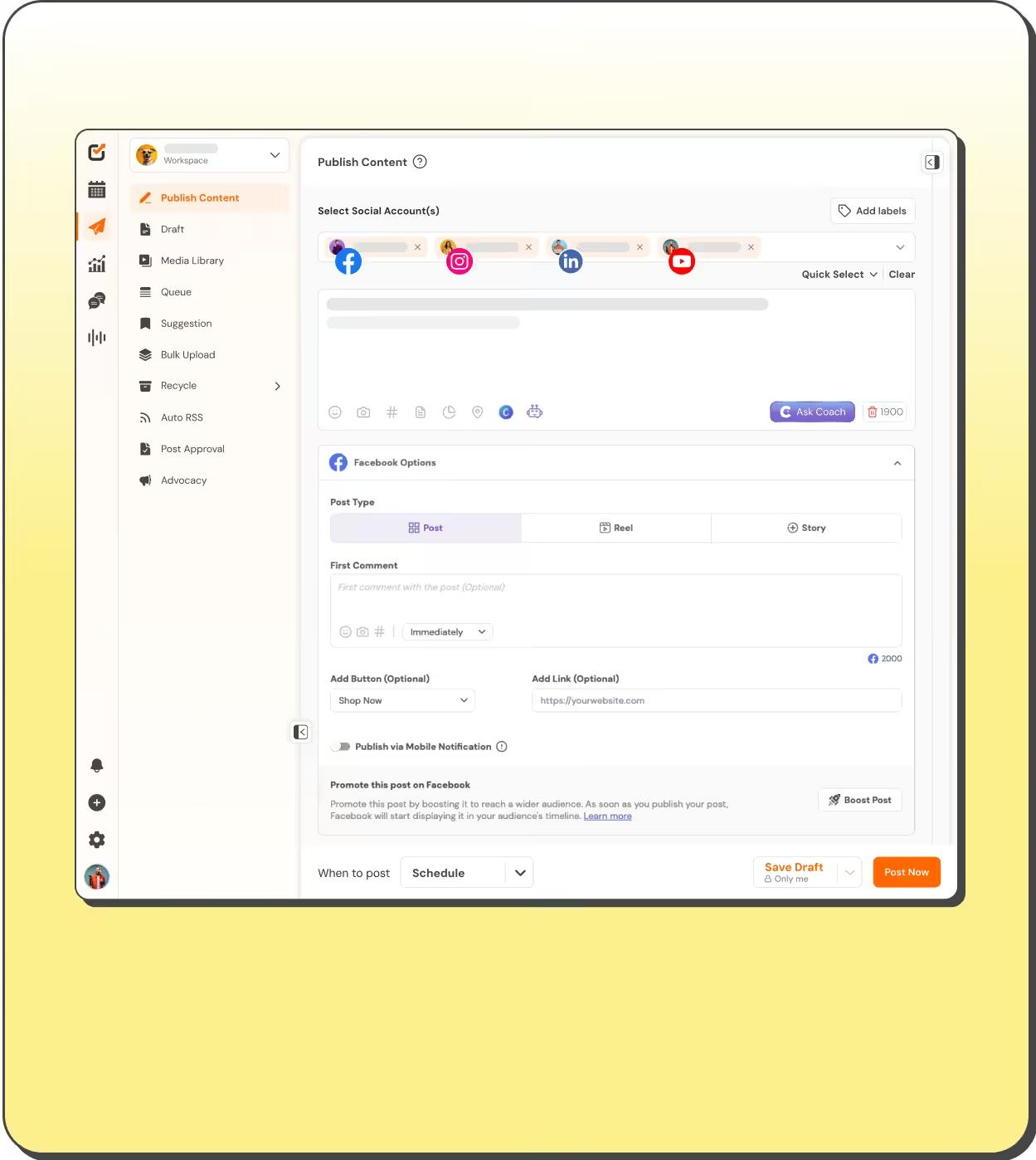
Publish to 12+ Platforms from One Composer
Draft once, customize per platform, and queue a month in one sitting. Built for agency teams shipping every client’s content on time.



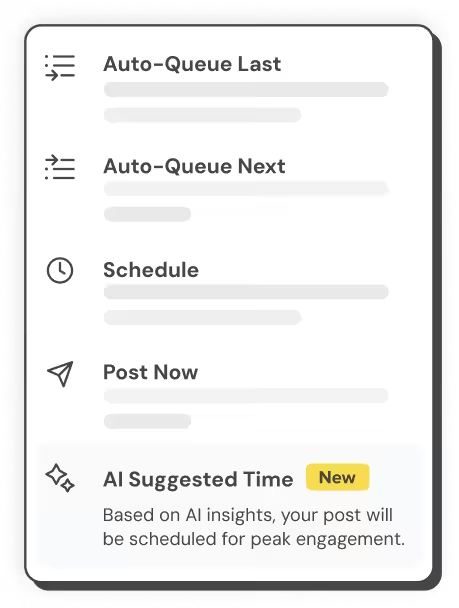


Best Time to Post
Get an AI-suggested time per post, based on content, platform, and time zone.
12+ Platforms, One Composer
Write once, customize per network, and publish everywhere in a click.

Auto First Comment
Schedule hashtags & links as the first comment on Facebook, Instagram, LinkedIn, X, & YouTube.
Queues & Bulk Upload
Fill your calendar with hundreds of posts from one CSV.
Get to Know the Publisher
One Composer for Every Network
Create, customize, and schedule content for 12+ platforms from a single screen. Every creative tool lives where you write.
- Write once, then tweak each platform’s version before it ships.
- Edit images in the built-in editor: crop, filters, text, backgrounds.
- Add alt text and upload video caption files as you post.
- Save account sets with Quick Select and pick them in one click.
- Check your caption’s tone with sentiment analysis on eligible plans.

Reports Your Clients Actually Read
Track the numbers behind every post and turn them into white-label reports. No spreadsheet stitching.
- Spot your top-performing content per channel.
- Weekly and monthly views of engaged users.
- Export analytics to CSV for deeper digging.
- Download PDF reports with your branding on them.

Automation That Keeps the Queue Full
Bulk-schedule from CSV, recycle evergreen collections, and auto-publish from RSS feeds. The calendar stays full while you work on the next campaign.
- Schedule hundreds of posts in one go with Bulk Upload.
- Group favorite posts into collections and re-run them as campaigns.
- Publish fresh content automatically with Auto RSS.
- Connect Bitly to shorten links and track clicks.

Plan the Whole Month on One Calendar
Every scheduled post, on every channel, in one drag-and-drop view. Move a post and it reschedules itself.
- Drag and drop to reschedule in seconds.
- Filter past, scheduled, and failed posts.
- Switch workspaces to manage each client separately.
- Deleted the wrong post? Undo brings it back.

Approvals Without Password Sharing
Invite your team with roles and per-profile permissions. Nobody needs the client’s login.
- Admin, Editor, Author, or fully custom roles.
- One click approves a post across every channel it’s scheduled to.
- Assign specific profiles to specific team members.
- Track your team’s output over time.

Post Like A Champ
You can manage all your favorite social platforms via Social Champ
Start Free Trial


More than a publishing tool

Social Inbox
Reply to every DM, comment, and mention from one queue.

PDF Reports
Download branded analytics reports and send them straight to clients.

Chrome Extension
Schedule any page you're reading to your profiles without switching tabs.

Mobile Apps
Draft, approve, and publish from the iOS and Android apps.

Image Editor
Crop, filter, add text, and resize images without leaving the composer.

Link Shortening
Connect Bitly to shorten every link and track campaign clicks.

“Social Champ is the tool that I use the most for my social media efforts. It's the cleanest and most efficient tool that I've found.”

“Social Champ isn't just a usual scheduling tool - it satisfies your inner-geek, boosts productivity, & effectiveness for SMM.”

“Social Champ is an innovative solution that helps you publish your content in an intelligent way to maximize exposure.”

“Social Champ helped us grow our reach by 30% while making content planning, publishing, and collaboration effortless.”

Big-league tools. Small-league price.
Start Free TrialSpeed up your workflow
Your favorite tools work where you do.
You no longer have to jump between apps. Social Champ's integrations enable you to use your favorite tools within the app.







Frequently asked questions
What Is a Social Media Publishing Tool?
A social media publishing tool lets you write, schedule, and publish posts to multiple social networks from one dashboard. Social Champ publishes to 12+ platforms, including Facebook, Instagram, LinkedIn, X (Twitter), TikTok, and YouTube, with queues, bulk CSV scheduling, approval workflows, and per-platform customization built in.
What Is Social Champ?
Social Champ is a social media management tool that allows you to schedule posts for 12+ social media platforms at once. The tool comes with several additional features, like a unified inbox, shared calendar, analytics, AI suite, social listening, and more!
How Does Social Champ’s Content Calendar Help With Social Media Publishing?
The visual content calendar in Social Champ provides a clear, drag-and-drop interface to plan, edit, and reschedule posts. You can view scheduled, failed, and published posts by filtering across profiles — making social media publishing more organized and efficient.
What Are Post Labels in Social Champ and How Do They Help With Campaign Management?
Post labels in Social Champ let you organize your content by campaigns, themes, or post ideas. By tagging posts with custom labels, you can easily filter and group related content. Plus, you can track the performance of each label through detailed analytics to see which campaigns or content types are driving the most engagement.
The next step in your agency's growth
Plan, publish, and report across 12+ platforms.