

Looking for Sprout Social alternatives? You’re lucky, because there are so many tools that offer similar features at a fraction of the cost, such as:
- Social Champ
- Hootsuite
- Buffer
- Agorapulse
- Later
Now, you might wonder, ‘Why switch from Sprout Social in the first place?’
Well, Sprout Social’s power comes at a steep price. In fact, it’s one of the most expensive social media management tools on the market, putting it out of reach for small businesses, startups, and growing agencies.
And if you compare it to tools like Social Champ, for example, you’ll see that its price starts at just $4 per profile, which is essentially nothing next to Sprout Social’s $79 per seat per month!
Plus, if you’re a team managing multiple brands or client accounts, your costs can scale aggressively with every additional user. Not to mention, Sprout Social is a little complex to use, and its advanced features are hidden behind higher-tier plans.
So, it’s safe to say that there are better options available. Let’s check them out!
My Top Alternatives to Sprout Social at a Glance
Let’s take a look at these 12 alternatives to Sprout Social that I tested, so you don’t have to spend time on testing and finding the one:
Free and Cheaper Sprout Social Alternatives
| Sprout Social Alternative | Best For | Starting Price |
|---|---|---|
| Social Champ | Small teams that want power without the price | $4/month |
| Buffer | Solo creators who keep it simple | $5/month |
| Later | Visual-first brands on Instagram and TikTok | $18.75/month |
| Planable | Teams that hate messy comment threads | $33/month |
| Zoho Social | Teams that are already deep in the Zoho suite | $10/month |
| Metricool | Analytics-first marketers and ad managers who need competitor benchmarking | $20/month |
| Loomly | Teams that live on approval workflows and brand calendars | $49/month |
Paid Sprout Social Alternatives
|
Sprout Social Alternative
|
Best For | Starting Price |
|---|---|---|
| Hootsuite | Large agencies with big budgets | $199/month |
| Sendible | Freelancers who manage multiple clients | $35/month |
| SocialPilot | Marketing teams that need bulk scheduling | $25.50/month |
| Statusbrew | Agencies that want Sprout-level features without per-seat pricing | $69/month |
| Mention by Agorapulse | Brands that care about social listening and brand monitoring | $599/month |
12 Best Sprout Social Alternatives Tested for 2026
Now, let’s come to my top 12 Sprout Social alternatives that I reviewed in the last two weeks. Let’s take a look at what I found about each tool and decide which one you should consider for your business:
-
Social Champ
Best for: Small to medium teams and agencies that want enterprise-level features without the serious price tag.
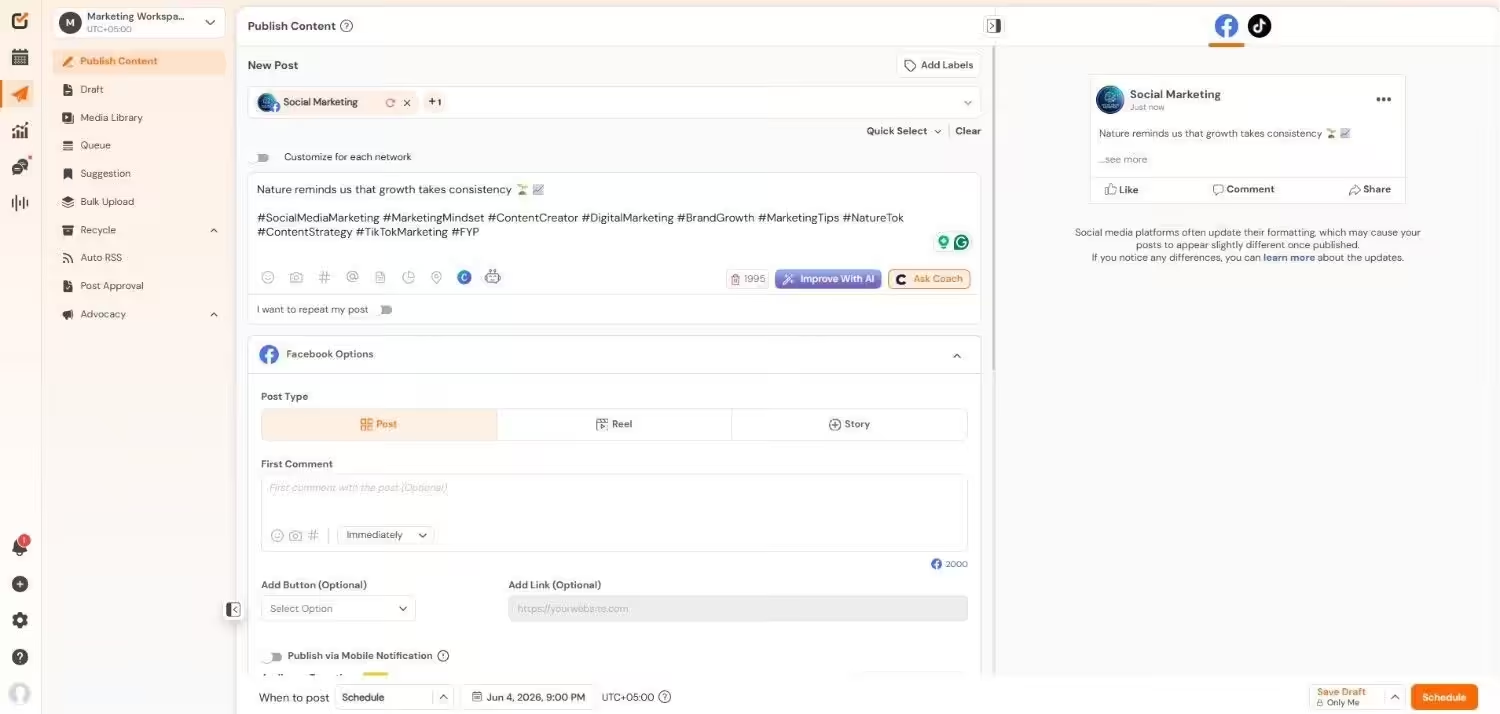
Social Champ’s Dashboard Why I Picked Social Champ
I found that Social Champ stands out as one of the most preferred Sprout Social alternatives when I realized that Sprout’s $79 plan was basically a beautifully designed velvet rope. I’m not saying it’s not worth it, but with a $79 plan, I was expecting features such as adding a teammate or competitor tracking, which are behind the higher paywalls.
On the other hand, Social Champ can do a lot of my work and provide more advanced features without costing my kidneys. No matter how big your team’s size is, Social Champ doesn’t limit you to a single seat only.
Now, this tool has solved a lot of my problems. I can import my calendar, schedule my multi-platform campaigns, add up to 5 teammates, track my competitors, and a lot more, for under $50.
Features of Social Champ:
- Schedule and publish across 12+ social media platforms, including Facebook, Instagram, Threads, Pinterest, TikTok, Google Business Profile, X, LinkedIn, Mastodon, YouTube, and Bluesky.
- Create visual cues, generate content ideas, and write captions using built-in AI assistance directly in the composer.
- Plan weeks and months’ worth of content visually to keep your grid and posting schedule organized.
- Oversee all conversations from a single, unified inbox that collects messages and comments from various platforms.
- Use internal notes, customized approval steps, and role-based access to work seamlessly as a team.
- Create comprehensive performance reports breaking down engagement, reach, and content metrics into exportable, white-labeled PDFs.
- Keep an eye on your brand mentions, competitor activity, and industry trends to improve your social strategy.
Supported Platforms: Instagram, Facebook, TikTok, LinkedIn, YouTube, Threads, Pinterest, X, Google Business Profile, Bluesky, Mastodon, and WhatsApp Business
Let’s take a look at Sprout Social Vs Social Champ:
Feature Social Champ Sprout Social Starting Price $4/month for pay-per-profile or $23/month for flat-rate bundled tiers $79/seat/month Pricing Model Pay-per-profile flexibility (scale as you grow) OR flat-rate bundled plans; no aggressive per-seat taxes on base plans. Strict per-seat pricing; every single user (including designers, stakeholders, or analysts) requires a full-priced seat. Social Listening Available as a $29 add-on or fully included in the Agency plan. Not included in any base plan; requires a highly customized, premium Advanced Listening add-on quote. AI Content Generation AI credit packs are available across plans for captions and image generation. AI Assist features are gated or limited to higher plans (Professional or Advanced). Approval Workflows Available for collaborating teams in the Professional and Agency tiers. Only unlocked at the enterprise-level Advanced tier. Team Collaboration Includes unlimited users on the Agency tier; very friendly for growing teams. Strongly restricted; a 5-person team on the Standard plan scales rapidly to $995/month. G2 Ratings: 4.4
Trustpilot Ratings: 4.5
Pricing: Social Champ offers a Free plan. Its pay-per-profile plans start at $4/month, and flat-rate bundled plans start at $23/month.
Pros Cons Very affordable choice for small teams Some advanced features required upgrade Clean and easy-to-use interface The desktop version is more feature-rich than the mobile app Sprout Social vs. Social Champ
- Sprout’s Essentials plan is $79 per seat. A 5-person team is already paying $395 a month before they even get competitor tracking or social listening. Social Champ starts at $4 per profile or $23 flat, and you can add teammates without asking your boss for more budget.
- Sprout hides approval workflows behind its $399 Advanced plan. Social Champ gives you approvals on the Professional tier, which is still under $50.
- Sprout’s AI Assist is limited or locked to higher plans. Social Champ lets you buy AI credits on any plan, so you don’t have to upgrade just to write a decent caption.
- Sprout’s social listening needs a custom quote and a separate contract. Social Champ includes it as a $29 add-on or bundles it into the Growth and Agency plan.
Small Team, Small Budget, Big Features.
Enterprise looks without the enterprise price. Test Social Champ free and post like a pro. -
Hootsuite
Best for: Large agencies and enterprises with deep pockets.
Hootsuite’s Dashboard Why I Picked Hootsuite
You probably already know that Hootsuite is my top pick for the best overall Sprout Social alternative. I tested this platform because I had to. No doubt, it’s powerful and offers features that every team wants, but it is quite expensive.
If your budget is high and you want social listening, team management, and detailed analytics, this one might be your right fit.
Features of Hootsuite:
- Social listening and brand monitoring
- Integrated media library, draft management, and post editor
- Team collaboration with role-based access
- Advanced analytics and custom reporting
- Ad campaign management for Facebook, Instagram, and LinkedIn directly within the dashboard.
Supported Platforms: Facebook, Instagram, TikTok, LinkedIn, X, YouTube, Pinterest, Threads, WhatsApp, Google Business Profile, and Bluesky.
G2 Ratings: 4.3
Trustpilot Ratings: 1.3
Pricing: Hootsuite’s pricing plans start at $99/month per user.
Pros Cons Massive integration library Expensive for smaller teams Strong social listening Steep learning curve Sprout Social vs. Hootsuite
- Hootsuite and Sprout Social both offer per seat/user pricing models, so neither is cheap. But Hootsuite starts at $99 and offers a huge integration list. If you need 100+ app connections, Hootsuite is the heavier option.
- Sprout’s analytics look better out of the box. Hootsuite’s reporting is amazing, but you’ve to dig through layers to find what you need.
- Hootsuite’s social listening is built in and easier to access than Sprout’s, which hides it behind a premium add-on that needs a custom quote. If listening is your main thing, Hootsuite is the less painful choice.
- Both tools take time to learn, but Sprout Social’s interface looks prettier, while Hootsuite’s does more.
Since Hootsuite is a big name, you might want to know how it compares to other platforms. Check out these Hootsuite alternatives that I tested earlier.
-
Sendible
Best for: Freelancers and agencies who manage multiple client accounts.
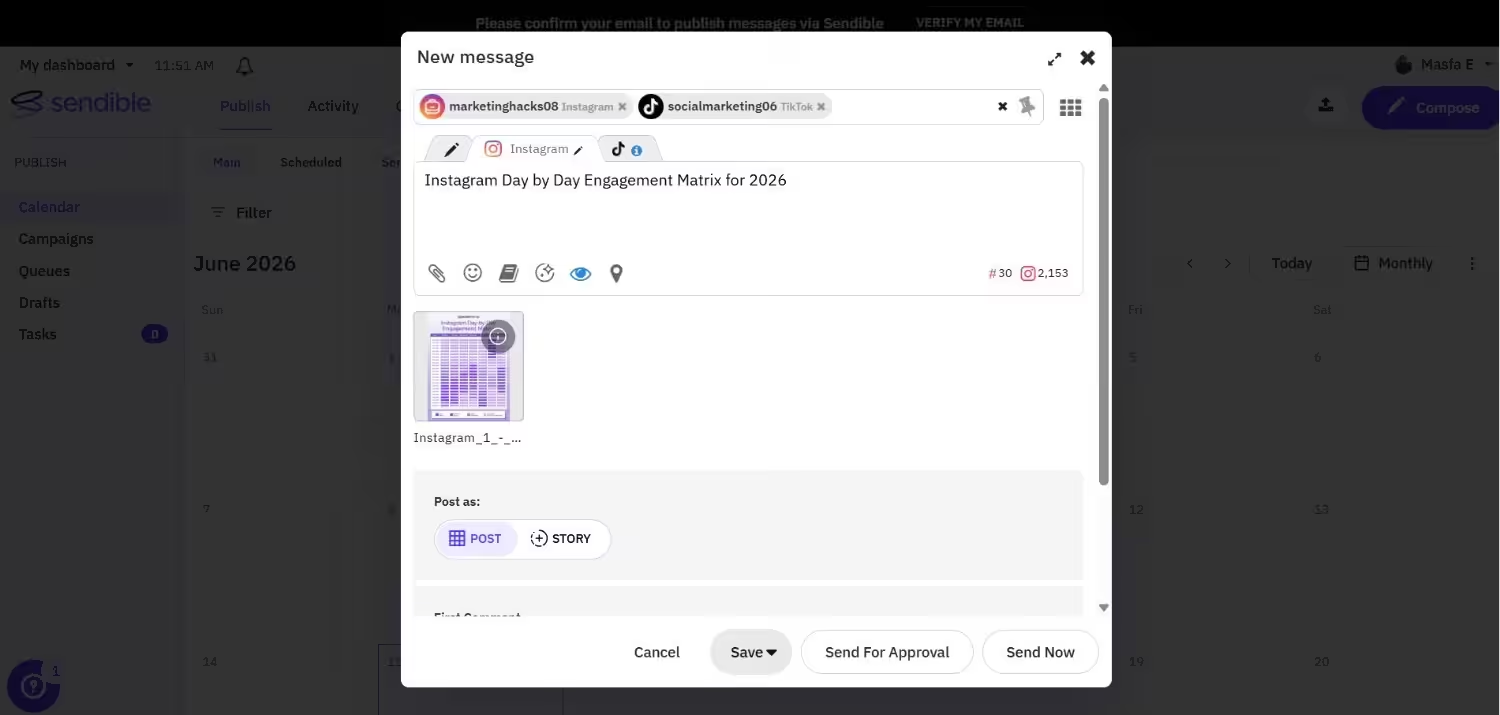
Sendible’s Dashboard Why I Picked Sendible
I gave Sendible a try because one of the freelancers I know wouldn’t stop talking about it. And I think it’s really worth managing multiple client dashboards.
You also get white-label reports and a content suggestion engine that saves you a lot of hours.
Features of Sendible:
- Client management dashboards
- Integrated tools for content curation to identify and distribute popular articles.
- Bulk scheduling, recurrent posts, and intelligent queues.
- White-label reporting
- Content suggestion engine
Supported Platforms: Facebook, Instagram, TikTok, X, LinkedIn, Google Business Profile, YouTube, Threads, and Bluesky
G2 Ratings: 4.5
Trustpilot Ratings: 4.3
Pricing: Sendible’s pricing plans start at $35/month.
Pros Cons Great for client management No free plan to test out White-label reports The dashboard may feel overwhelming Sprout Social vs. Sendible
- Sendible starts at $35 a month, which is less than half of Sprout’s entry price, and it’s basically for freelancers who manage ten client accounts at once. On the other hand, Sprout Social is built for enterprises with deep pockets and a dedicated social team.
- Sprout makes you pay $79 per seat for every client or stakeholder you want to add. Sendible gives you client dashboards and white-label reports without forcing a full-priced seat on every single person.
- Sprout’s content curation is basically missing on lower tiers. Sendible has a built-in content suggestion engine that actually saves you hours of hunting for articles.
- Sprout’s inbox works really well but feels overwhelming. Sendible’s is simpler, which is either a relief or a limitation depending on how many accounts you are managing.
-
Buffer
Best for: Creators who work alone and small businesses who want simplicity.
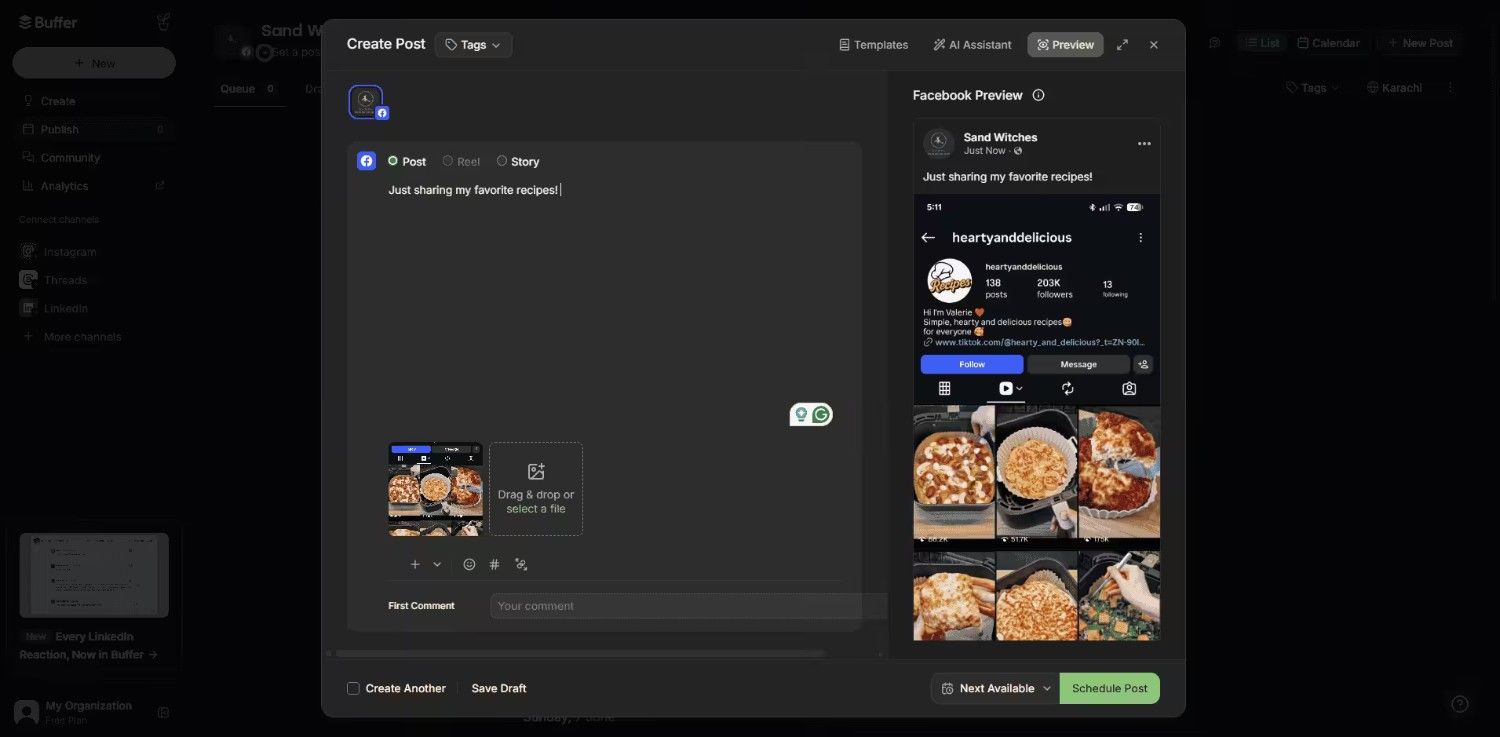
Buffer’s Dashboard Why I Picked Buffer
I used Buffer because of this comparison test, and it has made it clear why it’s the classic Sprout Social free alternative.
Its interface is clean, easy to navigate, and simple to use. But you know that simple means limited, so the moment you need deep analytics or multi-person team review steps, you run into a wall, and you need another tool for advanced features.
Features of Buffer:
- Intuitive scheduling queue
- Basic analytics
- An engagement dashboard tracks interactions in real time.
- A link-in-bio tool for the Start Page that allows you to share important links in one location.
Supported Platforms: Facebook, Instagram, X, Bluesky, Google Business Profile, LinkedIn, Mastodon, Pinterest, Threads, TikTok, YouTube
G2 Rating: 4.3
Trustpilot Rating: 3.6
Pricing: Buffer offers a Free plan, and its paid plans start at $5/month per channel.
Pros Cons The easiest tool to learn Doesn’t have advanced features Generous free plan Lacks team collaboration on the lower tiers Sprout Social vs. Buffer
- Buffer starts at $5 per channel, so if you are only managing three channels, you are paying $15 a month. Sprout wants $79 for a single seat before you even connect all your profiles.
- Sprout throws everything at you. Deep analytics, social listening, team workflows. That’s great if you actually use it all. Buffer strips it down to scheduling and basic engagement, which is honestly all a lot of solo creators need.
- Sprout has no free plan. Buffer’s free plan lets you schedule up to 10 posts per channel, which is enough to test the waters without pulling out a credit card.
- Sprout’s approval workflows are enterprise-only. Buffer barely has approvals at all, so if you need sign-offs from a client or manager, Sprout is the only real option between these two.
If you want to know more about Buffer, you can see how it compares to other social media tools. I have also written about Buffer alternatives that go deeper into features.
-
Later
Best for: Visual-first brands who live on Instagram and TikTok.
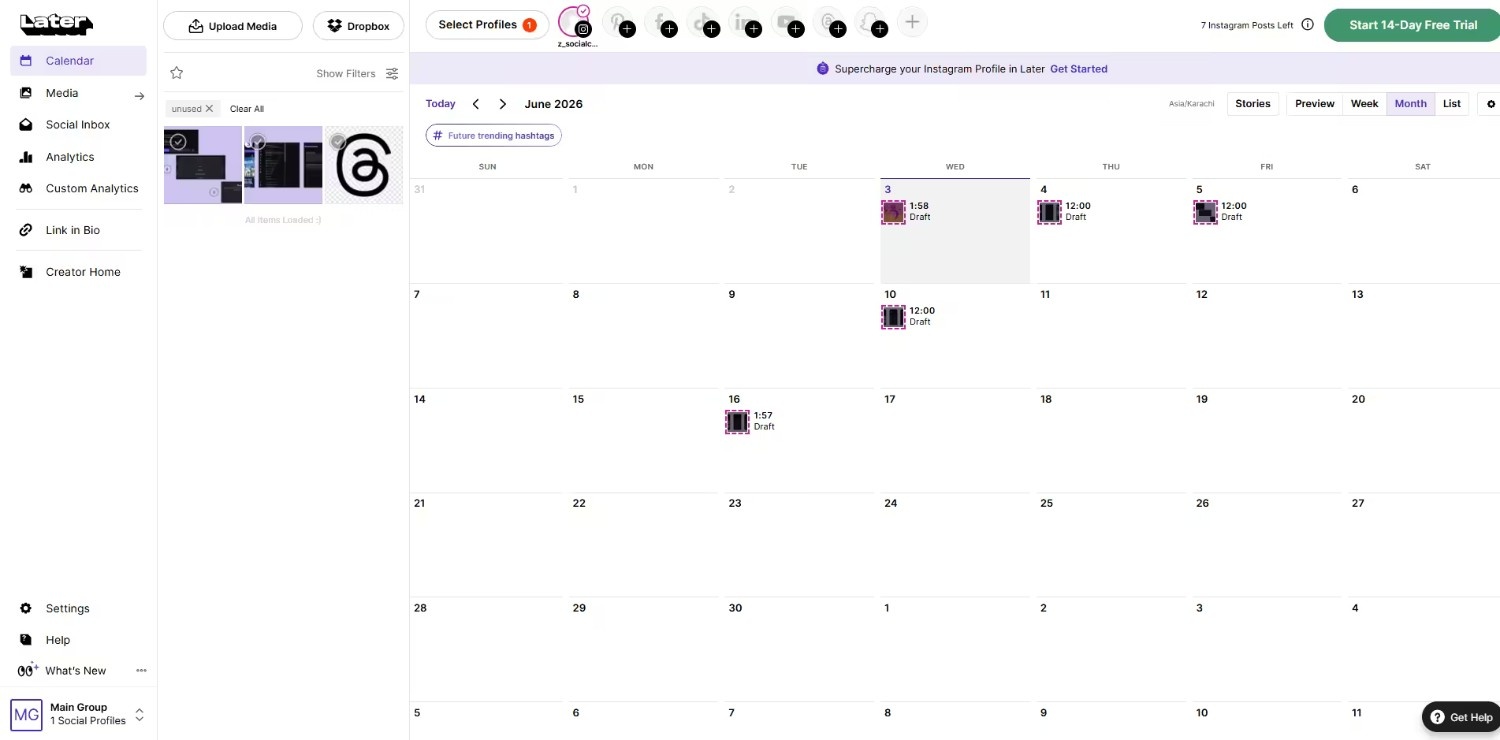
Later’s Dashboard Why I Picked Later
I tested Later against Sprout Social when I had to manage a highly visual lifestyle brand, and after testing it, it’s clear now that Sprout’s data-heavy look didn’t work for me.
Later helps you drag, drop, and visually plan your feed before it goes live. Also, it’s a cheaper option than many Sprout Social competitors.
Features of Later:
- Visual content calendar
- Reels and Stories scheduling
- Link in bio tool
Supported Platforms: Instagram, Facebook, Threads, Pinterest, TikTok, LinkedIn, YouTube, and Snapchat.
G2 Ratings: 4.5
Trustpilot Ratings: 1.5
Pricing: Later has a Free plan with basic features. Its paid plans start at $18.75/month.
Pros Cons Best visual planner Supports limited social media platforms Works well for Reels and Stories Basic analytics Sprout Social vs. Later
- Later starts at $18.75 a month and is built around visual planning for Instagram and TikTok. Sprout starts at $79 and treats every platform equally, which means you are paying for LinkedIn and X features even if you only post Reels.
- Sprout’s visual calendar exists but feels like an afterthought. Later’s drag-and-drop grid is the main event, and it really shows you how your feed will look before it goes live.
- Sprout’s analytics are far more detailed than Later’s, but Later covers the basics. For visual brands, the basics plus a clean planner is usually enough.
- Later supports fewer platforms overall. If you need Reddit, WhatsApp, or Mastodon, Sprout or Social Champ is a better fit.
Quick detour. I know you are hunting for Sprout Social alternatives, but it’s worth checking out these guides as well:
-
SocialPilot
Best for: Marketing teams who want to schedule in bulk and need client approvals.
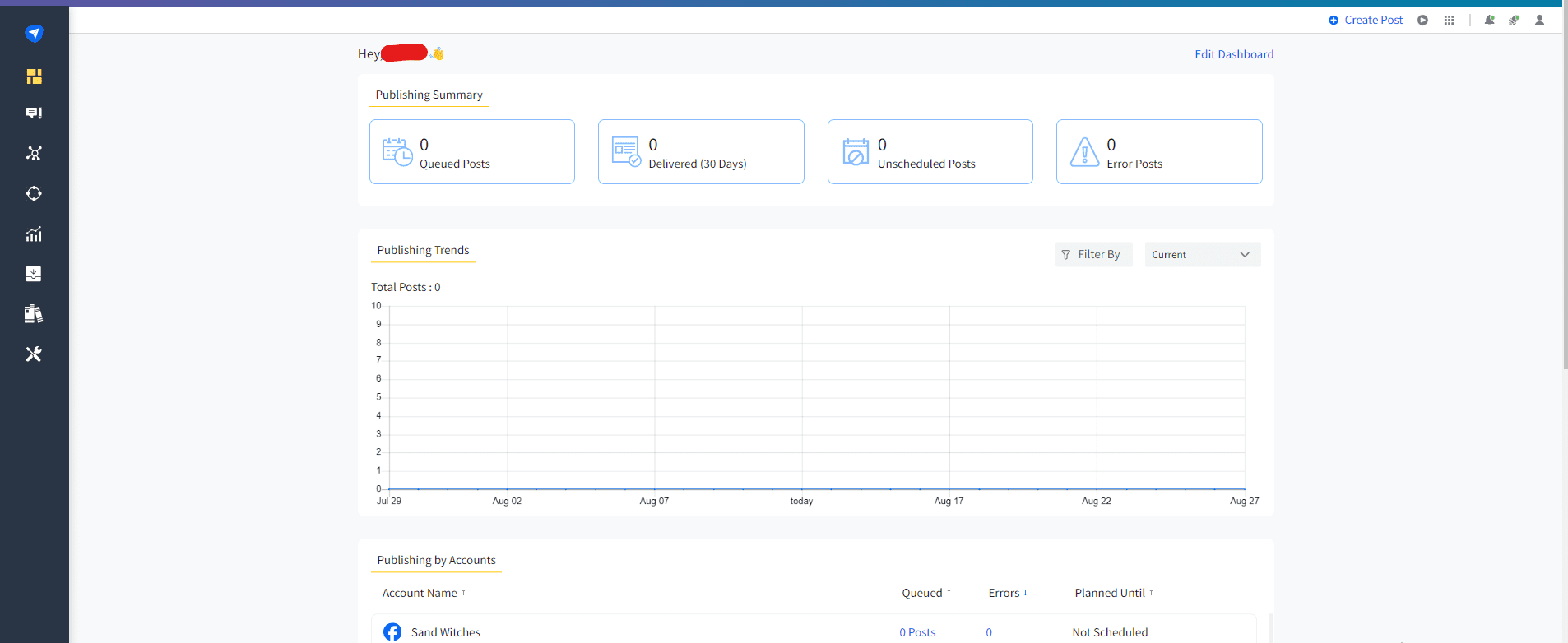
SocialPilot’s Dashboard Why I Picked SocialPilot
I tested SocialPilot because of its strong bulk scheduling. Although Sprout Social’s bulk scheduling feature does the job, you have to upgrade to the Professional or Advanced plan to schedule your content in bulk.
SocialPilot also offers its bulk scheduling feature in higher-tier plans, but they are still more reasonable than Sprout and don’t limit you to only one seat.
Features of SocialPilot:
- Bulk scheduling with CSV
- Client management and approvals
- Content curation and RSS feeds
Supported Platforms: Facebook, Instagram, TikTok, X, LinkedIn, Threads, YouTube, Pinterest, Google Business Profile, and Bluesky
G2 Ratings: 4.5
Trustpilot Ratings: 3.6
Pricing: SocialPilot’s pricing plans start at $25.50/month.
Pros Cons Bulk scheduling beast No free plan available More affordable than other tools The interface may feel overwhelming Sprout Social vs. SocialPilot
- SocialPilot starts at $25.50 a month and includes bulk scheduling on higher tiers. Sprout makes you upgrade to Professional ($299) or Advanced ($399) just to upload a CSV of posts.
- Sprout’s per-seat pricing makes it painful for teams. SocialPilot doesn’t punish you for adding users. You get multiple seats on lower-tier plans without the per-person tax.
- Sprout’s interface is sleek but heavy. The dashboard can feel busy, but SocialPilot offers good value for the price.
- Sprout’s client management features are locked behind expensive plans. SocialPilot offers client approvals and RSS feeds at a price point that won’t make your accountant cry.
-
Statusbrew
Best for: Agencies that want Sprout-level features without per-seat pricing.
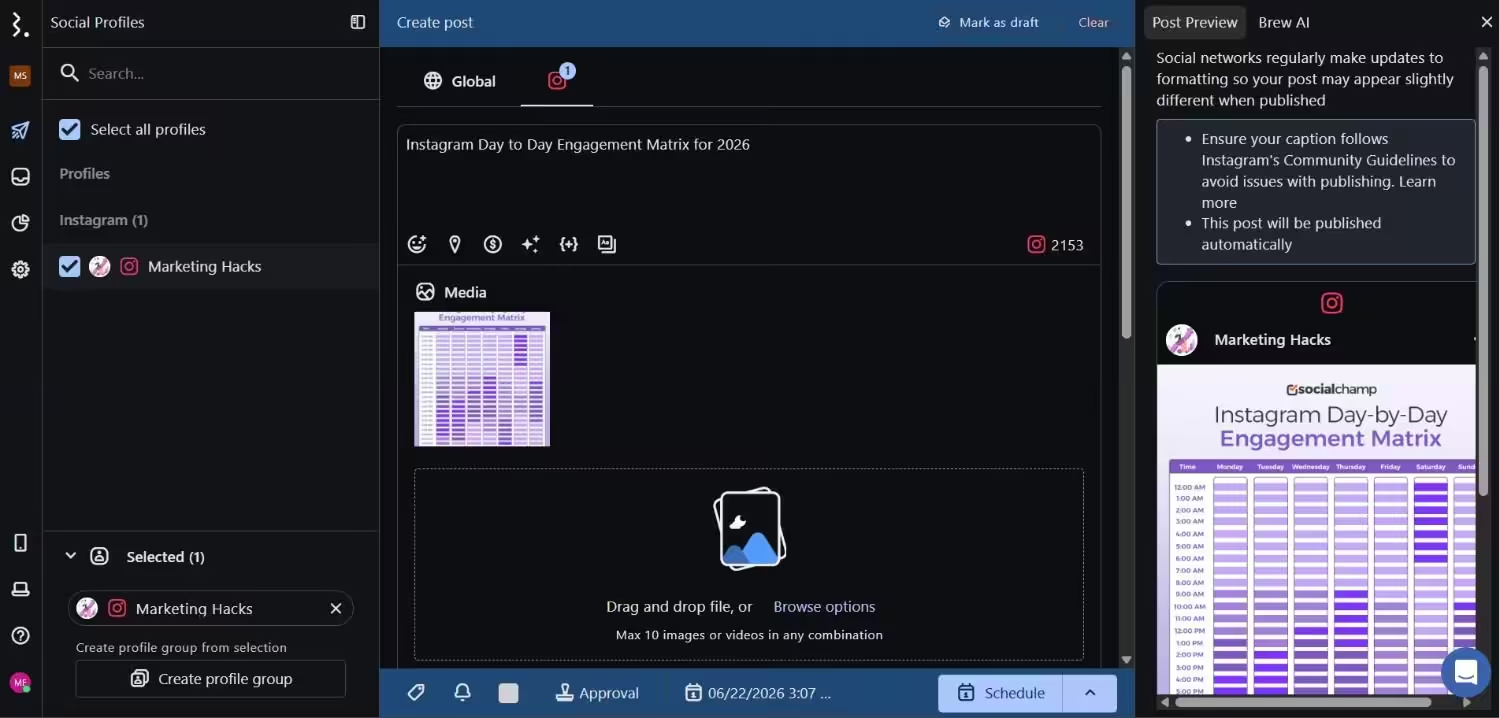
Statusbrew’s Dashboard Why I Picked Statusbrew
When I found out that Statusbrew is one of the direct Sprout Social competitors, I wanted to test it out, and I did. The best thing is that it doesn’t offer per-seat pricing as Sprout does.
Along with that, you get features like publishing, engagement, and reporting all in one dashboard at a more reasonable price than Sprout.
Features of Statusbrew:
- Publishing and scheduling
- Unified social inbox
- Team collaboration
Supported Platforms: Facebook, Instagram, X, LinkedIn, TikTok, WhatsApp, YouTube, Reddit, Bluesky, Threads, Google Business Profile, and Pinterest
G2 Rating: 4.8
Trustpilot Rating: 4.2
Pricing: Statusbrew’s pricing plans start at $69/month.
Pros Cons Strong team management features May feel expensive to individuals Good reporting The interface may feel overwhelming Sprout Social vs. Statusbrew
- Statusbrew starts at $69 a month and gives you Sprout-level features without the per-seat pricing. Sprout starts at $79 per seat, so a 3-person team is already at $237 a month before you add any real power.
- Statusbrew bundles multiple users on lower plans. Sprout charges full price for every single seat, including the intern who just needs to check comments once a week.
- Sprout’s social listening requires a separate quote and contract. Statusbrew includes listening for Instagram, X, Reddit, YouTube, Threads, and news sites without the enterprise runaround.
-
Planable
Best for: Teams who hate messy comment threads and email chains.
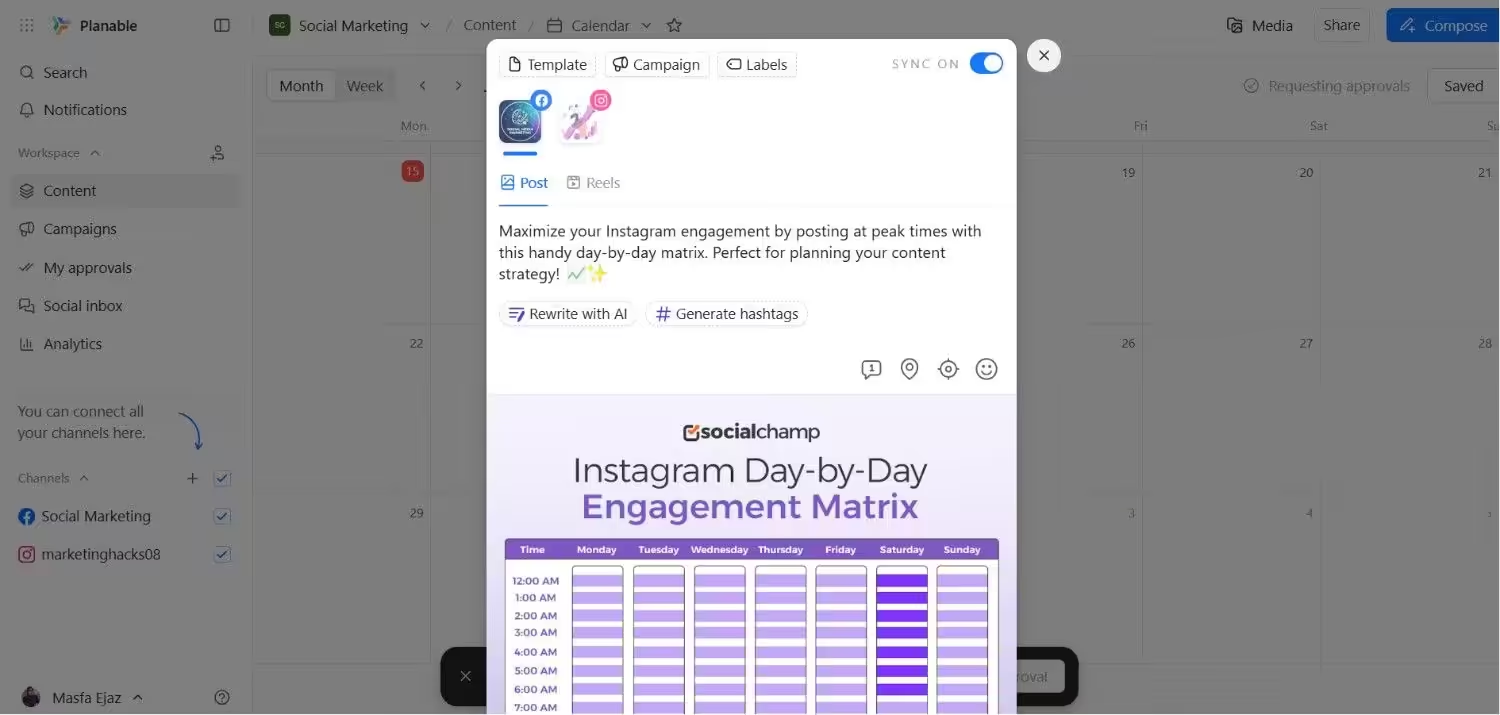
Planable’s Dashboard Why I Picked Planable
I tried Planable to test its approval process because with Sprout, my budget was draining super fast. And luckily, Planable fixed that.
You can mock up posts exactly as they will look. Also, your teammates can comment directly in context, and you can approve. But for more advanced scheduling features, you may need to look for other tools.
Features of Planable:
- Visual mockups for approvals
- Real-time collaboration
- Content calendar view
Supported Platforms: Instagram, Facebook, TikTok, LinkedIn, YouTube, Threads, Pinterest, X, and Google Business Profile
G2 Ratings: 4.6
Trustpilot Ratings: 4.4
Pricing: There’s a Free plan available. Its paid plans start at $33/month.
Pros Cons Best approval workflow Limited analytics Clean interface Social inbox only as an add-on Sprout Social vs. Planable
- Planable is priced per workspace ($33 a month), not per user. Sprout is strictly per-seat, so adding your client or a freelance designer means another $79. Or $249 if they need approvals.
- Sprout’s approval process works, but it’s buried in menus and feels like an enterprise formality. Planable is built around approvals. Drag-and-drop collaborators, visual mockups, and one-click client sign-off.
- Sprout only handles social content. Planable lets you plan and approve blogs, newsletters, and social posts in one place, which cuts down on the tool stack for content teams.
- Sprout’s social inbox is included but complex. Planable’s inbox is a $9 add-on, which means you only pay for it if you actually need it.
-
Mention by Agorapulse
Best for: Brands that care about social listening and brand monitoring.
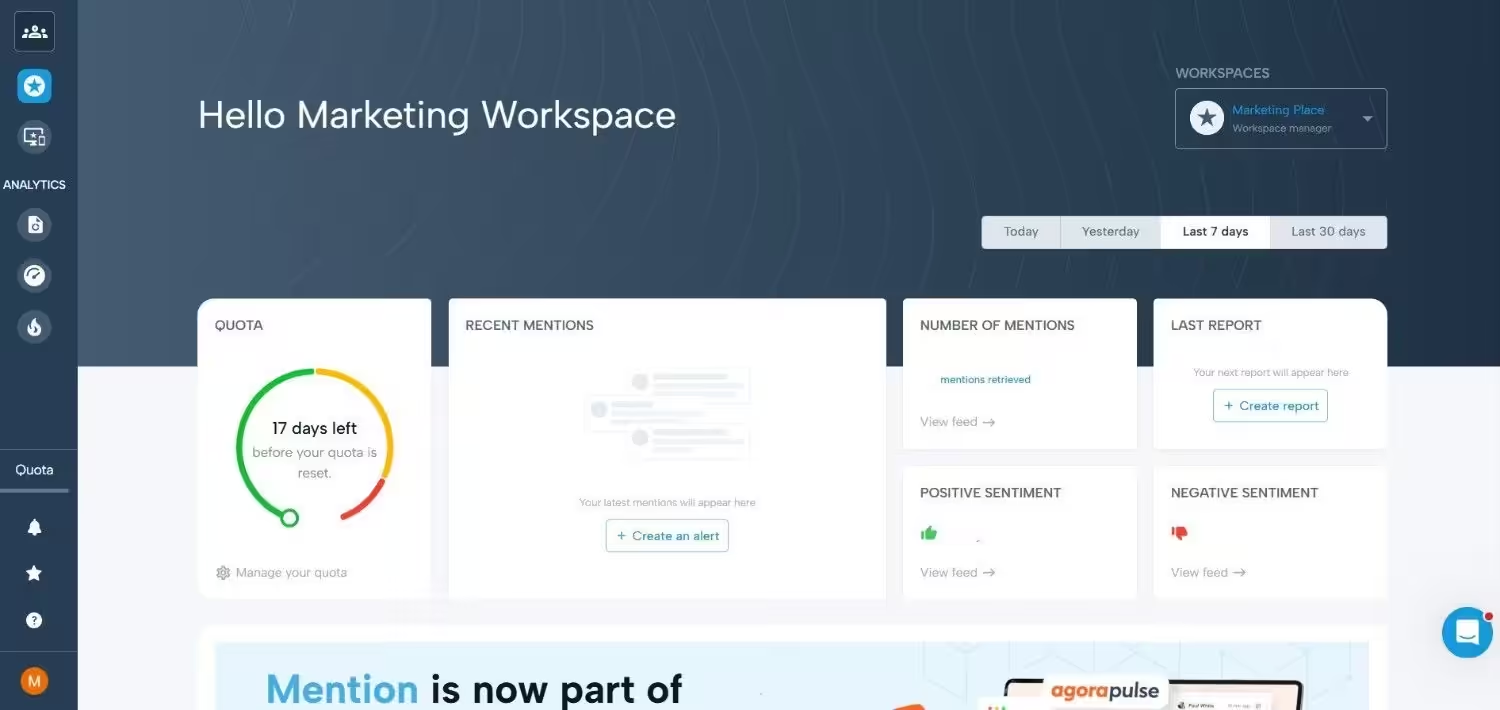
Mention’s Dashboard Why I Picked Mention
I tested Mention because this tool offers the same features as Sprout does, but I feel it’s very expensive for small and medium-sized businesses. Agorapulse has acquired this platform and turned it into a dedicated monitoring powerhouse.
If you give it a try, you can easily know what people are talking about your brand and when competitors are launching their campaigns. However, it’s not a full scheduling tool on its own.
Features of Mention:
- Brand mention tracking
- Competitor analysis
- Sentiment analysis
Supported Platforms: Facebook, Instagram, X, Reddit, and news sites.
G2 Rating: 4.3
Trustpilot Rating: 2.8
Pricing: Mention’s pricing starts at $599.
Pros Cons Deep listening features More expensive than other options Works well for reputation management Not a standalone scheduler Sprout Social vs. Mention
- Mention starts at $599 a month, so it’s not cheaper than Sprout. It’s actually more expensive. But it’s a dedicated listening tool, whereas Sprout treats listening as an afterthought hidden behind a custom quote.
- Sprout is a full scheduling and publishing suite. Mention isn’t a scheduler at all. It’s purely for brand monitoring, competitor tracking, and sentiment analysis.
- If you need publishing plus listening, Sprout is the all-in-one at a cost. If listening is 90% of your job and you already have a scheduler, Mention is the specialist tool.
- Mention covers news sites, Reddit, and broader web mentions better than Sprout’s native listening, which is mostly focused on social platforms.
-
Zoho Social
Best for: Teams already deep in the Zoho suite.
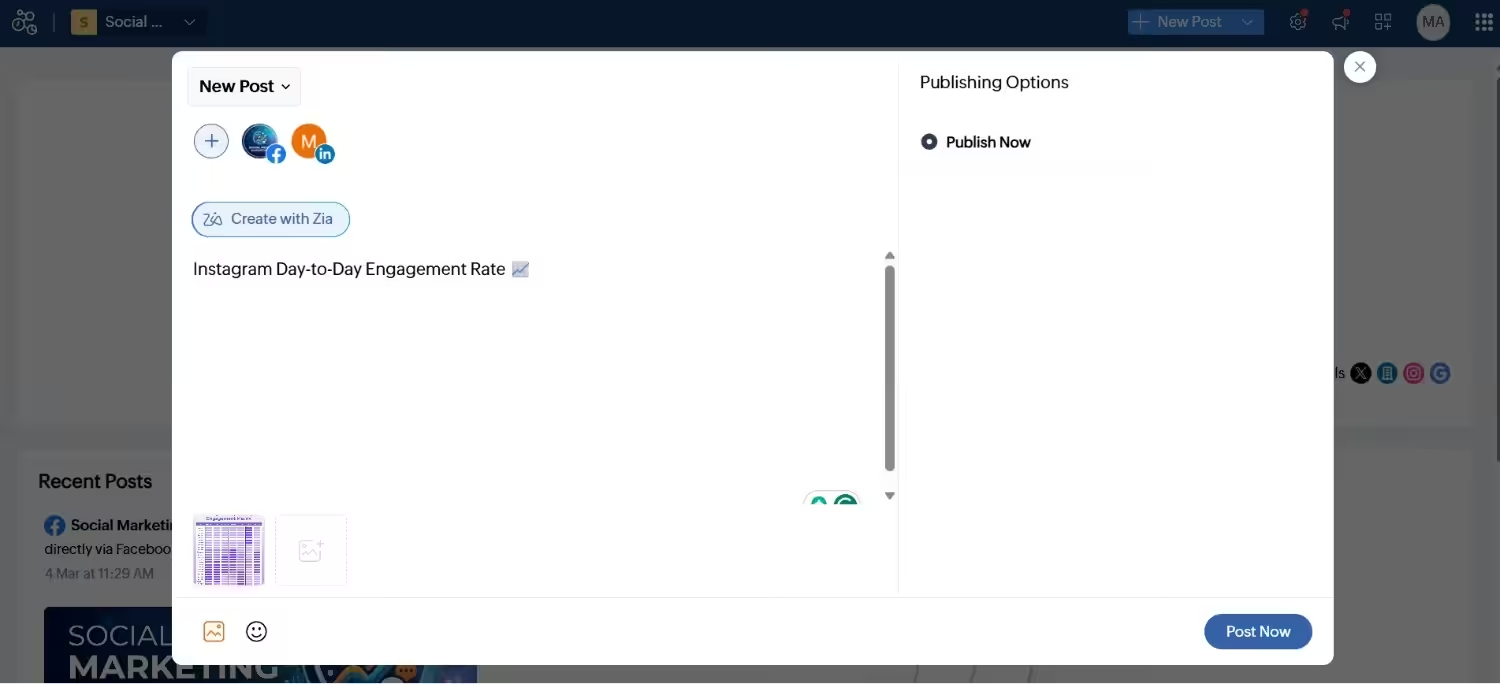
Zoho Social’s dashboard Why I Picked Zoho Social
I decided to stress-test Zoho Social because someone I know runs their business on Zoho. If you already use Zoho CRM, this tool is a perfect option.
It connects seamlessly. If you don’t use other Zoho tools, it’s just another scheduler with decent features and a low price. You may not call it a direct Sprout Social competitor, but an affordable option for small teams.
Features of Zoho Social:
- Scheduling and publishing
- Basic analytics
- CRM integration
Supported Platforms: Facebook, X, LinkedIn, Instagram, WhatsApp, Google Business Profile, YouTube, Pinterest, TikTok, Mastodon, Threads, and Bluesky
G2 Ratings: 4.6
Trustpilot Ratings: 3.9
Pricing: You can get Zoho Social’s Free plan. Its paid plans start at $10/month.
Pros Cons Very affordable option Weak without Zoho CRM CRM integration Basic analytics Sprout Social vs. Zoho Social
- Zoho Social starts at $10 a month, which is almost laughable next to Sprout’s $79 entry fee. But Zoho is really only worth it if you’re already paying for Zoho CRM.
- Sprout works as a standalone powerhouse. Zoho Social without the CRM is just a basic scheduler with decent analytics. Nothing special.
- Sprout’s analytics and reporting are in a different league. Zoho’s reports are fine for small teams, but they won’t impress a client who expects deep-dive PDFs.
- Zoho’s integration with the Zoho suite is genuinely useful if you live in that ecosystem. Sprout integrates with Salesforce and HubSpot, which is great if you are not a Zoho shop.
-
Metricool
Best for: Analytics-first marketers and ad managers who need competitor benchmarking.
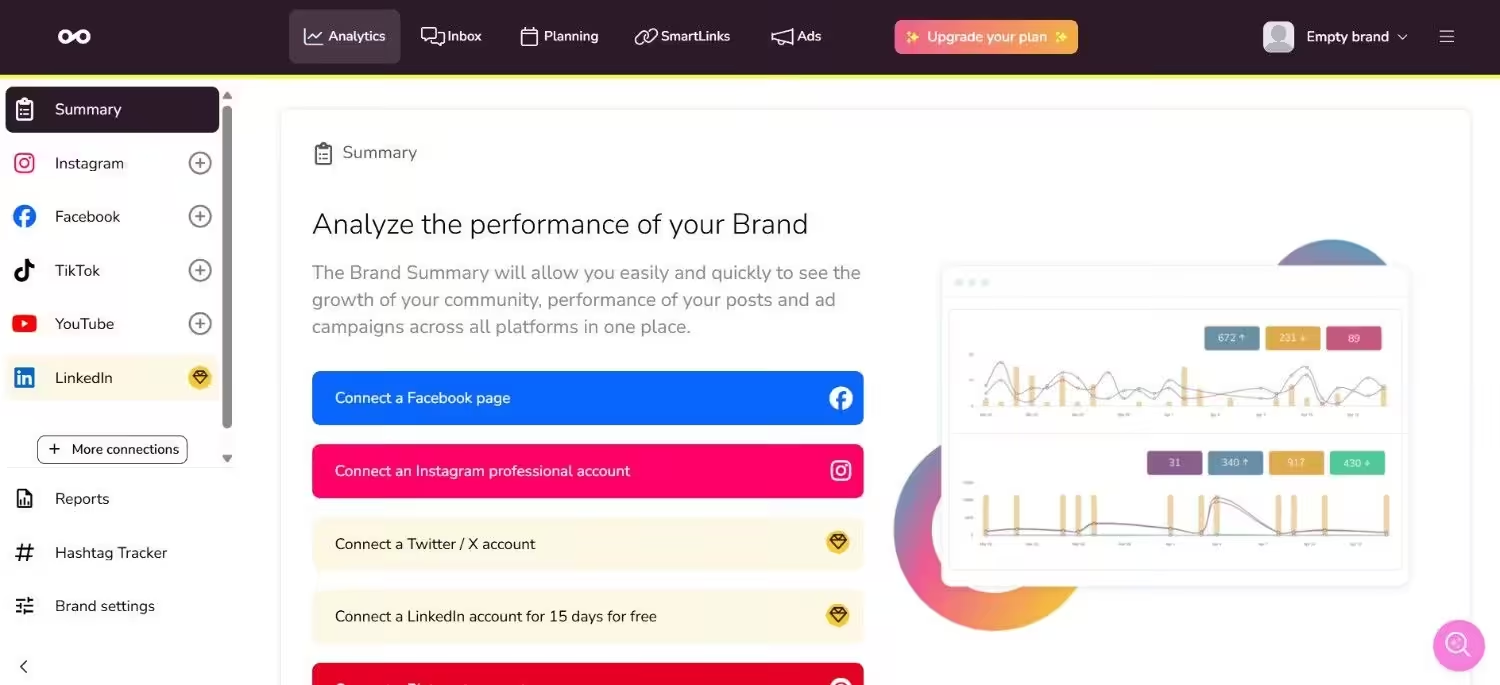
Metricool’s Dashboard Why I Picked Metricool
I tested Metricool because I kept hearing agency friends rave about the reporting depth. If your week revolves around client reports and cross-channel dashboards, Metricool genuinely shines. It bundles organic publishing, paid ads, web analytics, and competitor tracking into one dashboard.
But what I feel is a barrier is that X and LinkedIn are excluded from the free plan, and X costs an extra $5/month per account on every paid tier. So the advertised price isn’t always the price you actually pay.
Features of Metricool:
- Unified dashboard for organic, paid, and web analytics
- Competitor tracking and benchmarking
- Content planning and scheduling (unlimited on paid plans)
Supported Platforms: Instagram, TikTok, YouTube, Threads, X, Twitch, Google Business Profile, Facebook, Bluesky, Pinterest, and LinkedIn
Pricing: Metricool offers a Free, and its paid plans start at $20.
G2 Ratings: 4.5
Trustpilot Ratings: 3.9
Pros Cons Best-in-class analytics for the price range. Organic, paid, and web analytics in one dashboard X and LinkedIn are excluded from the free plan; X costs an extra $5/month per account on every paid tier Real free plan that includes competitor profiles and benchmarking Team collaboration features are locked behind the Advanced tier Sprout Social vs. Metricool
- Metricool starts at $20 a month and bundles organic publishing, paid ads, web analytics, and competitor tracking into one dashboard. Sprout starts at $79 and makes you pay extra for competitor insights.
- Sprout’s analytics are deeper and more customizable, but Metricool’s are easier to read and include competitor benchmarking on the free plan.
- Sprout includes X and LinkedIn on every plan. Metricool excludes X from the free plan and charges an extra $5 a month per X account on paid tiers, which is a sneaky cost that adds up fast.
- Sprout’s team collaboration is locked behind higher tiers. Metricool also locks team features behind the Advanced tier, so neither is perfect for growing teams on a budget.
-
Loomly
Best for: Teams that live on approval workflows and brand calendars.
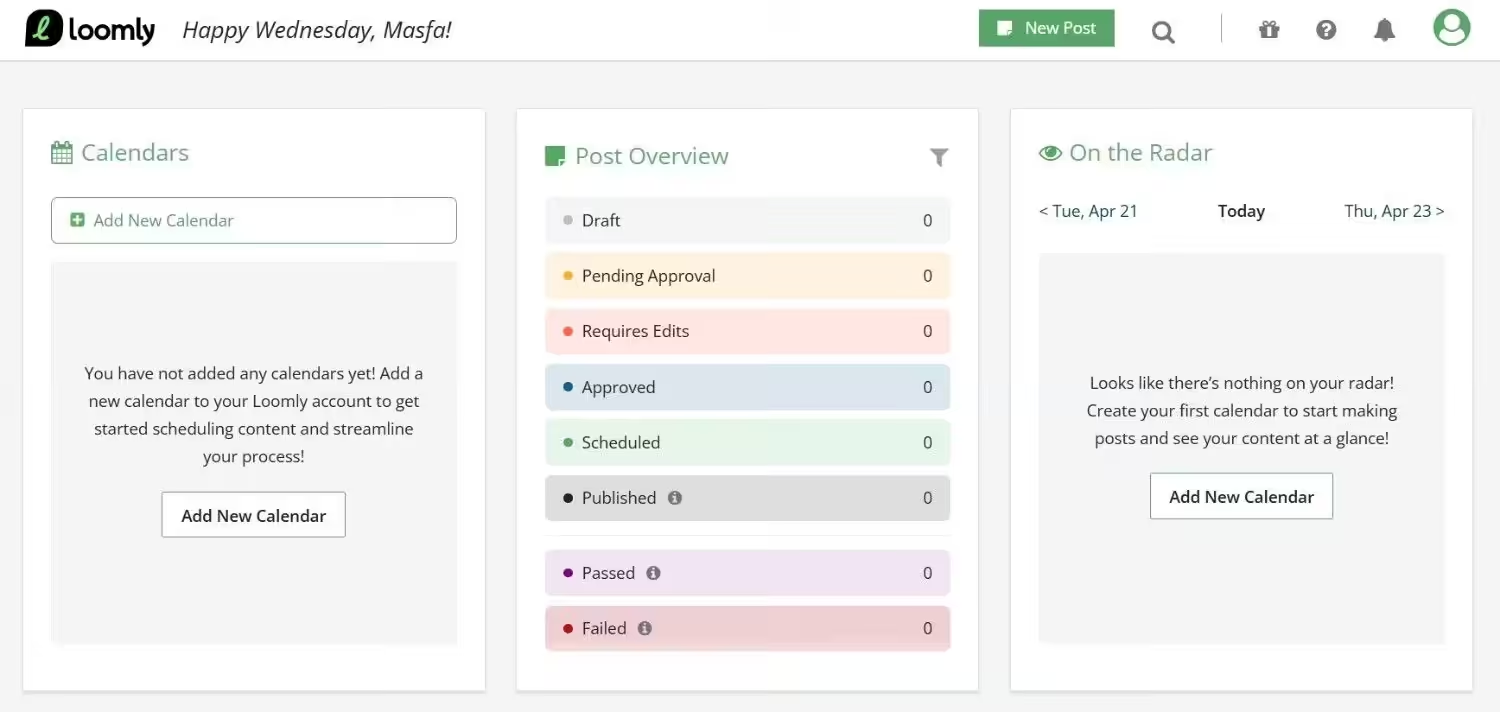
Loomly’s Dashboard Why I Picked Loomly
I tried Loomly because I needed a tool that could handle multi-tier client approvals without giving me a headache. The brand calendar concept, where each calendar is a dedicated workspace with its own profiles, approval flows, and post deadlines, is genuinely polished.
But the pricing gap hurts. Starter is $49/month (yearly), and then it jumps hard to Beyond at $249/month. There’s no comfortable middle ground for growing agencies.
Features of Loomly:
- Brand calendars with dedicated workspaces
- Multi-tier approval workflows
- Post scheduling and mockup previews
Supported Platforms: Instagram, LinkedIn, Facebook, TikTok, YouTube, Threads, Google Business Profile, Pinterest, and Snapchat
Pricing: There’s a Free plan with some basic features. Its paid plans start at $49/month.
G2 Ratings: 4.6
Trustpilot Ratings: 3.8
Pros Cons Approval workflows are among the best in class, with multi-tier client sign-off Massive pricing gap from $49/month to $249/month Clean, intuitive dashboard with dedicated brand calendars and workspaces Trustpilot reviews cite that the platform is glitchy and slow Sprout Social vs. Loomly
- Loomly starts at $49 a month and is built around brand calendars and multi-tier approvals. Sprout starts at $79 and hides approvals behind the $399 Advanced plan.
- Sprout’s calendar is functional but not visual. Loomly’s brand calendars are dedicated workspaces with their own profiles, approval flows, and deadlines. It’s genuinely polished for agencies.
- Sprout scales linearly with per-seat pricing. Loomly jumps from $49 to $249 with no middle ground, which is brutal if you outgrow Starter but can’t afford Beyond.
- Sprout’s reporting is stronger and more customizable. Loomly’s analytics are basic, and some users report glitches and slow load times that Sprout doesn’t have.
Before you scroll past, you may want to take a look at the full breakdown of Hootsuite vs Sprout Social. Check this out and see who wins.
Team Approval Workflows That Do Not Suck.
Why Do People Switch From Sprout Social?
No doubt, Sprout Social is a solid social media management tool and indeed better than many free social media schedulers. I even tested it out myself, but during my research on tools, I came across many Sprout Social reviews on the review platforms where users ranted about the tool.
What I’ve found out after my research is that there are some reasons that may push users to switch from other Sprout alternatives. Let’s take a look:
- The first thing that convinced me to write this guide is Sprout Social’s pricing. You all know it’s an expensive tool that starts at $79 and is very limited in features. You need to upgrade your plan to get access to more advanced features.
- The second thing is that the tool is overloaded with features such as social listening, deep analytics, and team workflows, which is good in some respects, but if you’re a small team that just wants to schedule posts and check engagement, you may feel like you’re piloting a spaceship to buy groceries.
- Sprout Social doesn’t have a free plan. It does offer a 30-day free trial, which is enough for testing out its features. But what happens when it ends? You need to pay your bill, which is not easy for freelancers and small teams.
- Some users even complain about Sprout Social’s customer support service, and that’s obvious when your client campaign goes live and something breaks; you need answers immediately.
I used Sprout Social, and I felt that pain myself. That’s when I realized the need to hunt for Sprout Social alternatives that can give me all the features I need while not draining my budget.
Sometimes you do not need a bigger social tool. You just need a better social media scheduler to clean up your workflow.
How to Choose the Right Alternative to Sprout Social
Now you have ten options, and it’s time to decide which one is the right option for you and how you can choose.
Let me tell you how I picked my winner without losing my mind.
The first step is to know how much you can spend on a tool. If you pay $79 or even $199 for a single seat, and not even the proper features open up, you should set a limit. Look for the tool that offers the same features (or even more) within your budget.
The second step is to list what features you need to get your work done. Start with things like bulk scheduling, a content calendar, or team approvals. If you see any tool that lacks any of these features, just don’t subscribe. You should do this before testing anything to save your time.
Now, what you can do in the third step is check if the tool offers a free plan or a free trial. I recommend that you never pay before you get familiar with the tool. Sign up for a free trial and try the tool; if it’s annoying you, drop it. If you find it good, go for it.
The fourth step is to check the mobile app of the tool. It’s an important step because you don’t always manage your social media from a laptop. Sometimes you’re at a coffee shop, and you need to approve the content. If the app crashes or is buggy, you will hate the tool by week two.
The fifth and last step is to count the integrations that the tool offers. Look for what integrations you use in your daily workflow. You probably use Canva, Google Drive, or a CRM. If any tool doesn’t offer these integrations, you create more work for yourself.
This is the exact checklist that I followed while deciding which one is the winner, and you know what? Social Champ won for me because it checked every box and didn’t empty my wallet. But everyone has different workflows and needs different features. So, pick the tool that solves your specific pain, not the one with the longest feature list.
