

Social Media Monitoring Analytics in One Place
Social Champ’s social media monitoring and analytics tool shows your accounts in one place. It tracks growth, engagement, and mentions, compares competitors, and builds branded client reports.



Post Analytics Rankings
Social media analytics that rank posts by any metric a network reports, top or low performers.
Google Analytics 4 Data
See website visitors, traffic sources, and page views from GA4 next to your social media analytics.

Campaign Label Performance
See how posts with a given label performed. Compare 2 to 5 labels side by side in one view.
Branded Reporting
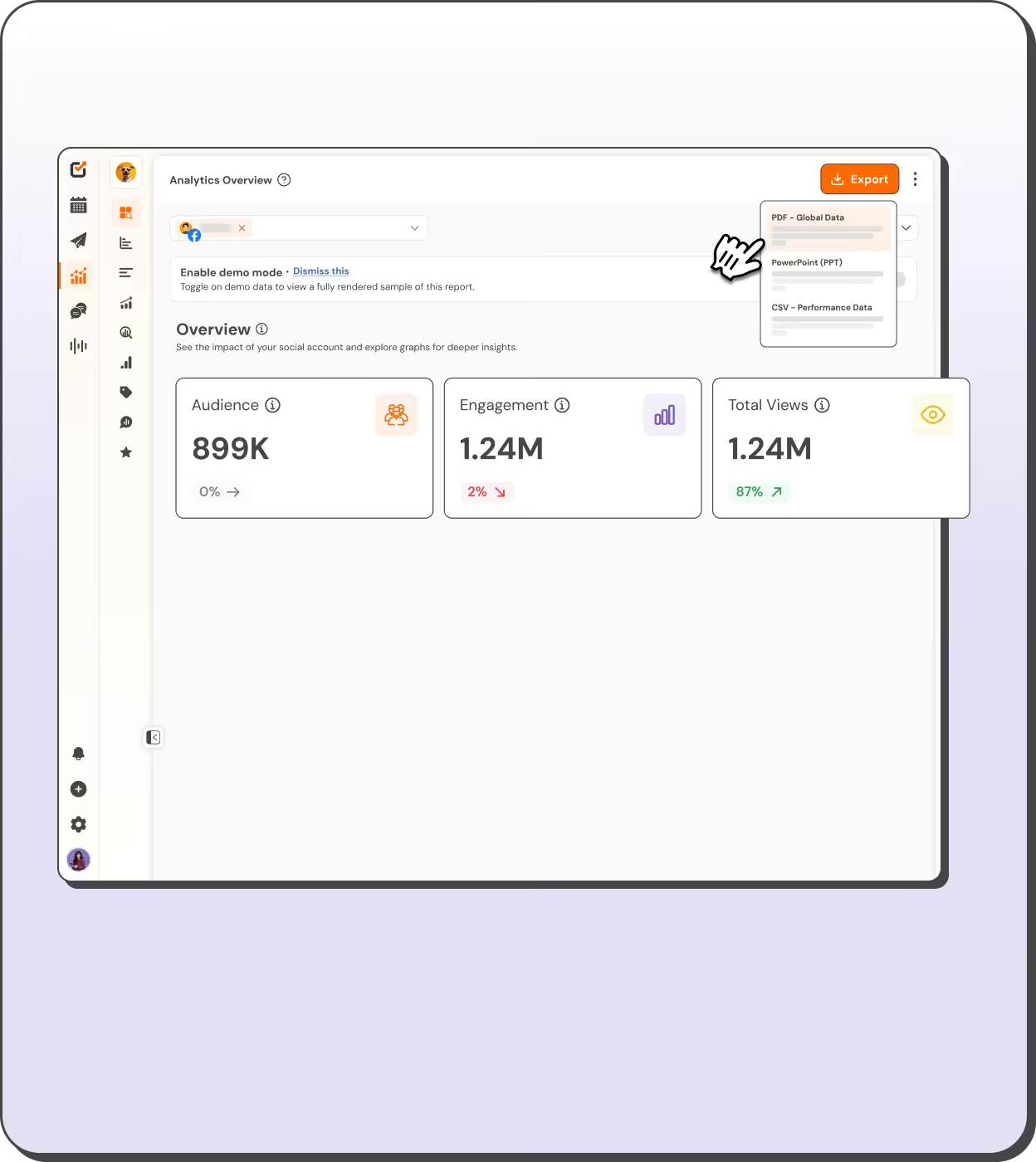
Export branded social media analytics reports as PDF or PowerPoint. Get post results as CSV.
Best Social Media Monitoring Tool
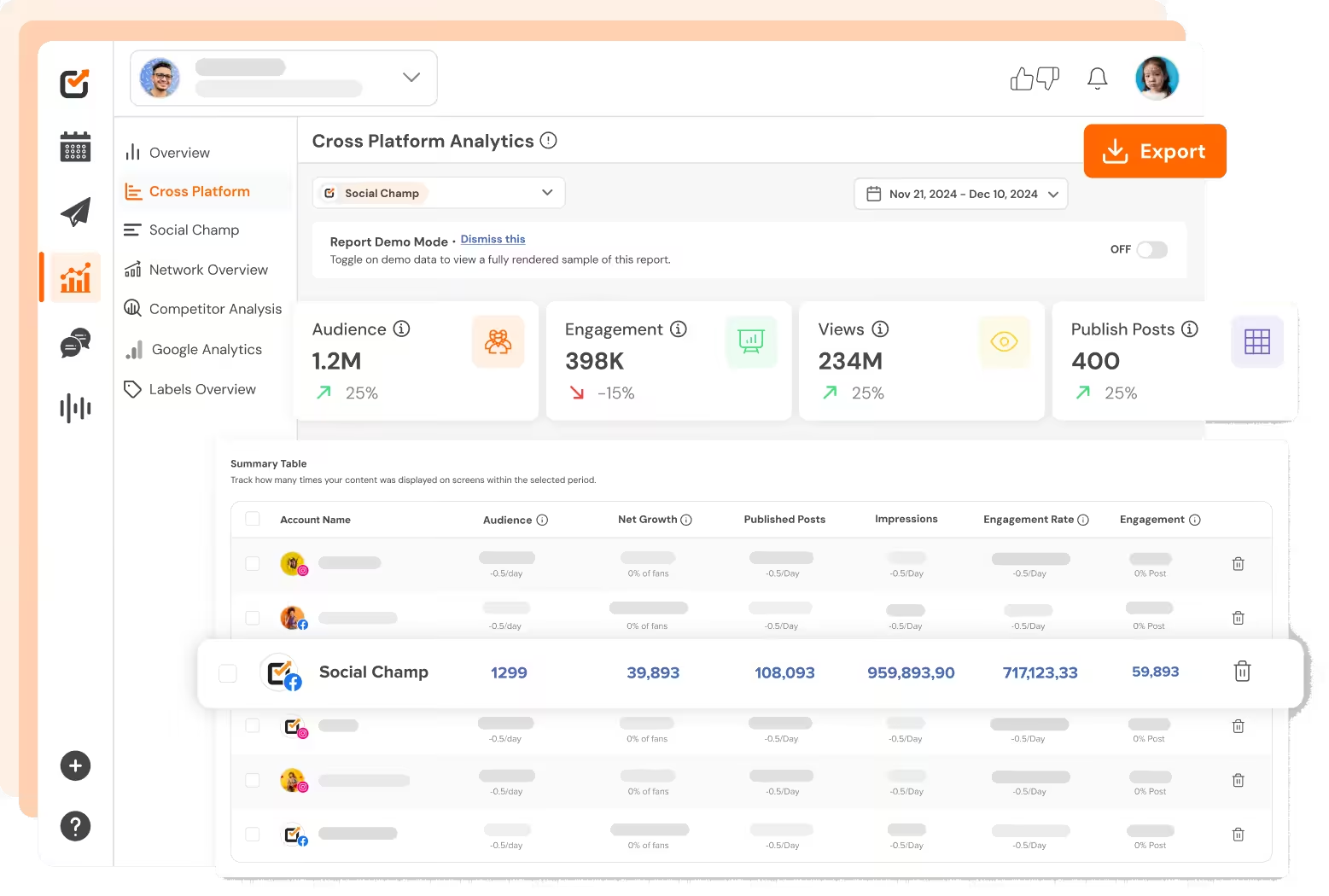
Monitor Accounts in One Place
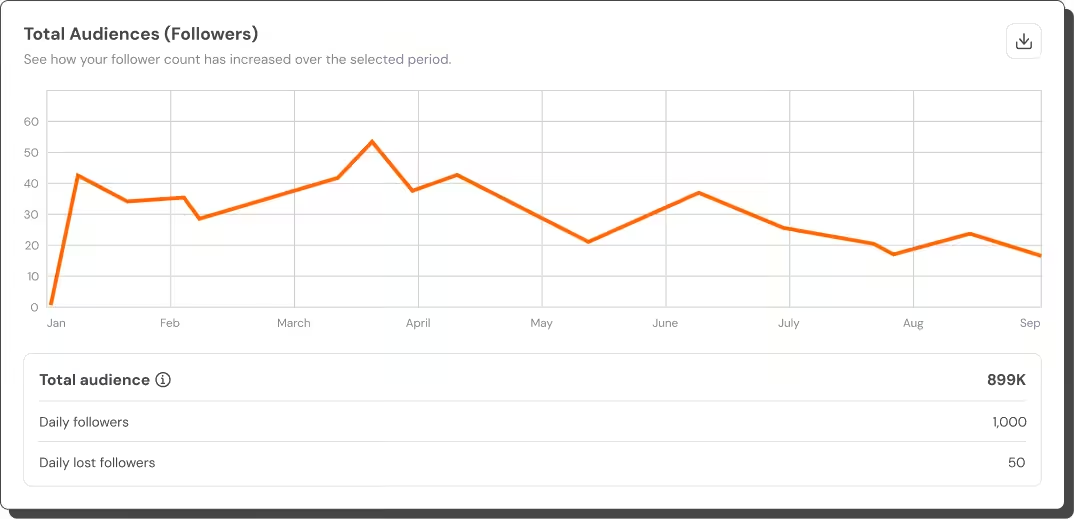
Each network reports numbers in a different place. This social media monitoring analytics tool pulls them into one dashboard for every account.
- Track audience, engagement, and impressions
- Compare networks in Cross Platform on select plans
- Turn on Compare dates to see change over time
- Plot up to 6 metrics on a single timeline
- Check Best Time To Post and Demographics charts
- Read Facebook, Instagram, LinkedIn, YouTube, and TikTok data
Competitors and Mentions
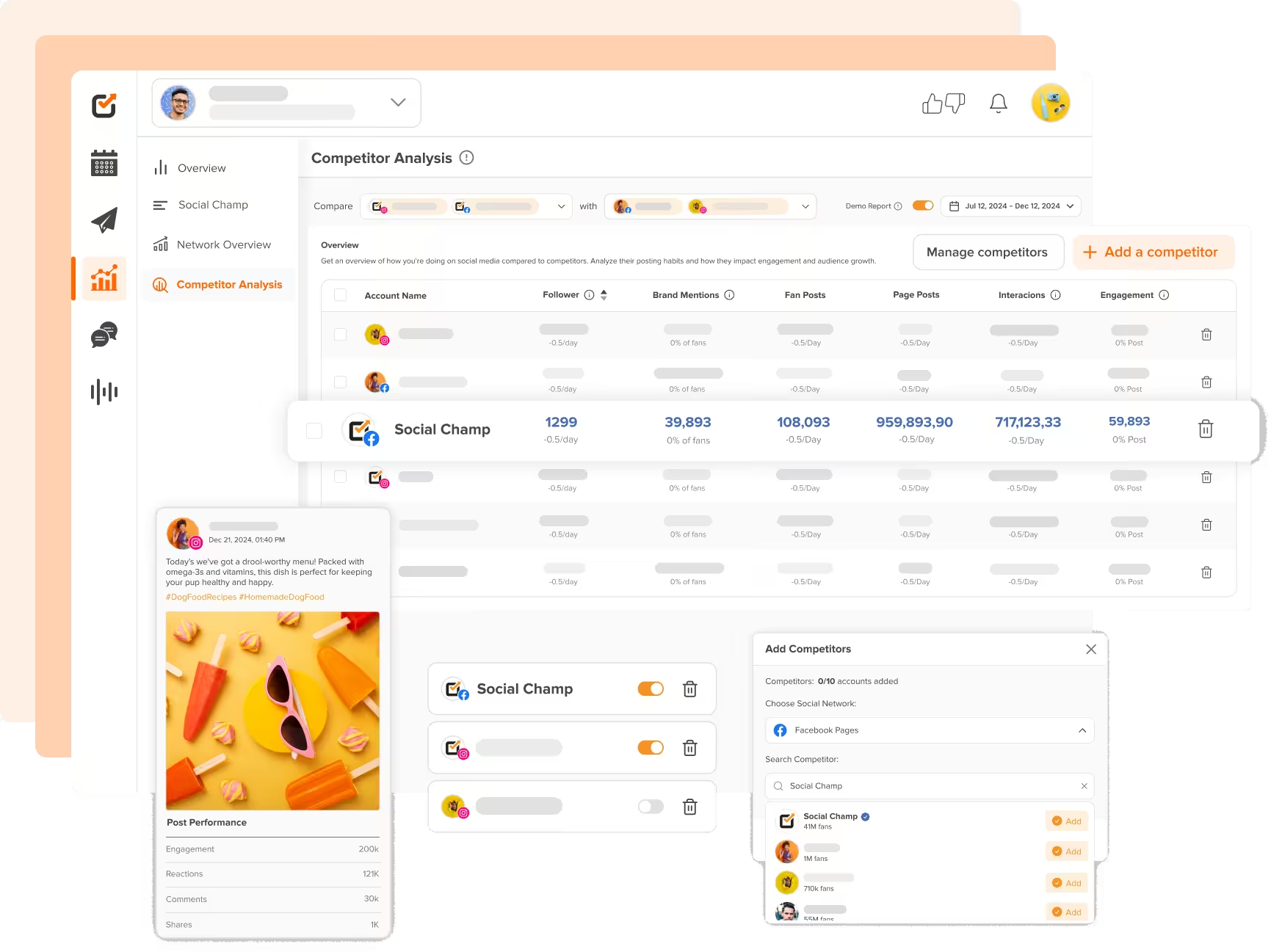
Social media monitoring covers rivals. Competitor Analysis compares their Facebook Pages, Instagram accounts, and YouTube channels with yours.
- Benchmark Facebook, Instagram, and YouTube accounts
- See competitor numbers refreshed daily in your dashboard
- Track 5 on Professional, 10 on Agency, 100 on Enterprise
- Open Competitor Analysis with permission to manage Engage
- See mentions as Brand Awareness where networks report them
- Read mentions beside engagement and impressions on cards
Social Media Analytics Data
Social media analytics show which posts, labels, and hashtags bring results. Then see how visitors reach your website in GA4.
- Rank posts in Post Overview by any reported metric
- Filter top and low performers by post, video, or Reel
- Compare 2 to 5 labels side by side with Label Analytics
- Rank your hashtags by median engagement or reach
- See visitors, traffic sources, and bounce rate from GA4
- Track Link in Bio visits, link clicks, and click rate
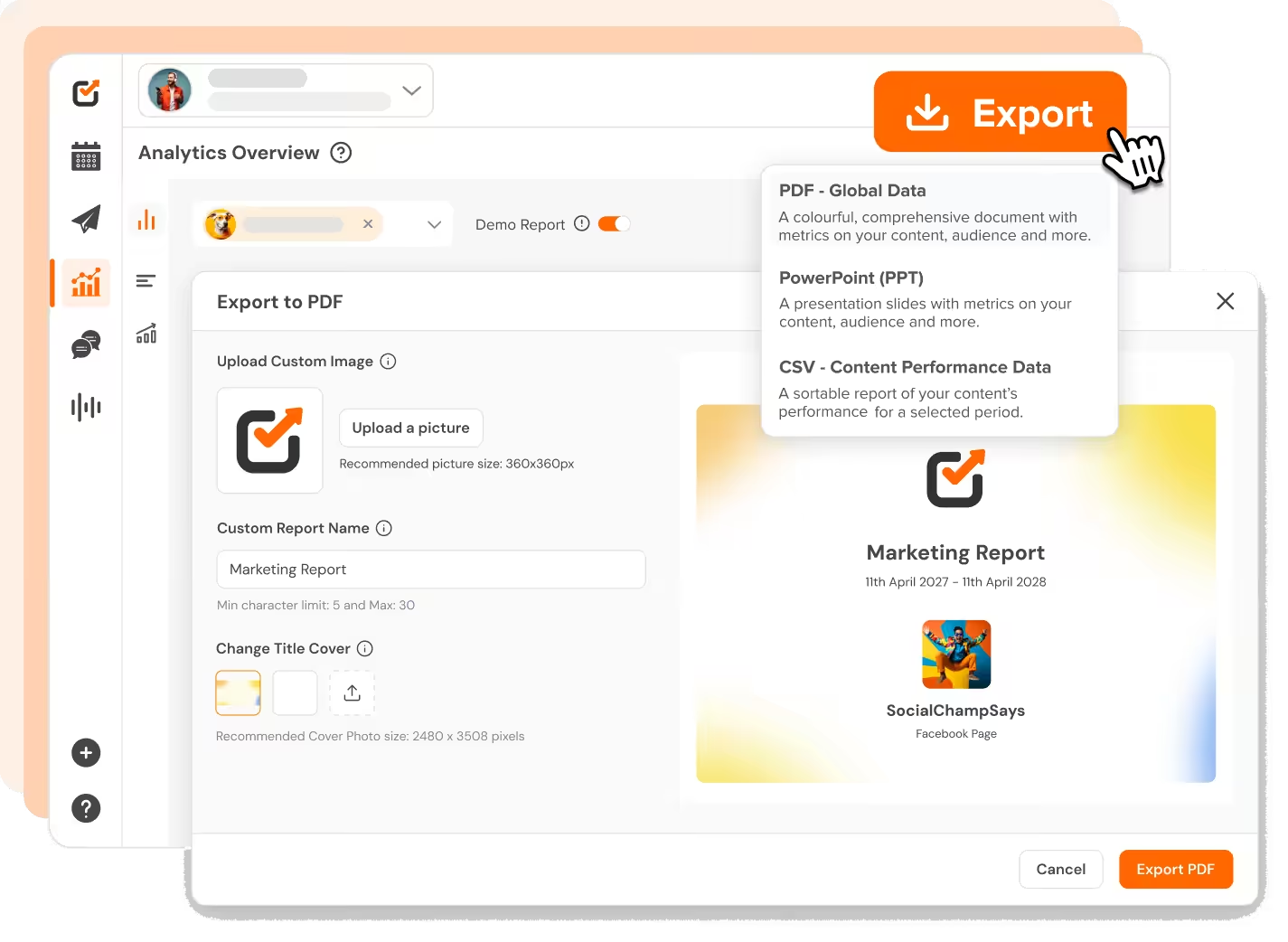
Client Analytics Reports
Skip the screenshots. This analytics tool for social media builds branded reports to export, email on a schedule, or share as a link.
- Export PDF or PowerPoint with your logo and report name
- Choose exactly which metrics go in with Select metrics
- Download post results as CSV when you need raw data
- Share view-only links with optional password protection
- Email weekly or monthly reports with Scheduled Report
- Save accounts, dates, and metrics, then reopen in one click
Post Like A Champ
You can manage all your favorite social platforms via Social Champ
Start Free Trial


More of What Social Champ Does

Social Media Calendar
See everything scheduled in one view. Drag, drop, and reschedule without opening each post.

Bulk Scheduling
Upload a batch of posts and queue them in one pass. A month of campaign content, ready early.

Competitor Analysis
Monitor competitor Facebook Pages, Instagram accounts, and YouTube channels next to yours.

Switch
Social Champ’s AI assistant. It can answer questions about your numbers from the Analytics page.

Roles and Permissions
Decide who can create, who can approve, and who can publish. No accidental posts going live.

Chrome Extension
Spot something worth sharing while you browse, then send it straight into your posting queue.

“Social Champ is the tool that I use the most for my social media efforts. It's the cleanest and most efficient tool that I've found.”

“Social Champ isn't just a usual scheduling tool - it satisfies your inner-geek, boosts productivity, & effectiveness for SMM.”

“Social Champ is an innovative solution that helps you publish your content in an intelligent way to maximize exposure.”

“Social Champ helped us grow our reach by 30% while making content planning, publishing, and collaboration effortless.”
Big-league tools. Small-league price.
Start Free TrialSpeed up your workflow
Your favorite tools work where you do.
You no longer have to jump between apps. Social Champ's integrations enable you to use your favorite tools within the app.




Frequently asked questions
Can I See My Google Analytics 4 Data in the Dashboard?
Yes. Social media analytics in Social Champ include GA4 data: visitors, traffic sources, referrals, countries, cities, page views, and bounce rate. Opening it needs permission to manage Engage.
Does Social Champ Track My Competitors’ Data?
Yes. Social media monitoring of competitors covers Facebook Pages, Instagram accounts, and YouTube channels. Your plan sets how many competitors you can track.
Can I White-Label My Analytics Reports for Clients?
Yes. Add your logo, a custom report name, and a cover to PDF or PowerPoint reports, and choose which metrics go in. You can also share a view-only link with an optional password.
What Is the Difference Between Social Media Monitoring and Analytics?
Social media monitoring tracks what happens around your accounts, such as mentions and competitors. Social media analytics measures how your own accounts and posts perform. Social Champ covers both in one tool.
Start Monitoring Your Social Results in One Place
Analytics comes with every plan, including Free. Connect your accounts and see your results in one dashboard.