
Zoho Social is a respected name in the social media management industry, recognized for its scheduling, monitoring, and reporting capabilities.
However, as business needs evolve, some teams may begin to seek tools that align more closely with their workflows, offer greater customization, or introduce new features to meet growing demands.
That’s why many marketers are exploring Zoho Social alternatives, tools that bring advanced automation, deeper analytics, enhanced collaboration, or simply a different user experience.
Key Takeaways
- Social media management can be overwhelming without the right tool.
- Zoho Social, while popular, may not suit everyone due to its outdated interface or limited analytics.
- Many users are switching to smarter tools with better automation and usability.
- Selecting an appropriate Zoho Social alternative is based on cost, user-friendliness, and platform compatibility.
- Zoho Social alternatives help businesses in streamlining social media management and enhancing efficiency.
In this guide, we’ve listed 8 of the best Zoho Social alternatives to consider this year.
These platforms offer a variety of features suited for managing multiple clients, collaborating within small teams, or supporting fast-growing businesses.
Let’s take a closer look at what’s out there.
Here’s a Quick Overview of Better Zoho Social Alternatives in 2026
Zoho Social offers CRM integration and basic campaign management tools, which work well for users.
But if you find that it doesn’t quite match your workflow, or if you’re just curious about what else is out there, you’re not alone.
Today, plenty of tools offer fresh interfaces, deeper analytics, or more flexible pricing, which makes them solid Zoho Social alternatives to consider this year.
Here is a detailed comparison table of top Zoho alternatives, covering pricing, features, and platforms.
This snapshot helps you quickly spot the best alternatives to Zoho for your needs.
| Zoho Social Alternative | Starting Price (Annually) | Notable Features | Best For |
|---|---|---|---|
| Social Champ | $4/month | Publish, Social Inbox, Analytics, Social Listening, Calendar, Competitor Analysis, Team Collaboration | Agencies, SMBs, & enterprises |
| Buffer | $5/month | Publishing, Analytics, Engagement, Collaboration | Solo creators & small businesses |
| Eclincher | $1609/year | Publishing, Analytics, Smart Inbox, Hashtag Reporting, Publisher and Visual Calendar, Social Listening, and Link in Bio Tools | Small, medium, and large enterprises, marketing agencies. |
| Sendible | $35/month | CRM Features, Client Management, and Brand Monitoring | Agencies managing multiple clients |
| Agorapulse | $79/month | Publishing, Collaboration, Engagement, Listening, Analytics | Small to medium businesses |
| Loomly | $49/month | Publishing, Analytics, Collaboration Tools, Calendar Management, Social Analytics, Collaborative Approval Workflows | Individuals, teams, and agencies |
| Hootsuite | $99/month | Scheduling, Monitoring, Integrations, and Team Features | Agencies & multi-brand teams |
| Sprout Social | $79/month | Publishing & Content Planning, Analytics, Social Inbox, Social Listening, Customer Engagement | Enterprises & data-focused marketers |
Why Switch Alternatives to Zoho Social?
Exploring Zoho Social alternatives could open the door to features that better match how you work.
Some tools now offer AI-powered suggestions to help you create content faster.
For example, Social Champ comes with Champ AI Suite, a set of built-in tools which helps you to simplify content creation.
Mobile experience is another factor to consider. While Zoho Social does have a mobile app, some users find other platforms like Buffer, more intuitive and responsive on the go.
Overall, switching to a different tool isn’t always about what’s missing, it’s about what’s possible.
With more platforms adapting to the evolving needs of this year, it might be the right time to see what else is out there.
Top 8 Zoho Social Alternatives: Affordable Doesn’t Mean Average
Let’s take a look at these tools in detail.
-
Social Champ
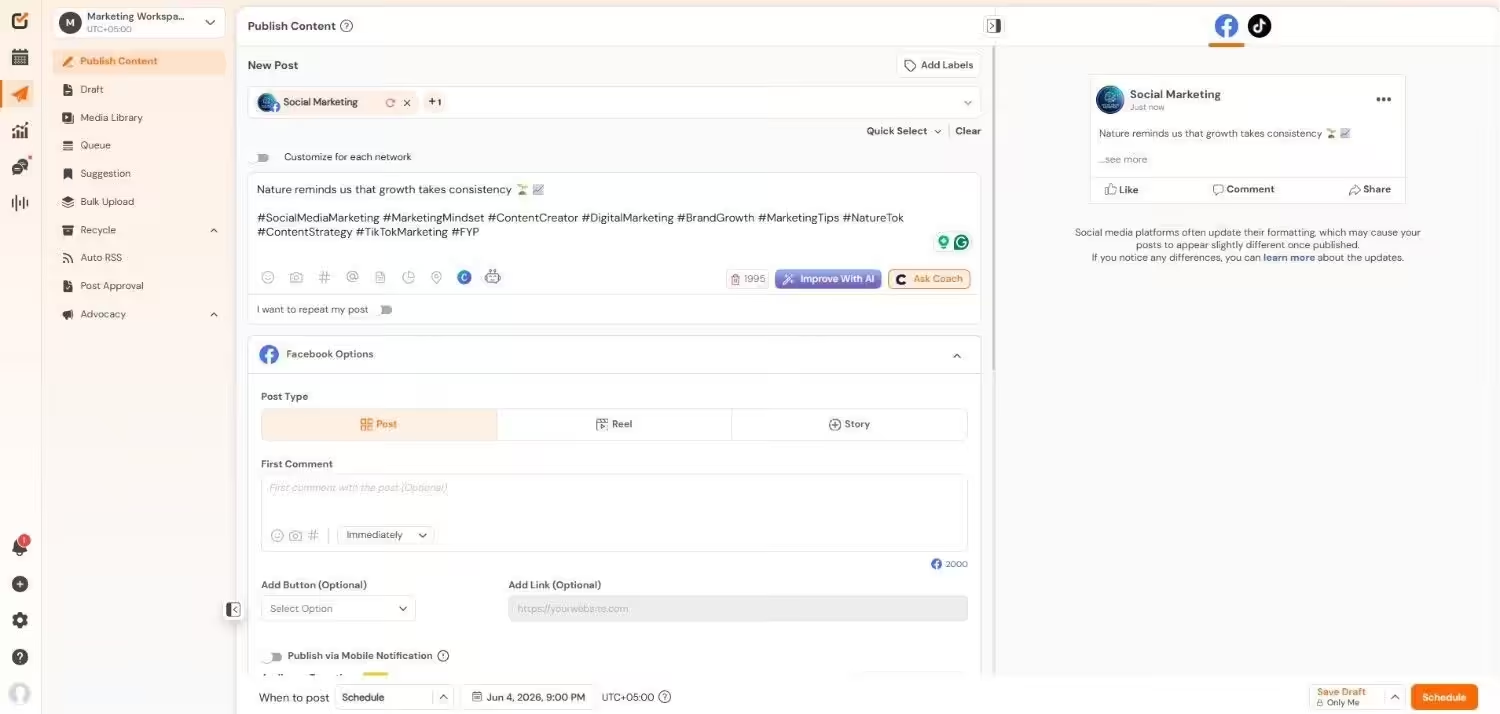
Social Champ’s Dashboard Social Champ is one of the best alternatives to Zoho Social.
It’s packed with useful features that help businesses, marketing teams, and agencies manage their social media more easily.
If you handle several accounts on different platforms or want deeper insights into your performance, Social Champ has everything you need to manage your social media smoothly.
It supports multiple platforms, features smart scheduling tools, and boasts a simple, user-friendly interface, which makes it one of the easiest and most powerful tools available.
Plus, its pricing is affordable, and the platform is built to be easy to use without feeling overwhelming.
Key Features:
- Supported Platforms: Connect 11+ social channels like Facebook, Instagram, X (Twitter), LinkedIn, YouTube, TikTok, Pinterest, Threads, Google Business Profile, Mastodon, Bluesky, Google Analytics 4, and WhatsApp Business.
- Smart Scheduling: Plan and schedule posts for all your platforms in advance.
- Content Calendar: Organize and plan your posts to keep your content consistent.
- Detailed Analytics: Get deep insights on how your posts are doing, how your audience interacts, and how your account grows.
- Team Features: Share calendars, set up approval flows, and give team members different access levels.
- Social Inbox: Manage all your social media messages in one place.
- Social Listening: Track brand mentions, see what’s trending in your industry, and follow competitor conversations.
- Competitor Analysis: Check how your competitors are doing and learn from their strategies.
Pros:
- Covers Everything: Great for managing multiple platforms from one place.
- Easy to Use: Designed to be simple and intuitive for all kinds of users.
- Budget-Friendly: Offers great value with its pricing plans.
Cons:
- Takes Time to Learn: New users might need some time to explore all the features.
- Platform Limits: Some features may depend on what’s allowed by the social network itself.
Pricing:
Social Champ comes with two pricing models, including a Pay-Per-Profile and a Flat-Rate model.
Here’s what you get in the Pay-Per-Profile:
- Starter, which costs $4 and has 1 user. In this plan, you can manage 1 social account.
- Growth, which costs $8 and has unlimited users. In this plan, you can manage 1 social account.
These plans also offer discounts as you scale. Here’s how much you can save in the Starter:
- For 1-10 social accounts: $4
- For 11-20 social accounts: $3
- For 21-40 social accounts: $2
- For 41+ social accounts: $0.50
Here’s how much you can save in the Growth:
- For 1-10 social accounts: $8
- For 11-20 social accounts: $3.50
- For 21-40 social accounts: $2.50
- For 41+ social accounts: $1
With Social Champ, you also get Flat-Rate bundles, which are:
- Free, which costs $0 and has 1 user. In this plan, you can manage 3 social accounts.
- Standard, which costs $23 and has 2 users. In this plan, you can manage 6 social accounts. This plan also comes with add-ons for accounts. You can add another account for $5/account.
- Professional, which costs $47 and has 5 users. In this plan, you can manage 12 social accounts. This plan also comes with add-ons for accounts. You can add another account for $4/account and pay $8/user for another user.
- Agency, which costs $119 and has unlimited users. In this plan, you can manage 30 social accounts. This plan also comes with add-ons for accounts. You can add another account for $3/account.
- Enterprise, which is Custom and has unlimited users. In this plan, you can manage unlimited social accounts.
Social Champ also supports: Instagram, Facebook, TikTok, LinkedIn, YouTube, Threads, Pinterest, X, Google Business Profile, Bluesky, Mastodon, and WhatsApp Business
Want to Do It All Without Doing It All?
Automate, schedule, and create AI-powered content with Social Champ, your all-in-one social media co-pilot. -
Buffer
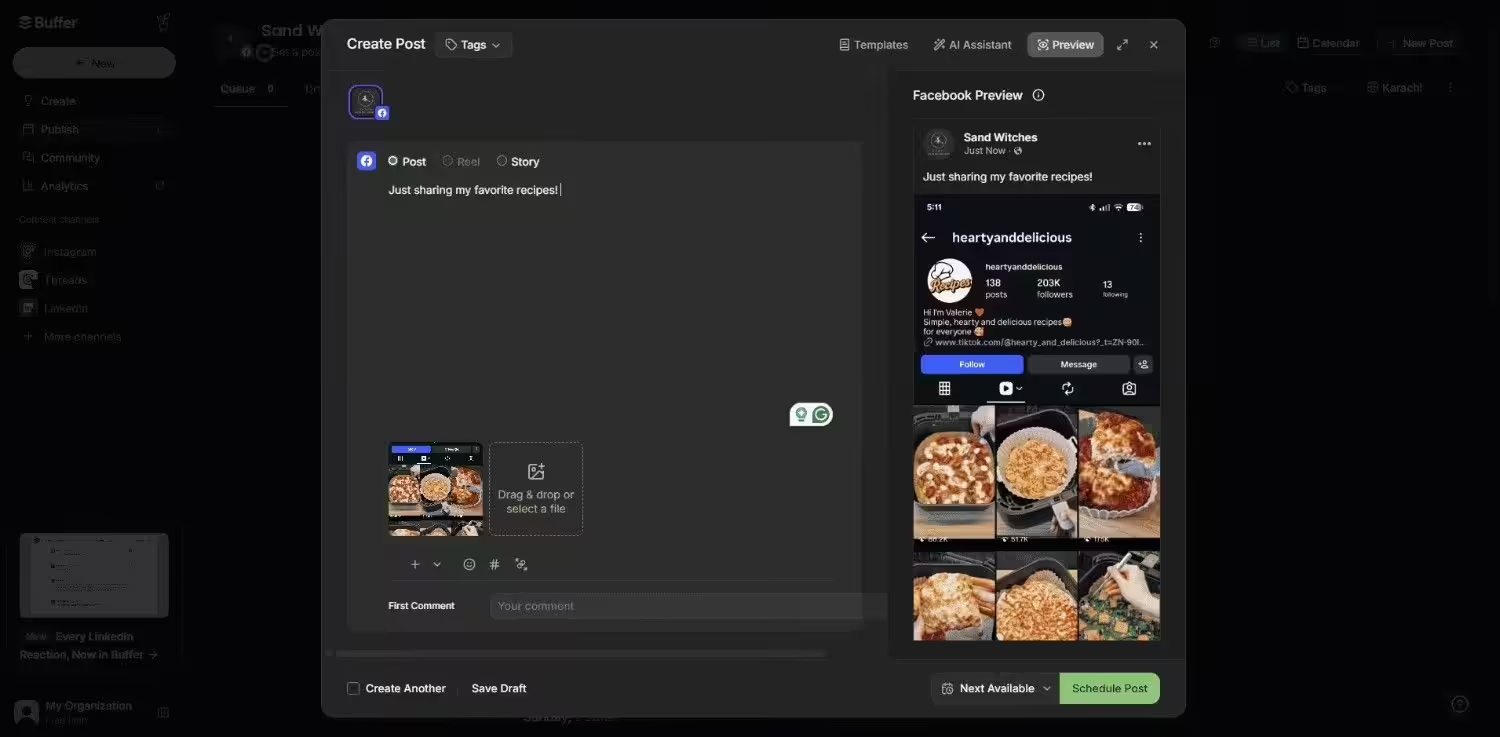
Buffer’s Dashboard Buffer’s drag-and-drop calendar makes scheduling effortless, even for beginners.
Its mobile app outperforms Zoho Social’s, perfect for on-the-go marketers.
The free plan supports three channels, ideal for testing.
Key Features:
- Content Creation: Create and customize posts with built-in editing tools, hashtag suggestions, and link previews to match each platform’s style.
- Publishing: Schedule posts, reels, carousels, and stories across Instagram, Facebook, LinkedIn, X (Twitter), and more using queue-based publishing and custom time slots.
- Analytics: Track post performance, engagement rates, reach, clicks, and follower growth with easy-to-read reports and data visualizations.
- Engagement: Manage all your comments and messages in one centralized inbox to respond faster and keep conversations flowing.
- Collaboration: Invite team members to work on content, assign user roles, and manage approvals seamlessly.
Pros:
- Super simple drag-and-drop interface.
- The mobile app is fast and intuitive.
- AI assistant generates post ideas.
- Supports Threads, unlike Zoho Social.
Cons:
- Lacks advanced social listening or CRM tools.
- Limited client management features.
Pricing:
Buffer offers three plans, including:
- Free, which costs $0 and has 1 user. In this plan, you can manage 3 social accounts.
- Essentials, which costs $5 and has 1 user. In this plan, you can manage 1 social accounts.
- Team, which costs $10 and has Unlimited users. In this plan, you can manage 1 social accounts.
Buffer also supports: Facebook, Instagram, X, Bluesky, Google Business Profile, LinkedIn, Mastodon, Pinterest, Threads, TikTok, YouTube
-
eClincher
eClincher’s Landing Page eClincher is built for teams and agencies that need depth, not just surface-level tools.
With powerful publishing workflows, brand monitoring, and unified inbox features, it’s a solid pick for those managing multiple brands or high-volume accounts.
The platform also includes visual reporting and team collaboration features that make client servicing easier.
Key Features:
- Publishing & Content Management: Plan, schedule, and auto-post content across platforms with visual calendar, content queues, and media library access.
- Engagement & Customer Care: Respond to messages, comments, and reviews from all social channels in a single Smart Inbox for faster customer support.
- Analytics & Reporting: Get real-time insights, performance dashboards, and exportable reports to measure growth, engagement, and ROI.
- Brand Monitoring: Track keywords, hashtags, and mentions across the web and social to stay on top of trends and manage your brand image.
- Team & Client Collaboration: Assign roles, set permissions, and streamline approval workflows for smooth coordination between teams and clients.
Pros:
- Social inbox centralizes all messages.
- SEO tools optimize post visibility.
- Campaign tracking monitors ROI.
- Supports 15+ networks, including TikTok.
Cons:
- Expensive for freelancers or small teams.
- No free plan or bulk upload on the Basic plan.
Pricing:
eClincher offers three plans, including:
- Standard, which costs $1609 and has 1 user. In this plan, you can manage 15 social accounts.
- Professional, which costs $3769 and has 5 users. In this plan, you can manage 25 social accounts.
- Enterprise, which is Custom and has Custom users. In this plan, you can manage Custom social accounts.
eClincher also supports: Facebook, Instagram, Threads, X, LinkedIn, Google Business Profile, YouTube, TikTok, Pinterest, and Bluesky
Check out other alternatives to eClincher.
-
Sendible
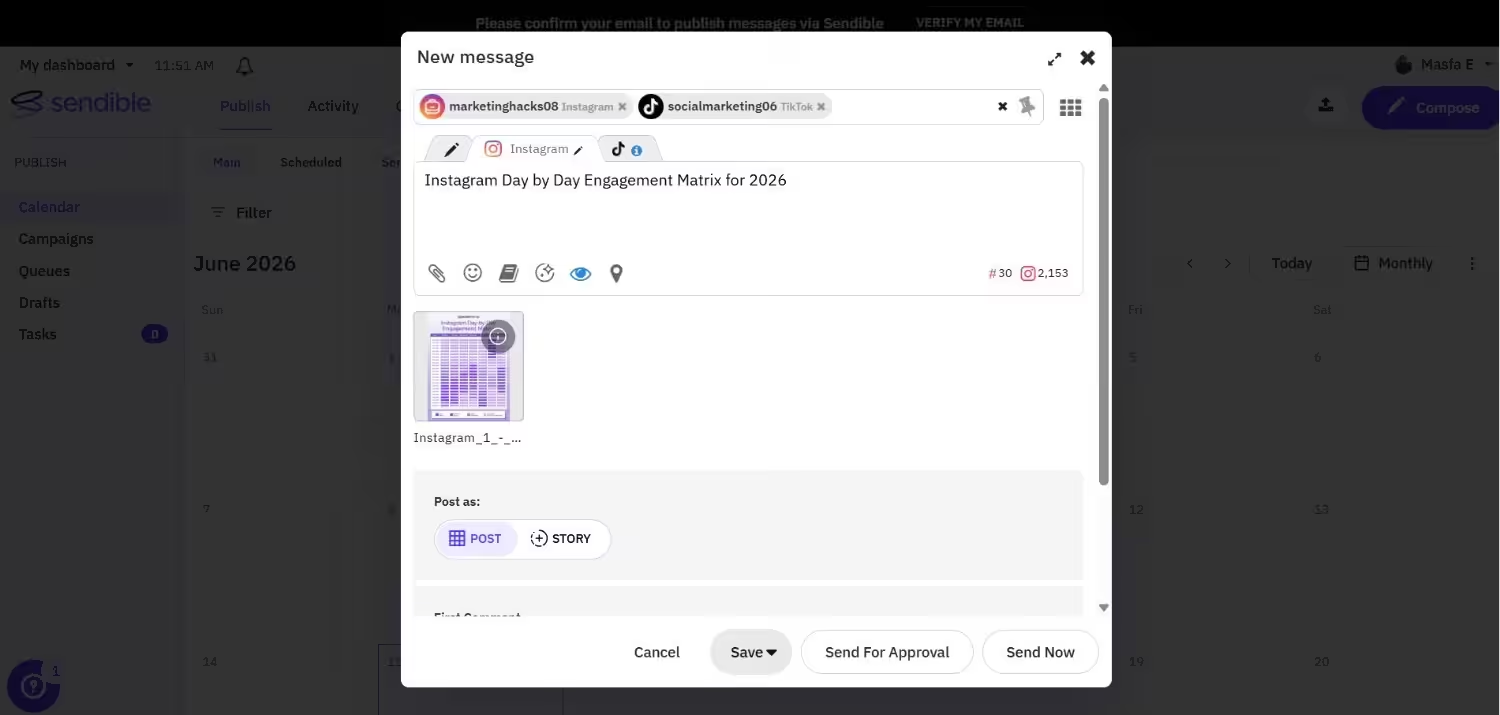
Sendible’s Dashboard Sendible is built for agencies and teams that manage multiple brands.
Its smart scheduling and drag-and-drop calendar make content planning fast and visual.
Unlike some tools that only publish, Sendible helps you discover trending content and respond to audience interactions in one streamlined inbox.
With built-in analytics, you can track performance and tweak your strategy without jumping between platforms.
It’s a solid option if you need both publishing power and engagement tools in one place.
Pros:
- White-label reports for branded client analytics.
- Automation schedules posts at peak times.
- Client dashboards streamline reporting.
- Strong CRM features for client management.
Cons:
- Steep learning curve for beginners.
- No free plan.
Pricing:
Sendible offers five plans, including:
- Core, which costs $35 and has unlimited users. In this plan, you can manage 6 social accounts.
- Plus, which costs $99 and has unlimited users. In this plan, you can manage 18 social accounts.
- Premium, which costs $199 and has unlimited users. In this plan, you can manage 42 social accounts.
- Elite, which costs $299 and has unlimited users. In this plan, you can manage 90 social accounts.
- Enterprise, which costs $750 and has unlimited users. In this plan, you can manage 300 social accounts.
Sendible also supports: Facebook, Instagram, TikTok, X, LinkedIn, Google Business Profile, YouTube, Threads, and Bluesky
Check out other Sendible alternatives.
-
Agorapulse
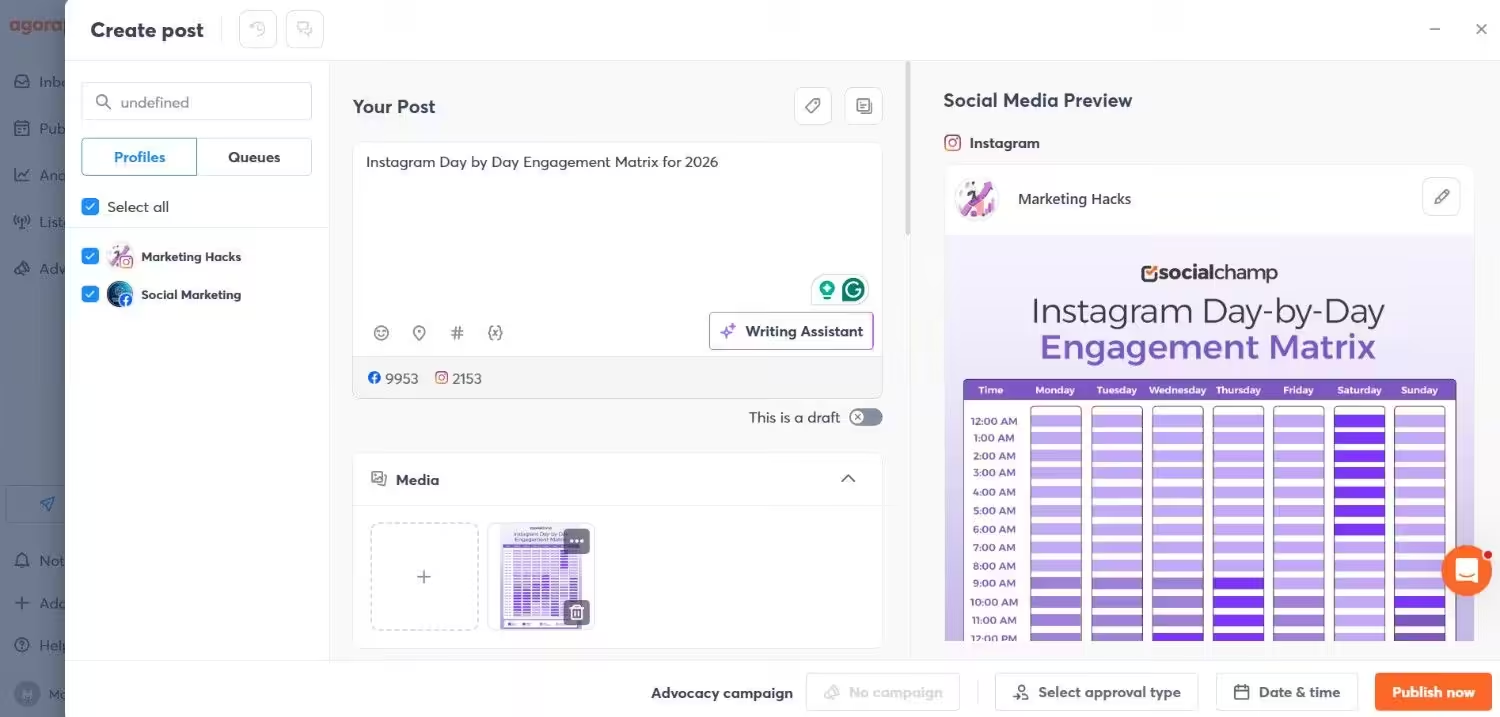
Agorapulse’s Dashboard Agorapulse is a reliable pick when exploring Zoho Social competitors, especially if you’re after smoother team collaboration and deeper engagement features.
It offers a unified inbox, robust scheduling tools, and insightful reports that help you stay organized and in control.
The platform’s strength lies in balancing productivity with powerful listening and engagement features, which makes it easier to manage brand reputation and respond to conversations in real-time.
Key Features:
- Publishing: Schedule, queue, or publish instantly across platforms with ease.
- Collaboration: Assign messages, share calendars, and manage approvals with your team.
- Productivity: Take advantage of bulk publishing, draft posts, calendar notes, and content queues to simplify your workflow.
- Engagement: Monitor and respond to all social interactions from one dashboard.
- Listening: Track brand mentions, keywords, and competitors to stay ahead of the curve.
- Reporting: Generate in-depth reports on reach, clicks, engagement, and team performance.
Pros:
- Unified inbox for all social messages.
- Competitor analysis tracks rival performance.
- Detailed, customizable reports.
- Supports Threads and Google Business.
Cons:
- Pricey for solopreneurs.
- No free plan.
Pricing:
Agorapulse offers four plans, including:
- Standard, which costs $79 and has 1 user. In this plan, you can manage 10 social accounts.
- Professional, which costs $119 and has 1 user. In this plan, you can manage 10 social accounts.
- Advanced, which costs $149 and has 1 user. In this plan, you can manage 10 social accounts.
- Custom, which is Custom and has Custom users. In this plan, you can manage Unlimited social accounts.
Agorapulse also supports: Facebook, Instagram, Threads, X, LinkedIn, YouTube, Pinterest, Google Business Profile, TikTok, Bluesky, and Reddit
Check out other alternatives to Agorapulse.
-
Loomly
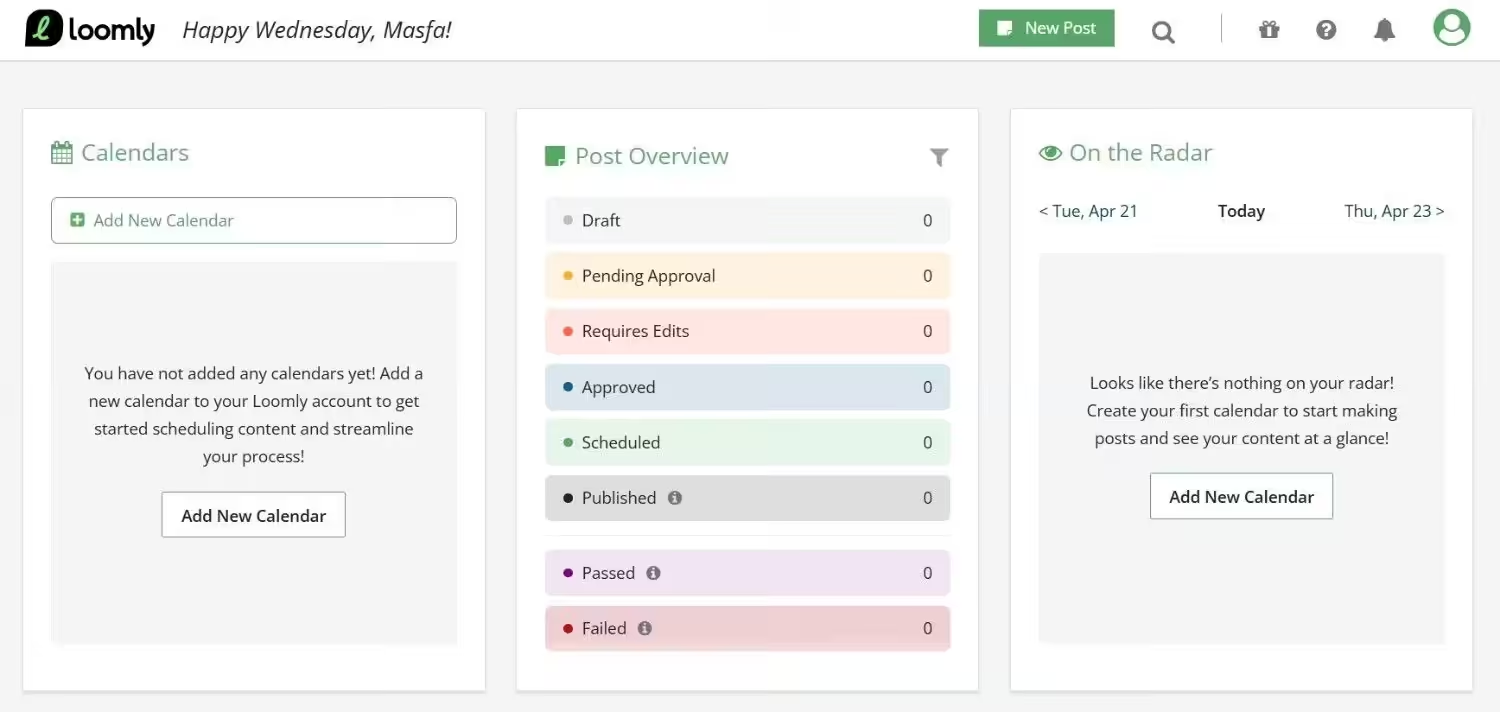
Loomly’s Dashboard Loomly is another strong contender among Zoho Social alternatives, especially for teams that prioritize organized workflows and clean content planning.
It’s easy to use, visually structured, and packed with features that support collaboration from draft to post.
Loomly keeps everything aligned, from ideation and publishing to performance tracking, no matter if you’re flying solo or collaborating with a team.
Key Features:
- Publish and Schedule: Plan, schedule, and auto-post content across major social platforms.
- Collaboration: Manage approvals, share feedback, and assign roles for smooth teamwork.
- Content Creation: Use post ideas, templates, and live post previews to build better content faster.
- Engagement: Respond to comments and messages in one centralized place.
- Reporting: Access actionable insights and performance metrics to refine your strategy.
Pros:
- Content suggestions spark post ideas.
- Approval workflows ensure brand consistency.
- Built-in image editor for quick edits.
- Supports TikTok and Pinterest.
Cons:
- No free plan
- Limited video scheduling capabilities.
Pricing:
Loomly offers three plans, including:
- Free, which costs $0 and has 1 user. In this plan, you can manage 3 social accounts.
- Starter, which costs $49 and has 3 users. In this plan, you can manage 12 social accounts.
- Beyond, which costs $249 and has Unlimited users. In this plan, you can manage 60 social accounts.
- Enterprise, which is Custom and has Unlimited users. In this plan, you can manage 61+ social accounts.
Loomly also supports: Instagram, LinkedIn, Facebook, TikTok, YouTube, Threads, Google Business Profile, Pinterest, and Snapchat
Check out other Loomly alternatives.
-
Hootsuite
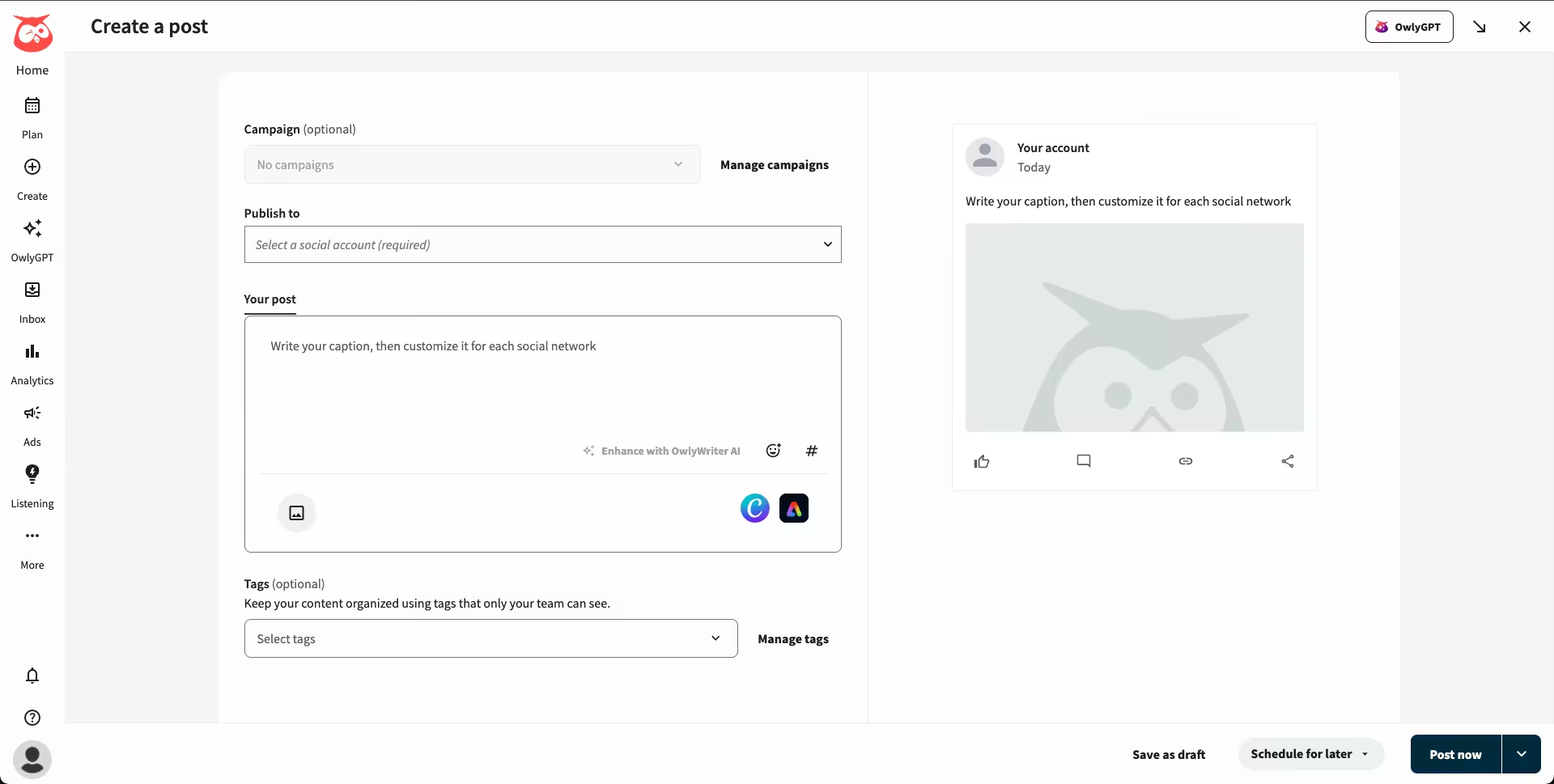
Hootsuite’s Dashboard Hootsuite is one of the most established alternatives to Zoho Social, known for its powerful publishing and monitoring features.
While it may come at a premium, Hootsuite offers a comprehensive suite for brands that need everything from content planning to ad management under one roof.
It’s especially useful for larger teams or enterprises looking to scale social efforts, manage multiple channels, and track paid campaigns alongside organic posts.
Key Features:
- Publishing & Content Creation: Schedule, draft, and auto-publish content across multiple platforms with a visual planner.
- Analytics: Get detailed performance metrics, engagement data, and customizable reports.
- Social Listening: Monitor keywords, brand mentions, and conversations across channels to stay on top of trends and customer sentiment.
- Ad Management: Run, track, and optimize paid social campaigns directly from the dashboard.
Pros:
- Social listening tracks brand mentions.
- Advanced analytics for campaign insights.
- AI post generator saves time.
Cons:
- Expensive for freelancers or small businesses.
- Complex interface for beginners.
Pricing Plans:
Hootsuite offers four plans, including:
- Standard, which costs $99 and has 1 user. In this plan, you can manage 10 social accounts.
- Professional, which costs $199 and has 1 user. In this plan, you can manage Unlimited social accounts.
- Advanced , which costs $399 and has 1 user. In this plan, you can manage Unlimited social accounts.
- Enterprise, which is Custom and has Unlimited users. In this plan, you can manage Unlimited social accounts.
Hootsuite also supports: Facebook, Instagram, TikTok, LinkedIn, X, YouTube, Pinterest, Threads, WhatsApp, Google Business Profile, and Bluesky.
Check out other Hootsuite alternatives.
-
Sprout Social
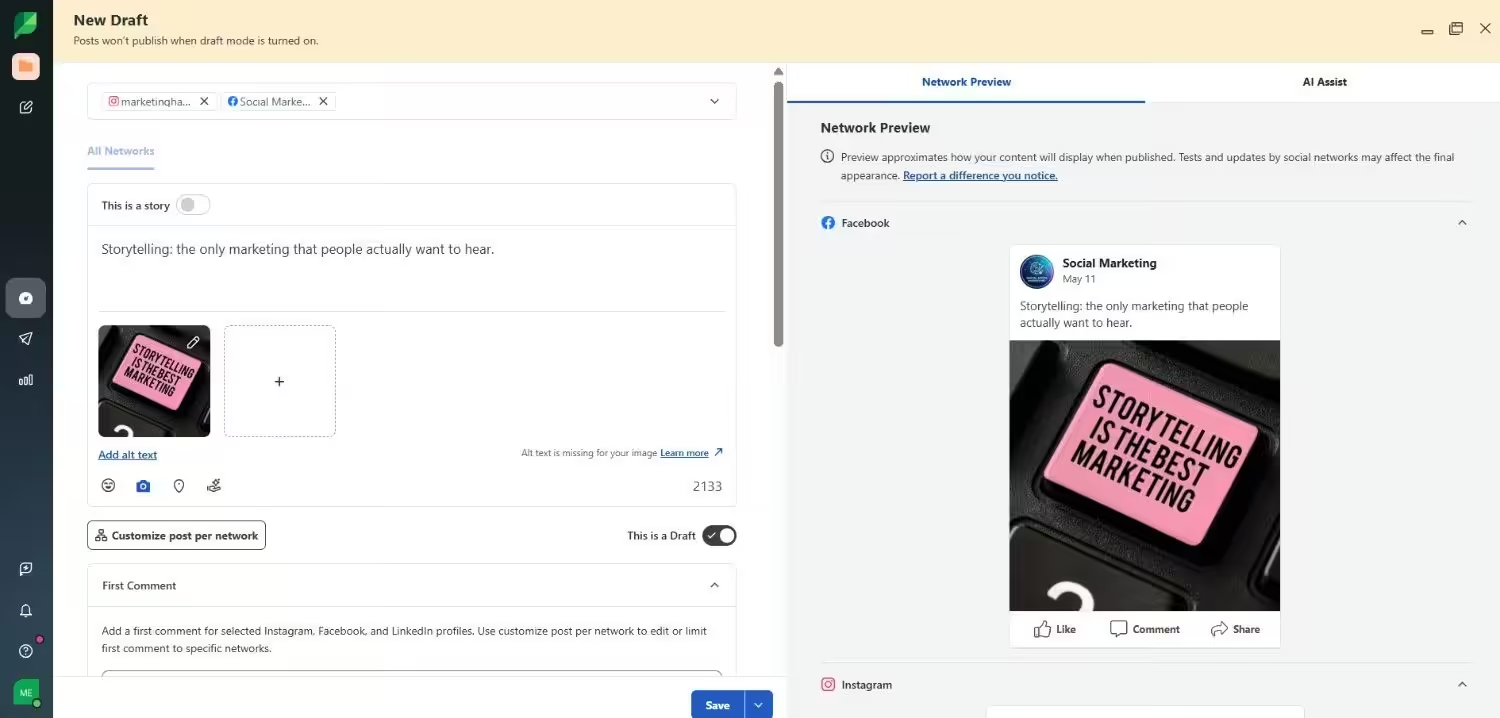
Sprout Social’s Dashboard Sprout Social is designed for businesses that require in-depth analytics, seamless team workflows, and unified conversations across multiple channels.
Though it comes with a higher price tag, its polished interface and smart automation tools help brands stay organized, responsive, and strategic in their social efforts.
It’s especially favored by growing companies that prioritize customer care and data-driven decision-making.
Key Features:
- Publishing & Content Planning: Schedule posts, plan campaigns, and use an intuitive calendar for cross-channel publishing.
- Social Inbox: Manage all social conversations from one place, complete with tagging, filtering, and task assignments.
- Analytics: Access comprehensive reports on performance, engagement, demographics, and trends.
- Team Management: Assign roles, track activity, set permissions, and streamline collaboration across departments.
Pros:
- CRM integration aligns marketing with sales.
- Social listening monitors brand sentiment.
- Detailed reporting with customizable metrics.
Cons:
- Too costly for startups or freelancers.
- No free plan.
Pricing:
Sprout Social offers five plans, including:
- Essentials, which costs $79 and has 1 user. In this plan, you can manage 5 social accounts.
- Standard, which costs $199 and has 1 user. In this plan, you can manage 5 social accounts.
- Professional, which costs $299 and has 1 user. In this plan, you can manage unlimited social accounts.
- Advanced, which costs $399 and has 1 user. In this plan, you can manage unlimited social accounts.
- Enterprise, which is custom and has custom users. In this plan, you can manage unlimited social accounts.
Sprout Social also supports: Facebook, Instagram, X, LinkedIn, Pinterest, TikTok, YouTube, Threads, Bluesky, WhatsApp, Reddit, Tumblr, and Google Business Profile
Check out other alternatives to Sprout Social.
Tips for Choosing Affordable Tools
- Start with free plans to test Zoho Social alternatives before committing.
- Check if the tool supports your primary platforms, like Instagram or LinkedIn.
- Look for integrations with tools you already use, like Canva or Slack.
- Ensure the pricing scales with your business growth to avoid surprises.
How to Choose the Right Zoho Social Alternative for Agencies, Freelancers & SMBs
When looking for the best Zoho Social alternatives, it’s important to find a tool that matches your specific workflow, client needs, and team size.
Solo creators, growing agencies, and small businesses all have different needs, so not every platform will be the right fit.
-
Understand Your Priorities
Start by identifying what you really need:
- Agencies may need white-label reporting, client collaboration, and multi-user roles.
- Freelancers often look for affordability, ease of use, and basic scheduling.
- SMBs might want a mix of publishing, analytics, and engagement tools.
-
Compare Features Across Tools
The market offers plenty of alternatives to Zoho Social, from Social Champ’s advanced features to Sprout Social’s deep analytics.
Tools like Loomly focus on Instagram, while Social Champ offers broader cross-platform support.
-
Look for Scalability and Support
Social Champ, for example, is an all-in-one tool built to grow with you.
It supports 11+ platforms, includes powerful scheduling, analytics, and even AI tools for content and image generation, which makes it a smart pick for diverse teams.
Ultimately, test a few platforms (many offer free trials) and select the one that suits your daily routine without overcomplicating things.
Why Social Champ Is a Rising Star Among Zoho Social Alternatives
Social Champ is stealing the spotlight as a top Zoho Social alternative in 2026.
This all-in-one tool offers AI Imaginator, smart automation, white-label options, and analytics.
Unlike Zoho Social, it includes a free plan and supports TikTok.
Here’s why Social Champ is a game-changer among Zoho alternatives:
-
Smart Automation
To begin with, Social Champ’s bulk scheduling lets you upload hundreds of posts at once.
Its AI-powered content suggestions create captions based on trending topics.
Moreover, Smart Queues analyze audience data to post at peak engagement times.
Zoho Social’s SmartQ feature feels less advanced by comparison.
For example, Social Champ can schedule 50 Instagram posts in just minutes.
-
White-Label Options
Agencies love Social Champ’s white-label reports for professional presentations.
You can add your logo to reports, unlike Zoho’s generic templates.
As a result, this feature builds trust with clients by showcasing branded analytics.
It’s a key reason Social Champ is a top Zoho Social alternative.
Ultimately, clients receive polished reports without extra design work.
-
Advanced Analytics
Social Champ’s analytics track engagement, reach, and ROI across platforms.
Additionally, you can create custom reports with metrics like clicks or impressions.
Export options include PDF and CSV for easy sharing.
In contrast, Zoho Social’s analytics lack this level of flexibility and depth.
For instance, Social Champ highlights top-performing posts instantly.
-
Multi-User Workflows
Social Champ supports team roles, approvals, and client dashboards.
With this, you can assign tasks, review drafts, and set permissions seamlessly.
This ensures smooth collaboration for agencies and marketing teams.
Meanwhile, Zoho Social’s collaboration tools feel clunky and less intuitive.
All in all, Social Champ’s workflows save time on large campaigns.
Real Stories: Why Users Switched from Zoho Social (and Didn’t Regret It)
Real users reveal why they switched to a Zoho Social alternative like Social Champ.
These G2 testimonials and reviews highlight the benefits of moving on.
Below are their stories, with source links for credibility.
Let’s see why Zoho alternatives are winning over marketers.
The G2 review calls Social Champ the best tool for social media management, as quoted below:
-
Easy-To-Use and Quick Scheduling
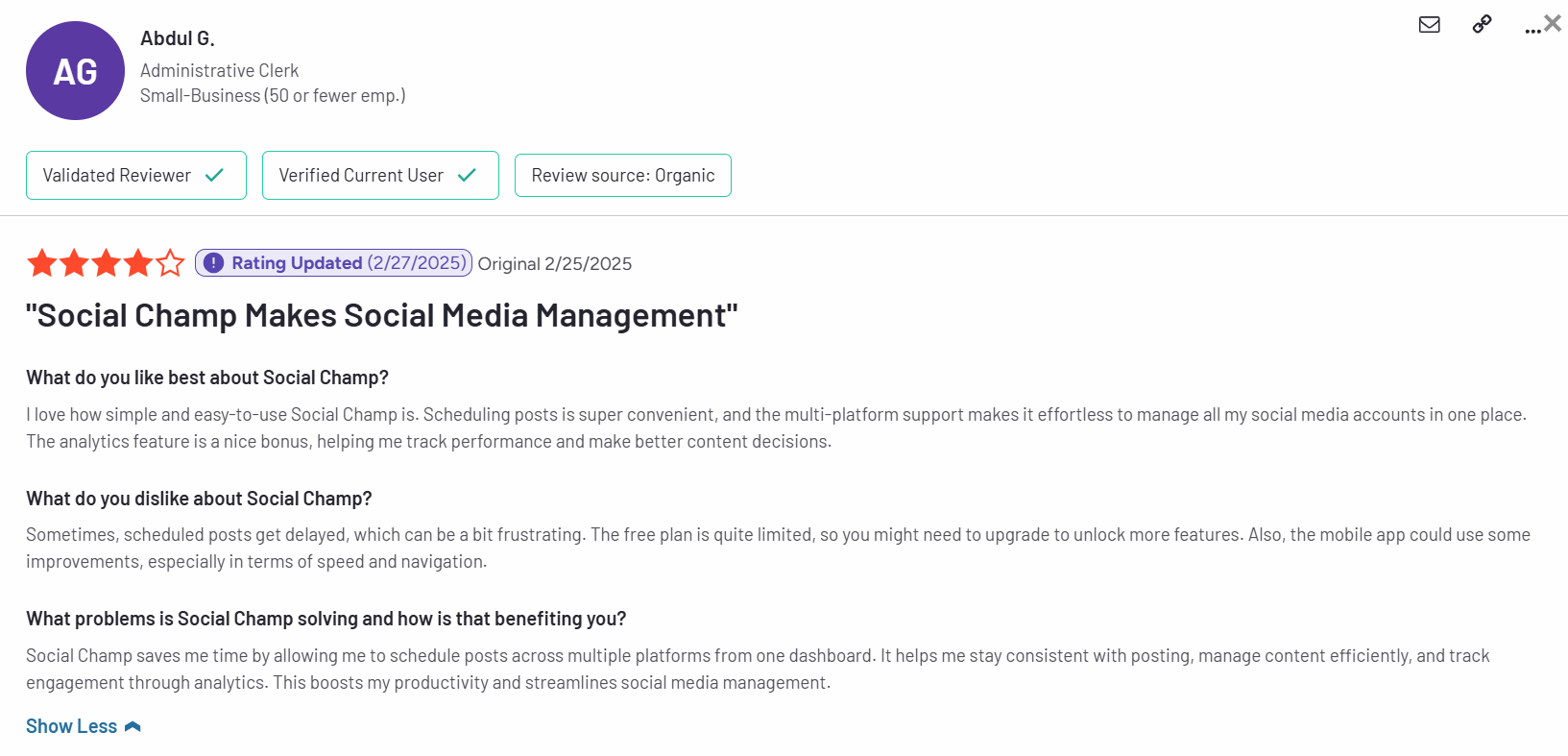
Abdul G’s Review for Social Champ on G2 A user shared that Social Champ is extremely easy to use, making post scheduling quick and hassle-free.
Its multi-platform support simplifies managing all accounts in one place, and the built-in analytics help improve content strategy.
-
Best Alternative With a Good Free Tier Plan
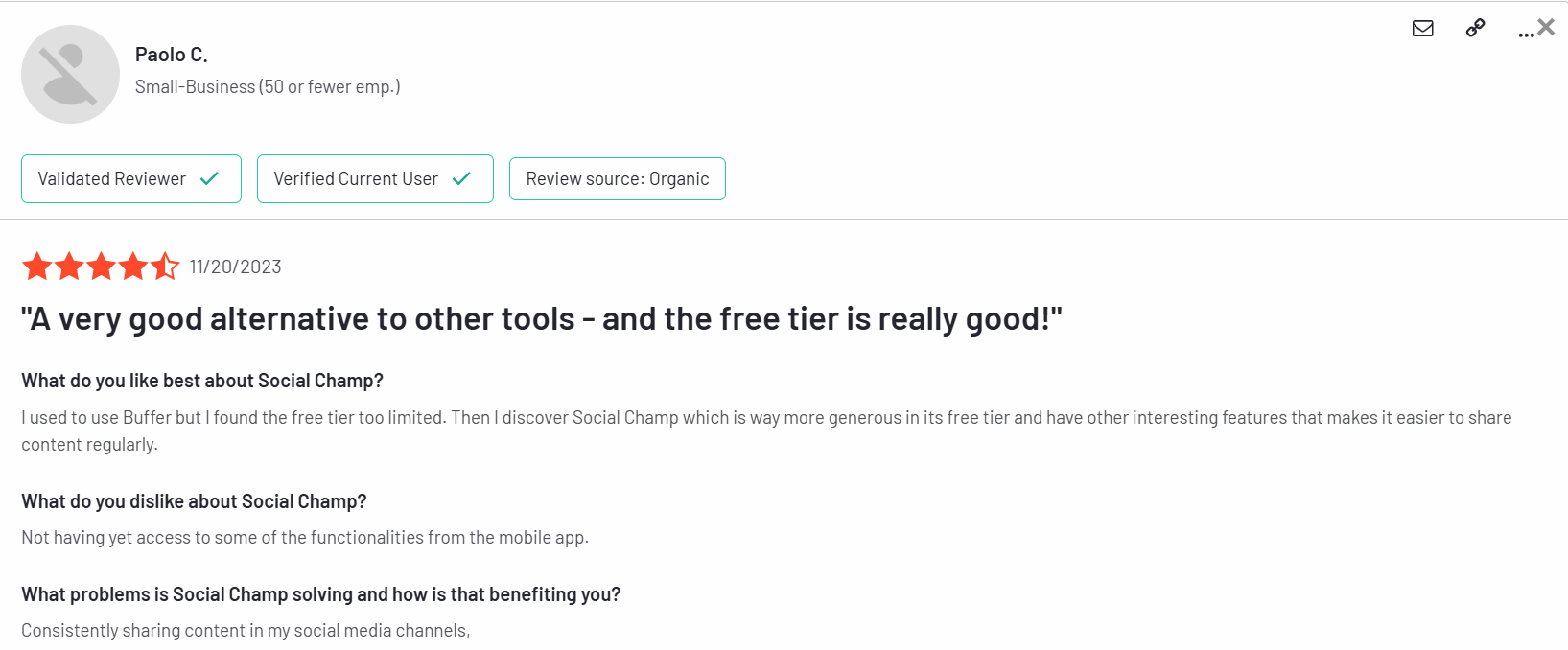
Paolo C’s Review on G2 for Social Champ The user said Social Champ is very easy to use, with a helpful free plan for managing multiple accounts and scheduling posts.
They liked how simple it is to edit and preview posts but wished previewing scheduled posts was easier.
-
Top Choice for Automating Social Media at No Cost
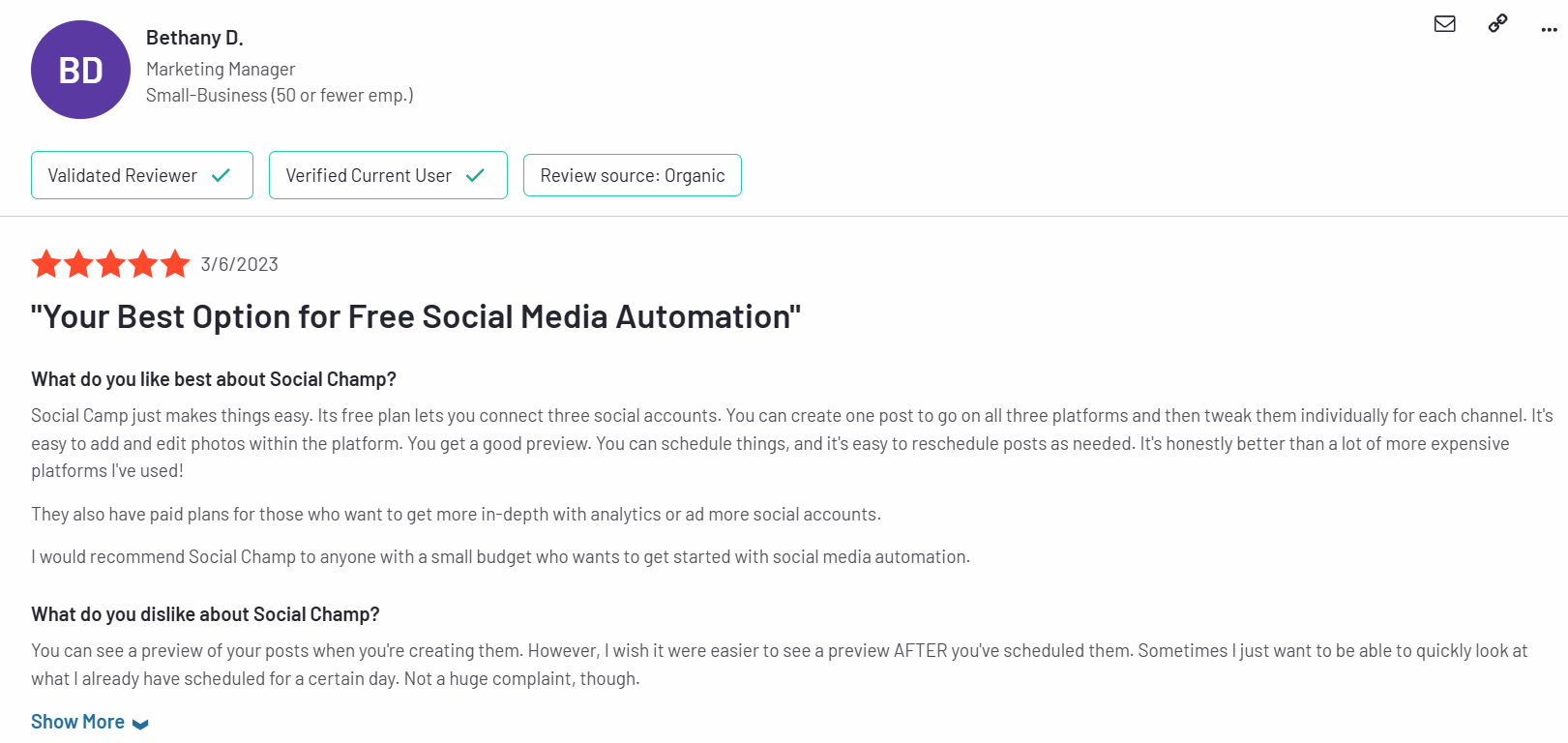
Bethany D’s Experience With Social Champ on G2 Another user praised Social Champ’s free tier for being more generous than Buffer, making content sharing easier.
Their only issue was some missing features on the mobile app.
Looking for a Complete Social Media Solution?
Conclusion
Finding the right software like Zoho Social can transform your marketing.
Tools like Social Champ, Buffer, and Later offer affordability and innovation.
They provide advanced automation, analytics, and collaboration features.
Whether you’re a freelancer, an agency, or an SMB, there’s a perfect Zoho alternative.
Test free plans, evaluate features, and switch without losing content.
In 2026, smarter marketing begins with the best Zoho Social Alternatives.
Start exploring these tools to elevate your social media game!