Disclaimer:
Please note that only TikTok users with 1,000 followers or more can link their Instagram account to TikTok. If your account has fewer followers, the linking option may not appear.
Have you ever noticed that your TikTok videos get real views but your Instagram stays quiet?
Short Summary
- Learn how to link Instagram to TikTok quickly so your followers can find you on both platforms.
- Connecting accounts boosts reach, engagement, and visibility across TikTok and Instagram.
- Tools like Social Champ let you schedule and cross-post content from one dashboard.
- Use insights from TikTok stats and the scheduler to post at the best times.
- Fix common linking issues by checking app updates, credentials, account types, and region settings.
I’ve been there too, and I totally understand how frustrating that feels. It feels like all that attention is stopping halfway.
That’s why it’s important to learn how to link Instagram to TikTok.
Around 54% of Instagram users also use TikTok. That means your audience is already on both platforms. They just can’t find you if the link is missing.
If you connect both accounts, it helps turn interest into action and protects your Instagram reach.
In this blog, I’ll walk you through the exact steps to connect Instagram to TikTok. If you care about turning views into followers, this is worth your time.
Featured Article: How to Report a TikTok Account

Your Next Follower Could Be One Click Away!
One missed post could mean a lost follower. Social Champ ensures your TikTok and Instagram content stays consistent so curiosity becomes connection.
How to Link Your Instagram to TikTok (Step-By-Step)
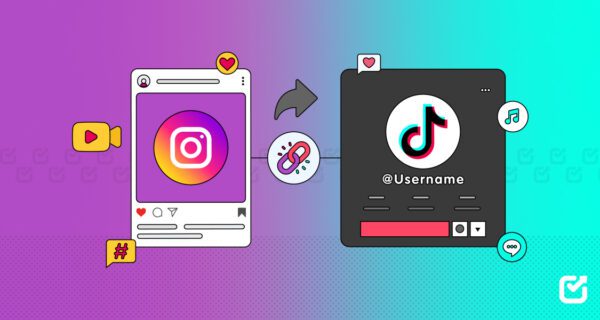
If you want to learn how to link Instagram to TikTok, you’re at the right place.
The process is very simple, but sometimes people miss even a very small step. You can follow these steps to easily link Instagram to TikTok and let your audience find you instantly.
Here’s how to connect Instagram to TikTok:
-
- Open the TikTok app and go to your profile. Tap the Edit Profile button.
- Find the “Link” option and tap Instagram.
- Log in to Instagram. Enter your credentials, then tap Authorize. TikTok will verify the connection.
- Check your profile. A small Instagram icon should now appear on your TikTok profile, linking directly to your account.
- Test the link. Tap the Instagram icon on your TikTok profile to make sure it opens your Instagram account correctly.
Once this is done, your TikTok followers can easily jump to your Instagram, which will increase your engagement and visibility.
Featured Article: How to Make a Post Shareable on Facebook
Why Link Instagram to TikTok? (Key Benefits)
Let me tell you when I first started posting on TikTok.
My TikTok videos were getting enough views and traction, but my Instagram content stayed quiet.
At that time, I felt like my Instagram followers wanted more from me, but there was no easy way for them to find it.
Then I realized what’s the power of linking Instagram to TikTok.
-
Expand Your Reach and Engagement
Let’s say someone watches your TikTok videos, loves to interact with your content, and wants to see more from you.
If they can’t find your Instagram, the moment of interest fades.
If you connect TikTok to Instagram, your TikTok followers can quickly hop to the other, and your reach and engagement will work together, not separately.
-
Boost Authenticity and Branding
Your Instagram content may look polished, but your TikTok videos show your fun, candid side.
When you link Instagram to TikTok, people can see both sides of your brand, which makes your profile feel real, relatable, and trustworthy.
-
Improve Content Strategy
If you cross-link your accounts, it can make your content planning easier.
When you connect Instagram to TikTok, it becomes easier to cross-post, repurpose videos, and guide your audience from one platform to the next.
Since I started using Social Champ, I can easily schedule TikTok videos across both platforms, and it saves me hours every week.
You can even check out the best time to post on TikTok to make sure your content hits when your audience is most active.
-
Increase Conversion Potential
When you get more profile visits, that means more followers or potential customers.
That one tap from TikTok to Instagram could be the difference between a casual viewer and a loyal follower, or even a customer. Don’t let that curiosity go to waste.
Pro Tip!
Find the best posting windows using these insights to get maximum views and engagement:
- Best Time to Post on Instagram
- Best Time to Post Instagram Reels
- Best Time to Post Reels on Instagram
Stop Losing Followers Between Platforms!
Keep your audience connected by linking accounts and scheduling posts from the Social Champ.
How to Link Your TikTok to Instagram
Above, I’ve discussed some simple steps with you about how to link Instagram to TikTok. No matter if it’s linking Instagram to TikTok or TikTok to Instagram, the process is the same for both.
When you connect TikTok to Instagram, it makes your content easier to discover for your followers.
Your audience can move smoothly between platforms. A follower who discovers you on TikTok can check out your Instagram posts as well, which naturally boosts your engagement.
To make the process even easier, tools like Social Champ help you manage content across platforms from one dashboard.
You can plan posts ahead with the Instagram scheduler and understand trends with the TikTok algorithm. This way, your posts reach your audience when they’re most active, and you don’t miss clicks, likes, or followers.
Did You Know?
Tracking TikTok stats can help you understand which content performs best, so you can post more of what your followers love.
Featured Article: How Is Threads Different From Instagram? Key Differences Explained
Schedule and Cross-Post With Social Champ
Now you’ve learned how to link Instagram to TikTok, so the next step is to make sure your content works for you without taking over your day.
When I used to post on TikTok and then scramble to upload the same content to Instagram, it felt exahusting and some posts didn’t get the attention they deserved.
That’s where Social Champ helped me, and completely changed the game.
-
Plan Posts Ahead With Ease
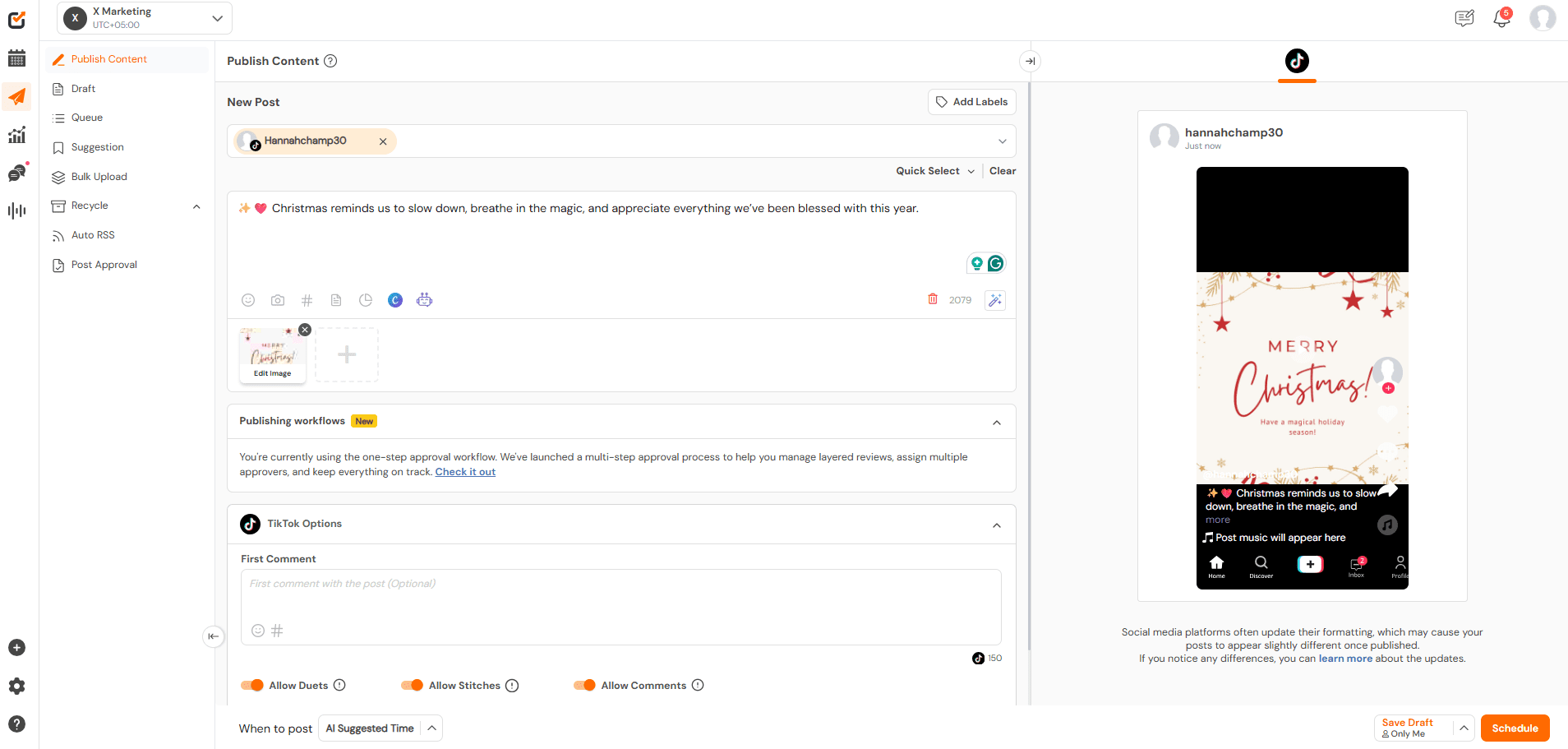
Social Champ’s Dashboard Social Champ lets you schedule Instagram posts and TikTok videos from a single dashboard.
You don’t have to switch between apps or worry if you forgot a platform. When you plan ahead, it saves your time and keeps your audience engaged consistently.
-
Leverage Analytics for Better Results
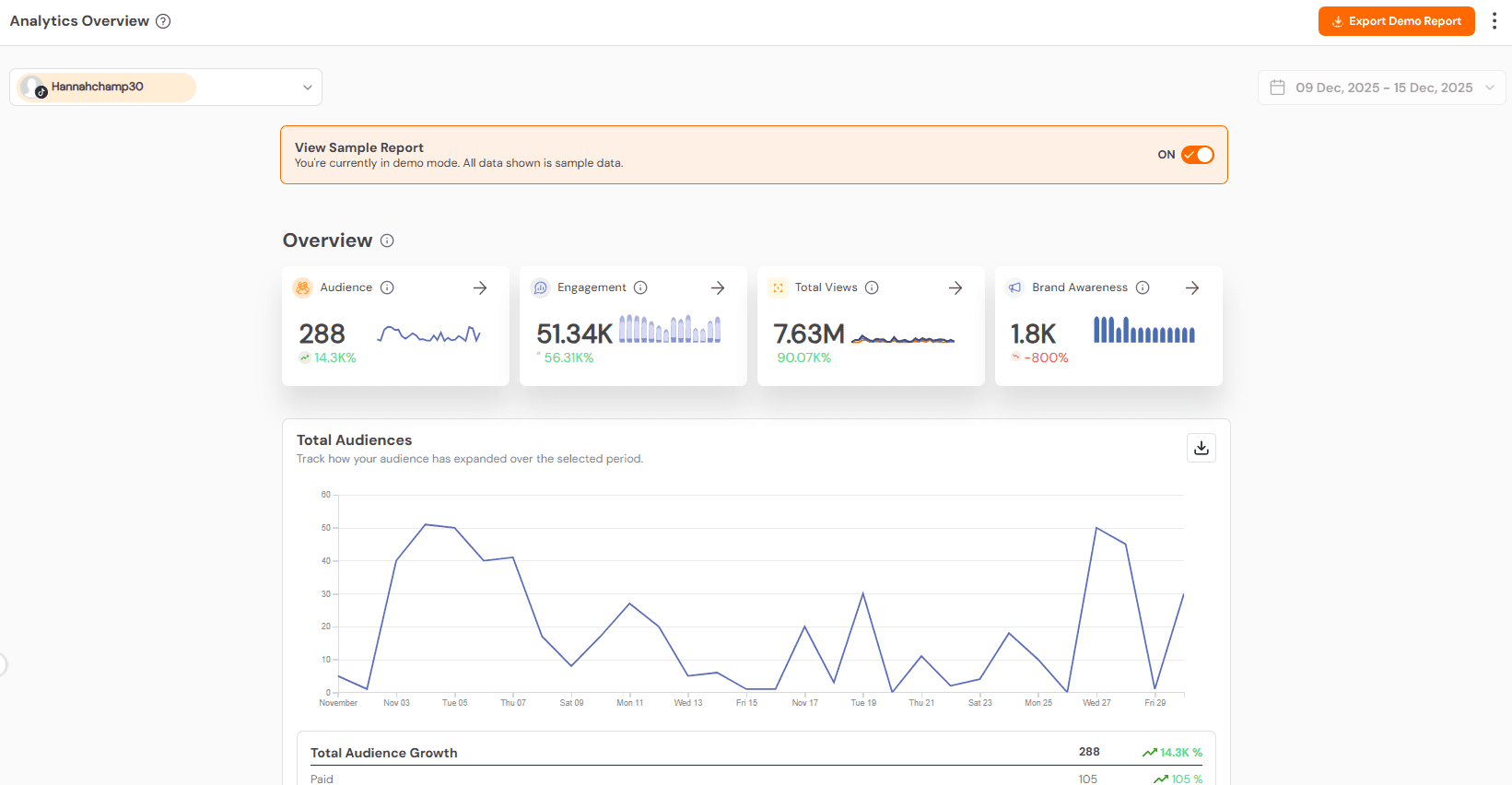
Social Champ’s Analytics Timing matters the most to get higher engagement. When I used to post at random times, my content didn’t get the traction I wanted.
Now, with Social Champ, I can see when my audience is most active and easily post at the right time, which boosts views, engagement, and profiel visits.
-
Manage Instagram and TikTok Together
Social Champ also acts as a hub for your Instagram management tools.
From stories and reels to feed posts, you can manage everything in one place. This consistency keeps your profiles active, professional, and engaging without extra effort.
-
Cross-Post Without Missing a Beat
Cross-posting your TikTok videos to Instagram Reels is seamless.
Social Champ automatically shares your content across platforms while maintaining your brand voice and making sure nothing slips through the cracks.
-
Turn Followers Into Loyal Fans
You’ve already learned the first step, i.e., how to link Instagram to TikTok. Next is to automate your posts, monitor engagement, and post strategically with Social Champ.
It ensures your content reaches the right audience at the right time. And when done right, casual viewers turn into loyal followers.
Featured Article: How to Delete TikTok Videos
Your Content, Everywhere at Once!
Manage TikTok and Instagram links, posts, and stories together so your audience never misses your best content.
Featured Article: Instagram Ad Sizes: A Comprehensive Guide for Eye-Catching Creatives
Troubleshooting Common Linking Issues
Even after you know how to link Instagram to TikTok, sometimes things don’t go as smoothly as expected.
But don’t worry, you’re not alone. Many creators face small hurdles, but most can be fixed quickly.
Here’s a breakdown of common issues and solutions:
-
Check App Updates
Outdated apps can cause problems. Make sure both TikTok and Instagram are updated to the latest version. Updates often fix bugs that can block linking.
-
Verify Your Credentials
Double-check that you’re using the correct login details. If TikTok can’t connect to Instagram, logging out and back in often solves the problem.
-
Account Eligibility
Some accounts may face restrictions. Business accounts, private profiles, or accounts with age restrictions may encounter linking issues.
Switching account types or adjusting privacy settings can help.
-
Region or Feature Limitations
Certain regions may not have linking features available yet.
If you cannot see the Instagram option in TikTok, this could be the reason. Sometimes, waiting a few days or contacting support is necessary.
-
Switch Account Types
If all else fails, try switching your Instagram account between personal and business profiles. Many creators find that this resolves persistent connection issues.
Even small errors can stop your profile from being fully connected.
If you follow these steps, it ensures that linking Instagram to TikTok works correctly and your audience can seamlessly move between platforms.
Quick Tip!
If you want to know more about Instagram, follow these insights:
- How to Post on Instagram
- Instagram Vanish Mode
- Instagram Reels Algorithm
- How to Hide Likes on Instagram
- How to See Past Usernames on Instagram
- How to Add a Collaborator on Instagram
Featured Article: Does Instagram Shadowban Exist Or Is It a Myth?
Conclusion
Now that you know how to link Instagram to TikTok, you have the power to make your content work harder for you.
It’s a small step, but it opens a path for your TikTok followers to find your Instagram instantly.
Once both platforms are connected, you can use tools like Social Champ to schedule posts, monitor engagement, and cross-post content without extra effort.
To stay consistent, you have to show up regularly and keep your audience engaged and interested.