Hey, did you know that all those big shots famous brands you admire – have got their game on Instagram with their business accounts? Famous brands aside – there are over 200 million businesses on Instagram already.
And if you’re serious about making a splash on Instagram, having your own business account is the way to go.
Just like all those brands leveraging the platform, having an Instagram business account isn’t just about showing off; it’s about connecting, engaging, and building a community.
So, if you’re ready to step up your Insta game, it’s time to jump on board with your own business account and an Instagram scheduler as your ally. And I don’t mean just any scheduler; I mean Social Champ, which is arguably the best scheduler you can find.
In this blog post, I’ve outlined the steps for setting up a business account on Instagram so you can easily join the bandwagon. Also, I am sharing six pro tips for how to use your business account once it goes live.
Let’s get right to it, shall we?
How to Set Up Instagram Business Account in 4 Steps
Setting up Instagram for business is a strategic move to leverage the platform’s commercial potential. Here are the four steps for setting up a business account on Instagram:
-
Switch to a Business Account
The first step is switching your personal profile to an Instagram Business account. Here’s how to switch to a business account:
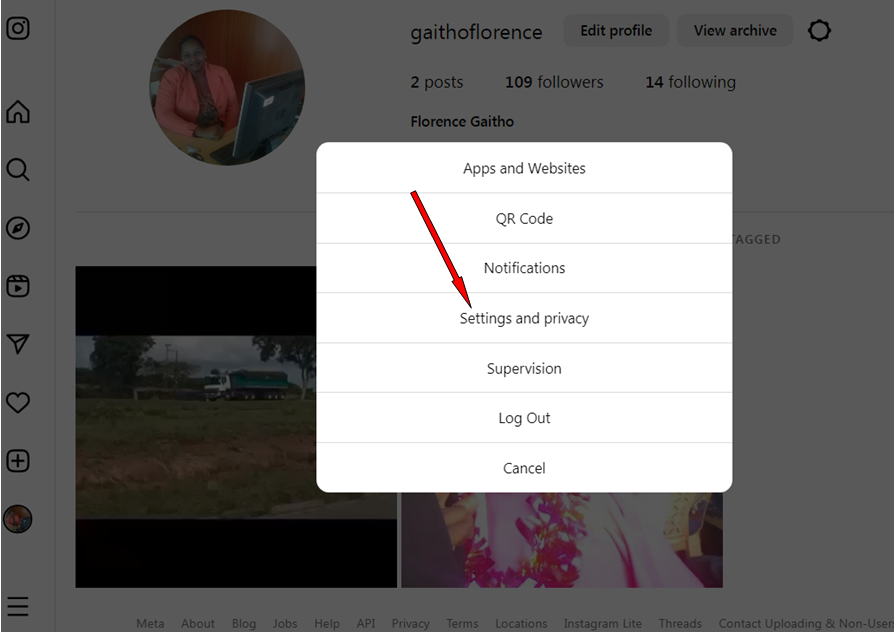
- Click on the gear icon from your profile to access the account settings.

Instagram Business Account- Step 1 - Click on “Settings and privacy.”
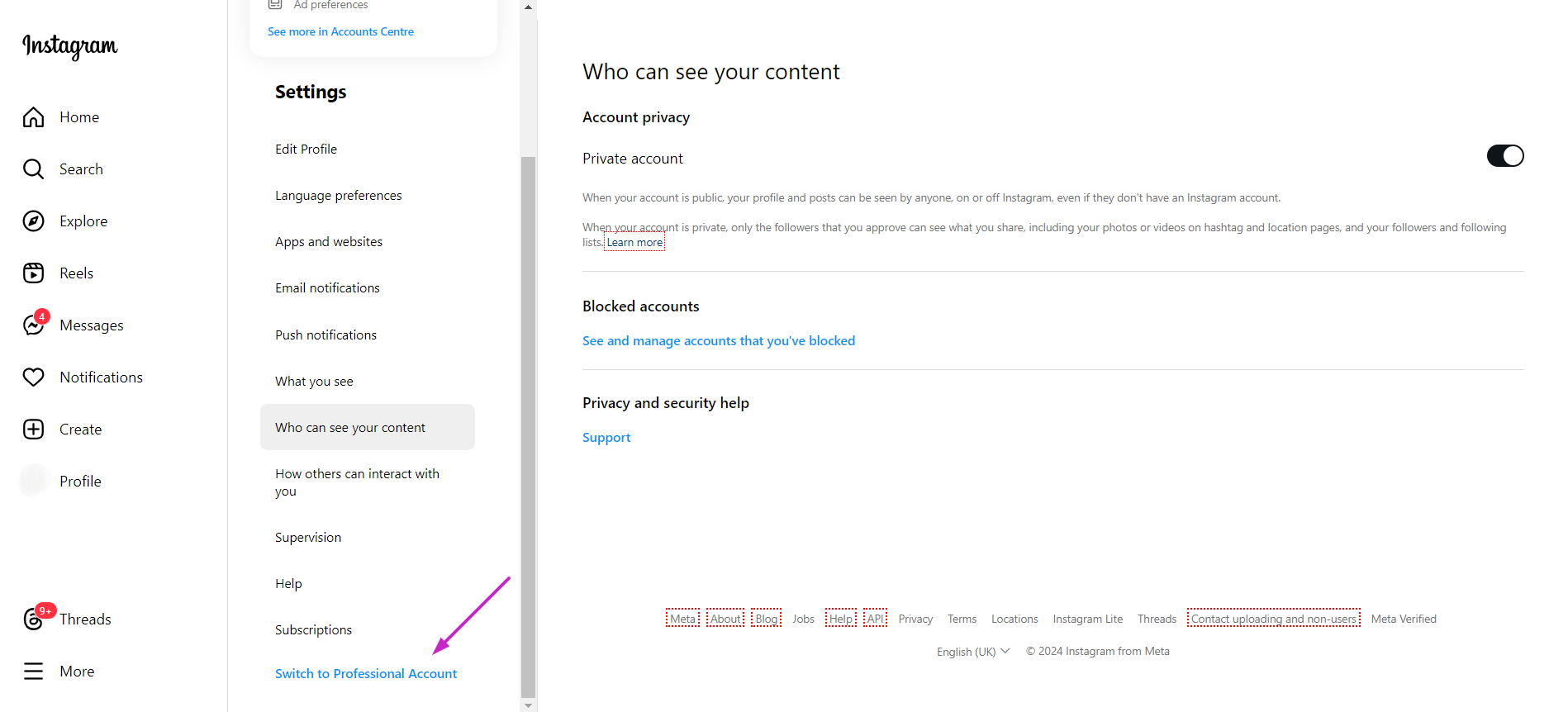
Instagram Business Account- Step 2 - Under “Settings,” scroll down and click on ‘Switch to Professional Account’.
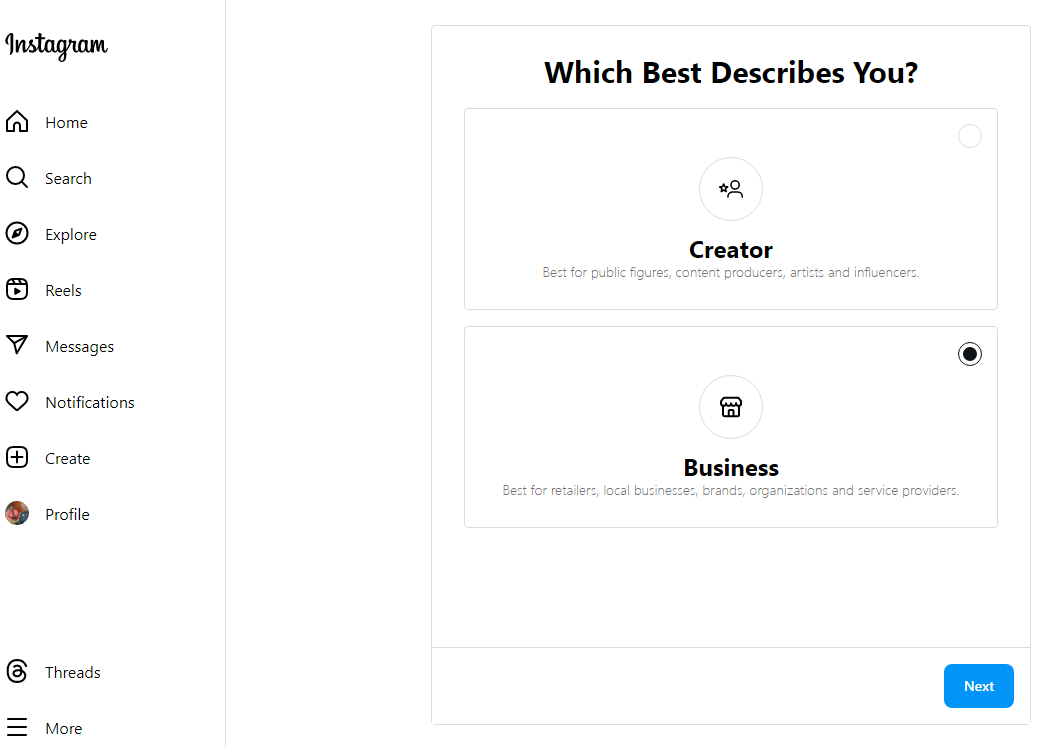
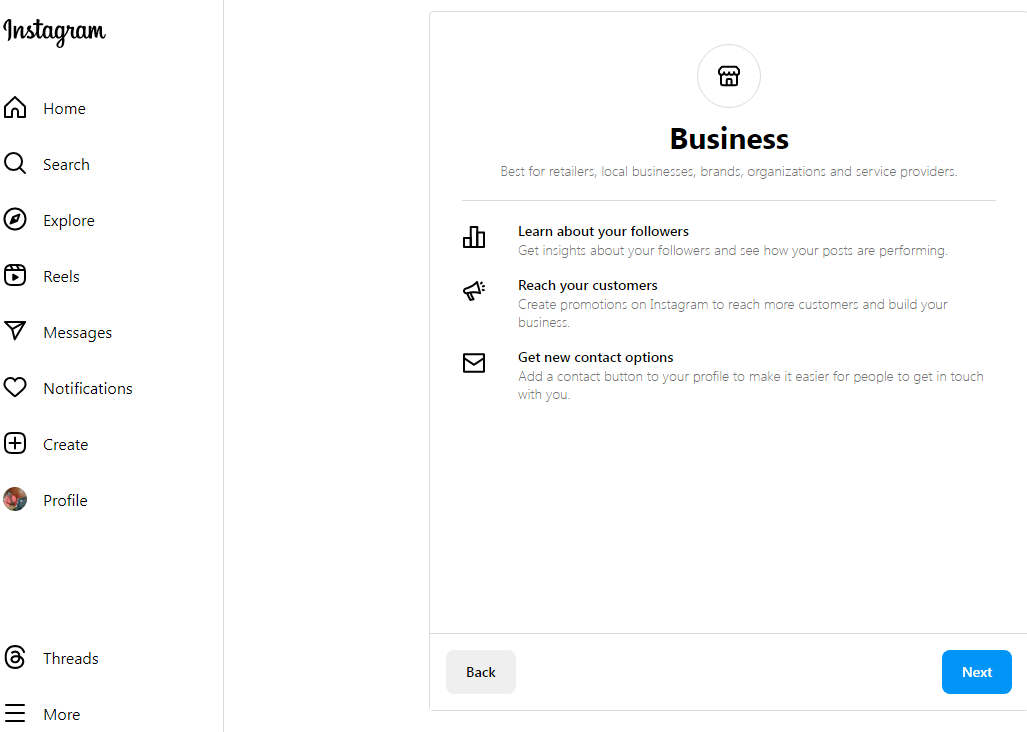
Instagram Business Account – Step 3 - Choose an option that best describes you between “Creator” and “Business,” and then click “Next.”
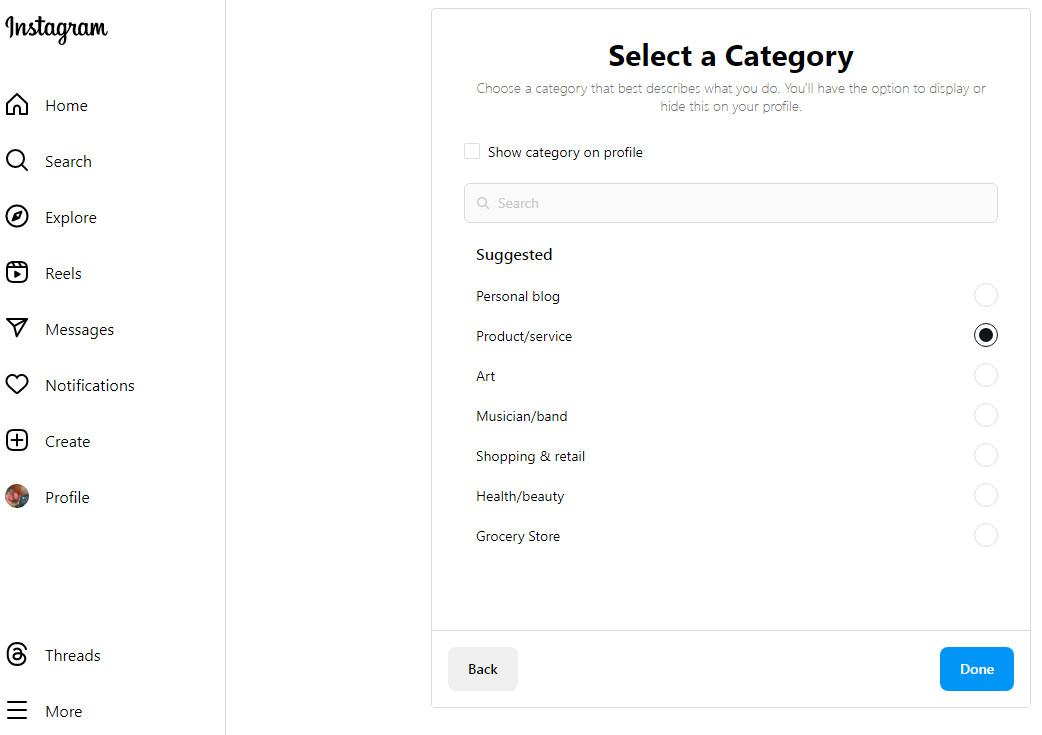
Instagram Business Account- Step 4 Instagram Business Account- Step 4 (a) - Select a category and click “Done.”
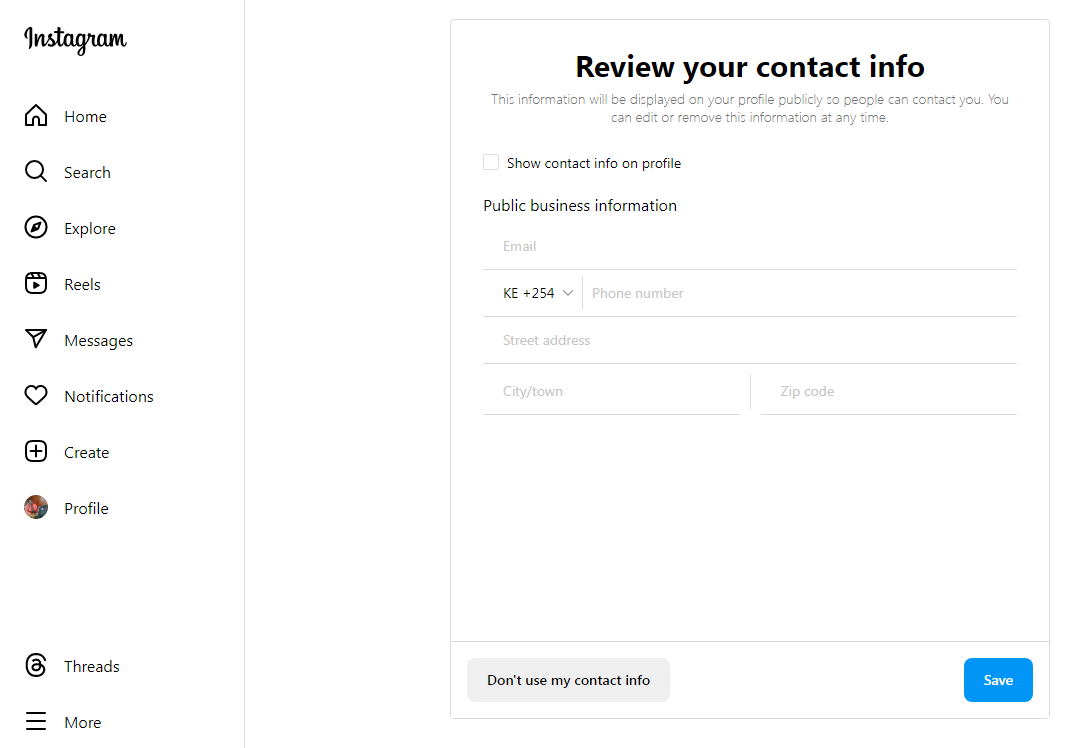
Instagram Business Account- Step 5 - Review your contact information.
Instagram Business Account – Step 6
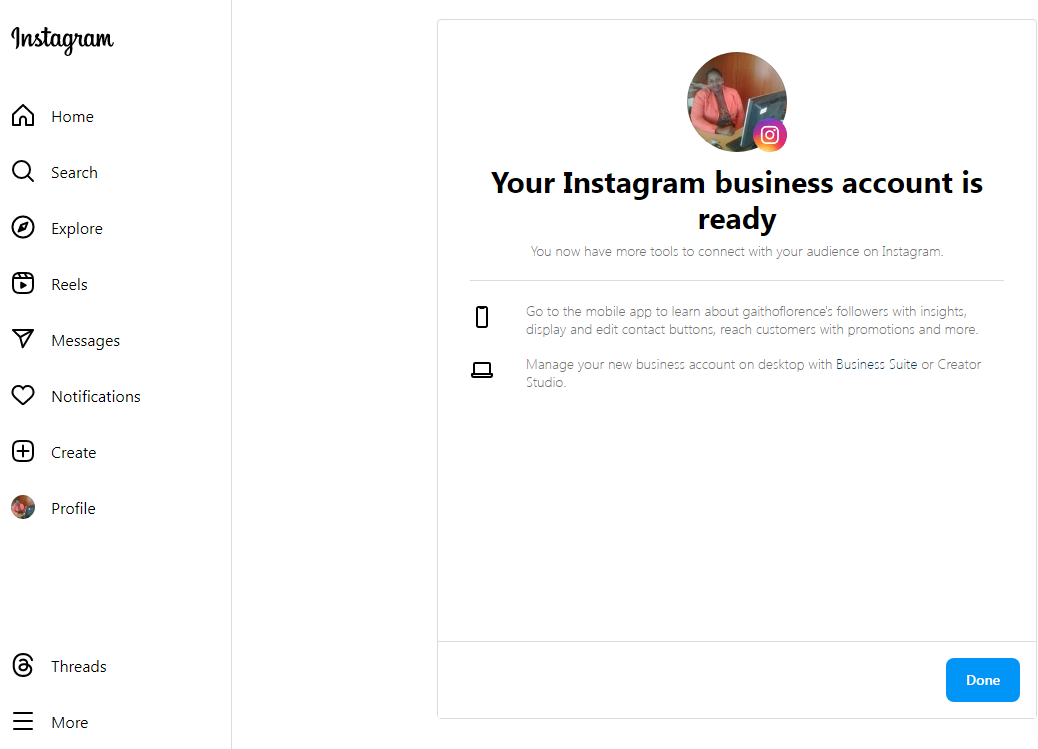
Instagram Business Account- Step 7 At this point, your Instagram business account is ready. Click “Done.”
- Click on the gear icon from your profile to access the account settings.
-
Add Business Information to Your Bio
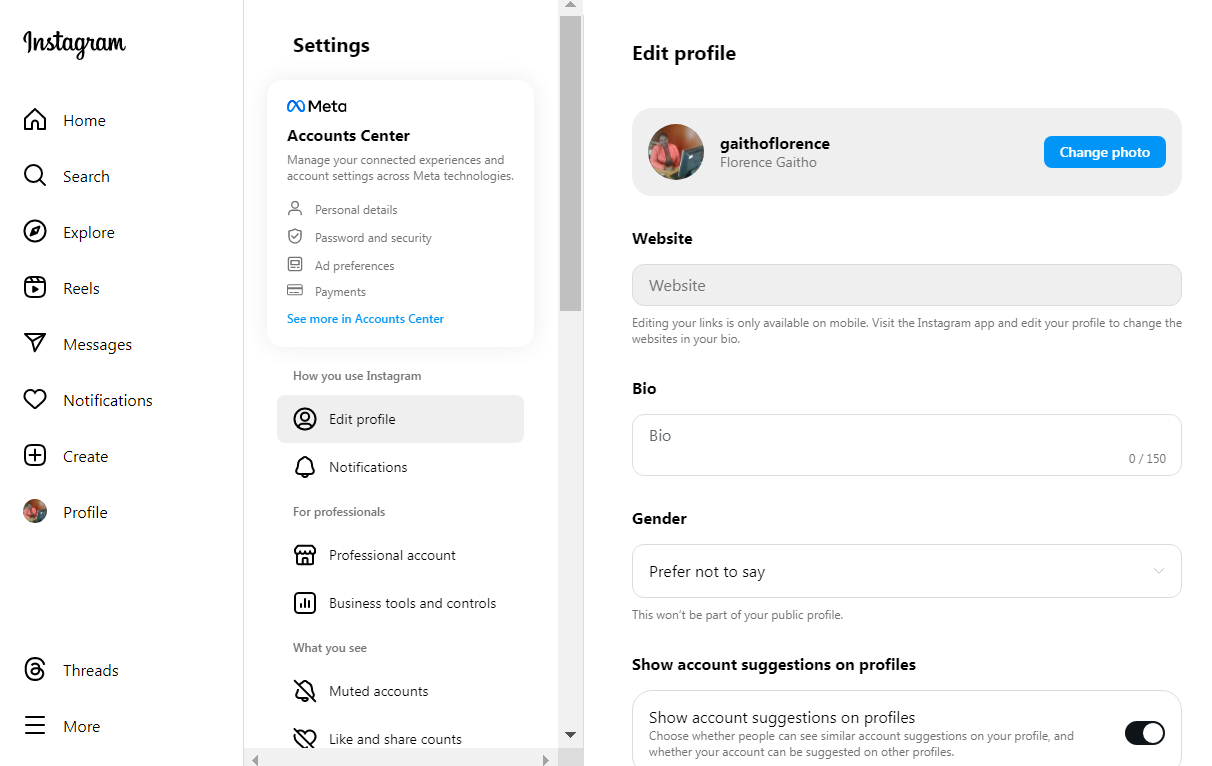
Once you’ve set up your Business account, it’s time to optimize your bio. Add a compelling description of your business, including contact details and a call to action. Also, include a website link to drive traffic.
Instagram Business Account- Step 8 -
Connect Your Product Catalog
Connect your Instagram Business account to this catalog to enable tagging products in your posts.
Access your Facebook Business Manager and ensure your products are properly uploaded and categorized. This can be done through Meta’s Commerce Manager.
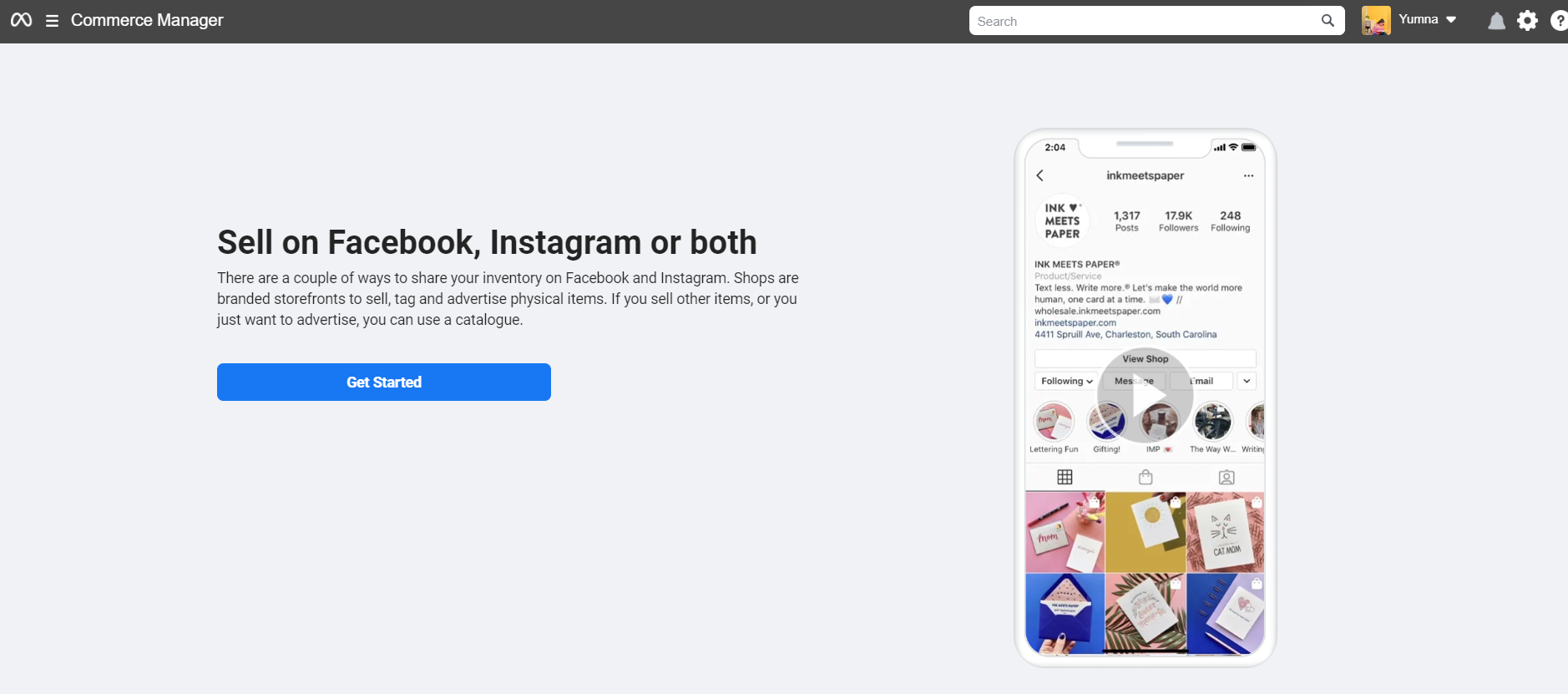
- Now go to Commerce Manager and click ‘get started’
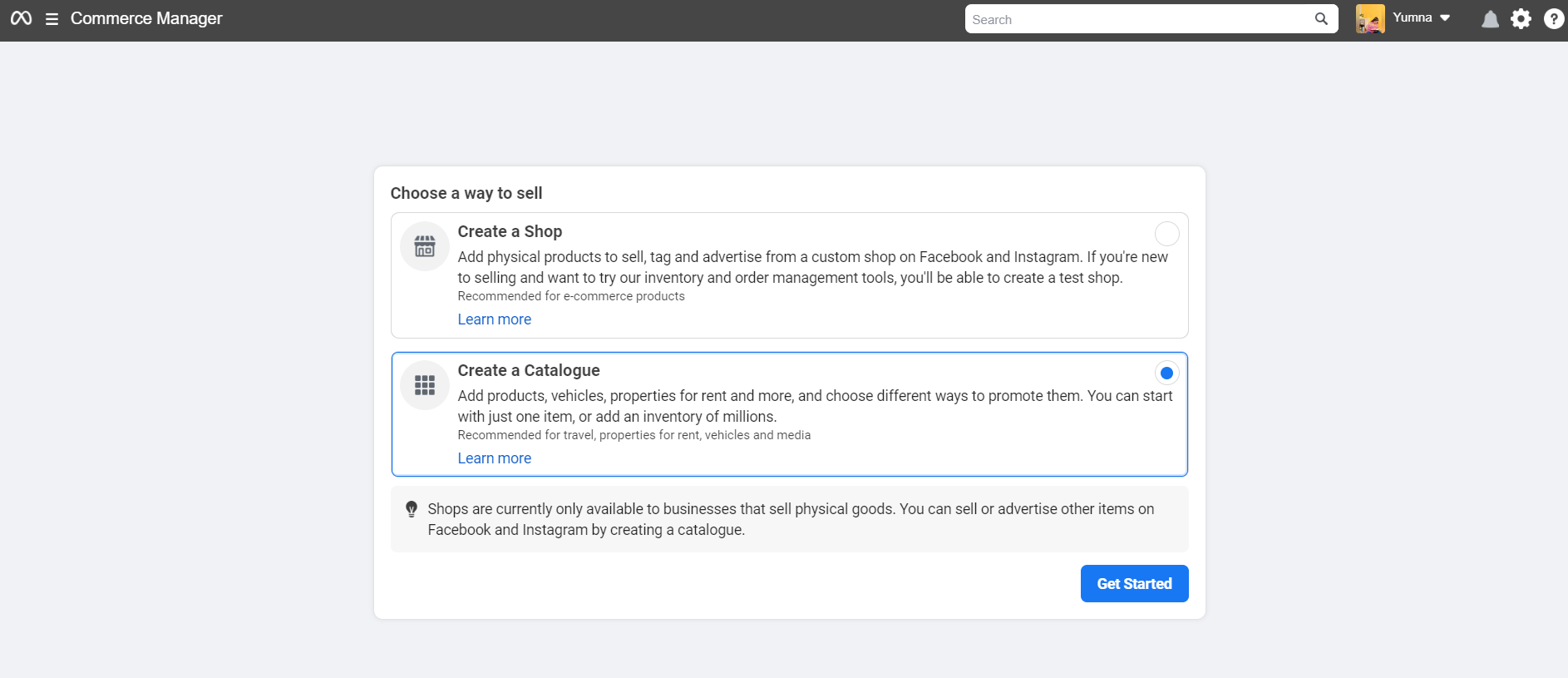
commerce manager 1 - Choose ‘Create a Catalogue’ and again click on ‘Get Started’
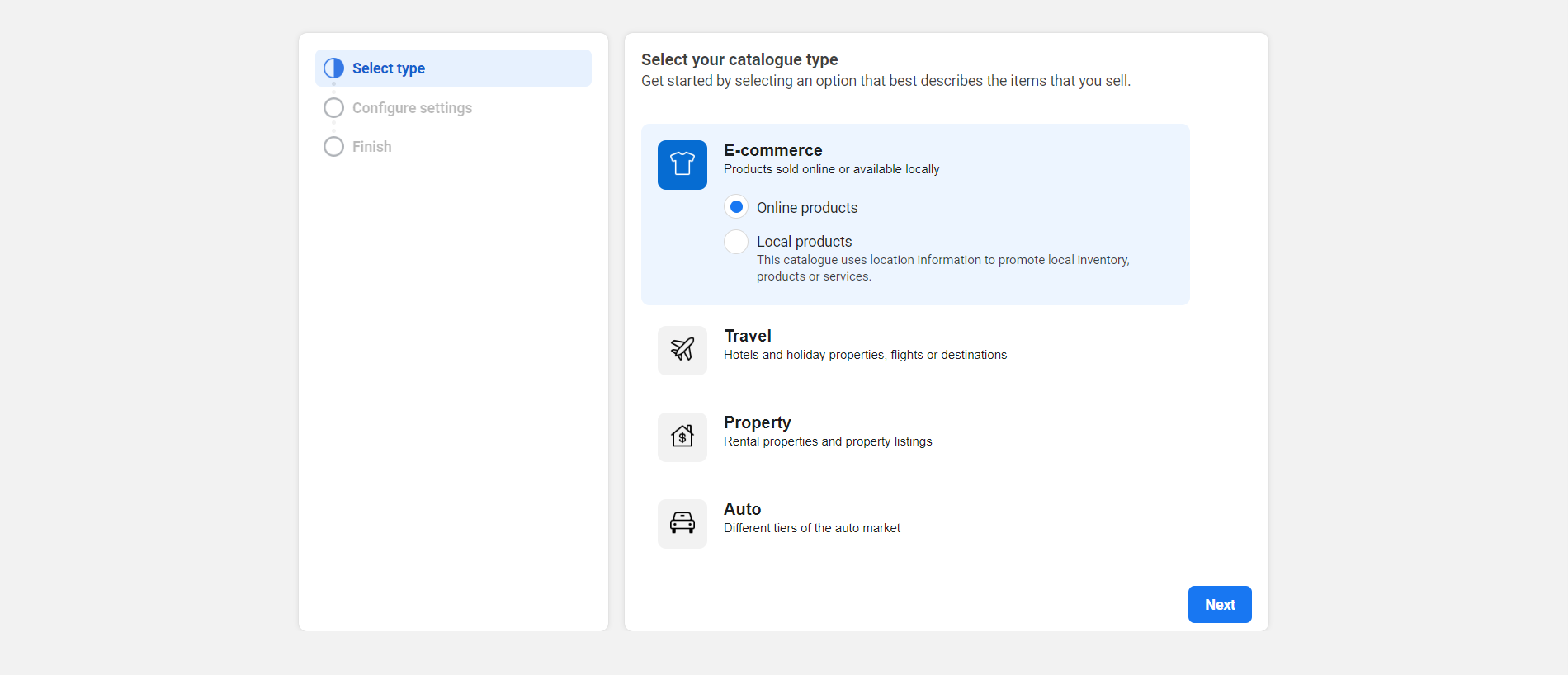
commerce manager 2 - Now, select your catalog type.
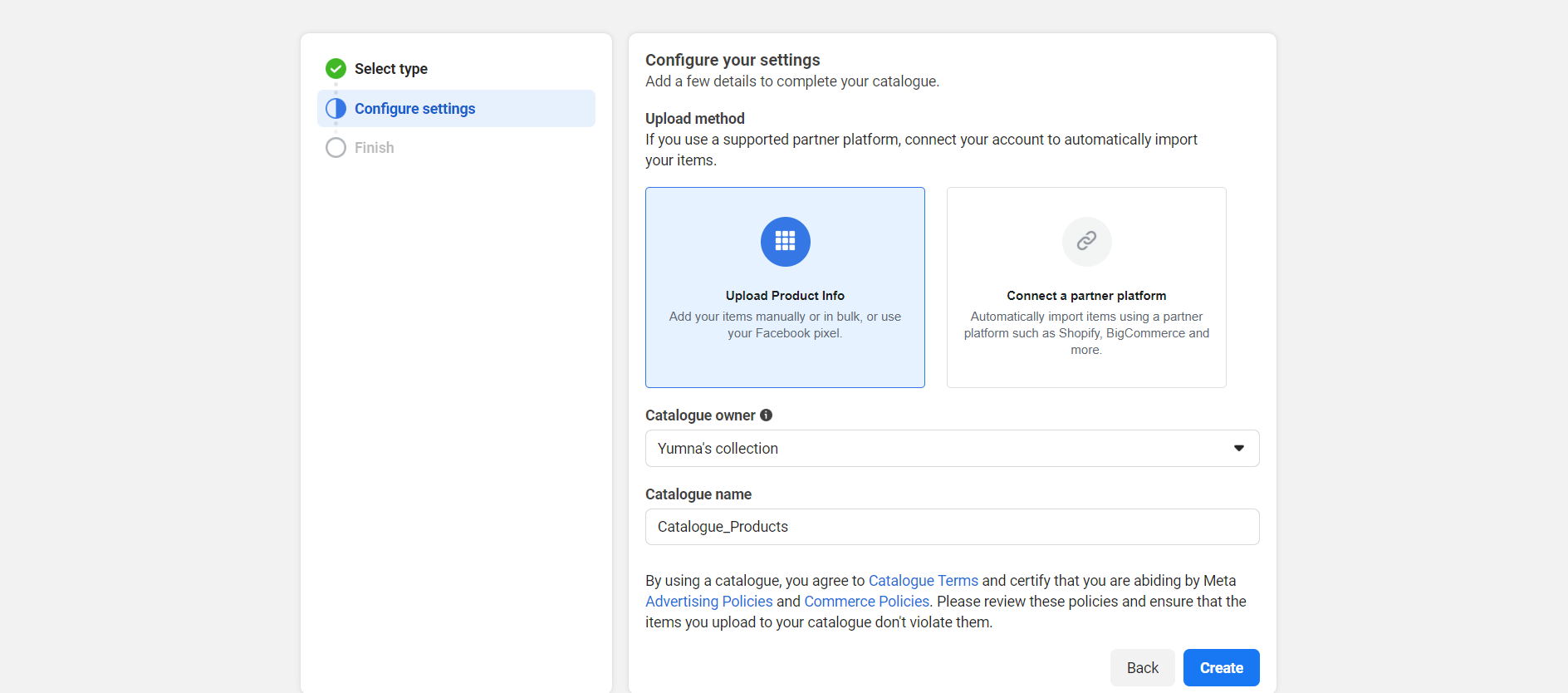
commerce manager 3 - Upload your product info, if you have partners like Bigcommerce or Shopify, you can click ‘Create a partner platform’ and follow the steps to create your catalog. Otherwise, you can choose the first option. Once done, click the ‘Create’ button.
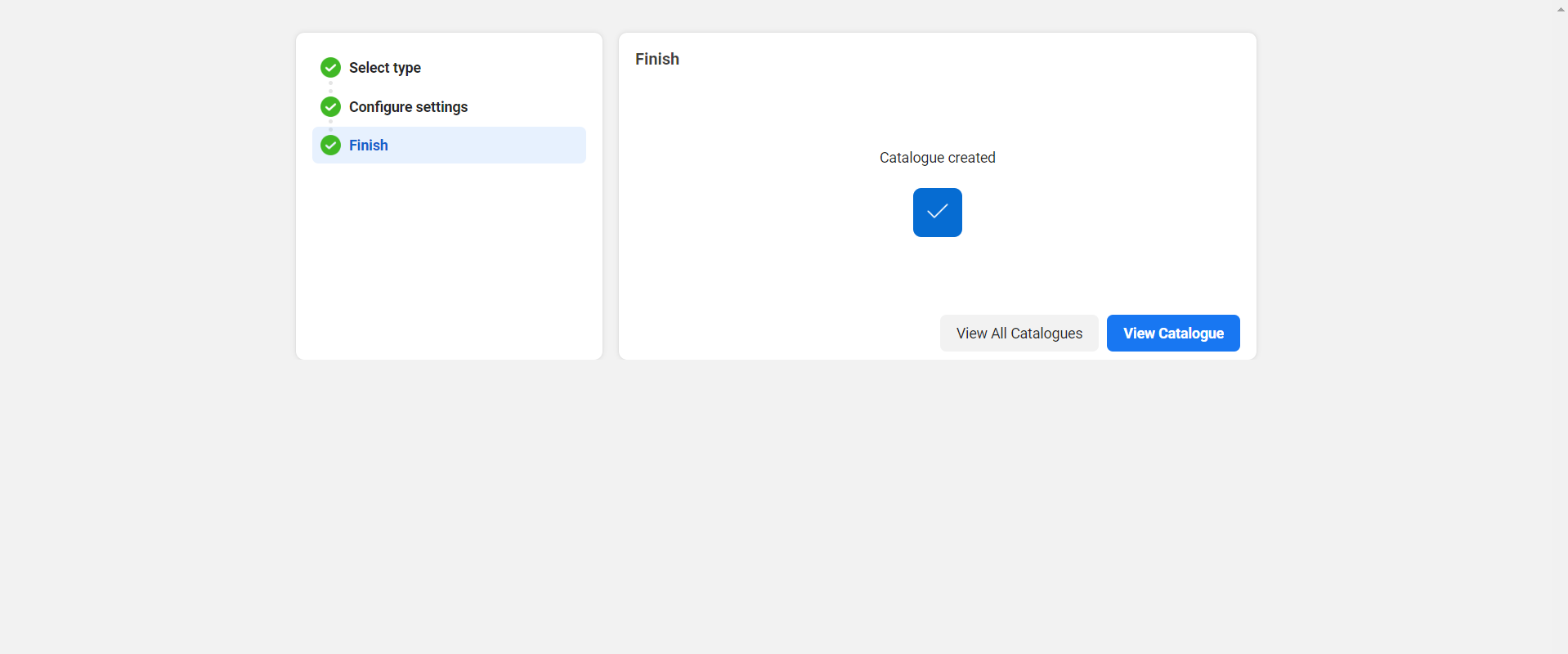
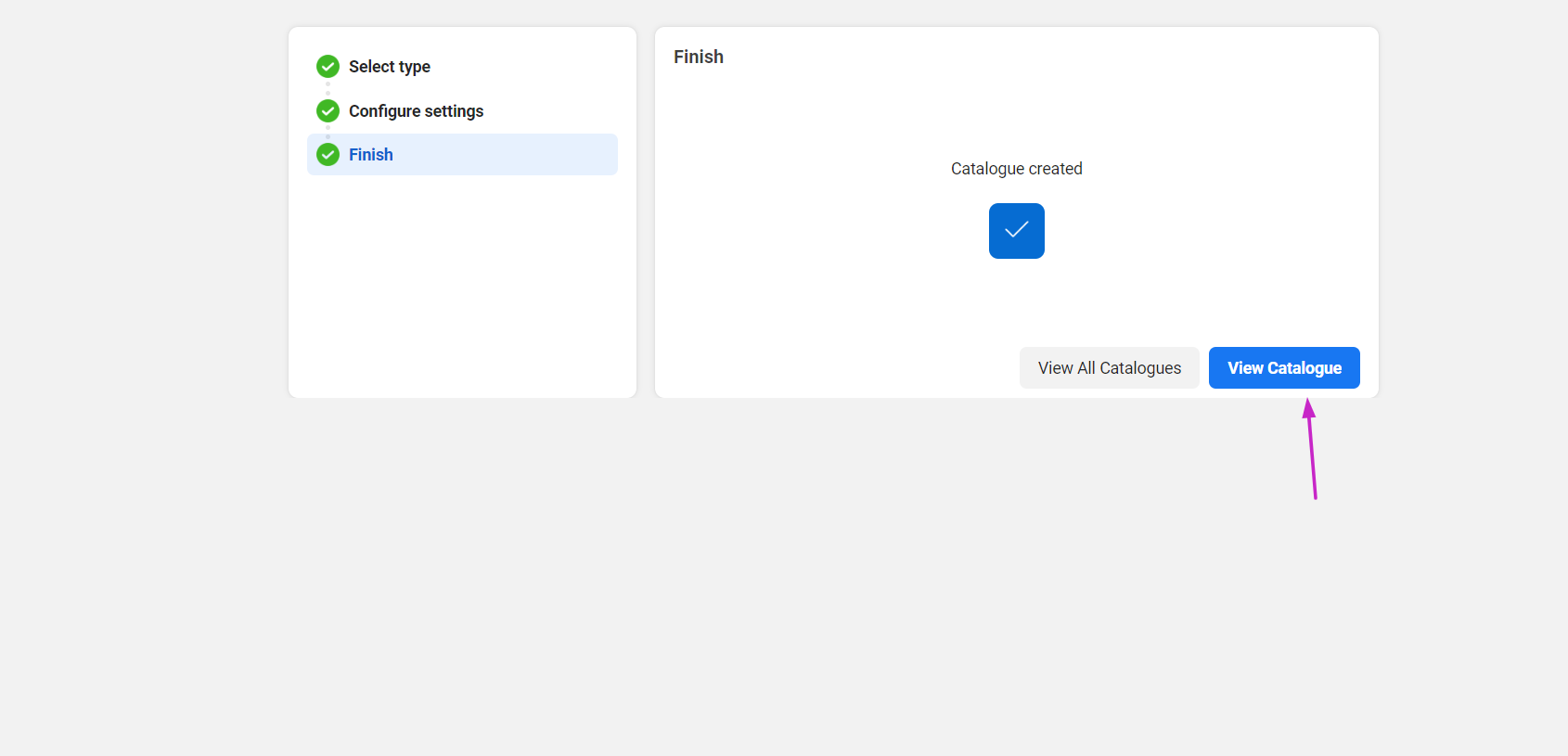
commerce manager 4 commerce manager 5 - Now click ‘view catalog’ and start adding your items.
commerce manager 6
- Now go to Commerce Manager and click ‘get started’
-
Turn On Instagram Shopping
Once your product catalog is linked, it’s time to activate Instagram Shopping. But prior to setting up Instagram Shopping, you must:
- Verify that your business operates in a supported market where Instagram Shopping is accessible. Consult the list of supported regions to confirm availability.
- Ensure that you sell physical products that meet Instagram’s eligibility criteria.
- Confirm compliance with Instagram’s merchant agreement and commerce policies.
- Ensure your business owns an eCommerce website as per the requirements.
Once you meet these criteria, go to your Instagram settings, select “Business,” and then tap on “Shopping.”
Follow the prompts to get your products reviewed and approved for Instagram Shopping. Once approved, you can start tagging products in your posts to allow users to shop directly through your profile.
As you can see, it doesn’t take a lot of effort to create an Instagram account for your business. Just optimize your profile, connect your product catalog, and activate Instagram Shopping to enhance your business’s presence and drive sales on the platform, and voila!

![How to Use an Instagram Business Account in [current_year]: Proven Tips & Tricks 19](https://www.socialchamp.io/wp-content/uploads/2024/07/Calendar-v2.png "How to Use an Instagram Business Account in [current_year]: Proven Tips & Tricks 20")
Unlock time-saving efficiency with a Free Scheduler!
Try Social Champ today to effortlessly plan and schedule your Instagram posts, and stay ahead in managing your social media presence.
Why Create an Instagram Business Profile?
You might be contemplating, “Why bother with a business account when my personal one seems just fine?” But let me tell you, making the leap to a business account has many benefits you shouldn’t ignore.
Here’s a breakdown of the reasons to create an Instagram business profile:
-
Enhance Credibility and Professionalism
This shift isn’t just about changing labels; it’s about signaling your commitment and seriousness to your audience.
Imagine strolling through a vibrant street market: a board with clear signage and details always catches your eye, right? That’s precisely what a business account does – it adds that professional touch, displaying vital contact info, category details, and even a call-to-action button, making it easier for potential customers to connect with you.
This professionalism helps build trust and confidence, positioning your brand as a credible entity within the vast world of Instagram.
-
Access Valuable Analytics Tools
An Instagram business profile grants access to valuable analytics tools like Insights. It’s not just about the numbers; it’s about uncovering invaluable insights about who your audience really is.
It’s like a roadmap guiding you towards creating content that resonates deeply with your audience, refining your strategy, and ultimately fostering stronger connections that keep your audience coming back for more.
-
Utilize Interactive Instagram Stories
Switching to an Instagram business account also unlocks a treasure trove of interactive storytelling tools right at your fingertips, specifically within Instagram Stories. With tools like polls, quizzes, countdowns, and swipe-up links (for those fortunate enough to have over 10k followers), Polls and quizzes turn your stories into a two-way street, you can invite your audience to participate and share their opinions actively.
Countdowns, on the other hand, build anticipation, stirring excitement for upcoming events or product launches. And the swipe-up link? It’s a connecting bridge guiding your audience straight to your website or product page.
These interactive elements transform passive viewers into engaged participants, fostering a sense of involvement and connection that transcends mere browsing.
-
Leverage Instagram Advertising Features
Creating an Instagram business account also opens the door to a dynamic advertising universe within the platform. You have the power to tailor your ads, targeting specific demographics, locations, interests, and behaviors of your audience.
These targeted ads are your spotlight, shining brightly amidst the sea of content, capturing the attention of potential customers who are genuinely interested in what you offer.
With Instagram’s powerful ad platform, you’re not just promoting; you’re fostering a connection, increasing brand visibility, and driving conversions. Moreover, you’re turning your audience into loyal customers who resonate with your brand’s story.
-
Efficient Post Scheduling
Transitioning to an Instagram business account also enables you to wield the power of time management. Imagine having a wizard’s wand that lets you plan and schedule your posts in advance using third-party tools like Social Champ. This functionality isn’t just a convenience; it’s a game-changer in maintaining a consistent and strategic presence on your audience’s feed.
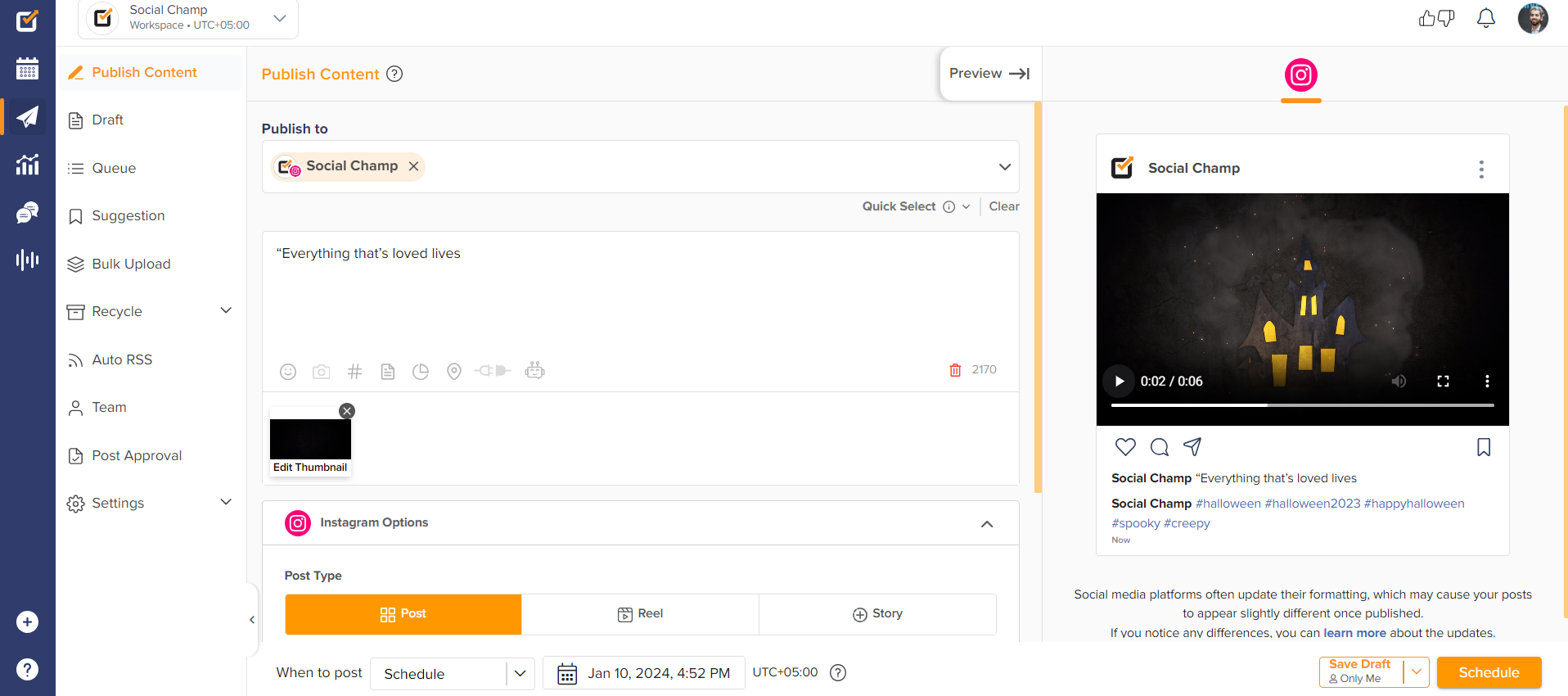
Social Champ instagram With efficient post scheduling options, you get to free up your precious time to focus on what truly matters. It’s not just about being present; it’s about being present consistently, nurturing your audience’s engagement and trust, and ultimately driving your brand toward growth and success on Instagram.
-
Seamlessly Tag Products in Your Posts
With the ability to tag products directly in your posts, it’s like placing price tags and descriptions on items in a physical store, but in a digital sphere. This feature transforms your posts into an immersive shopping experience, allowing users to seamlessly discover, explore, and purchase products without ever leaving the app.
It’s a seamless journey from admiration to acquisition, as your audience can simply tap on a tagged product in your post, landing directly on the product page for more details and an easy checkout process.
This functionality turns your Instagram feed into a bustling marketplace, offering convenience and a delightful shopping experience, ultimately boosting sales and solidifying your brand’s position in the competitive world of e-commerce.
Related Article: How to Use Instagram for Business to Boost Sales
Using Instagram for Business: 5 Effective Strategies
Leveraging Instagram’s potential for business success requires strategic planning and adept execution. To harness its full potential, consider these six effective strategies that pave the way for an impactful Instagram business presence.
-
Conduct In-Depth Audience Research
Conducting in-depth audience research on Instagram is crucial for you to comprehend your target demographics, behaviors, and preferences. It forms the foundation for crafting effective marketing strategies and content that resonates with the intended audience.
When you analyze audience demographics, engagement patterns, and interests, you can tailor your approach, creating relevant and engaging content that connects authentically with your followers. This data-driven approach allows for better-informed decision-making, optimizing content for higher engagement rates, increased brand visibility, and ultimately, driving business growth on the platform.
-
Craft a Well-Balanced Content Mix
Crafting a well-balanced content mix on Instagram for business is like assembling a diverse content for your audience. . It’s not about bombarding them with promotions but about serving up a variety of content flavors that keep them engaged.
When you blend a mix of visually captivating images, intriguing videos, compelling stories, and interactive carousels, you’re offering a buffet of experiences. This approach keeps your audience intrigued, entertained, and informed.
-
Master the Art of Content Scheduling
The importance of planning your social media content calendar using a tool like Social Champ cannot be overstated. So, you should master content scheduling on an Instagram business account, as it’s crucial to your brand’s storytelling.
Consistency in posting times is crucial – it’s about creating a rhythm that your audience can anticipate, keeping them engaged without bombarding them with excessive content. An Instagram scheduler can streamline this process, allowing you to schedule posts in advance and maintain a consistent presence without the hassle of manual uploads.
-
Analyze Results and Learn From Your Strategies
An essential strategy when transitioning to an Instagram business account is the diligent analysis of your content’s performance.
When you regularly delve into metrics such as engagement rates, reach, impressions, and click-through rates, you’re not merely observing numbers but decoding the pulse of your audience’s interactions with your content. This analytical approach enables you to understand what content resonates deeply with your audience when they are most active, and which strategies drive better results.
Armed with these insights, you can effectively refine your content and campaign strategies, creating tailored experiences that captivate your audience and drive better outcomes for your brand on Instagram.
-
Optimize Instagram as a Customer Service Channel
An integral strategy when establishing an Instagram business account is transforming the platform into more than just a promotional tool. For instance, you can use it to build a robust customer service hub. This approach involves actively engaging with your audience beyond marketing initiatives.
This means that you should use your account to showcase your products or services and create an interactive space where customers feel heard and valued. This involves promptly responding to comments, queries, and direct messages, addressing their concerns, and providing personalized assistance.
This approach isn’t just about resolving issues; it’s about building stronger connections and loyalty, ultimately solidifying your brand’s reputation as a customer-centric entity within the Instagram community.
Discover the Power of Data-Driven Decisions!
Experience Social Champ’s robust analytics feature to gain valuable insights into your Instagram performance.
How to Switch Back to a Personal Instagram Account
Here are the steps to switch back to a personal Instagram account from a Business account:
- From your Instagram business profile, click on the gear icon to access the account settings.
- Choose “Settings and privacy.
- Within the Account settings, click on “Business tools and controls.”
- Click on “Switch to Personal Account.”
- Confirm Switch
Once reverted to a personal account, you might need to adjust privacy settings or other account preferences to your preference.
By following these steps, you can easily switch your Instagram account from a Business account back to a personal profile. This process allows you to tailor your Instagram experience according to your preferences and needs.
Related Article: Guide to Effectively Schedule Instagram Stories
Start Taking Advantage of Instagram Business Profile Tools
Creating an Instagram business account isn’t merely about establishing a social media presence for your business; it’s about unlocking a world of opportunities that breathe life into your brand’s story. Remember, it’s more than just a change in settings; it’s a commitment to building meaningful connections, fostering brand loyalty, and steering your business toward growth in the captivating world of Instagram.
Amidst this dynamic social media platform, harnessing the power of a comprehensive management tool like Social Champ becomes indispensable. This social media scheduler simplifies content scheduling, audience engagement, and performance tracking, making it an invaluable asset for managing your business account. Start your journey today and let Social Champ be your partner in crafting a compelling and engaging brand presence on Instagram.