Did you just open your calendar in December and think, “I should’ve started this weeks ago”?
I’m sure it happens to most of the people, and that feeling sticks.
That’s the reason why you should plan your Christmas marketing campaigns ahead of time, because shoppers don’t wake up on December 24 and decide to shop. They plan early.
Short Summary
- Planning Christmas marketing campaigns early helps you avoid last-minute stress.
- A clear timeline keeps your content, ads, and approvals on track.
- Using a content calendar makes holiday posting more consistent.
- Managing all channels in one place saves time and reduces mistakes.
- Tracking performance helps you improve results throughout December.
I’ve even come across a study that says 45% of shoppers plan to start their holiday shopping before even November.
So, in this blog, I’ll walk you through a calmer way to prepare timelines and content in smart steps.
Plus, you’ll get some practical Christmas marketing ideas you can use without stress because when you plan early, December feels very different.
Let’s get started.

Plan Christmas Early Without the Chaos!
Schedule your Christmas content in advance and stay consistent across channels with Social Champ.
Why Planning Your Christmas Marketing Campaigns Early Guarantees Higher ROI

You may’ve noticed the holiday ads start popping up long before December even begins. Right?
That’s not a coincidence.
Many brands start their Christmas marketing campaigns early to get better visibility and save on ad costs.
Once, I tried to launch a last-minute Christmas campaign, in which emails went out late, social media posts missed prime time, and CPMs were through the roof.
That’s the moment I realized that planning ahead would’ve saved so much money and stress.
“We’ll Figure It Out Later” Never Works at Christmas
I’ve heard this line more times than I can count. And I’ve said it too.
Every time, it leads to the same result: stress, missed posts, and higher costs.
Christmas does not slow down for anyone. If you wait, the season moves on without you and leaves your Christmas marketing campaigns behind.
Attention Peaks Earlier Than You Think
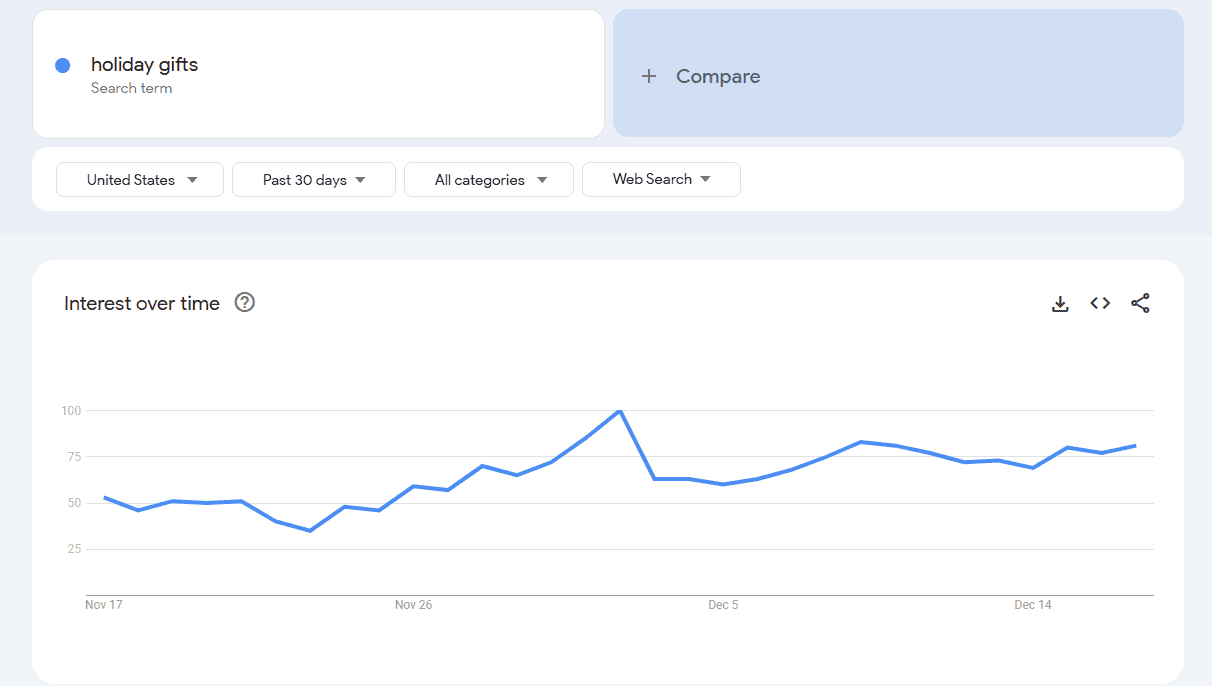
You know that consumers don’t wait until December to shop for gifts. They start browsing and comparing weeks ahead.
So if you launch your Christmas social media campaigns late, you compete for attention that’s already slipping away.
Early planning ensures your message reaches audiences while they’re actively deciding what to buy.
Ad Costs Rise Fast During the Holidays
Why pay more for less?
As Christmas approaches, ad space fills up, and CPMs rise because everyone pushes offers at the same time.
If you plan early, you have more control over timing and budgets.
For social media Christmas campaigns, timing often decides reach and engagement.
Creative Fatigue Is Real
Scroll through any December feed, and you’ll see the same colors, phrases, and discounts. When you plan early, you can test ideas and refresh visuals and copy.
Your campaigns remain appealing, boosting clicks and engagement across all Christmas marketing campaigns.
Planning Early Keeps Operations Calm
Behind the scenes, inventory runs low, shipping slows, and approvals pile up.
Early planning keeps your team aligned. Content moves through approvals on time, posts go live when scheduled, and your campaign runs smoothly without last-minute panic.
Turn Holiday Ideas Into Live Campaigns Faster!
From captions to visuals to approvals, Social Champ speeds up the entire Christmas workflow without adding pressure to your team.
Step-By-Step Timeline to Plan a Christmas Marketing Campaign (From Strategy to Scheduling)
I’ve seen many brands put together an afterthought of a campaign for Christmas at the last minute.
Emails go out late, social media posts miss peak times, and engagement suffers.
That chaos taught me one thing, i.e., you should have a clear timeline for your campaigns.
Here’s a practical, step-by-step plan you can follow to avoid that stress.
Week 1: Brainstorming and Strategy
First, you should start with a simple conversation with your team, such as what you want to achieve this Christmas.
I worked with one brand that aimed to boost gift card sales, while another focused on growing its Instagram following.
Consequently, if you identify your goal first, you can easily have an idea of what type of content you should create.
Week 2: Content Creation
Now, once your ideas are set, it’s time to produce assets.
You can create fun holiday GIFs for Instagram Stories, design Pinterest graphics that feature your best gift bundles, or draft an email copy with catchy subject lines like “Your Christmas Wishlist Awaits!”
Here, I have a pro tip for you:
Try to make multiple versions of each post. One online retailer I know made three versions of every Instagram caption to A/B test engagement.
You can keep your Christmas marketing campaigns fresh and adaptable by following this approach.
Week 3: Approvals and Scheduling
Now, get all content approved.
Once, I worked with a small agency that set up a shared folder and checklist so nothing got missed.
Once your content gets approved, you can schedule your Christmas social media posts in advance.
You can even use scheduling tools to post automatically at the peak engagement time when your audience is most active.
Week 4: Monitoring and Final Tweaks
Even before launch, double-check every caption, hashtag, and link.
One ink error in an email campaign can cost a brand hundreds of clicks. So, it’s better to catch mistakes early to avoid disaster.
Address any content gaps and ensure posts align with your strategy.

Featured Article: How to Grow YouTube Channel in 2026 (With Real-Life Examples)
How to Create a Christmas Marketing Content Calendar (Templates + Examples)
I once worked with a brand that had brilliant holiday ideas but no plan.
Emails went out late, social posts overlapped, and PPC campaigns launched at random.
That year, I learned one thing, and that is you should have a proper Christmas marketing content calendar to transform chaos into clarity.
Once we built one, campaigns ran smoothly, engagement improved, and the team knew what to post and when.
Why You Need a Calendar
Let me tell you why you need a content calendar.
A content calendar acts as a roadmap for your marketing campaigns.
It organizes content across social, email, PPC, and reels, so nothing slips through the cracks.
You can track posting dates, approvals, and formats in one place, which keeps your social media campaigns aligned and effective.

Structuring Your Calendar
Let’s take a look at an example of a weekly layout for inspiration:
| Week / Day | Platform | Post Type | Caption / Hashtag | Visual / Link | Approval Status | Time to Post |
|---|---|---|---|---|---|---|
| Week 1 Monday | Reel | “Top Holiday Picks” #HolidayShopping | Reel Video | Approved | 10 AM | |
| Week 1 Tuesday | Promo | “Your Wishlist Awaits” | Approved | 9 AM | ||
| Week 1 Wednesday | Carousel Ad | “Bundle Savings Inside” | Carousel Images | Pending | 2 PM | |
| Week 2 Thursday | TikTok | Short Video | “Unwrap Fun Early” | Video | Approved | 11 AM |
| Week 2 Friday | Post | “Holiday Tips for Pros” | Image | Approved | 1 PM |
A monthly view works well for bigger campaigns, including multiple email blasts, PPC ads, and reels throughout December.
Christmas Campaign Examples That Got Attention
Now let’s take a look at successful campaigns from other brands to get ideas for your own Christmas marketing campaigns.
Here are some examples:
John Lewis “Where Love Lives” (2025)
John Lewis has become known for its emotional holiday campaigns, and the 2025 edition continued that trend.
“Where Love Lives” focused on family connection, using cinema‑style visuals and a touching narrative to make viewers feel something.
Instead of pushing products directly, the brand emphasized moments that matter during the holidays.
By engaging audiences emotionally, this campaign drove high recall and broad social sharing across TV and digital channels, which proved that human stories still work well in social media campaigns.
Here’s the John Lewis 2025 ‘Where Love Lives’ Christmas video campaign featuring family storytelling:
Starbucks Red Cup Tradition
Starbucks’ Red Cup tradition is not about a specific product but about signaling the holiday season itself.
Each year, when the brand introduces its festive red cups, customers share photos across Instagram and TikTok.
This visual cue has become a seasonal marker that drives user‑generated content and boosts engagement across platforms.
Its simplicity proves that even small changes can make a big impact on holiday social media posts.
Check out this Starbucks Instagram post showing the Red Cup tradition to promote holiday engagement:
View this post on Instagram
Templates and Tools
And for creating a content calendar, you don’t need fancy tools.
For this, you can use a Google Sheets or an Excel file to keep campaigns organized and aligned.
If you’re an agency that manages multiple clients or brands with several channels, this is really helpful for you.
Tip of the Day!
Want to get noticed this season? Explore proven holiday marketing ideas from top brands and adapt them for your audience.
Managing Christmas Campaigns Across Multiple Channels Without Chaos
I know how frustrating it may feel when you manage Christmas marketing campaigns across multiple platforms.
You have Instagram, Facebook, LinkedIn, TikTok, email, and even PPC ads all running simultaneously.
If you don’t have a clear system, it’s easy to miss posting times, lose track of approvals, or duplicate content, which can reduce your engagement and ROI during the busiest season of the year.
Common Challenges During the Holidays
Here are the main pain points brands face when managing multiple channels:
- Too many assets: From graphics and videos to email templates and ad creatives, the sheer volume of content can be difficult to track.
- Approval delays: Waiting for stakeholder approvals across emails, chat apps, or shared drives often pushes campaigns behind schedule.
- Missed posting windows: Each platform has peak engagement times. Posting too early or too late can decrease reach and interactions.
- Scattered communication: Notes and updates across multiple tools make it hard to know which content is finalized or scheduled.
- Overlapping campaigns: Without central planning, different campaigns may unintentionally compete for attention, confusing audiences.
Why Centralized Management Matters
If you centralize your campaigns in one system, you can easily solve these challenges.
By managing all platforms in a single place, you can:
- Schedule posts for multiple channels simultaneously.
- Track approvals and ensure content meets standards before publishing.
- Identify peak posting times to maximize engagement.
- Keep teams aligned with a single source of truth for all campaign assets.
- Monitor performance across platforms, making optimization easier.
Many tools, like Google Sheets or Excel, help you create a centralized workflow to track your social media posts.
For example, with these tools, you can create tabs for each platform, columns for post types, captions, visuals, approval status, and scheduled times.
With this approach, you can keep your campaigns organized, reduce errors, and ensure nothing is overlooked, which can ultimately help you boost your social media presence this Christmas.
Tips for Smooth Multi-Channel Execution
Here are a few tips for multi-channel execution:
- Use a master calendar: Track all social posts, email campaigns, and ads in one sheet or platform.
- Group similar tasks: Batch content creation and approvals to save time.
- Set reminders for approvals: Avoid delays by setting internal deadlines for stakeholders.
- Check platform requirements: Ensure images, videos, and copy meet each network’s specifications.
- Review performance daily: Use analytics to adjust posting schedules or messaging in real time.
When you manage multiple platforms during the holiday season, it shouldn’t have to be chaotic.
Centralization, clear tracking, and scheduled workflows allow your campaigns to stay organized, timely, and effective.
Heads Up!
Creative fatigue is real. Refresh your visuals and copy periodically to keep your audience engaged during the holiday season.
Why Social Champ Is the Easiest Way to Manage Your Christmas Marketing Campaigns

If you’re a social media manager, you may already know that December always feels like the busiest month of the year.
Even I, myself, used to struggle with Instagram posts, email campaigns, Facebook ads, TikTok reels, and even LinkedIn content all at once.
That’s why you should have a centralized tool like Social Champ, which helps you plan ahead and stay on top of deadlines without constantly stressing about last-minute changes.
Visual Holiday Content Calendar

Social Champ’s one feature that I rely on is its visual content calendar.
Imagine being able to see all of your posts across platforms such as Instagram, Facebook, TikTok, LinkedIn, Pinterest, and YouTube, all in a single view.
It lets you quickly check what’s scheduled for the week, spot gaps, and make sure posts aren’t overlapping.
With Social Champ’s content calendar, it’s much easier to coordinate email campaigns or PPC ads alongside social media content when you have a clear overview.
That means you can plan your social media posts strategically around peak holiday dates.
Bulk Scheduling for Christmas Posts

I know during the holiday season, posting frequency increases naturally.
No matter if it’s a seasonal discount, a fun reel, or a product highlight, these posts often need to appear across multiple platforms.
For this, Social Champ’s bulk scheduling feature can help you to upload tons of posts at once and schedule them for the entire month.
You’ll be free from logging in daily to post. Just set it up once and focus on other priorities.
AI Writer for Christmas Captions

Sometimes you are out of ideas and can’t write captions, especially when you want them to feel festive, engaging, and authentic.
Social Champ’s AI writer generates the holiday-themed captions in just a few seconds.
You can even tweak them to align them to your brand voice, which saves you hours of brainstorming while keeping posts lively.
This is perfect for brands that want their messaging to feel human, personal, and consistent across all platforms.
Recycling Christmas Offers
Holiday campaigns often include recurring promotions, like discounts or special bundles.
For this, Social Champ’s post recycling feature allows you to reuse posts at different times without manually duplicating them.
You can keep your campaigns consistent and ensure valuable offers aren’t missed.
Team Approvals Made Simple

And if you work with a team, you may know how approvals can slow campaigns down.
Here, Social Champ simplifies this process with its team approvals and allows stakeholders to review content directly within the platform.
Everyone can see what’s pending, what’s approved, and what’s live.
Analytics Across Platforms

And when your content finally goes live, you have to see how your content performs across multiple platforms.
Social Champ offers an analytics dashboard that shows engagement, clicks, reach, and more.
You can even compare results across several platforms without logging into separate accounts.
These insights help fine-tune campaigns, identify which content resonates most, and optimize your marketing campaigns for maximum impact.
Keep Your Holiday Content From Falling Apart!
Missed posts and last-minute edits hurt results. Social Champ keeps your Christmas content planned, approved, and ready to go.
Featured Article: Why Your Brand Image on Social Media Is Important for Your Business
Christmas Campaign Launch Day Checklist (Everything to Track Before You Go Live)
Launch day always sneaks up on you faster than you expect.
You think everything is ready, then suddenly someone asks, “Did we check the links?” or “Are these captions final?”
Let me tell you what I’ve learned.
Even the best Christmas marketing campaigns can stumble if launch day feels rushed!
That’s why I suggest you always rely on a clear checklist before anything goes live.
Finalize and Lock Your Content
The first thing you have to do before hitting the publish button is to take one last look at every asset.
This step sounds obvious, but it’s often skipped.
Here’s what you should check:
- Captions are final and typo-free
- Visuals match platform specs
- Brand tone stays consistent across platforms
- Holiday offers match what’s on the website
During Christmas, even small errors stand out. A wrong date or a missing discount code can confuse customers and hurt trust.
Double-Check Links and UTMs
You may already know that nothing hurts more than running a campaign with broken links.
I recommend that you always test every link before launch.
Make sure:
- Landing pages load fast
- Discount codes work
- UTM tags are added for tracking
- Links match the platform destination
This step is critical if you plan to measure performance across social media Christmas campaigns and paid channels.
Confirm Scheduling and Time Zones
Every platform has a different audience, and they scroll at different times.
If you post on LinkedIn at noon and that works, that doesn’t mean it will also work on Instagram.
Before launch, you should verify:
- Scheduled times for each platform
- Time zones are correct
- Reels, shorts, and videos are queued properly
If you use a schedule like Social Champ, you can easily preview your posts, adjust timing, and ensure everything goes out exactly when planned.
Review Hashtags and Mentions
Hashtags help extend reach, but only if they’re relevant and readable.
You should always:
- Use platform-specific hashtag limits
- Avoid cluttered or spammy tags
- Check brand mentions and tags
- Keep hashtags aligned with the Christmas campaign theme
This is especially important for Instagram and TikTok, where hashtags still influence discoverability.
Preview Posts Before Publishing
Seeing a post in draft mode often reveals issues you won’t catch in a doc or spreadsheet.
You should preview:
- Line breaks in captions
- How links appear
- Thumbnail crops for videos
- Emojis and formatting
Social Champ’s preview feature helps spot these details early, so nothing looks off once posts go live.
Align Team and Stakeholders
If everyone knows their role, Launch day works best. That’s why you should always make sure:
- Approvals are completed
- Teams know launch timing
- Support teams are ready for comments or DMs
- Backup content exists if something needs to change
This step keeps your campaigns running smoothly, even if something unexpected pops up.
Set Benchmarks and Tracking
Before launch, you should define what success looks like. Otherwise, it’s hard to measure results later.
You should track:
- Engagement rates
- Click-through rates
- Saves and shares
- Platform-specific performance
Social Champ’s analytics dashboard helps monitor everything in one place, which makes it easier to compare results as the campaign runs.
Keep a Launch-Day Monitoring Window
After the post goes live, don’t just disappear. But you should stay alert for the first few hours.
Watch for:
- Comments or questions
- Link issues
- Performance spikes or drops
Quick adjustments early can improve results across your entire Christmas marketing campaign window.
Schedule Once. Enjoy the Holidays More!
Set up your Christmas social media campaigns ahead of time and let Social Champ handle the posting while you focus on results, not reminders.
Monitor, Optimize, and Report Your Christmas Campaign Performance
Once your posts are live, don’t think that your job is over now. This is the biggest mistakes brand make, and their campaigns lose momentum.
People publish content, check likes once or twice, and move on.
I’ve learned that the real results come from watching what happens next and making small changes while the season is still active.
Watch the Right Metrics Daily
During Christmas, trends shift fast. Try to check performance daily, not weekly. Focus on:
- Engagement like comments, saves, and shares
- Clicks on offers and landing pages
- Video watch time on Reels and Shorts
This helps you spot what’s working early across campaigns and avoid wasting time on posts that don’t connect.
Adjust Content While the Campaign Is Live
If your one reel performs better than the others, don’t just ignore it.
You can reuse that format, tweak the caption, or adjust the posting time.
If a post underperforms, you can change the visual or message instead of letting it sit. Small changes during December can make a big difference before the season ends.
Compare Platforms Side by Side
You already know this: not every platform behaves the same. Instagram might drive engagement, while LinkedIn brings clicks.
If you use a single platform to manage all of your channels, you can easily compare performance without switching tools.
Report Results Clearly
After Christmas, clean reporting matters. Pull simple reports that show:
- Top-performing posts
- Best posting times
- Engagement trends
Clear reporting helps teams understand what worked and plan better campaigns next year.
Conclusion
If you’re planning your holiday marketing campaigns, it doesn’t have to feel overwhelming.
For this, you can plan ahead, so your Christmas marketing campaigns stop feeling rushed and start feeling manageable.
You give yourself space to think clearly, test ideas, and schedule content without panic.
Instead of scrambling in December, you can stay focused while your campaigns run smoothly in the background.
Early planning helps you reach shoppers before the noise peaks, control costs, and stay consistent across channels.
Start early, stay organized, and December will feel a lot calmer this year.