Ever feel like there’s just never enough time to keep up with Facebook?
With content expectations skyrocketing and manual posting slowing everything down, it’s easy to get overwhelmed.
That’s why Facebook automation has become such a buzzword. It promises to save hours and keep your page active.
Short Summary
- Facebook automation uses tools to handle repetitive tasks like scheduling posts, managing responses, and tracking engagement.
- It saves time by automating tasks, allowing businesses to focus on strategic activities.
- Automation ensures consistent branding across posts and interactions, strengthening brand identity.
- Improved engagement is achieved by posting at optimal times and using automated responses.
- Data-driven insights from analytics help refine strategies and enhance content performance.
- Enhanced customer service is provided through prompt automated replies, improving the overall experience.
- Various tools like Social Champ, Hootsuite, and Buffer offer unique features to optimize Facebook automation.
But here’s the catch: not everything should be automated. Creative posts, real conversations, and quick responses still need a human touch.
Go overboard with spammy auto-comments or robotic activity, and you risk your page getting restricted, which is a headache that nobody wants.
But if done right, automation can help you schedule posts, post at the best times, and keep engagement steady, all without losing that personal touch.
Stick around, because in this guide, we’re breaking down the tools, tips, and strategies that actually work and which automation mistakes to steer clear of.
![Facebook Automation in [current_year]: Updated Guide and Tools to Pick 4](https://www.socialchamp.io/wp-content/uploads/2024/07/Calendar-v2.png "Facebook Automation in [current_year]: Updated Guide and Tools to Pick 5")
Every Manual Post Is Time You’ll Never Get Back!
Smart brands already automated the busywork. Social Champ lets you focus on strategy, not daily posting.
What Is Facebook Automation?
At its core, Facebook automation is about letting tools handle the repetitive stuff so you can focus on strategy, creativity, and real conversations. But not all automation works the same way.
Some setups rely on rule-based automation, simple actions triggered by specific conditions, like scheduling posts at set times or sending predefined replies.
Others use smart automation, where tools adjust posting times, optimize workflows, or flag engagement patterns based on performance data.
There’s also a big difference between native Facebook automation and third-party tools.
Native options (like built-in scheduling) are safe but limited. Third-party platforms go further by handling bulk scheduling, analytics, and team workflows as long as they follow Facebook’s official rules.
To make it clearer, here’s a quick breakdown:
| Manual Facebook Tasks | Automated Facebook Tasks |
|---|---|
| Posting content one by one | Scheduling posts in advance |
| Checking engagement manually | Auto-tracking likes, comments, and reach |
| Responding during work hours only | Saved or assisted replies |
| Pulling reports by hand | Automated performance reports |
Benefits of Facebook Automation for Businesses
Facebook automation brings a host of advantages for businesses looking to streamline their social media presence.
Let’s take a look at the top benefits:
-
Time-Saving
One of the biggest perks of Facebook automation is the time it saves businesses. In fact, research shows that 88% of small business owners believe that automation allows them to compete with larger brands!
With automation tools, you can schedule posts for the entire week in one go rather than posting manually every day.
Automation tools can handle repetitive tasks like posting updates, responding to messages, and even running ads.
It’s like having an extra pair of hands that works around the clock so you can focus on more strategic aspects of your business.
-
Consistent Branding
Keeping your branding consistent across all your posts and interactions can be tricky, especially if you manage multiple accounts or pages.
Facebook automation helps by ensuring that your messaging stays on point, no matter who handles it.
What’s even more exciting is that automation tools can apply your branding guidelines consistently, from the tone of your posts to the visual elements.
This helps build a cohesive brand image and strengthens your brand identity in the minds of your audience.
-
Improved Engagement
Engagement is key to growing your online presence, and automation can give it a boost.
Tools can help you track when your audience is most active and schedule posts for those peak times, ensuring your content gets maximum visibility.
Plus, automated responses can handle common questions or comments quickly, keeping the conversation flowing even when you’re not available.
This means more interactions and potentially more loyal followers.
-
Data-Driven Insights
Automation tools often come with analytics features that provide insights into how your posts are performing.
You can track metrics like engagement rates, click-through rates, and audience demographics.
This data helps you understand what’s working and what’s not, so you can refine your strategy and make more informed decisions.
It’s like having a built-in performance dashboard that helps you steer your Facebook efforts in the right direction.
-
Enhanced Customer Service
Prompt responses to customer inquiries are crucial, and automation can help ensure that no message goes unnoticed.
Automated replies can handle basic queries and direct customers to the right resources or departments.
This means faster response times and a better overall customer experience.
It also frees up your team to tackle more complex issues, improving your customer service without straining your resources.
Featured Article: How to Promote Podcasts on Social Media
How Does Facebook Automation Work Behind the Scenes?

Behind every smooth automation setup, there’s a simple system working quietly in the background. Nothing magical, just smart logic done right.
Triggers: What Starts the Action
Automation begins with a trigger. This could be a scheduled time, a new post going live, or an engagement event like a comment or message.
For example, posting consistently based on the best time to post on Facebook often relies on time-based triggers rather than manual clicks.
Workflows: The Rules That Guide It
Once a trigger fires, workflows decide what happens next. Think of them as “if this, then that” rules. If a post is approved, schedule it; if a message comes in, flag it or prep a response.
Scheduling Logic: Timing It Right
Scheduling logic makes sure posts go out at the right time, to the right audience, without you watching the clock. This is where automation really saves hours every week.
API-Based Automation (High Level)
Most tools rely on Facebook’s official APIs to perform actions safely. This keeps automation compliant and reduces the risk of restrictions.
What Can You Automate on Facebook (And What You Shouldn’t)?
Not all automation is created equal. Some tasks are perfectly safe to automate, while others can quietly push your page toward restrictions if you’re not careful.
The key is knowing where Facebook draws the line.
Safe to Automate (When Done Right)
These are repetitive, low-risk tasks that Facebook expects businesses to streamline:
| Safe to Automate | Why It’s Safe |
|---|---|
| Posts | Scheduling content in advance is fully supported |
| Comments moderation | Filtering spam or hiding offensive comments |
| Inbox replies | Saved replies or assisted responses (not bots pretending to be human) |
| Ad reporting | Pulling performance data automatically |
| Lead follow-ups | Sending compliant, opt-in follow-up messages |
Used properly, these workflows align with how the Facebook algorithm prioritizes consistency and meaningful engagement.
Risky or Restricted to Automate
This is where most pages get into trouble.
| Risky or Restricted | Why It’s a Problem |
|---|---|
| Auto-DM spam | Violates messaging policies |
| Engagement pods | Artificial signals that Facebook can detect |
| Aggressive comment bots | Looks spammy and hurts trust |
Automation should support real engagement, not fake it. If a tactic feels pushy, robotic, or too good to be true, it usually is. The safest rule is to automate systems, not human behavior.
How to Set Up Facebook Automation Step-By-Step

Setting up Facebook automation might sound technical, but breaking it into simple steps makes it manageable and keeps your account safe from policy violations.
-
Define Your Automation Goals
Start by asking: What do I want to automate and why? Is it posting consistently, responding faster to messages, or streamlining ad reporting? Clear goals will guide every step.
-
Choose Native vs Tool-Based Automation
Native options like Facebook’s Creator Studio are safe and simple but limited. Third-party tools give more flexibility, from scheduling at scale to advanced workflows. Always ensure your tool follows Facebook’s official policies.
-
Set Posting Rules
Decide what content to schedule, when, and how often. Rule-based scheduling (like “post at 9 AM on weekdays”) ensures consistency without spamming followers.
-
Configure Inbox and Comment Automation
Set up automated responses for FAQs, filter spammy comments, and moderate messages responsibly. Avoid aggressive auto-replies or unsolicited DMs, which can violate platform rules.
-
Test and Monitor
Run a small batch first, track engagement, and adjust. Automation isn’t “set it and forget it.” Regular monitoring ensures compliance and effectiveness.
Native Facebook Automation vs Third-Party Tools: Which Is Better?
Choosing between native Facebook automation and third-party tools isn’t about picking “the best.”
It’s about finding what fits your goals, workflow, and risk tolerance. Both options have pros and cons depending on what you need to achieve.
Here’s a simple comparison to help you decide:
| Feature | Native Facebook Automation | Third-Party Tools | Notes |
|---|---|---|---|
| Scheduling | Basic post scheduling within Creator Studio | Advanced scheduling, bulk uploads, and content queues | Third-party tools excel if you manage multiple pages or brands |
| Inbox | Quick replies and automated responses | Advanced inbox management, team assignments, saved replies | Tools help larger teams stay organized |
| Analytics | Basic post insights | In-depth analytics, reports, and engagement tracking | Use tools if you need reporting across multiple pages or campaigns |
| Scalability | Limited to one or a few pages | Can handle multiple pages/accounts efficiently | Tools are better for agencies or large teams |
| Risk Level | Very low; fully supported by Facebook | Moderate; depends on the tool’s compliance with Facebook policies | Always check API-based tool compliance to avoid restrictions |
If you’re running a small page and need only basic scheduling and reporting, native automation works perfectly.
But if you manage multiple pages, need deeper analytics, or want streamlined workflows, third-party tools provide more flexibility as long as they follow Facebook’s rules.
How Much Time Is Facebook Costing You Weekly?
Social Champ turns hours of manual work into a few scheduled clicks without risking policy violations.
Best Facebook Automation Tools to Use in 2026 (By Use Case)
Exploring automation tools can make a big difference if you’re ready to take your Facebook game to the next level.
Here’s a list of 10 powerful Facebook automation tools that can help streamline your efforts and maximize your results.
Best for Scheduling
-
Social Champ

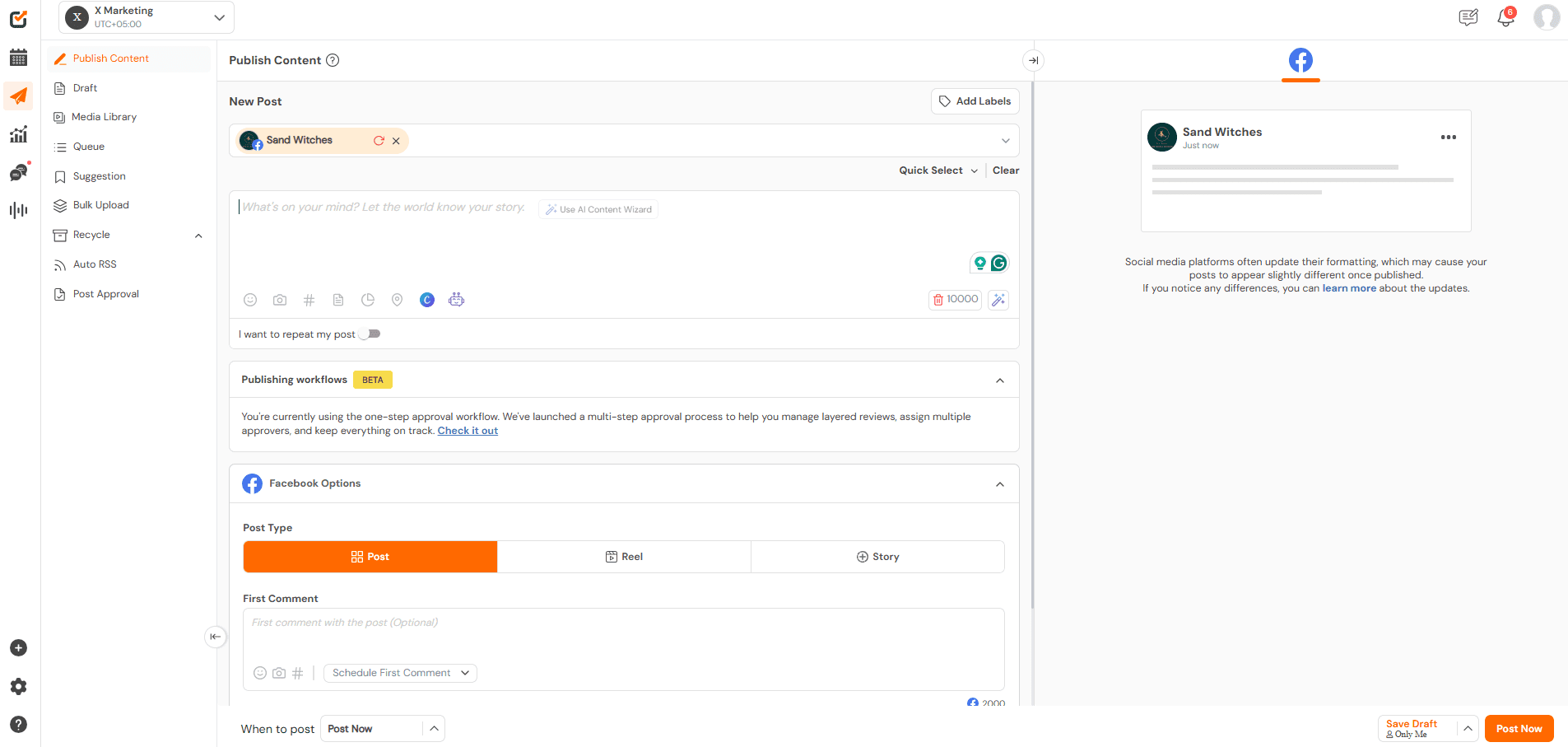
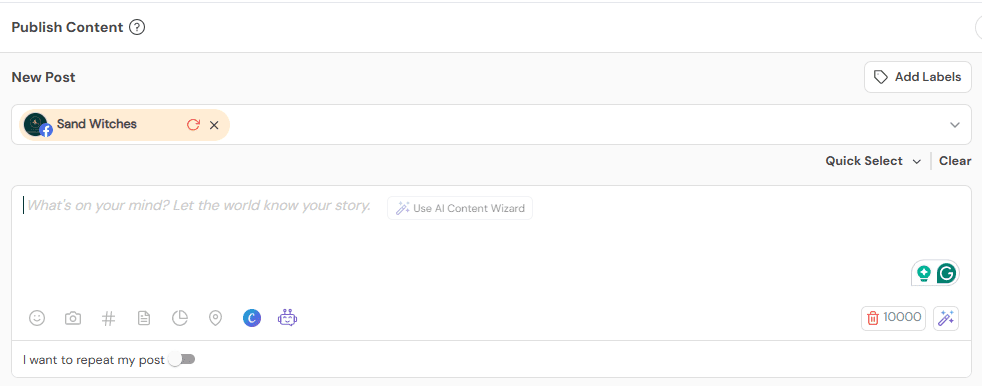
Social Champ’s Dashboard Social Champ stands out in Facebook automation by offering a user-friendly platform packed with features that make managing your social media presence a breeze.
One of its key automation features is the Scheduling and Publishing tool, which allows you to plan and schedule posts across multiple Facebook accounts well in advance.
Social Champ’s Publishing Tool This means you can maintain a steady flow of content without having to manually post every day, saving you time and effort.
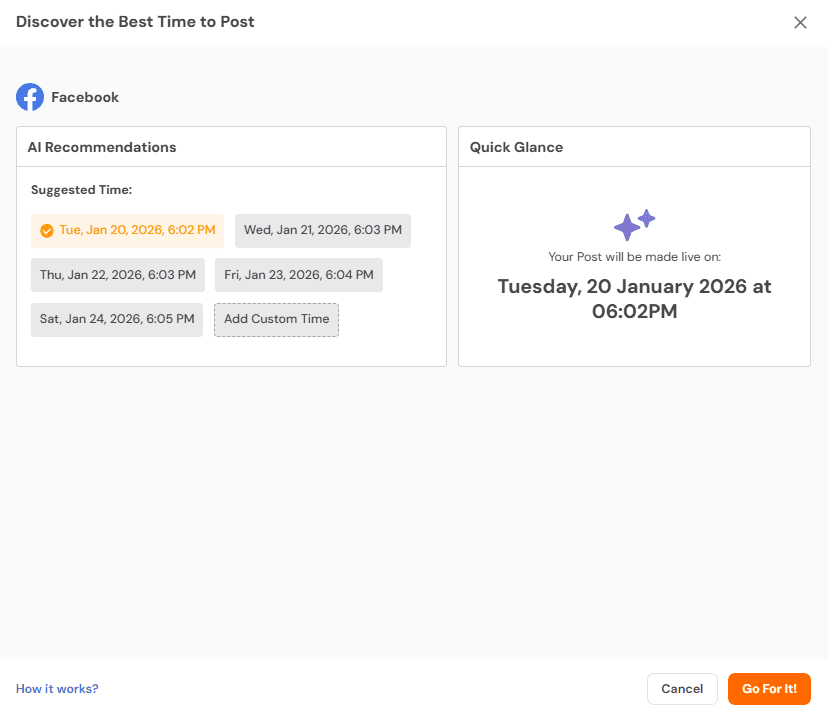
Social Champ’s Best Time to Post feature is another smart tool that helps you maximize your content’s impact on Facebook.
Social Champ’s Best Time to Post Feature Instead of guessing or relying on trial and error, this feature takes the guesswork out of scheduling, ensuring that your content hits your audience’s feed when they’re most active.
This makes your social media strategy more efficient and effective, helping you get the most out of every post.
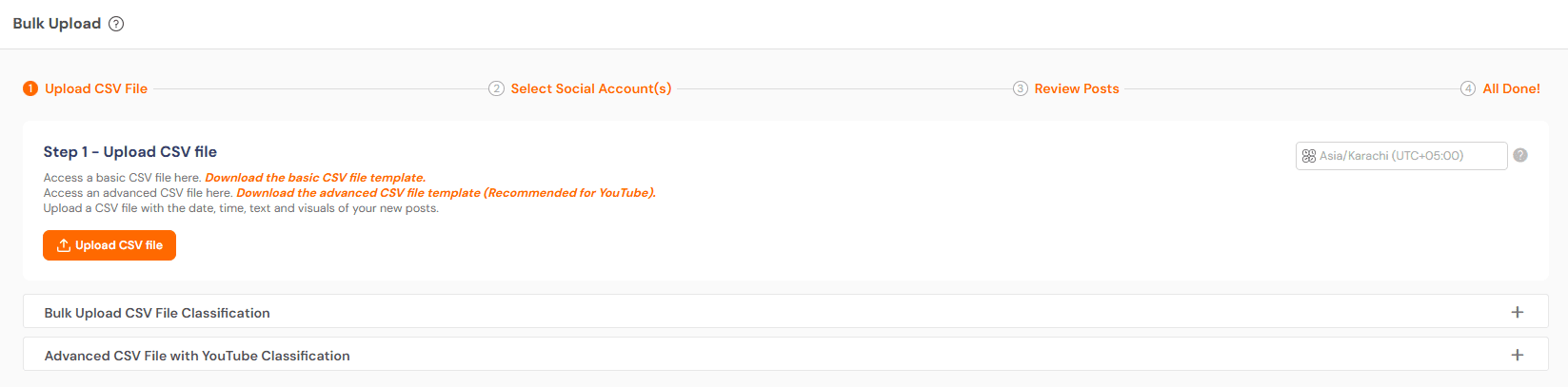
Another useful feature is Bulk Upload, where you can upload multiple Facebook posts at once using a CSV file.
Social Champ’s Bulk Upload Feature This is a huge time-saver, especially if you have a content calendar planned out.
Social Champ also offers Auto RSS, which automatically shares content from your favorite blogs or websites directly to your Facebook page.
This can keep your feed active and relevant without extra effort.
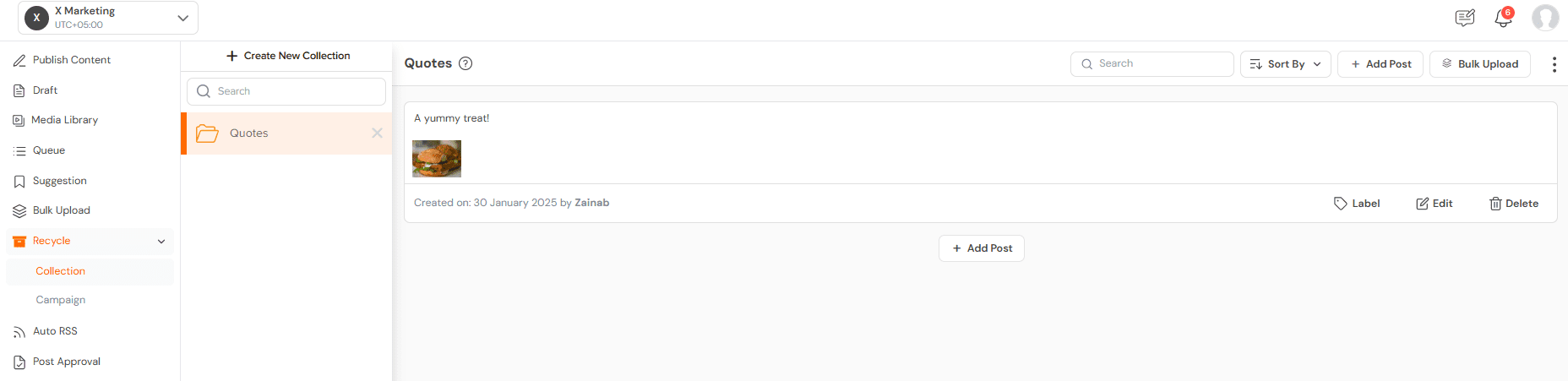
Social Champ’s Auto RSS Feature The Content Recycle feature is a game-changer too, as it allows you to repost your best-performing content at regular intervals.
It ensures your audience sees your content, even if they missed it the first time.
Social Champ’s Recycle Feature On top of that, Social Champ provides Analytics and Reporting, offering insights into how your Facebook posts are performing.
These insights help you understand what works best and allow you to tweak your strategy for better engagement.
All these features combined make Social Champ a powerful tool for automating and optimizing your Facebook presence.

Supercharge Your Facebook Marketing With Social Champ!
Whether you’re scheduling posts, curating content, or analyzing performance, this Facebook automation tool makes it effortless to stay ahead of the game.
-
Later
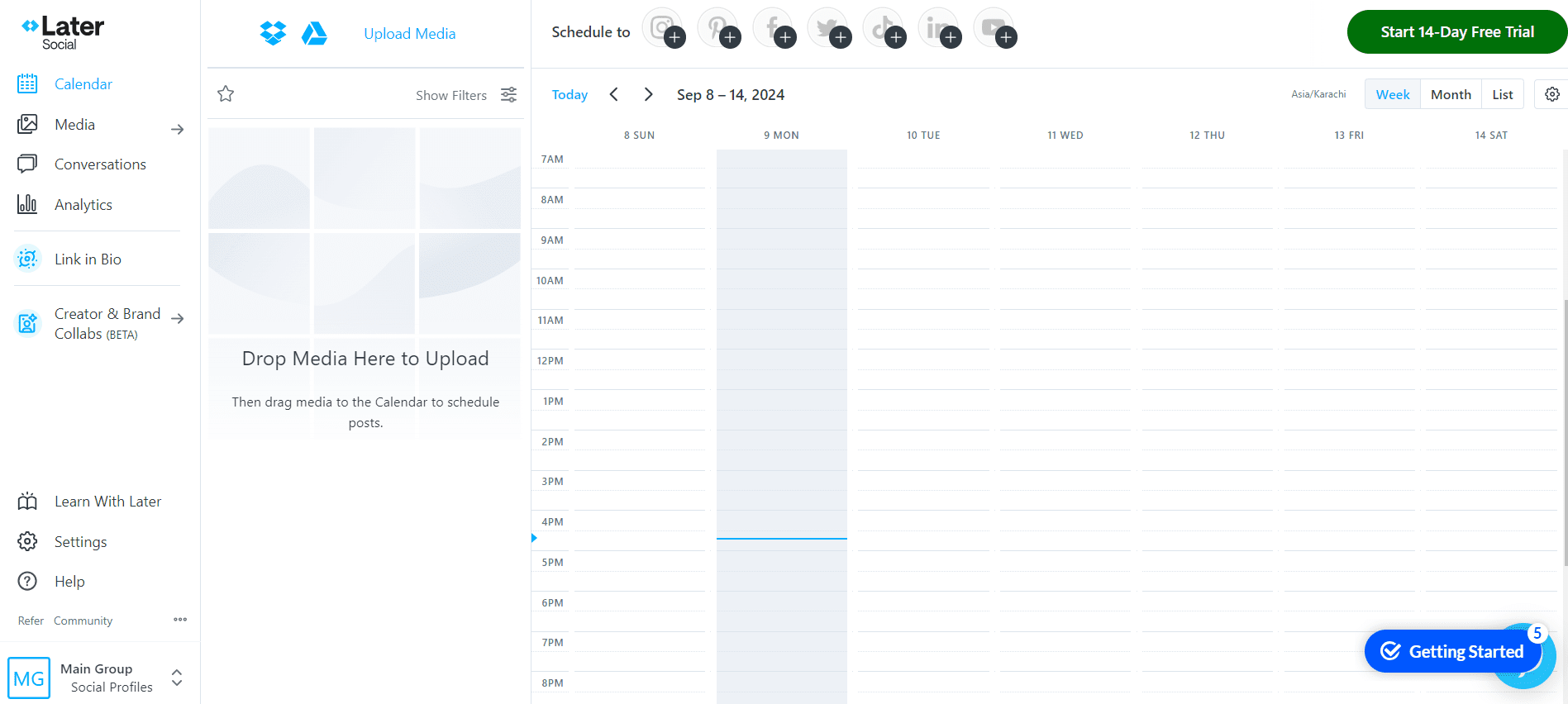
Later’s Dashboard Later is a fantastic choice for Facebook automation, bringing a range of features that simplify and optimize your social media management.
One of its key strengths is the Visual Content Calendar, which provides a drag-and-drop interface for scheduling your posts.
This visual approach makes it easy to see your content plan at a glance and ensures a balanced and strategic posting schedule.
Later also excels with its Linkin.bio tool, which turns your Instagram posts into clickable, shoppable links.
While this feature is primarily designed for Instagram, it also integrates with Facebook, allowing you to create a seamless shopping experience across platforms.
It’s especially useful for driving traffic and conversions from your posts.
The Content Library is another valuable feature where you can store and organize your media assets.
This makes it easy to access and reuse your content, ensuring that you always have the right visuals ready for your posts without having to upload them repeatedly.
Best for Inbox Automation
-
Sprinklr
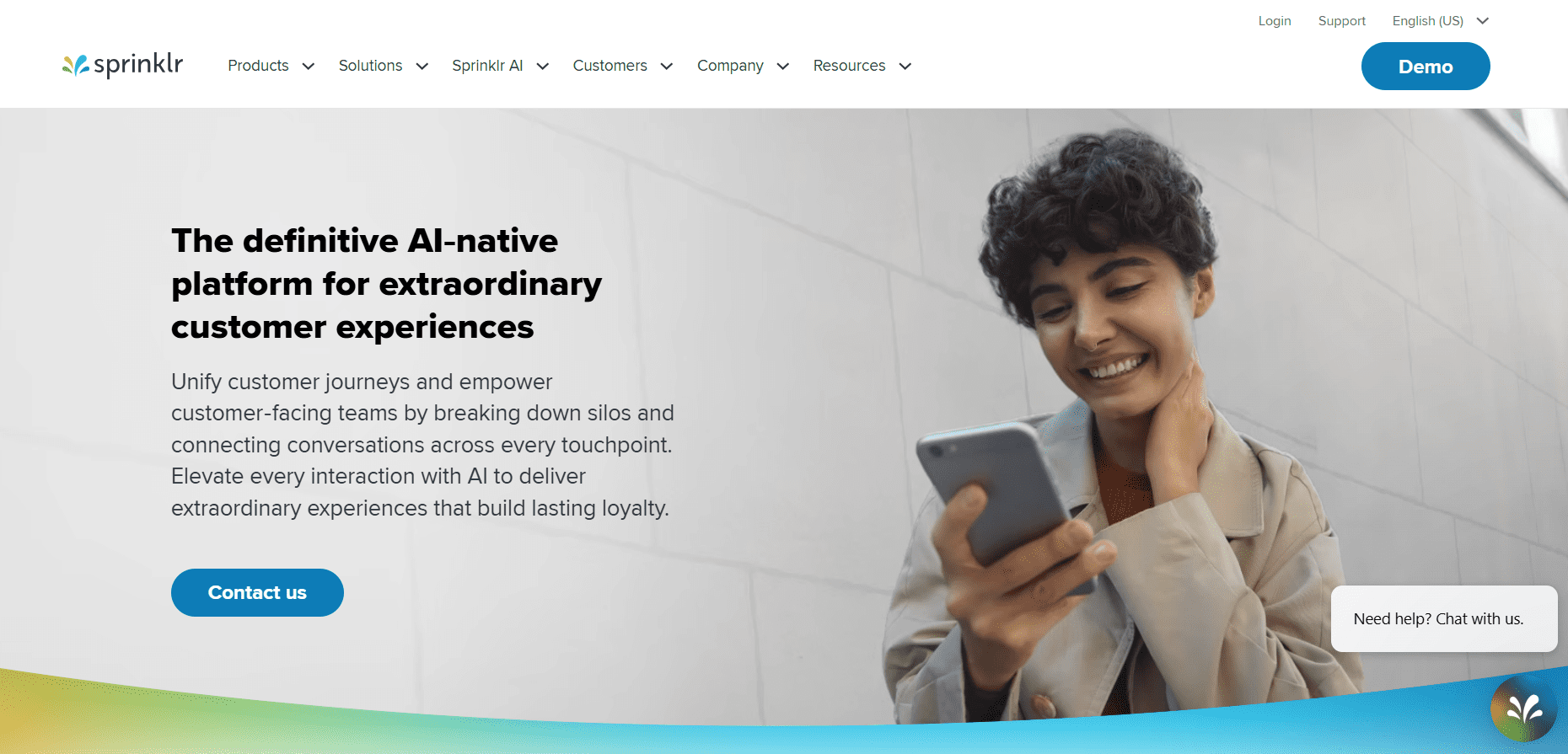
Sprinklr’s Landing Page Sprinklr is excellent for automating Facebook Messenger and comments. Its Unified Inbox consolidates all messages, comments, and mentions into a single stream, making team management easier.
Automated Publishing ensures posts go live on time, while smart scheduling helps target the audience when they’re most active.
Team Collaboration tools allow task assignments and progress tracking, making it easier to respond quickly without missing important messages.
For businesses that prioritize engagement and fast responses, Sprinklr keeps communication smooth while saving hours of manual effort.
-
Planable
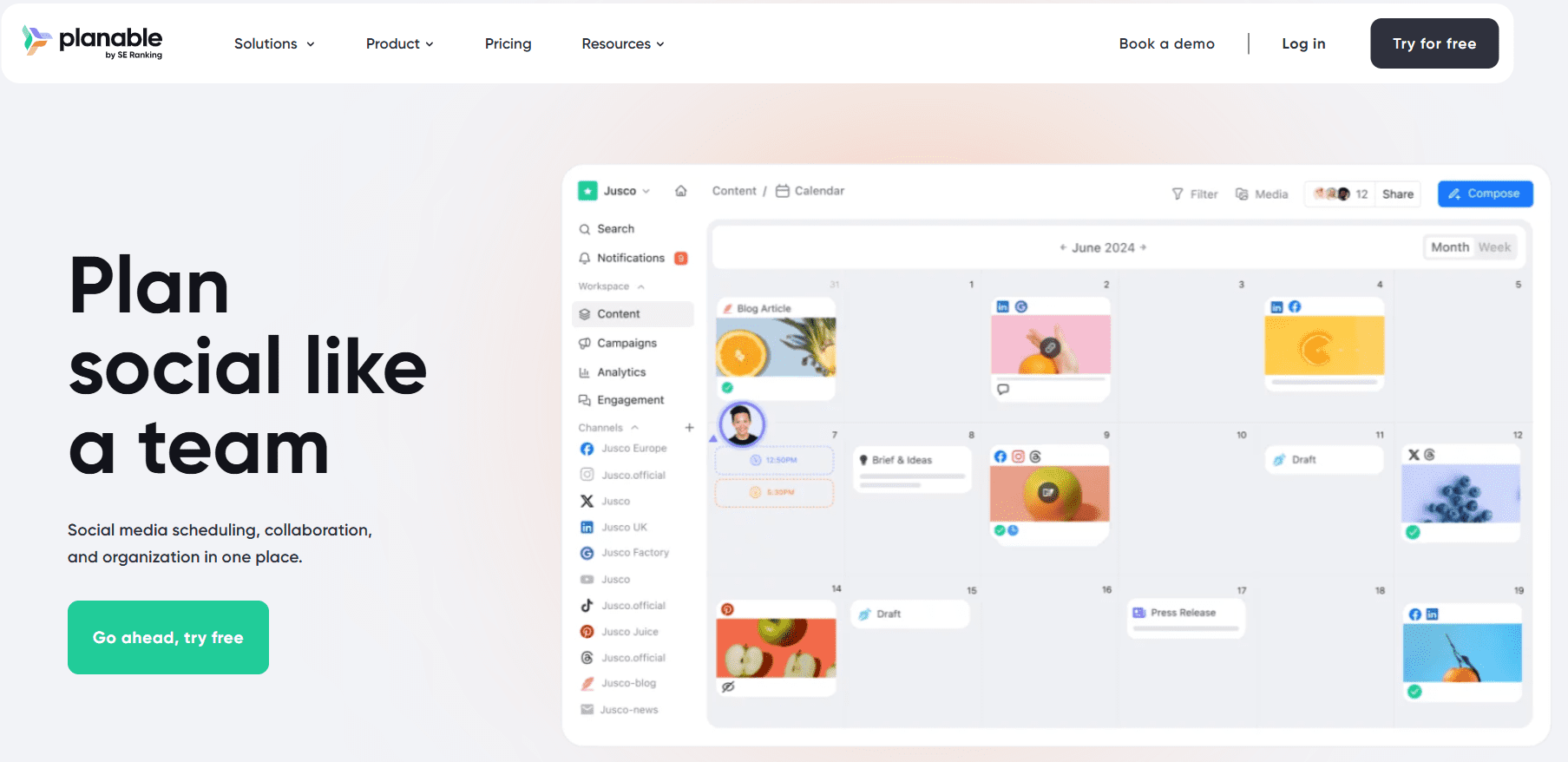
Planable’s Landing Page Planable makes inbox and comment management a breeze, especially for teams.
Its Content Calendar gives a clear visual overview of scheduled posts across Facebook and other platforms.
Post Previews show exactly how content will look before publishing, ensuring everything appears polished.
Automation for comment moderation and message replies streamlines repetitive tasks, so teams can focus on strategy and creative work.
Planable is particularly useful for social media managers or agencies that need to maintain a professional and consistent engagement workflow without spending hours manually checking every message.
Best for Agencies
-
Hootsuite
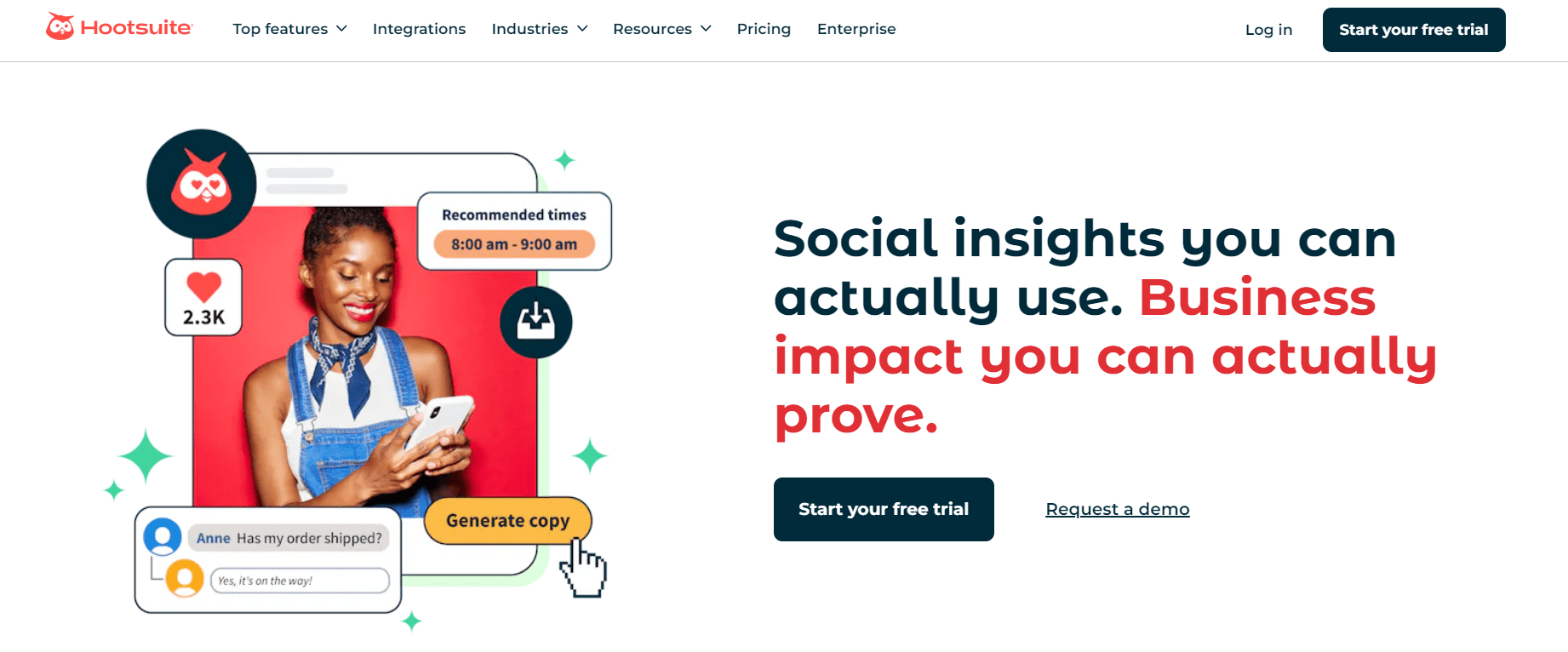
Hootsuite’s Landing Page Hootsuite’s Auto-Scheduling and Bulk Upload features make it ideal for agencies managing multiple client pages.
Its Social Listening monitors brand mentions, allowing teams to respond quickly and stay ahead of trends.
Detailed analytics provide insights into engagement, click-through rates, and content performance, helping refine strategies.
The platform’s workflow management and team collaboration features ensure tasks are tracked and approvals are handled efficiently.
For agencies juggling several accounts, Hootsuite streamlines both scheduling and monitoring, making client management organized, time-efficient, and data-driven.
-
Loomly
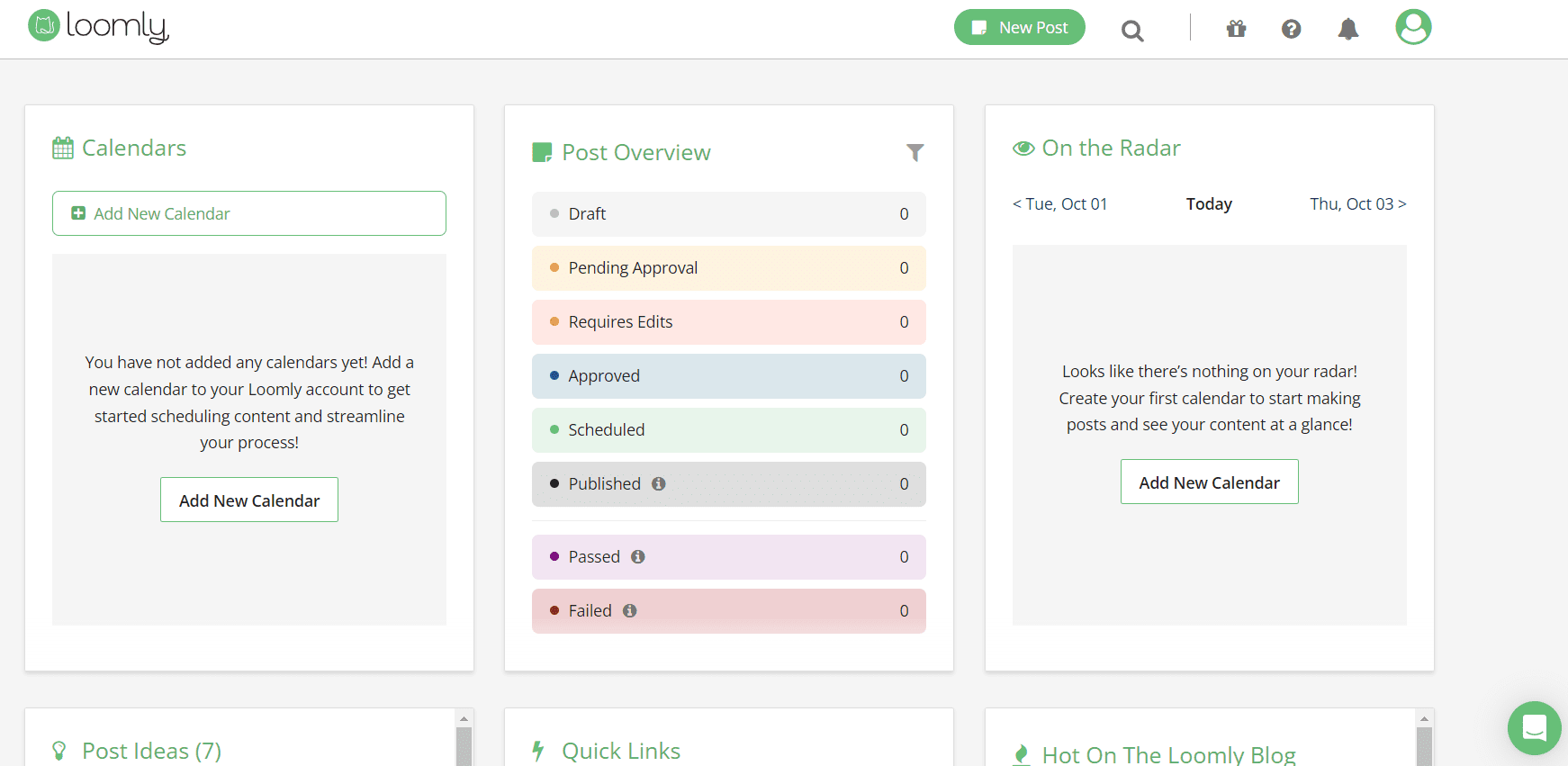
Loomly’s Dashboard Loomly helps agencies simplify content creation and collaboration. Its post scheduling and automation features ensure recurring content is published at optimal times.
The post ideas feature suggests content based on trending topics and past performance, so teams can consistently post fresh, relevant content.
Collaboration Tools allow easy assignment of tasks, sharing drafts, and feedback collection.
The analytics dashboard tracks reach and engagement, helping agencies refine strategy for each client.
Loomly is a comprehensive solution for agencies seeking a mix of creative guidance, automation, and team coordination in one platform.
Best for Small Businesses
-
Buffer
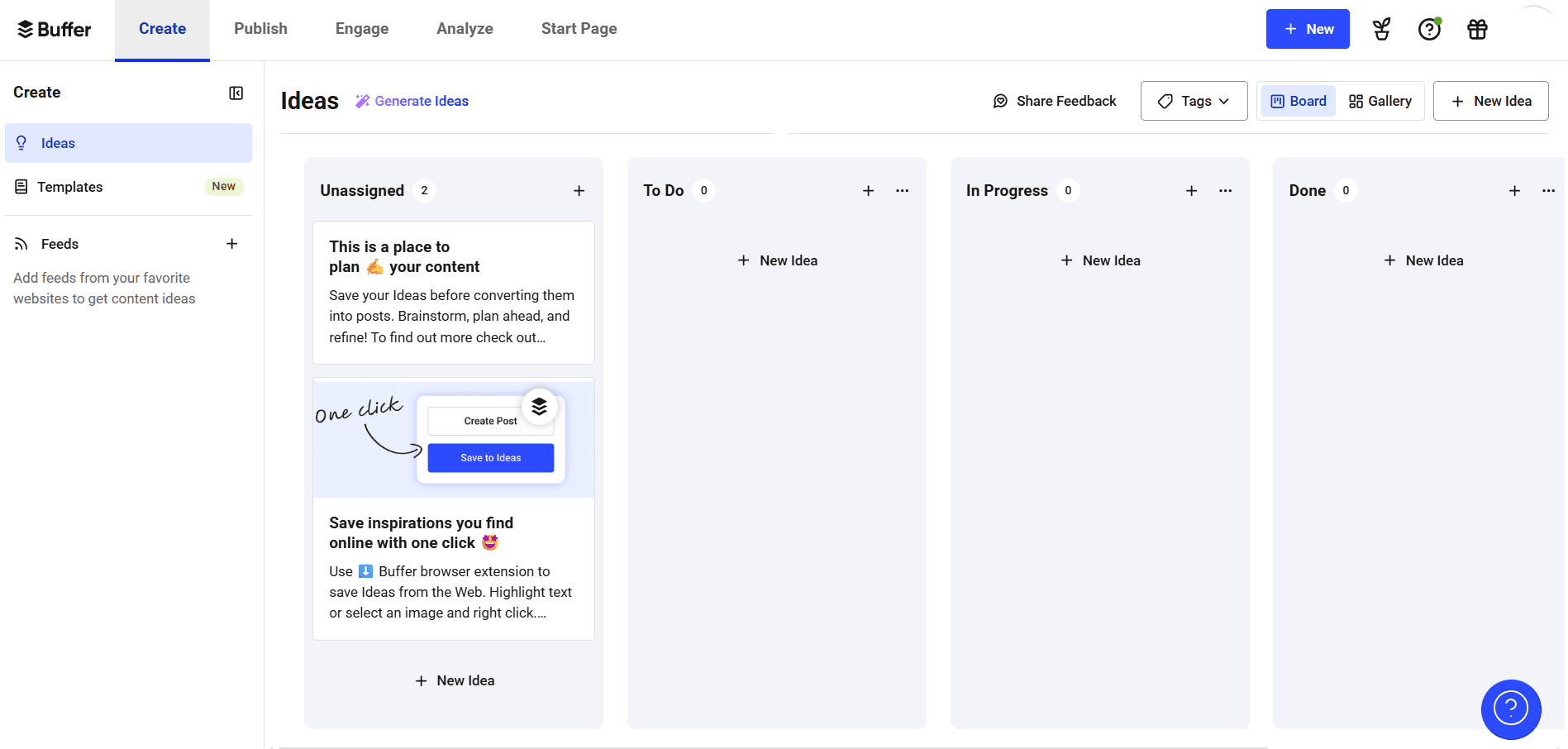
Buffer’s Dashboard Buffer is a budget-friendly choice for Facebook automation, ideal for small businesses and individuals.
It features a simple scheduling tool that allows you to plan posts in advance, ensuring a consistent posting schedule without constantly being online.
The Content Queue feature automatically schedules posts at the best times for your audience, effortlessly boosting engagement.
Additionally, Pablo by Buffer helps you create visually appealing images directly within the platform, keeping your content on-brand without extra design tools.
Buffer also provides Analytics that offer insights into post-performance, helping you refine your strategy.
The browser extension simplifies content sharing by allowing you to instantly add articles or web content to your Buffer queue, making social media management seamless and efficient.
-
Zoho Social
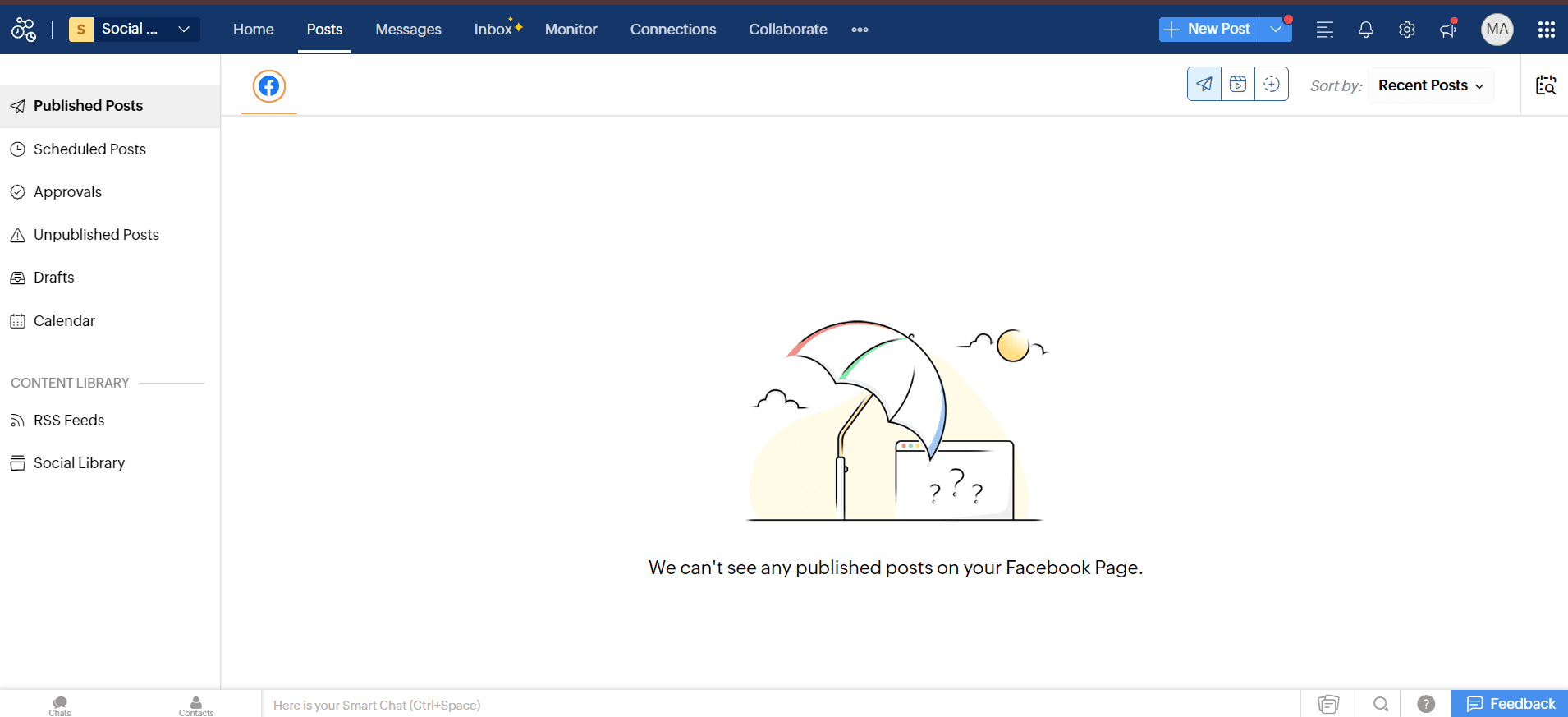
Zoho Social’s Dashboard Zoho Social stands out in Facebook automation with a suite of features designed to streamline your social media management.
One of its most useful features is the publishing calendar, which gives you a visual layout of your scheduled posts.
This makes it easy to plan and manage your content across Facebook and other platforms, ensuring that your posting schedule stays organized and consistent.
Another notable feature is SmartQ, which helps you create and schedule posts based on the best times for your audience.
This feature analyzes engagement patterns and suggests optimal posting times so your content reaches more people when they’re most likely to interact.
Like with other platforms, the social listening tools in Zoho Social let you monitor conversations and track mentions of your brand across Facebook.
This helps you stay on top of what’s being said about your business and engage with your audience in real-time.
Best Budget Option
-
Meta Business Suite
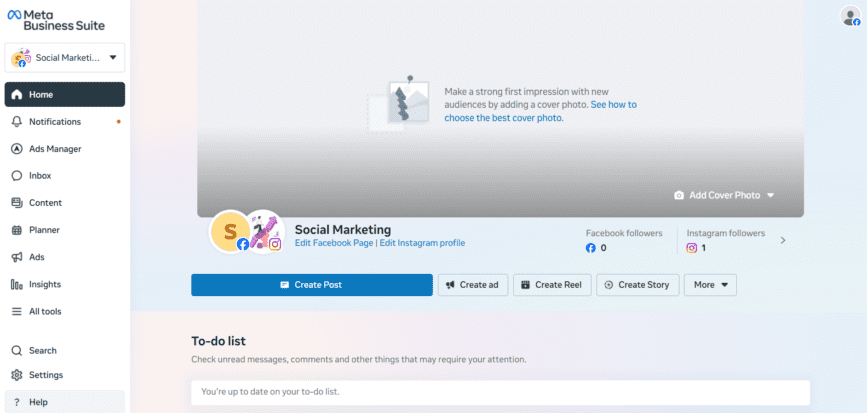
Meta Business Suite’s Dashboard Unlike many other tools that offer free plans with limitations, Meta Business Suite gives you full access to its suite of tools without any cost.
This makes it a go-to option for businesses of all sizes looking to maximize their social media presence without stretching their budget.
One of the key features is post scheduling, which allows you to plan and schedule posts directly from your Facebook Page.
This feature is incredibly user-friendly, enabling you to maintain a consistent posting schedule and reach your audience, all without needing to be online when the posts go live.
Another standout tool is Insights, which provides detailed analytics on how your posts are performing.
Meta Business Suite also offers Ad Management, where you can create, schedule, and monitor Facebook ads seamlessly.
Additionally, the Creator Studio tool integrates with your Facebook and Instagram accounts, letting you manage all your content, messages, and analytics from a single dashboard.
This centralized approach simplifies the management of multiple social media channels, saving you time and effort.
-
SocialBee
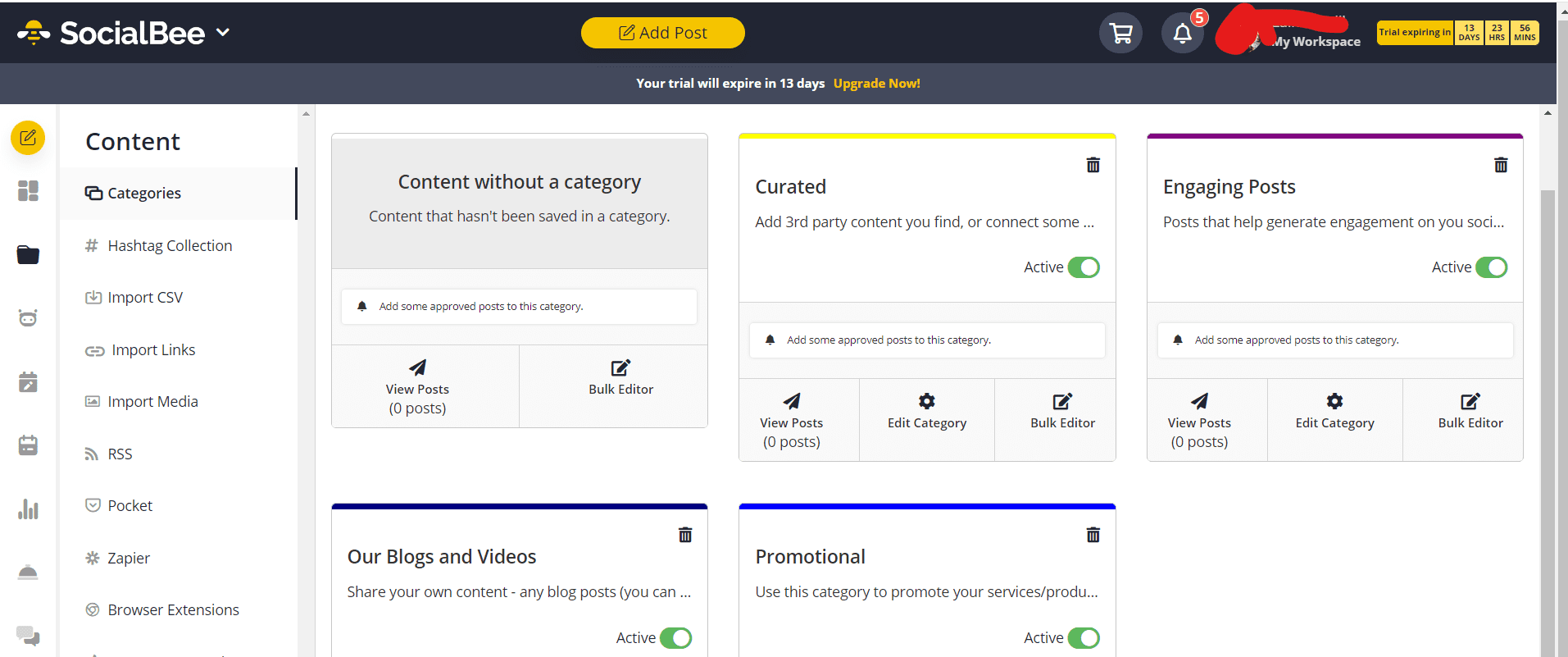
SocialBee’s Dashboard Are you looking for a cost-effective tool for Facebook automation? SocialBee is another excellent option.
One of its most engaging tools is Category-Based Posting, which lets you organize your content into different categories.
This ensures a well-balanced mix of promotional, educational, and entertaining posts, keeping your feed varied and engaging for your audience.
Another feature that sets SocialBee apart is its Post Variations feature that allows you to create multiple versions of the same post.
This feature is great for testing different headlines, images, or calls-to-action. It helps you find what resonates best with your audience and optimize your content strategy accordingly.
SocialBee also offers a Social Media Calendar, which provides a visual layout for planning and scheduling your posts.
This helps you see exactly what’s going out and when, making it easier to maintain a consistent posting schedule and avoid any gaps in your content plan.
Featured Article: Social Media Community Management: Expert Guide
What Are the Best Practices for Facebook Automation
Automation can save you hours, but if done wrong, it can get your page restricted or hurt engagement.
The key is to combine smart tools with human oversight. Here’s how to make your Facebook automation work effectively.
Posting Frequency Limits
Avoid flooding your audience with too many posts at once. Even with automation, posting too frequently can feel spammy and reduce reach.
Instead, use gradual scaling: start with a manageable schedule, track engagement, and increase posting volume slowly over time.
This ensures your audience isn’t overwhelmed and the Facebook algorithm treats your content favorably.
Message Personalization
Automated replies and inbox messages should never feel robotic. Personalize where possible by including names, references to prior interactions, or context-specific responses.
Many Facebook management tools allow templated replies that can still feel personal if used thoughtfully. Avoid generic messages that give the impression of mass automation.
Human Review Checkpoints
Even the best automation needs oversight. Schedule regular reviews of posts, responses, and engagement patterns to catch errors, tone issues, or unexpected glitches.
A human review checkpoint ensures your content stays on-brand and compliant with Facebook’s policies.
Gradual Scaling
Instead of turning on every automation feature at once, introduce one workflow at a time.
Start with post scheduling, then add inbox automation, and finally implement comment moderation or content recycling.
Gradual scaling reduces the risk of errors, account flags, or overwhelming your audience with automated activity.
| Do | Don’t |
|---|---|
| Schedule posts at consistent, non-spammy intervals | Blast multiple posts in a short time |
| Personalize automated replies | Send generic or mass DMs |
| Review automated content regularly | Assume automation is flawless |
| Scale automation gradually | Enable all features at once without testing |
Following these best practices ensures your Facebook automation works efficiently without risking your page’s reach or engagement.
Smart automation isn’t about removing the human touch. It’s about letting technology handle repetitive tasks while you focus on strategy, creativity, and meaningful connections.
Facebook Automation for Different Business Types
Not all businesses need the same kind of Facebook automation. What works for a small startup may not suit a large agency.
Matching your automation strategy with your business type ensures efficiency, maximizes engagement, and minimizes risk.
Here’s a simple guide to help you choose the right tools and tactics.
| Business Type | Recommended Automation | Tools | Risk Level |
|---|---|---|---|
| Small Businesses | Basic post scheduling, automated inbox replies, and content recycling | Buffer, SocialBee, Social Champ | Low |
| Agencies | Bulk scheduling, team collaboration, social listening, and multi-page management | Hootsuite, Loomly, Social Champ | Low |
| E-commerce Stores | Product post automation, ad reporting, and content curation | Later, Social Champ | Low to Moderate |
| Startups / Solopreneurs | Scheduling key posts, auto-reporting, and engagement tracking | Zoho Social, Meta Business Suite | Low |
| Large Enterprises | Multi-account publishing, advanced analytics, Messenger automation | Sprinklr, Planable | Low to Moderate |
For small businesses, simple scheduling and automated replies keep your presence consistent without overcomplicating things.
Agencies benefit from tools that support team collaboration and bulk scheduling, while e-commerce stores can leverage automation for product posts and ad reporting.
Startups and solopreneurs typically need low-risk workflows that save time and provide essential insights.
Large enterprises, on the other hand, often require advanced automation, including Messenger automation and multi-account management, which comes with a higher risk if not monitored carefully.
Using the right automation for your business type ensures that you save time, maintain quality engagement, and reduce the chance of account restrictions.
By selecting tools suited to your scale and goals, you can automate responsibly while staying in control of your Facebook strategy.
Facebook Grows Faster Than Manual Workflows!
Social Champ helps you stay consistent, timely, and in sync with how Facebook actually works today.
Conclusion
Choosing the right Facebook automation tool can make a world of difference in managing your social media presence.
Whether you need advanced analytics, seamless scheduling, or collaborative features, there’s a tool on this list that fits your needs.
However, if you’re looking for the best all-around option in 2026, Social Champ stands out from the crowd.
With its powerful automation features, easy-to-use interface, and impressive content scheduling tools, Social Champ is designed to make your social media management smooth and efficient!