Holidays are just around the corner, and I’m sure you have plans you’re looking forward to!
But right now, the main challenge for social media managers is batch creating content for holidays so your social media doesn’t go silent for 10 days.
Short Summary
- Holidays often disrupt posting, but going silent can hurt Instagram engagement, so content needs to be scheduled in advance.
- Batch posting means creating weeks or months of content in one focused block of time and scheduling it to go live automatically.
- It helps creators stay consistent, protect engagement, and actually enjoy time off without stressing about daily posts.
- The process includes planning ideas, filming or shooting in one session, editing in clusters, writing captions in bulk, and scheduling everything.
- Using a dedicated scheduling tool makes batching easier by providing bulk uploads, a visual content calendar, and automation.
Because if that happens, you might lose all your engagement. Yes, the Instagram algorithm is that cruel!
So content creators (including me) have a lot on their plates right now. To enjoy a stress-free holiday, we need to ensure that our posts are scheduled for the best time to post.
But don’t worry, I’m here to share all my secrets and tell you exactly how to batch Instagram posts so all your content is ready to go live even if you’re offline.

Stop dragging content into the new year. Batch, bulk upload, and schedule months of posts in one sitting with Social Champ, while everyone else is still “planning.”
What Is Batch Posting?
Can you be online 24/7?
No one can, but your content needs to go live at the right time at any cost.
The algorithm and your audience won’t care if you didn’t have an Internet connection on your vacation.
You need to schedule all your content beforehand to be able to enjoy your holidays, and it can only happen if you bulk upload to Instagram.
Instead of waking up every single morning and panicking because you have nothing to post, you do it all in one go.
Basically, you set aside a specific block of time (like a Tuesday afternoon or a rainy Sunday) to create a whole month’s worth of content (or in our case, all of Q1!) at once.
You’re getting into a “flow state” where you’re just cranking out graphics, filming reels, or writing captions without the constant stop-and-start energy of doing it daily.
By the time you’re done, you have a library of posts ready to be scheduled.
Batch posting ensures you can actually log off and enjoy your holiday break without your Instagram notifications hanging over your head.
Featured Article: Social Media Crisis Management in 2026: Strategy, Tools, & Recovery
Why You Should Batch Post Content for Instagram?
Staring at a blinking cursor or a blank draft at 6:00 PM when you’d rather be eating dinner sucks, and we’ve all been there!
Batching completely removes that “content guilt.”
Here is why it’s a total game-changer, especially heading into Q1:
-
You Reclaim Your Brain Space
When you batch, you’re not switching tasks every five minutes. You’re in the zone.
You’ll find that writing ten captions at once actually takes less time than writing ten captions individually over two weeks because you don’t have to “get started” ten different times.
-
Better Quality, Less Fluff
When we post in a rush, we usually end up with “Happy Monday!” captions that don’t really do much for our brand.
When you sit down to plan Q1, you can actually think about your goals, like what you’re selling or what stories you want to tell, resulting in content that actually converts.
It happened to me recently when I gave in to the pressure of daily posting instead of thoroughly planning my content, and trust me, mood posting doesn’t help your brand.
-
The Ultimate Holiday Gift (Peace of Mind)
Imagine sitting at a holiday party or opening gifts knowing that your January and February content is already locked, loaded, and scheduled.
You get to be present with your family instead of sneaking off to your phone to “just post this real quick.”
Isn’t the thought relaxing?
That’s the ultimate goal of batch posting before holidays. I mean, what’s the point of a holiday when you can’t even enjoy it?
-
Consistency Becomes Automatic
You’re on holiday, Instagram isn’t!
Your engagement will significantly drop if you don’t maintain a consistent schedule because the algorithm loves a steady beat.
Batching ensures your feed stays active even when life gets busy, you get sick, or you just plain don’t feel like being on camera.
Featured Article: Things to Learn from Netflix Marketing in 2026
How to Batch Content for Instagram
Batching might feel a little overwhelming at first, but once you break it down into a system, it actually becomes fun.
It’s all about separating your tasks so your brain can focus on one thing at a time.
Here is exactly how to knock out your Q1 content before the holiday festivities begin.
-
Start With a Brain Dump
Before you even touch your camera or Canva, you need a plan.
I recommend you plan content for at least 3 months. Even if you’re just creating posts for the holidays, you should know what you plan to do afterwards!
Grab a coffee and a notebook (or a digital planner) and list out everything happening in January, February, and March.
Do you have a Valentine’s Day sale? A New Year’s challenge? A big launch in March?
Think about your content pillars, those 3–5 topics you talk about most.
Once you know what you need to say, you can map out how many Reels, carousels, and single images you’ll need to fill those slots.
-
The “Aesthetic” Day: Filming and Shooting
This is the most energy-intensive part, so give it its own day!
Gather all your props, change your outfits (pro tip: changing your shirt and jewelry makes it look like the content was filmed on different days), and find some good natural light.
Instead of filming one Reel at a time, film all your transitions at once.
If you’re doing “educational” talking-head videos, script them out and record them in one go.
Even if you aren’t “ready” to post, having a folder full of raw footage on your phone is 90% of the battle.
Here’s a video by Liss Charlton explaining how she films content in bulk with a 9-5 job!
-
Design and Edit in Clusters
Now that you have your raw footage and photos, move into “editor mode.” Open up your favorite editing apps, like CapCut for Reels or Canva for your carousels, and stay there.
Since you’re already in the creative groove, you’ll find that your “vibe” stays consistent.
You can apply the same filters, fonts, and brand colors across all your Q1 posts, which makes your grid look super polished and professional.
It will also take less time than if you edited all this footage on different days.
Check out this guide on content editing by Jade Beason!
-
Write Your Captions in Bulk
Writing is a totally different headspace than designing.
On a separate day, sit down and write all your captions. Since you did your brain dump in step one, you already know the goal of each post.
- January posts might be more about fresh starts and education.
- February posts might focus on connection and community.
- March posts might lean into growth and spring transitions.
Don’t forget to add a clear Call to Action (CTA) to every single one!
-
Schedule and Forget It
This is the “magic” step.
Use a scheduling tool to plug everything in. Upload your media, paste your captions, add your hashtags, and hit Schedule.
Trust me when I say it can be a total game-changer.
You can set your content to auto-post, meaning you can be at a holiday dinner or even on a hiking trip while your content goes live at the right time.
Imagine closing your laptop knowing your Instagram is handled. Social Champ lets you schedule hundreds of posts at once so your content works even when you don’t.
Choosing the Right Scheduling Tool
While there are a lot of tools out there, the goal is to find one that makes the “batching” part as automated as possible.
Why You Need a Dedicated Scheduler
Sure, you could use Instagram’s native schedule, but that’s not the only thing you need.
A good scheduling tool acts like a personal assistant. It holds onto your posts and pushes them live at the exact time your audience is most active.
It also gives you a bird’s-eye view of your month, so you can see if you’re posting too many sales graphics in a row or if you need more behind-the-scenes content.
This is something that you cannot find with Instagram’s native scheduler. It doesn’t have a content calendar, and you definitely need that to plan.
My Personal Favorite Scheduler
If you really want to level up your Q1 planning, I highly recommend checking out Social Champ.
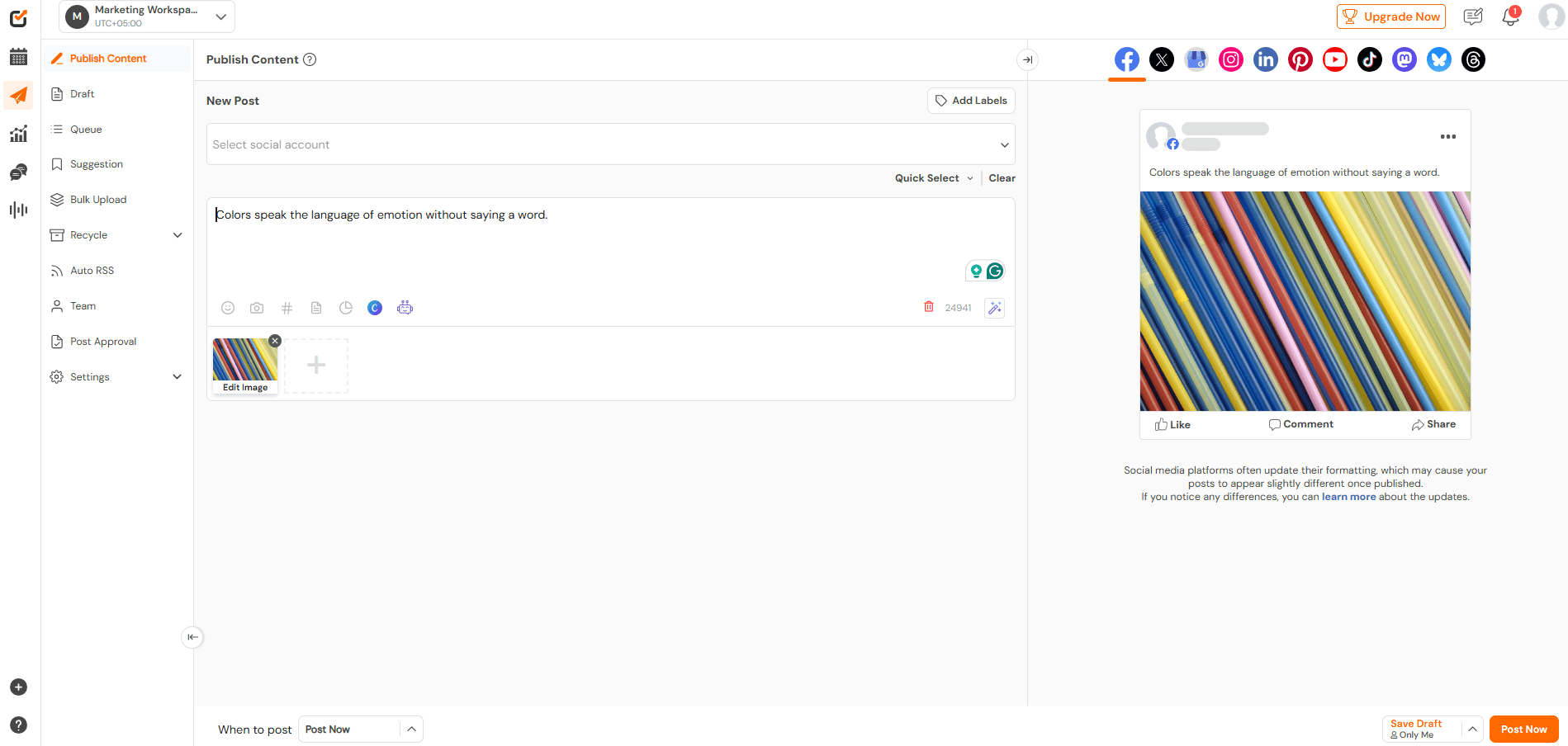
It’s specifically designed to take the “tedious” out of social media management.
Here are two features that will save your life during this batching session:
- The Bulk Upload Feature: This is the real deal for batchers. Instead of uploading posts one by one, you can use a single CSV file to schedule up to 300 posts at once. You just plug in your captions, dates, and image links, hit upload, and boom, your entire Q1 is basically finished in minutes.
- The Interactive Content Calendar: I’m a visual person, and Social Champ’s calendar is elite. It lets you see your whole grid and schedule in a beautiful, organized view. If you realize a post fits better on a Wednesday than a Monday, you just drag and drop it to the new date. It’s that easy.
View this post on Instagram
The algorithm doesn’t care about your plans, but Social Champ does. Schedule everything in advance and disappear without losing momentum.
Conclusion
There is honestly no better feeling than closing your laptop for the holidays knowing that your Q1 marketing is already “in the bag.”
By taking a few days now to batch your content and set up your Social Champ calendar, you’re giving yourself the best gift possible: time.
Instead of ringing in the New Year with the stress of “What am I supposed to post tomorrow?”, you’ll be starting January with a clear head, a consistent presence, and a strategy that’s already running on autopilot.
You’ve put in the work, now it’s time to actually enjoy the break.
So, grab your planner, pick your batching days, and let’s get those Q1 posts locked in.