


Disclaimer:
The information presented in this blog post is based on publicly available data from official sources at the time of writing. Our intention is solely to provide accurate and helpful information. If you notice any inaccuracies, please feel free to contact us for corrections.
Are you confident you’re choosing the right plan for your social media needs in 2026?
If you’re reviewing Buffer pricing, then you may be trying to figure out whether the features, limits, and overall cost still make sense as your workload grows.
That’s a fair question, especially when posting volume increases, more profiles come into play, or collaboration becomes part of your daily routine.
Short Summary
- Buffer pricing includes Free, Essentials ($5/month per channel), and Team ($10/month per channel) plans, each scaling with features and channels.
- The Free plan supports up to 3 channels and 10 posts per channel, while paid plans unlock unlimited scheduling, analytics, and collaboration tools.
- Social Champ offers a more flexible Free plan and affordable paid plans starting at $4/month per channel with unlimited posts, team collaboration, and advanced analytics.
- Comparing Buffer competitors, Social Champ provides a broader feature set across publishing, engagement, analytics, and integrations at competitive pricing.
- Evaluating Buffer vs alternatives helps businesses, agencies, and creators choose a tool that fits posting volume, team size, and long-term social media goals.
This guide takes a closer look at how Buffer pricing is structured in 2026, what each plan includes, and who each plan is best suited for.
It also explains why many marketers, agencies, and growing teams take time to evaluate Buffer alternatives alongside pricing details, not because something is “wrong,” but because different tools fit different workflows, budgets, and scaling needs.
By the end, you’ll have a clearer picture to decide what aligns best with how you manage social media today.

Ready for an Affordable Buffer Alternative?
Try Social Champ—packed with features like scheduling, analytics, and team collaboration, all at a budget-friendly price.
How Much Does Buffer Cost? (Here’s What You’ll Actually Pay in 2026)
If you’re reviewing Buffer pricing, it helps to understand the overall structure before committing.
Buffer offers three main tiers, Free, Essentials, and Team, which are designed to meet different social media needs, whether you’re managing a single account, multiple profiles, or a growing team.
Understanding what each plan offers and how the costs add up makes it easier to evaluate your options and decide whether Buffer is the right fit, or if other social media management software for small businesses might suit your workflow better.

Buffer Free Plan: $0/Month
Buffer’s Free plan is perfect for beginners or small-scale users who want to manage a few accounts without paying a dime. With this plan, you can:
- Connect up to 3 channels
- Schedule 10 posts per channel (refill anytime)
- Access 100 content ideas
- Use the AI Assistant for captions and content suggestions
- Get basic analytics
- Manage engagement through the community inbox
- Receive world-class customer support
Let’s say you’re a freelancer managing Instagram, Facebook, and LinkedIn. You can schedule 10 posts per platform each month, plan content in advance, and test what posting times work best, all without spending a cent.
This makes the Free plan ideal for experimenting with social media strategies or maintaining a small number of accounts.
Essentials Plan: $5/Month per Channel (Billed Yearly)
The Essentials plan is designed for individual creators, small businesses, and agencies that want more flexibility. Its primary features include:
- 1 channel per subscription (you can add more as needed)
- Unlimited scheduled posts and content ideas
- AI Assistant included
- Advanced analytics and performance tracking
- Community Inbox
- Hashtag Manager and first comment scheduling
If a small business manages 3 social media accounts, the total cost would be $15/month ($5 per channel). In return, they get unlimited scheduling, analytics to track performance, and tools like hashtag management to optimize reach.
The Essentials plan is often the sweet spot for users who need more than basic scheduling but don’t require team collaboration.
Team Plan — $10/Month per Channel (Billed Yearly)
The Team plan targets teams or agencies managing multiple clients or accounts and requiring collaboration. It includes all Essentials features plus:
- Unlimited team members
- Access levels and approval workflows
- Advanced analytics and reporting
- AI Assistant, Community Inbox, Hashtag Manager, and First Comment Scheduling
An agency managing 5 client accounts could pay $50/month for full access to collaboration features and workflow controls. Teams can assign roles, approve posts, and track engagement across multiple channels seamlessly.
So, now that we’ve crunched the numbers on Buffer, you probably know if it fits your budget or feels a bit steep. If your wallet is leaning toward the latter, don’t worry; we’ve got you. Let’s check out an alternative that actually packs in more features for a slightly lower price tag.
Social Champ Pricing Overview 2026

When evaluating Buffer vs Social Champ, Social Champ offers a similar tiered structure with per-profile pricing. Its plans scale based on the number of connected profiles and the features needed, making it a flexible option for freelancers, small businesses, and agencies alike.
- Free Plan ($0/month) — Up to 3 profiles, 15 scheduled posts, basic analytics, and mobile app scheduling.
- Starter Plan ($4 per profile/month) — Unlimited post scheduling, social inbox, basic analytics, and email support.
- Growth Plan ($8 per profile/month) — Unlimited workspaces, advanced analytics, social listening, approval workflows, and priority support.
- Enterprise Plan (Custom Pricing) — API access, advanced security, dedicated account manager, and custom onboarding.
Now, you might think, ‘It’s just a dollar’s difference, right?’ But when you’re running a business, those small numbers add up fast. Let’s do the math: if you’re managing 10 accounts, Buffer will run you $600 a year. Social Champ? Only $480. That’s $120 back in your pocket every year! That’s enough to cover a whole new software subscription or a nice team lunch.
Buffer vs Social Champ: Quick Overview
| Feature / Plan | Buffer | Social Champ |
|---|---|---|
| Free Plan | Up to 3 channels, 10 posts/channel, 100 ideas | Up to 3 profiles, 15 scheduled posts |
| Paid Tier Starts At | $5/month per channel (Team) | $4/month per profile (Starter) |
| Unlimited Posts | Essentials and Team | Starter & above |
| Team Collaboration | Team | Growth & Enterprise |
| Analytics | In all plans | In all plans |
| AI Assistant | In all plans | In all plans |
| Approval Workflows | Team only | Growth & Enterprise |
| Hashtag Manager | Essentials and Team | In all plans |
This overview shows how Buffer pricing compares to Social Champ, helping you evaluate which plan fits your posting volume, team size, and workflow.
Taking the time to review both tools is especially valuable for those looking at social media scheduling software, as it helps ensure you invest in a platform that matches your long-term growth and collaboration needs.
Quick Tip!
If you manage niche accounts, like clinics or local practices, choosing social media management tools for dentists with scheduling, inbox management, and reporting in one place can save hours each week and keep patient communication consistent across platforms.
Overview of Buffer Pricing Plans in 2026
Before diving into feature-level comparisons, it helps to look at how Buffer pricing is structured overall.
Buffer keeps its pricing simple with three clearly defined plans that are Free, Essentials, and Team, so users can choose based on posting volume, collaboration needs, and reporting requirements.
Free Plan: Best for Basic Scheduling
The Free plan is designed for individuals or small teams just getting started with social media scheduling.
It supports up to three channels and limited scheduled posts per channel, along with basic analytics and content ideas. This tier works well if you’re testing workflows or maintaining a light posting schedule without needing advanced insights or collaboration tools.
Essentials Plan: Built for Consistent Posting
The Essentals plan is often considered the core offering within Buffer pricing.
It introduces unlimited scheduling, advanced analytics, and productivity features such as hashtag management and first-comment scheduling. This tier is suitable for creators and small businesses that post regularly and want better visibility into content performance without managing multiple users.
Team Plan: Designed for Teams and Approvals
The Team plan focuses on collaboration and workflow control. Along with unlimited scheduling and analytics, it adds access levels and approval workflows, making it easier for teams to review and manage content before publishing.
This plan is typically used by agencies or in-house marketing teams handling multiple stakeholders.
How Buffer Pricing Fits Different Use Cases
Overall, Buffer’s pricing structure is straightforward and easy to scale. Each plan builds on the previous one, allowing users to upgrade as their needs grow.
If you’re evaluating options as part of a broader Buffer review, understanding this structure helps you decide whether Buffer aligns with your posting frequency, team size, and reporting expectations before exploring other tools.
Your Social Media Deserves Better – Choose Social Champ!
Buffer’s time is up. Join thousands switching to Social Champ for a smoother, more affordable social media management experience!
Feature Comparison Between Buffer and Social Champ
All digital marketing tools are meant to simplify your life and provide automation features that save time.
So a feature comparison between the two tools is super important here.
| Features | Social Champ | Buffer |
|---|---|---|
| Social Networks | ||
| Facebook (Meta) | ✔️ | ✔️ |
| ✔️ | ✔️ | |
| Threads | ✔️ | ✔️ |
| YouTube | ✔️ | ✔️ |
| ✔️ | ✔️ | |
| TikTok | ✔️ | ✔️ |
| ✔️ | ✔️ | |
| Mastodon | ✔️ | ✔️ |
| Bluesky | ✔️ | ✔️ |
| Google Business Profile | ✔️ | ✔️ |
| X (Twitter) | ✔️ | ✔️ |
| WhatsApp Business | ✔️ | ❌ |
| Scheduling & Publishing | ||
| Bulk Schedule | ✔️ | ❌ |
| Social Media Calendar | ✔️ | ✔️ |
| Instagram Reels & Stories | ✔️ | ✔️ |
| Save & Schedule Draft | ✔️ | ✔️ |
| Social Listening | ||
| Social Listening | ✔️ | ❌ |
| Analytics | ||
| Competitor Analysis | ✔️ | ❌ |
| Customizable Reports | ✔️ | ✔️ |
| White-labeled Analytics Reports | ✔️ | ✔️ |
| Individual Posts Analytics | ✔️ | ✔️ |
| AI Features | ||
| AI Image Generator | ✔️ | ❌ |
| AI Content Generator | ✔️ | ✔️ |
| AI-Best Time to Post | ✔️ | ✔️ |
| Sentiment Analysis | ✔️ | ✔️ |
| Content Creation | ||
| Media Library | ✔️ | ✔️ |
| Royalty-Free Images | ✔️ | ✔️ |
| Shared Calendar | ✔️ | ✔️ |
| Assign Access and Permissions | ✔️ | ✔️ |
| Auto RSS | ✔️ | ✔️ |
| Approval Workflow and Posts | ✔️ | ✔️ |
| Content Suggestions | ✔️ | ❌ |
| Integrations & Apps | ||
| Zapier | ✔️ | ✔️ |
| Bit.ly | ✔️ | ✔️ |
| Canva | ✔️ | ✔️ |
| VistaCreate | ✔️ | ❌ |
| OneDrive | ✔️ | ✔️ |
| WordPress Plugin | ✔️ | ✔️ |
| Chrome Browser Extension | ✔️ | ✔️ |
| iOS & Android Apps | ✔️ | ✔️ |
| Google Drive Integration | ✔️ | ✔️ |
| Dropbox | ✔️ | ✔️ |
| Flickr | ✔️ | ❌ |
| Imgur | ✔️ | ❌ |
| Salesforce | ✔️ | ❌ |
| HubSpot | ✔️ | ❌ |
| Google Analytics 4 | ✔️ | ❌ |
| Team Management | ||
| Shared Calendar | ✔️ | ✔️ |
| Assign Posts to Team Members | ✔️ | ✔️ |
| Invite Additional Users | ✔️ | ✔️ |
| Customer Support | ||
| Community Management | ✔️ | ✔️ |
| Live Chat Support | ✔️ | ✔️ |
| Email Support | ✔️ | ✔️ |
| Live Demo | ✔️ | ❌ |
Here are the top FOUR features that we will base our comparison on.
-
Supported Social Media Networks & Integrations
Both Social Champ and Buffer support 11 networks, including Facebook, LinkedIn, Instagram, Mastodon, Google Business Profile, TikTok, and YouTube. However, Social Champ’s social inbox (called Engage) also supports WhatsApp Business, which is not yet launched by Buffer.
Other than that, both tools have multiple integrations.
-
Publish & Schedule
When it comes to the publishing dashboard, the choice really boils down to simplicity vs. utility. Buffer is famous for its “clean and minimalist” interface; it feels very light, focusing on a streamlined queue and a beautiful, distraction-free calendar that’s perfect for beginners who just want to schedule and go.
Social Champ, on the other hand, is a bit more of a “power-user” dashboard. While it might take a few extra minutes to master, it puts more heavy-duty tools right at your fingertips, like bulk uploading hundreds of posts via CSV, Auto RSS, an AI-powered content assistant for captions, and “recycled” collections for evergreen content. These are features that often require a much higher tier (or a separate app) in the Buffer ecosystem.
- Engage & Social InboxWhen it comes to the social inbox, Buffer is all about that “zero-inbox”; it’s clean, fast, and great for quickly knocking out replies to public comments across your feeds. It even gives you a “Comment Score” to keep you motivated.Social Champ, however, feels more like a dedicated command center for teams. It doesn’t just handle comments; it pulls in DMs and mentions into one unified space and includes “collision detection,” which is a total lifesaver because it stops two people from accidentally replying to the same message at the same time.Basically, if you’re a solo flyer, Buffer’s simplicity is great, but if you’re managing a team and need to make sure no DM slips through the cracks, Social Champ has the edge.
-
Customer Support & Community
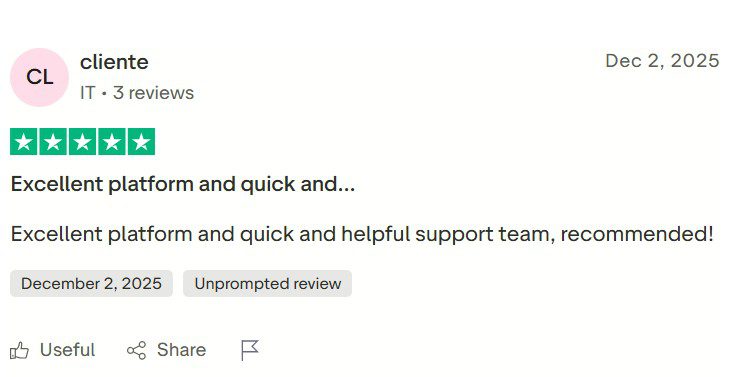
If a company’s customer service is next-level amazing, 78% of the customers will do business with them even after an issue. This is why tools must focus on building a community and providing excellent customer support.
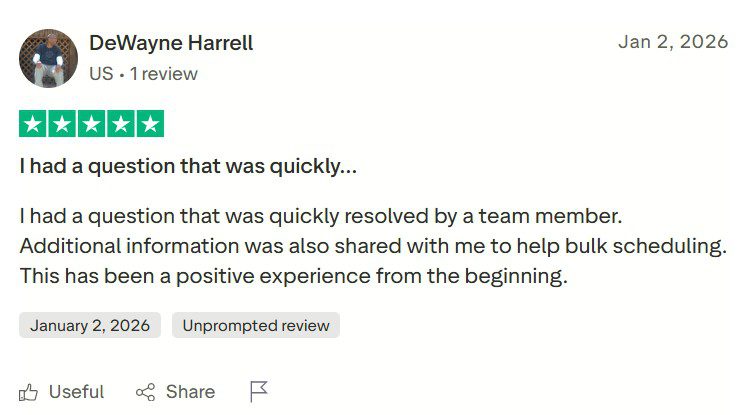
Buffer has a helpdesk guide, email support, and social media support available for any customer queries. Social Champ has email support, a helpdesk guide, social media support, Facebook groups, demo calls, and a live chat system!
The demo calls are an excellent way to get familiar with the platform or solve your queries on the spot with our team. The live chat has also proven itself to be a huge help for customers!
Don’t believe us?
You can check out the reviews.

Social Champ’s Customer Service Review on Trustpilot
Featured Article: Buffer vs Hootsuite: Which Social Media Management Tool Fits Your Needs?
Did You Know?
Not all social media marketing platforms scale the same way. Some are built for solo creators, while others are better suited for teams, agencies, or multi-location businesses, making pricing structure and feature access important factors to review before committing.
3 Other Buffer-Like Tools to Check Out in 2026
There are multiple other Buffer alternatives in the market that you should check out in 2026. All these tools provide much better value for money and have a more extensive feature pool than Buffer.
Other than these two reasons, the following tools will also be easier on the pocket; well, at least some of them will be. But, one thing is for sure, these tools all have plans similar to the Buffer pricing model.
Even though there are many social media tools you can check out, here are our top 3 picks.
-
Social Champ
Well, it should come as no surprise that Social Champ tops our list. We might be a little biased, but these screenshots and customer reviews speak for themselves.
Social Champ’s Review on Trustpilot Social Champ is a social media management tool that supports the 12 major platforms, including Facebook, WhatsApp Business, Instagram, Threads, Pinterest, Twitter, YouTube, TikTok, Google Business Profiles, and LinkedIn, Bluesky, and Mastodon.
The tool also supports multiple other integrations, including Google Analytics 4, HubSpot, Salesforce, bit.ly, Wave.video, Vista Create, WordPress, Canva, GIPHY, Google DropBox, and more.
Social Champ’s Dashboard Social Champ has 5 major parts: Publish, Engage, Calendar, Analyze, and Social Listening.
These 5 major features encompass all the sub-features, including Auto RSS, Recycle, Repeat, Hashtag Manager, White labeling, Reporting, First Comment, Location Tagging, Link Shortening, Bulk Upload, Team Collaboration, Alerts, Leads, and more.
The Publish dashboard allows you to create, edit, schedule, and design posts from scratch.
The Social Media Inbox Management Tool brings all conversations, DM/PM, comments, reviews, and mentions under ONE roof, with labeling and filtering options.
The Social Media Calendar presents a grid view of all published and scheduled posts to edit or reschedule using drag/ drop. Lastly, the Analyze feature creates presentation-ready reports with graphs and charts with platform-specific metrics.
Social Champ has one free and three paid pricing plans starting from $4 a month/channel. You can hop on a demo call today to check out how the tool works, or you can check out our fully decked helpdesk guide or YouTube channel.
Buffer Pricing Comparison With the Top Competitor
When exploring Buffer competitors, pricing is often one of the first factors people compare.
Both Buffer and Social Champ follow a similar per-channel pricing approach, but they differ in how features are distributed across plans and how scalable the tools are for growing teams.
Here is a high-level comparison to help you understand how Buffer pricing stacks up against a leading alternative like Social Champ.
Feature Buffer Social Champ Starting Price $5/month per channel (Pro, yearly billing) From $4/month per channel Free Plan Yes (limited posts & features) Yes (more generous posting limits) Supported Platforms 11 platforms 12+ platforms, including WhatsApp Business and GA4 Unlimited Scheduling Paid plans only Paid plans only AI Assistant Included Included Hashtag Manager Paid plans only Included in paid plans First Comment Scheduling Paid plans only Included Team Collaboration Team plan only Included in higher tiers Approval Workflows Team plan only Included in higher tiers Social Inbox Included Included (with labeling & filters) Analytics & Reporting Advanced analytics (paid plans) Platform-specific, presentation-ready reports Social Listening Not included Included Integrations Limited GA4, HubSpot, Salesforce, Canva, WordPress, and more More Features, Less Cost—Meet Social Champ
Social Champ gives you powerful scheduling tools, robust analytics, and integrations for less than Buffer. Start your 14-day free trial today!
-
SocialOomph
SocialOomph’s Landing Page SocialOomph started out as a Twitter automation platform with limited functionalities. However, after a few years, they realized that they had the potential to do so much more than just scheduling tweets.
This was when they integrated more platforms into their tool. One of the best parts about SocialOomph is that it supports Discord.
Pricing starts at $15/month, with support for one social profile!
-
MeetEdgar
MeetEdgar has plans similar to Buffer’s pricing plans and supports almost the same features as well. With support from Facebook, LinkedIn, Instagram, Pinterest, and X, the tool provides solutions for small businesses and entrepreneurs.
With MeetEdgar, you can schedule posts, organize content, and recycle old media as well.
MeetEdgar’s Landing Page Meet Edgar has pricing plans starting from $24.91 per month for 5 social profiles.
The only other plan is $41.58 per month for 25 social accounts!



Conclusion
As you’ve seen throughout this guide, Buffer pricing in 2026 is structured to support different use cases, from solo creators to growing teams.
The Free plan works well for light scheduling, while the Essentials and Team plans add unlimited posting, analytics, and collaboration as your needs expand.
However, as more channels and team members are added, costs can rise quickly, which is why many users compare Buffer with other tools before committing.
Platforms like Social Champ stand out for offering broader features at lower entry prices and more flexibility for scaling teams.
In the end, the right choice depends on your posting volume, collaboration needs, and long-term social media goals.


2 comments
Joanne Campbell
This guide really helps break down Buffer’s pricing for 2025, but honestly, Social Champ feels like a much better deal. It offers competitive features at a more affordable price, especially for small businesses or startups. Definitely worth checking out!
Brian Lauden
Buffer is overrated, i mean it! Also, buffer pricing for now is too much. I am on trial for Social Champ and would surely be coming here!