How do you expect to manage 11+ social media platforms without social media scheduling software? It’s not possible!
As a social media manager (or a business owner), you have to depend on scheduling tools, so you can spend your time strategizing instead of doing manual efforts.
Short Summary
- Social media scheduling tools allow users to plan content in bulk months in advance, check analytics, maintain consistency, and simplify overall workflows.
- Out of the 10 tested tools, Social Champ stands out as an easy-to-use option featuring a content calendar, social inbox, analytics, social listening, bulk uploading, and flexible pay-per-profile pricing.
- Other tested platforms offer distinct advantages: SocialBee focuses on content categorization and recycling; Loomly excels in team collaboration and approval workflows; and Publer serves as an affordable option with an AI assistant.
- Premium enterprise options like Hootsuite and Sprout Social provide advanced multi-channel listening and deep analytics, though they come at a much higher price point.
- For specialized needs, Buffer offers a budget-friendly visual grid queue; Later provides a drag-and-drop Instagram planner; CoSchedule syncs social media with broader marketing calendars; and Zoho Social integrates directly with CRM systems.
- The best way to find the right scheduling partner is to utilize free trials to test the software firsthand before committing to a platform.
I understand this struggle, which is why I have compiled this list of social media scheduling platforms. I hope this guide will help you:
- Understand what social media scheduling is.
- Know about the best social media scheduling software in the industry
- Choose the right software from the top 10
- And lastly, learn how you can choose the best social media scheduling software for your team just by taking a 14-day free trial!
So let’s get going!
Stop Shoveling Content Into the Void!
What Is Social Media Scheduling Software?
A social media scheduling software is every business’s need. You can’t possibly create content manually every time you have to post on social media. If you do, I’m sorry to break it to you, you’re going to stay behind on a lot of things!
First of all, most business owners nowadays don’t shy away from depending on social media integration tools, and why should they? It’s literally making their lives easy.
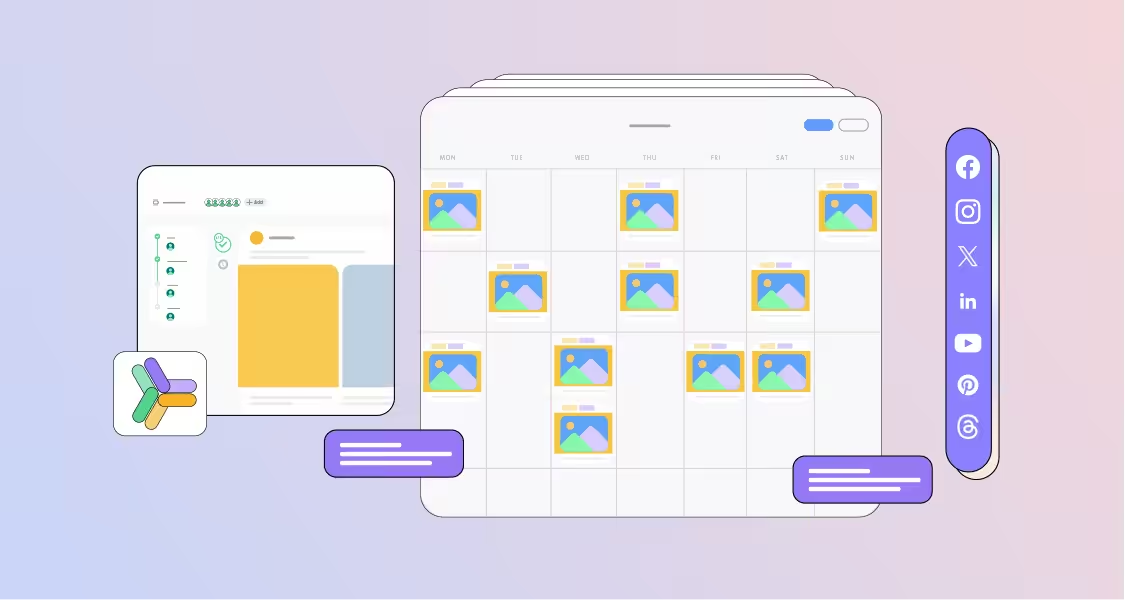
These tools allow you to plan your content in bulk and schedule it months in advance, so you can maintain a consistent schedule throughout the year. And not only that, but these tools also enable you to check your analytics and offer many other features that make social media management simpler.
Featured Article: How to Post to All Social Media at Once?
Best Social Media Scheduling Platforms at Glance
When you start searching for the best social media scheduling software, you will realize how time-consuming this process can be. So many platforms are available in the industry, and each offers something that the others might not!
Before I go deep into explaining the top social media schedulers, here’s a quick glance to tell you what each tool is best known for
| Social Media Scheduling Platforms | Best for |
|---|---|
| Social Champ | Affordable multi-account management and bulk scheduling |
| SocialBee | Content recycling and category-based scheduling |
| Loomly | Brand success teams, collaborative workflows, and post-ideation |
| Publer | Simplifying workflows with analytics, recycling, and bulk operations |
| Hootsuite | Enterprise-scale multi-channel governance and strong listening |
| Buffer | Solopreneurs and simple, budget-friendly visual grid queuing |
| Sprout Social | Deep corporate analytics, social listening, and employee advocacy |
| Later | Visual-first brands targeting Instagram and TikTok aesthetic feeds |
| CoSchedule | Marketing calendars looking to sync social with broader campaigns |
| Zoho Social | Small businesses using the Zoho ecosystem need easy CRM tie-ins |
Featured Article: 15 Best Social Media Advertising Software
Top 10 Social Media Scheduling Tools Tested
I tested 10 social media scheduling tools to help you figure out the best scheduling partner for your social media. I’ll mention their features, pricing, and drawbacks below so you know exactly what to expect from each of them!
-
Social Champ
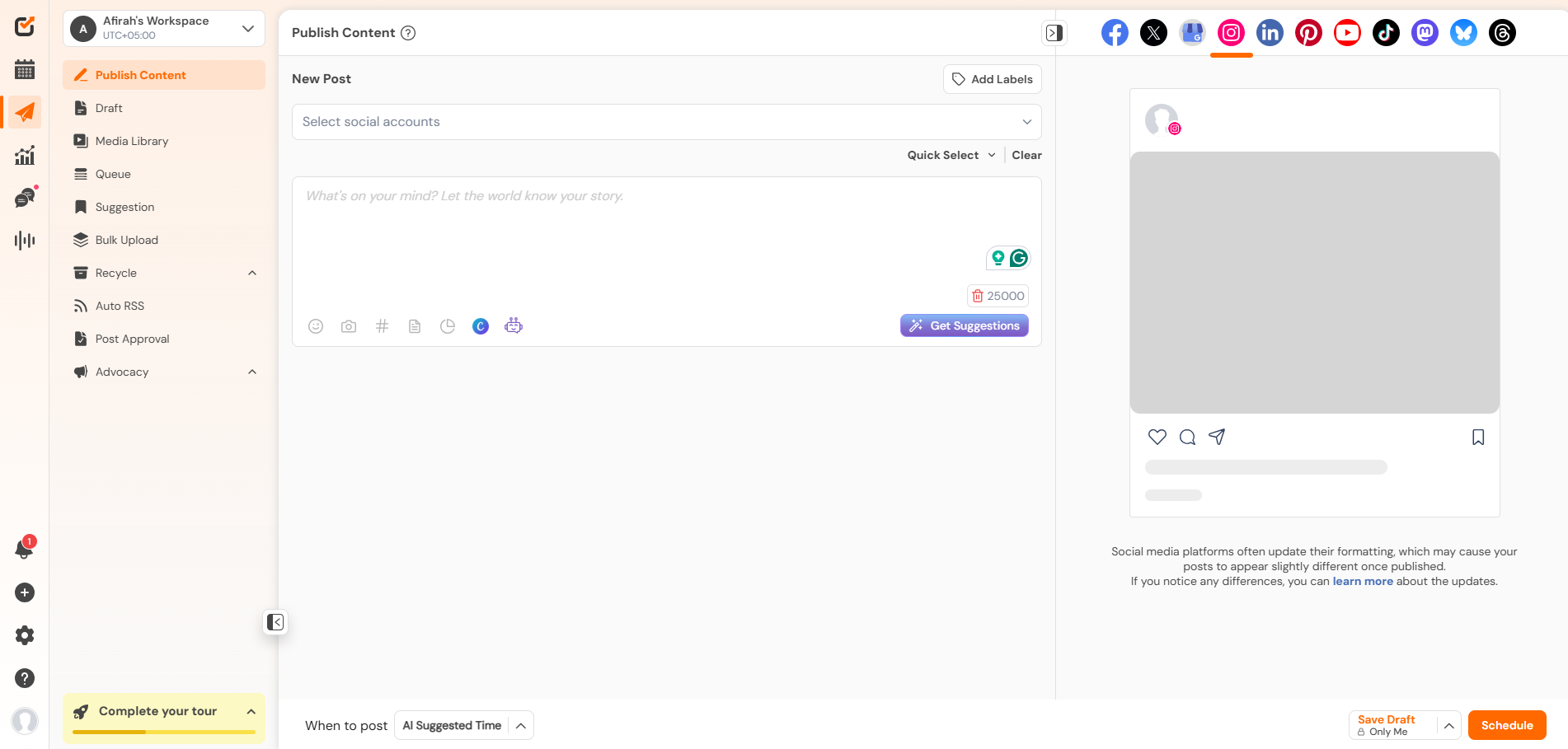
Social Champ’s Dashboard Social Champ was the first tool I tested, and it honestly blew my mind a little. You don’t need to be a tech-savvy person to use this tool (I know, I’m not). It is easy to use and pretty much has everything you need in a social media scheduling software.
Some of its key features include:
- A social media content calendar that will give you a complete view of your posts.
- A social inbox where you can manage your comments and messages.
- Analytics to help you strategize your content and understand its performance.
- Social listening that helps you track your brand mentions.
- And bulk upload to allow you to schedule up to 300 posts in advance.
Its pricing starts from $4/month and easily scales along with your needs. You can choose its pay-per-profile plans, where you only pay for the accounts you actually use. Or you can choose bundled plans if you have more on your plate.
Best for: Agencies, SMBs, solopreneurs.
The Secret Asset of Viral Brands!
Social Champ’s smart calendar ensures your bulk uploads land exactly when your buyers are actually staring at their screens. -
SocialBee
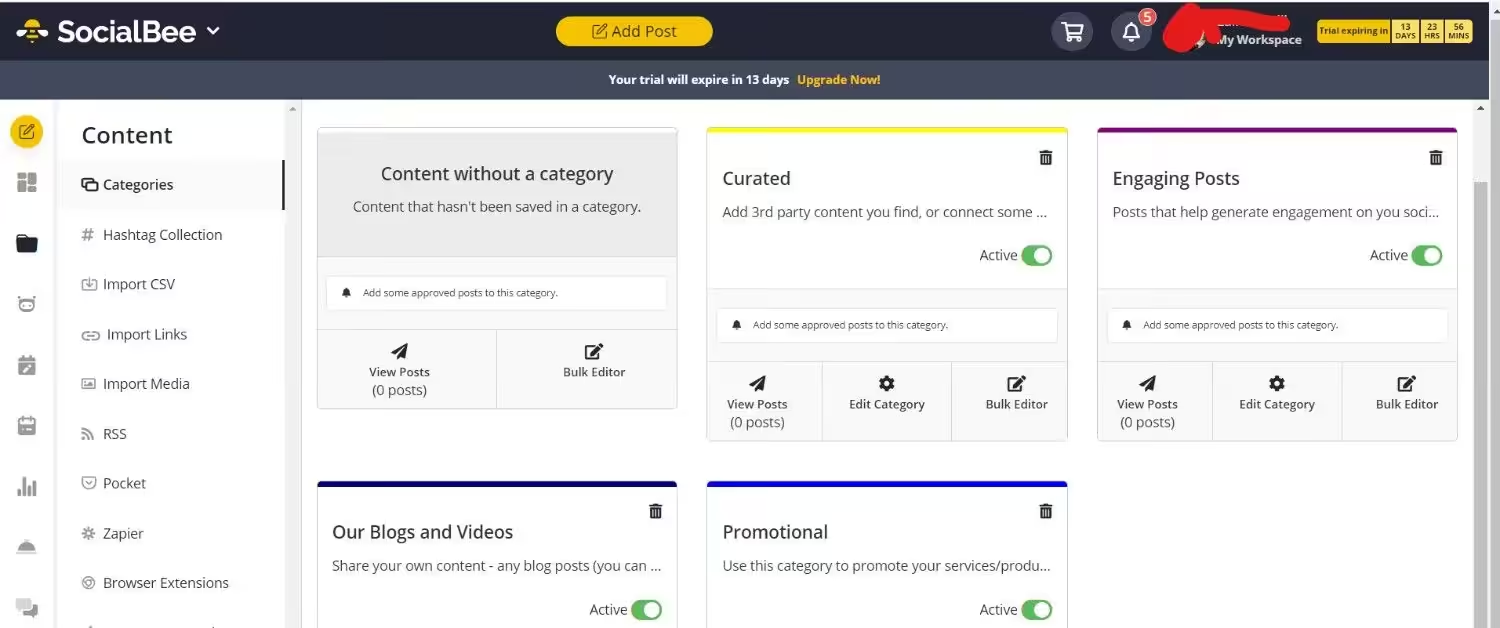
SocialBee’s Dashboard Another most recommended social media scheduling software I tested was SocialBee. This tool focuses on content categorization, meaning that it allows you to create content categories and schedule posts far in advance, which I think is very helpful, especially when dealing with different types of content.
SocialBee’s key features include:
- Detailed analytics to track performance.
- Categorization-based scheduling setup
- Content recycling that doesn’t let your good content go to waste.
Its pricing starts from $24/month.
Best for: Solopreneurs, content creators, and small businesses
-
Loomly
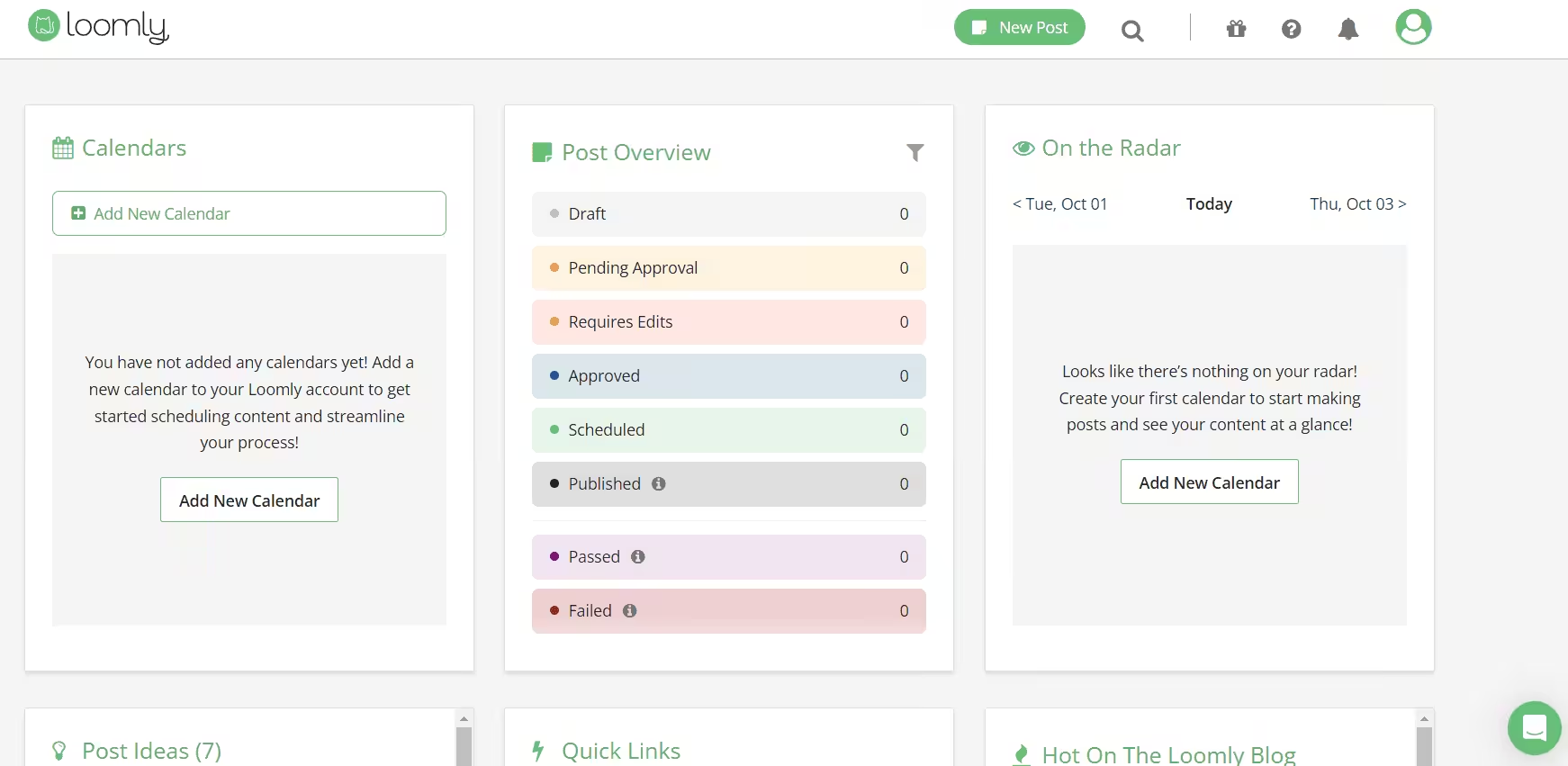
Loomly’s Dashboard Loomly is another reliable social media scheduling software that you should keep in mind. Its collaborative calendar and features enhance the content creation process. It is built for teams to work together and schedule, all while offering real-time feedback. Its team collaboration feature really makes it one of a kind.
Its key features are:
- Collaborative team workflows.
- A structured approval system so there’s no chance of error.
- Content ideas feature to make sure you run out of them.
Loomly has three paid plans, starting from $49/month.
Best for: Marketing agencies and highly collaborative in-house teams
-
Publer
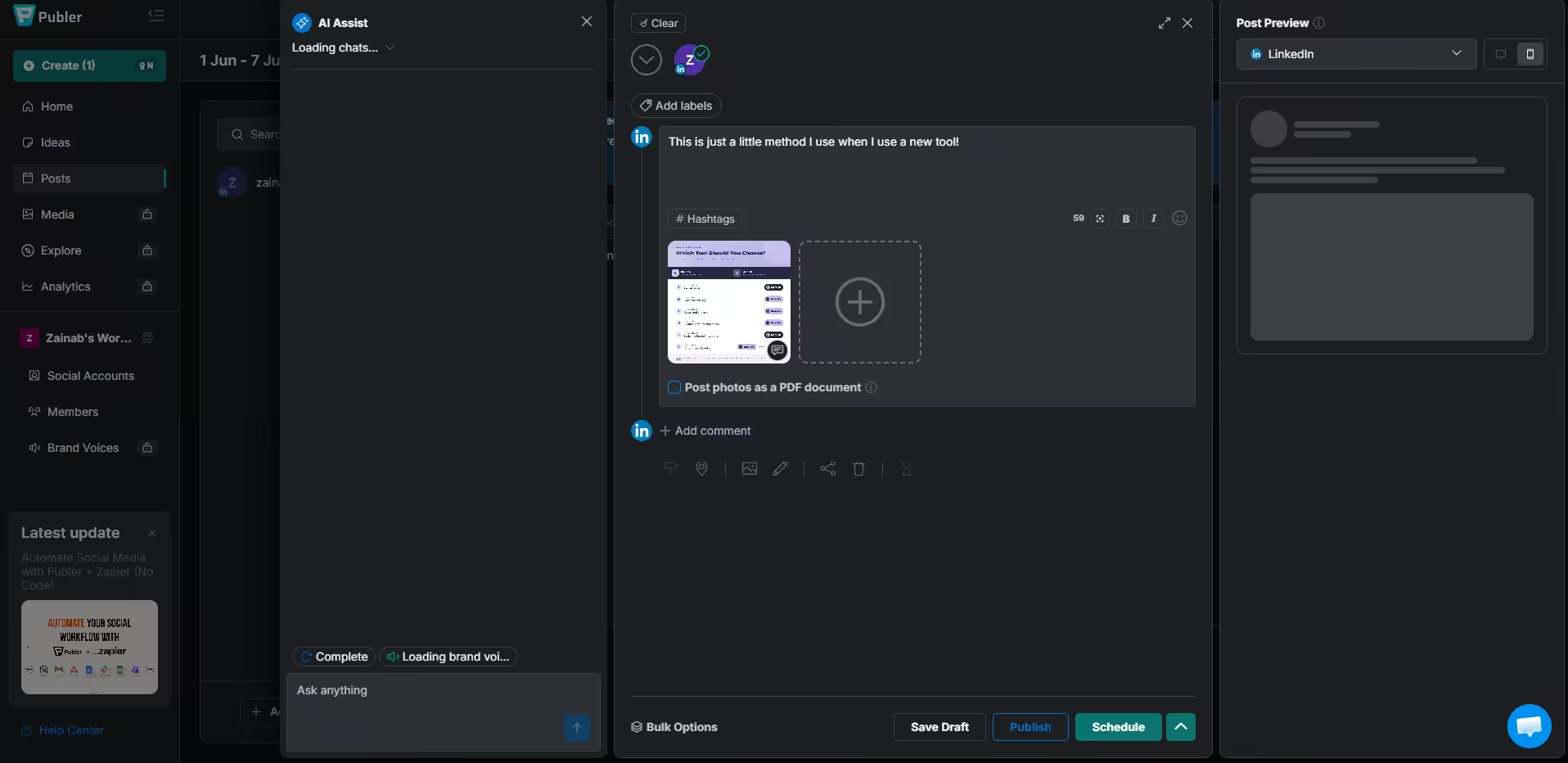
Publer’s Dashboard While testing these platforms, I realized that Publer is one of the best social media scheduling platforms for freelancers because of its affordability. It offers bulk scheduling, post-recycling, and detailed analytics. While it may not be a lot, it is enough to make it a good platform for businesses that are just starting out!
Its key features include:
- Automatic post recycling
- AI assistant to write captions
- Bulk scheduling options
Its paid plans start from $4/month.
Best for: Visual creators and digital marketers
-
Hootsuite
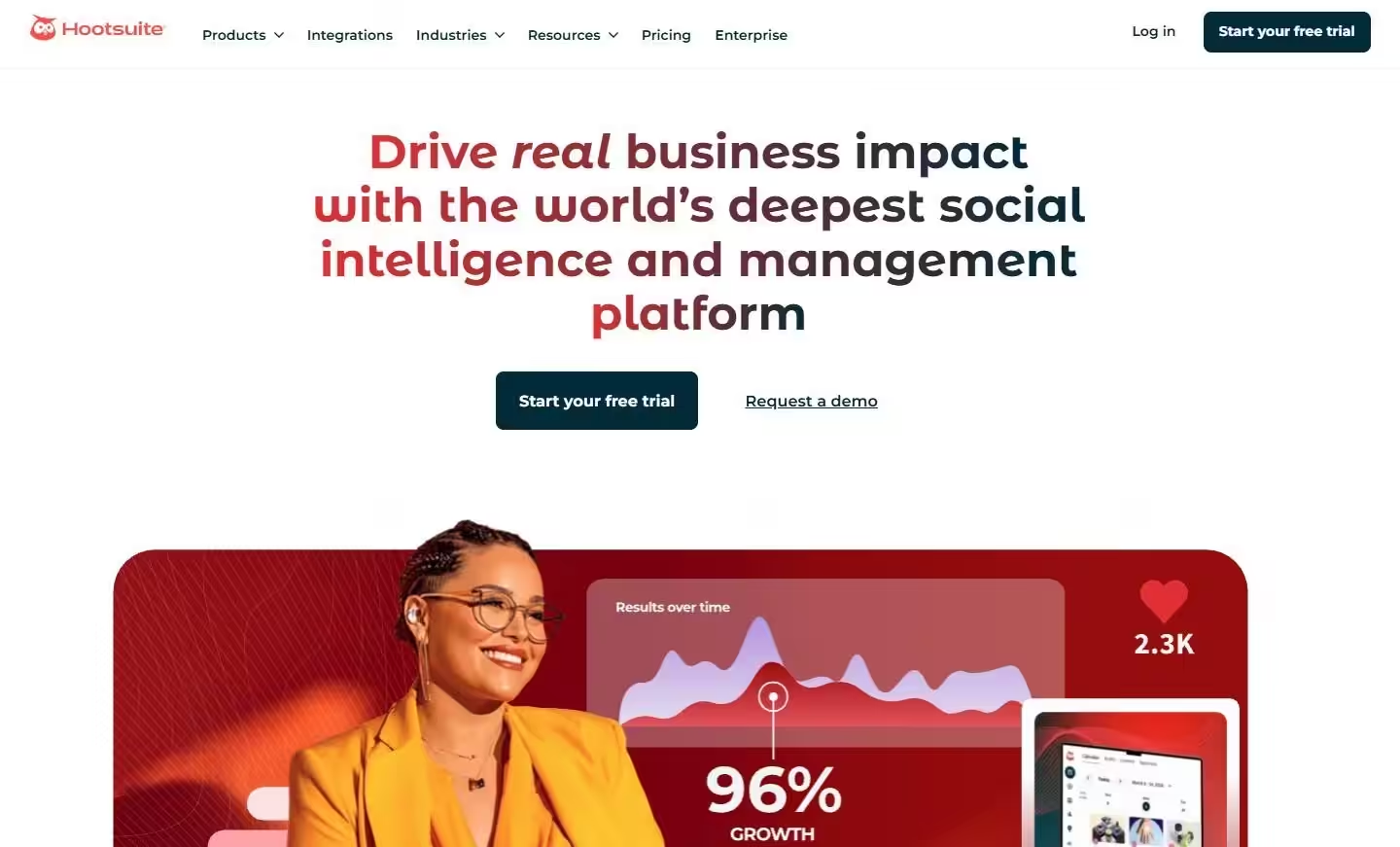
You might be thinking, why did I get to Hootsuite so late? Well, because I personally don’t fall for overrated things. Don’t get me wrong though, it’s one of the best and most recommended social media scheduling software available in the industry, but it’s not for everyone.
It’s a premium tool that allows you to schedule posts and track performance all in one place, but let’s be honest, so many other tools do that at a fraction of its cost!
Its key features include:
- Multi-channel social listening
- Multi-platform inbox management
- A dependable approval system
Its pricing starts from $99/month, which, if you ask me, is a lot, especially when other affordable options are available.
Best for: Large enterprises
-
Buffer
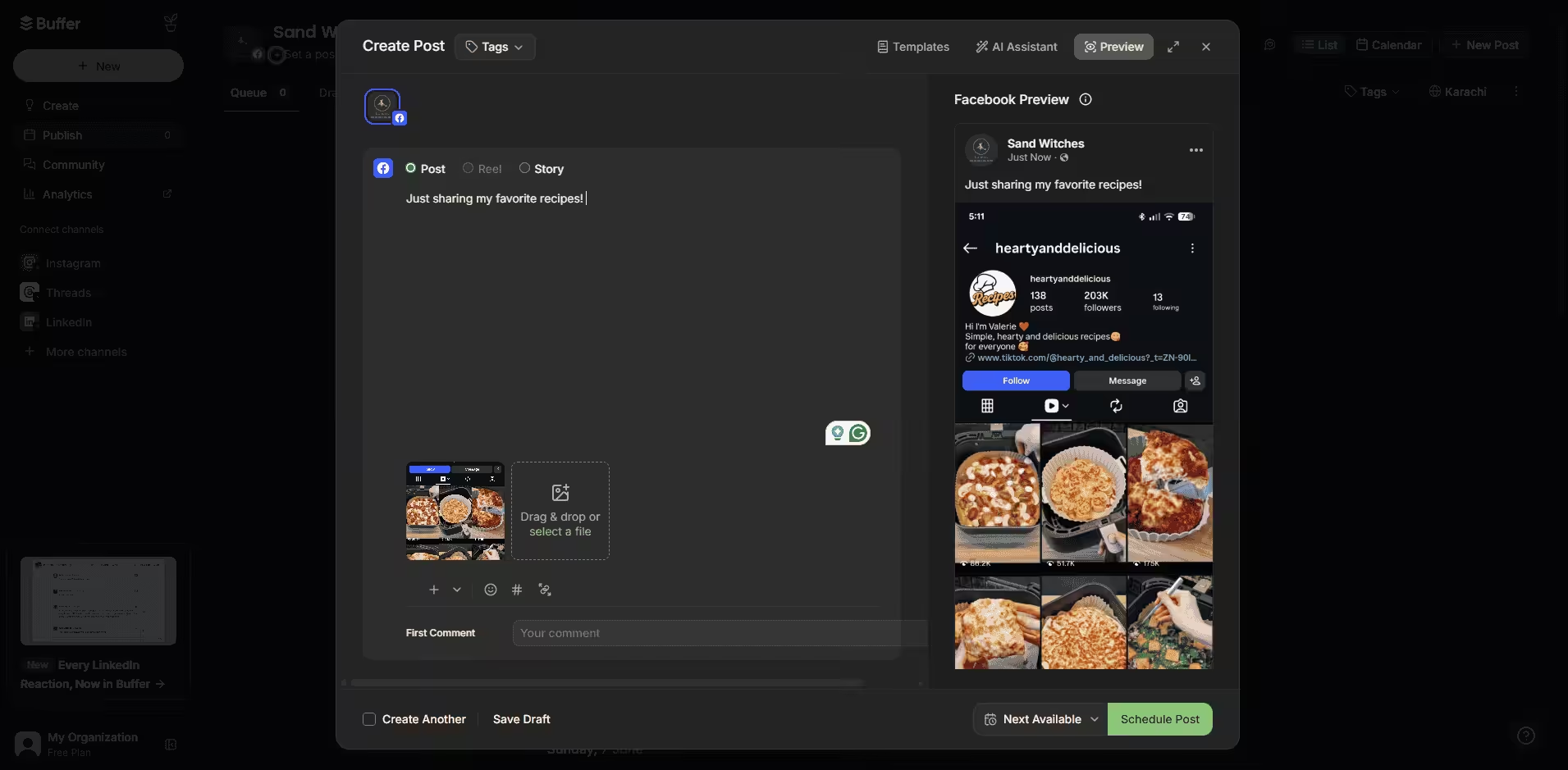
Buffer’s Dashboard If you want a popular tool but also want it to be affordable, Buffer is your answer! I had so many good things about this platform, and honestly, it’s worth it! It is simple to use and stands out because of its browser extension. However, it lacks advanced features like social listening, which makes it a little less valuable as compared to others on this list, for example, Social Champ!
Buffer’s key features include:
- A clean and straightforward visual grid queue
- Basic performance analytics
- A browser extension to easily share articles and images with your audience.
Its pricing starts from $5/month.
Best for: Solopreneurs, freelancers, and small businesses
-
Sprout Social
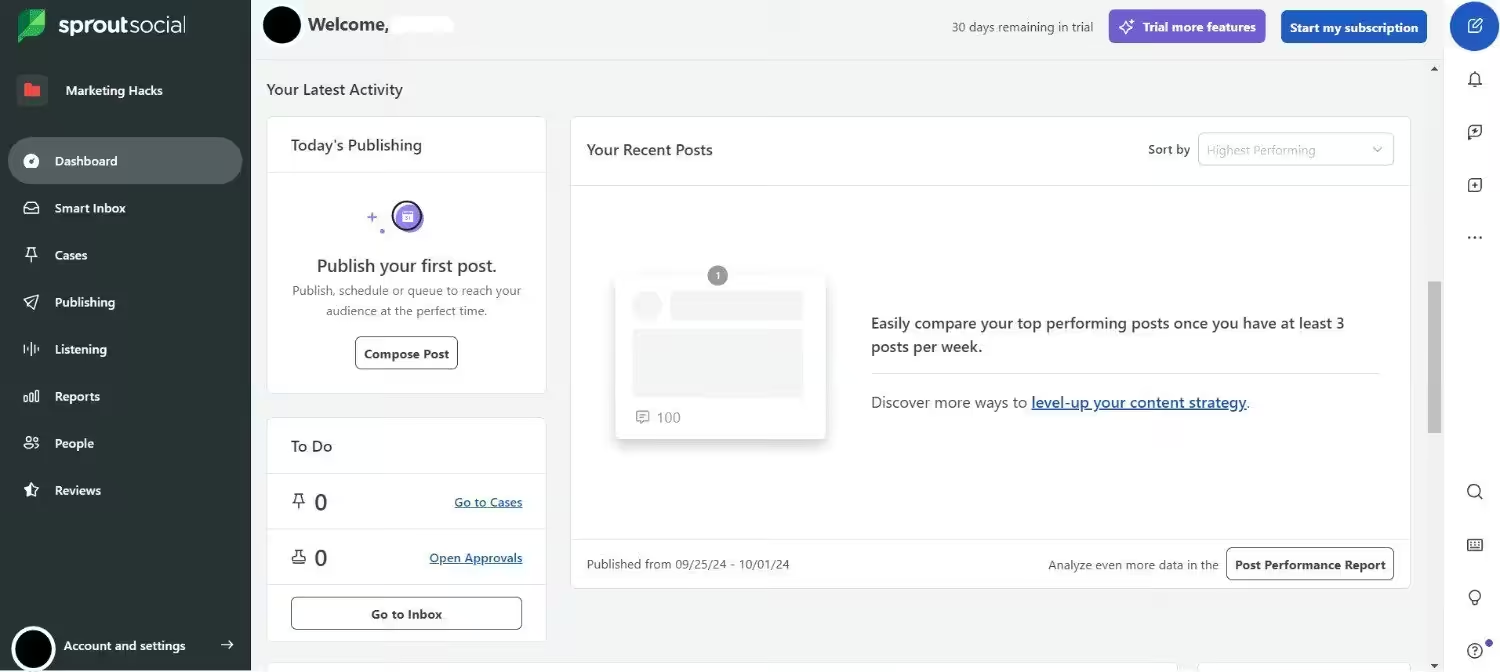
Sprout Social’s Dashboard Sprout Social is another one of the social media collaboration tools. It offers advanced scheduling options, including queueing posts and setting up automated publishing schedules. While it might be one of the best platforms available in the industry, the pricing of this tool makes it very expensive for small businesses and agencies.
Its key features include:
- Corporate-grade social listening and trend analysis
- Advanced CRM integrations
- Customized visual analytics reports
Sprout Social has five plans, starting from $79/month.
Best for: Large enterprises
-
Later
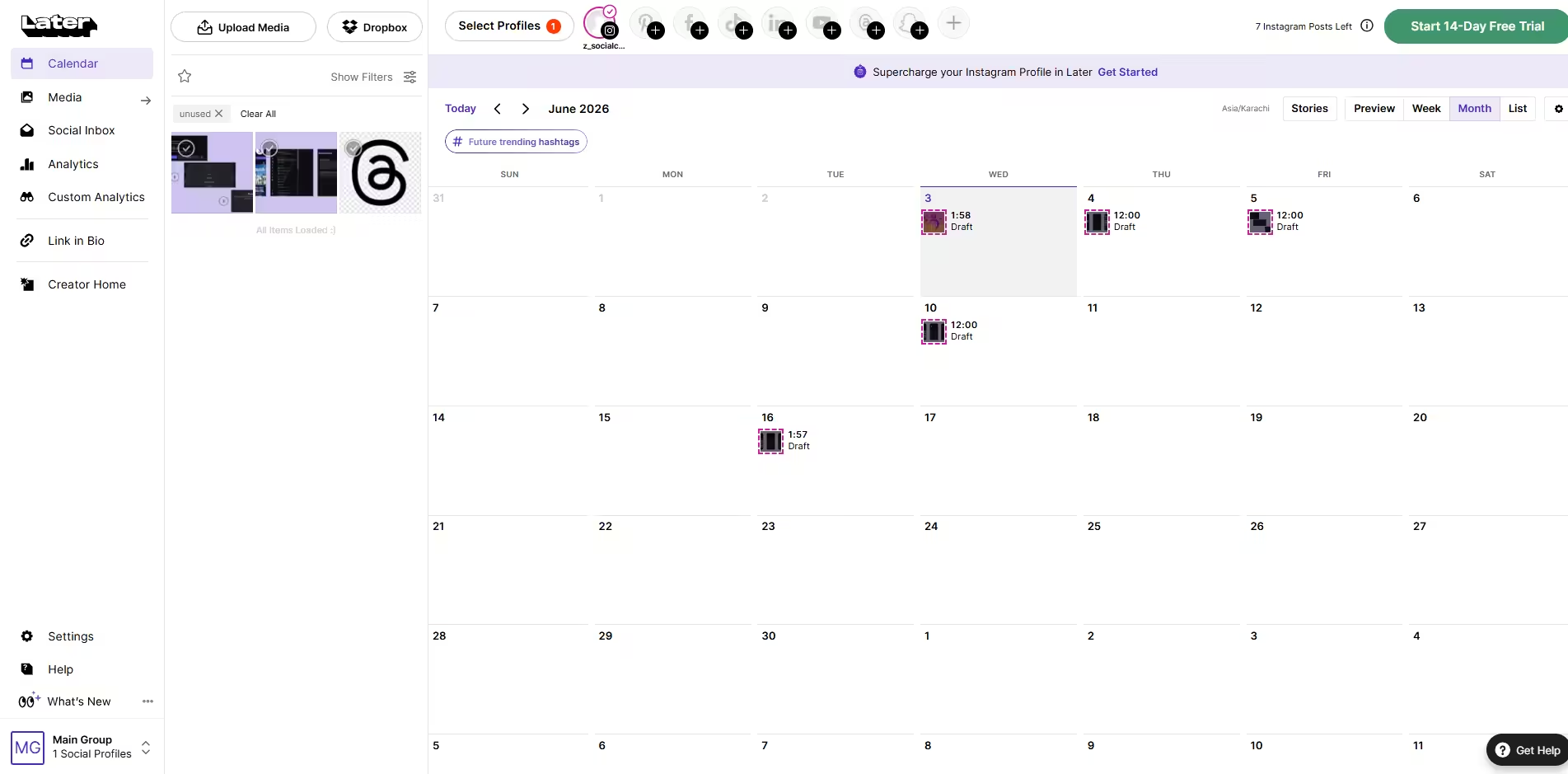
Later’s Dashboard Later is a visual content calendar and one of the scheduling software for social media, perfect for Instagram users. It offers drag-and-drop scheduling, allowing you to plan your feed and ensure a cohesive look. If you have limited needs, this platform might be the best for you.
Later’s key features include:
- A drag-and-drop visual Instagram grid planner
- Heavily automated Linkin.bio pages
Its pricing starts from $18.75/month.
Best for: Visual-first brands, lifestyle influencers, and e-commerce shops
-
CoSchedule
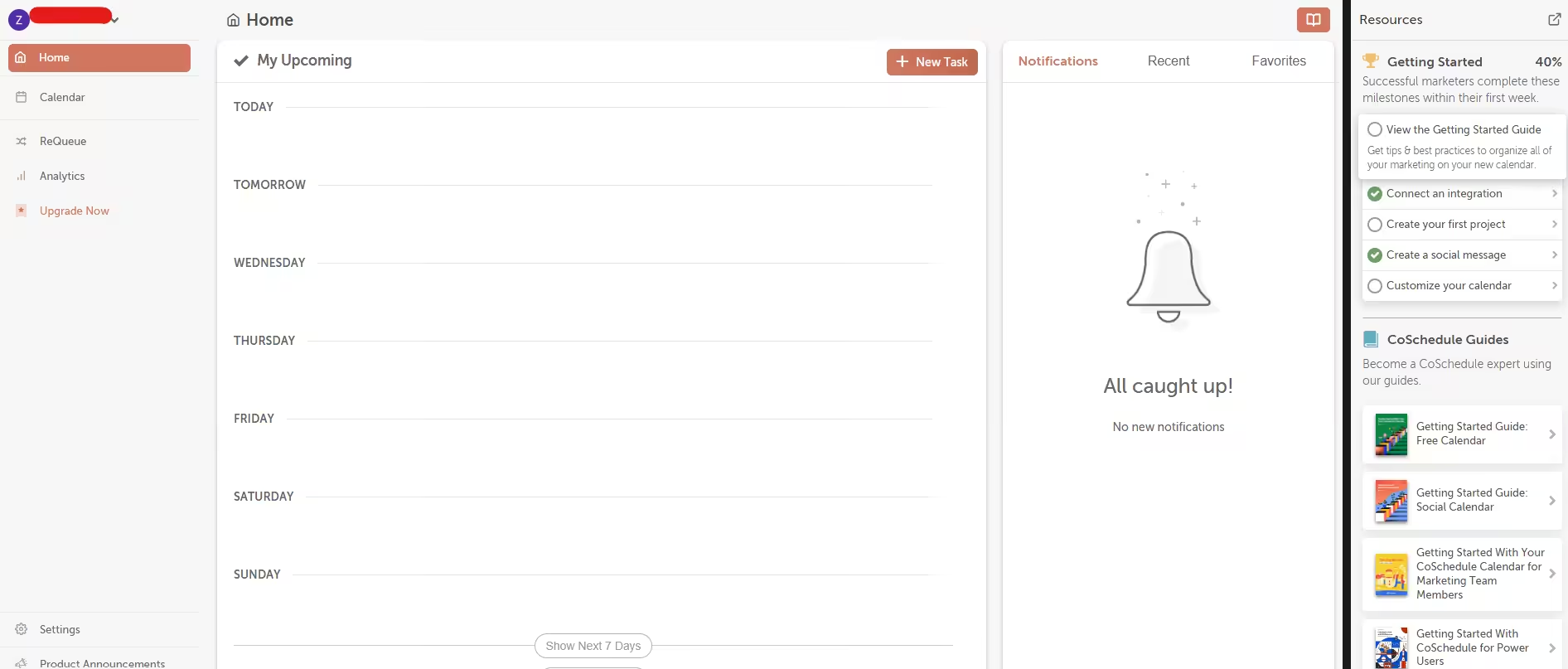
CoSchedule’s Dashboard CoSchedule is a marketing calendar designed to help businesses plan and execute their marketing campaigns. CoSchedule’s ReQueue feature automatically fills your social media schedule gaps with your best-performing posts. This ensures your content continues to be shared, even when you don’t have new posts to schedule.
Its key features include:
- An all-in-one dynamic marketing calendar
- Drag-and-drop rescheduling
- Project tracking management
CoSchedule’s pricing starts from $19/month.
Best for: Content marketing managers and agile marketing teams
-
Zoho Social
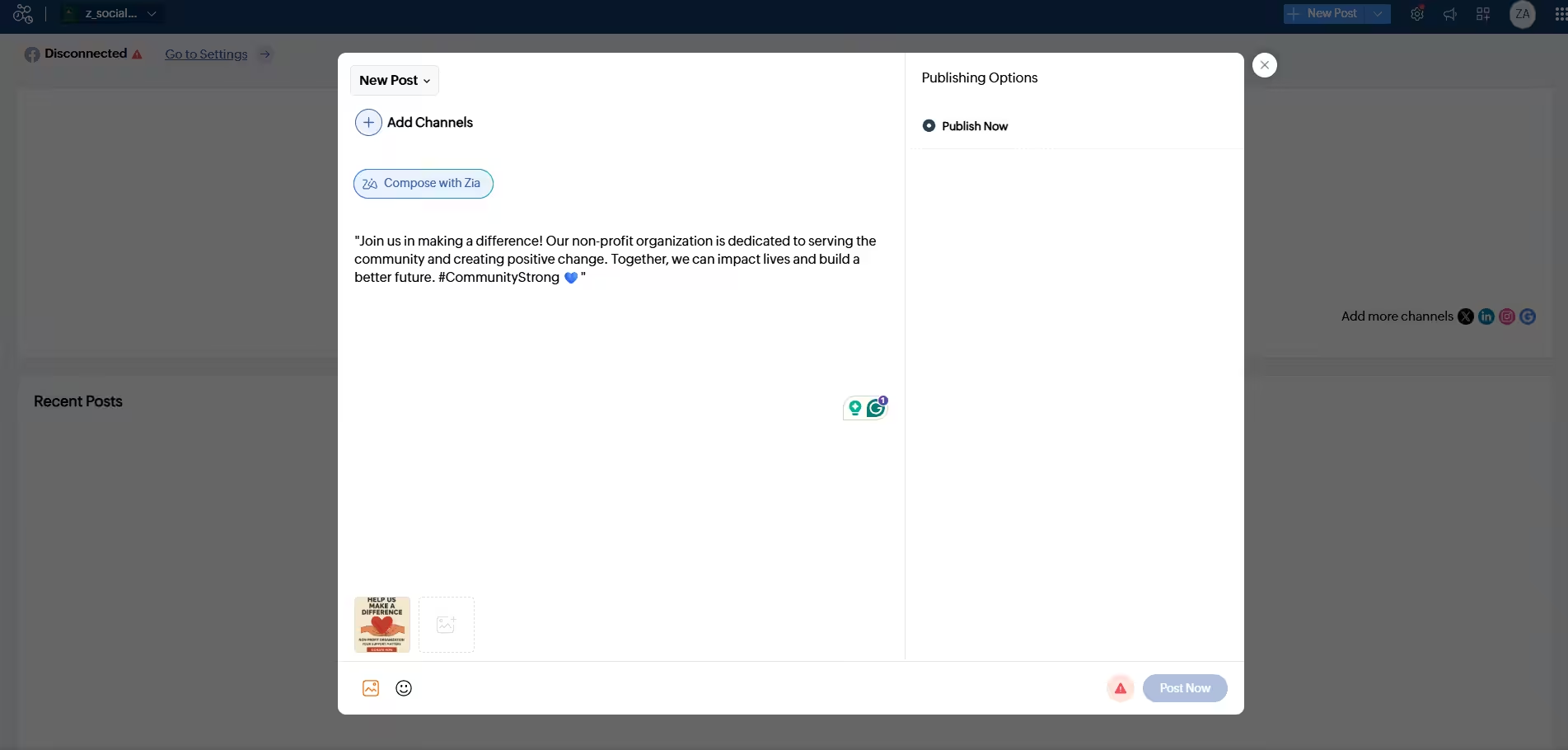
Zoho Social Dashboard Zoho Social is not just a scheduling tool; it is a part of the broader Zoho suite of business applications. Zoho Social’s SmartQ feature recommends the best times to post based on when your audience is most active. It also has its own CRM integration, which not many tools have!
Its key features include:
- Real-time social monitoring columns
- A collaborative team workspace
- Specific scheduling for optimal engagement windows
Its pricing starts from $10/month.
Best for: SMBs and agencies
How Do I Choose Social Media Scheduling Software That Actually Scales With My Team?
Having tested my fair share of platforms over the years, I’ve learned the hard way that the tool that works perfectly when you’re flying solo can quickly become a massive headache the second you start onboarding team members or clients.
When I’m evaluating a platform to make sure it won’t force a painful migration six months down the road, here are the non-negotiables I always look for:
-
Look for Layered Team Workflows
Whenever my team has grown, I’ve realized the biggest risk isn’t scheduling the content, it’s someone accidentally hitting “publish” on an unapproved draft. I look for tools that let me set strict, layered workflows.
I need a setup where a junior creator can draft a post, an editor can tweak it, and a client or manager can approve it in one click. If a platform just charges me for extra user seats but doesn’t give me control over who can actually go live, it’s a dealbreaker for me.
-
A Centralized Calendar View That Handles the Noise
As I’ve added more channels and clients to my plate, clicking through ten different tabs just to see what’s going live became a complete nightmare. I need a master calendar view where I can see my entire digital footprint at a single glance.
A truly scalable tool, in my opinion, has to have clean filtering options so I can zoom into one specific client folder, or zoom out to see the big picture without losing my mind.
-
Predictable Pricing Plans That Don’t Punish Growth
I’ve been burned before by tools that look incredibly cheap on their starter plans but hide exorbitant costs in their scaling tiers. I always check the math on how a platform charges for adding one more profile or one more teammate.
I prefer platforms that offer a flexible, predictable per-channel or per-workspace pricing model so my subscription fee grows relative to my actual revenue, rather than forcing me into a massive “Enterprise” tier prematurely.
-
Completely Isolated Multi-Brand Workspaces
If you’re running an agency or scaling a business with multiple sub-brands, you cannot afford to have your data crossing over. When I test these tools, I check how cleanly they separate accounts.
I need completely isolated workspaces so that assets, approval pipelines, connected streams, and analytics for one brand never bleed into another. It keeps my day-to-day workspace clean and gives me total peace of mind as I onboard new clients.
Don’t Be the Last Brand to Automate!
Conclusion
Now that you know the top 10 social media scheduling software, you can go ahead and choose the best one from this list. But remember, choosing a social media management tool is a lot more difficult than you realize.
I would recommend you take free trials (as I did) and then decide which one is the right tool for you. Once you have it, dominate social media with consistent posting and automation.
Frequently Asked Questions
1. What Is the Best Scheduling Tool for Social Media?
2. What Is the 5 3 2 Rule for Social Media?
3.What Is the 5 5 5 Rule on Social Media?
4. What Is the 70/20/10 Rule for Social Media?
5. Is There a Free Way to Schedule Social Media Posts?