Ever posted something on Instagram that you knew was amazing, only to get a handful of likes and a sympathy comment from your best friend? Makes you ask yourself, how can you have so many followers and still feel invisible?
The real question isn’t just how many followers you have. It’s how many of them actually care enough to engage. Likes, comments, shares, and saves tell you whether people actually care about what you’re posting.
Short Summary
- Engagement rate shows how actively your audience interacts with your posts.
- Smaller accounts often have higher engagement percentages than large accounts.
- Different formulas measure engagement by followers, reach, or impressions.
- Content variety, captions, timing, and community interaction boost engagement organically.
- Tools like Social Champ help schedule, analyze, and optimize your content efficiently.
Understanding your engagement rate changes how you approach content. You stop chasing vanity metrics and start focusing on connection.
Whether you’ll rely on Instagram Insights or an Instagram scheduler, you can see what sparks conversations, what gets saved for later, and what inspires someone to tap that share button.
Read on to learn what Instagram engagement rate actually means, and the formula you should use. You’ll also discover the benchmarks worth paying attention to and practical ways you can boost your numbers without burning out.
Stay Consistent Across Every Platform
What Is Instagram Engagement Rate?
Instagram engagement rate is basically your way of measuring how much your audience actually cares about what you post. You calculate it by comparing the interactions your posts get (likes, comments, and shares) to the number of people who could see them.
Think of it like throwing a party. Having 1,000 guests (followers) doesn’t mean it’s a hit. What matters is who’s dancing, chatting, and actually having a good time (engaging).
That’s why engagement rate is such a useful metric. It’s the proof that your content is connecting with real humans, and that’s what makes Instagram fun (and worth your time).
Featured Article: How to Get More Engagement on Instagram
How to Calculate Instagram Engagement Rate (Formulas Explained)
Calculating your Instagram engagement rate might sound complicated, but it’s actually pretty simple once you break it down. It’s all about comparing the interactions your posts get to the audience that sees them.
Let’s take a look at the most common formulas and how each one gives you a slightly different perspective on your engagement on Instagram.
-
Engagement Rate by Followers
This is the classic method. You take the total number of likes, comments, shares, and saves on a post, divide it by your total follower count, and multiply by 100 to get a percentage.
For instance, let’s say your post gets 200 likes and comments combined, and you have 5,000 followers:
Engagement Rate = 200/5000 X 100 = 4%
This tells you that 4% of your followers actively engaged with that post. Simple, right?
-
Engagement Rate by Reach
This one’s a little more precise because it measures engagement against the number of people who actually saw your post, not just your total followers.
This is useful if some of your followers rarely scroll through your content.
Let’s say your post reaches 1,500 people, and you get 200 interactions:Engagement Rate = 200/1500 X 100 = 13%
Notice how this gives a higher percentage than using total followers? That’s because engagement rate by reach reflects the people who were actually in the room.
-
Engagement Rate by Impressions
This formula goes a step further by factoring in how many times your post was seen (impressions).
If your audience tends to scroll past and then come back to your content later, this gives a fuller picture of engagement per view.
For example, if your post gets 200 interactions, and Instagram records 2,000 impressions:Engagement Rate = 200/2000 X 100 = 10%
This method is particularly useful if you’re experimenting with boosting posts.
Featured Article: Instagram Content Creation: A Complete Guide
What Is a Good Instagram Engagement Rate in 2026?
According to 2026 data from The Influencer Marketing Factory, the average engagement rate on Instagram falls between 1.77% and 3.65%. It varies based on how many followers an account has.
So, you’ve calculated your engagement rate. Now the big question: is it any good? The truth is, a good engagement rate on Instagram depends on the size of your account.
If your account is under 10,000 followers, hitting 3%–6% is considered solid. Between 10,000 and 100,000 followers, a good engagement rate usually lands around 2%–4%.
And for mega accounts over 100,000 followers? Even 1%–2% engagement is impressive given the sheer size of the audience.
Small accounts often see higher percentages because their followers are more likely to actively engage, while bigger accounts usually have lower rates but reach way more people.
Keep in mind, these numbers are just benchmarks. They’re meant to give you a sense of what’s normal. What really matters is how your rate trends over time.
Are your posts slowly getting more likes, comments, and shares? That’s the real win.
So, don’t obsess over hitting a perfect number. Focus on building meaningful interactions with your audience.
Remember, a highly engaged small following often beats a massive but silent one every time.
Simplify Your Social Media Workflow
Instagram Engagement Rate by Industry and Account Type
Engagement doesn’t look the same for every account. Depending on your niche and whether you’re a creator or a brand, what counts as a good engagement rate on Instagram can change dramatically.
Knowing the context makes comparing numbers way more useful than just staring at your stats in panic.
Brands vs. Creators
Creators often have higher engagement rates than brands. That’s because followers feel a personal connection with a person rather than a logo. If you’re running a creator account, an engagement rate of 3% to 6% is usually solid.
Brands, on the other hand, often average around 1% to 3%. Your audience might like your product, but they’re less likely to comment or share like they would on a relatable creator’s post.
Industry Matters
Different industries perform differently, too. Fashion, beauty, and fitness tend to see higher engagement because the content is visual and shareable.
Tech, finance, or B2B accounts might see lower rates, but that doesn’t mean your content is failing.
Why Context Is Everything
Comparing your engagement rate to random accounts can be misleading. A small local bakery might crush a 5% engagement rate while a global brand struggles at 2%.
That doesn’t mean one is better than the other. It just shows the difference in audience type and expectations. Focus on benchmarks for your niche and account type to set realistic goals.
Understanding these differences helps you create content that resonates with your audience instead of chasing impossible numbers.
Track and Improve Instagram Engagement Rate With Social Champ
Keeping an eye on your engagement rate can feel overwhelming, but Social Champ makes it easy. You can schedule posts, track performance, and see exactly how your audience interacts with your content, all in one place.
Let’s take a look at the key features that help you boost engagement effortlessly.
-
Smart Scheduling
Social Champ lets you plan and schedule posts for Instagram and other platforms from a single dashboard.
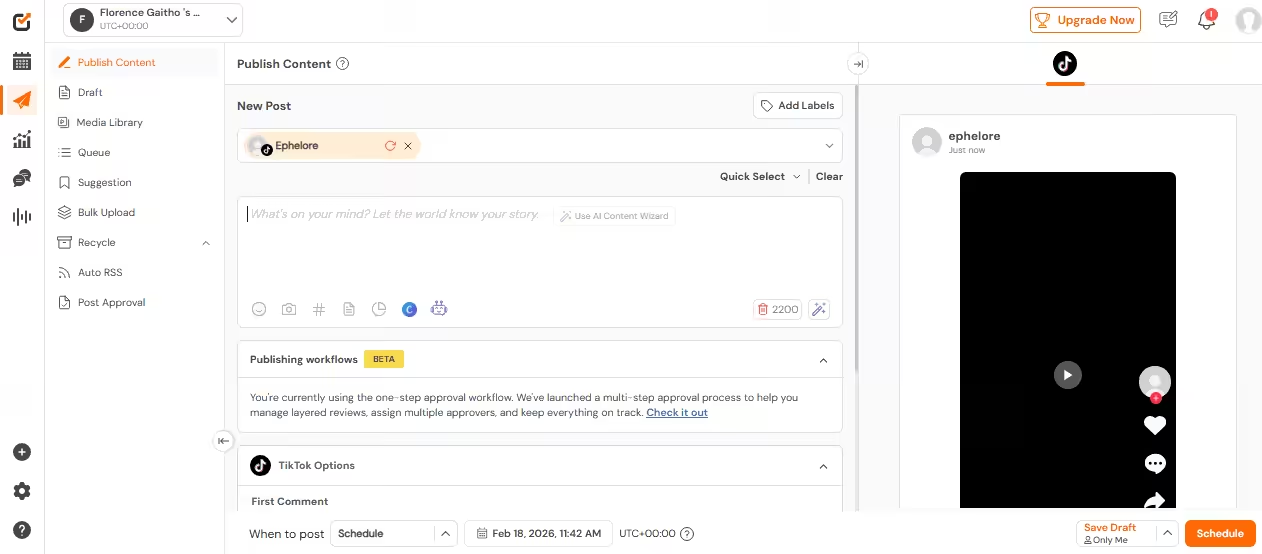
Social Champ’s Dashboard With this smart scheduler, you can schedule all kinds of media, including images, videos, carousels, and even reels. This can ensure your feed stays fresh and engaging without any last-minute scrambling.
Whether you want to plan a single post or create a week’s worth of content, Social Champ lets you schedule hundreds of posts in advance.
Thanks to its bulk upload feature, you can upload multiple posts at once using a CSV file or drag-and-drop interface, which saves tons of time compared to scheduling each post individually.
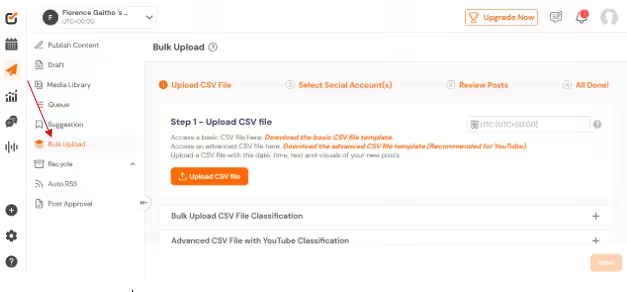
Social Champ’s Bulk Upload Feature Plus, Social Champ’s AI Suggested Time feature takes the guesswork out of posting. It analyzes your audience’s activity and engagement patterns to recommend the best time to post Instagram Reels.
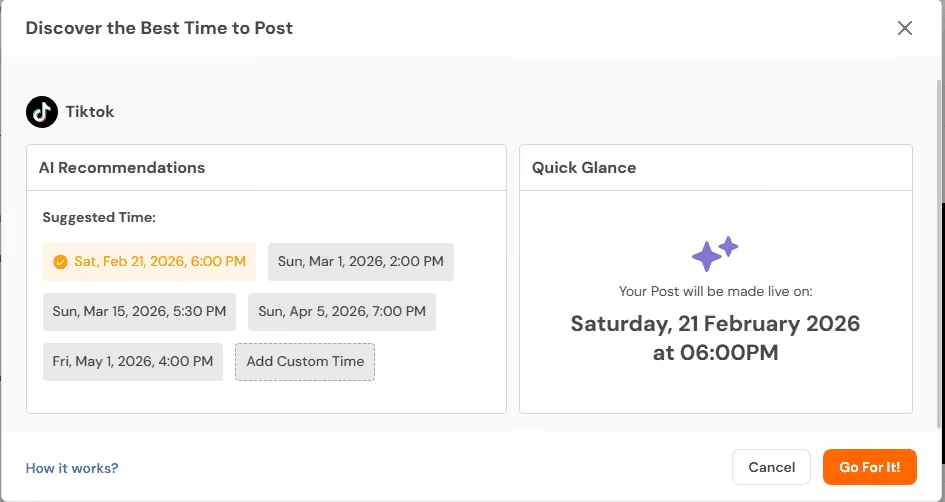
AI Recommended Time on Social Champ This feature ensures your content reaches more people when they’re most likely to interact.
With Social Champ’s smart scheduling features, you can plan your content like a pro, keep your account active, and never miss a chance to engage with your audience.
-
Performance Analytics
Social Champ gives you a clear view of how your content actually performs, not just how it looks.
Inside its analytics feature, you can track likes, comments, shares, saves, reach, and overall engagement rates in one organized dashboard.
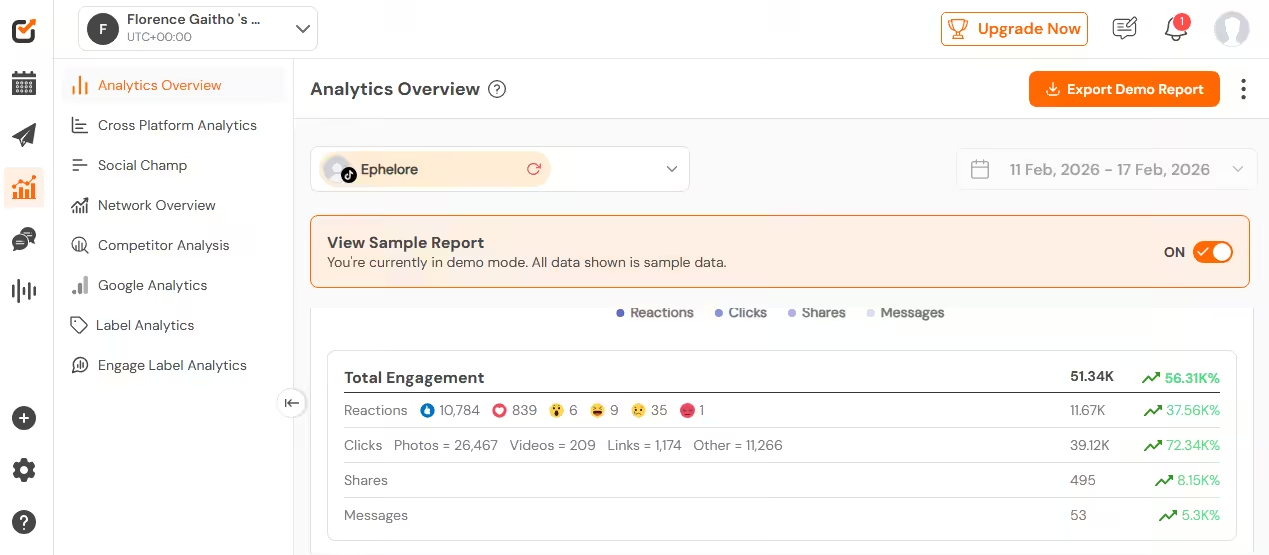
Social Champ’s Analytics Overview You can easily identify your top-performing posts and spot patterns in your content.
Maybe your carousel posts drive more saves. Maybe your reels spark more comments. Social Champ lays it all out so you can see what your audience responds to most.
The analytics reports also help you track growth over time. You can monitor follower trends, compare performance across different time periods, and measure how your engagement rate improves as you refine your strategy.
With Social Champ’s analytics feature, you stop relying on gut feelings and start making content decisions backed by real numbers.
-
Content Optimization
With Social Champ, you can experiment with different formats like reels, carousels, and single-image posts, then use performance data to see what actually drives engagement.
You can also optimize your captions with relevant hashtags to improve discoverability.
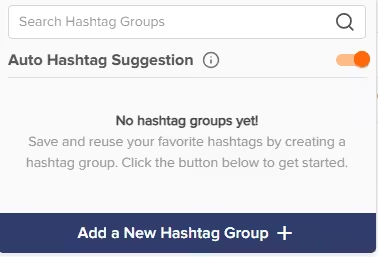
Social Champ’s Auto Hashtag Suggestion The tool makes it easy to save hashtag groups, reuse them when needed, and test which combinations bring in the most reach and engagement. This saves time and keeps your posts consistent.
The platform also supports caption planning and preview features, so you can see how your content will look before it goes live.
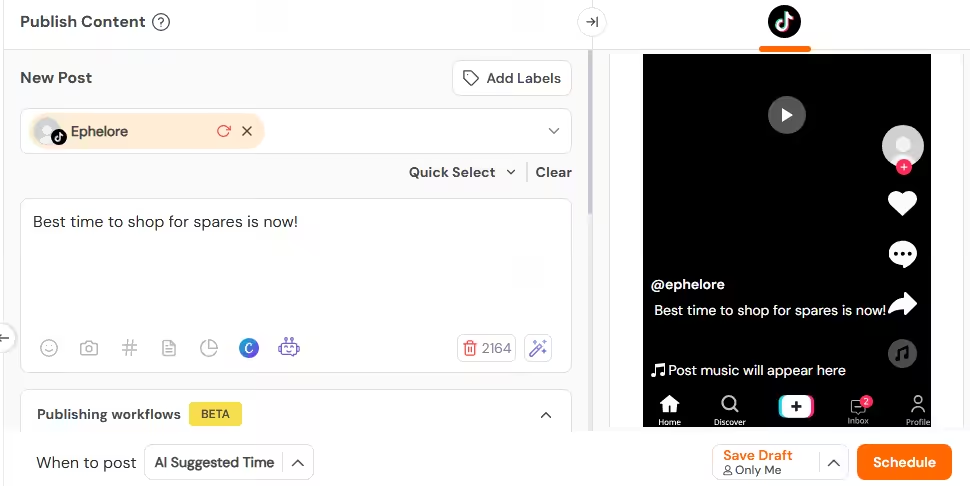
Social Champ’s Post Preview That means you can fine-tune your message, adjust your call to action, and make sure every post aligns with your brand voice.
-
Multi-Platform Management
Are there other social media platforms you manage alongside Instagram? You do not need separate apps for each account or a dozen browser tabs open at once. Social Champ brings everything into one clean dashboard so you can stay organized and in control.
You can schedule and manage content for Instagram, Facebook, LinkedIn, Twitter, Pinterest, TikTok, and even Google Business Profile from the same place. That means you can plan a campaign once and tailor it for each platform without starting from scratch every time.
You also get unified analytics across platforms, so you can compare performance and see where your audience is most active. Instead of piecing together reports from different Instagram management tools, you get a streamlined view of your overall social media performance.
Those are some of the powerful capabilities that Social Champ has. It turns scheduling, tracking, and improving your Instagram engagement into a simple, stress-free process.
Simplify Your Social Media Workflow
How to Improve Your Instagram Engagement Rate Organically
If you want better engagement, you need a smart plan. The good news is you do not need to pay for ads to make it happen. You just need the right mix of content, timing, and genuine interaction.
Here are some strategies for improving your Instagram engagement rate organically:
-
Mix Up Your Content Formats
First, look at the types of posts you share. Reels often attract new viewers, while carousels encourage people to swipe and spend more time on your post. Single images can still work well if the message is strong and clear.
You should also test different formats and track which ones get the most saves, shares, and comments. When you notice a pattern, create more of what your audience clearly enjoys. Variety keeps your feed fresh, and consistency keeps people interested.
-
Post Consistently but Not Excessively
Consistency builds trust. When you show up regularly, your audience starts to expect your content. That expectation increases the chances they will engage.
However, quality matters more than quantity. Three strong posts per week can outperform daily posts that feel rushed. Focus on value, and your engagement rate will thank you.
-
Write Captions That Invite Conversation
Captions are your secret weapon. Instead of simply describing the photo, ask a question. Encourage opinions. Invite your audience to share their experience.
For example, you can ask what tip they found most helpful or what they would try first. Clear calls to action guide people toward engaging instead of scrolling past.
-
Build Real Community
Engagement is a two-way street. If someone leaves a comment, respond. If they share your post, acknowledge it. When you interact with your audience, they feel seen and valued.
You can also engage with other accounts in your niche. Thoughtful comments on relevant posts increase your visibility and attract people who are already interested in your topic.
-
Post at the Right Time
Timing also plays a huge role. If you post when your audience is offline, your content can get buried. Check your analytics to see when your followers are most active.
Then schedule your posts during those peak hours. When your content appears at the right moment, it has a better chance of earning quick engagement, which helps it reach even more people.
When you combine these Instagram tips, your Instagram engagement rate will naturally improve. Stick with the process, keep testing, and watch your community grow stronger over time.
Featured Article: Best Time to Post on Social Media: Key Data Insights Based on 5 Million Posts
Conclusion
Instagram engagement rate is more than just a number on your dashboard. It shows you how well your content connects with real people who choose to like, comment, save, and share what you post.
Focus on creating content your audience actually enjoys, show up consistently, and pay attention to what the data tells you. Over time, small improvements add up to big results.
And if you want to make the process easier, Instagram growth tools like Social Champ can help you schedule smarter, analyze performance, and keep your engagement on Instagram moving in the right direction.