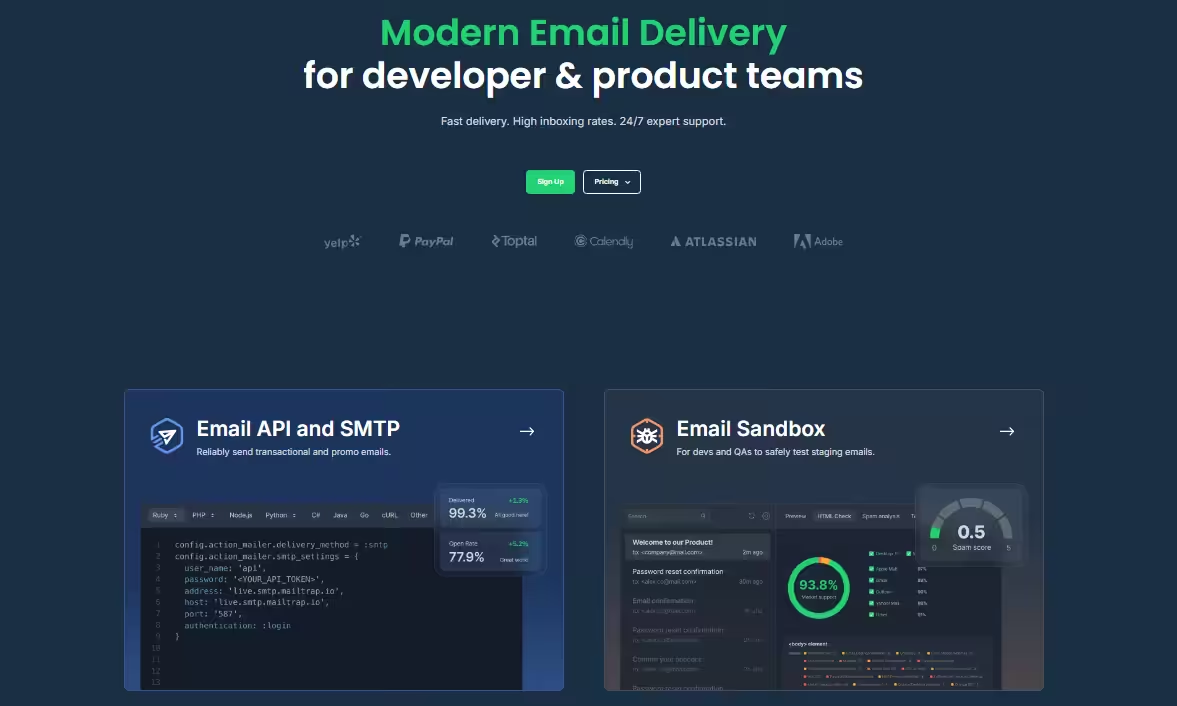
If you run a business on social media, you already know email is the quiet sibling doing half the work. Receipts, confirmations, password resets, and welcome sequences turn a curious follower into a paying customer at every stage of the marketing funnel. None of it shows up on Instagram, but all of it has to land in the inbox, or the whole funnel falls apart.
Mailtrap is an email delivery platform for developers and product teams, built around a REST API and SMTP service that focuses on high deliverability. It sits in the same lane as SendGrid, Postmark, Mailgun, and Amazon SES. This Mailtrap review walks through what the platform does in 2026, how the pricing scales, and who it actually fits.
What Is Mailtrap and How Does It Work?
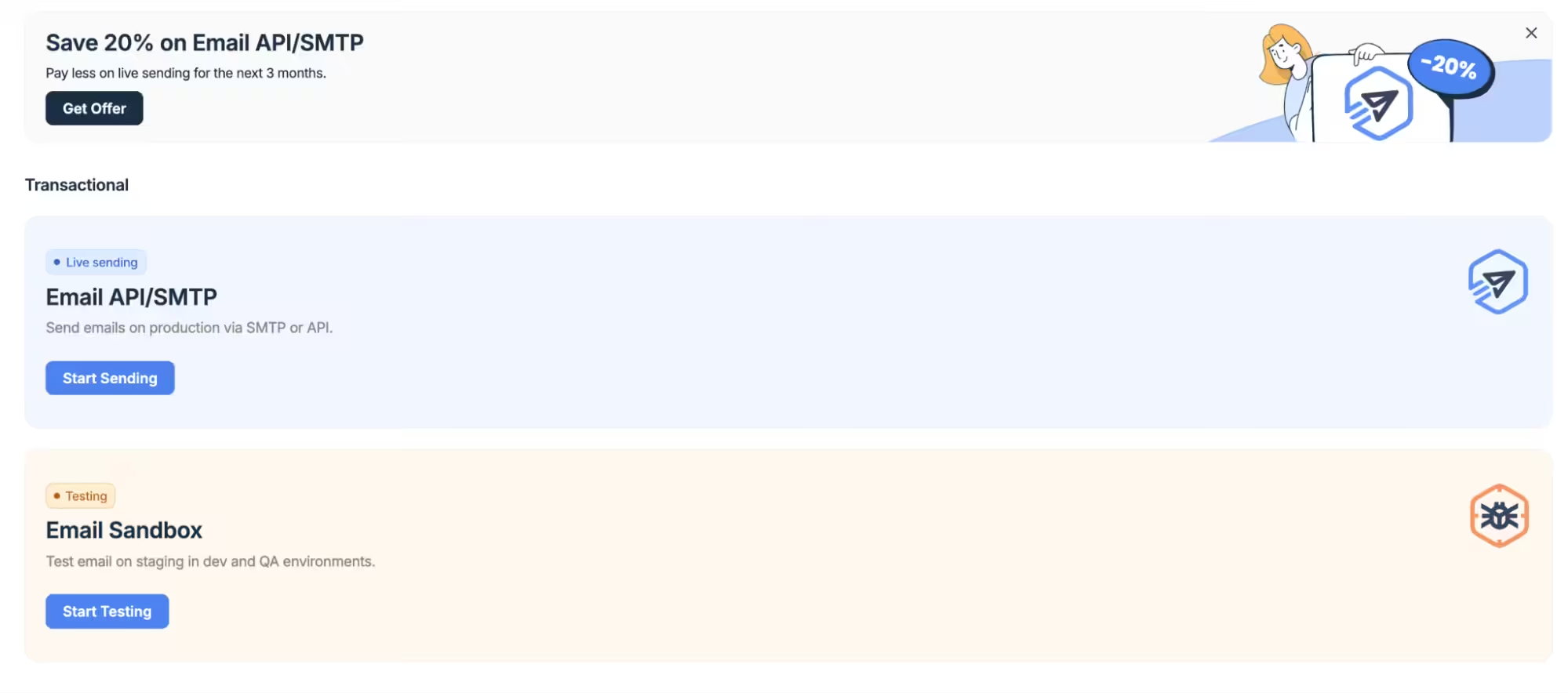
Mailtrap is an email delivery platform with a focus on high deliverability and a modern developer experience.
The way it works is straightforward. You get SMTP credentials or a REST API key. You plug it into your app using one of the pre-built code snippets or one of the seven language SDKs (Python, Ruby, PHP, Node.js, Java, .NET, and Elixir). From there, every email your app sends routes through Mailtrap’s infrastructure.
The part that matters most happens behind the scenes. Mailtrap splits your sends into two streams, transactional and bulk, and each stream runs on its own IP pool. So if a newsletter campaign tanks your open rates, your password reset emails do not get dragged down with it. This sounds like a small detail until you have watched “confirm your email” links rot in spam for a week after a bad marketing send. Then it feels like the only detail that matters.
Featured Article: How To Start with Email Marketing Campaigns When You’ve No Clue
Who Is Mailtrap Best Suited for in 2026?
Mailtrap is best for product teams and developers who value high deliverability and need to send transactional emails at scale while keeping full control over their sending infrastructure.
In practice, that usually means a few types of teams:
- Development teams that want a flexible API, well maintained SDK and native AI integrations.
- High-volume senders that rely on separate transactional and bulk streams to protect deliverability.
- Product teams that live in the email logs and need per-email delivery status, bounce tracking, open and click monitoring, spam scores, and drill-down analytics by mailbox provider.
- Teams going through security audits that need their sending partner to carry ISO 27001, SOC 2 Type II, and GDPR coverage out of the box.
It is a loose fit for marketing teams chasing multi-step marketing automation journeys or behavioral segmentation. There is no native A/B testing, and dedicated IPs are locked behind the Business and Enterprise plans. If your whole job is running complex marketing sequences, you will hit a ceiling fairly fast and end up pairing it with something else.
Getting Started With Mailtrap
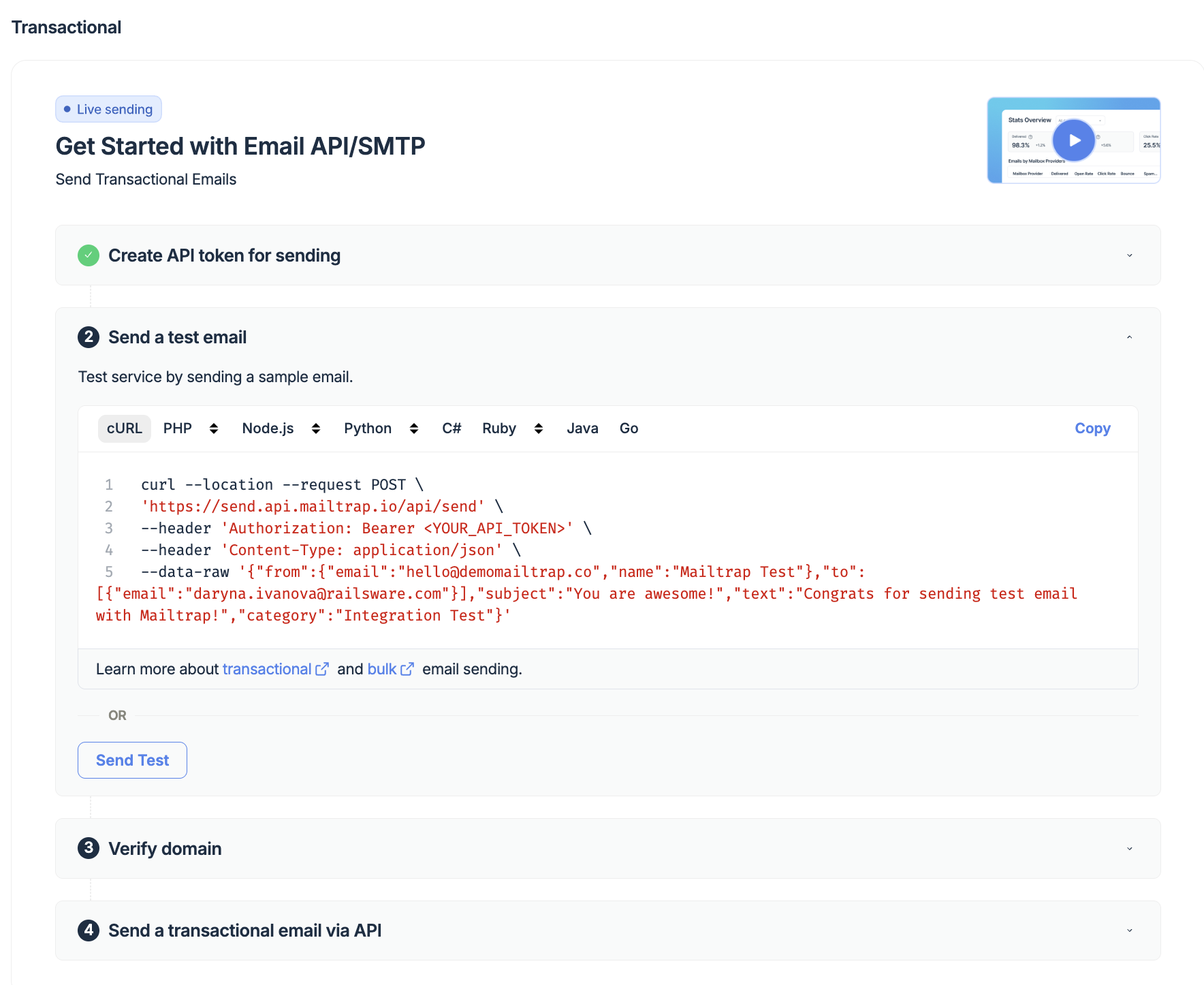
Getting Mailtrap running takes about 5 minutes if your DNS access is handy. Here is the sequence:
- Create a free account at Mailtrap.io and verify your email address.
- Add your sending domain in the onboarding wizard to generate your unique DNS records.
- Update your DNS settings by adding the SPF, DKIM, and DMARC records at your provider (e.g., Cloudflare or Route 53).
- Copy your credentials (either the API Token or SMTP settings) directly from your dashboard.
- Integrate and send by dropping one of the 25+ pre-built code snippets into your app to fire a test email.
The wizard verifies each DNS record automatically and flags anything missing or misconfigured, so you are not guessing whether you pasted the DKIM value correctly.
Mailtrap’s Main Features in 2026
Mailtrap covers the full stack of email infrastructure for a modern product team.
1. Email API
The Mailtrap Email API handles both transactional and bulk sending. You can send emails with attachments, custom headers, and dynamic content through Handlebars-based templates. The API also covers contact management, webhook configuration for delivery events, and email template management.
API documentation is well organized. Endpoint references, authentication guides, and rate limit details are all in one place, which is more than I can say for some of the older competitors in this space.
2. SMTP service
If you want a drop-in replacement for an existing SMTP setup, Mailtrap’s SMTP service is the fastest route. You get over 25 pre-made code snippets across popular languages and frameworks. There are no hard rate limits baked in. Instead, Mailtrap offers customizable throttling so you can match sending speed to whatever warm-up schedule your use case needs.
3. Deliverability analytics
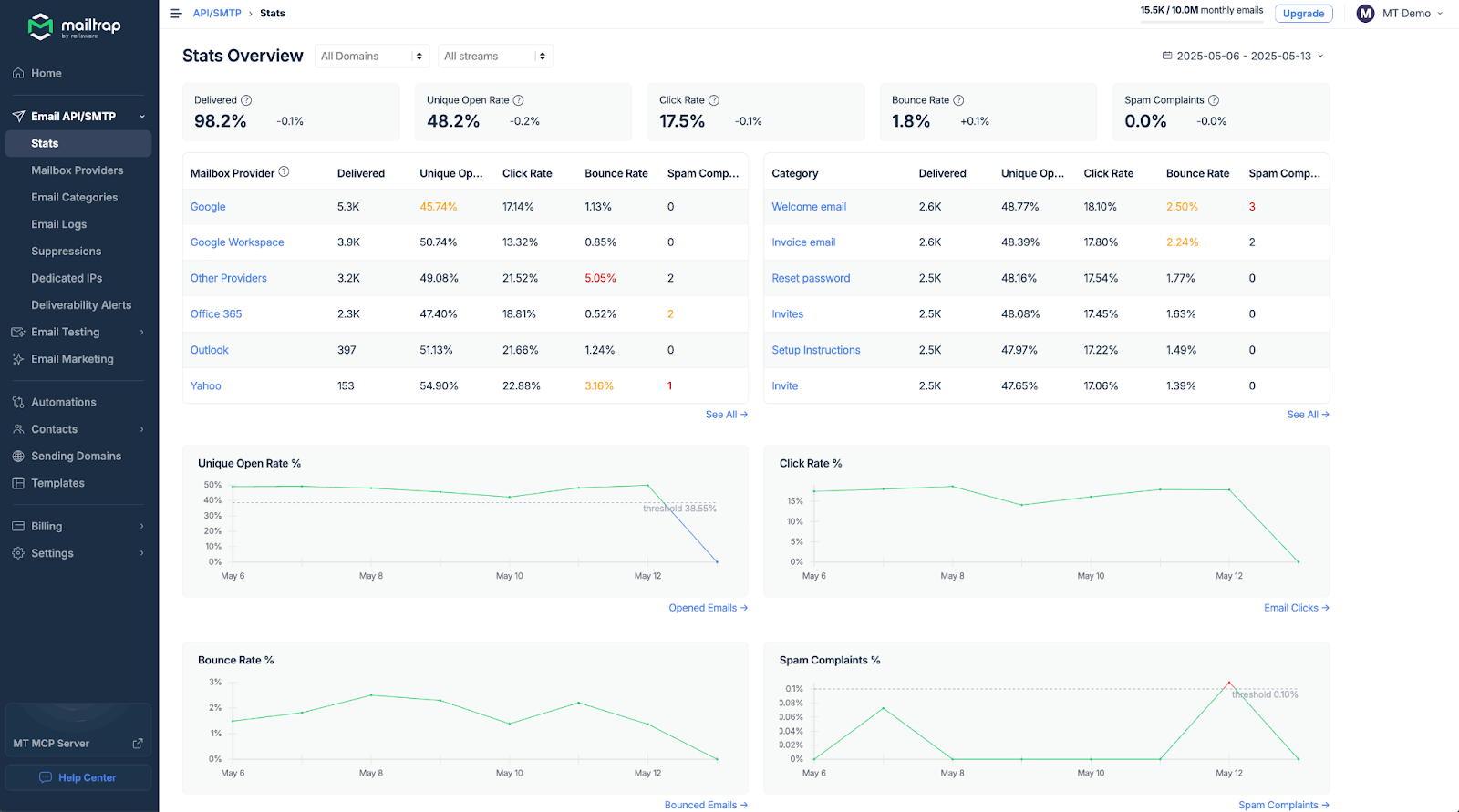
This is where Mailtrap earns its paycheck. Every email is tracked from request to inbox. You get delivery status, bounce reports, open rates, click tracking, and spam scores. The dashboard shows a high-level overview first, then lets you drill down by mailbox provider: Google, Google Workspace, iCloud, and Microsoft.
If your password resets suddenly stop landing in Gmail, you will see it on the dashboard before your support queue starts filling up with angry tickets. That early-warning signal is a real difference-maker when you are running growth experiments or scaling volume.
The per-email log view is the other piece I keep coming back to. Click into any individual send, and you get the full message headers, the SMTP transaction, any bounces or deferrals, and the engagement events tied to that recipient. When a customer writes in saying, “I never got the email,” you can usually tell them exactly what happened within about 30 seconds. That one workflow alone pays for the lower plans.
4. Email marketing suite
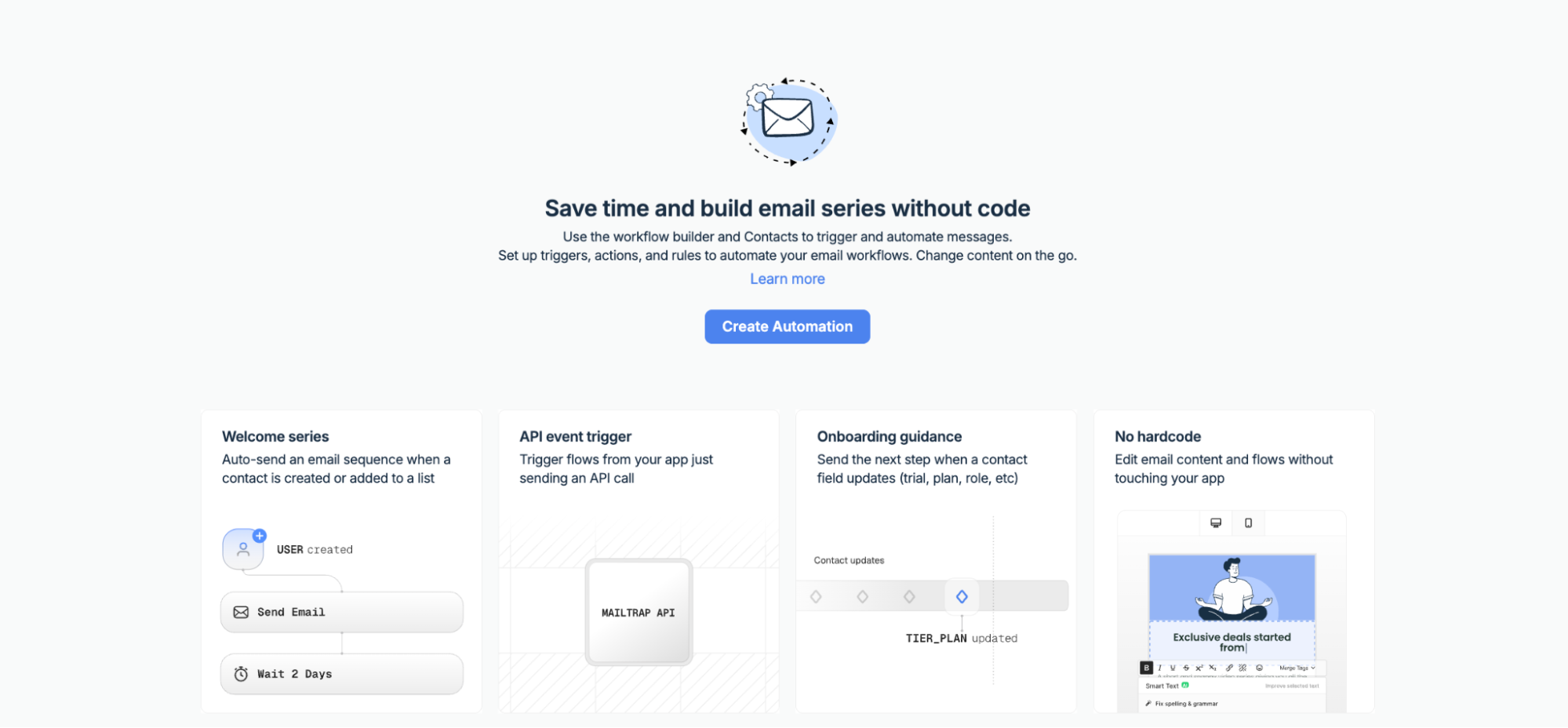
The marketing side of Mailtrap includes contact segmentation, a drag-and-drop builder, and campaign scheduling. The builder has an AI helper that can generate text and images for you — a nod to the broader shift toward AI in email marketing that most platforms are racing to catch up with. For most product teams, that is fine. For anyone running full lifecycle email marketing as a standalone discipline, it will feel thin.
5. Integrations and webhooks
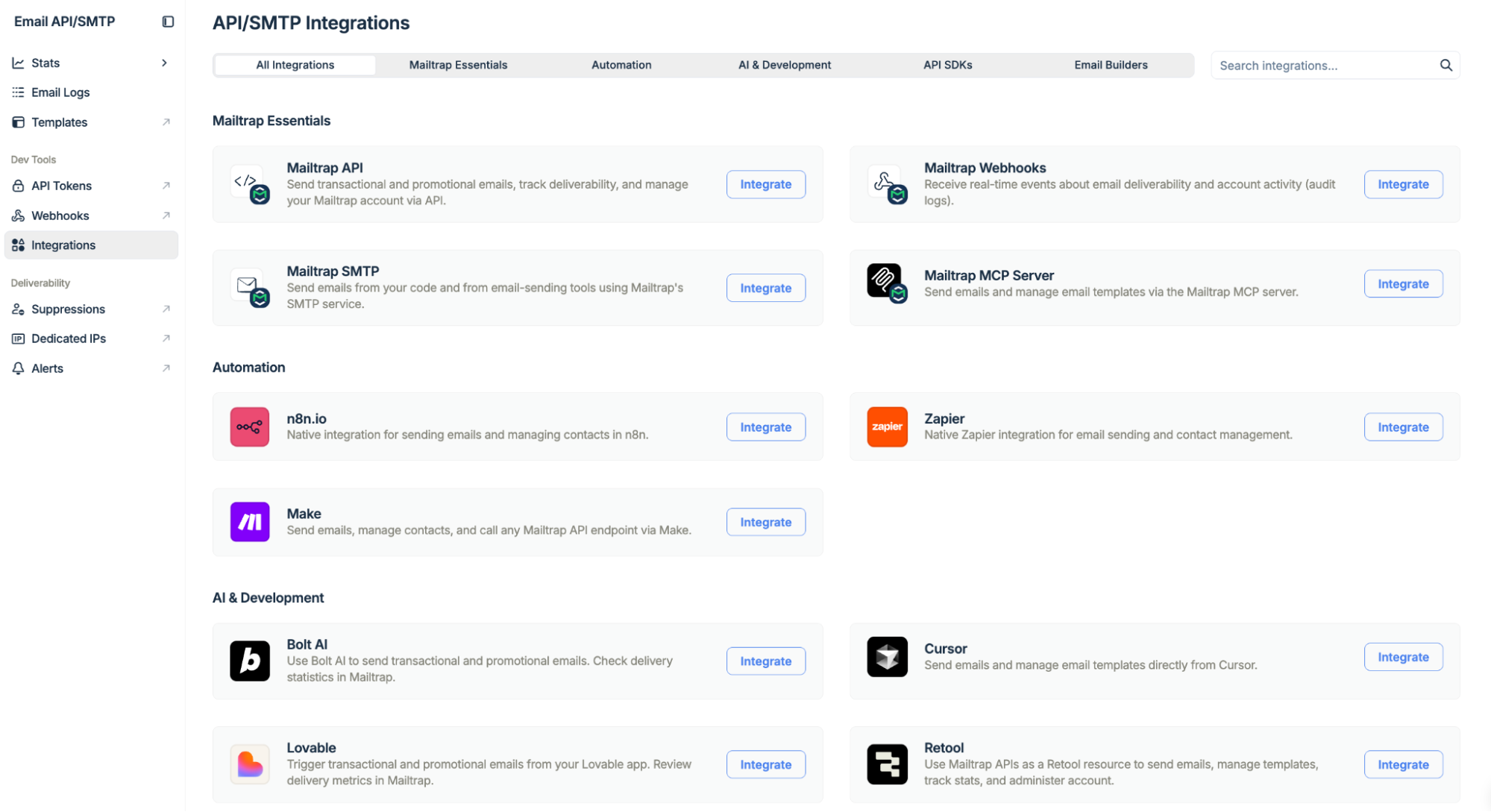
Mailtrap plays nicely with modern developer tools: Supabase, Vercel, Claude Code, Cursor, and Antigravity. Webhooks provide real-time delivery event notifications, so your app can react to bounces, opens, and complaints programmatically.
Outside the developer stack, native integrations with CRMs and marketing tools are thinner. Most connections to Salesforce, HubSpot, or Pipedrive go through Zapier or Make as middleware. For a lot of teams, that is workable. For others, it is a dealbreaker, so worth checking your stack before committing.
How Much Does Mailtrap Cost in 2026?
Mailtrap pricing is volume-based. The bill scales with how many emails you send each month and which features you need. Here is how the plans stack up:
| Plan | Monthly price | Emails/month | Contacts | Highlights |
|---|---|---|---|---|
| Free | $0 | 4,000 | 100 | 3-day log retention, 1 user seat |
| Basic | from $15 | 10,000 | 5,000 | More seats, click tracking, IP whitelisting |
| Business | from $85 | 100,000 | 100,000 | Dedicated IPs, auto warm-up, SSO, 24/7 priority live chat |
| Enterprise | from $750 | up to 1,500,000 | Custom | Dedicated deliverability manager, extended activity logs, custom onboarding |
For a side project or small team, the free plan is enough to ship. Dedicated IPs and auto warm-up only kick in at the Business level, which matters if your deliverability strategy depends on owning your own IP reputation rather than sharing the pool.
What Mailtrap Does Well
- High deliverability by design. The separated sending streams are not marketing copy. Your transactional email is genuinely insulated from the reputation of your marketing sends.
- Modern stack and AI-ready. Native integrations with Vercel, Supabase, and MCP support for AI coding tools like Claude Code and Cursor.
- Expert support on higher plans. Access to deliverability engineers, migration assistance, and onboarding help, not just a chat widget that hands you back docs links.
- Compliance certifications. ISO/IEC 27001:2022, SOC 2 Type II, GDPR, and EU-US Data Privacy Framework coverage. If you are going through a banking partner audit or enterprise security review, this matters a lot.
Where Mailtrap Falls Short
- Thin marketing-side integrations. Outside the developer stack, native connections to CRMs and marketing automation tools are limited. Expect to use Zapier or Make as glue.
- Dedicated IPs are a paid upgrade. Free and Basic plans share IP pools. If your deliverability strategy depends on owning your IP reputation, you are paying for Business or Enterprise.
- No native A/B testing. If you want to test subject lines or content variants side by side, you will have to build that yourself or bring in another tool.
How Does Mailtrap Stack Up Against the Competition?
Mailtrap is not the only platform in this space. The names you are likely to weigh it against:
- SendGrid (by Twilio). The big incumbent has a massive feature set. Reviews on support and deliverability can be hit or miss, especially at smaller volumes.
- Strong transactional-only reputation and fast delivery. Pricing climbs quickly at higher volumes, though.
- Developer-friendly API with solid built-in email validation.
- Amazon SES. The cheapest option per email by a long way, but you are on your own for deliverability support, analytics, and UI.
Think of Mailtrap as the modern alternative to the old guard. It clears the setup friction of SES and offers a more thoughtful approach to compliance and analytics than most of the older names on this list.
Final Words
Mailtrap is a strong choice for teams that need reliable email delivery without babysitting it. The separated sending streams protect deliverability in a way you can actually measure. The compliance certifications cover what enterprise procurement cares about, and the developer experience is clean without feeling stripped down.
If your main job is getting transactional emails into inboxes and your team writes code, this Mailtrap review should give you enough confidence to try the free plan and see how it feels inside your own stack. If your priority is self-serve marketing automation, you will probably need something else alongside it.
Frequently Asked Questions
Does Mailtrap include dedicated IPs?
Does Mailtrap support email marketing?
How does Mailtrap fit into a broader marketing stack?
Is Mailtrap worth it in 2026?