If managing social media feels harder than it should, you’re definitely not imagining it. With 5.66 billion people actively using social media worldwide, the pressure to plan, publish, and stay consistent has never been higher. One missed post or an inconsistent workflow can easily slow things down.
That’s usually when people start looking closely at their tools. Maybe you’ve explored Planable pricing and wondered if it still makes sense as your content volume grows.
Or maybe your team is expanding, platforms are piling up, and you’re thinking, Is this really the best setup for where I’m headed in 2026?
Short Summary
- Planable is a social media scheduling platform designed for content marketing and team collaboration.
- Planable’s plans include Free, Basic, Pro, and Enterprise options.
- Alternatives to Planable might be considered for reasons such as feature limitations, user interface preferences, integration needs, customer support, scalability, or trial experiences.
- There are several Planable alternatives, such as Social Champ, Buffer, Hootsuite, and others.
- Choosing the right alternative depends on the unique benefits and features each tool offers that may better fit specific needs.
That curiosity is exactly why so many marketers are searching for Planable alternatives.
Not because something is “wrong,” but because needs change. Better collaboration, flexible pricing, deeper analytics, or faster scheduling can make a real difference.
If you’ve ever felt that itch to explore smarter options before you outgrow your current tool, this list is for you.

If You’re Planning More Content, Plan Smarter!
Posting more without a better system usually leads to burnout. Social Champ helps you stay consistent without working overtime.
Planable: A Quick Overview
Planable is a social media scheduling platform designed to help users create and schedule posts across multiple social media platforms. It offers a variety of features that make it a standout tool for content marketing and team collaboration.
Here are some of the key features that make Planable great:
-
Centralized Collaboration
Planable is designed to ease frustration and enhance collaboration for teams. It brings all team members, clients, and social content into one virtual boardroom. This centralization makes it easy for everyone involved to see, comment on, and approve content in real-time.
-
Visual Content Calendar
The visual calendar is intuitive and easy to use, allowing you to plan, schedule, and manage content across multiple platforms. You can see the entire content strategy at a glance, making it easier to spot gaps and ensure consistency.
-
Content Preview
You can preview exactly how your posts will look once they go live, ensuring that everything is perfect before publishing. This feature helps avoid mistakes and ensures that your content looks professional.
-
Multi-Platform Support
Planable supports various social media sites, including Facebook, X, Instagram, LinkedIn, Pinterest, TikTok, YouTube, Threads, and Google Business Profile. This makes it a versatile tool for managing social media campaigns across different channels.
-
Approval Workflows
Planable offers customizable approval workflows so you can set up a process that fits your team’s needs. Whether you need a simple one-step approval or a more complex multi-step process, the tool has you covered.
-
Analytics and Reporting
It provides insights and reports on your content performance, which helps you track engagement and measure the success of your campaigns. This data is invaluable for making informed decisions and optimizing your strategy.
-
Integration With Other Tools
The platform easily integrates with popular tools like Slack, Canva, Google Drive, and Dropbox. This capability allows you to streamline your workflow and easily access your content assets.
These features combine to make Planable pricing and their plans a great option for any team looking to improve their content marketing efforts and streamline their collaboration processes.
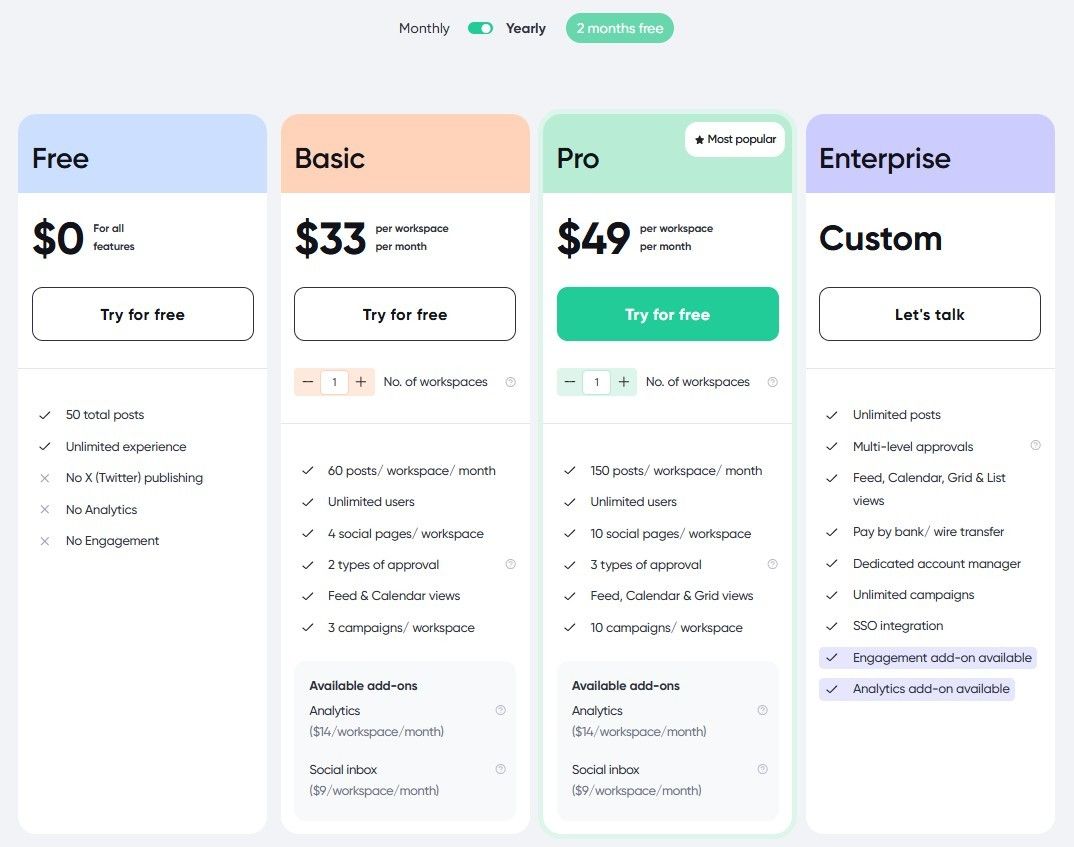
Note that Planable offers four plans, including the Free plan, Basic, Pro, and Enterprise.
Why Consider a Planable Alternative?
If you’ve been using Planable for a while, things probably felt smooth at the start. Clean interface, easy approvals, everything neatly laid out.
But as your content volume grows or your team expands, you might start noticing a few friction points that weren’t obvious early on. That’s usually when people begin asking, “Is this still the best fit for what I’m doing now?”
Post Limits Can Start Feeling Restrictive
Planable uses workspace-based post limits, which can quietly become a problem as you post more often. If you’re managing multiple brands or publishing daily, those caps can feel limiting. Once you hit them, the only real option is upgrading, even if everything else in your workflow is working just fine. For teams trying to scale content without constantly checking post counts, this can slow things down more than expected.
There’s No RSS Automation
If your strategy includes blog updates, news content, or recurring curated posts, the lack of RSS support can add extra manual work. Every update needs to be scheduled individually, which doesn’t sound like much until you’re doing it week after week. Over time, that extra effort can pile up, especially for content-heavy teams trying to stay consistent across platforms.
Social Listening and Competitor Tracking Aren’t Included
Planable is built around planning and approvals, but it doesn’t offer social listening or competitor analysis features. That means no built-in way to track brand mentions, follow keywords, or keep an eye on what competitors are doing.
If understanding audience conversations or spotting trends matters to your strategy, this usually leads to relying on additional tools outside your main scheduler.
Platform Support Has Its Limits
As brands branch out to more channels, platform coverage becomes harder to ignore. While Planable supports the major social networks, its platform range is more limited than what some teams need today. When your audience isn’t confined to just a few platforms, managing content across multiple tools can quickly feel inefficient.
Analytics and Engagement Cost Extra
Another thing that often surprises users is that analytics and engagement aren’t fully included in Planable’s lower-tier plans. For Basic and Pro users, Analytics ($14/month) and Social Inbox ($9/month) are paid add-ons.
That means the total cost can increase quickly if performance tracking and engagement are part of your day-to-day workflow, which is something many teams only realize after they’re already deep into using the tool.
Top 10+ Planable Alternatives for 2026
Whether you’re looking for advanced scheduling features, robust analytics, or seamless team collaboration, there are numerous alternatives to Planable that offer unique benefits.
Here’s a curated list of the top 10+ Planable alternatives for 2026:
-
Social Champ
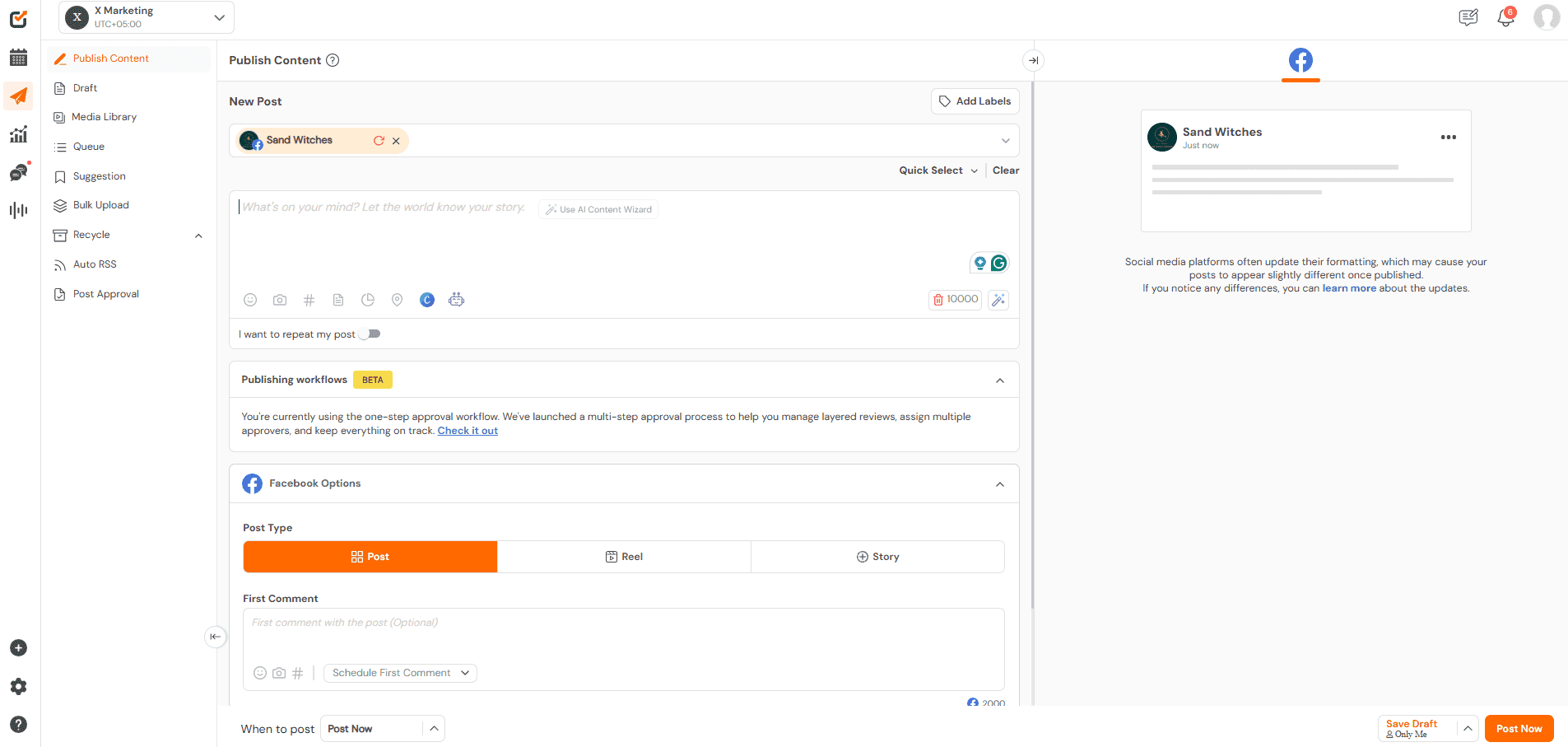
Social Champ’s Dashboard Best For: Agencies, SMBs, marketers, and influencers looking for a unified social media workflow.
Social Champ is a social media management tool that caters to the unique needs of SMBs, agencies, entrepreneurs, marketers, and influencers. It offers comprehensive features and an intuitive interface that helps users streamline their social media management processes. It further helps brands maintain a consistent online presence and efficiently achieve their social media goals.
Key Features
- Social inbox to manage messages, comments, and mentions from all networks
- Social listening to track mentions, keywords, and trends
- Multi-platform support, including Mastodon, WhatsApp Business, and Bluesky
- Analytics and reporting
- Bulk scheduling and automation
Social Champ vs. Planable: Platform Support
Both Social Champ and Planable support major social media platforms like Facebook, X, Instagram, LinkedIn, Pinterest, TikTok, YouTube, Instagram, and Google Business Profile. However, Social Champ also supports WhatsApp Business, Mastodon, and Bluesky, offering a slight edge in platform variety.
Social Champ vs. Planable: Social Listening
Social Listening is another standout feature of Social Champ that Planable lacks. It allows users to monitor brand mentions, keywords, and industry trends across social media platforms.
This feature provides valuable insights into audience sentiment, competitor activities, and trending topics, enabling users to adapt their strategies proactively.
With Social Listening, you can stay ahead of the curve by understanding and responding to the conversations that matter most to your brand.
Pros: Comprehensive feature set, intuitive interface, supports emerging platforms, strong automation, and reporting
Cons: The mobile app is less feature-rich than the desktop version
Social Champ Pricing
- The Free plan is ideal for individuals and small teams that are just starting out.
- The Starter plan is priced at $4/channel/month, which is ideal for solo entrepreneurs and small businesses.
- The Growth plan is priced at $8/channel/month, which suits growing businesses with advanced analytics and priority support.
- The Enterprise plan offers custom pricing for large enterprises, providing tailored features and premium support.
G2 Rating: 4.4
Capterra Rating: 4.4Leverage the Ultimate Social Media Management Solution!
Use Social Champ to streamline scheduling, engage your audience, and elevate your brand presence.
-
Buffer
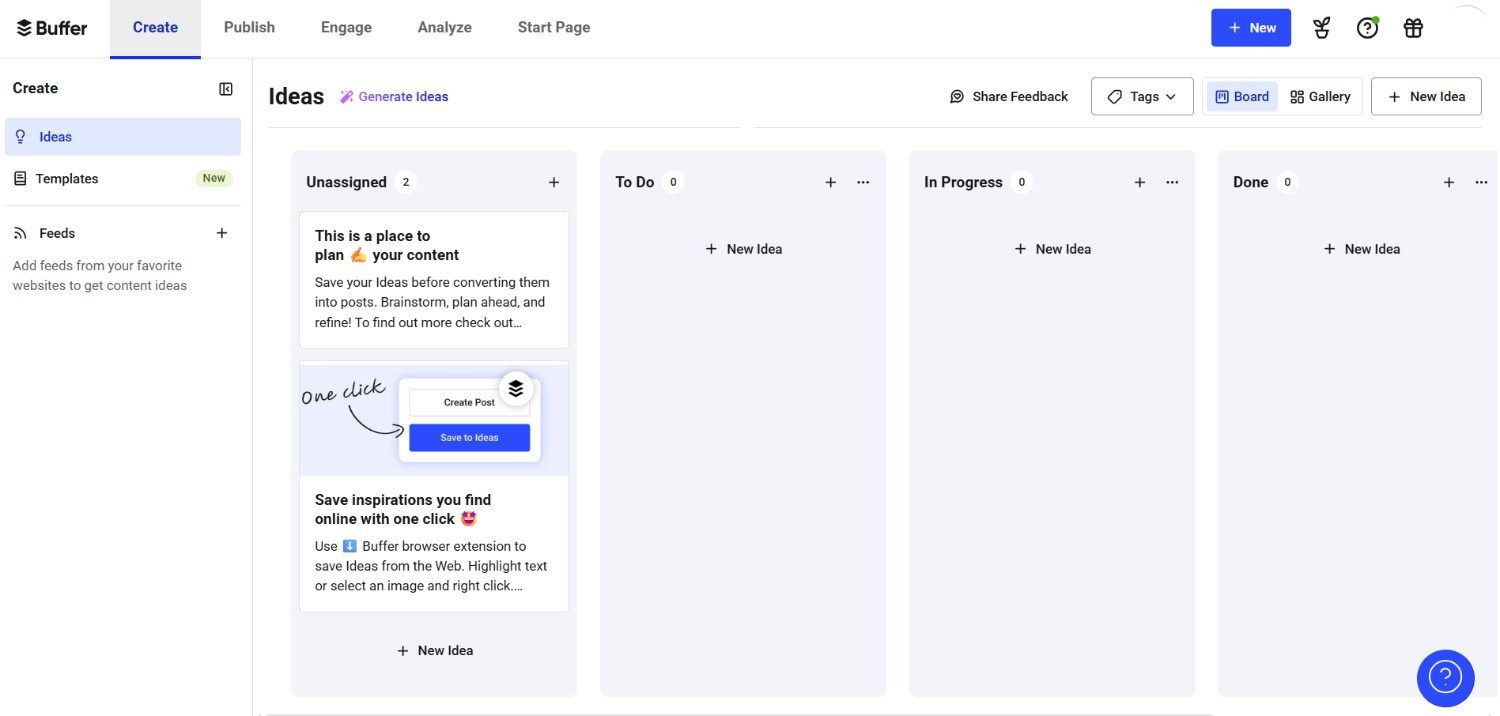
Buffer’s Dashboard Best For: Small businesses and teams seeking a straightforward, affordable social scheduling solution.
Buffer is one of the most popular Planable alternatives for small businesses due to its affordable pricing plans. The platform is also known for its user-friendly interface and comprehensive scheduling capabilities. It offers several features that make it a compelling Planable alternative.
Let’s explore them below.
Key Features
- Multi-platform scheduling including Facebook, X, Instagram, LinkedIn, Pinterest, TikTok, and YouTube
- RSS feed integration for automated content curation
- Simple, intuitive interface for post management
Buffer vs. Planable: Platform Support
Planable’s platform support primarily caters to mainstream social media channels. Buffer, on the other hand, supports a wide range of social media channels.
In addition to major platforms like Facebook, Twitter, Pinterest, TikTok, YouTube, Instagram, and LinkedIn, Buffer also supports niche platforms such as Mastodon and Threads. It further extends its capabilities with integrations for e-commerce platforms like Shopify.
Buffer vs. Planable: Social Media Scheduling
Planable focuses on collaborative content planning and approval workflows alongside social media scheduling. It comes with collaboration features for team-based content planning and approval. However, Buffer offers a more streamlined social media scheduling and management approach.
It excels in social media scheduling by offering a straightforward and intuitive platform where users can easily plan and schedule posts across multiple social media channels.
Buffer vs. Planable: RSS Feed Integration
As of now, Planable does not support RSS feed integration for importing or adding posts from RSS feeds. Conversely, Buffer (like Social Champ) offers robust RSS feed integration, allowing users to curate content directly from RSS feeds into their social media scheduling.
This feature allows Buffer users to automate content updates and maintain an active social media presence with curated content from external sources.
Pros: Affordable, easy to use, robust RSS integration
Cons: Limited advanced analytics, fewer collaboration features
Pricing
- The Free plan is ideal for individuals and small teams.
- The Essentials plan is priced at $5/channel/month.
- The Team plan is priced at $10/channel/month.
Although Buffer’s pricing may seem low, if you compare Buffer vs. Social Champ, or with other Buffer alternatives, you’ll see that you get more for your money with Social Champ.
G2 Rating: 4.3
Capterra Rating: 4.5Featured Article: 15 Best Social Media Scheduling Tools for Your Business
-
Hootsuite
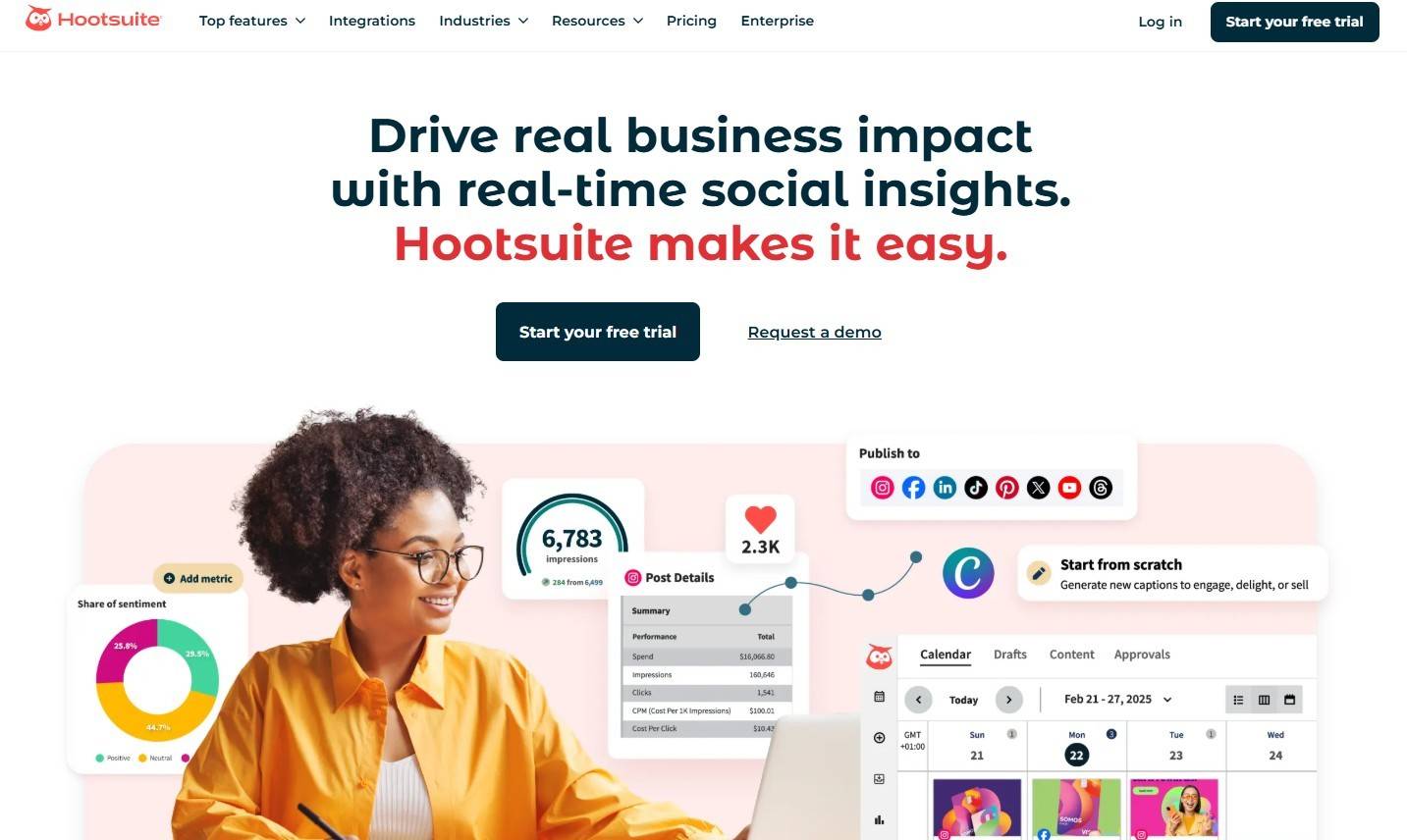
Hootsuite’s Landing Page Best For: Businesses needing comprehensive social media monitoring and multi-platform management.
Hootsuite is a comprehensive social media management tool that’s considered one of the best alternatives to Planable. It enables businesses to schedule posts, engage with audiences, and measure performance across various social networks. It’s ideal for managing multiple social media accounts and monitoring social media conversations.
Key Features
- Extensive social media monitoring and listening capabilities
- Advanced analytics and reporting across multiple platforms
- Integrations with CRM systems, analytics tools, and content platforms
Hootsuite vs Planable: Social Media Listening
Planable does not currently offer social media listening capabilities as part of its feature set.
On the other hand, Hootsuite provides extensive social media listening capabilities, making it a great tool for managing large-scale social media campaigns.
Hootsuite vs Planable: Analytics
Planable provides essential analytics, such as post engagement and reach. However, its reporting features are more tailored towards evaluating the impact of scheduled content and team collaboration efforts rather than providing deep insights across multiple social media channels.
Hootsuite excels in offering detailed and customizable analytics that cover a wide range of metrics across multiple social media platforms. This makes it ideal for businesses seeking comprehensive performance insights.
Hootsuite vs Planable: App Integrations
Planable’s integration capabilities are more centered on enhancing internal collaboration rather than integrating with a wide range of external business applications.
On the other hand, Hootsuite integrates seamlessly with many apps and platforms, including Social CRM systems, analytics tools, and content management platforms.
These app integrations enhance Hootsuite’s functionality beyond social media scheduling and management.
Pros: Powerful monitoring, extensive integrations, suitable for large campaigns
Cons: Higher pricing, steeper learning curve
Pricing
- The Standard plan is priced at $199/user/month.
- The Advanced plan is priced at $399/user/month.
- The Enterprise plan with custom pricing.
-
Sprout Social
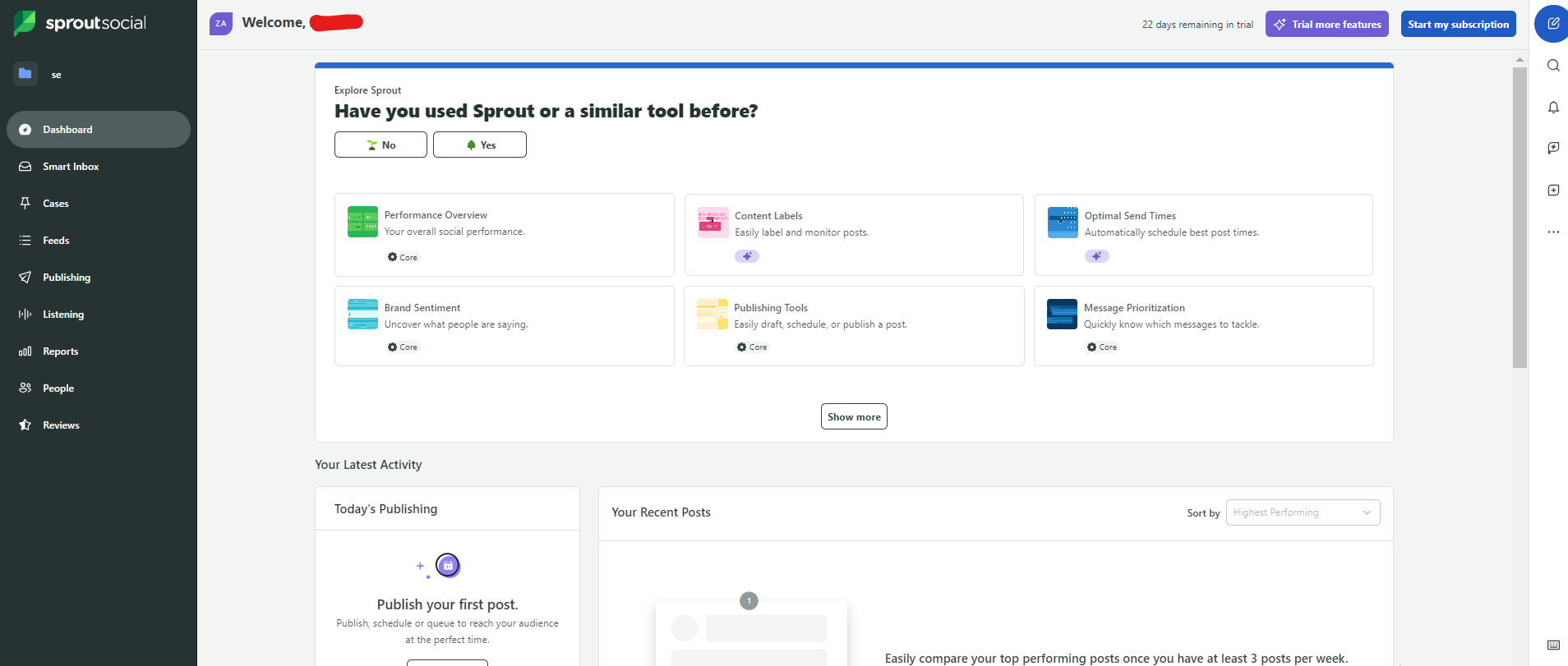
Sprout Social’s Dashboard Best For: Businesses looking for detailed analytics, engagement management, and team collaboration.
Sprout Social is a comprehensive social media management platform designed to help businesses streamline their social media efforts. It’s ideal for businesses looking to enhance their social media strategy with powerful tools for engagement, analytics, and team collaboration.
Key Features
- Unified Smart Inbox to manage messages, comments, and mentions
- Social CRM tools for managing and nurturing customer relationships
- Detailed analytics and reporting across multiple platforms
Sprout Social vs. Planable: Unified Smart Inbox
Sprout Social’s Unified Smart Inbox is a powerful feature that consolidates messages, comments, and mentions from all social media profiles into a single, organized stream. This makes it easy for users to manage interactions and respond promptly.
The platform’s centralized approach enhances team collaboration and ensures no engagement opportunities are missed. In contrast, Planable does offer a unified inbox feature, but only as a paid add-on.
Sprout Social vs. Planable: Social CRM Tools
Sprout Social’s Social CRM tools offer robust capabilities for managing and nurturing customer relationships. These tools assist by tracking interactions, recording customer data, and providing insights into social engagement history.
These tools enable businesses to build detailed profiles of their social contacts, facilitating personalized and effective communication strategies. On the other hand, Planable lacks the comprehensive customer relationship management features that Sprout Social provides.
Pros: Excellent engagement tools, detailed analytics, strong team collaboration
Cons: Higher pricing, some features may be overkill for smaller teams
Pricing
- The Standard plan is priced at $199/seat/month.
- The Professional plan is priced at $299/seat/month.
- The Advanced plan is priced at $399/seat/month.
- The Enterprise plan comes with custom pricing and tailored solutions.
-
CoSchedule
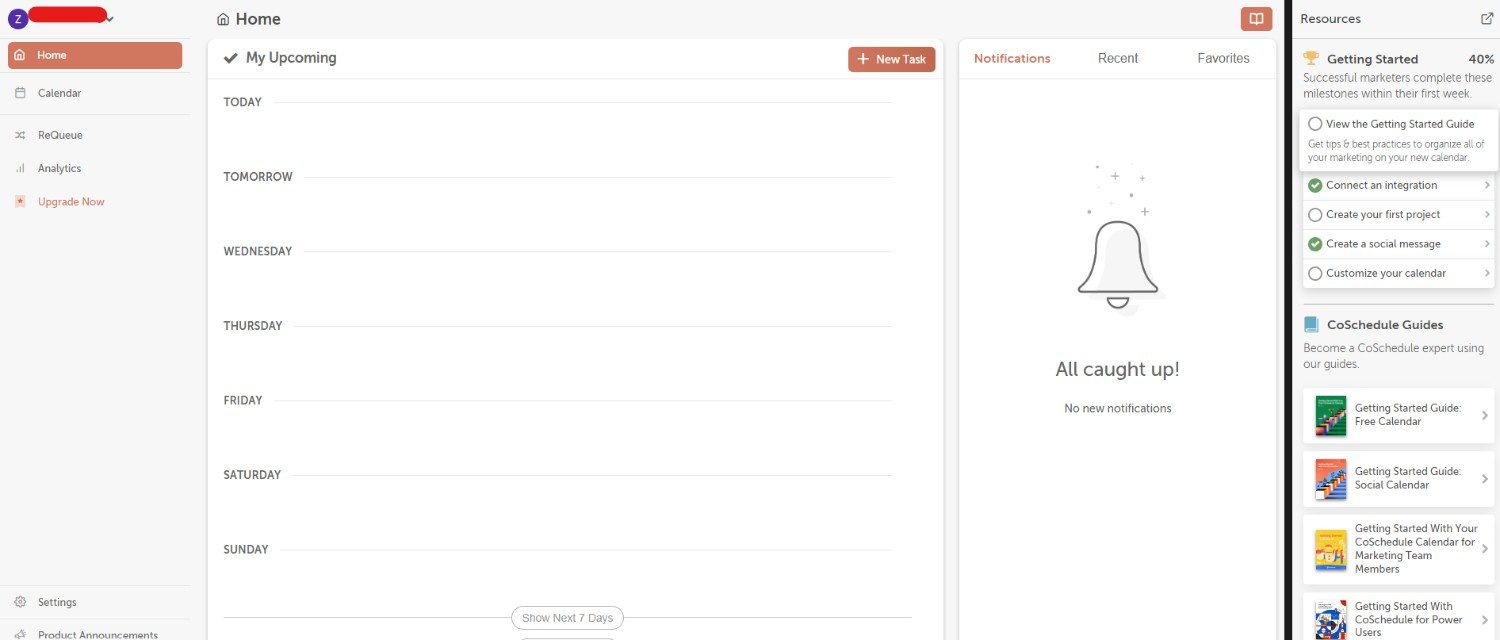
CoSchedule’s Dashboard Best For: Marketing teams looking for a unified calendar to manage social media and broader marketing campaigns.
CoSchedule is a versatile marketing management platform that organizes and streams marketing activities. It serves as a compelling alternative to Planable.
With its robust suite of tools, CoSchedule helps marketing teams enhance productivity, improve collaboration, and ensure all marketing efforts are aligned with business objectives.
Key Features
- Comprehensive Marketing Calendar to centralize posts, tasks, and campaigns
- Task management and content organizer for efficient workflow
- Integrations with WordPress, Google Docs, and Evernote
CoSchedule vs. Planable: Marketing Calendar
One of CoSchedule’s standout features is its comprehensive Marketing Calendar. This feature centralizes all marketing tasks, social media posts, blog content, and campaign schedules into a single, easy-to-navigate interface.
It allows teams to plan, execute, and track their marketing efforts cohesively, ensuring that all activities are aligned with overall business objectives.
CoSchedule vs. Planable: Task Management
Like Planable, CoSchedule offers great task management capabilities. Teams can assign tasks, set deadlines, and track progress, promoting efficient collaboration and accountability within the team.
The platform’s Content Organizer further enhances productivity by allowing users to plan, create, and publish content seamlessly. It also integrates with popular tools like WordPress, Google Docs, and Evernote.
CoSchedule vs. Planable: Marketing Management
CoSchedule provides a more holistic approach to marketing management. It integrates social media scheduling with broader marketing tasks, enabling users to manage all their marketing activities from a single platform. This makes CoSchedule an ideal choice for businesses looking to streamline their entire marketing workflow, from content creation to publication and beyond.
Pros: Strong content planning tools, centralized marketing management, and easy integration
Cons: Learning curve for new users, some features require higher-tier plans
Pricing
- Free Calendar
- Social Calendar is available at $19/user/month
- Agency Calendar is available for $59/user/month
- Content Calendar offers custom pricing
- The Marketing Suite also comes with custom pricing.
-
Sendible
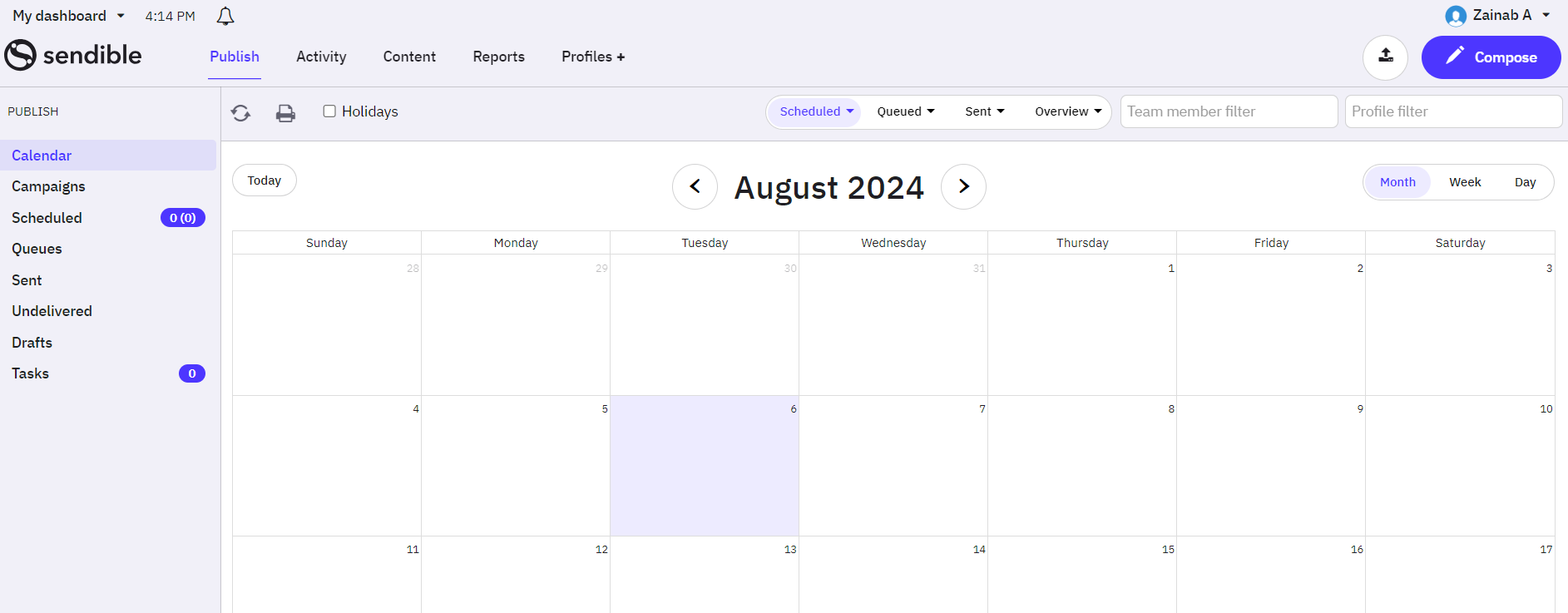
Sendible’s Dashboard Best For: Agencies and small teams managing multiple clients.
Sendible is one of the best Planable alternatives (free). It is designed to help businesses, agencies, and individuals streamline their social media activities. It offers a suite of tools for scheduling posts, monitoring social media channels, and engaging with audiences across multiple platforms.
Key Features
- Multi-client dashboards and team collaboration tools
- Content calendar and approval workflows
- RSS feed automation and social inbox support
- Reporting and analytics basics
Sendible vs. Planable: CRM Functionality
Sendible offers robust CRM functionality integrated within its social media management platform. It allows businesses to effectively track and manage relationships with social media contacts.
It enables users to categorize contacts, monitor interactions, and maintain detailed profiles to personalize engagement and improve customer relationships over time. In contrast, Planable focuses primarily on collaborative content planning and approval workflows, with no built-in CRM tools.
Sendible vs. Planable: White-Label Solution
While Planable excels in collaborative content planning and approval workflows, it does not currently offer a white-label solution. Businesses and agencies requiring a fully branded experience may prefer Sendible for its customizable white-label capabilities.
Sendible offers a robust white-label solution that allows agencies and businesses to customize the platform with their branding, providing a seamless experience for clients.
Sendible vs. Planable: Content Suggestions
Sendible provides content suggestions to help users discover relevant and engaging content to share with their audience. These suggestions are based on trending topics, industry trends, and user interests, allowing businesses to maintain a consistent posting schedule with valuable content.
Although Planable offers content suggestions, businesses seeking content discovery and curation assistance may find Sendible’s content suggestion feature more useful.
This feature can enhance their social media strategy and engagement.
Pros: Easy scheduling for multiple profiles, strong multi-brand support
Cons: Reporting isn’t advanced, and occasional integration glitches are noted
Pricing
- The Creator plan starts at $29/month.
- The Traction plan is priced at $89/month.
- The Scale plan costs $199/month.
- The Advanced plan is priced at $299/month.
- The Enterprise plan is priced at $750/month.
-
Loomly
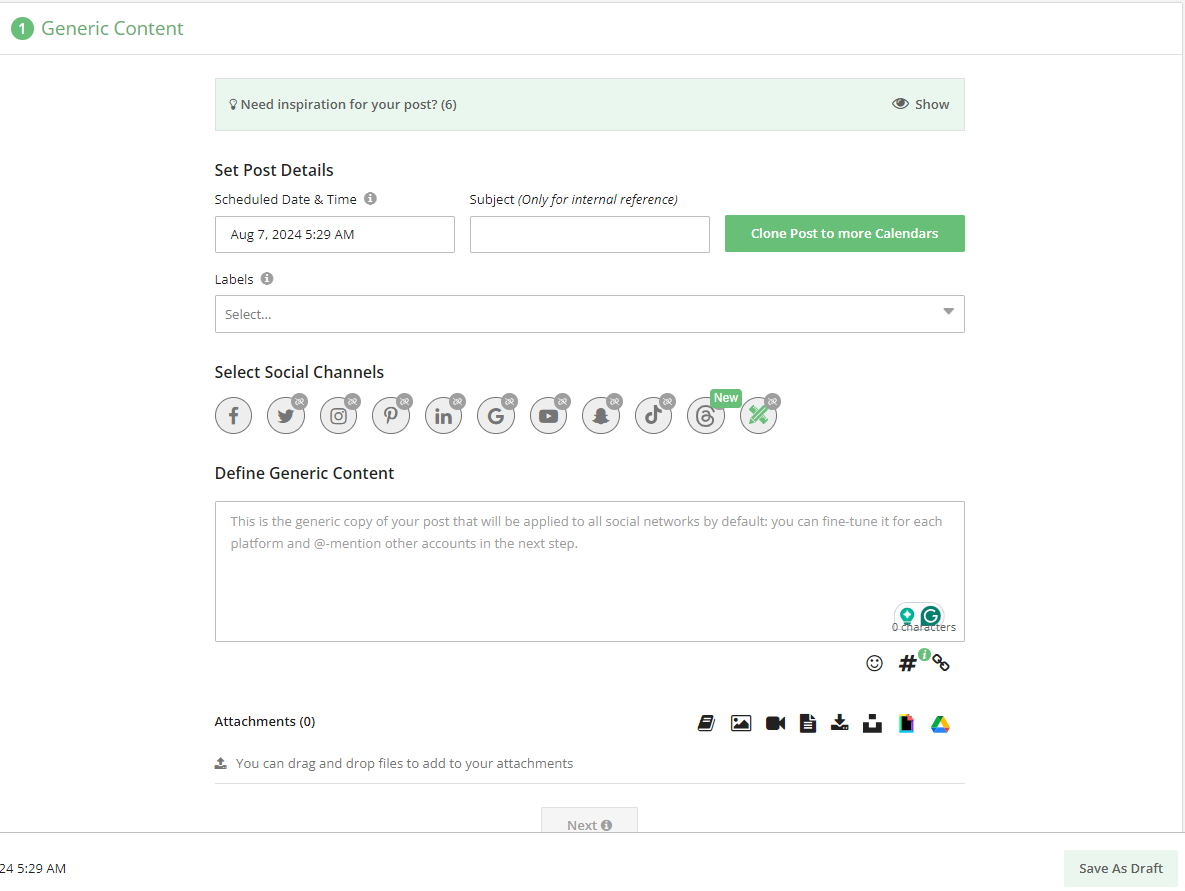
Loomly’s Dashboard Best For: Content teams that want structured content planning with idea suggestions.
Loomly is a social media management platform designed to simplify businesses and agencies’ content creation and scheduling process. It offers tools for planning, creating, scheduling, and analyzing content across various social media platforms.
Loomly’s features include content idea generation based on trending topics. The tool also offers post previews to visualize content before publishing, and collaborative workflows to streamline team coordination in content creation and approval.
Key Features
- Content calendar with post previews
- RSS feed support and content ideas based on trends
- Approval workflows for teams
Loomly vs. Planable: Analytics
Planable’s analytics focus primarily on post-level metrics and team collaboration efficiency within its platform, lacking the depth of analytics provided by Loomly.
Businesses seeking more detailed performance insights and audience analysis may find Loomly’s analytics capabilities more comprehensive.
Loomly vs. Planable: Post Previews
Planable offers post previews but focuses primarily on facilitating team collaboration and content approval workflows within its platform.
Loomly’s emphasis on visual representation and content presentation before publication may appeal more to users looking for detailed post-preview capabilities.
Loomly vs. Planable: Content Ideas
Loomly excels in generating content ideas based on trending topics, holidays, and social media best practices. This feature helps users stay relevant and engaging by providing suggestions for content themes and topics that resonate with their audience.
While Planable facilitates team coordination and scheduling of social media posts effectively, it does not offer specific tools for generating content ideas based on external trends or insights.
Pros: Clear post previews, trend-based content suggestions
Cons: Does not offer deep listening or engagement features
Pricing
- The Free Plan starts at $0/month
- The Starter Plan starts at $49/month
- The Beyond Plan starts at $249/month
- The Enterprise Plan offers custom pricing
-
Zoho Social
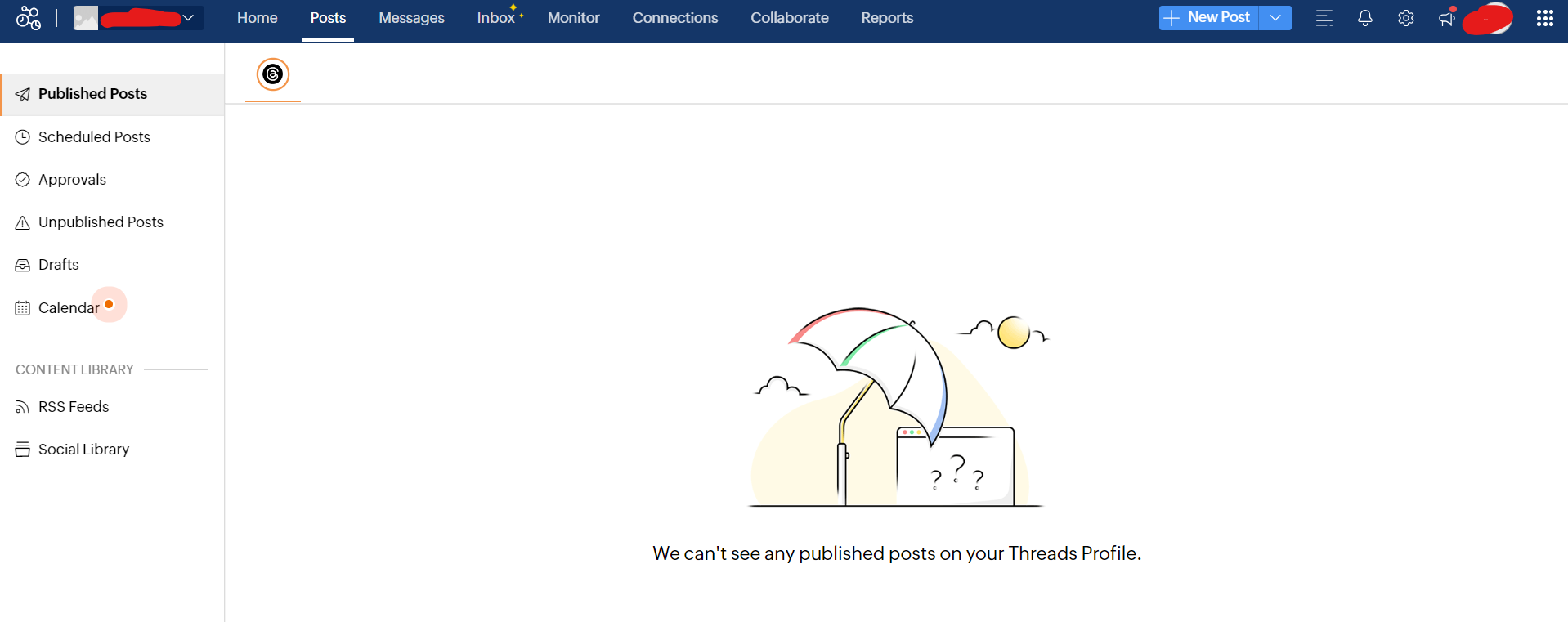
Zoho Social’s Dashboard Zoho Social is a social media management platform designed to help businesses and agencies manage their social media presence effectively.
It offers tools for scheduling posts, monitoring mentions, and analyzing performance across various social media platforms.
Zoho Social vs. Planable: Real-Time Monitoring
Zoho Social provides robust real-time monitoring capabilities that allow users to track brand mentions, keywords, and hashtags across multiple social media platforms.
This feature lets businesses stay updated on conversations relevant to their brand and promptly engage with their audience.
On the other hand, Planable lacks the real-time monitoring features Zoho Social offers.
Zoho Social vs. Planable: Advanced Scheduling
Zoho Social offers advanced scheduling features that allow users to plan and automate social media posts across various platforms.
Users can schedule posts based on optimal times for audience engagement, set recurring schedules, and preview posts before they go live.
Additionally, Zoho Social allows customization of posts for each social network, ensuring content is tailored appropriately.
Unfortunately, Planable cannot match the same level of advanced scheduling features that Zoho Social offers.
Zoho Social vs. Planable: CRM Integration
Zoho Social integrates seamlessly with Zoho CRM, offering a unified platform for managing social media activities and customer relationships.
This integration allows businesses to synchronize their social media interactions with customer data.
It enables personalized engagement and effective customer relationship management.
In contrast, Planable does not emphasize CRM integration as a core feature.
Pricing
- The Standard plan is priced at $10/month.
- The Professional plan is priced at $30/month.
- The Premium Tier is priced at $40/ month.
-
Social Pilot
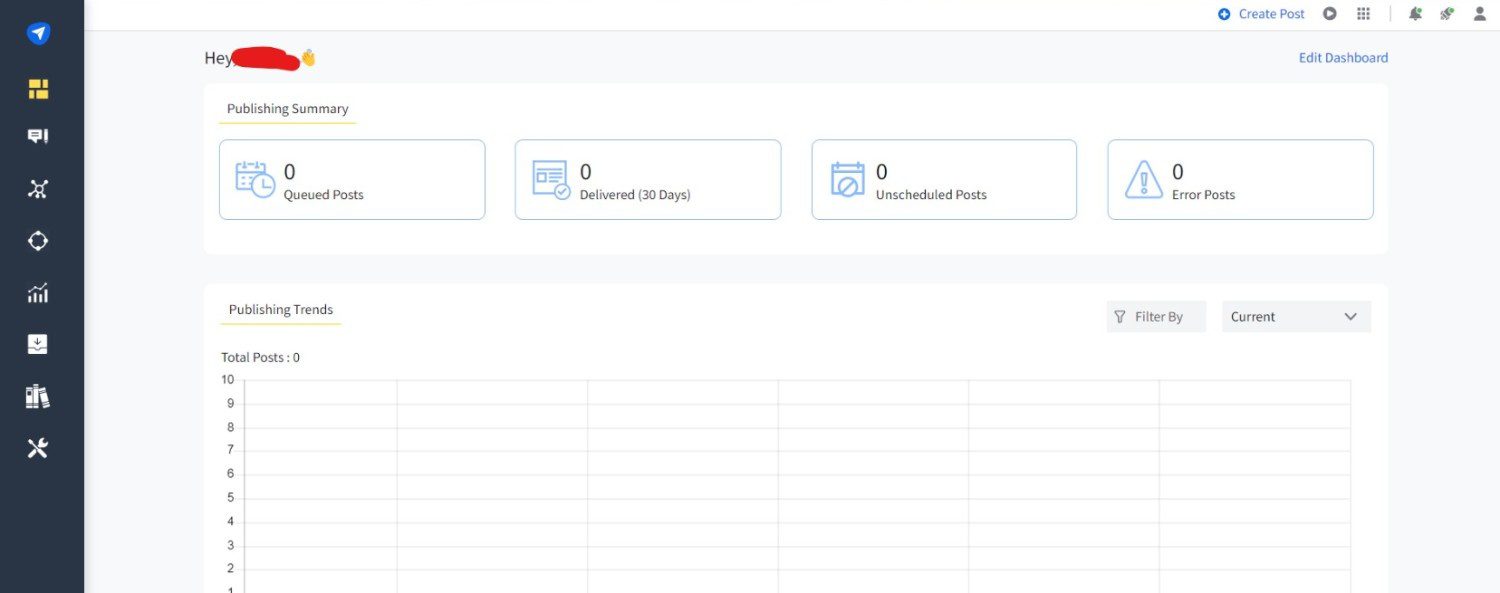
SocialPilot’s Dashboard Best For: SMBs and agencies needing core scheduling, content curation, and analytics.
SocialPilot is more than just a scheduling tool.
It’s a comprehensive platform that helps users curate content, analyze performance, and engage with their audience across multiple social media channels.
With intuitive features designed to enhance efficiency, SocialPilot empowers businesses to easily navigate the complexities of social media marketing.
Key Features
- RSS feed content discovery
- Bulk scheduling and analytics reporting
- Client and team collaboration tools
SocialPilot vs. Planable: Content Curation and RSS Feeds Integration
SocialPilot enhances content discovery through its content curation tools and integration with RSS feeds. Users can effortlessly discover and share relevant content, keeping their audience engaged with timely and valuable posts.
This feature, which is unavailable in Planable, supports a consistent posting schedule while saving time on content research and creation.
SocialPilot vs. Planable: Social Media Analytics
SocialPilot stands out with its robust analytics capabilities that go beyond basic metrics. It offers in-depth insights into post performance, audience engagement, and growth trends across various social media platforms. These analytics help businesses refine their strategies, optimize content, and drive better results.
Pros: Strong content curation and scheduling capabilities
Cons: Analytics aren’t as deep as higher-tier tools
Pricing
- The Essentials plan is priced at $25.50/month
- The Standard plan is priced at $42.50/ month
- The Premium plan is priced at $85/month
- The Ultimate plan is priced at $170/month.
-
SocialBee
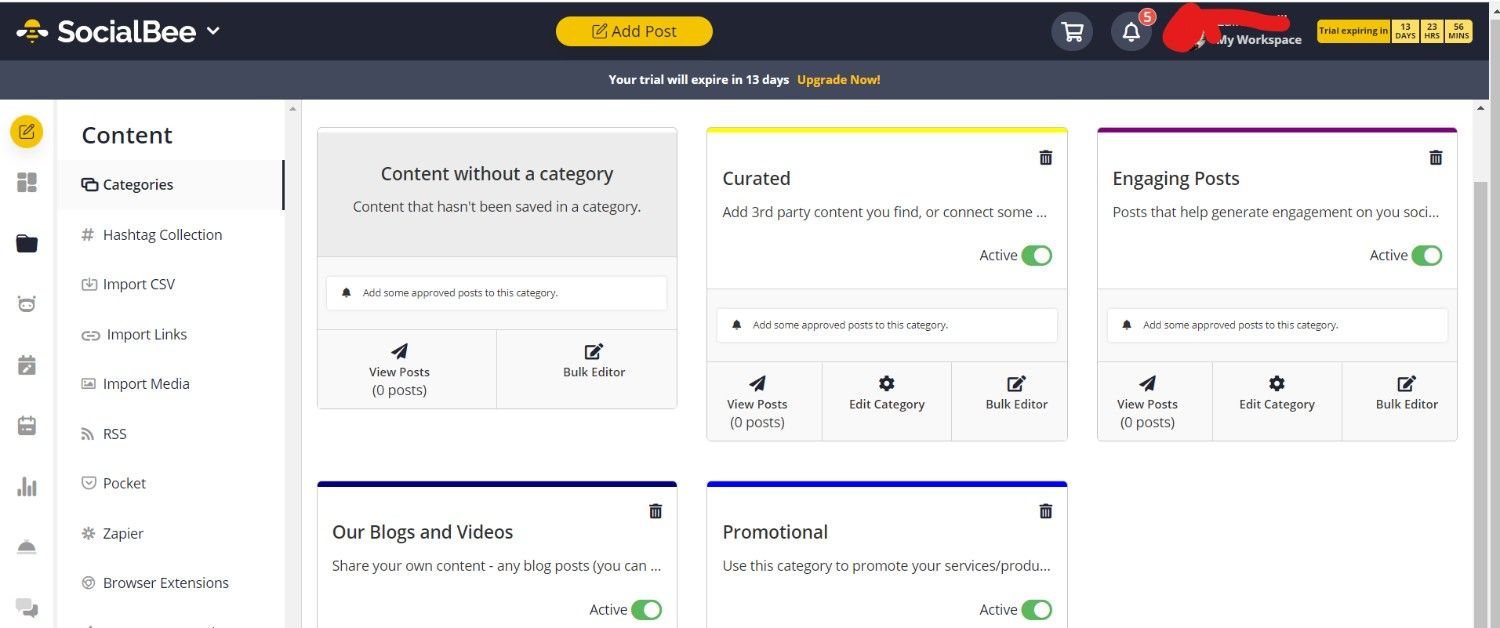
SocialBee’s Dashboard Best For: Businesses and creators looking for content category automation and evergreen posting.
SocialBee is a social media management tool that stands out for its innovative features. It helps businesses maintain a consistent and impactful social media presence.
Its focus on content organization, automation, and user-friendly design makes it a great Planable alternative for those looking to enhance their social media presence.
Key Features
- Content category tagging and recycling
- Queue-based posting and RSS feeds
- Bulk uploader and visual editor
SocialBee vs. Planable: Evergreen Recycling
SocialBee allows users to organize their content into categories and set up posting schedules based on these categories. This enables consistent posting across different themes or topics.
Moreover, it offers the unique ability to recycle evergreen content automatically. This ensures that important posts continue to reach audiences over time without manual intervention.
SocialBee vs. Planable: Advanced Automation and Queues
SocialBee excels in automation with its queue system, which intelligently schedules posts at optimal times based on audience engagement patterns.
Users can create customized posting schedules for each social media platform, ensuring that content is published when it will receive the most visibility and interaction.
SocialBee vs. Planable: Content Composer and Visual Editor
SocialBee simplifies content creation with its intuitive Content Composer and Visual Editor. These tools enable users to easily create visually appealing posts, including images, videos, and links.
The Content Composer supports bulk uploading and editing, streamlining the process of preparing and scheduling multiple posts at once.
Pros: Excellent for evergreen content and organized posting
Cons: Does not offer comprehensive social listening features
Pricing
- The Bootstrap plan is priced at $24/month.
- The Accelerate plan is priced at $40/month.
- The Pro plan is at $82/per month.
-
Sprinklr
Sprinklr’s Landing Page Best For: Enterprise brands requiring powerful CX, engagement, and reporting across digital channels.
Sprinklr is a leading enterprise software platform designed to manage customer experiences across various digital channels. It enables businesses to unify their social media management, customer care, and marketing efforts into a single, integrated platform.
With its scalable solutions, Sprinklr helps brands deliver consistent and personalized experiences that drive customer satisfaction and loyalty.
Sprinkler vs. Planable: Unified Digital Experience Management
Sprinklr integrates social media management, customer care, and marketing automation into a single platform. It provides comprehensive tools for managing digital interactions across all channels. It enables businesses streamline workflows and deliver seamless customer experiences at scale.
Advanced Social Listening and Analytics
Sprinklr provides robust capabilities for social listening and analytics, enabling businesses to monitor brand mentions and track sentiment across various digital channels. It offers deep insights into audience behavior and engagement, helping organizations make informed decisions.
Enterprise-Grade Scalability and Customization
As an enterprise-level platform, Sprinklr offers scalability and customization options tailored to the needs of large organizations and global brands. It supports complex workflows, team collaboration, and advanced reporting capabilities.
Pros: Extremely comprehensive for enterprise scale
Cons: Pricing and onboarding complexity make it less suitable for smaller teams
Pricing
- Contact for pricing.
Featured Article: Top 12 Social Media Management Tools for Agencies
Features to Look for in Planable Alternatives
When looking for a Planable alternative, it’s important to consider a range of features that will ensure smooth and efficient content management.
Here’s what to look for and why Social Champ stands out:
-
User-Friendly Interface
A user-friendly interface is crucial in a Planable alternative because it enhances efficiency and reduces the team’s learning curve.
It facilitates seamless navigation and task execution, allowing you to focus more on content creation and strategy rather than struggling with complex tools.
Social Champ ticks this box as it has a simple and user-friendly interface that allows you to easily create, schedule, and manage social media posts without a steep learning curve.
-
Multi-Platform Support
Multi-platform support is another crucial feature to consider as it determines your capability to manage and publish content across various social media channels.
It ensures consistency in branding and messaging across different platforms while maximizing reach and engagement with diverse audiences.
Social Champ is a good Planable alternative as it supports multiple platforms, even those that Planable doesn’t support.
-
Advanced Scheduling Options
When choosing a Planable alternative, you should also opt for a tool that offers robust scheduling features that allow you to plan and automate posts well in advance.
Luckily, Social Champ offers a powerful bulk scheduling feature that lets you queue multiple posts for weeks or months ahead.
This ensures a consistent presence on all your social channels.
-
Content Calendar
You also need a visual content calendar to track and manage your social media strategy at a glance.
With Social Champ, you have a comprehensive content calendar that makes it easy to see all your scheduled posts, adjust timings, and ensure your content strategy is on track.
-
Team Collaboration Tools
These are features that facilitate team collaboration, such as multi-user access, role-based permissions, and comment threads for feedback.
If you own an agency where team collaboration is the order of the day, you can’t afford to overlook team collaboration tools.
Keep in mind that Social Champ has team collaboration features like roles, user permissions, and an approval workflow.
-
Analytics and Reporting
You should also choose a tool that offers detailed analytics and reporting to measure the performance of your social media campaigns and optimize your strategy.
Social Champ offers a social media monitoring & analytics feature that provides insights into your social media performance.
This can help you track engagement, growth, and the effectiveness of your campaigns.
Unlock the Power of Data with Social Champ!
Discover insightful analytics and robust reporting tools to elevate your social media strategy today.
Conclusion
Whether you prioritize user-friendly interfaces, advanced scheduling capabilities, comprehensive analytics, or seamless team collaboration, there’s a solution tailored for you. Each of the Planable alternatives we’ve highlighted above brings unique strengths to the table. All in all, Social Champ stands out as a notable alternative, offering robust features that cater to diverse social media management needs. So, choose wisely to elevate your content management efforts and drive success in 2026 and beyond.