
Ever had that moment when you’ve got a killer TikTok ready to drop at 3 AM, but your followers are snoozing?
Instead of waiting for the perfect moment, what if I tell you that you can schedule it in advance?
Consistency is key on TikTok, and it is much like sticking to your skincare routine. Regular posting keeps your followers hyped and coming back for more.
Short Summary
- Scheduling TikTok posts helps maintain consistency, save time, and publish content when your audience is most active.
- TikTok allows post scheduling only on desktop with a Business or Creator account, while mobile scheduling requires third-party tools.
- Planning content in advance, batching videos, and posting at peak times improve reach and engagement.
- TikTok offers strong growth potential for businesses through high engagement, trend-driven content, and organic reach.
- Using scheduling tools and analytics makes it easier to optimize posting times, track performance, and stay consistent.
But let’s face it: Juggling life, work, and creating content can feel like balancing a tower of plates on one finger.
That’s where scheduling comes in!
With scheduling, you can plan and queue up all your videos ahead of time, making sure they drop exactly when your crew is most active.
So, instead of stressing about when to post, you can focus on creating more lit content and enjoy some well-deserved downtime. Sounds fantastic, right?
In this guide, you will learn the easiest ways of how to schedule TikTok posts with a TikTok scheduler so that your TikTok strategy runs smoothly.

Plan, Schedule, and Shine on TikTok!
Maximize your TikTok engagement and stay ahead on the platform with the TikTok scheduler!
How to Schedule TikTok Posts on Desktop With TikTok’s Native Video Scheduler?
Scheduling TikTok posts on desktop is simple, but it requires a Business or Creator account.
With TikTok’s native scheduler, you can plan your content up to 10 days in advance, saving time and ensuring consistency in your TikTok posting schedule.
Here’s how to do it step by step:
Step 1: Log in to TikTok on Desktop
Visit TikTok for Web and log in with your Business or Creator account. Personal accounts do not have access to the scheduler, so make sure your account type is correct.
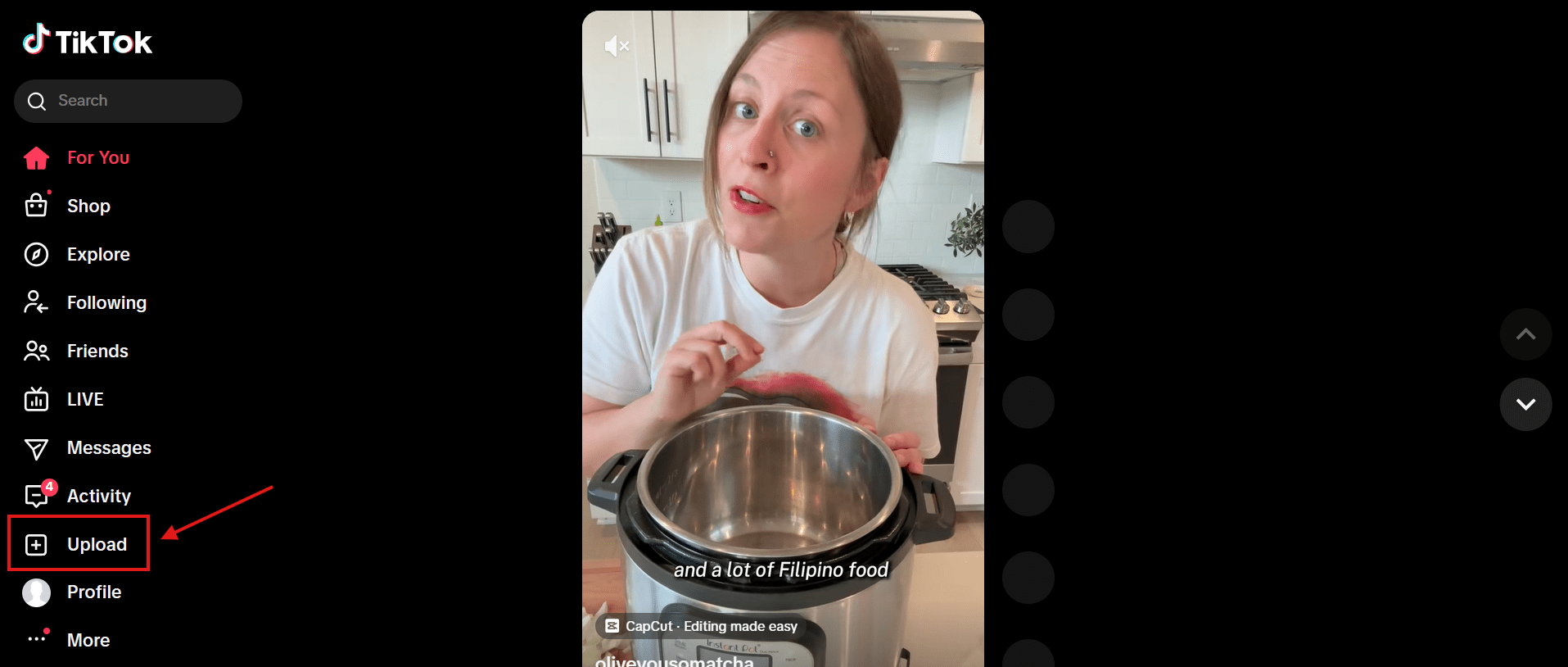
Step 2: Access the Upload Section
Click the “Upload” button in the bottom-left corner of the screen. This will open the upload interface where you can prepare your video for posting.
Step 3: Upload Your Video
Drag and drop your video file or click “Select video.” While uploading, add a caption, relevant hashtags, and a cover image.
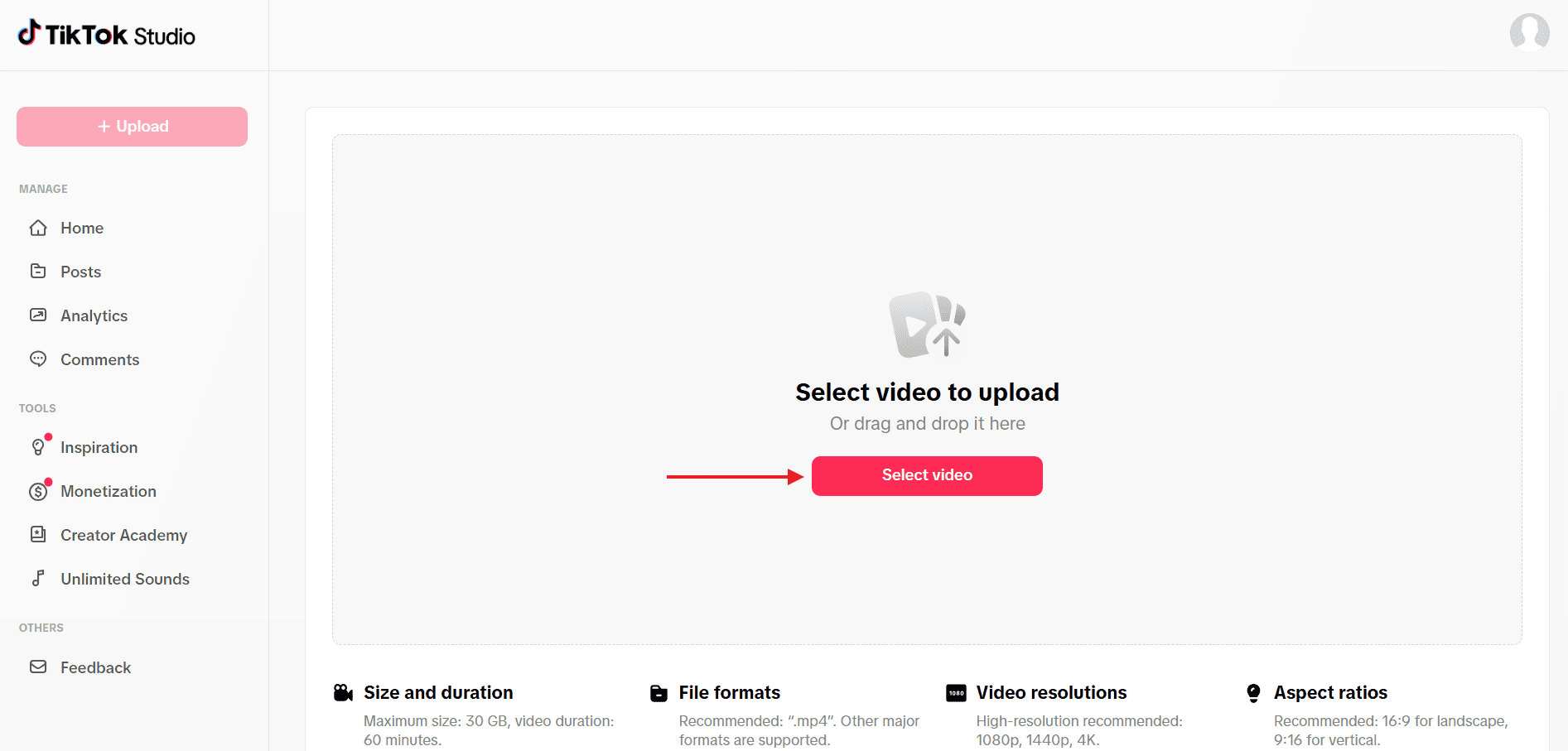
This is also where you can adjust video settings, such as visibility and audience.
Step 4: Set Date and Time
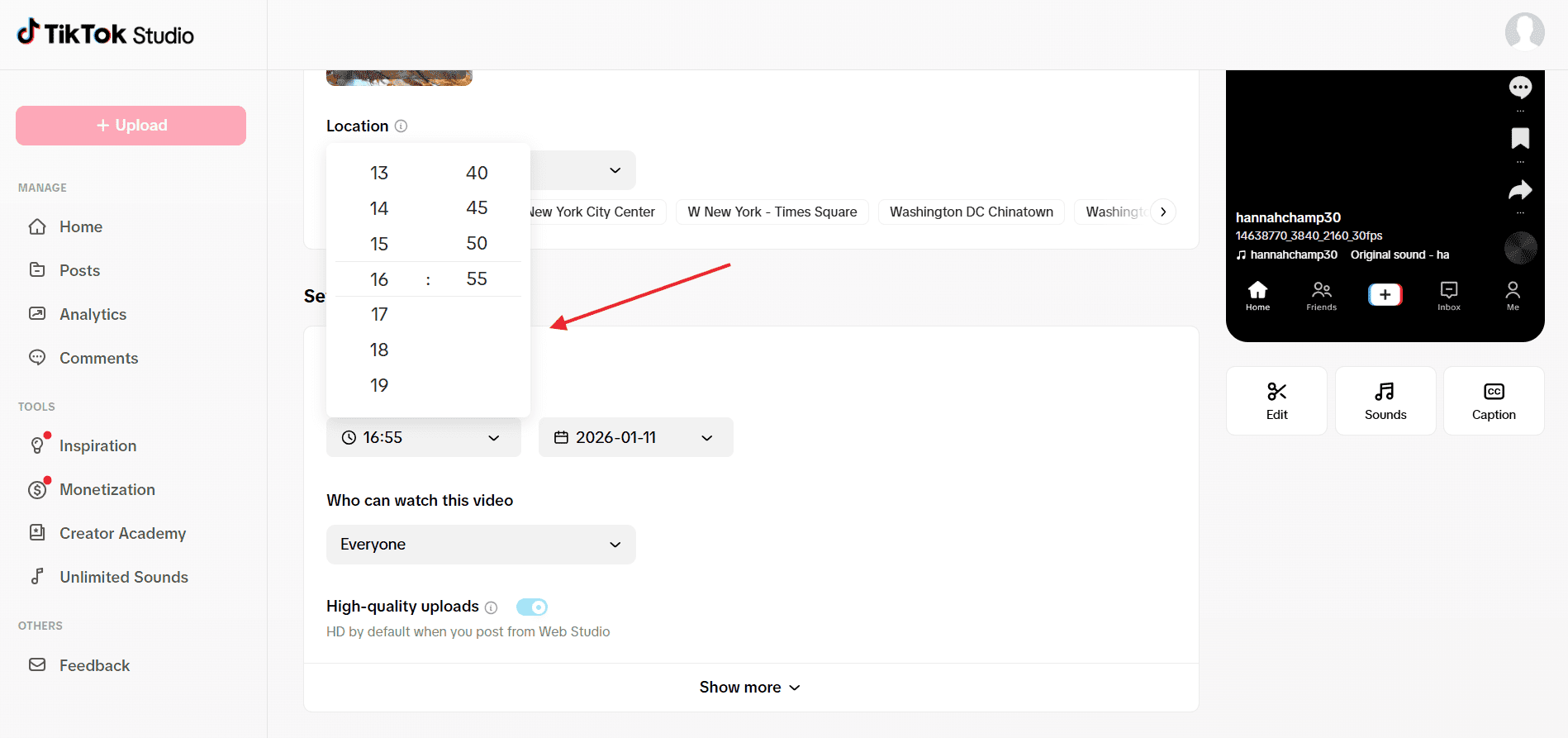
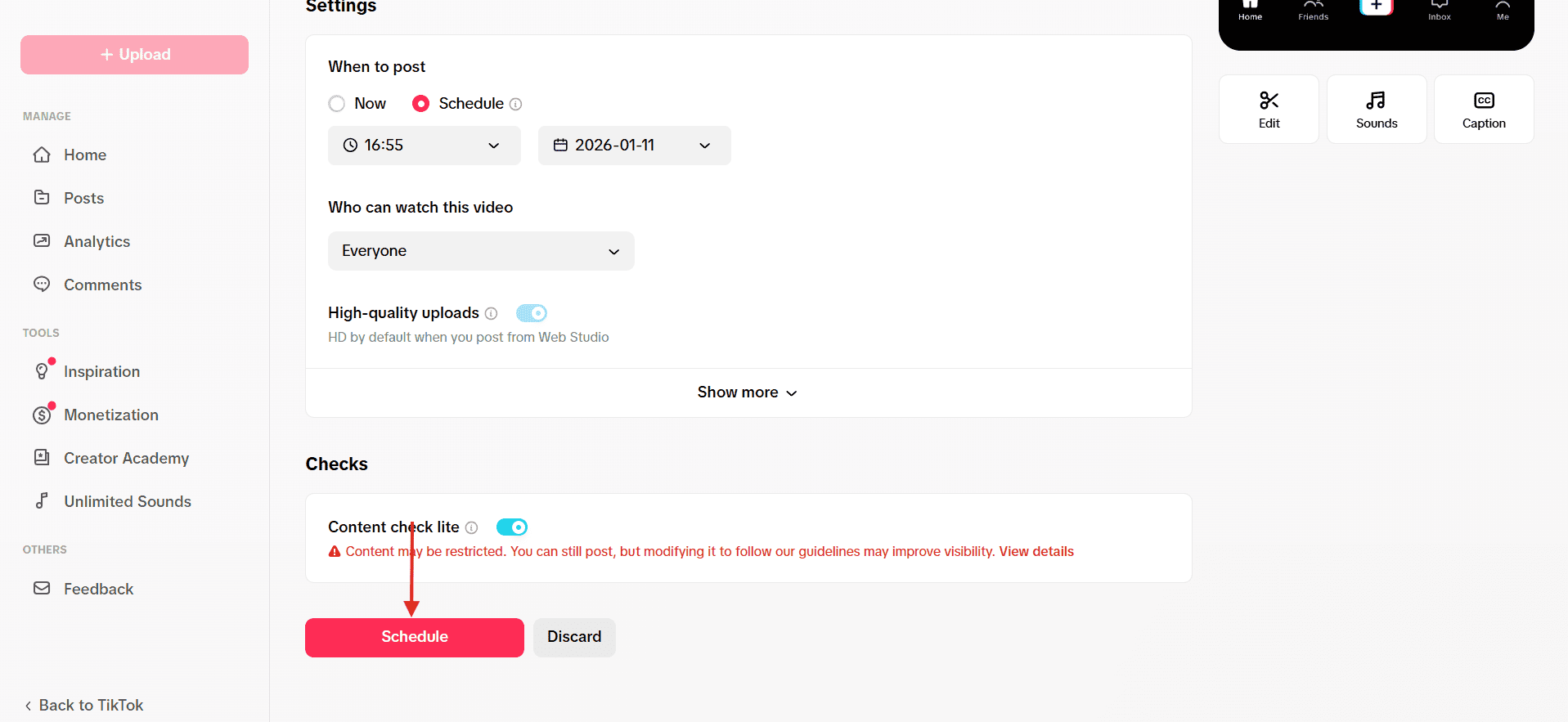
Enable the “Schedule Video” option. Pick your desired date and time for the post up to 10 days in advance.
Double-check the timezone to ensure your video goes live at the right moment. This is an easy way to maintain a consistent TikTok posting schedule without manually posting each day.
Step 5: Finalize the Schedule
Click “Schedule” to confirm. Your video will now be queued to post automatically. Make sure your video meets TikTok’s upload requirements to avoid any errors.
Limitations and Notes
- TikTok’s scheduler is desktop-only; the mobile app doesn’t support it.
- You can only schedule videos up to 10 days in advance.
- No edits are possible after scheduling; to make changes, delete and re-upload the video.
Quick Tip!
If you’re new to the platform or still learning the basics, review how to post on TikTok before you start scheduling content to avoid upload or formatting issues.
Your TikTok, On Your Time!
Never worry about posting at 3 AM again. Social Champ lets you schedule TikTok posts for peak engagement, whether on desktop or mobile.
Schedule TikTok Posts on Mobile Using Social Champ
If you want to schedule TikTok posts directly from your phone, you can use a third-party scheduling tool like Social Champ, which is the most reliable option.
TikTok’s native scheduler doesn’t support mobile scheduling, which is why many creators and brands rely on TikTok tools to stay consistent on the go.
Here is a simple step-by-step guide to help you schedule TikTok posts on mobile without friction.
Featured Article: How to Recover Deleted TikTok Videos
Step 1: Download a TikTok Scheduling App
Start by downloading the Social Champ mobile app from the App Store (for iOS) or Google Play Store (for Android).
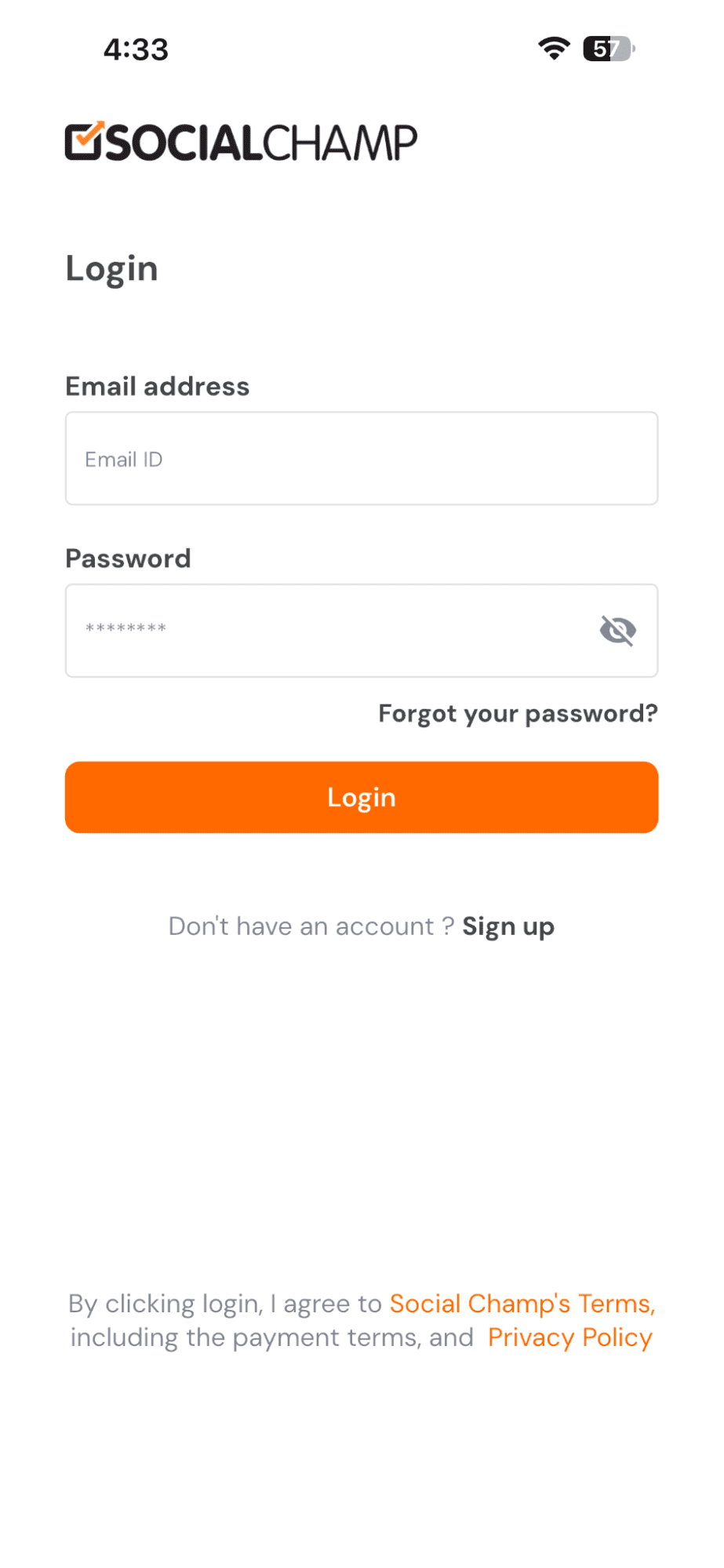
Step 2: Sign Up or Log In
If you’re a new user, sign up for a Social Champ account. If you already have an account, log in with your credentials.
Step 3: Connect Your TikTok Account
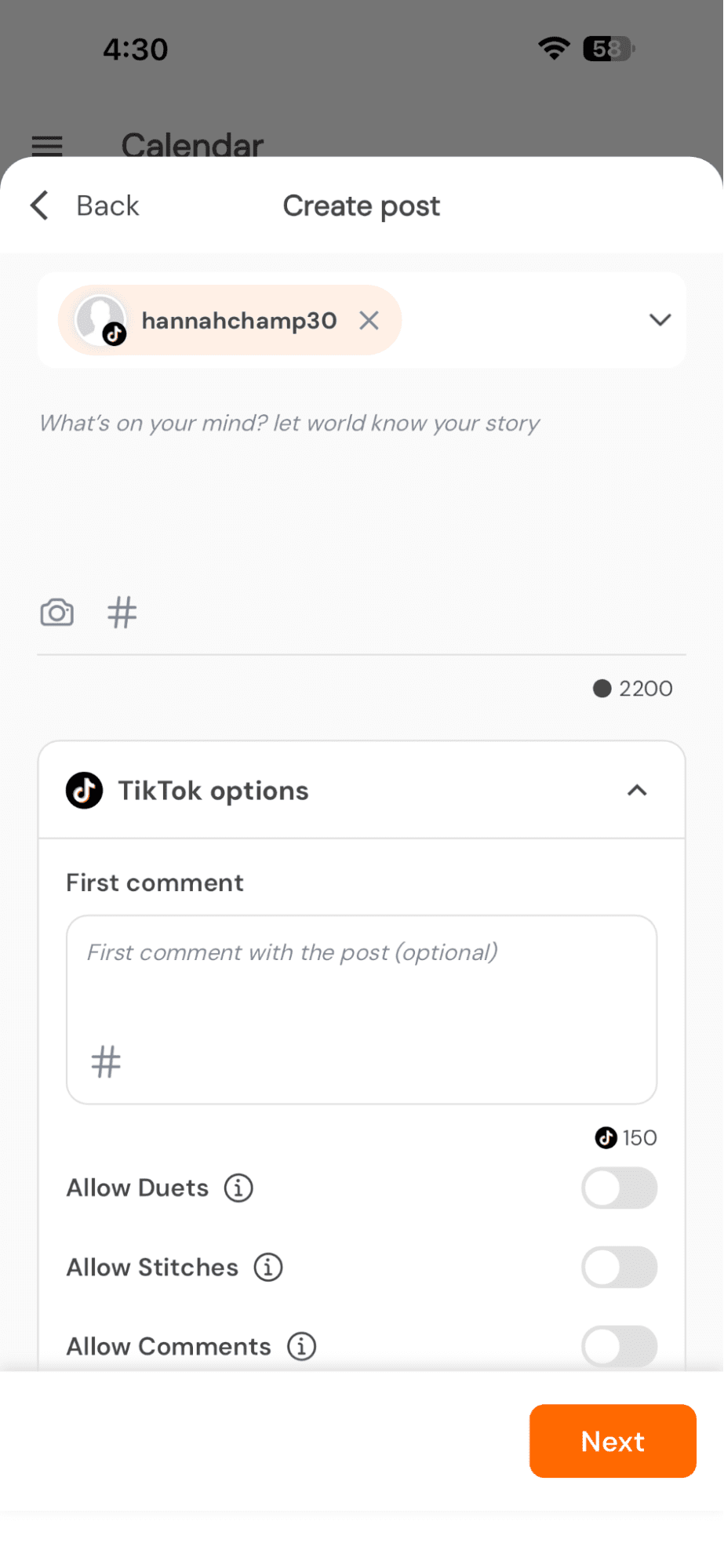
In the Social Champ app, navigate to the account settings and connect your TikTok account. Follow the prompts to log in to your TikTok account and grant Social Champ permission to access it.
Step 4: Create Your Post
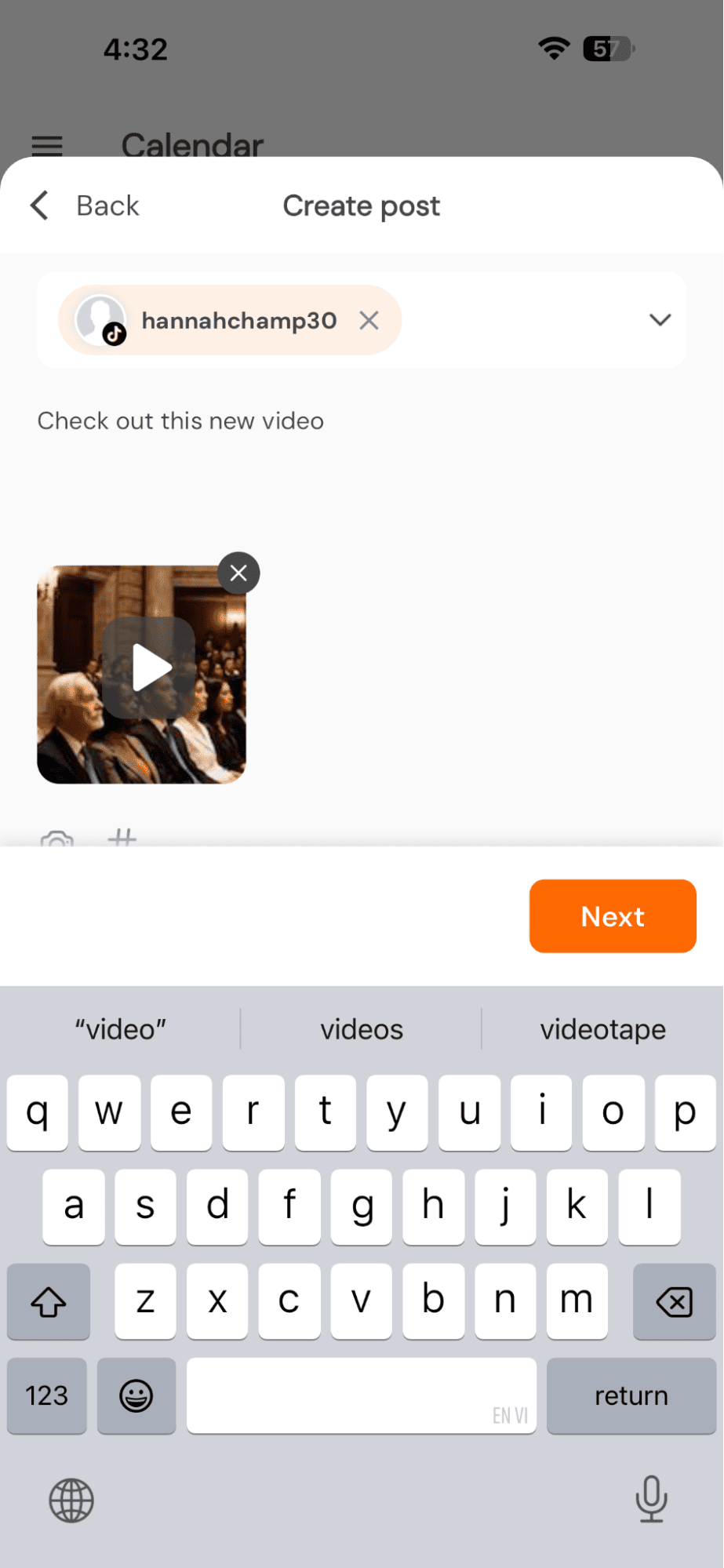
Once your TikTok account is connected, use the Social Champ app to create your TikTok post. Upload your video and add captions using AI features, hashtags, and other desired elements.
Did You Know?
Photo-based content performs well on TikTok, too. You can mix things up by learning how to make a slideshow on TikTok and scheduling it just like a regular video.
Step 5: Schedule Your Post
After composing your post, look for the scheduling option within the Social Champ app. Choose the date and time you want your TikTok post published and schedule it accordingly.
Step 6: Review and Confirm
Double-check all the details of your scheduled TikTok post, ensuring that the content, captions, and scheduling time are correct. Confirm the scheduling to finalize the process.
That’s how to schedule TikTok posts on mobile.
Featured Article: How to Get More Followers on TikTok
Are You Missing Out on TikTok Trends?
Trending videos move fast. Use Social Champ to schedule your posts and be part of the wave before it’s too late.
How to Schedule TikTok Posts on Desktop Using Social Champ
Here are the steps for scheduling TikTok posts using Social Champ:
Featured Article: How to Delete TikTok Videos
Step 1: Go to Social Champ
Open your web browser and navigate to the Social Champ website. If you don’t have an account, you can sign up for one.
Step 2: Connect Your TikTok Account
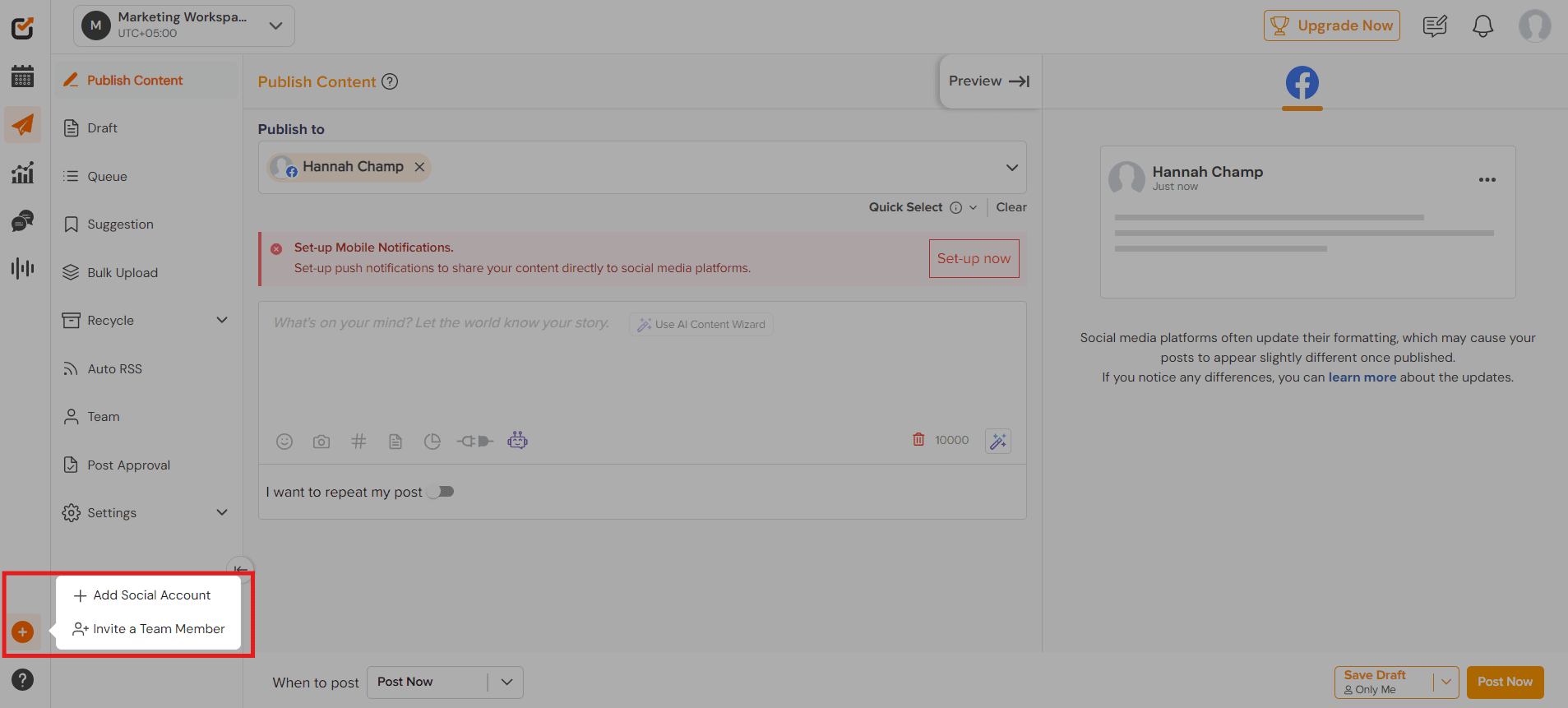
Once logged in, you’ll be directed to Social Champ’s main dashboard. Click on the + icon on the left panel, then on “Add Social Account.”
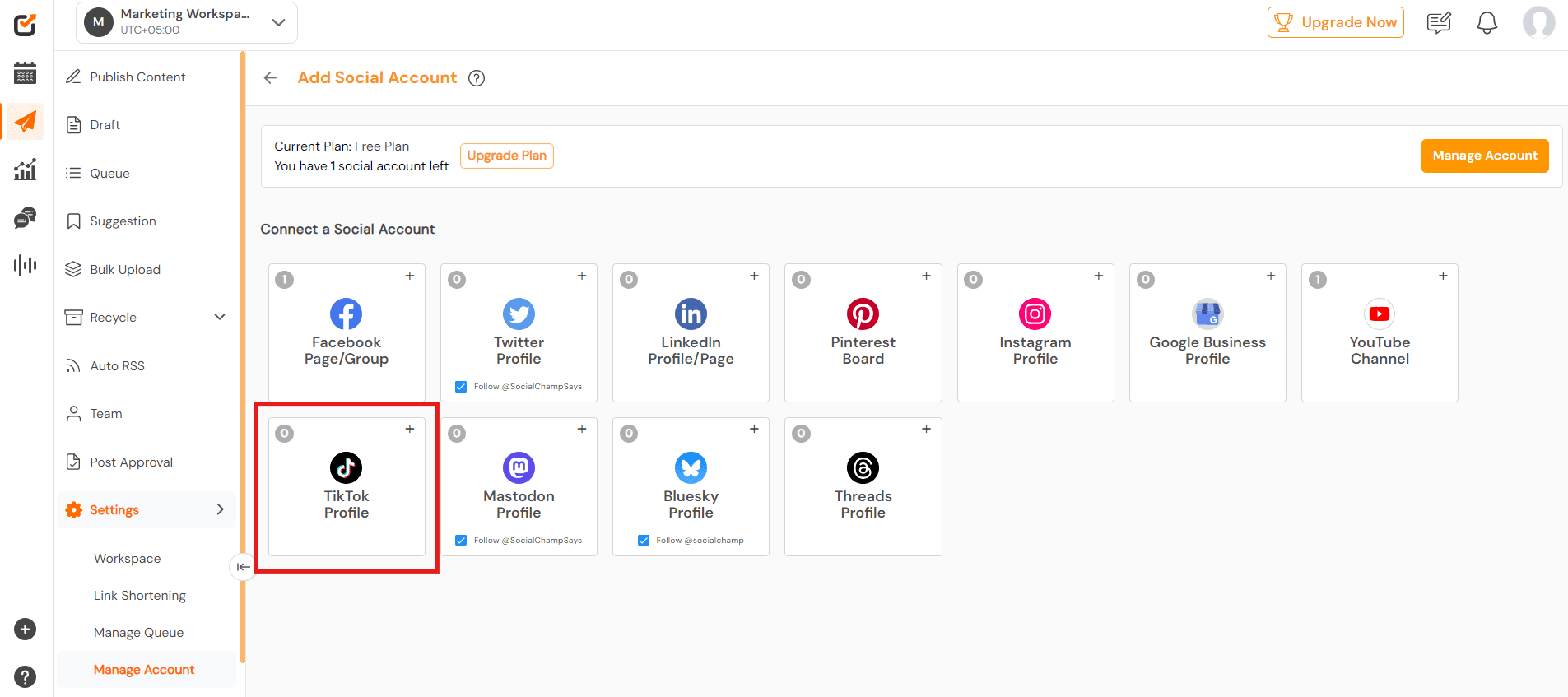
Click on “TikTok Profile” to connect your TikTok account.
Step 3: Log In to TikTok
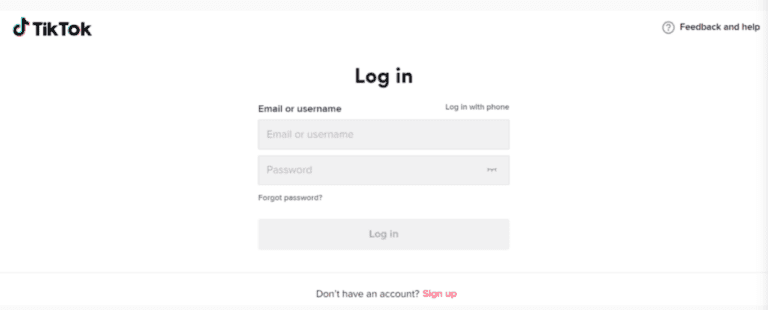
The TikTok login window will pop up, prompting you to log in with your chosen account. Follow the prompts to log in to your TikTok account.
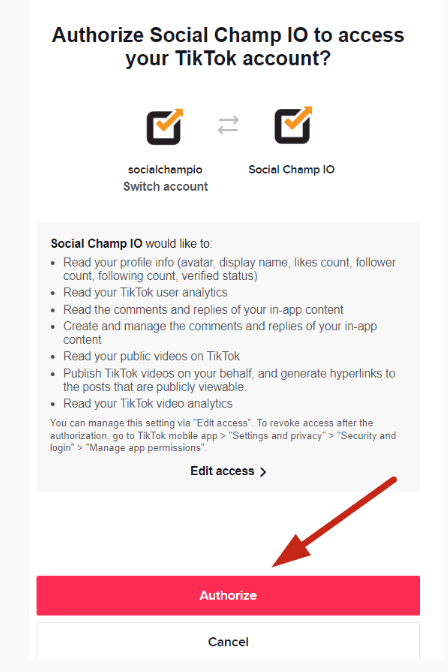
Step 4: Grant Social Champ Permission
Next, grant Social Champ permission to access your TikTok account.
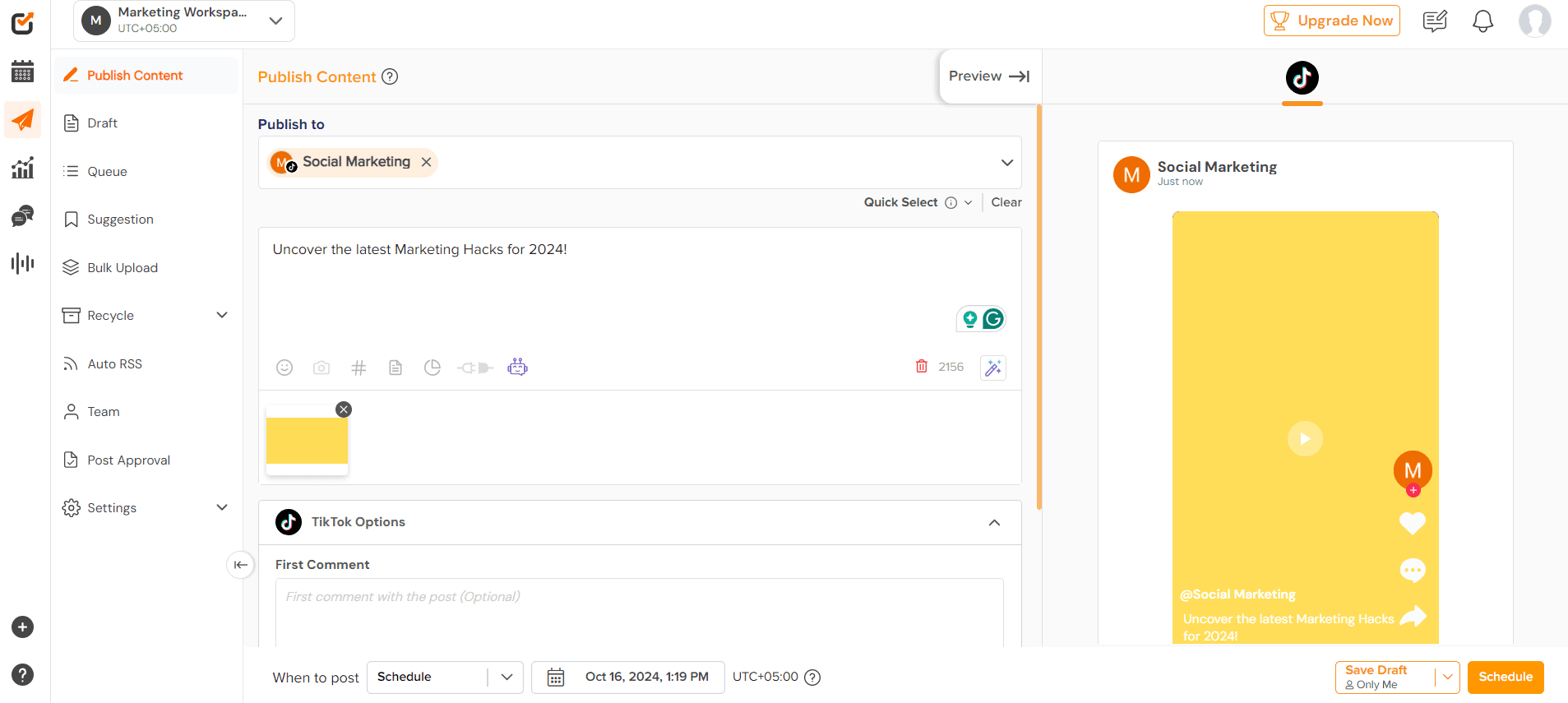
Step 5: Upload Your Media
In the Social Champ dashboard, upload your video and add captions, hashtags, and other desired elements. You can also choose to allow comments, duets, and stitches.
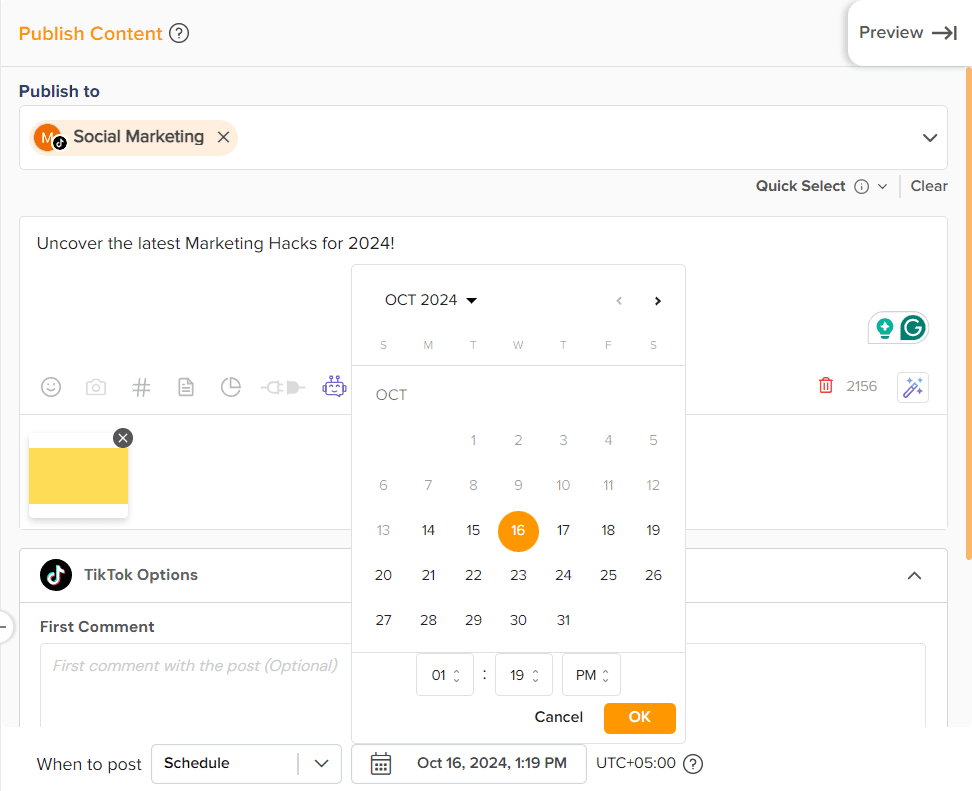
Step 6: Schedule Your Post
After composing your post, find the scheduling feature within the Social Champ dashboard. Choose the date and time you want your TikTok post to be published and schedule it accordingly.
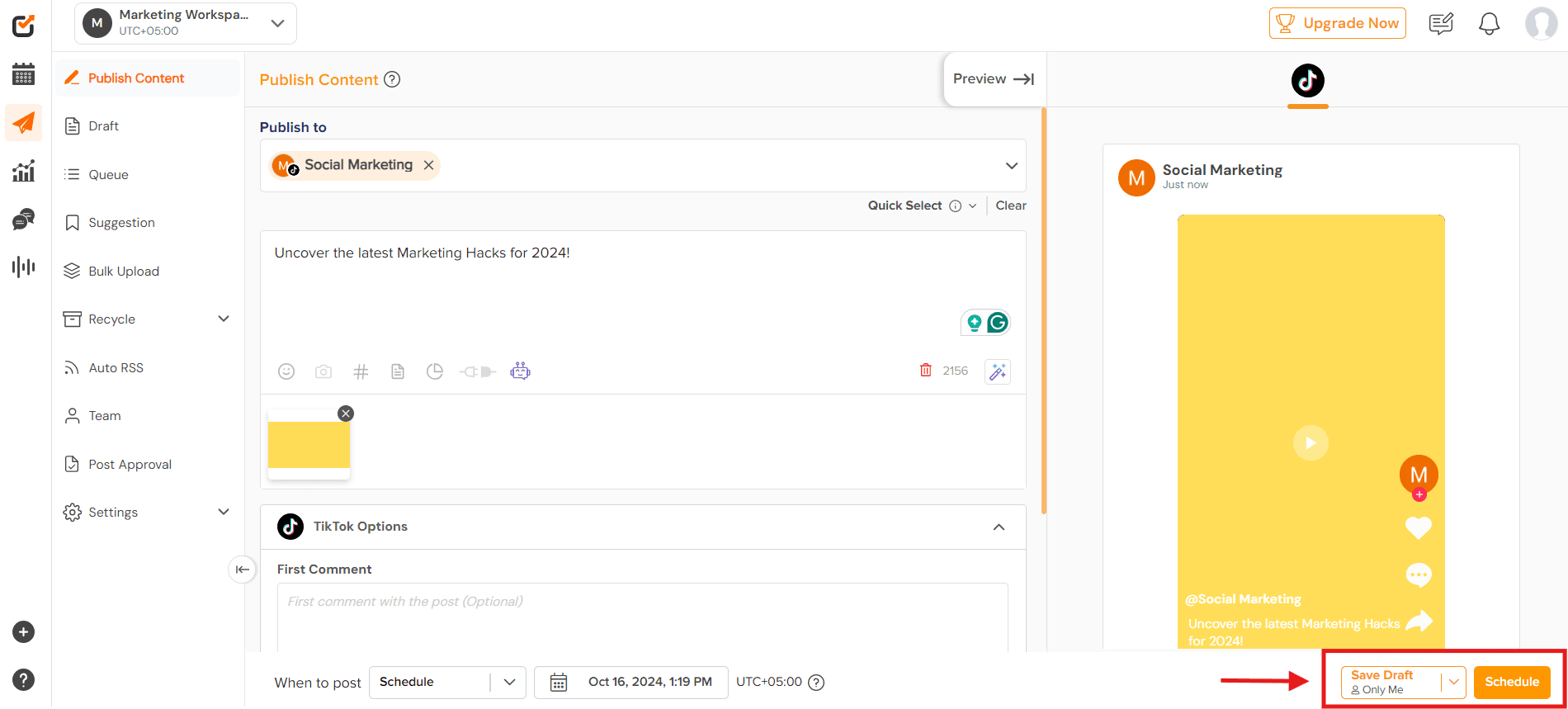
Step 7: Review and Confirm
Before finalizing the scheduling, review your post’s details, including the content, captions, and scheduling time. Once everything looks good, go ahead and click “Schedule.”
That’s how to schedule TikTok Posts using Social Champ.
Reimagine Your TikTok With Social Champ!
Step into a new era of effortless content creation, scheduling, and analytics with Social Champ. Get started today!
Featured Article: How to Schedule TikTok Videos: Tools, Tips & Practices
TikTok Scheduling Tips and Best Practices
It’s great to know how to schedule TikTok posts, but using that knowledge the right way is what actually drives growth.
TikTok rewards consistency, timing, and engagement, and your TikTok scheduling strategy plays a huge role in all three.
If you want your content to show up at the right time and get noticed, these best practices will help you build a smarter, more sustainable TikTok posting schedule.
-
Start With a Simple Content Calendar
Before you schedule TikTok posts, you need a plan. A content calendar doesn’t have to be fancy. It just needs to show what you’re posting and when.
Planning ahead removes daily stress and helps you stay consistent without burning out.
A shared calendar is especially helpful if you’re working with a team or managing multiple campaigns.
It also makes it easier to balance trends, promotional content, and evergreen videos. Once your calendar is ready, you can batch your uploads and schedule TikTok posts confidently instead of guessing what to post each day.
-
Batch Your Content to Save Time
Batching is a game-changer. Instead of recording one video at a time, set aside a few hours to film multiple videos in one go.
Once those videos are ready, you can upload them and assign each TikTok schedule post to a specific date and time.
This approach keeps your content quality consistent and makes TikTok scheduling feel much more manageable. It also gives you flexibility; if life gets busy, your content still goes out on schedule.
For creators and brands trying to stay active without posting manually every day, batching is a must.
Tip of the Day!
If you also create live or recorded content from your computer, pairing scheduled posts with TikTok Live Studio can help you maintain a steady content flow across formats. -
Post When Your Audience Is Actually Online
Timing matters more than people think. Even the best video can flop if it’s posted when no one is watching.
That’s why aligning your TikTok schedule posts with your audience’s activity is so important.
Instead of relying on guesswork, look at platform insights to understand when your followers are most active.
Many creators also follow general benchmarks for the best time to post on TikTok, then fine-tune based on performance. Once you find your sweet spots, lock them into your TikTok posting schedule and stick to them.
-
Use Analytics to Guide Your Scheduling Decisions
Scheduling isn’t a “set it and forget it” strategy. To improve over time, you need to review your TikTok analytics regularly. Look at which days, formats, and time slots drive the most engagement.
If certain posting times consistently perform better, adjust your TikTok scheduling strategy to favor those windows.
Analytics help you stop guessing and start making decisions based on real data, especially when you’re experimenting with new content styles or increasing posting frequency.
-
Be Consistent, Not Overwhelming
One of the biggest mistakes people make is posting too much too fast. TikTok values consistency more than volume.
No matter if you’re posting three times a week or once a day, choose a frequency you can realistically maintain.
Once you’ve chosen that rhythm, use TikTok scheduling to stick to it. A predictable TikTok posting schedule helps train both the algorithm and your audience to expect content from you.
And remember, scheduling handles publishing, but engagement still needs you. Reply to comments, interact with viewers, and stay present after your posts go live.
-
Balance Scheduling With Real-Time Interaction
Scheduling TikTok posts gives you freedom, but it shouldn’t make your account feel automated. TikTok thrives on real interaction.
Even if your content is planned in advance, jump into the comments shortly after posting and respond to viewers.
This balance between planned content and live engagement is what keeps your account feeling human and relatable. Scheduling helps with consistency, but connection is what builds trust and long-term growth.
What If You Could Post While You Sleep?
With Social Champ, schedule TikTok posts to go live at any time, even when you’re offline. Don’t miss your audience’s active hours.
Why TikTok Can Be Good for Your Business in 2026
TikTok is a platform where creativity knows no bounds, trends spread like wildfire, and even the smallest businesses can go viral overnight.
That’s the magic of TikTok, and here’s why it’s a game-changer for your business:
-
Massive Reach
With over a billion active users worldwide, TikTok offers unparalleled reach and exposure for businesses of all sizes.
Whether you’re a local bakery or a global brand, TikTok puts your business in front of a diverse and engaged audience.
For instance, @Bromabakery on TikTok is doing pretty well with 1.3 Million followers up till now and her videos have garnered 2 Millions views on the platform.
@bromabakery #Ad Say hello to the dessert of the summer: Gluten Free Chips Ahoy! Icebox Cake. Can someone tell me when gluten-free became a synonym for tasteless? Not anymore!!! Just because you’re gluten-free, doesn’t mean you can’t enjoy a delicious dessert. @Chips Ahoy!’s brand new Gluten Free Chips Ahoy! cookies make for the perfect base for this 3-ingredient icebox cake with minimal prep and maximal deliciousness. Next time you’re at the grocery store, be sure to snag a box of Gluten Free Chips Ahoy! Cookies from the cookie aisle and make this sweet treat you can whip up in no time.
-
High Engagement Rates
I totally get it. The platform has the power to hook users within seconds, but TikTok isn’t just about passive scrolling; it’s about active engagement.
From likes and comments to shares and duets, TikTok users are highly interactive, meaning your business can spark conversations, build relationships, and foster brand loyalty.
@Duolingo shines as a prime example of how to captivate an audience.
Despite being a language learning app, Duolingo has mastered the art of TikTok.
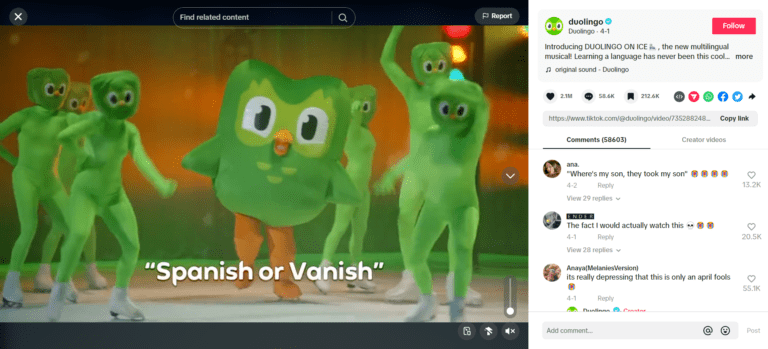
Duolingo’s captivating post on TikTok -
Creativity Reigns Supreme
On TikTok, creativity is king.
Whether through catchy dances, hilarious skits, or stunning visuals, you can showcase your personality and creativity in unique ways that resonate with your target audience.
-
Trendsetter Status
TikTok is ground zero for the latest social media trends, challenges, and memes.
By hopping on board with popular trends or creating your own, your business can stay relevant, stay top-of-mind, and even become a trendsetter in its own right.
@Bridgerton is the talk of the town these days!
@bridgertonnetflix When this author yaps, the Ton listens. #bridgerton
-
Level Playing Field
Unlike traditional advertising platforms that favor big-budget brands, TikTok offers a level playing field where even small businesses can significantly impact.
With the right content and strategy, anyone can go viral and reach millions of users organically.
So, if you’re not already on TikTok, what are you waiting for?
It’s time to unleash your creativity, connect with your audience, and take your business to new heights on the hottest platform in 2026.
Pro Tip!
Consistent posting isn’t just about visibility; it’s also tied to monetization. Many creators who stick to a posting schedule eventually explore how to get paid on TikTok through brand deals and creator programs.
Featured Article: How Often Should You Post on TikTok
5 Best TikTok Schedulers to Schedule Your TikTok Posts
Here are five TikTok schedulers you can consider for scheduling your TikTok posts:
-
Social Champ
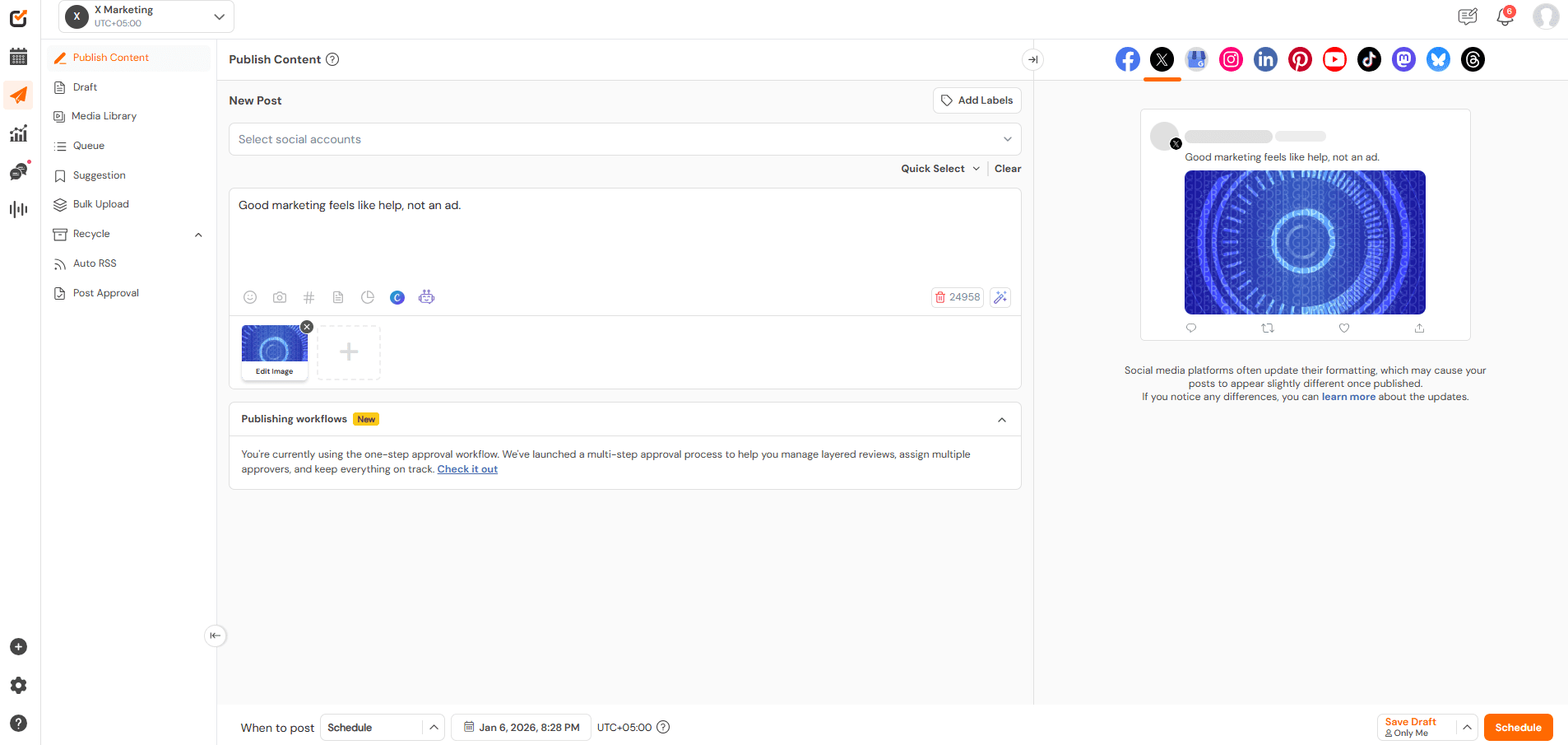
Social Champ’s Dashboard Social Champ is an excellent TikTok scheduler with powerful features to streamline your social media management.
With Social Champ, you can effortlessly plan and schedule your posts, ensuring your content is consistently published at the optimal times to engage your audience.
Moreover, Social Champ’s user-friendly interface allows you to upload images, write captions, and set your posting schedule in just a few clicks.
The platform also provides insightful analytics to track your posts’ performance, helping you refine your strategy and maximize your reach. Whether you manage a personal brand or a business account, Social Champ makes it simple and efficient to stay on top of your TikTok game.
Get Ready to Supercharge Your TikTok Success!
Effortlessly create, schedule, and publish your content to transform your TikTok game.
P.S. If you’re running content for clients or multiple brands, learning how to manage multiple TikTok accounts can save hours and keep your posting schedule organized.
-
Buffer
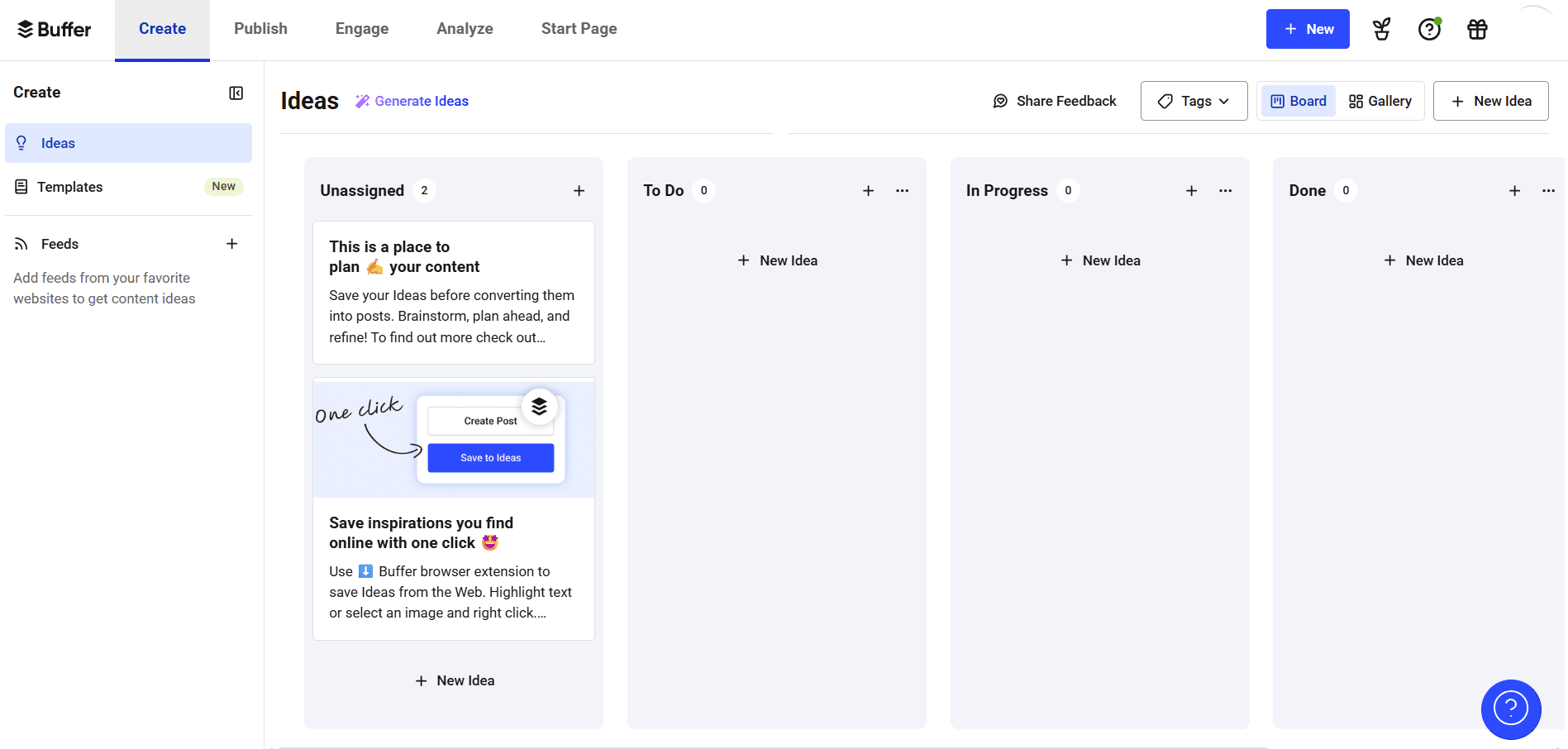
Buffer’s Dashboard Buffer is a popular social media management tool that allows users to schedule posts for various platforms, including TikTok.
With Buffer, you can plan, create, and schedule your TikTok content in advance, ensuring consistent posting and engagement.
-
Hootsuite
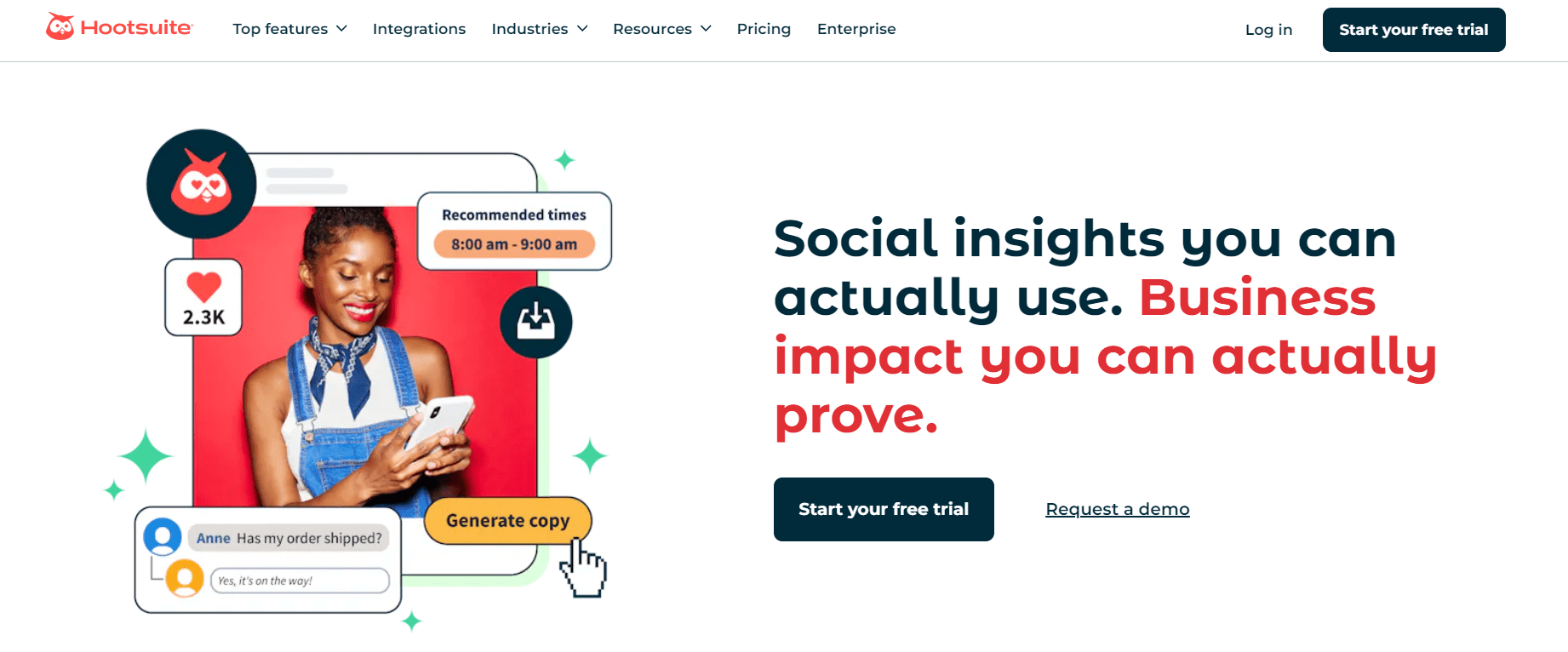
Hootsuite’s Landing Page Hootsuite is another widely used social media management platform that supports scheduling TikTok posts.
It offers a range of features for managing multiple social media accounts, creating content calendars, and analyzing performance metrics.
-
Later
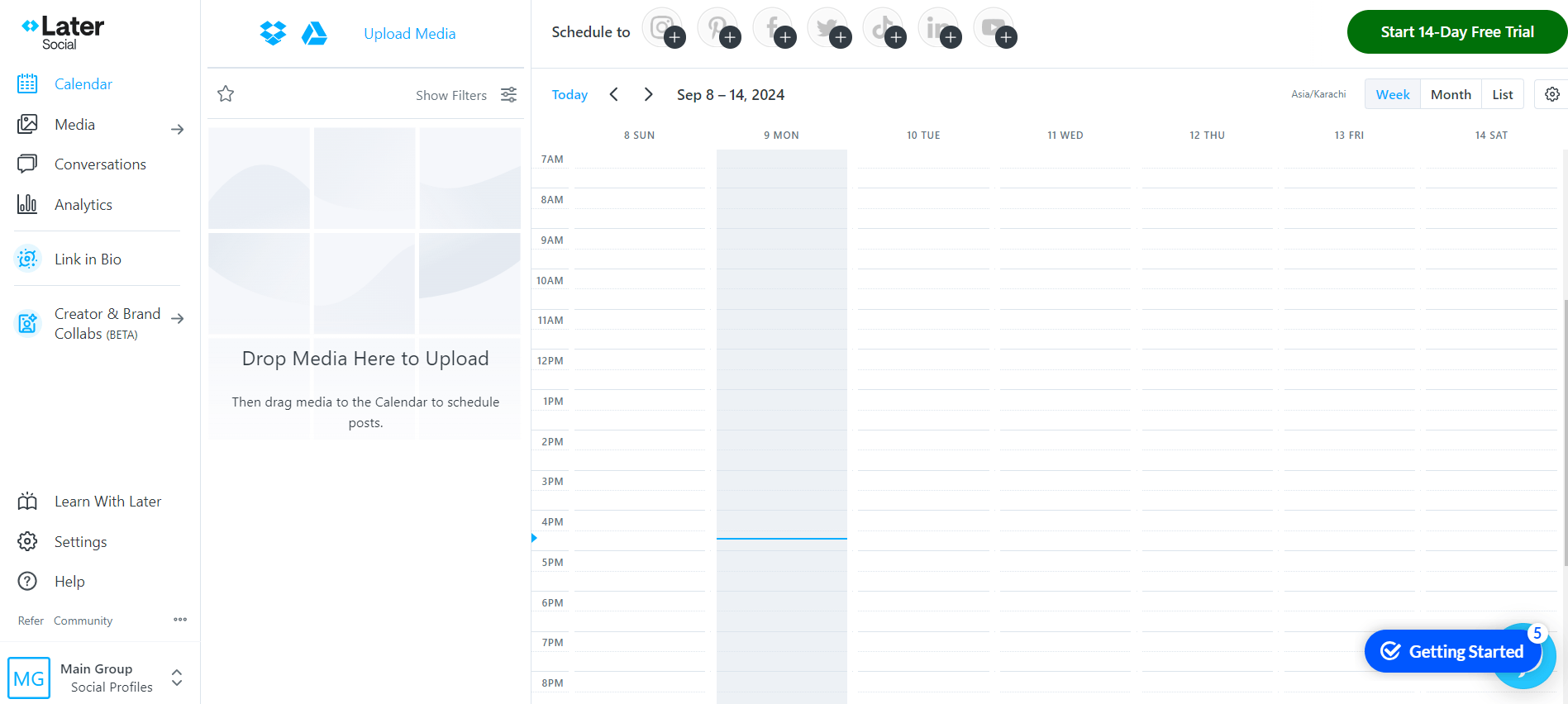
Later’s Dashboard Later is primarily known for its Instagram scheduling capabilities, but has recently added support for scheduling TikTok posts as well.
With Later, you can plan and schedule your TikTok content alongside your Instagram posts, streamlining your social media workflow.
-
Loomly
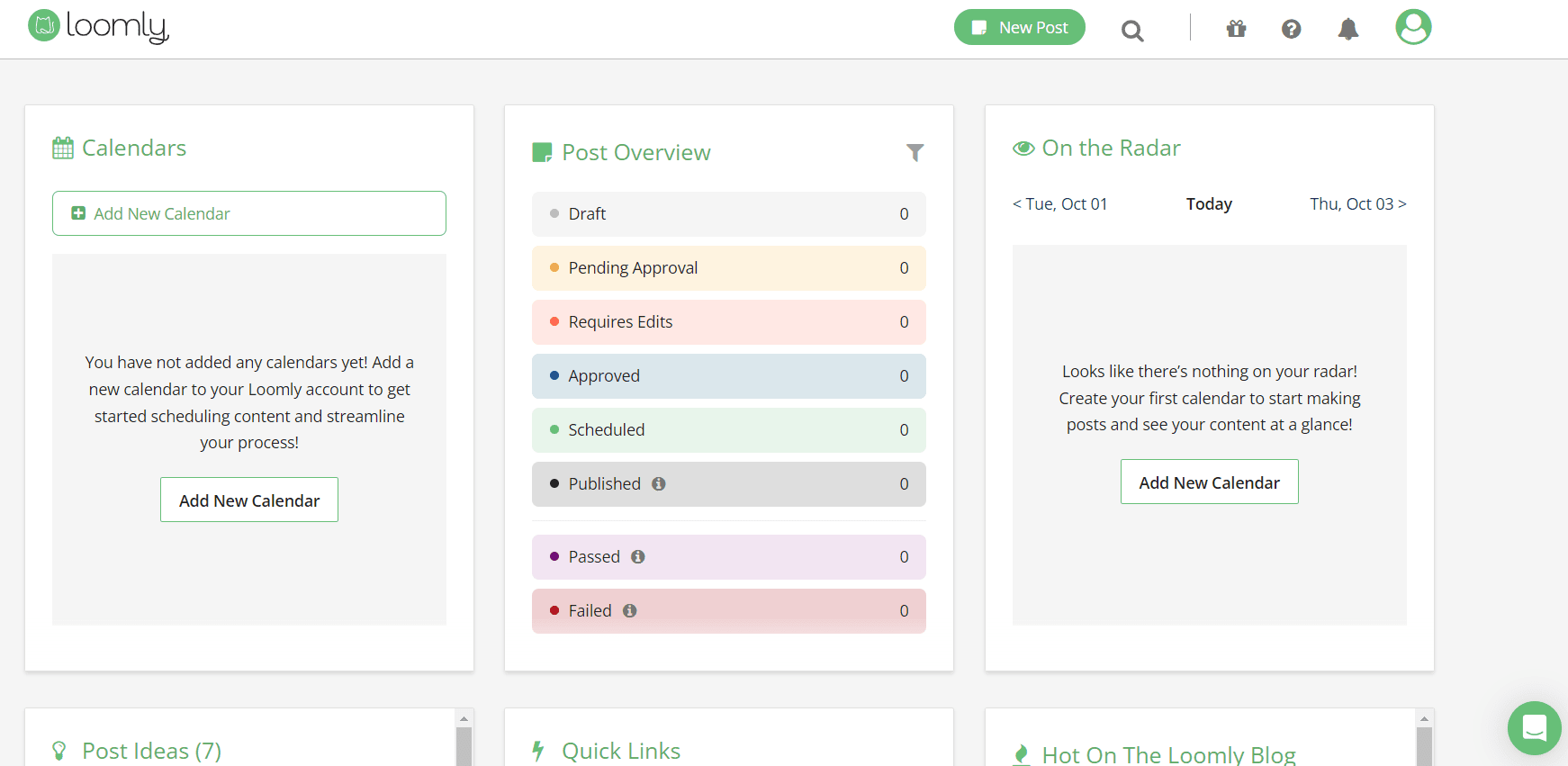
Loomly’s Dashboard Loomly is a comprehensive social media calendar tool that supports scheduling posts for various platforms, including TikTok.
With Loomly, you can create, schedule, and publish your TikTok content efficiently while also collaborating with team members and managing content approvals.
These TikTok schedulers offer different features and capabilities, so exploring their functionalities and choosing the best fit for your needs and workflow for scheduling TikTok posts is essential.
Save Time and Experience Hassle-Free Scheduling!
Manage and schedule all of your TikTok posts with the all-in-one TikTok scheduler.
The Best Time to Post on TikTok in 2026
The best time to post on TikTok in 2026 can vary depending on your target audience’s demographics, location, and behavior.
However, TikTok users are generally most active and engaged at certain times and days.
Here are some insights to help you determine the best time to post on TikTok in 2026:
-
Peak Usage Hours
Consider posting during peak usage hours when TikTok users are most active
These typically include early evenings, between 6:00 PM and 10:00 PM local time. This is when people are winding down after work or school and are more likely to scroll through TikTok.
-
Weekends
Weekends, particularly Saturday and Sunday, see higher engagement on TikTok as people have more free time to browse and engage with content.
Posting during late mornings to early afternoons on weekends can be particularly effective.
-
Experiment with Different Times
While general guidelines exist, the best time to post on TikTok can vary based on your specific audience. Experiment with posting at different times throughout the day and week to see when your content receives the most engagement.
-
Use TikTok Analytics
If you use Social Champ, you can use its analytics tool to gather insights into when your followers are most engaged.
Analyze data such as when your followers are online, and your posts receive the most engagement, to inform your posting schedule.
Moreover, you can get the most out of TikTok with Social Champ’s easy-to-use analytics and AI features.
With Social Champ, you don’t need to guess when to post for maximum engagement. The AI Best Time to Post feature analyzes your past posting history and suggests the best times to post based on when your audience is most active.
Simply let Social Champ do the heavy lifting. With just a few clicks, you’ll know exactly when to share your content to reach the most people and increase engagement.
Say goodbye to the guessing game and hello to more innovative scheduling with Social Champ.
-
Consider Time Zones
If your target audience spans multiple time zones, consider scheduling posts to reach different regions at optimal times.
A Tool like Social Champ can help you schedule posts to go out at specific times in different time zones.
Ultimately, the best time to post on TikTok in 2026 will depend on your unique audience and content strategy.
By experimenting with different posting times, analyzing audience behavior, and leveraging Social Champ’s analytics, you can optimize your TikTok posting schedule for maximum engagement and reach.
Your Next Viral TikTok is Waiting!
Don’t leave your growth to chance. Plan, schedule, and post at the right time with Social Champ for maximum reach.
Conclusion
With TikTok’s user base reaching over 1.9 billion active monthly users worldwide, leveraging this platform for business growth has become increasingly essential.
While TikTok doesn’t offer a native feature for scheduling posts, third-party tools like Social Champ bridge this gap, allowing seamless scheduling on both mobile and desktop devices.
This handy social media management tool simplifies scheduling and offers a comprehensive solution for managing TikTok content alongside other social media apps.



3 comments
Nathaniel Ingram
I’m struggling to make it big on TikTok. Let’s see if using a scheduler can make those big dreams come true. Is there a limit to post scheduling on Social Champ?
Brett Lowe
Your guide is a gem for anyone juggling multiple social platforms. These scheduling tips help put TikTok on autopilot while keeping content fresh and engaging.
Emma Williams
This guide is exactly what I needed! Scheduling TikTok posts is a game-changer for managing my content and maintaining consistency.