
Still using Buffer to manage your social media?
It’s been a go-to tool for years—easy to use, clean interface, and great for scheduling across platforms.
But as social media has grown more complex, so have the needs of marketers, creators, and small businesses.
And while Buffer still covers the basics well, many users now find themselves looking for features like deeper analytics, smoother scheduling workflows, better support for Instagram and TikTok, or simply more automation.
With people spending over 2 hours a day on social media, and platforms constantly evolving, managing everything efficiently takes more than just a scheduling tool.
That’s why many brands today are exploring tools that offer a more all-in-one experience—with advanced publishing, engagement tracking, and collaboration built in.
In this guide, we’ll walk you through 15+ Buffer alternatives that cater to the modern demands of social media management—helping you stay ahead, stay consistent, and save time.
Let’s get started!

Stop Paying for Glitches. Start Growing Instead.
Say goodbye to clunky interfaces and confusing workflows. Social Champ keeps your content organized and your team in sync, with zero friction. Try it now!
Featured Article: Top 15 Sprout Social Alternatives to Try in 2025: The Ultimate Guide
Short Summary
- Buffer is a popular social media tool, but its limitations prompt many users to explore other options.
- Buffer alternatives often provide better value, more advanced automation, and robust engagement tools.
- Users frequently cite slow customer support and limited technical assistance as challenges with Buffer.
- Tools like Social Champ, Hootsuite, Sprout Social, Zoho Social, Agorapulse, and SocialPilot offer strong scheduling, analytics, and team collaboration features.
- The best Buffer alternative depends on your specific needs, platform priorities, and budget.
Quick Comparison of the Best Buffer Alternatives
| Tool | Starting Price (Annually) | Accounts Supported | Key Features | Best For |
|---|---|---|---|---|
| Social Champ | $4 | – Facebook
–Threads –Google Business Profile – YouTube – TikTok – X (Twitter) – Mastodon – Bluesky – GA4 |
– Scheduling
– Social Inbox – Analytics – Social Listening – Calendar – Competitor Analysis – Team Collaboration |
– Scheduling/Autoposting
– Team Collaboration – Engaging Followers – Analyzing Social Media Efforts – Competitor Analysis – Social Listening – Visual Content Calendar – Pricing- * plans available for agencies, enterprises, and SMBs |
| Hootsuite | $99 | – Facebook
– X (Twitter) – Threads – TikTok – YouTube |
– Scheduling – Analytics
– Engagement – Social Inbox – Content Calendar – Team Collaboration |
– Brands & Enterprises
– Teams – Social Customer Service – Managing multiple accounts |
| Sprout Social | $199 | – Facebook
– TikTok – X (Twitter) – Threads |
– Scheduling
– Analytics – Engagement – Social Inbox – Content Calendar – Team Collaboration – Review Management |
– Agencies and Enterprises with multi-location brands or multiple clients
– Teams – Comprehensive Features – Customer Care – Social Listening |
| SocialPilot | $25.50 | – Facebook
– TikTok – X (Twitter) – Threads – YouTube – Bluesky – Google Business Profile |
– Scheduling – Analytics
– Engagement – Social Inbox – Content Calendar – Team Collaboration – Client Management – White Label Reports |
– Agencies & Small Businesses
– Teams – Client Management – Affordable Pricing |
| Later | $18.75 | – Facebook
– TikTok – X (Twitter) |
– Scheduling
– Creator & Brand Collaboration – Analytics – Social Listening – Social Inbox |
– Visual Planning
– Instagram Focus– Link in Bio – Content Scheduling – Analytics |
Affordable. Powerful. Built for You.
Why overpay for features you don’t use? Social Champ delivers the right tools at the right price—perfect for small businesses and growing teams.
Why Look for an Alternative to Buffer?
Buffer has long been a go-to social media management tool.
But now, it’s becoming increasingly evident that many Buffer alternatives provide greater value, functionality, and scalability.
While Buffer works for basic scheduling and publishing, it won’t work for expanding businesses and teams.
Here’s why it may be time to make a change.
-
Pricing Doesn’t Match the Value
The most significant criticism from users is the pricing of Buffer.
With increasing needs, the price scales up rapidly without offering proportional value.
With Buffer:
- Core features such as approval workflows and branded reports are provided only in advanced plans.
- Additional users or brand management often require premium subscriptions, leading to higher costs than competitors.
-
Limited Features and Flexibility
Buffer may work well for simple tasks, but it struggles to keep up with more complex social media needs.
Consider these limitations:
- No advanced automation for recurring tasks.
- No built-in feature for post recycling and advises against repeating identical posts due to platform guidelines.
- Engagement inbox only limited to responding to comments for Facebook and Instagram.
-
Not Built for Scalability
Buffer can become inefficient as your social media efforts scale.
If you manage multiple accounts or collaborate with a team, you’ll quickly notice its shortcomings.
Tools similar to Buffer are now far better suited for growing businesses, offering seamless scalability and more powerful features.
-
Frustrating Customer Support
Many users cite poor experiences with Buffer’s customer support:
- Slow response times, especially on lower-tier plans.
- Limited help with technical issues or billing concerns.
- Lack of real-time chat or proactive troubleshooting.
When it comes to the best Buffer alternatives, companies are opting for solutions that are flexible, provide value for money, and have fewer restrictions.
If Buffer is no longer meeting your needs, the time to consider your alternatives to Buffer is now.
Featured Article: Digital Marketing Funnel Explained: Stages, Strategies, and Best Practices in 2025
Key Features To Compare While Buying a Buffer Alternative
Choosing the right Buffer alternative usually comes down to what you need day to day and how fast you plan to scale.
Here are the key areas worth comparing before you commit to a tool:
- Publishing & Scheduling: Look for features like bulk scheduling, visual content calendars, and built-in content curation to keep planning simple.
- Analytics: Prioritize platforms with detailed reporting, performance tracking, and competitor benchmarking for smarter decisions.
- Engagement: A unified inbox, community management tools, and monitoring features help you stay responsive across channels.
- Integrations: The best tools connect smoothly with CRMs and creative apps such as Canva to support your workflow.
- Pricing & Scalability: Check for free plans, agency-ready tiers, and enterprise options that won’t box you in as you grow.
15+ Best Buffer Alternatives to Manage Your Social Media Accounts
Buffer had its moment—but now, there are platforms like Buffer offering more power, flexibility, and support.
Whether you’re scaling a brand, running an agency, or just need smarter scheduling, these tools are among the best Buffer alternatives available today.
Here’s a quick look at the top tools—each with its own strength, depending on what matters most to you.
-
Buffer Alternative #1: Social Champ – All-In-One Social Media Management Tool

Social Champ is a social media management platform for marketers, agencies, and businesses of any size.
It streamlines content scheduling, automates posting, allows team collaboration, and analyzes performance—all from a single clean, intuitive dashboard.
Social Champ is loaded with advanced features without the hefty price tag, making it one of the best Buffer alternatives on the market today.
Key Features of Social Champ
If you’re searching for tools like Buffer that are more flexible, automated, and intelligent, marketing-friendly, Social Champ is the perfect choice.
Here’s a closer look at what makes it stand out:
- Multi-Platform Publishing: Schedule, edit, and publish posts to 11+ major social networks with one dashboard—Facebook, Instagram, X (Twitter), LinkedIn, Pinterest, YouTube, TikTok, Google Business Profile, Threads, Mastodon, and Bluesky.
- AI-Powered Content Creation: The integrated Champ AI Suite helps you in creating content ideas, descriptions, and even images specific to your audience.
- Advanced Scheduling Features: With bulk upload, repeat posts, and the evergreen queue, you can schedule and reuse your most popular content with ease. The drag-and-drop calendar makes it simple to organize and edit content—perfect for marketers who prefer to schedule visually.
- Social Inbox: Coordinate all conversations from various platforms within a single space. Social Champ’s Engage module features team-based collision detection, avoiding double replies and facilitating seamless customer support, including managing WhatsApp Business messages.
- Approval Workflows & Team Collaboration: Allocate user roles, define permissions, and apply approval flows to facilitate content review and publishing. This makes it one of the rare Buffer alternatives that agency and scaling teams can use.
- Analytics & Reporting: Access deep insights into post performance, audience engagement, and content reach. Create white-labeled reports and integrate with Google Analytics 4 for advanced tracking of how your social media content affects web traffic.
- Competitor Tracking & Social Listening: Track your competitors and hear social conversations as they happen. Such features make it possible to make smarter strategy adjustments and better position yourself in the market.
- Content Discovery & Hashtag Management: Quickly find popular articles, media, and topics to keep your content in context. Make repetitive hashtag groupings with the reusable hashtag group and organize your posts with post labeling.
- Third-party Integrations: Integrate with third-party tools like Canva for quick image editing, Bitly for branded URLs, and Zapier for automating workflows. Such integrations provide additional functionality without adding complexity to the workflow.
Pros
Cons
Cost-effective without sacrificing features New users may need a little time to get familiar with all features. A one-on-one demo is available to speed things up. Simple, intuitive interface for beginners and experienced users Some features are limited due to social media platform API restrictions Complete toolset built for modern social media teams Pricing:
Social Champ is indeed better than Buffer, with plans from as little as $4/month, and even a 7-day free trial to test out before you start.
Buffer vs Social Champ
Buffer is simple and has a clean UI that is suitable for individual users as well as small teams with minimal requirements.
It, however, has a more limited feature set and pricing that increases rapidly when you add more profiles or features.
In contrast, Social Champ offers a richer feature set at a lower price point and is thus a top choice among users requiring more advanced scheduling, automation, team collaboration, and analytics.
Where Buffer falls short on platform support and integrated team workflows, Social Champ shines with smart scheduling, AI-driven content ideas, advanced collaboration tools, and broader publishing support, making it one of the best Buffer alternatives.

Get More for Less—Upgrade From Buffer Without the Cost
Say goodbye to limitations and high prices. Social Champ gives you more features at a fraction of the cost.
Featured Article: 10 Coschedule Alternatives to Improve Your SMM in 2025
-
Buffer Alternative #2: Hootsuite – Enterprise-Grade Social Media Management
Hootsuite is a name widely known in the social media management platform.
Best suited for enterprise firms and big teams, Hootsuite provides powerful scheduling, detailed analytics, and comprehensive integration with a broad range of third-party tools.
With Sprout Social, you can meticulously plan and schedule posts across multiple platforms well in advance.
One drawback of Sprout Social is its higher cost than other social media management tools. This can be a significant barrier for small businesses or startups with limited budgets, making it less accessible for those who need a more affordable solution.
Key Features
- Enterprise-Scale Scheduling: Easily plan and automate content across multiple accounts and networks, complete with team assignments and customizable workflows.
- Deep Analytics & Reporting: Provides in-depth performance insights, editable reports, and ROI tracking with integrations such as Google Analytics.
- Social Listening & Monitoring: Track brand mentions, hashtags, keywords, and competitors in real-time to lead the way in strategy and reputation management.
Pros
Cons
Trusted by global brands with a proven track record of performance across industries. Not the affordable alternative to Buffer—it can be costly for small companies or new businesses. Built for smooth approval workflows, task assignment, and cross-functional communication. Because of its rich features, onboarding can be time-consuming and might need training for new users. Pricing:
Hootsuite has plans from $99/month for professionals, with Business and Enterprise levels going a lot higher based on users and a number of profiles.
Buffer vs Hootsuite
Comparing Buffer and Hootsuite, both have solid scheduling and analytics.
Hootsuite, however, extends far beyond that with <strong>enterprise-level features</strong>, in-depth reporting, social listening, and multi-team management.
While Buffer is perfect for solopreneurs and small teams, Hootsuite is one of the top platforms for large-scale operations.

-
Buffer Alternative #3: Sprout Social – Advanced Analytics & Reporting
Sprout Social is a high-end social media management tool tailored for brands looking to go beyond basic metrics.
It’s great at providing advanced analytics, in-depth reporting, and robust CRM integration.
For teams that value insights and strategic decision-making, Sprout Social ranks as one of the top Buffer alternatives.
Key Features
- Advanced Analytics & Reports: Offers in-depth analytics of audience engagement, content performance, and ROI, with custom report generation based on specific business requirements.
- CRM Integration: Integrates seamlessly with leading CRM systems for a better understanding of customer interactions across social media platforms.
- Smart Inbox: Consolidates all social messages in one stream, allowing teams to respond quicker and smarter to customer questions and comments.
Pros
Cons
Best suited for teams seeking in-depth analysis of social media data and patterns. Sprout Social’s advanced features are more costly, making it less suitable for smaller firms or startups. Offers extensive resources to help users get up and running quickly. Certain features are only available in higher-tier plans, which may limit functionality on the basic tier. Pricing:
Sprout Social pricing begins at $199/month for the Standard plan. Higher-tier plans unlock more advanced analytics, features, and additional users. A 30-day free trial is available to test the platform.
Buffer vs Sprout Social
Comparing Buffer vs Sprout Social, the biggest difference is the depth of analytics and reporting.
Buffer covers essential scheduling and engagement, while Sprout Social goes further with advanced insights, detailed reports, and CRM integrations.
Buffer is more affordable and easier to get started with, but Sprout Social offers the depth and structure required by data-driven teams.
-
Buffer Alternative #4: SocialPilot – Best for Small Agencies
SocialPilot is one of the affordable alternatives to Buffer, designed for agencies, consultants, and growing teams.
It delivers powerful features like bulk scheduling, white-label reporting, and seamless client collaboration, making it a go-to choice for teams that need to scale without stretching their budget.
Key Features
- White-Label Reports: Design branded reports for your customers with in-depth analytics, best suited for agencies who want to provide a professional brand experience.
- Bulk Scheduling: Upload and schedule posts in bulk, saving teams time and organizing campaign planning more efficiently.
- Client Management Tools: Allow clients to preview content without logging in, maintaining smooth and stress-free workflows.
Pros
Cons
One of the more affordable Buffer alternatives with solid features for freelancers and small agencies. Does not offer advanced social monitoring or listening features. Simplifies managing multiple client accounts with specialized tools and a clean interface. The interface works well but feels less polished compared to some other alternatives. Pricing:
SocialPilot’s basic plan starts at $25.50/month and supports up to 10 social media accounts. A 14-day free trial is included so teams can explore all features before committing.
Buffer vs SocialPilot
In the Buffer vs SocialPilot comparison, Buffer focuses on simplicity and ease of use, but scaling teams and adding profiles can become costly.
SocialPilot offers stronger value for agencies managing multiple clients, with tools built specifically for client workflows.
From white-label reports to client approvals, SocialPilot covers more ground while staying budget-friendly, making it a solid Buffer alternative for small agencies.
-
Buffer Alternative #5: GUDSHO – Best for Marketers & Business of Any Size
GUDSHO is one of the most popular Buffer alternatives, standing out with its easy-to-use social media management dashboard and video marketing capabilities.
You can edit social media content, integrate with 10+ popular social platforms, manage your social calendar, engage with a unified inbox, store ample media files and share instantly, all in one place.
Key Features
- Quick integration & cross-platform publishing: Easily integrate with major social media channels like Facebook, Instagram, YouTube, X, and more through a simple setup process.
- Multi-format content publishing: Schedule or instantly publish videos, images, PDFs, GIFs, reels, posts, clips, and other formats across social platforms.
- Advanced video analytics suite: Track play rate, impressions, likes, comments, shares, and engagement rate to support data-backed decisions.
- Built-in editor & video marketing tools: Prepare social posts quickly using built-in editing tools. Host, embed, run webinars, or share videos anywhere for end-to-end video promotion.
Pros
Cons
Offers a visual social media calendar that keeps content planning organized and easy to manage. Video editing features are basic and do not include advanced editing capabilities. Includes a unified social inbox for managing engagement across multiple platforms from one place. While demos are available, users may need hands-on time to fully explore and understand the platform. Automated scheduling removes the need to switch between accounts repeatedly. Pricing
GUDSHO offers a free trial period to help users explore its features. For detailed pricing and plan selection, you’ll need to contact customer support directly.
Buffer vs Gudsho
When comparing GUDSHO vs Buffer, the difference comes down to focus.
Buffer is built for planning and scheduling social media content across multiple platforms, while GUDSHO centers on professional video hosting, streaming, and monetization.
For creators, businesses, or organizations focused on delivering high-quality video experiences or building a video-led revenue model, GUDSHO is the stronger fit.
-
Buffer Alternative #6: CoSchedule – All-In-One Marketing Calendar for Teams
CoSchedule’s Webpage CoSchedule is a powerful, all-in-one marketing management platform built for content teams that need more than social media scheduling.
It centralizes your entire content workflow—from blog posts and email campaigns to social media and project tasks—under one unified calendar.
If you’re looking for platforms beyond social media, CoSchedule is one of the best Buffer alternatives for content marketers.
Key Features
- Marketing Calendar: A real-time, drag-and-drop calendar that lets you schedule, publish, and align all types of marketing content in one visual dashboard.
- Content Organizer: Manage blog drafts, email campaigns, newsletters, and social posts from a single workspace while keeping messaging consistent.
- Social Automation Tools: Features like ReQueue automatically reshare top-performing posts to keep feeds active without manual effort.
Pros
Cons
Designed for full content marketing, not just social media scheduling. May feel overwhelming if your needs are limited to basic social scheduling. Includes task assignment, campaign timelines, and progress tracking to keep teams aligned. Advanced features like ReQueue and analytics are not included in lower-priced plans. Pricing:
CoSchedule’s calendar plans start at $19/month per user. A free trial is available to explore features before committing.
Buffer vs CoSchedule
In a Buffer vs CoSchedule comparison, Buffer works well as a lightweight, social-only tool, while CoSchedule functions as a complete content marketing platform.
For marketing teams managing blogs, email, and social channels together, CoSchedule provides a more connected approach to planning and execution.
If you need a full marketing calendar rather than a simple scheduler, CoSchedule stands out as one of the strongest Buffer alternatives available.
-
Buffer Alternative #7: Vista Social – All-in-One Social Media Suite
Vista Social Homepage Vista Social is a modern social media management platform built for brands, agencies, and marketing teams looking to simplify and scale their workflows.With full support for Instagram, TikTok, Facebook, LinkedIn, X (Twitter), YouTube, Pinterest, Bluesky and more, Vista Social combines powerful automation, advanced reporting, and unified engagement tools in one easy-to-use dashboard.
Key Features
- Publishing & Scheduling: Plan, schedule, and auto-publish content across multiple social platforms with visual previews, bulk scheduling, and approval workflows—all from one dashboard.
- Analytics & Reporting: Track key metrics including social media performance, post-level insights, team performance, reviews, and competitor reports.
- Engagement Tool: Manage messages, comments, and reviews in a centralized inbox. Includes DM automation, link-in-bio tools, and collaboration features to help teams respond faster.
Pros
Cons
All-in-one social media platform with a clean, intuitive interface. Some features may take time for new users to fully explore and understand. Includes built-in AI assistant, Canva integration, and sentiment analysis tools. Advanced functionality is only available on paid plans. Pricing:
Vista Social offers a 14-day free trial, with paid plans starting at $64/month.
Buffer vs Vista Social
While Buffer delivers reliable scheduling, it relies on third-party tools like ChatGPT or Canva for AI content creation and design.
Vista Social includes these capabilities natively, along with employee advocacy, DM automation, link-in-bio tools, social listening, and sentiment analysis.
It’s a strong option for teams looking for more than basic publishing and scheduling.
-
Buffer Alternative #8: Later – Visual Content Scheduler
Later is a visual social media management tool designed specifically for brands, influencers, and content creators who prioritize platforms like Instagram and Pinterest.
With a user-friendly drag-and-drop calendar and an extensive media library, Later streamlines content planning and publishing for visual-first strategies.
For those looking for a stronger focus on imagery and visual storytelling, Later ranks among the most excellent Buffer alternatives today.
Key Features
- Visual Drag-and-Drop Calendar: Plan and schedule content visually using a calendar that lets you drag media directly into time slots.
- Media Library & Content Curation: Store, label, and reuse images and videos. Upload from desktop, cloud, or mobile, and organize assets across campaigns or clients.
- Instagram-Specific Tools: Features like link in bio, hashtag suggestions, and best time to post analysis help improve Instagram engagement.
Pros
Cons
Ideal for brands and creators focused on Instagram, Pinterest, or TikTok. Not the best fit for brands primarily using platforms like LinkedIn or Twitter/X. Creator-friendly interface that’s easy to use and requires little onboarding. Advanced analytics are only available on higher-priced plans. Pricing:
Later offers a free plan with basic features. Paid plans start at $18.75/month and include more profiles, analytics, and team access. A 14-day free trial is also available for premium features.
Buffer vs Later
When comparing Buffer vs Later, the difference comes down to use case.
Buffer works well for overall content management across multiple platforms, while Later focuses on visual content scheduling, especially for Instagram and Pinterest.
For visual-first brands and creators building a strong visual presence, Later can be a better fit than Buffer.
-
Buffer Alternative #9: Zoho Social – Smart Social Media Management for Zoho Users
Zoho Social’s Dashboard Zoho Social is a full-featured, budget-friendly alternative to Buffer that’s perfectly designed for businesses already using the Zoho ecosystem.
It seamlessly integrates with Zoho CRM and other Zoho apps, which helps with intelligent engagement, lead monitoring, and performance insights.
Zoho Social is among the top Buffer alternatives for expanding businesses if you want a tool with tighter CRM integration and more competitive pricing.
Key Features
- Zoho CRM Integration: Sync social interactions with customer data by bringing leads and conversations directly into Zoho CRM.
- Team Collaboration Tools: Assign roles, approve posts before publishing, and communicate internally to keep workflows smooth.
- Real-Time Monitoring: Track brand mentions, keywords, and engagement across platforms to stay responsive and informed.
Pros
Cons
Seamless integration with other Zoho tools creates a smooth, connected workflow. Some features deliver their full value only when used alongside other Zoho apps. Competitive pricing with a strong feature set that rivals more expensive platforms. Offers fewer third-party integrations compared to tools like Buffer, which may limit non-Zoho users. Pricing:
Zoho Social offers both free and paid plans, with pricing starting at $10/month for individuals. Higher-tier plans are available for agencies and larger teams, along with a 15-day free trial to test premium features.
Buffer vs Zoho Social
In the Buffer vs Zoho Social comparison, Zoho Social stands out for businesses already embedded in the Zoho ecosystem.
While Buffer keeps things simple with a clean interface for basic scheduling, Zoho Social delivers CRM-aligned social management and stronger value for money.
For companies that rely on Zoho tools and want deeper insight into leads and customer journeys, Zoho Social can be a stronger choice than Buffer.
-
Buffer Alternative #10: Planable – Collaborative Content Approval Made Simple
Planable is collaboration-first social media management software built to simplify the content approval process.
It’s among the top alternatives to Buffer for teams and agencies that collaborate closely on content creation, review, and feedback.
With a visual workspace, real-time commenting, and quick approvals, Planable turns chaotic back-and-forth communication into a smooth, centralized workflow.
Key Features
- Real-Time Feedback & Approvals: Collaborate with clients or team members by commenting on and approving posts directly within the platform.
- Visual Post Preview: See exactly how posts will appear once published on platforms like Facebook, LinkedIn, Instagram, and X (Twitter).
- Multi-Level Permissions: Assign roles such as creators, reviewers, and approvers to keep content workflows organized and controlled.
Pros
Cons
Well-suited for agencies managing multiple clients and stakeholders. Lacks bulk scheduling and evergreen content features found in some other Buffer alternatives. Visual previews and a simple layout make approvals easy, even for non-technical users. Offers fewer third-party integrations compared to more comprehensive platforms. Pricing:
Planable provides a free plan with limited features. Paid plans start at $33/month per user, with custom pricing available for enterprise and agency needs. A 14-day free trial is available.
Buffer vs Planable
When comparing Buffer vs Planable, Buffer covers basic publishing needs but falls short on collaborative content workflows.
Planable is built specifically for collaboration and post approvals, making it a strong choice for agencies and marketing teams that need transparency and fast feedback loops.
For teams prioritizing approvals and shared content planning over advanced scheduling, Planable stands out as a solid Buffer alternative.
-
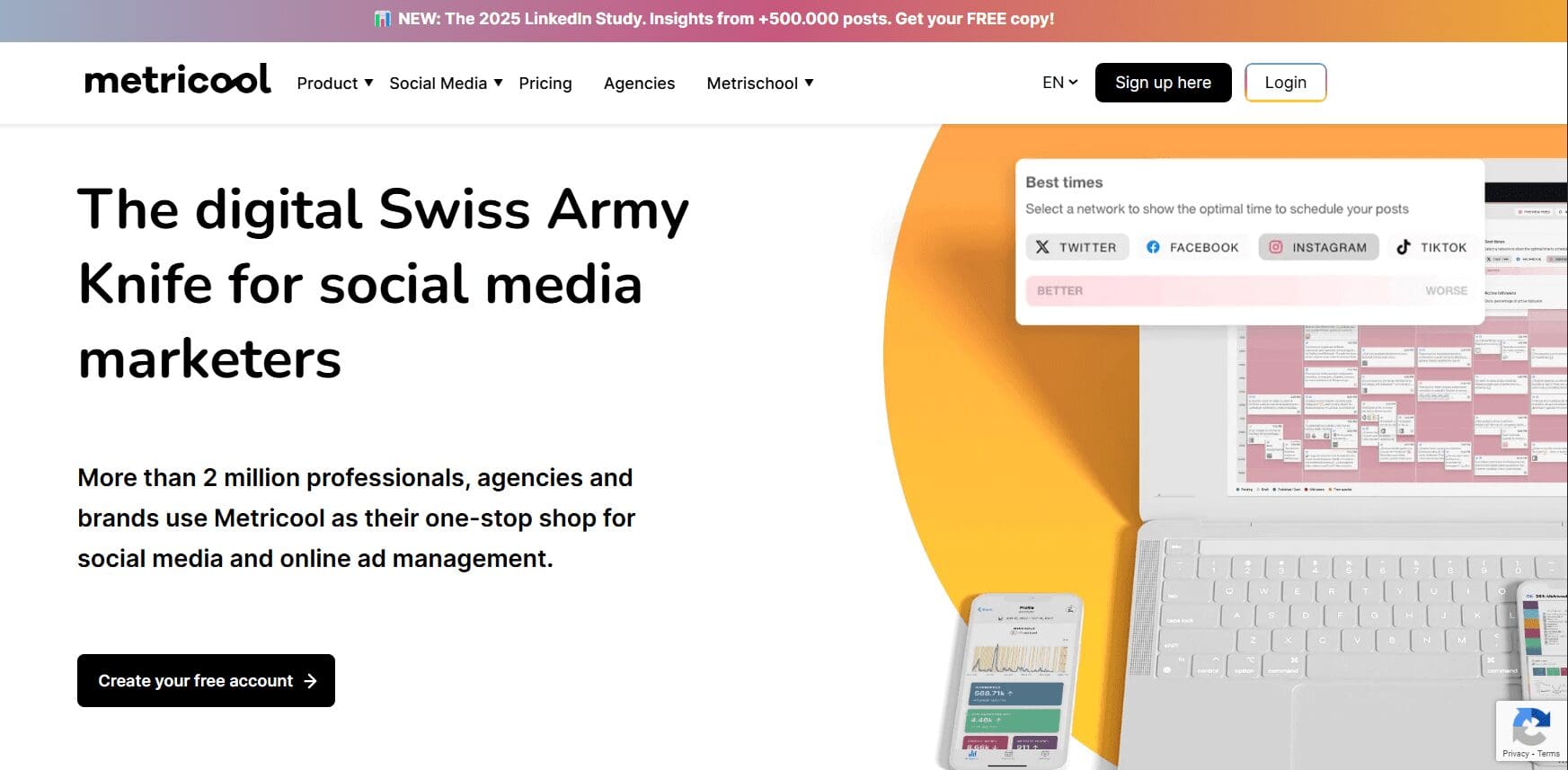
Buffer Alternative #11: Metricool – Budget-Friendly Analytics & Scheduling Platform
Metricool’s Landing Page Metricool is fast becoming the best alternative, particularly for marketers who desire top-notch analytics at a reasonable cost.
With a mix of smart scheduling, performance monitoring, and combined messaging, Metricool offers robust functionality without breaking the bank.
For marketers looking for the tools with a heavier focus on metrics and reporting, without the premium-tier prices, Metricool is a top player.
Key Features
- Central Analytics Dashboard: Track social, blog, ad, and website performance from one dashboard for a clear, high-level overview.
- Multi-Platform Scheduling: Schedule and manage posts across Facebook, Instagram, LinkedIn, Twitter/X, Pinterest, YouTube, TikTok, and Google Business Profile.
- Competitor & Hashtag Analysis: Access detailed competitor and hashtag insights to fine-tune your content strategy.
Pros
Cons
Provides detailed analytics and reporting across multiple channels. Not ideal for large teams that need approval workflows or advanced user permissions. Clean, easy-to-use dashboard that makes analytics and content planning approachable. Does not include native CRM integration. Pricing:
Metricool offers a free plan with basic features. Paid plans start at $18/month and scale based on the number of brands and users. All premium plans include analytics and scheduling, along with a 30-day free trial.
Buffer vs Metricool
The main difference between Buffer and Metricool comes down to cost and depth of analytics.
Buffer focuses on straightforward scheduling and light reporting, while Metricool delivers deeper insights at a lower price point.
For small businesses and marketers who want strong analytics without high software costs, Metricool can be a better choice than Buffer.
-
Buffer Alternative #12: MeetEdgar – Smart Automation for Evergreen Content
MeetEdgar is a niche but powerful social media automation tool, best known for its ability to recycle evergreen content intelligently.
If you’re managing content-heavy profiles and want to keep your feeds fresh without manual rescheduling, MeetEdgar is one of the top Buffer alternatives for hands-off content marketing.
Perfect for solopreneurs, small teams, and busy brands, MeetEdgar automates recurring posts so your best content continues to deliver results.
Key Features
- Evergreen Content Recycling: Automatically reuses high-performing content by categorizing and reposting it over time to keep feeds active around the clock.
- Automated A/B Variations: Create multiple versions of a post and let the platform test which performs best.
- Content Library Management: Organize posts by category so your schedule stays filled with relevant, reusable content.
Pros
Cons
Automates social posting with very little manual effort. Does not include a social inbox or advanced analytics. Simple setup and automation make it a good fit for solo users and small businesses. Lacks collaboration tools such as approval workflows and user roles. Pricing:
MeetEdgar plans start at $24.91/month for the Eddie plan, which supports up to five social accounts and includes a 7-day free trial. Higher-tier plans unlock more accounts and automation features.
Buffer vs MeetEdgar
In the Buffer vs MeetEdgar comparison, Buffer suits teams that need a broader range of publishing and engagement tools.
MeetEdgar, on the other hand, is built for consistency with minimal hands-on work, making it a strong Buffer alternative for evergreen scheduling and automation.
-
Buffer Alternative # 13: Agorapulse – All-In-One Social Inbox & Publishing Tool
Agorapulse is a powerful social media management tool distinguished by its all-in-one social inbox and extensive reporting features.Designed for teams and agencies, it’s one of the best Buffer alternatives for those looking for collaboration tools in addition to publishing and scheduling.
If you need alternatives to Buffer but want more serious community management and reporting features, Agorapulse offers an all-around professional-level experience.
Key Features
- Unified Social Inbox: Track and manage all messages, comments, and mentions from one centralized inbox to stay on top of audience engagement.
- Advanced Reporting & Analytics: Build detailed, customizable reports that highlight social performance and ROI—ideal for agencies and analytics-focused teams.
- Team Collaboration Tools: Use approval workflows, role-based permissions, and shared content calendars to manage multiple stakeholders with ease.
Pros
Cons
Strong analytics and reporting capabilities make it well-suited for client-facing teams. More expensive than many Buffer alternatives, especially for small businesses. Unified social inbox simplifies engagement across multiple platforms. The feature-rich interface comes with a steeper learning curve. Pricing:
Agorapulse plans start at $79/month for the Standard plan, which supports up to 10 social accounts. A free plan with limited features is available, while higher-tier plans are designed for teams and agencies needing deeper collaboration and reporting.
Buffer vs Agorapulse
While Buffer stands out for its simplicity and easy scheduling, Agorapulse is better suited for businesses that need advanced engagement management and client-ready reports.
For teams that rely on detailed analytics and structured collaboration, Agorapulse ranks among the strongest Buffer alternatives.
If your priority is deeper insights and team-focused features, Agorapulse is a powerful option worth serious consideration.
-
Buffer Alternative #14: Sendible – Built for Agencies Managing Multiple Clients
Sendible is a social media management platform designed for agencies and multi-brand businesses.As one of the best Buffer alternatives for client management, it shines when managing multiple social accounts and brand voices from a single dashboard.
If you’re handling content for numerous clients or departments, Sendible is a strong choice, especially with its white-label features and detailed reporting.
Key Features
- Client & Brand Management: Create separate dashboards for each client or brand to keep content, users, and reports neatly organized.
- Customizable Reporting: Build branded, in-depth analytics reports and automate delivery to clients on a scheduled basis.
- Smart Queues & Scheduling: Simplify publishing with smart queues that adjust posting schedules based on each platform and audience.
Pros
Cons
Well-suited for agencies managing multiple clients or social media brands. The interface can feel busy compared to more lightweight scheduling tools. White-label reports and brand-specific workflows add a professional touch to client work. May be more than what solo users or small teams with limited clients need. Pricing:
Sendible pricing starts at $29/month for the Creator plan. Higher-tier plans such as Traction and Scale unlock more users, profiles, and advanced client management features. A 14-day free trial is available.
Buffer vs Sendible
In the Buffer vs Sendible comparison, Buffer is often the go-to choice for solo marketers and small teams that want simple scheduling without added complexity.
Sendible, on the other hand, is built for agencies and brands handling multiple clients, varied brand voices, and detailed reporting requirements.
For teams looking beyond basic scheduling and toward stronger client management, Sendible is one of the most capable Buffer alternatives.
-
Buffer Alternative #15: ContentStudio – AI-Powered Content Discovery & Automation
ContentStudio’s Homepage ContentStudio is a feature-rich social media and content marketing platform that stands out for its AI-driven content discovery, automation, and publishing tools.
It is especially attractive for marketers who prioritize content curation and data-backed scheduling.
If you’re managing multiple content streams or looking to scale your social presence with the help of intelligent automation, ContentStudio is one of the best Buffer alternatives available today.
Key Features
- AI-Powered Content Discovery: Find trending articles, videos, and social posts across industries to curate relevant content in minutes.
- Automation Workflows: Set up auto-posting rules, evergreen recycling, and approval workflows to streamline publishing.
- Collaborative Content Calendar: Plan, schedule, and manage posts visually using a calendar designed for team collaboration and campaigns.
Pros
Cons
Well-suited for teams that combine content curation, publishing, and analytics in one platform. The wide feature set can feel overwhelming for beginners. AI and automation tools reduce the time spent discovering and sharing relevant content. Does not include a full social inbox for real-time engagement. Pricing:
ContentStudio pricing starts at $19/month for the Standard plan. Higher-tier plans add more profiles, users, and advanced features. A 14-day free trial is available.
Buffer vs ContentStudio
While Buffer emphasizes clean and straightforward publishing, ContentStudio stands out for content discovery and AI-driven automation.
For businesses that depend on curated content or want a smarter way to keep their calendars full, ContentStudio offers clear advantages.
If automation and content sourcing are core to your strategy, ContentStudio is a strong alternative to Buffer.
-
Buffer Alternative #16: Loomly – Streamlined Content Creation with Brand Consistency
Loomly’s Dashboard Loomly is a user-friendly social media management tool that strongly emphasizes content creation and brand consistency.
As one of the more visual and intuitive Buffer alternatives, Loomly is perfect for marketing teams that need an organized workflow for crafting, collaborating, and publishing content.
If you’re looking for tools with more structure around brand guidelines and approval workflows, Loomly delivers a clean and efficient experience.
Key Features
- Post Optimization & Idea Suggestions: Get real-time post ideas, hashtag suggestions, and optimization tips based on platform best practices.
- Approval Workflows & Commenting: Collaborate smoothly with built-in approval flows and internal comments to keep everyone aligned.
- Brand Library & Asset Management: Maintain consistent branding using a centralized library for logos, templates, and style guidelines.
Pros
Cons
Ideal for teams focused on maintaining brand voice and visual consistency. Does not include advanced engagement tools such as a social inbox. User-friendly interface makes collaboration and onboarding straightforward. Analytics and reporting are more limited compared to some other Buffer alternatives. Pricing:
Pricing is no longer publicly listed on Loomly’s website. You’ll need to contact their sales team to request a custom quote.
Buffer vs Loomly
In the Buffer vs Loomly comparison, Buffer works well for basic scheduling, while Loomly stands out for content organization, brand consistency, and structured collaboration.
For teams that rely on clear approval processes and coordinated post creation, Loomly is a strong option.
If maintaining a clear, on-brand presence is your priority, Loomly is a solid alternative to Buffer.
-
Buffer Alternative #17: Tailwind – Smart Scheduling for Pinterest and Instagram
Tailwind Dashboard Tailwind is a niche yet powerful social media management tool built specifically for visual platforms like Pinterest and Instagram.
With a strong focus on post optimization and time-saving automation, Tailwind is one of the best Buffer alternatives for visual marketers and ecommerce brands.
If you’re looking for tools tailored to Pinterest and Instagram—with intelligent scheduling and design features, Tailwind is an excellent pick.
Key Features
- Smart Scheduling: Automatically posts at the best times for engagement based on audience behavior and platform trends.
- Tailwind Create: Built-in design tool that turns photos and brand assets into multiple post-ready designs within seconds.
- Hashtag Finder & Content Plans: Recommends high-performing hashtags and ready-made post ideas to help maintain consistency.
Pros
Cons
Highly specialized for Pinterest and Instagram growth. Limited support for platforms beyond Pinterest, Instagram, and Facebook. Combines design and scheduling, making it ideal for solopreneurs and small businesses. Not built for complex team workflows or multi-channel strategies. Pricing:
Tailwind offers a free plan with limited posting and design features. Paid plans start at $17.99/month per platform (Instagram or Pinterest), including scheduling, analytics, and Tailwind Create.
Buffer vs Tailwind
Buffer supports a wider range of platforms, but for brands focused on visual content on Instagram and Pinterest, Tailwind is often the better fit.
Tailwind’s visual planning and publishing tools are well suited for creators, bloggers, and ecommerce brands.
With its visual-first approach and smart scheduling, Tailwind stands out for maximizing engagement on image-driven platforms.




Featured Article: 29 Best Crowdfire Alternatives for Agencies in 2025
Why Social Champ Is the Best Affordable Buffer Alternative?
Social Champ deserves your attention if you’re searching for powerful yet budget-friendly Buffer alternatives.
It’s an all-in-one social media management platform designed to simplify content planning, automate publishing, and provide actionable insights—all without breaking the bank.
Whether you’re a solopreneur, part of a small team, or own a large enterprise, Social Champ is a leading option among affordable alternatives to Buffer.
-
Easy to Use, Even for Beginners
- Social Champ’s clean, modern dashboard makes scheduling and managing content straightforward.
- The drag-and-drop calendar helps you visualize your posting strategy across all connected platforms.
- Thanks to guided walkthroughs and a clutter-free interface, even non-tech-savvy users can quickly get started.
A satisfied Social Champ user reviewed on Trustpilot.
-
Pricing Advantage
- One of the most affordable Buffer alternatives, with plans starting at just $4/month.
- Offers a free plan that includes three social accounts and essential scheduling features—great for testing the platform.
- Compared to other platforms, Social Champ offers more value per dollar.
-
Automation Workflows
- Set up recurring queues for evergreen content to ensure your best posts never go stale.
- Automate publishing via bulk upload, RSS feeds, and content recycling—ideal for maintaining a consistent online presence.
- Smart automation rules save hours of manual work each week.
-
Detailed Analytics
- Monitor performance with detailed post-level and profile-level insights.
- Easily export professional reports to analyze trends or share with clients.
- Built-in UTM parameters help you track traffic and conversions.
-
Team Collaboration Features
- Collaborate efficiently with team roles, permissions, and approval workflows.
- Create, review, and leave feedback on posts within the platform.
- Each user can access their assigned workspaces without interfering with others—great for agencies and multi-brand teams.
-
Strong Customer Support
- Responsive 24/7 live chat and fast email support to resolve issues quickly.
- Access to a comprehensive help center, video tutorials, and onboarding resources.
- The support team is consistently praised for its friendliness and quick turnaround times.
Here’s another review of Social Champ user on GetApp.


Plan, Post, Analyze, Repeat – All-In-One Tool!
With Social Champ, you can schedule posts, recycle evergreen content, track analytics, and collaborate with your team—without switching tabs.
How to Pick the Right Platform Similar to Buffer for Your Needs?
With so many platforms available, choosing the right one can feel overwhelming.
Here’s a practical guide to help you find the best fit based on your specific goals and workflow.
-
Budget
Start by defining how much you’re willing to spend.
If you’re a solo creator or small business, affordable Buffer alternatives may offer enough features without a premium price tag.
Agencies may need more advanced tools.
-
Team Size & Collaboration
Smaller teams can get by with simpler tools, but if you’re managing multiple users, look for Buffer alternatives with role-based access, approval workflows, and internal commenting.
-
Social Networks Managed
Not all tools support every platform.
Tailwind is best for Pinterest and Instagram, while Social Champ and Hootsuite cover a broader range, including LinkedIn, X (Twitter), and Facebook.
Make sure your key platforms are supported.
-
Automation & Scheduling
If saving time is a priority, choose tools with strong automation, such as MeetEdgar or Social Champ.
-
Analytics & Reporting
Need detailed reports?
Tools like Agorapulse and Social Champ provide more comprehensive analytics than basic schedulers.
By focusing on these areas, you’ll narrow down the alternatives to Buffer that truly align with your needs and avoid paying for features you won’t use.
Conclusion
As social media changes, the demand for strong, scalable, affordable tools has never been more critical.
While Buffer remains a solid choice for simple scheduling, its weaknesses in pricing, feature set, scalability, and customer support make exploring Buffer alternatives a smart move for expanding companies and teams.
Tools like Social Champ, Hootsuite, Sprout Social, and others provide advanced automation, richer analytics, and smooth team collaboration.
Whether you’re an agency working for clients or a solopreneur looking for a price, these Buffer alternatives offer flexibility and strength to take your social media game to the next level.
By assessing your budget, team size, platform requirements, and desired features, you can discover the ultimate tool to replace Buffer and achieve improved performance.
Smarter Social Media Starts Here!
Whether you’re a team of one or managing multiple brands, Social Champ gives you everything you need to grow—all in one intuitive tool.