
Managing your social media accounts can often feel like a full-time job.
That’s why social media management tools are a game-changer, helping you to effortlessly publish content, schedule posts, and track performance analytics.
Tailwind is a top contender, offering Pinterest, Facebook, and Instagram features.
However, we have you covered if you want to explore more options to optimize your digital strategy.
If you feel boxed in by this platform’s limitations, it might be time to peek over the fence and explore some Tailwind alternatives.
Luckily, there’s a whole world of options out there beyond Tailwind, such as Social Champ, which has a Free plan and paid plans from $4/month.
Short Summary
- Tailwind can be difficult to navigate, especially for beginners, making it less accessible for new users.
- The free version of Tailwind has significant restrictions, limiting its usefulness for users who need more features.
- Tailwind is known for slow load times and buggy performance, which can hinder productivity.
- A top alternative, Social Champ supports a wide range of platforms and offers features like unlimited scheduling, automation, and advanced analytics.
- Tools like Buffer, Hootsuite, and Later provide various features that cater to different social media management needs.
- It’s important to explore different alternatives to find a tool that fits your specific requirements and budget, ensuring better social media management and performance.
From versatile schedulers to robust analytics platforms, you will surely find a social media management tool to suit your needs.
Ready to Ditch the Limits of Tailwind?
Why You Should Look for Tailwind Alternatives?
While Tailwind (the social media tool) has long been a go-to for Pinterest and Instagram enthusiasts, the social media landscape has evolved. Today’s creators and brands need to be everywhere—from the professional circles of LinkedIn to the fast-paced trends of TikTok.
If you’ve found yourself hitting a wall with Tailwind’s specific workflow, you aren’t alone. Here is a deeper look at the critical downsides that drive users to seek more versatile alternatives:
-
Limited Network Support
Tailwind’s roots are deeply planted in Pinterest, Facebook, and Instagram. While it handles these well, it lacks native, robust support for must-have platforms like X, LinkedIn, and TikTok. In a world where cross-platform presence is non-negotiable, using a tool that ignores half of your strategy creates a disjointed workflow.
-
Steep Learning Curve for Beginners
Despite its visual nature, Tailwind’s dashboard can feel cluttered and unintuitive. New users often struggle to find specific settings. Modern alternatives like Social Champ or Buffer focus on a “what-you-see-is-what-you-get” interface that requires zero training.
-
Restrictive Free Version
Tailwind’s free tier is more of a trial than a long-term solution. With strict limits on the number of posts and the inability to access advanced scheduling features, small businesses often find themselves forced into a paid plan before they’ve seen any ROI.
-
Performance and Load Times
A major pain point cited by long-time users is the platform’s speed. The dashboard can be notoriously slow to load, especially when handling high-resolution images or large batches of content. When you’re trying to batch-schedule a month of content, every second of lag adds up to hours of wasted time.
-
Buggy User Experience
From posts failing to publish to glitches in the browser extension, Tailwind has faced criticism for stability issues. For a social media manager, a buggy tool isn’t just annoying, it’s a liability that can lead to missed campaign deadlines and broken links.
-
Pay-to-Play Feature Locks
Many of Tailwind’s most useful features, like advanced analytics and unlimited email contacts, are tucked behind higher-tier paywalls. You may start at $17.99, but to get the functionality a growing agency needs, you’ll quickly find yourself looking at the $49.99/month bracket.
-
Better Value for Your Budget
The market is now flooded with tools that offer more for less. Many alternatives provide a unified inbox (to reply to comments), better team collaboration tools, and wider platform support for the same price Tailwind charges for its basic plan.
What Key Features to Look for in Tailwind Alternatives?
When evaluating a replacement for Tailwind, it is important to look beyond basic scheduling. The right alternative should solve the specific pain points, like limited platform support or clunky interfaces, while introducing more sophisticated workflows that grow with your brand.
Here are the key features you should prioritize:
-
Broad Platform Integration
The most common reason for switching is Tailwind’s narrow focus. A robust alternative must support a wider ecosystem, ideally including:
- Essential Networks: X, LinkedIn, and TikTok.
- Emerging Channels: Support for Threads, BlueSky, or YouTube Shorts.
- Local SEO: Integration with Google Business Profile for brick-and-mortar brands.
-
Visual Content Planning and Mockups
A simple list of posts isn’t enough for modern social media managers. Look for tools that offer:
- Grid Previews: Essential for Instagram to ensure your aesthetic remains consistent.
- Contextual Previews: The ability to see exactly how a post will look on each specific network before you hit schedule.
- Drag-and-Drop Calendars: A bird’s-eye view that allows you to easily move content around to fill gaps.
-
Advanced Collaboration and Approval Workflows
If you work in a team or with clients, your tool should act as a bridge, not a bottleneck. High-quality alternatives offer:
- Multi-Level Approvals: Different workflows (None, Optional, Required) to ensure no post goes live without the right sign-off.
- Internal Comments: The ability to leave feedback directly on a post draft so only your team sees it, not the client or the public.
- Role-Based Permissions: Control over who can draft, edit, or publish content.
-
Smart Automation and AI Capabilities
Automation should save you hours, not just minutes. Look for:
- Evergreen Content Recycling: Tools that automatically re-queue your best-performing posts to keep your feed active.
- AI Content Assistants: Built-in tools for generating captions, hashtags, or even resizing images for different platforms.
- Bulk Scheduling: The ability to upload dozens (or hundreds) of posts at once via CSV or Excel.
-
Unified Social Inbox
Unlike Tailwind, which lacks engagement features, top alternatives provide a Unified Inbox. This allows you to manage DMs, comments, and mentions across all your connected profiles in a single dashboard, ensuring you never miss a customer interaction.
-
Actionable Analytics and Reporting
Go beyond vanity metrics with reporting that actually helps you strategize. Look for:
- Competitor Benchmarking: Tracking how your performance stacks up against others in your niche.
- Automated Client Reports: Branded PDF or web-based reports that can be automatically emailed to stakeholders.
- Optimal Posting Times: AI-driven suggestions based on when your specific audience is most active.
Featured Article: Breakdown of Tailwind Pricing
Tailwind Alternatives at a Glance
| Tool | Best For | Starting Price |
| Social Champ | All-in-one management with the broadest platform support | $4/month |
| Buffer | Simple, clean scheduling for small teams | $5/month (billed per channel) |
| Hootsuite | Enterprise-level social listening and team permissions | $99/user/month |
| eClincher | Unified inbox and local SEO for service-based businesses | $1609/year |
| Loomly | Client approval workflows and collaboration | $49/month |
| Later | Instagram-first visual content and grid planning | $79/month |
| SocialPilot | Bulk scheduling for agencies and freelancers | $25.50/month |
Best 8 Tailwind Alternatives to Consider in 2026
Are you ready to level up your social media game?
Check out our handpicked list of the top 8 Tailwind alternatives for 2026:
-
Social Champ
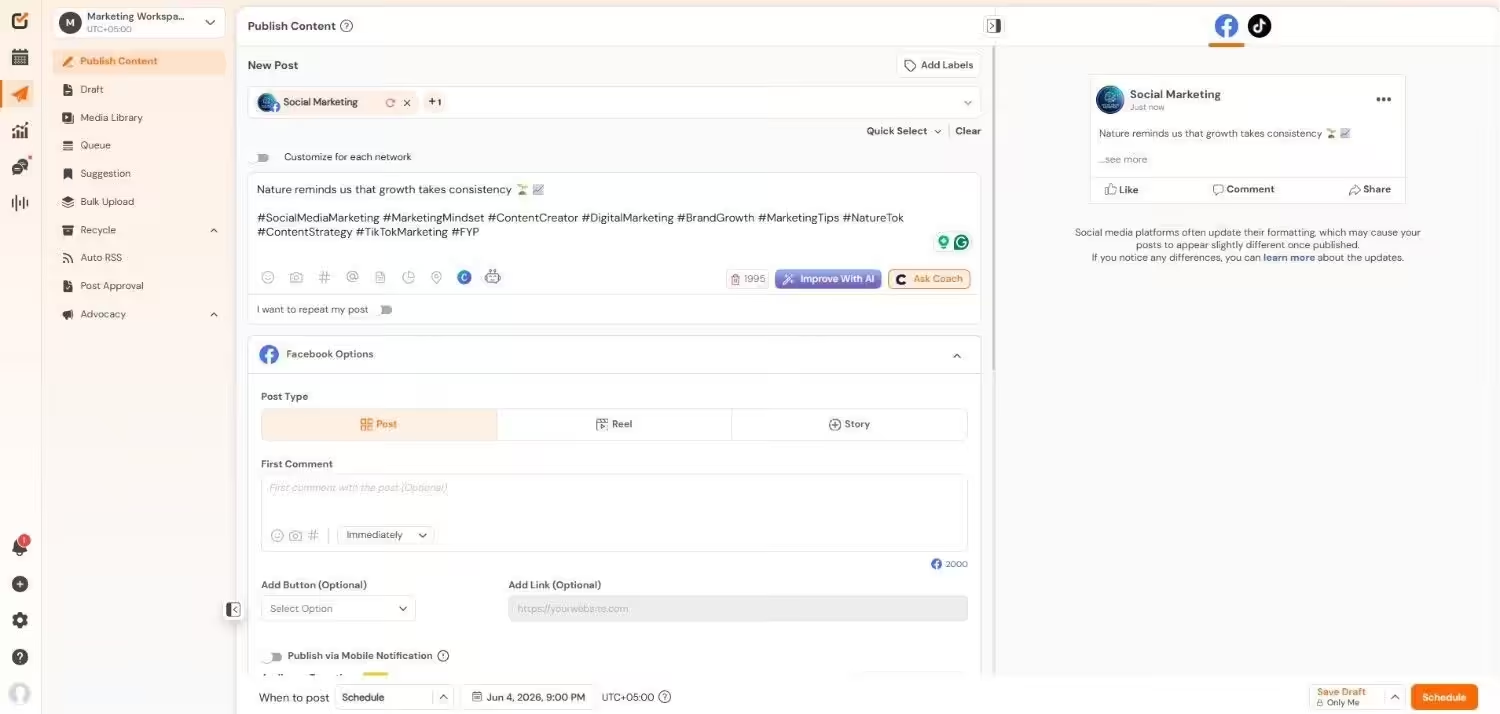
Social Champ’s Dashboard While Tailwind is renowned for its simplicity and effectiveness, particularly for Pinterest, Instagram, and Facebook scheduling,
Social Champ stands out as a top Tailwind alternative with its exceptional features and affordable pricing plans. This comprehensive social media management tool helps agencies, businesses, and solopreneurs manage daily social media challenges.
Social Champ is particularly appealing due to its automation capabilities and unlimited scheduling options, starting from a $4 pricing plan.
The tool supports all major social media platforms, including Facebook, X, LinkedIn, Google Business Profile, Pinterest, YouTube, TikTok, Instagram, BlueSky, and Mastodon. It also integrates seamlessly with visual tools like Canva, bit.ly, Imgur, and Flickr.
With Social Champ, you can effortlessly create, edit, schedule, publish, track, and monitor your posts across all social media platforms. Its analytics feature lets you download reports with presentation-ready graphs and custom titles/logos.
The visual social media calendar in Social Champ lets you view all your published, scheduled, and failed posts at a glance. It also allows you to create new posts or edit existing ones quickly.
Here’s a quick rundown of more amazing features offered by Social Champ:
Key Features
- A crisp and easy-to-use dashboard with all integrations, features, and curation facilities.
- Use the Bulk Upload feature to schedule tons of content at once for up to 3 years.
- Connect your favorite blogs and websites to social media platforms and automate daily posting with Auto RSS.
- Maintain your brand’s voice and check how your posts sound to your audience using Sentiment Analysis.
- Access a massive library of royalty-free images, videos, and GIFs to enhance your posts, or import images directly from Google Drive and Dropbox.
- Use the Team Collaboration feature to involve your team in social media management without sharing credentials, assigning new tasks and roles.
- Instantly reply to all your messages, comments, mentions, and reviews from one unified Social Inbox.
Pricing
Social Champ comes with two pricing tiers, including a Pay-Per-Profile and a Flat-Rate model.
Here’s what you get in the Pay-Per-Profile:
- Starter, which costs $4 and has 1 user. In this plan, you can manage 1 social account.
- Growth, which costs $8 and has unlimited users. In this plan, you can manage 1 social account.
These plans also offer discounts as you scale. Here’s how much you can save in the Starter:
- For 1-10 social accounts: $4
- For 11-20 social accounts: $3
- For 21-40 social accounts: $2
- For 41+ social accounts: $0.50
Here’s how much you can save in the Growth:
- For 1-10 social accounts: $8
- For 11-20 social accounts: $3.50
- For 21-40 social accounts: $2.50
- For 41+ social accounts: $1
With Social Champ, you also get Flat-Rate bundles, which are:
- Free, which costs $0 and has 1 user. In this plan, you can manage 3 social accounts.
- Standard, which costs $23 and has 2 users. In this plan, you can manage 6 social accounts. This plan also comes with add-ons for accounts. You can add another account for $5/account
- Professional, which costs $47 and has 5 users. In this plan, you can manage 12 social accounts. This plan also comes with add-ons for accounts. You can add another account for $4/account and pay $8/user for another user.
- Agency, which costs $119 and has unlimited users. In this plan, you can manage 30 social accounts. This plan also comes with add-ons for accounts. You can add another account for $3/account
- Enterprise, which is Custom and has unlimited users. In this plan, you can manage unlimited social accounts.
Social Champ also supports: Instagram, Facebook, TikTok, LinkedIn, YouTube, Threads, Pinterest, X, Google Business Profile, Bluesky, Mastodon, and WhatsApp Business
Drawbacks:
- The mobile app interface is less advanced compared to the desktop version.
- Analytics reports, while professional, lack some of the deeper Pinterest-specific insights found in Tailwind.
Social Champ vs. Tailwind Takeaway:
While Tailwind is a specialist tool for visual discovery, Social Champ is a generalist powerhouse. It is better for users who need to manage a massive variety of platforms (like LinkedIn, YouTube, X, Threads, and more) under one affordable roof.
Here’s the quick comparison between Tailwind and Social Champ to help you decide:
Features Social Champ Tailwind Platforms Instagram, Facebook, TikTok, LinkedIn, YouTube, Threads, Pinterest, X, Google Business Profile, Bluesky, Mastodon, and WhatsApp Business
Pinterest, Instagram, and Facebook
Free Trial 14 days for each plan and an unlimited free plan Free plan available with limited features Starting Price $4/month $17.99/month AI Assistance ☑️ ❌ Team Management ☑️ ☑️ Instagram Link in Bio ☑️ ☑️ First Comment Scheduling ☑️ ❌ Hashtag Manager ☑️ ❌ Boost Post ☑️ ❌ Bulk Upload ☑️ ☑️ Auto RSS ☑️ ❌ Threads Scheduling ☑️ ❌ More Platforms. Less Cost.
Get unlimited scheduling, AI tools, and a unified inbox with Social Champ, starting at just $4/month. -
Buffer

Buffer’s Dashboard Buffer is one of the most popular social media management tools for those seeking a Tailwind alternative. It assists businesses and individuals in managing their social media marketing on major platforms such as Facebook, Instagram, Pinterest, LinkedIn, TikTok, and X.
Buffer stands out for its ease of use and exceptional customer support, which is available 24/7, making social media management a breeze. However, Buffer is slightly more expensive compared to other tools and does not integrate with YouTube.
Key Features
- Social media scheduling
- Analytics and insights
- Team collaboration
- Content suggestions
- Browser Extensions
Pricing
- Free plan.
- Essentials at $5/month for 1 channel.
- Team at $10/ monthly for 1 channel.
Drawbacks
- The per-channel pricing can get very expensive quickly if you manage 10+ profiles.
- No built-in content creation tool like Tailwind Create.
- Engagement tools (replying to comments) are locked behind a separate paid layer.
Buffer vs. Tailwind Takeaway
Buffer wins on user experience. If Tailwind’s dashboard feels cluttered and overwhelming, Buffer’s clean, calendar-centric design will be a breath of fresh air, though you’ll lose Tailwind’s specialized Pinterest “SmartLoop” features.
-
Hootsuite
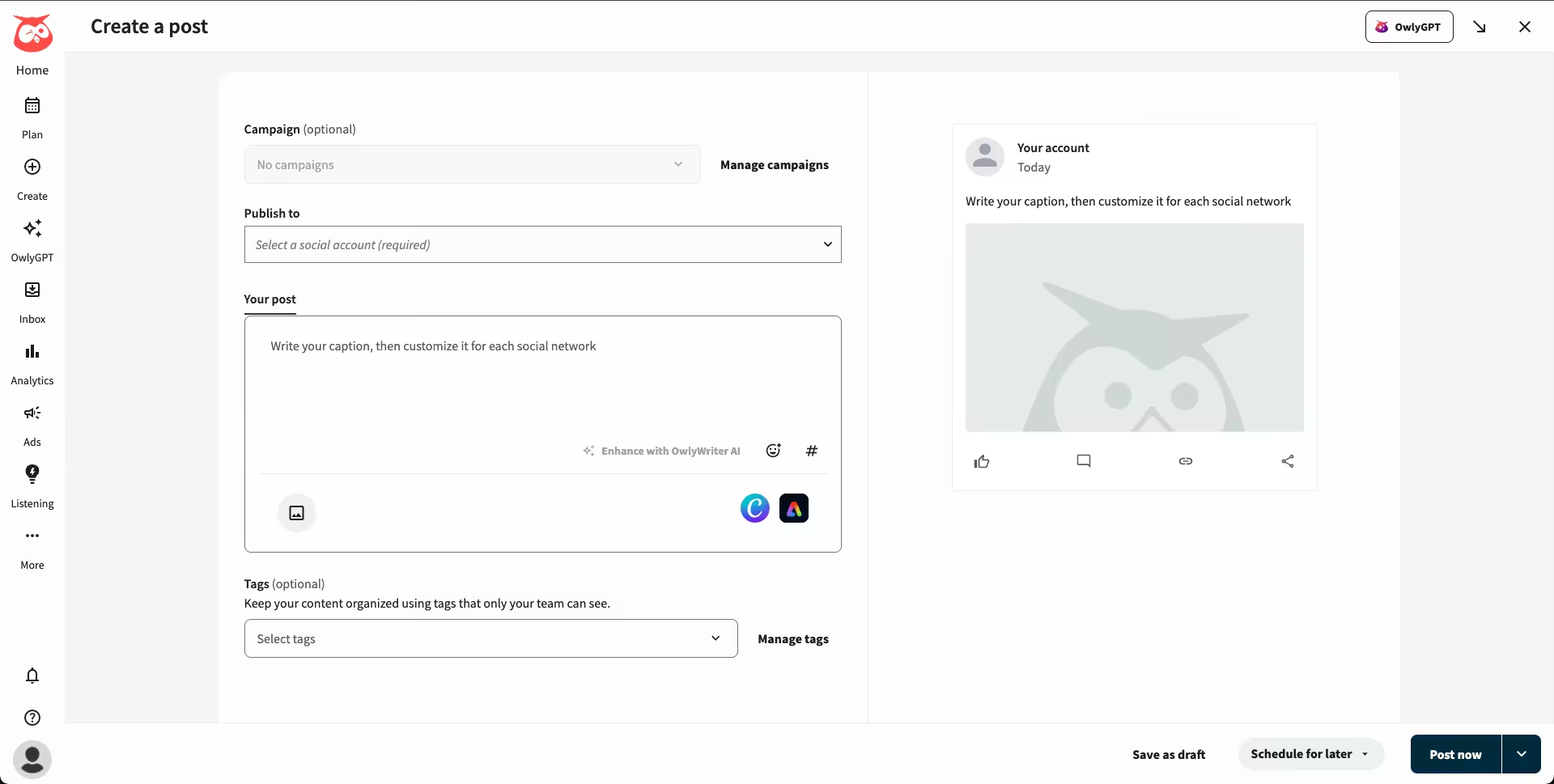
Hootsuite’s Dashboard It’s hard to overlook Hootsuite when considering alternatives to Tailwind.
Hootsuite allows you to easily create, schedule, and publish content across multiple social media platforms, including Facebook, X, LinkedIn, Pinterest, YouTube, and Instagram.
However, the tool offers a basic free plan that comes with several limitations, requiring you to upgrade to access additional features.
Additionally, Hootsuite is known for being quite expensive, and some users have reported that its interface feels outdated and challenging to use.
Key Features
- Publish and Schedule
- Social Media Analytics
- AI Content Creation
- Social Listening
- Engagement Tools
- Inbox and Messaging
Pricing
- Standard at $99/user/month billed annually.
- Professional at $199/user/month billed annually.
- Advanced at $399/user/month billed annually.
- Enterprise ([Value not found]).
Drawbacks:
- One of the most expensive tools on the market, with a high entry price.
- The interface can feel dated and complex for solo creators.
- The free plan is extremely limited compared to Tailwind’s freemium offering.
Hootsuite vs. Tailwind Takeaway:
Hootsuite is for the boardroom; Tailwind is for the bedroom (creator). If you need intense social listening and team permission levels for a 50-person agency, Hootsuite is the move. For automated visual design, stick with Tailwind.
-
eClincher

eClincher’s Landing Page eClincher is a social media management tool that rivals Tailwind with its impressive features.
Supporting major social media platforms like Facebook, Twitter, Instagram, LinkedIn, and Pinterest, eClincher offers a comprehensive suite of tools to streamline your social media efforts.
However, it’s important to note that eClincher may not be as user-friendly as Tailwind for beginners, and some users have reported occasional glitches in the platform’s interface.
Despite these minor drawbacks, eClincher remains a strong contender as an alternative to Tailwind for managing your social media presence.
Key Features
- Publishing and Scheduling
- Reputation Management
- Analytics
- Listening
- Engagement
- AI & Automation
- Listings Management
- Local SEO
- Franchise & Multi-Location
Pricing
- Standard at $1609/month when billed annually.
- Professional at $3769/month when billed annually.
- Enterprise (Custom).
Drawbacks:
- The UI is functional but lacks the modern aesthetic of newer tools.
- Steep learning curve for its advanced automation rules.
- Higher starting price point than many competitors.
eClincher vs. Tailwind Takeaway:
Choose eClincher if you need a command center. It offers a unified inbox and local SEO tools that Tailwind simply doesn’t have, making it better for service-based businesses with physical locations.
-
Loomly
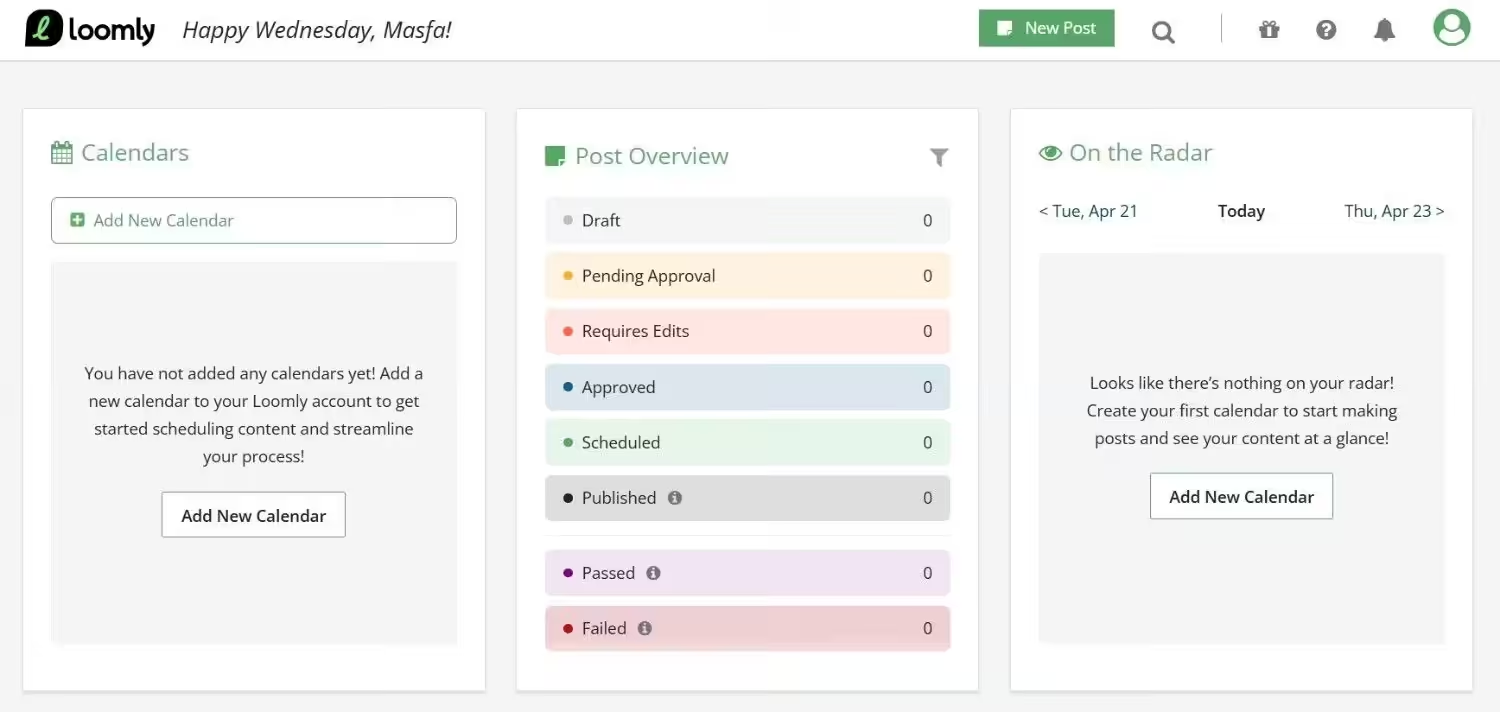
Loomly’s Dashboard Loomly is an exceptional social media management tool that prioritizes a functional UI, making it an ideal choice for those who value user experience in their workflow.
Integrated with multiple social media platforms, including Facebook, Instagram, LinkedIn, X, YouTube, TikTok, Pinterest, and Google Business Profile, Loomly offers a comprehensive solution for managing your social media presence.
However, it’s important to note that Loomly does not offer a free plan, which may be a drawback for some users
Key Features
- Post Planning and Scheduling
- Collaborations and Approval Workflows
- Content Calendar and Library
- Content Creation
- Campaign Management
- Analytics and Reports
- Community Management
Pricing
- $0 plan.
- Starter at $49/month when billed annually.
- Beyond at $249/month when billed annually.
- Enterprise (Custom).
Drawbacks:
- Analytics are not as customizable as some users might prefer.
Loomly vs. Tailwind Takeaway:
Loomly is the king of collaboration. If your main frustration with Tailwind is the lack of a clear client approval process, Loomly’s workflow will solve your problems instantly.
-
Later
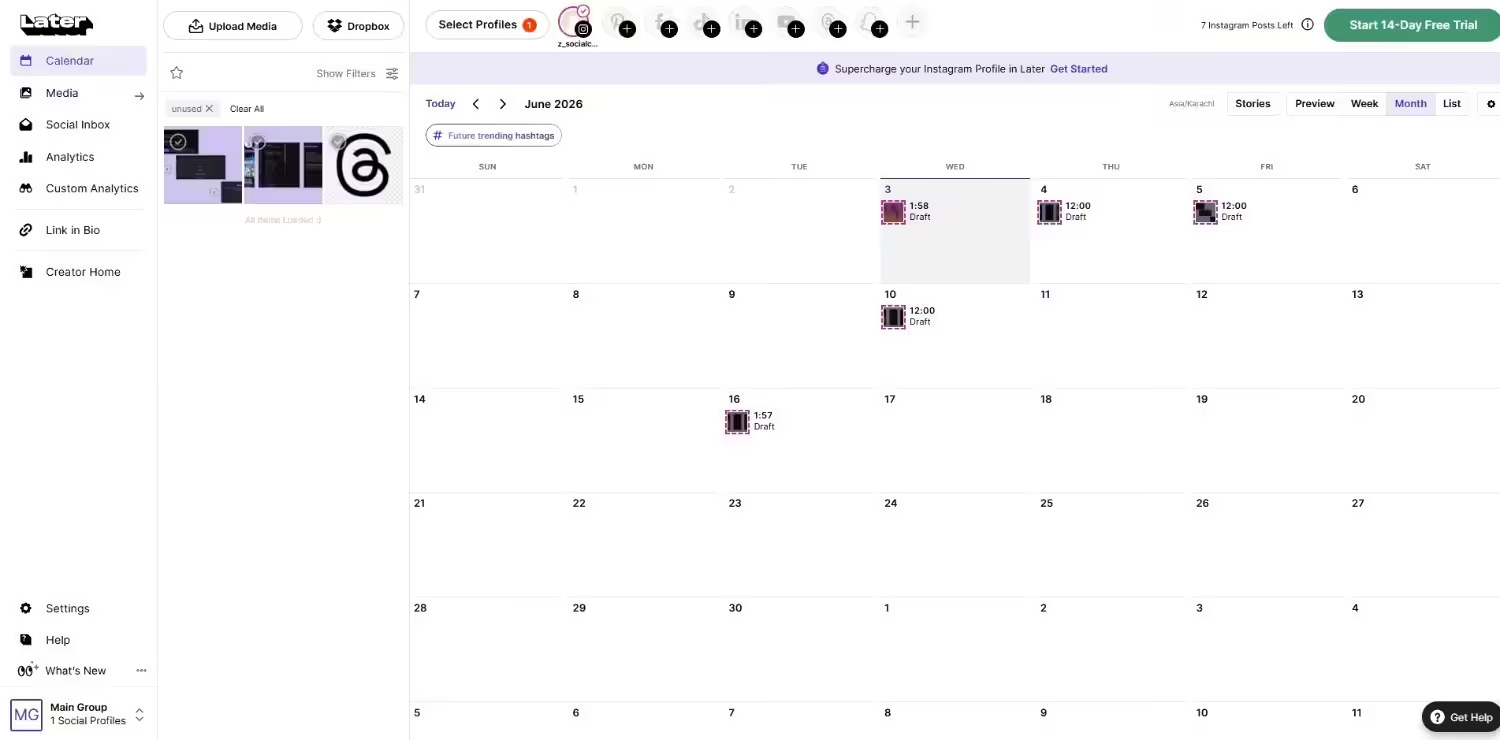
Later’s Dashboard Later is a power-packed social media management tool that stands out as a strong alternative to Tailwind, particularly for Instagram users.
With Later, users can seamlessly plan, schedule, and publish their posts across various platforms, including Facebook, X, Instagram, Pinterest, LinkedIn, and TikTok.
Despite this limitation, Later remains an excellent choice for users primarily focused on Instagram, offering a user-friendly interface and robust scheduling capabilities to streamline their social media workflow.
Key Features
- Publishing and scheduling
- Content Creation
- AI Caption Writer
- Later Mobile App
- Analytics
Pricing
- Free plan.
- Starter at $18.75/month when billed annually.
- Growth at $37.50/month when billed annually.
- Scale at $82.50/month when billed annually.
Drawbacks
- The “Link in Bio” features can be limited on the lower-paid tiers.
- Analytics history is limited depending on your plan (e.g., only 3 months on Starter).
- Pinterest features are present but not as deep as Tailwind’s “Communities.”
Later vs. Tailwind Takeaway
Later is for the aesthetic creator. While Tailwind focuses on the science of scheduling (SmartLoop), Later focuses on the art of the grid. If you care about how your Instagram looks as a whole, Later is the winner.
-
Sprout Social
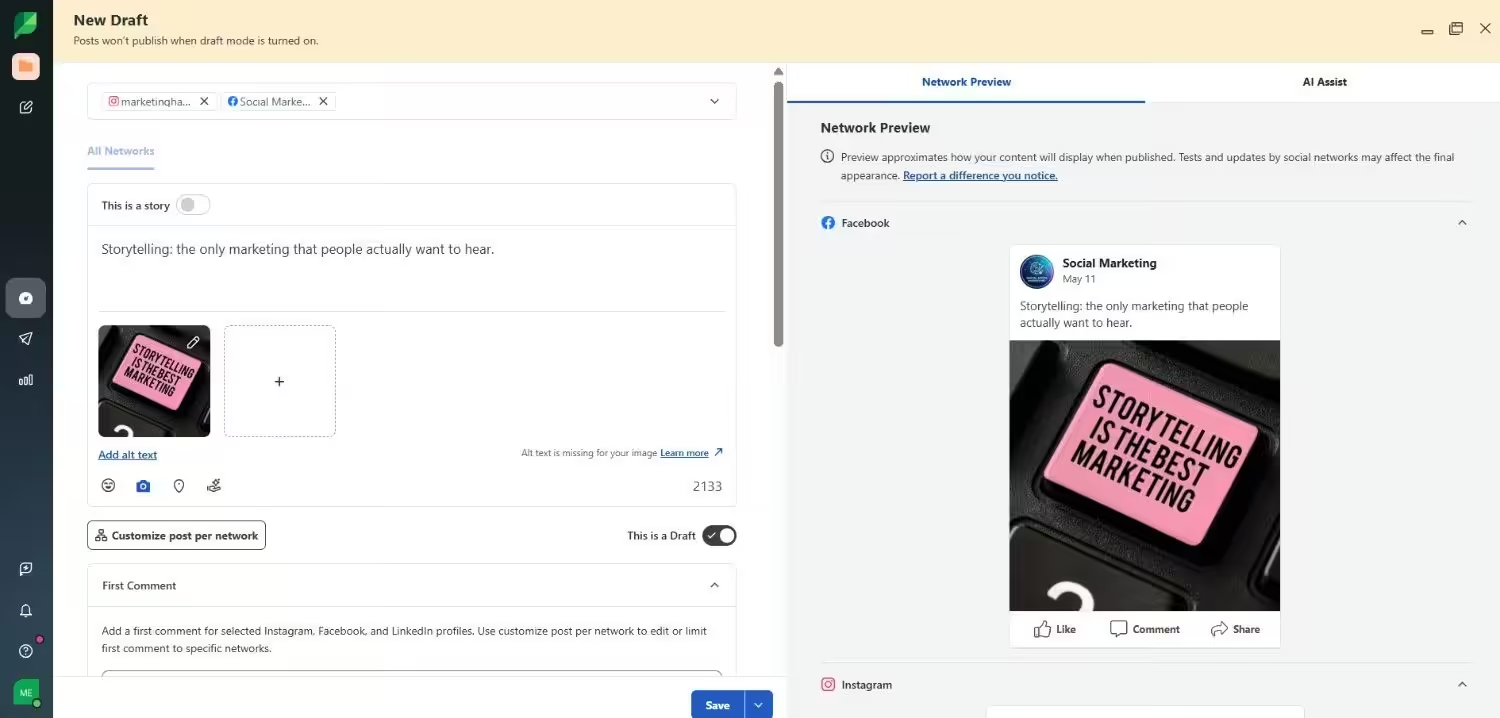
Sprout Social’s Dashboard Like other alternatives to Tailwind on this list, Sprout Social stands out as a comprehensive social media management tool with its crisp and clean UI and a wide array of powerful features.
Its functionality extends beyond basic scheduling and analytics to include CRM functions, listening add-ons, a content calendar, analytics, smart inbox, and much more.
Undoubtedly, Sprout Social’s robust feature set makes it an all-rounder on the list of Tailwind alternatives, catering to the diverse needs of businesses and marketers.
However, it’s important to note that Sprout Social is relatively expensive compared to other competitors in the market.
Key Features
- Engagement
- Publishing
- Premium Analytics
- Listening
- Influencer Marketing
- Employee Advocacy
- AI And Automation
Pricing
- Essentials plan at $79/seat/month.
- Standard plan at $199/seat/month.
- Professional Plan at $299/seat/month.
- Advanced Plan at $399/seat/month.
- Enterprise Plan (custom).
Drawbacks
- Very basic analytics compared to Tailwind’s deep-dive data.
- No evergreen recycling features (like Tailwind’s SmartLoop).
- The pricing is based on workspaces, which can be confusing for freelancers.
Sprout Social vs. Tailwind Takeaway
Sprout Social is an all-rounder for professional teams. It offers a level of customer service and unified messaging that makes Tailwind look basic by comparison, but you pay a real premium for it.
-
SocialPilot
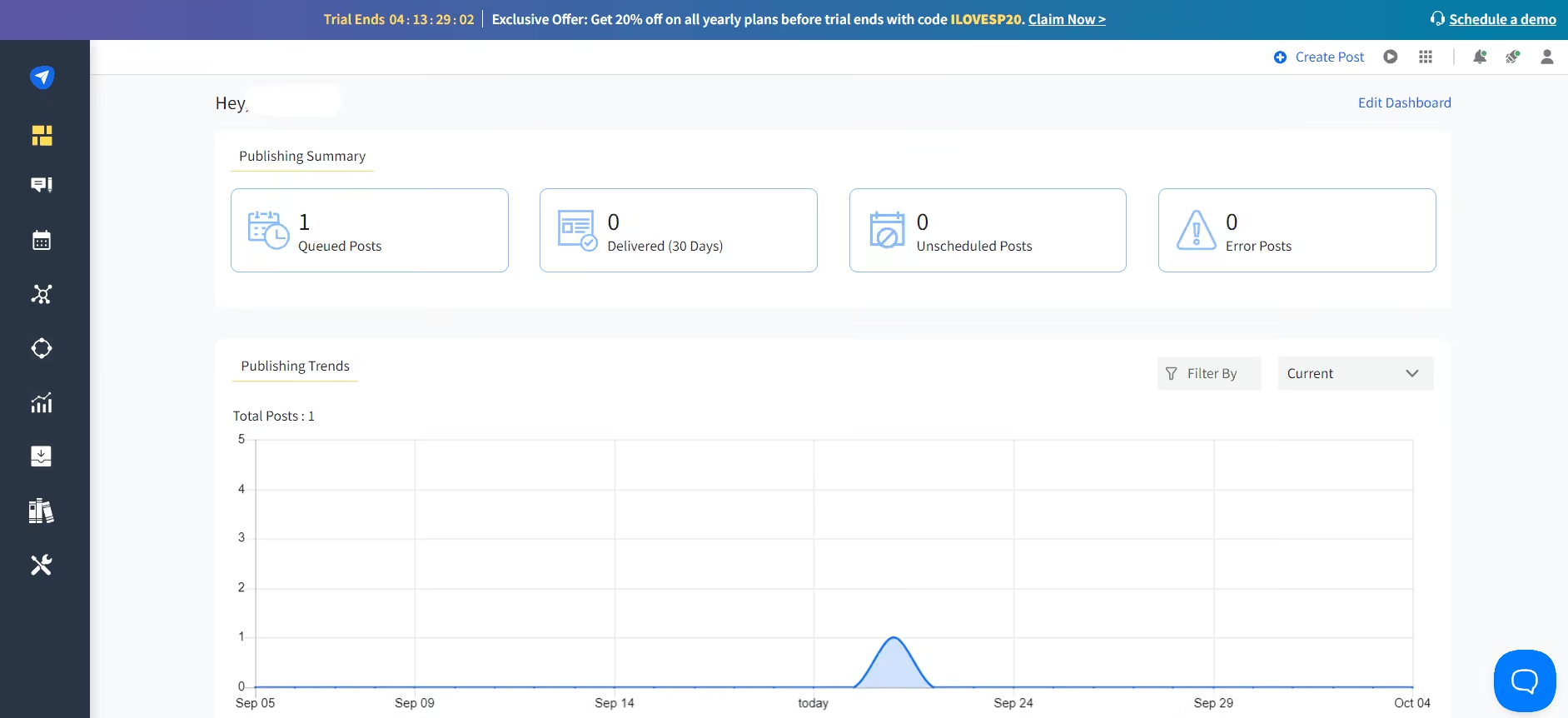
SocialPilot’s Dashboard SocialPilot emerges as a versatile alternative to Tailwind, offering a plethora of robust features designed to streamline social media marketing efforts.
With its intuitive interface, users can easily schedule and publish content across various platforms such as Facebook, X, LinkedIn, Instagram, Pinterest, TikTok, and Google My Business.
The platform’s comprehensive analytics provide valuable insights into campaign performance, while team collaboration features enhance workflow efficiency.
Additionally, SocialPilot’s content calendar offers a visual overview of scheduled posts, enabling effective planning and organization.
Despite its powerful functionality, some users may find SocialPilot to be comparatively expensive.
Key Features
- Social Media Calendar
- Publishing
- Bulk Scheduling
- AI Assistant
- Content Library
- Team Management
- Client Management
- Analytics
- Advanced Reports
- Engagement
Pricing
- Essentials Plan priced at $25.50/month.
- Standard Plan priced at $42.50/month.
- Premium Plan at $85.00/month.
- Ultimate Plan at $170.00/month.
- Enterprise (Custom).
Drawbacks:
- The platform can feel overbuilt for simple scheduling needs.
- Advanced listening features require expensive add-ons.
SocialPilot vs. Tailwind Takeaway:
SocialPilot is built for the bulk scheduler. If you need to upload hundreds of posts at once via CSV, SocialPilot’s bulk features are more stable than Tailwind’s.
If you want to learn about more social media management tools, refer to the following resources!
Still Comparing Options?
Conclusion
Finding the right tool to elevate your strategy is paramount, as we explored the top 8 Tailwind alternatives for 2026, one standout solution emerges: Social Champ. With its robust suite of features, including expanded platform support, advanced analytics, and seamless integration, this powerful social media management tool empowers you to unlock your full potential in the digital realm. Don’t just settle for ordinary, unleash the power of Social Champ and take your social media game to new heights.
Frequently Asked Questions
1. What Are Tailwind Alternatives?
2. Why Should I Consider Using a Tailwind Alternative?
3. What Features Should I Look For in a Tailwind Alternative?
4. How Do I Choose the Right Tailwind Alternative for My Needs?
5. Is Switching From Tailwind to an Alternative Difficult?
6. Is Social Champ Better Than Tailwind?