

This is the only guide you need to learn about your options for free and low-cost social media management tools like Social Champ, Buffer, Metricool, Later, and CoSchedule, among others.
That’s exactly why I put this guide together. I’ve tested, compared, and researched the best free social media schedulers available in 2026, so you won’t have to.
In this guide, I’ll be sharing:
- Why did I pick the tool?
- Who is it best for?
- Its best features
- The integrations it supports
- Pricing
Let’s get to it!
Short Summary
- This guide compares 12 free and low-cost social media management tools for 2026.
- Social Champ offers enterprise features like social listening and competitor analysis at budget pricing.
- Buffer is the simplest pick for creators and small teams, but per-channel pricing adds up fast.
- Metricool is built for data nerds who want deep analytics and competitor tracking.
- Later caters to visual-first creators and influencers with its mood-board calendar.
- CoSchedule works best for calendar-obsessed marketers who want evergreen content recycling.
- Tailwind dominates Pinterest and Instagram scheduling, but the free plan is very limited.
- Zoho Social fits perfectly into the Zoho ecosystem, though the free plan lacks scheduling.
- Meta Business Suite is completely free for Facebook and Instagram users.
- Planable shines for teams that need multi-level approval workflows.
- There’s no universal best tool. You can pick based on your platforms, budget, and how your team actually works.
My Top 5 Free Social Media Management Tools at a Glance
Can’t read the full thing right now? This table will give you a quick look at my top five social media management tools:
| Social Media Management Tool | Best For |
|---|---|
| Social Champ | Agencies, enterprises, SMBs, and freelancers |
| Buffer | Creators, small businesses, and freelancers |
| Metricool | Data-obsessed marketers who love analytics |
| Later | Creators, Influencers, and visual-centric brands |
| CoSchedule | Content marketers who need a social media tool |
What We Looked For in a Social Media Management Tool
Before I recommend anything, let me tell you exactly what criteria I used to judge these tools. Because “free” or “low-cost” does not mean much if the tool doesn’t actually solve your problem.
Here’s what I assessed:
- Scheduling and Publishing: Can you plan and queue posts across multiple platforms without pulling your hair out?
- Supported Platforms: Does it cover the networks you actually use? (I checked for Instagram, TikTok, LinkedIn, X, Facebook, Pinterest, YouTube, Bluesky, Mastodon, and Google Business Profile)
- Free Plan Generosity: Is the free plan a real free plan, or just a glorified 7-day trial that forces you to upgrade?
- Analytics and Reporting: Even basic insights make a difference. Can you see what’s working?
- AI Assistance: Does the tool help you write captions, suggest hashtags, or repurpose content?
- Team Collaboration: Can you invite teammates, assign tasks, or set up approvals without paying enterprise prices?
- Scalability: Will this tool grow with you, or will you outgrow it in three months?
- Ease of Use: Can your team use it without struggling for weeks?
Now that we’re on the same page, let’s meet the contenders.
12 Best Free and Low-Cost Social Media Management Tools for 2026
-
Social Champ
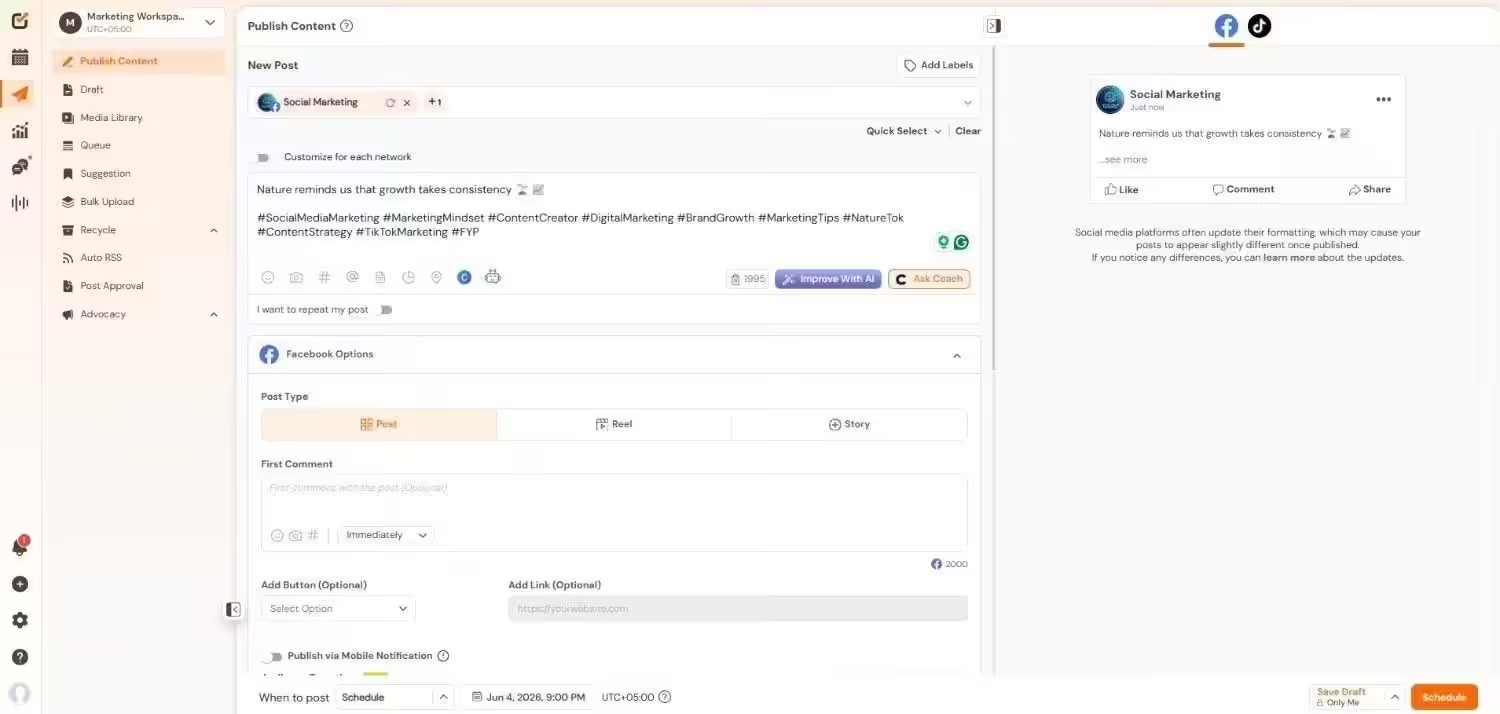
Social Champ’s Dashboard Why I Picked Social Champ
Social Champ is a rare tool that gives you enterprise-level features (like social listening, competitor analysis, and multi-layer approvals) without the enterprise-level invoice. (Like really, you can start at just $4/month/channel!)
Best for: Everyone! If you’re an SMB, a large enterprise, an agency with multiple clients, or a freelancer, Social Champ is for you!
Social Champ’s Standout Features
- Advanced scheduling and publishing with bulk uploads, recycle, and approval workflows.
- Social listening to track brand mentions, competitors, and industry trends
- Competitor analysis to see what your rivals are doing right (or wrong)
- White-label reporting, which is perfect if you’re managing client accounts
- Multi-layer approval workflows so nothing goes live without proper sign-off
- AI suite for content generation, hashtag suggestions, and tone adjustments
- Cross-platform analytics with GA4 integration
- Review management across Google, G2, Facebook, App Store, and Play Store
- WhatsApp Business support (a feature many competitors still lack)
- API access for custom integrations
Integrations: Instagram, Facebook, TikTok, LinkedIn, YouTube, Threads, Pinterest, X, Google Business Profile, Bluesky, Mastodon, and WhatsApp Business. Plus Canva, Bitly, Zapier, Google Drive, and Google Analytics 4.
Pricing:
- Free $0/month
- Starter $4/month
- Growth $8/month
- Standard $23/month
- Professional $47/month
- Agency $119/month
- Enterprise Custom/month
Try Social Champ Free & Never Miss a Beat!
Discover the freedom of scheduling posts, analyzing performance, and posting to multiple accounts all in one simple platform. -
Buffer
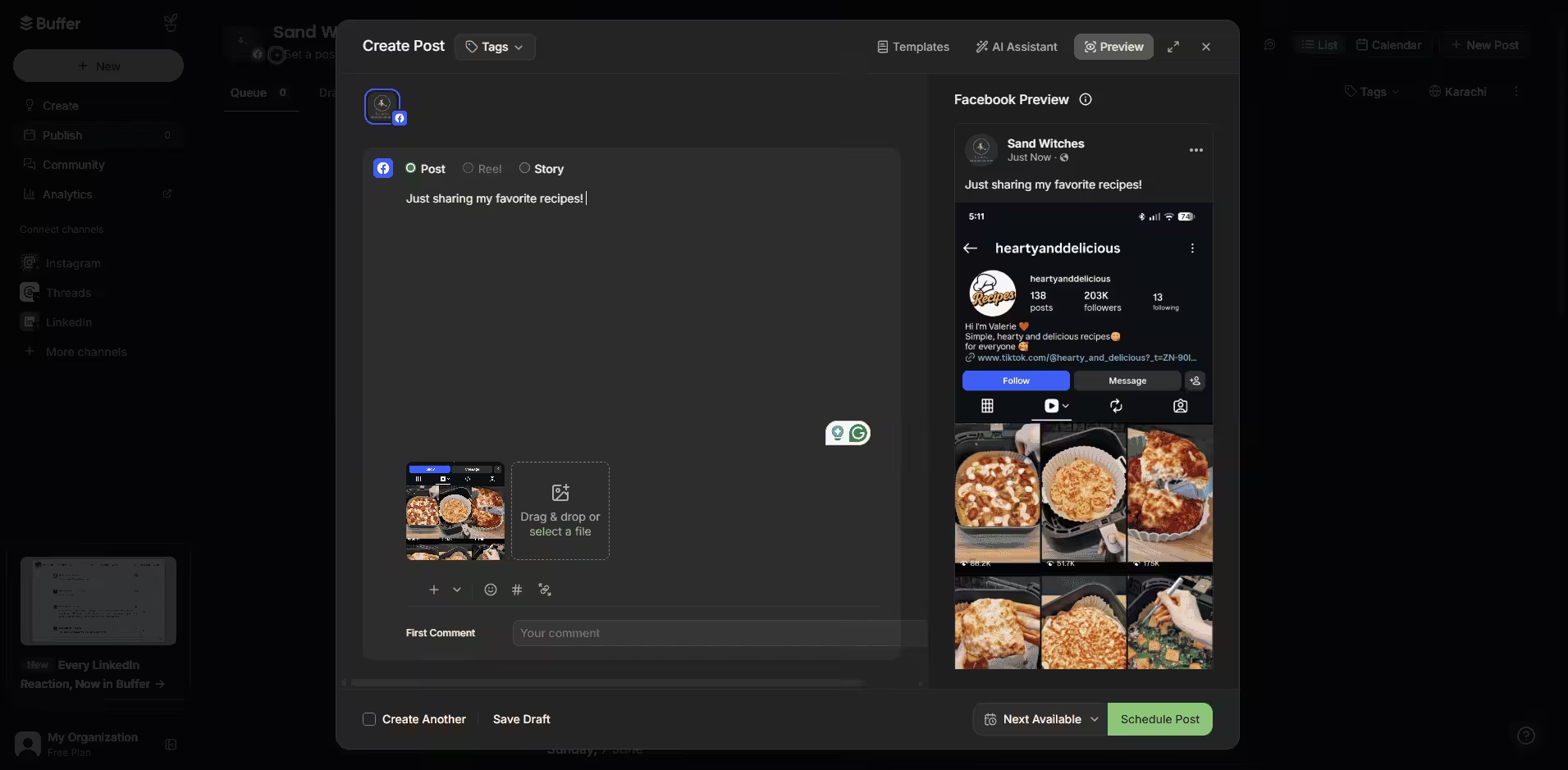
Buffer’s Dashboard Why I Picked Buffer
If you’re someone who needs a tool that is super easy to use, Buffer is the one for you. While it lacks advanced features, it does have all the basics for social media scheduling.
Best for: Creators, small teams, freelancers, and startups.
Buffer’s Standout Features
- Queue-based scheduling that’s dead simple to set up
- AI assistant for caption writing and content repurposing
- Post templates for every occasion (seriously, they have so many)
- Auto RSS feeds to automatically pull content from your favorite blogs
- CRM-style “Ideas” tab with task lists that you can drag-and-drop ( Includes tabs for Unassigned, To-do, In Progress, and Done)
- First comment scheduling for Instagram and LinkedIn
- Custom timezone settings per channel
- Simple dashboard with calming colors
Integrations: Instagram, Facebook, LinkedIn, TikTok, Google Business Profile, Pinterest, X, Mastodon, Threads, Bluesky, and YouTube. Plus Canva and Zapier.
Pricing:
- Free $0/month
- Essentials $5/month
- Team $10/month
Featured Article: Post to All Social Media At Once
-
Metricool
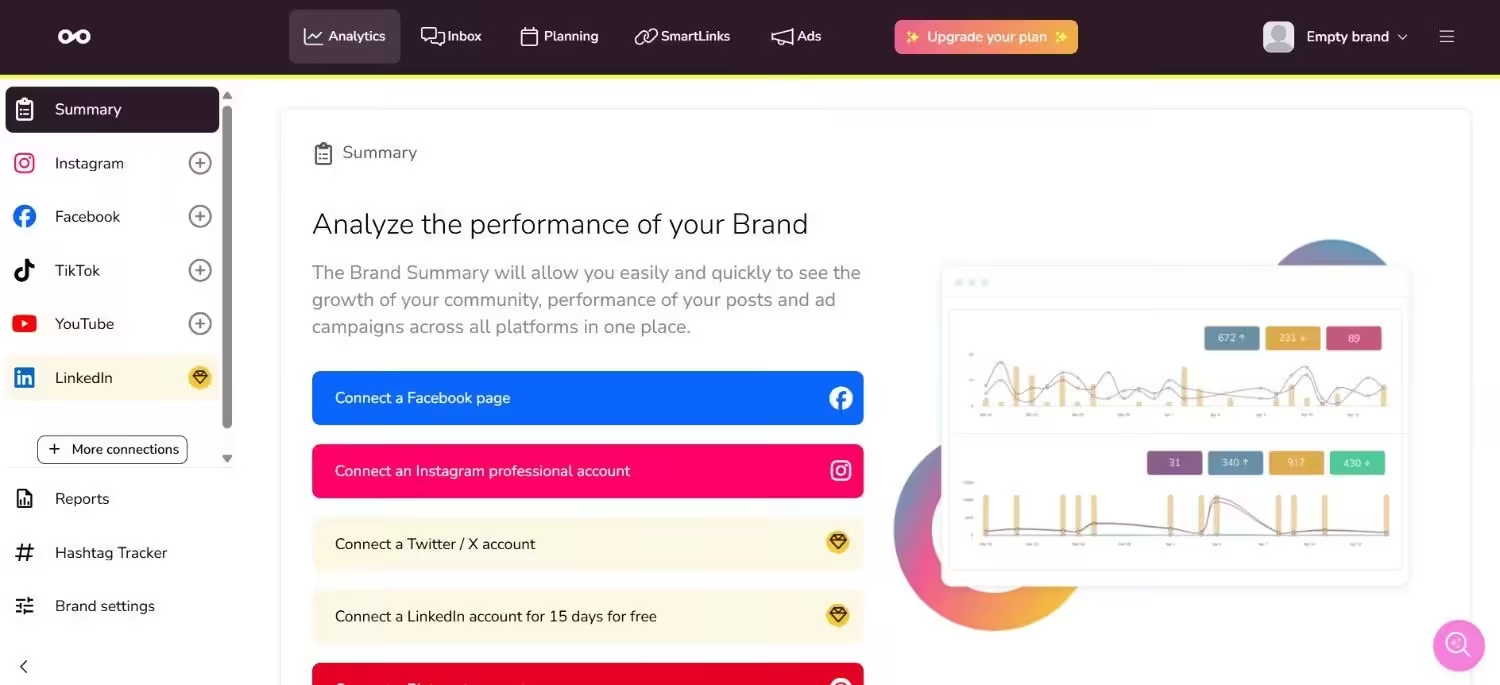
Metricool’s Dashboard Why I Picked Metricool
If you’re a data nerd, Metricool is the one for you. It has one of the best analytics compared to any tool on this list.
Best for: Data-driven marketers, social media managers, and brands obsessed with performance tracking and competitor intelligence.
Metricool’s Standout Features
- You get an analytics dashboard showing reach, clicks, and top content across all accounts
- Competitor analysis with up to 100 competitor profiles
- Ad performance tracking for Facebook Ads and Google Ads in one place
- Hashtag suggestions and AI caption assistant
- Content recycling to automatically repost evergreen content
- Bulk CSV upload for mass scheduling
- Google Business Profile direct posting
- Customizable PDF/PPT reports
- Looker Studio connector (Advanced plan)
Integrations: Instagram, Facebook, TikTok, LinkedIn, Pinterest, YouTube, Google Business Profile, and Threads. X (costs $5 extra per account) is available as a paid add-on on every tier.
Pricing:
- Free $0/month
- Starter $20/month
- Advanced $50/month
- Custom Custom/month
Note: VAT is not included in this price, so if you’re from the EU region, you’ll need to factor this in!
-
Later
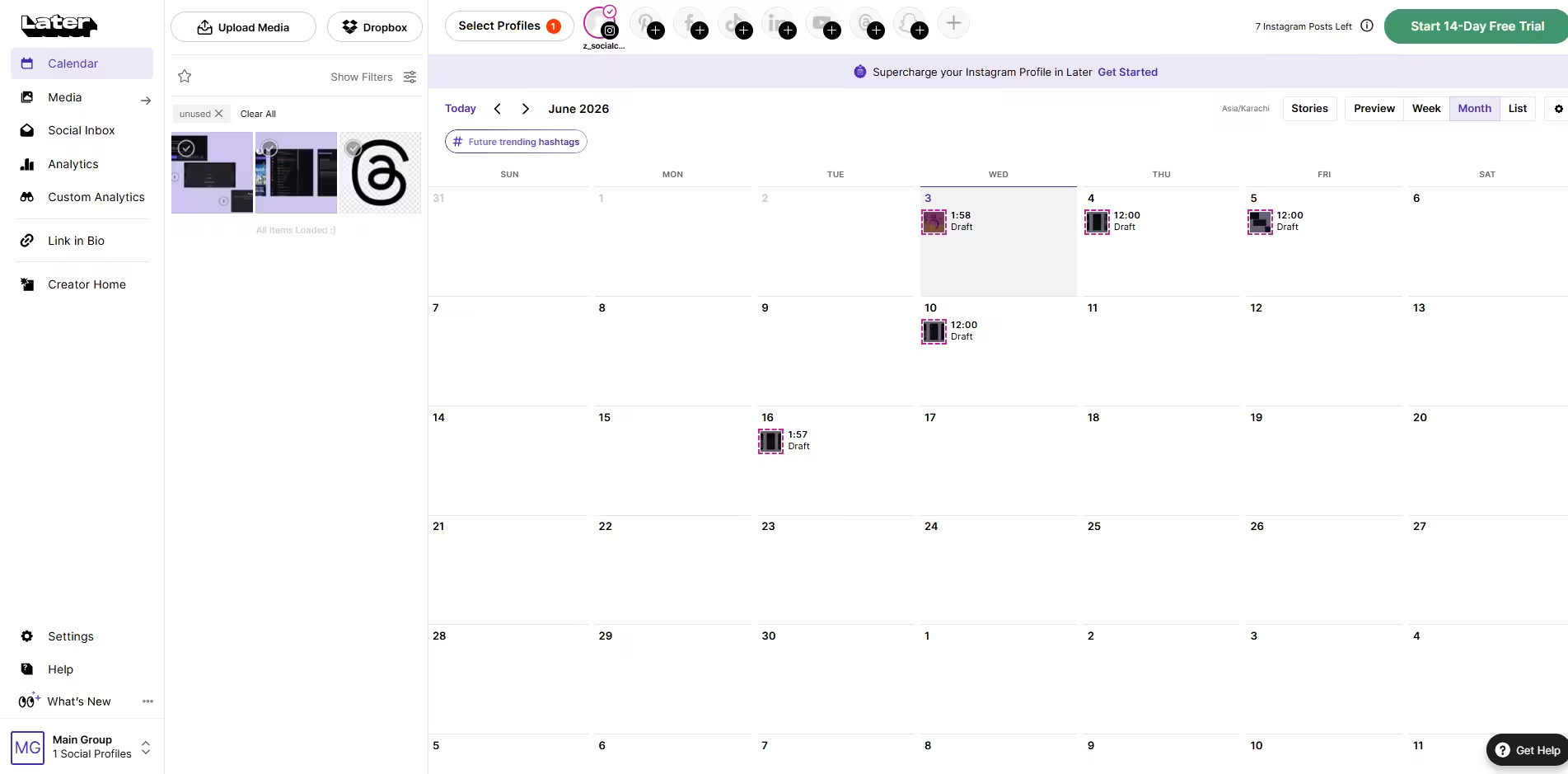
Later’s Dashboard Why I Picked Later
Creators and Influencers also deserve free social media tools, and Later is built for them. It’s most famous for its media kit, UGC content, and visual calendar.
Best for: Creators, influencers, and brands investing in influencer marketing.
Later’s Standout Features
- You get a visual drag-and-drop content calendar that feels like arranging a mood board
- It has a media library with a built-in cropper and UGC finder
- It has an influencer marketing integration via Mavrck partnership
- One of the best link-in-bio tools to drive traffic from your social profiles
- Social listening for brand mentions and sentiment
- Bulk scheduling across multiple channels
- Media kit to send to brands directly for partnerships.
Integrations: Instagram, Facebook, Threads, Pinterest, TikTok, LinkedIn, YouTube, and Snapchat.
Pricing:
- Free $0/month
- Starter $18.75/month
- Growth $37.50/month
- Scale $82.50/month
-
CoSchedule
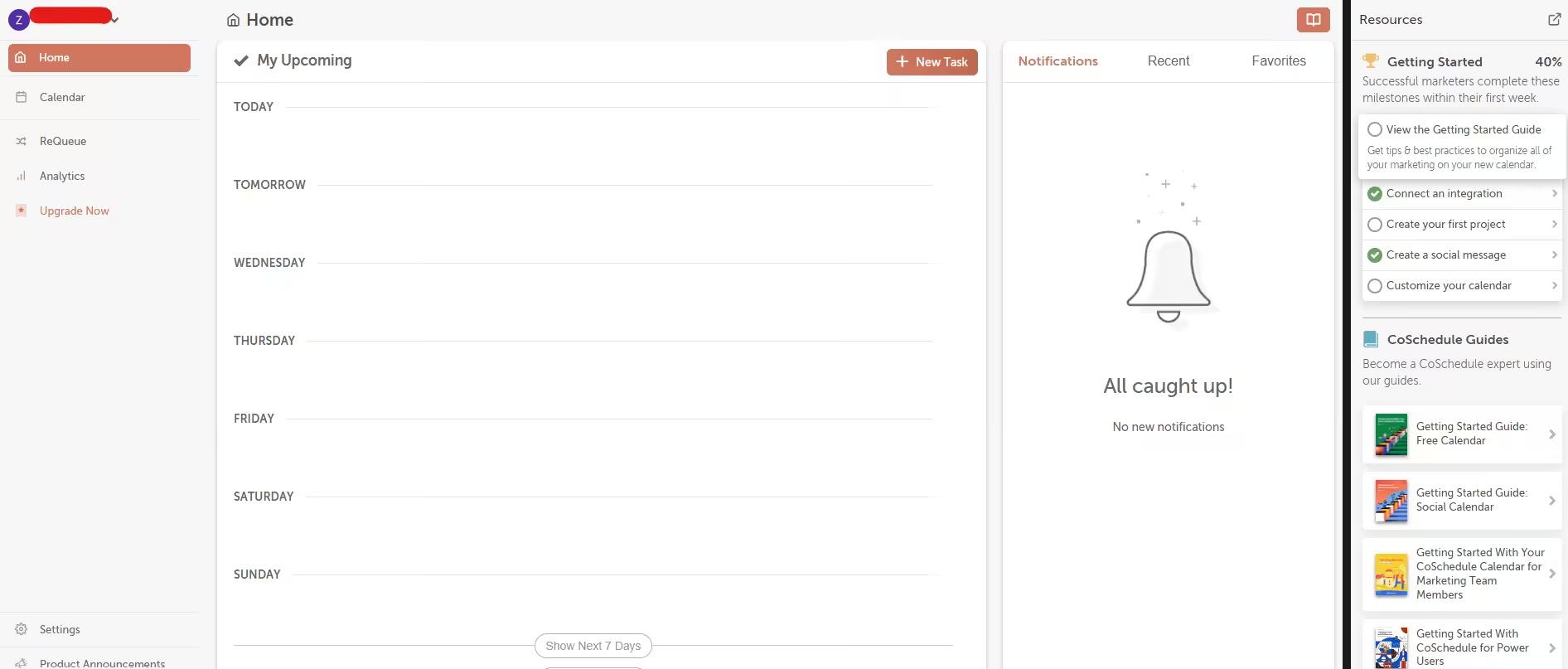
CoSchedule’s Dashboard Why I Picked CoSchedule
Sometimes, you just want a marketing calendar that happens to post to socials, and CoSchedule is perfect for that!
Best for: Content marketers, small projects, and marketers who organize their entire world around a calendar.
CoSchedule’s Standout Features
- A marketing calendar that centralizes all your content planning
- Best time scheduling for optimal post timing
- ReQueue Bucket that automatically reshares evergreen content
- Social media optimizer to adapt captions for different platforms
- Top content report to identify your best-performing posts
- Campaign scheduling for coordinated multi-post launches
Integrations: Facebook, Instagram, LinkedIn, X, WordPress, and MailChimp.
Pricing:
- Free Calendar $0/month
- Social Calendar $19/month
- Agency Calendar $59/month
- Content Calendar Custom/month
- Marketing Suite Custom/month
-
Tailwind
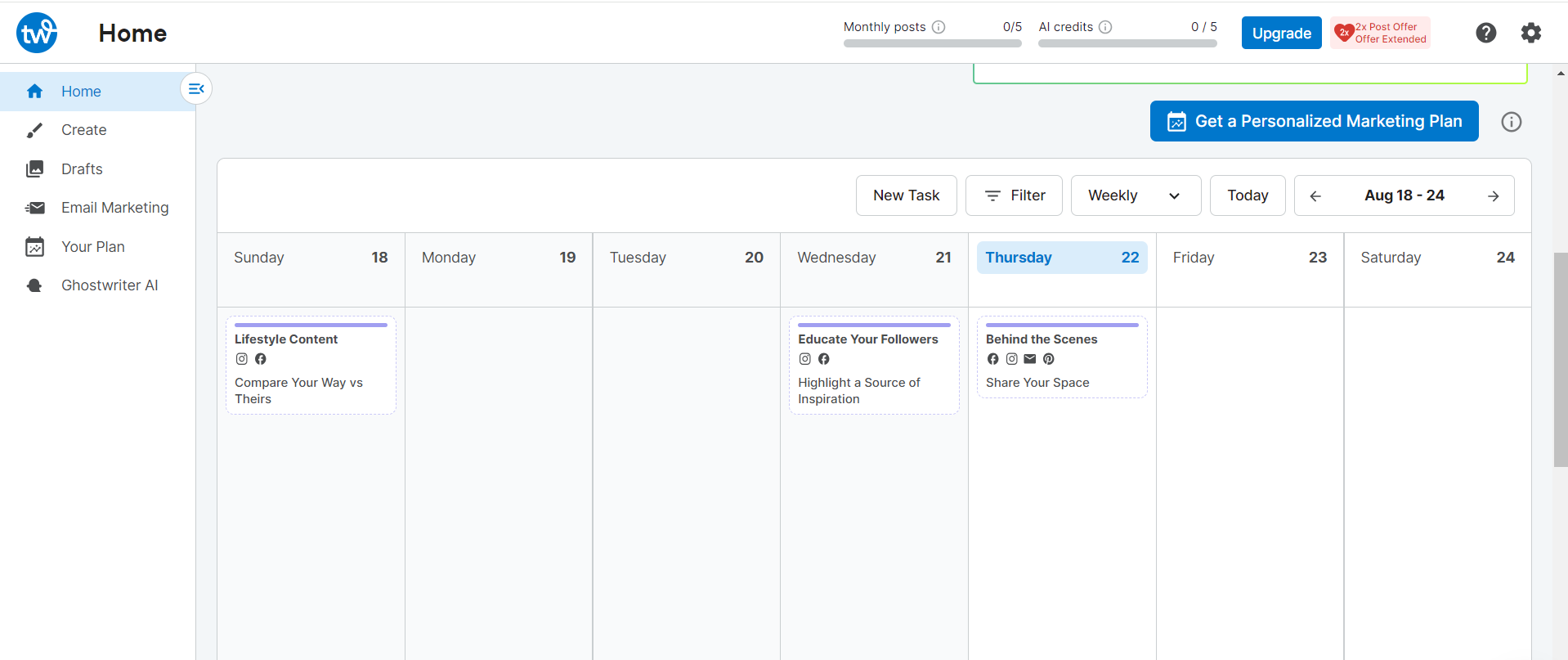
Tailwind’s Dashboard Why I Picked Tailwind
If you’re mostly active on Pinterest, Instagram, and Facebook, Tailwind could work well for you. However, its free plan is very limited (you only get 5 posts/month), so you’ll likely need to upgrade quickly.
Best for: Pinterest power users, Instagram planners, and creators who want AI-powered content suggestions.
Tailwind’s Standout Features
- SmartSchedule that auto-optimizes posting times for Pinterest and Instagram
- AI-powered Ghostwriter that generates captions, hashtags, and even email copy
- Tailwind Communities (formerly Tribes) for content amplification and networking
- bio link-in-bio tool with multiple link options
- Hashtag finder that suggests high-performing tags
- Visual content calendar with drag-and-drop simplicity
- Email marketing integration (Not many tools have this!)
Integrations: Instagram, Pinterest, and Facebook.
Pricing:
- Free Forever $0/month
- Pro $17.99/month
- Advanced $29.99/month
- Max $49.99/month
Want to read more guides like this?
-
Zoho Social
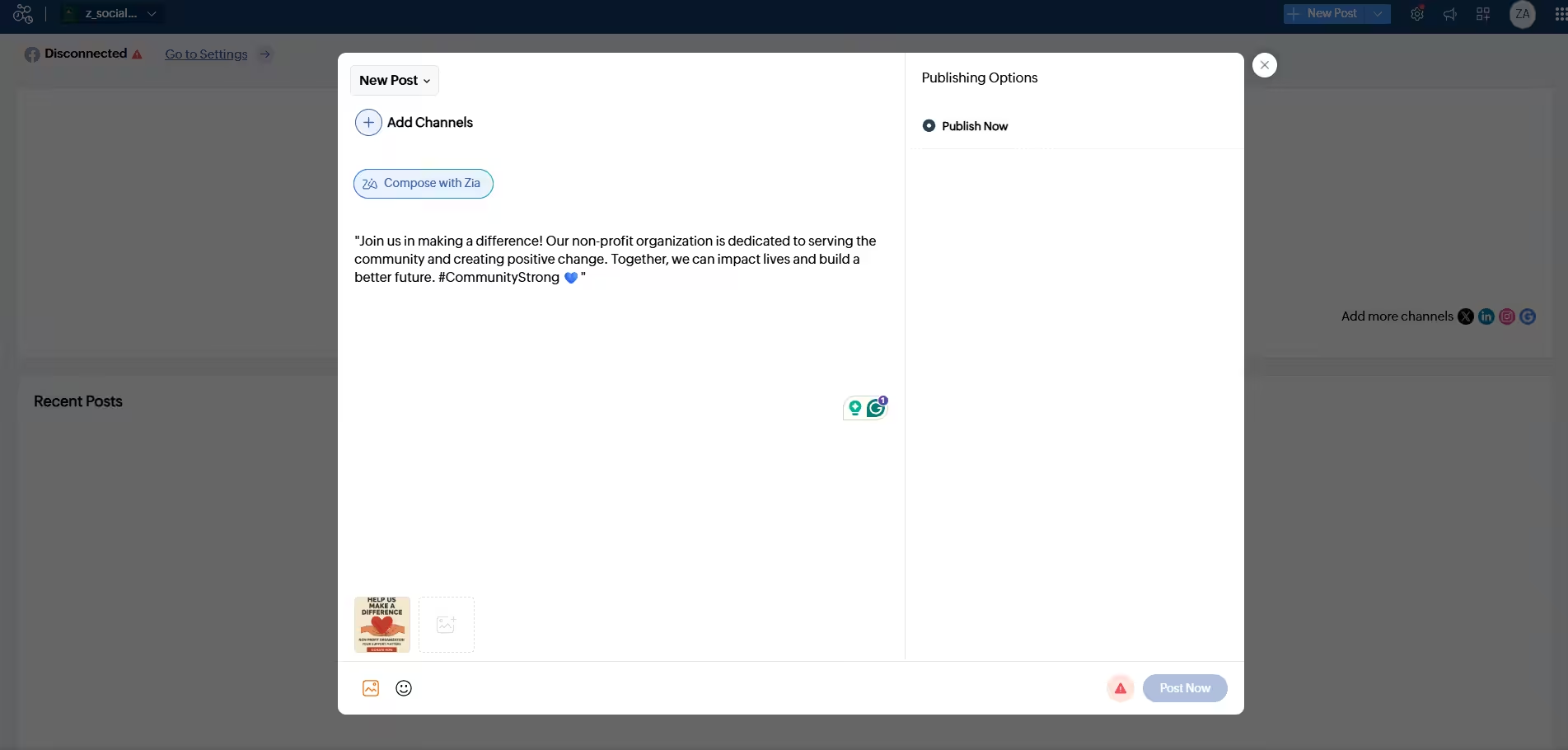
Zoho Social Dashboard Why I Picked Zoho Social
If you’re already using Zoho for its CRM, Campaigns, or Desk, Zoho Social would be the best step forward for you. Even if you aren’t, the tool’s free plan is great for publishing content (The free plan does not include scheduling, though).
Best for: Small businesses already using Zoho products.
Zoho Social’s Standout Features
- SmartQ that suggests optimal posting times based on engagement data
- Unified social inbox for managing comments and messages
- Custom reports with UTM parameters (Premium plan)
- Zoho CRM and Zoho Desk integration for lead tracking and support tickets
- Approval workflows (Premium plan)
- zShare browser extension for quick content sharing
- Image editing and user tagging
Integrations: Facebook, Instagram, LinkedIn, X, TikTok, YouTube, Pinterest, and Google Business Profile. Plus Zoho CRM, Zoho Desk, Canva, and Google Drive.
Pricing:
- Free $0/month
- Standard $10/month
- Professional $30/month
- Premium $40/month
- Agency $230/month
- Agency Plus $330/month
-
Meta Business Suite
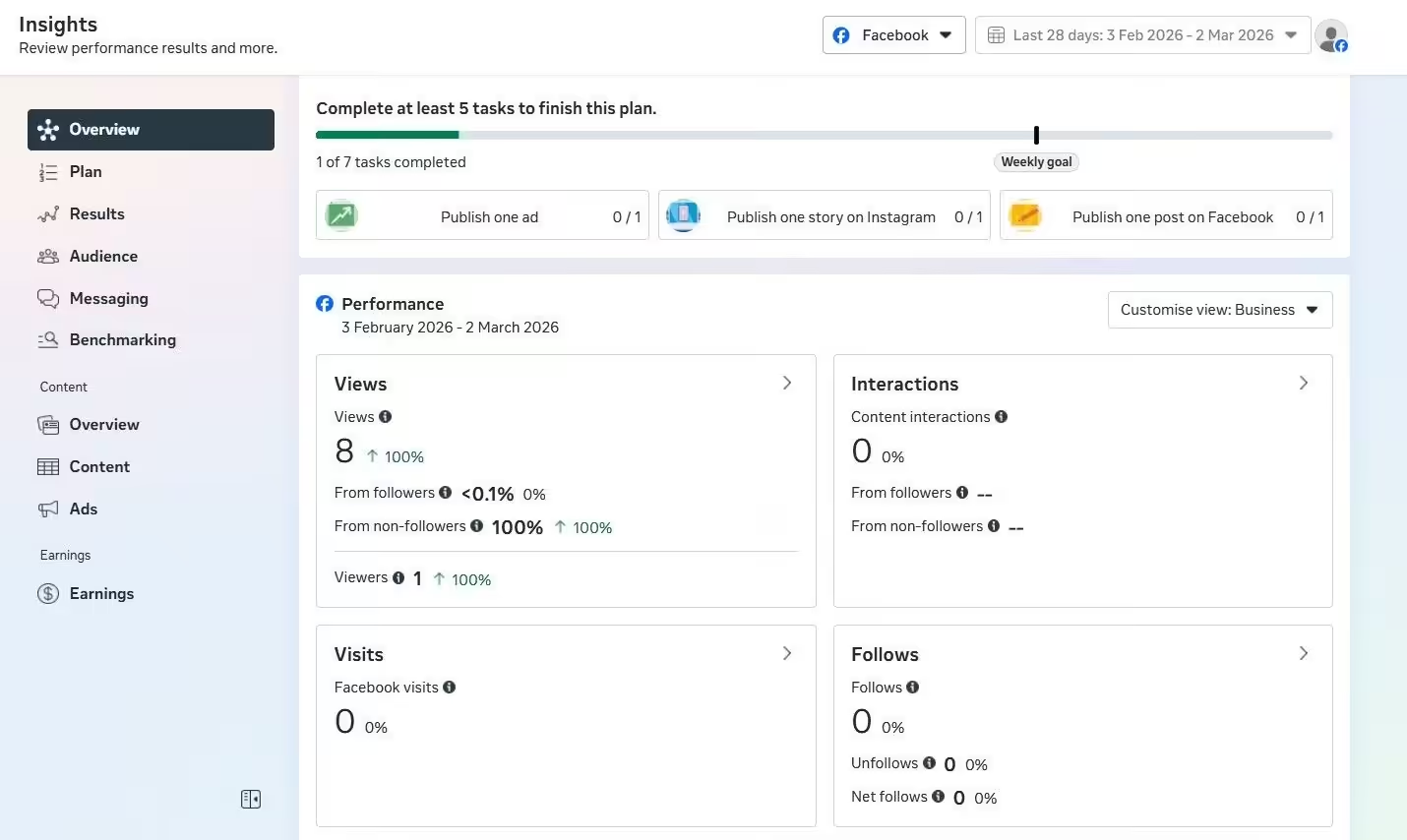
Meta Business Suite Insights Dashboard Why I Picked Meta Business Suite
If you’re just active on Meta platforms (Facebook and Instagram), you don’t need to invest in a third-party social media posting software. Meta Business Suite will cover all your scheduling and ad needs, without charging you a cent!
Best for: Founders, creators, and small businesses whose audience lives exclusively on Facebook and Instagram.
Meta Business Suite’s Standout Features
- Schedule feed posts, carousels, Stories, and Reels for both Facebook and Instagram
- Unified content planner and calendar with drag-and-drop scheduling
- Native A/B testing for posts
- Built-in audience insights and performance analytics
- Cross-posting between Facebook and Instagram in one click
- Ad creation and management tools
- Inbox management for comments and DMs across both platforms
- Access to the latest features (Reel trends, Story stickers) the moment they go live.
Integrations: Facebook and Instagram only, as it is solely a Facebook publishing tool.
Pricing:
Completely free!
-
Planable
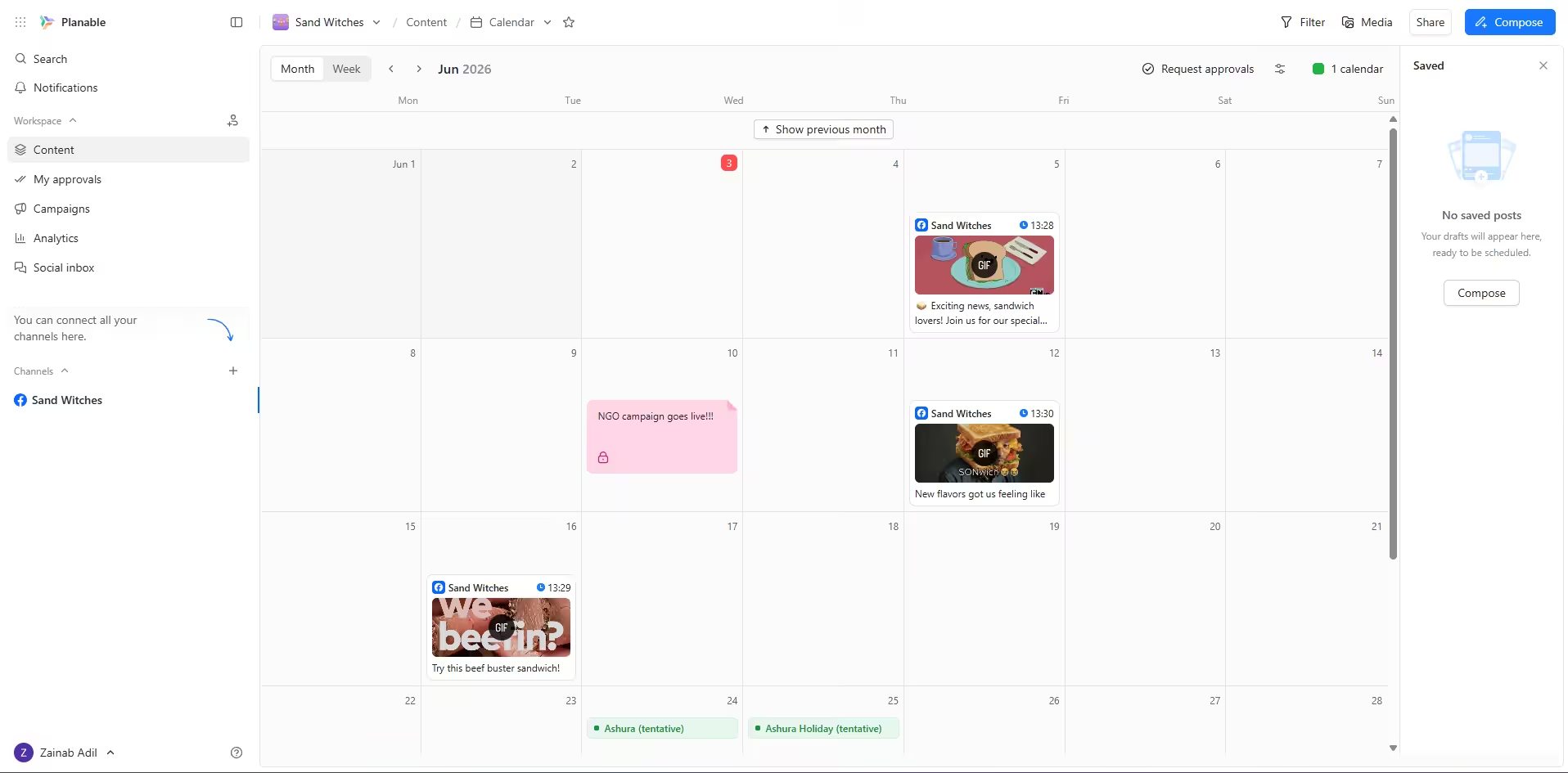
Planable’s Dashboard Why I Picked Planable
If you want to add unlimited users on the free plan, there’s no better option than Planable. It’s free plan is perfect if your workflow involves approvals before making anything live. However, you can only publish 50 posts on the free plan, so you’ll need to upgrade it quickly!
Best for: Agencies and marketing teams who are worried about compliance.
Planable’s Standout Features
- Live post mockups that show exactly how content will look on each platform before publishing
- Real-time collaboration with comments and feedback directly on posts
- Multi-level approval workflows with custom stages
- Content calendar with multiple views (list, grid, feed)
- Version history and change tracking
- Guest sharing for client reviews without requiring account access
Integrations: Facebook, Instagram, Google Business Profile, X, TikTok, Threads, YouTube, LinkedIn, and Pinterest.
Pricing:
- Free $0/month
- Basic $33/month
- Pro $49/month
- Enterprise Custom/month
-
Publer
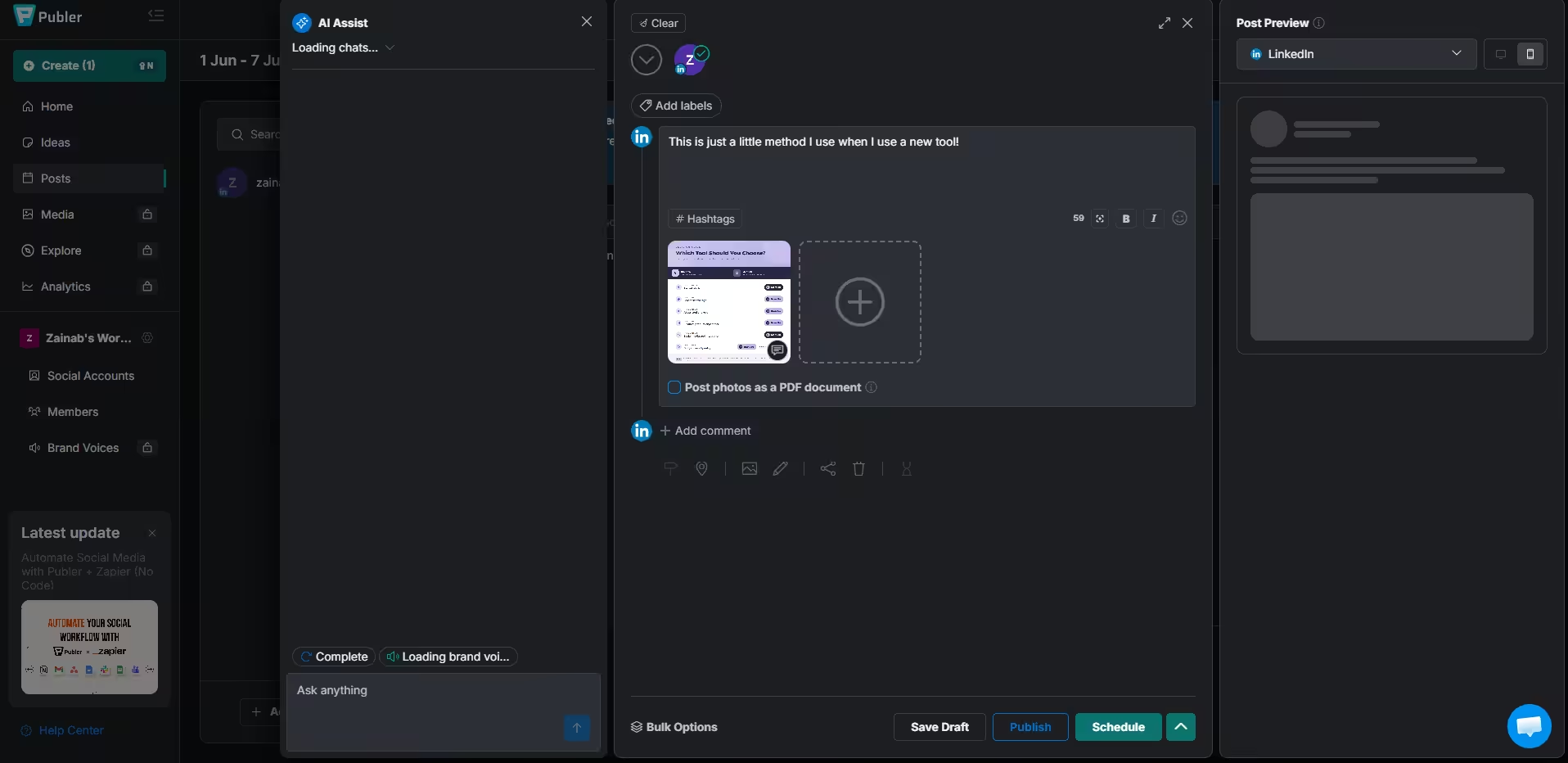
Publer’s Dashboard Why I Picked Publer
Publer is another great option if you have a low, low budget to invest in tools for social media managers. Unfortunately, it does not provide X integration and advanced analytics in its free plan.
Best for: Small businesses and creators on the tightest budgets who need basic but reliable scheduling.
Publer’s Standout Features
- Multi-platform scheduling with bulk upload
- RSS feed automation for auto-posting blog content
- AI content generation for captions and posts
- Link-in-bio page builder
- Basic analytics and reporting
- Team collaboration on higher tiers
- Recurring post scheduling
- Hashtag presets for quick tagging
Integrations: Instagram, Facebook, TikTok, LinkedIn, X, Pinterest, Google Business Profile, and YouTube.
Pricing:
- Free $0/month
- Basic $33/month
- Pro $49/month
- Enterprise Custom/month
-
Post Planner
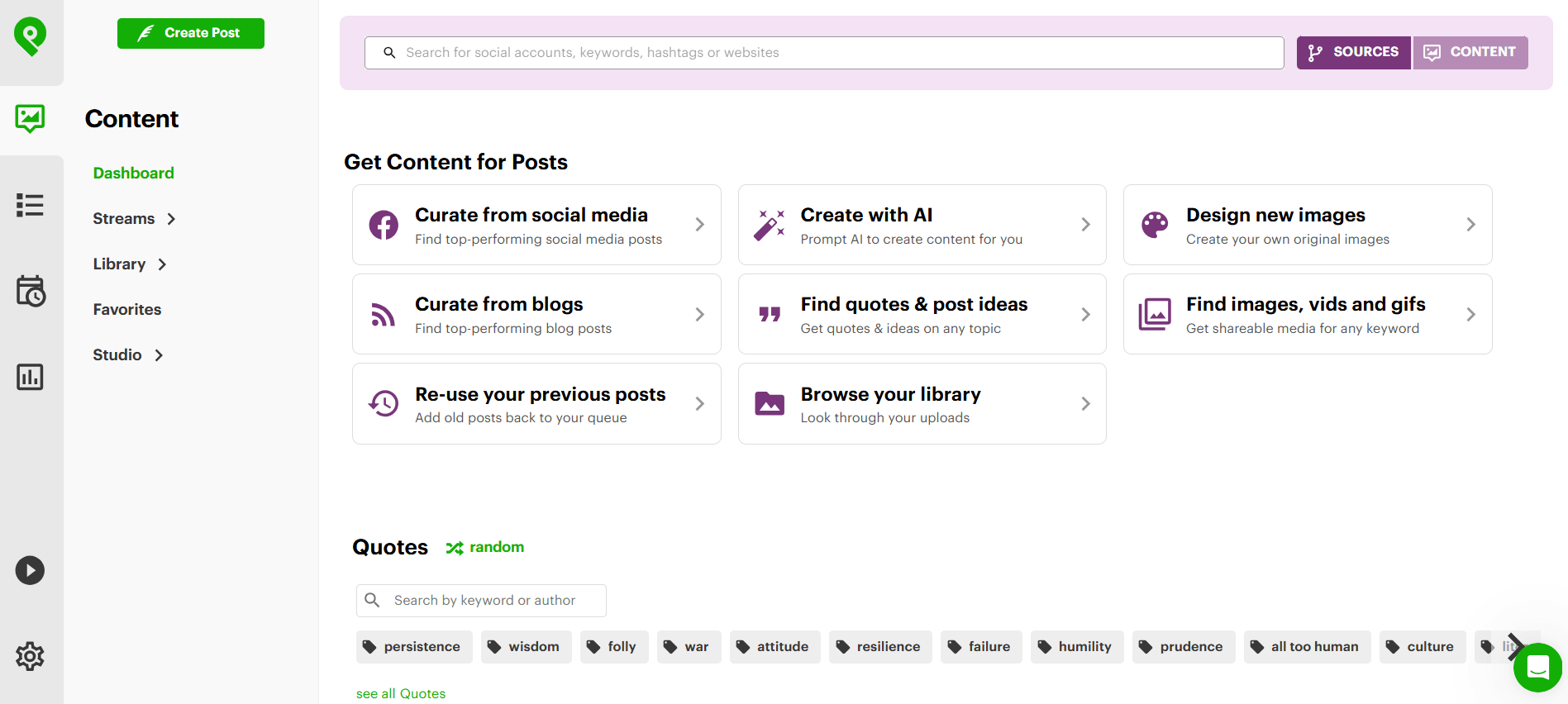
PostPlanner’s Dashboard Why I Picked Post Planner
If you’re looking for social media management free tools that help you with ideation, Post Planner is the way to go. As the name suggests, it helps you come up with ideas for your content with its content discovery engine.
Best for: Content creators, solopreneurs, and small teams who struggle with content ideation and want viral post inspiration.
Post Planner’s Standout Features
- Content discovery engine that finds top-performing posts from Reddit, RSS feeds, and curated streams
- AI-powered post design tools for creating visuals
- Post recycling to automatically repurpose your best content
- Hashtag search to find the best-performing tags for your niche
- Bulk uploader that can load up to 1,000 posts at once from Excel or Google Sheets
- Auto-post scheduling with queue management
- Watermark/logo auto-add to protect your brand images
- ArtStudio integration for full image editing
Integrations: Facebook Pages, X, LinkedIn (profiles and pages), Pinterest, and Instagram feed/Stories.
Pricing:
- Free $0/month
- Starter $9/month
- Growth $39/month
- Business $69/month
-
Loomly
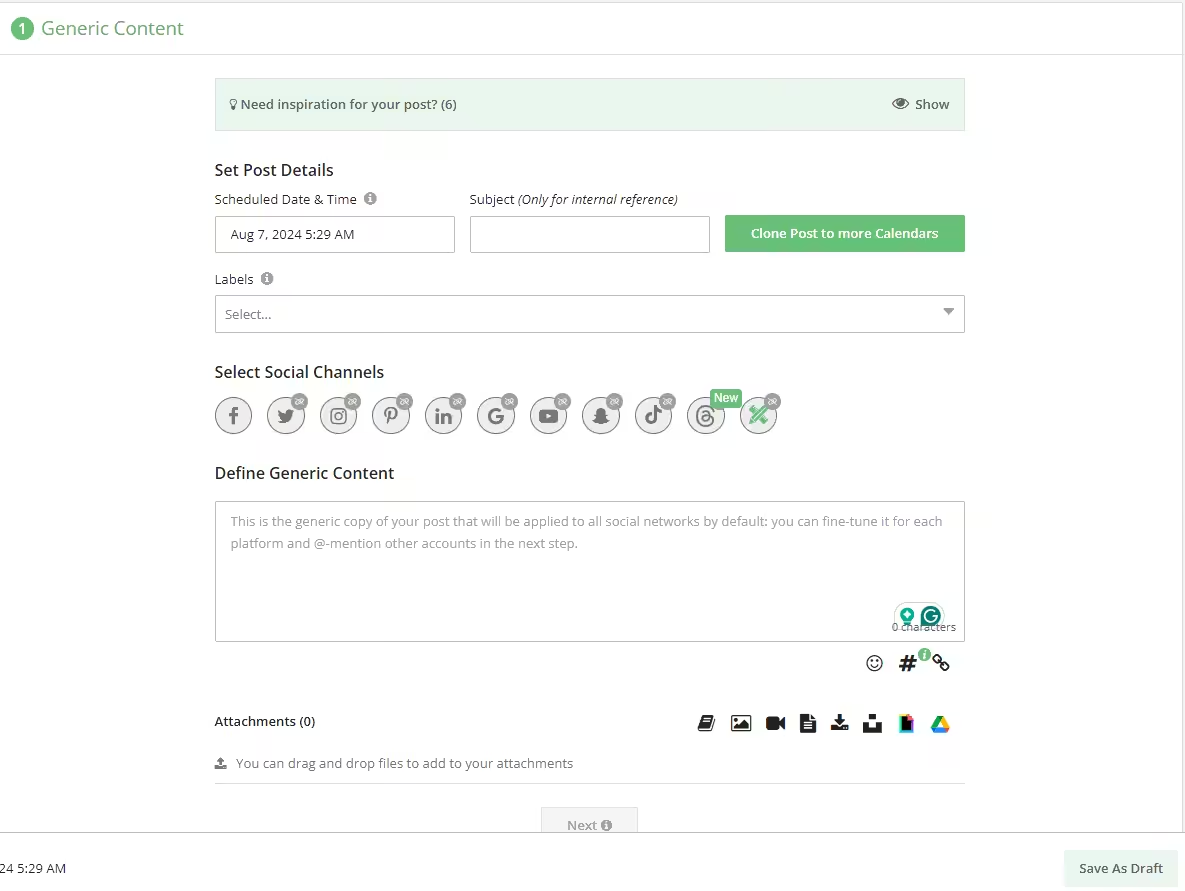
Loomly’s Dashboard Why I Picked Loomly
Loomly is also among the great social media tools that help you out with the basics. It’s also quite simple, with AI capabilities, content creation, as well as scheduling.
Best for: Small teams who need social media automation with built-in approval workflows and content ideation.
Loomly’s Standout Features
- Calendar Wizard for guided onboarding and account setup
- RSS feed integration for automatic content curation
- Trending topic suggestions for post ideas
- Role assignments and approval workflows
- Push notifications, Slack, and Microsoft Teams integration
- Post status tracking (draft, pending, approved, scheduled)
- Post optimization tips before publishing
- Digital asset management library
Integrations: Instagram, LinkedIn, X, Pinterest, Facebook, Google Business Profile, TikTok, Threads, YouTube, and Snapchat.
Pricing:
- Free $0/month
- Starter $49/month
- Beyond $249/month
- Enterprise Custom/month
Get More For $0!
Featured Article: Tools for Small Business Marketing
How Do I Choose A Social Media Management Tool That Scales With My Team?
How do you pick something that grows with you?
- Start with your actual needs, not your aspirational ones
If you’re a creator managing two Instagram accounts, you don’t need multi-layer approval workflows or white-label reporting. Buffer, Social Champ, Meta Business Suite will work perfectly.
- Count the hidden costs
If you’re moving towards the paid plans, always calculate the hidden cost, which can often show up as:
- Per-user pricing
- Per-account pricing
- VAT
- Add-ons
- Test the free plan like you mean it
Don’t just sign up and poke around for 10 minutes. Actually schedule posts for a week, check the analytics, invite a teammate, and see if the workflow feels natural.
- Check the upgrade path
Can you add more accounts without rebuilding your entire workflow? Does the next tier unlock features you actually need, or just more of the same? Social Champ and Metricool both offer clear upgrade paths, while some tools force you into completely different plans.
- Don’t ignore customer support
When your scheduled post fails, you’ll care a lot more about responsive support than you do about AI hashtag suggestions. Buffer and Social Champ are known for fast, friendly support, even on the free plans.
Conclusion
When testing the best free and low-cost social media management tools, I noted that there isn’t a “universal” best option. If you want something that works for you, you’ll need to try it out for yourself and see how it aligns with your budget, team workflow, and business needs. For businesses with mobile apps, choosing a platform that helps you easily manage your app store reviews alongside your social media accounts can simplify customer engagement and strengthen your brand reputation.
The tools listed in this list do have a free-forever plan, but I’d recommend signing up for a free trial of a paid plan to test its scalability.
Now stop reading and go schedule some posts. Your audience is waiting.











Paul
Great content! Thank you so much for sharing this kind of content. These will save me alot of time finding the right social media management tools. But I will try the Social Champ.
Danielle
This social media management post is epic. Have found so many things I am going to implement and use that I hadn’t heard of before
Cameron
The information looks so good and legit! Thanks
Violette
you have complete nailed down all the free social media management tools. Honestly, the word Free attracted me 😀 I will definitely try Social Champ.
Bernadette
Hey Yumna, thanks for sharing this great post. I will definitely try some of these tools. Honestly, Social Champ just stole my attention. Quite impressed with its versatile free features.
Sherlli
I really had no idea that all these platforms offer free plans that can be used by small businesses like us 😀
Aditya Jen
Is your social media management tool free for all social media networks?
John Noah
Well-explained, quite impressed with Social Champ!
John Noah
I am already using Social Champ for my business and it is amazing at its work