


Statistics reveal that 70% of Facebook users visit a local business page every week, which means your future customers are already snooping around. The real question is… are they finding you?
If you haven’t been super keen on your Facebook strategy, the chances are potential customers have been scrolling right past your business without a second thought.
Short Summary
- Facebook publishing tools help ensure consistency, engagement, and smoother workflows.
- They offer Facebook automation, scheduling, analytics, and AI-powered content support.
- Using these tools gives real-time insights and helps improve content performance.
- Look for features like content calendars, team roles, CRM/ad integration, and Reels/Story support.
- Top Facebook publishing tools include Social Champ, Buffer, Sprout Social, and Sendible.
- Pick a tool based on your content load, team setup, analytics needs, and Facebook priorities.
2026 should be the year that you get serious and post on Facebook more often. Consistency on Facebook matters because brands that post at least 3–5 times a week tend to see stronger engagement than those that post less.
Posting manually every time sounds doable until you miss a day, then a week, and suddenly your Facebook page goes quiet. What you need is a smarter way to keep your page active even when life gets busy.
Enter Facebook publishing tools. These are handy social media management tools that can help you plan ahead, stay consistent, and keep your content flowing without being glued to your screen.
In this article, we’ll walk you through the 15 best Facebook publishing tools available today. We’ll show you how each Facebook post scheduler works its magic so you can select the right one and maintain a steady, stress-free posting schedule.

Why Post Manually When You Can Automate It All?
Schedule months of content in one go. Let Social Champ handle the routine so you can focus on results.
What Are Facebook Publishing Tools and Why Are They Essential for 2026?
Tools for Facebook publishing are specialized software platforms or applications that help individuals, brands, and agencies manage their Facebook content more efficiently.
These tools go far beyond simply creating and posting content.
They enable users to plan, schedule, optimize, and analyze posts across not only Facebook but also other social media apps like Instagram, LinkedIn, and X (Twitter) from a single dashboard.
In essence, Facebook publishing tools act as your content operations hub, centralizing your workflows, improving collaboration, and making data-driven social media management easier and more effective.
Why Facebook Publishing Tools Are Essential in 2026
With more businesses fighting for visibility, relying on manual posting simply isn’t enough to keep up anymore. And as competition on the platform continues to grow and attention spans get shorter, automation becomes the smartest way to keep your brand front and center.
Here’s Facebook publishing tools that are essential for your business in 2026:
- Consistency: These tools help you maintain a steady posting schedule at all times. When your content goes out regularly, Facebook’s algorithm is more likely to reward your page with better reach and engagement.
- Time-saving magic: Facebook publishing tools let you schedule weeks (or even months!) of content in advance. So, you get to save time and focus on other parts of your business.
- Better planning & strategy. These tools let you see all your posts in a calendar view, track what works, and optimize your content for maximum engagement.
- Multi-platform management: Many tools don’t just stop at Facebook. They can let you manage other social media networks from the same dashboard.
- Analytics at your fingertips: These tools have an analytics dashboard that lets you see which posts perform best and when your audience is most active. Such insights enable you to adjust your strategy accordingly.
Simply put, Facebook posting tools turn posting from a daily chore into a streamlined process. They help you stay consistent, save time, and keep your Facebook presence polished and professional. With them, you can focus more on growing your business and less on chasing post reminders.
Key Features to Look for in the Best Facebook Publishing Tools
When it comes to picking a Facebook publishing tool, not all of them are created equal. Some will make your life way easier, while others… well, not so much.
So, before you commit, it’s important to know what really matters. Here are the features that can make or break your Facebook publishing experience:
- Post Scheduling: You want a tool that lets you plan your posts days, weeks, or even months in advance so you’re never scrambling at the last minute.
- Content Calendar: A visual calendar helps you see all your planned posts at a glance. It’s perfect for spotting gaps, avoiding repetition, and keeping your feed balanced.
- Multi-Platform Support: If you’re running other platforms alongside Facebook, a tool that allows you to post to all social media at once is a timesaver.
- Automated Publishing: Some tools let you automatically post content at optimal times for engagement. Those are the best as they let you have more reach with less manual effort.
- Analytics & Reporting: You want insights, not guesses. Look for tools that track performance, engagement, and audience growth so you can tweak your strategy smartly.
- Content Library & Templates: Having a repository of your images, videos, or post templates saves tons of time when you’re consistently publishing.
- Team Collaboration: If you have colleagues or clients involved, tools that allow multiple users with different roles make coordination way smoother.
- Engagement Tools: Some platforms also help you monitor comments, messages, and mentions so you can interact without jumping between apps.
Ultimately, the best tools help you stay consistent, work smarter, and have fun while managing your Facebook presence.
A Quick Comparison of Top Facebook Publishing Tools
| Tool | Starting Price | Key Features | Ideal For |
|---|---|---|---|
| Social Champ | – Starter at $4/mo | – Scheduling
– Social Inbox – Analytics – Social Listening – Team Collaboration – Competitor Analysis |
– Solo Creators
– SMBs – Entrepreneurs – Agencies – Marketers – Influencers |
| Buffer | – Essentials at $5/mo/channel | – Create
– Publish – Schedule – Collaborate – Analyze – Community – Start Page – AI Assistant |
– Solo Creators
– SMBs – Agencies |
| Hootsuite | – Standard at $99/mo/user | – Scheduling
– Social Inbox – Analytics – Collaboration – Social Listening |
– SMBs
– Agencies – Enterprises – Government |
| Sprout Social | – Standard at $199/mo/seat | – Publishing
– Analytics – Social Listening – Engagement – Influencer Marketing – Employee Advocacy |
– Agencies
– Professional Services – Enterprises |
| Agorapulse | – Standard at $79/mo/user | – Inbox
– Listening – Reporting – ROI – Publishing – Advocacy – PulseLink in Bio – Agorapulse AI |
– Agencies
– B2B Enterprises – Ecommerce |
| Zoho Social | – Standard at $7/mo/brand | – Publishing
– Scheduling – Monitoring – Analytics – Collaboration – Inbox – Scheduling – Monitoring – ZIA AI Assistant |
– Individuals
– Ecommerce – Remote Teams – Agencies |
| Agorapulse | – Standard at $79/mo/user | – Inbox
– Listening – Reporting – ROI – Publishing – Advocacy – PulseLink in Bio – Agorapulse AI |
– Agencies
– B2B Enterprises – Ecommerce |
| Later | Starter at $18.75/month | – Influencer Marketing
– Social Media Management – Social Listening – Link in Bio |
– Social media Managers
– Creators – Agencies |
| Sendible | – Creator at $25/mo | – Content Management
– Scheduling – Analytics & Reporting – Smart Compose Box – Priority Inbox – Campaign Management – Team Collaboration – UTM Tracking – Smart Queues |
– Agencies
– Small Businesses – Franchises – Enterprises |
| Sendible | – Creator at $25/mo | – Content Management
– Scheduling – Analytics & Reporting – Smart Compose Box – Priority Inbox – Campaign Management – Team Collaboration – UTM Tracking – Smart Queues |
– Agencies
– Small Businesses – Franchises – Enterprises |
| CoSchedule | – Social Calendar at $19/mo | – Social Media Management
– Marketing Calendar – AI Marketing Tools – Content Marketing – Marketing Work Management |
– Individuals
– Agencies – Marketing Teams |
| Zoho Social | – Standard at $7/mo/brand | – Publishing
– Scheduling – Monitoring – Analytics – Collaboration – Inbox – Scheduling – Monitoring – ZIA AI Assistant |
– Individuals
– Ecommerce – Remote Teams – Agencies |
| Planable | – Basic at $33/mo | – Create
– Approve – Plan – Schedule – Collaborate – Analyze – Engage |
– Agencies
– Multi-Location Brands – Multi-Brand Companies |
| ContentStudio | Standard at $19/mo | – Publishing
– Website Analytics – Engagement – Bulk – Scheduling – Client Management – Competitor Analysis – Approval Workflow |
– For solo creators
– For agencies – For small businesses – For marketing teams – For enterprise |
| Publer | – Bulk Scheduling
– Calendar Planner – In-depth Analytics – Link in Bio – AI Assistant |
– Startups
– Freelancers – Brands – Creators |
|
| Loomly | Not Displayed | – Content Creation
– Post Planning & Scheduling – Collaboration & Approvals – Content Calendar & Library – Campaign Management – Analytics & Reports – Community Management |
– Agencies
– Freelancers – Brands – Creators – Franchises – Government |
| NapoleonCat | – Standard at $79/mo | – Social Inbox
– Advanced Analytics – Auto Moderation – Schedule & Publish – Analytics – Reporting – Social CRM |
– Agencies
– eCommerce – Small Businesses – Enterprises |
What Do These Tools Actually Do?
Most Facebook publishing tools offer a combination of the following core features:
- Content Scheduling: Plan posts days, weeks, or even months in advance.
- Automation: Auto-publish content at your chosen times—even while you sleep.
- Performance Analytics: Track likes, shares, comments, reach, and click-through rates.
- Collaboration Workflows: Allow team members to co-create, review, and approve content.
- Cross-Platform Management: Publish to Facebook and other platforms simultaneously.
- Audience Targeting & Optimization: Adjust content formats or timing to improve results.
Some advanced tools even include AI-powered writing assistance, Canva integrations, and customized link tracking, making them indispensable for modern marketers.
Featured Article: How to Market Your Business on Social Media: 15+ Proven Strategies for Explosive Growth
Top 15 Facebook Publishing Tools to Boost Your Strategy in 2026
Here’s our curated list of the top 15 Facebook publishing tools that can take your strategy to the next level, along with what makes each one stand out.
Let’s dive into the top tools trusted by social media marketers and businesses.
-
Social Champ

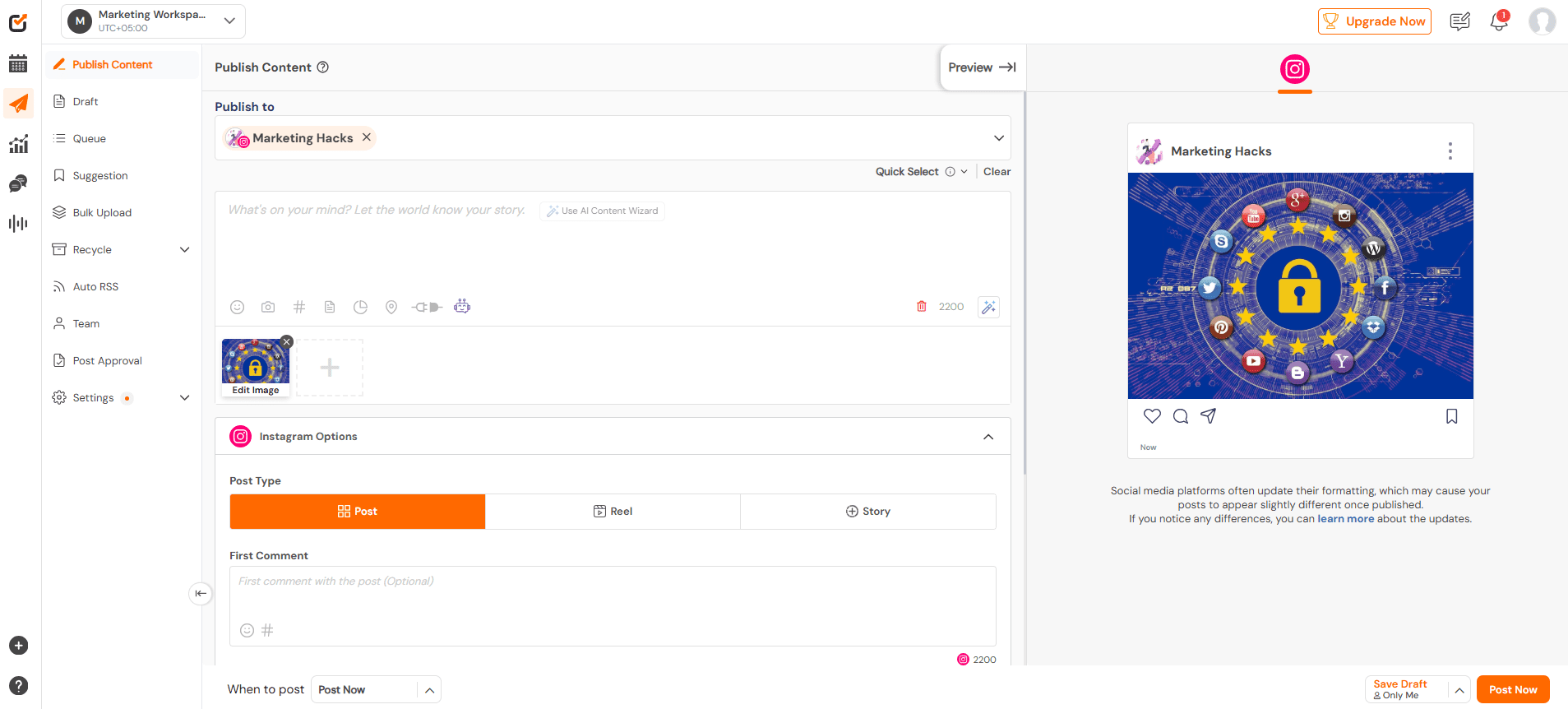
Social Champ’s Dashboard Built with simplicity and scalability in mind, Social Champ focuses on helping businesses plan smarter, post faster, and stay visible without micromanaging every update.
What really helps it stand out is how thoughtfully it handles content at scale. Features like bulk uploads make it easy to schedule dozens of posts at once, while recurring schedules ensure your evergreen content keeps working in the background.
Social Champ also has the Best Time To Post feature that lets you know the best time to post on Facebook. When you schedule your content on that suggested time, your Facebook post will land on people’s feeds when they are most active and likely to engage.
Social Champ also shines when it comes to content planning and organization. Its visual calendar gives you a clear snapshot of what’s going live and when, making it easier to spot gaps and maintain a balanced posting rhythm.
The RSS feed automation is another quiet powerhouse, automatically pulling in fresh content so your page never goes stale. Add in AI-assisted captions, platform-specific customization, and URL tracking, and you’ve got a tool that supports both creativity and performance.
For teams and agencies, collaboration features like role-based access and approval workflows help keep everything running smoothly without bottlenecks. Paired with actionable analytics that focus on what actually matters, it makes it easier to refine your strategy without drowning in data.
Compared to other productivity tools, Social Champ strikes a perfect balance between power and affordability. This makes it a standout choice for businesses that want reliability without a hefty price tag.
Pros & Cons
Pros Cons Intuitive and easy to use The mobile app is less robust and intuitive than the desktop version. Cost-effective and flexible pricing Analytics are basic on lower tiers Advanced and powerful features The interface’s look is somewhat dated compared to competitors Supports many social media networks Top-tier customer support After testing several tools side by side, Social Champ felt like the one that got out of the way and let us work.
Setting up schedules was quick, bulk posting didn’t feel clunky, and automation handled the repetitive stuff effortlessly.
Compared to heavier platforms, it delivered everything we needed without overcomplicating the workflow, and that balance made it stand out immediately.
Social Champ’s pricing plans start as low as $4 per month per social profile. So, you can try it and see how it fits into your workflow without making a big financial commitment upfront.
Pricing: Starts at $4/month (7-day free trial)
Key Features
- Publish content on Facebook and 12+ platforms with scheduling, automation, and bulk uploads.
- Analyze Facebook performance through detailed reports, engagement metrics, and GA4 integration.
- Engage with your audience using a unified inbox for comments, messages, and post replies.
- Collaborate with your team using approval workflows, user roles, and internal notes.
- Social Listening helps you monitor brand mentions and stay updated with relevant conversations.
- Competitor tracking lets you analyze rival pages and refine your Facebook strategy accordingly.
Why it stands out: Excellent balance of features, pricing, and ease of use. The Facebook scheduler is fast, reliable, and constantly updated to reflect new platform changes.
Boost Your Facebook Reach Without Paying Extra!
Use Social Champ’s best time to post suggestions and AI captions to post when it matters most.
-
Buffer
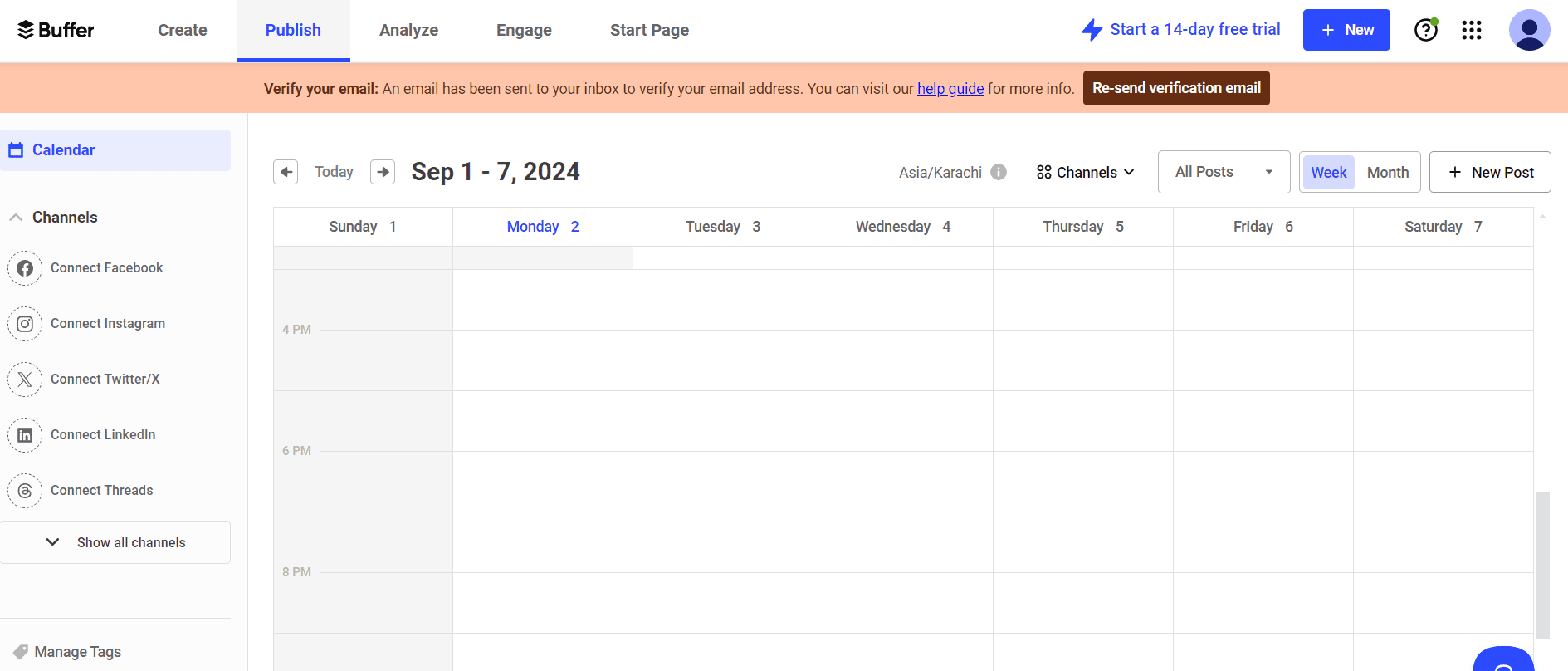
Buffer’s Dashboard Minimalists, this one’s for you. Designed around clarity and simplicity, Buffer strips social publishing down to its essentials. It focuses heavily on scheduling, basic analytics, and clean content queues. While it doesn’t dive deep into automation, it offers a smooth and distraction-free publishing experience. It’s especially well-suited for small teams or solo marketers who want to schedule posts confidently without dealing with complex setups or advanced configurations.
Key Features at a Glance
- Create
- Publish
- Schedule
- Collaborate
- Analyze
- Community
- AI Assistant
Pros & Cons
Pros Cons Budget-friendly with a free plan and low-cost paid plans (from $5/month per channel) No social listening for tracking mentions or trends Flexible pricing lets you pay only for the channels you need Analytics stay fairly basic Clean, intuitive interface that’s easy to pick up fast Limited approval and collaboration workflows Supports 11 platforms, including Mastodon, GBP, Threads, and Bluesky Lacks AI tools for images, videos, and smart optimization Free plan allows up to 10 scheduled posts Per-channel pricing can add up as you scale For us, using Buffer was straightforward from start to finish. Compared to Social Champ, it’s lighter on automation, but it shines when all you need is a dependable scheduler with a gentle learning curve.
Scheduling posts took only a few clicks, the layout made it easy to understand what was going live and when, and nothing felt unnecessarily complicated. The platform stayed focused on the essentials, which made day-to-day publishing quick and predictable.
Featured Articles: 15+ Best Buffer Alternatives for Smarter Social Media Management
-
Hootsuite
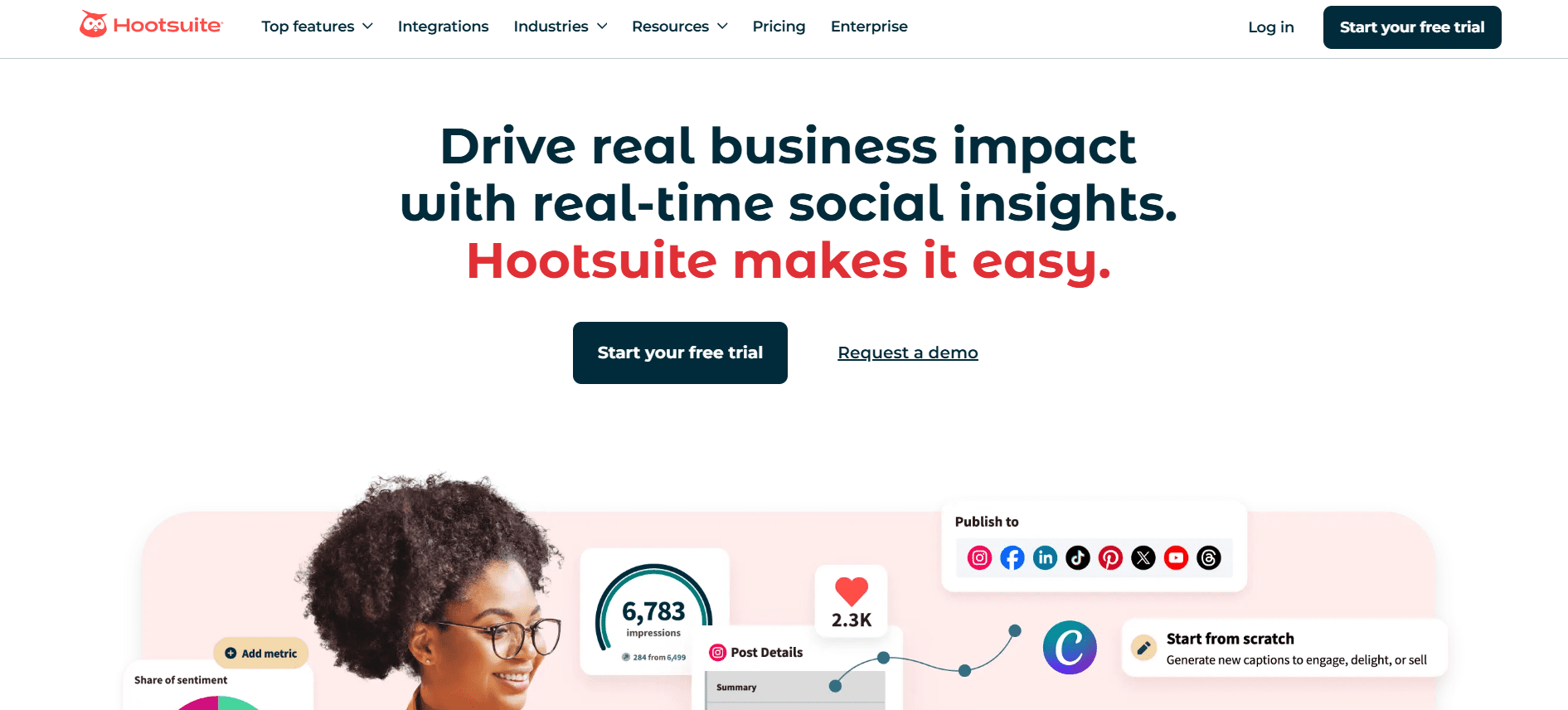
Hootsuite’s Landing Page Hootsuite shines as a Facebook publishing tool because it goes beyond basic scheduling. Its social inbox lets you monitor all comments, messages, and mentions in one place, so you can respond quickly and stay engaged with your audience.With advanced analytics and reporting, you can track performance metrics, measure engagement, and identify which posts resonate most.
Team collaboration is another standout feature. Hootsuite offers approval workflows, role-based access, and team management, which ensures smooth coordination if multiple people are managing your Facebook page.
For larger campaigns, the ability to manage multiple streams and accounts at once makes it easy to keep everything organized without jumping between tabs.
Key Features at a Glance
- Scheduling
- Social Inbox
- Analytics
- Team Collaboration
- Social Listening
Pros & Cons
Pros Cons Allows you to manage multiple social networks from one dashboard No free plan available Provides advanced analytics and reporting Expensive, as the Standard Plan starts at $99/month Offers social inbox and engagement tools Steep learning curve for beginners Allows team management and approval workflows No bulk scheduling on the Standard Plan Robust features for large teams and campaigns Reports and templates are not customizable on the Standard Plan Hootsuite stood out during testing for its strong ecosystem of third-party apps and integrations. Connecting tools like Slack made it easier to keep teams informed about scheduled posts and activity, while the Salesforce integration showed real potential for aligning social conversations with customer data.
The biggest complaint from most users is usually the Hootsuite pricing. In the end, the cost may not matter a lot to those who prioritize cross-department collaboration and deeper CRM connections.
-
Sprout Social
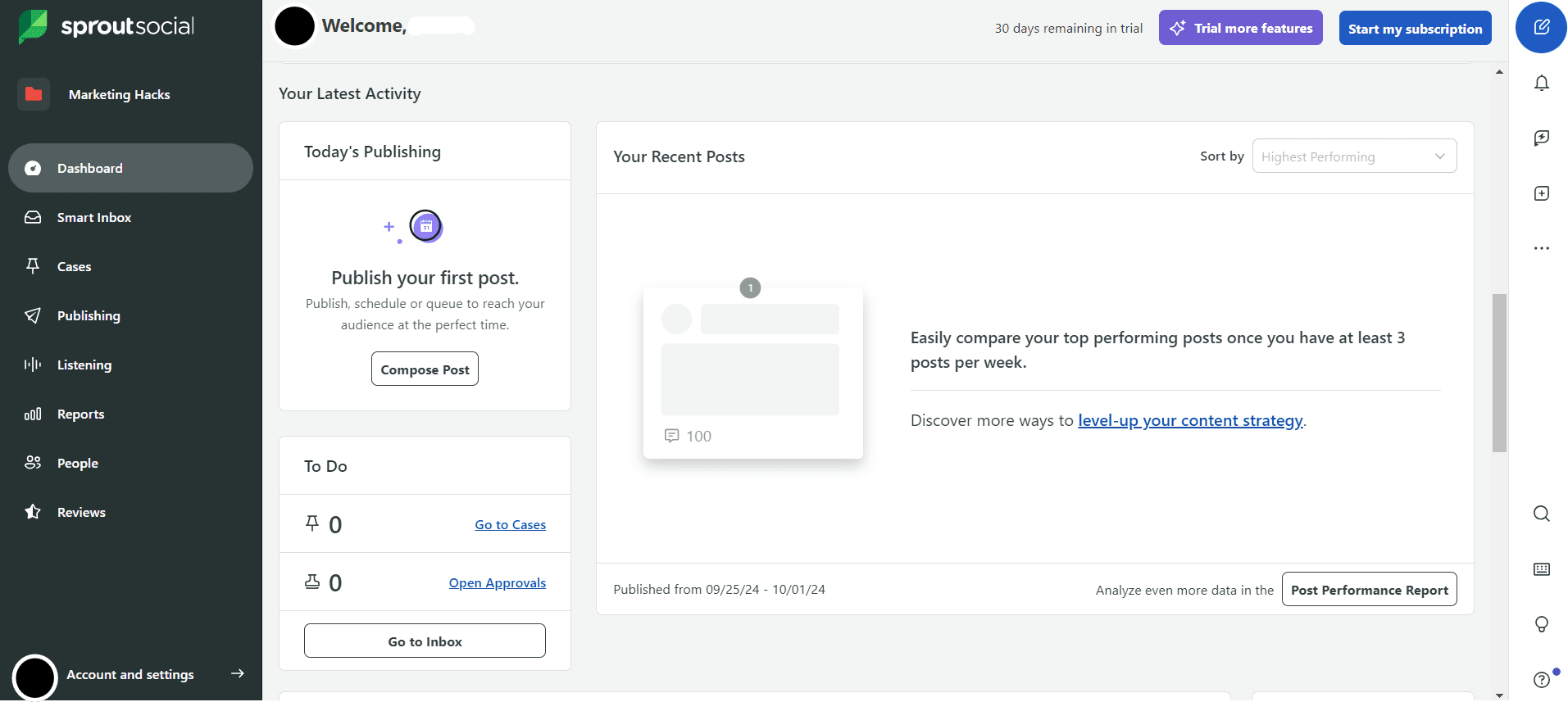
Sprout Social’s Dashboard Sprout Social is ideal for businesses that want data-driven Facebook publishing, strong team management, and a clear view of how their content performs.
What gives it an edge is its analytics and reporting capabilities. You can track engagement, audience growth, post performance, and even identify optimal posting times. All that data gives you valuable insights that you can use to refine your Facebook strategy continuously.
Sprout Social also provides content calendar and post-scheduling tools, which make planning weeks of posts effortless. What’s more is that it supports recurring publishing, which helps ensure that evergreen content continues to reach your audience without extra effort.
The platform also excels at team collaboration. It offers approval workflows, role-based access, and shared content libraries so multiple users can manage a page efficiently without confusion.
Furthermore, its social listening and engagement tools help you monitor conversations, respond to comments, and keep tabs on trends.
Key Features at a Glance
- Publishing
- Analytics
- Social Listening
- Engagement
- Influencer Marketing
- Employee Advocacy
Pros & Cons
Pros Cons It gives you a smart Social Inbox for monitoring and engaging across networks No free plan available It connects to multiple social networks and integrates with many apps It’s expensive, as its Standard Plan starts at $199/month It allows you to monitor reviews from Facebook, Google, Apple, Yelp, Tripadvisor, and more The Standard Plan only allows you to connect 5 social profiles only It allows real-time keyword and brand monitoring Advanced analytics are reserved for higher-tier plans It provides detailed analytics with unlimited PDF/CSV exports Our team also tested Sprout Social and we were impressed with its data-rich approach to Facebook publishing. Monitoring comments, messages, and brand mentions all from the Smart Social Inbox made engagement effortless. The analytics dashboards also gave a clear picture of what content resonated most.
In addition, setting up posts and recurring schedules was smooth, and the ability to track keywords and reviews added valuable insights for strategy.
For teams that thrive on data-driven decisions and collaboration, Sprout Social provides a comprehensive toolkit that turns posting into a smart, measurable process.
-
Meta Business Suite
Meta Business Suite’s Dashboard Straight from the source, this is Facebook’s own solution for managing pages and content. Meta Business Suite is a native platform that offers scheduling, messaging, insights, and ad management for Facebook and Instagram.
The good thing about this Facebook publishing too is that it’s simple, free, and tightly integrated with Meta’s ecosystem. So, you’ll be able to manage posts and ads without leaving the platform.
On the downside, its features are limited to Facebook and Instagram. This means you can’t manage other social platforms from the same dashboard, and you’ll need additional tools if you want a full multi-channel publishing strategy.
Key Features
- Stories and post scheduling
- Engagement monitoring
- Ad performance insights
- Unified inbox for messages and comments
- Audience demographics and activity reports
- Basic performance metrics for posts and ads
- Audience targeting controls for ads
Pros & Cons
Pros Cons It’s free to use, so no upfront investment Analytics are basic compared to paid tools Combined inbox lets you respond to comments and messages from one place Fewer collaboration features compared to other tools. Cross-posting lets you publish the same content on Facebook and Instagram without extra steps. Only supports Facebook and Instagram. Ad performance insights help you understand how your content and ads are performing No advanced automation for posting or recurring content. Simple scheduling tools make planning posts and Stories straightforward, even for beginners Manual effort required for advanced scheduling features Being a native platform for Facebook, Meta Business Suite is one of the tools we’ve used for scheduling and managing content. Its tight integration with Facebook and Instagram makes posting seamless, and the combined inbox for messages and comments keeps engagement organized.
While it doesn’t have all the bells and whistles of paid tools, its simplicity, free access, and reliable performance make it a go-to for quick publishing and basic analytics. It’s especially handy for solo users and creators who want an easy, no-frills way to stay consistent without juggling multiple apps.
-
Agorapulse
Agorapulse’ Dashboard Agorapulse is another powerful Facebook publishing tool that combines publishing, monitoring, and reporting seamlessly.
Its unified inbox ensures you never miss a comment, while built-in UTM parameters and competitor tracking make measuring performance and staying ahead of the competition easier.
Key Features at a Glance
- Unified inbox with moderation
- Built-in UTM parameters
- Competitor tracking
- Advanced reporting and analytics
- Bulk scheduling and recurring posts
- Social listening for keywords and hashtags
Pros and Cons
Agorapulse Pros Agorapulse Cons Its interface is user-friendly even for beginners No free plan You can schedule unlimited with all its plans It’s pricier than most tools as its Standard plan is priced at $79 per month. It supports a total of 11 social media platforms It doesn’t allow for bulk scheduling is on lower plans. You can connect up to 10 social profiles. It offers fewer integrations in the lower plans. You can analyze the impact of your campaigns with easy-to-read yet detailed social media reports Lower plans don’t suggest recommended publishing times in composer When using Agorapulse, it gives us a sense of control over multi-channel engagement. The inbox makes responding quick and organized, and competitor tracking helps us spot trends we wouldn’t have noticed otherwise.
It’s in our view that this tool is especially strong for teams that need structured workflows and reporting but don’t mind spending a bit more for robust functionality.
-
Later
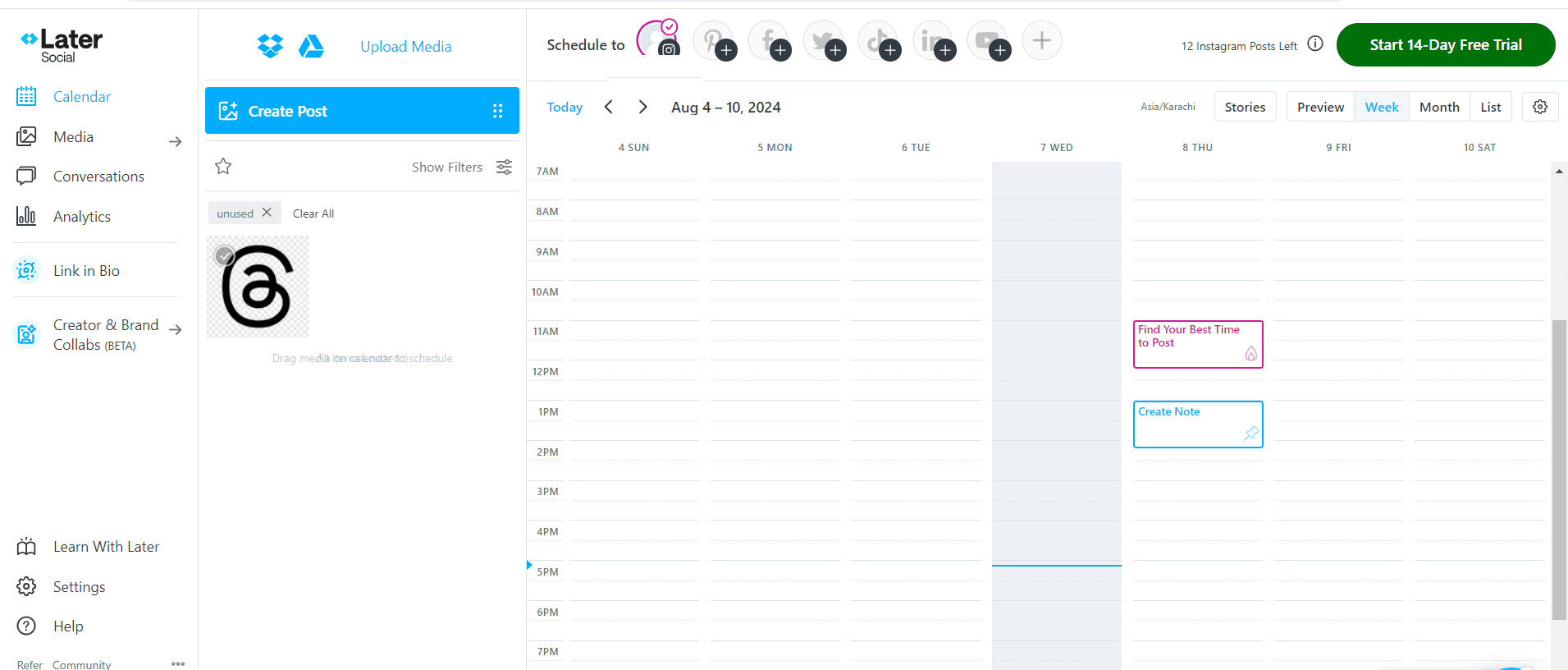
Later’s Dashboard Statistics show that posts with images on Facebook receive 2.3x more engagement than text-only posts, which makes visual planning crucial for any social media strategy.
Later is a visual-first platform designed to help you plan, schedule, and organize your content in a way that puts visuals front and center.
Its drag-and-drop calendar makes it easy to see your posts at a glance, while features like hashtag management, saved captions, and a media library ensure your content looks polished and reaches the right audience.
Key Features at a Glance
- Drag-and-drop calendar
- Hashtag management
- Saved captions for quick posting
- Linkin.bio to drive traffic from posts
- Visual media library for assets
Pros Cons Its drag-and-drop content calendar makes mapping posts easy and intuitive. Insights are basic compared to more advanced publishing tools. Offers a central place to organize and reuse images and videos. No robust bulk scheduling or recurring post automation on lower plans. Suggested hashtags help increase reach on visual posts. Some tools feel more optimized for Instagram than Facebook. Reuse captions and drive traffic with built-in link features. Lacks tools to monitor mentions or trending topics. Simple setup and clean interface help beginners start quickly. We’ve also used Later on multiple occasions, and one of the impressive aspects of the tool is that it makes mapping out our content visually super easy.
What’s more is that its Hashtag suggestions are helpful in extending reach, and saving captions for recurring posts helps cut down repetitive work.
If visuals are your priority and you like to plan content at a glance, then Later is a top contender.
-
Sendible
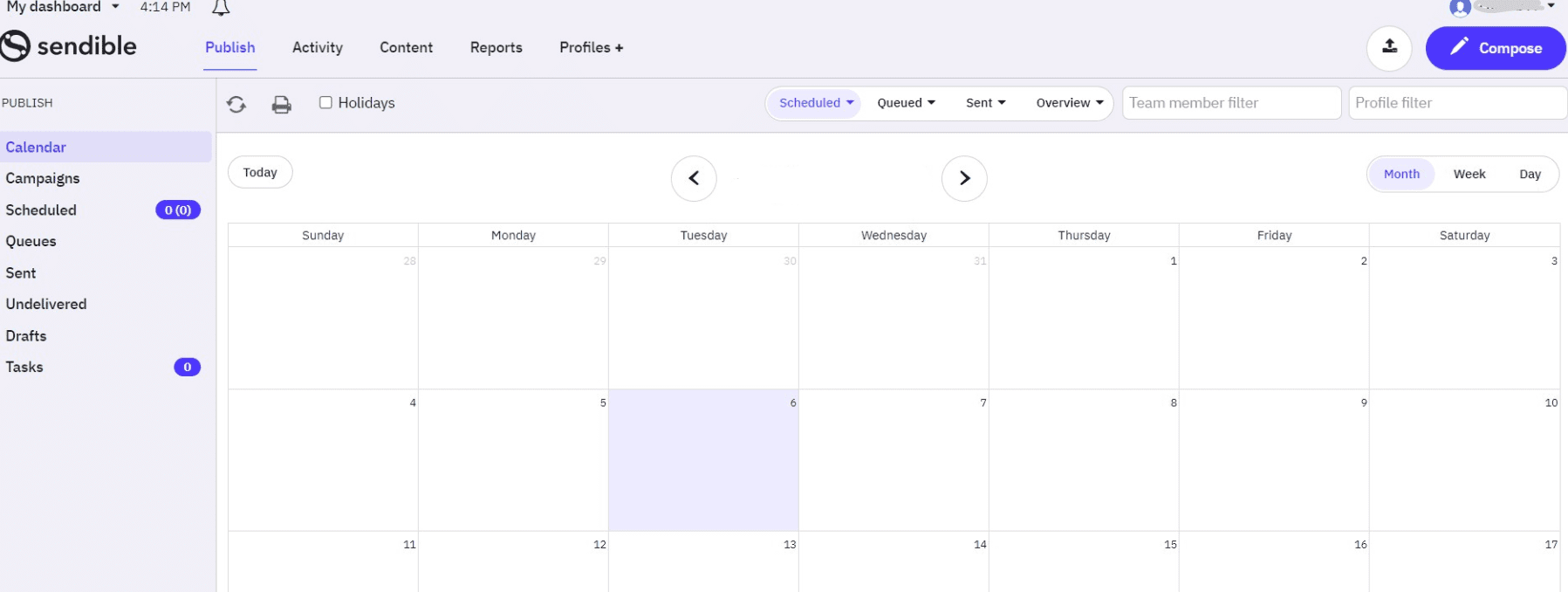
Sendible’s Dashboard Sendible is a social media management platform built with flexibility and control in mind, especially for teams, agencies, and businesses that juggle multiple clients or accounts.
When it comes to Facebook publishing, Sendible stands out by combining powerful scheduling features with thoughtful tools that support collaboration and creative workflow.
This handy lets you build content queues and set up approval flows. That means teams can draft content, get it reviewed, and publish without confusion.
Beyond scheduling, the platform offers detailed performance metrics and tools that help you monitor key conversations around your brand or industry. This means you can refine your Facebook content based on real engagement data, not guesswork.
Key Features at a Glance
- Custom branding
- Content queues and approval flows
- Canva and Dropbox integrations
- Advanced analytics dashboards
- Social listening tools
- Auto-posting from RSS feeds
Pros and Cons
Pros Cons Offers structured workflows and approval processes It doesn’t offer a free plan It provides detailed analytics & reporting It doesn’t offer white labelling unless as a paid add-on on its pricier plans. Makes collaboration easy, even when teams are remote Some integrations require higher plans. Keeps your creative assets centralized with integrations Delivers insights that help you understand what’s working We had an overall positive experience when using Sendible. Queues and approvals kept our team in sync, while integrations with Canva and Dropbox sped up content creation.
It’s a tool for people who want centralized control and professional presentation, especially when managing multiple clients.
Featured Article: 12 Best Sendible Alternatives
-
CoSchedule
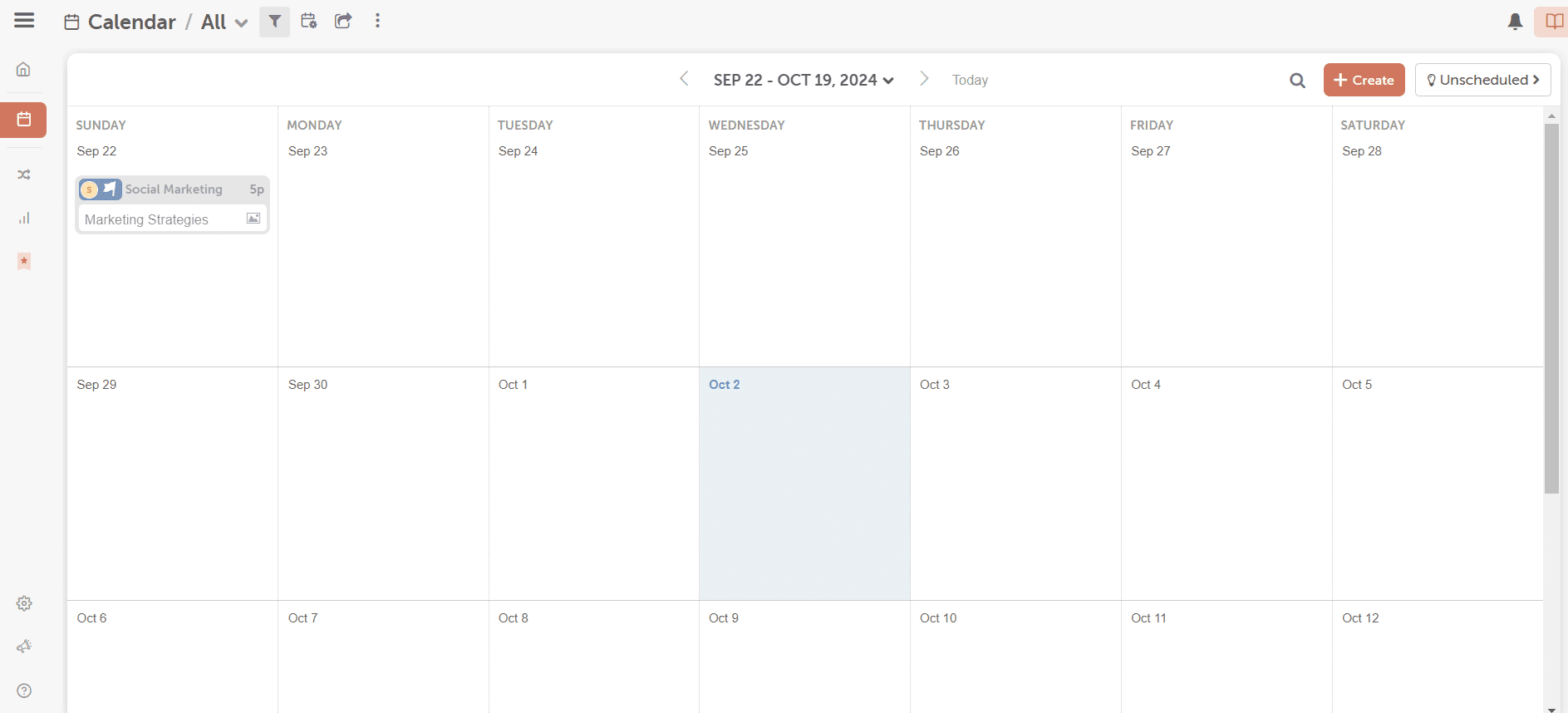
CoSchedule’s Dashboard CoSchedule isn’t just another scheduler; it’s a strategic content hub that helps you plan, organize, and automate your social media alongside your broader marketing efforts.
Instead of thinking about posts in isolation, CoSchedule lets you see your Facebook content as part of larger campaigns. You get a calendar view that shows how posts relate to launches, blog content, promotions, and more. This makes your Facebook strategy feel coordinated and intentional.
CoSchedule’s standout feature, ReQueue, automatically fills gaps in your schedule with your best-performing posts. That means your top content keeps working long after it’s first published, without you having to manually repost.
Key Features at a Glance
- ReQueue for evergreen content
- Campaign-level visibility
- WordPress plugin
- Visual marketing calendar
- Team task management
- Social automation templates
Pros and Cons
Pros Cons Automation that feels smart, not robotic There’s a learning curve, due to the depth of features, especially campaign planning and ReQueue Calendar visibility that actually helps you plan, not just list posts Reporting is useful but not as detailed as specialized analytics platforms Ties social content to broader marketing goals, so Facebook isn’t an afterthought If you only need basic scheduling, CoSchedule may feel more complex than necessary Team workflows that keep planning organized, even when multiple people contribute. It doesn’t include robust tools for tracking trends or brand mentions in real time WordPress integration that bridges the gap between blog content and social sharing For us, CoSchedule turned scheduling into a strategic game. Being able to see campaigns in a calendar and automate recurring posts helped us keep traffic steady without constant manual effort.
We recommend this tool to planners who want both visual clarity and long-term consistency. It’s especially useful for teams that need to coordinate campaigns, schedule recurring content, and keep everyone on the same page.
-
Zoho Social
Zoho Social’s Dashboard Zoho Social is a social media management tool built to help businesses stay organized and results-focused across their social channels.
This tool uses intelligent scheduling to help you post when your audience is most active. You don’t just schedule posts; you schedule impactful posts that people are likely to see and click on.
Unlike many standalone publishing tools, Zoho Social connects with your CRM so you can track leads, customer interactions, and engagement metrics directly tied to your audience’s profiles. These helps you understand not just what performs well but who is engaging with it.
Key Features at a Glance
- Smart scheduling
- CRM-linked social interactions
- Post performance analytics
- Multi-platform scheduling
- Team collaboration with roles and approvals
- URL shortener and click tracking
Pros and Cons
Pros Cons Smart scheduling for optimal times Some learning is required for new users CRM integration for lead tracking Advanced features are locked behind higher tiers Actionable performance analytics The mobile experience isn’t as powerful or intuitive as the desktop version Collaboration features keep content planning organized Scheduling is smart, but bulk scheduling and advanced automation options are more basic than some competitors. Support for multiple platforms from one place Zoho Social gave us a bridge between content and customer data, so it was easier to see which posts were generating leads. Scheduling and team management were also smooth, and performance tracking gave actionable insights.
-
Planable
Planable’s Dashboard Planable is a collaborative social media planning and publishing tool designed to make teamwork smoother and content review painless.
Unlike many platforms built primarily for scheduling, Planable focuses on visual planning, real-time collaboration, and streamlined approval workflows.
If your Facebook content needs buy-in from multiple people (designers, writers, managers), Planable’s commenting, tagging, and approval workflows make collaboration feel more like a conversation than a chore.
Key Features at a Glance
- Real-time post preview
- Internal comments and notes
- Client approval system
- Centralized content calendar
- Role‑based access and permissions
- Campaign tagging and post categorization
- Duplicate and recycle posts for evergreen content
- Media library for visual assets
- Customizable approval workflows
Pros and Cons
Pros Cons Real-time post preview ensures what you plan is what you publish Limited advanced analytics compared to enterprise tools Client approval system makes stakeholder sign-offs easy Some integrations require higher plans Visual content calendar for high-level planning Not as automation-heavy as other tools Multi-platform scheduling from one place Mobile app is less robust than desktop Internal comments and notes keep team communication in context Planable quickly became the go-to tool when we needed clarity and alignment across team members and stakeholders.
The real-time post preview made it easy to spot formatting quirks before anything went live, and the internal comments kept feedback tied directly to specific posts rather than buried in email threads.
While advanced analytics aren’t the strongest suite, Planable made up for it with workflow strength and team friendliness. If your Facebook content requires multiple reviewers, edits, and feedback loops, this tool keeps the process organized and surprisingly stress-free.
-
ContentStudio
ContentStudio’s Dashboard ContentStudio is a powerful social media and content management platform built to help businesses and marketers discover, plan, publish, and analyze content.
ContentStudio’s central publishing hub allows you to manage posts, visuals, and captions across multiple Facebook pages and other social platforms.
What makes it especially effective for Facebook publishing is how well it blends content discovery, audience insights, workflow tools, and automation into a cohesive system that supports both strategy and execution.
Key Features at a Glance
- AI content assistant
- Automation workflows
- Social inbox and analytics
- Custom content categories/queues
- Team roles and approval workflows
- Visual planner/calendar view
Pros & Cons
Pros Cons Automation workflows keep content flowing without daily effort Analytics aren’t as deep as enterprise-level tools Social inbox and analytics centralize engagement and performance Some advanced features require premium plans Team roles and approval workflows support collaboration Mobile app features lag behind desktop Multi-platform publishing from a single dashboard When using ContentStudio, we especially valued the content discovery features. Landing trending topics and insights directly in the dashboard gave our Facebook strategy fresh momentum that felt intentional rather than random.
While some advanced features are tucked behind higher tiers and the learning curve takes a minute to get comfortable with, overall, ContentStudio makes planning, creating, and publishing faster and more thoughtful.
-
Publer
Publer’s Dashboard When it comes to Facebook publishing, Publer stands out for its practical features that make planning and maintaining a consistent posting schedule much easier.
One of Publer’s strengths is its scheduling flexibility. You can schedule posts in advance, set up recurring content, and even recycle evergreen posts. This helps keep your Facebook page active without constant manual effort.
Publer also includes automation tools that handle routine posting tasks while still giving you control over how and when content is published. Its post preview feature allows you to see exactly how your Facebook posts will look before they go live, which reduces formatting mistakes and last-minute edits.
Combined with a clean interface and support for multiple social platforms, Publer works well for businesses that want to manage Facebook alongside other channels from one dashboard.
Key Features at a Glance
- Post recycling
- Media library and signatures
- Built-in Canva integration
- Bulk scheduling and CSV import
- Recurring posts for evergreen content
- Best-time scheduling recommendations
- Link shortening and tracking
Pros & Cons
Pros Cons Customizable plans tailored to fit your business needs. Advanced features require higher-tier plans 24/5 expert support via live chat No robust social listening tools Publer Mobile App to manage your socials anytime, anywhere. Recurring post options are basic Easy–to-use & affordable Template options could be stronger Provides custom previews for each platform Users often highlight Publer’s practical scheduling capabilities and ease of use as major selling points. Many appreciate how the platform handles evergreen content, especially through features like post recycling and bulk scheduling, which make managing consistent Facebook publishing far less hands-on.
Content creators and small-business owners frequently mention the built-in Canva integration as a time-saver, since it lets them fine-tune visuals without jumping between apps.
Another common theme in user feedback is the clean and intuitive interface. People say Publer feels organized and approachable, even if you’re new to social management tools.
On the flip side, some users note that analytics could be more advanced, especially compared to higher-end tools. Also, certain automation features are good but not great unless you’re on a higher subscription tier.
-
Loomly
Loomly’s Dashboard Loomly is a social media management platform designed to help teams and businesses plan, create, schedule, and analyze content across multiple networks.
One of the things that makes Loomly effective is its visual content calendar, which provides a clear, bird’s-eye view of everything you have scheduled, what’s in draft, and what needs approval. This calendar makes planning weeks or months of posts more manageable and helps prevent last-minute posts or missed opportunities.
Loomly also offers content ideas and optimization suggestions, which can be especially helpful for those who aren’t sure how to tailor content specifically for Facebook audiences.
For publishing itself, Loomly supports tailored post previews, scheduling options, and post tagging to ensure your Facebook content is well-organized and consistent with your overall strategy.
Key Features at a Glance
- Live post previews
- Post idea generator
- Approval workflows
- Visual content calendar
- Custom post tagging and organization
- Analytics and performance reporting
- Team collaboration with role-based access
- Content assignment and task tracking
Pros & Cons
Pros Cons Loomly offers monthly and annual pricing, so you can select what’s best for you. It doesn’t offer a free plan. It allows for unlimited post scheduling on both its plans. The cost of its plans is not publicly shown, so you have to enquire first. It allows you to connect up to 12 social accounts on its lowest plan. There are only two pricing plans to choose from. It has the Best Time to Post feature that lets you know the most ideal time to post. It has fewer integrations. It provides post analytics dashboard on both plans. Many users appreciate Loomly for its organized and visual content planning. The calendar view makes it easier for teams and solo creators to stay on top of their Facebook publishing schedule without constantly switching between tools.
Another standout feature that often gets positive mentions is the post idea generator. For users who sometimes hit creative blocks, having suggested content ideas tied to real events, holidays, or trending topics provides helpful inspiration and keeps the content calendar full and fresh.
Featured Article: Top 10 Loomly Competitors
-
NapoleonCat
NapoleonCat’s Landing Page NapoleonCat is an ideal Facebook publishing tool because it combines easy scheduling, strong engagement management, and data-driven insights.
its flexible scheduling system that allows you to plan posts ahead of time, set recurring content, and organize campaigns with ease.
It also provides auto-publishing from RSS feeds, which can keep your Facebook page active without daily manual effort. For teams managing multiple accounts or handling large volumes of content, this feature alone can save significant time and effort.
NapoleonCat also includes analytics and reporting, offering insights into post performance, audience behavior, and engagement trends. These metrics help you understand what resonates with your audience and refine your strategy.
Key Features at a Glance
- Automated replies for ad comments
- Analytics dashboards
- Publishing and scheduling tools
- Unified inbox for all social interactions
- Bulk scheduling and recurring posts
- Team collaboration with roles and approval workflows
- Auto-publish from RSS feeds
- Detailed engagement reports
Pros & Cons
Pros Cons Automated replies make handling ad comments and high engagement way easier. Some advanced features come only with higher-tier plans, which can feel pricey. The unified inbox brings comments and messages from all your pages into one place. The interface can feel a bit overwhelming at first if you’re new to social tools. Smart moderation rules help keep unwanted comments at bay without manual filtering. Analytics are good, but not as deep as what you’d get with enterprise-level tools. Team roles and workflows make collaboration smooth when multiple people manage accounts. Reporting customization could be more flexible on lower plans. Detailed engagement and audience metrics help you refine your content strategy. When using NapoleonCat, we made a few findings. Firstly, the analytics dashboards provided clear insights on what types of posts were hitting the mark. Secondly, team collaboration was smooth, thanks to role assignments and approval workflows, which made coordinating content across multiple people seamless.
The learning curve was a bit steeper at first, but once we got comfortable with the interface, NapoleonCat became one of the tools we relied on most for maintaining a consistent and engaging Facebook presence. It strikes a solid balance between automation, insight, and hands-on control.




How to Choose the Right Facebook Publishing Tool for Your Business Needs
With a growing number of Facebook publishing tools in the market, selecting the right one is less about picking the most popular option and more about choosing a platform that aligns with your brand’s size, workflow,’’ and strategic goals.
Whether you’re a solo creator, a startup, or an agency managing multiple client pages, here’s a step-by-step framework to help you make the best decision.
-
Start With Your Content Volume
The scale of your content output should guide your tool selection.
- Low-volume publishers like freelancers, solo marketers, or small businesses often don’t need complex dashboards. Simpler platforms like Buffer or Publer are affordable and easy to use, offering core scheduling and posting features without overwhelming interfaces.
- High-volume teams or agencies, on the other hand, need robust capabilities to manage multiple Facebook pages, clients, and campaigns. These teams benefit from tools like Social Champ, Sendible, or Sprout Social, which support bulk uploads, advanced scheduling, and post queues across multiple channels.
Ask yourself: How many posts do we create weekly, and how many people are involved in the process?
-
Check for Facebook-Specific Features
Not all social media tools are equally optimized for Facebook. If Facebook is a priority channel, your tool should offer:
- Support for Facebook-specific formats, including Stories, Reels, and even live content scheduling.
- Native previews that show exactly how your post will look on Facebook before it goes live.
- Optimized media uploading, ensuring that images, videos, and thumbnails follow Facebook’s best practices.
- Comment and message management, especially for businesses running ads, where engagement volumes are high.
Tools like Social Champ, Meta Business Suite, and NapoleonCat are known for prioritizing Facebook functionality over generic multi-platform solutions.
Ask yourself: Can this tool handle Facebook’s evolving content formats and engagement features?
-
Assess Analytics and Reporting Capabilities
Publishing is only half the job, the other half is measuring success and improving performance.
A good publishing tool should give you access to:
- Engagement metrics such as likes, comments, and shares.
- Reach and impressions, to understand content visibility.
- Click-through rates (CTR) for link posts.
- Page-level metrics, including new likes, follower growth, and audience demographics.
Platforms like Social Champ, Sprout Social, and Agorapulse offer detailed analytics dashboards with exportable reports, ideal for agencies or data-driven marketing teams.
Ask yourself: Do we need analytics for internal review, client reporting, or both?
-
Evaluate Collaboration and Approval Flows
If your Facebook publishing process involves more than one person, collaboration features are essential. Look for tools that support:
- Multi-user access with role-based permissions (e.g., Editor, Approver, Admin).
- Internal comments and real-time collaboration to streamline feedback.
- Approval workflows, so no post goes live without the necessary sign-offs.
- Version history allows you to track edits and revert if needed.
Platforms like Planable, Sendible, and Zoho Social are excellent for teams that require clear communication and multi-step approvals in their content creation process.
Ask yourself: How do we manage reviews and approvals today, and how could it be more efficient?
-
Test Integrations and Automation
The best tools don’t work in isolation; they integrate seamlessly with the rest of your marketing tech stack. Prioritize tools that connect with:
- Design platforms like Canva, Dropbox, or Google Drive, so you can import visuals without switching tools.
- CRM platforms like Zoho CRM or HubSpot enable better targeting and personalization.
- Email marketing and automation platforms for syncing social campaigns with email workflows.
- Zapier, Make, or open APIs, if your business needs custom automations or unique integrations.
Tools with strong integration capabilities make it easier to scale and unify your marketing efforts across channels.
Ask yourself: Can this tool plug into the apps we already use—and help automate repetitive tasks?
Featured Article: Sendible Pricing vs. Social Champ: Which Offers Better Value?
AI + Automation = Your New Social Team
Leverage Social Champ’s scheduler and built-in AI tools for captions, images, and optimization, without the extra cost of outsourcing.
Featured Article: How to Promote Events on Social Media: A Strategic Guide
Conclusion
Finding the perfect Facebook publishing tool isn’t about choosing the platform with the longest list of features; it’s about selecting one that truly fits your workflow, your goals, and your team’s day-to-day needs.
If you’re seeking a well-rounded, affordable, and powerful solution, Social Champ is a standout.
It offers advanced scheduling, AI-powered content tools, insightful analytics, and support for Stories and Reels, all wrapped in a user-friendly interface.
For agencies that need robust collaboration, approval workflows, and reporting, tools like Sendible, Planable, and Sprout Social are ideal.
These platforms streamline multi-user coordination and make client management easy with white-label features and team permissions.
Meanwhile, freelancers, solopreneurs, or small businesses will find great value in simple yet reliable platforms like Buffer, Publer, or the native Meta Business Suite.
These tools cover essential publishing needs without complexity or high costs.


2 comments
Parker Wilson
Nice! Publishing tools are now the need of time, I wasn’t aware of such effective tools before but thank you for sharing a long list with us. I will definitely explore the other options.
Mathias Rodriguez
Facebook is superior in the marketing industries. These tools looks effective tools. I will definitely explore & use some of them in coming days. Thanks for sharing the secrets of the industries!