I’ve a graveyard folder in my laptop that I named “Abandoned Apps.” Right now, there are 40+ apps in that folder.
A habit tracker that guilt-tripped me so much that I deleted it out of frustration. A to-do app that I subscribed to for a year but hardly opened twice. A “second brain” tool that took a day to set up only, and then I never opened it again. Honestly, I feel a little embarrassed when I count them up.
So yeah, my relationship with productivity tools is a bit complicated!
But the thing is I write and manage content, so my days look like three client calendars running at once. Slack never quiets, and someone just drops a comment on a Google Doc.
Initially, I used to blame my discipline. But later I realized I wasn’t the problem. The problem was the tools, or maybe not having the right tools.
That’s why I spent around 6 months testing almost everything out, such as task managers, focus apps, writing tools, planners, like everything (that too with my full-time job). Yeah, it felt overkill, but I don’t have any regrets, ngl.
I do want to clear one thing: these tools aren’t there to do your work for you. Rather, you can use them to refine and perfect your work.
Let’s get started!
A Quick Look at the Productivity Tools Worth Your Time
| Tool | Best For | Starting Price |
|---|---|---|
| Notion | One workspace for almost everything | Free; paid from $10/user/mo |
| Todoist | Task management that doesn’t get in your way | Free; paid from $5/mo |
| Sunsama | Slower, more intentional daily planning | From $17/mo, 14-day trial |
| ClickUp | Running a whole team’s projects | Free; paid from $7/user/mo |
| Trello | Simple, visual task boards without the setup overhead | Free; paid from $5/user/mo |
| Grammarly | Writing that doesn’t embarrass you before you hit send | Free; paid from $12/mo |
| Slack | Killing the internal email chain | Free; paid from $4.38/mo |
| Toggl Track | Knowing where your hours actually went | Free up to 5 users; paid from $9/user/mo |
| Brain.fm | Focus music that isn’t just a Spotify playlist | From $14.99/mo, 14-day free trial |
Hack Your Social Growth!
The 9 Productivity Tools That Actually Worked For Me
Now, it’s the moment you’ve been waiting for. Let’s look at the top free and paid productivity apps for 2026.
I didn’t just make the list. I’ve checked the latest updates so I can easily understand which features are useful and which are only hype.
Not only that, but I’ve also tested AI-powered productivity tools that are really useful. I’ve listed these separately below.
-
Notion
Best for: One workspace for (almost) everything
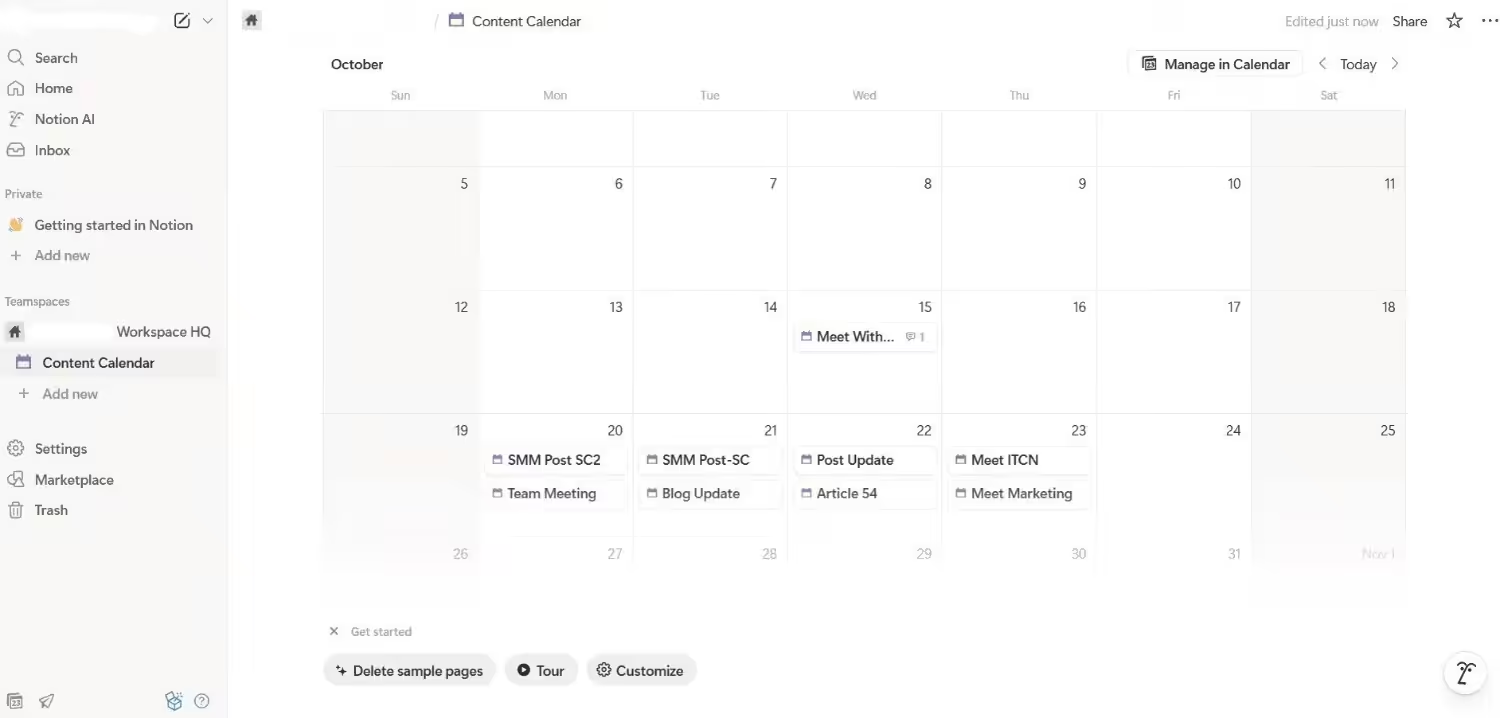
Notion’s Dashboard Let’s start my list with the one that literally retired half of my tools, and that is Notion, no cap. This productivity tool has become that place where I end up putting everything, such as content briefs, editorial calendars, competitor research, and yeah, the list of those blog ideas that I’ve been thinking of updating for a long time.
I didn’t get fascinated by its templates like others. The real win is that I can build the exact view I want without having a fight with the tool. A kanban board for content, a calendar for publish dates, and a plain table to track which pages still need a rewrite.
Additionally, the collaboration is more useful than I expected. If any teammate drops a comment on the brief at 11 PM, it directly shows up threaded right next to that paragraph.
But it takes time to set up. I literally spent my entire afternoon deciding my first workspace structure. So, if you want to move fast on day one, budget an hour of frustration before it starts paying off.
Pricing
Notion offers a free plan with basic features. The paid plans start at around $10/month/member.
-
Todoist
Best for: Task management that just works
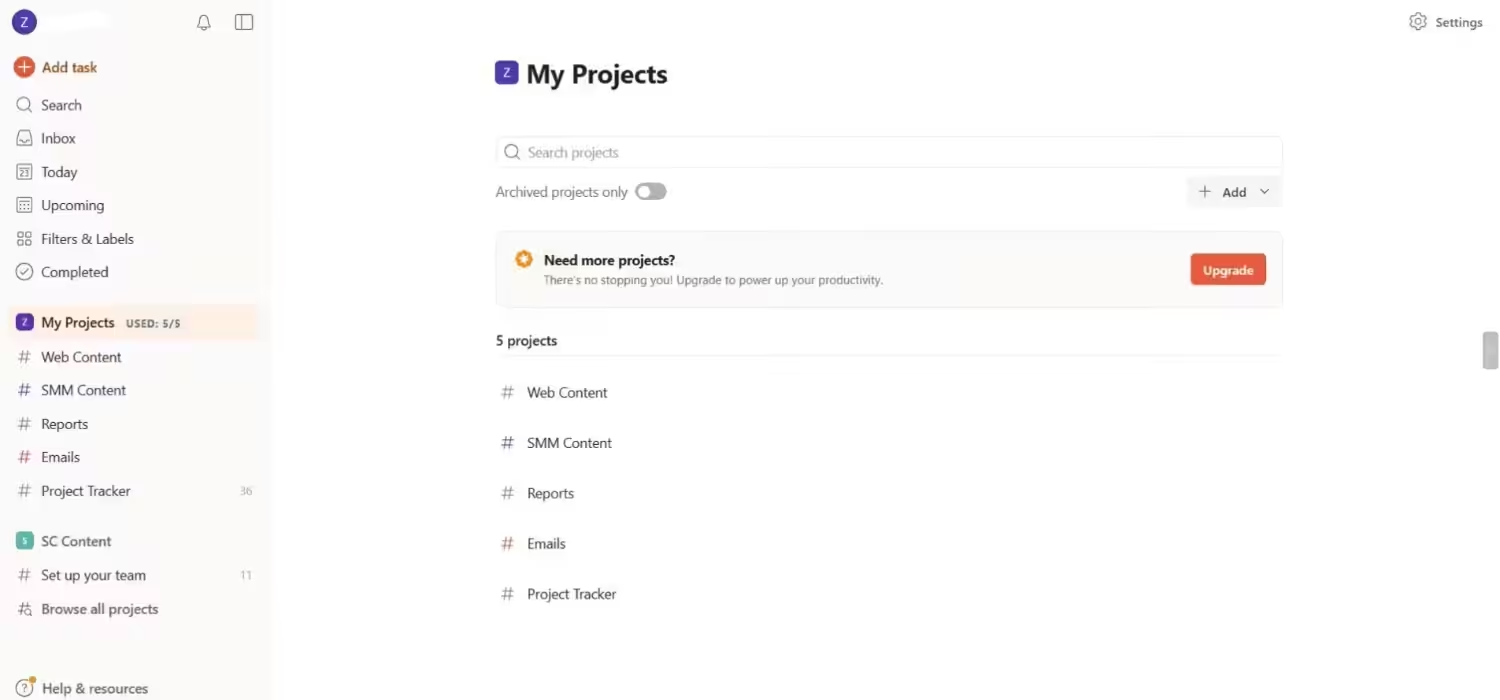
Todoist’s Dashboard The funny thing is every few months I see a new flashy task manager, and I get attracted to that. But guess what? I always go back to Todoist within a week. It doesn’t try to reinvent anything, and honestly, it’s its biggest strength.
The thing that keeps me here is the natural language input. I only type “send draft to “X” at Friday 10 am,” and it handles the rest. It’s also quietly smooth for recurring tasks. I’ve got a standing Monday reminder to check the keyword rankings that I set up once and haven’t touched it again.
There’s one thing that annoys me: you can color-code the task list but not the calendar view itself. I know it’s a small thing, but if you think in the color the way I do, then it’s a noticeable miss.
Pricing
Like Notion, Todoist also comes with a free plan for individuals. Its paid plans start at $5/month.
-
Sunsama
Best for: Slower, more intentional daily planning
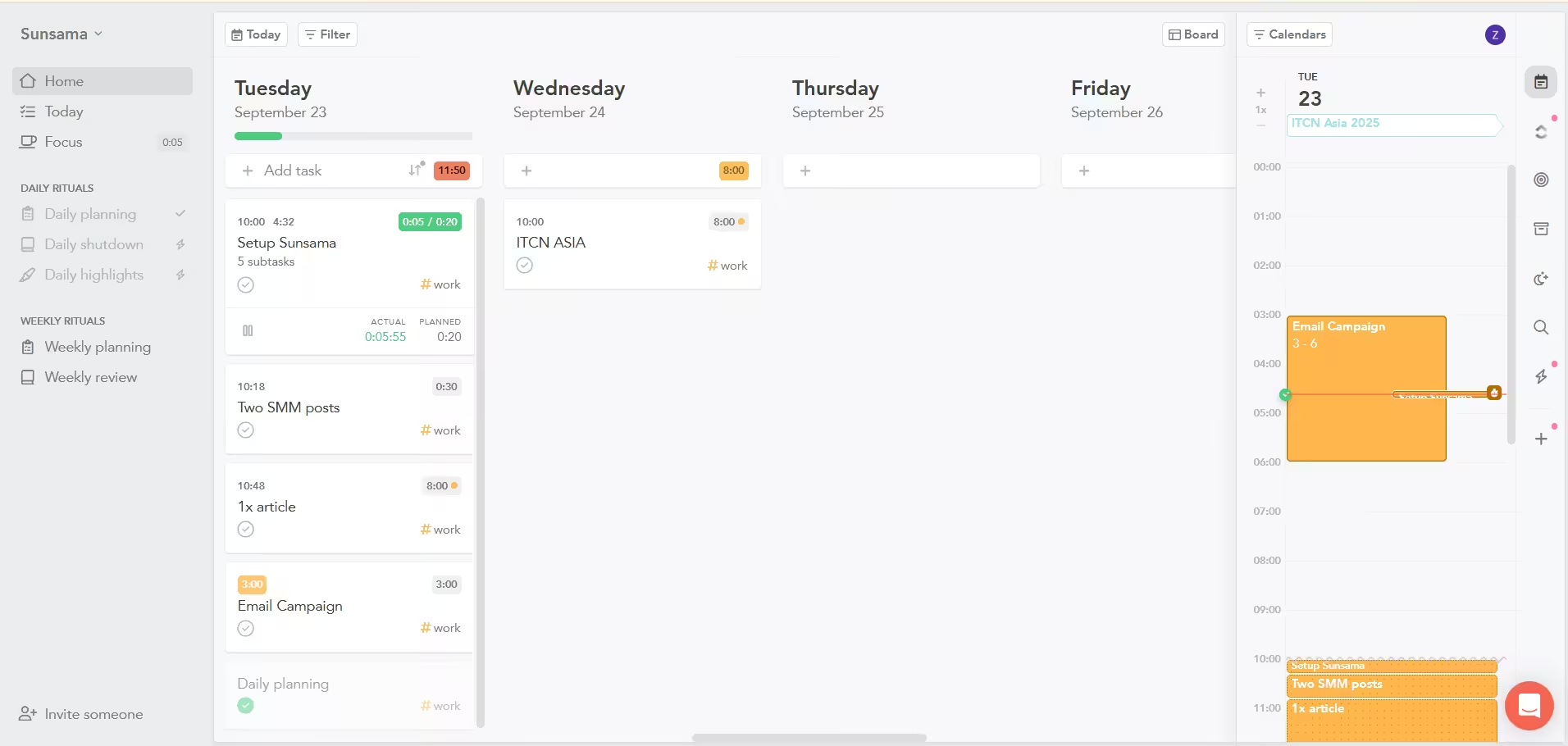
Sunsama’s Dashboard Sunsama is quite different in the list because it doesn’t let you overcommit. Every morning it walks you through a short ritual like “review yesterday’s work, pick today’s actual priorities and it literally doesn’t let you drag your whole backlog into “today” without pushing back on you.
There’s a “Planned Work Time” bar that shows you how many hours you’ve planned vs how many hours you’ve in a day. It literally told me in the first week of using it that I’m planning 12 hours of work in a 9-hour working day. It felt a little embarrassing, but honestly, it was exactly what I needed to hear.
The simple tradeoff is that the morning ritual adds a real 5 minutes before you can start working. It’s worth it most days, but if you’re already late, these 5 minutes seem like the hurdle.
Pricing
Sunsama starts at around $17/month, and comes with a 14-day free trial with no credit card required.
Featured Article: Top Free Social Media Scheduling Tools to Boost Your Productivity
-
ClickUp
Best for: Running a whole team’s projects
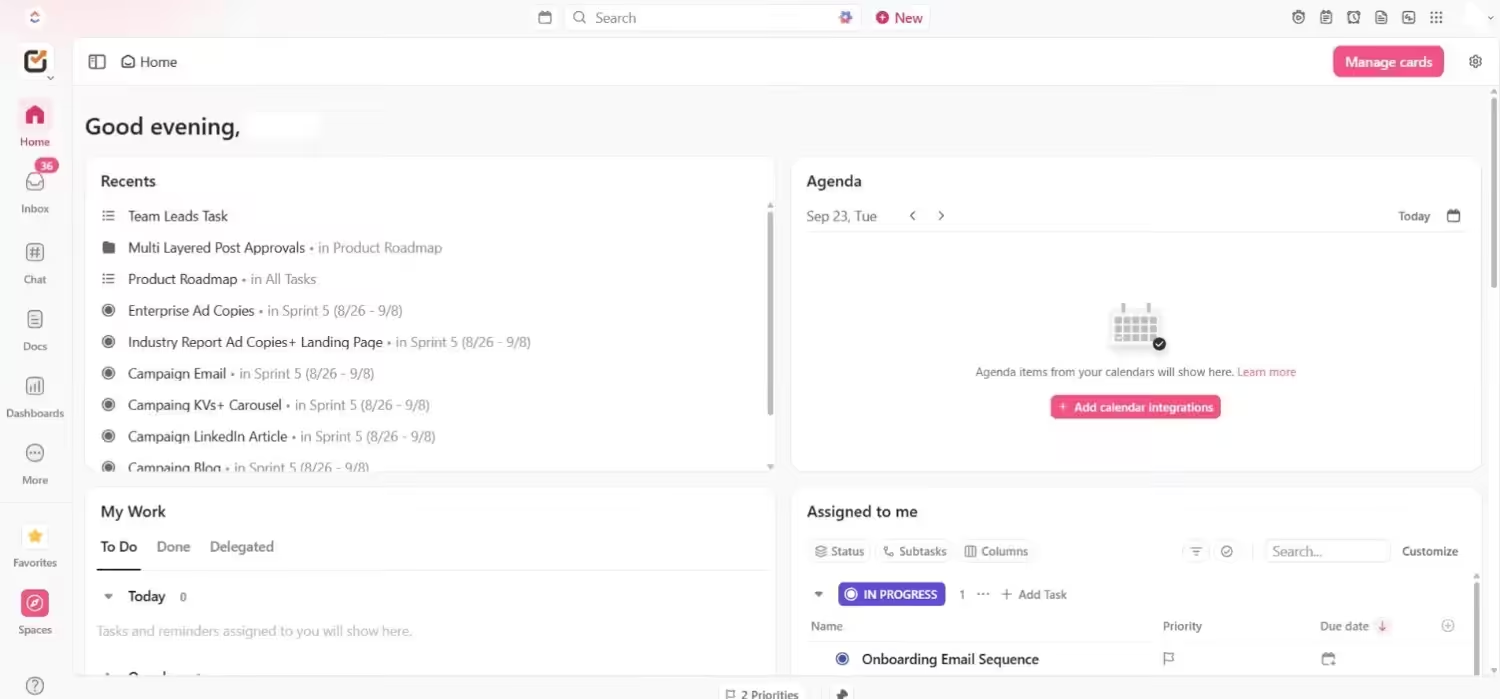
ClickUp’s Dashboard ClickUp is the tool from my list of productivity tools that I’d recommend to large teams, especially if you manage multiple clients or departments. It holds tasks, docs, chats, and dashboards everything in one place and you can start simple and grow into the rest as you actually need it.
The biggest selling point of this platform is the flexibility of views. List, board, calendar, timeline, Gantt chart- all pull from the same underlying tasks. So if a stakeholder wants a timeline view and your team lives in a kanban day to day, you don’t have to maintain two separate systems just to keep everyone happy.
The tradeoff, though, is onboarding. This is not the tool that you hand a new hire without any explanation. It needs a proper walkthrough; otherwise, people only use 10% of the features of what you’re paying for.
Pricing
ClickUp also has a free forever plan for individuals. Its paid plans start at $7/month/user.
-
Trello
Best for: Visual task boards without extra setup
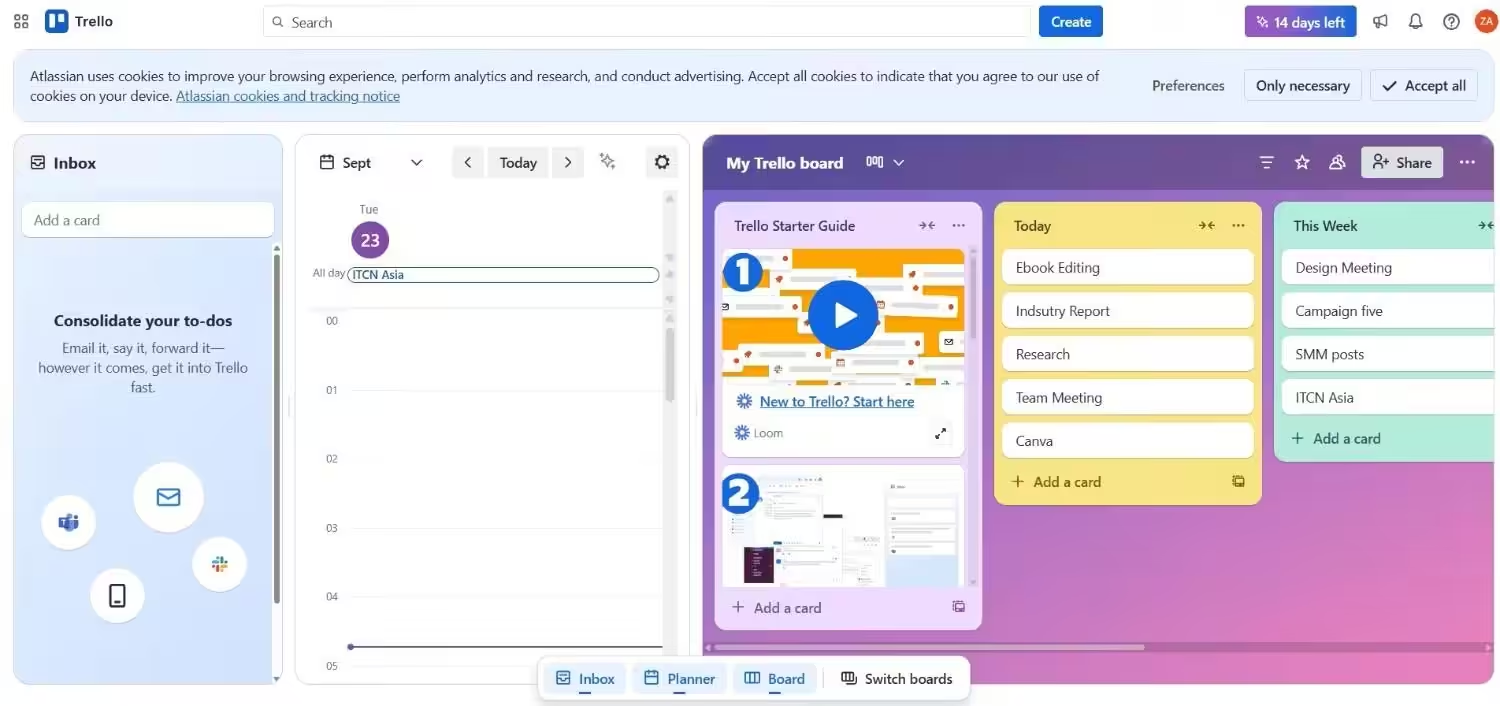
Trello’s Dashboard Trello’s my go-to platform when the project doesn’t need ClickUp’s whole machinery. It just needs a simple board, a few columns, and cards that I can drag across them. To Do → In Progress → Done. That’s it, and to be honest, that’s enough usually.
The thing I like about Trello the most is its zero-confusion setup. I literally onboarded a freelancer to the Trello board in under two minutes, that too without a proper walkthrough. And if you want more features later, you can add calendar views, automation, and integrations from Power-Ups.
The only downside of this tool is that when there are 30+ cards on the board, things can feel a bit messy, and you’ve to manage labels and filters properly. Trello is best for simple projects, and honestly it shows the second you try to push it past that.
Pricing
You can start using Trello for free with limited features. Its paid plans start at $5/month.
-
Grammarly
Best for: Writing that doesn’t embarrass you
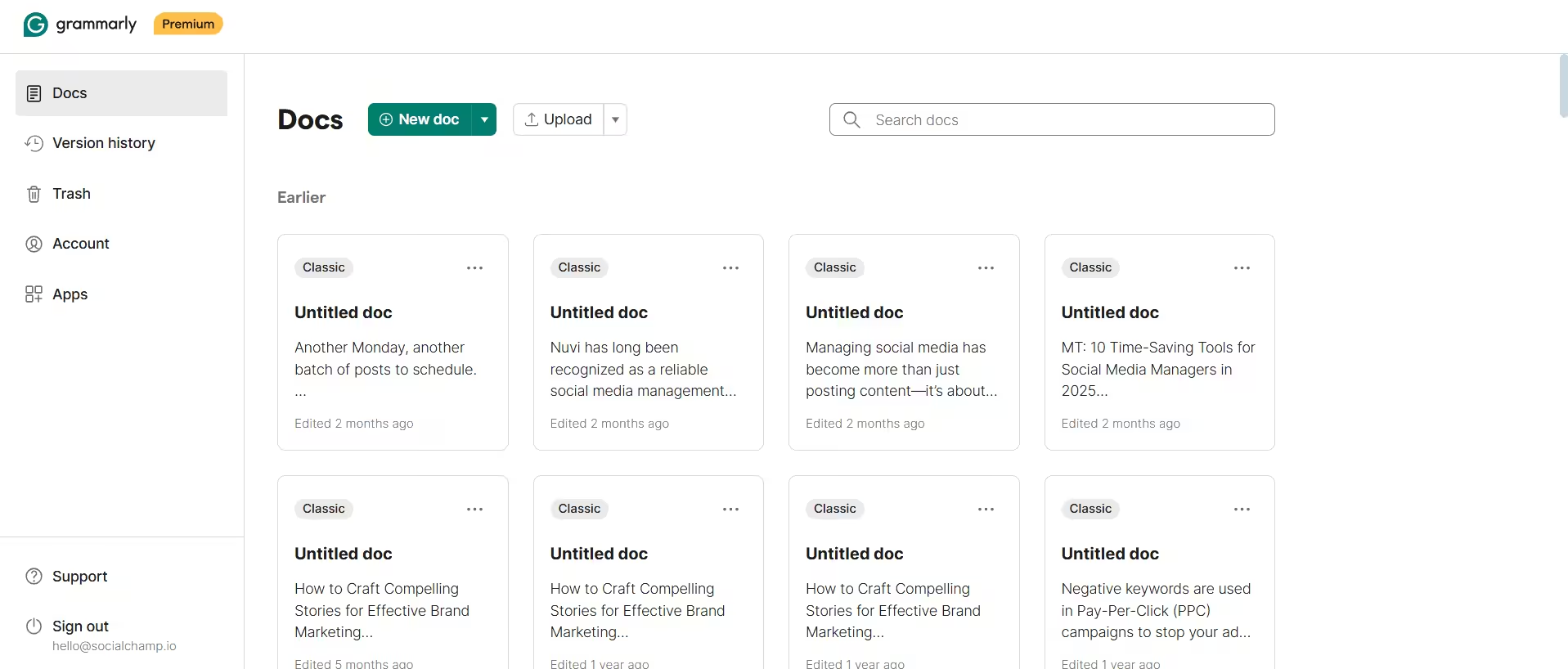
Grammarly’s Dashboard I write for a living, and I still always check and run almost everything through Grammarly before sending it out. Even when I’ve to send a message to a client on Slack, because autocorrect has embarrassed me before, more than once.
It catches the basic mistakes, but honestly, its tone and clarity suggestions are the best part for me. Sometimes, you read your draft so many times that you can’t even see the obvious mistake. Grammarly points that out. It literally saved me from sending an email that I thought was clear, but it was actually not.
The only thing that irritates me is that its plagiarism checker and advanced rewriting suggestions require upgrading to paid plans. The free version is best for basic proofreading, but if you professionally publish content, then its limits feel pretty fast.
Pricing
Grammarly does offer a Basic plan with limited features. But if you want advanced tools like a plagiarism checker, you’d need to use its paid plans, which start at $12/month.
-
Slack
Best for: Killing the internal email chain
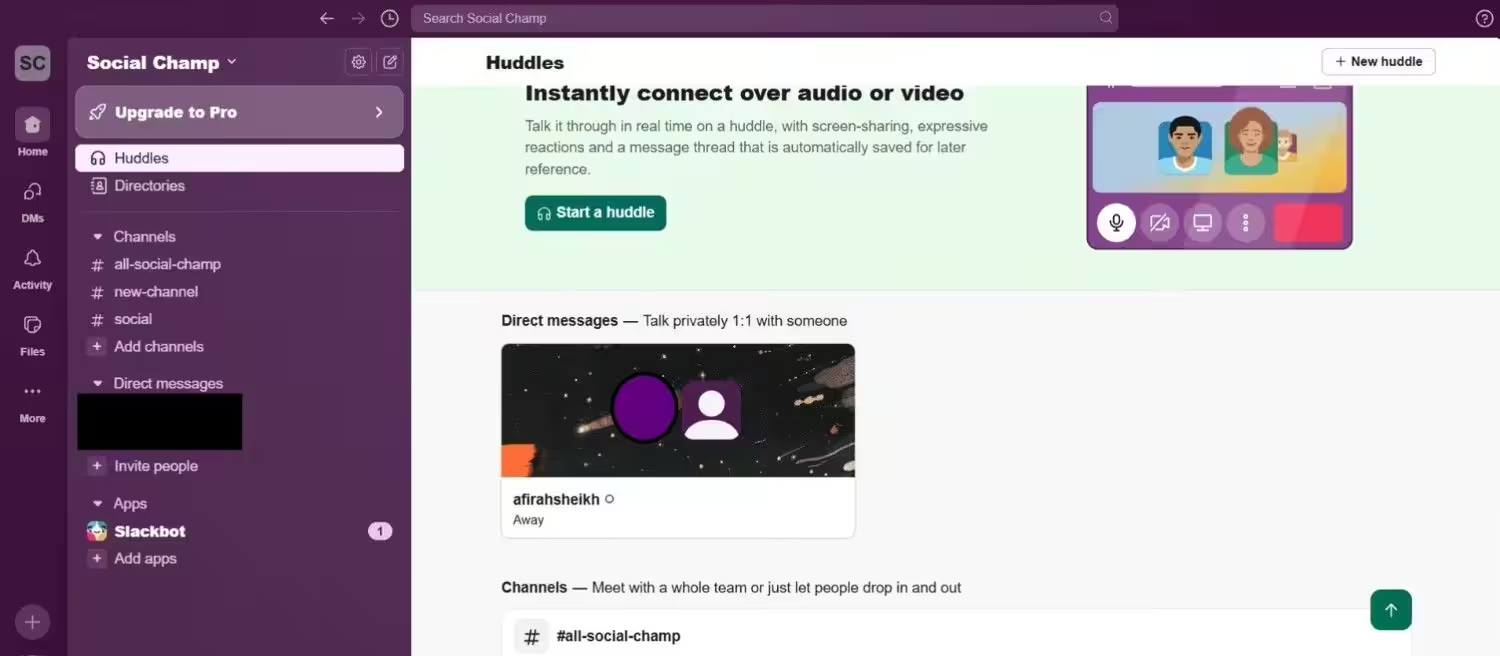
Slack’s Dashboard I wouldn’t have put Slack in the list of productivity tools a few years back. But now, especially if you work with multiple clients or a remote team, it literally replaced half of our internal emails at this point.
The most useful part is its channels. You don’t have to put every topic in the same email thread. It lets you make separate channels for every specific topic or project, which makes it easy to follow the conversations. And the integrations mean approvals, file shares, and quick check-ins don’t require five separate tabs open at once.
But here’s a downside too. Channels multiply so fast. A channel for every project, a channel for clients, a channel for random discussion, and after some time the sidebar becomes itself a productivity problem.
Pricing
Slack does have a free version. Its paid plans start at $4.38/month.
-
Toggl Track
Best for: Knowing where your hours actually go
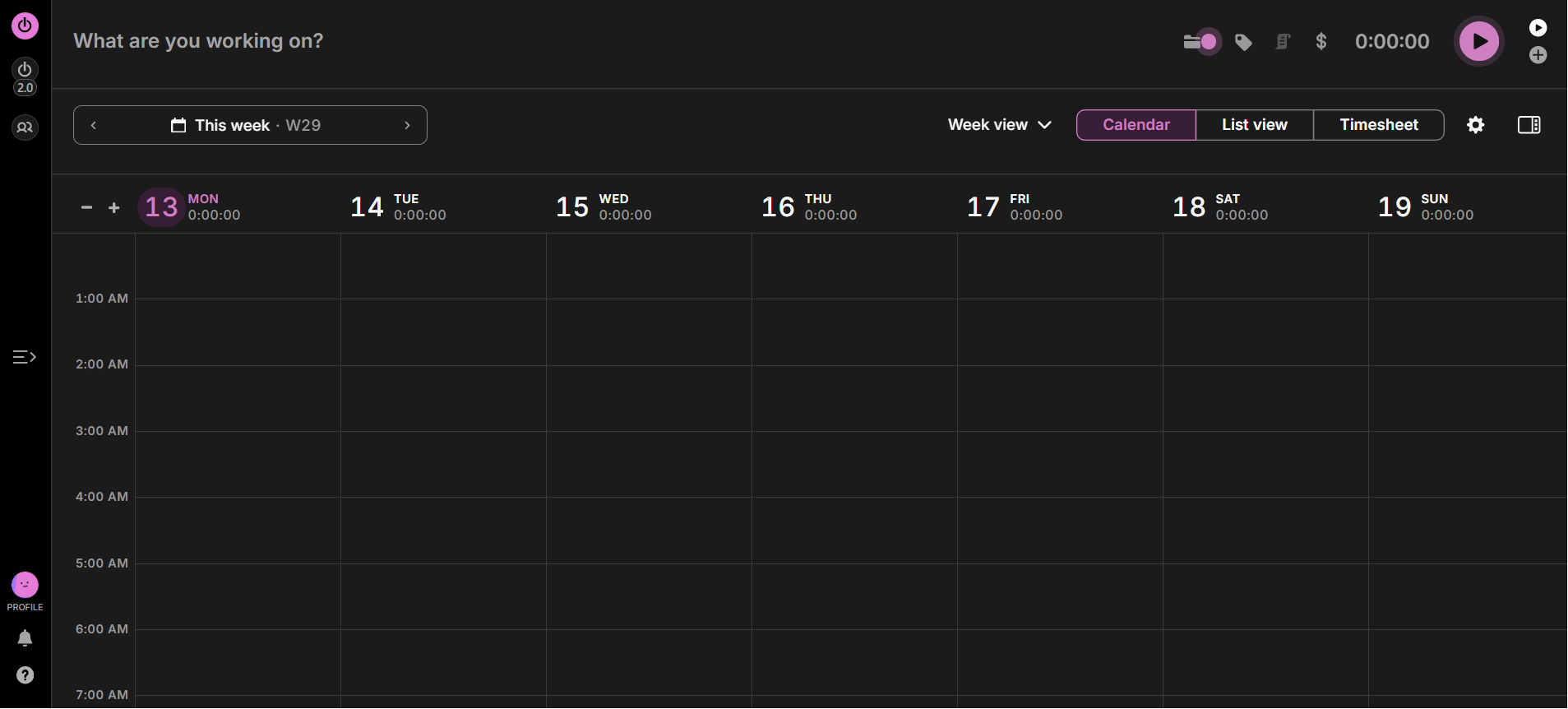
Toggl Track’s Dashboard Have you ever genuinely thought “Where has my all day gone?” Toggl Track exposes that confusion so well.
You can start or stop the timer with one click. And then it’ll tell you how much time has been spent on what project and client. The reporting is also straightforward so you don’t have to do the guesswork.
I initially used it for client billing, but honestly the most useful part was something different. It made me realize that the tasks I thought were 5 minutes only were somehow eating up my 45 minutes.
And that’s its real limitation too. Toggl Track tells you where your time has been spent, but it doesn’t let you know that where your time should be spent now. That’s why usually I pair it with a planning tool so I can do planning and tracking both.
Pricing
It offers a free plan for up to 5 users. Its paid plans start at $9/user/month.
-
Brain.fm
Best for: Focus music with a science pitch
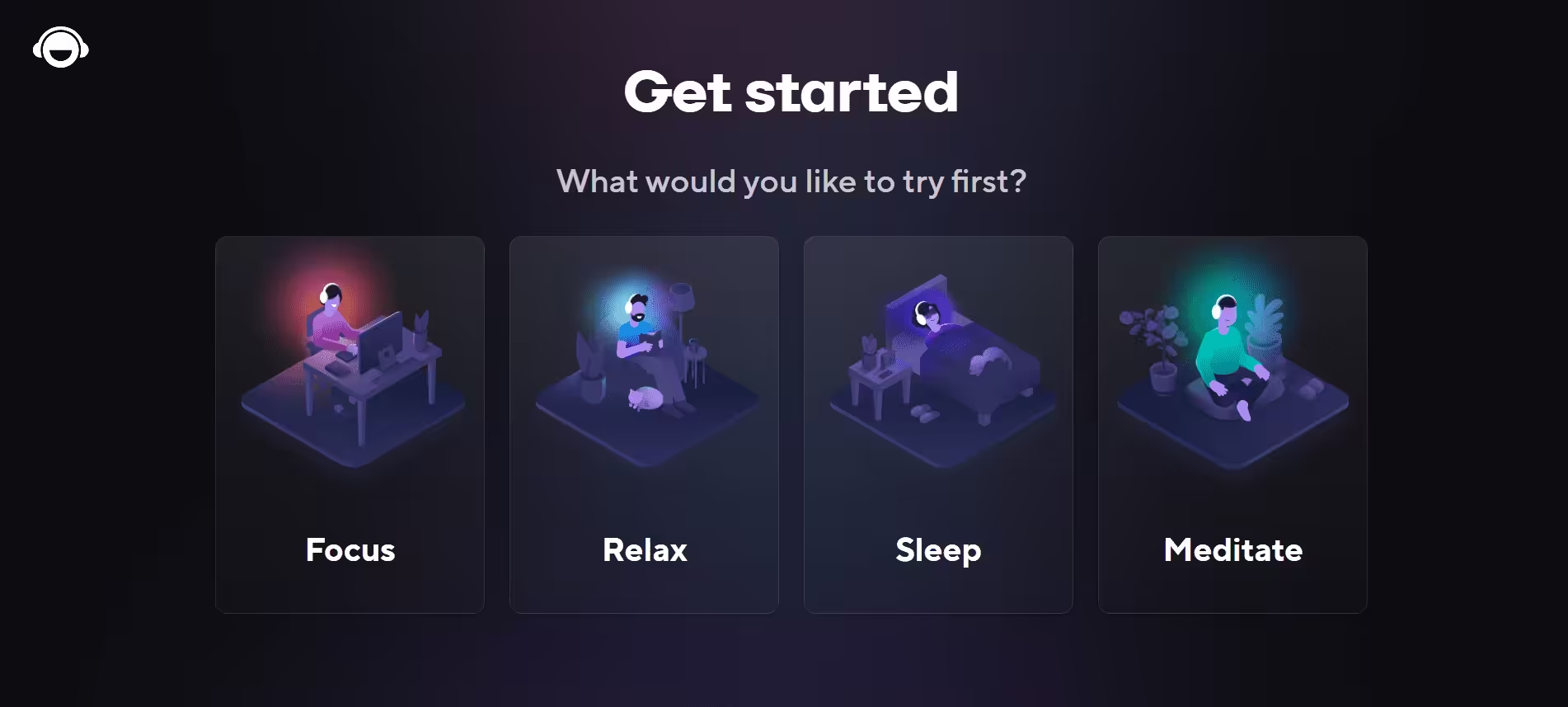
Brain.fm’s Dashboard I think it’s that productivity tool which is hard to explain to a skeptical coworker. And ironically, it’s the tool that I almost use daily.
Brain.fm generates audio that is designed to nudge your brain into different modes such as focus, relaxation, or sleep. You just choose a mode and start working. I honestly can’t fully separate the science claim from the placebo effect here, and I’m not going to pretend otherwise. But functionally, it works for me!
When I turn on the focus mode, basically, my brain gets the signal that okay, it’s time to do the serious work. Maybe association is doing half of the job, but at this point, I don’t care at all whether it’s the placebo or the actual brain science. Honestly, Brain.fm is the main character of my work playlist.
Pricing
Its plans start at $14.99/month, but it does offer a free 14-day trial.
The Best AI-Powered Productivity Tools Worth Mentioning Too
Now that I’m talking about productivity tools, I can’t ignore AI-powered tools. These are the tools that have earned a permanent spot in my system along with other tools on the list.
- ChatGPT: It’s perfect for brainstorming and first drafts when I’ve an idea in my mind but am unable to put that into words. I just take a starting point from it, and then I finish the remaining work easily.
- Notion AI: It’s best for converting messy meeting notes to actual action items. I can do everything in one workspace where I work, so that the “what to do next” phase after writing the notes becomes easy.
- Motion: If your calendar has a personal beef with you every week, this one is worth a look. Motion automatically schedules your tasks and meetings and tries to fit them around each other.
- Reclaim.ai: It’s good for dynamic time-blocking. Its blocks adjust as your day changes.
How I Tested These Productivity Tools
You don’t get any badge for testing that many apps, so let me tell you the process of testing these tools.
I tested every tool for at least two weeks. I used actual client deadlines, my regular workload, and a real editorial calendar.
That’s because every tool looks good in a 5-minute demo, but the real test is when you’re tired and just need to get your work done. I asked these questions while testing every productivity app:
- Does it work even when I’m distracted or behind?
- Does it fit easily in my existing workflow?
- Does it work properly with my other tools?
- Does it price actually worth it?
- And most importantly, did I keep using it after the novelty wore off?
Frankly, the last question eliminated most apps. Most of them were really good with solid features, but by the third week, I stopped opening them.
And it doesn’t mean that the tool isn’t good enough. Sometimes a tool is good, but it just doesn’t solve your problems. The ones that made this list were the apps I genuinely kept coming back to.
Scale Your Social Productivity!
The Graveyard Folder, Updated
My “Abandoned Apps” folder is still growing but just slower now. Because now I don’t get instantly obsessed over every shiny productivity tool.
This year, 9 tools have permanently earned a spot on my laptop, and honestly, the real win isn’t how many productivity tools I tried. For me, the real win is how many apps I need now. Low tool count, high peace of mind. That’s the flex now.
If one thing you want to remember from all this is that before judging any new tool, give it at least two weeks, not two days. Almost every tool feels a little clunky on day 1, but if it still feels awkward on day 14, then that’s your answer. Cancel it and move on.
And if you don’t know where to start, my honest pick is Sunsama, especially if your issue is overcommitting yourself every day.
If you tried any tool that should be in this list, do tell me in the comments. I’m always on the search for the next that will either earn the permanent spot or will go straight into the graveyard folder.