Studies consistently show that 50% of consumers discover new brands through social media, and a growing number say those platforms directly influence what they buy.
Short Summary
- Social media integration tools connect your social platforms with CRMs, websites, and analytics, turning engagement into actionable business insights.
- Smart integration platforms such as Social Champ, HubSpot, Sprout Social, and Salesforce Social Studio link social activity to customer data and sales tracking for better decision-making.
- Embedding live social feeds on websites and landing pages keeps content fresh, interactive, and engaging for visitors.
- Auto-publishing and scheduling tools like Social Champ, Buffer, Later, and Zoho Social save time, maintain consistency, and streamline cross-platform posting.
- Social Champ stands out as an all-in-one solution, as it combines automation, content recycling, and extensive integrations to simplify workflows and maximize social media impact.
This is enough to tell you that the marketing posts you make on social media don’t just float around for likes; they shape real decisions, real traffic, and real revenue.
Posting on popular platforms is great, but the truth is, social media alone can only take you so far. When your social platforms operate in isolation, you end up with scattered data, missed opportunities, and a lot of “wait, where did that lead come from?” moments.
The solution? Linking your social media accounts with the tools your business already uses. We’re talking about CRMs, analytics platforms, and email marketing systems, among others.
When these systems work together, data flows naturally, leads get tracked, and engagement turns into measurable results.
Luckily, there are social media integration tools designed to make this connection smooth, almost effortless.
This guide explores 11 of them, showing how each one can help you centralize your efforts, maximize efficiency, and turn social activity into real business impact.
Pro tip: If you’re looking to save time and keep your social media consistent, use a powerful social media management tool to manage multiple accounts and integrate multiple tools from one dashboard. Your future self (and your followers) will thank you.

Start Maximizing Your Social Impact Today!
With Social Champ, you can streamline your posting, recycle your best content, and connect your social strategy to the tools you already use.
What Is Social Media Integration and How Does It Impact Your Business?
Social media integration is the process of connecting your social media platforms with other business systems, such as your website, CRM, and email marketing tools.
With everything now connected, social media stops being just a publishing channel and starts playing a direct role in how your business operates and grows.
Instead of juggling platforms and manual tasks, your team gains clarity, speed, and better control over customer interactions.
So, how does social media integration impact your business? Well, here’s where the impact really shows up:
- Faster response times: Messages and comments land in one place, so your team can reply quickly without switching between multiple platforms.
- Improved customer experience: Customers get timely, consistent responses, which build trust and keep conversations from slipping through the cracks.
- Better lead management: Social leads flow straight into your CRM, which makes it easier for sales teams to follow up while interest is still high.
- Stronger team collaboration: Marketing, sales, and support teams work from the same data, which reduces confusion and duplicated effort.
- Smarter decision-making: Integrated data gives you clearer insights into what content drives engagement, conversions, and revenue.
Social media integration transforms your social channels from simple communication tools into powerful business assets. They help your team work more efficiently, delight customers, and make smarter decisions that drive growth.
Top 4 Social Media Integration Tools That Sync With CRMs, Analytics & More
So, your social media is on autopilot, and your content calendar is full. What’s next? It’s time to turn all that social activity to meaningful business impact.
To do this, you need the help of smart integration tools. These are platforms that connect your social media accounts with CRMs, analytics software, and other business systems.
This integration ensures that every comment, message, or lead becomes part of your bigger business picture.
Here are some of the top smart integration tools that help you connect social touchpoints to customer data, track leads, and measure the impact of your social media efforts:
-
Social Champ
 Social Champ is considered a smart integration tool because it doesn’t just let you schedule posts, but it also connects your social strategy with the tools you already rely on.
With this tool, you can integrate with a variety of services that enhance how you create content, store media, track performance, and sync customer or sales data across systems.
For example, it connects with Canva for building visuals, Dropbox, Google Drive, OneDrive, Imgur, and Flickr for easy media access, and Giphy for adding fun GIFs to your posts.
On the analytics and business side, Social Champ integrates with Google Analytics, HubSpot, and Salesforce to help you track how social activity ties into website traffic and CRM data. It also integrates with Zapier, which lets you automate workflows with hundreds of other apps.
All of this means your social touchpoints can feed directly into customer insights, sales tracking, and team processes. This gives you a more complete, connected view of your marketing efforts.
Maximize Content While Minimizing Effort
Use Social Champ to turn your best posts into recurring hits while keeping your social strategy organized and efficient.
-
HubSpot
HubSpot’s Dashboard HubSpot stands out as a smart integration tool because it doesn’t just help you manage your contacts or schedule posts; it weaves your social media activity directly into your broader business ecosystem.
At its core, HubSpot’s CRM connects natively with major social platforms. Beyond social networks, HubSpot integrates with a massive range of tools (100+) that help streamline workflows and centralize data, including:
- E-commerce and marketing platforms like Shopify and MailChimp can sync customer, order, and campaign data.
- Web and content tools, including WordPress, to capture leads, manage forms, and chat with site visitors.
- Communication and collaboration apps, such as Slack, for real-time team alerts and notifications.
- Automation and connector platforms like Zapier open the door to thousands of other integrations without coding.
- Productivity and analytics tools like Google Workspace (Gmail, Calendar, Ads) and Databox to bring email, meetings, ads, and performance metrics into your HubSpot workflow.
-
Sprout Social
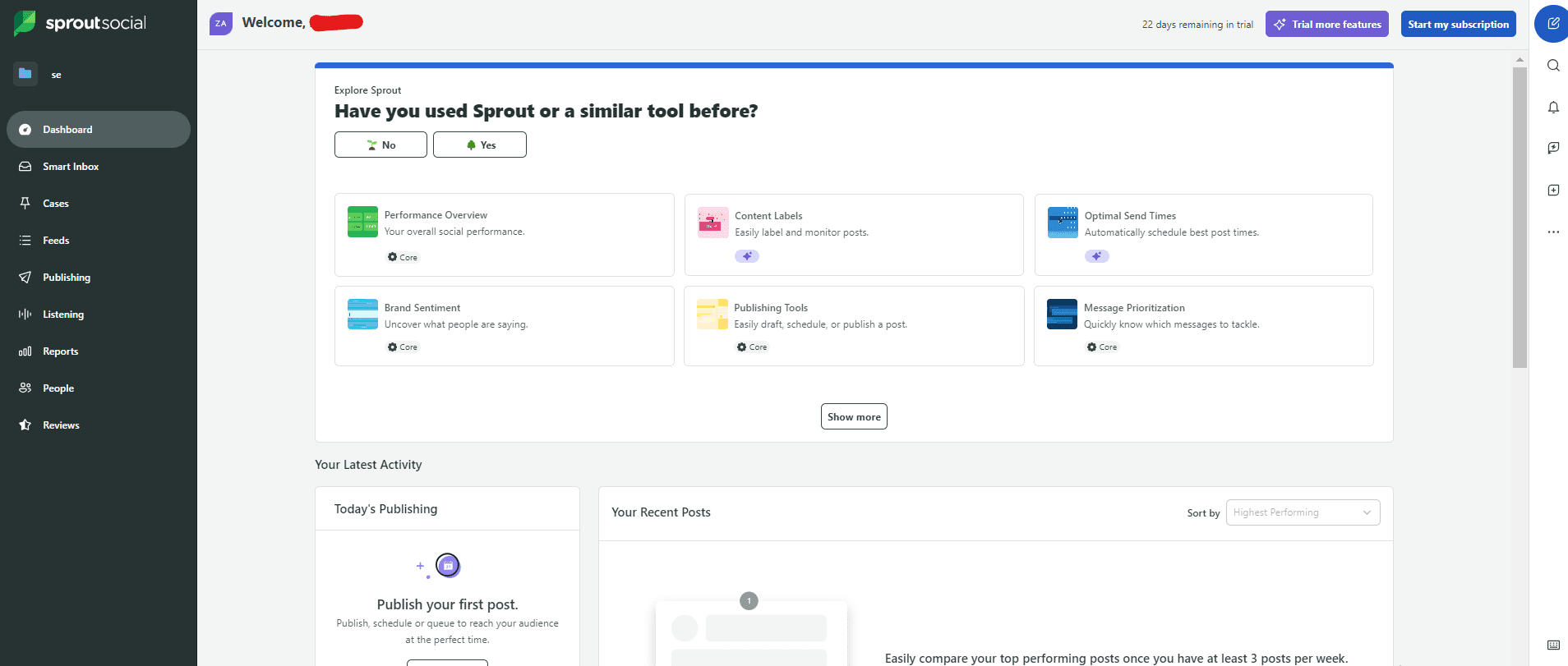
Sprout Social’s Dashboard Sprout Social also earns its reputation as a smart integration tool because it unifies social media channels with a wide range of business systems and social media monitoring tools.
At the foundation, Sprout integrates with all the major social networks you’re likely using. These include Facebook, Instagram (business profiles), LinkedIn, X, Pinterest, TikTok, YouTube, Threads, Bluesky, and WhatsApp.
Beyond social networks, Sprout connects with a broad ecosystem of business tools that help you sync data and workflows across your marketing and support stack:
- CRM & Lead Tools: Salesforce (Sales Cloud, Marketing Cloud, Service Cloud), Microsoft Dynamics 365, Marketo, so social interactions can create leads, update contacts, and flow into your sales process.
- Help Desk & Support: Zendesk, HubSpot Service Hub, centralizing social messages with customer support tickets and contact records.
- Social Commerce: Shopify, WooCommerce, Facebook Shops, tying product catalogs and order info into your social workflows.
- Website & Analytics: Google Analytics, Bit.ly, so you can track how social traffic converts and measure campaign performance.
- Workflow & Asset Tools: Canva, Adobe Experience Manager, Dropbox, Google Drive, Slack, Microsoft Teams, Bynder, making it easier to import, plan, and publish creative assets across teams.
With these integrations, Sprout Social lets you manage posts, turn social engagement into actionable business data, streamline customer care, and support smarter decision-making across teams.
-
Salesforce Social Studio
Salesforce Social Studio’s Webpage Salesforce Social Studio earns its place as a smart integration tool by tying social media activity directly into a larger enterprise system.
Instead of keeping social data isolated, this tool brings it into the heart of your business operations, so teams across marketing, sales, and customer service can work from the same source of truth.
Social Studio integrates tightly with the Salesforce ecosystem, especially:
- Salesforce Marketing Cloud, so social listening, publishing, and analytics become part of broader marketing automation and campaign efforts.
- Salesforce Sales Cloud, enabling social interactions to feed directly into lead generation and sales workflows for real-time engagement tracking.
- Salesforce Service Cloud allows social posts and messages to be routed as customer service cases and managed alongside other support channels.
Beyond Salesforce’s core products, Social Studio historically partnered with content and media tools like Getty Images, Shutterstock, Rallyverse, Pressly, Trendspottr, and Nexgate. All these integrations help streamline content discovery and marketing workflows.
Because it unifies social engagement, listening, publishing, analytics, and customer data across a business’s key systems, Salesforce Social Studio (when active) helps teams see the bigger picture.
Instead of viewing social channel performance as an isolated activity, marketers can understand it as part of the complete customer journey.
 Social Champ is considered a smart integration tool because it doesn’t just let you schedule posts, but it also connects your social strategy with the tools you already rely on.
HubSpot’s vast App Marketplace (with over 1,000 available integrations) means you can link nearly every aspect of your marketing, sales, customer support, and analytics stack back to one central system.
These integrations make it easier to track leads, automate tasks, and measure outcomes across every touchpoint.

Best 3 Tools for Embedding Social Media Feeds on Websites and Landing Pages
Embedding social media feeds basically means taking your posts from platforms like Instagram, Threads, or X and displaying them directly on your website or landing page. This way, visitors see your latest content live, without having to leave your site.
You can do this using specialized tools that generate a feed widget or code snippet that’s easy to drop into your pages.
Now, let’s take a look at some of the best tools that make this process simple and effective:
-
Curator
Curator’s Webpage Curator is a social media aggregation and display tool that allows you to collect posts from social media platforms and show them as live feeds on your website or landing pages.
Because the tool updates automatically, your homepage or landing page always feels fresh and relevant, and it keeps your audience engaged every time they visit.
This makes it perfect for showcasing customer posts, running marketing campaigns, or highlighting special events, as you don’t have to manually update the content.
Here are some Curator pros:
- Clean Design: Curator looks great right out of the box with preset themes, so you don’t need design skills to make your feed shine.
- SEO Friendly: Curator uses JavaScript instead of IFRAMEs, allowing Google to crawl your content and boost your site’s SEO.
- Lightweight Code: Your embedded feed only requires 13 lines of code, so it won’t slow down your website.
- Easy to Use: Curator is intuitive and hassle-free, which makes setup quick and support almost unnecessary.
- Editable Posts: You can easily upload sponsored or custom posts just like posting on Instagram.
- Mobile Friendly: Feeds automatically adjust to look perfect on any device, which makes your content engaging for all visitors.
-
Taggbox
Taggbox’s Webpage Taggbox is basically your go-to tool if you want to show off your social media in style on your website.
Instead of just showing static screenshots, this tool pulls in your live content and updates automatically, so visitors always see fresh, real-time posts.
Here’s why Taggbox really stands out:
- Highly customizable feeds: It allows you to customize your feed completely, from colors and fonts to layouts, so it fits seamlessly with your brand. This means your social wall can look like a natural part of your site, not just an add-on.
- Supports multiple platforms: Whether it’s Instagram, Threads, X, or even Facebook, Taggbox can pull content from multiple social channels into a single feed.
- Real-time updates: Your feed refreshes automatically, so visitors always see the latest posts without you lifting a finger.
- Engagement-boosting features: You can moderate content, highlight top posts, or even display hashtags in a visually appealing way.
-
Juicer
Juicer’s Webpage Juicer is a simple, no-fuss tool that lets you take your social media posts from popular social media platforms and display them as a live feed directly on your website.
Key features include:
- Social Media Aggregation
- Content Curation
- Social Media Moderation
- Call-to-Actions (CTAs)
- WordPress Social Feed

Curator integrates smoothly with popular platforms like WordPress and Shopify, as well as other major website builders.
All of these together make Curator a reliable and powerful tool for keeping your website social, interactive, and engaging.

Taggbox is perfect for situations where you want to make a splash, like creating a social wall for an event, highlighting user-generated content for a campaign, or showing off your product launch buzz.
And the best part? It works with almost any website setup. WordPress, Wix, HTML pages, Shopify, you name it.
Plus, adding it to your site is quick and painless, even if you’re not tech-savvy.
So, whether you’re running a sleek landing page or a full website, Taggbox will make it super easy to keep your social feeds alive and engaging.

This tool works automatically, so your feed stays fresh without you having to update it manually. This makes it perfect if you want to showcase user-generated content, highlight campaigns, or keep a clean, live feed on your homepage or landing page.
Juicer works with almost any website setup. Whether you’re using WordPress, Wix, Shopify, or a custom-coded site, adding a live feed is straightforward and doesn’t require a ton of technical skills.
Of course, there are plenty of social media aggregation tools out there, but these three are by far the most popular and widely trusted. With these tools, you can make your website feel lively and interactive, and let visitors experience your brand in real time.
Boost Your Social Game With Social Champ!
Schedule, recycle, and manage all your posts in one place to save time and grow engagement effortlessly.
5 Auto-Publishing & Scheduling Tools That Integrate Across Platforms
Now that we’ve looked at tools to bring your social feeds to life on your website, it’s time to talk about keeping your social channels active without constantly being glued to your phone.
Auto-publishing and scheduling tools do exactly that. They let you plan, automate, and manage content across multiple platforms from one central hub.
With the right tool, you can save hours every week, stay consistent, and make sure your audience never misses a post.
Here are some of the top social media marketing tools that make social media scheduling a breeze:
-
Social Champ
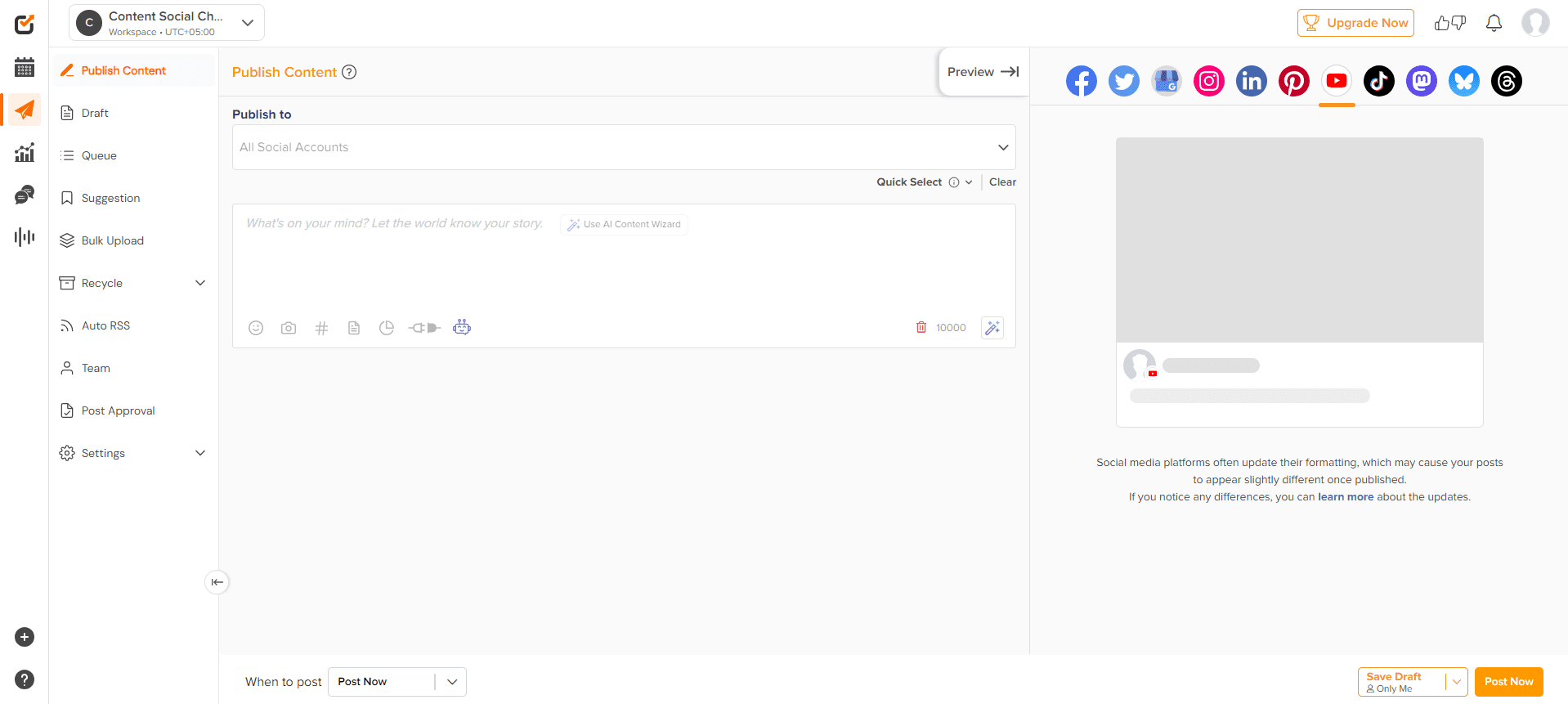
Social Champ’s Dashboard Social Champ is a comprehensive social media management platform designed to help individuals, businesses, and agencies manage multiple social accounts from one central dashboard.
Here’s a quick look at what it can do:
-
Post Scheduling
With Social Champ, you can plan and schedule posts across multiple platforms well in advance. It ensures your content goes out consistently, even when you’re offline.
On the Free plan, you can schedule up to 15 posts, which is great if you’re just getting started. Once you move to any of the paid plans (Starter, Growth, or Enterprise), you get unlimited post scheduling, which gives you complete freedom to plan weeks or even months of content ahead of time.
-
Content Calendar
Social Champ’s content calendar gives you a visual overview of all your scheduled posts across multiple platforms, so you can see exactly what’s going out and when.
It makes it easy to spot gaps, plan campaigns, and ensure a consistent posting rhythm, without juggling spreadsheets or separate tools.
-
Bulk Uploads
With Social Champ, you may not have to upload content one by one, thanks to its bulk upload feature. You can upload a CSV file with all your posts, add images or videos, and have them automatically scheduled across your connected platforms.
On the Free plan, you can bulk schedule up to 15 posts. With the Starter and Growth plans, this limit increases to 300 posts, while the Enterprise plan lets you bulk schedule an unlimited number of posts.
-
Content Recycling
Social Champ also has a handy recycling feature that helps you get the most mileage out of your best-performing posts. So, instead of letting evergreen content fade into the past, you can keep it in circulation so it can reach new audiences and continue to drive engagement.
Social Champ’s recycling feature is fully customizable. That means you can select which posts to recycle, how often they appear, and even stop them whenever you want.
Content recycling using Social Champ’s recycling feature is a smart way to maximize your content’s value without extra effort.
Social Champ is also one of the best social reporting tools. It provides detailed analytics on engagement, reach, clicks, and post performance, so you can track what’s working and make data-driven decisions for your social strategy.
-
-
Buffer
Buffer’s Dashboard Buffer is a popular social media management tool that helps you plan, schedule, and publish content across multiple platforms from one central dashboard.
What makes it ideal for auto-publishing and scheduling is its simplicity and reliability. You can use it to queue posts in advance, maintain a consistent posting schedule, and monitor engagement without juggling different apps.
Let’s take a look at its auto-publishing and scheduling capabilities:
- Post Scheduling: Buffer allows up to 10 scheduled posts per channel on its free plan, and unlimited post scheduling on its paid plans.
- Content calendar: It provides a clear visual overview of all your scheduled posts, so you can see what’s going live and when across every connected platform.
- Bulk Uploads: Buffer’s upload feature lets you schedule up to 100 posts at once.
-
Later
Later’s Dashboard Later is one of the top social media optimization tools that focuses on visual planning and scheduling, which makes it especially popular with Instagram-first brands and creators.
Like Social Champ, Later combines ease of use with powerful features that let you schedule posts, plan your feed visually, and manage multiple platforms from one dashboard
Here’s what you get when you choose this tool as your auto-publishing and scheduling tool:
- Schedule up to 30 posts per profile on the free plan, up to 180 posts per profile on the Growth plan, and unlimited posts on its Scale plan.
- Visual planner allows you to visually plan your photos, carousels, Stories, and Reels by dragging and dropping them onto the calendar.
- Use its auto-publishing feature to publish single-image posts, carousels, Stories, and Reels.
- Bulk schedule Instagram posts, carousels, Stories, and Reels.
-
Zoho Social
Zoho Social’s Dashboard Zoho Social is a full-featured social media management platform that helps you plan, schedule, publish, and monitor your social posts across multiple channels.
It brings all your social publishing tasks into one place, so you’re not bouncing between native apps or spreadsheets.
Here’s how some of its key publishing features work:
- Scheduling feature: Unlike many auto-posting tools that limit scheduling on free plans, Zoho Social lets you schedule unlimited posts even on the free plan. Paid plans expand your capabilities further and support more brands and team members.
- Content calendar: The content calendar gives you a visual overview of everything you’ve scheduled, unpublished, published, or in draft. You can switch between daily, weekly, or monthly views, drag and drop posts to reschedule them, and easily spot content gaps so you stay organized and consistent.
- Bulk scheduling feature: When you have a mountain of posts ready, Zoho Social lets you upload them all at once using a CSV, XLS, or XLSX file. You can include up to 350 posts in a single upload, which makes it super easy to queue up content for weeks or months.
- Content recycling: While Zoho Social doesn’t call it “recycling” exactly, it does let you repeat or schedule reposts for evergreen content or posts you want to keep in rotation over time. This helps you maintain engagement without recreating the same content manually.
-
Sendible
Sendible’s Dashboard Sendible is another auto-publishing and scheduling tool that gives you a centralized, powerful platform to plan, tailor, and publish content across multiple social networks.
So, instead of posting on each channel separately, this tool lets you draft posts in one place and customize them for each network. You can also use the tool to schedule a month’s worth of content in minutes using its bulk importer and smart scheduling features.
With Sendible, you also get tools such as smart queues that help automate evergreen content posting and content suggestions to inspire your calendar. It also supports built-in integrations with Canva, GIPHY, Pexels, Google Drive, Dropbox, and more to streamline creation and scheduling.
Additionally, Sendible offers features like approval workflows, team collaboration tools, and automated reporting. These features make it ideal not just for solopreneurs but for agencies and teams managing multiple clients or accounts.
Although Sendible is not one of the free social media scheduling tools (it doesn’t offer a free plan), it’s a powerful tool worth considering. It provides a robust suite of features that justify the investment for anyone looking to manage multiple accounts efficiently.

Additionally, Buffer supports multi-platform integration, analytics tracking, and team collaboration. These features make it a solid choice for individuals, small businesses, and marketing teams who want to save time while keeping their social media organized and effective.
Nevertheless, it’s not usually considered among the most powerful social media analytics tools because its reporting capabilities aren’t as advanced or customizable as those of some dedicated analytics platforms.

Later also supports analytics, hashtag suggestions, and link-in-bio management. These features help you post consistently, optimize engagement, and drive traffic from social media to your website.
Featured Article: 15+ Later Alternatives & Competitors

Zoho Social works well for creators or businesses that want a comprehensive yet flexible scheduling tool. Its free plan’s generous posting limits make it especially appealing if you’re trying to grow your presence without immediate investment.

Conclusion
By now, it’s clear that social media integration tools aren’t just “nice-to-haves.” They’re essential for turning your online presence into a well-oiled marketing machine.
From embedding live feeds on your website to syncing engagement with CRMs, analytics platforms, and team workflows, the right tools help you save time, stay organized, and make every social interaction count.
Among all these options, Social Champ really shines. It not only automates post scheduling, recycling, and bulk uploads across multiple platforms, but also integrates seamlessly with tools like HubSpot, Salesforce, Google Analytics, Canva, and Zapier.
Whether you’re a small business, agency, or content creator, this powerful social media management tool will let you focus on strategy and engagement while it handles the heavy lifting.
Streamline Your Social Workflow With Social Champ!
Connect your platforms, automate posting, and track results without juggling multiple tools or dashboards.
FAQs
1. What Are Social Media Integrations?
2. What Is The 5 5 5 Rule on Social Media?
3. What Are the Three Types of Integrations?
CRM Integrations: Connect social media activity with customer relationship management tools to track leads and engagement.
Website Integrations: Embed social feeds or connect forms to capture leads and display live content.
Analytics Integrations: Sync social media data with analytics platforms to measure performance and ROI.