

When you’re starting out, investing in a social media scheduling tool can feel risky. After all, you’re paying for a full month for features that may or may not align with your workflow.
So, to help you out, I’ve created this guide for the top 10 free social media management tools, including:
- Social Champ
- Buffer
- Later
- Zoho Social
- Metricool
- (And more!)
I’ve tested each of these free social media schedulers, compared their limits, and examined which works best for which industry.
My Top 5 Social Media Scheduling Tools at Glance
Before we get into the details, let me share the top five tools I’d recommend for you to try first.
| Social Media Scheduling Tool | Best For | Key Features |
|---|---|---|
| Social Champ | Small businesses, freelancers, and agencies that want unlimited scheduling on the free tier | 3 social accounts, 15 scheduled posts, bulk upload (15 posts), social inbox, AI content wizard (3 lifetime credits), Champ AI Suite |
| Buffer | Solo creators and lean teams who want a dead-simple interface | 3 channels, 10 queued posts per channel, CRM-style task lists, posting goals, Start Page link-in-bio |
| Later | Instagram-first brands that care about visual grid planning | 1 social set (8 profiles), 30 scheduled posts per profile, drag-and-drop visual calendar, hashtag suggestions, Link in Bio |
| Zoho Social | Teams already using Zoho tools | 1 brand (6 channels), unlimited posts, zShare browser extension, basic analytics, Zoho CRM integration on paid tiers |
| Metricool | Data-driven marketers who want competitor tracking on a budget | 1 brand, 20 posts/month, 5 competitor profiles, 30-day analytics history, AI caption assistant (5 credits/month) |
Not Sure Which One Fits Your Workflow?
What to Look for in Free Social Media Scheduling Tools
When I was testing these free social scheduling tools, here’s what I looked for:
- Limits (for publishing, scheduling, or analytics): Some tools give you unlimited posts but cap your analytics. Others let you schedule freely, but only for 30 days. I always look at the hard limits, the ones that will force you to upgrade when you hit them.
- Prices and scaling ability: A free plan should be a taste of the paid experience, not a dead end. I check how much it costs to scale and whether the jump feels reasonable.
- Features: I also see if the free plan includes scheduling, analytics, a social inbox, and AI tools? Or is it just a calendar with a “schedule” button? The difference really matters.
- AI Credits: AI is super important now. I always check how many AI credits you get and whether they’re enough to actually help with content creation.
- Ease of Use: Essentially, if I need a tutorial to schedule one post, the tool has already failed. The best free schedulers are the ones you can figure out in under 10 minutes.
- Team Workflow: Can you add team members? Set approvals? Collaborate on drafts? Free plans usually limit this, but some tools handle it better than others.
- Platform Support: Lastly, does the tool support the platforms you actually use?
10 Best Free Social Media Scheduling Tools for 2026
Now, let’s get into the meat of it. For each of these free social media scheduling app, I’ll cover what it’s best for, why I chose it, its standout features, pricing, and pros and cons.
-
Social Champ
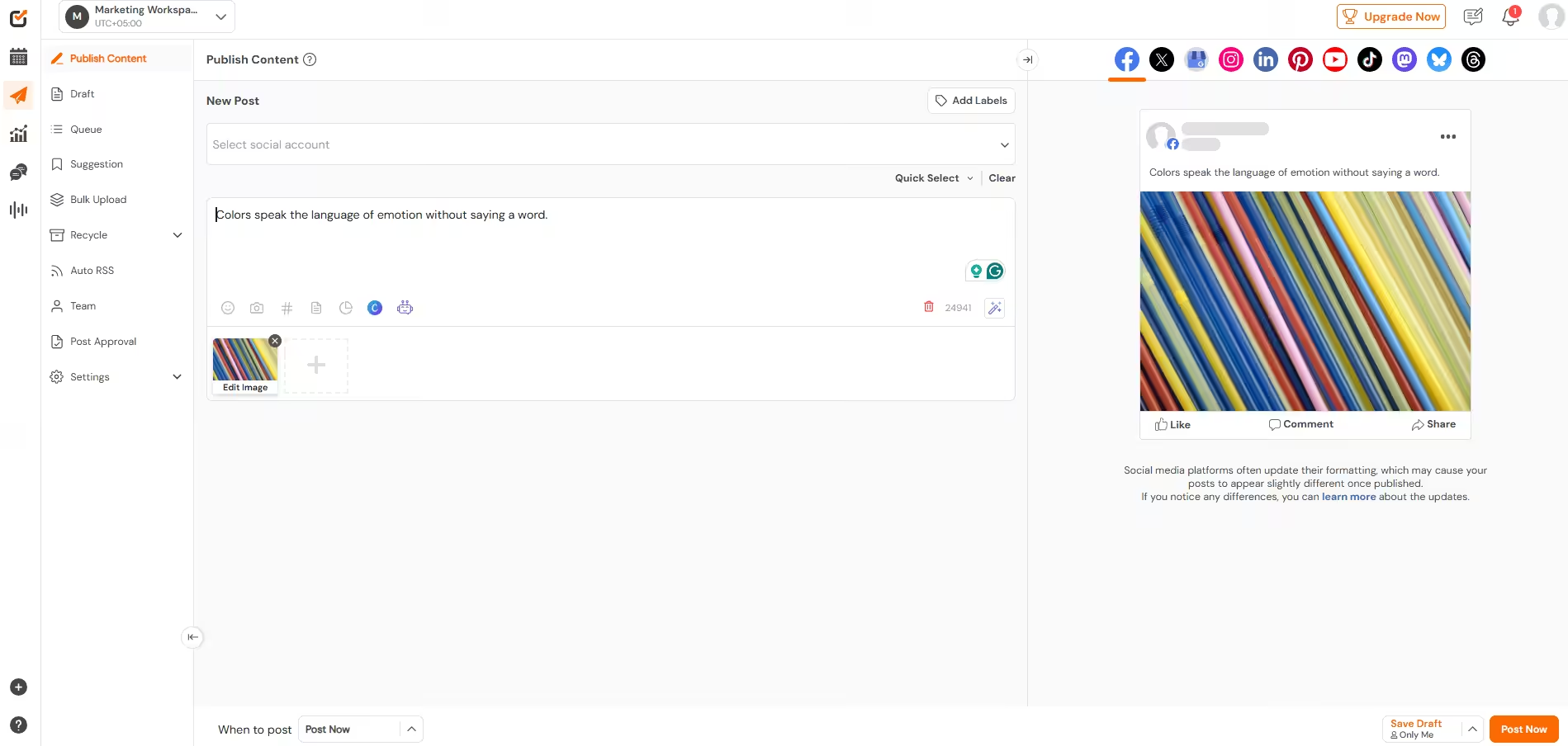
Social Champ’s Dashboard Best For: Small businesses, freelancers, and agencies who want the most generous free tier in the market.
Why I Chose Social Champ
Most free plans tend to feel like demos. Social Champ isn’t that. Even with the free tier, you get 3 social accounts, 15 scheduled posts per account (you can schedule more as each post goes live), a social inbox, bulk upload, and even AI content generation.
That’s more than most paid starter plans from competitors. When I tested it, I scheduled a full week of content across Instagram, Facebook, and LinkedIn without any issues.
Social Champ’s Standout Features
- 15 scheduled posts: That’s honestly more than enough for a small business running a light posting schedule. Compare that to Buffer’s 10 posts per channel or Publer’s 10 posts per account, and Social Champ is clearly more generous.
- Bulk upload (15 posts): Most free tiers don’t let you schedule in bulk at all. Social Champ lets you upload a CSV and queue up 15 posts in one go. If you batch-create content, this can save you so much time!
- Social Inbox (Engage): You can reply to comments and DMs from Facebook, Instagram, YouTube, LinkedIn Pages, TikTok, and Google Business Profile, all from one window. Buffer’s free plan doesn’t include an engagement inbox at all. Later’s free plan doesn’t either.
- Champ AI Suite: You get 3 lifetime AI credits for image generation and 15 per month for content wizardry. It’s not unlimited, but it’s enough to test whether AI actually helps your workflow.
- Unlimited users on Growth plan: While the free plan is for 1 user only, the Growth plan offers unlimited users at $8/month per account. That’s a steal compared to Metricool, where team features are locked behind a $53/month Advanced plan.
Pricing
- Free – $0
- Starter – $4
- Growth – $8
- Standard – $23
- Professional – $47
- Agency – $119
- Enterprise – Custom
Pros and Cons
Pros Cons Most generous in the market The free plan is limited to 1 user Bulk upload is also included on free plan AI credits are limited on the free plan Social inbox covers 6 platforms You can only store 2 weeks of metrics on the free plan -
Buffer
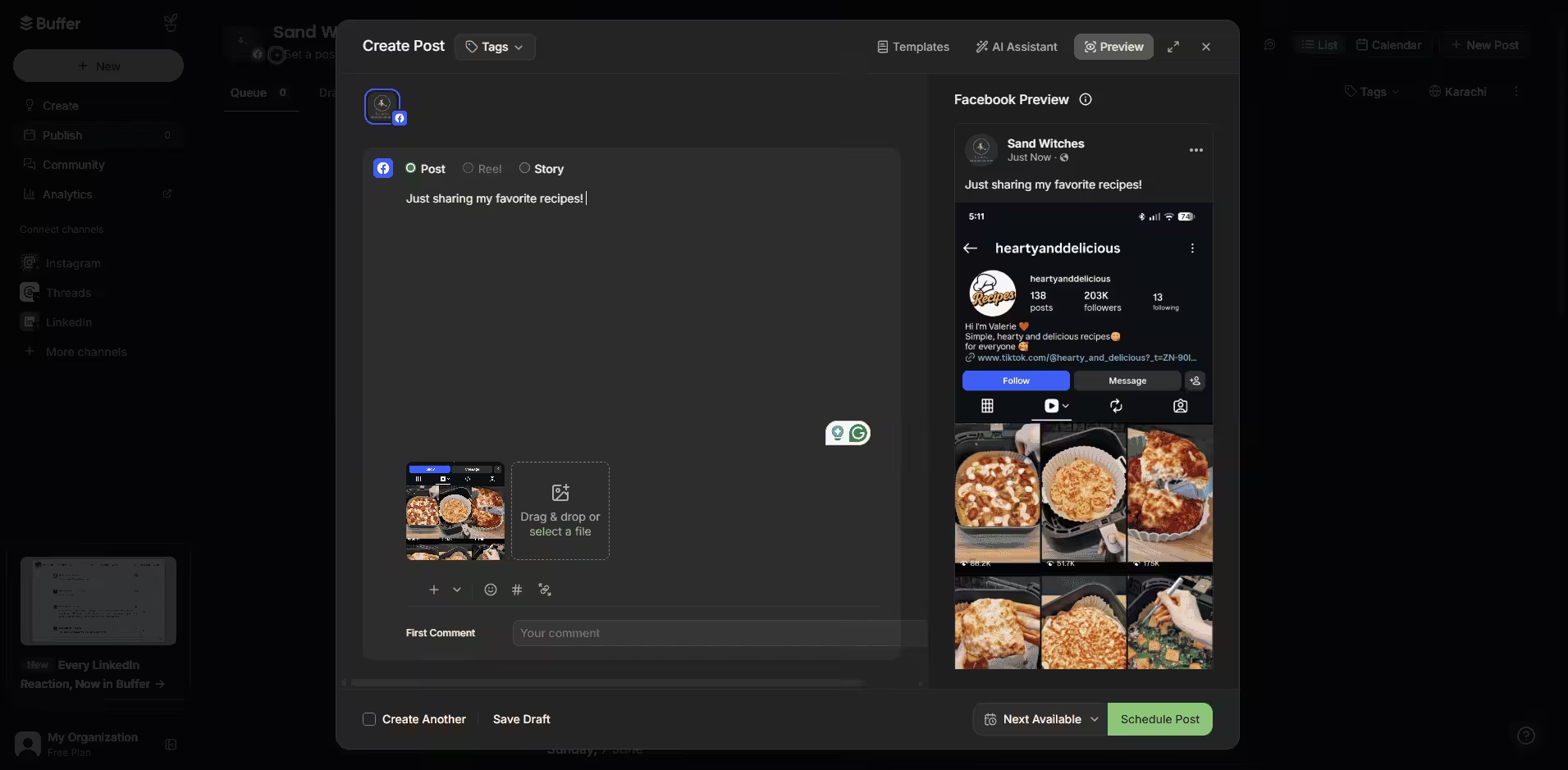
Buffer’s Dashboard Best For: Creators and small businesses that just want scheduling.
Why I Chose Buffer
Buffer is the first tool that comes to mind when you think of a free social media planner. It is super easy to use, and scheduling a post takes about 30 seconds. If you’re someone who gets overwhelmed by loads of features, Buffer could be the free social media planner for you. But it’s basic. And I mean that in the most literal sense.Buffer’s Standout Features
- CRM-style task lists: Buffer’s “Create” feature gives you Kanban-style boards (Unassigned, To-Do, In Progress, Done) for brainstorming and organizing content ideas. It’s genuinely useful if you’re a list person. Later doesn’t have anything like this. Social Champ has drafts, but not a full task board.
- Posting goals: You can also set targets like “post 3x per week,” and Buffer will auto-generate recommended posting slots. It’s a small feature, but it genuinely helps with consistency. Metricool and Zoho Social don’t offer this on their free tiers.
- Start Page: Buffer’s link-in-bio tool is included on the free plan. It’s not as amazing as Later’s Link in Bio, but it’s functional and free.
- Pay-per-channel pricing: At a low price, Buffer stays affordable if you’re only managing a few accounts. But if you scale to 10+ accounts, Social Champ’s flat-rate plans become much cheaper.
Pricing
- Free – $0
- Essentials – $5
- Team – $10
Pros and Cons
Pros Cons Cleanest, most intuitive interface in the category No bulk upload on any plan CRM-style task lists for content ideation No social listening or competitor analysis Affordable pay-per-channel pricing No multi-step approvals (single-step only on Team plan) No engagement inbox on free plan -
Later
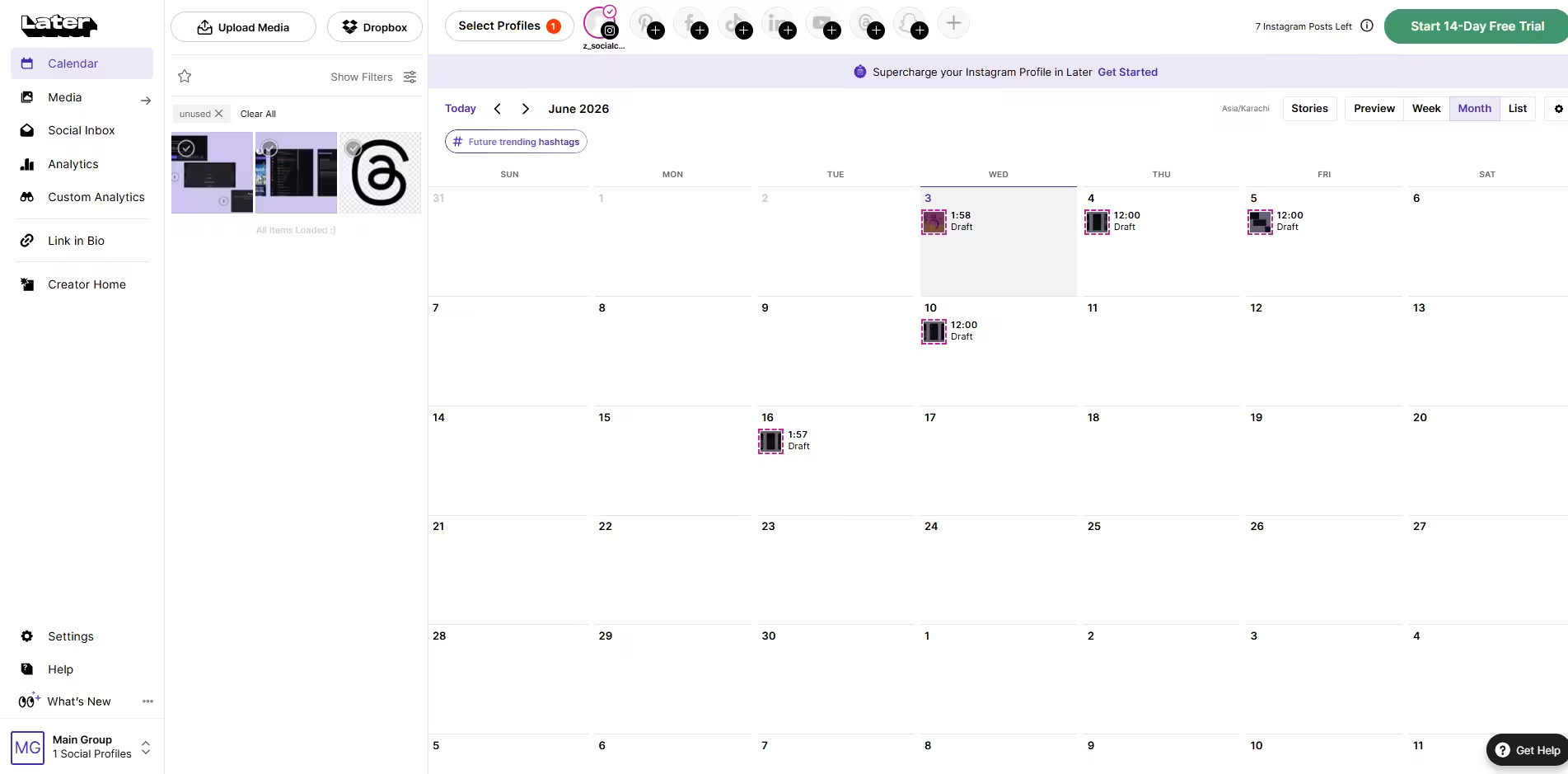
Later’s Dashboard Best For: Creators, Influencers, and brands active on Instagram and Pinterest
Why I Chose Later
Later is the tool you want if Instagram is your primary platform. Its drag-and-drop visual calendar is genuinely best-in-class, as you can see exactly how your grid will look before anything goes live. But if you’re managing multiple platforms equally, Later’s free plan starts to feel restrictive fast.
Later’s Standout Features
- Drag-and-drop visual grid planner: This is Later’s killer feature. You can rearrange posts, preview your aesthetic, and ensure your feed tells a cohesive story. Buffer’s feed preview is basic by comparison. While Social Champ also has an Instagram grid preview, it lacks the same drag-and-drop flexibility.
- Hashtag suggestions: Later suggests hashtags based on your caption content. Buffer doesn’t offer this at all. Social Champ has a hashtag manager but not AI-powered suggestions on the free tier.
- Link in Bio (Later Link in Bio): This is included on all plans, with click tracking and shoppable feeds. It’s more advanced than Buffer’s Start Page.
- Best Time to Post: This is also available on the free plan for Instagram, Facebook, and TikTok. Metricool and Social Champ offer this too, but Buffer’s free plan doesn’t.
Pricing
- Free – $0
- Starter – $18.75
- Growth – $37.50
- Scale – $82.50
Pros and Cons
Pros Cons It has the best visual grid planner in the industry You only get one social set on the free plan It has excellent Instagram-specific features It’s more expensive compared to Buffer and Social Champ The Link in Bio with analytics is truly exceptional Non-Instagram features feel like an afterthought -
Zoho Social
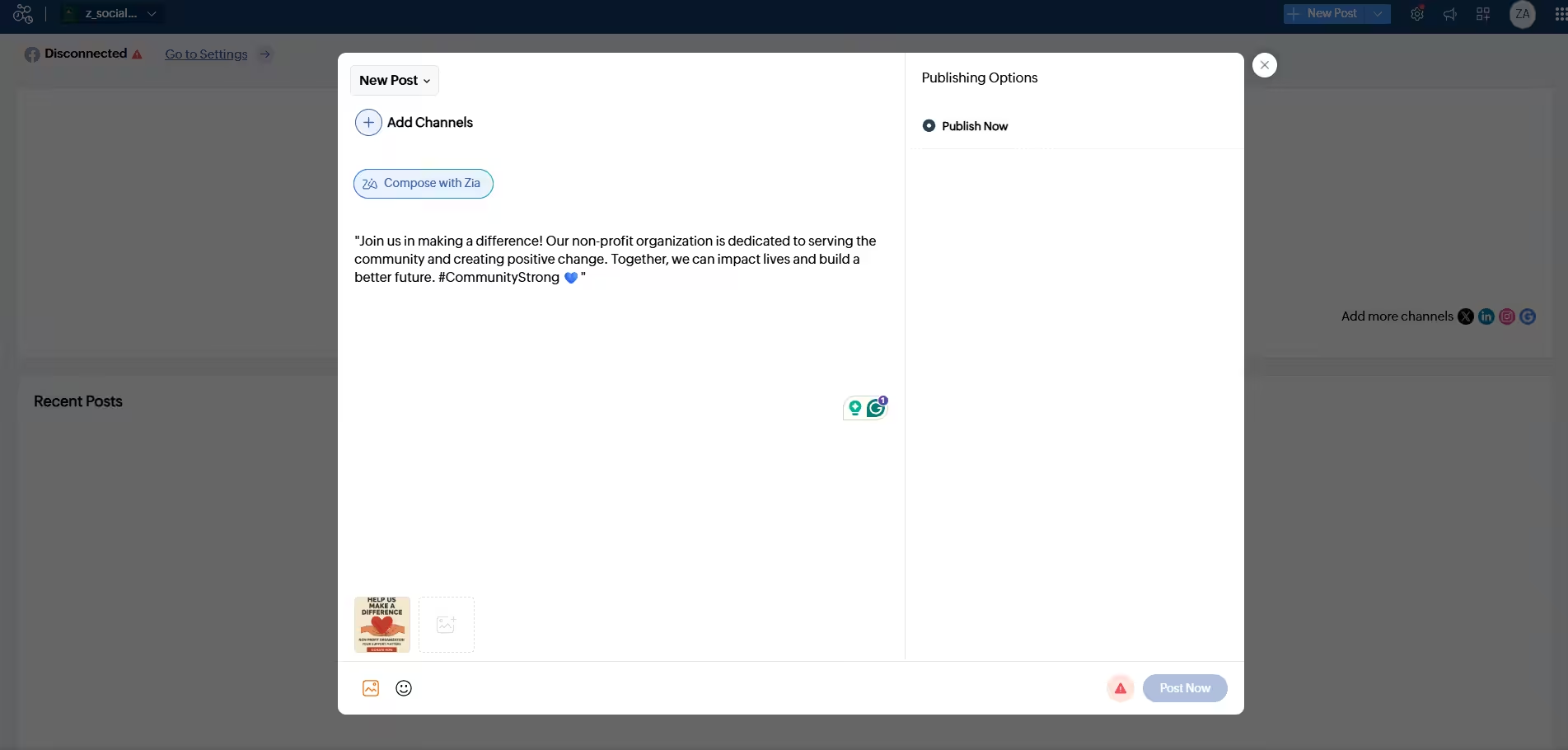
Zoho Social Dashboard Best For: Any business that’s already using Zoho tools (like CRM, Desk, or Campaigns).
Why I Chose Zoho Social
Zoho Social is the social media arm of a massive business software suite. If you’re already paying for Zoho CRM or Zoho Desk, this tool slots in beautifully. As a standalone scheduler, it’s… fine. I mean, it’s competent but unremarkable. That said, the free plan is genuinely unlimited on posts, which is rare, but the feature set is bare-bones.
Zoho Social’s Standout Features
- Unlimited posts on free plan: Yes, really. There’s no monthly or queue limit.
- zShare browser extension: You can share content directly from your browser without opening Zoho Social. It’s a nice quality-of-life feature that Buffer and Social Champ also offer via Chrome extensions.
- Zoho ecosystem integration: On paid tiers, it connects with Zoho CRM, Zoho Desk, and Zoho Campaigns. If your business runs on Zoho, this is a massive advantage that no competitor can match.
- 6 channels on the free plan: You get Facebook, Instagram, X, LinkedIn (profile + page), and Google Business Profile. That’s solid coverage, though it lacks TikTok, Pinterest, and YouTube on the free tier.
Pricing
- Free – $0
- Standard – $10
- Professional – $30
- Premium – $40
- Agency – $230
- Agency Plus – $330
Pros and Cons
Pros Cons You get unlimited posts on the free plan! Very basic analytics and no social inbox on the free tier You can connect it with Zoho CRM, Campaigns and Desk You only get 5 AI credits on the free plan zShare browser extension is super handy Paid plans get really expensive for multi-brand agencies -
Metricool
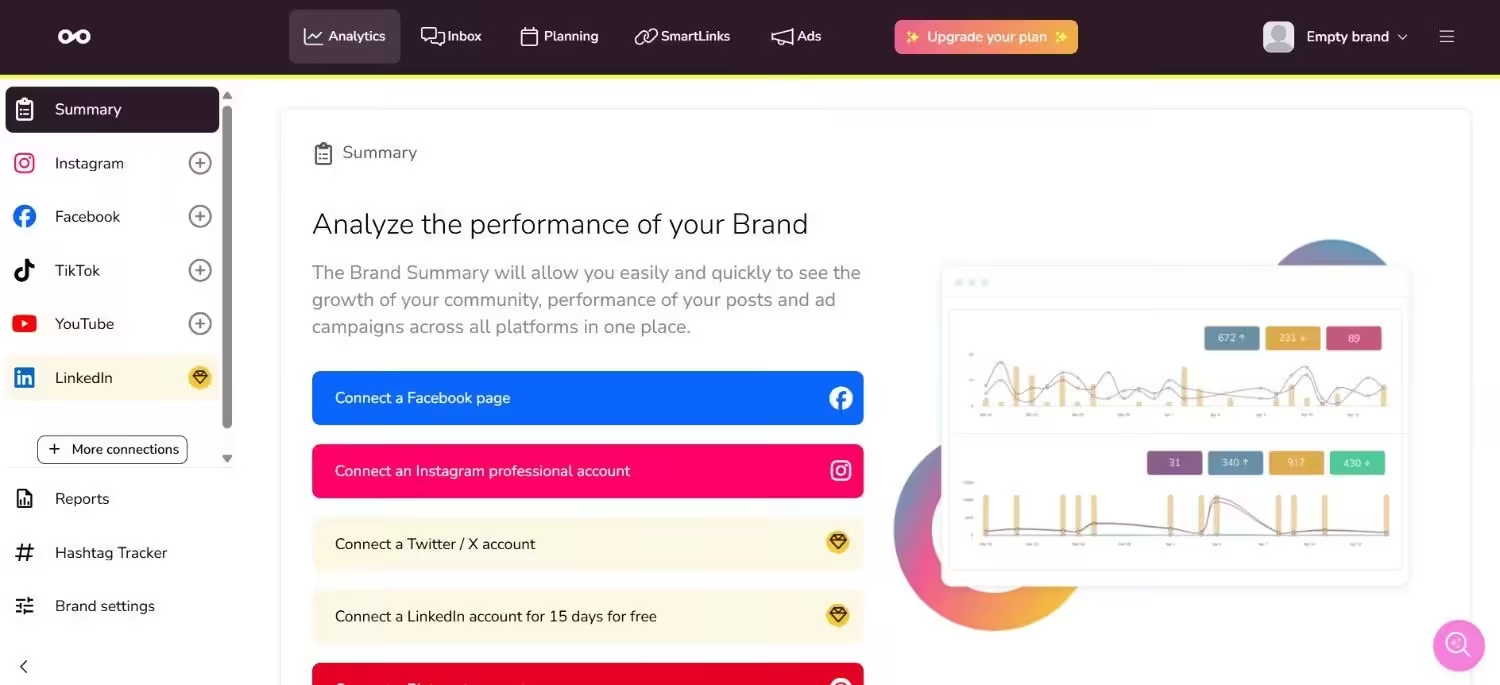
Metricool’s Dashboard Best For: Marketers who love crunching the numbers.
Why I Chose Metricool
Metricool is the tool you graduate to when you realize that posting is only half the battle; you also need to know what your competitors are doing and how your ads are performing. Although the free plan is limited (20 posts/month, no LinkedIn or X), the depth of analytics is impressive for a $0 tool.
Metricool’s Standout Features
- Competitor tracking (5 profiles): On the free plan, you can track 5 competitor profiles across Facebook, Instagram, Bluesky, and Twitch. Once added, you can’t swap them, but the data is solid. Buffer doesn’t offer any competitor analysis at all while Social Champ offers it on paid tiers.
- Ad performance data: Metricool pulls in Facebook Ads, Google Ads, and TikTok Ads data. This is rare at any price point, let alone free. CoSchedule and Zoho Social don’t touch ad data at all.
- AI caption assistant: You only get 5 credits per month on the free plan. It’s not much, but it’s enough to test the waters. Buffer’s free plan has no AI at all!
- Unlimited team members on paid tiers: There are no per-seat fees, ever. This is a huge advantage over Agorapulse and CoSchedule, which charge per user.
Pricing
- Free – $0
- Starter – $20
- Advanced – $53
- Custom – Custom
Pros and Cons
Pros Cons Competitor tracking is included on the free plan You only get 20 posts/month on the free plan You get access to Ad performance data across platforms You can’t connect LinkedIn or X on the free tier There are no per-seat fees on paid plans Analytics history is limited to 30 days on the free plan Want to read more guides like this one?
-
Planable
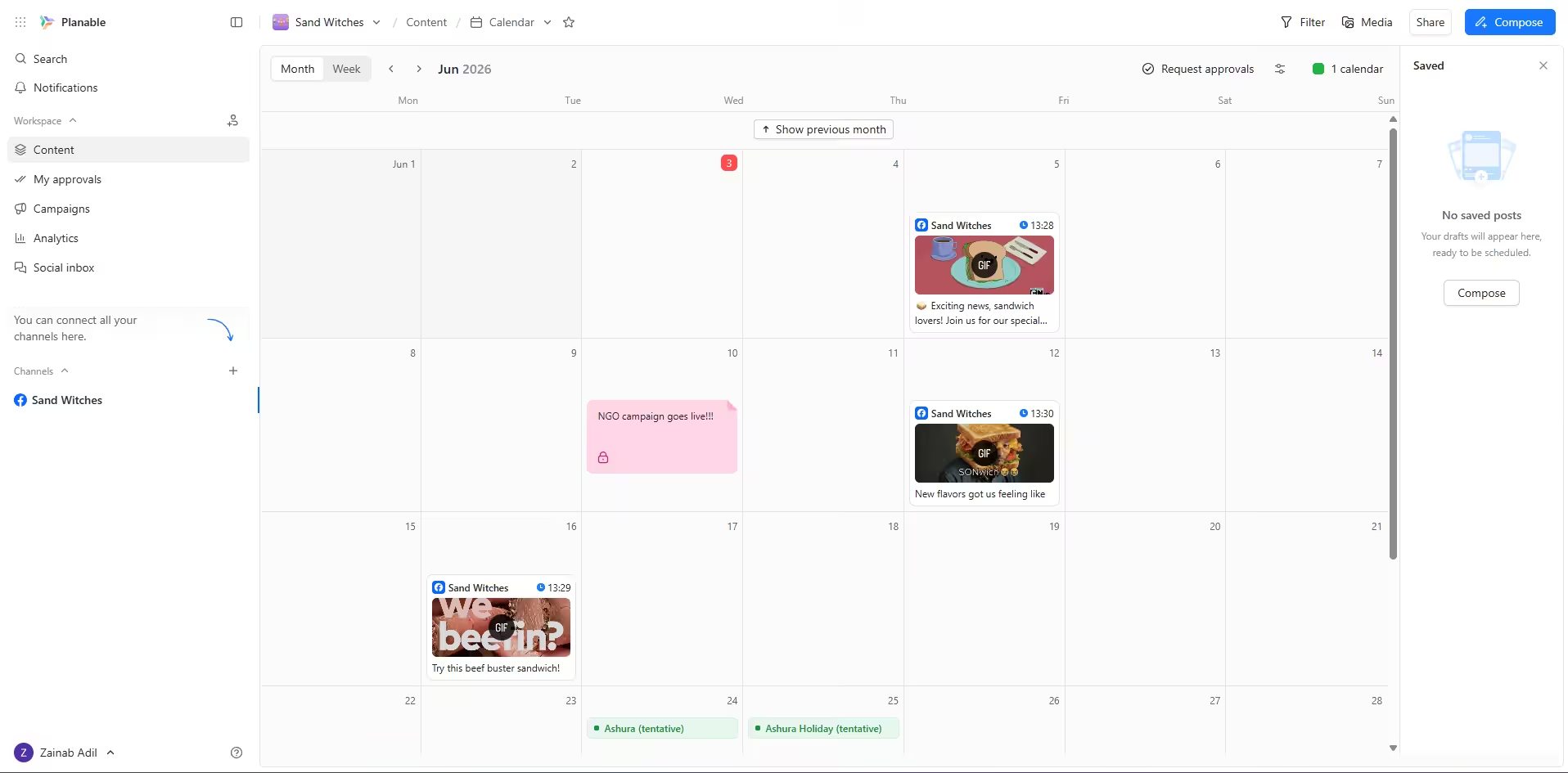
Planable’s Dashboard Best For: Agencies and teams who live and die by approval workflows.
Why I Chose Planable
Planable is built around one core idea: content should be reviewed and approved before it goes live. If you’re managing clients who need to sign off on every post, Planable’s approval workflows are the best in the business. But as a pure scheduler, it’s a little overkill and overpriced, especially for creators.
Planable’s Standout Features
- Real-time post previews: Your clients see exactly what the post will look like on each platform before approving.
- Unlimited guest reviewers: Your clients don’t need a paid seat to review and approve content. Even on the free plan, you can add unlimited users. This is huge for agencies.
- Universal calendar across workspaces: You can see all your clients’ content in one master calendar. Metricool and Zoho Social don’t offer this level of ops oversight.
Pricing
- Free – $0
- Basic – $33
- Pro – $49
- Enterprise – Custom
Pros and Cons
Pros Cons It has the best-in-class approval workflows Expensive for small teams You can add unlimited guest reviewers The free plan is extremely limited (50 posts total) You get pixel-perfect post previews You can’t access analytics or the engagement inbox on lower tiers -
Agorapulse
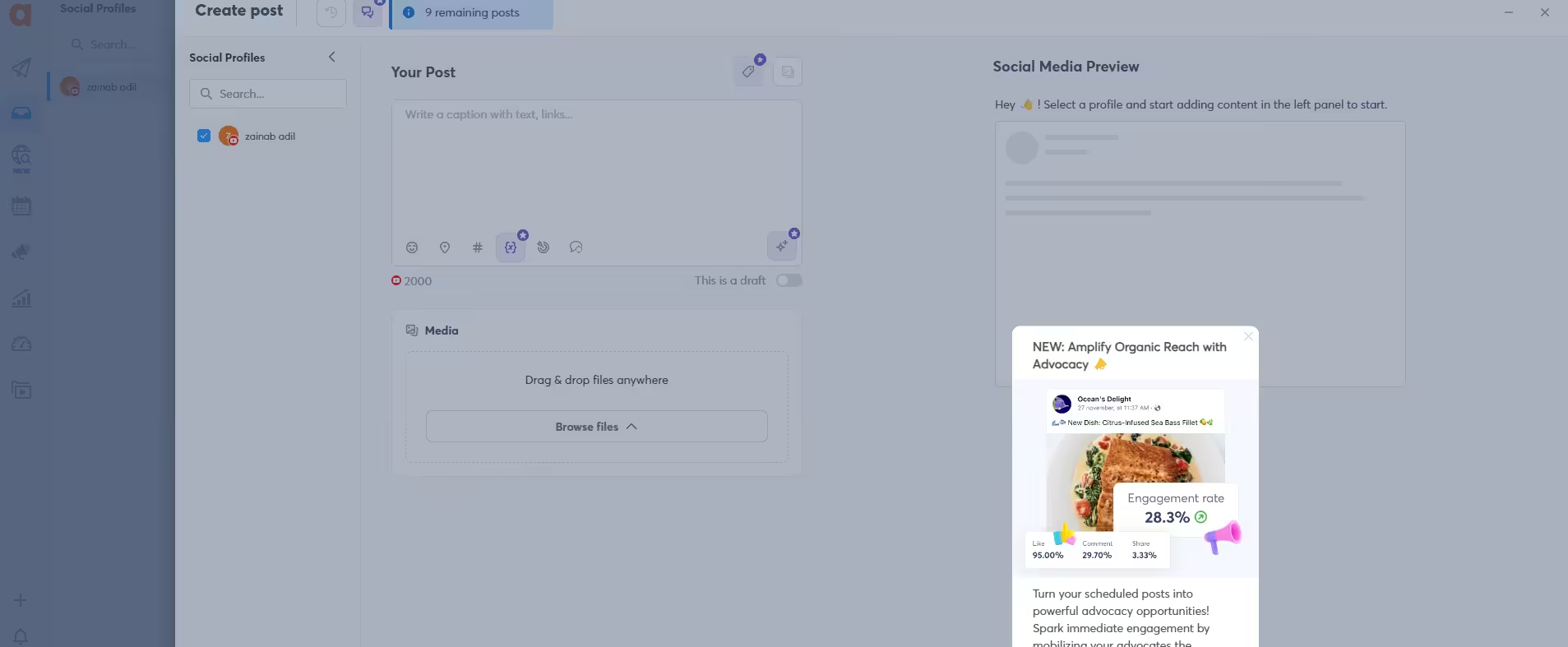
Agorapulse’s Dashboard Best For: Businesses that need a unified inbox and social listening.
Why I Chose Agorapulse
Agorapulse is a mature, team-oriented platform, and it’s priced like one. It’s a great option if you need reporting and social inbox features.
Agorapulse’s Standout Features
- Unified social inbox: You can assign messages, tag conversations, and track response times. It’s more advanced than Buffer’s Community features.
- Social listening: You can monitor brand mentions, hashtags, and sentiment. This is enterprise-grade stuff that Buffer simply doesn’t have.
- Power Reports: You can create customizable, white-label reports. But they’re a paid add-on, even on the paid plans.
- ROI calculator: Agorapulse actually helps you prove the value of your social efforts in dollar terms. It’s a unique feature that a lot of the competitors lack.
Pricing
- Standard – $79
- Professional – $119
- Advanced – $149
- Custom – Custom
Pros and Cons
Pros Cons It gives an excellent unified inbox. It offers a per-seat pricing, which can get expensive as you grow. Social listening and sentiment analysis is offered If you move on to the paid plans, its quite expensive. Its ROI calculator is feature that no other tool gives. Power Reports can cost you extra -
CoSchedule
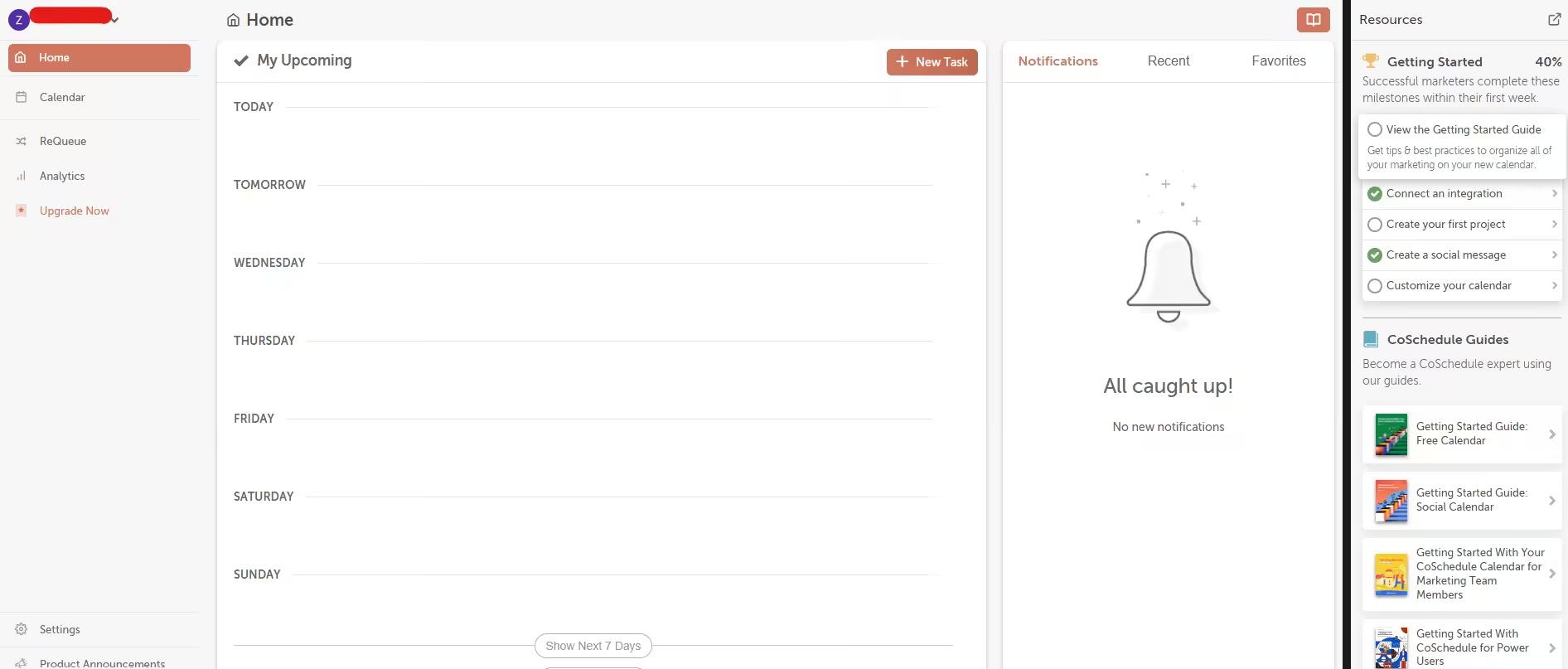
CoSchedule’s Dashboard Best For: Content marketers who want to align social media with content campaigns.
Why I Chose CoSchedule
If you’re running blog posts, email campaigns, and social content in parallel, CoSchedule can help you manage all of that from one dashboard.
CoSchedule’s Standout Features
- Marketing calendar with drag-and-drop: You can see social posts, blog drafts, and email campaigns in one timeline. No other tool on this list offers this level of cross-channel visibility.
- ReQueue automation: You can automatically fill gaps in your social schedule with top-performing past posts. Social Champ has content recycling, too, but CoSchedule’s ReQueue is more sophisticated.
- Headline Studio integration: CoSchedule’s headline analyzer is legendary, and it’s baked into the platform.
- Bulk scheduling (up to 365 posts): On paid tiers, you can upload a year’s worth of content at once.
Pricing
- Free – $0
- Starter – $29
- Professional – $49
- [Value not found] – [Value not found]
- Suite – $69
Pros and Cons
Pros Cons It’s a full marketing calendar, and not just an auto-posting tool Free plan extremely limited (1 profile, 15 messages) ReQueue automation is genuinely smart It also offers per-user pricing adds, which can be expensive for teams Headline Studio integration for content marketers is quite amazing. X costs $8/profile extra on all plans, and social inbox is limited to Facebook and Instagram on lower tier plans. -
Publer
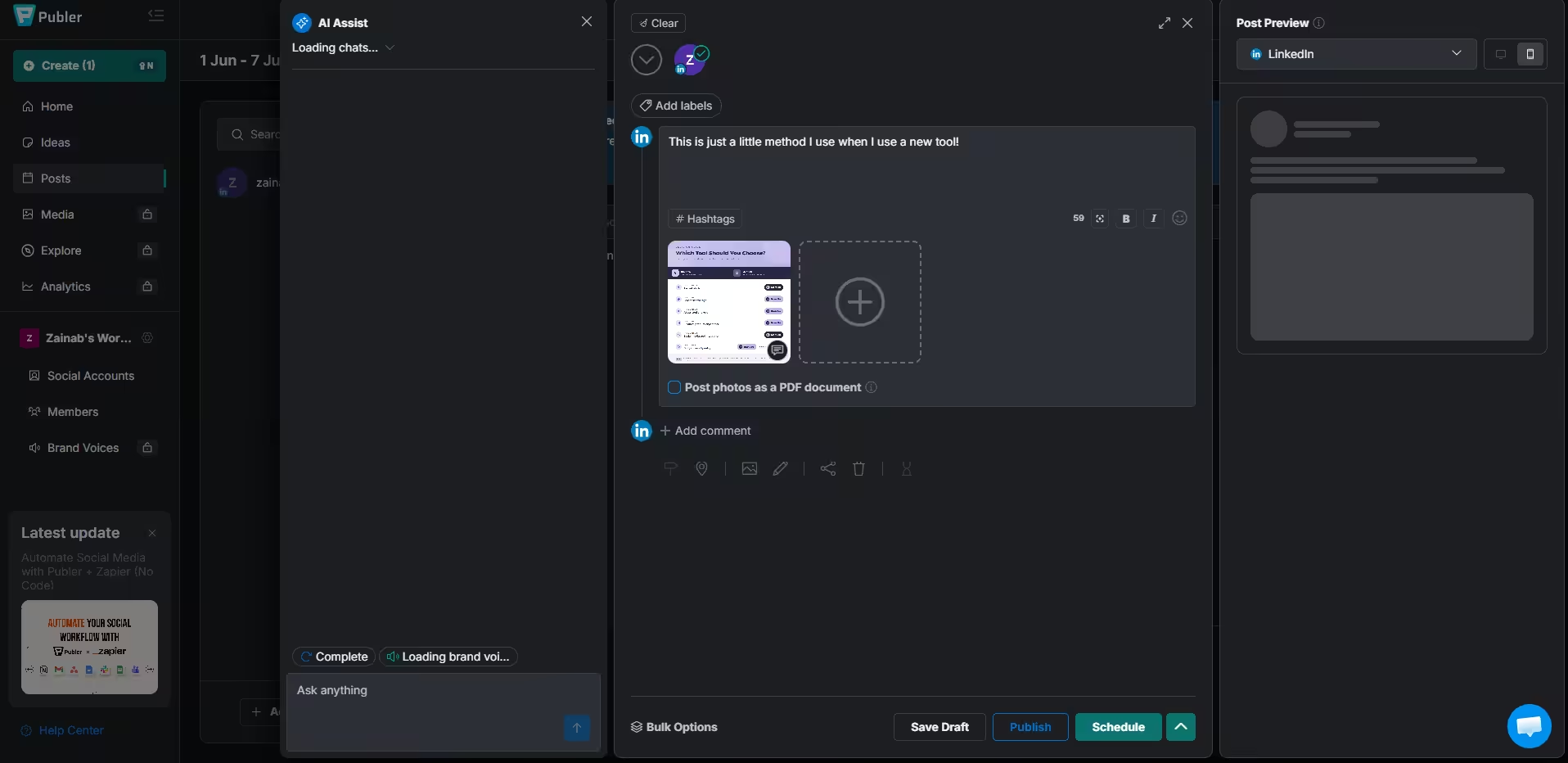
Publer’s Dashboard Best For: Creators who want content recycling and a clean, user-friendly dashboard.
Why I Chose Publer
Publer is the underdog that punches above its weight. It’s not as pretty as Buffer or as feature-heavy as Social Champ, but it gets the job done, and its content recycling feature is super impressive!
Publer’s Standout Features
- Content recycling (Spintax-powered): You can create variations of evergreen posts and auto-recycle them.
- Auto Schedule: Publer suggests optimal posting times based on your audience. Later does this too, but Buffer’s free plan doesn’t.
- Link in Bio (Linkie): This is also included on all plans, with automatic updates based on your scheduled content.
- Unlimited workspaces on paid plans: It’s great for managing multiple brands without jumping between accounts. Metricool charges per brand, so this is a cost advantage.
Pricing
- Free – $0
- Professional – $4
- Business – $8
- Enterprise – Custom
Pros and Cons
Pros Cons Content recycling is excellent The free plan very limited (10 posts/account, no X) It is super easy to use Media storage expires after 24 hours on the free plan It offers unlimited workspaces on paid plans No social inbox or engagement tools, plus analytics are only available on the Business plan -
Meta Business Suite
Best For: Businesses that only use Facebook and Instagram (and want to pay absolutely nothing).
Why I Chose Meta Business Suite
Let’s state the obvious. Meta Business Suite is free because Meta wants you on their platforms. If your entire social strategy lives on Facebook and Instagram, this is the only tool you need. But if you’re cross-posting to LinkedIn, TikTok, or X, you’ll need something else.
Meta Business Suite’s Standout Features
- Native integration: You won’t need additional API’s or deal with posting failures.
- Inbox management: You can manage DMs, comments, and mentions from Facebook and Instagram in one place. It’s actually quite great for a free tool.
- Ads Manager integration: You can create, manage, and track ads without leaving the platform. Plus, no third-party scheduler offers this level of ad integration.
- Insights and analytics: It has detailed audience demographics, post performance, and trend data. It’s actually more comprehensive than Buffer’s free analytics.
Pricing
- Free: $0
Pros and Cons
Pros Cons It is a completely free social post scheduler with no limits on Facebook/Instagram Only works for Facebook and Instagram It offers great native integration with no posting failures No scheduling for other platforms It has the best ad management No team collaboration features
Start Scheduling for Free!
Conclusion
My work here is done. To recap, I tested ten free social media scheduling tools and found the one that worked for me.
But what works for me may not work for you, so I recommend a little trial and error practice to find the perfect social media scheduling software that aligns with your brand’s needs.











Clayton Morgan
I’ve tried a few schedulers in the past, but some of these are new to me. I’ll definitely be giving some of these a go to boost my productivity this year!
John Ray
I just read it, and I already love this article! It’s exactly what I needed. Thank you for listing them. I’m going to try out a few of them.
Helena Mark
Excellent content! I am such a lazy person when it comes to arranging my tasks, and honestly after reading this, you have solved all my problems! I will definitely give Social Champ a try for my productivity. It’s super affordable for me! Thanks for sharing.