If you’ve spent more than five minutes searching for “free social media listening tools,” you’ve probably noticed a frustrating pattern. You click a link promising a “top 10 list,” only to find out that eight of them require a credit card after 48 hours, and the other two haven’t updated their interface since 2018.
I get it. I’ve been there, scouring the web for a way to track brand sentiment and social mentions without blowing the quarterly budget before lunch. But since the digital landscape has shifted, social listening tools have tightened their data locks, and “free” usually comes with a massive asterisk. That’s why I’ve spent the last few weeks stress-testing these tools to see which ones actually deliver data you can use, and which ones are just glorified Google search bars.
Short Summary
- Free social media listening tools help track brand mentions and audience sentiment.
- Most free options cover limited platforms and basic analytics.
- Social Champ is the only tool on this list that covers Reddit, YouTube, LinkedIn, and Bluesky.
- You can monitor keywords, sentiment, and cross-platform mentions easily.
- Social Champ is perfect for testing advanced listening before investing in paid tools.
But before we look at the list, let’s clear up a common misconception of social listening vs social monitoring.
- Social Monitoring is reactive. It’s like a digital doorbell; it pings you when someone mentions your name so you can go say “thanks” or fix a problem.
- Social Listening is proactive. It’s like eavesdropping on the entire neighborhood to find out that everyone is suddenly obsessed with eco-friendly packaging, so you can pivot your marketing before your competitors do.
Most free tools are great at monitoring, but true listening usually requires a bit more heavy lifting.

Stay Ahead of Trends, Not Behind Them!
Social Champ helps you spot what’s trending before your competitors do. Listen, plan, and post, all from one dashboard.
A Quick Overview of Free Social Media Listening Tools
Since I know you’re busy, I’ve broken these down by what they actually cost you; whether that’s $0 or just a 14-day commitment.
| Tool | True “Free” Plan? | Best For… | The “Real Talk” Catch |
|---|---|---|---|
| Google Alerts | Yes (Unlimited) | Web & News mentions | It’s blind to most social media apps. |
| F5Bot | Yes (Unlimited) | Reddit & Hacker News | Text-only; no fancy charts or sentiment. |
| Boardreader | Yes (Unlimited) | Niche Forums & Boards | Great for data, but the UI looks like 2005. |
| Talkwalker Alerts | Yes (Unlimited) | Global web & blog trends | Can get “noisy” if your keywords are generic. |
| Meta Business Suite | Yes (Unlimited) | Facebook & Instagram | Zero data on competitors or other sites. |
| Social Searcher | Freemium | Real-time “vibe checks.” | Limited to 100 searches per day. |
| AnswerThePublic | Freemium | Search & TikTok Trends | Only 3 searches per day on the free tier. |
| Social Champ | 14-Day Trial | Full-scale Analysis across Facebook, Instagram, Reddit, YouTube, LinkedIn & Bluesky | Fantastic tool, but requires a subscription after a week. |
| Mentionlytics | 14-Day Trial | AI-driven “Why” insights | Best used for a one-off campaign launch. |
| Brand24 | 14-Day Trial | Sentiment & Reach data | High-tier data that disappears once the trial ends. |
Why You Can Trust This List
I’m not here to sell you a subscription. I’m here to help you find the data you need to grow your brand. I’ve filtered out the tools that are broken, the ones that sell your data, and the ones that are “free” in name only.
Below, we’re going to look at the “True Free” veterans first, then move into the “Powerhouse Trials” for when you need to bring out the big guns.
Why Use Free Social Media Listening Tools?
If you’re running a small business or managing multiple clients, it may feel impossible to keep up with online conversations. That’s where free social media listening tools step in. They give you a clear view of what people are saying about your brand, without adding another expense to your budget.
Cost-Effective for Startups and Small Teams
When every dollar counts, investing in expensive social listening software isn’t always realistic. With free listening tools for social media, you can track brand mentions, trending topics, and audience reactions at zero cost.
Monitor Brand Mentions Without Investment
You don’t need fancy dashboards to stay informed. The best free social media listening tools help you see when someone mentions your brand, comments on your posts, or talks about your products, all in real time.
Understand Customer Needs and Sentiment
Listening helps you understand what your audience feels and expects. It’s your way of hearing the unfiltered truth and improving your strategy accordingly.
Keep Track of Competitors
If you’re curious about how others in your industry perform, free social media listening tools can show you what works for them so you can refine your own approach, from content planning to optimizing your scheduled posts.
Featured Article: Promote a Travel Agency on Social Media
See What People Really Think About Your Brand!
Track mentions, spot trends, and take control of your online reputation, all from one simple dashboard.
Featured Article: TikTok Viewer Guide: How to Watch, Download, and Analyze Videos Without Logging in
Key Features to Expect in Free Tools
When you dive into free social media listening tools, you’ll find that they give you just enough to track and understand what people are saying about you online. Think of these features as your starter kit; they won’t break the bank, but they’ll definitely help you stay on top of your brand’s reputation and audience feedback.
Here’s what you can actually expect from the core features of free social listening tools.
Real-Time Alerts for Keywords or Brand Names
Most free tools let you set up alerts for your brand name, campaign keywords, or industry buzzwords. Let’s say someone tweets a negative review of your coffee shop at 2 PM, and you get a notification within minutes. You can jump in, thank them for the review, or address the concerns before they spiral.
Limited Sentiment Analysis
Free listening tools for social media usually give you basic sentiment detection. You’ll see if conversations about your brand are generally positive (green), negative (red), or neutral (yellow).
For example, if you launch a new product and 80% of mentions show positive sentiment, you know you’re on the right track. If it’s mostly red, then it’s time to dig deeper and see what’s going wrong.
Basic Reporting Dashboards
Expect straightforward dashboards that show mention counts, engagement trends, and how people are reacting to your content. Let’s say you’re managing Facebook scheduled posts about your fitness app; these reports will show you which posts got people talking the most. Maybe your workout videos get 3x more mentions than your nutrition tips, so you know where to focus your energy.
Platform-Specific Coverage
Many of the best free social media listening tools focus on one or two platforms instead of trying to cover everything.
For instance, a tool might excel at X monitoring but skip Instagram entirely. While this sounds limiting, it actually works great if most of your audience hangs out on specific platforms.
If your B2B audience lives on LinkedIn, a tool that monitors LinkedIn really well beats one that covers 10 platforms poorly. These features won’t give you the deep insights of expensive enterprise tools, but they’re perfect for getting started. You’ll learn how to listen, spot patterns, and make smarter marketing decisions without spending a dime.
Featured Article: How to Use ChatGPT for Social Media
Best Free Social Media Listening Tools in 2026
If you’ve ever wished you could hear what people are saying about your brand across the internet without paying a hefty price tag, you’re not alone.
The good news is that there are plenty of free social media listening tools and social media analytics tools that help you monitor mentions, track trends, and understand how your audience feels, without burning a hole in your pocket.
If you want to track hashtags, monitor competitors, or get notified when someone talks about your brand, these social listening tools’ free options are a great place to start.
Some come with full-fledged free plans, while others offer generous free trials. Let’s go through the best free social media listening tools you can try right now.
-
Google Alerts
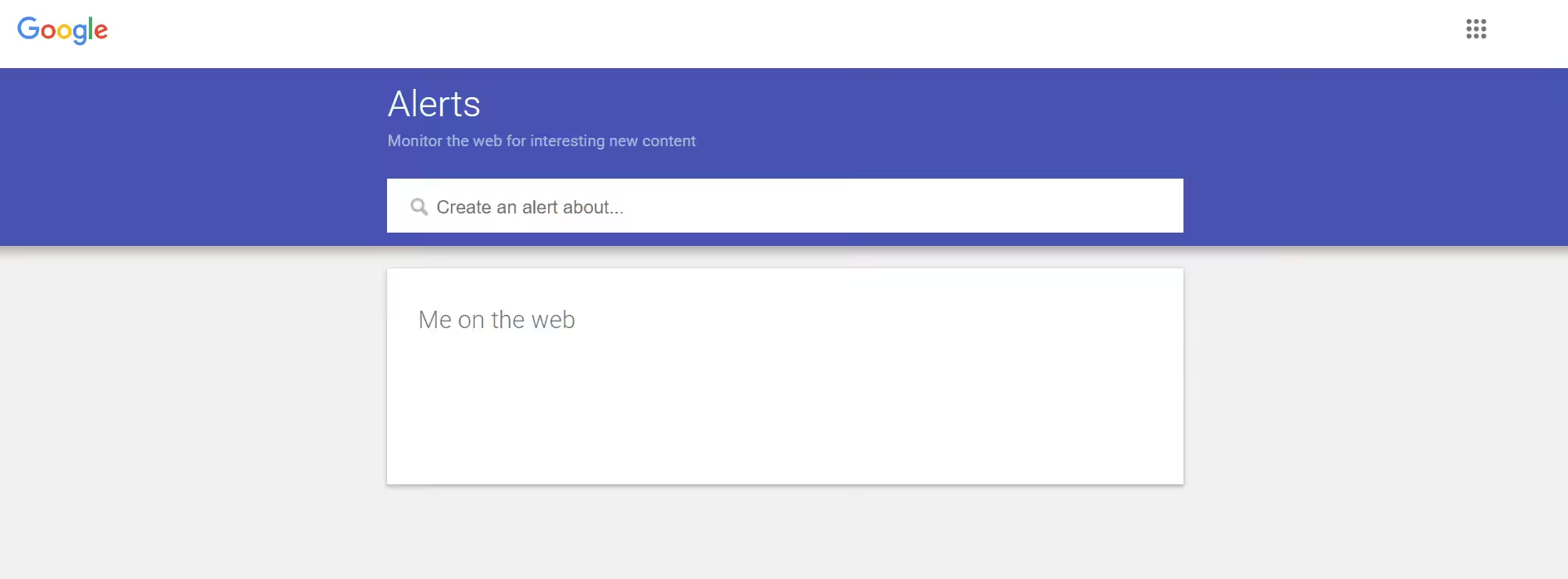
Google Alerts’ DashboardIf social media listening had a grandfather, it would be Google Alerts. It’s been around since 2003, it costs exactly zero dollars, and it’s the first thing every marketing student learns.
Unfortunately, Google Alerts is NOT a social media listening tool. I know that sounds harsh. But Google’s crawlers primarily index “The Open Web,” which includes news sites, blogs, and public press releases. Because of the “walled gardens” of modern social media (like the login screens on Instagram or the private nature of Discord), Google Alerts is essentially blind to what’s happening inside those apps.
Why I still use it:
Even with its blind spots, it’s my “Safety Net.” It’s the best tool for catching that one random blog post or a local news story that mentions your brand. It’s “set it and forget it” monitoring at its finest.
The Strategy: How to make it actually useful
Don’t just track your brand name. If you want to use this for listening, you need to track the industry.
- The “Brand” Alert:
"Your Brand Name"(Use quotes for exact matches.) - The “Competitor” Alert:
site:competitor.comor"Competitor Name". - The “Intent” Alert:
"Best [Product Category] 2026"— This notifies you the second a blogger publishes a “top 10” list in your niche, so you can reach out and get included.
The Breakdown
- The “True Free” Score: 10/10. No limits, no credit cards.
- The “Listening” Score: 2/10. It tells you what happened on the web, but never why or how people feel.
- Best For: Tracking PR pickups, guest posts, and news mentions.
- Avoid if: You need to know what people are saying about you on TikTok, Threads, or Instagram (or on your social media posts).
- The “Brand” Alert:
-
F5Bot
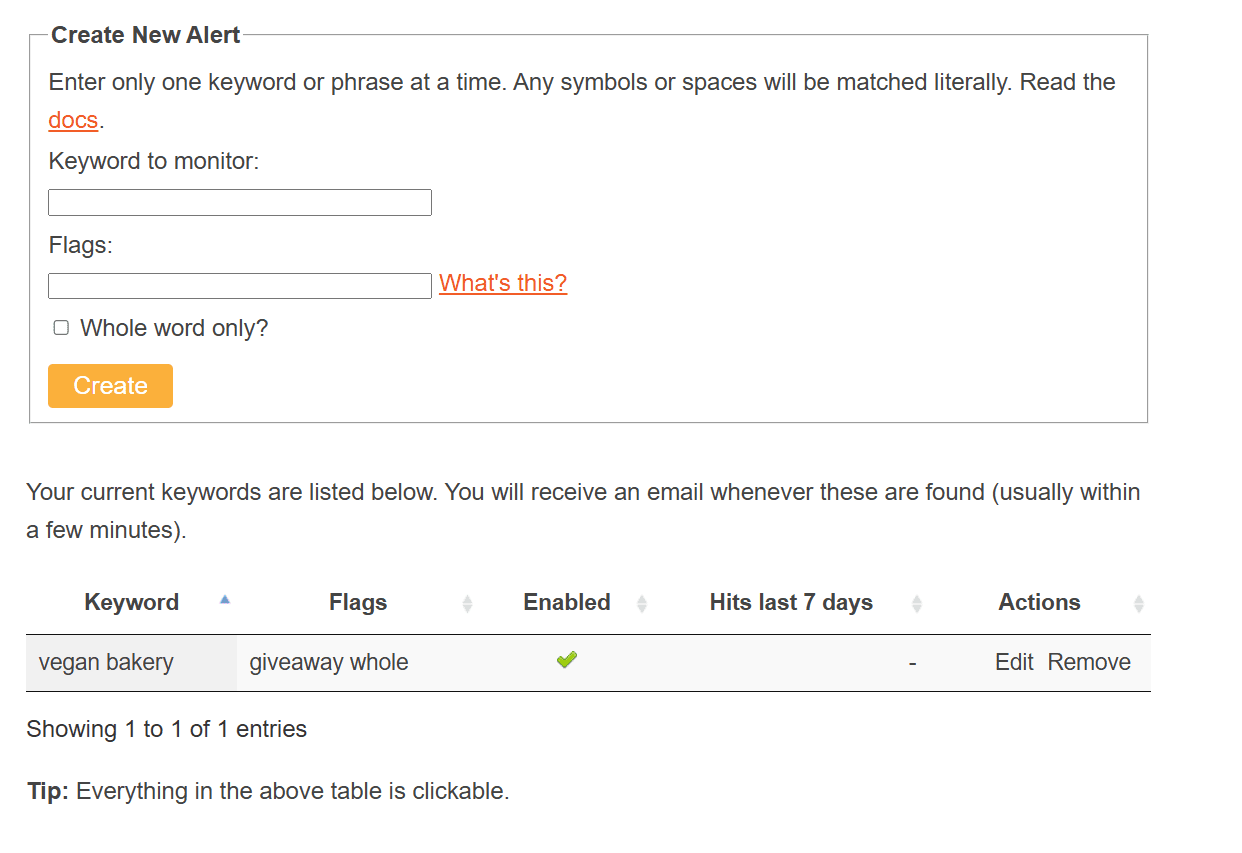
F5Bot’s DashboardIf you’ve ever wanted to be a “fly on the wall” when people are actually being honest about your industry, you need to be on Reddit and Hacker News. These aren’t places for glossy PR; they are places where people go to complain, solve problems, and ask for recommendations.
F5Bot is a free utility that does one thing incredibly well: it emails you the second your keyword is mentioned on Reddit, Hacker News, or Lobsters.
Why I love it (and use it daily):
It’s the ultimate “no-BS” tool. There is no dashboard to check, no complex charts to interpret, and, best of all, no credit card required. You give it an email and a keyword, and you’re done. It’s how I’ve seen founders find their first 10 customers, by setting an alert for “alternative to [Competitor Name]” and jumping into the conversation the moment it happens.
The Strategy: Moving from Monitoring to Listening
F5Bot defaults to “monitoring” (pings for keywords), but you can turn it into a listening power tool by being smart with your search terms:
- The “Pain Point” Alert:
"I wish"AND"software". Use this to find out what features people are literally begging for in your niche. - The “Competitor Fail” Alert:
"[Competitor Name]"AND"down"OR"broken". This is your cue to reach out and offer a more reliable alternative. - The “Research” Alert:
"How do I"AND"[Your Industry Topic]". This helps you see the exact language your customers use when they are confused.
The Breakdown
- The “True Free” Score: 10/10. It’s a gift to the internet. (Note: They recently added a paid tier for advanced AI filtering, but the core keyword alerts remain free).
- The “Listening” Score: 6/10. Great for raw data and “unfiltered” voices, but it lacks visual trends. You have to do the mental “analysis” yourself.
- Best For: Solo founders, B2B lead generation, and developer relations.
- Avoid if: You need a pretty PDF report for a client meeting. Your “report” here is just a folder full of emails.
- The “Pain Point” Alert:
-
Boardreader
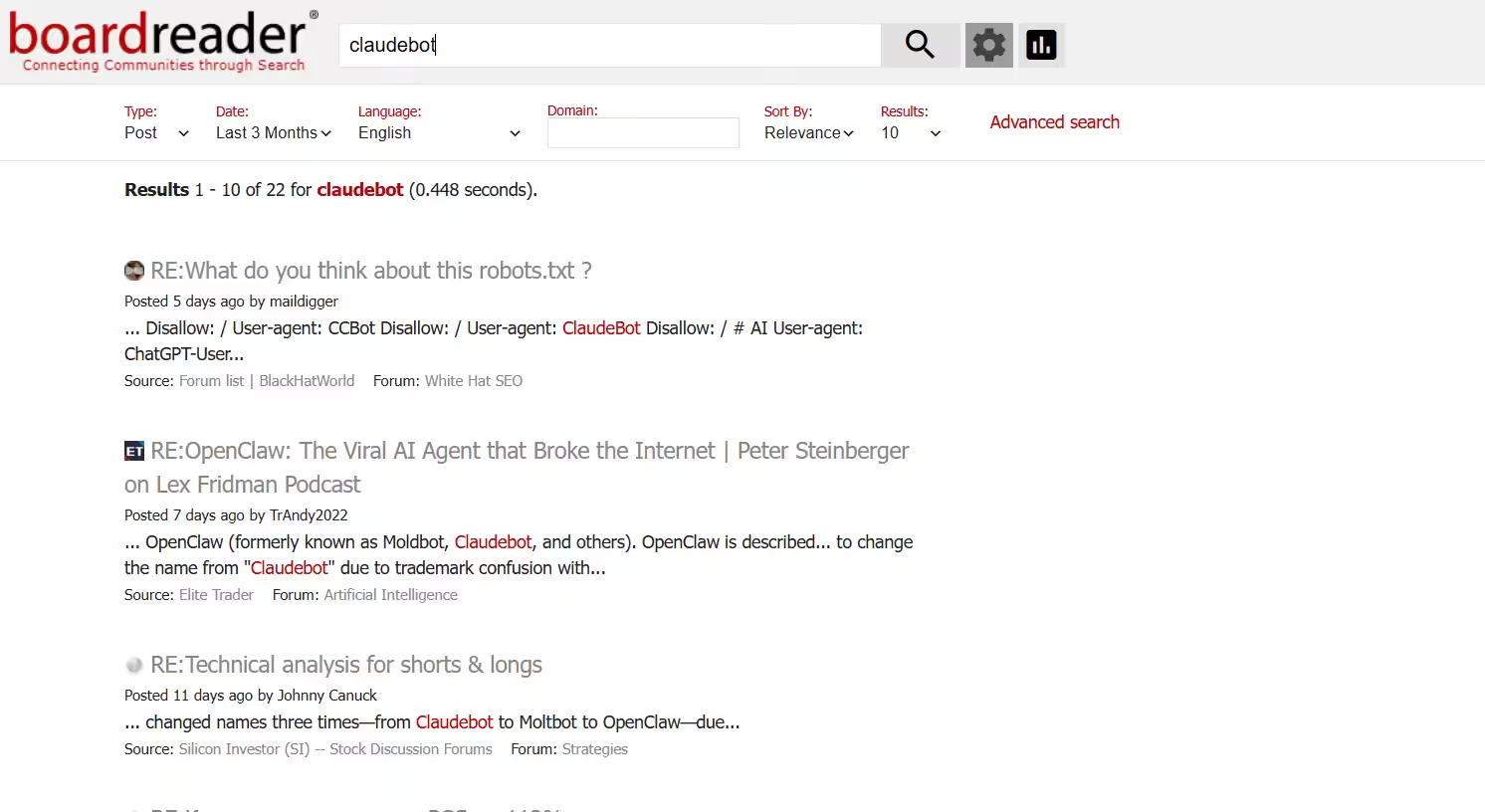
Boardreader’s DashboardSocial media has become highly polished and performative. If you want “unfiltered” truth, you have to go to the discussion boards. Boardreader is a specialized search engine that ignores the “noise” of mainstream social feeds and indexes only message boards, forums, and community bulletin boards.
When someone has a technical problem with a product or a deep-seated grievance with a brand, they don’t always post a Reel about it. They go to a specialized forum (like a car enthusiast board, a parenting forum, or a tech community) to write a 1,000-word breakdown.
Boardreader allows you to search these niche “knowledge hubs” in seconds. It provides a window into the highly technical and specific feedback that standard social listening tools often miss.
The Strategy: Solving the “Hidden” Pain Points
I use Boardreader specifically for Product Research and Crisis Early-Warning.
- The “Problem Hunter” Hack: Search your industry + keywords like
"error,""flaw,"or"doesn't work."You’ll often find deep-dive threads where users are troubleshooting your competitor’s products. This is your “Feature Roadmap.” If the community is complaining that a certain software is too slow on older laptops, and yours isn’t, you’ve found your next marketing angle. - The “History” Lesson: Boardreader is excellent for seeing if an issue has been recurring for years or if it’s a new trend. This historical context is vital for understanding brand sentiment over the long haul.
The Breakdown
- The “True Free” Score: 10/10. It is a completely free public search engine. No accounts, no paywalls.
- The “Listening” Score: 6/10. It’s a research powerhouse, but it doesn’t offer “push” alerts. You have to go to the site and search manually.
- Best For: Technical brands, B2B companies, and anyone in a “hobbyist” niche (e.g., gaming, automotive, gardening).
- Avoid if: You only care about “visual” platforms like TikTok or Instagram. Boardreader is for the readers and the writers of the web.
- The “Problem Hunter” Hack: Search your industry + keywords like
-
Talkwalker Alerts
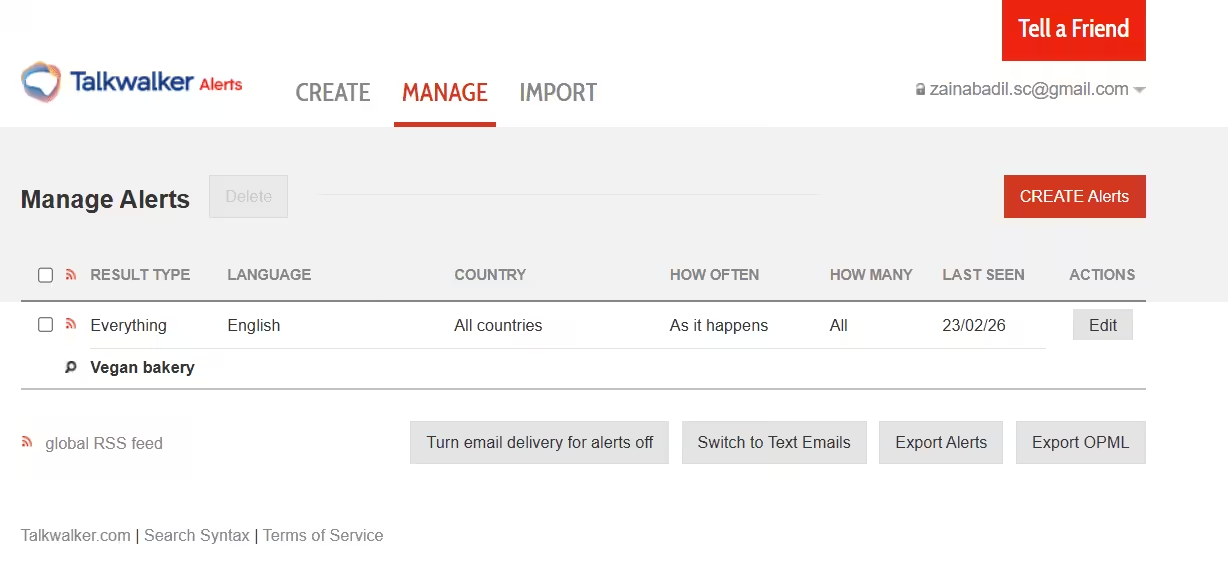
Talkwalker Alerts’ DashboardTalkwalker is an enterprise-grade powerhouse (their full software costs thousands), but they offer a free “Talkwalker Alerts” tool as a gateway. It is widely considered the most direct (and superior) replacement for Google Alerts.
While Google mostly looks at news and blogs, Talkwalker Alerts actually peeks over the fences of social media. It tracks the web, blogs, forums, and notably has a much better relationship with X (Twitter) and YouTube data than Google does.
Why I recommend it:
It solves the “Noise” problem. Google Alerts often sends you everything or nothing. Talkwalker gives you a “Result Quality” filter. You can tell it: “Only email me if the mention is from a high-authority site or has high engagement.” This is a great alternative for busy people who don’t want their inbox flooded with spammy “scraper” sites.
The Strategy: Using it for “Competitive Espionage”
Because Talkwalker is faster and more precise, I use it to keep tabs on competitors.
- The “Backlink” Hack: Set an alert for your competitor’s URL. When a blog mentions them or links to them, you get an email. You can then reach out to that same author and say, “Hey, I saw you wrote about X; we actually just released a version that does Y—would you want to take a look?”
- The “X/Twitter” Pulse: Unlike most free tools, Talkwalker still manages to surface key conversations from X. If you’re in a fast-moving industry like Tech or Finance, this is your early warning system.
The Breakdown
- The “True Free” Score: 10/10. It’s completely free and doesn’t expire.
- The “Listening” Score: 5/10. It captures more “why” than Google because it includes forum and social data, but you still don’t get the fancy sentiment graphs unless you upgrade to their paid “Quick Search” tool.
- Best For: PR professionals, SEOs looking for backlinks, and anyone who wants a “better” Google Alerts.
- Avoid if: You need to see historical data from three months ago. This is a “from today forward” kind of tool.
-
Meta Business Suite
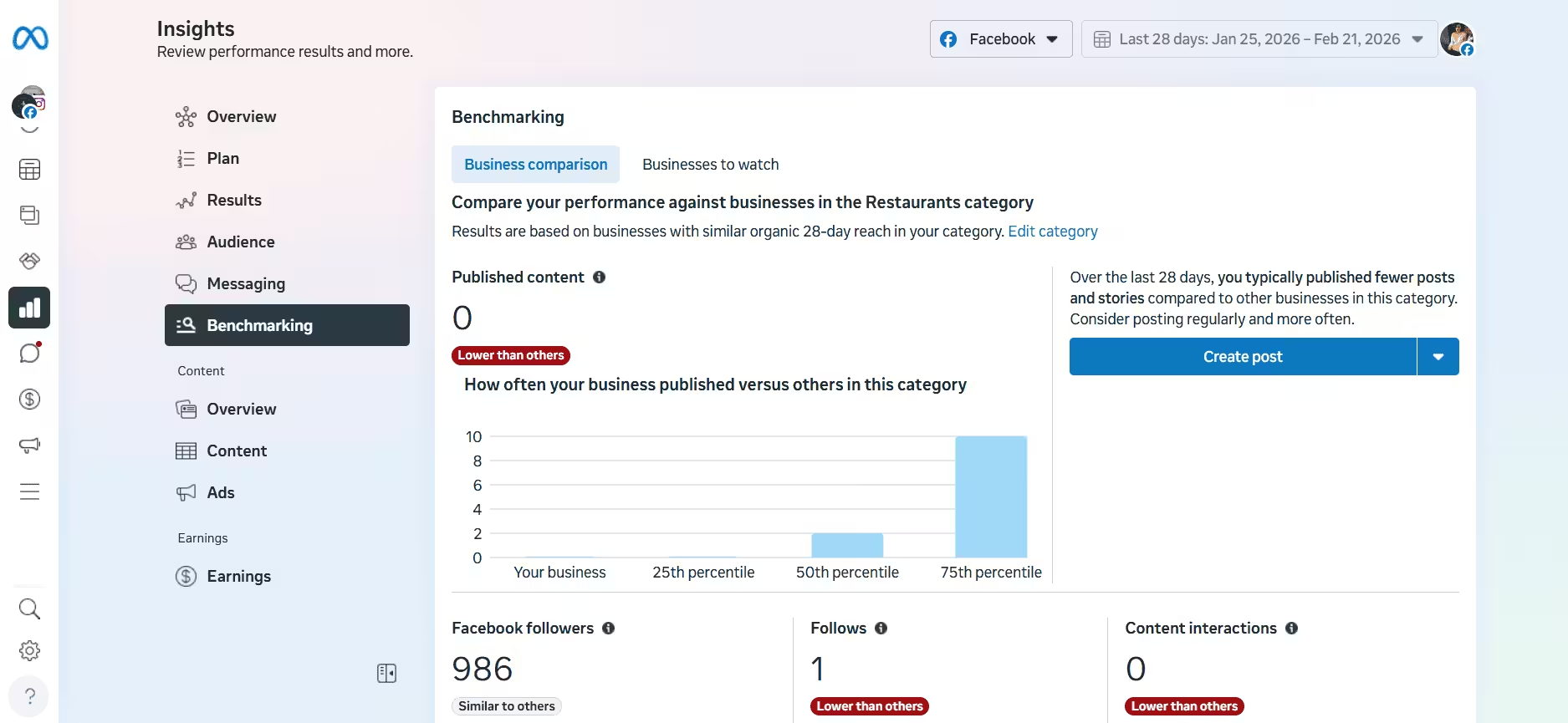
Meta Business Suite’s DashboardMeta Business Suite can be a bit of a maze. One day, a button is on the left, the next day it’s disappeared into a sub-menu. But no third-party tool has better data on Facebook and Instagram than Meta itself.
Most people use this just to schedule posts or reply to DMs via its unified social media inbox. That’s a mistake. If you go into the “Insights” tab and look at “Content Benchmarking,” you can actually see how your posts perform against “businesses like yours.” It’s a built-in, free way to see if your brand is hitting the mark compared to the rest of the industry.
The Strategy: Using the “Unified Inbox” for Sentiment
The Unified Inbox isn’t just for replying; it’s for tracking the “mood” of your community.
- The “Label” Hack: In the Inbox, you can add custom labels to people who message you (e.g., “Feature Request,” “Pricing Complaint,” “Superfan”). After a month, look at your labels. If “Pricing Complaint” has 50 tags and “Superfan” has 5, you don’t need a $500/month listening tool to tell you that you have a pricing problem.
- The Engagement Audit: Check the “Comments” section specifically for “unfiltered” reactions to your Reels. In 2026, Reels are the primary discovery engine on Instagram; monitoring those comments is the fastest way to see if a specific trend is actually helping your brand or just making you look “cringe.”
The Breakdown
- The “True Free” Score: 10/10. It’s Meta’s gift to businesses (because they want you to eventually buy ads).
- The “Listening” Score: 4/10. It’s world-class for your own audience, but it’s completely blind to what’s happening on Reddit, LinkedIn, or the wider web.
- Best For: Small business owners and creators who live and die by IG/FB.
- Avoid if: You need to track a hashtag across the entire internet. This tool only cares about the Meta-verse.
-
Social Searcher
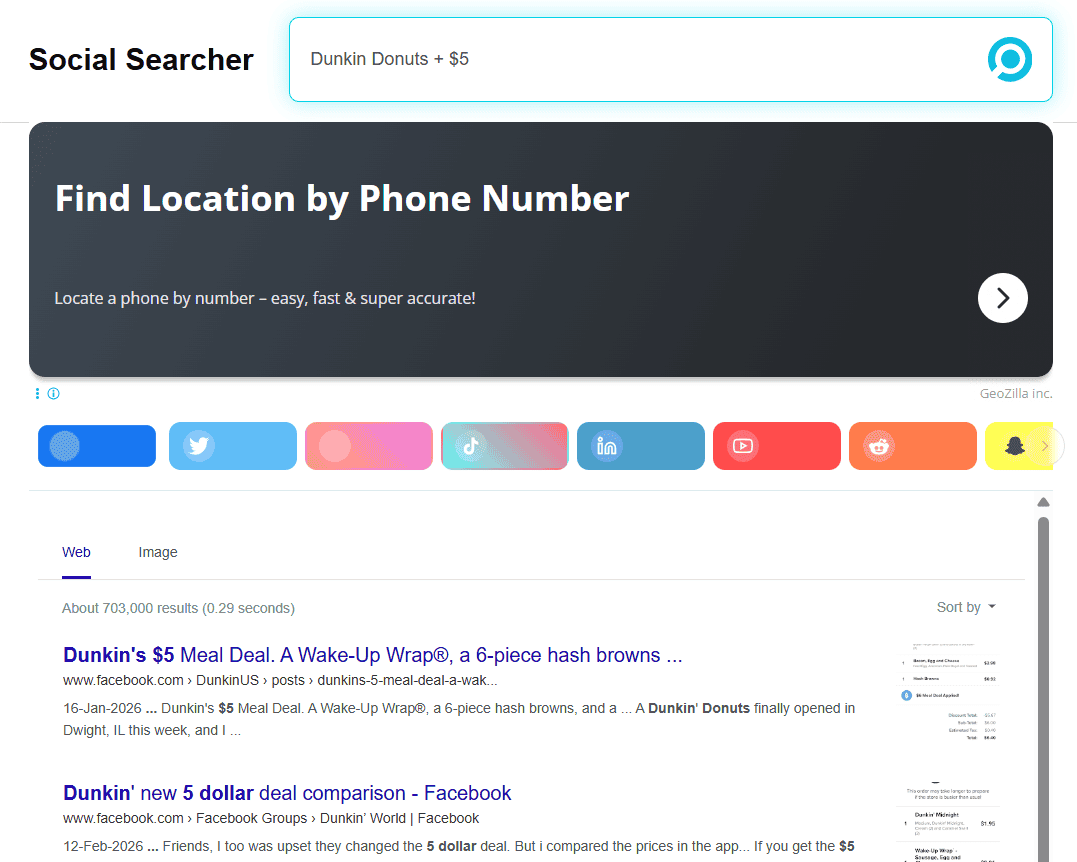
Social Searcher’s DashboardSometimes you don’t want to set up an elaborate monitoring system; you just want to know, “What is the internet saying about us right now?” Social Searcher is a real-time search engine that scrapes public data across 11+ sources (including the web, Facebook, and Reddit). Unlike the other free tools we’ve discussed, it doesn’t just give you a list of links; it actually tries to analyze them.
Why I love it for quick audits:
It’s the only truly free tool that gives you Sentiment Analysis and Top Users without making you sign up for a trial. You just type in your keyword, and within seconds, you get a dashboard showing you:
- Sentiment Ratio: A color-coded bar (Positive vs. Negative).
- Top Keywords: What other words are people using alongside your brand name?
- Popularity by Hour: When the conversation is actually happening.
The Strategy: Spotting the “Silent Crisis”
I use Social Searcher for what I call the “Sentiment Stress Test.” The “Context” Hack: Don’t just search your brand name. Search your brand name + a specific keyword like
"YourBrand + login"or"YourBrand + price."- The Findings: If your “login” search shows a sudden spike in negative sentiment, you likely have a server issue or a bug that your tech team hasn’t caught yet.
- The “Competitor” Hack: Plug in a competitor’s name to see their “Negative” mentions. Those are your opportunities to swoop in with a “we do this better” message.
The Breakdown
- The “True Free” Score: 9/10. It’s unlimited for basic searches, but you have to pay if you want “Premium Monitoring” (saved history).
- The “Listening” Score: 7/10. Excellent for a snapshot of the “Why” and “How,” but it won’t track your growth over months for free.
- Best For: Agencies doing a quick “first look” at a new client or small brands doing a weekly reputation check.
- Avoid if: You need to monitor private groups, Discord, or Instagram Stories. Like Google, it can only see what is public and “scrapable.”
-
AnswerThePublic
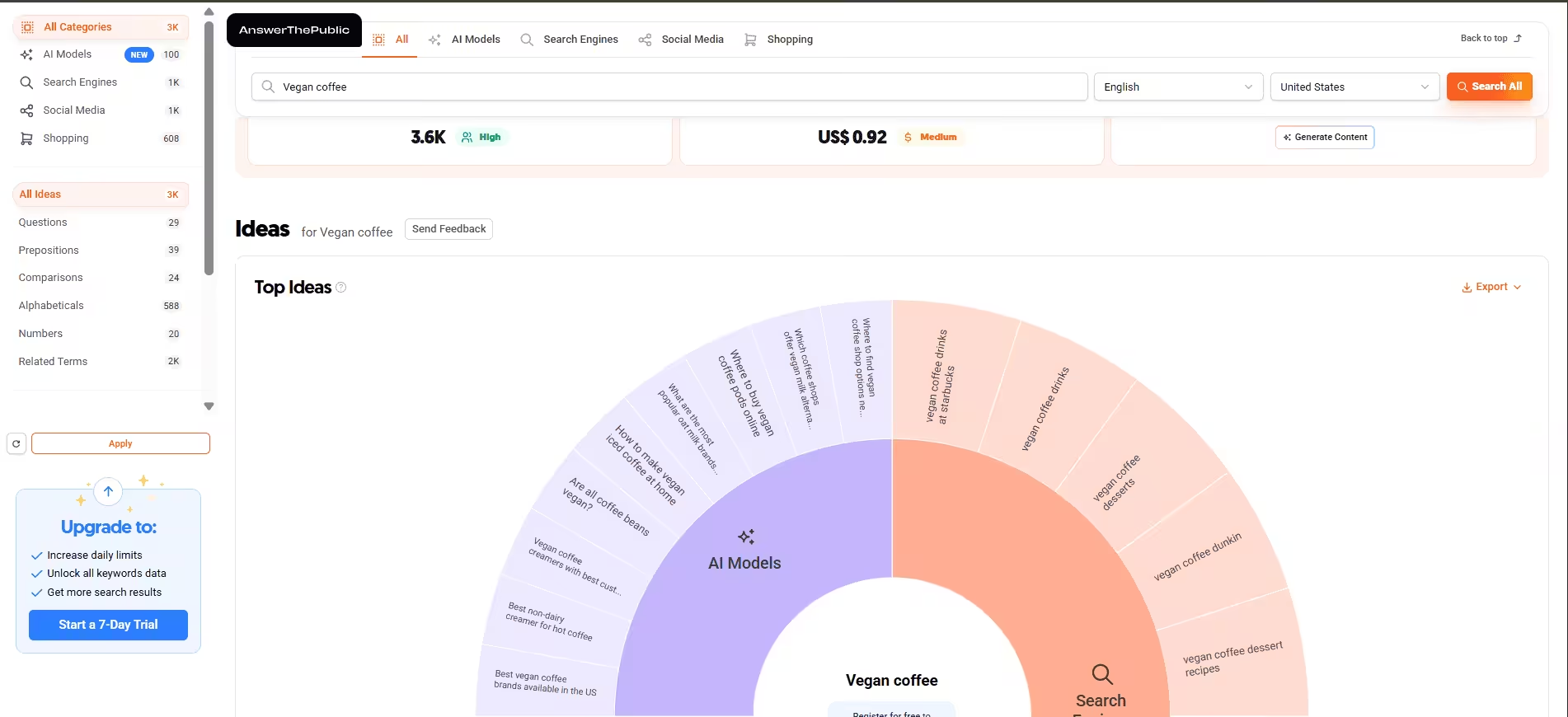
AnswerThePublic’s DashboardIf you’ve ever sat staring at a blank screen, wondering what your audience actually cares about, AnswerThePublic is your cure. It’s a “search listening” tool that listens to the autocomplete data from search engines (Google, YouTube, and now TikTok) and maps it out into a beautiful, branching web of questions.
Why I call it “Market Research in a Box.”
People are often filtered on social media; they post what makes them look good. But they are brutally honest with search bars. By looking at the “Who, What, Where, and Why” of your industry, you aren’t just monitoring mentions; you’re discovering the unmet needs of your customers.
In 2026, its ability to pull from TikTok search data is the real winner. It shows you exactly what “Gen Z” is curious about before it even hits the mainstream news.
The Strategy: Content That Actually Converts
Don’t just use this for keyword research; use it for Customer Support and Product Development.
- The “Confusion” Map: Search your product type (e.g., “Air Purifiers”). Look at the “Are” and “Can” branches. If you see people asking “Are air purifiers loud?”, you’ve just found your next marketing hook: “The Silent Air Purifier That Actually Works.”
- The “Versus” Hack: Look at the “Comparisons” section. It will show you exactly which competitors you are being measured against (e.g., “Brand A vs Brand B”). This is your blueprint for a “Why Choose Us” landing page.
The Breakdown
- The “True Free” Score: 6/10. It’s free, but strict; you only get 3 searches per day. You have to be intentional with every click.
- The “Listening” Score: 8/10. For understanding audience intent, it’s unbeatable. But for tracking daily brand mentions, it’s the wrong tool.
- Best For: Content creators, SEO strategists, and product managers.
- Avoid if: You need real-time alerts. This is a “planning” tool, not an “emergency” tool.
-
Social Champ
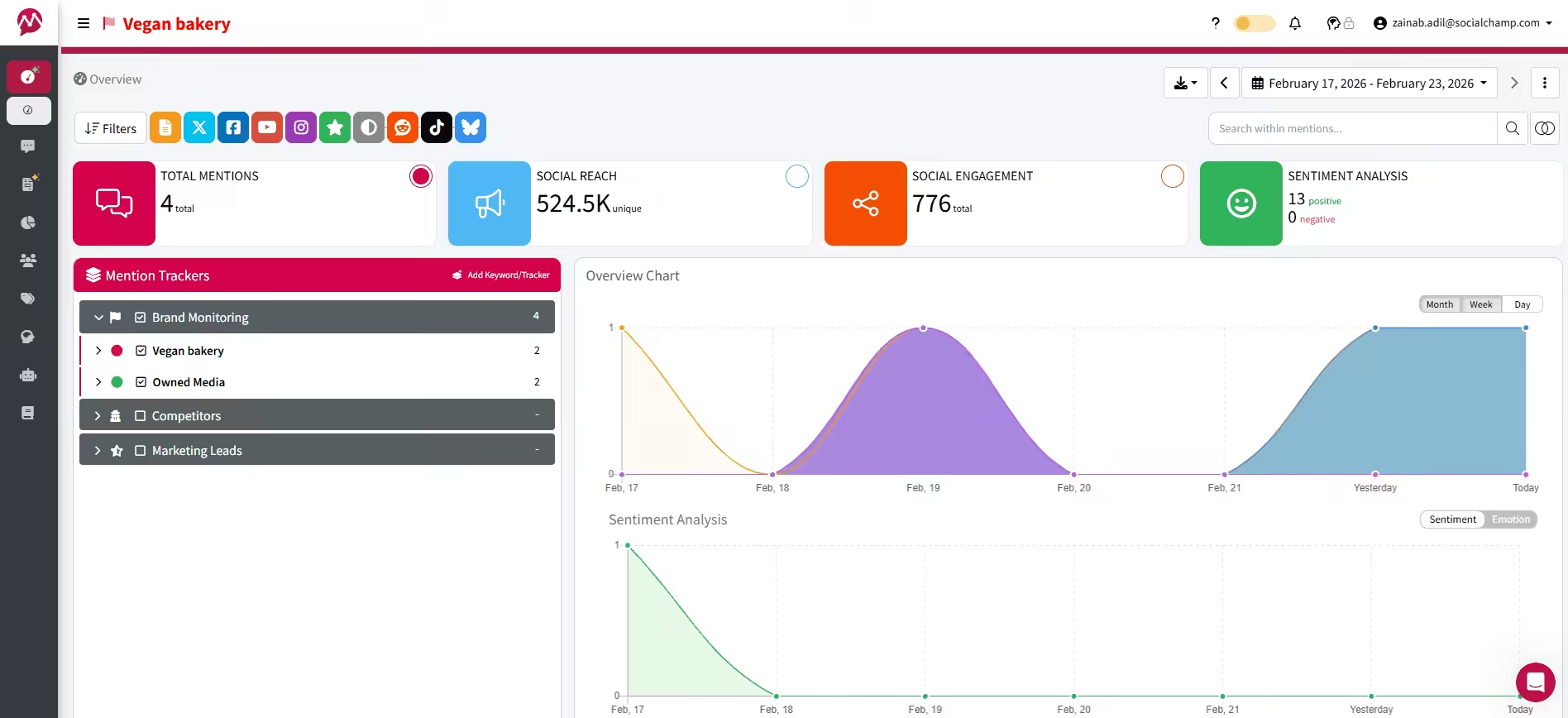
Social Champ is primarily known as a heavy hitter for scheduling and automation, but its Social Listening suite is where the “big brand” strategy happens. Unlike the simpler tools, this isn’t just about catching a mention; it’s about cross-platform intelligence.
Let’s be direct, though. Social Champ has a Free plan, but that plan is built for scheduling (3 accounts, 15 posts). To get the Social Listening features, including sentiment analysis, competitor tracking, and the deep-dive analytics, you’ll need to activate their 14-day free trial.
However, even in the free trial, you can set up to 20 alerts, track up to 100,000 posts per month, and even view historical data for three months or 1,000 posts, whichever comes first. The data retention goes up to two years, which is impressive for a trial.
My advice? Don’t waste this trial. Don’t sign up on a random Tuesday when you have a light schedule. Activate it when you are launching a new product, running a big sale, or dealing with a brand pivot. That is when this data becomes gold.
Why it’s in the “Pro” Tier:
It bridges the gap between different worlds. You can track mentions across Facebook, Instagram, YouTube, Reddit, LinkedIn, and Bluesky all in one dashboard. But the real value is the sentiment analysis. It uses AI to categorize mentions so you can see at a glance if your new campaign is being met with ❤️ or 😡.
The Strategy: The “Launch Week” Sprint
If you’re using the 14-day trial, do this:
- The “Sentiment” Audit: Set up alerts for your brand and your three biggest competitors. At the end of the week, export a Sentiment Report. If a competitor has a spike in “Negative” sentiment, look at their mentions; you might find a specific feature their users hate, which you can then highlight in your own ads.
- The “Best Time” Hack: Use the AI-powered “Best Time to Post” feature during your trial. It analyzes your listening data to tell you when your specific audience is most active. Even after the trial ends, you’ll have that knowledge to guide your future posts.
- The “Content Marketing” Hack: Use Social Champ’s own AI suite to generate content marketing ideas based on your Listening analytics.
The Breakdown
- The “True Free” Score: 4/10. The listening features are behind a trial/paywall, though the “Free Forever” scheduling plan is great for basics.
- The “Listening” Score: 9/10. It’s a full-service “helicopter view” of the forest, providing the Why and How that tools like F5Bot miss.
- Best For: Agencies, growing SMBs, and anyone who needs “Board-ready” PDF reports. If you’re running a business or agency that relies on social media tools for business, this is worth a try.
- Avoid if: You only want to track one keyword once a month. This is a high-octane tool for active brand management.
Make Every Mention Count!
Turn audience chatter into real opportunities for growth with Social Champ, which is built to listen and act in real time.
-
Mentionlytics
Mentionlytics’ DashboardIn 2026, we don’t just need more data; we need to know what to do with it. Mentionlytics stands out because of its AI Advisor (SIA), which acts like a tiny consultant living inside your dashboard. Instead of you having to guess why your mentions spiked on a Thursday, SIA will pop up and say: “Hey, your brand is trending because a mid-tier influencer in London just shared your post. You should probably go thank them.”
Why I recommend it for “Trial Hunters.”
Mentionlytics offers a 14-day free trial with no credit card required, and it gives you enough time to actually see the “SIA” in action. It tracks everything from the standard socials to the “new guard” like Threads, Bluesky, and even Telegram.
The Strategy: Using the “Smart Clustering”
One of my favorite features is AI Mention Clustering.
- The “Noise” Filter: If 500 people are talking about your brand, but 450 of them are just repeating the same meme, Mentionlytics clusters them together. This lets you ignore the “noise” and focus on the 5-10 unique conversations that actually matter.
- The “Troll” Detector: SIA is surprisingly good at spotting “troll” accounts vs. actual disgruntled customers. This is huge for Crisis Management. If a negative thread starts, Mentionlytics will alert you so you can put out the fire before it spreads to your main feed.
The Breakdown
- The “True Free” Score: 3/10. It’s a premium tool, but the 14-day trial is one of the most generous and transparent in the industry.
- The “Listening” Score: 9.5/10. Between the 96% sentiment accuracy and the emotion analysis (it tracks Joy, Anger, and even Sarcasm), it’s hard to beat for deep-dive research.
- Best For: Agencies managing multiple clients and SMBs who don’t have time to be data scientists.
- Avoid if: You’re a hobbyist. The data here is “pro-grade,” and you might find the interface a bit overwhelming if you just want to see a few @mentions.
-
Brand24
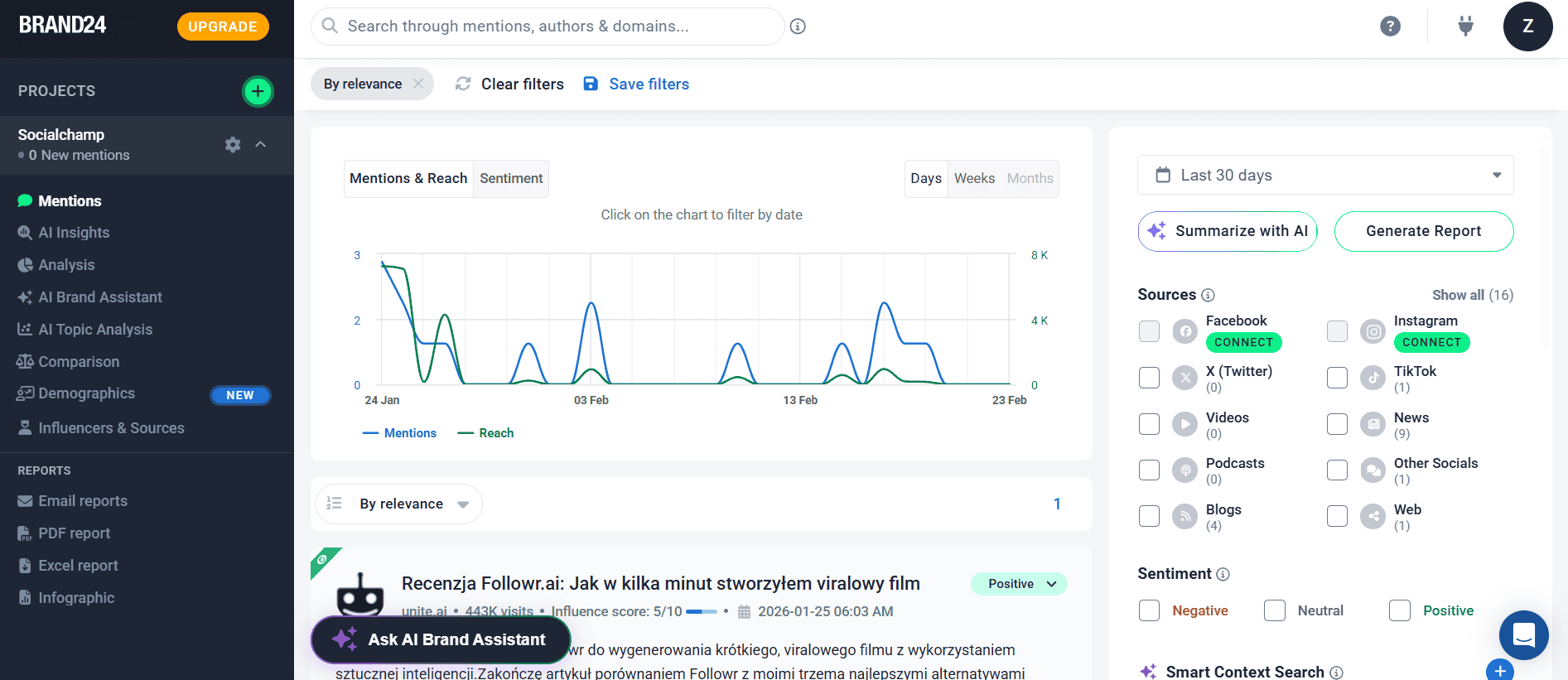
Brand24’s DashboardBrand24 is one of the most established names in the game for a reason. In 2026, they’ve leaned heavily into AI-driven metrics, moving beyond just telling you who mentioned you to telling you how much that mention actually mattered.
Unfortunately, this tool also offers a 14-day free trial with no credit card required. This is the “honest” way to do a trial; you get two full weeks to play with their most advanced features (like AI Brand Assistant and Anomaly Detection) without the fear of an accidental charge on day 15.
But while most free tools give you a list of links, Brand24 gives you a Presence Score. This is a proprietary metric (0-100) that calculates your brand’s online popularity compared to your competitors. In a boardroom, showing a chart that says, “Our Presence Score grew from 40 to 65 this month” is a lot more impressive than saying, “We got 10 more mentions on Reddit.”
The Strategy: Using “Storm Alerts” for Peace of Mind
If you’re using the 14-day trial, make sure to set up Storm Alerts.
- The “Crisis” Hack: You can set a threshold so that if your mention volume or negative sentiment spikes by, say, 300% in one hour, you get an immediate push notification or Slack alert.
- The “Influencer” Find: During your trial, look at the “Analysis” tab. It will rank every person talking about your niche by their Influence Score. Use this to find 5-10 people who actually have an audience and reach out to them for a partnership before your trial ends.
The Breakdown
- The “True Free” Score: 3/10. It’s a premium investment ($149+/month after the trial), but the trial is the most “user-friendly” on this list.
- The “Listening” Score: 9.5/10. It tracks 25 million sources, including podcasts and video transcripts—something almost no “truly free” tool can do.
- Best For: PR teams, brand managers, and anyone obsessed with “Share of Voice.”
- Avoid if: You are a solopreneur on a tight budget. The jump from “Free Trial” to “Paid Subscription” is a steep one.
Note: Features and free/trial terms can change. It’s a good idea to double-check each tool’s pricing page before you publish or commit, especially for trial length, data limits, and any caps on alerts or historical access.
Featured Article: Best Time to Post on Facebook: Insights From Analyzing 3 Million Posts
How to Choose the Right Free Tool for Your Needs
Choosing from so many free social media listening tools can feel overwhelming. Every tool claims to be “the best,” but the real trick is finding one that actually fits your workflow and audience.
Before jumping in, think about what you’re trying to achieve: are you tracking brand mentions, managing Facebook scheduled posts, or analyzing customer sentiment? The right pick depends on your goals, platforms, and how often you plan to check in.
Match Each Tool to Your Channels
Start by mapping where conversations about your brand actually happen. If most chatter is on Reddit, F5Bot and TrackReddit are your go-to free social media listening tools.
If you need web-wide coverage for PR hits, reviews, and blog mentions, Talkwalker Alerts and Google Alerts will surface timely stories and trending content. For owned Facebook and Instagram activity, comments, DMs, and tags, Meta Business Suite is essential.
And if you want a quick cross-platform pulse, Social Searcher’s free tier is a handy spot-checker.
Fit the Tools to Your Daily Workflow
Pick tools you’ll open every day. If your team lives in your scheduler and handles Facebook scheduled posts, keep Social Champ as your execution hub and let alerts nudge you to respond or publish clarifications.
Use Talkwalker Alerts/Google Alerts for clean email updates, Social Searcher for quick scans, and Meta Business Suite for fast replies on Facebook and Instagram.
The best free social media listening tools are the ones you’ll actually use.
Know the Limits (So You’re Not Blindsided)
Free means constraints. TrackReddit’s free tier limits monitors and volume; Social Searcher caps daily searches and data retention. Talkwalker Alerts and Google Alerts are generous but web-only.
Brand24, Social Champ, and Mentionlytics require a subscription after the free trial. If you’re planning a launch, make sure your chosen mix won’t throttle right when volume spikes.
Combine 2–3 Tools for Broader Coverage
No single free option does it all, so stack strategically.
A solid starter mix is Talkwalker Alerts + Google Alerts for web mentions, plus F5Bot for Reddit threads. If you want content/PR intel, layer in Brand24’s free trial during a campaign.
For quick social spot checks, add Social Searcher, and for owned channels, keep Meta Business Suite open. Use Social Champ to turn insights into posts, replies, and coordinated campaigns across profiles.
Test for a Week and Compare Results
Give each tool a seven-day trial run, even the free ones. Track three things: signal-to-noise (are alerts relevant?), speed (did you catch issues before they grew?), and actionability (did alerts lead to replies, fixes, or content?).
For deeper social media monitoring tools, time the Brand24 or Mentionlytics trials to a product launch or PR push and see what they surface that your free stack missed.
If the trial delivers must-have insights, you’ll know a subscription is justified; if not, your free stack is already working.
Why Social Champ Isn’t Just a Free Scheduler
When most people hear “Social Champ,” they think of a simple post scheduler, but it’s far more than that.
It’s designed for marketers, creators, and agencies who want clarity and organization. Social Champ blends automation, analytics, and social listening into one clean dashboard. It’s not just about posting; it’s about understanding your audience and responding smarter.
You Get Real Monitoring, Even if You Start Free
Let’s clear the big question first: Social Champ’s Free plan focuses on scheduling and analytics. But here’s where it stands out among free social media listening tools: you can unlock social listening with a 14-day free trial (no credit card).
That means you can actually test monitoring, set up keyword streams, and see mentions across platforms like YouTube, Reddit, LinkedIn, Facebook, Bluesky, and Instagram before you ever consider paying.
In other words, you can validate whether listening belongs in your stack, not just read a feature list.
Sentiment and Cross-Platform Context You Can Act On
During the trial, you can explore sentiment tracking and cross-platform mentions, two capabilities that separate “nice-to-have” from “useful.”
Set brand, product, and competitor keywords; add terms like pricing, review, or alternatives, and let the stream show you where conversations are trending. You’ll see the tone of your post (positive/neutral/negative) before publishing it.
Team Workflows That Turn Signals Into Outcomes
This is where Social Champ’s features around collaboration earn their keep. Even if listening itself is in the trial, your team can still work in one place: assign follow-ups, add notes, and keep content, comments, and performance together.
Easy Handoff From Insights to Publishing, All in One Hub
The best social media marketing tools don’t just listen; they help you act. With Social Champ, listening insights naturally flow into your calendar, asset library, and analytics.
If you spot a misconception, turn it into a carousel, a short explainer, or a pinned announcement, then schedule it across profiles in minutes. Tie links with UTMs so you can measure whether your clarification improved sentiment, conversions, or response rates.
You’re not bouncing between apps; you’re closing the loop in one dashboard.
How to Test It in Two Weeks (So You Know if It’s Worth It)
If you’re considering Social Champ alongside other free social media listening tools, use the 14-day trial like a full audit cycle:
- Day 1–2: Add alerts for your brand name, product names, top competitors, and intent keywords (pricing, review, refund, alternatives). Set up tracking across all six platforms: Facebook, Instagram, Reddit, YouTube, LinkedIn, and Bluesky, so nothing slips through.
- Day 3–5: Let the data collect. Tag incoming mentions by theme (support, sales, confusion, praise, complaint). Start drafting clarifying responses and queue them for peak engagement times.
- Day 6–7: Use Social Champ’s sentiment analysis to check your post tone before publishing. Soften phrasing, tweak CTAs, and catch unintended negativity in captions before they go live.
- Day 8–10: Shift focus to competitive listening. Monitor how your competitors are being discussed on Reddit and YouTube, the two platforms most free tools miss. Look for gaps in their responses that you can fill.
- Day 11–12: Review your analytics dashboard. Compare engagement on posts you scheduled after listening insights versus your baseline. Check if response time to mentions has improved.
- Day 13: Export a sample report. Share it with your team or client to demonstrate whether the listening data is actionable enough to justify a subscription.
- Day 14: Make the call. If the cross-platform coverage, especially YouTube comments and Reddit threads that free tools ignore, has surfaced insights you couldn’t find elsewhere, you’ll know the subscription pays for itself.
Manage Reputation Like a Pro!
Know what’s being said about your business and handle feedback before it turns into a bigger issue with Social Champ.
Conclusion
At the end of the day, the best free social media listening tools are the ones that actually help you understand your audience and take action, not just collect data.
No matter whether you’re tracking brand mentions, spotting customer pain points, or keeping an eye on competitors, these tools give you a solid starting point without spending a dime.
Start small, test a few options, and build your own listening stack that fits your workflow. And if you’re ready to go beyond alerts and actually turn insights into content, Social Champ’s free trial is a smart next step.
Try it yourself; you’ll quickly see how listening can transform your posting and engagement strategy.