You already know that Reels are everywhere nowadays, but are you really getting yours in front of the right audience?
If you’re a brand or creator, a single Reel can grab a lot of attention. But at the same time, it can easily get lost in the feed.
Short Summary
- Sharing Reels to your Story boosts visibility and pulls more viewers into your main content.
- Adding CTAs, stickers, and text makes people stop, tap, and watch the full Reel.
- Crossposting to Facebook doubles your reach with almost no extra effort.
- Scheduling tools like Social Champ help you automate Story-sharing and stay consistent.
- Tracking taps and engagement helps you refine what works and post smarter next time.
That’s where Stories play a significant role in getting your Reels in front of more eyes, especially since 500 million people view Instagram Stories daily!
With this huge audience, if you share your Reel to your Story, you can easily grab your audience’s attention and ensure it’s seen, even if it gets lost in the feed.
So how do you actually share your Reels to Stories and make them work for you?
In this guide, I’ll explain to you, in easy steps, how to share a Reel to your Story on Instagram and Facebook with some scheduling and automation tips to maximize your reach.
Let’s get started.
Featured Article: How to Add a Collaborator on Instagram

Take Your Reels Further With Social Champ!
Plan, schedule, and share your Reels directly to your Stories. Save time and get your content in front of more eyes.
Featured Article: Instagram Ad Sizes: A Comprehensive Guide for Eye-Catching Creatives
What Happens When You Share a Reel to Your Story?
Let’s say you just posted a Reel in which you’ve highlighted your new product or campaign.
It looks great, but after a few hours, you notice the views aren’t as high as you expected, and you wonder if people even saw it.
That’s exactly the moment when you can share that Reel to your Story.
This way, you give your followers a sneak peek to make them curious enough to watch your full Reel.
How Your Audience Sees the Reel
When you share a Reel to your Story, your audience gets a mini-preview with a “Tap to watch” prompt.
You can even place a sticker on top of that so your audience becomes more curious to tap on it to watch the full Reel.
Consider it as an invitation for your followers to see just enough to get intrigued, and then tap through to the full content.
This way, you can drive traffic to your other Reels to keep your brand visible and memorable.
How Do You Share a Reel to Your Story?
If you’re wondering how to share a Reel to your Story, it’s a simple process.
Just tap the share icon on the Reel, choose the option “Add to Story,” and you can add your creative touch like stickers, text, or call-to-action.
Suddenly, your content goes from “scroll past” to “must watch.”
Benefits vs Limitations
Here’s a quick look at the benefits and limitations:
| Benefits | Limitations |
|---|---|
| Boosts visibility and reach | Story clips are limited to 15 seconds |
| Encourages taps to the full Reel | Only public Reels, or those with sharing permissions, can be reshared on Stories |
| Engages your audience quickly | Longer Reels may be truncated |
| Highlights the latest content without overposting | Analytics show Story-level metrics, which may not always be Reel-level |
When you share Reels to your Story, it creates urgency.
If you’re a business, agency, or creator, this small step can turn your good Reel into a high-performing piece of content.
Featured Article: How to Go Live on TikTok: Stream, Earn, and Grow Your Audience
How to Share a Reel to Your Story on Instagram
Have you ever paused mid-scroll and wondered how to share a Reel to your Story on Instagram the right way?
Don’t worry. Instagram keeps the process smooth and simple. Once you learn it, you can place any Reel on your Story in seconds.
How to Share Your Own Reel to Your Story
If you want to share your own Reel to your Story on Instagram, here’s the exact path you can follow:
- Open the Reel you want to share.
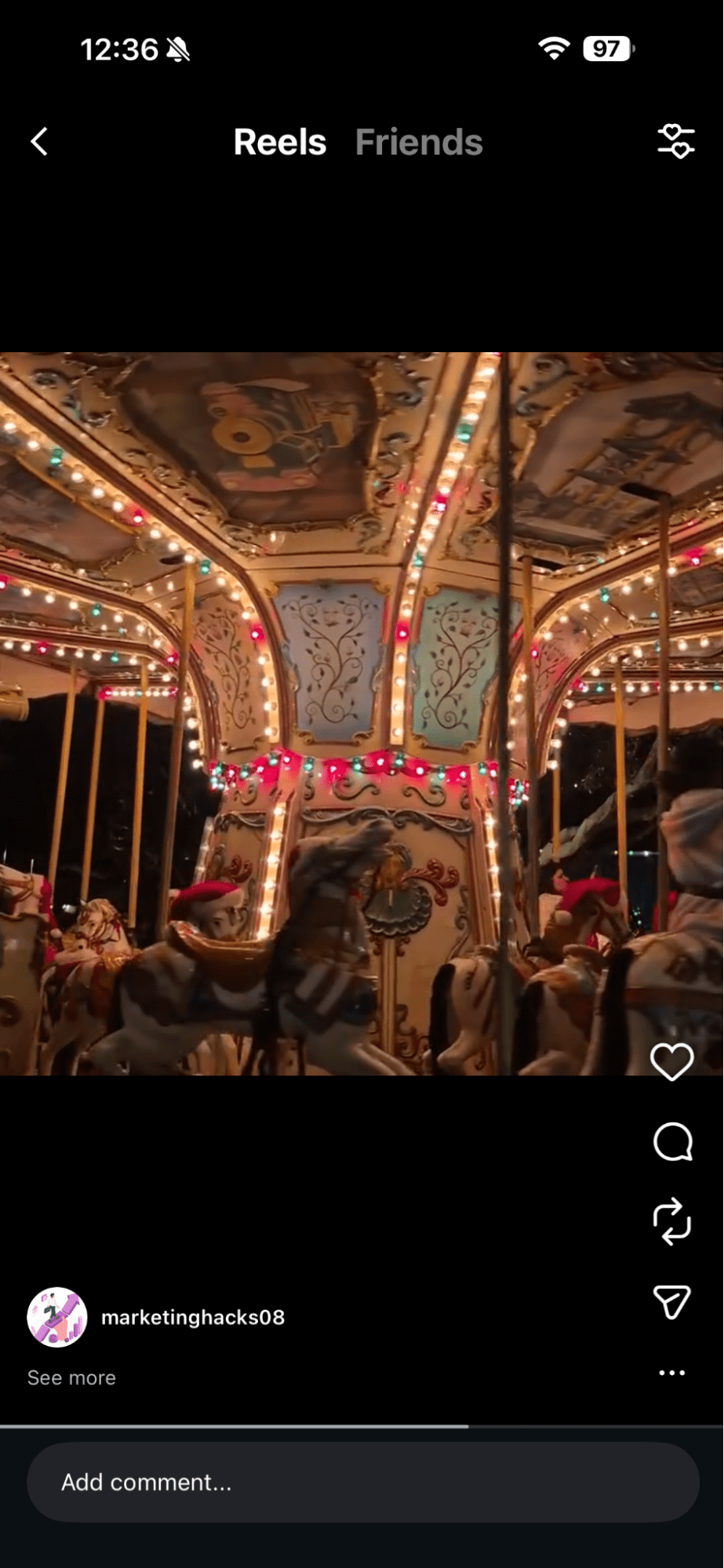
Open the Reel You Want to Share - Tap the Share icon.
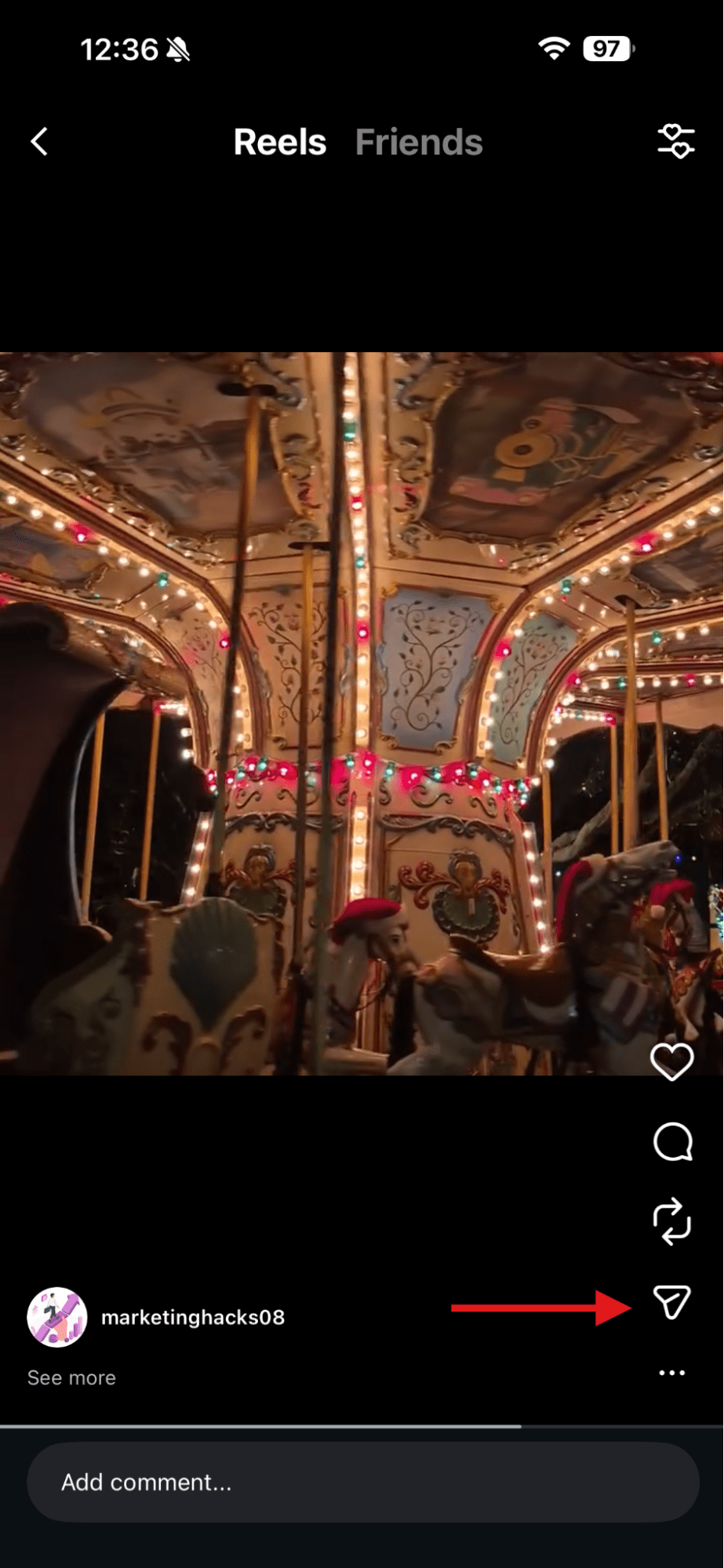
Tap the Share Icon - Tap the option “Add to Story.”
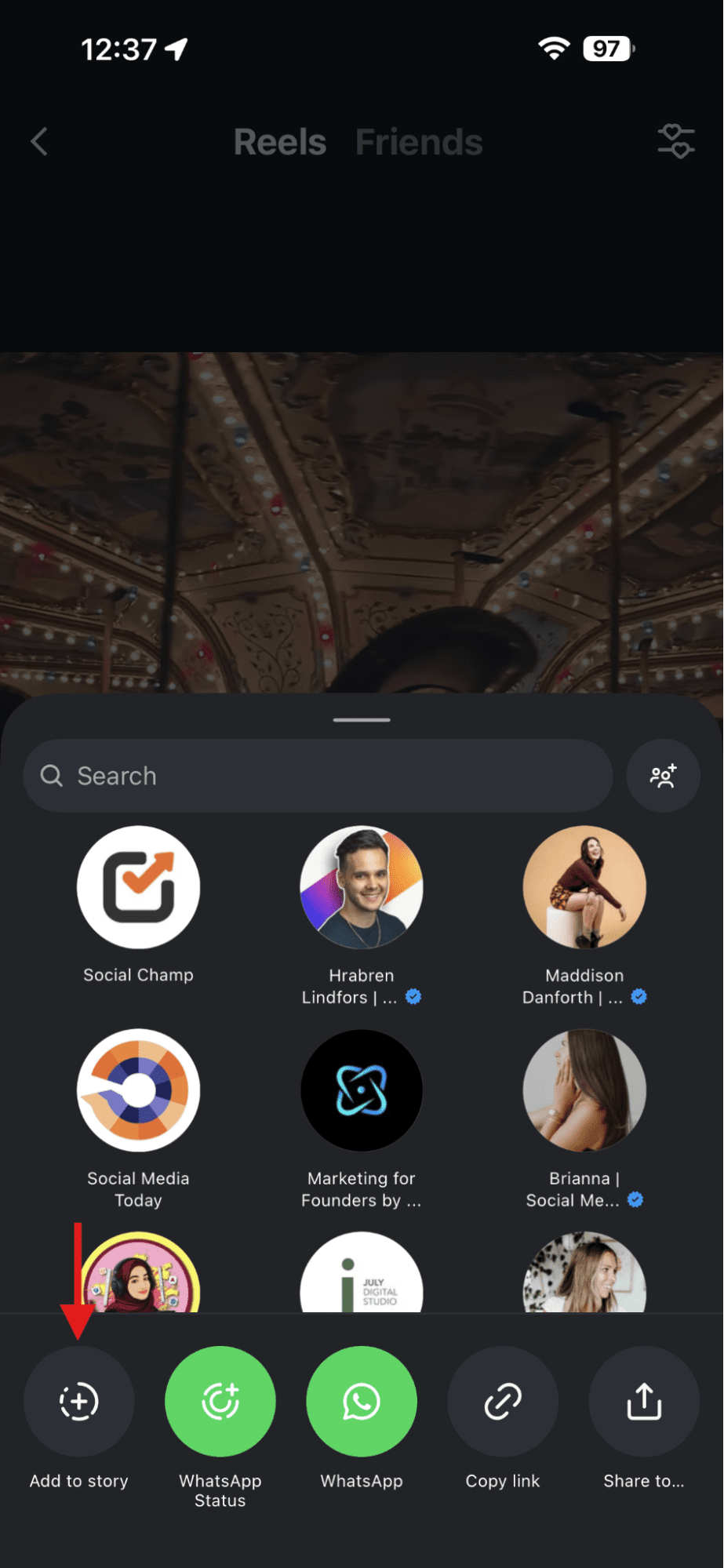
Tap “Add to Story” - Now add your text, GIFs, stickers, or a quick CTA like “New Post” or “Tap to Watch.”
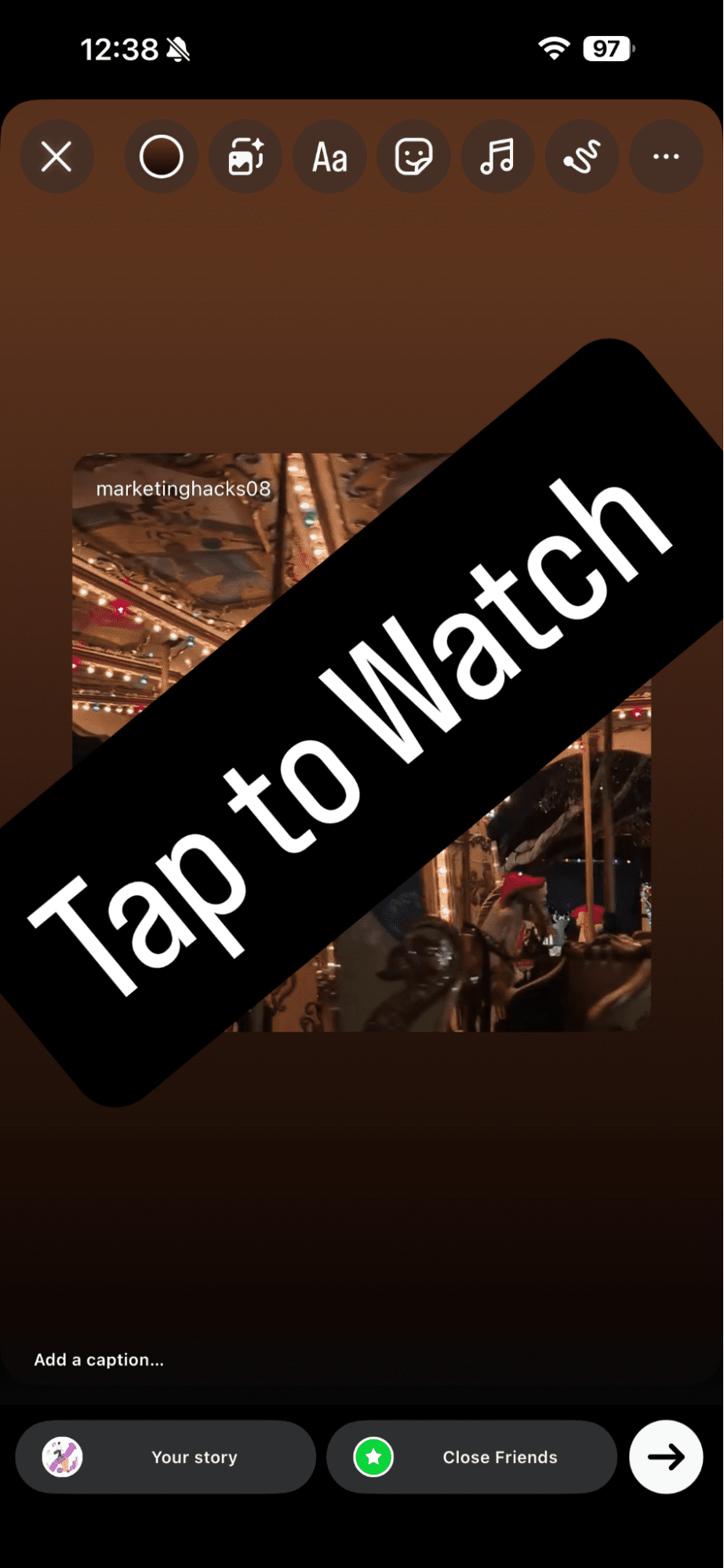
Add Your Text and Stickers - Tap “Your Story” to post it.
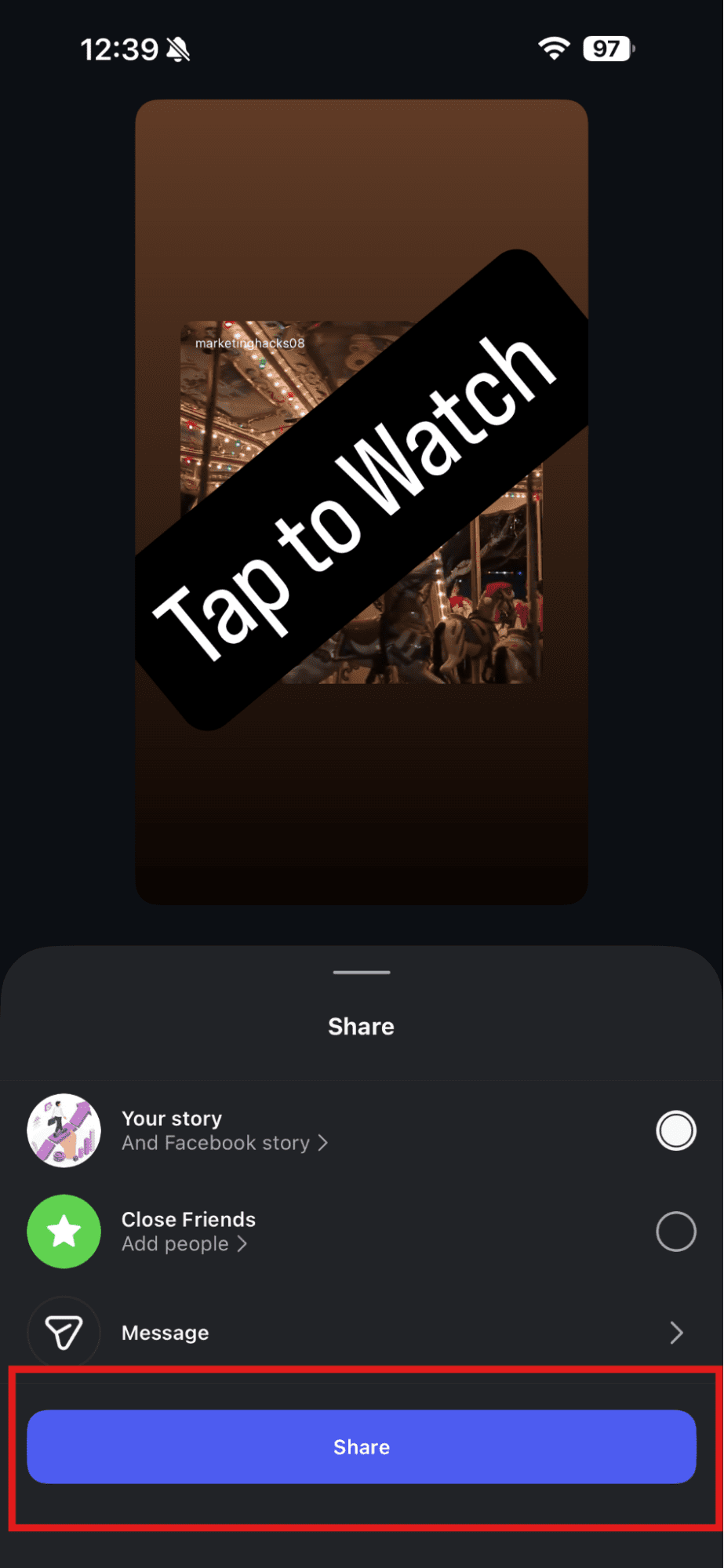
Tap to Share the Story
Additionally, this works the same way for creators, brands, agencies, and business accounts.
Try to create your Instagram Stories in a way that aligns your Reel’s colors or tone. This creates a cleaner look and pulls more attention.
How to Share Someone Else’s Reel to Your Story
You can share someone else’s Reel too by following the same steps above, but only when:
- Their account is public
- They allow sharing
If both apply, you’ll see the same “Add to your Story” option. If not, Instagram hides the button.
Can You Do This From a Desktop?
No. Unfortunately, Instagram still doesn’t allow sharing a Reel to the Story from the desktop.
You can watch Reels on the Desktop, but to share them to your Story, you have to switch to your phone.
Why This Step Matters
If you share a Reel to your Story, your audience can see it at the top of their screens, and they don’t have to scroll to find it.
They can just tap on it to watch the full Reel, which results in more views and better reach for you.
Don’t Let Your Hard Work Go Unseen!
Schedule your Reels as Stories with Social Champ and make sure every follower sees your best content.
Featured Article: Does Instagram Shadowban Exist Or Is It a Myth?
How to Share a Reel to Your Story on Facebook
If your audience is on both platforms, Instagram and Facebook, or you manage your client’s Facebook and Instagram accounts, you already know the importance of keeping your content connected.
You may share Reels on Instagram first and then wonder how to share a Reel on your Story on Facebook without losing quality or reach.
Don’t worry, like Instagram, this process is simple too once your accounts are linked.
Link Your Instagram and Facebook Accounts First
To do this, the first step you have to take is to link your Instagram and Facebook accounts before sharing Reels across both platforms.
You can do this inside the Instagram Account Center easily.
Once you connect them, Facebook recognizes any new Reel you post on Instagram.
If you manage multiple accounts or pages, this process can help you a lot, as you won’t have to repeat the same steps for every platform.
How to Share Your Instagram Reel to Your Facebook Story
To share your Instagram Reel to your Facebook Story, you can either download it and then directly upload it to your Facebook Story or just follow these steps:
- Open the Reel on Instagram.
- Tap the Share icon.
- Select the “Add to Story” option.
- Tap the arrow in the lower right corner of your screen.
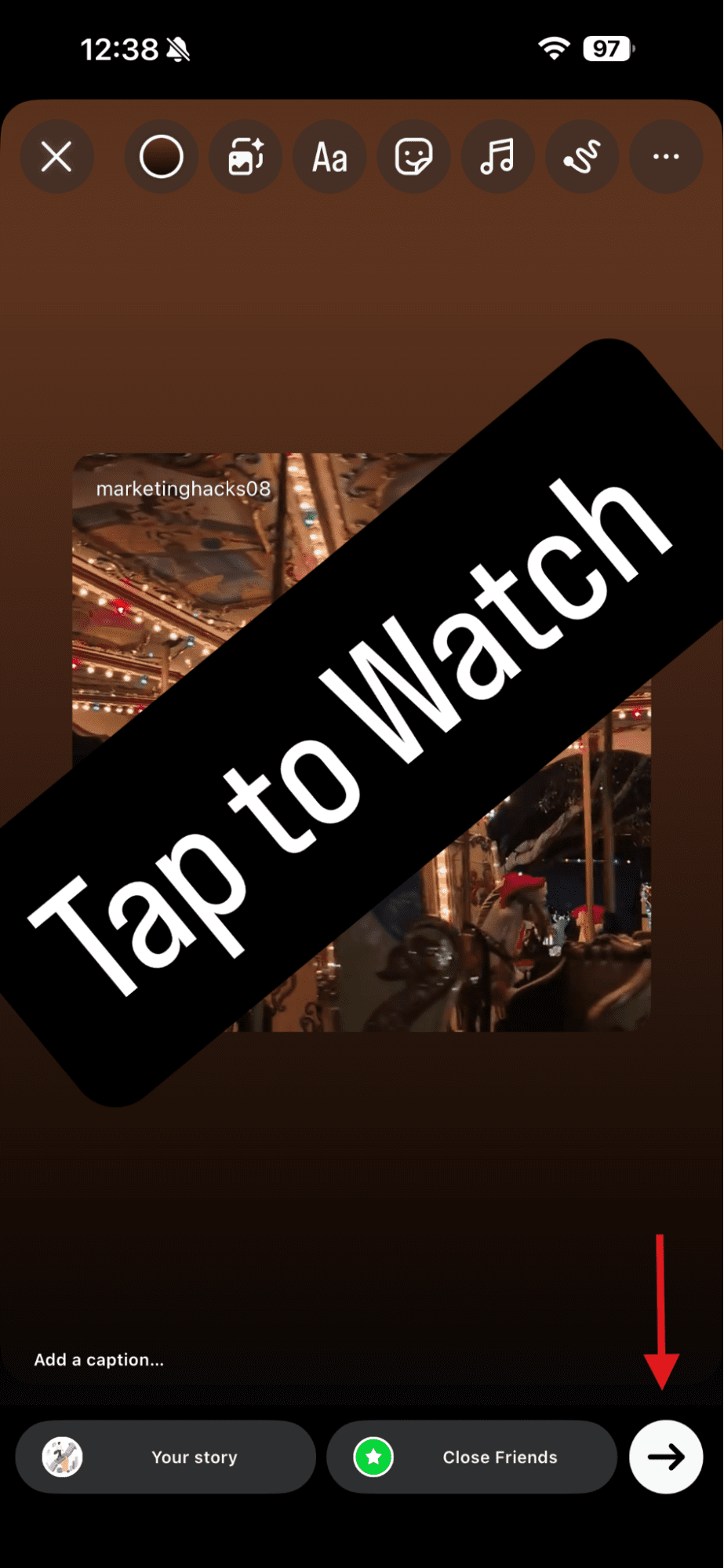
Tap the Arrow Icon - Select sharing options.
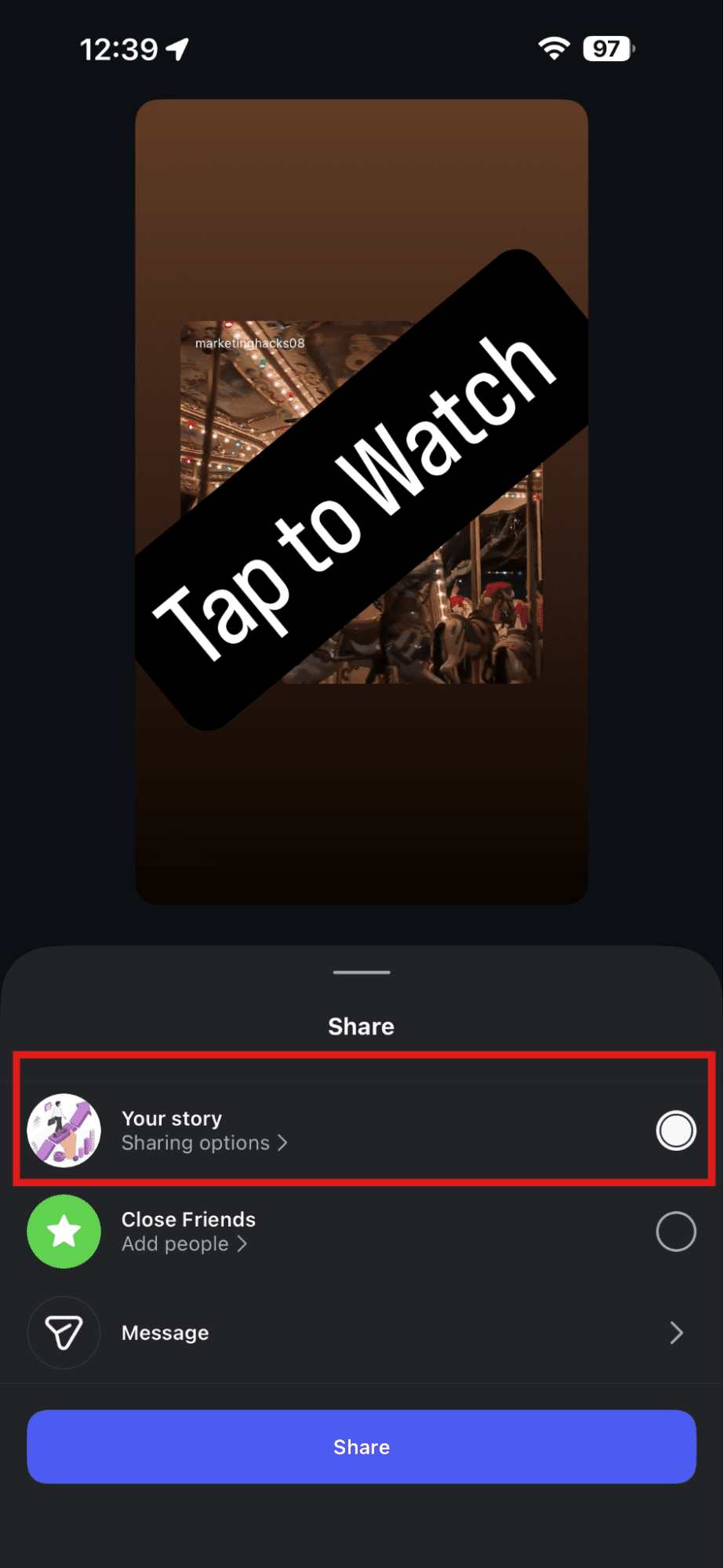
Select Sharing Options - Choose between “Share once” or “Share to Facebook Every Time” depending on what you prefer.
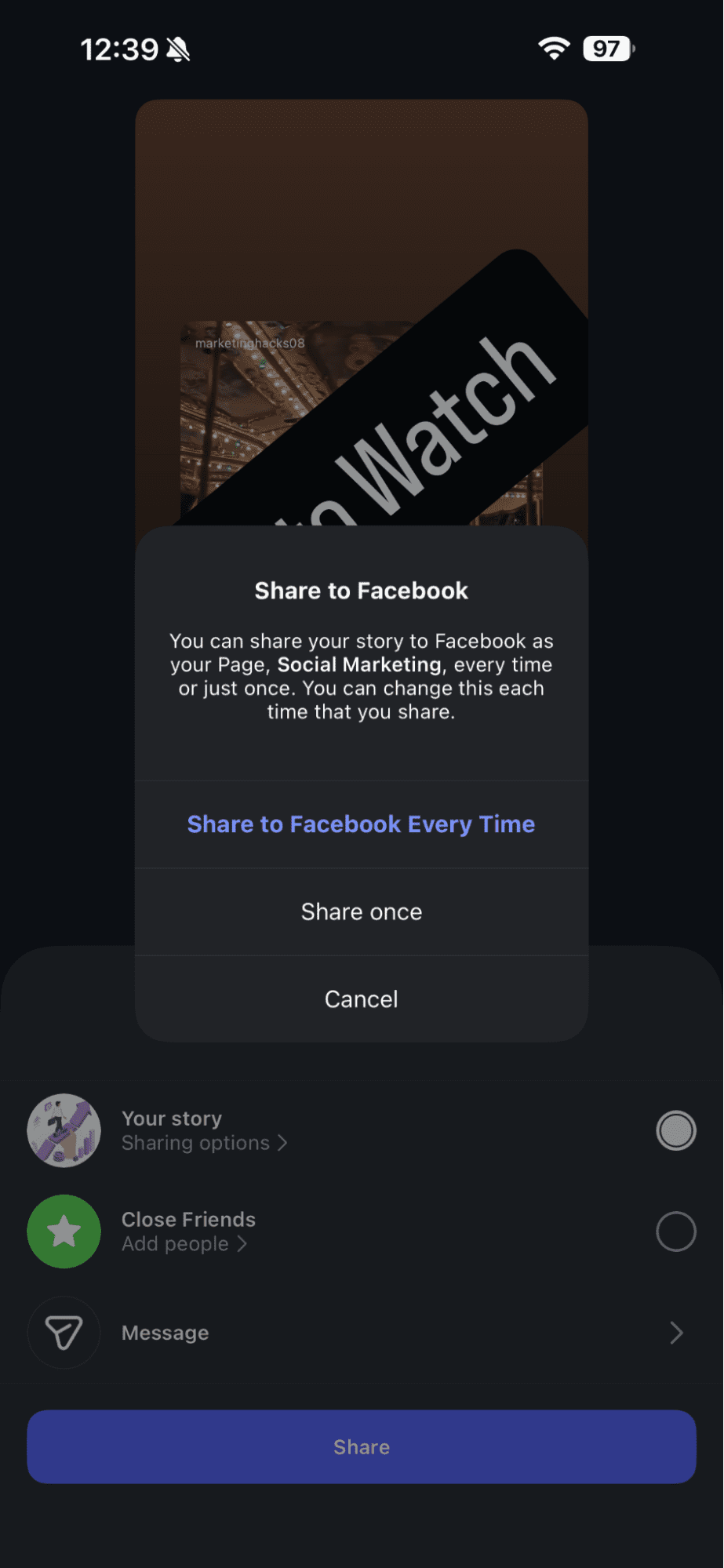
Select Your Preferred Option - Add stickers, GIFs, or text.
- Tap the “Share” option.
Tap to Share the Story
If you’re sharing someone else’s Reel, don’t forget to give credit to the original creator.
How to Auto-Share Your Instagram Content on Facebook
If you want a faster workflow, you can turn on the crossposting option on Instagram. This way, Instagram will send every new Reel or post to your Facebook page or account right away.
Here’s how to do it:
- Go to your Instagram profile.
- Select the three lines in the upper right corner of your screen.
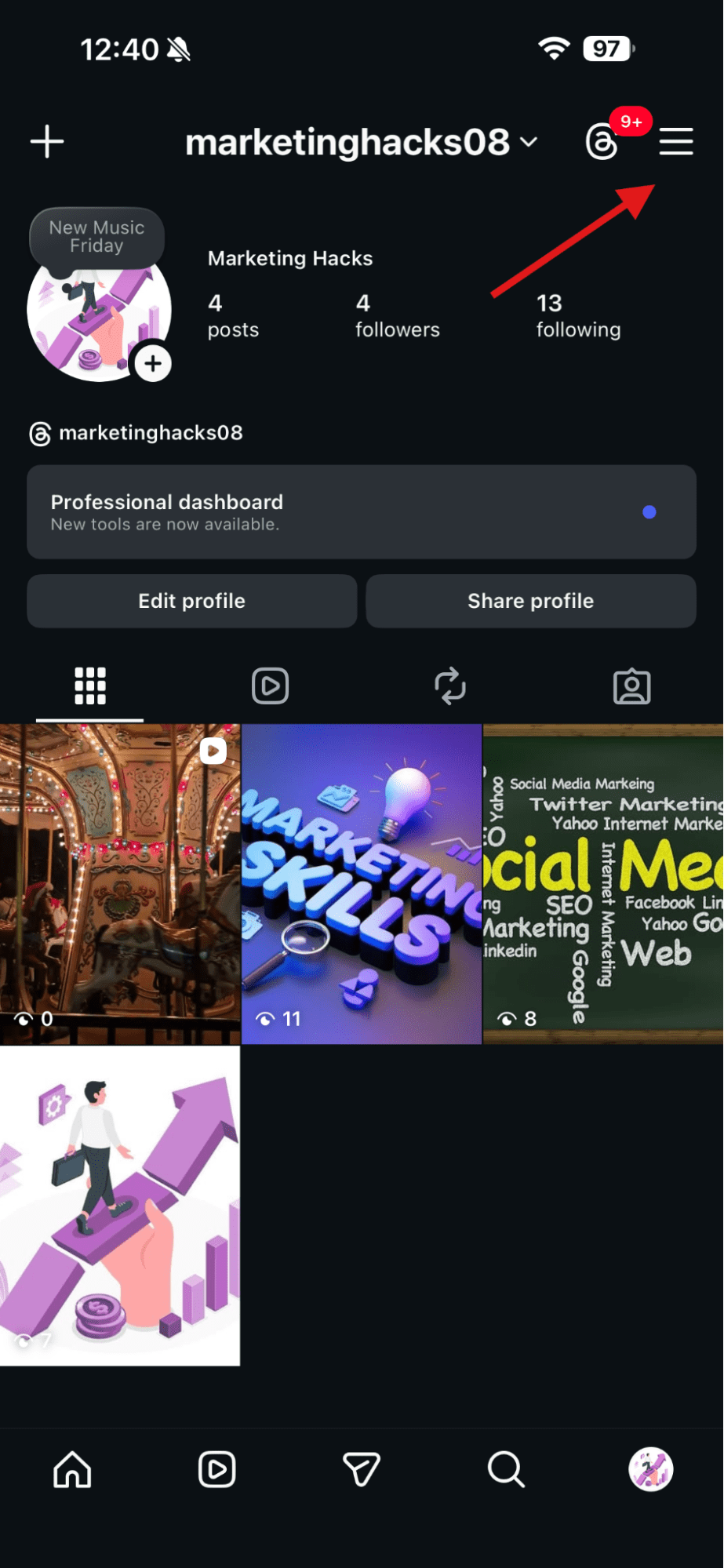
Tap the Three Lines - Scroll to the “Crossposting” option and tap on it.
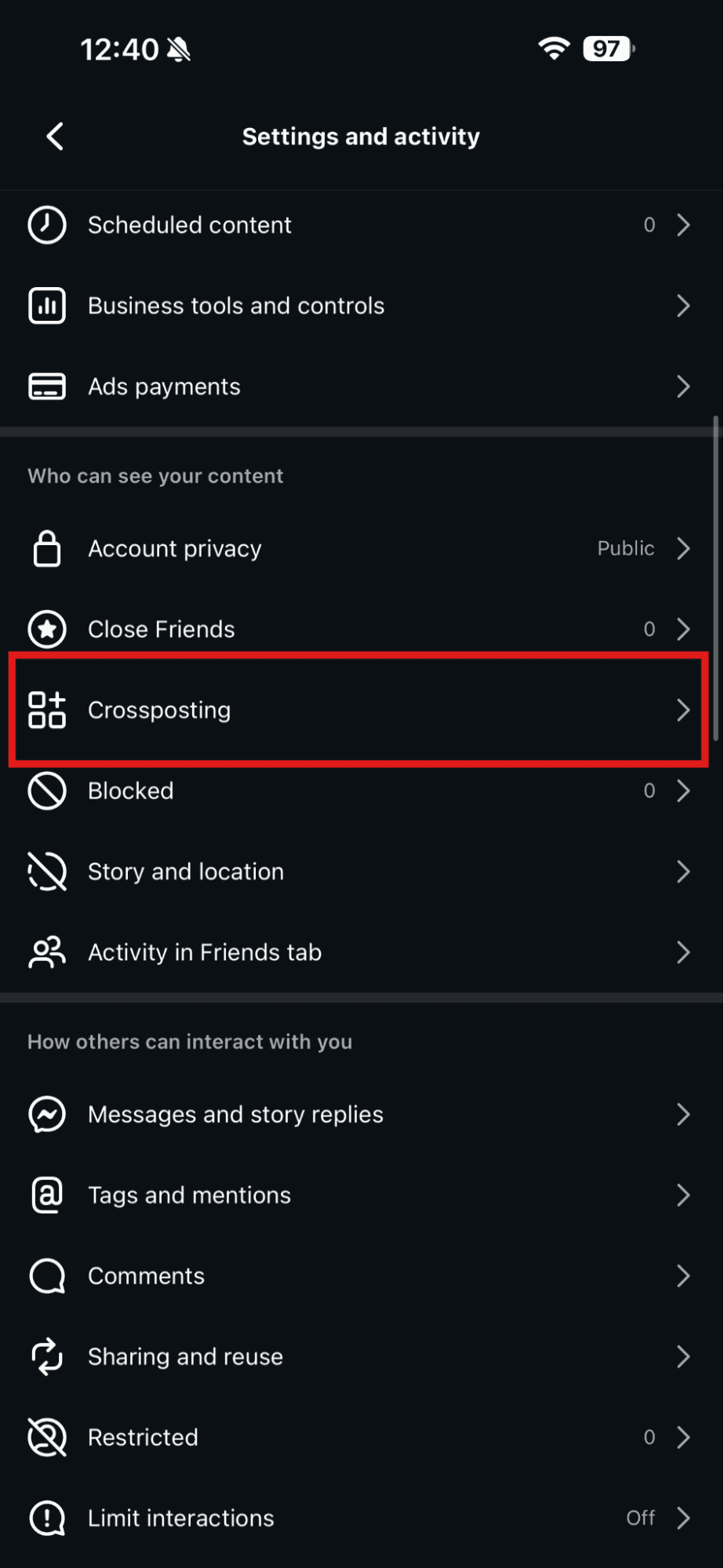
Tap “Crossposting” - Now you can turn on the toggle buttons of “Your story,” “Posts,” and “Reels.”
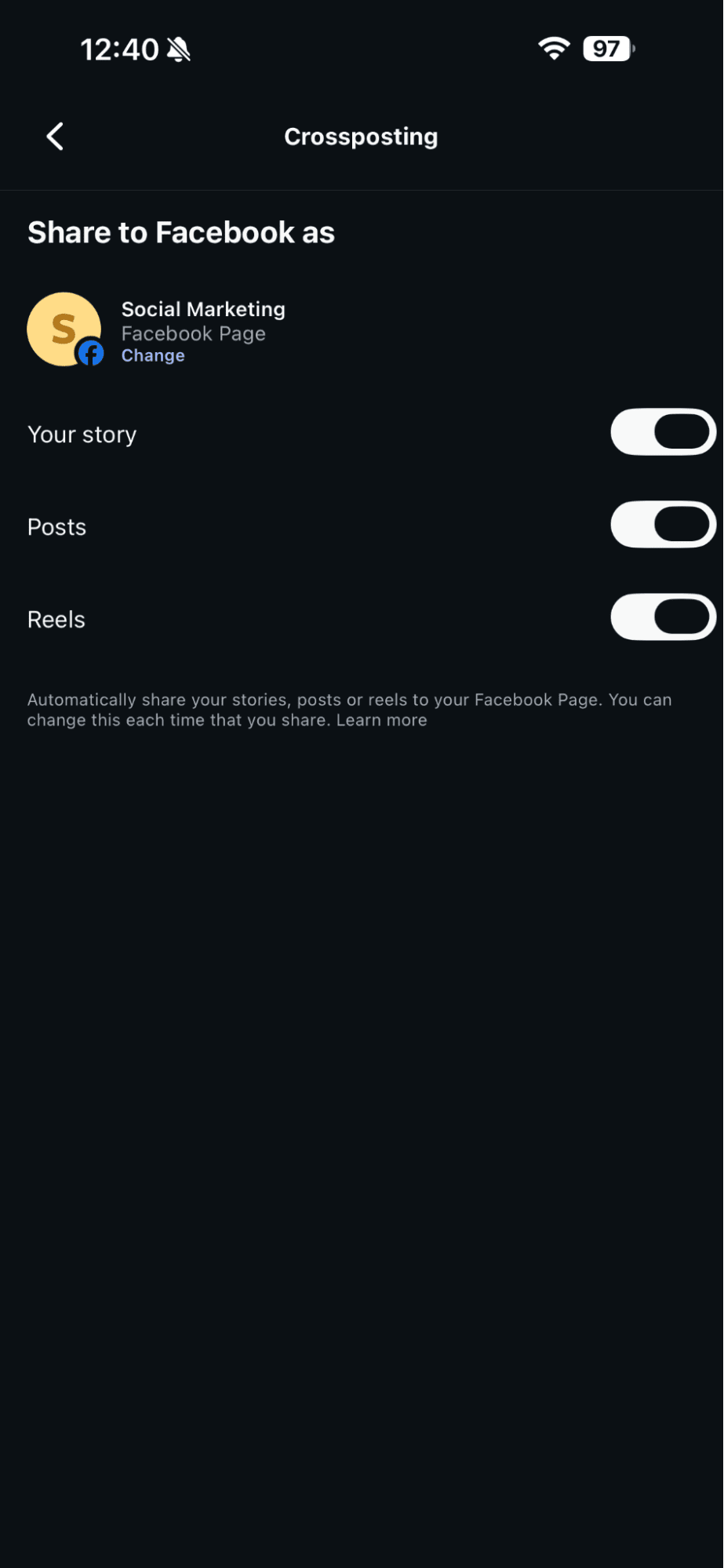
Turn on the Toggle Buttons
This setting works well if your audience is active on both platforms and you want consistent visibility.
How to Share a Reel Inside Facebook
If your Reel is already on Facebook or you downloaded it, you can share it from the Facebook app:
- Open your Reel.
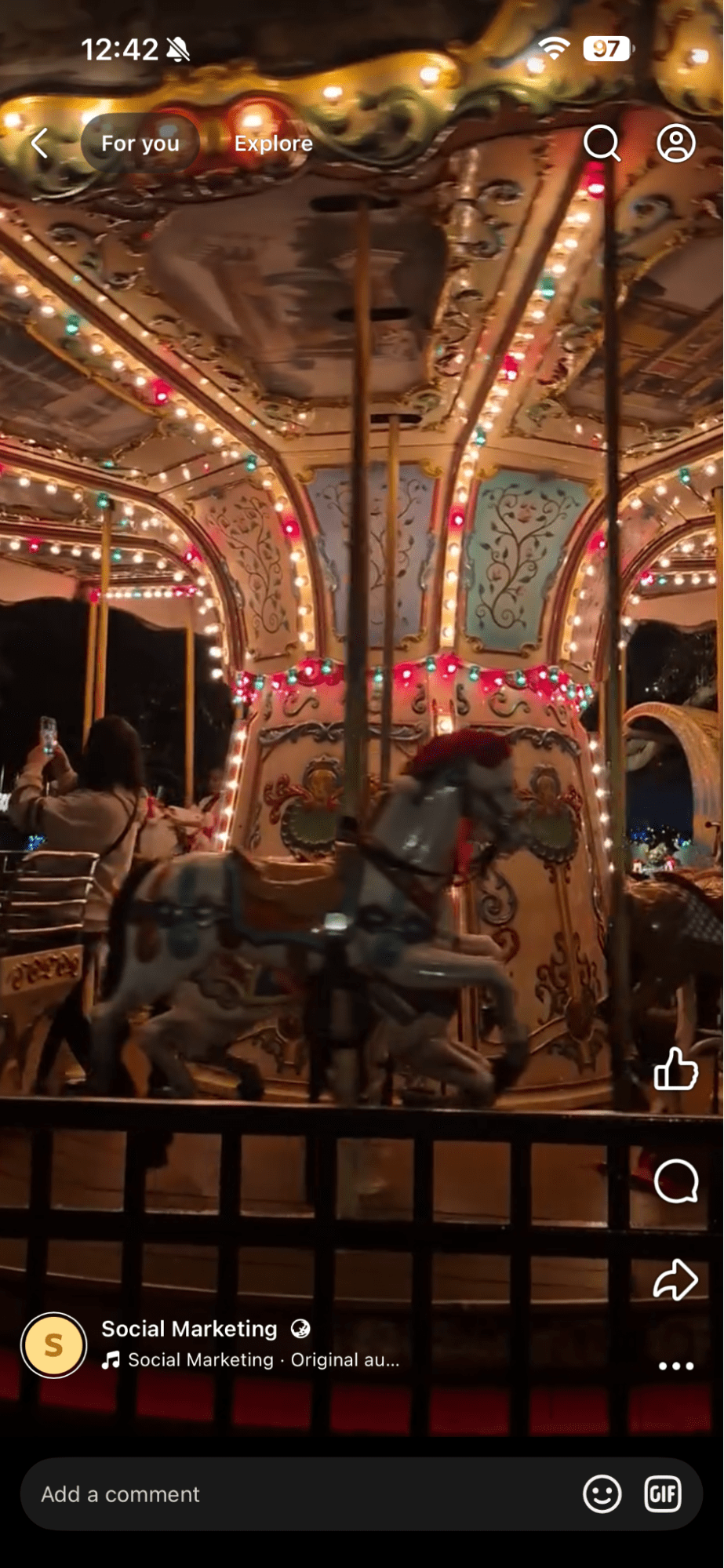
Open the Reel on Facebook - Tap the Share icon.
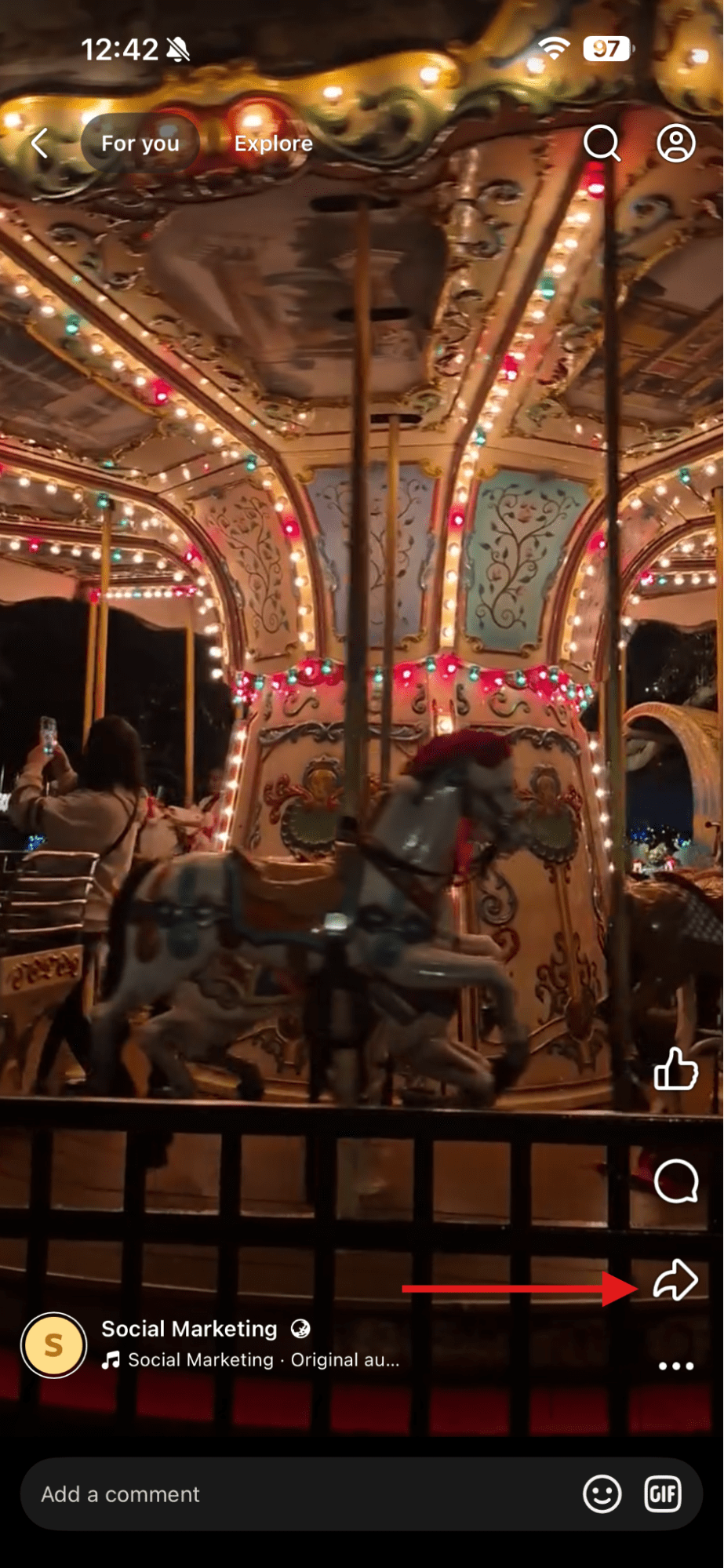
Tap the Share Icon - Select “Your Story.”
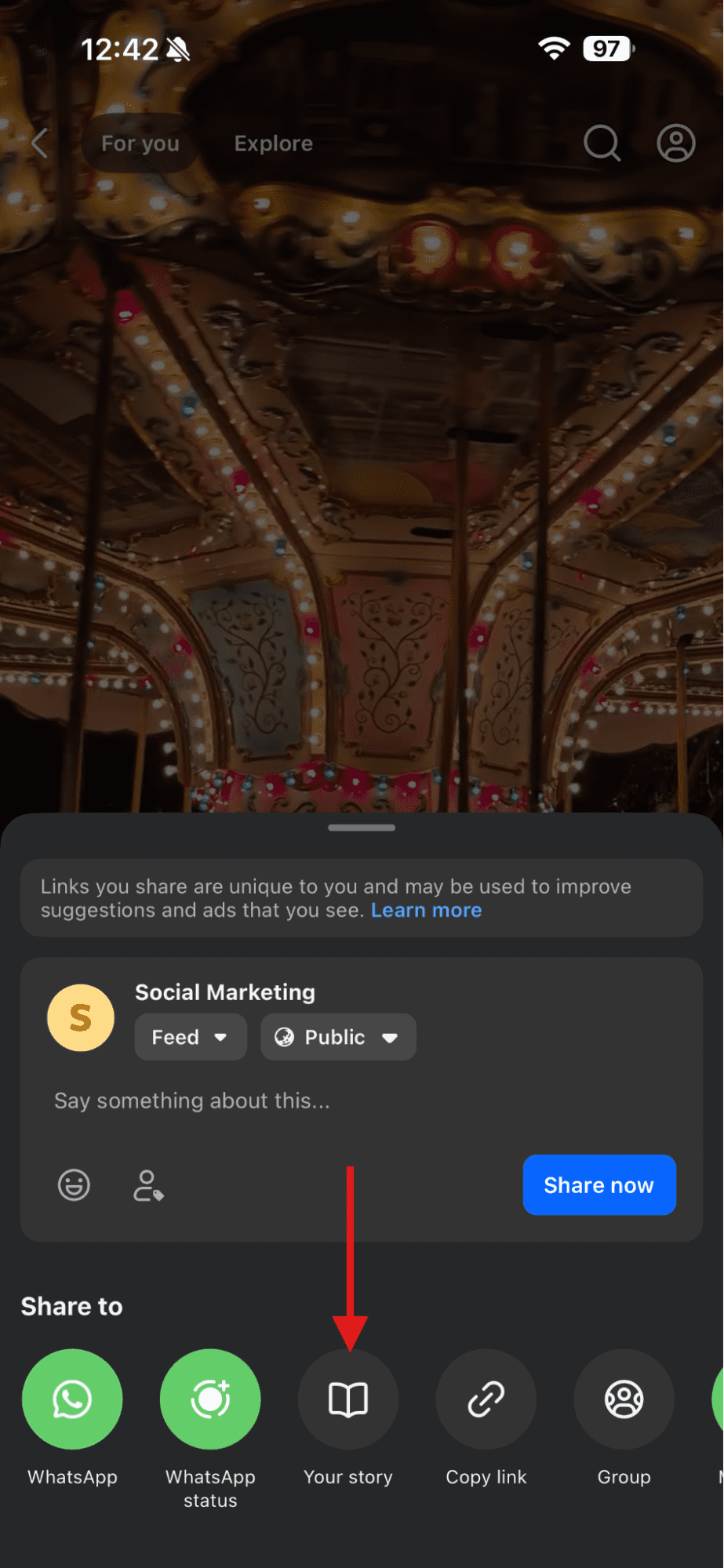
Tap “Your Story” - Edit the Story and add the stickers and GIFs.
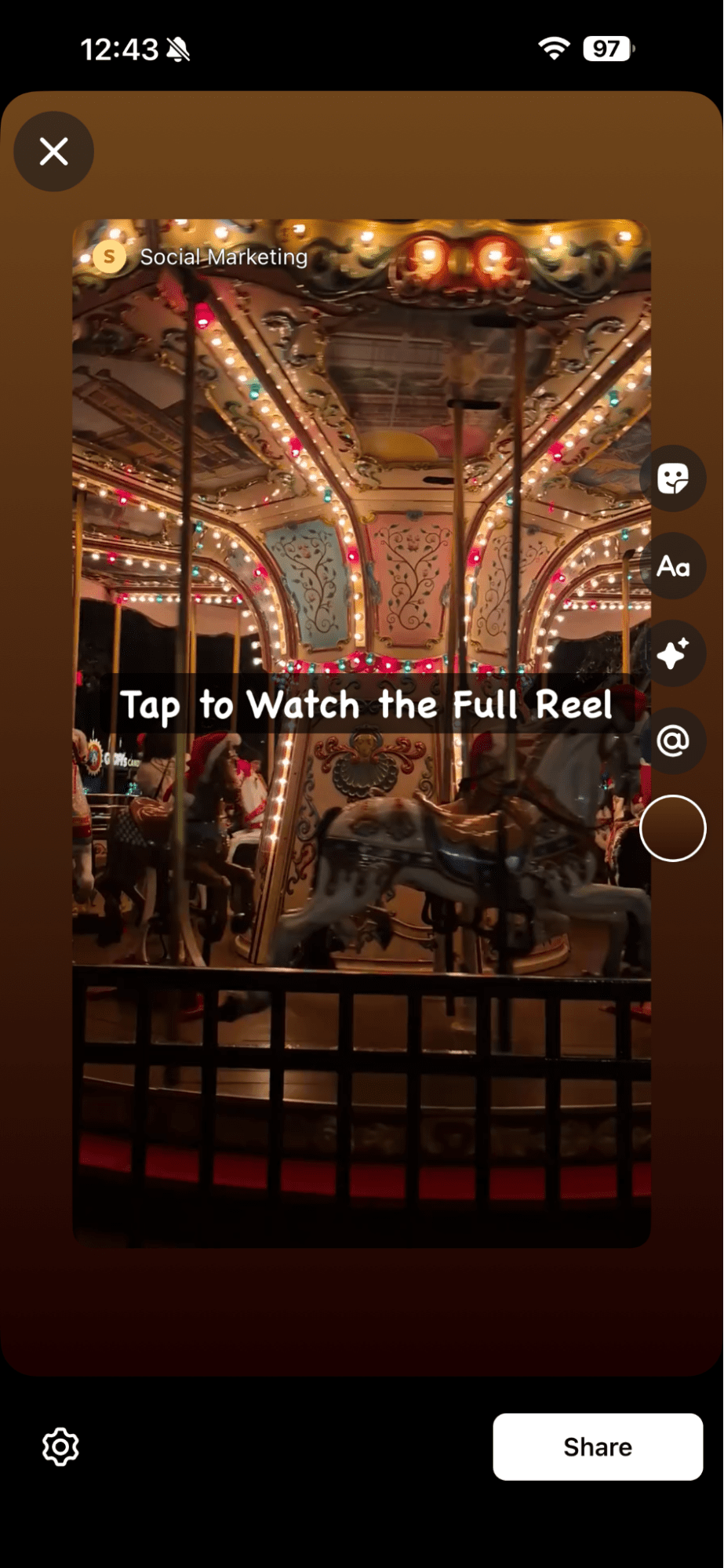
Edit Your Story - Tap the “Share” option.
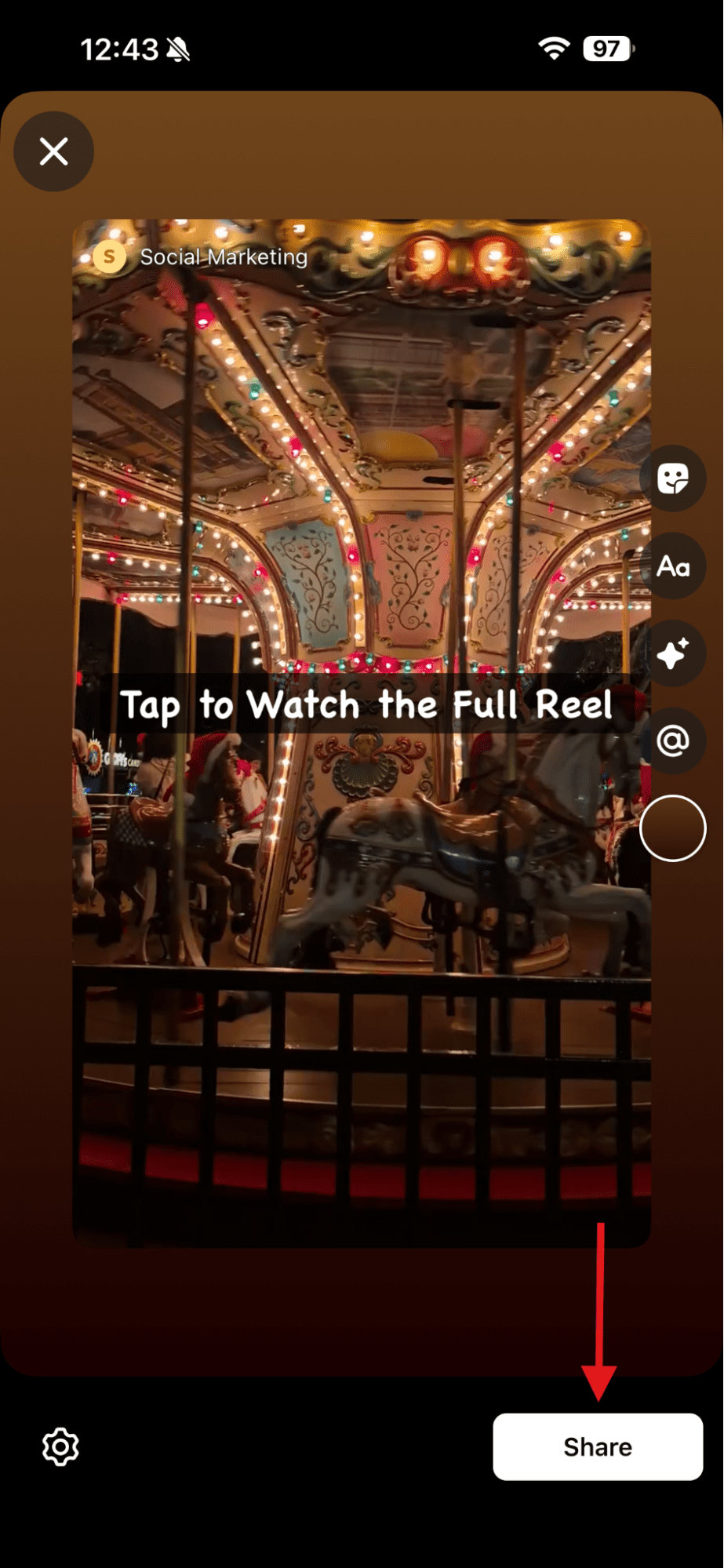
Tap “Share”
This works, even if your Instagram app is not open.
Quick Mini-Chart for Cross-Sharing
Here’s a simple chart that shows how Instagram and Facebook work together:
| Action on Instagram | Result on Facebook | Extra Tip |
|---|---|---|
| Share Reel to Story | Reel appears on Facebook Story (if linked) | Check if sharing is allowed |
| Turn on Auto-Share | New Reels go to Facebook Stories | Useful for daily posting |
| Download Reel | Upload manually to Facebook Story | Save in HD for better clarity |
Why This Step Matters
Usually, people watch Stories more than Posts.
So when you share a Reel to your Story on Facebook, you can give it a second chance to reach people who may’ve missed it on Instagram.
This way, you can get more views without making new content each time.
Featured Article: 1000+ Instagram Username Ideas for Every Niche
Why Can’t I Share a Reel to My Story, and What Should I Do?
Let’s say you’re in full content creation mode and you want to share a Reel to your story.
You’ve just found a really good Reel that aligns with your brand vibe, and when you hit that “Add to Story” button, you suddenly don’t see the option there.
It feels like Instagram is playing hide-and-seek at the worst possible moment.
But don’t worry, this problem is super common and luckily, almost always fixable.
The Most Common Reasons This Feature Disappears
Before you panic, let me tell you the usual suspects behind the missing option:
- Sometimes the creator disables sharing, which doesn’t allow you to share their Reels to your Stories.
- A surprisingly common reason is that your App may not be up to date.
- If the creator’s account is private, Instagram doesn’t allow you to share their Reels.
- Sometimes, business or newly created accounts face temporary limitations.
- Instagram occasionally bugs out and hides options for no reason.
The Quick Troubleshooting Checklist
You can try these fixes step-by-step:
- Go to the Play Store or App Store to update your Instagram app.
- Restart or refresh your app. Sometimes the feature pops back instantly.
- Check if the creator allows sharing because if it is turned off, you won’t see the option.
- You can clear the cache in Android or reinstall the app in iOS, which works 90% of the time.
- Make sure to verify your account type. If you switched from personal to professional recently, wait a few hours.
When You Should Contact Support
First, follow these steps. If the option still won’t appear after trying all these steps, then you can reach out to Instagram Support.
If the problem lasts more than 48 hours, it’s not a glitch. It needs a deeper look.
Featured Article: How to Manage Multiple Facebook Accounts and Pages Smoothly
How to Schedule or Automate Sharing a Reel to Your Story
If you manage multiple social media channels, you may know how quickly manual posting drains your time.
And when your audience expects quick content updates, it becomes even more important to learn how to share a Reel to your Story at the right time.
I know you probably want your Story to go live when your audience engages with it the most. And you probably want your Reels to keep pulling views, all without the additional stress of posting.
That’s where automation can help you a lot.
With the right Facebook post scheduler or Instagram scheduler, you can plan your Reels and Stories, set the exact moment you want to publish them, and move on with your day.
Your Simple Workflow to Automate Reels to Stories
Here’s the flow most businesses, brands, and agencies follow:
- Download the Reel or copy its link
- Upload it to your scheduling tool
- Write your Story caption, stickers, or a CTA
- Select the posting slot you want it to post to
- Let the tool publish it for you automatically
It saves time while keeping your content active and visible.
Why Social Champ Makes This Easier for You
Alt Text: Social ChampIf you manage multiple social media accounts or clients, you need a scheduling tool to keep everything organized.
This is where Social Champ helps you work smarter.
With Social Champ, you can:
- Schedule Reels and publish them as Stories
- Auto-share to Facebook Stories for double the reach
- Monitor what performs best with analytics
- Keep all accounts in one dashboard
- Use automation that frees hours every week
- Plan ahead instead of posting on the spot
It creates a predictable posting system so your content stays consistent even on your busiest days.
Manual vs Automated Sharing (Quick Comparison)
| Manual Posting | Automated Scheduling | |
|---|---|---|
| Time Spent | High | Low |
| Control | Full control but hands-on | Same control with less effort |
| Consistency | Depends on your availability | Reliable on all days |
| Multi-Account Handling | Difficult | Organized and scalable |
| Cost | Free but time-heavy | Paid but time-saving |
| Best For | Casual posting | Brands, creators, agencies |
Could Your Reels Perform Better Than You Think?
Use Social Champ to automate Story sharing and turn every Reel into a mini traffic magnet.
What Are the Best Practices When Sharing a Reel to Your Story for Maximum Impact?
If you’ve learnt how to share a Reel to your Story, the next step is to make sure that the preview actually drives people to tap.
A few simple habits can help your content land better and pull more viewers into your Reels.
Featured Article: How to Unblock Someone on Facebook
Add Text That Guides Viewers
You already know that people tap through Stories fast.
A short line such as “Tap to watch the full Reel” or “Full video inside” gives them a reason to stop and tap on it.
Keep Your Story Visuals Consistent
Your Story should match the feel of your Reel.
If your colors, tone, or layout clash, viewers lose interest. You should treat your Story like a doorway to the Reel and keep the visual flow clean.
Post At the Right Time
You know very well that timing matters a lot. So do check when your audience engages the most with your content.
You can even rely on insights like the best time to post on Facebook and the best time to post on Instagram to post your Story at the right time because timing matters more than most creators realize.
Track Story Taps
Look at how many viewers tap the preview to watch the whole Reel. It tells you what works and what needs a better hook.
Quick Dos and Don’ts
- Do: Add a CTA, keep it clean, match visuals
- Don’t: Over-share, block the preview, post at random times
Featured Article: How to Hide Likes on Instagram
Conclusion
So now you really know how to share a Reel to your Story, and honestly? It’s one of those tiny habits that pays off big.
When you post a Reel into your Story, you’re putting it right in front of the people who already love watching you, which results in more views, more taps, and more momentum.
Now that you’ve learnt how to crosspost, fix those random glitches, and even automate the whole thing, you can work even smarter.
Don’t forget to add your personality, sprinkle in a quick CTA, and let your Story guide viewers straight into your Reel.