
Social media tools for nonprofits are your saving grace, especially if you have a small team that is punching way above its weight.
If you’re a nonprofit, it’s very likely that you’re running on a tight budget and an even tighter staff.
So, it’s safe to say a free social media management tool is a need for your organization. For that reason, I have compiled a list of nine tools that can help you ease your workload.
Short Summary
- You can manage all your nonprofit social accounts with a free scheduling tool.
- The nine tools on this list cover every need from bulk posting to visual design to deep analytics.
- Here are the best 9 social media management tools for nonprofits: Social Champ, Zoho Social, Buffer, Meta Business Suite, Publer, Planable, Metricool, Later, Canva, and Hootsuite.
- Meta Business Suite is completely free for Facebook and Instagram, while Social Champ and Buffer offer generous free tiers.
- Social Champ gives nonprofits up to 40% off paid plans, which makes it the best long-term choice when you need more than a free tier.
- Your perfect pick depends on your budget, team size, and which platforms your donors use most.
Why Do Nonprofits Need Social Media Management Tools?
A good social media presence is integral for nonprofits. After all, that’s where you meet potential donors and advertise your cause (Roughly 29% of online donors say social media is the spark that inspires them to give).
But if you’re busy creating and publishing posts every single day on five different platforms, you’ll barely find the time to do the work God intended for you to do.
And if you assign an intern to do it, you’ll be risking a serious PR crisis. (We all remember the Red Cross PR blunder on X!)
And that’s exactly why you need a free social media management tool. With it, you can:
- Post to all platforms at once from a single dashboard.
- Respond to donors, media, volunteers, or anyone who needs help from one place. These tools bring all your conversations in one place.
- See which one of your posts resonates the most.
Now, let’s look at nine of the best free options.
P.S. All the tools mentioned in this guide are completely free for basic scheduling tasks. If you want to access paid plans, I’d recommend signing up for a free trial to test the waters. Some tools also give NGOs and nonprofits hefty discounts (Just saying!)
My Top 9 Social Media Management Tools for Nonprofits
I tested out a few tools and compiled this list of my top nine favorites. All these tools do offer a free trial and a free plan.
In my testing, I kept the pain points of nonprofits in mind to make sure these platforms serve you in the best possible manner. Some of these great alternatives to industry giants like Hootsuite offer similar features for zero dollars.
Which Tool Fits Your Nonprofit?
| Tool | Free Plan Limits | Best For | Nonprofit Discount |
| Social Champ | 3 accounts, 15 posts each | All-in-one growth | Up to 40% off |
| Zoho Social | 1 user and 60543 social accounts. | Many accounts | Contact customer support for a discount |
| Buffer | 3 channels, 10 posts each | Simple scheduling | 50% off |
| Meta Business Suite | Unlimited | Facebook/Instagram | Free |
| Publer | 1 accounts, 10 posts | AI + automation | 50% off |
| Planable | not mentioned, 50 posts | Team approval | Contact customer support for a discount |
| Metricool | 1 brand, 3 profiles, 20 posts | Free analytics | Contact customer support for a discount |
| Later | 1 set and 8 profiles | Visual planning | 50% off Growth |
| Canva | Basic design | Graphics | Pro free |
Best All-In-One Tools for Nonprofit Growth
These four scheduling tools help small nonprofits skip expensive contracts. With these tools, you can handle publishing, messaging, and check your analytics, all from one place. They are perfect if you just want one single home base for all your social platforms.
-
Social Champ
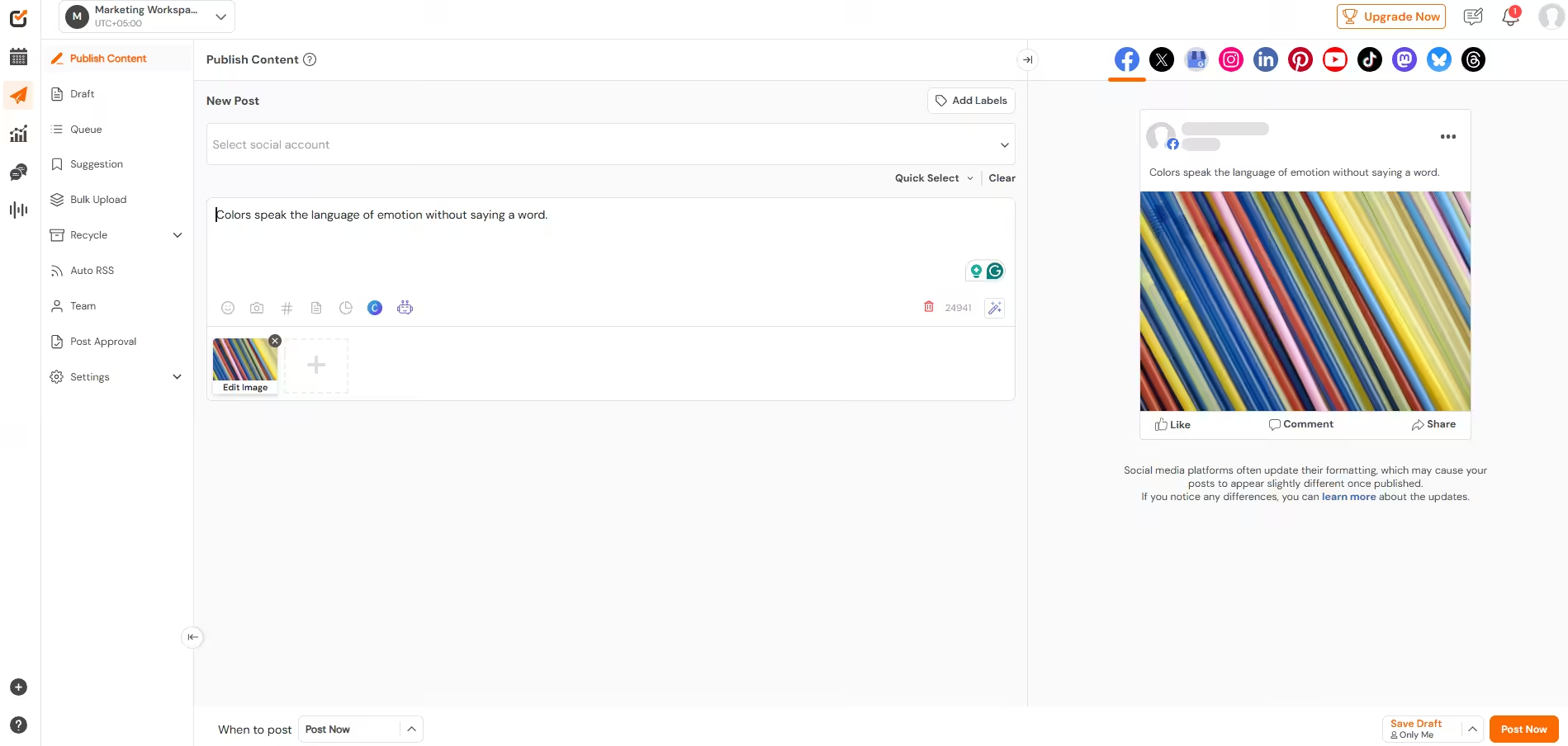
Social Champ’s Dashboard I’ve placed Social Champ it’s one of the best social media tools for any nonprofit organization. But if we’re just talking about the free plan, it’s ideal for:
- Communication managers for nonprofits
- Fundraising campaign managers
- Volunteer recruitment managers
- Small organization active on 3 social networks
Essentially, this tool offers everything you need for your socials on its free plan. You can schedule up to 15 posts at once, create basic analytics reports, use AI to create messaging, and respond to incoming messages on your socials.
What features does Social Champ offer?
This tool offers a plethora of social media management features, including those for PR like social listening and multi-layer approvals (Unfortunately, these are only available on the paid plans!). But the free plan also gives you numerous solutions, like recycling campaign posts, creating analytics reports, posting on 12+ social networks, boosting your posts, and a whole lot more.
The free tier allows you to connect 3 social accounts and queue up fifteen scheduled posts per account. It also includes access to a visual content calendar, bulk uploading, and baseline performance analytics.
Here are Social Champ’s key social media features:
- Post directly to Facebook, Instagram, Threads, TikTok, X (Twitter), LinkedIn, Google Business Profile, YouTube, Mastodon, Bluesky, and Pinterest from a single window.
- Map out Giving Tuesday, volunteer drives, and awareness months visually. You can also drag and drop to adjust content when a grant deadline changes.
- Upload up to 300 posts simultaneously using a standard CSV spreadsheet.
- Automatically republish your top-performing posts so new followers see your best impact stories and donation appeals.
- Assign distinct internal roles and multi-layer approval workflows without having to share primary account credentials or passwords (for paid plans only)
What I like about Social Champ?
What I love about Social Champ, especially for nonprofits, is that it respects the value of your time. It’s super easy to use, and you won’t have to waste any time on tutorials to get started (if you do have any issue, you can book a demo with their support team to get a hands-on tutorial that answers your particular problem!)
Plus, if you do decide to get on its paid plans, you’ll find it offers a good discount for nonprofits (Up to 40%), which is huge! Not to mention, its pricing is designed to grow with you.
You can pay-as-you-go or pay a fixed amount per month. This is really budget-friendly for organizations that are growing slowly but surely.
Social Champ’s Pricing
- Free plan: 3 accounts, 15 scheduled posts per account.
- Paid plans: Start at $4/month.
- Nonprofit discount: Up to 40% off.
Schedule 300 Posts in One Upload
You should not waste a day on manual data entry. Use our bulk upload tool and schedule a month in minutes. See how it works. -
Zoho Social
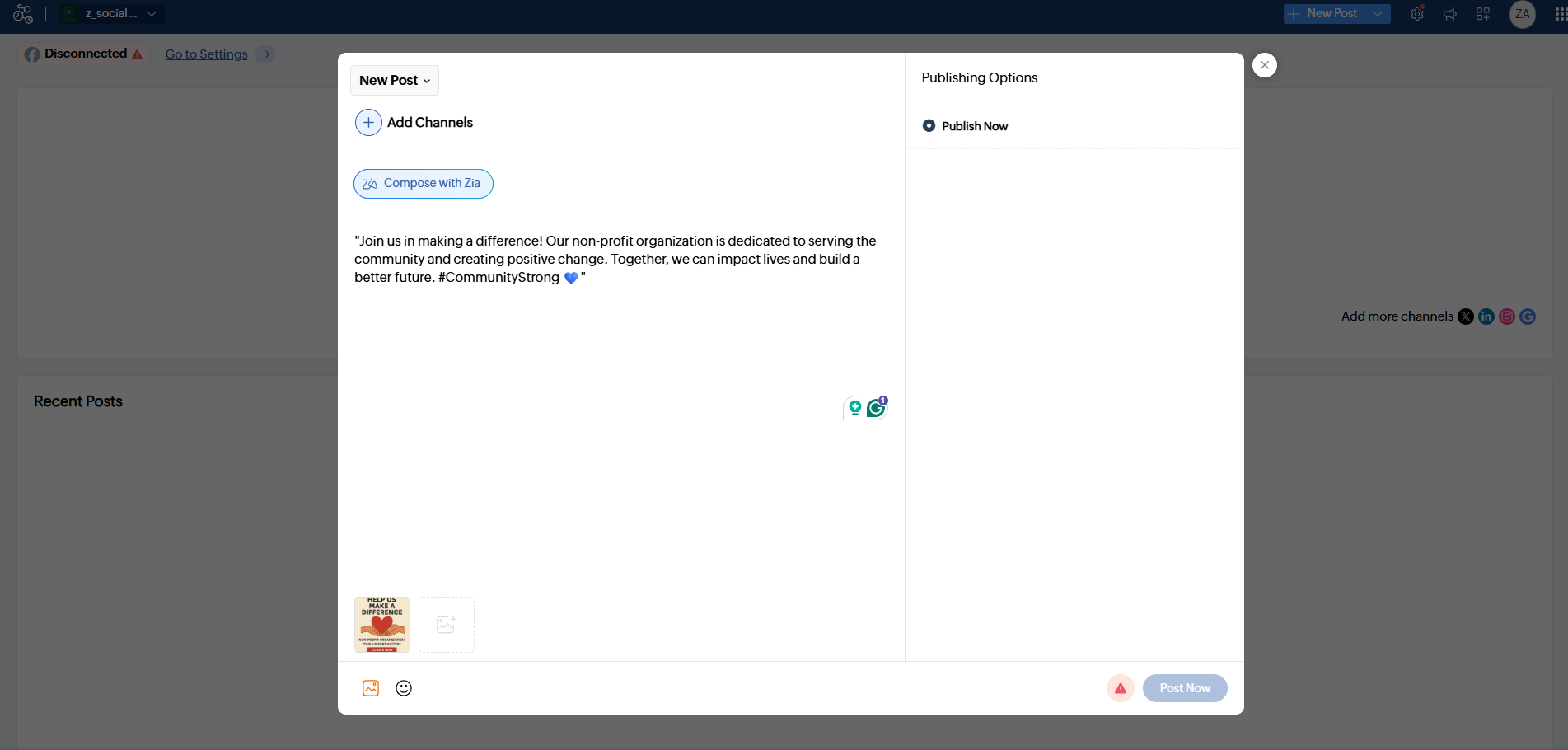
Zoho Social’s Dashboard Is Zoho Social right for your organization?
If your nonprofit is already using Zoho to manage donor relationships with its CRM or to track expenses in Zoho Books (or any other Zoho feature), this will be the most obvious choice for you.
Plus, its AI suite supports multiple languages, so if you’re trying to reach a global audience, no one can argue with you on this.
Zoho Social’s best features for nonprofits
Most nonprofit social media is reactive; you respond to comments, take part in trends, or do damage control when a post rubs someone the wrong way.
Zoho Social gives you scheduling plus monitoring (in its paid plans), so you’re also listening to your community.
The free tier lets you manage one brand (which includes one X account, one Facebook page, and one LinkedIn page or Instagram account) with limited scheduling.
Meanwhile, with paid plans, you get more accounts, listening, analytics, and team collaboration features.
What it offers:
- You can schedule and publish to Facebook, Instagram, X, LinkedIn, and Google Business Profile from one screen.
- You can monitor brand mentions, keywords, hashtags, and even competitor activity. Track conversations around your cause, relevant legislation, or fundraising campaigns as they happen.
What I like about Zoho Social?
For me, the overall connectedness of the Zoho system is the best perk for this tool. If you’re already using the tool for email, accounting, or any other stuff, you’ll find that all your data is in one place.
Unfortunately, its free plan is quite limited. You only get basic scheduling for a limited number of accounts.
Also, the interface has more going on than simpler tools. You’ll have to play around a bit, especially if you’re not already familiar with Zoho’s design language.
Zoho Social’s Pricing
- It’s paid plans start at $10 and has 1 user. In this plan, you can manage 12 social accounts.
- It does offer nonprofits a discount, but you’ll have to get in touch with the support team.
-
Buffer
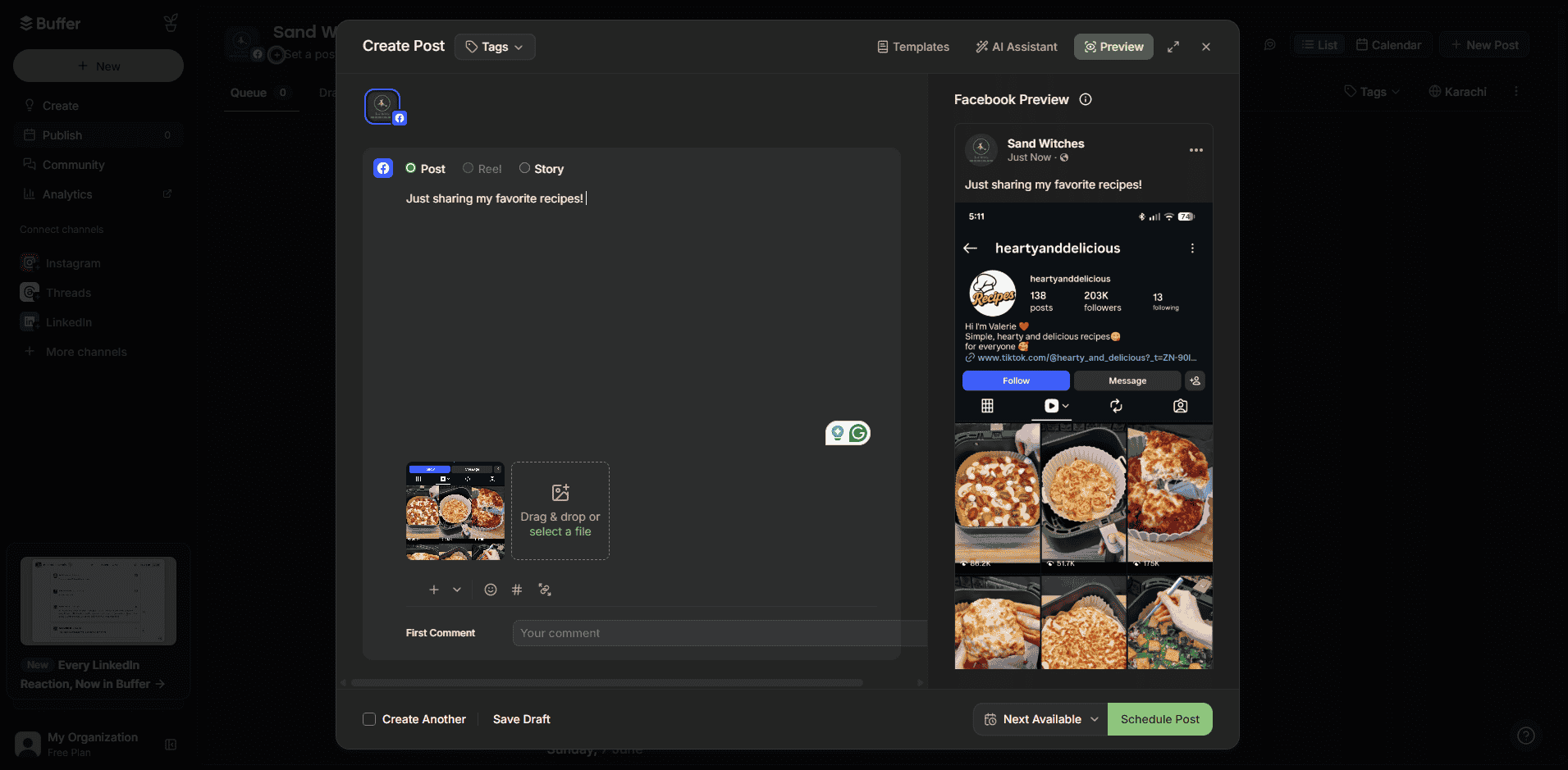
Buffer’s Dashboard Who is Buffer best for?
Buffer is a great platform for a communication manager or any organization that just needs basic scheduling. It’s very easy to use, and you don’t need tutorials after tutorials to get a hang of it.
What features make Buffer different?All in all, Buffer offers the same scheduling features as the rest of the tools on this list. However, it does make scheduling easy. It has simply organized tabs to help you create, publish, and engage with your content.
Unfortunately, it does lack basic features like analytics on its free plan. And even if you do sign up for a paid tier, you’ll be missing out on tools for listening or competitor analysis.
Here’s what works for Buffer
- You can schedule on all major social networks, including Facebook, Instagram, Twitter, LinkedIn, TikTok, Google Business Profile, Mastodon, and Pinterest.
- It comes with queue-based scheduling, which means you can drop posts in a queue, and they’ll be published.
- You can also store reusable post templates directly in your composer. This feature is actually perfect for repetitive informational content. For instance, you can store the templates for weekly volunteer updates, monthly donor thank-you, or recurring program announcements, and edit and schedule them directly.
What I like about Buffer?
It is the easiest tool to onboard. For example, if your ED wants to draft a post or your intern needs to schedule content, they will figure it out in under five minutes.
Not to mention, the free plan is genuinely usable. You get three channels and ten posts each, which is quite generous, especially when you compare it with other tools.
And if your organization posts the same types of content, the templates it offers can save you so much time.
My only negative for Buffer would be the fact that it is quite limited, and I’m not just talking about the free tier. Even in paid plans, you miss out on features like social listening and competitor analysis, which are now the new norm of social media management.
Buffer’s Pricing
- Free plan: 1 user, 3 channels, 10 scheduled posts per channel.
- Paid plans: Start at $5/month per channel.
- Nonprofit discount: 50% off all paid tiers.
-
Meta Business Suite
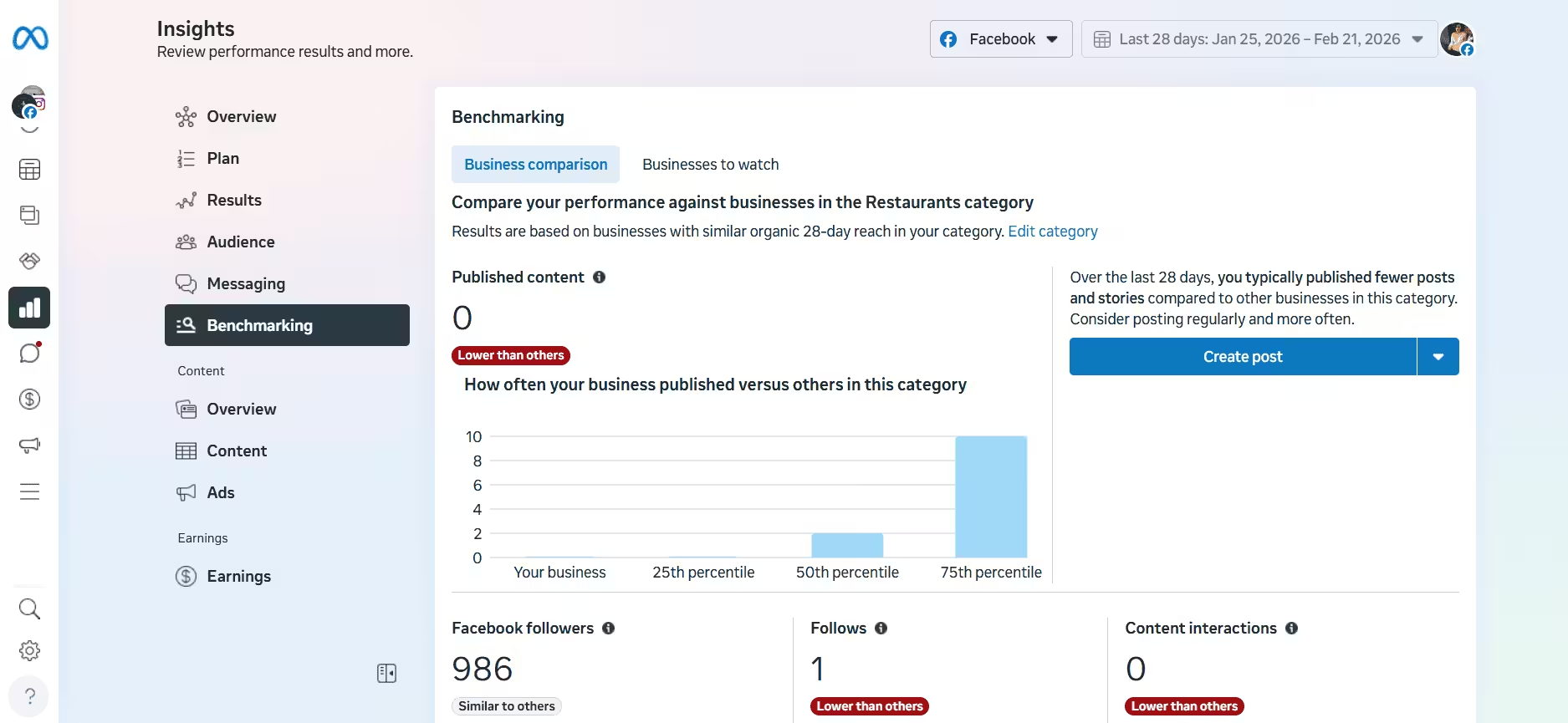
Meta Business Suite’s Dashboard Who is Meta Business Suite best for?
This is the obvious choice if your nonprofit spends 90% of its time on Facebook and Instagram. It is completely free, built directly by Meta, and requires no third-party integrations.
What features does it offer nonprofits?
Meta Business Suite is the official corporate tool for Facebook and Instagram. It lets you schedule posts, stories, and reels, manage your messages, and track your performance metrics for free.
Here are Meta Business Suite’s key social media features:
- You can schedule grid posts, stories, and reels directly to Facebook and Instagram.
- Manage comments, direct messages, and Messenger chats from a combined inbox.
- Review native data on reach, engagement trends, and follower counts.
What I like about Meta Business Suite?
It’s free!
Plus, because the tool is owned by Meta, it comes with minimal complications. You won’t be reaching out to customer support because your posts failed due to an API disconnect, and you won’t have to open up different tabs to set up your ad budgets.
Unfortunately, this tool is not great if you’re active on other platforms, like LinkedIn, X, or TikTok.
Meta Business Suite’s Pricing
- Completely free.
Best for AI and Campaign Automation
If you rely heavily on AI and campaign automation, these tools will work for you. They’ll write captions, pull content from your website, and keep your calendar full with minimal manual effort.
-
Publer
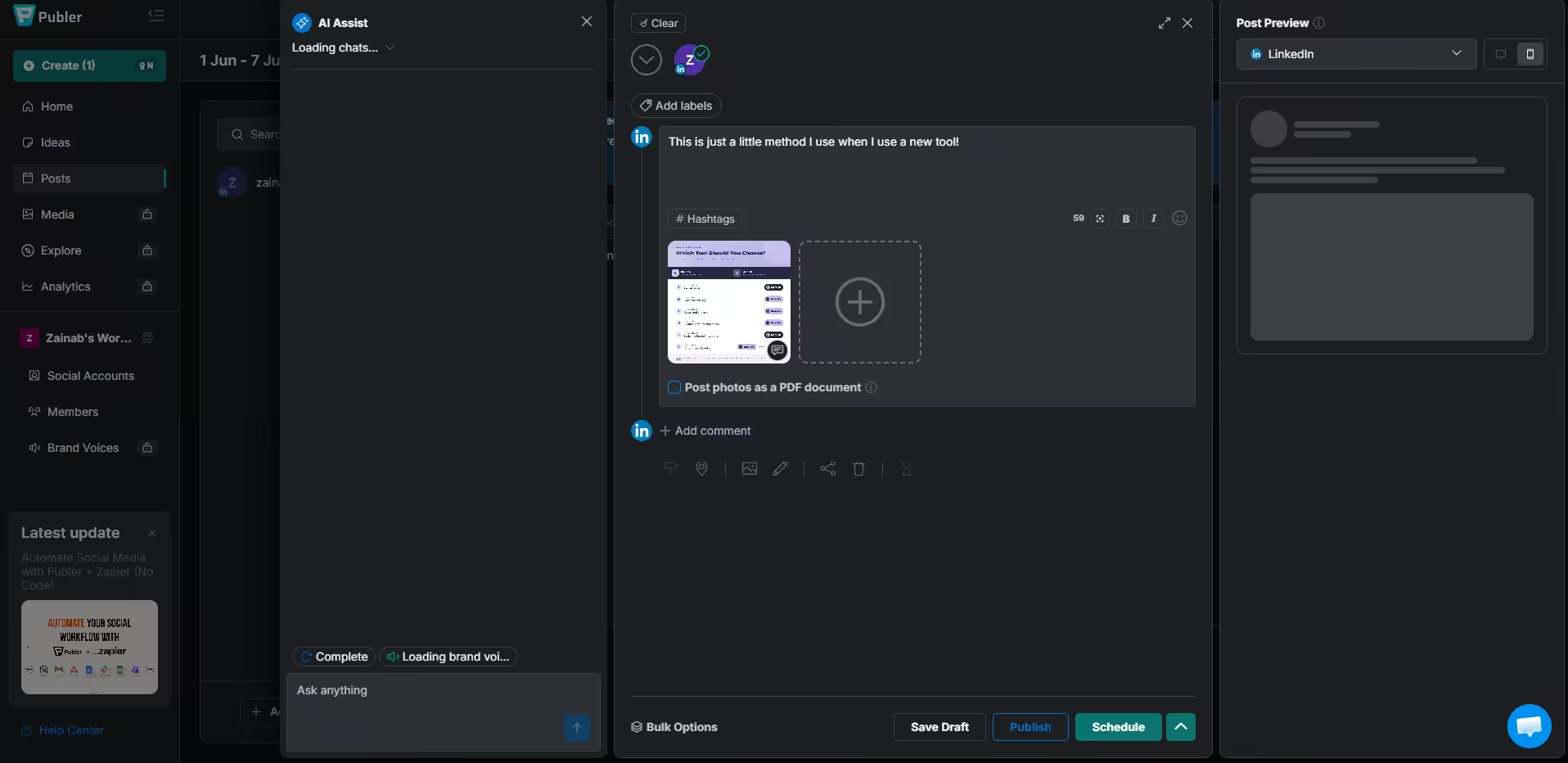
Publer’s Dashboard Who is Publer best for?
If you’re just a one-person team, Publer is actually perfect for you. It has several automation features, and its AI is super helpful in creating and scheduling posts for your next campaign.
Not to mention, its free plan is quite generous, as it gives you 3 social accounts and scheduling for up to 10 posts per account. You also get a link in bio page, basic analytics, watermarking, and access to the AI content assistant.
And when you do decide to update to a paid plan, you can get unlimited accounts, unlimited scheduling, and more detailed analytics!
Publer’s best features for nonprofits
Like every other tool on this list, Publer offers all the basic social media management features. You get a scheduler, bulk upload, link in bio tool, and a calendar view.
Here are Publer’s top features
- It supports Telegram, which most tools do not. It also connects with Facebook, Instagram, X, LinkedIn, TikTok, Pinterest, YouTube, and Google Business Profile.
- It’s great for recycling content. You can set up your top-performing posts to be republished automatically. This feature is amazing if you frequently share impact stories, make donation appeals, and publish volunteer recruitment posts.
- Preview exactly how your post will look on a phone screen before hitting publish.
What I like about Publer?
The free plan is very generous, and if you don’t post frequently, you wouldn’t even require an upgrade. Plus, the RSS automation is a massive time-saver if you write a lot of news updates or blog posts; you just log in, review the auto-generated draft, and approve it.
However, you are still limited to 1 accounts. The AI helper is also unsable after ten prompts a month on the Free plan, which goes by very fast if you use it every day. The analytics data is also fairly basic.
Publer’s Pricing
- Free plan: 1 accounts, 10 scheduled posts, 1 user, 10 AI prompts/month.
- Paid plans: Start at $4/month.
-
Planable
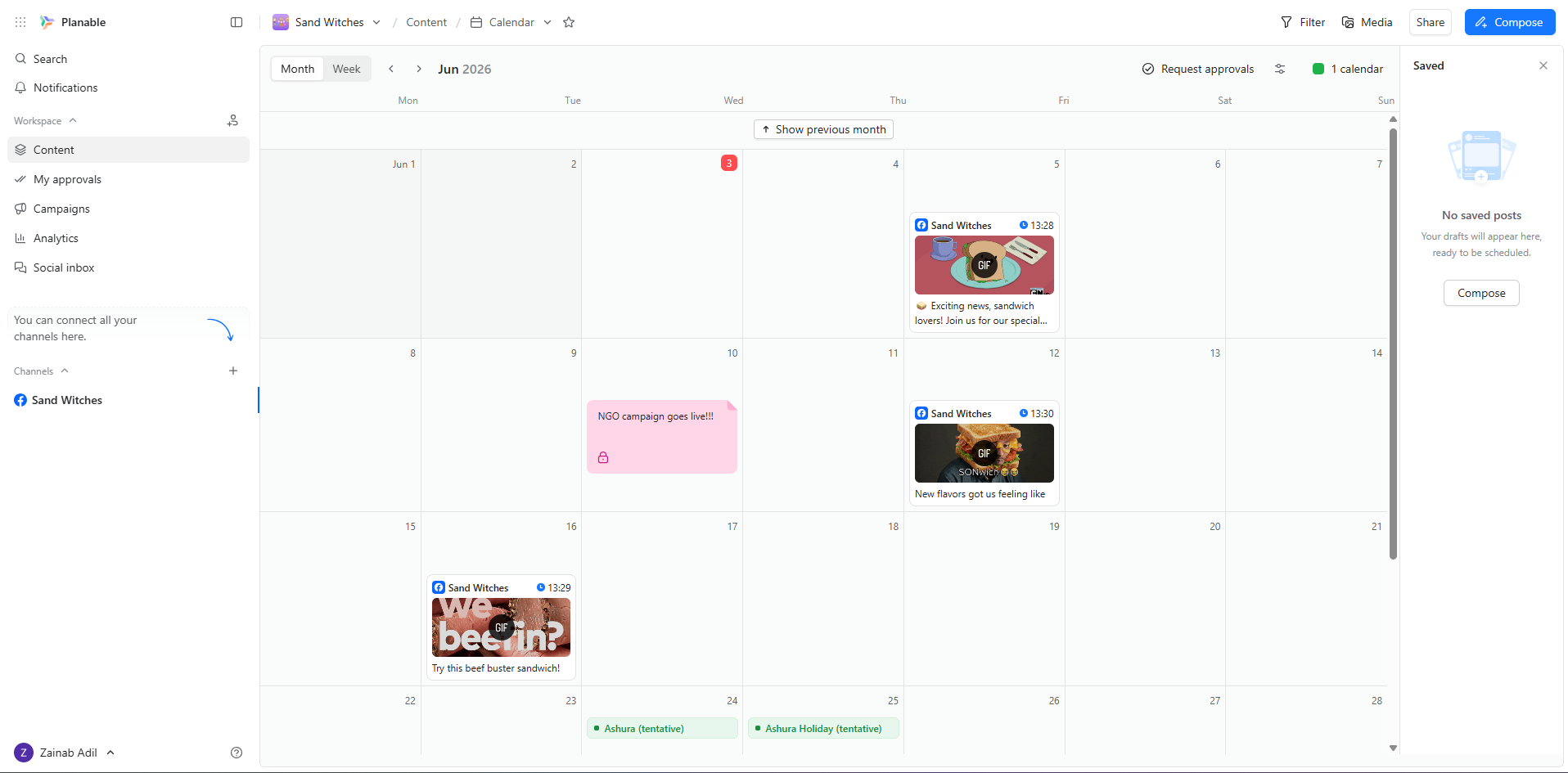
Planable’s Dashboard Who is Planable best for?
Planable is the only tool in this list that allows you to add unlimited users on the free plan. That alone makes it the best for larger non-profits. So, if you have board members, program staff, and volunteers, all actively contributing to the activity on your socials, this is the tools you need.
The best features of Planable
Planable has several great features, including scheduling, campaign management, team collaboration (approval system), and social inbox.
What you get with Planable:
- Its calendar is actually my favorite. You can create and schedule posts directly from the calendar and see all the local holidays. Plus, if you add GIFs, you can see the animations move, which is fun to look at!
- You can schedule to all the major platforms, including Facebook, Instagram, X, LinkedIn, TikTok, YouTube, Google Business Profile, and Pinterest.
What I like about Planable?
For me, Planable’s dashboard is great to look at. Everything is neatly tucked away, but is made easy to access.
But the best part is that you can add unlimited team members, even on the free plan. Not to mention, the count for scheduled posts is 50, which is also the most generous of all the tools mentioned in this blog!
The only thing lacking is that you can’t access analytics on the free plan. In fact, you have to buy them as an add-on on the paid tiers.
Planable’s Pricing
- Free plan: 3 pages/workspace, 50 posts per month.
- Paid plans: Start at $33/month.
- For a nonprofit discount, you’ll have to contact its customer support team.
Best for Analytics and Reporting
This options prioritize data. It helps you build clean, professional reports to show your donors, board members, and grant creators that your digital outreach is actually working.
-
Metricool
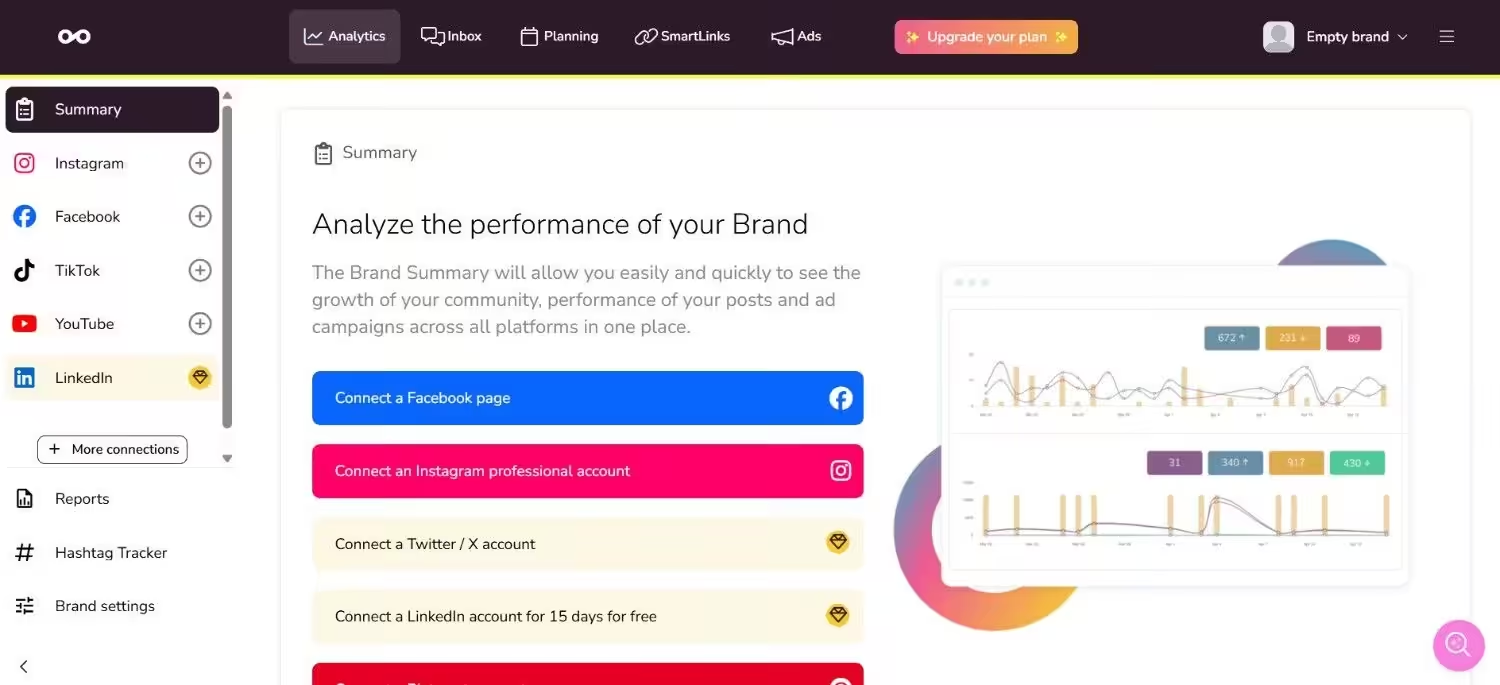
Metricool’s Dashboard Who is Metricool best for?
Metricool is great for nonprofits that need access to data. If you are a data-curious team that needs to track what works best for your audience, and if you manage ads alongside organic content, Metricool gives you more analytical depth than most free social media tools for nonprofits. It is especially strong if you run paid social campaigns or want to understand your audience behavior on a deeper level.
What features does it offer
Originally built strictly as an analytics platform before expanding into content scheduling, Metricool focuses heavily on granular reporting. It collects baseline data from Instagram, Facebook, TikTok, Pinterest, and Google Business Profile. The free tier allows you to manage a single brand setup, which includes one profile per connected social network and a cap of 20 published posts per month.
Here are Metricool’s key social media features:
- You can schedule up to fifty posts a month from a single unified calendar dashboard.
- Track and compare basic performance metrics against up to five similar organizations.
- Monitor local search presence and track business reviews directly from the dashboard.
What I like about Metricool?
The level of data accessibility available without a paid subscription is excellent. You can easily pinpoint which specific posts are driving actual link clicks to your donation pages or website. However, the free account restricts you to a single brand concept, and you have to pay if you want to connect to LinkedIn or X. If your organization runs multiple distinct community programs that maintain separate sets of social pages, you will hit a wall and need to upgrade.
Additionally, because the tool’s history is rooted in analytics, the actual publishing and scheduling interface can feel a bit basic compared to other tools on this list.
Metricool’s Pricing
- Free plan: 1 brand, 3 profiles, 20 scheduled posts.
- Paid plans: Start at $20/month.
Best for Visuals and Beginners
These platforms help you design eye-catching graphics and map out visually focused grids like Instagram and TikTok, even if you don’t have a background in graphic design.
-
Later
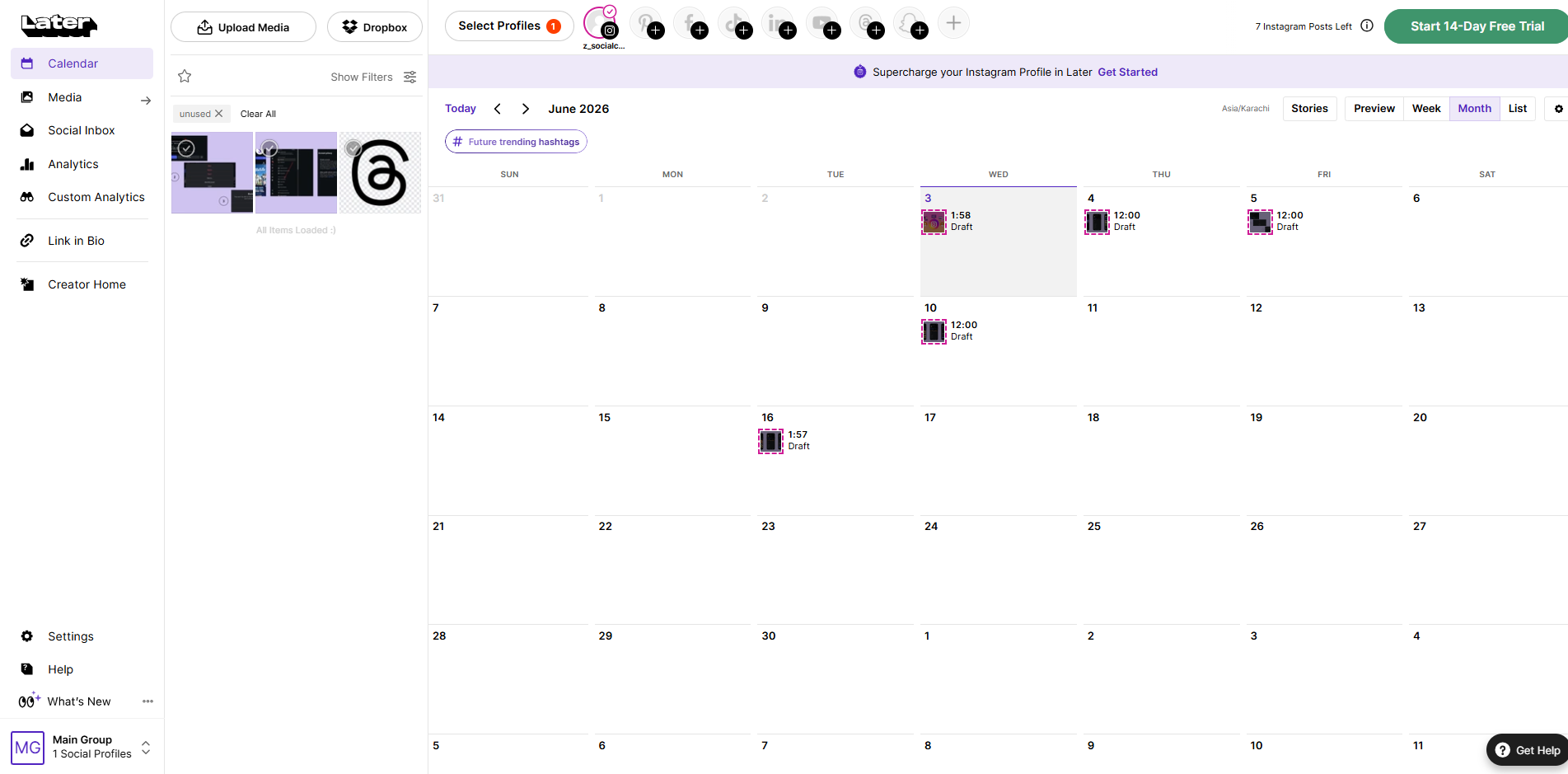
Later’s Dashboard Who is Later best for?
If you’re mostly active on Instagram, Pinterest, or TikTok to tell your story, Later is the tool for you. It has great features for these platforms, and you get to see y our posts lined up visually on the calendar, which lets you know how your grid will appear.
Feature overview
While it started as an Instagram-first scheduler, Later now handles TikTok, Facebook, Pinterest, and LinkedIn quite smoothly. The content calendar works like a visual storyboard, which lets you see exactly how your image thumbnails line up side-by-side. Keep in mind the free tier is basic, and gives you just one core social set (8 profiles) and a tight monthly post limit.
Here are Later’s key social media features:
- You can play around with its drag-and-drop storyboard to preview your exact Instagram grid layout.
- It lets you schedule standard updates, multi-image stories, and reels easily.
- You can also tap into localized recommendations for the best times to post on Instagram.
What I like about Later?
The tool is quite fun to play around with. You can actually drag the image files into the grid to adjust the aesthetic flows. It can really help you with storytelling.
Not to mention, Later offers the link in bio tool, even in the free plan, so you can easily link the landing pages for your nonprofit without having to pay extra. You can also save groups of hashtags for content types you post repeatedly, such as for volunteer recruitment, donor thank-you posts, and program updates.
The only problem is that it is quite visual. If you have a text-heavy strategy, such as for X or LinkedIn, this tool might not feel right.
The free plan analytics are also extremely limited. You only get total posts, followers, and following count. If you need data to bring to your board or justify strategy shifts, you’ll have to upgrade to a paid plan.
Plus, the social inbox, team collaboration, user-generated content tools, and AI assistance also require an upgrade!
Later’s Pricing
- Free plan: 1 social set and 8 profiles.
- Paid plans: Start at $18.75/month.
- Nonprofit discount: 50% off their Growth plan.
-
Canva
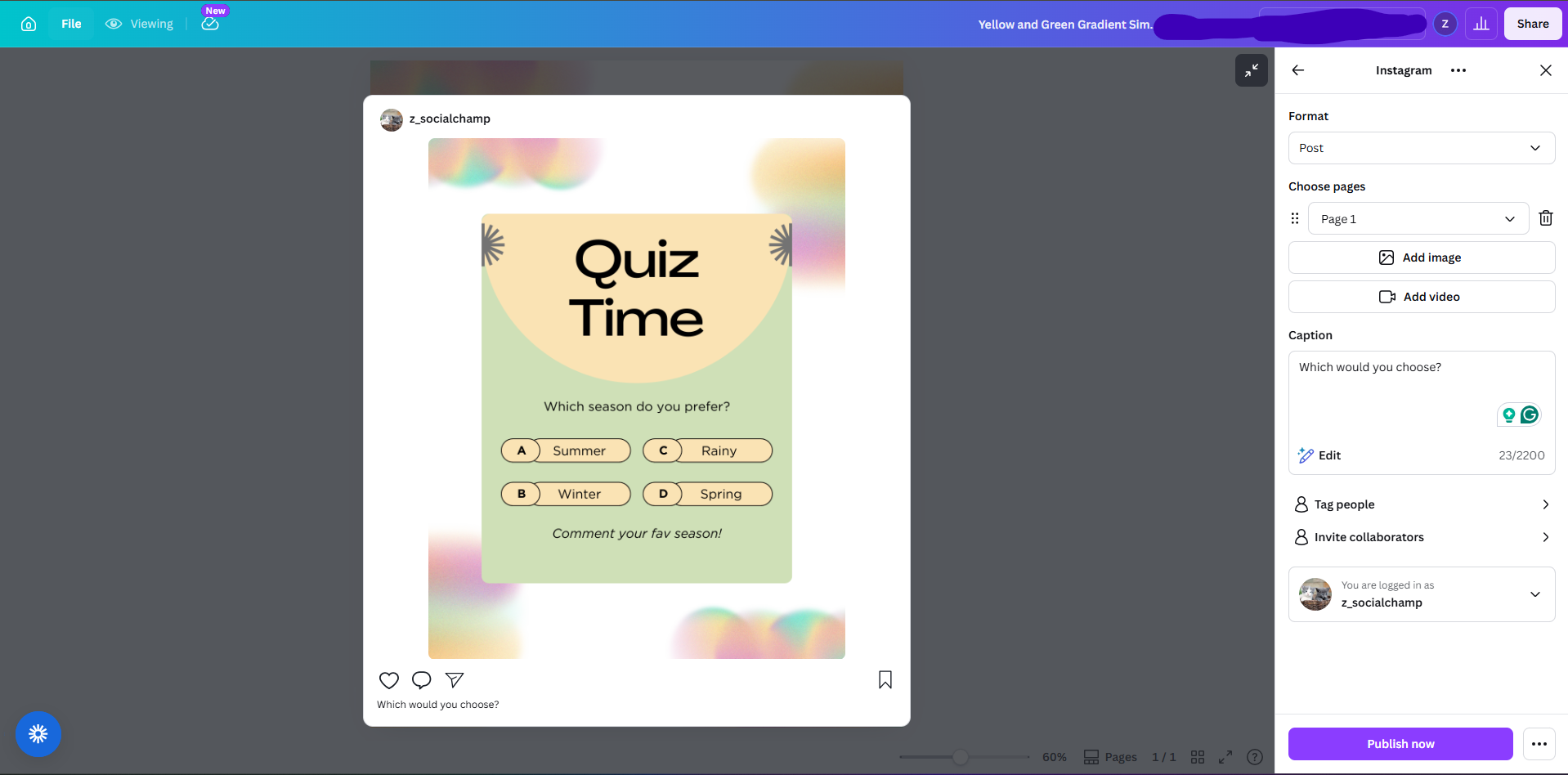
Canva’s Scheduler Who is Canva best for?
If you’re not ready to hire a designer, Canva is the one for you. It gives you access to free templates and styles, which you can edit and schedule directly from the app.
What it gives you
While primarily a graphic design app, Canva actually includes a built-in content scheduler. It gives you thousands of pre-made layouts tailored for Instagram, Facebook, and LinkedIn. Best of all, registered nonprofits can apply to get full access to Canva Pro completely free of charge.
Here are Canva’s key social media features:
- You can access thousands of professionally designed social media templates; all you have to do is edit and schedule!
- The editor is super easy to use. Just drag elements, shapes, or text.
- You can also access Canva’s massive library of free stock photos, vector graphics, and fonts.
What I like about Canva
Canva completely removes the friction from creating professional media. You can throw together a campaign graphic or donation announcement in under ten minutes. Because its nonprofit program gives you the Pro tier for free, you get premium asset libraries and scheduling tools without spending a dime.
The only real catch is that Canva isn’t a dedicated social media management tool. The scheduling side is fairly basic, which is great for simple queues, but missing advanced perks like unified message inboxes or deep analytics tracking. Most teams find it works best when paired with a dedicated scheduler like Social Champ or Planable.
Canva’s Pricing
- Free plan: Basic templates and editor tools.
- Canva for Nonprofits: Free Pro accounts for registered organizations.
Also, check out our guide on marketing automation for nonprofits (thank me later!), and if you need to build a full plan, see the marketing for nonprofits playbook!
Featured Article: Social Media Engagement: Proven Tips & Tricks to Excel
How to Choose the Right Social Media Tools for Your Nonprofit
The best tool in the world means nothing if it does not make your work easy. Here’s how you can find the perfect tool for you:
- You can’t keep using the free plan forever, so look at the paid plans after the discount is applied. You want a tool that can cater to your growing needs, while helping you stay in budget.
- Test the features before truly committing. Make sure it is easy to use and has a responsive customer support team.
- Check which platforms it supports. The right tool is the one that is compatible with the apps you’re already using!
Check out this complete guide on social media for nonprofits, and if you’re active on LinkedIn, this LinkedIn for nonprofits strategy can do wonders for you!
Conclusion
Now you have the 10 best social media tools for nonprofits, and some of them cost almost nothing to start. You’ve seen which ones handle scheduling, track data, or help your team collaborate. The only step left is to pick one and post today.
Your supporters are online right now. They want to hear your story, and they want to donate, but they cannot find you if your pages stay dark. Do not wait for the perfect plan. Choose a tool from this list, set up your first week of posts, and show up for your cause. Your mission matters. Your voice matters. Start now.










Jackson Phillips
Very informative! As a small nonprofit, we’re always looking for ways to maximize our impact online. I’m excited to explore these tools and see how they can help us connect with our community and reach more people.