

So, you’re searching for Vista Social alternatives, but aren’t quite sure where to look.
It’s normal to be overwhelmed, especially since there are a variety of social media management tools out there, and in all honesty, each of them is great in its own way.
Short Summary
- Many users look for Vista Social alternatives because of its high pricing, limited value, and expensive collaboration features.
- Vista Social charges you $39/month, while cheaper alternatives like Social Champ start at $4/month with more flexibility.
- Social Champ, Later, CoSchedule, ContentStudio, Planable, Buffer, Planoly, Loomly, SocialPilot, and Hootsuite are some of the main rivals.
- With scheduling, analytics, AI tools, bulk uploads, a unified inbox, and integrations across more than 11 social media platforms, Social Champ is by far the most economical choice.
Some might be affordable, some might have more features than the others, and some might be able to provide excellent customer support.
It can be challenging to find a tool that does it all for you, but with a list comprising all necessary details about the top tools, it is possible.
This is why we have compiled this list of Vista Social alternatives, which will surely solve your issues with your current tool.

Social Champ lets you automate, analyze, and amplify across 11+ platforms with zero hassle.
Why Users Seek Vista Social Alternatives
One of the main questions users have when assessing a social media management platforms such as Vista Social is whether the price is really worth it.
Although Vista Social markets itself as all-inclusive, its cost may be prohibitive for individuals who are just getting started or who are only in charge of a small number of social media accounts.
-
High Entry-Level Costs
With unlimited post scheduling, Vista Social’s entry-level Standard plan costs $39 per month.
This option is a little bit more expensive, especially when you compare it to alternatives like Social Champ, which offers a Starter plan for just $4/month and includes unlimited post scheduling.
This price difference may be difficult to defend for users who only wish to schedule content and access basic analytics.
-
Not Enough Value
The Standard plan from Vista Social includes eight social profiles, one user, an AI assistant, and basic tools for engagement, publishing, and planning.
Even though these features seem appealing, more and more competitors are offering them at a much lower cost.
Hence, businesses are moving towards those tools as they offer better value at much more affordable prices.
-
Collaboration Is Expensive
If you’re using Vista Social, the requirement for cooperation causes one of the largest cost increases.
You will have to upgrade to the Professional plan, which supports five users and costs $79 per month, if you require more than one user on the platform.
For small teams or agencies looking to grow without going over budget, this could be a problem.
Featured Article: Top 10 Planoly Competitors for Your Social Media Strategy
Comparative Analysis: Vista Social vs. Its Alternatives
Here’s a comparison table of Vistal Social and its top 5 affordable alternatives to shortlist the ones that provide a range of tools at a much more affordable price.
| Tool | Starting Price (Monthly) | Key Features |
|---|---|---|
| Vista Social | $39/month | – Planning and publishing
– Media tools – Engagement tools – AI assistant – Content finders |
| Social Champ | $4/month | – Publishing & scheduling
– Engage – Champ AI suite – Analytics |
| Later | $16.67/month | – Visual content calendar
– Post scheduling – Instagram link-in-bio – Analytics |
| CoSchedule | $19/month | – Calendar
– Social publishing – Content creation – AI tools – Analytics |
| ContentStudio | $19/month | – Multi-channel publishing
– Content discovery – AI caption generator – Analytics – Influencer tracking |
| Planable | $33/month | – Collaborative content planning
– Feedback and approval system – Calendar view – Post previews |
Vista Social makes you pay a premium for basics. Social Champ gives you automation, analytics, and AI creation, without draining your budget.
Top 10 Vista Social Alternatives for 2026
We know a short and quick comparison is not enough to help you make a decision; you need a detailed breakdown of each tool.
Here are the top 10 Vista Social alternatives (including the 5 mentioned above) to give you in-depth knowledge about the tool and its key features.
-
Social Champ
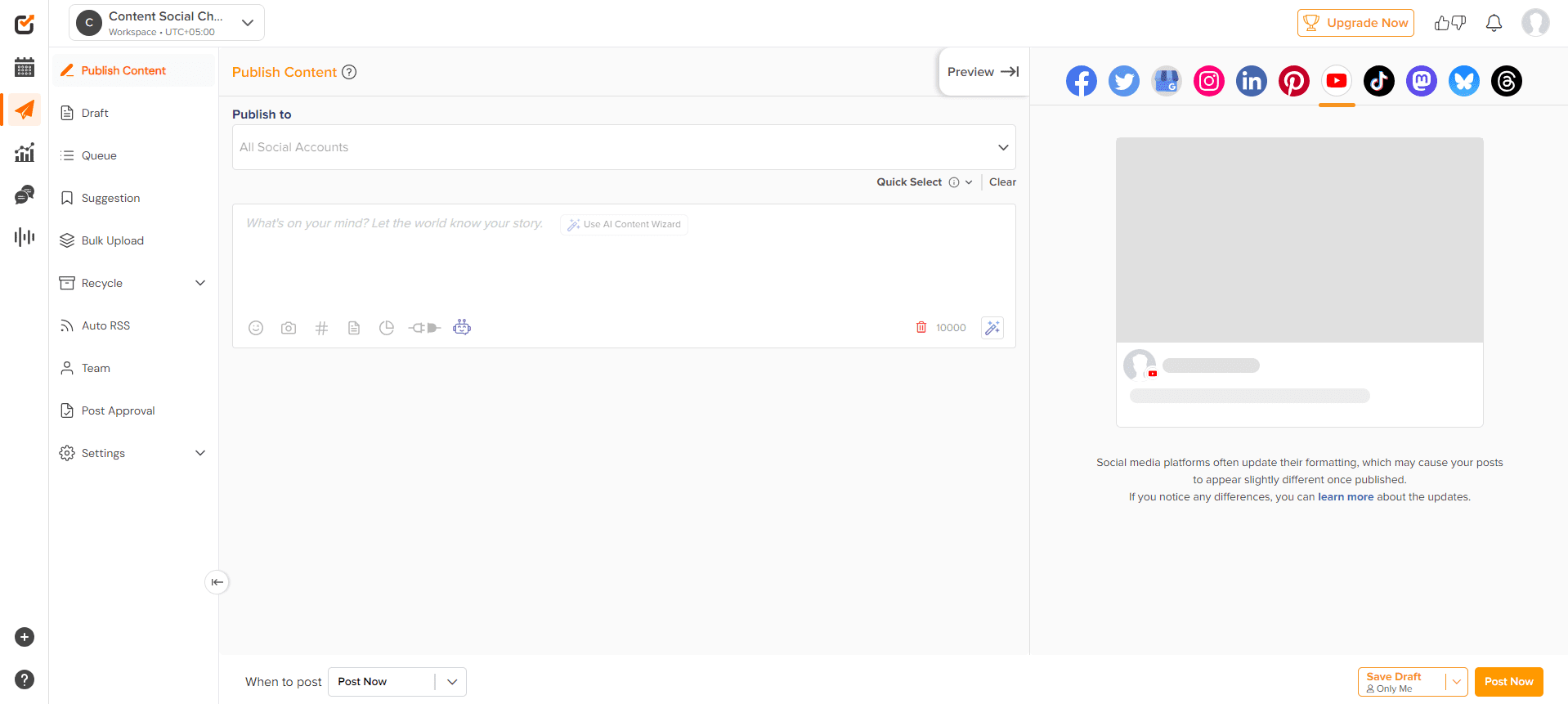
Social Champ’s Dashboard The most affordable of Vista Social alternatives is Social Champ.It only charges you $4/month to give you everything you need in a social media management tool, including bulk upload, content calendar, social listening, social inbox, analytics, AI assistant, and more.
And this tool doesn’t stop here. It also provides you with effortless team collaboration, integrations with 11+ social networks, and customer support that is truly the best in the industry.
Here are its key features:
Key Features
- Create and plan posts on Facebook, X, Instagram, LinkedIn, YouTube, Pinterest, TikTok, Bluesky, Mastodon, Threads, and Google Business Profile with ease.
- Use bulk uploading to plan several posts ahead of time.
- View and manage upcoming posts with a drag-and-drop interface.
- Respond to mentions, messages, and comments on all platforms through a unified social media inbox management tool.
- Use metrics like engagement, reach, and clicks to monitor the effectiveness of your posts.
- Oversee several clients or brands in different workspaces.
- Assign team members roles and permissions.
- Connects to Bitly, Google Drive, Canva, and more.
They’re saving hours, scaling faster, and posting smarter with Social Champ. Start your free trial now and catch up to them!
-
Later
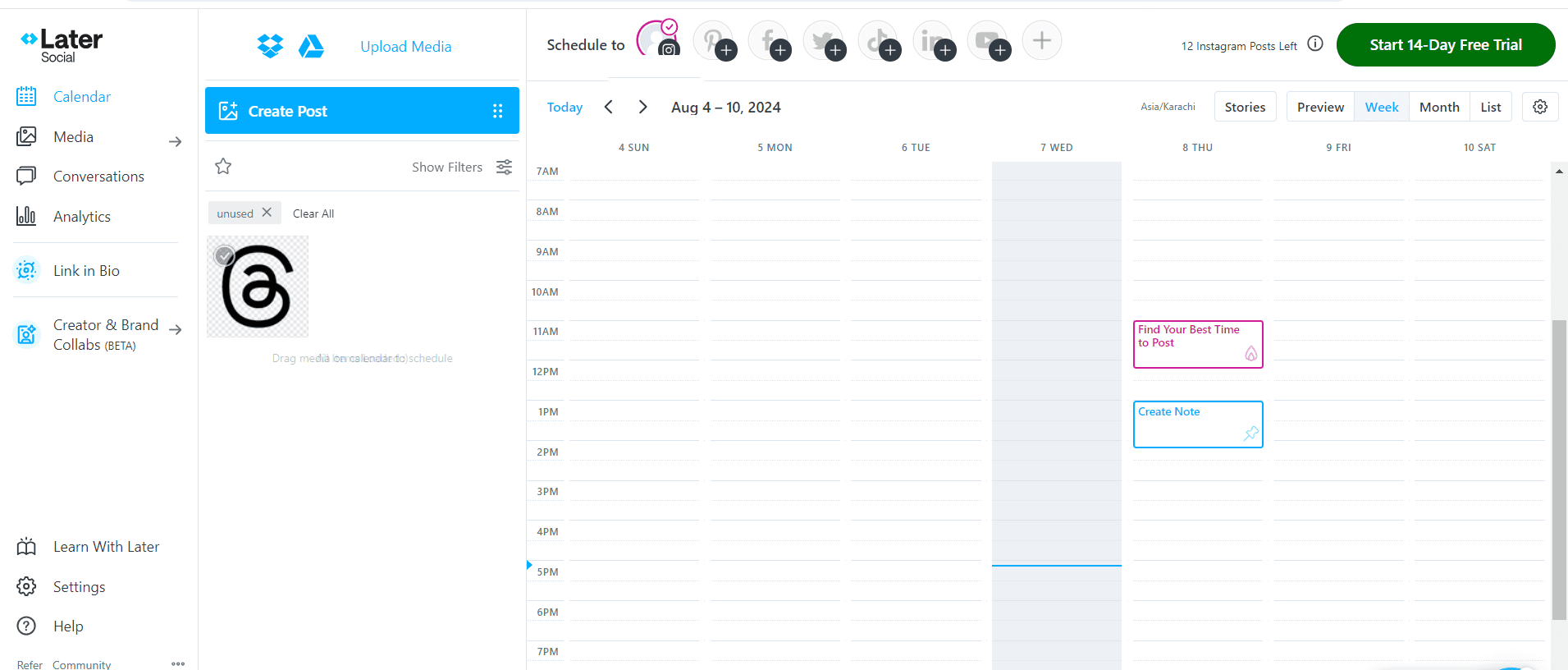
Later’s Dashboard Later is a good alternative to Vista Social for brands that are looking for a visual-centric social media management tool.
It majorly focuses on Instagram, Pinterest, and other visual platforms, which makes it a great tool for influencers and content creators.
Key Features
- Use a drag-and-drop visual content calendar to visualize your entire social media strategy.
- Use Instagram’s link-in-bio tool to build a unique hub for your audience.
- Simplify your content planning by managing and arranging all of your assets in a single media library.
- Use the integrated post preview to polish each post before it goes live.
- Plan your content for all of your major platforms, such as Facebook, Pinterest, LinkedIn, Instagram, and TikTok.
-
CoSchedule
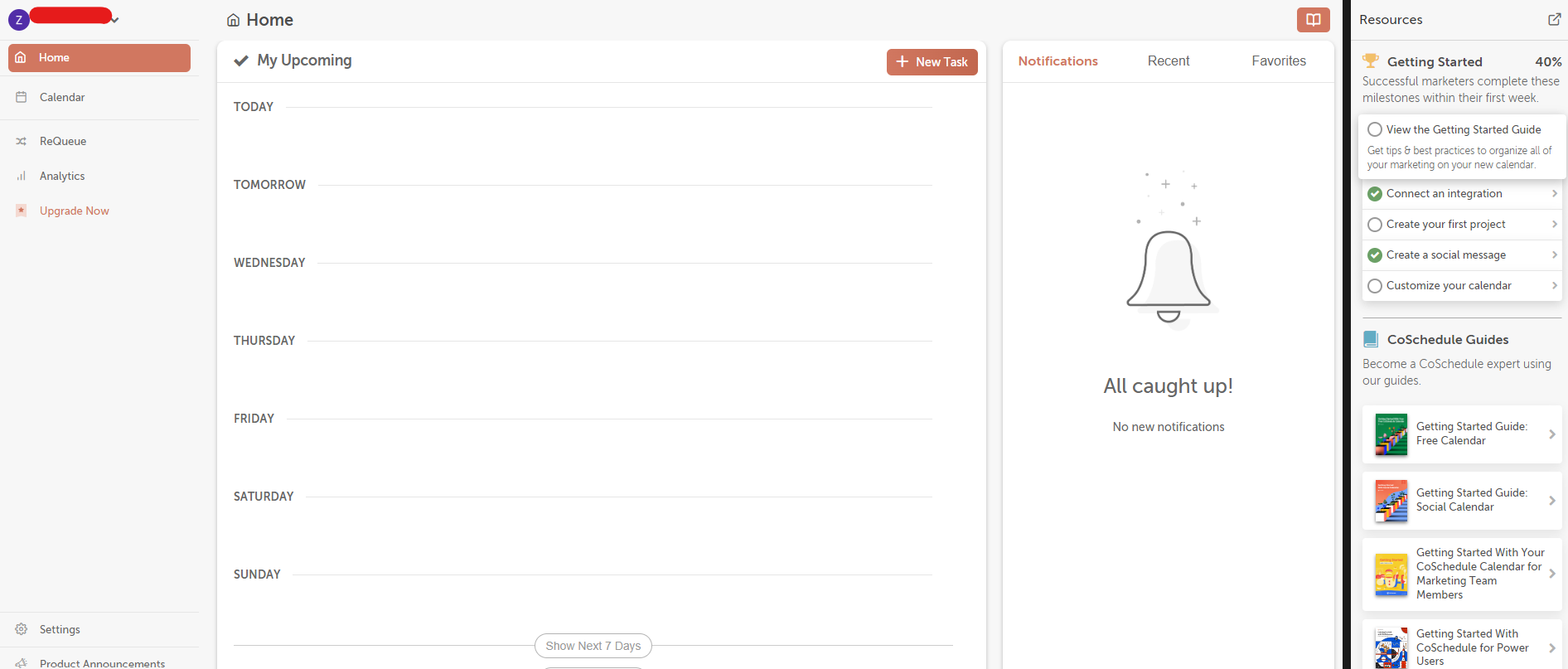
CoSchedule’s Dashboard CoSchedule offers a marketing calendar along with other tools like social listening and task management.
It is the perfect alternative to Vista Social for content marketing teams.
Key Features
- Utilize a comprehensive marketing calendar to help you coordinate your entire marketing strategy.
- Simplify your process with automation and social media publishing.
- Use cutting-edge AI content tools and an integrated writing assistant to speed up the creation of content.
- Assign and plan each campaign’s tasks to ensure smooth teamwork.
- Integrate your entire tech stack with HubSpot, WordPress, and many other platforms.
-
Content Studio
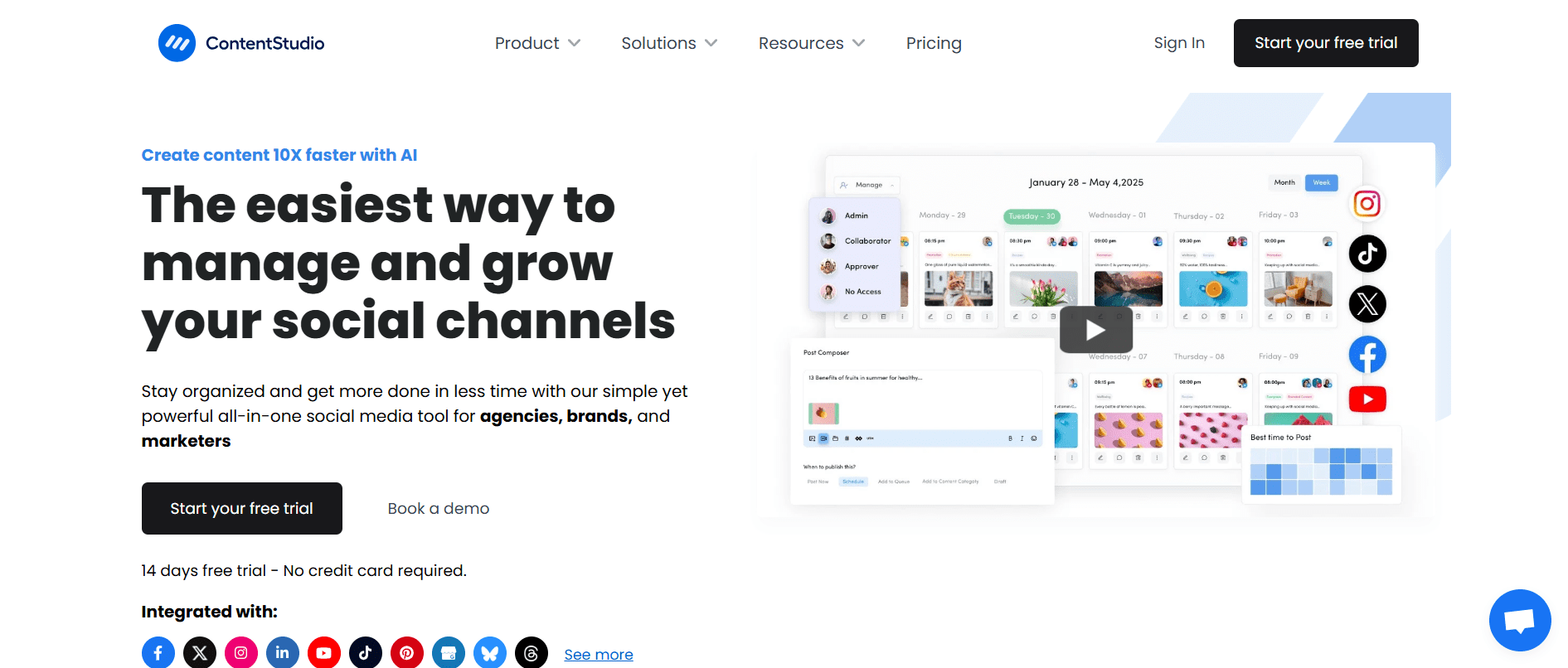
ContentStudio’s Homepage ContentStudio is a one-stop shop for scheduling, influencer tracking, content discovery, and performance analytics.
It is designed for data-driven marketers who wish to identify the most effective content, distribute it through the appropriate channels, and track the outcomes to improve their approach.
Key Features
- Find the most popular content in your niche with AI-driven recommendations.
- Publish and plan content for all of your social media platforms.
- Utilize comprehensive analytics to monitor your performance and create personalized, branded reports for stakeholders or clients.
- Increase your reach and form new alliances, find and get in touch with important influencers in your field.
- Use effective media monitoring tools to keep tabs on discussions about your company, sector, and rivals.
-
Planable
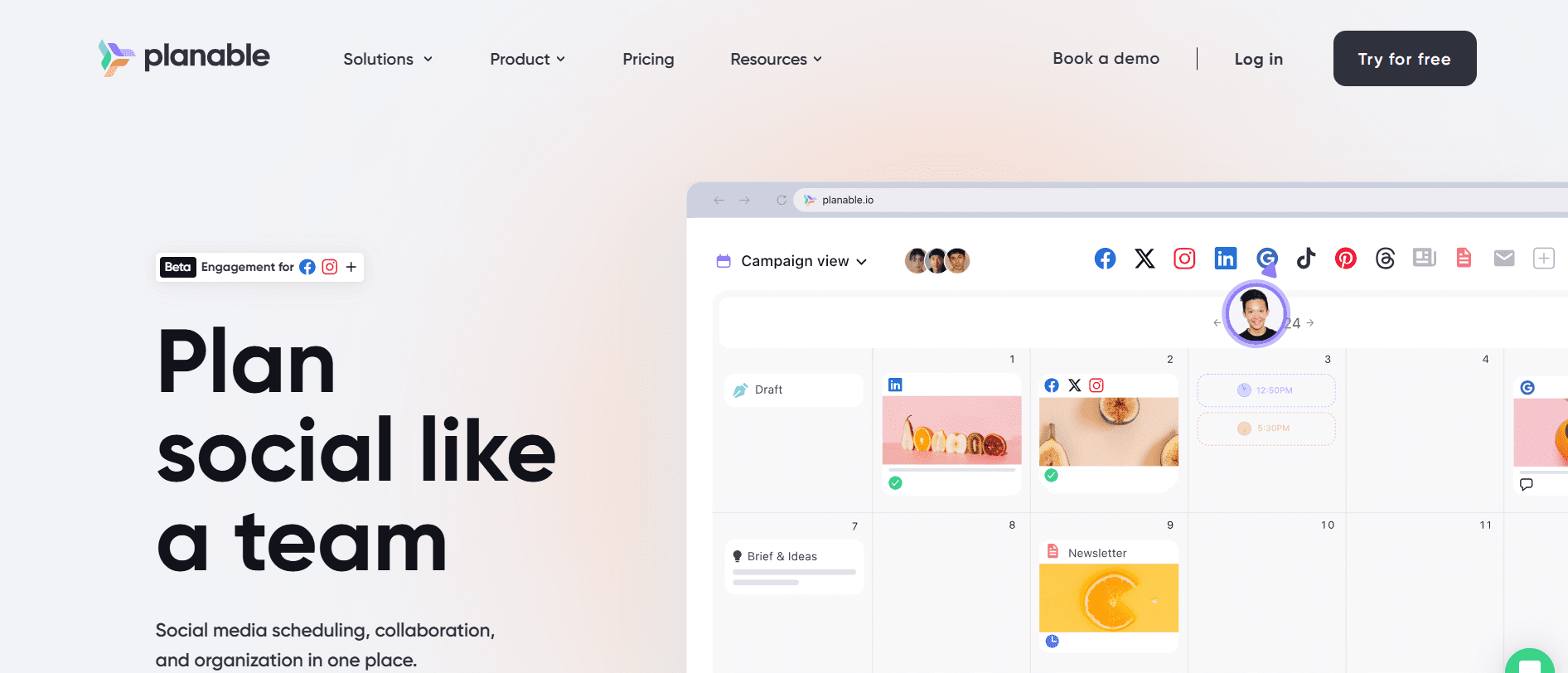
Planable’s Homepage Teams can easily plan, preview, and approve social media content before it goes live with Planable, a platform that prioritizes collaboration.
Its smooth workflow and strong visuals guarantee that every post is flawless and consistent with the brand.
Key Features
- Use a shared workspace to collaborate with your team and clients. To improve communication, leave comments and feedback on posts directly.
- See how your content will appear on all platforms, including Instagram and LinkedIn, so you can make any necessary changes.
- Prevent errors and last-minute changes by creating custom approval workflows to make sure the appropriate individuals approve content before it is scheduled.
- Arrange, reschedule, and oversee all of your content with a straightforward and user-friendly drag-and-drop visual calendar.
-
Buffer
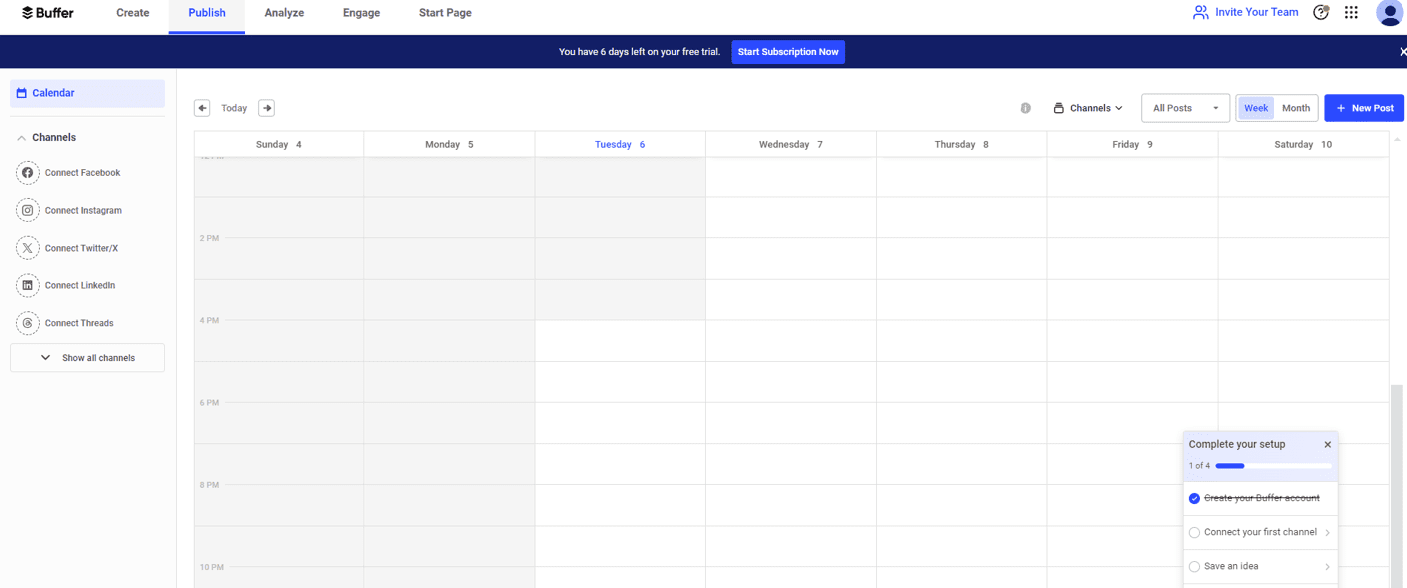
Buffer’s Dashboard Buffer is a simple, uncluttered platform that’s perfect for individuals or small teams.
It emphasizes the fundamentals, such as audience engagement, performance monitoring, and content scheduling, all in an intuitive interface that makes social media management seem simple.
Key Features
- Use an easy-to-use calendar to visualize and manage your entire content pipeline and maintain organization.
- Use Buffer’s insightful recommendations to plan your posts for optimal exposure and interaction.
- Organize all of your social media interactions in one location, answering direct messages and comments to strengthen your relationship with your audience.
- Get a clear picture of your social media performance with simple-to-read analytics that highlight your strengths.
-
Planoly
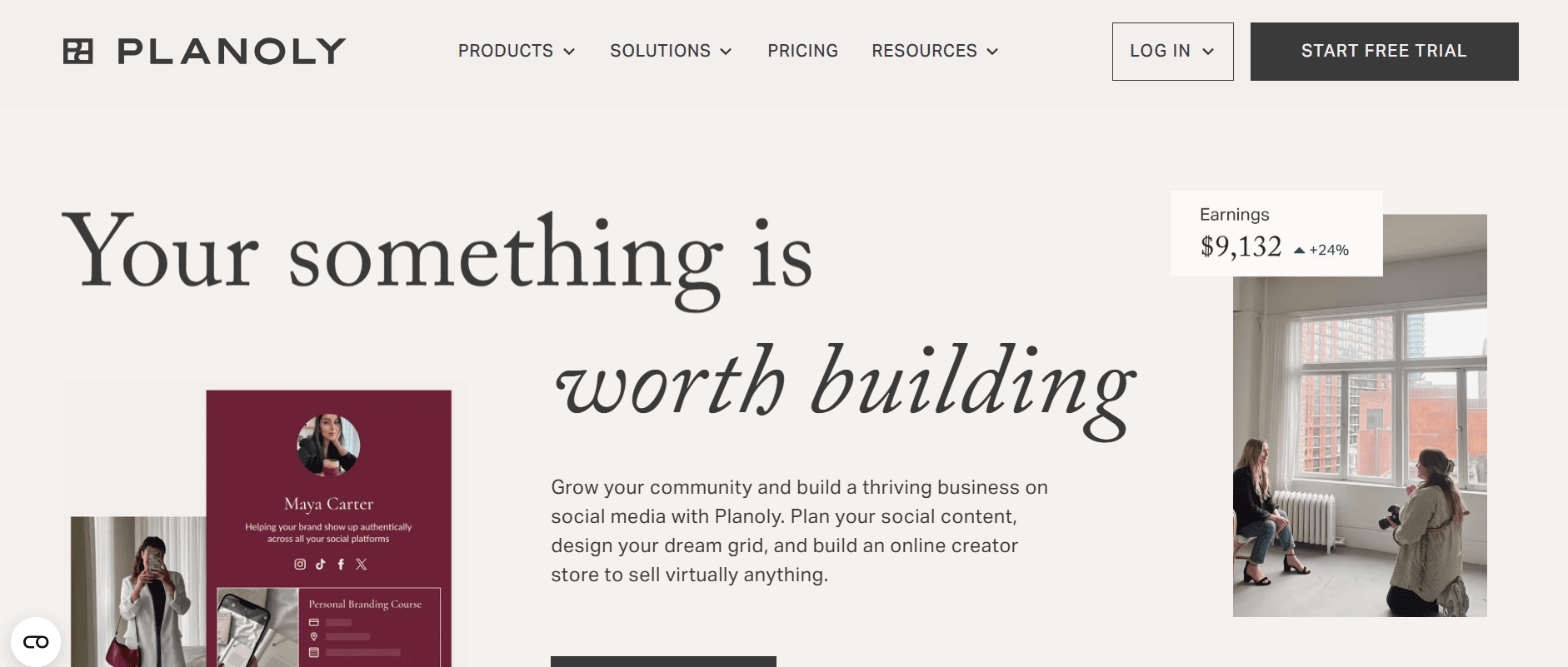
Planoly’s Homepage Planoly is a visual planner designed especially for Pinterest and Instagram.
Influencers, small brands, and e-commerce companies that mainly rely on visual marketing to tell their story and expand their audience will find it to be the perfect tool.
Key Features
- Use a straightforward drag-and-drop grid to arrange and arrange your content so that you can precisely plan the look of your Instagram feed.
- Ensure a consistent and polished appearance, draft your posts, and preview how they will appear on your profile grid before publishing.
- Increase your reach, save, arrange, and find new hashtag sets. Then, use the integrated analytics to see which ones are generating the most interaction.
- Customize and easily connect with your e-commerce platforms using a link-in-bio page, which also allows you to increase traffic and sales directly from your Instagram bio.
-
Loomly
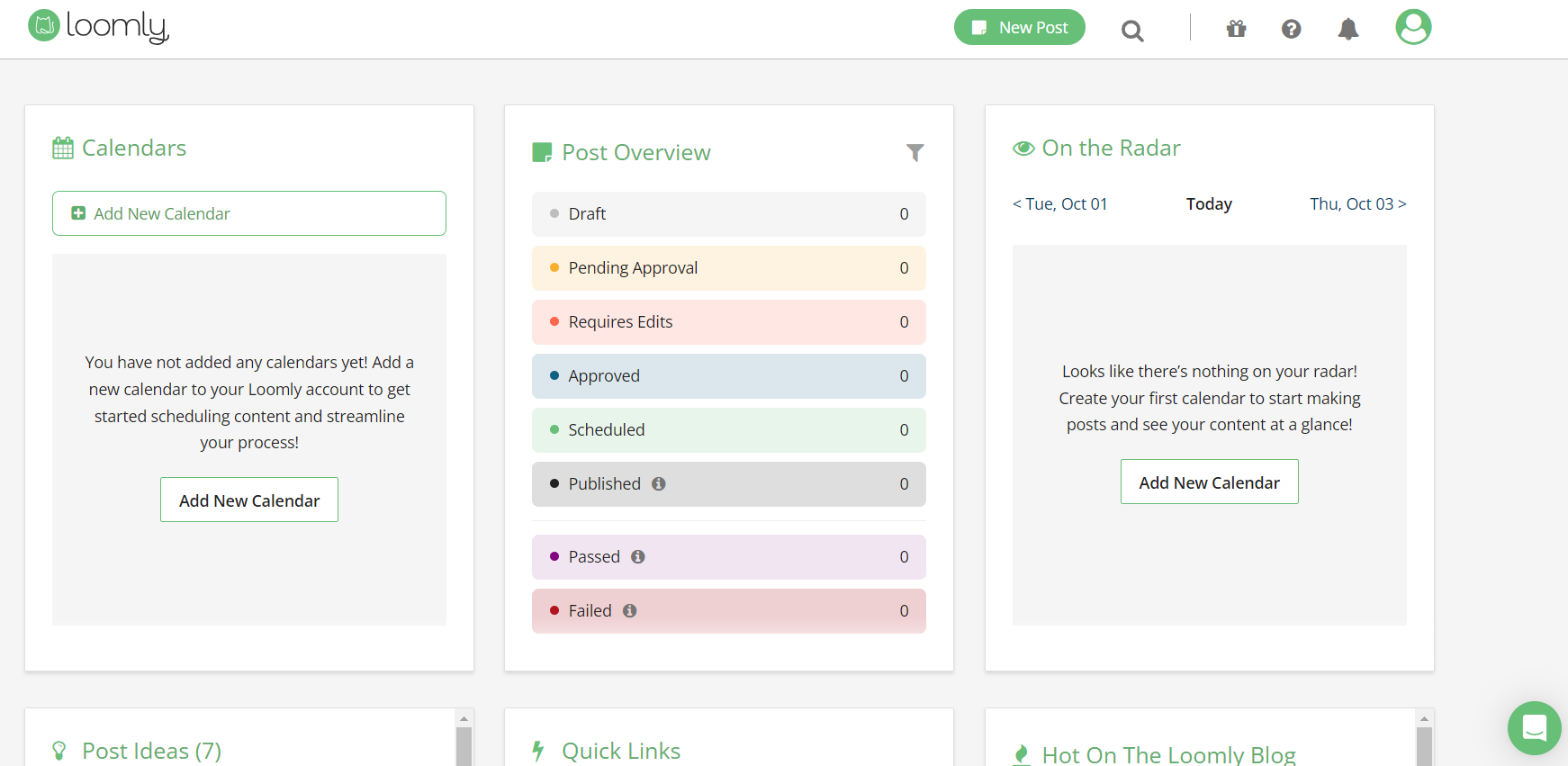
Loomly’s Dashboard Loomly is a content creation tool that lets you manage everything from post-ideation to publishing.
It works particularly well for structured content planning, providing a detailed and methodical approach for each piece of content you produce.
Key Features
- Get automated content recommendations and brand-specific post ideas.
- Use an organized calendar to plan your publishing and visualize your whole content schedule.
- Simplify your team’s workflow with integrated tools that enable smooth feedback before launching any content.
- Highlight your content’s strengths with comprehensive performance metrics and analytics.
- Manage and post content to all of the main social media networks.
-
SocialPilot
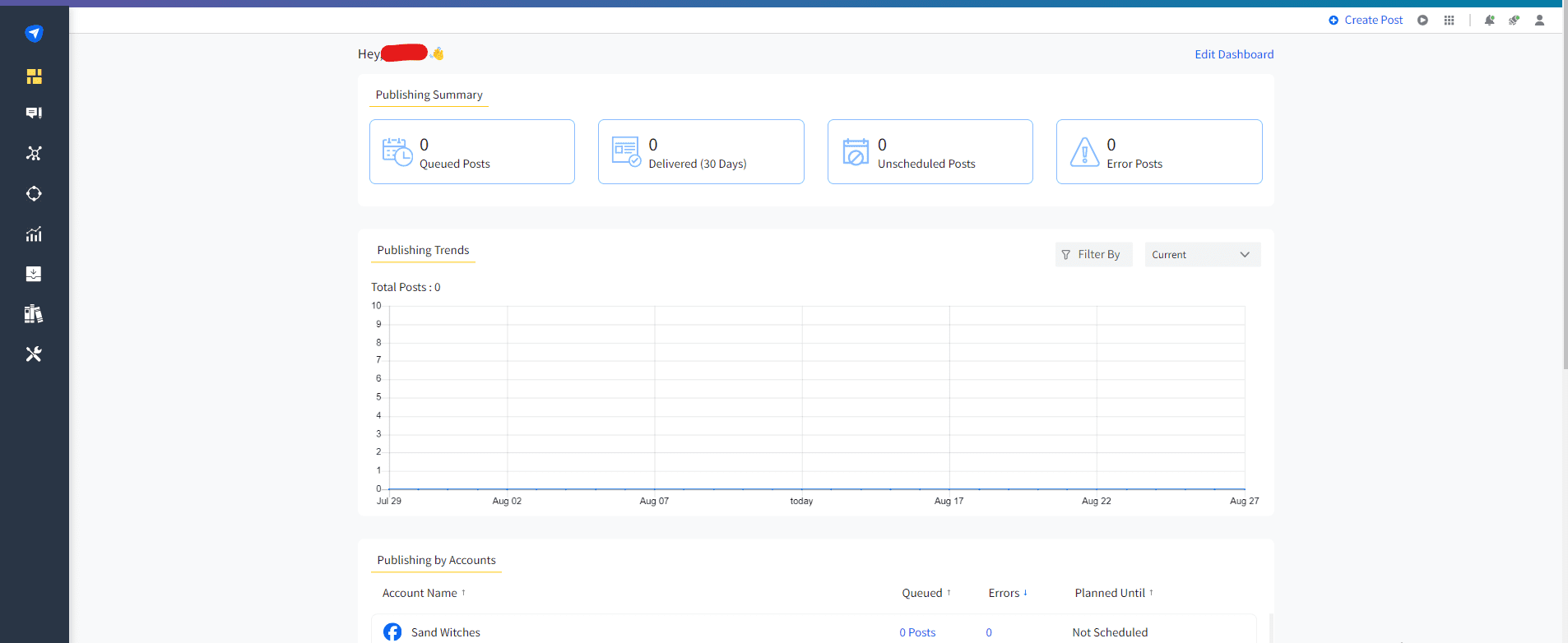
SocialPilot’s Dashboard For teams, freelancers, and small agencies that require reliable scheduling and reporting without going over budget, SocialPilot is an affordable solution.
It offers a strong feature set that can effectively and economically manage several client accounts.
Key Features
- Schedule hundreds of posts at once to save time, and a content queue that can be customized makes organizing them simple.
- Keep your social media feeds lively and interesting by automatically grabbing new content from your preferred blogs and websites.
- Handle your freelance or agency business with ease by managing numerous client accounts from a single, central dashboard.
- Create expert, white-label reports that you can customize with your own colors and logo.
- Assign roles, control access, and work together on content drafts prior to publication as a team.
-
Hootsuite
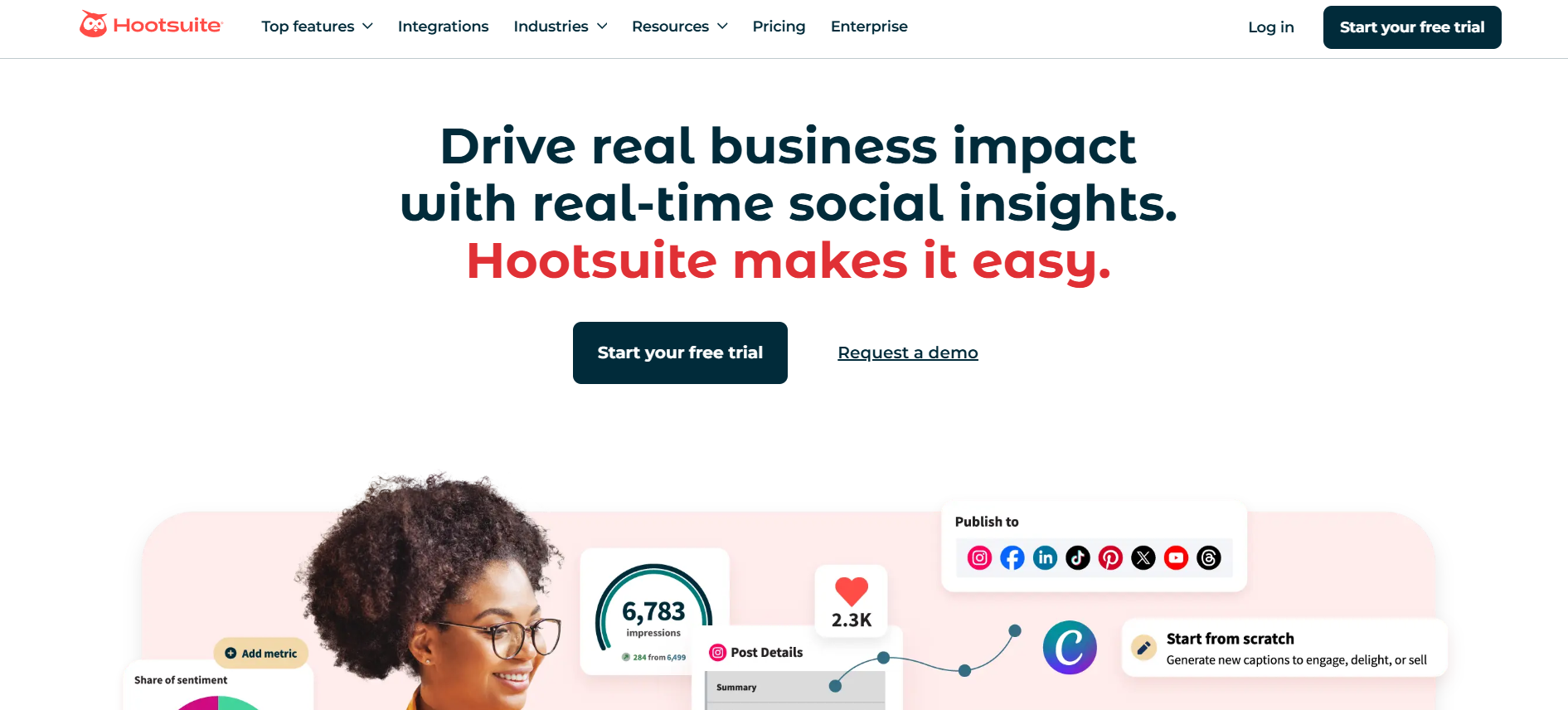
Hootsuite’s Homepage Having existed for more than 15 years, Hootsuite is still one of the most popular social media platforms.
With extensive support for numerous social networks, it integrates publishing, monitoring, and analytics into a single platform.
Key Features
- Save time and effort by managing and publishing content to all of your social media profiles from a single dashboard.
- See how successful you are on social media with comprehensive analytics on your posts and campaigns.
- Keep tabs on industry trends and brand mentions by monitoring social media conversations and keywords.
- Combine paid and organic strategies by creating and managing social media ad campaigns within the platform.
Featured Article: Top 10 Hootsuite Competitors for Your Social Media Needs
Choosing the Right Vista Social Alternative for Your Needs
The correct platform can enhance your social media management, enabling you to work more efficiently rather than laboriously.
To make an informed decision, consider these key factors as you evaluate your options.
-
Your Objectives on Social Media
Start by determining the tasks that a social media management tool must perform.
Are you using social media to enhance customer service, increase website traffic, or raise brand awareness?
Whether it’s a comprehensive content calendar, a unified inbox for comments and direct messages, or advanced analytics, your objectives will dictate which features are most crucial.
-
Team Size and Needs for Cooperation
Your needs will differ from those of a large agency if you work as a freelancer alone.
Think about the number of users who must have access and whether you need features like internal commenting, task assignments, and multi-level approval workflows.
Your team can stay on the same page and avoid bottlenecks with a platform that has robust collaboration tools.
-
Functionalities and Integrations
Choose a tool that has the features you need most.
Do you require sophisticated social listening skills, a link-in-bio tool, or an AI writing assistant?
Verify whether the platform integrates with other tools in your marketing stack, like WordPress or HubSpot, and whether it supports all the social networks you currently use.
-
Pricing Structure and Budget
Examine each alternative’s pricing strategies.
While some platforms have more flexible, customized pricing, others offer tiers of plans based on the number of users and social profiles.
To prevent unforeseen expenses, ensure you understand what each plan includes. You can try out different tools by taking advantage of their free trials.
Conclusion
Although Vista Social is a useful tool, there are many strong alternatives available that might be a better fit for your particular requirements.
The option that will help you reach your objectives more quickly is ultimately the best one.
Benefit from free trials, evaluate features according to your particular requirements, and select a platform that gives you the confidence to plan, produce, and evaluate your social media content.