If you’ve ever felt overwhelmed managing tweets, DMs, analytics, and campaigns all at once, you’re not alone.
That’s exactly why X / Twitter management tools are becoming must-haves for brands and agencies, especially as platforms evolve and competition for attention heats up.
Short Summary
- X / Twitter management tools allow marketers to schedule tweets, track performance, monitor mentions, collaborate with teams, recycle evergreen content, and gain audience insights.
- Social Champ is the best all-in-one X / Twitter management tool for small businesses and solo marketers, offering scheduling, AI captioning, content recycling, hashtag suggestions, and Canva integration at an affordable price.
- Popular tools like Sprout Social, SocialBee, CoSchedule, SocialPilot, and Sendible offer unique features for different needs.
- The right tool saves time, boosts engagement, and helps businesses grow faster on X / Twitter.
In fact, about 82% of B2B marketers use X for content marketing, proving how central it still is to a modern social strategy. But with so many options out there, figuring out which ones actually save time, boost engagement, and streamline workflows can feel like sifting through noise.
In this post, I’ll walk you through the 15 Best X / Twitter management tools for brands and agencies to help you spot the features you really need, and even share actionable Twitter tips to make your workflow more effective.

Ready to Master X Without the Hassle?
Schedule tweets and engage your audience easily. Try Social Champ today and boost your X presence.
How We Analyze and Select X Management Tools
We curated this list of top X / Twitter management tools through hands-on testing and in-depth evaluation of essential features like scheduling, automation, content creation, analytics, and engagement management. Each platform was assessed based on its X management capabilities, user ratings, pricing structure, scalability, and overall performance to ensure it meets the needs of brands and agencies in 2026.
Types of X / Twitter Management Tools
When you explore X / Twitter management tools, it’s important to understand that not every tool is built for the same purpose.
Some are designed for automation and scheduling, others focus on analytics and performance tracking, while a few offer a complete ecosystem for full-scale X/ Twitter management.
Choosing the right category depends on whether your priority is growth, engagement, collaboration, or efficiency.
-
All-In-One X / Twitter Management Tools
These are comprehensive platforms that allow you to plan, publish, monitor, analyze, and collaborate, all from one dashboard. They eliminate the need for multiple tools and are ideal for brands and agencies that need structured workflows. Examples include Hootsuite, Sprout Social, and Zoho Social.
-
X / Twitter Scheduling and Automation Tools
These tools specialize in planning and publishing content consistently. They often include queue systems, recurring posts, bulk uploads, and best-time recommendations. Tools like Social Champ, Buffer, SocialBee, and X Pro fall into this category. Social Champ, for instance, combines automation, bulk scheduling, and team approvals into a single X / Twitter management app, making it easier to manage X accounts at scale.
They’re ideal for creators and small businesses looking for lightweight X software that keeps their posting consistent without heavy analytics or collaboration layers.
-
X / Twitter Analytics and Reporting Tools
If data drives your strategy, this category matters most. These X / Twitter engagement tools focus on tracking impressions, engagement rates, follower growth, hashtag performance, and competitor benchmarking.
Platforms such as Brandwatch, Metricool, and Sprout Social provide deeper insights that help refine campaigns and improve ROI. They’re especially valuable for performance-focused X managers and agencies.
-
X / Twitter Engagement and Collaboration Tools
These platforms are built to streamline communication and teamwork. Features typically include unified inboxes, mention tracking, task assignments, and approval workflows. Tools like Agorapulse and Sendible help teams respond faster and maintain consistent brand communication.
Understanding these categories makes it easier to choose the best X / Twitter management tools for your needs, whether you’re looking for full-suite X / Twitter management software, specialized analytics, or simple scheduling automation.
Your Content, Always Active!
Don’t let your best tweets fade away. Recycle top content automatically with Social Champ and keep your feed buzzing.
Why Do You Need a X / Twitter Management Tool?
Since X/ Twitter is considered one of the most popular social media platforms online with a significant number of users, having a tool to manage it would be super beneficial.
X/ Twitter management apps can help you do all the basic social media management, like scheduling and publishing tweets, tracking engagement, and analyzing performance.
With an X / Twitter management tool, you can:
- Enhance Productivity: Automate repetitive tasks, such as retweeting, so you can focus on creating high-quality content.
- Provides Analytics: Get detailed reports that help you track performance and refine your strategy.
- Better Engagement: Use features like social listening to see what people are saying about you and connect with them easily.
- Saving Time: With task automation and having a centralized platform, you will be able to manage your account, saving you valuable time.
Featured Article: Twitter Stats: Key Insights Every Marketer Should Know About Twitter (X)
A Quick Comparison of The Top X / Twitter Management Tools
Before we take you to the list of tools in detail, here’s a quick comparison of all the social media X management tools. These are solely focused on providing features that help you manage X / Twitter followers and profiles and stay ahead of the competition.
| Tool | Key X / Twitter Features | Pricing & Free Plan / Trial |
|---|---|---|
| Social Champ | – Schedule and publish tweets & threads – AI content suggestions – Bulk upload – Social inbox – Team collaboration |
Starting at: $4/channel/month
Free Plan: Yes Free Trial: 7-day |
| Buffer | – Schedule Tweets/Reposts – Basic analytics (likes, retweets) – Supports up to 3 accounts – AI assistant – Drafts and approval process |
Starting at: $5/channel/month
Free Plan: Yes Free Trial: 14-day |
| Hootsuite | – Schedule/publish tweets – Monitor streams (mentions, hashtags) – Strong analytics – Link shortener – Bulk scheduling – Team collaboration |
Starting at: $199/user/month
Free Plan: No Free Trial: 30-day |
| Zoho Social | – Schedule and publish tweets with images, videos, and threads – SmartQ for best time posting – Advanced monitoring for mentions, hashtags, and keywords – Analytics and custom reports – Collaboration tools |
Starting at: $10/month
Free Plan: Yes Free Trial: 15-day |
| Sprout Social | – Schedule and publish – Engage – In-depth analytics – Smart inbox – Shared calendar – Keyword monitoring – Competitor analysis |
Starting at: $199/seat/month
Free Plan: No Free Trial: 30-day |
| SocialPilot | – Schedule and publish tweets – Social inbox – Analytics – Collaboration features |
Starting at: $25.50/month
Free Plan: No Free Trial: 14-day |
| Agorapulse | – Schedule and publish tweets/threads – Manage mentions via unified inbox – Performance reports |
Starting at: $79/user/month
Free Plan: Yes Free Trial: 30-day |
| X Pro | – Official X dashboard – Multi-column view – Manage multiple accounts – Keyword streams |
Starting at: $3/month
Free Plan: Yes (X) Free Trial: No |
| SocialBee | – Schedule tweets – Evergreen posts – AI drafting – Content categorization |
Starting at: $24/month
Free Plan: No Free Trial: 14-day |
| Loomly | – Schedule tweets with visuals, threads, and links – Post ideas and inspiration – Approval workflow for teams – Analytics and engagement insights – Supports multiple formats |
Starting at: $49/month
Free Plan: Yes Free Trial: 15-day |
| CoSchedule | – Schedule tweets – Social calendar – Automation (AI) – Inbox for team management. |
Starting at: $19/user/month
Free Plan: Yes Free Trial: 14-day |
| Sendible | – Schedule tweets/threads – Bulk scheduling – RSS – Reporting – Content recommendations |
Starting at: $29/month
Free Plan: No Free Trial: 14-day |
| Metricool | – X / Twitter analytics – Competitor benchmarking – Performance dashboards – Scheduling |
Starting at: $20/month
Free Plan: Yes Free Trial: 30-day |
| Eclincher | – Smart publishing queues – Unified inbox – Social listening – Automation |
Starting at: $1609 billed annually
Free Plan: No Free Trial: 14-day |
| Brandwatch | – Social listening – Sentiment analysis – Trend tracking – Custom dashboards |
Custom pricing (Enterprise-focused)
Free Plan: No Free Trial: No |
Featured Article: 400+ Twitter Bio Ideas: How to Write a X/Twitter Bio
15 Best X / Twitter Management Tools To Help Your Brand Grow
Now, let’s take a look at each one of the apps to manage multiple X accounts in detail and see which option suits you best.
-
Social Champ
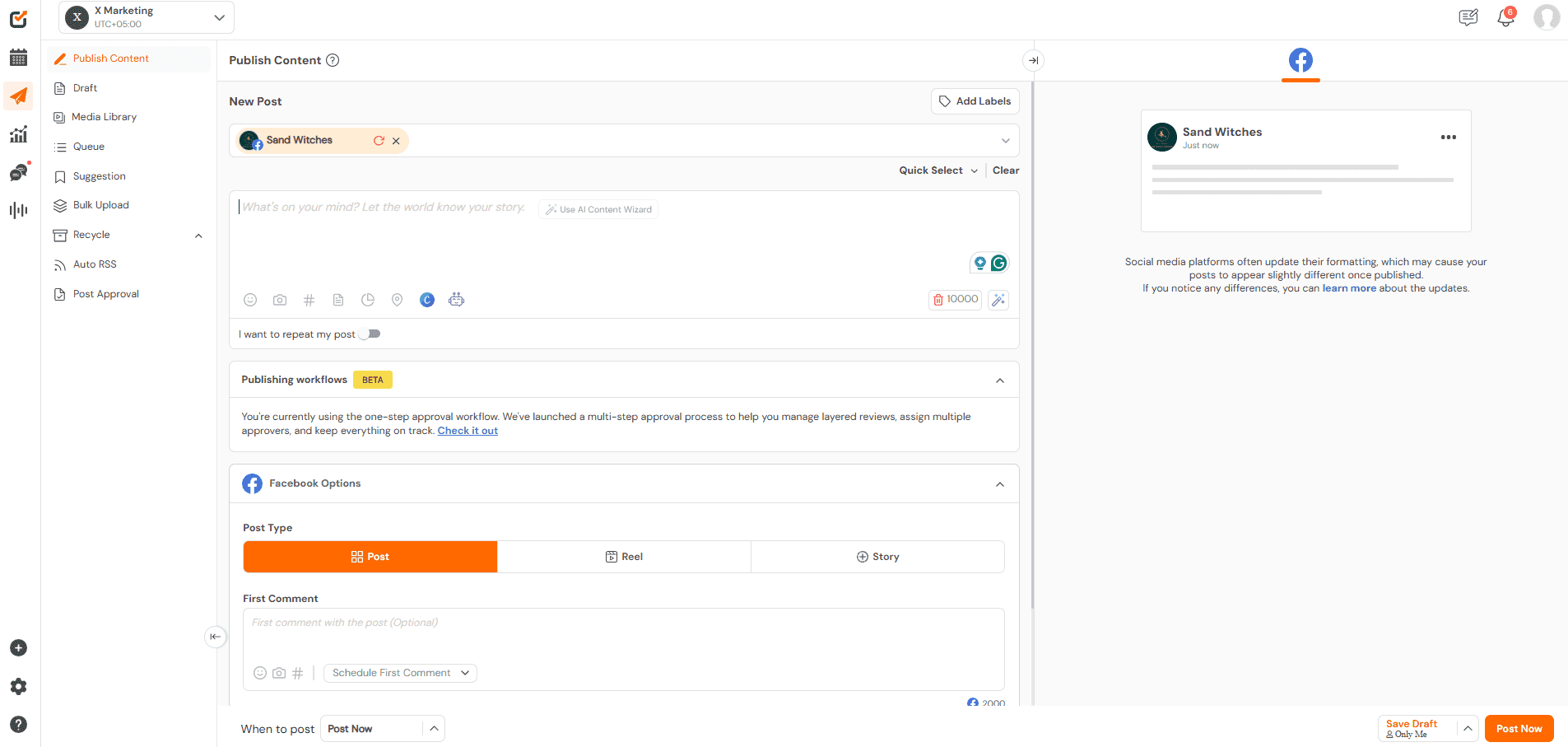
Social Champ’s Dashboard Social Champ offers a X / Twitter scheduler that lets you connect multiple X accounts and plan content without constantly logging in and out.
You can schedule individual tweets, entire threads, or repeat evergreen content without micromanaging your feed. This tool also offers a variety of features, such as bulk uploading tweets, team collaboration with roles, AI Champ Suite for an AI caption generator, best times to post on X / Twitter, and many more.
Ideal For: Small to mid-sized businesses, agencies, and creators looking for a cost-effective, complete X / Twitter tools solution.
Standout Features
- AI-powered content suggestions and writing
- Evergreen tweet automation and thread scheduling
- Hashtag performance tracking and smart recommendations
- Approval workflows for multi-user collaboration
- Canva and Bit.ly integration for design and link management
Pros
- Affordable and scalable X / Twitter management software for growing teams
- Clean interface that simplifies daily X / Twitter management tasks
- Strong value for agencies needing to manage X / Twitter accounts efficiently
Cons
- The mobile application is widely considered less intuitive and slower than the desktop version
- X integration is not available in the Free plan
Our Experience
Social Champ feels intentionally built for teams that want efficiency without a complicated setup. Scheduling threads and bulk uploading content is straightforward, and the evergreen automation keeps accounts active without constant manual effort.
The interface is clean, collaboration flows smoothly with approval roles, and the AI writing assistant is genuinely helpful when planning content at scale. It delivers structure and flexibility without feeling overwhelming.
Pricing
Social Champ offers a free plan, making it accessible for beginners and solo users. Paid plans follow a per-channel pricing model:
- Starter Plan: $4/month per channel
- Growth Plan: $8/month per channel
- Enterprise Plan: Custom pricing
All paid plans come with a 7-day free trial, allowing teams to test features before committing.
Final Verdict
If you’re looking for an affordable yet capable X / Twitter management tool that balances automation, collaboration, and ease of use, Social Champ is a strong contender. It’s especially practical for agencies and growing brands that want scalable pricing without jumping into expensive enterprise plans.

Want to Grow Your X Audience Faster?
Plan, schedule, and recycle tweets with ease. Get started with Social Champ and watch your engagement rise.
Free 14-Day Trial -
Buffer
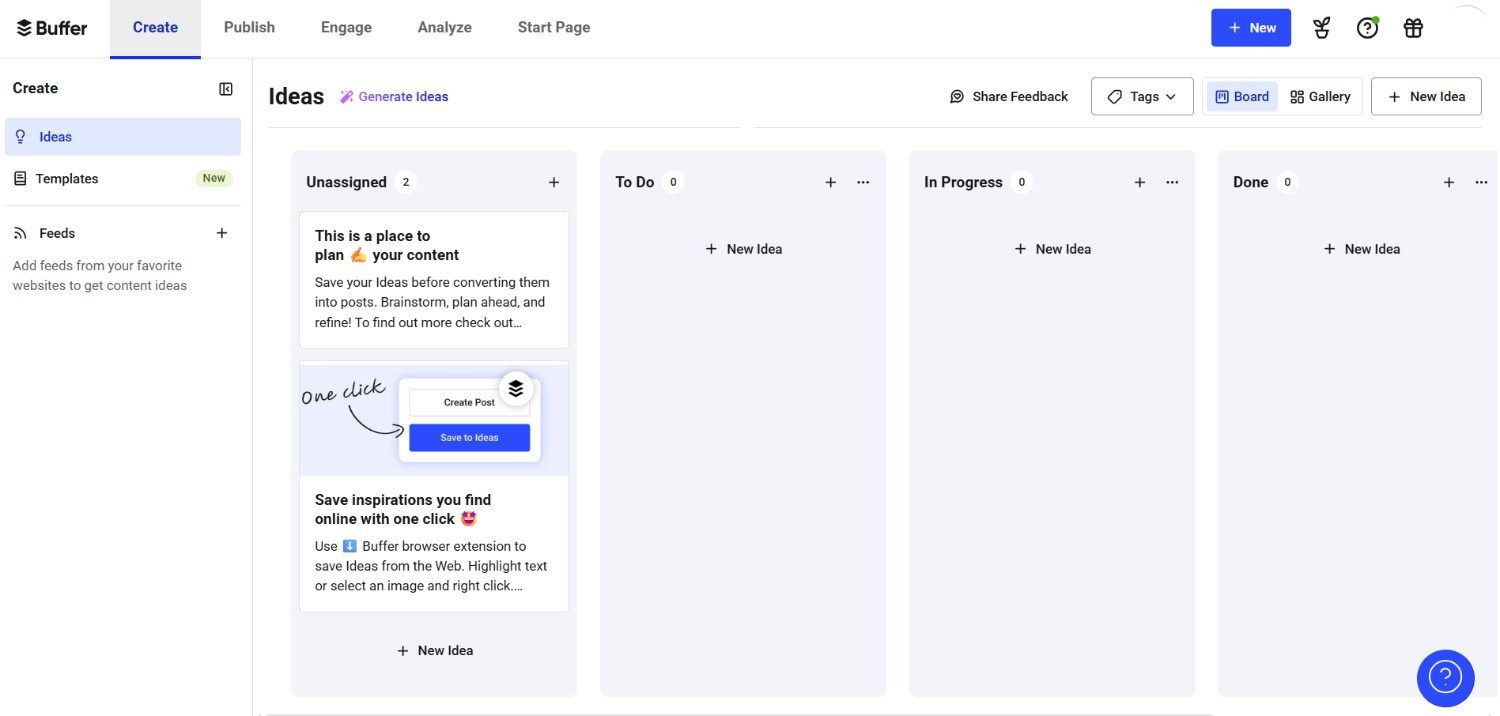
Buffer’s Dashboard Buffer offers a super affordable scheduler for X, which helps in making scheduling much more efficient.
Not only this, but you also have the option to cross-post to any other platform, get insights for your growth, and brainstorm ideas that can be saved for later. Buffer also offers to manage multiple brands’ X accounts along with an engagement tracking feature.
Ideal For: Solo creators and small teams looking for a clean, distraction-free experience
Standout Features
- Intuitive content calendar and queue-based scheduling
- Engagement breakdown by post
- AI tools for repurposing and improving tweet performance
- Lightweight browser extension for sharing on the go
Pros
- Extremely beginner-friendly X / Twitter management app
- Transparent and budget-friendly pricing structure
- Reliable publishing stability for consistent posting
Cons
- Limited advanced analytics
- Collaboration tools are basic on lower plans
- Not built for heavy multi-client agency workflows
Our Experience
Buffer stands out for its simplicity. The interface is clean, easy to navigate, and perfect for users who don’t want to deal with a cluttered dashboard.
Scheduling tweets through the queue system feels seamless, and the lightweight approach makes daily content planning quick and stress-free. However, teams managing multiple brands or needing deeper reporting may find it slightly limiting as they scale.
Pricing
Buffer offers a Free plan, ideal for individuals and small teams getting started.
Paid plans include:
- Essentials Plan: $5 per channel/month
- Team Plan: $10 per channel/month
Buffer also offers a 14-day free trial for users who want to explore premium features before committing.
Final Verdict
Buffer is a solid choice if your priority is simplicity and affordability. It works especially well for solo creators and small teams who want efficient scheduling without complex workflows. Growing agencies, however, may eventually need more advanced collaboration and reporting features.
-
Hootsuite

Hootsuite’s Landing Page Hootsuite is a powerful tool for X. With Hootsuite, scheduling your tweets is straightforward. You can plan content weeks and keep everything organized using the clear calendar view.
Along with scheduling, the platform gives you real-time analytics so you can see which tweets perform best and where your audience is most engaged.
The dashboard brings all your X / Twitter activity together in one place, making it easy to monitor mentions and replies without switching between tabs.
If you are working with a team, Hootsuite makes collaboration simple. You can assign tasks to members and keep the workflow smooth from start to finish.
Ideal For: Mid-sized businesses and teams managing multiple social channels
Standout Features
- Real-time monitoring via customizable streams
- Bulk scheduling and calendar-based planning
- X-specific analytics and engagement metrics
- Collaboration features and content approvals
- Integrates with over 150 apps, including Trello and Google Drive
Pros
- Enterprise-level reliability and security
- Strong integrations across multiple marketing tools
- Robust infrastructure for large-scale X /Twitter management
Cons
- Expensive compared to many alternatives
- Pricing is per user, which scales quickly
- The interface can feel complex for beginners
Our Experience
Hootsuite feels powerful and structured, especially for teams managing multiple platforms beyond X. The customizable streams are particularly useful for tracking mentions, keywords, and conversations in real time.
However, the platform can feel heavy if your primary need is just X scheduling. It’s clearly designed for teams that require depth, reporting control, and cross-channel management.
Pricing
Hootsuite offers the following plans:
- Standard Plan: $199 per user/month
- Advanced Plan: $399 per user/month
- Enterprise Plan: Custom pricing
Since pricing is based on users, costs can increase significantly for larger teams.
Final Verdict
Hootsuite is a strong option for organizations that need advanced monitoring, structured workflows, and cross-platform control. However, its per-user pricing makes it a serious investment, better suited for established teams rather than small businesses or solo marketers.
-
Zoho Social
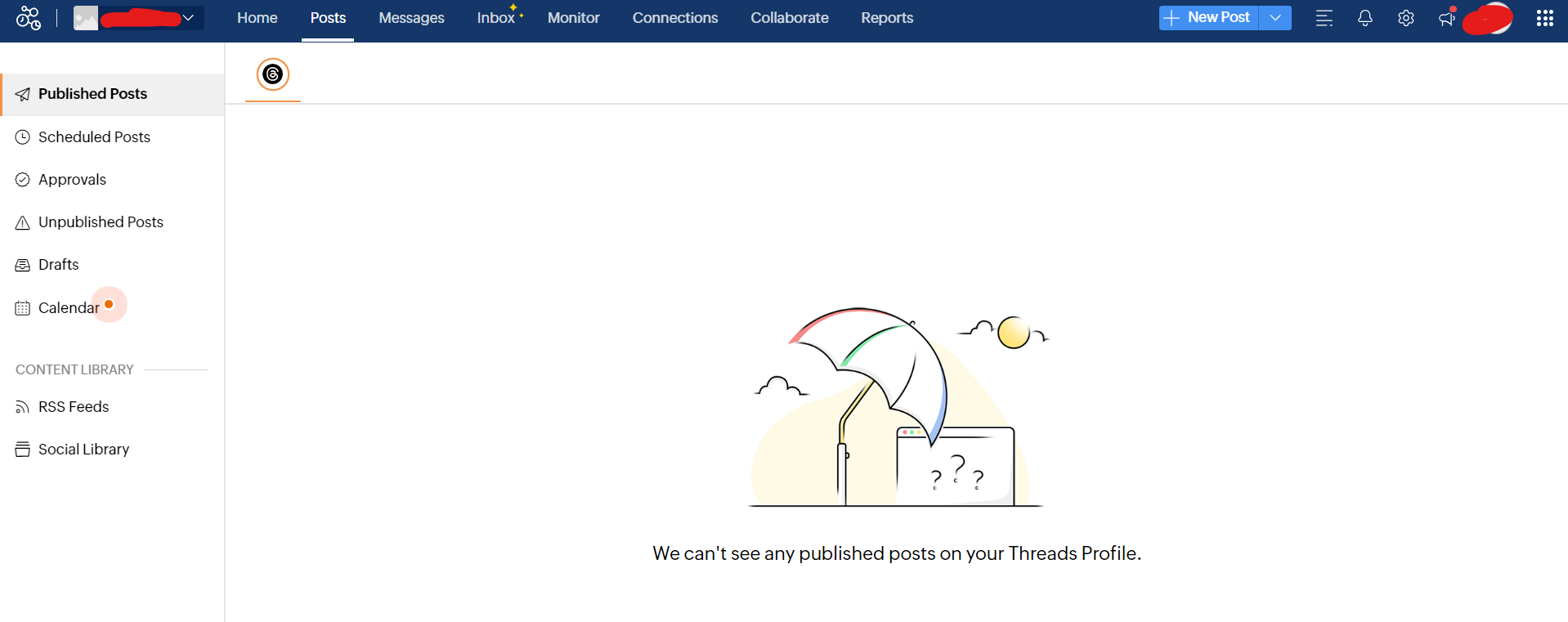
Zoho Social’s Dashboard Zoho Social is a CRM focused tool that also provides X / Twitter management services. You can easily schedule and publish, receive the best times to post suggestions, and monitor mentions, messages, and keywords, all from one dashboard.
Zoho also offers in-depth reporting showcasing a content analysis that helps you know what suits your audience best. A team collaboration feature is also available that comes with assigning roles, sharing drafts, and getting feedback before publishing.
Ideal For: Agencies and small to mid-sized businesses managing multiple clients
Standout Features
- Smart scheduling with time optimization
- Advanced monitoring for keywords and brand mentions
- Detailed analytics and custom reports
- Collaboration features with role-based access
- Integration with Zoho ecosystem (CRM, Desk, etc.)
Pros
- Cost-effective solution for small businesses
- Smooth integration within the Zoho ecosystem
- Balanced mix of publishing and reporting features
Cons
- Interface can feel a bit dated
- Advanced listening features require higher-tier plans
Our Experience
Zoho Social works best for teams that value integration with CRM tools and want a centralized workflow for client accounts. Scheduling and monitoring are intuitive, while analytics provide useful insights to shape content strategies. Role-based collaboration keeps teams aligned, making it a practical choice for agencies managing multiple clients.
Pricing
Zoho Social offers flexible pricing tiers:
- Free Plan: $0/month
- Standard Plan: $10/month
- Professional Plan: $30/month
- Premium Plan: $40/month
All plans are billed monthly and include the core scheduling, monitoring, and analytics features, with higher tiers unlocking advanced reporting and team collaboration tools.
Final Verdict
Zoho Social is a solid mid-range solution for agencies and businesses that want X / Twitter management combined with CRM-style insights. Its blend of scheduling, analytics, and team collaboration makes it ideal for clients or multi-account workflows without breaking the bank.
-
Sprout Social
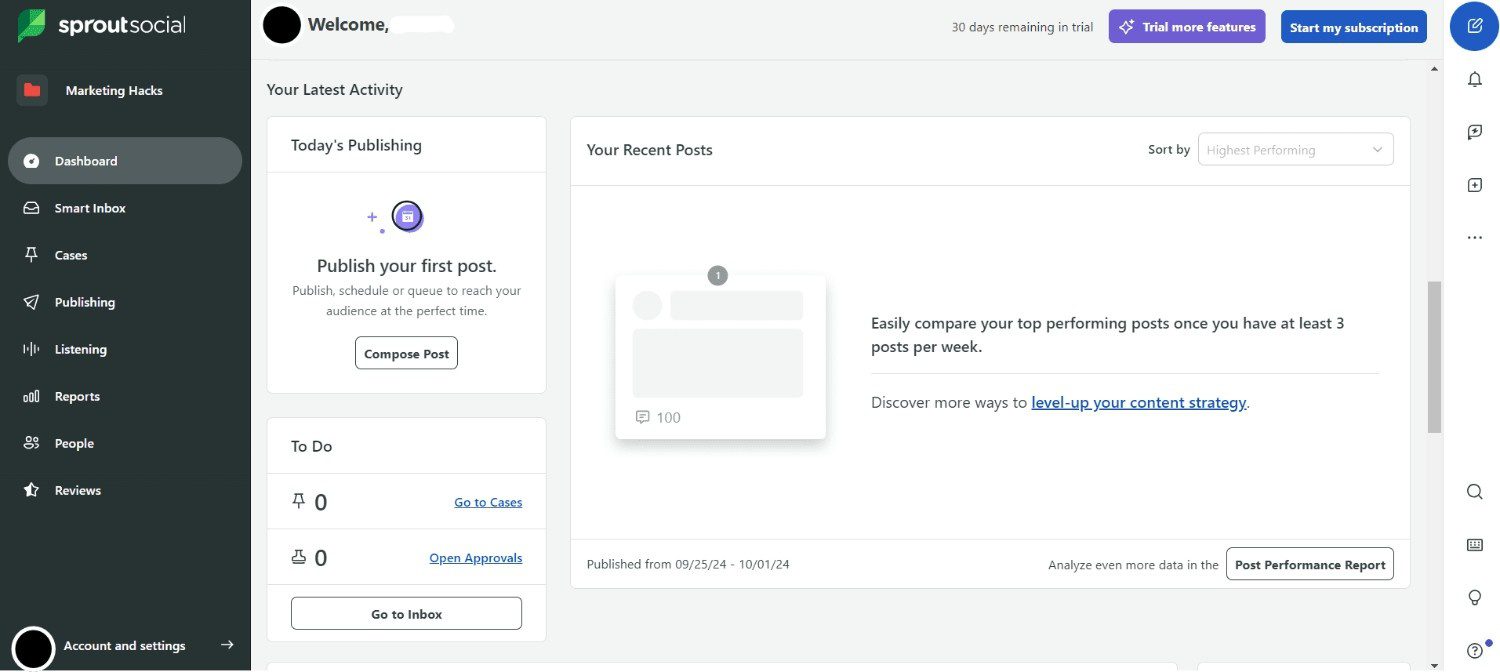
Sprout Social’s Dashboard Sprout Social is a heavyweight in the social media X management space, offering some of the most advanced features in analytics and team collaboration. It’s particularly valuable for enterprise-level brands or agencies managing multiple X/ Twitter accounts across departments or clients.
With its Smart Inbox, you can track all mentions, replies, and DMs from multiple profiles in a single interface, which drastically cuts down response time and improves customer care efficiency.
Ideal For: Large teams, agencies, and enterprises that prioritize analytics and structured workflows with a big pricing budget. Smaller teams can explore Sprout Social alternatives to reduce costs
Standout Features
- Unified Smart Inbox for all conversations
- In-depth X / Twitter analytics and sentiment analysis
- Robust reporting with tagging, campaign breakdowns, and benchmarks
- Custom permissions and user roles for large teams
- CRM-style engagement tracking for customer history
Pros
- Premium reporting suitable for professional X managers
- Excellent customer support
- Powerful cross-platform social management capabilities
Cons
- High per-seat pricing
- May be overkill for small teams or solo X/ Twitter managers
- Limited customization on lower plans
Our Experience
Sprout Social stands out among X / Twitter management tools for its depth and reliability. The platform is excellent for teams needing comprehensive monitoring and reporting to manage multiple accounts efficiently. From scheduling posts to tracking engagement trends, it provides everything a professional X / Twitter manager needs.
The interface is polished and intuitive for agencies that run multiple client accounts, though the high pricing may make it more suitable for established teams.
Pricing
Sprout Social offers seat-based pricing:
- Standard Plan: $199/seat/month
- Professional Plan: $299/seat/month
- Advanced Plan: $399/seat/month
- Enterprise Plan: Custom pricing with tailored solutions
Final Verdict
If you want one of the best X / Twitter management tools that combines scheduling, analytics, engagement tracking, and team collaboration, Sprout Social is a top choice. It’s perfect for agencies and enterprise teams that need a complete X / Twitter management app, but smaller teams may want to consider more budget-friendly free X management tools or mid-tier alternatives.
-
SocialPilot
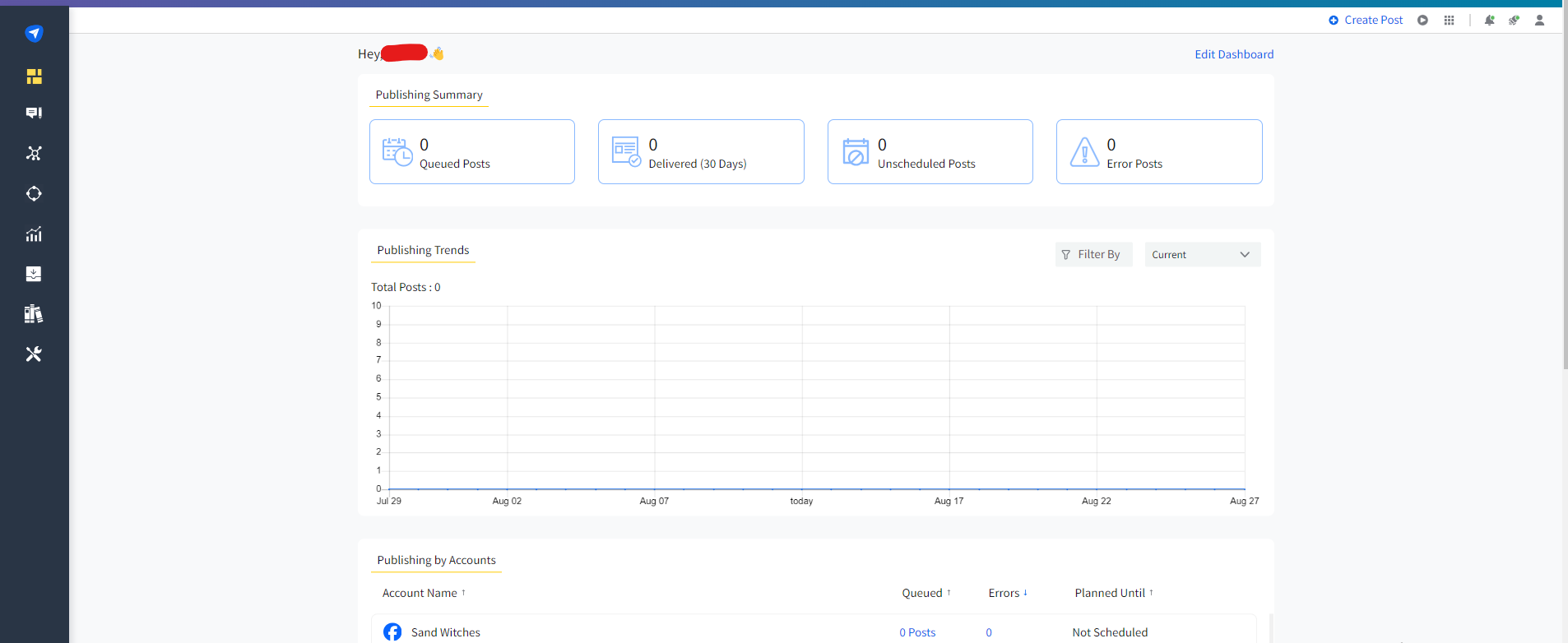
SocialPilot’s Dashboard SocialPilot is another X / Twitter management tool that is budget-friendly and comes with a set of strong features. You can schedule tweets for weeks at a time with the bulk upload feature and track their performance via analytics.
Ideal For: SMBs, agencies, and teams with a small budget for X / Twitter management.
Standout Features
- Bulk upload for scheduling tweets in advance
- Collaboration tools with role-based access
- X analytics with engagement insights
- Content curation suggestions for X
- Ability to manage X accounts
Pros
- Competitive pricing for agencies
- Easy onboarding for teams switching to X software
- Efficient bulk management for multiple accounts
Cons
- Interface can feel slightly outdated
- Limited advanced analytics compared to enterprise tools
Our Experience
SocialPilot is an excellent choice for teams that need to manage X / Twitter accounts without paying enterprise-level fees.
Scheduling and bulk posting are smooth, while engagement tracking gives a clear picture of performance. Collaboration features make it easier for teams to coordinate content, although advanced reporting and analytics are less robust than in higher-end X / Twitter management tools.
Overall, it strikes a good balance between affordability and functionality.
Pricing
SocialPilot offers multiple plans for different needs:
- Essentials Plan: $25.50/month
- Standard Plan: $42.50/month
- Premium Plan: $85/month
- Ultimate Plan: $170/month
All plans include the core scheduling, analytics, and collaboration features, with higher tiers unlocking more accounts and advanced capabilities.
Final Verdict
For small to mid-sized agencies and businesses, SocialPilot is a reliable X / Twitter management app that covers all essential needs. Its affordability, multi-account support, and engagement tracking make it a practical choice, especially for teams looking for tools that scale as the brand grows.
-
Agorapulse
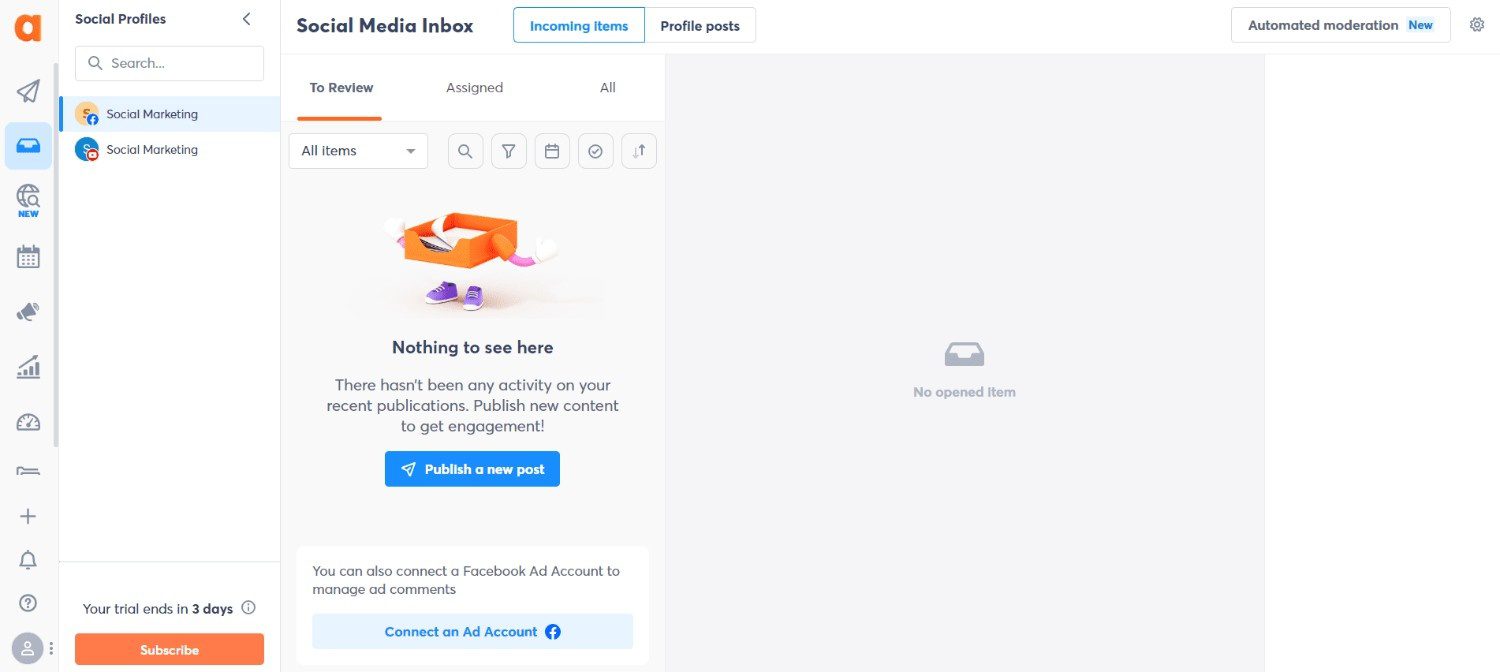
Agorapulse’s Dashboard Agorapulse is one of the most comprehensive X / Twitter management apps and tools, built with agencies and team collaboration in mind. It offers everything from post scheduling to detailed analytics and social listening.
What sets it apart is its structured workflow, designed to handle approvals, comments, team notes, and customer engagement in a centralized space.
Ideal For: Agencies, consultants, and brands managing multiple accounts
Standout Features
- Shared team inbox with collaboration features
- Smart scheduling and publishing queues
- Brand listening for mentions, hashtags, and keywords
- Automated performance reports with white-label branding
- CRM-style audience history for personalized engagement
Pros
- Strong inbox management for engagement-heavy brands
- Clean and intuitive dashboard design
- Scales well for agencies and mid-sized businesses
Cons
- Pricing can be steep for small teams
- Learning curve for new users
Our Experience
Agorapulse is perfect for agencies and teams that need a centralized platform to manage multiple X / Twitter accounts. The shared inbox and approval workflows make collaboration smooth, while social listening and reporting tools provide actionable insights.
It excels at streamlining engagement and tracking campaign performance, making it a reliable choice for professional X / Twitter managers seeking a full-featured X / Twitter management app.
Pricing
Agorapulse offers the following plans:
- Standard Plan: $79 per user/month
- Professional Plan: $119 per user/month
- Advanced Plan: $149 per user/month
- Custom Plan: Tailored pricing for enterprises
Final Verdict
Agorapulse is one of the best X / Twitter management tools for agencies and medium-to-large teams. Its combination of scheduling, analytics, social listening, and collaboration makes it ideal for professional X managers who need robust features and seamless teamwork. Smaller teams may want to consider more budget-friendly X / Twitter management software options.
-
X Pro
X Pro/Tweet Deck’s Landing Page X Pro is X / Twitter’s real-time premium monitoring tool. It offers capabilities that rival some paid platforms, especially for marketers who need to stay engaged during live events, trending discussions, or customer service queries. You can customize multiple columns for timelines, DMs, mentions, lists, and trends, all updating in real time.
Ideal For: Real-time engagement, live tweeting, and trend monitoring.
Standout Features
- Free, multi-column dashboard tailored to your workflow
- Handles multiple X accounts without switching
- Real-time updates across timelines, mentions, and lists
- Ideal for journalists, customer service, and event coverage
Pros
- Native experience directly tied to the X ecosystem
- Lightweight and fast for real-time monitoring
- Budget-friendly entry pricing
Cons
- Limited scheduling and automation features
- Analytics and reporting are minimal
Our Experience
X Pro is unmatched for real-time engagement and monitoring. For X managers handling live campaigns or customer support, the multi-column view makes it easy to respond instantly without toggling between accounts.
However, if your goal is comprehensive content scheduling, analytics, or reporting, X Pro alone may not cover all your X / Twitter management needs.
Pricing
X Pro offers tiered plans for different needs:
- Basic: $3/month
- Premium: $8/month
- Premium+: $40/month
These affordable options make X Pro accessible for individuals and small teams who primarily need live monitoring and account management.
Final Verdict
X Pro is a powerful X / Twitter engagement tool for those prioritizing real-time monitoring and quick responses. It works best when combined with other tools for scheduling, analytics, and multi-account planning. For teams focused only on live engagement, it’s one of the most cost-effective X / Twitter software options available.
-
SocialBee
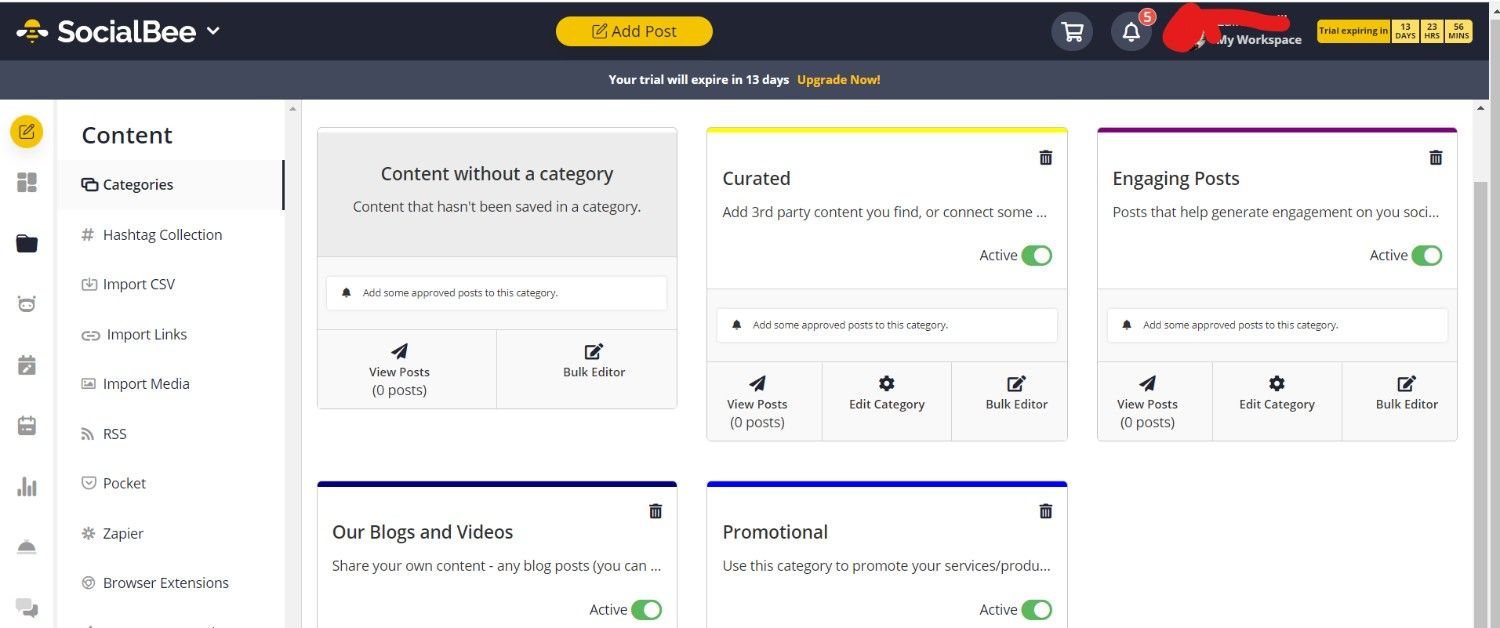
SocialBee’s Dashboard SocialBee comes as the best option for content categorization and scheduling posts. It’s best for those who love to have different categories for their content and can organize their tweets into content buckets for tweeting. It’s best for users who love to keep their feeds active and engaging.
Ideal For: SMBs and solo marketers
Standout Features
- Content categories for better scheduling balance
- Evergreen posting with automatic recycling of top tweets
- X post preview before publishing
- Multiple workspaces for managing different brands
Pros
- Structured content categorization system
- Great for maintaining consistent posting cadence
- Flexible pricing for creators and small businesses
Cons
- Limited advanced analytics for large-scale reporting
- The interface can feel crowded with multiple content categories
Our Experience
SocialBee makes X / Twitter management simple yet structured. The content bucket system allows X managers to categorize posts efficiently, ensuring a consistent posting rhythm across multiple accounts.
Evergreen automation saves time while keeping engagement steady. While advanced analytics are somewhat limited, the platform excels at keeping feeds organized and campaigns consistent.
Pricing
SocialBee offers tiered plans to suit different needs:
- Bootstrap Plan: $24/month
- Accelerate Plan: $40/month
- Pro Plan: $82/month
All plans include scheduling, evergreen automation, and category management, with higher tiers unlocking more accounts and workspaces.
Final Verdict
SocialBee is one of the best X / Twitter management tools for marketers who want organized posting and evergreen content automation. It’s ideal for users looking to manage X accounts efficiently without getting bogged down in complex analytics or expensive enterprise features.
-
Loomly
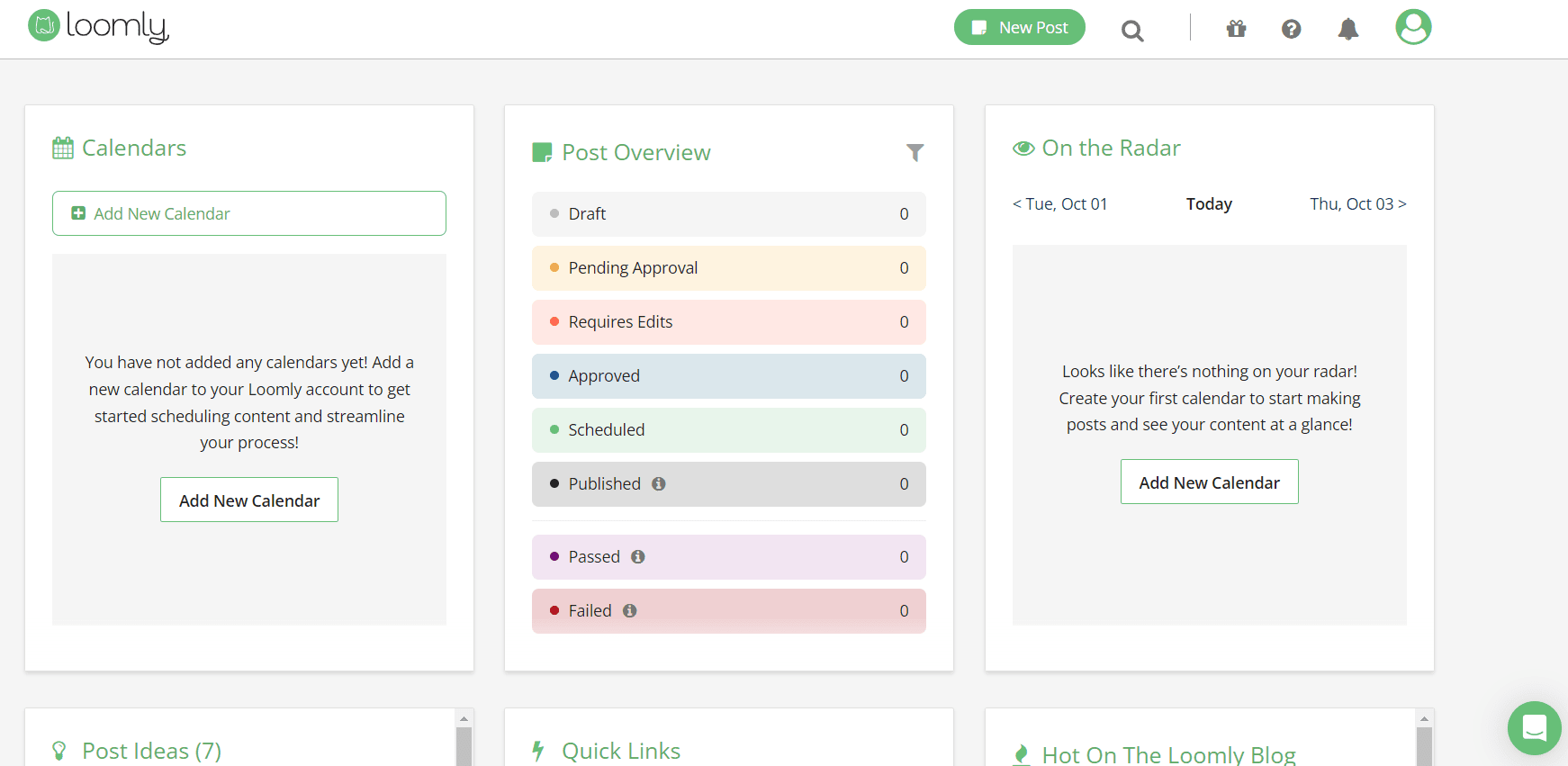
Loomly’s Dashboard Loomly helps create and curate content, as well as schedule and publish tweets. You get post ideas, a visual calendar for planning, with a super clean and easy-to-use interface. Loomly’s analytics allow users to view top-performing tweets and plan their strategies accordingly.
The team collaboration feature allows users to have roles assigned within the team who can approve, review, and publish content. Loomly, however, has rolled out new pricing, which is only available after signing up for the free trial. For new users, you must sign up to view pricing, while current users are unaffected by this latest update.
Ideal For: Brands and teams who want guidance with content and structured approvals
Standout Features
- Post ideas and content inspiration
- Easy scheduling with a visual calendar
- Approval workflows for teams
- Detailed analytics and reports
- Integration with Slack, Microsoft Teams, and more
Pros
- Strong content collaboration tools
- Intuitive approval workflows for teams
- Helpful post optimization suggestions
Cons
- Advanced features and pricing are only visible after sign-up
- Limited social listening compared to enterprise tools
Our Experience
Loomly is excellent for teams that prioritize structured content planning and approval workflows. X managers can easily collaborate with clients or team members, review posts, and ensure content aligns with brand strategy.
The visual calendar and post ideas help keep campaigns organized, though advanced analytics and social listening are limited compared to other X / Twitter management tools.
Pricing
Loomly offers multiple plans:
- Free Plan: $0/month
- Starter Plan: $49/month
- Beyond Plan: $249/month
- Enterprise Plan: Custom pricing
The Free plan is ideal for individuals or small teams exploring the platform, while higher-tier plans unlock advanced features, multi-platform support, and enhanced analytics.
Final Verdict
Loomly is a strong X / Twitter management app for teams that need collaboration and structured planning. It’s especially helpful for agencies managing multiple accounts or clients, providing a clear workflow for content creation, approval, and posting while keeping campaigns organized.
-
CoSchedule
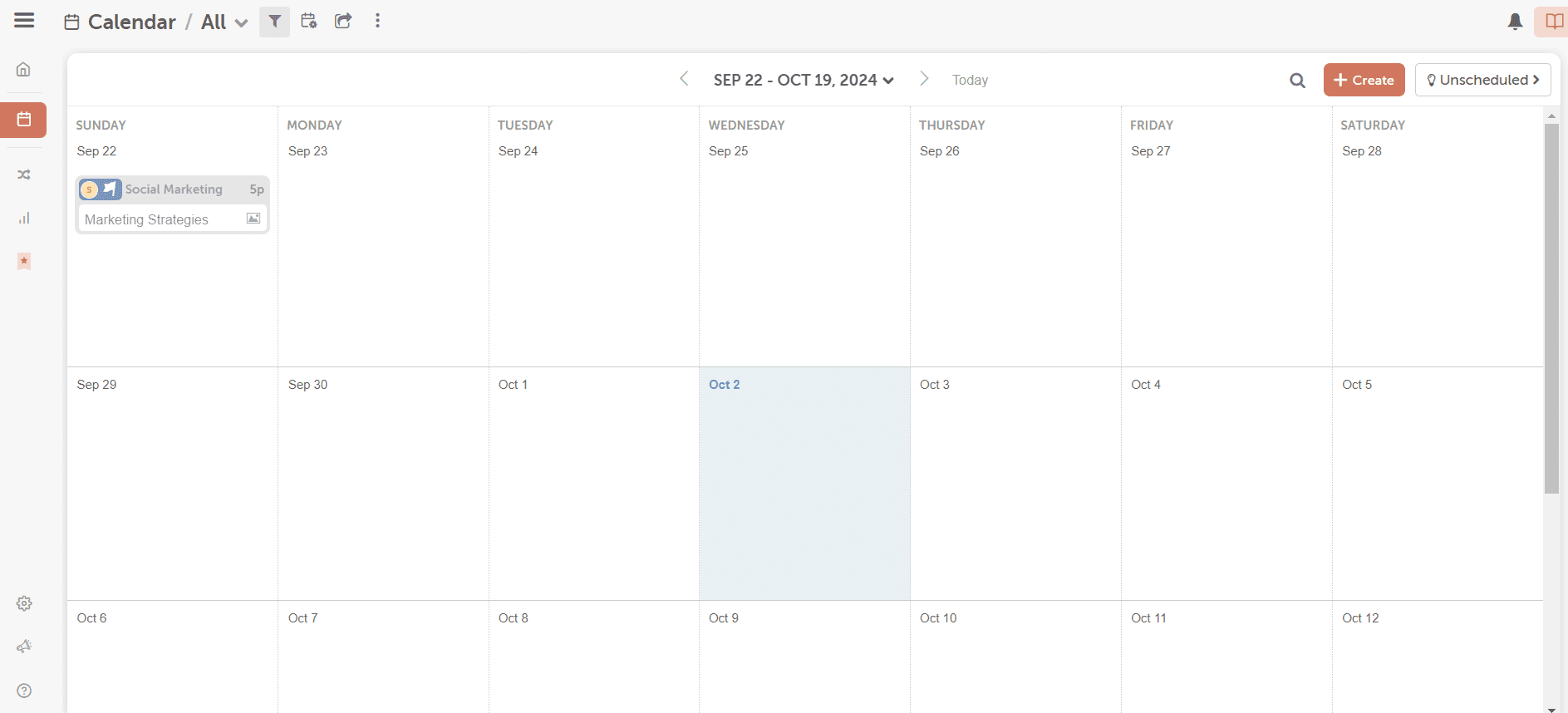
CoSchedule’s Dashboard CoSchedule offers calendar-based plan structures. It’s more about arranging tweets and aligning them with the team’s effective marketing plans and campaigns. Users can create content, campaigns, and arrange smooth team workflows, all just from one platform.
Ideal For: Businesses and marketing teams who need integration for X / Twitter scheduling with their content strategies.
Standout Features
- Drag-and-drop marketing calendar for tweets
- Real-time collaboration and approvals on X content
- Automated rescheduling for missed tweets
- Best-time posting recommendations
- Analytics for tracking X campaign performance
Pros
- Strong content marketing integration beyond just X
- Organized calendar view for streamlined X management
- Ideal for content-heavy teams
Cons
- More marketing-focused than X-specific
- Per-user pricing can increase costs quickly
- Advanced features are locked in higher-tier plans
Our Experience
CoSchedule works best when X isn’t operating in isolation. If your team needs to manage X accounts alongside blogs, newsletters, and broader campaigns, the unified calendar makes coordination easier.
It’s less about advanced X / Twitter engagement tools and more about structured planning. For dedicated X managers focused purely on engagement and analytics, it may feel slightly marketing-heavy.
Pricing
CoSchedule offers several plan options:
- Free Calendar
- Social Calendar: $19/user/month
- Agency Calendar: $59/user/month
- Content Calendar: Custom pricing
- Marketing Suite: Custom pricing
Pricing scales based on users and feature depth.
Final Verdict
CoSchedule is a strong choice for teams looking to combine X / Twitter management with a broader marketing strategy. It’s not purely a standalone X / Twitter software, but for brands running integrated campaigns, it’s one of the more structured X / Twitter management tools available. Smaller teams looking for simple scheduling may prefer lighter or free X / Twitter management tools instead.
-
Sendible
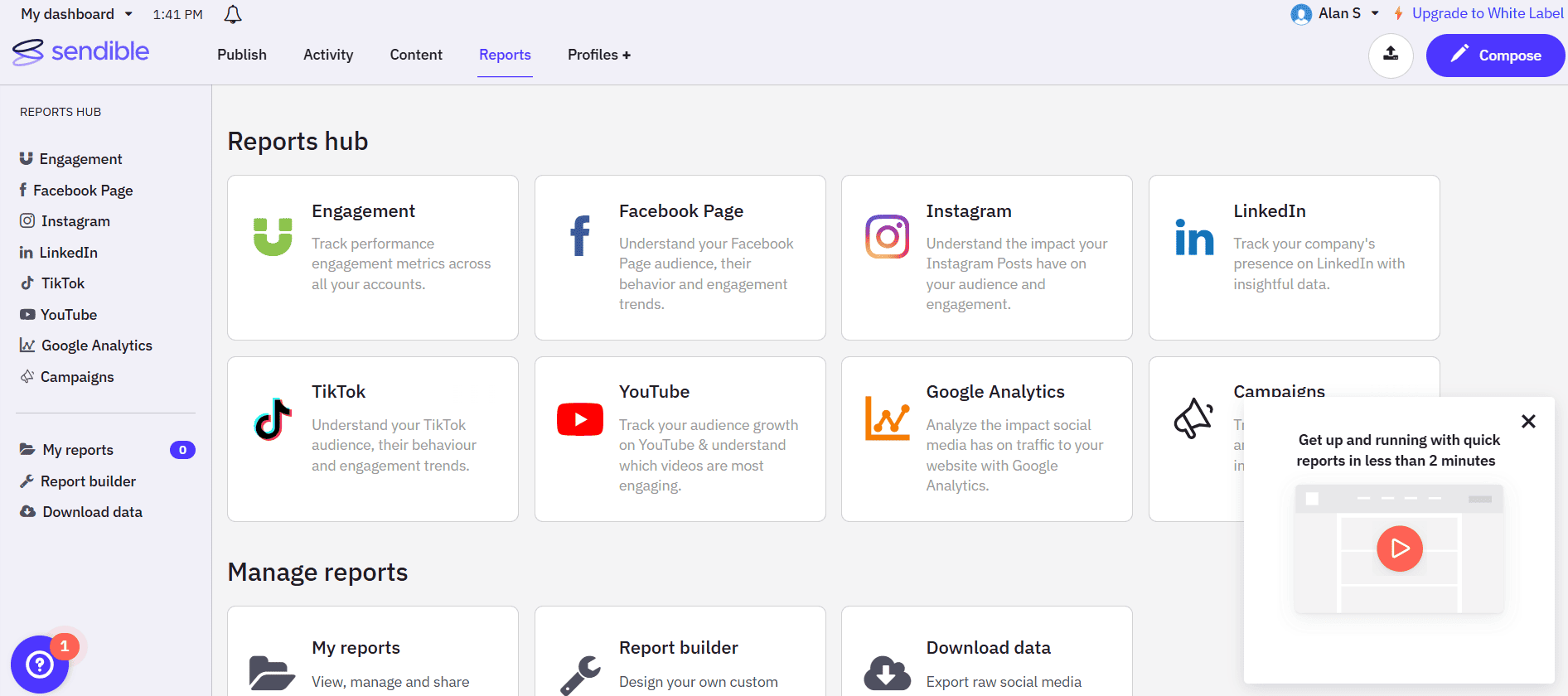
Sendible’s Dashboard Sendible is a tool built for agencies, offering strong client management features. It’s perfect for teams that manage X accounts for different clients and need smooth collaboration and reporting.
Ideal For: Agencies and marketing teams managing multiple client X / Twitter accounts.
Standout Features
- Unified dashboard for X mentions, replies, and DMs
- Bulk scheduling for tweets across accounts
- Custom X reports branded for clients
- Team collaboration with approval workflows
- Social listening to track X keywords and trends
Pros
- Agency-focused structure for managing multiple clients
- Detailed client-ready reporting
- Flexible user permissions and collaboration settings
Cons
- Higher pricing tiers can be expensive
- Interface isn’t as modern as some competitors
- Advanced features reserved for premium plans
Our Experience
Sendible feels purpose-built for agencies that need to manage several clients at once. The reporting tools are particularly strong, making it easier for an X manager to demonstrate performance and engagement results.
Scheduling and inbox management are efficient, though smaller teams might find the higher-tier pricing unnecessary if they only need basic X / Twitter management tools.
Pricing
Sendible offers multiple plans:
- Creator Plan: $29/month
- Traction Plan: $89/month
- Scale Plan: $199/month
- Advanced Plan: $299/month
- Enterprise Plan: $750/month
Higher-tier plans unlock more users, accounts, and advanced reporting features.
Final Verdict
Sendible is one of the more agency-focused X / Twitter management tools available today. Its reporting depth and collaboration features make it ideal for professional X managers who need to handle multiple clients efficiently. For smaller businesses seeking lightweight X / Twitter software, there may be more budget-friendly alternatives, including some free Twitter management tools.
-
Metricool
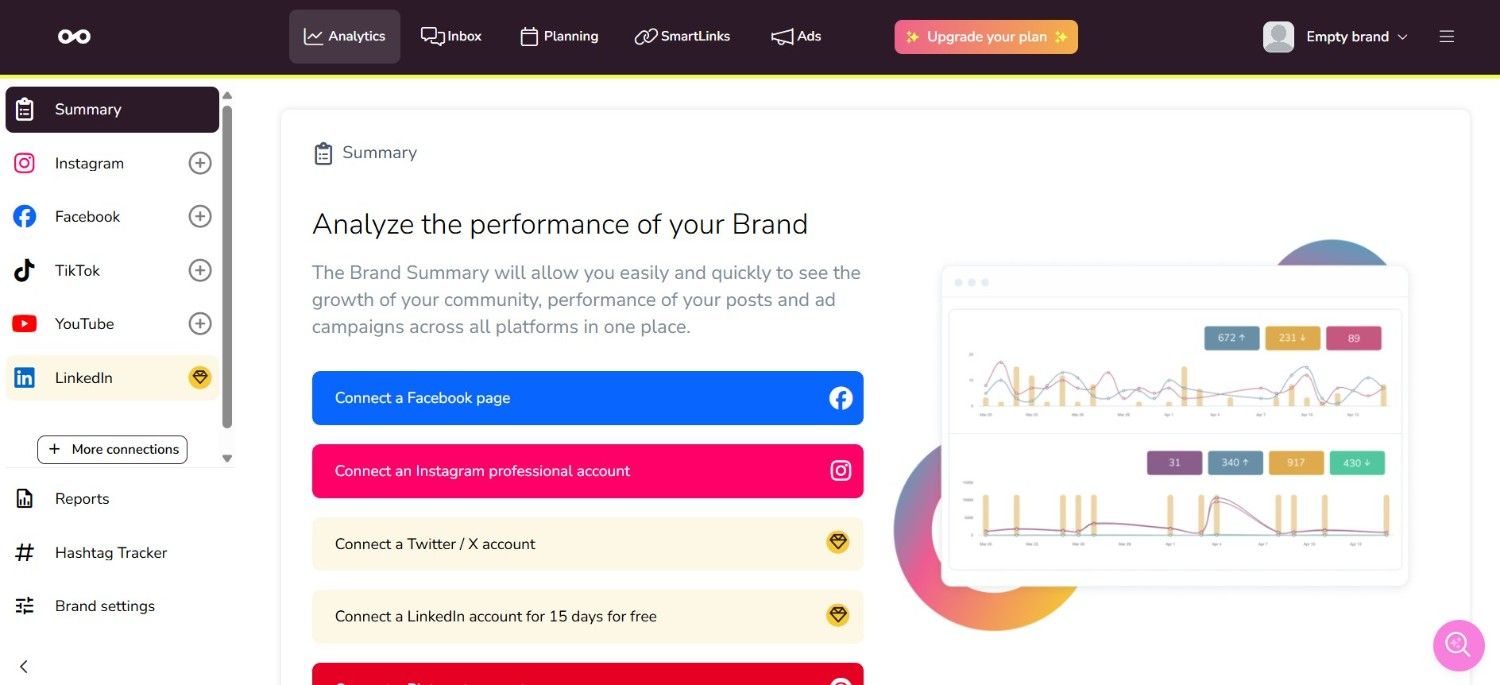
Metricool’s Dashboard Metricool is a data-driven X / Twitter management software designed for brands and marketers who want deeper visibility into performance metrics.
It’s perfect for teams that need to manage X accounts while tracking engagement, impressions, competitor performance, and campaign ROI from one centralized dashboard.
Ideal For: Marketers, creators, and agencies looking for analytics-focused X / Twitter management tools.
Standout Features
- Advanced X analytics and performance tracking
- Competitor benchmarking tools
- Visual content planner with scheduling calendar
- Real-time tracking of impressions, clicks, and engagement
- Automated performance reports
Pros
- User-friendly interface despite its analytical depth
- Strong cross-platform integration beyond just X
- Flexible plans suitable for individuals and growing teams
Cons
- Limited advanced automation capabilities
- Collaboration tools are less robust than agency-focused platforms
- Custom reporting flexibility improves on higher tiers
Our Experience
Metricool shines when it comes to performance tracking. For an X manager focused on growth and measurable outcomes, the analytics dashboard provides clear insights into what content drives results. The competitor tracking feature adds a strategic layer to your X / Twitter management efforts.
While it may not be the most automation-heavy X / Twitter management app, it performs exceptionally well as analytical X software for brands aiming to refine engagement strategy using reliable data.
Pricing
Metricool offers flexible pricing:
- Free: $0/month
- Starter Plan: $20/month
- Advanced Plan: $53/month
- Custom Pricing: Tailored solutions
The free plan makes it especially appealing for businesses testing different best X / Twitter management tools before scaling.
Final Verdict
Metricool stands out among X / Twitter management tools for its strong analytics and competitor insights. It’s ideal for marketers who prioritize measurable performance in their X / Twitter management strategy. While it may not be built primarily for heavy automation, it remains a reliable, data-focused choice for X management.
-
Eclincher

Eclincher’s Landing Page Eclincher is a X / Twitter management software built for businesses that want automation, social listening, and engagement management in one platform. It’s ideal for teams that need to manage X accounts at scale while automating publishing, tracking brand mentions, and handling conversations efficiently.
Ideal For: Growing businesses, agencies, and brands looking for automation-heavy X / Twitter management tools.
Standout Features
- Smart queues for automated tweet publishing
- Unified social inbox for mentions, replies, and DMs
- Social listening and keyword monitoring
- Auto-posting from RSS feeds
- Advanced analytics and reporting
Pros
- Automation-heavy features for scaling posting
- Reliable unified inbox for engagement tracking
- Solid multi-platform support beyond X
Cons
- The interface can feel slightly complex for beginners
- Higher-tier plans are required for advanced features
- Learning curve compared to simpler X / Twitter software options
Our Experience
Eclincher performs particularly well when automation is a priority. For an X manager handling high posting frequency, the smart queues and RSS automation significantly reduce manual work.
The unified inbox also makes engagement tracking smoother, which is critical for brands focused on using X / Twitter engagement tools effectively. It may feel feature-heavy at first, but once configured, it becomes a powerful X / Twitter management software for scaling operations.
Pricing
Eclincher offers tiered pricing:
- Standard Plan: $1609 billed annually
- Professional Plan: $3769 billed annually
- Enterprise Plan: Custom pricing
Higher tiers unlock more automation, users, and advanced reporting.
Final Verdict
Eclincher is one of the more automation-focused X / Twitter management tools available. It’s well-suited for teams looking to streamline publishing and engagement within a single X / Twitter management app. While beginners may prefer simpler or free Twitter management tools, growing brands will appreciate its scalability and automation depth.
-
Brandwatch
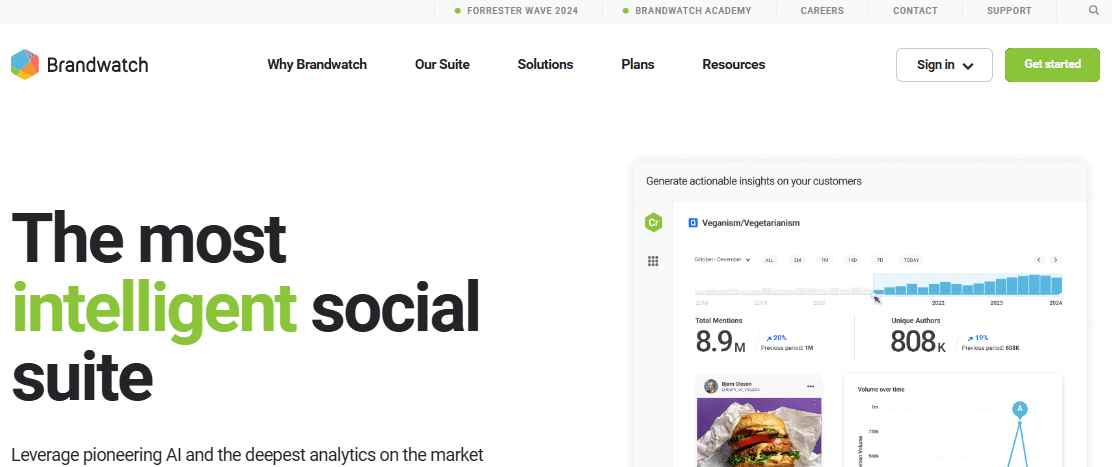
Brandwatch’s Landing Page Brandwatch is a powerful X / Twitter management tool focused on social listening, audience insights, and sentiment analysis. It helps teams monitor X mentions, track brand visibility, and uncover trends that inform smarter content and engagement strategies.
While it doesn’t replace a pure scheduler, its analytics and listening capabilities make it invaluable as part of a broader X / Twitter management software stack.
Ideal For: Brands and agencies that want deep X insights and social listening alongside engagement tracking.
Standout Features
- Real-time social listening across X conversations
- Sentiment analysis to understand audience perception
- Trend and hashtag tracking for smarter content planning
- Competitive benchmarking to compare performance
- Custom dashboards and exportable analytics
Pros
- Excellent real-time trend and sentiment tracking
- Deep insights into audience behavior and conversation themes
- Strong competitive analysis capabilities
Cons
- Enterprise pricing may be steep for small teams
- Learning curve for advanced analytics
Our Experience
Brandwatch shines when it comes to X / Twitter engagement tools that go beyond basic metrics.
Instead of just counting likes and retweets, it helps you understand why your audience responds the way they do. For X managers focused on strategy and audience insight, its listening and sentiment features are game-changers.
While it doesn’t replace a dedicated X scheduler, it pairs extremely well with tools that do, giving you both strategic context and operational muscle.
Pricing
Brandwatch pricing is typically custom and tailored to your organization’s scale and needs, especially for enterprise listening and analytics. It’s worth engaging with their sales team for a quote based on the volume of data you want to track and the depth of reporting required.
Final Verdict
Brandwatch earns its place among the best X / Twitter management tools not as a scheduler but as a strategic analytics and listening platform. For brands and agencies that care about sentiment, competitive insights, trend spotting, and audience understanding, it’s an exceptional addition to your X management software toolkit, especially when used alongside a dedicated posting and scheduling solution.
Featured Article: Best (X) Twitter Marketing Strategy to Boost Your Brand
Missing Tweets = Missing Opportunities
Every unposted tweet is a lost chance to connect. Social Champ ensures you never miss one.
How To Choose The Right X / Twitter Management Tool for Your Business
There are several factors, including goals, team size, and budget, to consider when selecting the best alternatives for your X / Twitter management.
Let’s take a look at what you should consider:
-
Scheduling Automation
A good tool should let you plan and schedule tweets in advance. This saves time and keeps your account active even when you are busy.
-
Analytics and Reporting
Pick a tool that shows you how your tweets perform. Clear analytics help you track likes, retweets, clicks, and audience growth, so you can improve your strategy.
-
Content Management
Look for tools that help you store, organize, and reuse content. Some also offer a content calendar to keep everything structured.
-
Team Collaboration
If you work with a team, choose a platform that allows multiple users to work together. Features like approval workflows and role-based access make managing accounts easier.
-
Tracking Engagement
The tool should make it easy to reply to mentions, messages, and comments quickly. A unified inbox helps you manage all interactions in one place.
-
Budget and Scalability
Start with a plan that fits your budget, but also check if the tool can grow with your needs. Some platforms work better for freelancers, while others are designed for large agencies.
Quick Tip: Always test with a free trial before committing. This way, you can see if the tool matches your business needs.
Featured Article: How to Download Twitter Videos
What Makes Social Champ Perfect for X / Twitter Management?
Social Champ stands out as one of the most pocket-friendly and feature-rich X / Twitter management tools. It offers the following features that are specially built to manage X accounts:
-
Publishing and Scheduling
You can write, plan, and schedule your tweets in advance. This saves time and helps you post consistently, even when you are not online.
-
Team Collaboration
Invite your team to work together on your X account. You can assign roles, review posts before they go live, and keep everything organized.
-
Time Zone Management
If your audience is from different parts of the world, you can schedule posts based on their time zones. This way, your tweets always reach people at the right time.
-
Integrations
Social Champ connects with many apps and tools you already use. This makes it easy to bring all your workflows into one place and manage them smoothly.
-
Media Library
Save all your images, videos, and graphics in one library. You can reuse them whenever needed without searching through folders every time.
-
Shared Calendar
See all your scheduled tweets in one calendar view. This helps you plan campaigns better and keep track of what’s coming up.
-
Recycling Evergreen Posts
You can set your top-performing tweets to post again automatically. This keeps your content active without extra effort.
Tired of Managing X / Twitter the Hard Way?
Simplify your workflow, collaborate with your team, and stay on top of every conversation with Social Champ.
Featured Article: Twitter Algorithm: How It Works & How to Beat It
Conclusion
Let’s wrap this up. Managing X / Twitter doesn’t have to feel chaotic.
With the right X / Twitter management tools, you can plan your posts, track what’s working, and actually have time to engage with your audience, without constantly stressing over your feed.
Tools like Social Champ, X Pro, Sendible, and other options are here to make your life easier, no matter if you’re a solo creator, a small business, or an agency managing multiple accounts.
The key is picking the one that fits your workflow and budget, so you can stay consistent, save time, and grow your presence without the headache.