
Managing a YouTube channel can be a lot, right?
Constantly creating content, keeping everything optimized, and trying to grow your audience, it’s no small task.
But that’s where YouTube management tools come in handy.
Short Summary
- Managing a YouTube channel is complex, as creators juggle video production, audience engagement, and analytics.
- YouTube management tools simplify tasks by streamlining content creation, SEO, and audience interactions.
- Popular tools include Social Champ, TubeBuddy, Hootsuite, VidIQ, and Content Samurai, each offering unique features for creators.
- Key features include scheduling, analytics, SEO optimization, and engagement, which help automate posting and provide valuable insights.
- Choosing the right tool depends on needs and budget, so assess your goals to find the best fit.
- Effective management involves clear structures and regular analysis to optimize workflows and drive channel growth.
So, if you are looking for some of the best affordable YouTube management tools, read this guide to the end. From improving your SEO to managing multiple channels easily, they’ll save you time and stress.
Ready to make your YouTube life easier? Let’s check out some of the best tools creators love this year.

Get Ready to Kickstart Your YouTube Journey With Social Champ!
Master scheduling, crunch those analytics, and create captions that pop! Start your free trial—no credit card required.
What Is YouTube Channel Management?
YouTube channel management covers the planning, publishing, optimization, and performance tracking required to run a successful channel.
From uploading videos and optimizing descriptions to responding to comments, effective YouTube management ensures everything stays organized and consistent.
A growing channel needs structure. That’s why creators often rely on YouTube management tools to handle repetitive tasks and avoid manual errors.
Role of YouTube Management Tools in Channel Growth
As your channel scales, managing everything manually becomes difficult. YouTube management tools help streamline video scheduling, engagement tracking, and performance analysis so creators can focus more on content quality.
These tools support smarter YouTube management by centralizing workflows and offering insights that guide better content decisions.
Who Needs a YouTube Manager?
A YouTube manager can be a solo creator handling their own channel or a dedicated team member managing content, comments, and analytics.
For agencies and brands, a YouTube manager often oversees multiple channels while maintaining consistent posting schedules and branding.
In both cases, combining human oversight with reliable YouTube management tools creates a more efficient and scalable YouTube management process.
Why YouTube Channel Management Matters in 2026
With increased competition and frequent algorithm changes, strong YouTube management is no longer optional.
Creators and brands that use structured workflows, supported by YouTube management tools, are better equipped to stay consistent, track performance, and grow sustainably.
A skilled YouTube manager ensures every video contributes to long-term channel goals rather than short-term visibility alone.
Featured Article: How to Block Someone on YouTube
10 YouTube Management Tools for Clear, Centralized Teamwork
Here are ten YouTube management tools that can centralize your workflow.
-
Social Champ: Your All-in-One YouTube Management Solution
Social Champ is the ultimate tool for creators looking to simplify their YouTube management, offering a comprehensive solution to streamline content scheduling, engagement, and analytics all in one place.
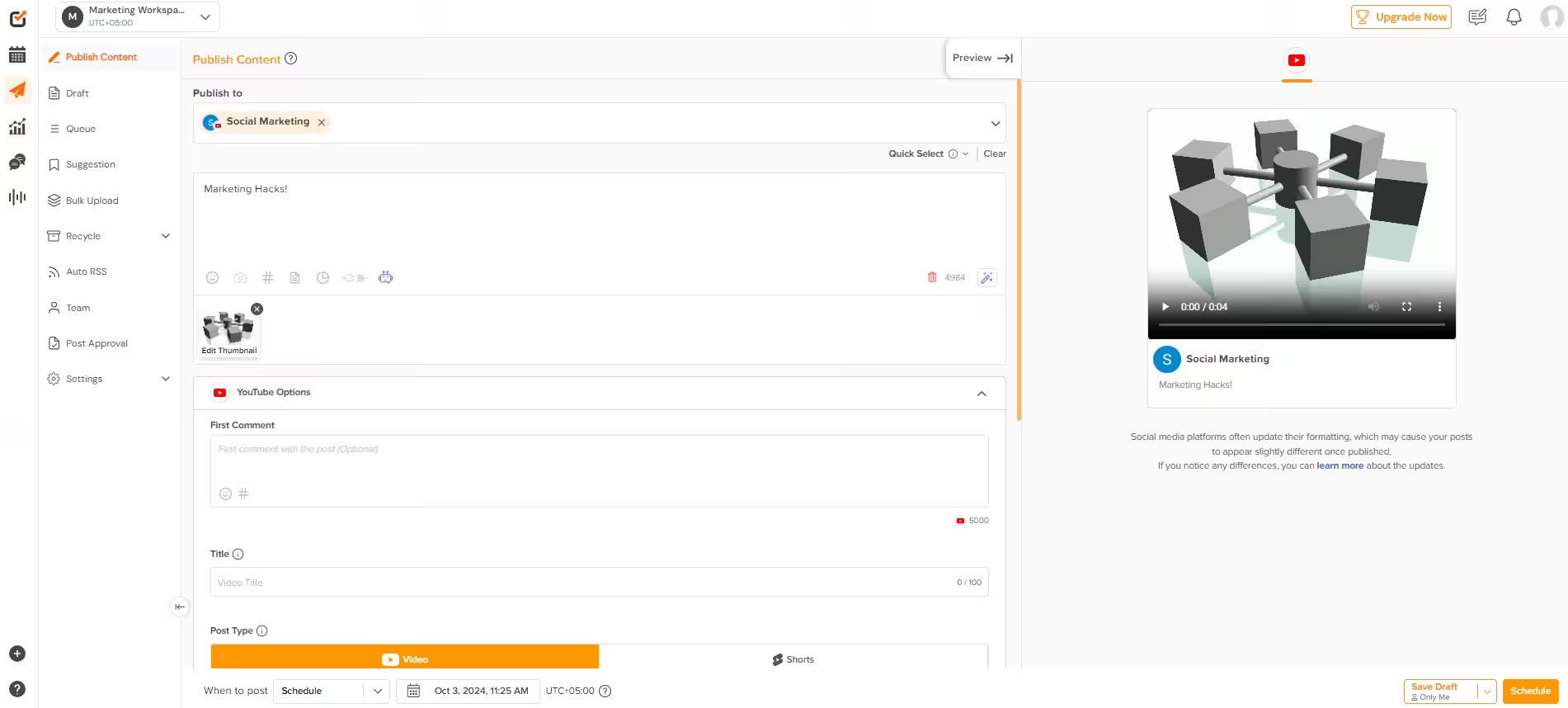
Social Champ’s Dashboard Key Features
- Multi-Channel Management: Easily handle multiple YouTube channels from one platform through efficient social media management.
- Content Scheduling: Schedule your videos in advance with the YouTube scheduler to ensure consistent posting.
- Analytics and Reporting: Get detailed insights into your channel’s performance with the advanced YouTube analytics tool.
- Engagement Tools: Engage with your audience through comments and messages directly from the platform as part of the social media management toolkit.
- Integration with Other Social Media: Manage not just YouTube but also other social media platforms seamlessly.
- YouTube Name Generator: Finding the perfect name for your YouTube channel is crucial for branding success. Use the YouTube Name Generator to brainstorm creative and catchy channel names that resonate with your audience.
Pros
- Centralized Management: Manage all your social media channels, including YouTube, from a single dashboard.
- Time Efficiency: Save time with streamlined content scheduling and engagement tools.
- Detailed Insights: Access in-depth analytics to understand your audience better.
Cons
- Learning Curve: It might take some time to get used to all the features.
- Cost: Some advanced features are available at a higher price.
Collaborate and Plan Across All Your Channels With Social Champ!
Seamlessly manage your YouTube content alongside other platforms. Keep your YouTube community engaged with our centralized inbox. Start a Free Trial!
-
TubeBuddy: Streamline Your YouTube Workflow
TubeBuddy simplifies YouTube channel management with robust SEO tools, helping creators enhance discoverability and streamline video production.
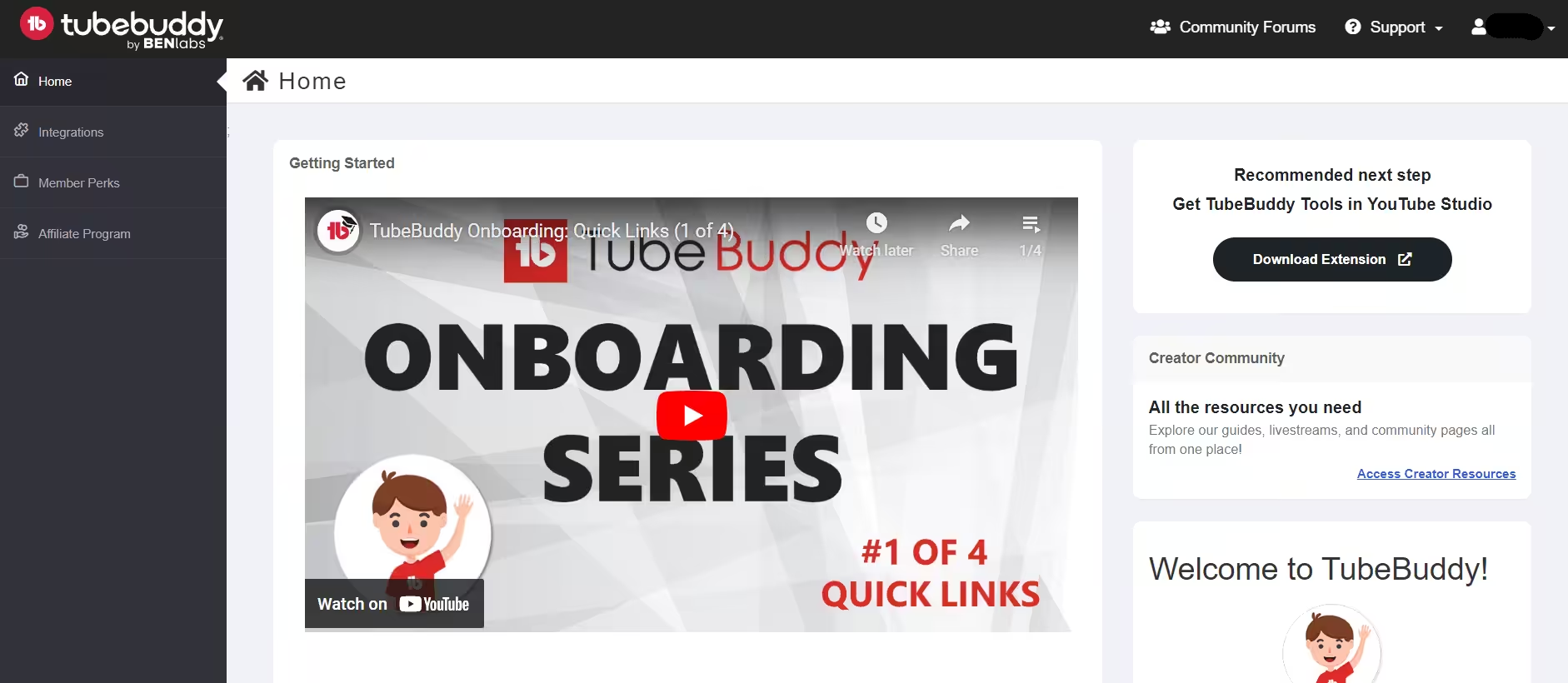
TubeBuddy’s Dashboard Key Features
- Keyword Research: Find and optimize keywords to make your videos more discoverable.
- Tag Management: Simplify the process of tagging your videos for better visibility.
- Thumbnail Generator: Create eye-catching thumbnails directly from TubeBuddy.
Pros
- SEO Optimization: Excellent tools for improving your video’s search engine optimization.
- Ease of Use: User-friendly interface that makes video management a breeze.
Cons
- Browser Extension: This is a browser extension with limited functionality compared to standalone applications.
- Cost: Some advanced tools require a paid subscription.
-
Hootsuite: Comprehensive YouTube Management
Hootsuite offers an all-in-one solution for managing YouTube and other social media platforms, with powerful scheduling and analytics tools.
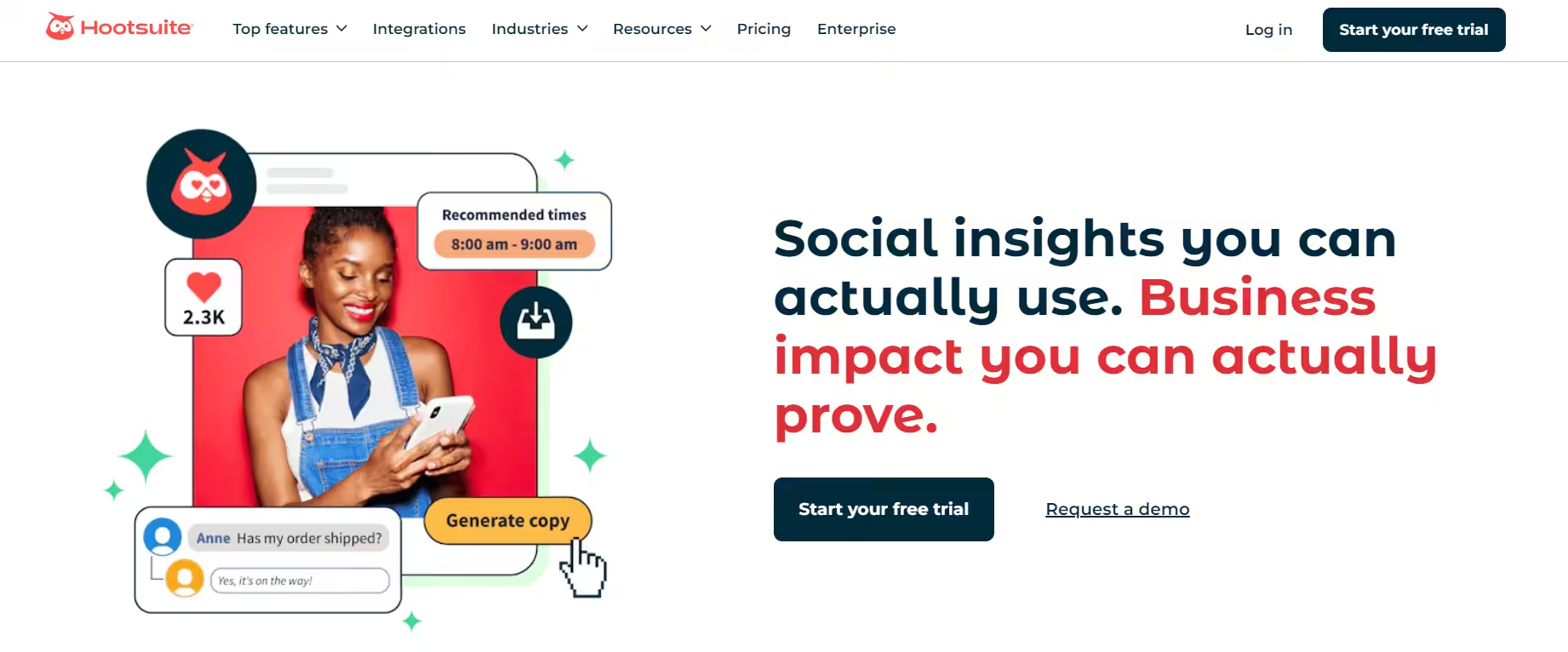
Hootsuite’s Landing Page Key Features
- Cross-Platform Management: Manage your YouTube channel alongside other social media apps.
- Analytics and Reporting: Detailed reports on your social media performance.
- Content Scheduling: Schedule posts and videos for multiple platforms from one place.
Pros
- All-in-One Solution: Manage various social media accounts from one dashboard.
- Robust Analytics: Gain detailed insights into how your content is performing across platforms.
Cons
- Complex Interface: The interface might be overwhelming for newcomers.
- Expensive Plans: Higher costs for advanced features.
-
TubeRanker: Optimize Your YouTube SEO
TubeRanker focuses on optimizing video SEO, helping you improve rankings and stay ahead of competitors with actionable insights.
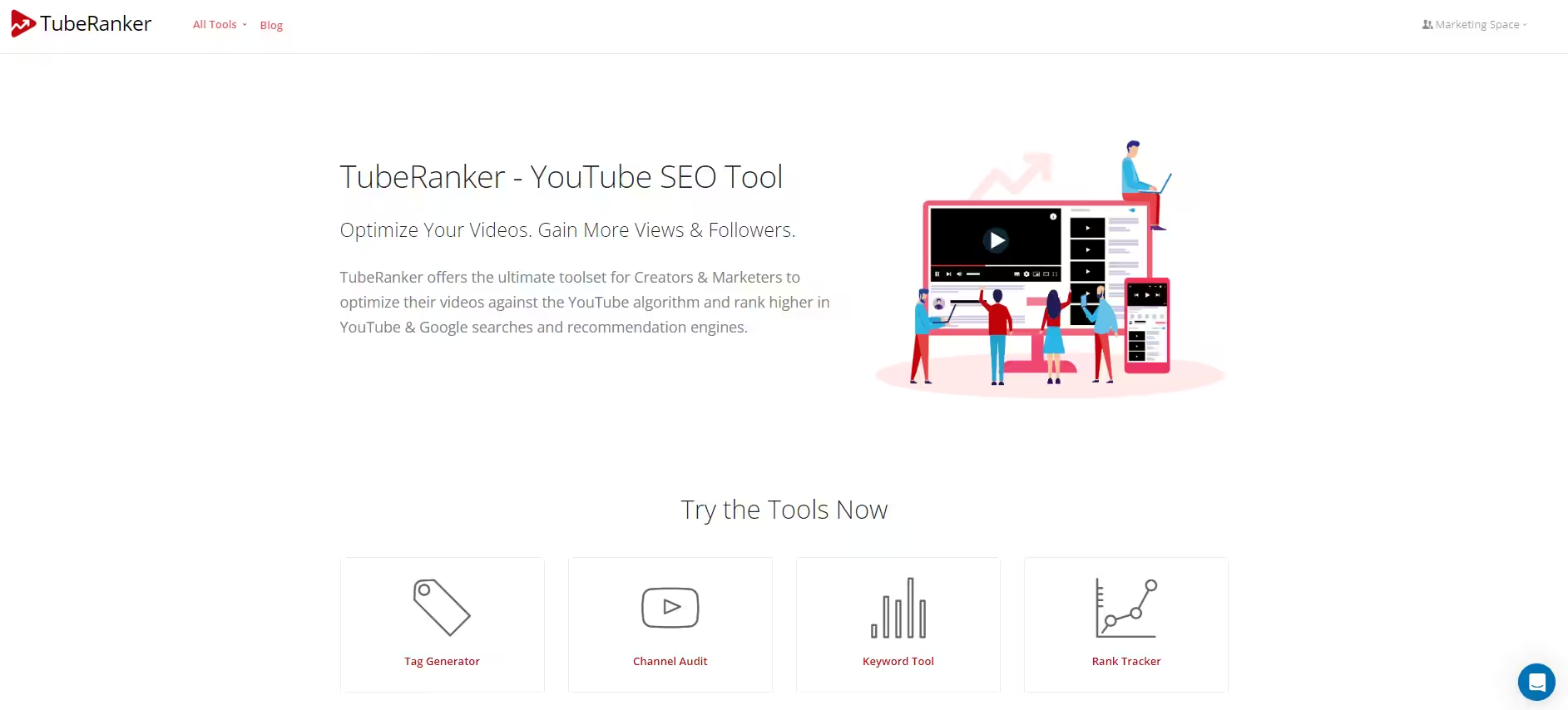
TubeRanker’s Landing Page Key Features
- SEO Analytics: Tools for optimizing video SEO and improving your rankings.
- Competitor Analysis: Analyze what your competitors are doing to refine your strategy.
- Video Optimization Suggestions: Get actionable suggestions to enhance your video performance.
Pros
- Effective SEO Tools: Focused on improving your video’s SEO and rankings.
- Competitor Insights: Valuable data on how your competitors are performing.
Cons
- Niche Focus: Primarily focused on SEO, with fewer features for other tasks.
- Learning Curve: Requires some time to fully utilize all features.
-
VidIQ: Boost Your YouTube Performance
VidIQ provides real-time analytics and powerful keyword tools, helping creators optimize videos and stay competitive.
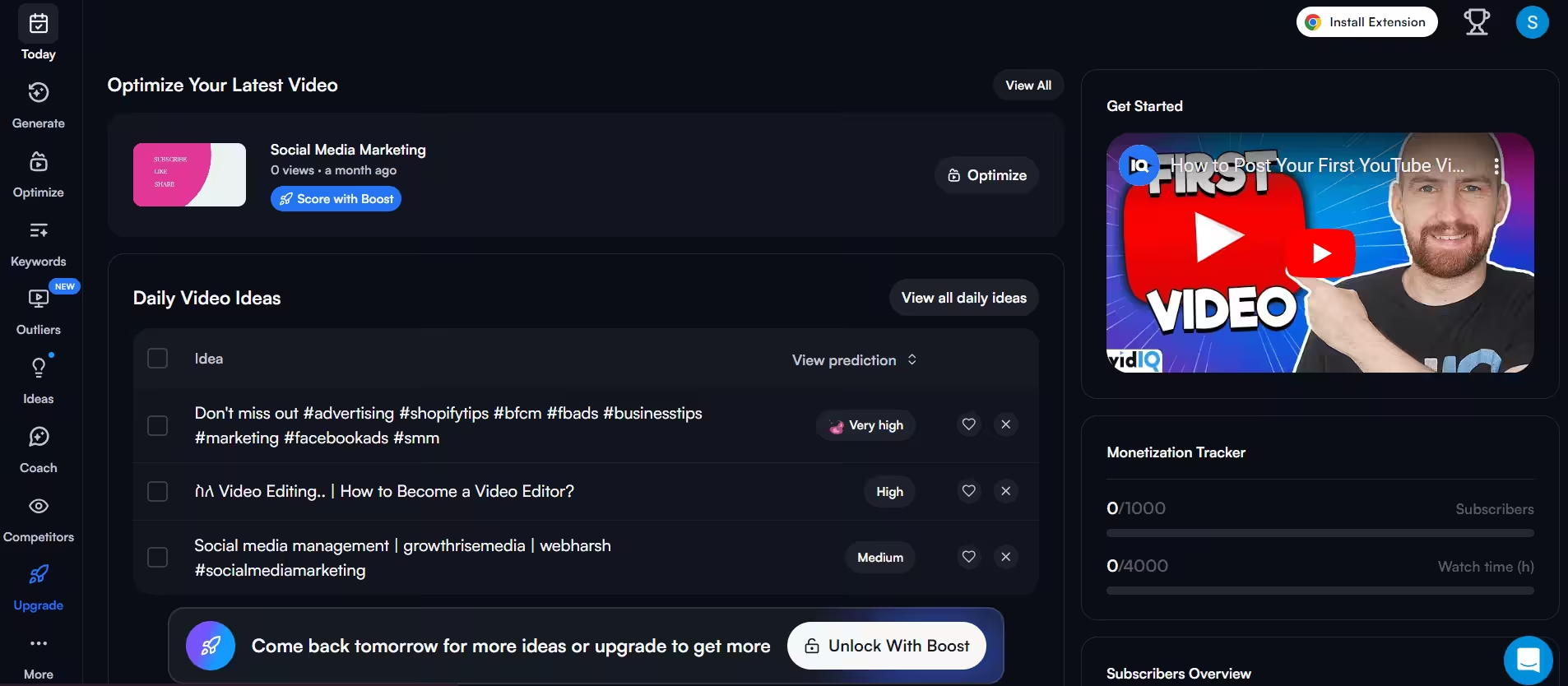
VidIQ’s Dashboard Key Features
- Real-Time Analytics: Track video performance and viewer engagement in real-time.
- Keyword Tools: Advanced tools for keyword research and optimization.
- Competitor Insights: Compare your channel’s performance with that of your competitors.
Pros
- Real-Time Data: Up-to-date analytics and performance tracking.
- Powerful Keyword Tools: Effective tools for improving video SEO and visibility.
Cons
- Paid Features: Many advanced features are only available with a paid plan.
- Complexity: May be complex for users who only need basic tools.
-
Content Samurai/Vidnami: Efficient Video Creation for YouTube
Content Samurai, now renamed Vidnami, accelerates video creation with automated tools and templates, making video production quick and user-friendly.
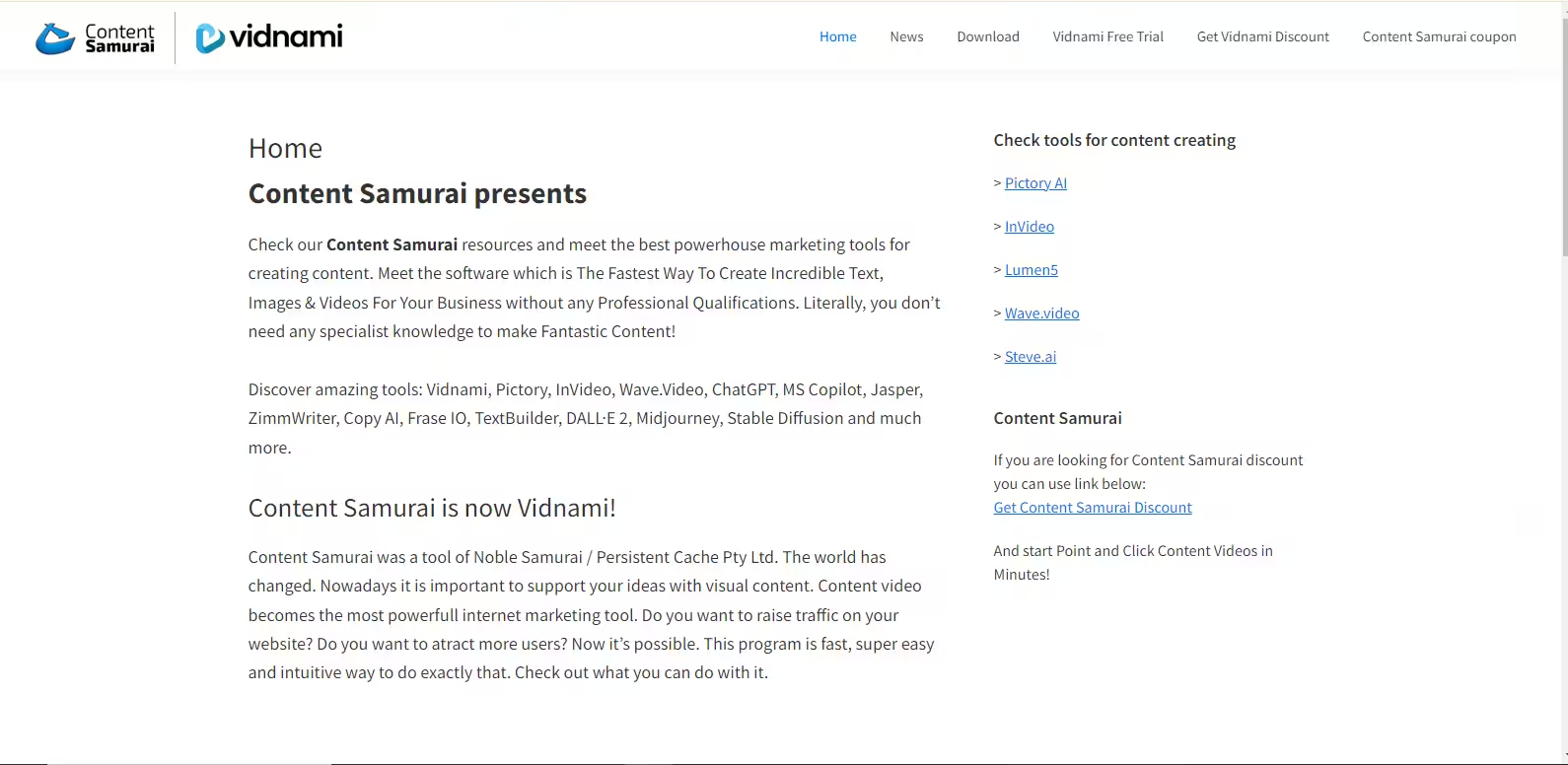
Content SamuraiVidnami’s Dashboard Key Features
- Automated Video Creation: Create videos quickly using automated tools.
- Template Library: Access a variety of video templates and styles.
- Text-to-Speech: Convert text content into spoken narration.
Pros
- Time-Saving: Accelerates video creation with automation and pre-designed templates.
- Ease of Use: User-friendly interface that simplifies video production.
Cons
- Limited Customization: Automation may limit your customization options.
- Cost: Some advanced features come with a higher subscription fee.
-
SocialBee: YouTube Scheduling and Management
SocialBee streamlines YouTube content scheduling while offering content curation and performance tracking across multiple platforms.
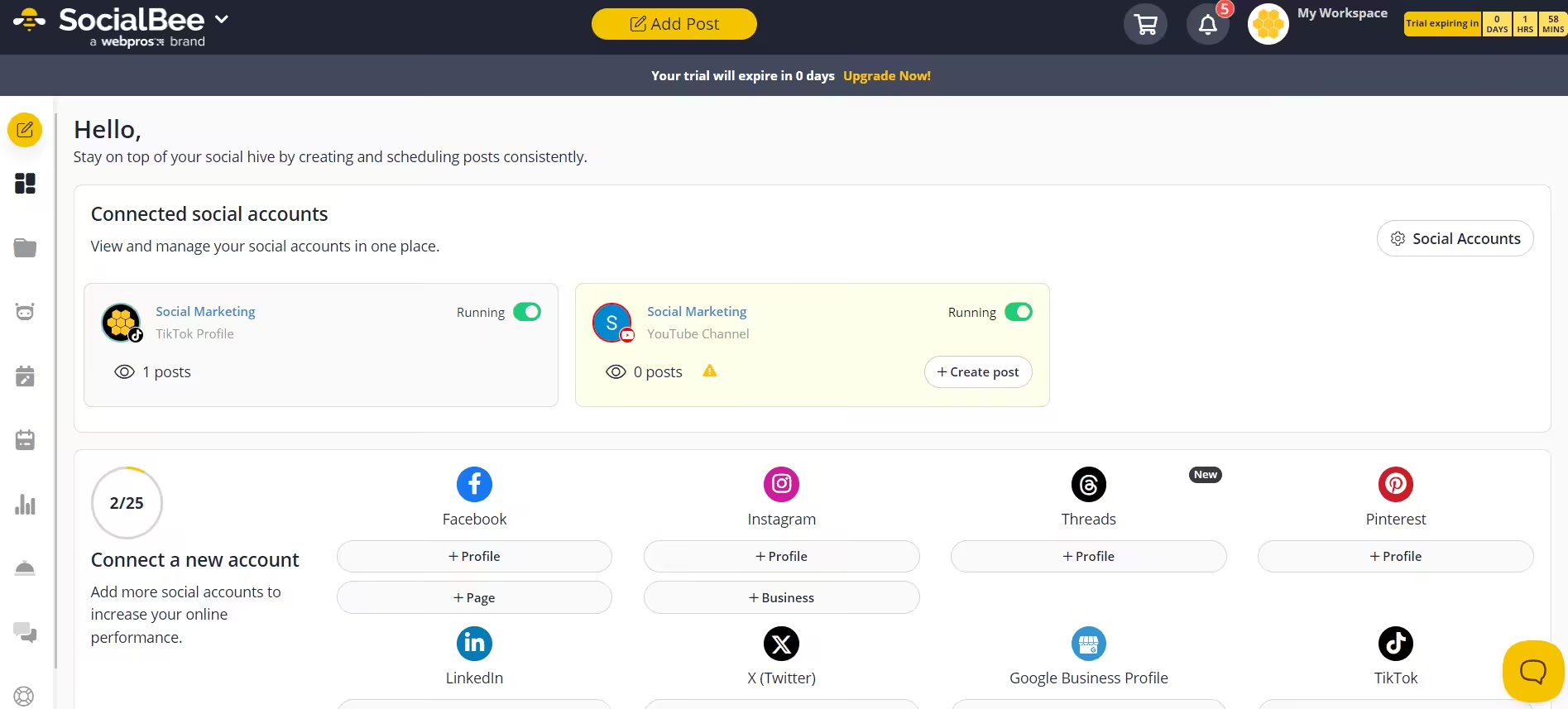
SocialBee’s Dashboard Key Features
- Content Scheduling: Schedule and automate your YouTube videos.
- Content Curation: Discover and curate relevant content to share.
- Analytics and Reporting: Track and analyze your social media performance.
Pros
- Content Automation: Streamlines content scheduling and automation.
- Effective Curation: Useful tools for finding and curating content.
Cons
- Limited YouTube-Specific Features: Less focused on YouTube-specific management.
- Price: Higher costs for advanced features.
-
SocialPilot: Streamline Your YouTube Strategy
SocialPilot offers comprehensive management for YouTube and other social media accounts, with detailed analytics and content scheduling.
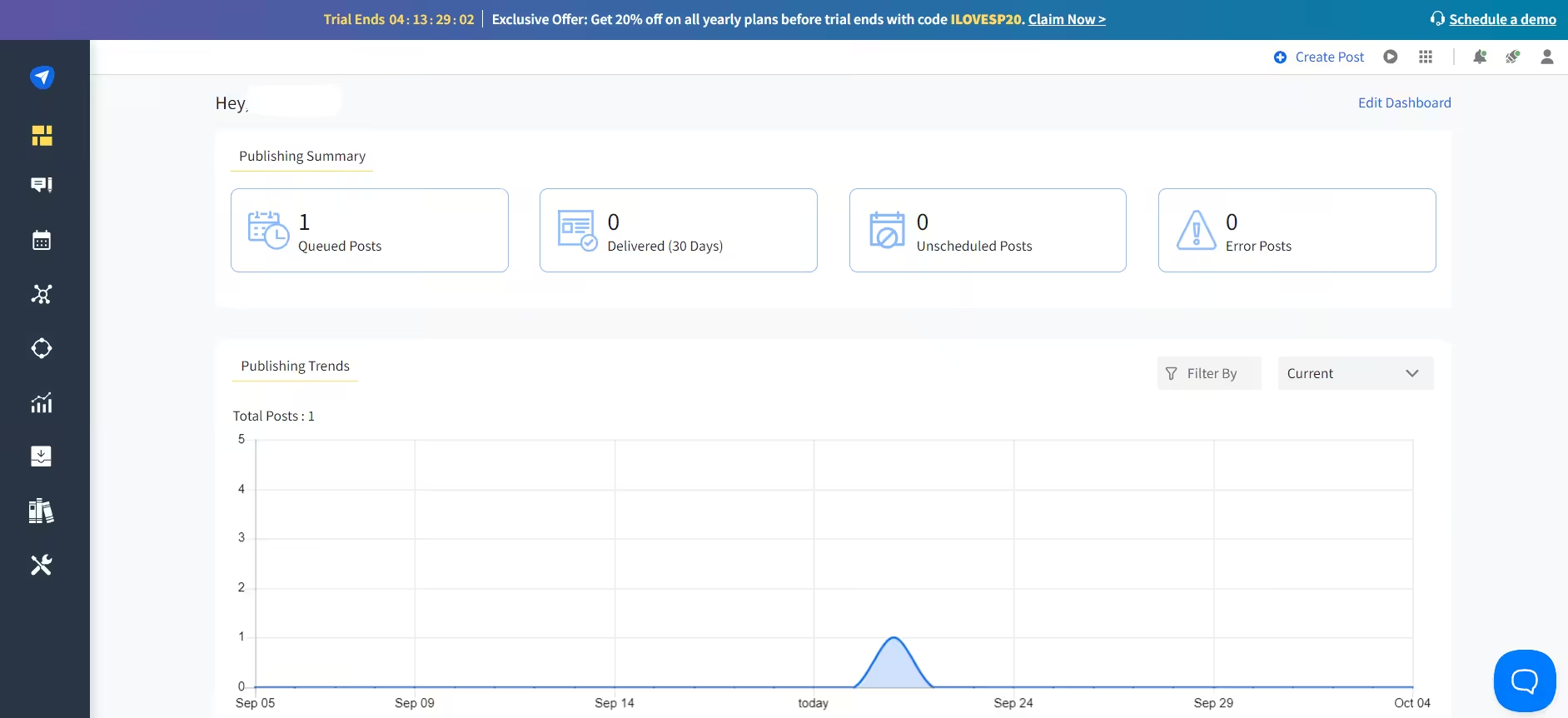
SocialPilot’s Dashboard Key Features
- Multi-Account Management: Manage multiple social media accounts, including YouTube.
- Analytics and Insights: Detailed analytics to track social media performance.
- Content Scheduling: Schedule and automate posts across various platforms.
Pros
- Comprehensive Management: Manage all your accounts from one platform.
- Detailed Analytics: Provides in-depth insights into your social media performance.
Cons
- Complex Dashboard: The dashboard can be overwhelming for new users.
- Price: Higher costs for premium features.
-
CoSchedule: Marketing Calendar and YouTube Management
CoSchedule combines marketing calendar tools and social media automation to organize YouTube and broader marketing efforts.
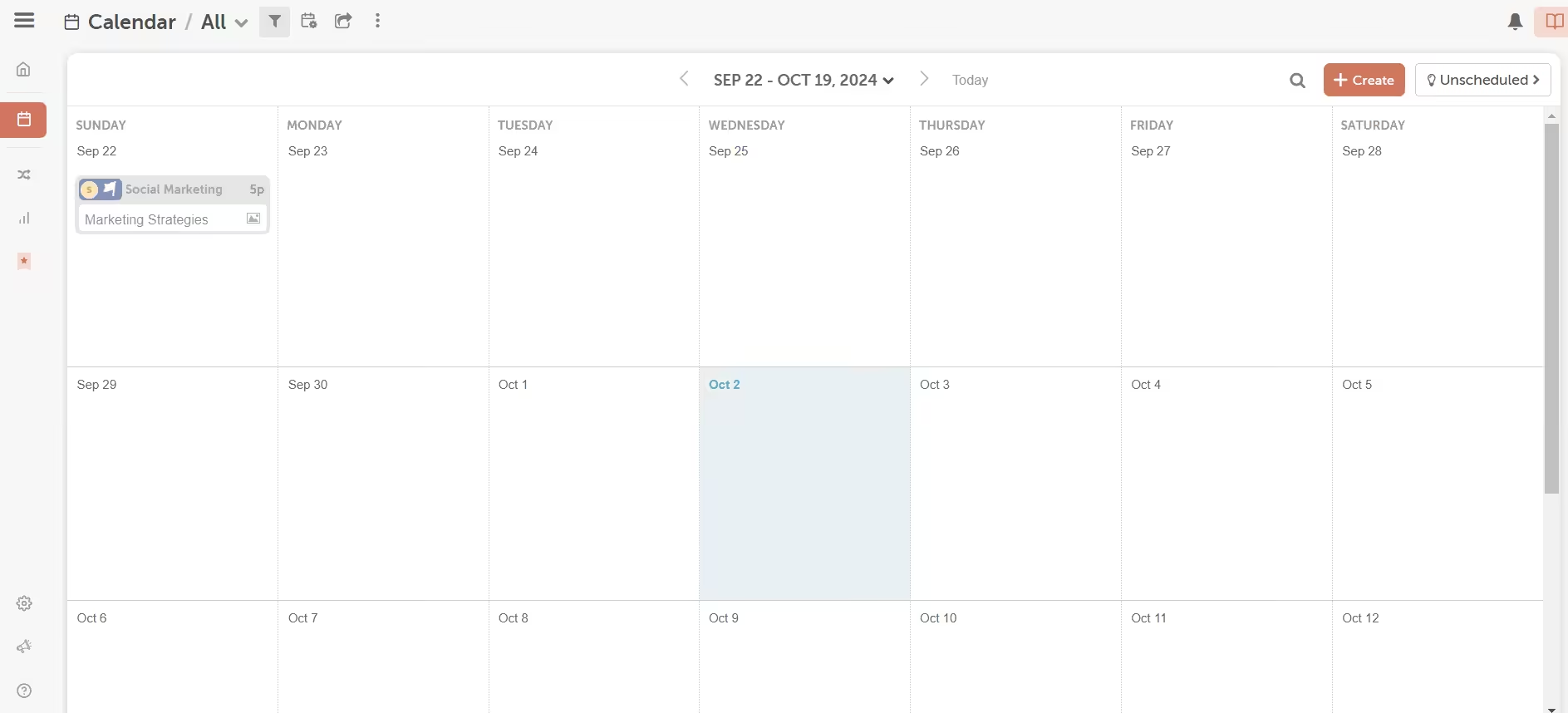
CoSchedule’s Dashboard Key Features
- Marketing Calendar: Organize and schedule all marketing activities, including YouTube posts.
- Content Optimization: Tools for optimizing content performance.
- Social Media Automation: Automate social media posting and scheduling.
Pros
- Organized Planning: Provides a clear overview of your marketing activities and schedules.
- Content Optimization: Tools to enhance the performance and engagement of your content.
Cons
- Learning Curve: It may take some time to learn and effectively use all features.
- Price: Can be expensive for advanced plans.
-
Agorapulse: YouTube Management and Monitoring
Agorapulse excels in social media monitoring and scheduling, offering detailed reports for tracking engagement across platforms.
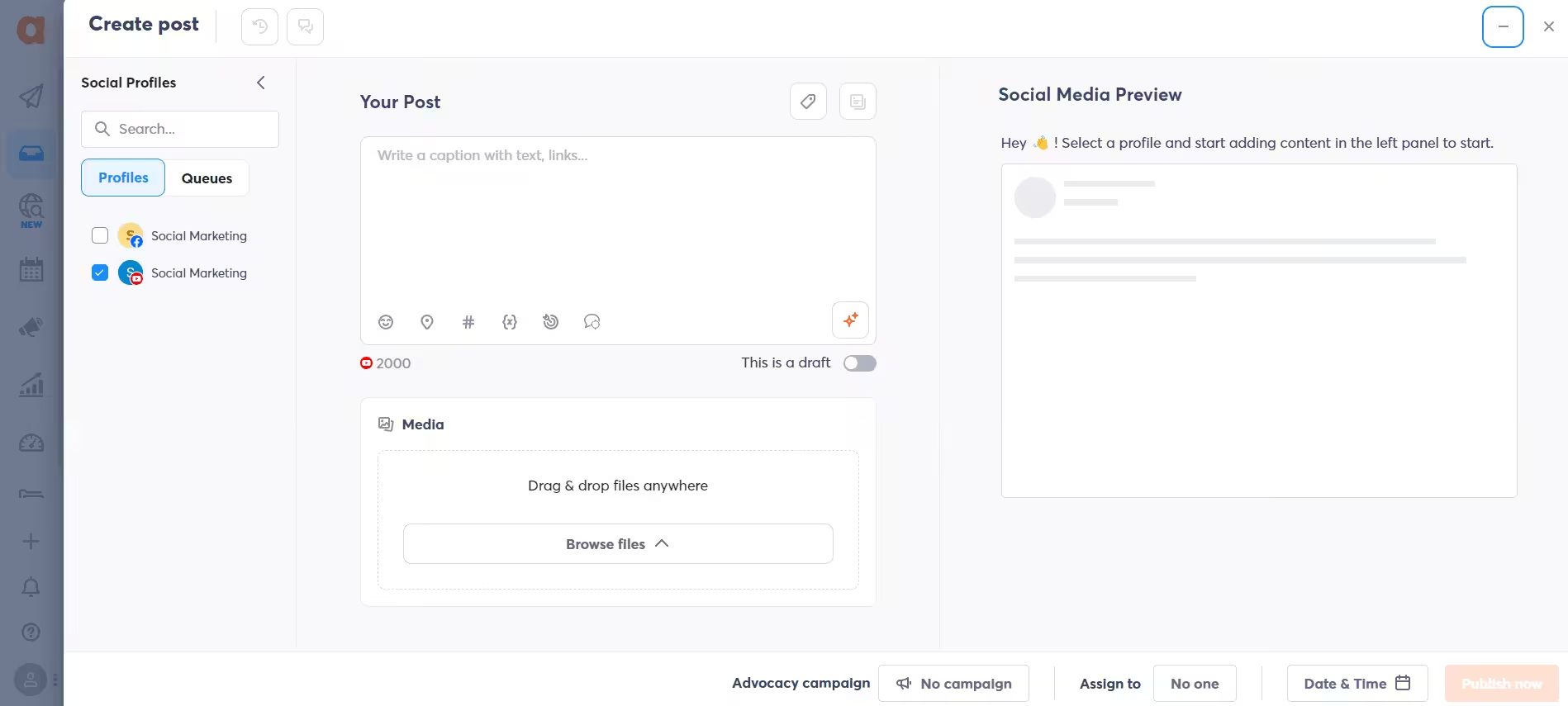
Agorapulse’s Dashboard Key Features
- Social Media Monitoring: Track and manage social media mentions and interactions.
- Content Scheduling: Schedule and automate posts across different platforms.
- Reporting and Analytics: Detailed reports on your social media performance and engagement.
Pros
- Effective Monitoring: Excellent for tracking mentions and interactions on social media.
- Comprehensive Reports: Provides detailed reports and analytics.
Cons
- Price: Higher costs for advanced features and larger teams.
- Complex Interface: The interface may be complex for users who need basic functionality.
Featured Article: A Step-By-Step Guide to Schedule YouTube Videos
How to Use Social Champ as a YouTube Management Tool?
Using Social Champ to manage your YouTube channel is straightforward and can make your life much easier.
Here’s a step-by-step guide to get you started:
- Sign Up and Set Up Your Account
- Go to the Social Champ website and sign up for an account.
- Connect your YouTube channel to Social Champ.
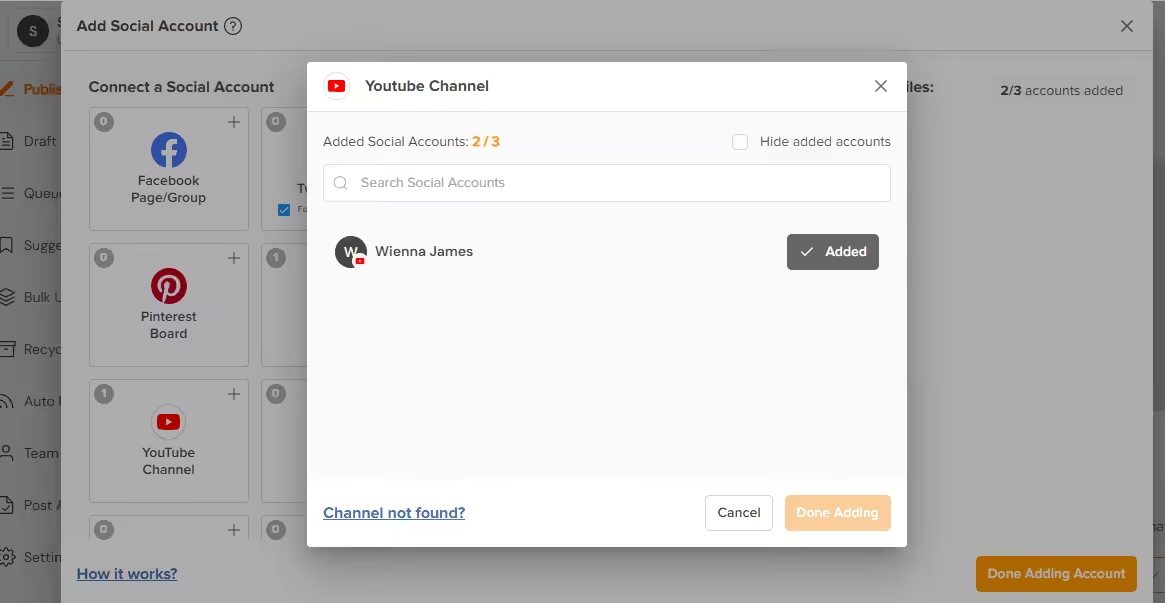
Sign Up and Set Up Your Account - Schedule Your Videos
- Go to the content scheduling section.
- Upload your video and choose the date and time for it to be published.
- Social Champ will handle the rest!
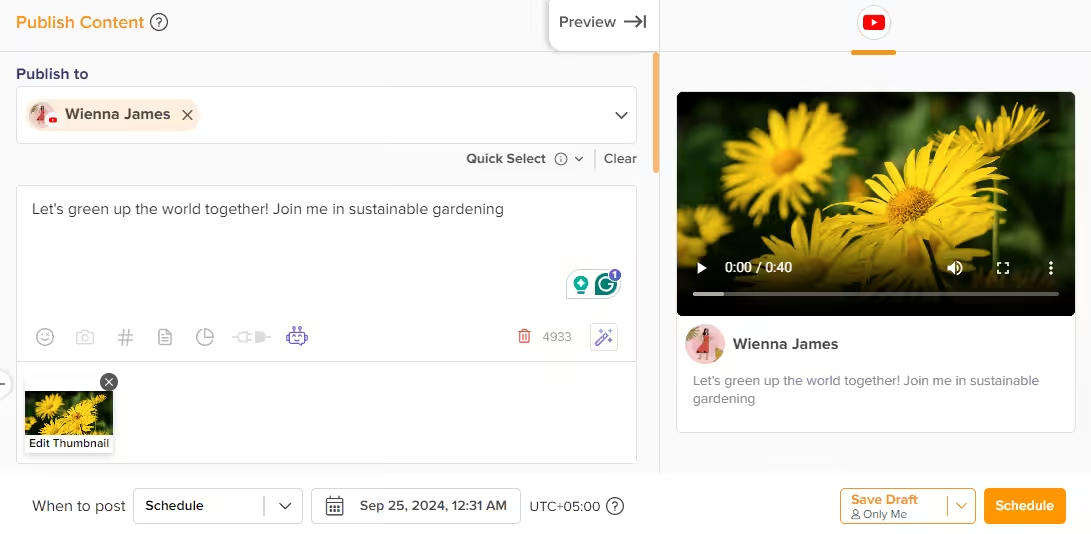
Schedule Your Videos - Monitor Engagement
- Use the engagement tools to respond to comments and interact with your audience.
- Track how your videos are performing through the analytics dashboard.
- Analyze Your Performance
- Check out the detailed reports and insights provided by Social Champ.
- Use this data to refine your content strategy and improve future videos.
Streamline Your YouTube Management With Social Champ!
Take control of your YouTube presence with our robust scheduling and publishing tools designed by social media experts for content creators like you!
Featured Article: 35+ Powerful YouTube Tools to Drive Results
How to Choose the Right YouTube Management Tool
From YouTube marketing and management software to dedicated YouTube channel managers, the right tools can make all the difference.
Choosing the right YouTube management tool can be overwhelming, but it doesn’t have to be.
Here’s a simple guide to help you find the best fit for your needs:
- Evaluate Your Needs
- Consider what features are most important for your YouTube channel, such as content scheduling, analytics, or SEO tools.
- Compare Tools
- Look at the features, pros, and cons of different tools.
- Think about which tool aligns best with your goals and workflow.
- Test and Review
- Try out a few options and see which one works best for you.
- Review user feedback and testimonials to get a sense of how well each tool performs in real-world scenarios.
Let Social Champ handle scheduling, analytics, and engagement, so you can focus on creating.
Featured Article: Best Link Shortener Services & Tools for Businesses
How Can You Effectively Manage and Scale Your YouTube Strategy?
-
Clear Structures for Efficient YouTube Management
Managing a YouTube channel efficiently requires clear structures and workflows.
Tools like Social Champ help you seamlessly schedule and publish content, so you can focus on creating great videos instead of handling logistics.
-
Agile Editorial Planning for All Channels
Effective editorial planning is crucial for managing multiple channels. Use tools that support both internal and external collaboration, and define clear roles and responsibilities.
A centralized inbox for community management helps you stay on top of all interactions.
-
Analyze and Evaluate Your Social Media Performance
To improve your YouTube content strategy, it’s essential to track performance and uncover key insights.
Analyzing benchmarks across your channels helps you identify what’s working and what needs refinement.
-
Inform Your Business Strategy With YouTube Listening
Understanding your audience and trending topics can guide your overall business strategy.
YouTube listening tools allow you to monitor conversations, spot relevant influencers, and stay ahead of industry trends.
-
Partnerships & Integrations Across Leading Platforms
Strong partnerships and reliable integrations are key. Choose tools that connect seamlessly with other leading platforms and ensure your data is managed securely to enhance your entire strategy.
Integrate With Your Favorite Tools Seamlessly!
Efficiently connect with your existing workflow and enhance your YouTube management capabilities with Social Champ!
Featured Article: 19 Essential YouTube Tips to Maximize Your Success
Take Away
In 2026, managing your YouTube channel effectively starts with choosing the right YouTube management tools to enhance your content and reach.
Social Champ leads the way by offering an all-in-one solution for scheduling, analytics, and engagement, helping you manage multiple channels effortlessly.
Alongside Social Champ, tools like TubeBuddy, VidIQ, and Hootsuite can further streamline your efforts and boost your channel’s performance.
By selecting the tools that best fit your needs, you’ll be able to manage your channel more efficiently, engage with your audience, and grow your YouTube presence.
Embrace these tools to take your YouTube game to the next level this year.









Colleen Richard
This is exactly what I needed! Managing a YouTube channel can be so overwhelming, but these tools seem like they can make the process much smoother.
Arnold Luke
This list is super helpful! I’ve been looking for the right tools to manage my YouTube channel more efficiently. Definitely going to try a couple of these out!