How to download YouTube videos without any software? You wouldn’t have to search for this question if YouTube simply allowed you to download videos directly from the platform!
There might be reasons why YouTube doesn’t support saving videos to your gallery, but honestly, it’s such a hassle to look for software to download videos, so naturally, we would want YouTube to just allow it!
But, there’s no chance of happening anytime soon (or ever) … sigh!
So, to save you from going on a software hunt, I’ve created this guide to help you out!
Short Summary
- It is entirely possible to download YouTube videos directly through your web browser using online tools, completely bypassing the need to install extra software or apps.
- Legally, downloading is a gray area: it is considered “fair use” if kept strictly for private, offline viewing, but it crosses into illegal copyright infringement if you re-upload or profit from someone else’s work.
- Cobalt (cobalt.tools) stands out as the cleanest, safest, open-source download option because it features a minimalist design with zero tracking or advertising.
- VidsSave (vidssave.com) serves as a reliable, lightweight alternative that functions exceptionally well on mobile browsers without requiring an account layout.
- Y2Mate (y2mate.com) is an ad-heavy veteran tool that is slow but highly resilient, frequently acting as the only working backup when YouTube updates its security code to block other sites.
- Social Champ offers its own completely free, ad-free online video downloader tool to give creators a secure downloading environment.
- Common tech issues with online downloads include links expiring if you wait too long, missing audio tracks on high-definition files (which can be fixed by lowering the quality to 720p), and websites completely disappearing due to sudden legal takedowns.
In this blog, I’ll be covering:
- How to use online downloaders to save YouTube videos to your gallery
- The best YouTube video downloader websites that don’t require you to download software.
- A YouTube video downloader that is also a YouTube Scheduler with a 14-day free trial!
- The legality behind downloading videos through these websites (or without software).
- Common problems you might face when downloading videos without any software.
So if you’re ready to grab all this information, let’s get going!
Stop Grinding, Start Automating!
How to Download YouTube Videos Without Any Software Using Online Downloaders
I have to break it to you, it can be pretty hard to download YouTube videos using online downloaders. When you click on download, a few pop-ups appear telling you that your computer has a virus.
It makes you worried, and you immediately abort the mission; it happened to me the first time I tried to use an online downloader. Then I realized, this is one of the drawbacks of a YouTube video downloader.
For this process, to be safe, you need to find downloaders that have zero ads, so your computer (or your mobile) stays secure. Here’s how to download YouTube videos once you find a safe YouTube video downloader.
- Copy the URL of the YouTube video you want to download.
- Go to your safe online downloader on a new tab. (don’t worry, I’ll tell you the names)
- Paste the link to the video.
- Hit the download button.
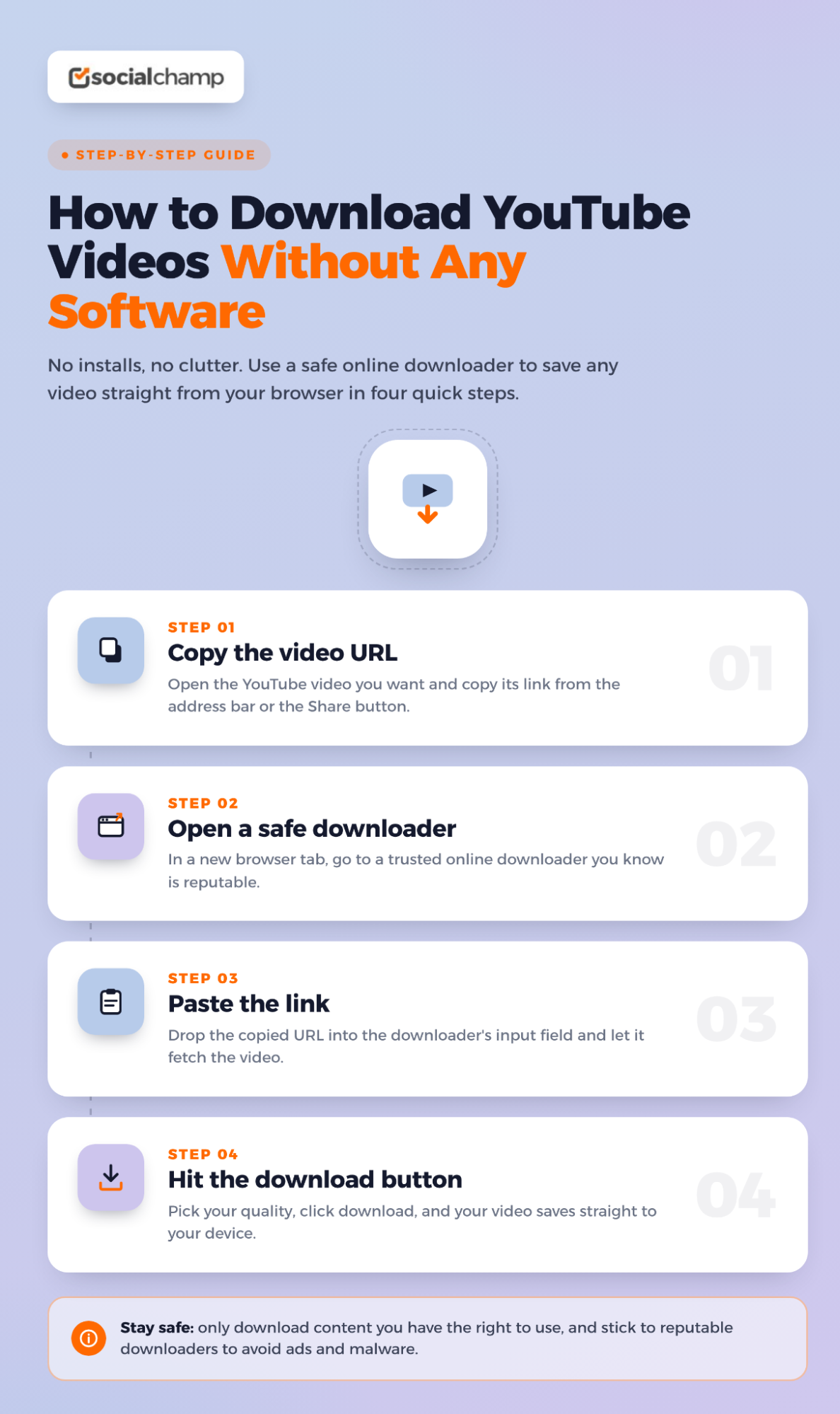
How to Download YouTube Videos
Featured Article: YouTube Video Size Guide: Dimensions, Resolution, and Format
Best YouTube Video Downloader Websites That Work Without Software
Talking about finding the best YouTube video downloader is easier compared to when you actually sit down to search for one. You’ll come across countless websites that might look legit, but as soon as you hit the download button, you will put your device at risk of viruses.
To save you from this hassle, I did the research, and here are my recommended free YouTube downloader websites:
Comparing the Top Web-Based Downloaders
For a quick answer, I’ve put the top three free, browser-based tools head-to-head so you can see exactly how they stack up.
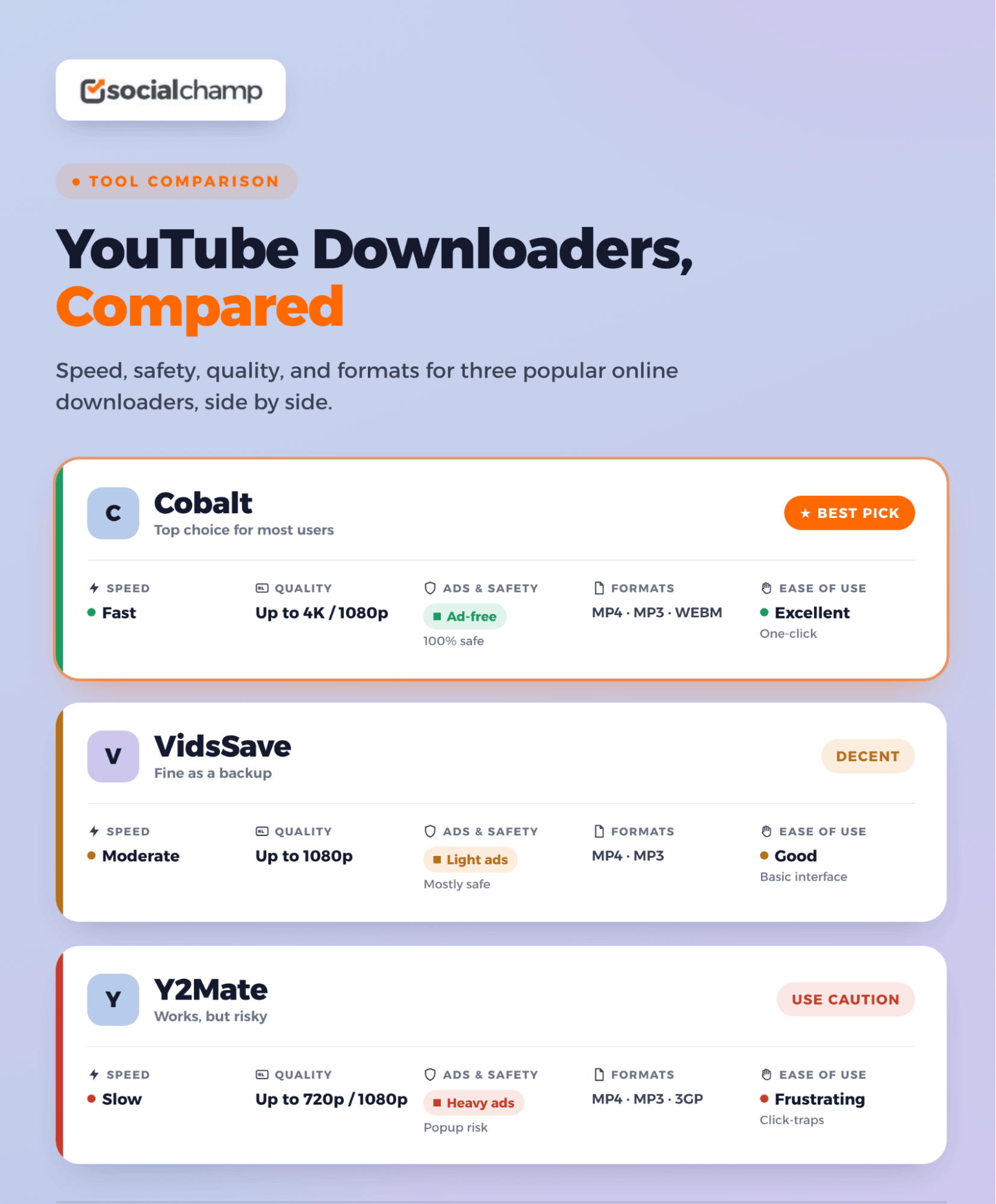
A Deeper Look at Your Best No-Software Options
Let’s lift the hood on these three sites. Even though they all technically do the same job, taking a link and handing you a video file, the actual experience of using them couldn’t be more different.
-
Cobalt (cobalt.tools)
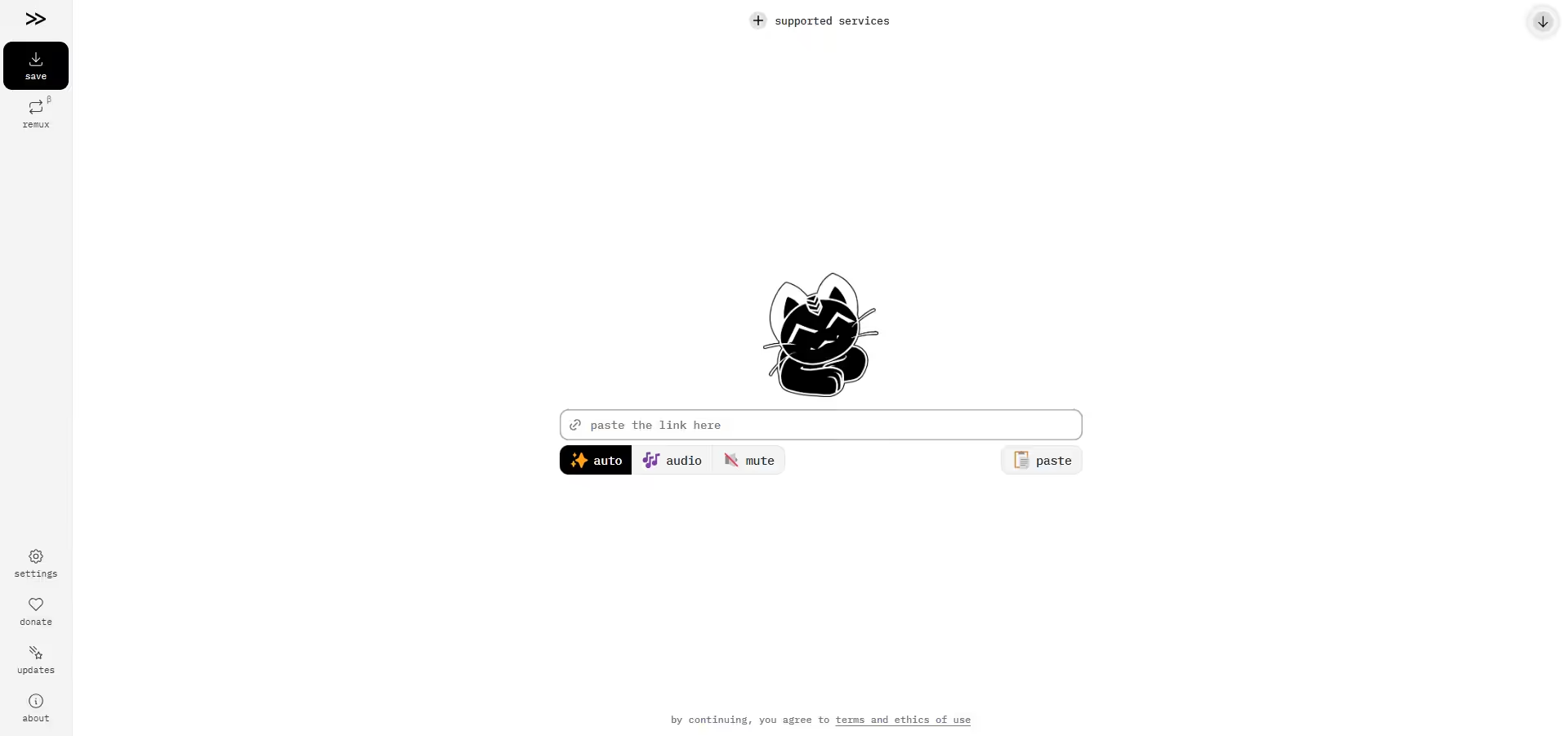
Cobalt’s Video Downloader If you’ve spent any time in tech subreddits or developer circles lately, you’ve probably heard people talking about Cobalt. It has quickly become the absolute darling of the internet because it goes completely against how traditional downloader sites operate.
When you land on the page, there are no ads, no pop-ups, nothing telling you that there’s a virus on your computer. You just go, paste the link, set your settings, click on download, and move on! Yes, it’s that simple!
This website is an open source, which means that it’s absolutely transparent and doesn’t track your activity. It doesn’t pull your data or ask for a subscription to improve speed. Cobalt is, without a doubt, the safest website on this list.
-
VidsSave (vidssave.com)
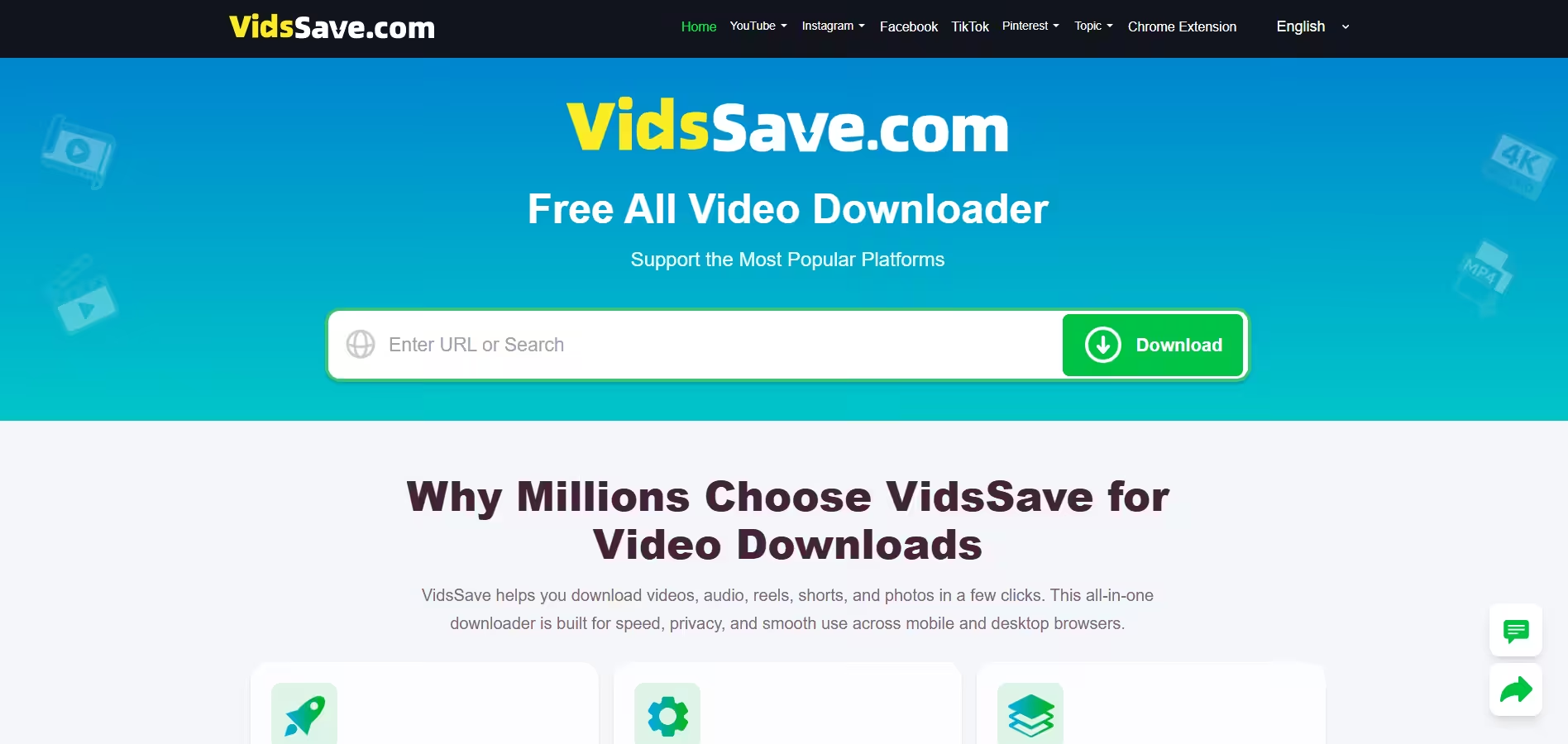
VidSave’s Video Downloader If Cobalt doesn’t work for you, VidsSave can be the next pick. It’s a fantastic browser tool that strips away the fluff to do exactly what it promises, which is to extract high-quality MP4 video or MP3 audio from almost any link you feed it.
What I really love about VidsSave is how well it behaves on mobile devices. A lot of online tools get incredibly laggy or break entirely when you try to open them on an iPhone or Android browser, but VidsSave stays perfectly functional.
You don’t need to create an account, sign up with an email, or log in through Facebook to use it. It’s just a straightforward website. You paste the link, hit download, and you have your downloaded YouTube video.
-
Y2mate (y2mate.com)
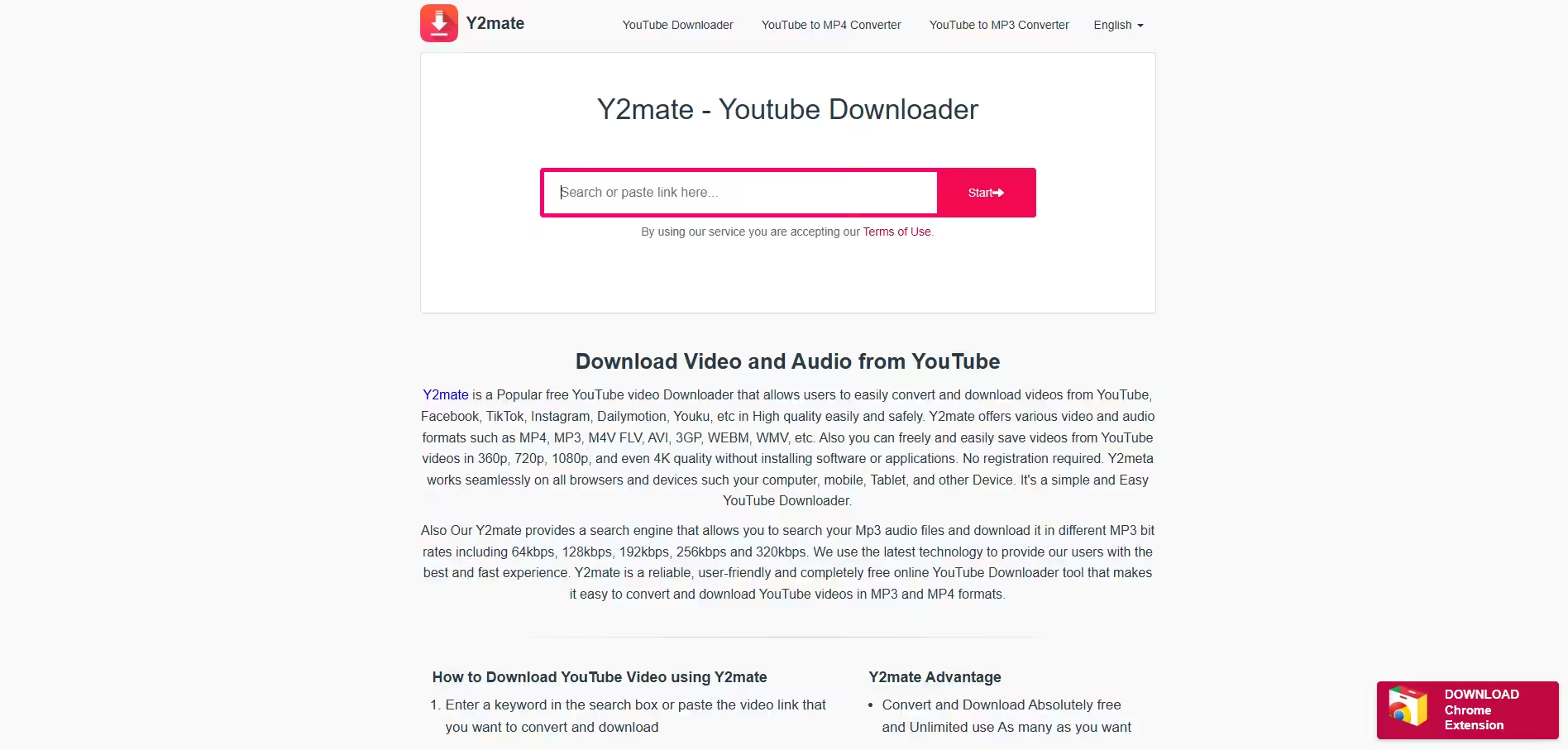
Y2mate’s Homepage This one is probably best to keep as a backup. Y2mate is one of the oldest YouTube video downloaders and the most resilient.
Whenever YouTube creates a code to shut down the downloader websites, Y2mate is always the first to break that code and stays functional, while all the other websites take days to recover, some of them never do!
Y2Mate has ads, and the speed is also comparatively very slow, but its resilience is one thing that remains unbeatable and makes it worthy of being in this list. So if Cobalt and VidsSave disappear one day, you know which website to go to: that’s Y2mate!
(P.S. While you’re here, check out these YouTube marketing tools too!)
Meet Social Champ: The Faster, Safer Way to Download
While I can’t vouch for all the tools mentioned in this blog (because let’s face it, who can promise that one day Cobalt suddenly won’t start showing ads to users?)
However, I can vouch for one tool, and that’s Social Champ! I know, you might be thinking, wasn’t Social Champ a YouTube management tool? It still is! However, the frustration of encountering ad-heavy websites probably compelled it to create its own YouTube video downloader!
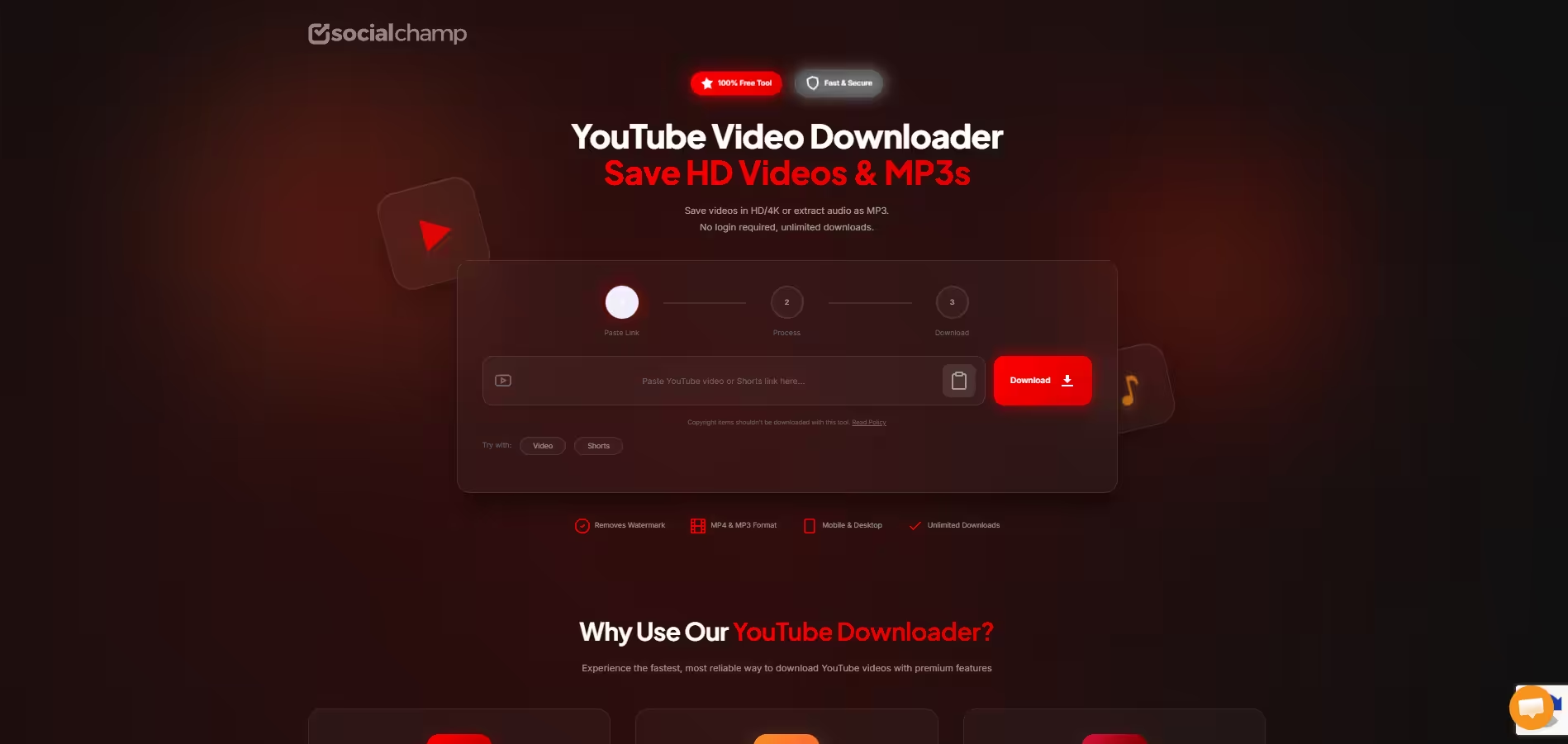
And now it has become even better! You don’t need to sign up or purchase any plan to use its video downloader. It’s completely free to use and super easy! Just paste the link you want to download and hit the button! Your job here is done!
I think it’s a great free tool that gives you everything you want in terms of social media management, which is why Social Champ is my personal favorite, and I’m sure it will be yours as well, once you give it a try!
The All-in-One Social Hub!
Is It Legal and Safe to Download YouTube Videos Without Any Software?
Now, before you start copying and pasting links left and right, I need to answer a big question: Is it legal to use these downloaders?
If I have to answer it in short: it’s complicated. I’ll cover both legal and safe sides for you, so you can avoid getting in any trouble!
Terms to Service vs Law
First, you need to understand that breaking a platform’s rules and actually breaking a law are two different things. If we talk about the platform, then downloading video (with or without software) is a direct violation of YouTube’s terms and conditions.
If they wanted you to save their videos in your gallery, they would’ve given you a download button within their platform, but they haven’t! Because their business model is about you staying on their platform. When you rip off any of their videos to your hard drive, they lose revenue that they would otherwise get if you watched it on their platform.
This is the reason why YouTube itself doesn’t allow you to save videos to your gallery or Drive. But don’t worry, YouTube won’t go after you just because you downloaded a video; they go after the downloader websites!
Legally, it comes down to copyright, which means that you’re not breaking any rules unless you are downloading copyrighted material, like, let’s say, a music video and re-uploading it to get profit off of someone else’s work.
This is the only case where you actually break a law. Otherwise, if you want to download a tutorial to watch offline at your time, it falls under fair use.
Is It Safe?
If we’re talking about using online downloaders without software, most of them are a bit sketchy. Most of the free online downloaders have aggressive and malicious advertising.
When you click on download, they don’t actually download the video right away; they open a new tab for you that leads to weird ads. The right thing to do is close those tabs as soon as they open, so you don’t get a virus in your device.
But none of this will happen if you use a clean YouTube video downloader like the ones I suggested in this blog
Featured Article: How to Use YouTube Studio?
Common Problems When You Download YouTube Videos Without Any Software
Let’s be real for a second: even when you follow all the rules and use the best sites, downloading videos through a browser isn’t always smooth sailing. If you run into a wall, don’t panic.
Here are the most common headaches you’ll face and exactly how to fix them.
-
The “Download Link Has Expired” Error
You paste your link, the site processes it, you click download, and… nothing. Or worse, a blank page pops up saying the link expired.
Most online downloaders create a temporary, high-speed tunnel to grab the video file from YouTube. If you let the page sit for too long before clicking the final save button, that temporary tunnel collapses.
Simply refresh the downloader page, paste your YouTube Shorts or video link again, and click download right away. Speed is key here!
-
No Audio in the Video
This is probably the most frustrating issue. You open your shiny new file, and the video looks crisp, but it’s completely silent. This happens because YouTube actually stores high-definition video (like 1080p, 4K, and higher) and the video’s audio track as two completely separate files.
Outdated online downloaders often grab just the HD video file and forget to merge the audio track. If you look closely at the quality settings before you download, look for a little “no audio” icon (usually a muted speaker).
If you see that next to 1080p, drop your quality choice down to 720p. Most basic downloaders can easily merge the audio and video at 720p without any extra effort.
-
The Website Is Gone
You find a great site, bookmark it, and two days later, you get a “404 Page Not Found” or the site redirects to a weird domain holding page. YouTube’s legal team is incredibly active. They are constantly sending “Cease and Desist” letters to the owners of these web tools.
As a result, these sites frequently get shut down, forced to change their web addresses, or just go offline for maintenance to bypass YouTube’s latest security blocks. Always have a backup site ready, or do a quick search for the tool’s current active domain.
If a site goes down permanently, it’s just part of the cycle; move on to the next trusted recommendation.
Break Free of the 24/7 Hamster Wheel!
Conclusion
Now that you have the answer for how to download YouTube videos without any software, you won’t face any difficulties. (hopefully!)
Use the websites I recommended and enjoy watching your videos anytime you want, but be sure not to re-upload them anywhere and steal someone’s work. By writing this blog, I’m by no means promoting the download of copyrighted content. As long as you’re doing it for harmless reasons, you can enjoy these tools!
And if any of these websites shut down or become sketchy in the future, you can always try other recommendations from this blog.
Happy downloading!
Featured Article: How to Lock Facebook Profile in 2026?