Did you know that 92% of people act when they see a product on Instagram?
That’s a staggering number, highlighting how crucial it is to instantly capture attention.
Yet many brands struggle with inconsistent messaging and scattered content, making it tough to engage effectively.
In today’s fast-paced environment, failing to utilize the right tools can leave your social media strategy in the dust, leaving you behind competitors who are effortlessly capturing attention and driving sales.
This is where top social networking management tools come in—designed to streamline your processes, enhance your analytics, and elevate your engagement.
Curious to find out which social networking management tools can elevate your social media game in 2026?
Let’s dive in!

Own the Social Networking Scene!
Schedule, create, and analyze your social media management strategy with Social Champ – your go-to tool.
Short Summary
- Social networking management tools are essential for businesses to streamline their social media strategies in 2026.
- Popular tools include Hootsuite, Buffer, Sprout Social, and Social Champ, offering features like post-scheduling, analytics, and multi-platform management.
- These tools help businesses automate content, track audience engagement, and optimize social media performance.
- Many platforms offer tailored solutions for different business sizes and needs, enhancing efficiency and effectiveness.
- Tools like Social Champ stand out for affordability, ease of use, and comprehensive features, making it a top choice for efficient social media management.
What Is the Best Social Networking Management Tool?
For the best social networking management tools in 2026, Social Champ is becoming the new favorite.
It is known for its user-friendly interface and powerful automation features, allowing businesses to schedule posts, analyze performance, and streamline collaboration.
Social Champ is perfect for teams with an all-in-one tool to manage content across multiple channels.
In addition, Hootsuite, a long-time industry leader, offers robust analytics, scheduling capabilities, and in-depth social listening, making it ideal for brands focused on customer engagement and reputation management.
Finally, Buffer excels in simplicity and ease of use, offering intuitive scheduling and a clean interface that helps small businesses and solo entrepreneurs maintain a consistent posting schedule while analyzing audience behavior.
Featured Article: Schedule Social Media Posts: Benefits, Tips & Tools
Best Social Networking Management Tools In 2026
Managing social media effectively is key for businesses and influencers aiming to maximize their online presence and engagement.
The right tools can simplify everything from scheduling content to analyzing performance metrics, making it easier to maintain a consistent and impactful social media strategy.
Here, we break down the best social networking management tools in 2026, offering a comprehensive look at their features, pros, cons, and pricing.
-
Social Champ
Social Champ is a popular social media management tool designed for businesses, agencies, and individual creators who need to automate and streamline their social media activities.
It offers an intuitive platform for creating, scheduling, and tracking posts across various social media networks.
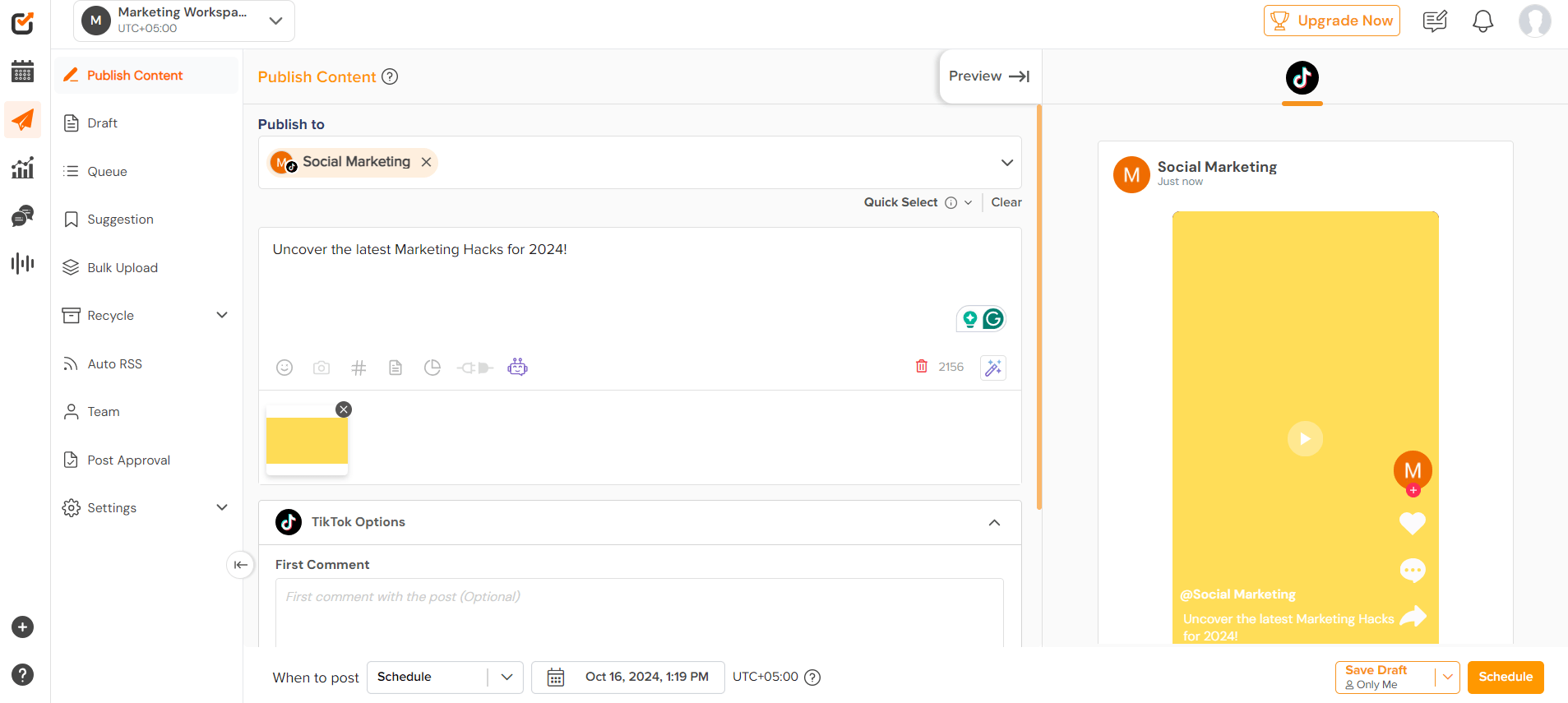
Social Champ’s Dashboard To simplify social media management, Social Champ enables users to boost engagement through its easy-to-use scheduling features, RSS feed auto-posting, and team collaboration tools.
Key Features:
- Multi-Platform Scheduling: Supports scheduling posts across multiple platforms, including Facebook, Twitter, Instagram, and LinkedIn.
- Social Media Calendar: A visual calendar lets users plan and organize their posts for better management.
- Auto-post from RSS Feeds: Automatically shares new content from blogs or websites through RSS feed integration.
- Analytics and Insights: Provides detailed performance reports, allowing users to track what works best.
- Team Collaboration: Ideal for businesses with team members handling social media, offering role-based access control.
Pros:
- Easy-to-use interface, perfect for both beginners and professionals.
- Cost-effective pricing compared to other advanced tools.
- Strong analytics and scheduling features.
- Effective team collaboration functionalities.
Cons:
- Limited integration with some third-party apps.
- Slight learning curve for more advanced features.
Pricing:
Social Champ comes with two pricing tiers, including a Pay-Per-Profile and a Flat-Rate model.
Here’s what you get in the Pay-Per-Profile:
- Starter, which costs $4 and has 1 user. In this plan, you can manage 1 social accounts.
- Growth, which costs $8 and has unlimited users. In this plan, you can manage 1 social accounts.
These plans also offer discounts as you scale. Here’s how much you can save in the Starter:
- For 1-10 social accounts: $4
- For 11-20 social accounts: $3
- For 21-40 social accounts: $2
- For 41+ social accounts: $0.50
Here’s how much you can save in the Growth:
- For 1-10 social accounts:$8
- For 11-20 social accounts:$3.50
- For 21-40 social accounts:$2.50
- For 41+ social accounts:$1
With Social Champ, you also get Flat-Rate bundles, which are:
- Free, which costs $0 and has 1 user. In this plan, you can manage 3 social accounts.
- Standard, which costs $23 and has 2 users. In this plan, you can manage 6 social accounts. This plan also comes with add-ons for accounts. You can add another account for $5/account
- Professional, which costs $47 and has 5 users. In this plan, you can manage 12 social accounts. This plan also comes with add-ons for accounts. You can add another account for $4/account and pay $8/user for another user.
- Agency, which costs $119 and has unlimited users. In this plan, you can manage 30 social accounts. This plan also comes with add-ons for accounts. You can add another account for $3/account
- Enterprise, which is Custom and has unlimited users. In this plan, you can manage unlimited social accounts.
Social Champ also supports: Instagram, Facebook, TikTok, LinkedIn, YouTube, Threads, Pinterest, X, Google Business Profile, Bluesky, Mastodon, and WhatsApp Business
From Planning to Posting – An All-In-One Solution Awaits!
Effortlessly manage your social media platforms while staying organized and active with Social Champ.
-
Hootsuite
Hootsuite is one of the most established and widely used social networking management tools in the industry.
Known for its comprehensive feature set, it’s designed to help businesses manage their social media at scale.
Hootsuite supports post-scheduling, real-time social listening, and advanced analytics, making it a powerful tool for businesses of all sizes.
It is particularly well-suited for teams managing multiple accounts or running large-scale campaigns.
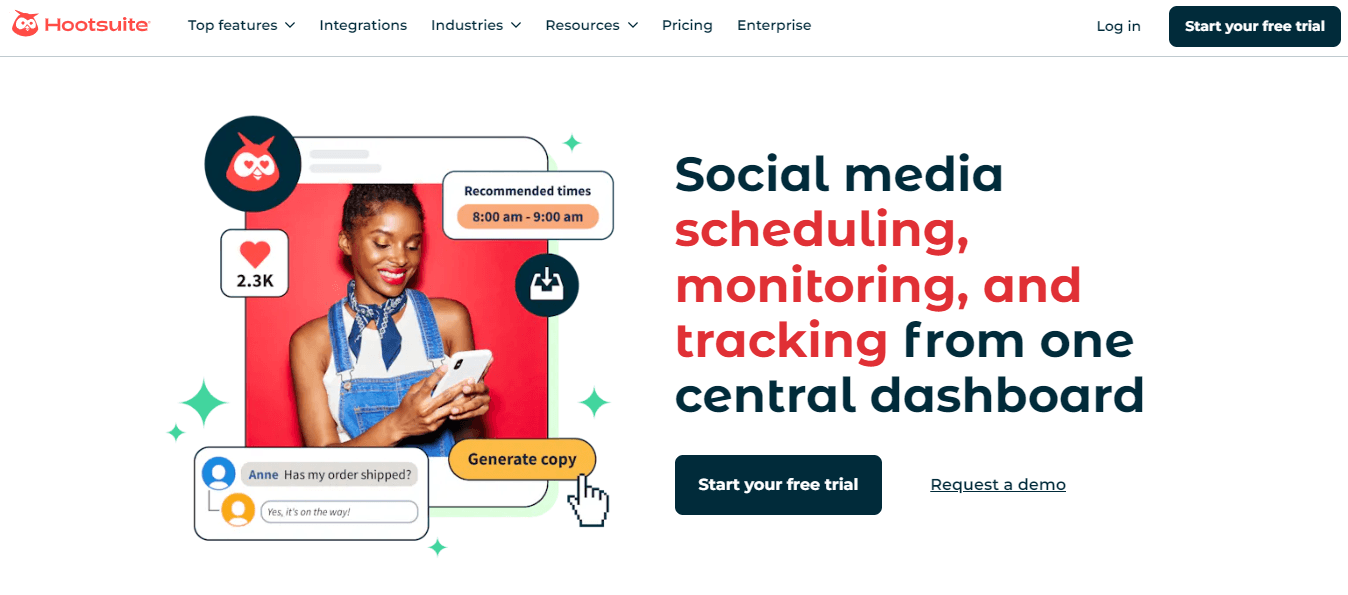
Hootsuite’s Dashboard Key Features:
- Bulk Scheduling: Upload and schedule multiple posts across various platforms at once.
- Real-Time Social Listening: Track brand mentions and hashtags to stay on top of conversations about your brand.
- Comprehensive Analytics: In-depth reports to measure the performance of social media campaigns.
- Integrations: Supports over 150 apps, including Dropbox, Canva, and Google Drive.
- Social Inbox: Manage all incoming messages across your social platforms in one unified inbox.
Pros:
- Great for large businesses managing multiple social accounts.
- Extensive analytics and social listening capabilities.
- Supports a wide range of social networks and integrations.
- Easy collaboration between team members.
Cons:
- Higher pricing compared to other tools.
- Steep learning curve for beginners due to its extensive features.
Pricing:
Hootsuite offers three plans, including:
- Standard, which costs $99 and has 1 user. In this plan, you can manage 10 social accounts.
- Advanced , which costs $399 and has 1 user. In this plan, you can manage Unlimited social accounts.
- Enterprise, which is Custom and has Unlimited users. In this plan, you can manage Unlimited social accounts.
Hootsuite also supports: Facebook, Instagram, TikTok, LinkedIn, X, YouTube, Pinterest, Threads, WhatsApp, Google Business Profile, and Bluesky.
-
Later
Later is a social media management tool primarily focused on visual platforms like Instagram, Pinterest, and TikTok.
It’s ideal for brands and influencers who rely heavily on visual content and need an easy-to-use tool to plan their social media grid.
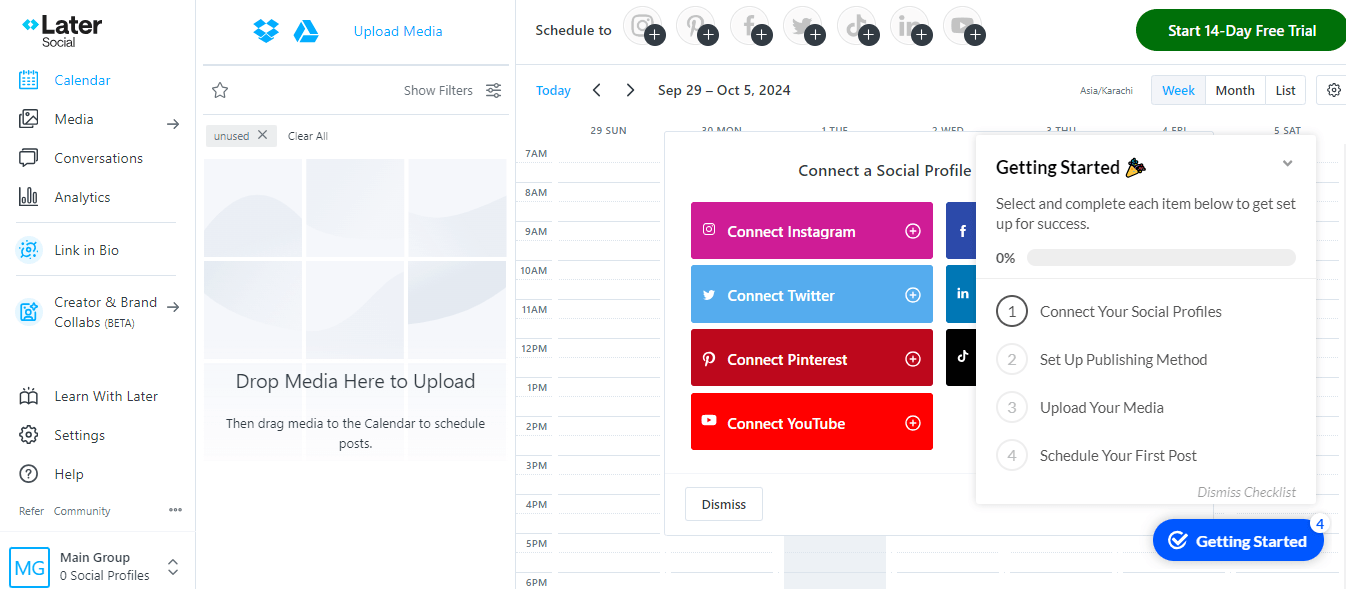
Later’s Dashboard Later provides a drag-and-drop visual planner, so users can see how their Instagram feed will look before they post.
It’s a great tool for managing and growing a visually cohesive brand presence on social media.
Key Features:
- Drag-and-Drop Visual Planner: Helps users visually organize and schedule posts on Instagram and Pinterest.
- Hashtag Suggestions: Recommends the best hashtags to improve the reach of posts.
- Link.in Bio Tool: Turns your Instagram posts into a clickable, shoppable feed.
- Analytics for Instagram and Pinterest: Tracks metrics like engagement, followers, and post-performance.
- Content Calendar: Offers a bird’s-eye view of all scheduled content.
Pros:
- Excellent for visually-focused platforms like Instagram and Pinterest.
- Easy-to-use interface with visual content planning.
- Strong analytics for Instagram, helping improve engagement.
- Offers hashtag and best posting time recommendations.
Cons:
- Limited functionality for non-visual platforms like Twitter and LinkedIn.
- No real-time social listening feature.
Pricing:
Later offers three plans, including:
- Free, which costs $0 and has 1 user. In this plan, you can manage 8 social accounts.
- Starter, which costs $18.75 and has 1 user. In this plan, you can manage 8 social accounts.
- Growth, which costs $37.50 and has 2 users. In this plan, you can manage 16 social accounts.
- Scale, which costs $82.50 and has 4 users. In this plan, you can manage 48 social accounts.
Later also supports: Instagram, Facebook, Threads, Pinterest, TikTok, LinkedIn, YouTube, and Snapchat.
-
Tailwind
Tailwind is a Social Media Management Tool built for visual content platforms, particularly Pinterest and Instagram.
It offers powerful scheduling tools that automatically choose the best times to post for maximum engagement.
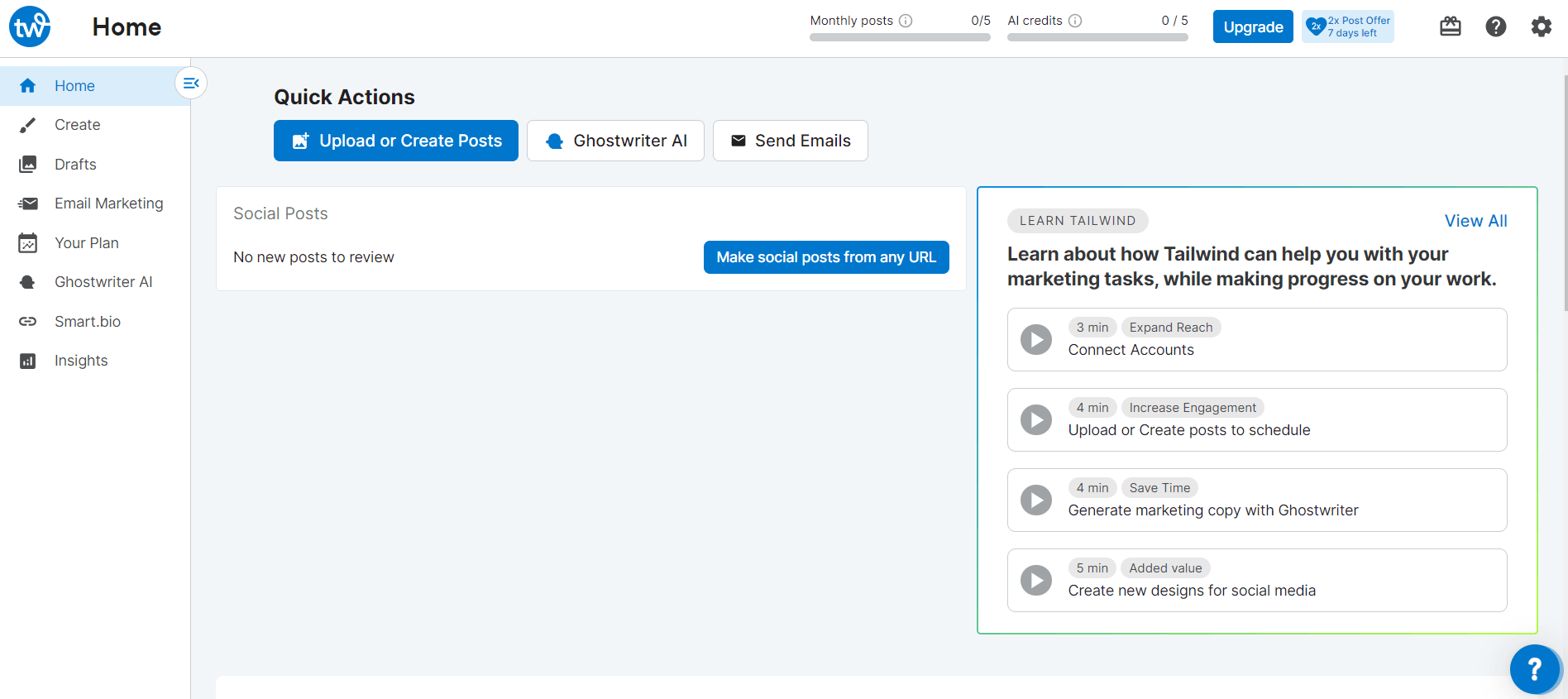
Tailwind’s Dashboard Tools like Tailwind’s analytics help users understand what type of content works best.
Its unique Tailwind Tribes feature allows for collaboration and sharing within niche communities to expand reach and engagement.
Key Features:
- Smart Scheduling: Posts are automatically scheduled at optimal times for engagement.
- Tailwind Create: A tool for designing custom-branded Instagram and Pinterest posts.
- Tailwind Tribes: Allows users to collaborate and share content with other members in niche communities.
- Hashtag Finder: Automatically suggests the best hashtags to increase reach.
- Detailed Analytics: Provides performance metrics and insights into post engagement.
Pros:
- Excellent for Pinterest and Instagram users.
- Intelligent scheduling based on audience activity.
- Tailwind Tribes encourage content collaboration and growth.
- Offers built-in design tools for creating posts.
Cons:
- Limited support for non-visual platforms.
- Steeper learning curve for beginners.
Pricing:
Tailwind offers four plans, including:
- Free Forever, which costs $0 and has 1 user. In this plan, you can manage 1 social account.
- Pro, which costs $17.99 and has 1 user. In this plan, you can manage 1 social account.
- Advanced, which costs $29.99 and has 2 users. In this plan, you can manage 2 social accounts.
- Max, which is $49.99 and has 5 users. In this plan, you can manage 3 social accounts.
Tailwind also supports: Pinterest, Instagram, and Facebook
-
NapoleonCat
NapoleonCat is an all-in-one social media monitoring tool designed for businesses focused on customer engagement.
It features a unified social inbox, allowing businesses to respond to messages and comments from multiple platforms in one place.
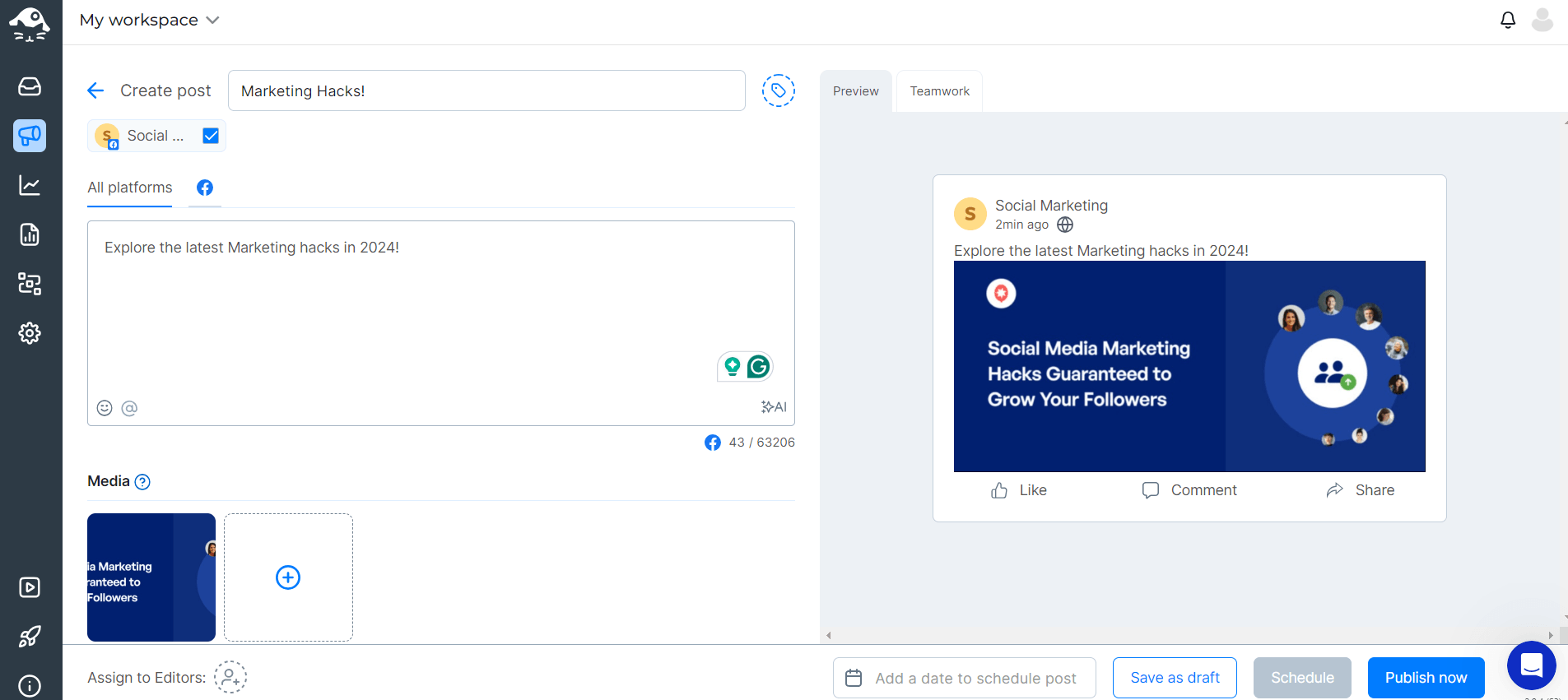
NapoleonCat’s Dashboard Additionally, NapoleonCat provides automation tools for managing repetitive tasks like sending automated replies, saving time and improving efficiency.
As one of the top social media monitoring tools, it’s a great solution for companies looking to enhance their social customer service and manage their social media presence at scale.
Key Features:
- Unified Social Inbox: Manages comments and messages from multiple platforms.
- Automated Replies: Saves time by automating responses to frequently asked questions.
- Analytics and Reporting: Detailed performance tracking across social platforms.
- Social Customer Service Management: Manage and track customer interactions.
- Supports Multiple Platforms: Including Facebook, Instagram, Twitter, LinkedIn, and YouTube.
Pros:
- Excellent for managing customer engagement and responses.
- Timesaving automation features.
- Easy to manage multiple social profiles.
- In-depth analytics and performance reporting.
Cons:
- Limited third-party integrations.
- The user interface could be more intuitive.
Pricing:
NapoleonCat offers four plans, including:
- Standard, which costs $79 and has 2 user. In this plan, you can manage 5 profile slots.
- Pro, which costs $89 and has 2 users. In this plan, you can manage 5 profile slots.
- Expert, which costs $119 and has 2 users. In this plan, you can manage 5 profile slots.
- Enterprise, which costs $465.
NapoleonCat also supports: Instagram, Facebook, TikTok, LinkedIn, X, Google Business Profile, Facebook Messenger, , and YouTube
-
SocialOomph
SocialOomph is a productivity-focused tool that emphasizes automation.
It’s ideal for users who want to automate repetitive social media tasks, such as post scheduling and following/unfollowing users on Twitter.
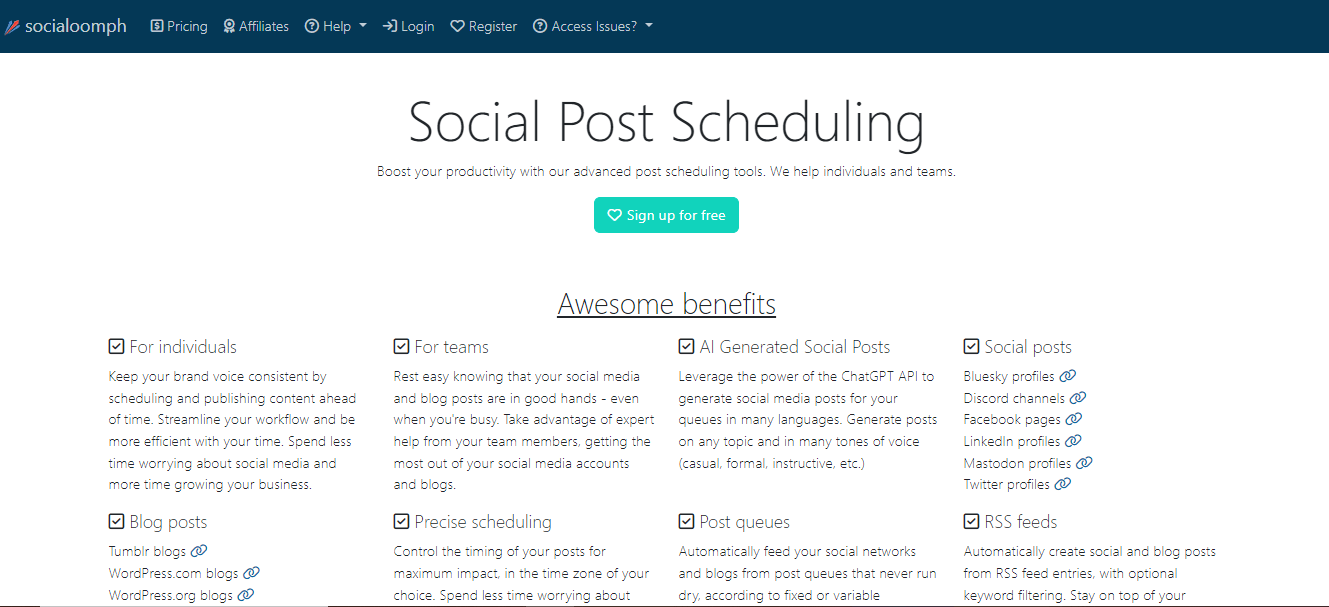
SocialOomph’s Dashboard Although SocialOomph’s interface feels a bit outdated compared to newer tools, it is highly effective for businesses that need robust scheduling and automation capabilities.
Additionally, it supports blog post scheduling, making it a favorite for content creators who manage multiple online platforms.
For any social media manager looking to streamline their workflow, SocialOomph offers powerful automation tools to simplify day-to-day management tasks and boost efficiency across multiple channels.
Key Features:
- Advanced Post Scheduling: Schedule content in bulk for multiple social platforms.
- Twitter Automation: Automate follows, DMs, and content posting.
- Blog Post Scheduling: Allows users to schedule blog posts for multiple platforms.
- Queue Reservoirs: Automatically fills gaps in your posting schedule.
- Keyword Tracking: Monitor brand mentions and keywords.
Pros:
- Excellent automation features, particularly for Twitter.
- Great for content creators managing blogs and social media.
- Affordable pricing.
- Efficient for bulk scheduling.
Cons:
- Outdated interface.
- Limited analytics compared to other tools.
Pricing:
SocialOomph offers four plans, including:
- Personal Suite, which costs $0. In this plan, you can manage 1 social accounts.
- Advanced Suite, which costs $15. In this plan, you can manage 1 social accounts.
- Professional Suite, which costs $25. In this plan, you can manage 60548 social accounts.
- Business Suite, which costs $55. In this plan, you can manage 20 social accounts.
SocialOomph also supports: Bluesky, Discord, Facebook, LinkedIn, X, and Mastodon
If you’re exploring SocialOomph competitors, tools with a more modern interface and advanced analytics may be worth considering.
-
Planoly
Planoly is another social media management tool designed with visual platforms like Instagram in mind.
It’s a favorite for brands and influencers who need a tool that makes it easy to plan and schedule posts.
With Planoly’s drag-and-drop visual planner, users can create a cohesive feed by seeing how their posts will look before publishing.
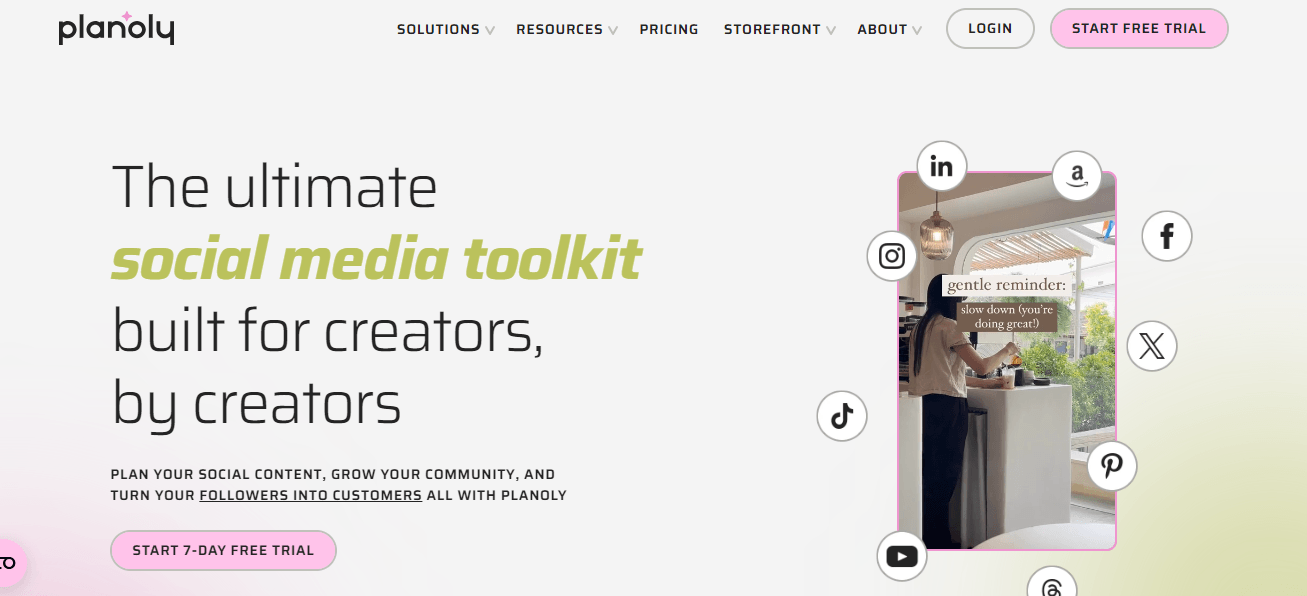
Planoly’s Landing Page Additionally, it offers analytics, hashtag management, and team collaboration features, making it a well-rounded option for managing Instagram and Pinterest accounts.
For those looking to optimize their social media strategy, Planoly provides valuable social media management tips to enhance engagement and streamline content creation.
Key Features:- Drag-and-Drop Visual Planner: Plan and organize Instagram posts visually.
- Hashtag Manager: Save and reuse hashtag sets for different posts.
- Analytics Dashboard: Track engagement and follower growth on Instagram.
- Team Collaboration: Share access with team members for easier post-management.
- Pinterest Integration: Manage and schedule Pinterest posts as well.
Pros:
- Excellent for visual content planning.
- Strong hashtag management and scheduling features.
- Easy team collaboration.
- User-friendly interface.
Cons:
- Limited features for non-visual platforms.
- Analytics are basic compared to more comprehensive tools.
Pricing:
Planoly offers four plans, including:
- Personal, which costs $0 and has 1 user. In this plan, you can manage [Value not found] social set.
- Starter, which costs $16 and has 1 user. In this plan, you can manage 1 social set.
- Growth, which costs $28 and has 3 users. In this plan, you can manage 1 social set.
- Pro, which costs $43 and has 60543 users. In this plan, you can manage 2 social sets.
Planoly also supports: Instagram, YouTube, LinkedIn, Threads, TikTok, Facebook, Pinterest, and X.
-
Zoho Social
Zoho Social is part of the larger Zoho ecosystem and is designed to help businesses manage their social media presence efficiently.
It’s ideal for businesses that need an affordable yet powerful tool for scheduling posts, monitoring mentions, and tracking engagement.
Zoho Social’s integration with other Zoho products, like Zoho CRM, makes it an excellent choice for businesses already using the Zoho suite.
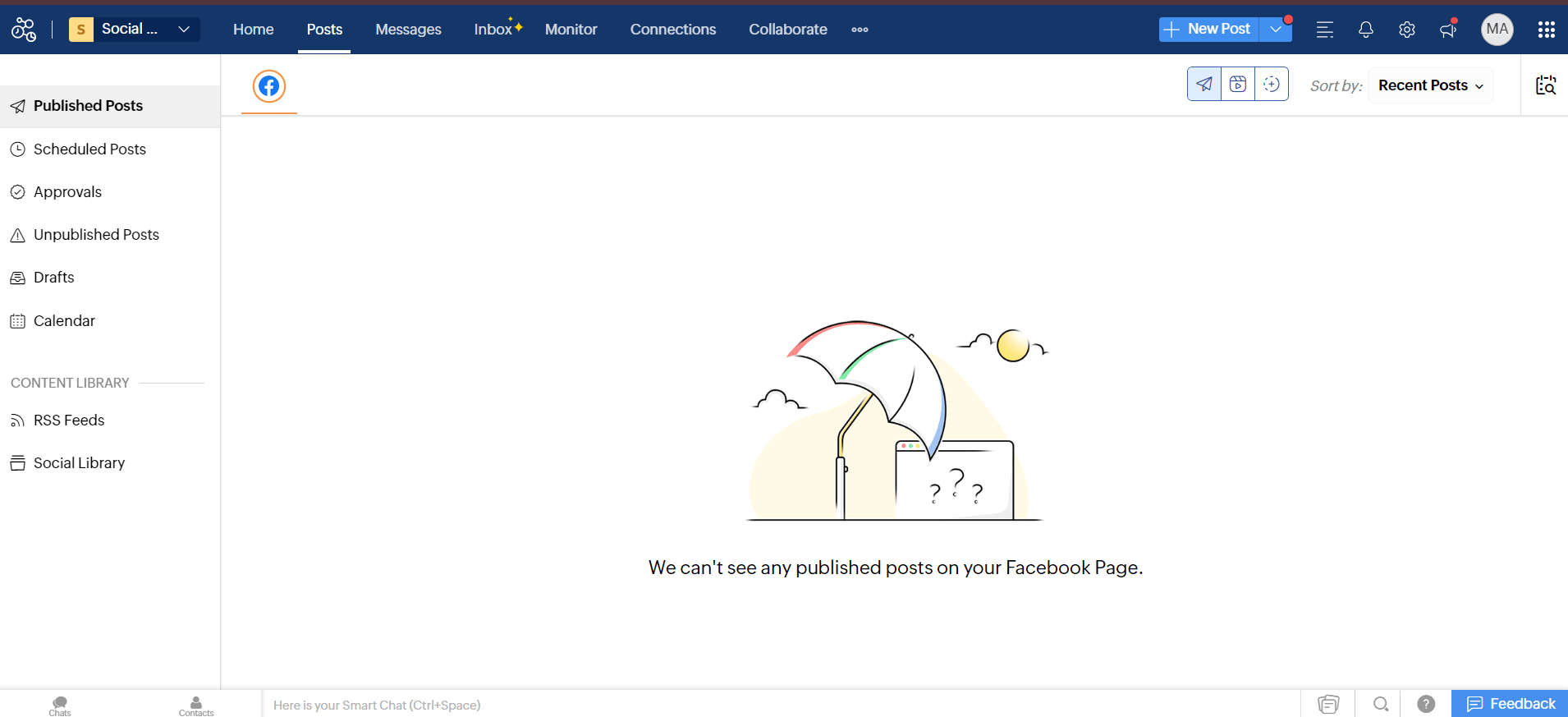
Zoho Social’s Dashboard With real-time updates and detailed analytics, Zoho Social helps businesses optimize their social media strategy.
By utilizing Zoho Social, companies can learn how to manage social media effectively, ensuring a cohesive and responsive online presence that drives engagement and growth.
Key Features:
- Real-Time Monitoring: Track brand mentions and customer conversations as they happen.
- Content Scheduling: Easily schedule and organize posts for multiple platforms.
- Team Collaboration: Allows businesses to assign roles and permissions to different team members.
- Detailed Analytics: Measure the performance of social campaigns and generate reports.
- CRM Integration: Seamlessly integrates with Zoho CRM for managing customer relationships.
Pros:
- Affordable pricing with advanced features.
- Great for businesses already using Zoho products.
- Real-time social media monitoring.
- Strong team collaboration tools.
Cons:
- Limited platform integrations outside of social media.
- Can be overwhelming for beginners.
Pricing:
Zoho Social comes with Flat-Rate bundles for Businesses and Agencies.
For Businesses, you get:
- Free, which costs $0 and has 1 user. In this plan, you can manage 60543 social accounts.
- Standard, which costs $10 and has 1 user. In this plan, you can manage 12 social accounts.
- Professional, which costs $30 and has 1 user. In this plan, you can manage 12 social accounts.
- Premium, which costs $40 and has 3 users. In this plan, you can manage 18 social accounts.
For Agencies, you get:
- Agency, which costs $230 and has 5 users. In this plan, you can manage 140 social accounts.
- Agency Plus, which is $330 and has 5 users. In this plan, you can manage 280 social accounts.
Zoho Social also supports: Facebook, X, LinkedIn, Instagram, WhatsApp, Google Business Profile, YouTube, Pinterest, TikTok, Mastodon, Threads, and Bluesky
Managing social media effectively in 2026 requires the use of the right tools.
Whether you need a platform for visual content, robust analytics, or social media automation, these top social networking management tools provide everything you need.
Each tool has unique strengths and pricing plans, so it’s essential to choose the one that fits your needs and budget.
Featured Article: Freelance Tools for Boost Your Productivity and Efficiency
Conclusion
Social networking management tools have become essential for businesses looking to streamline their social media efforts and maximize engagement in 2026.
Whether it’s scheduling content, analyzing performance, or managing multiple platforms, these tools provide the capabilities needed to stay competitive.
From all-in-one platforms like Hootsuite to AI-driven tools such as Buffer, businesses have a variety of options to suit their unique needs.
Among these, Social Champ stands out for its simplicity, affordability, and robust scheduling and analytics features, making it a top choice of brands of all sizes seeking efficient social networking management tools.