
MeetEdgar is a social media management tool built with one primary goal: automation.
It’s known for its content library and ability to recycle evergreen posts on a set schedule, something that can save users hours of manual scheduling.
This makes it particularly appealing to solopreneurs, coaches, bloggers, and small businesses who want to keep their content flowing consistently without constantly being online.
However, while MeetEdgar is great for what it does, it’s not always the perfect fit for every user.
Short Summary
- MeetEdgar is a reliable tool for content automation and recycling, but many users outgrow its limited features and high pricing.
- Businesses often seek alternatives due to lack of flexibility, outdated UI, minimal platform support, and weak collaboration tools.
- Key factors when choosing a MeetEdgar alternative include automation features, content calendar, analytics, supported platforms, collaboration options, and pricing scalability.
- Each alternative has its pros and cons to help users choose based on their unique needs.
- Social Champ stands out as the best overall alternative, offering powerful automation, affordable pricing, and broader platform support.
Why We Need MeetEdgar Alternatives
As business needs evolve, many find themselves outgrowing the platform or looking for more specialized functionality. Here’s why businesses may start seeking out alternatives:
-
Pricing That Doesn’t Scale Well
While MeetEdgar offers value through automation, its pricing can be a sticking point—especially for smaller businesses or individuals on tight budgets.
Starting at around $24.91/month for its basic plan and scaling up from there, it may not offer the flexibility or advanced features that justify the cost for some users.
For teams managing multiple brands or social accounts, the cost can add up quickly.
Many alternative tools offer more generous user limits, better multi-account support, and richer features—often at a lower price point or with more scalable pricing models.
-
Limited Feature Set for Growing Needs
MeetEdgar focuses heavily on automation and evergreen content recycling, but that’s just one piece of a complete social media strategy.
Users who want advanced features like detailed analytics, engagement tracking, social listening, or collaborative workflows may find MeetEdgar lacking.
For example, if you’re managing a larger campaign, working with a team, or want to visualize your content calendar with drag-and-drop tools, you may quickly feel limited.
Other platforms offer these capabilities—and more—in a more robust, user-friendly package.
-
User Experience and Interface Challenges
While MeetEdgar gets the job done, its interface isn’t always the most intuitive—especially for new users.
The setup process and navigation can feel a bit outdated compared to newer platforms that emphasize sleek, modern design and a seamless user experience.
As teams grow or delegate social tasks to less tech-savvy team members, ease of use becomes even more critical.
Many businesses turn to alternatives that are faster to onboard, easier to navigate, and offer a more visual and collaborative environment.
-
Limited Support for Diverse Platforms
MeetEdgar supports the major players—Facebook, LinkedIn, Instagram, Threads, TikTok, Pinterest, Google Business Profile, and X (Twitter)—but it doesn’t go much beyond that.
If your strategy includes platforms like YouTube Shorts or even newer platforms like Bluesky, you’ll find MeetEdgar comes up short.
This can be a dealbreaker for brands that want a broader, omnichannel approach.
Many competitors offer deeper integrations and support for newer platforms, giving businesses more flexibility to adapt to changing audience behaviors.
Best Alternatives to MeetEdgar & What They Are Best For
To help you navigate your options, we’ve compared 8 of the most popular MeetEdgar alternatives based on their starting price, standout features, and ideal use cases.
| Tool | Best For |
|---|---|
| Social Champ | Individuals, small businesses, large organizations, and agencies wanting an affordable, feature-packed alternative to MeetEdgar |
| RecurPost | Users who prioritize content automation and recycling without breaking the bank |
| SocialPilot | Agencies and teams that need to manage multiple clients with robust scheduling and white-labeling |
| CoSchedule | Teams managing blog posts, email campaigns, and social posts together in one content marketing suite |
| ContentStudio | Curators and marketers managing multiple brands who want discovery plus automation |
| Planable | Agencies and teams working closely with clients who need real-time collaboration and approvals |
| Buffer | Small teams and solopreneurs who need a reliable, easy-to-use scheduling tool |
| NapoleonCat | Brands handling a high volume of social conversations who need moderation and customer service tools |
Featured Article: Buffer Alternatives for Social Media Management
Top MeetEdgar Alternatives in 2026: Detailed Review and Analysis
Here’s an in-depth dive into these 8 MeetEdgar competitors so you make a smarter choice:
-
Social Champ
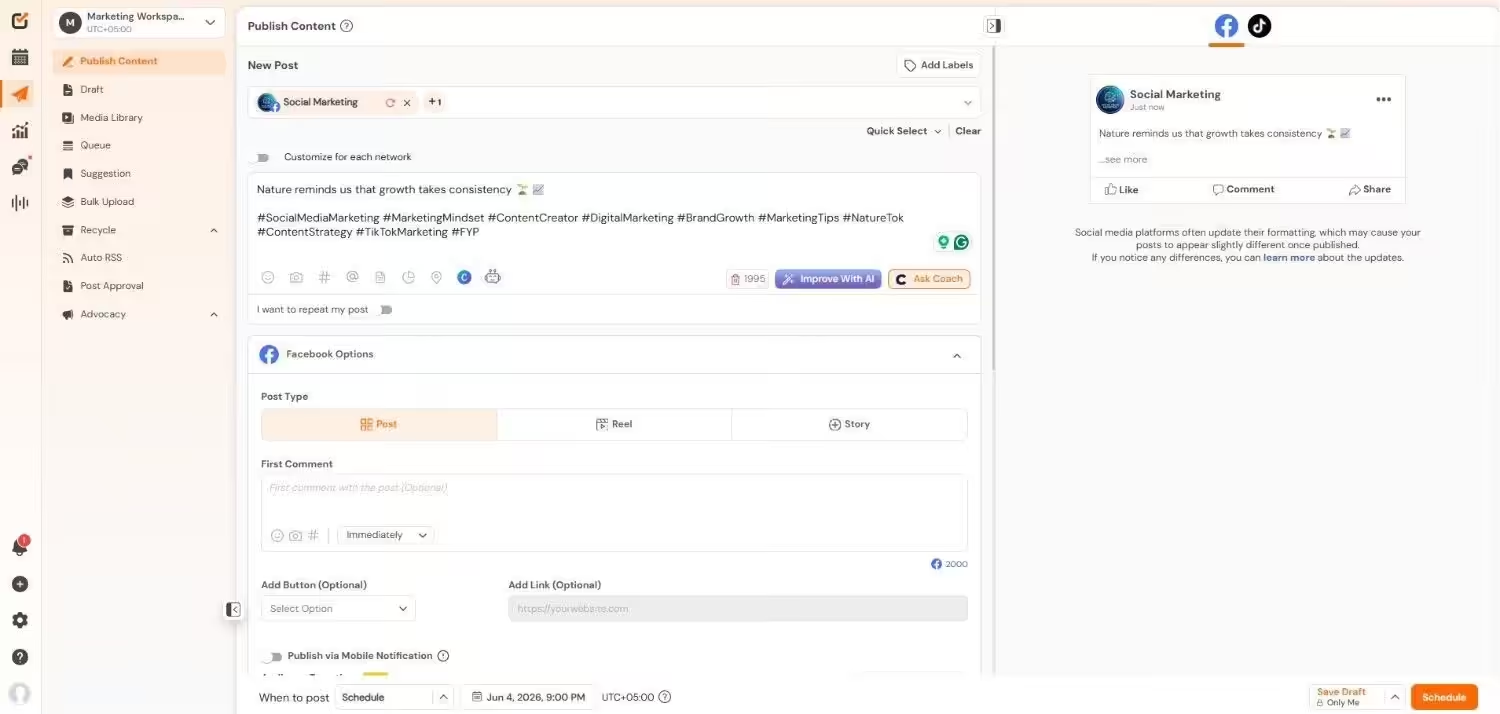
Social Champ’s Dashboard Social Champ is a growing social media management platform designed to help individuals, small businesses, large organizations, and agencies manage, schedule, and analyze content across multiple social platforms.
Known for its modern interface and robust feature set, it’s often praised for being both affordable and packed with useful automation tools.
While it may not have the same legacy reputation as MeetEdgar, Social Champ stands out for delivering more flexibility, deeper analytics, and platform support that’s ideal for growing teams and content-focused brands.
Key Features
- Bulk Scheduling: Upload and schedule multiple posts at once using a CSV file—perfect for large content libraries.
- Evergreen Content Recycling: Like MeetEdgar, Social Champ lets you reuse evergreen content to keep your social feeds fresh.
- Visual Calendar: Drag-and-drop scheduling, color-coded campaigns, and calendar filters make planning seamless.
- Content Suggestions: AI-powered content ideas to help you stay relevant and on-trend.
- In-Depth Analytics: Track performance metrics across platforms with exportable reports.
- Workspace & Team Collaboration: Create separate workspaces, assign roles, and manage approvals—great for agencies or multi-brand businesses.
- Browser Extension & Mobile App: Manage your posts on the go or schedule content directly from any webpage.
- Platform Support: Facebook, Twitter/X, LinkedIn, Instagram, Threads, Pinterest, Google Business Profile, TikTok, YouTube, Bluesky and Mastodon.
Pros
- Affordable pricing, especially for small teams
- Intuitive UI with a gentle learning curve
- Excellent platform support including newer networks
- Strong automation tools comparable to premium platforms
- Supports both individual users and growing agencies
- Generous free plan to test core features
Cons
- Some advanced analytics and features are only in higher-tier plans
- Limited integration with third-party CRMs and marketing tools
- Content library management isn’t as deep as MeetEdgar for recurring posts
Social Champ vs. MeetEdgar
Feature Social Champ MeetEdgar Starting Price $4/month $24.91/month Free Plan ✅ ❌ Content Recycling ✅ ✅ Bulk Scheduling ✅ ✅ Visual Content Calendar ✅ ✅ Analytics ✅ ✅ Social Listening ✅ ❌ Team Collaboration ✅ ✅ Canva Integration ✅ ✅ AI Writing Assistant ✅ ✅
Not "Too Small" for Big-League Automation!
-
RecurPost
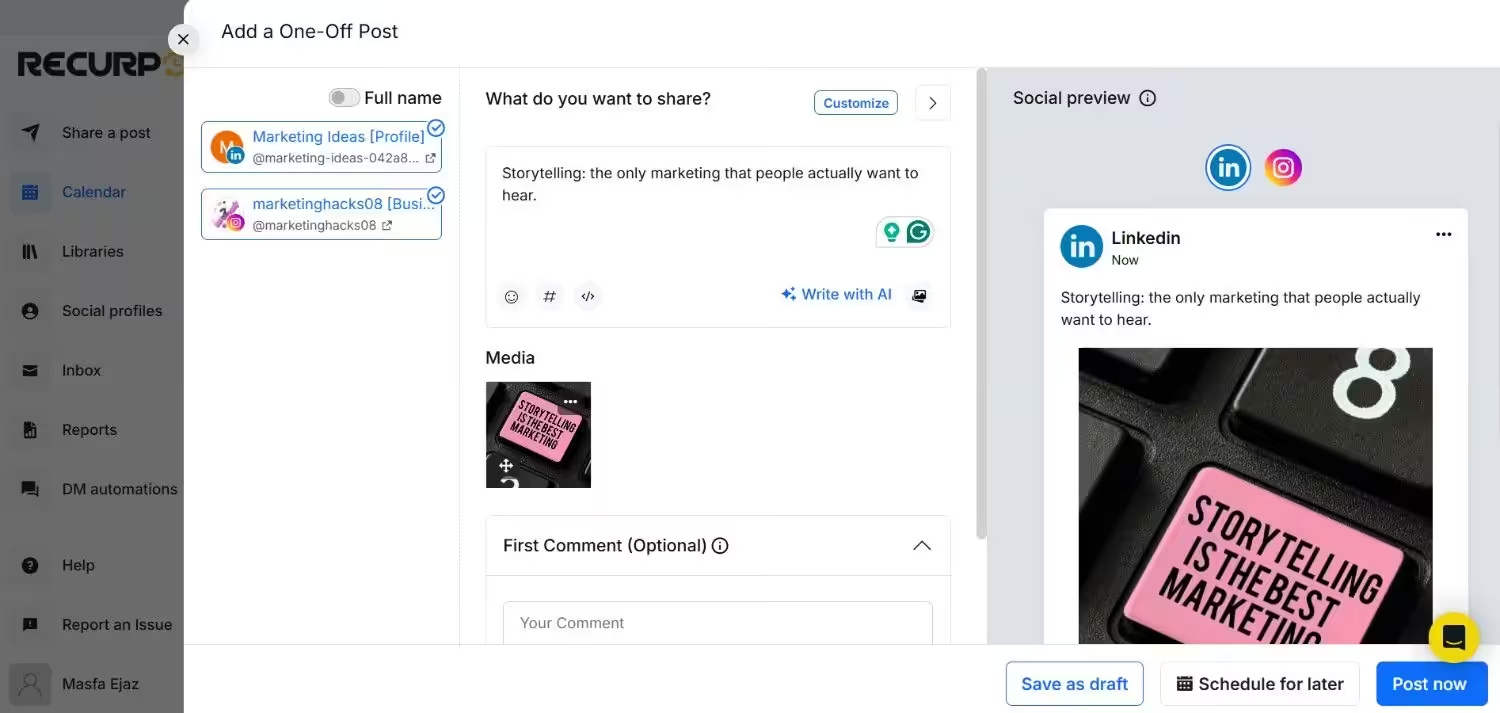
RecurPost’s Dashboard RecurPost is a solid choice for those who prioritize content automation and recycling without breaking the bank.
It mirrors many of MeetEdgar’s evergreen content features but adds its own twist with better scheduling and affordability.
Key Features
- Category-based content recycling
- Smart scheduling based on audience engagement
- Social inbox for message management
- Content library with tagging
- Supports Facebook, LinkedIn, Twitter/X, Instagram, Google Business Profile
Pros
- Great for reusing content automatically
- Simple UI and easy to learn
- Includes white-label options
- Offers a free plan
Cons
- Basic analytics
- Fewer integrations than competitors
- Interface feels slightly outdated
RecurPost vs. MeetEdgar
Feature RecurPost MeetEdgar Starting Price $7.5/month $24.91/month Free Plan ❌ ❌ Content Recycling ✅ ✅ Bulk Scheduling ✅ ✅ Visual Content Calendar ✅ ✅ Analytics ✅ ✅ Social Listening ✅ ❌ Team Collaboration ✅ ✅ Canva Integration ✅ ✅ AI Writing Assistant ✅ ✅ -
SociaPilot
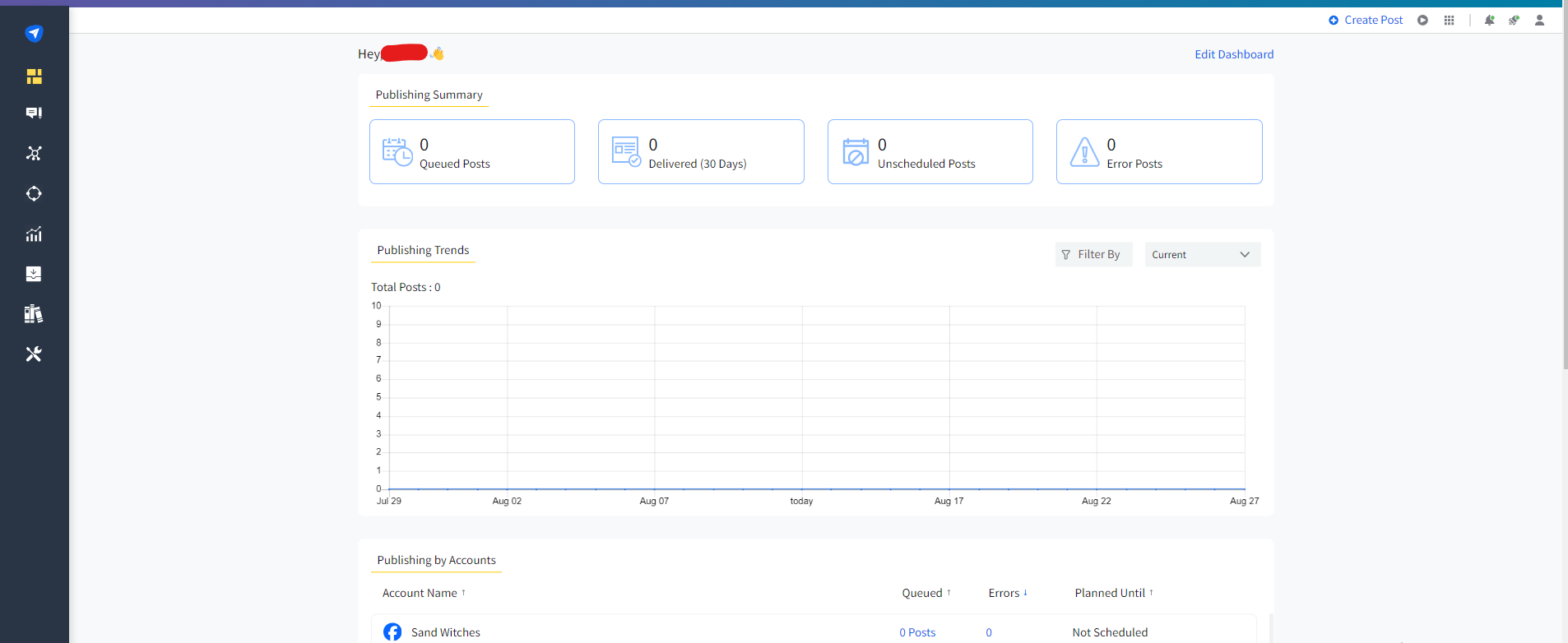
SocialPilot’s Dashboard SocialPilot is built for agencies and teams that need to manage multiple clients with ease.
It provides robust scheduling, white-labeling, and analytics without the high costs of enterprise tools.
Key Features
- Bulk scheduling and content queuing
- White-label dashboard and client reports
- Collaboration tools with approval workflows
- Deep analytics and content performance tracking
- Supports Facebook, Twitter/X, LinkedIn, TikTok, Instagram, Google Business Profile
Pros
- Excellent value for agencies
- Unlimited post scheduling
- Streamlined client and team management
- Affordable pricing tiers
Cons
- No free plan
- UI could be more polished
- Fewer native app integrations
SocialPilot vs. MeetEdgar
Feature SocialPilot MeetEdgar Starting Price $25.50/month $24.91/month Free Plan ❌ ❌ Content Recycling ✅ ✅ Bulk Scheduling ✅ ✅ Visual Content Calendar ✅ ✅ Analytics ✅ ✅ Social Listening ❌ ❌ Team Collaboration ✅ ✅ Canva Integration ✅ ✅ AI Writing Assistant ✅ ✅ -
CoSchedule
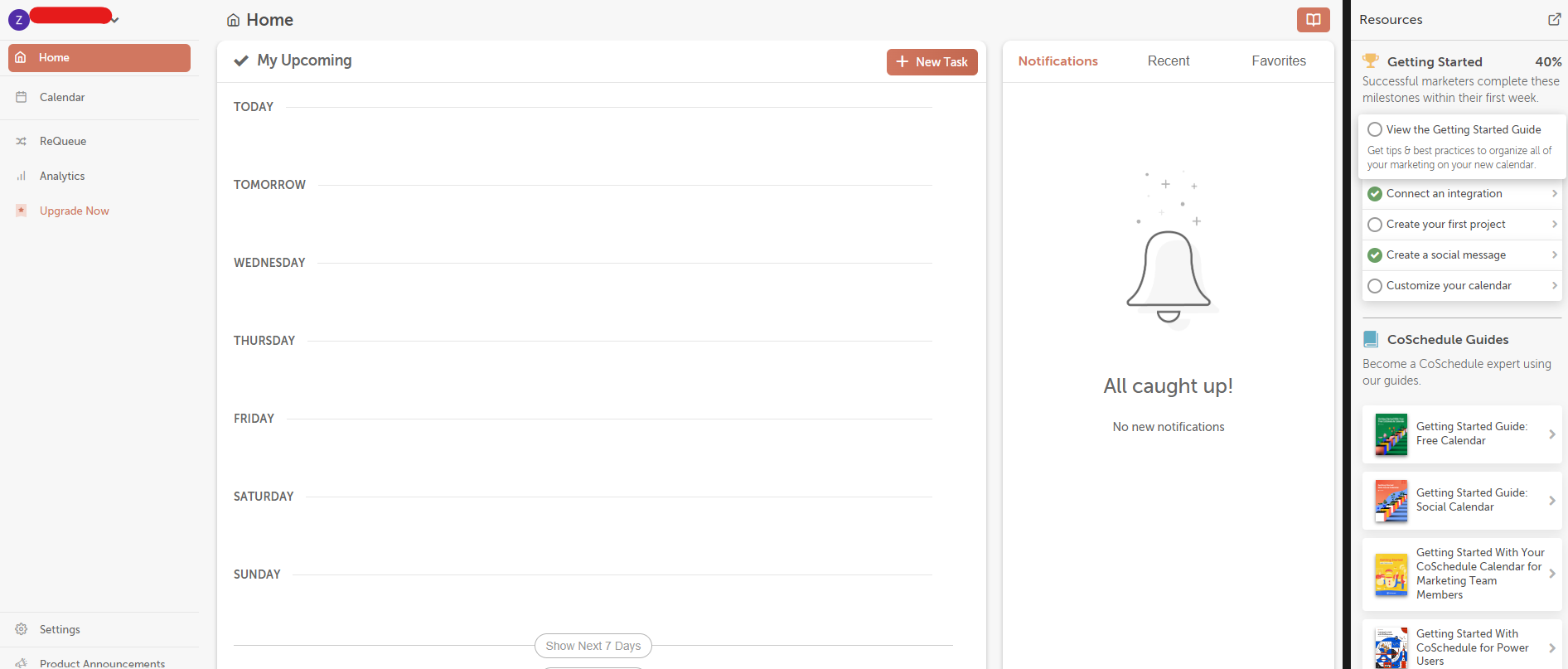
CoSchedule’s Dashboard CoSchedule is more than just a social tool—it’s a full content marketing suite.
If you’re managing blog posts, email campaigns, and social posts together, CoSchedule keeps everything in one place.
Key Features
- Unified marketing calendar
- ReQueue for content recycling
- Campaign and task management
- Headline analyzer tool
- Supports social + blog + project workflows
Pros
- Ideal for editorial calendars and content teams
- Time-saving automation via ReQueue
- Helpful tools for blog optimization
- Great for marketing alignment
Cons
- Expensive for individuals
- Can be complex to learn
- Social features are secondary to content planning
CoSchedule vs. MeetEdgar
Feature CoSchedule MeetEdgar Starting Price $19/month $24.91/month Free Plan ✅ ❌ Content Recycling ✅ ✅ Bulk Scheduling ✅ ✅ Visual Content Calendar ✅ ✅ Analytics ✅ ✅ Social Listening ❌ ❌ Team Collaboration ✅ ✅ Canva Integration ✅ ✅ AI Writing Assistant ❌ ✅ -
ContentStudio
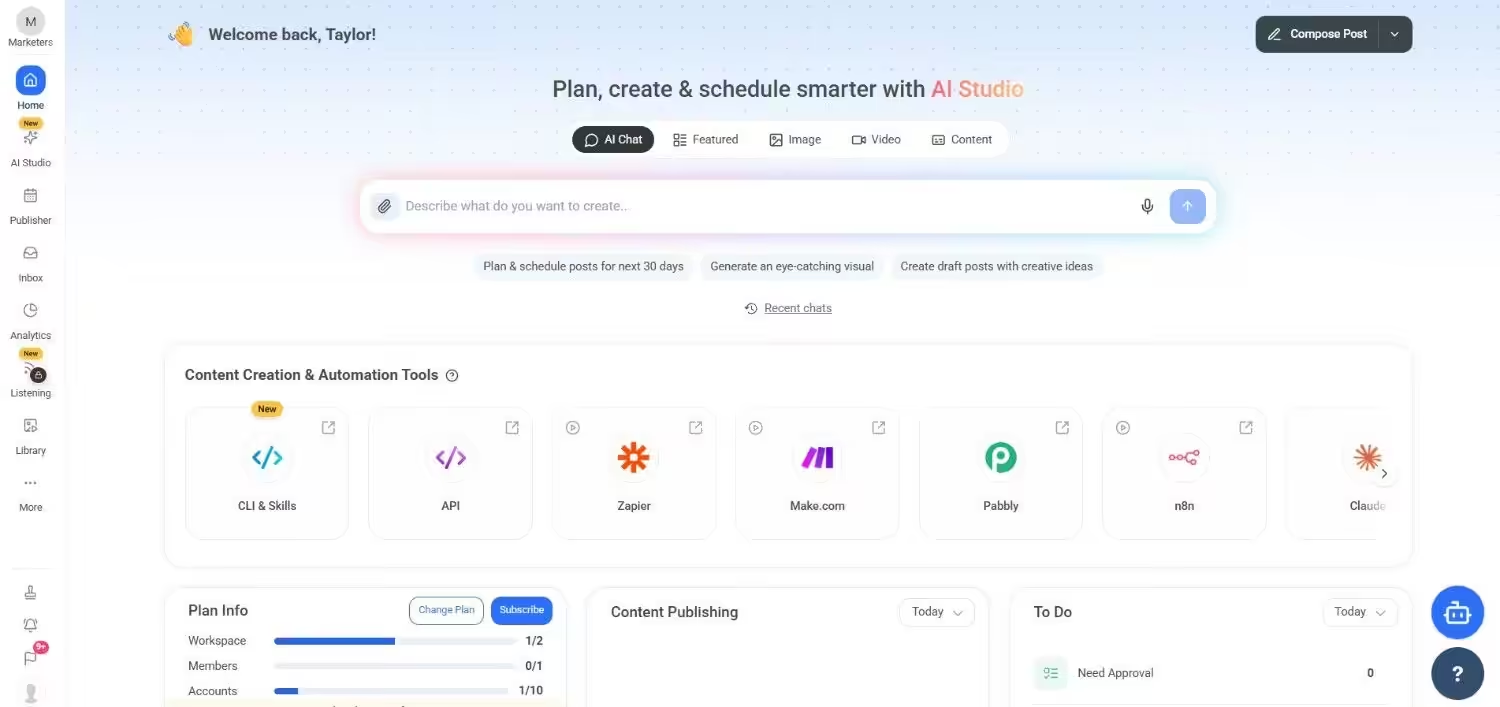
ContentStudio’s Dashboard ContentStudio blends automation with discovery, making it easy to find, share, and track content across platforms.
It’s especially useful for curators and marketers managing multiple brands.
Key Features
- Content discovery engine
- Social media automation and queues
- Analytics dashboard and reports
- AI-assisted caption generation
- Supports Facebook, Twitter/X, LinkedIn, Instagram, Pinterest, TikTok
Pros
- Strong curation and evergreen scheduling
- Built-in analytics and reporting
- Suitable for multi-brand and agency use
- AI support for content creation
Cons
- Slight learning curve
- Higher-tier plans needed for full features
- UX could be smoother
ContentStudio vs. MeetEdgar
Feature ContentStudio MeetEdgar Starting Price $19/month $24.91/month Free Plan ❌ ❌ Content Recycling ✅ ✅ Bulk Scheduling ✅ ✅ Visual Content Calendar ✅ ✅ Analytics ✅ ✅ Social Listening ✅ ❌ Team Collaboration ✅ ✅ Canva Integration ✅ ✅ AI Writing Assistant ✅ ✅ -
Planable
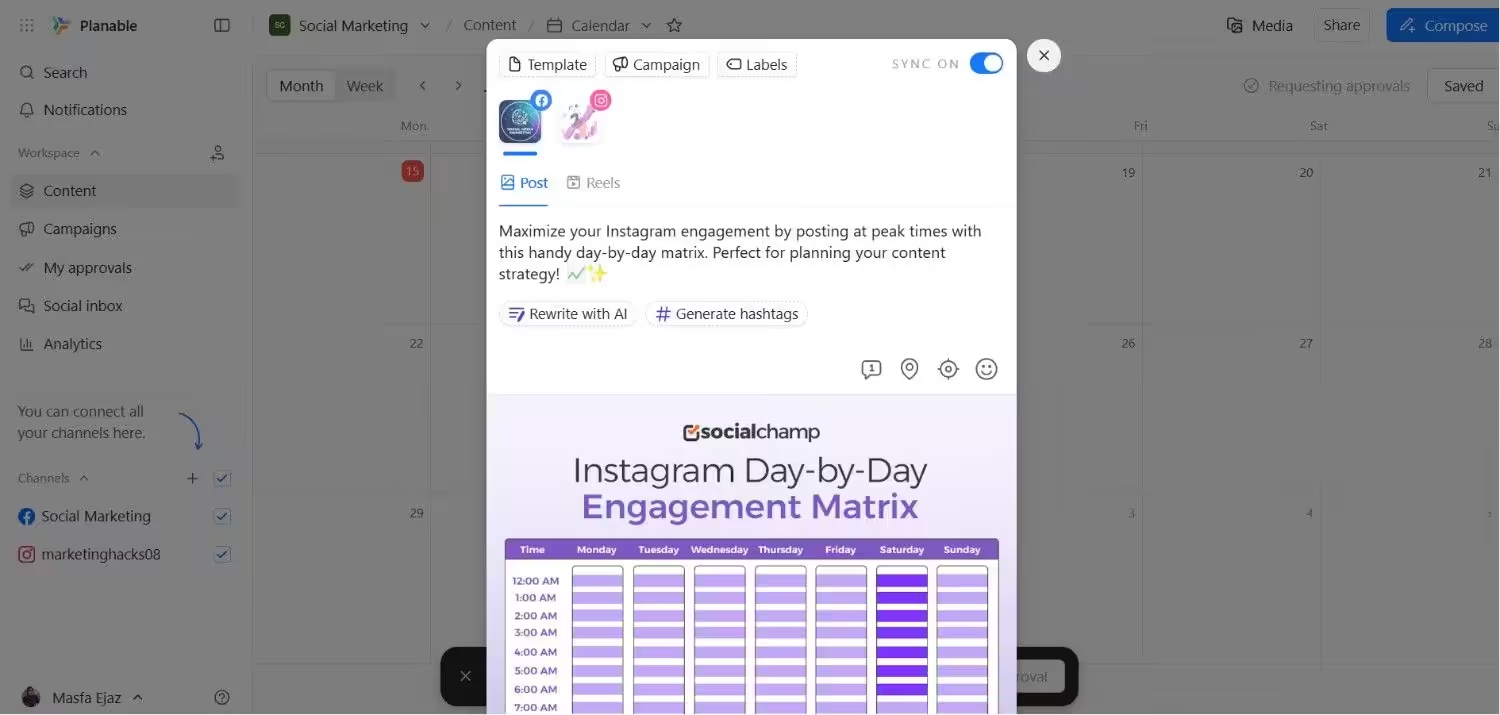
Planable’s Dashboard Planable is built around seamless collaboration, making it a top choice for agencies and teams working closely with clients.
The visual interface, real-time commenting, and approval system set it apart.
Key Features
- Real-time collaboration and feedback
- Approval workflows for client review
- Visual content calendar
- Version history and drafts
- Supports Facebook, LinkedIn, Instagram, Twitter/X, TikTok
Pros
- Excellent for teams and client approvals
- Highly visual and intuitive UI
- Fast feedback and publishing cycles
- Simple and clean content workflows
Cons
- Limited post recycling features
- Basic analytics only
- Not suited for solo users or bloggers
Planable vs. MeetEdgar
Feature Planable MeetEdgar Starting Price $33/month $24.91/month Free Plan ✅ ❌ Content Recycling ✅ ✅ Bulk Scheduling ✅ ✅ Visual Content Calendar ✅ ✅ Analytics ✅ ✅ Social Listening ❌ ❌ Team Collaboration ✅ ✅ Canva Integration ✅ ✅ AI Writing Assistant ✅ ✅ -
Buffer

Buffer’s Dashboard Buffer remains a favorite for small teams and solopreneurs who need a reliable, easy-to-use scheduling tool. It covers the basics beautifully with a user-centric design.
Key Features
- Queue-based scheduling and calendar
- AI writing assistant
- Engagement tracking and basic analytics
- First-comment feature for Instagram
- Supports Facebook, LinkedIn, Instagram, Twitter/X, Pinterest, TikTok
Pros
- Very beginner-friendly
- Free plan available
- Clean and intuitive interface
- Fast customer support
Cons
- Lacks post recycling and deep automation
- Analytics are limited in lower plans
- Fewer features compared to power tools
Buffer vs. MeetEdgar
Feature Buffer MeetEdgar Starting Price $5/month $24.91/month Free Plan ✅ ❌ Content Recycling ✅ ✅ Bulk Scheduling ❌ ✅ Visual Content Calendar ✅ ✅ Analytics ✅ ✅ Social Listening ❌ ❌ Team Collaboration ✅ ✅ Canva Integration ✅ ✅ AI Writing Assistant ✅ ✅ -
NapoleonCat
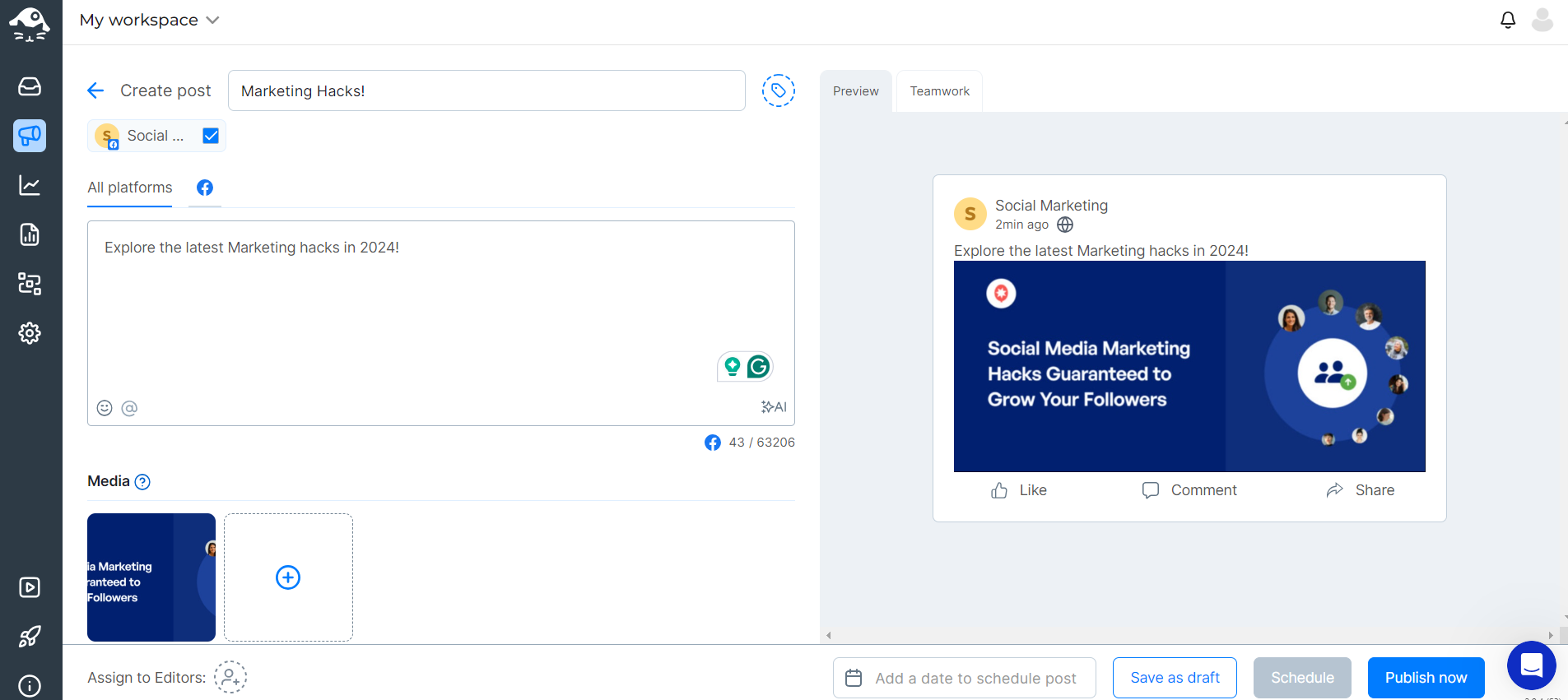
NapoleonCat’s Dashboard NapoleonCat specializes in social customer service, with features tailored toward moderation, engagement, and community support.
It’s best suited for brands handling a high volume of social conversations.
Key Features
- Unified social inbox and comment moderation
- Auto-moderation rules and templates
- Advanced reporting and benchmarking
- Role-based team access
- Supports Facebook, Instagram, Twitter/X, LinkedIn, YouTube
Pros
- Excellent moderation tools
- Great for social care teams and support
- Advanced reporting for engagement tracking
- Efficient workflow automation
Cons
- Limited post scheduling features
- Not ideal for content creators or bloggers
- Interface can feel complex initially
NapoleonCat vs. MeetEdgar
Feature NapoleonCat MeetEdgar Starting Price $79/month $24.91/month Free Plan ❌ ❌ Content Recycling ❌ ✅ Bulk Scheduling ✅ ✅ Visual Content Calendar ✅ ✅ Analytics ✅ ✅ Social Listening ✅ ❌ Team Collaboration ✅ ✅ Canva Integration ✅ ✅ AI Writing Assistant ✅ ✅
Key Factors for Choosing Tools Like MeetEdgar
- Automation: Look for content queues, auto-reposting, evergreen recycling, and smart scheduling that runs without constant manual input.
- Content Calendar: A visual, drag-and-drop calendar with bulk uploading and post previews saves time and reduces errors.
- Platform Support: Ensure it covers all your channels plus integrations like Canva, Zapier, or CRM tools.
- Analytics: Go beyond posting, track engagement, reach, competitor performance, and export reports for clients or teams.
- Team Collaboration: Role-based permissions, approval workflows, and shared calendars are essential for teams and agencies.
- Ease of Use: Clean interface, simple onboarding, and responsive support make adoption faster.
- Pricing & Scalability: Pick a tool that fits your budget now and grows with you — watch for hidden costs.
The right tool isn’t a cheaper MeetEdgar — it’s the one that fits your workflow and goals.
Why Social Champ Is the Best Alternative to MeetEdgar
If you’re on the hunt for a tool that offers the same (or even better) features than MeetEdgar—without the higher price tag—Social Champ might just be your perfect match.
It’s packed with smart automation, supports more platforms, and is super easy to use, whether you’re a small business owner, a solo content creator, or part of a growing team.
Let’s break down why Social Champ is a top choice.
-
Offers Powerful Features at a Better Price
Social Champ gives you content recycling, category-based scheduling, bulk uploads, and even AI tools—all at a much more affordable cost compared to MeetEdgar.
You get a lot more for your money, making it perfect for budget-conscious marketers who still want top-notch features.
-
Easy to Use, Yet Packed With Power
The platform is clean and beginner-friendly, so you won’t get overwhelmed.
But don’t be fooled—it’s also loaded with pro-level tools that larger teams and agencies will appreciate. You can grow with it as your needs evolve.
One of Social Champ’s customers is Maricel’s Kitchen, and she says this about their interface!
“The user interface is clean and approachable. Neither me nor my team are techies, and for us, it just works.”
-
Supports More Social Platforms
While MeetEdgar supports a handful of platforms, Social Champ goes a step further.
It includes Facebook, Instagram, TikTok, Bluesky, Threads, YouTube, Pinterest, Google Business Profile, X, LinkedIn, and Mastodon—so you can manage all your channels in one place without juggling multiple tools.
Here’s a testimonial by the CEO of CommQuest!
“Social Champ has support for all of the channels we use, but the best part is how easy the upload flow is and how quickly we can get the content scheduled.”
-
Better Analytics to Help You Grow
Understanding what’s working is key to any social strategy.
Social Champ offers built-in analytics that show how your posts are performing, which times are best to post, and what content your audience loves most—helping you fine-tune your game.
-
Great for Teams and Collaboration
If you’re working with a team or managing social for clients, Social Champ makes it easy to assign roles, get approvals, and keep everything organized.
MeetEdgar falls short here, especially when it comes to teamwork features.
Not "Too Small" for Big-League Automation!
Conclusion
Choosing the right social media management tool can make a huge difference in how efficiently you plan, schedule, and grow your online presence.
While MeetEdgar offers solid features—especially for content recycling it isn’t always the best fit for every business due to its pricing, limited platform support, or lack of advanced collaboration tools.
Thankfully, there’s no shortage of reliable tools similar to MeetEdgar available today.
Whether you’re looking for a budget-friendly option like RecurPost or a feature-rich, agency-ready platform like Social Champ, the right tool depends on your specific needs and goals.
If you’re after a well-rounded solution that balances automation, ease of use, powerful features, and affordability, Social Champ stands out as the best overall alternative.
It ticks all the right boxes for solo creators, small businesses, and even large companies.
Take some time to evaluate your current workflow, priorities, and budget—and don’t be afraid to test a few tools through free trials or demos.
The right social media management platform will save you time, help you stay consistent, and most importantly, let your content shine.