

Plan a Scroll-Stopping Feed Before You Post
Preview all your posts in Social Champ’s Instagram grid planner with a real 3-column layout, spot visual hiccups and off-brand moments early, and rearrange until your aesthetic just clicks.

Switch Instagram Accounts
Pick any connected profile from the dropdown and view its grid instantly without leaving your Queue.
Filter by Post Status
Toggle between Future, Sent, and Failed tabs to see what is scheduled, live, or needs a redo.

Sort by Content Type
Narrow your view to All Posts or specific formats so you can find exactly what you need.
Edit From the Queue
Tweak, delete, or reschedule any post directly from the list view with the built in action icons.
Design Your Feed Before It Goes Public
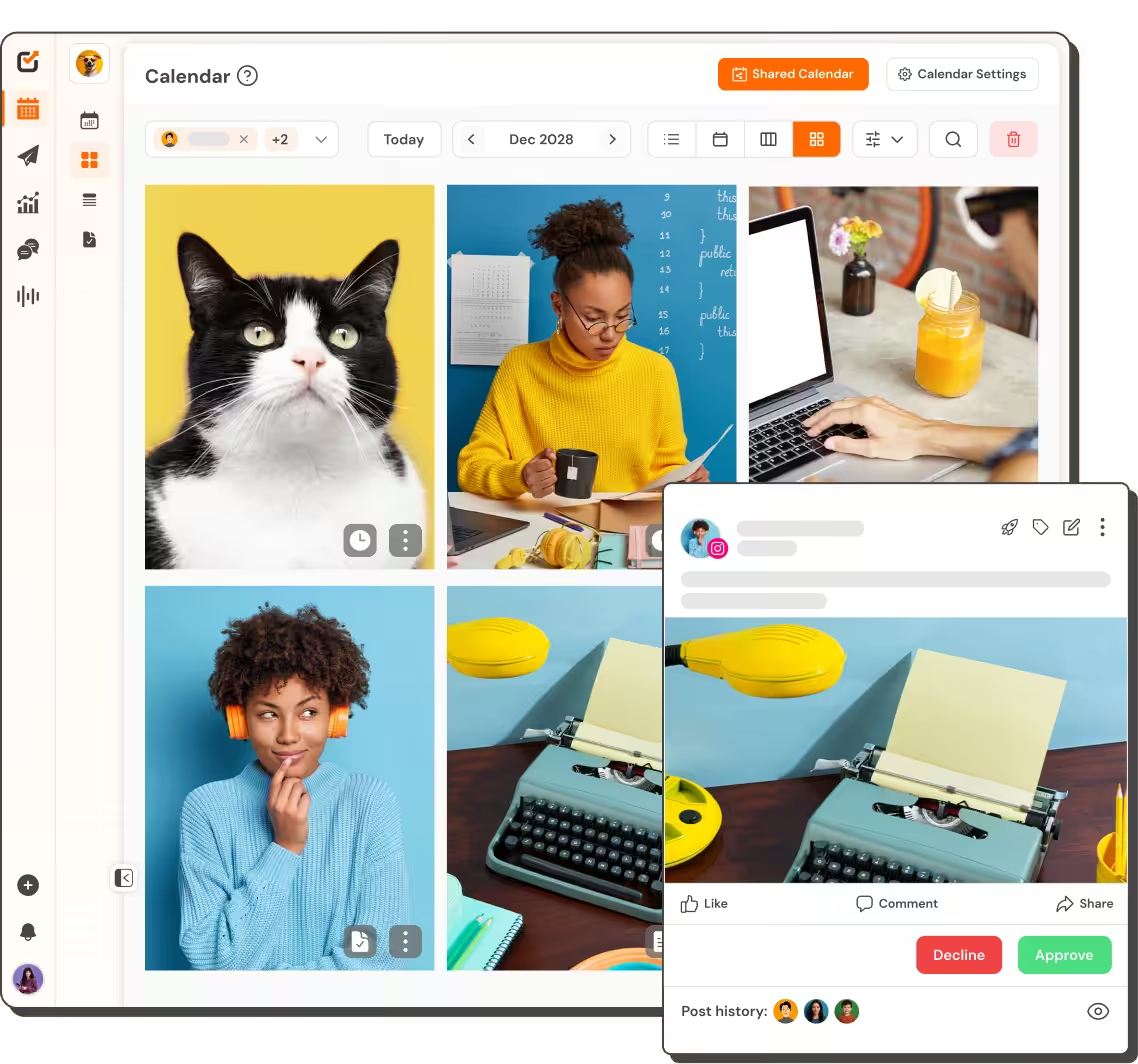
Feed Preview That Feels Real
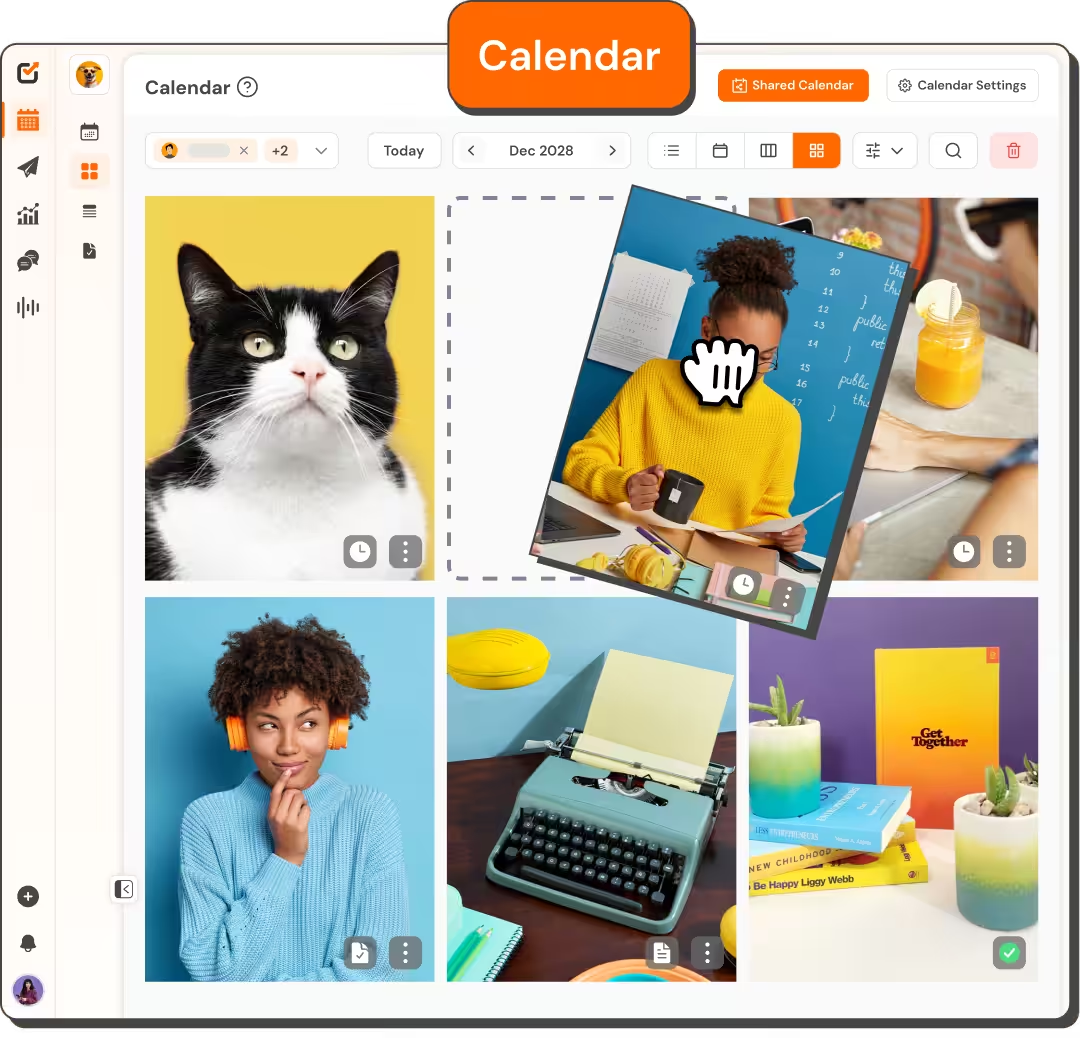
See exactly how your grid will look before anyone else. The Instagram grid planner drops every scheduled and published post into a live 3-column layout.
- Preview scheduled and published posts side by side
- Catch clashing colors and broken visual runs early
- Update your layout without extra mockup tools
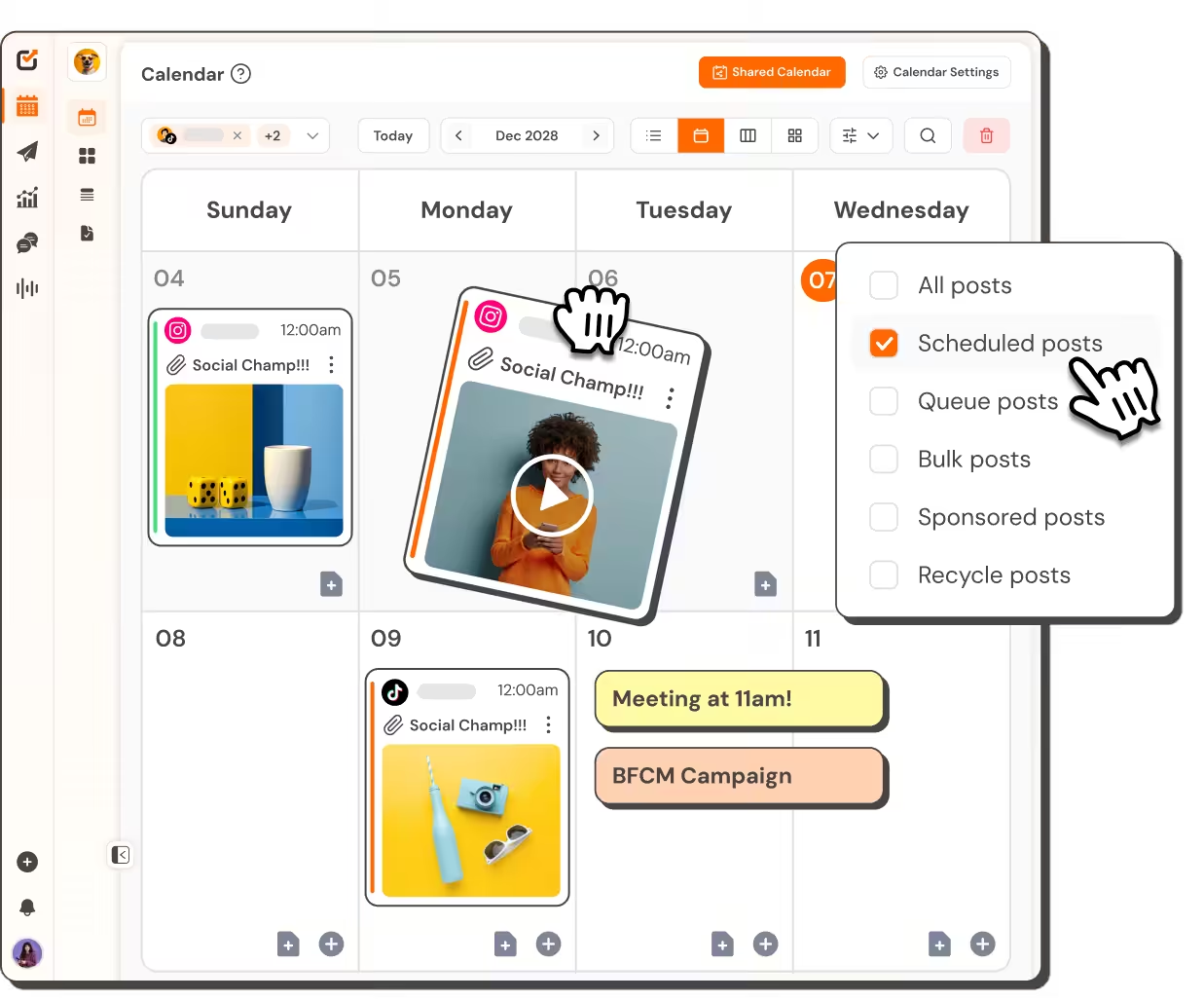
Smart Status Filtering
Find exactly what you need with built-in tabs. The Instagram grid planner sorts by Future, Sent, or Failed posts in one click.
- Toggle between Future, Sent, and Failed tabs
- Sort by All Posts or specific content types
- Manage your entire grid from one Queue view
Visual Post Arrangement
Move posts around until the layout feels right. Drag and drop inside the Instagram Grid Planner and watch your feed update automatically.
- Rearrange posts directly in the 3-column grid
- Reschedule content while previewing the full feed
- Fix awkward gaps before your audience sees them
Post Like A Champ
You can manage all your favorite social platforms via Social Champ
Start Free Trial


More Than a Grid Preview

Media Library
Keep every approved photo and video in one place so the whole team can find them fast.


TikTok Grid
Plan your TikTok feed with the same 3-column preview layout you already use for Instagram.

Analytics & Reporting
Track which grid posts earned the most reach and engagement so you know what works.

Team Collaboration
Set roles and permissions for everyone who touches the feed, from designer to manager.

“Social Champ is the tool that I use the most for my social media efforts. It's the cleanest and most efficient tool that I've found.”

“Social Champ isn't just a usual scheduling tool - it satisfies your inner-geek, boosts productivity, & effectiveness for SMM.”

“Social Champ is an innovative solution that helps you publish your content in an intelligent way to maximize exposure.”

“Social Champ helped us grow our reach by 30% while making content planning, publishing, and collaboration effortless.”

Big-league tools. Small-league price.
Start Free TrialSpeed up your workflow
Your favorite tools work where you do.
You no longer have to jump between apps. Social Champ's integrations enable you to use your favorite tools within the app.







Frequently asked questions
How Do I Open the Instagram Grid Planner?
Log in to Social Champ and go to Queue from the left sidebar. Select your Instagram account from the dropdown, then click the Instagram Grid View button at the top right of the screen. Your grid preview opens instantly with no extra tools needed.
Does Social Champ Offer a Grid Preview for TikTok Too?
Yes. Social Champ offers a TikTok Grid preview too, with the same 3-column preview layout, so you can plan and perfect your TikTok feed using the same workflow you already use for Instagram.
Can I Rearrange Posts Directly in the Grid View?
Yes. You can drag and drop posts to shuffle their order, and the preview updates automatically as you reschedule. This lets you fix visual clashes and broken color runs before anything goes public.
The next step in your agency's growth
Plan, publish, and report across 12+ platforms.