
You realize the importance of the best time to post on Instagram when none of your content is performing how you expect!
It feels like the algorithm just hates you, but no, it doesn’t. The reality is something different. The issue is not with your content, but sometimes it’s the timing of when you post.
If you don’t publish during the optimal window, your posts and videos get buried, no matter how good they are. And the best time to post on social media is never one fixed slot; it shifts with every platform and audience.
But don’t worry. The good news is you don’t have to guess and hope for the best. To help you with this, we analyzed millions of posts to know what’s working at what time, so you don’t have to waste your time. (You can even use a smart analytics tool to know when your followers are most active).
Let’s read this blog to get your views back up where they belong by learning:
- The actual best hours to post on Instagram in 2026
- Optimal times for your specific industry (because every industry has a totally different audience)
- A few simple ways to automate your calendar so you don’t have to do it manually
(Oh, and if you want to skip the manual headache entirely, you can sign up for a free Social Champ account to manage the scheduling math for you. Highly recommended from my side.)
Short Summary
- Friday at 11:00 PM is the absolute global peak time for engagement, followed generally by Tuesdays and Saturdays.
- Monday engagement peaks between 3:00 PM and 9:00 PM as users catch up after the weekend.
- Tuesday sees high engagement from 1:00 PM to 7:00 PM with less competition than midweek days.
- Wednesday peaks at 12:00 PM as users check their feeds during midday lunch breaks.
- Thursday records the week’s highest engagement between 9:00 AM and 1:00 PM as anticipation for the weekend builds.
- Friday engagement peaks overnight between 10:00 PM and 6:00 AM, while Saturday shows poor engagement as people socialize offline.
- Sunday sees a brief spike at 10:00 AM, but engagement drops off sharply in the evening.
- Reels perform best on Wednesdays, Thursdays, and Tuesdays; posting at least three high-quality Reels weekly drives the best account growth.
- Find your unique peak hours using Instagram Professional Dashboard > Total Followers > Most Active Times, or use a scheduling tool to automate posting.
- Avoid common mistakes like ignoring target time zones, sacrificing content quality for timing, “posting and ghosting,” and failing to track analytics.
Overall Best Time To Post on Instagram
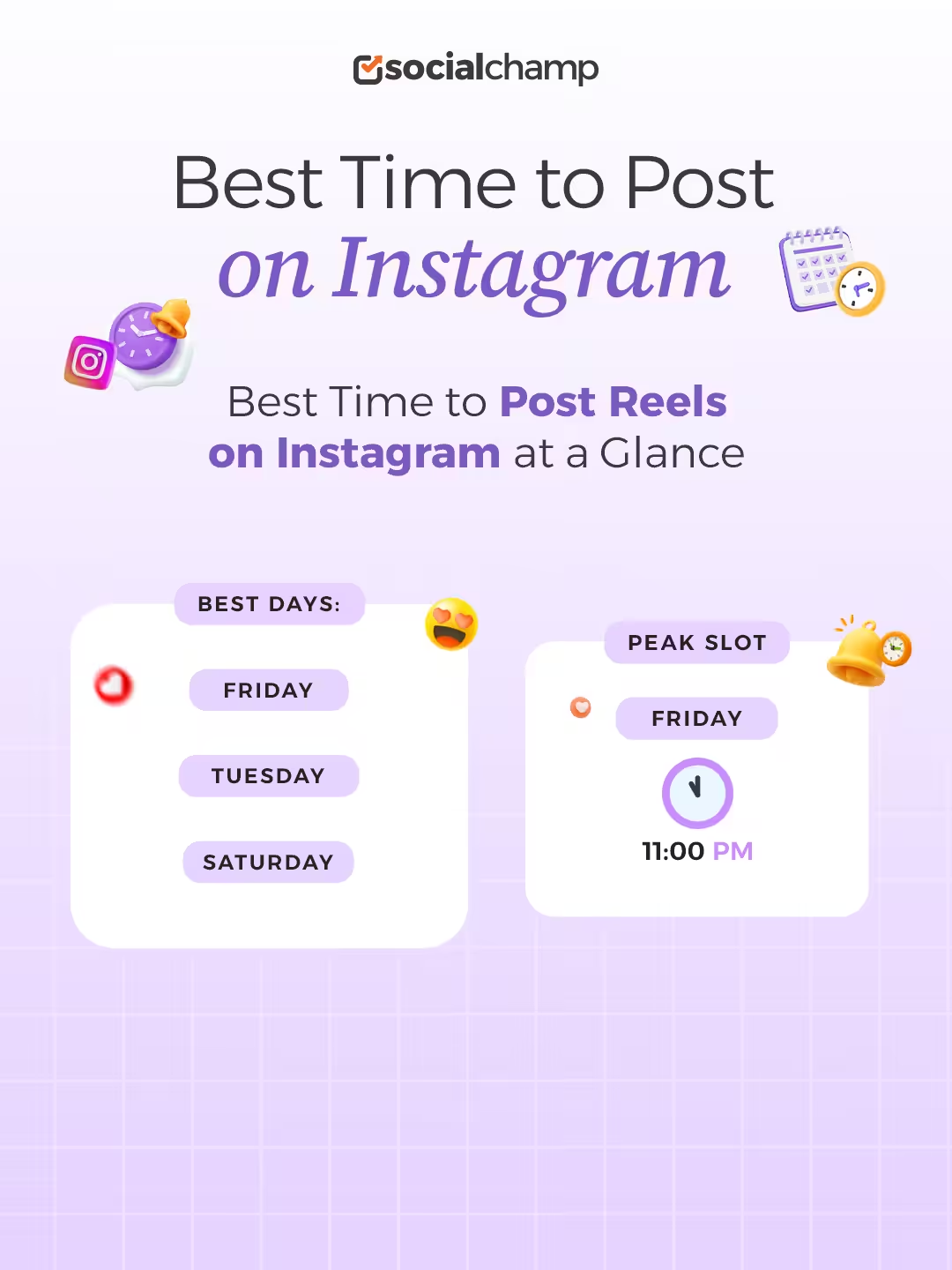
When we were analyzing our data, we came across a few slots that performed well generally for everyone. These are called the global best times to post. If you don’t want to spend your time A/B testing different timings, following a general best time might be your best option.
According to our data, Fridays, Tuesdays, and Saturdays usually see the biggest hike in engagement. In between these days, the best time to post is 11:00 PM on Fridays.
It is the absolute peak time when the audiences are most active, and among the 5M Instagram posts that we analyzed, a lot of those were posted at this particular time and performed well.
Hence, if you also don’t want to spend time cluelessly posting, you can try to publish your Instagram posts at 11:00 PM on Friday and see how it performs.
Featured Article: 17 Instagram Management Tools Tried and Tested
Best Time to Post on Instagram Today: Day-By-Day 2026 Data

Instagram users’ habits vary by day of the week; for example, the Friday crowd behaves completely differently from the Monday crowd.
So, if you want to know the best time of day to post on Instagram, you have to observe daily human routines. You may be at risk if you treat every single day the same way.
Let’s have a look at the actual data for each day.
-
Best Time to Post on Instagram on Monday
The best time to post on Instagram on Monday is from 3 PM to 9 PM. This time records the peak engagement as people come back from work and reconnect with what they missed over the weekend.
-
Best Time to Post on Instagram on Tuesday
The best time to post on Instagram on Tuesday is between 1 PM and 7 PM. You can say this window is one of the highest engagement hours of the whole week. On Tuesday, you may face less competition than on Wednesdays and Thursdays, which is good to build momentum for your account early in the week.
-
Best Time to Post on Instagram on Wednesday
The best time to post on Instagram on Wednesday is 12:00 PM. The engagement surges around 11:00 AM and peaks perfectly at 12:00 PM because users are on their midday or lunch breaks.
-
Best Time to Post on Instagram on Thursday
The best time to post on Instagram on Thursday is between 9:00 AM and 1:00 PM. Thursday shows the highest engagement among other days of the week because people anticipate the weekend and scroll more frequently.
-
Best Time to Post on Instagram on Friday
The best time to post on Friday is between 10:00 PM and 6:00 AM, as it’s almost the weekend and people browse their feeds for the weekend. You don’t see enough engagement hours on Friday.
-
Best Time to Post on Instagram on Saturday
On Saturdays, the late afternoon and evening hours perform terribly as people are busy enjoying their weekend. They go out to socialize in the real world and hardly scroll their feeds. Even your greatest content may be at risk if you publish it on Saturday nights.
-
Best Time to Post on Instagram on Sunday
On Sundays, the late-morning hours around 10:00 AM show a spike in engagement, as Sunday is a rest day for most Instagram users. Sunday evenings show the lowest engagement rate as people prepare for work and put their phones aside.
When Is the Best Time to Post Reels on Instagram?
Instagram Reels dominate the platform! It won’t be an exaggeration if I said that most of the Instagram audience watches Reels on a daily basis. They’re short, fun, and extremely entertaining, perfect for people who have a low attention span!
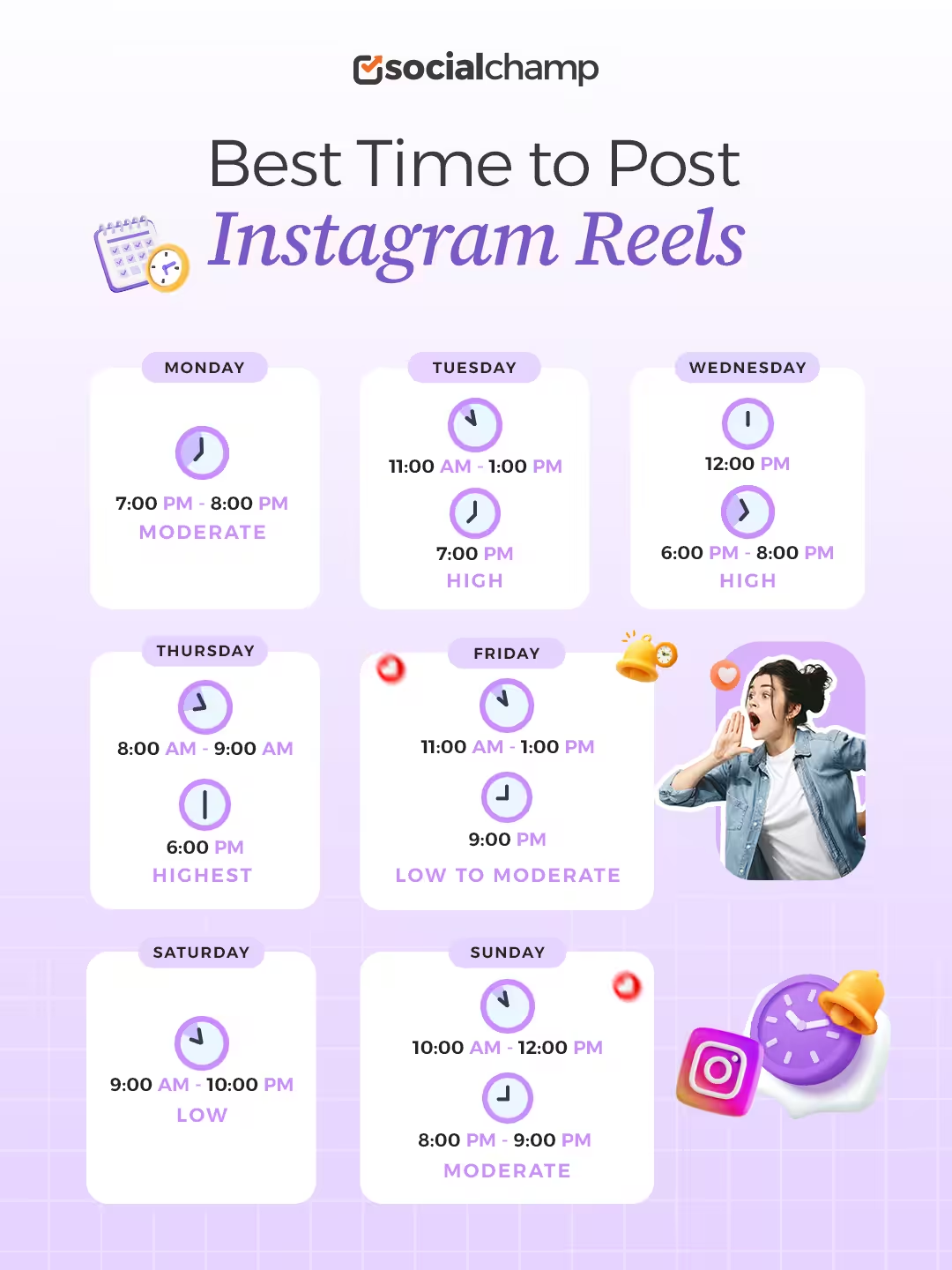
If we talk about the best time to post Reels on Instagram, our data shows that Wednesdays and Thursdays showcase the highest engagement, closely followed by Tuesdays. After that, Mondays and Sundays have moderate engagement, whereas Fridays and Saturdays generally have low to moderate engagement rates for Reels.
Other than this data, generally Reels perform a lot better than any other format on Instagram, and the more consistent you are with them, the better they will perform. So for instance, even if you post on a Tuesday at 1:00 PM once a week and then forget about your account for the rest of the week, your growth won’t be consistent.
Instagram algorithm wants you to produce high-quality Reels more than once a week. So try to at least publish 3 good Reels per week to actually see the growth in your account.
Featured Article: Your Handy Guide to Social Media Posting Schedule
How to Find the Unique Best Time of Day to Post on Instagram for Your Brand
Following the global data for the best time to post is great, but you should also know that every shoe won’t fit your feet!
You must analyze your own personal metrics. And for this, you need to know exactly when your specific followers come online. Let’s explore two distinct methods to track down this data.
Method 1: Use Native Instagram Insights
If you want to know about your basic follower data, you can use native Instagram insights directly inside the app. It’s constant manual work, and you have to check the numbers yourself every single week to stay on top of things.
However, it provides a decent foundation for absolute beginners. You can find your specific numbers when you follow these exact steps:
- Open your Instagram Professional Dashboard.
- Tap Total Followers.
- Scroll all the way down to Most Active Times.
- Toggle between Hours and Days.
Method 2: Automate With a Social Media Scheduler
It gets frustrating quickly when you are manually tracking your data, as it eats up all of your time.
Let’s say you wake up in the pitch dark and log into your Instagram manually at 5:00 AM just to drop a post because of your audience’s activity hours. This process feels absolutely terrible.
You lose sleep and miss real-life moments with your family. You simply can’t maintain that chaotic routine forever.
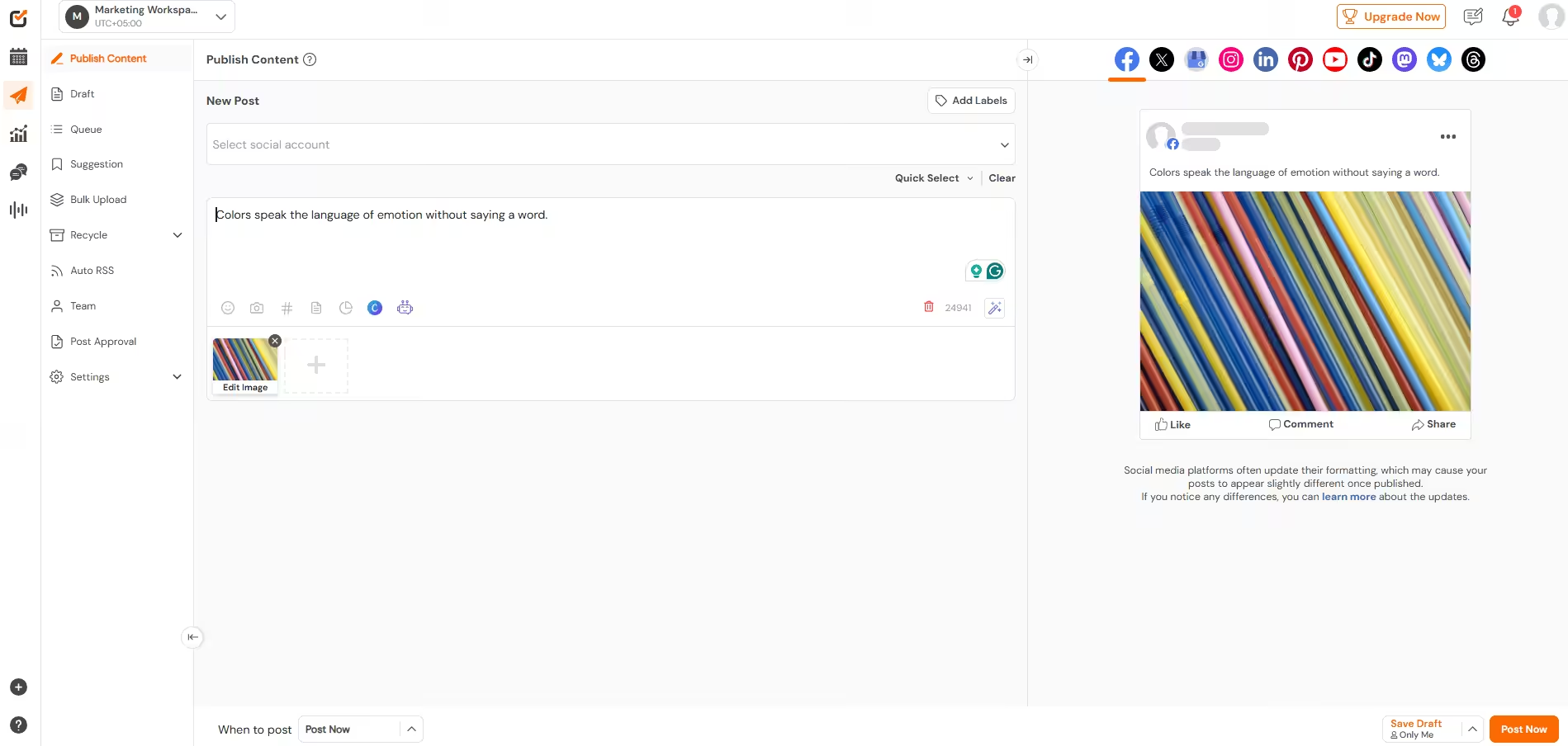
To make your life easier, you need to get your hands on a reliable social media scheduling tool that can handle all of this work while you sleep peacefully in your bed.
This way, you can maintain perfect consistency without any daily stress. You can easily review different Instagram tools to build your perfect setup.
Master The Algorithm Right Now!
5 Mistakes to Avoid When You Schedule Your Instagram Posts
Sometimes, even if you follow every single rule, you still fail. This happens because marketers don’t know which errors they should avoid.
These are the mistakes that can ruin your reach:
- You ignore global time zones. You publish at 9:00 AM locally, but your entire foreign audience is still fast asleep.
- You sacrifice quality for the clock. You panic to hit a specific deadline and end up publishing terrible content just to get it out there.
- You post and ghost. You close the application immediately after you hit publish. You really need to stick around and reply to comments instantly to boost engagement.
- You never test new times. User habits change constantly. To do this, you must experiment with different slots occasionally.
- You forget to track data. You rely on pure blind hope when you ignore your analytics completely.
Do not risk a missed deadline. You can use a reliable social media scheduler to bulk upload your calendar weeks in advance and stay ahead of the game.
Conclusion
Now you have a massive amount of data, and you know that the best time to post on Instagram depends heavily on your specific industry and daily user habits.
While early mornings and midweek lunchtimes serve as great baselines, you must avoid common calendar mistakes. You cannot rely on global numbers forever.
I’d recommend reviewing your own analytics to truly beat the 2026 Instagram algorithm because when you track your unique audience, you can easily get their attention. It saves you hours of hard work when you let software run your calendar.












May Patton
I have always struggled to find the best time to post on Instagram. The tools you recommended for optimizing posting times seem really helpful, so I’m definitely going to try them out.
Peter Fred
Man, this looks really intriguing. Gonna try these suggested time zones and hoping that they work!