Find winning hooks and get ideas for your next post in one prompt. Try Switch

Boo! Don’t let the workload haunt you.

Up to 30% OFF

Halloween Deal Extended till 9 Nov

Grab the deal

7 Canva Alternatives With Free Plans, Compared by Use Case

Seven Canva alternatives with free plans, compared by use case: Adobe Express, Desygner, Kittl, Microsoft Designer, Snappa, Social Champ Designs and Visme.

Published on: Nov 4, 2026
Written by: Sameer Ahmed Khan
Share:
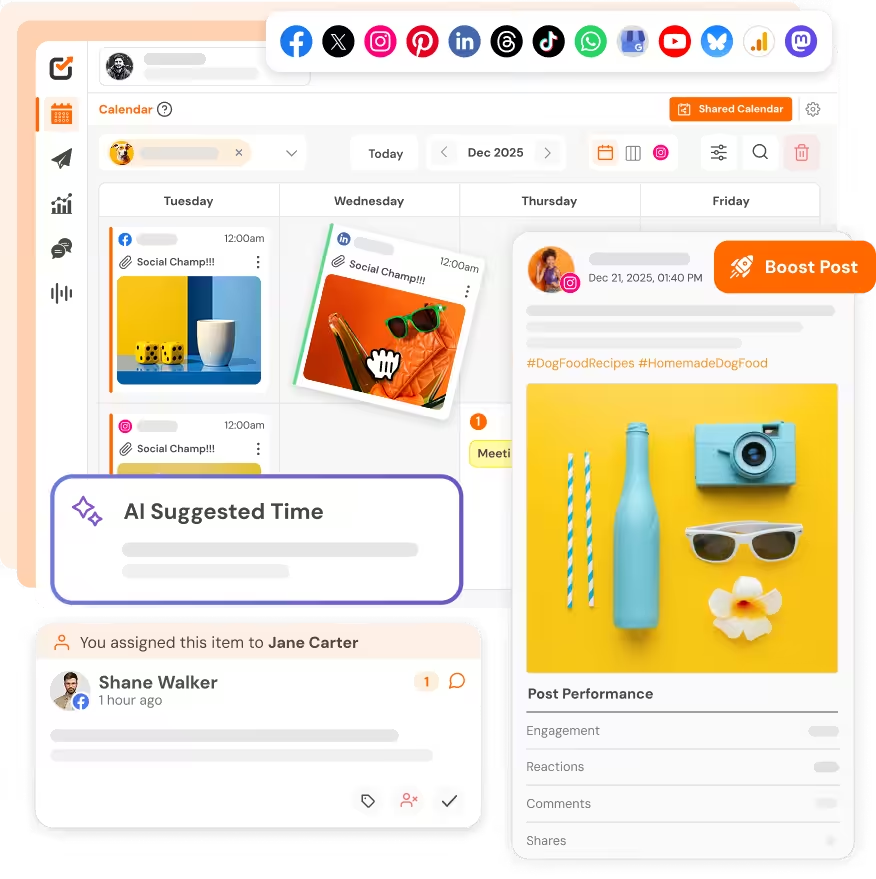
Social Champ Designs editor next to social post sizes

Canva is free to start, and its free plan alone lists 1.6M+ templates. But the free plan stops short in a few places that matter, especially if you make social media content. Resizing a design for other networks, removing a background and scheduling posts are all listed as paid-plan features on Canva’s pricing page.

So which Canva alternative should you use instead? It depends on what you make. This guide compares seven Canva alternatives with free plans, by use case, with each free plan’s limits taken from the vendor’s own pages.

Short Summary

  • There is no single best Canva alternative. The right pick depends on whether you make social posts, presentations, typography and logo work, or quick one-off graphics.
  • Adobe Express is a broad, all-round alternative to Canva, with a free plan that includes 5 GB of storage and scheduling for one account per network.
  • Visme suits presentations, reports and infographics; Desygner suits teams making documents and presentations; Kittl suits typography, logos and merch; Microsoft Designer suits designs made with AI tools.
  • Snappa is simple but its free plan allows only 3 downloads a month.
  • If most of what you design is social posts you schedule, Social Champ Designs gives you resizing, background removal and scheduling on its Free plan.

Disclosure: Social Champ publishes this blog and makes Social Champ Designs, one of the tools below. The tools are listed in alphabetical order, not ranked. Free-plan details were checked on each vendor’s own pages on 4 November 2026; plans change, so check before you decide.

Canva alternatives at a glance

Tool Best for Free plan, in short
Adobe Express An all-round Canva replacement 5 GB storage, free daily AI generations, scheduling for 1 account per network
Desygner Teams making documents, presentations and social posts Up to 100 projects, 5 GB storage, 20 AI credits a month
Kittl Typography, logos and merch designs Curated templates and tools, personal use only
Microsoft Designer Designs made with AI tools Free with a Microsoft account; AI uses monthly credits
Snappa A few simple graphics a month 6,000+ templates, 3 downloads a month
Social Champ Designs Social posts you schedule 7 post sizes, background removal and scheduling; up to 200 saved designs; screens at least 1,024 px wide
Visme Presentations, reports and infographics Unlimited projects, 500 MB storage, JPG, PNG and PDF downloads

How we compared them

We looked at what each free plan actually includes, using the vendor’s own pages, across four jobs: social posts, presentations, quick graphics and brand work. We did not rank the tools, because the best choice changes with the job. Each entry says who it suits and where it falls short.

1. Adobe Express

Best for: people who want a broad, all-round replacement for Canva.

Adobe Express is Adobe’s template-based editor for social posts, flyers, videos, presentations and print products. Its free plan needs no credit card and includes 5 GB of storage, 100,000+ templates, Adobe Fonts and Adobe Stock items, and free daily generative AI. Its free plan also lets you schedule posts to one account per social network.

Where it falls short: Adobe lists background removal and one-click resize as Premium features, and Premium raises scheduling to three accounts per network.

Pick it if: you already use Adobe apps, or you want a broad design tool rather than one built around social media.

2. Desygner

Best for: teams that make documents, presentations and social posts.

Desygner’s free plan includes three core apps, up to 100 projects, 5 GB of storage and 20 AI credits a month, with no credit card and no trial countdown. Its paid Business plan is $19 per user a month, billed monthly, with 20% off for annual billing.

Where it falls short: the free plan caps projects at 100, which heavy users will reach.

Pick it if: you want a team-friendly alternative and do not need Canva’s full template library.

3. Kittl

Best for: typography, logos and merch designs.

Kittl describes itself as AI-powered design for branding and product visuals, with curated typefaces, a logo maker and designs for merch. Free users get curated templates and tools and can preview most Pro features with light usage limits.

Where it falls short: Kittl’s free plan is for personal use only. Commercial use needs a paid plan.

Pick it if: your designs are type-led and personal, or you are willing to pay for commercial rights.

4. Microsoft Designer

Best for: designs made with AI tools.

Microsoft Designer is free with a Microsoft account. Its AI creation and editing tools use monthly credits that refresh at the start of each month; Microsoft 365 Personal or Family gives you more.

Where it falls short: on the free tier, AI creation and editing are limited by those monthly credits.

Pick it if: you want to try AI design tools and already have a Microsoft account.

5. Snappa

Best for: making a handful of simple graphics a month.

Snappa keeps things simple: 6,000+ templates and an editor it describes as having no learning curve. Its paid Pro plan is $10 a month billed yearly, or $15 billed monthly.

Where it falls short: the free Starter plan allows just 3 downloads a month, and it does not include the background remover or social media integrations.

Pick it if: you only need a few graphics a month and want the simplest possible editor.

6. Social Champ Designs

Best for: social media posts you schedule.

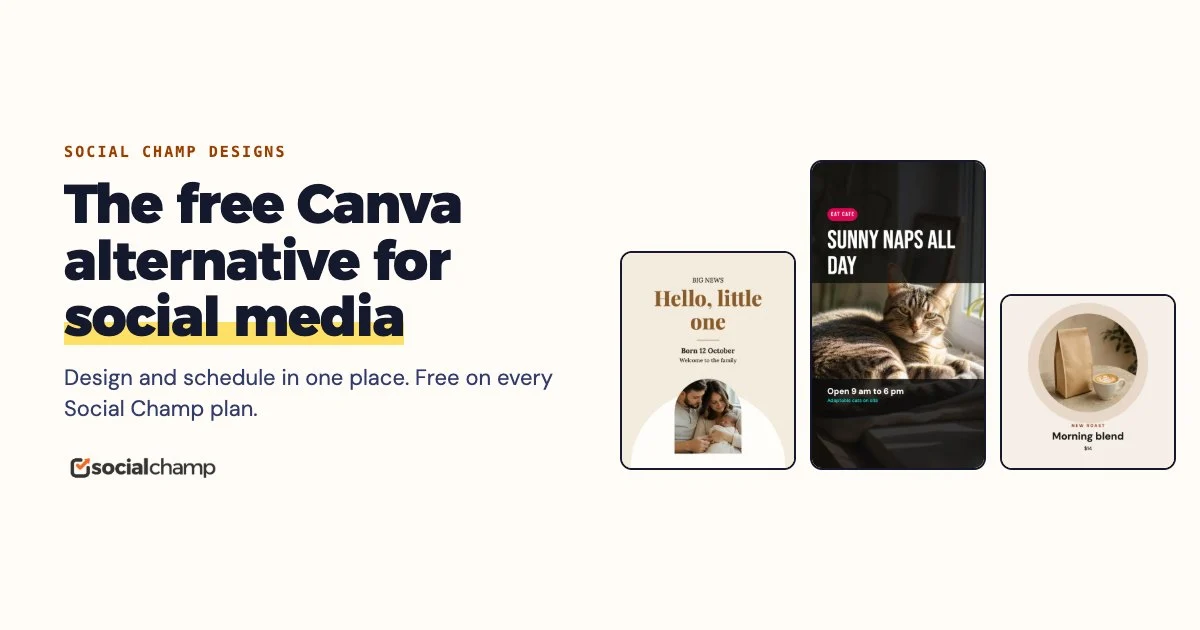
Social Champ Designs is the design editor built into Social Champ, a social media scheduler. It is included on every Social Champ plan, including Free. One design becomes 7 post sizes with All sizes, Remove background and Retouch run on your device, and each workspace gets its own brand kit. When the design is ready, Save to post puts it straight into the post you are scheduling, so there is no export and re-upload. You can read more on our free Canva alternative for social media page.

Where it falls short: it is built for social posts only, so it does not do print, documents, presentations or websites. Its template and stock library is far smaller than Canva’s, it has no real-time co-editing, and it works on screens at least 1,024 pixels wide, not on phones. Each workspace can hold up to 200 saved designs and 500 MB of design media.

Pick it if: most of what you design is social content you also schedule. If you already pay for Canva Pro, you can keep it: the Canva integration in the Social Champ composer brings Canva designs into your posts too.

7. Visme

Best for: presentations, reports and infographics.

Visme’s free Basic plan includes unlimited projects, 500 MB of storage, up to 50 slides or pages per project, 10 AI credits a month, and downloads as JPG, PNG or PDF. Its Starter plan is $12.25 a month per person, billed yearly at $147.

Where it falls short: the free plan has limited templates and design assets, and downloads only as JPG, PNG or PDF.

Pick it if: you make data-heavy visuals or presentations more often than social posts.

When Canva is still the better choice

Canva Free remains hard to beat on range. Its pricing page lists 1.6M+ templates, 4.7M+ photos, videos, graphics and audio, 1,000+ design types, and 5 GB of cloud storage, all on the free plan. If you design far more than social posts, and you can live without free resizing, background removal and scheduling, staying on Canva is a sensible choice. For more ways to get the most out of it, see our Canva tips for social media posts.

How to choose

  • Mostly social posts you schedule? Social Champ Designs, or Adobe Express if you post to one account per network.
  • Presentations and reports? Visme.
  • A team making documents and presentations? Desygner.
  • Typography, logos and merch? Kittl.
  • Designs made with AI tools? Microsoft Designer.
  • Just a few simple images a month? Snappa.

Whatever you pick, check the vendor’s pricing page before you commit: free plans change often.

I'm CEO & Co-founder @ Social Champ, the most straightforward tool designed to manage all your socials from one place. Apart from being a full-time entrepreneur, digital marketer, and motivational speaker, I love experimenting with ingredients to perfect my beef steak recipe.

Leave the first comment

<script>
document.addEventListener('DOMContentLoaded', function() {
    function transformTablesForMobile() {
        if (window.innerWidth > 767) return; // Only for mobile
        
        const tables = document.querySelectorAll('#brxe-kpxjkv table');
        
        tables.forEach(table => {
            if (table.classList.contains('transformed')) return;
            
            let headers = [];
            const thead = table.querySelector('thead');
            const tbody = table.querySelector('tbody');
            
            // Get headers - check for both th and td in thead
            if (thead) {
                const headerRow = thead.querySelector('tr');
                if (headerRow) {
                    // First try th, then td
                    let headerCells = headerRow.querySelectorAll('th');
                    if (headerCells.length === 0) {
                        headerCells = headerRow.querySelectorAll('td');
                    }
                    headers = Array.from(headerCells).map(cell => cell.textContent.trim());
                }
            } else if (tbody) {
                // If no thead, take first row
                const firstRow = tbody.querySelector('tr');
                if (firstRow) {
                    let headerCells = firstRow.querySelectorAll('th');
                    if (headerCells.length === 0) {
                        headerCells = firstRow.querySelectorAll('td');
                    }
                    headers = Array.from(headerCells).map(cell => cell.textContent.trim());
                }
            }
            
            // Return if no headers found
            if (headers.length === 0) return;
            
            // Get all data rows
            const rows = Array.from(tbody.querySelectorAll('tr'));
            const dataRows = rows; // All tbody rows are data rows when thead exists
            
            // Create new structure
            const newContainer = document.createElement('div');
            newContainer.className = 'mobile-table-container';
            
            // Create a section for each column
            headers.forEach((header, colIndex) => {
                const columnSection = document.createElement('div');
                columnSection.className = 'mobile-column-section';
                
                const columnHeader = document.createElement('div');
                columnHeader.className = 'mobile-column-header';
                columnHeader.innerHTML = header; // Use innerHTML to preserve formatting
                columnSection.appendChild(columnHeader);
                
                const columnList = document.createElement('div');
                columnList.className = 'mobile-column-list';
                
                dataRows.forEach(row => {
                    const cells = row.querySelectorAll('td');
                    if (cells[colIndex]) {
                        const item = document.createElement('div');
                        item.className = 'mobile-column-item';
                        item.innerHTML = cells[colIndex].innerHTML;
                        columnList.appendChild(item);
                    }
                });
                
                columnSection.appendChild(columnList);
                newContainer.appendChild(columnSection);
            });
            
            table.style.display = 'none';
            table.classList.add('transformed');
            table.parentNode.insertBefore(newContainer, table.nextSibling);
        });
    }
    
    transformTablesForMobile();
    
    // Handle window resize
    let resizeTimer;
    window.addEventListener('resize', function() {
        clearTimeout(resizeTimer);
        resizeTimer = setTimeout(function() {
            const containers = document.querySelectorAll('.mobile-table-container');
            const tables = document.querySelectorAll('#brxe-kpxjkv table.transformed');
            
            if (window.innerWidth > 767) {
                containers.forEach(c => c.style.display = 'none');
                tables.forEach(t => t.style.display = 'table');
            } else {
                containers.forEach(c => c.style.display = 'block');
                tables.forEach(t => t.style.display = 'none');
            }
        }, 250);
    });
});
</script>
/* Sticky header for tables WITH thead */
#brxe-kpxjkv table thead {
    background-color: #f0ebf8;
    position: sticky;
    top: 0;
    z-index: 2;
}

#brxe-kpxjkv table thead th {
    background-color: #f0ebf8;
    position: sticky;
    top: 0;
}

/* Sticky header for tables WITHOUT thead (first row only) */
#brxe-kpxjkv table:not(:has(thead)) tbody tr:first-child {
    background-color: #f0ebf8;
    position: sticky;
    top: 0;
    z-index: 2;
}

#brxe-kpxjkv table:not(:has(thead)) tbody tr:first-child td,
#brxe-kpxjkv table:not(:has(thead)) tbody tr:first-child th {
    background-color: #f0ebf8;
    position: sticky;
    top: 0;
}


/* Mobile Column Layout */
@media (max-width: 767px) {
  #brxe-kpxjkv table{
    max-height:2000px;
  }
    .mobile-table-container {
        display: block;
        margin: 20px 0;
      border-radius: 12px;
      overflow: hidden;
    }
    
    .mobile-column-section {
        border: 1px solid #E0E0E0;
        overflow: hidden;
        background: white;
    }
    
    .mobile-column-header {
        background-color: #E3DFF5;
        padding: 15px;
        font-weight: bold;
        font-size: 16px;
        color: #333;
    }
    
    .mobile-column-list {
        padding: 0;
    }
    
    .mobile-column-item {
        padding: 15px;
        border-bottom: 1px solid #F0F0F0;
        background: white;
        font-size: 16px;
        line-height: 1.6;
    }
    
    .mobile-column-item:last-child {
        border-bottom: none;
    }
    
    .mobile-column-item:nth-child(odd) {
        background-color: #F7F6FC;
    }
    
    .mobile-column-item:nth-child(even) {
        background-color: #FAFAFA;
    }
    
    .mobile-column-item strong {
        color: #333;
        font-weight: 600;
    }
}
Don't let the workload haunt you. Get up to 30% off Social Champ this Halloween. Claim offer.

A Simplified Social Media Management Tool

Social Champ is your AI-powered social media management tool.

Schedule, analyze, listen, and track competitors – all in one platform.

Try now, Start free
No credit card required!
Related Blogs
10 Best Content Workflow Software & Tools  Compared by Workflow Type and Approval Depth
I spent years managing digital content campaigns, and I learned one big lesson the hard way. A messy process ruins…
Social Media Marketing for Restaurants in 2026: Playbook to Fill More Tables
Oct 29, 2026
Last month, I walked past two pizza places on the same street at around 7 PM. One was packed, and…
Best Tools for Content Creation and Social Media Management in 2026
I once lost my finished Reel because I saved it in the wrong app. A whole afternoon, gone. That mess…
Wait, before you go...👋

Don't let your Social Growth stop here.

Get 14 days of Social Champ Pro - Completely free!
Schedule unlimited posts, analyze performance, and manage all your social media from one place.

Unlimited
Scheduling

In-Depth
Analytics

Manage Multiple
Accounts

Start My 14-Day Free Trial

No credit card required

Cancel anytime

Easy setup

Loved by 10,000+ marketers and businesses

Secure & Reliable

#1 Rated Social Media Management Tool