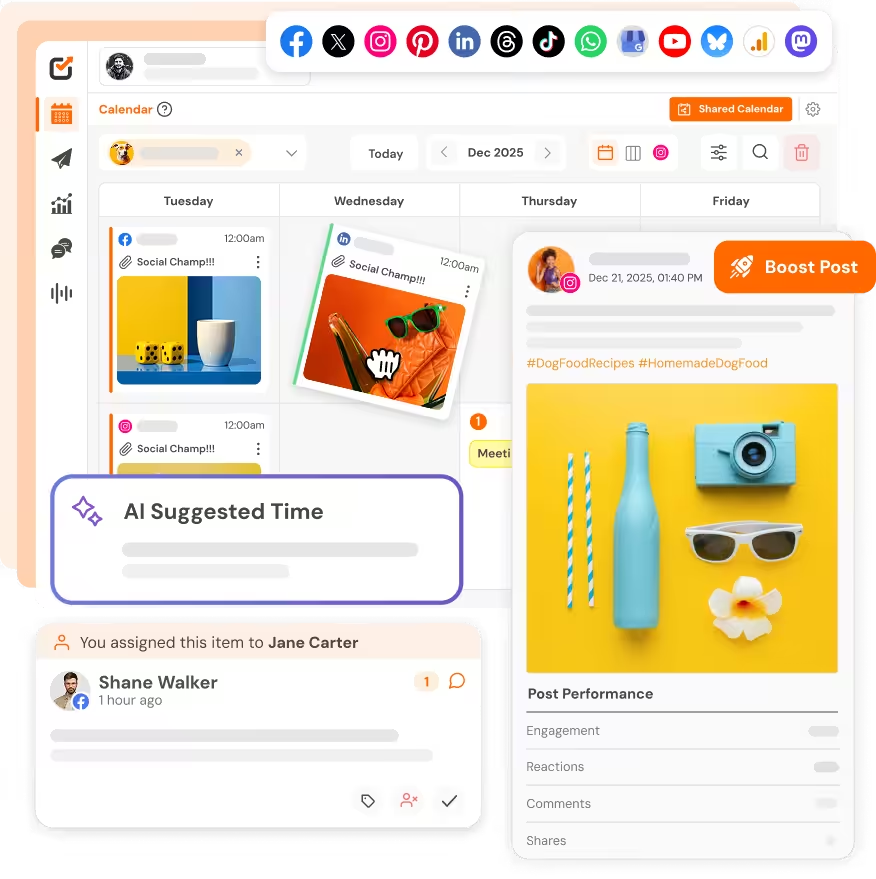
I’ve stared at a blank caption box more times than I want to admit. The image looks good, the post is ready, but the words just don’t come. Sounds familiar?
TL;DR
The best AI caption generators for social media in 2026 are Social Champ, ChatGPT, Jasper, Canva, and Buffer. Social Champ is the best overall pick for agencies and teams, because its AI Content Wizard writes captions and schedules them from one dashboard.
- Best free option: ChatGPT drafts flexible captions for any platform.
- Best for brand voice: Jasper keeps captions consistent across a team.
- Best for visuals and Instagram: Canva’s Magic Write and Later’s visual planner.
And I know writing fresh captions every day wears you down, so more marketers now turn to AI. In a 2026 Ahrefs survey of 301 marketers, 85% of AI users said they produce content faster since they started.
That’s where you need the best AI caption generators for social media. Marketers, creators, and businesses use them to draft captions fast and save time for strategy. And if you need a wider view, read this guide on AI social media content creation.
Still, not every tool is for everyone. Some write quick captions, while others protect your brand voice across a team.
In this comparison, I cover features, supported platforms, pricing, free plans, and use cases for each tool. By the end, you’ll know which one fits your workflow.
AI Caption Generators for Social Media at a Glance
You feel tired fast if you pick from ten tools. You don’t have time to read ten pricing pages just to write one caption.
So I put the best AI caption generators for social media in one table. You’ll see what each tool does best and what it costs. Scan it, then jump to the tool that fits your workflow.
| Tool | Best For | Pricing |
|---|---|---|
| ChatGPT | Flexible, customized captions | Free plan. Paid plans from $8 a month |
| Jasper | Captions that match your brand voice | 7-day free trial. No free plan. Pro from $59 per seat a month (billed yearly) |
| Canva | Captions and visual content | Free plan. Pro from about $144 a month |
| Social Champ | AI social media content and publishing | Free plan. Paid plans from $4 per profile per month (billed yearly) |
| Buffer | Quick caption creation | Free plan. Paid plans from $5 per channel a month (billed yearly) |
| Hootsuite | Social media marketing with AI help | 14-day free trial. No free plan. Paid plans from $99 per user a month (billed yearly) |
| Predis.ai | Posts and captions made by AI | Free plan. Paid plans from $19 a month (billed yearly) |
| Copy.ai | Marketing copy and caption variations | No free plan or free trial. Paid plans from $24 per month (billed yearly) |
| Later | Instagram captions and visual planning | Free plan. Paid plans from $18.75 a month |
| Ocoya | AI captions and social media automation | 7-day free trial. Paid plans from $29 a month |
If you’re not sure which one to pick, here are my quick picks:
- Best overall: Social Champ. It writes captions and handles social media scheduling in the same dashboard.
- Best free: ChatGPT. Its free plan lets you draft captions for any platform with your own prompts.
- Best for Instagram: Later. Its visual planner pairs captions with your grid. For more ideas, check these tips on AI-powered Instagram posts.
- Best for businesses: Jasper. Brand voice settings keep captions consistent across a team.
- Best for managing multiple accounts: Hootsuite. It runs many profiles and team members from one dashboard.
Here’s the short verdict. Solo creators who want free drafts can start with ChatGPT or Buffer. Teams that need one place to write and publish should check Social Champ or Hootsuite. Canva is for anyone who designs their own posts.
Don't Waste Another Caption Hour
How I Tested These AI Caption Generators
One caption rarely works everywhere. A short, punchy hook fits Instagram. LinkedIn readers expect more context. X rewards brevity. So a tool that writes the same caption for every platform leaves you with edits later.
I judged the best AI caption generators for social media on the same five points:
- Caption quality: Does the draft sound natural and specific?
- Platform fit: Can you adjust length and style for each network?
- Tone control: Can you set a brand voice or mood?
- Extra tools: Does it offer variations, scheduling, or publishing?
- Cost: What do the free and paid plans include?
I compared plans, limits, and supported platforms using each tool’s published pricing details. If you want a quick preview first, try the Instagram caption generator, then compare its output with the tools below.
Featured Article: Best Tools for Content Creation and Social Media Management
10 Best AI Caption Generators for Social Media in 2026
Here are the ten tools I compared, from simple caption drafting to full publishing platforms.
-
ChatGPT – Best for Flexible, Customized Social Media Captions
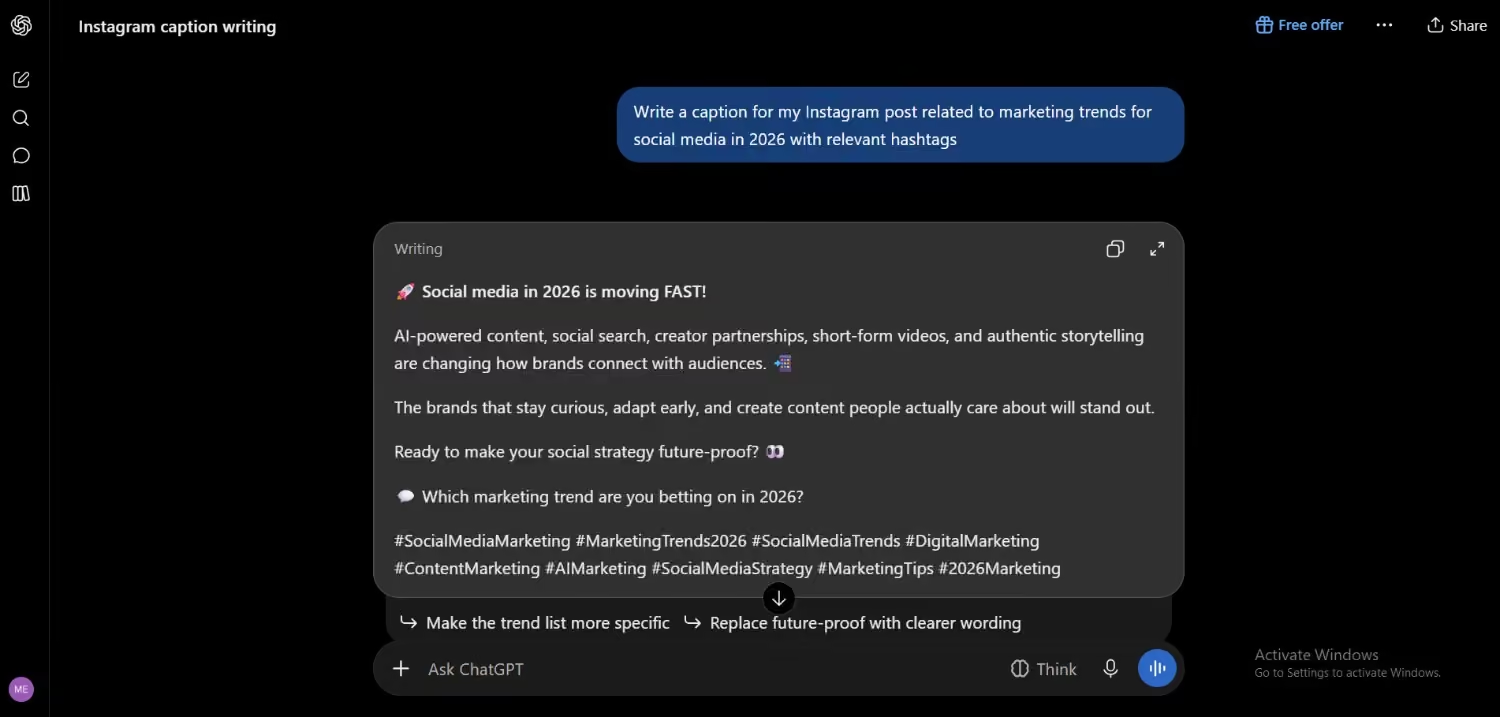
ChatGPT’s Dashboard ChatGPT is a general AI chatbot, not a social media tool. You write a prompt, and it drafts captions in any tone, length, or style. That freedom helps when you need different versions for each platform. Paste in your brand voice notes and ask for edits until it sounds right.
Best for: Creators and small teams who want free, flexible drafts.
What you’ll like:
- You control tone, length, and format with your own prompts.
- The free plan handles basic caption drafting for any platform.
Where it falls short:
- It doesn’t schedule or publish posts, so you copy captions into another tool.
- You must add your brand context to the prompt, and the free plan has usage limits and ads.
Pricing and Free plan: A free plan is available. Paid plans start at $8 a month (Go), and Plus costs $20 a month.
-
Jasper – Best for Brand-Consistent Marketing Captions
Jasper is an AI writing platform built for marketing teams. You train it on your brand voice, then it drafts captions that match your tone. Teams also use it to turn campaign briefs into platform-specific copy without rewriting every post by hand.
Best for: Marketing teams that need one consistent voice across every channel.
What you’ll like:
- Brand voice training keeps captions consistent across writers.
- Templates and campaign briefs speed up first drafts.
Where it falls short:
- It has no free plan.
- It focuses on writing, so you need another tool to schedule posts.
Pricing and Free plan: 7-day free trial. No free plan. Paid plans start at $59 per seat per month (billed yearly).
-
Canva – Best for Captions and Visual Social Media Content
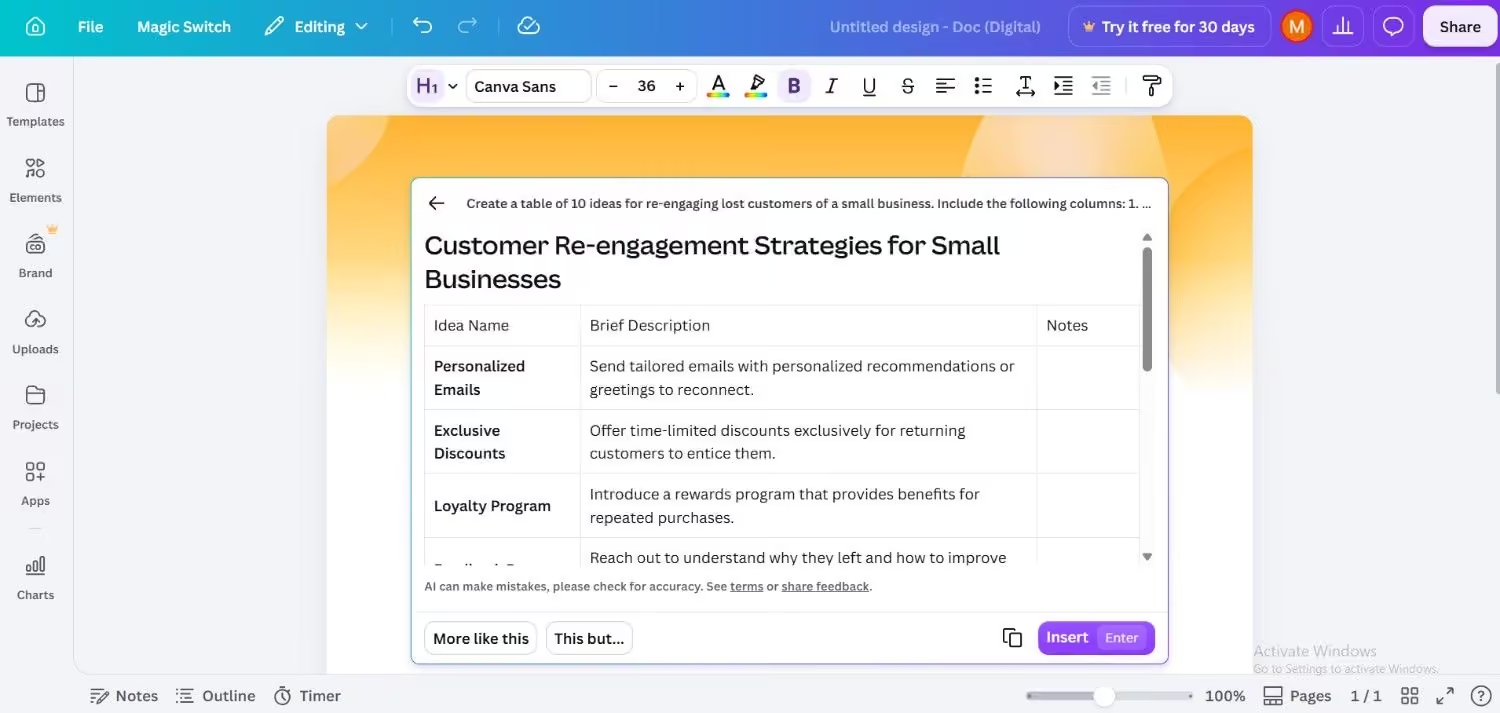
Canva’s Magic Write Canva is a design platform with built-in AI tools. Its Magic Write feature drafts captions, headlines, and short copy right inside your design. You can build the visual and write the caption in one place, which saves a trip between apps.
Best for: Creators and small businesses that design their own posts.
What you’ll like:
- Magic Write sits next to your design, so captions match the visual.
- A large template library covers most social post formats.
Where it falls short:
- Magic Write gives first drafts that still need your edit.
- The free plan limits how much AI you can use.
Pricing and Free plan: A Free plan is available. Paid plans start at $144 a month.
-
Social Champ – Best for AI Social Media Content and Publishing
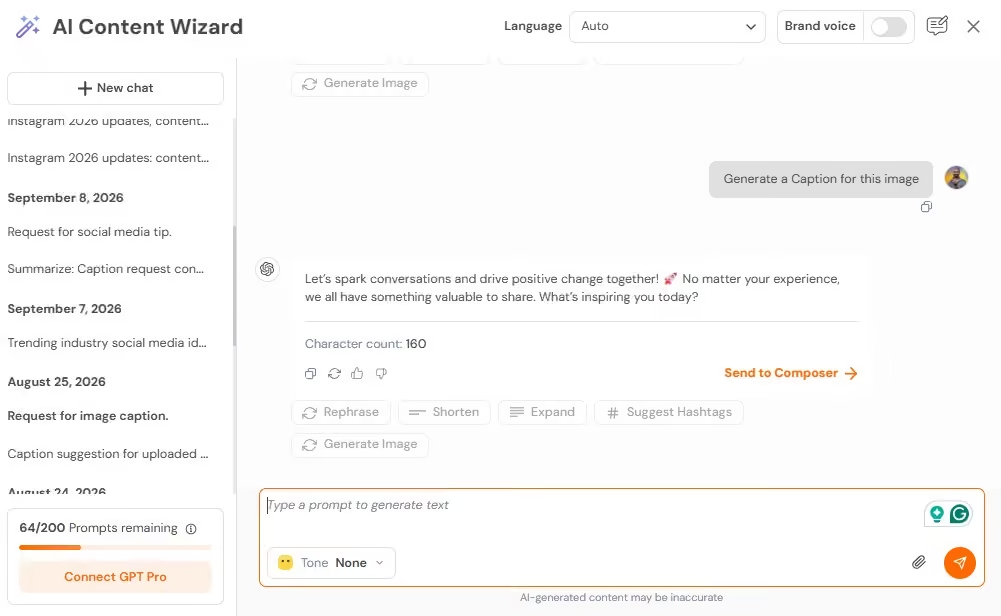
Social Champ’s AI Content Wizard Social Champ writes captions with its AI Content Wizard and publishes them from the same dashboard. You can generate captions, images, and hashtags in your brand voice, then schedule them across 12 plus platforms. It also has an AI social media assistant called Switch for hooks and post ideas.
Best for: Marketers and agencies who want to write and publish captions in one place.
What you’ll like:
- You write captions and schedule them in one tool, so you skip the copy-and-paste step.
- Paid plans include unlimited post scheduling, a social inbox, and analytics.
Where it falls short:
- AI credits reset every month and don’t roll over.
- The free plan covers 3 accounts and 15 scheduled posts, so busy teams outgrow it fast.
Pricing and Free plan: A Free plan is available. Paid plans start at $4 per profile per month (billed yearly).
-
Buffer – Best for Quick Social Media Caption Creation
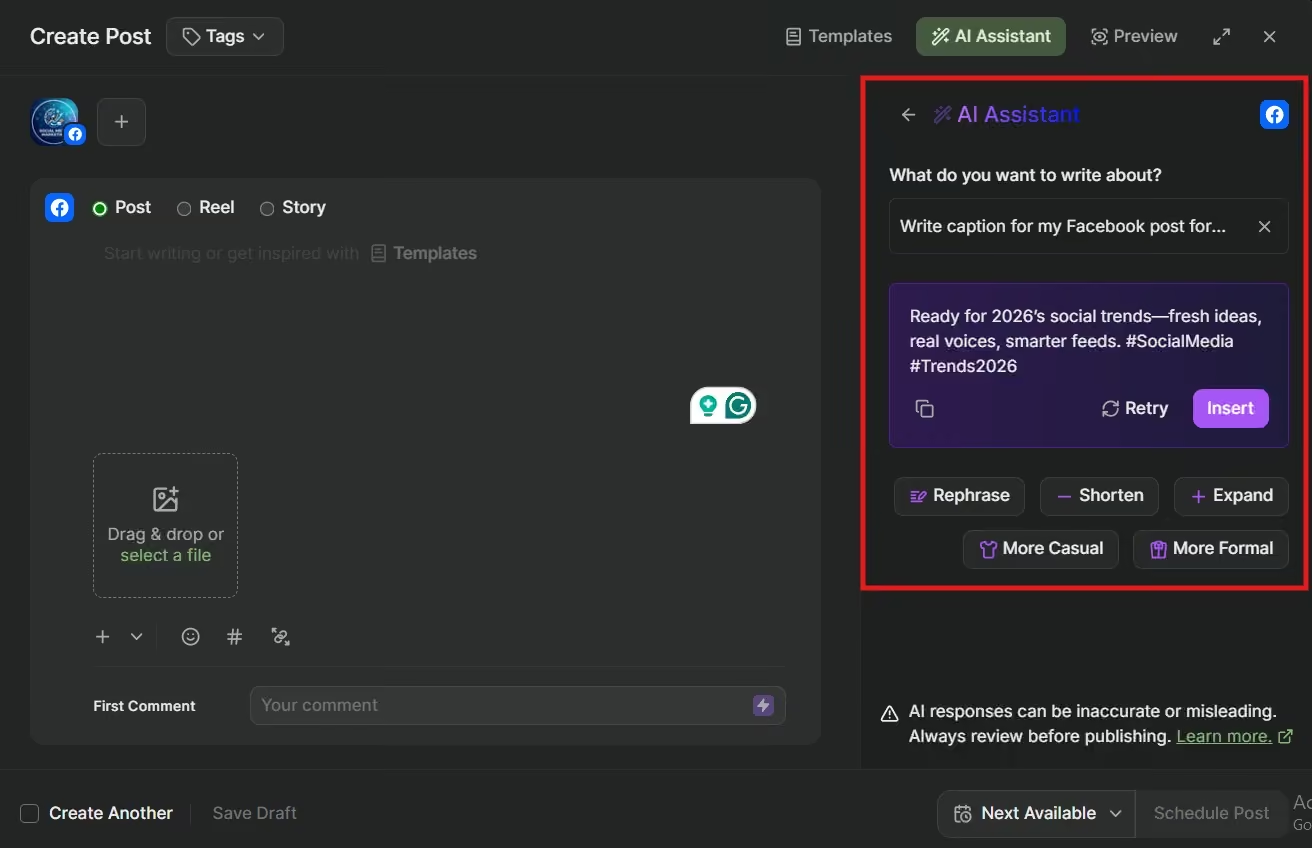
Buffer’s AI Assistant Buffer is a scheduling tool with an AI Assistant on every plan, including the free one. Give it a topic, and it writes a caption. It can also rewrite your draft in a new tone or suggest post ideas based on what you already wrote.
Best for: Solo creators and small teams that want quick caption drafts.
What you’ll like:
- The AI Assistant comes with the free plan.
- You can draft, schedule, and track posts from one simple dashboard.
Where it falls short:
- The AI writes and rewrites text, but it doesn’t create images, video, or carousels.
- The free plan allows 10 scheduled posts per channel, and paid plans charge per channel.
Pricing and Free plan: A Free plan is available with up to 3 channels. Paid plans start at $5 per channel per month (billed yearly).
-
Hootsuite – Best for AI-Assisted Social Media Marketing
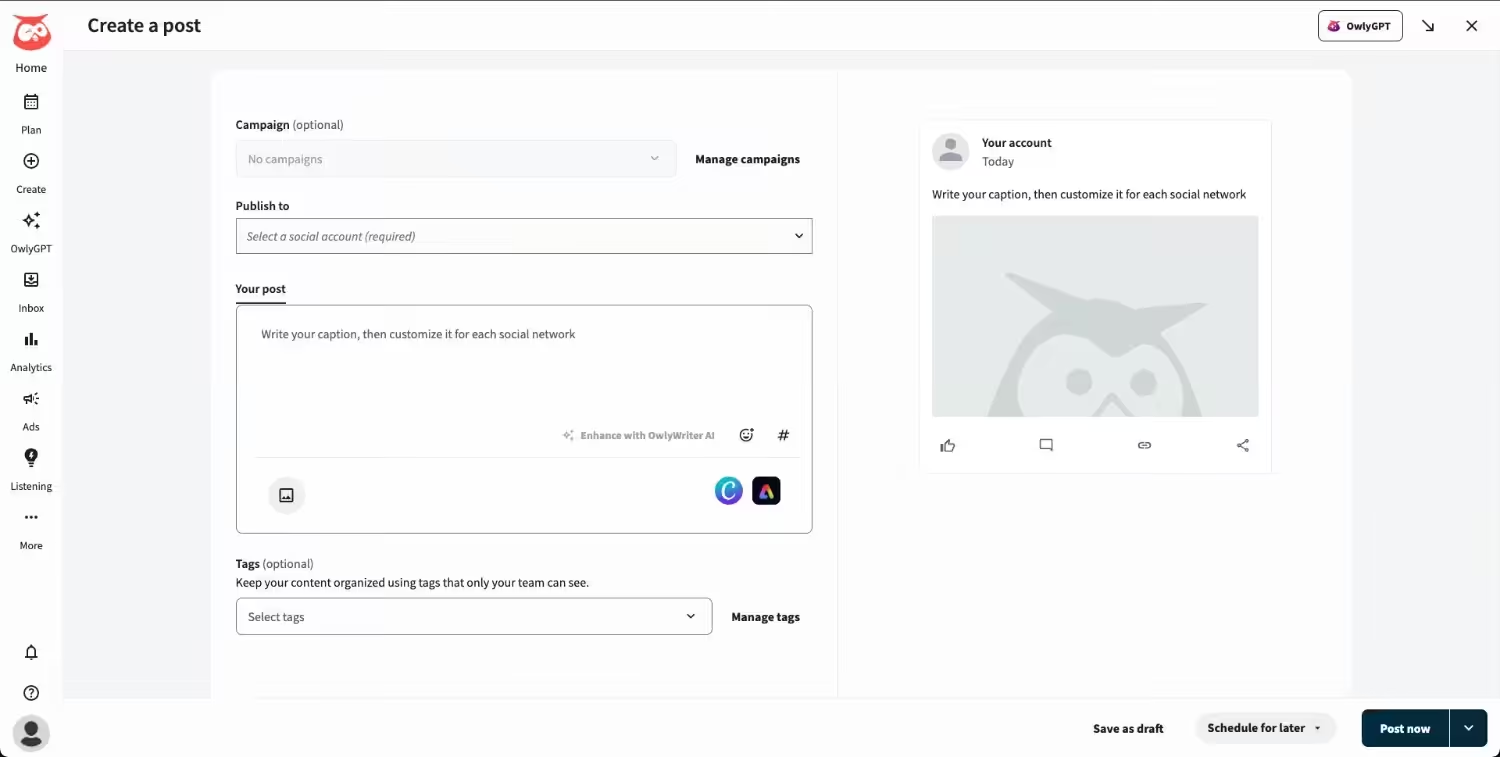
Hootsuite’s Dashboard Hootsuite is a social media management platform with an AI teammate called Wisdom built into every plan. It drafts posts and images, and you manage scheduling, your inbox, and brand monitoring from one calendar. Teams use it to run many accounts together.
Best for: Marketing teams that manage many accounts and need shared workflows.
What you’ll like:
- The Standard plan handles up to 10 social accounts from one calendar.
- You can add as many user seats as your team needs.
Where it falls short:
- It has no free plan, and pricing is per user, so costs grow with your team.
- Approval workflows only come with the Advanced plan.
Pricing and Free plan: 14-day free trial. No free plan. Paid plans start at $99 per user per month (billed yearly).
-
Predis.ai – Best for AI-Generated Social Media Posts and Captions
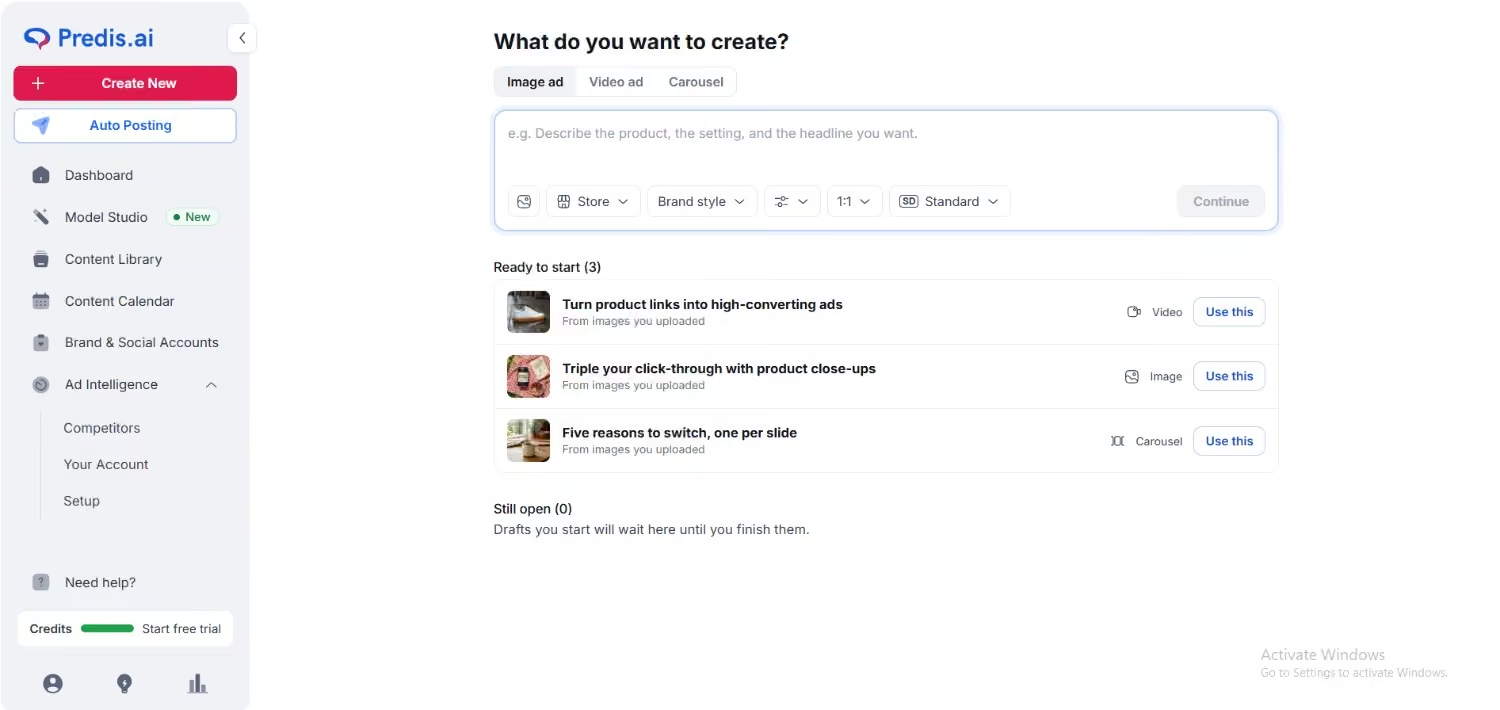
Predis.ai’s Dashboard Predis.ai turns a short text prompt into a full social post. It writes the caption and builds the visual together, and it can also make carousels and short videos. You describe the idea once, then edit the draft. Credits pay for each item it generates.
Best for: Small businesses and creators who want a finished post from one prompt.
What you’ll like:
- One prompt gives you a caption and a visual together.
- Every plan includes unlimited team members.
Where it falls short:
- Core includes 1,300 credits a month, which Predis estimates at about 86 images.
- Core has no auto posting, so you need the Rise plan for that.
Pricing and Free plan: A Free plan is available. Paid plans start at $19 a month (billed yearly).
-
Copy.ai – Best for Marketing Copy and Caption Variations
Copy.ai started as a copywriting tool and now focuses on marketing workflows. Its Chat plan gives you unlimited words and access to several AI models. You can ask for ten caption variations from one idea, then pick the best one. You copy the final text into your scheduler.
Best for: Marketers who want many caption options for the same idea.
What you’ll like:
- The Chat plan includes unlimited words and 5 seats.
- You can test different hooks and tones in one conversation.
Where it falls short:
- It’s not a social media tool, so it has no scheduling or publishing.
- Workflow plans start at $1,000 a month, which suits large teams.
Pricing and Free plan: Chat plan starts at $24 billed yearly. No free plan on its current pricing page.
-
Later – Best for Instagram Caption Creation and Visual Planning
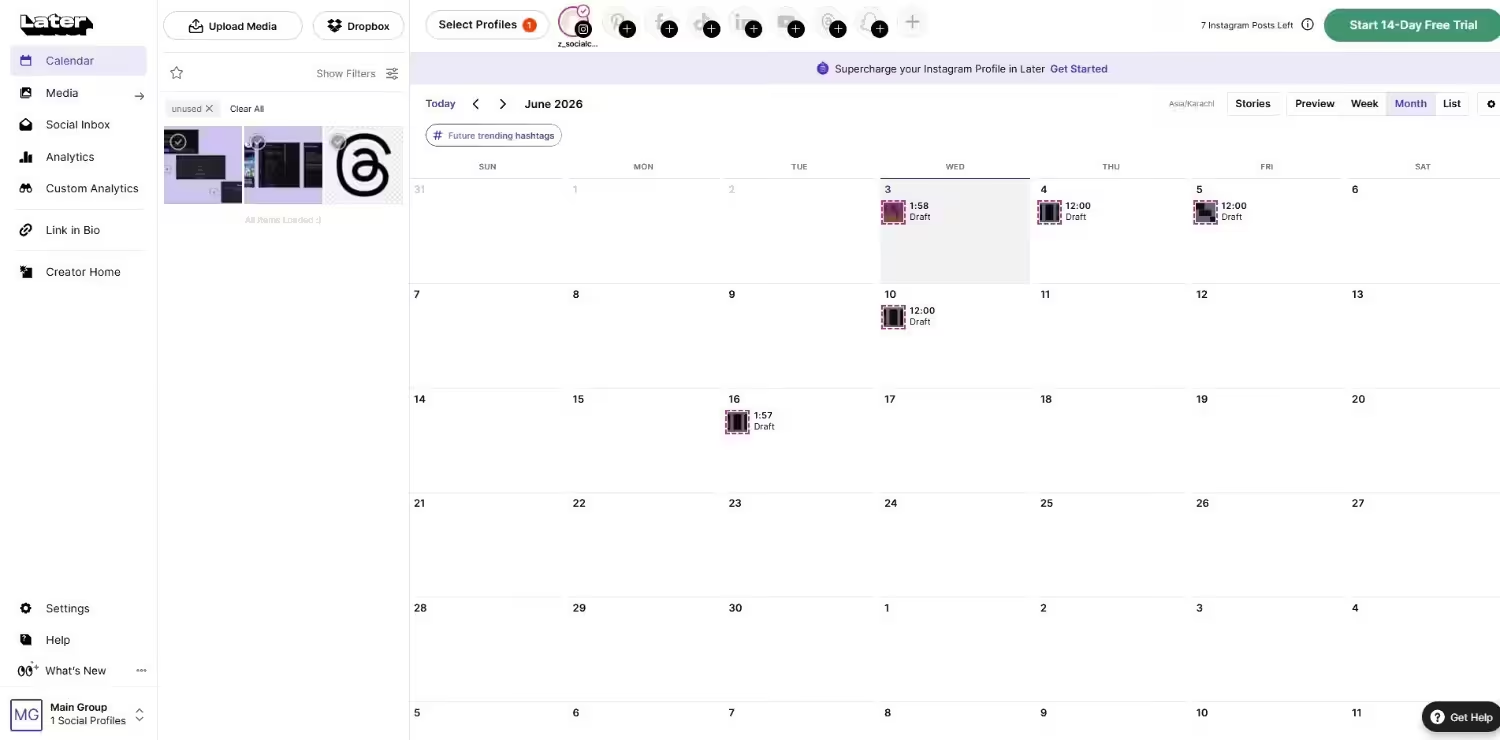
Later’s Dashboard Later focuses on visual planning, especially for Instagram. Its calendar lets you see your grid before you post, and its AI caption writer drafts a caption for each post. It also supports networks like TikTok, Facebook, and Pinterest, so you can plan more than one channel.
Best for: Instagram-first creators and small businesses that plan content visually.
What you’ll like:
- The visual calendar shows your grid before you publish.
- The Starter plan includes a link in bio tool.
Where it falls short:
- Starter allows 30 posts per profile each month and only 5 AI credits.
- The caption writer is simpler than a dedicated AI writing tool.
Pricing and Free plan: A Free plan is available. Paid plans start at $18.75 a month.
-
Ocoya – Best for AI Caption Generation and Social Media Automation
Ocoya puts AI writing, design, and scheduling in one dashboard. It generates captions and images, and you can set up automations with triggers like schedules or RSS feeds. You can publish to networks such as Instagram, Facebook, LinkedIn, X, and TikTok.
Best for: Solo creators and small businesses that want AI, design, and scheduling together.
What you’ll like:
- Automations can pull content from sources like RSS feeds.
- The Bronze plan includes 5 social profiles and 100 AI credits.
Where it falls short:
- Credits run out fast for heavy users, and extra use can cost more.
- Analytics are basic compared with larger platforms.
Pricing and Free plan: 7-day free trial. No free plan. Paid plans start at $29 a month.
Done Comparing? Start Posting
What to Look for in an AI Content Creation Tool
Before you pick a tool, check these six things. They decide how much editing you do later.
- Caption quality: Drafts should sound human and fit your post, not read like generic filler.
- Brand voice control: Look for tone settings or voice training so captions stay consistent across your team.
- Platform support: Check that the tool covers the networks you post on and adjusts length for each one.
- Editing and variations: You should get several options and edit them fast.
- Scheduling and publishing: A tool that posts for you saves a copy-and-paste step.
- Pricing and free plan: Compare account limits, AI credits, and per-seat costs before you commit.
Rank these points by your own workflow. A solo creator may want free drafts, while a team needs brand voice control.
How to Generate Better Social Media Captions Using AI
A good prompt gives you a better caption on the first try. Follow this checklist:
- Define your audience and goal. Decide who reads it and what action you want.
- Add context. Describe the post or paste your product details.
- Pick the platform. Instagram, LinkedIn, and X need different styles.
- Set tone and length. Say friendly or professional and give a word limit.
- Generate several versions. Ask for three to five options.
- Refine the hook and call to action. Rewrite the first line and the final ask.
- Review before you publish. Check facts, spelling, and brand voice.
Here’s a prompt you can reuse:
Write 3 Instagram captions for [post topic]. The audience is [audience]. Use a [tone] tone, keep each under 40 words, open with a strong hook, and end with a call to action to [action]. Add 3 relevant hashtags.
Swap the brackets with your details, then run it in any of the AI social media caption tools above.
Featured Article: Best Content Workflow Software & Tools
AI Caption Generators vs. Manual Caption Writing: Which Is Better?
Neither option wins every time. The table shows where each one fits.
| Factor | AI Caption Generators | Manual Caption Writing |
|---|---|---|
| Writing speed | Drafts in seconds | Takes longer for each caption |
| Creativity | Strong for ideas and variations, but can sound generic | Original voice and fresh angles |
| Brand consistency | Consistent when you set a brand voice | Depends on the writer |
| Customization | Depends on your prompt and tool settings | Full control over every word |
| Content volume | Handles many captions at once | Limited by your time |
| Human editing | Needs review and edits | Needs proofreading only |
Use AI for first drafts and high volume. Write by hand when a post needs a personal story or a sensitive message.
Final Verdict
Writing captions doesn’t have to eat up your day. The best AI caption generators for social media give you a solid first draft, and you add the final polish.
Here’s how I’d match each tool to your needs. Choose ChatGPT or Buffer if you want free drafts. Pick Jasper if brand voice matters most across a team. Go with Canva if you design your own posts, and Later if Instagram planning drives your workflow. Hootsuite fits teams that manage many accounts.
If you want to write and publish in one place, Social Champ covers both steps from one dashboard. That means fewer tabs and less copy and paste.
Don’t let another post sit unpublished because the caption won’t come. Start with a free plan, test two tools with the same prompt, and keep the one that sounds most like you.