Facelift is a great social media management tool for scheduling posts, organizing content, and keeping everything on track.
But let’s be honest. Just because it works doesn’t mean it’s the best fit for everyone.
Maybe it feels a bit too complex. Maybe the price doesn’t match your budget. Or maybe your team just needs something simpler and more flexible. That’s where a tool like Social Champ can help. It has a Free plan, and paid plans start from $4/month.
If that sounds familiar, you’re in the right place.
Short Summary
- Facelift is a popular social media management tool, but users often seek alternatives due to its lack of transparent pricing, complex interface, limited modern features, and restricted platform support.
- The top Facelift competitors include Social Champ, Buffer, Hootsuite, Sprout Social, and Sendible.
- Businesses desire tools that are more affordable, user-friendly, and packed with advanced features like AI optimization, social listening, and competitor analysis.
- Social Champ stands out for its affordability, AI-powered tools, evergreen content recycling, best time to post suggestions, and competitor tracking.
- To choose the right tool, define your social media goals, evaluate your budget, consider platform compatibility, analyze analytics/reporting needs, and test usability.
In this post, we’ll walk through some of the best Facelift alternatives to help you find a tool that fits your style, your team, and your goals.
Why You Might Seek Facelift Alternatives
Here are some common reasons why Facelift users might look for alternatives:
-
No Price Listed on the Website
One of the biggest frustrations for potential Facelift users is the lack of transparent pricing on its website.
Instead of offering clear plans or pricing tiers, Facelift requires you to reach out to their sales team for a custom quote.
This approach is considered a common practice for enterprise-level tools.
However, it can be a major drawback for small businesses, freelancers, or startups who simply want to compare pricing quickly and make a decision.
This process often leads to unnecessary back-and-forth conversations with sales representatives.
It often means back-and-forth with a sales rep before you even know whether the tool fits your budget, whereas other tools let you see the full picture up front.
-
Restricted Platform Integrations
One of the key drawbacks of Facelift is its limited support for newer or niche social media platforms.
While it integrates with major channels like Facebook, Instagram, LinkedIn, and X, it falls short when it comes to emerging platforms like Bluesky or other rising networks that are becoming crucial for modern marketing strategies.
A tool that doesn’t keep up with these changes can feel restrictive and force marketers to juggle multiple tools for full coverage.
-
Limited Modern Features
While Facelift offers a solid foundation for social media management, it often lags behind competitors when it comes to adopting the latest trends and innovations.
For example, newer platforms are introducing features like AI-powered post suggestions, automated hashtag research, and social listening.
Facelift, on the other hand, tends to focus on core functionality, without quickly rolling out these modern updates.
Featured Article: 19 Best Social Media Marketing Tools to Grow Faster Online
Comparative Analysis: Facelift vs. Its Alternatives
Here’s a quick comparison of the top 6 Facelift alternatives to help you choose the best one:
| Tool | Best For | Starting Price |
| Social Champ | Startups, SMBs, marketing agencies, and large enterprises | $4/month |
| Buffer | Solo creators and small businesses | $5/channel/month |
| Hootsuite | Agencies and multi-brand teams | $99/user/month |
| Sprout Social | Enterprises and data-focused marketers | $79/seat/month |
| Sendible | Agencies managing multiple clients | $35/month |
| Loomly | Teams needing structured planning and collaboration | $49/month |
Top 6 Facelift Alternatives for 2026
Let’s discuss the 6 best Facelift alternatives to consider this year:
-
Social Champ
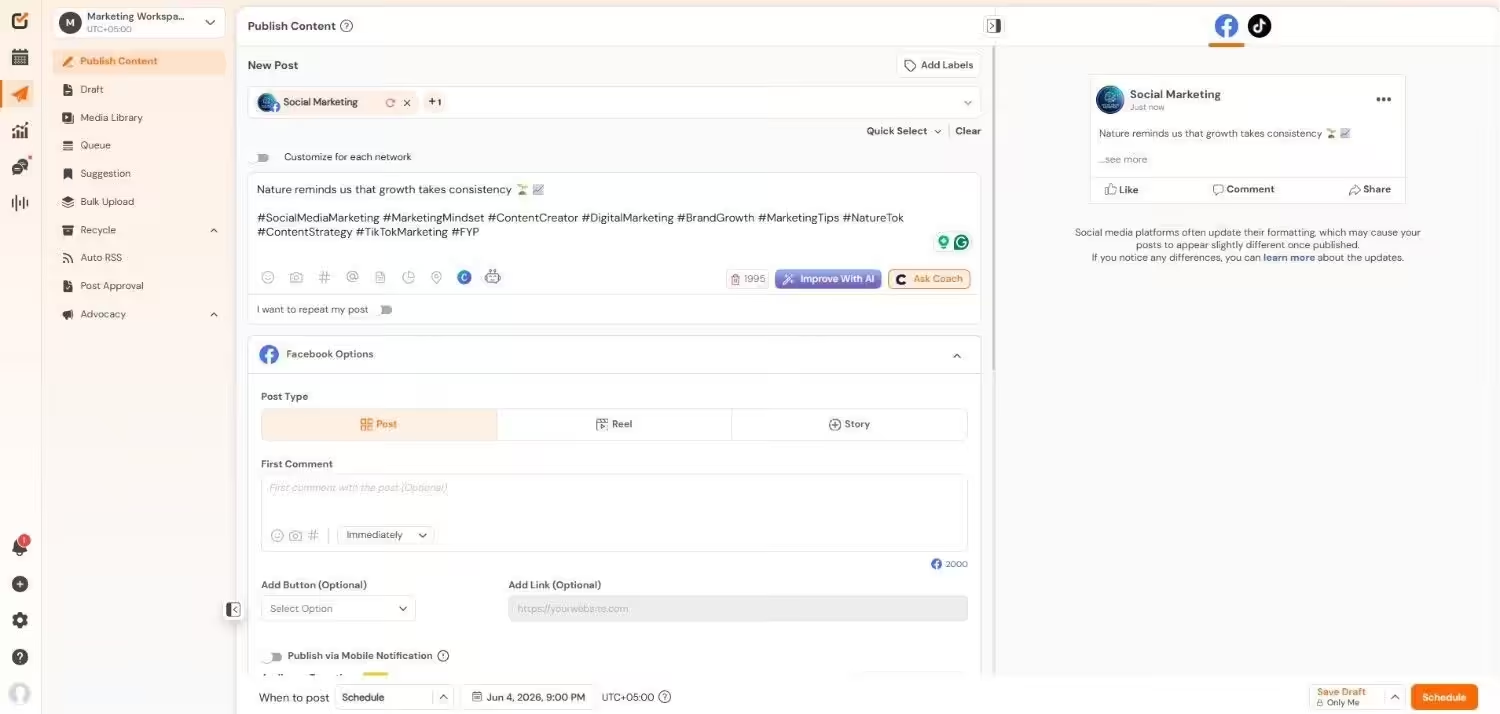
Social Champ’s Dashboard Social Champ is an all-in-one social media management platform built for businesses that want simplicity without sacrificing functionality.
It’s popular among startups, SMBs, enterprises, and marketing teams that wish to save time with scheduling tools.
The best part about Social Champ is that it offers a user-friendly interface. This means your team can easily adapt without prior experience or technical knowledge.
What sets Social Champ apart is its cost-effectiveness; you get a wide range of features for a fraction of the price of premium tools.
Key Features
- Manage 11+ platforms, including Facebook, Instagram, LinkedIn, TikTok, Pinterest, and more.
- Schedule weeks of content at once and visualize your entire strategy with a clean, interactive calendar.
- Repurpose evergreen content to keep your feeds active without manual reposting.
- Assign roles, create workflows, and work with multiple team members seamlessly.
- Collect data about your posts’ reach, engagement, and audience growth.
- Monitor brand mentions and track relevant conversations across social channels.
- Compare your performance with competitors and identify opportunities for improvement.
- Get AI-driven insights on the optimal times to share content for maximum engagement.
Pricing
Social Champ comes with two pricing tiers, including a Pay-Per-Profile and a Flat-Rate model.
Here’s what you get in the Pay-Per-Profile:
- Starter, which costs $4 and has 1 user. In this plan, you can manage 1 social account.
- Growth, which costs $8 and has unlimited users. In this plan, you can manage 1 social account.
These plans also offer discounts as you scale. Here’s how much you can save in the Starter:
- For 1-10 social accounts: $4
- For 11-20 social accounts: $3
- For 21-40 social accounts: $2
- For 41+ social accounts: $0.50
Here’s how much you can save in the Growth:
- For 1-10 social accounts: $8
- For 11-20 social accounts: $3.50
- For 21-40 social accounts: $2.50
- For 41+ social accounts: $1
With Social Champ, you also get Flat-Rate bundles, which are:
- Free, which costs $0 and has 1 user. In this plan, you can manage 3 social accounts.
- Standard, which costs $23 and has 2 users. In this plan, you can manage 6 social accounts. This plan also comes with add-ons for accounts. You can add another account for $5/account
- Professional, which costs $47 and has 5 users. In this plan, you can manage 12 social accounts. This plan also comes with add-ons for accounts. You can add another account for $4/account and pay $8/user for another user.
- Agency, which costs $119 and has unlimited users. In this plan, you can manage 30 social accounts. This plan also comes with add-ons for accounts. You can add another account for $3/account
- Enterprise, which is Custom and has unlimited users. In this plan, you can manage unlimited social accounts.
Social Champ also supports: Instagram, Facebook, TikTok, LinkedIn, YouTube, Threads, Pinterest, X, Google Business Profile, Bluesky, Mastodon, and WhatsApp Business
Your Rivals Are Winning.
Don't let others dominate the feed while you wait on pricing quotes; join thousands driving growth with Social Champ for just $4/month. -
Buffer

Buffer’s Dashboard Buffer has long been a favorite among social media managers due to its simplicity and clean interface.
It’s perfect for those who want to schedule posts, track performance, and collaborate with team members without being overwhelmed by extra features.
Key Features
- Supports scheduling across Facebook, Instagram, TikTok, LinkedIn, and X.
- Simple and intuitive dashboard for easy navigation.
- Analytics for engagement, reach, and post performance.
- Browser extension for quick content sharing.
- Affordable pricing with a free plan for individuals.
-
Hootsuite
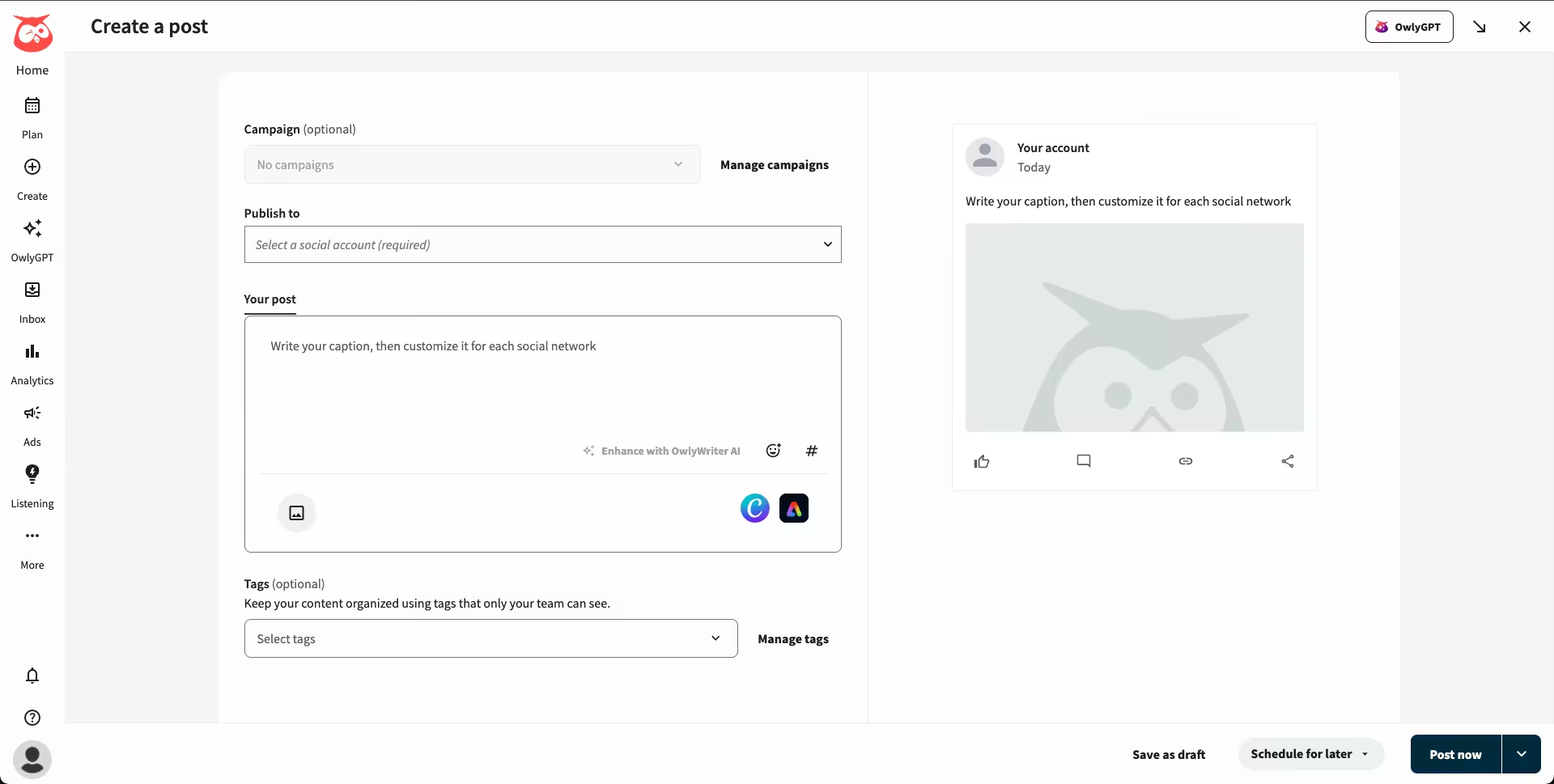
Hootsuite’s Dashboard Hootsuite is one of the most well-known tools in the industry.
It’s ideal for larger teams and enterprises that need advanced analytics, reporting, and comprehensive platform integrations.
Key Features
- Integrates with 35+ social platforms, including YouTube and Pinterest.
- Advanced analytics and customizable reports.
- Social listening and sentiment analysis tools.
- Team collaboration and role-based permissions.
- Built-in ad management for Facebook and Instagram.
-
Sprout Social
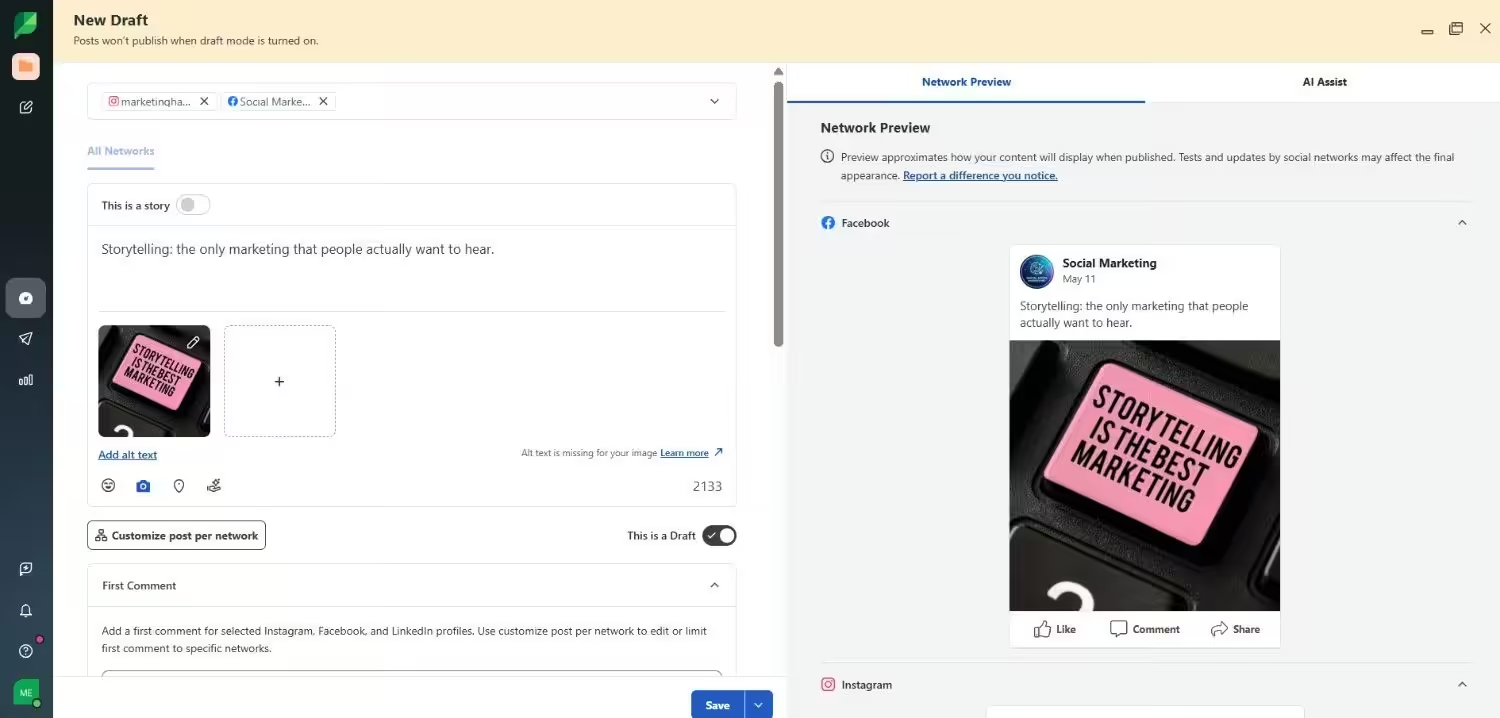
Sprout Social’s Dashboard Sprout Social is a premium tool built for businesses that require powerful analytics and customer relationship management (CRM) features.
It offers in-depth insights to help brands improve engagement and ROI.
Key Features
- In-depth analytics with customizable reports.
- Unified inbox for managing messages across platforms.
- Social listening and competitor analysis.
- Advanced collaboration and approval workflows.
- AI-powered content suggestions and post optimization.
-
Sendible
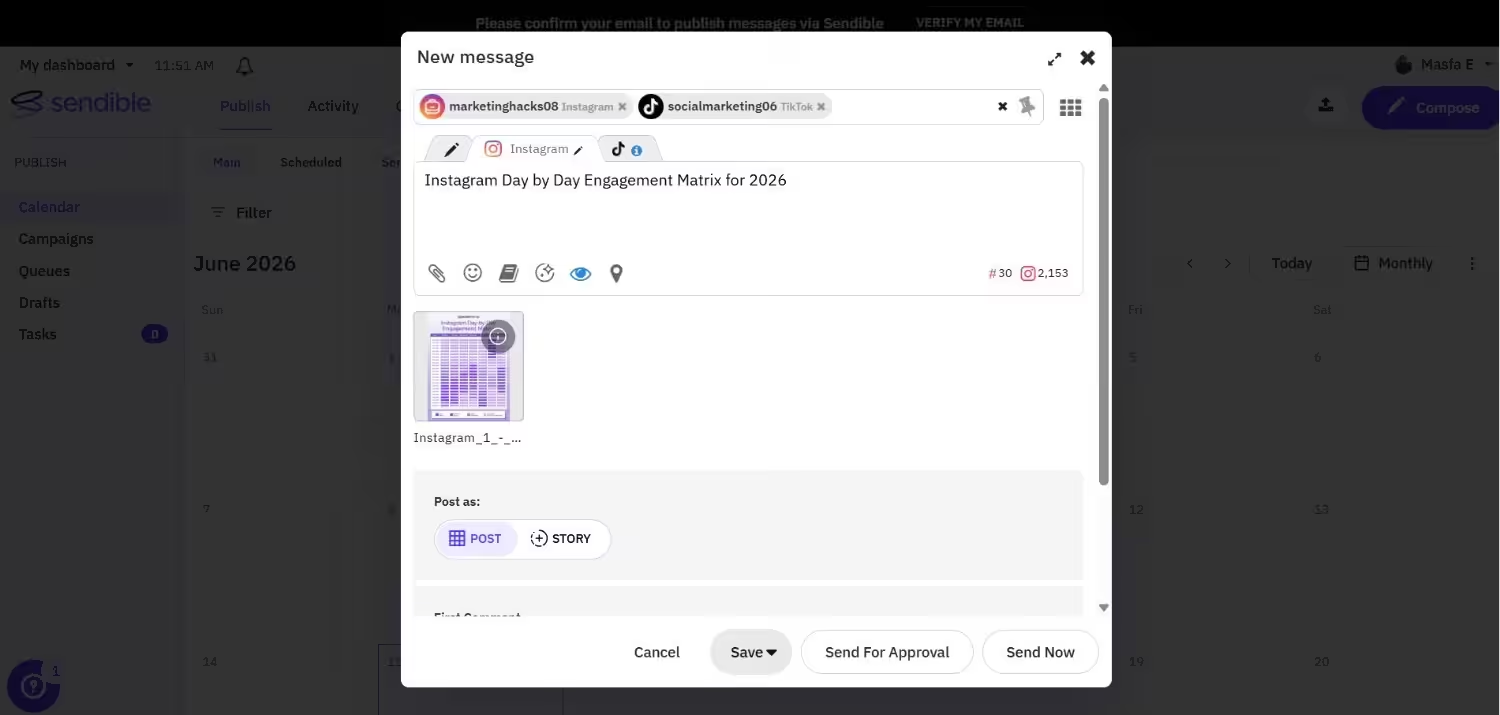
Sendible’s Dashboard Sendible is a great option for agencies and teams managing multiple clients. Its white-label reports and automation features make it an excellent choice for professional marketers.
Key Features
- White-label social media reports for agencies.
- Smart queues for automated post scheduling.
- Collaboration tools for multi-member teams.
- Content recommendations and RSS feed integrations.
- Integration with Canva for easy post creation.
-
Loomly
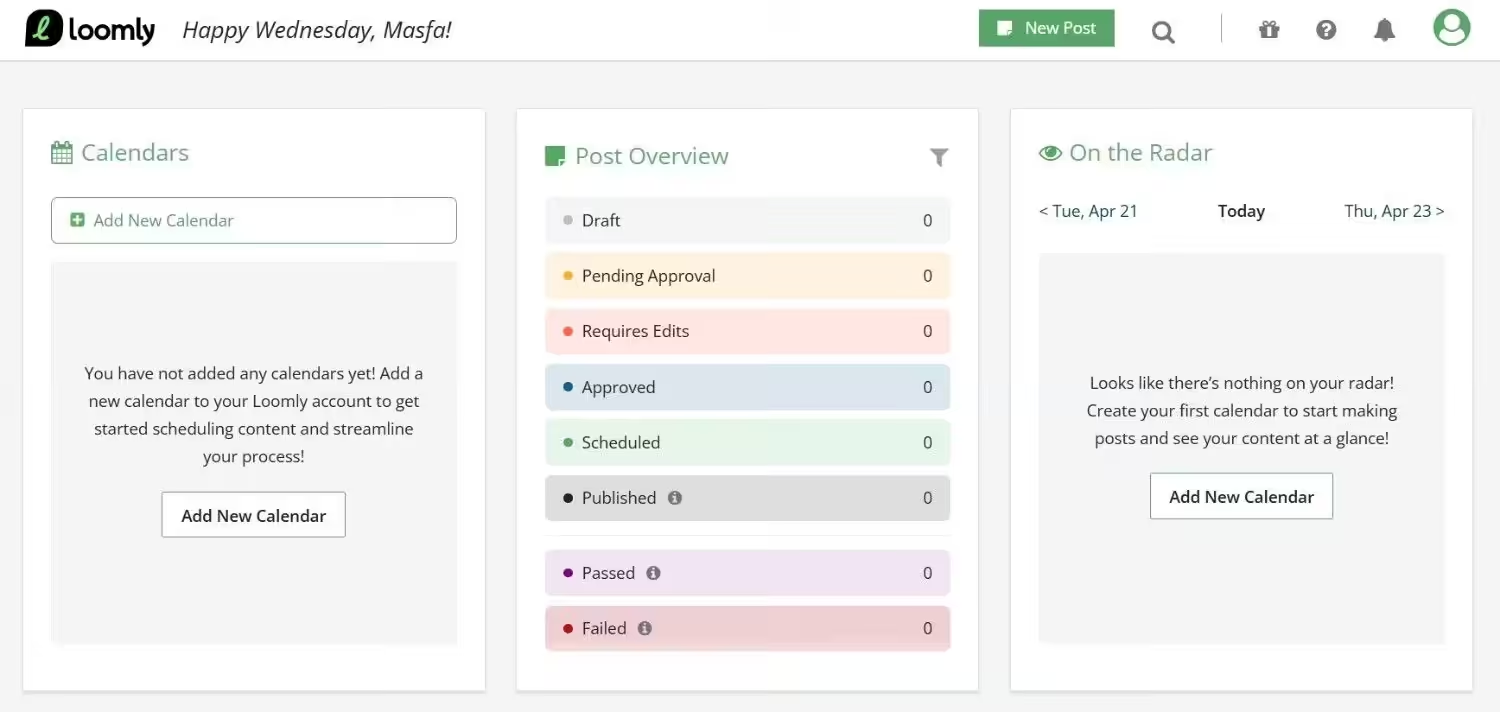
Loomly’s Dashboard Loomly is known for its clean interface and collaborative features. It’s especially popular with teams that need a streamlined content approval workflow and post ideas.
Key Features
- Content ideas and optimization tips for each post.
- Calendar-based scheduling and planning.
- Approval workflows for collaborative teams.
- Built-in analytics and post-performance tracking.
- Integration with popular ad platforms like Facebook Ads.
Featured Article: Best X (Twitter) Tools
Choosing the Right Facelift Alternative for Your Needs
Let’s take a look at some key factors to consider when deciding which tool is best for you:
-
Define Your Social Media Goals
Your goals should be the foundation of your decision. Are you looking to expand your audience, enhance engagement, or increase conversions?
If your focus is on building strong community engagement, Sprout Social, Social Champ, or Hootsuite, with their social listening and monitoring tools, can provide the depth you need.
If you just want a simple scheduler to keep your profiles active, Buffer or Social Champ might be a better choice.
Clarifying your goals upfront ensures you don’t pay for features you won’t use.
-
Evaluate Your Budget
Pricing is often a dealbreaker, especially for small businesses or solo marketers.
While some tools like Sprout Social and Hootsuite offer advanced enterprise features, their pricing can be steep and often tailored to larger teams.
On the other hand, Social Champ and Buffer are budget-friendly yet packed with features like content recycling, analytics, and automation, making them great value-for-money options.
Before committing to any platform, check for free trials or free plans to see if the features justify the cost.
-
Consider the Platforms You Manage
Not every social media management tool supports every platform. If your strategy involves a mix of Instagram, TikTok, LinkedIn, and emerging platforms like Threads, ensure your chosen tool can handle all of them.
Buffer, Loomly, and Social Champ offer strong cross-platform support and are widely recognized as Twitter management tools, while some other solutions may focus more heavily on traditional platforms like Facebook and X.
It’s also worth checking whether the platform integrates with other tools you use, like Canva for content creation or Google Analytics for performance tracking, to streamline your workflow.
-
Look for Collaboration Features
If you work with a team, collaboration features are non-negotiable.
Tools like Sendible, Social Champ, and Loomly shine here, offering content approval workflows, role-based permissions, and shared calendars to keep everyone on the same page.
This is especially crucial for agencies or businesses managing multiple client accounts.
Without proper collaboration tools, tasks can quickly become chaotic, leading to missed deadlines or inconsistent content quality.
-
Analyze Reporting and Analytics Needs
Basic metrics, such as post engagement and reach, might be sufficient for small businesses, but if you require detailed performance insights, look for platforms with advanced reporting capabilities.
Sprout Social, for instance, offers advanced analytics, competitor benchmarking, and audience behavior reports.
Tools like Hootsuite also allow customizable reporting dashboards, giving teams the ability to present professional client-ready reports.
In contrast, simpler tools like Buffer offer standard analytics but may lack deeper insights into audience demographics or sentiment analysis.
-
Test Usability and Customer Support
Even the most feature-rich tool won’t work for you if it’s too complex to use.
Platforms like Buffer, Loomly, and Social Champ are known for their clean, intuitive interfaces that make onboarding quick and painless.
In contrast, tools like Hootsuite or Sprout Social, while powerful, may have a steeper learning curve.
It’s also worth checking the quality of customer support. Do they offer live chat, email, or 24/7 assistance?
A responsive support team can save you time when issues arise, especially if your social media campaigns are time-sensitive.
They Automated. You Didn’t.
Conclusion
You need to find a platform that aligns with your goals, budget, and workflow.
Facelift alternatives can easily meet your needs. You can start with a simple scheduler like Buffer, a budget-friendly all-rounder like Social Champ, or go for an analytics-driven powerhouse like Sprout Social.
The best approach is to set your priorities. Then, you can test a few platforms using their free trials or demo plans.
This hands-on experience will give you a clear sense of which tool can truly simplify your social media strategy.
Remember, the right tool isn’t the one with the most features. It’s the one that helps you save time, stay organized, and achieve your marketing goals without unnecessary complexity.
Featured Article: SOCi Alternatives