

MavSocial may have been your go-to social media management tool for scheduling and reporting.
If you’ve used it, you know how reliable it can be for basic publishing and reporting. But over time, your needs might have changed. You may need more advanced features or support for platforms that MavSocial doesn’t cover.
Alternatively, you may want more in-depth analytics, or you may believe the price no longer aligns with the value.
Whatever the reason, businesses like yours often start looking for MavSocial alternatives that better align with their needs.
Considering this, I’ve compiled some of the best alternatives to MavSocial that every marketer, business, and agency should know about this year. If price is a big part of your decision, keep an eye on Social Champ. You can start on its Free plan, and paid plans begin from $4/month.
Short Summary
- MavSocial works well for scheduling, but some businesses need more advanced features and broader platform support.
- Social Champ and other platforms offer AI tools, wider support, and team collaboration.
- Sprout Social, Planable, and Hootsuite offer advanced analytics.
- You can choose the right tool based on your budget, platforms, team size, and workflow.
- With the best MavSocial alternatives, you can simplify your social media management.
Scroll through the relevant information about each tool and decide based on your budget, team size, and required platforms.
Let’s get started.
Why Users Seek MavSocial Alternatives
If you’re researching a MavSocial alternative, you’re not alone. At first, MavSocial gives you many features like scheduling, reporting, and a content library.
But if you go deeper, you may notice some limitations.
That’s why many businesses and agencies start looking for the best alternatives to MavSocial.
-
Limited Platform Coverage
MavSocial’s primary focus is on Facebook, X, LinkedIn, Instagram, YouTube, Google Business Profile, and Tumblr.
These are the major platforms, but if your audience is active on other platforms, you may need to use additional tools to manage them.
In this case, some other tools cover a broader range of platforms such as Pinterest, TikTok, Mastodon, Bluesky, WhatsApp Business, and more.
-
No Built-In AI Content Generator
As a busy marketer, you probably don’t have time to create content manually every day.
If the tool you’re using doesn’t have a built-in AI content generator, it may take a significant amount of your time, especially when creating content.
According to SocialBu’s comparison, MavSocial doesn’t offer a built-in AI content generator.
Considering this, it may be a major drawback in speeding up your content creation.
-
Lack of Twitter Thread Scheduling
Nowadays, X threads are a great way to share your longer stories with your audiences.
MavSocial doesn’t offer X thread scheduling.
So, if your audience is active on X, this may be a major reason to look for MavSocial alternatives.
Featured Article: How to Schedule Facebook Posts
Top MavSocial Alternatives at a Glance
| MavSocial Alternative | Best For | Starting Price |
| Social Champ | Agencies, Enterprises, and SMBs | $4 |
| Sprout Social | Enterprise Level, Social Listening, Advanced Analytics, Customer Care | $79/user/mo |
| Planable | Team Collaboration, Content Calendar, Social Media Scheduling, Workflow Approvals, Visual Content Creation | $33/workspace/mo |
| Hootsuite | Brands and Enterprises, Teams, Social Customer Service, Managing Multiple Accounts | $99/user/mo |
| Later | Instagram Focus, Link in Bio, Content Scheduling, Analytics | $18.75/mo |
| Buffer | Solo Creators, Small Teams, Budget-Friendly Scheduling | $5/channel/mo |
| Agorapulse | Social Media Managers, Growing Teams, Agencies | $79/user/mo |
Is Your Social Media Working Hard Enough?
Top 7 MavSocial Alternatives for 2026
If you’re ready to move beyond MavSocial, these seven MavSocial similar tools offer the features, platform support, and pricing flexibility that modern marketing teams need.
Let’s look at 7 alternatives to MavSocial that could be a better fit for your business or agency.
-
Social Champ
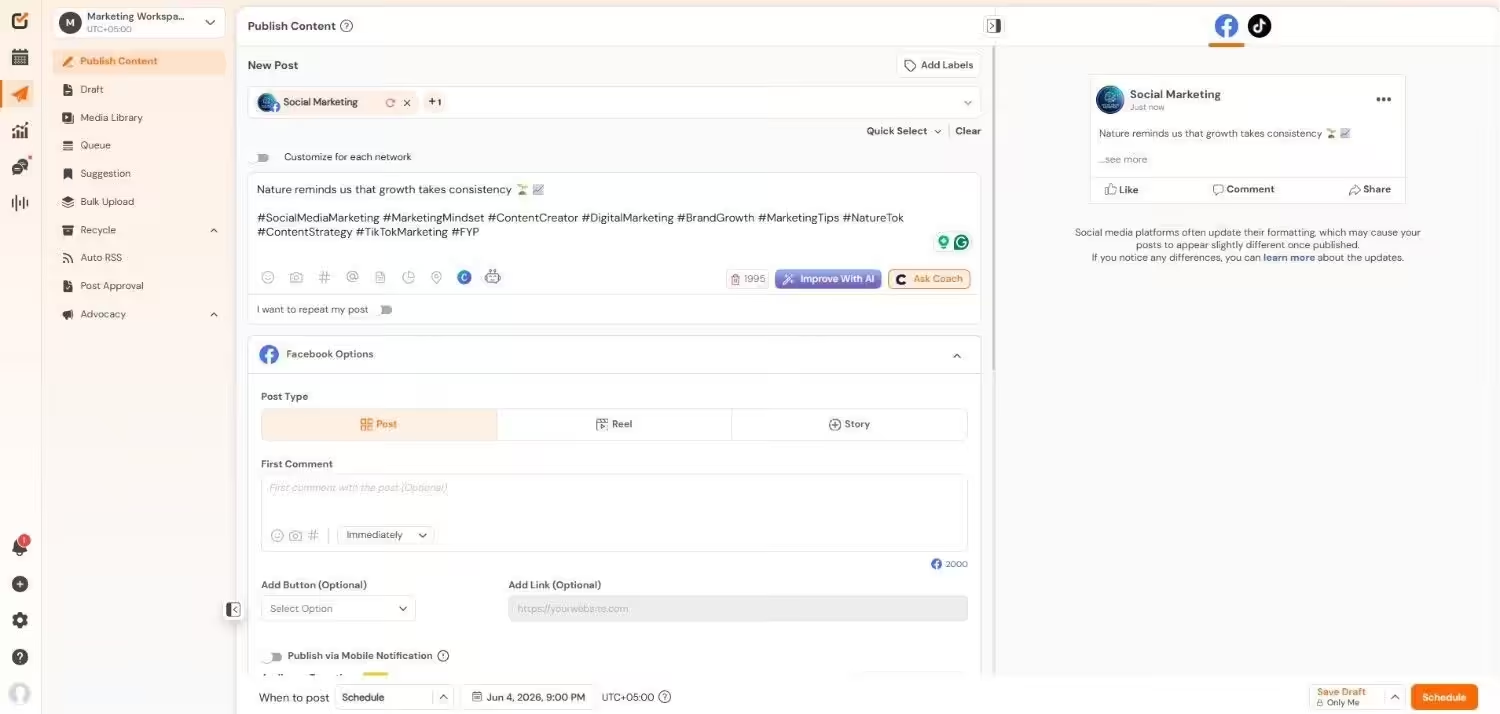
Social Champ’s Dashboard Social Champ is an affordable, all-in-one social media management solution for your business.
If you want enterprise-level features without enterprise-level pricing, this tool is a solid pick for you.
It supports a wider range of platforms than other tools do and makes your workflow smoother and faster.
Key Features
- You can publish and schedule content across 11+ platforms, including TikTok, Pinterest, Mastodon, and Bluesky.
- Your business can plan campaigns with a drag-and-drop social media content calendar that keeps everything organized and up-to-date.
- With its detailed analytics, you can track performance and generate branded reports for clients in seconds.
- Social Champ offers a unified inbox that helps you manage all your comments, mentions, and DMs from one place.
- Your team can collaborate with roles, permissions, and approval workflows that make teamwork stress-free.
- You can even use social listening and competitor analysis tools to stay ahead of trends and monitor what others in your industry are doing.
Pricing
Social Champ comes with two pricing models, including a Pay-Per-Profile and a Flat-Rate model.
Here’s what you get in the Pay-Per-Profile:
- Starter, which costs $4 and has 1 user. In this plan, you can manage 1 social account.
- Growth, which costs $8 and has unlimited users. In this plan, you can manage 1 social account.
These plans also offer discounts as you scale. Here’s how much you can save in the Starter:
- For 1-10 social accounts: $4
- For 11-20 social accounts: $3
- For 21-40 social accounts: $2
- For 41+ social accounts: $0.50
Here’s how much you can save in the Growth:
- For 1-10 social accounts: $8
- For 11-20 social accounts: $3.50
- For 21-40 social accounts: $2.50
- For 41+ social accounts: $1
With Social Champ, you also get Flat-Rate bundles, which are:
- Free, which costs $0 and has 1 user. In this plan, you can manage 3 social accounts.
- Standard, which costs $23 and has 2 users. In this plan, you can manage 6 social accounts. This plan also comes with add-ons for accounts. You can add another account for $5/account.
- Professional, which costs $47 and has 5 users. In this plan, you can manage 12 social accounts. This plan also comes with add-ons for accounts. You can add another account for $4/account and pay $8/user for another user.
- Agency, which costs $119 and has unlimited users. In this plan, you can manage 30 social accounts. This plan also comes with add-ons for accounts. You can add another account for $3/account.
- Enterprise, which is Custom and has unlimited users. In this plan, you can manage unlimited social accounts.
Social Champ also supports: Instagram, Facebook, TikTok, LinkedIn, YouTube, Threads, Pinterest, X, Google Business Profile, Bluesky, Mastodon, and WhatsApp Business
Turn Posting Into a Power Move!
-
Sprout Social
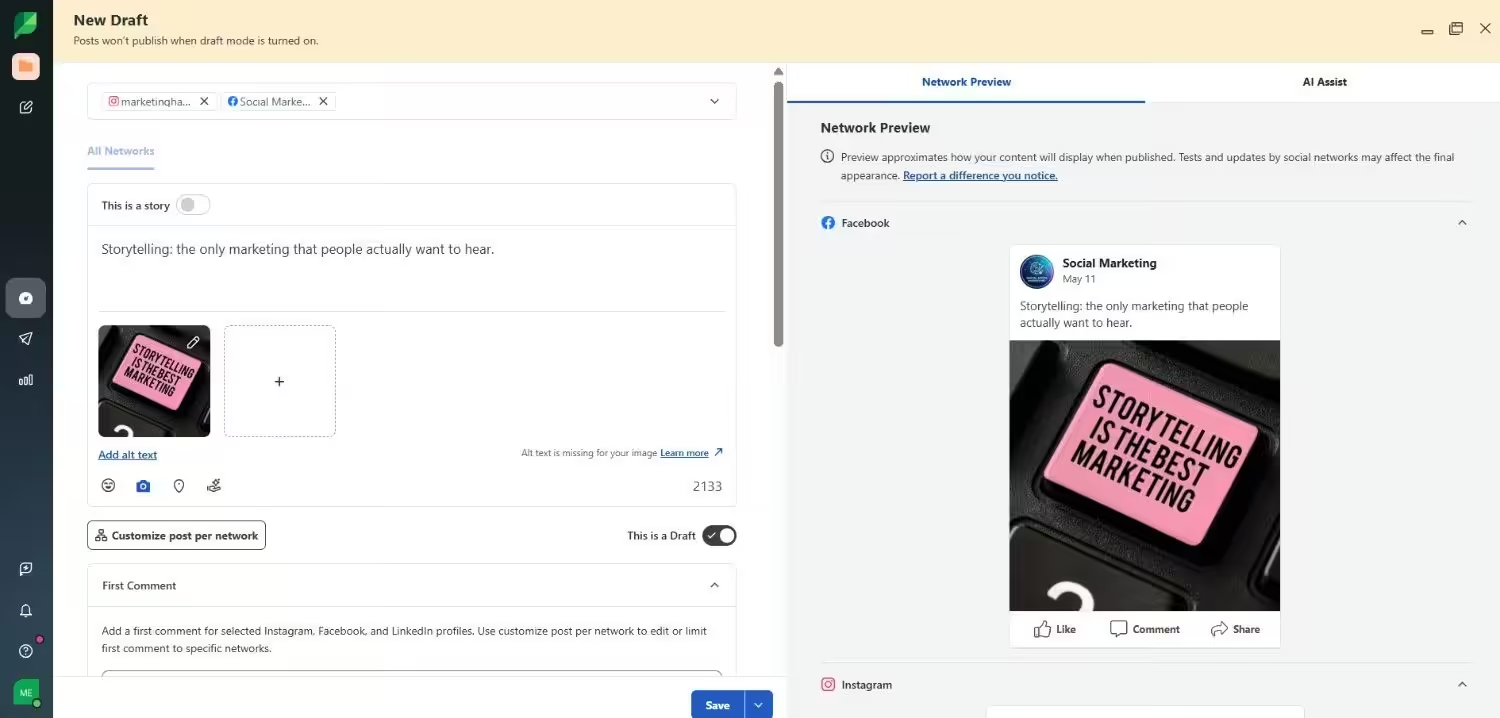
Sprout Social’s Dashboard If your team needs structure, advanced reporting, and content planning features, Sprout Social may be an ideal fit for you.
It is one of the most established names in social media management. Many businesses opt for it when they want a single command center for all their channels.
Key Features
- Sprout Social helps you plan, create, and publish content across multiple platforms.
- You can manage all comments, messages, and mentions in one central social inbox.
- It also lets you track detailed performance metrics and export professional analytics reports that are client-ready.
- Your team can collaborate on assigned tasks, with role-based permissions and approval workflows that keep everyone aligned.
Pricing
Sprout Social offers a 30-day free trial for users to test the features before they commit. Its paid plans start at $79/month per user.
-
Planable
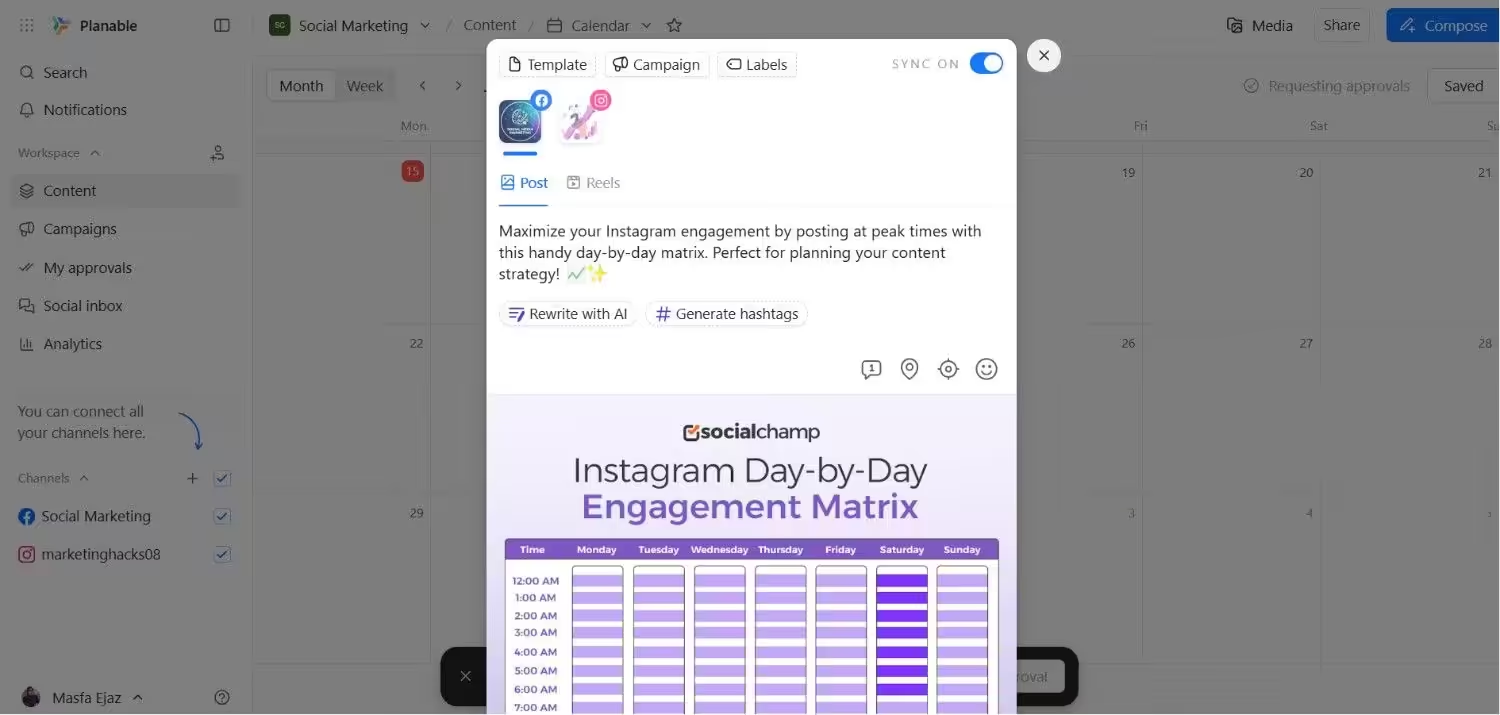
Planable’s Dashboard Planable is a social media management tool that makes social media planning less stressful.
It gives you and your team a clear view of content before it goes live.
It simplifies collaboration, speeds up feedback, and smooths approvals, so you won’t have to spend a lot of time on back-and-forth emails.
Key Features
- You can create posts and see exactly how they’ll look after publishing.
- With the visual calendar, you can plan campaigns and keep everything organized.
- Your team can share feedback, approve posts, and collaborate directly within the platform.
- It lets you engage with your audience by replying to comments without leaving the platform.
- You can also track performance with analytics that show what works and what needs adjustment.
Pricing
Planable offers a free plan. Its paid plans start at $33/month per workspace.
-
Hootsuite
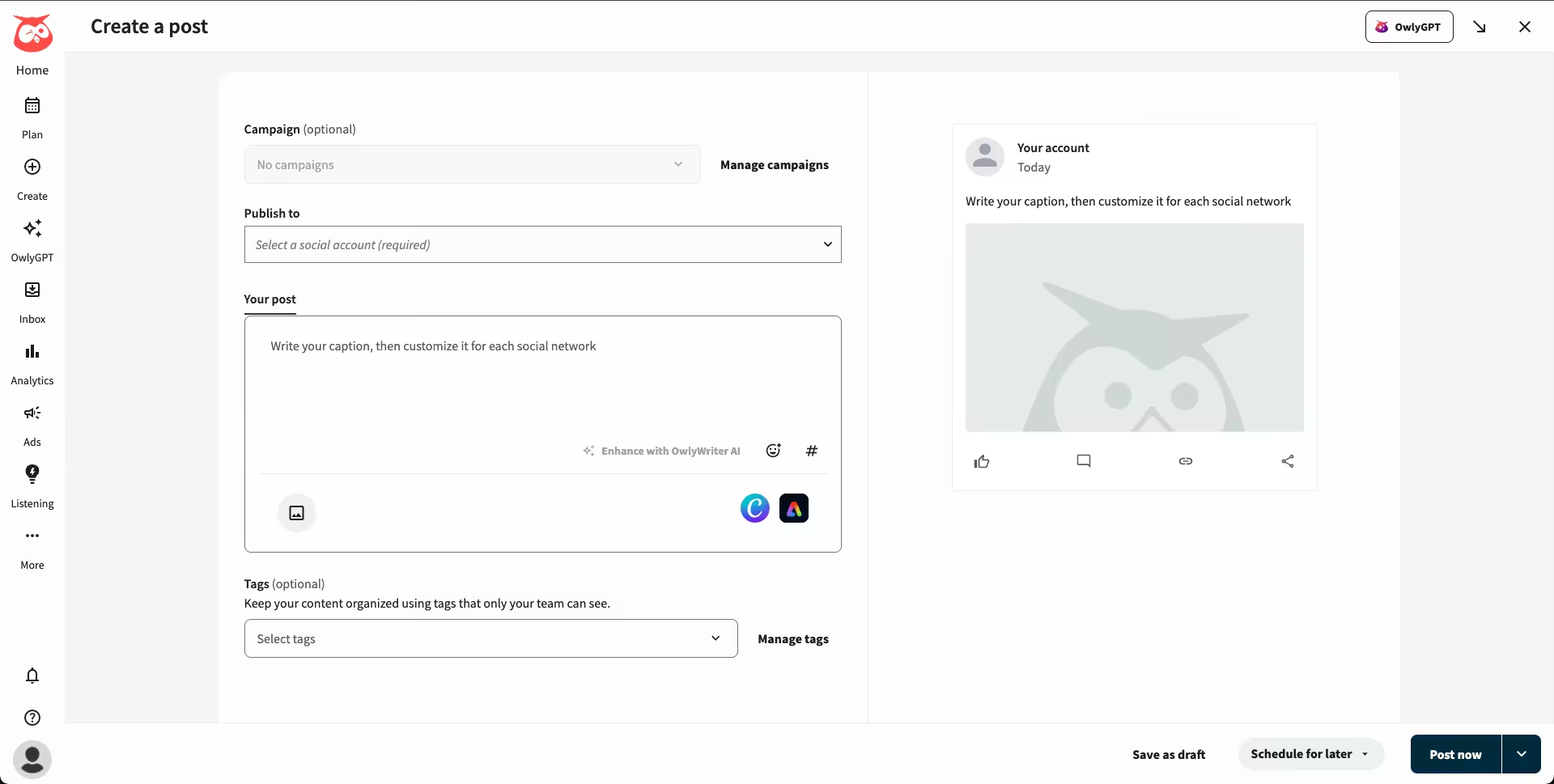
Hootsuite’s Dashboard Hootsuite has long been one of the most recognized social media marketing management tools and a great MavSocial alternative.
It’s a favorite among larger businesses and agencies that need publishing, analytics, and even ads in one place.
Key Features
- Hootsuite allows you to publish and create content for multiple platforms without switching between apps.
- You can track campaigns with advanced analytics that break down performance in detail.
- It also offers social listening features to monitor brand mentions, spot trends, and understand what audiences are talking about.
- You can also manage both organic posts and paid ads from the same dashboard to keep everything aligned.
Pricing
Hootsuite doesn’t offer a free plan, but there’s a 30-day free trial available. Its plans start at $99/month per user.
-
Later
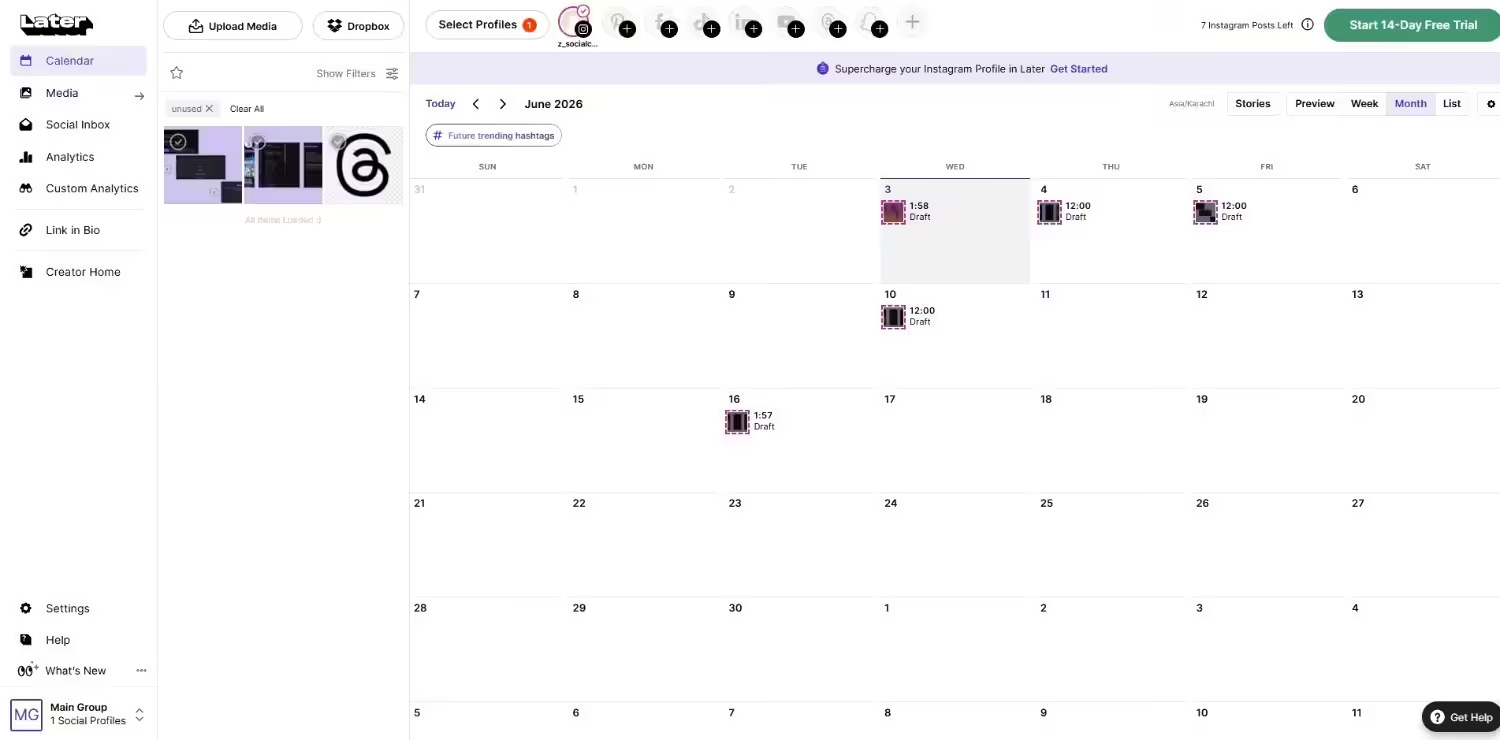
Later’s Dashboard If your brand is visually focused, Later is one of the best MavSocial alternatives.
This social media management tool helps you plan your social media calendar, design posts, and analyze posts, all in one dashboard.
Key Features
- Later offers a drag-and-drop calendar to help you plan and schedule posts and shows you how your feed will look.
- You can use its AI features to generate captions, suggest hashtags, and speed up content creation.
- It allows you to easily design graphics, edit photos, and manage visual content directly inside the platform.
- You can track performance with analytics that highlight what drives engagement.
- It also lets your team collaborate on content ideas, leave feedback, and approve posts without extra tools.
- There’s a social inbox that helps you manage comments and DMs so conversations don’t slip through.
- With its social listening tools, you can monitor conversations about your brand.
- Later also offers a “Link in Bio” feature so you can turn Instagram and TikTok feeds into clickable storefronts.
Pricing
Later offers a free plan for individual users to get you started for free. Its paid plans begin at $18.75/month.
-
Buffer
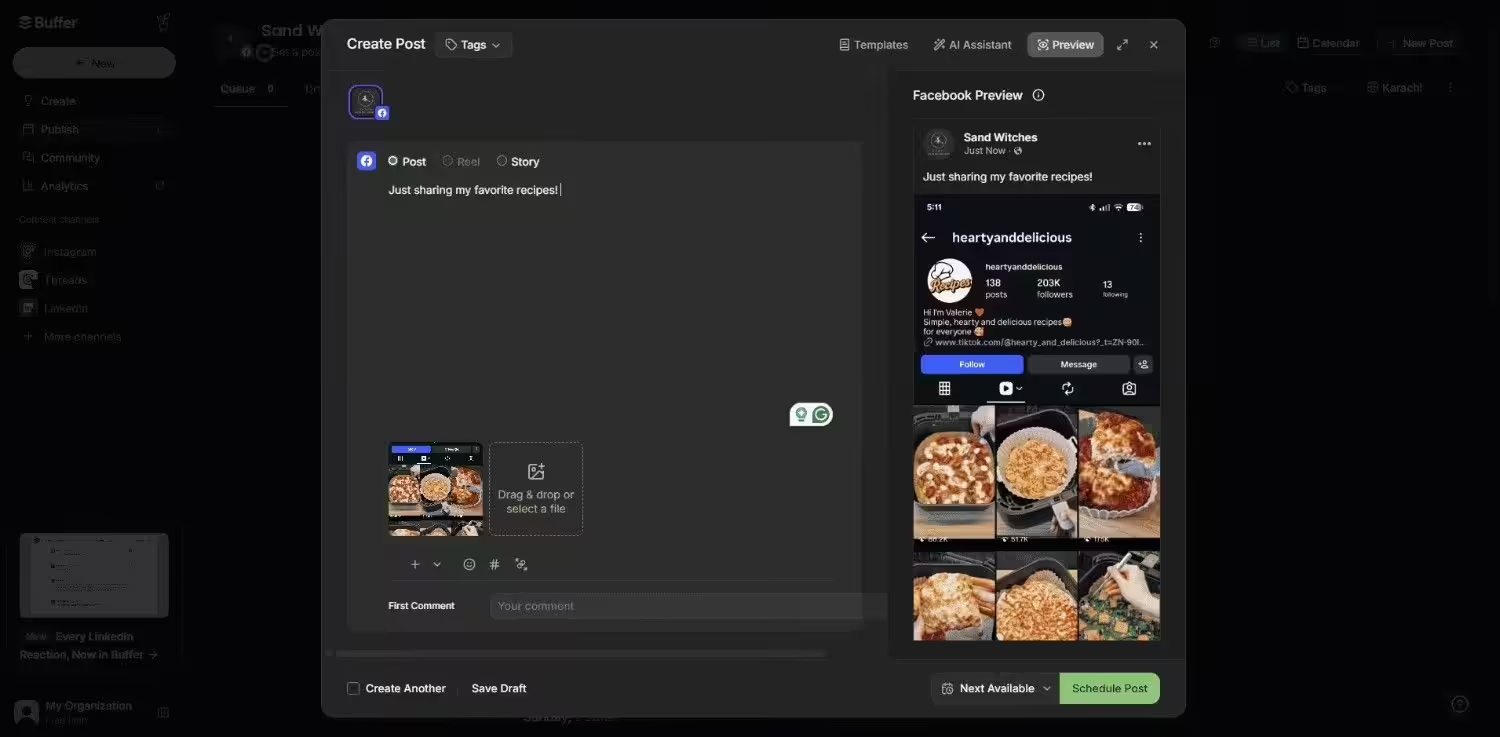
Buffer’s Dashboard Buffer is known for its clean interface and simple setup.
Its straightforward setup makes it a good choice if you need the essentials of social media management.
Key Features
- Buffer lets you create and customize posts for different platforms without bouncing between tabs.
- You can even publish content through scheduling, queues, and an easy-to-read content calendar.
- It allows you to measure results with straightforward analytics that show what resonates with your audience.
- You can also engage with followers by replying to comments and messages directly inside Buffer.
- With its collaboration features, your team can easily collaborate by sharing drafts, feedback, and approvals in one place.
Pricing
Buffer offers a free plan for up to 3 channels, so individual creators can access the basic features for free. Its paid plans start at $5/month per channel.
-
Agorapulse
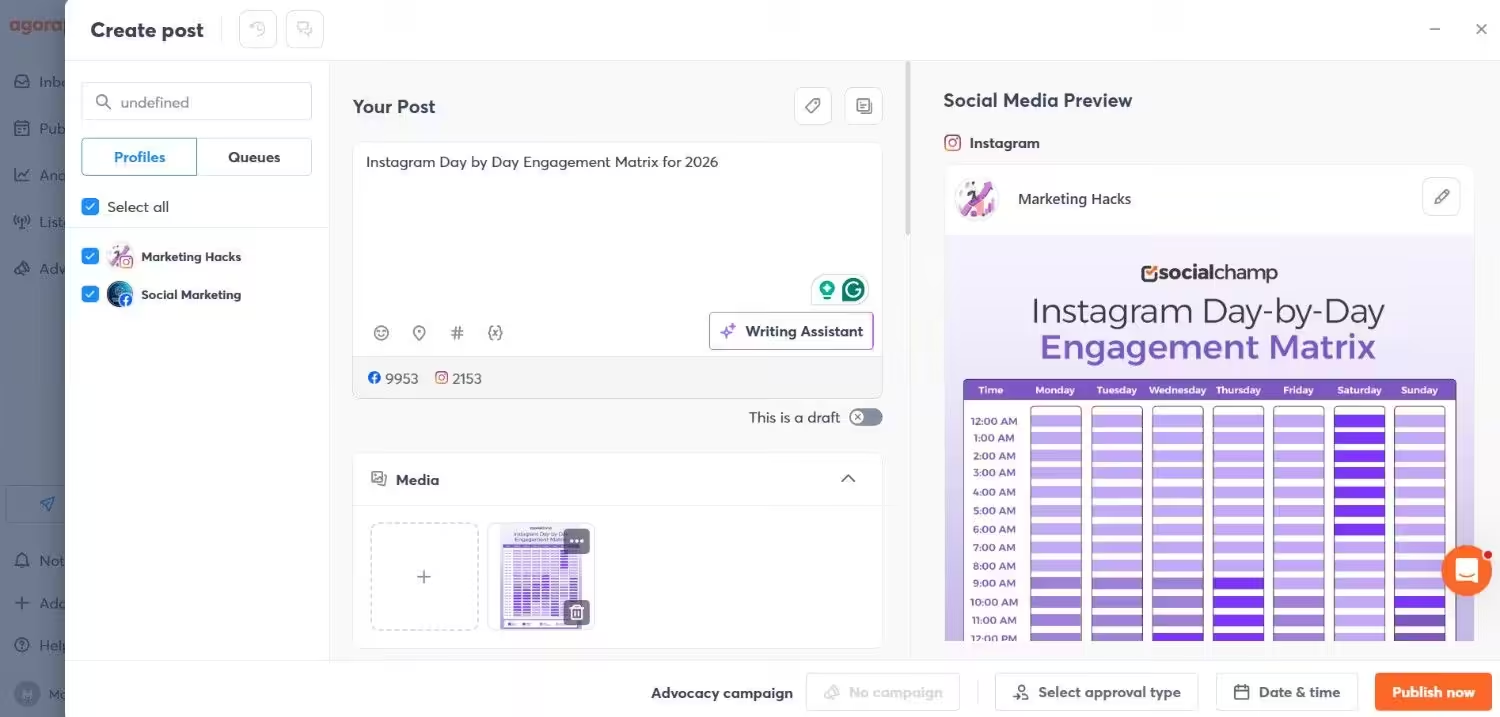
Agorapulse’s Dashboard If your team wants publishing, engagement, and reporting in one place, Agorapulse is among the strong MavSocial alternatives.
It allows you and your team to plan campaigns, track conversations, and keep your reporting client-ready under one roof.
Key Features
- You can publish and schedule posts across all major platforms with an intuitive calendar.
- Agorapulse helps your team collaborate on drafts, approvals, and campaigns to stay in sync.
- It lets you boost your productivity with shared content libraries and reusable assets.
- You can manage comments, messages, and reviews from one social inbox.
- Its social listening tools allow you to listen to brand mentions and industry keywords to stay ahead of conversations.
- You can also create detailed, easy-to-share reports for stakeholders and clients.
Pricing
Agorapulse doesn’t offer a free plan. The paid plans start at $79/month.
Featured Article: Top 10 Planoly Competitors & Alternatives for Your Social Media Management
Choosing the Right MavSocial Alternative for Your Needs
With so many alternatives to MavSocial on the market, it’s easy to feel overwhelmed.
The main things that you should consider in the tool are budget, platforms, and your team size.
By keeping these needs in mind, you can easily pick the right option among many alternatives to MavSocial.
Consider Your Budget
Your budget plays a huge role in choosing a MavSocial alternative.
There are many affordable alternatives like Social Champ and Buffer that start at just a few dollars per month.
With these tools, you can have essential features without overpaying for extras that you don’t use.
On the other hand, some tools like Sprout Social and Hootsuite offer advanced features but at a higher price.
The trick is to pick a platform that balances cost and functionality for your business.
Look at Platform Coverage
Every tool supports different platforms.
MavSocial focuses on Facebook, X, LinkedIn, Instagram, YouTube, Google Business Profile, and Tumblr.
But if your audience is active on TikTok, Pinterest, Mastodon, or Bluesky, you can consider platforms like Social Champ and Sprout Social that cover more social networks.
These tools can help you expand your reach across multiple social channels.
Match Features to Your Workflow
Before choosing among MavSocial similar tools, you should match their features to your workflow.
If you prioritize AI-assisted content creation, Social Champ is your best bet. For collaboration, Planable performs well.
Similarly, if you’re looking for analytics, you can go for Social Champ and Sprout Social.
Factor in Team Size and Collaboration
Your team size can make or break the experience.
If you’re a freelancer, you may need simple scheduling, while agencies require role management, approvals, and collaboration.
In this case, Social Champ, Agorapulse, and Loomly cater to teams of any size and help your team to stay organized and productive.
For MavSocial alternatives for small business, look for flat-rate plans that don’t charge per user so your costs don’t spiral as you grow.
The Smart Alternatives to Expensive Tools!
Featured Article: X / Twitter Management Tools
Conclusion
So, now you’ve seen that MavSocial works well for basic scheduling and reporting. But it may not cover everything that you need as a growing business or agency.
You can explore these MavSocial alternatives to decide which one better fits your needs.
Social Champ works well if you want tons of platforms and AI content creation.
Other tools like Sprout Social and Planable offer advanced analytics and team collaboration features.
The point is, there’s a tool for every workflow, team size, and budget.
Consequently, you need to choose the right tool that helps you save your time, engage with your audience better, and manage your social media smoothly.
