


If you’re searching for a change, Sprinklr is probably giving you a massive headache right now. Maybe you just looked at your renewal bill and felt a pit in your stomach. Or maybe your social team is actively avoiding the platform because doing something as simple as scheduling a post feels like navigating a maze.
Honestly, there is nothing worse than paying enterprise-level prices for software that’s so bloated your team doesn’t even want to log in. Compare that with Social Champ, which has a Free plan and paid plans from $4/month.
I’ve been in those shoes, and I’ve spent way too many hours testing different social media management platforms to see which ones work best. To save you the trial-and-error, I’ve rounded up the top Sprinklr alternatives that are intuitive, reasonably priced, and really good for real marketing teams trying to get work done.
Let’s get into it.
Short Summary
- Top Sprinklr alternatives include Social Champ, Buffer, later, Agorapulse, Hootsuite and Sprout Social
- Sprinklr is powerful but too complex and expensive for most small to mid-sized teams.
- Social Champ starts at just $4/month with broad platform coverage.
- Buffer keeps things simple for solopreneurs; Later is ideal for visual-first brands.
- Agorapulse works well for mid-sized teams; Hootsuite handles scale for larger ones.
- Sprout Social is the pick if inbox management and review monitoring matter most.
- The right choice depends on your goals, team size, and budget.
Why Users Look for Sprinklr Alternatives?
Sprinklr has long positioned itself as an all-in-one solution for enterprise-level social media management—but not everyone’s impressed.
As more businesses and agencies look for faster, easier, and more affordable options, interest in Sprinklr alternatives has surged.
Here’s why teams are actively exploring tools like Sprinklr, but better.
-
It’s Expensive—Sometimes Overkill
Sprinklr’s pricing is far from transparent, and for many smaller teams or agencies, it simply doesn’t make financial sense.
- You often pay for features you don’t use
- Contracts can be long and inflexible
-
Overcomplicated User Interface
Many users say Sprinklr’s UI feels overwhelming, especially for teams that need to move quickly.
- Steep learning curve for new users
- Cluttered dashboard with too many nested options
-
Scalability Is a Challenge for Growing Teams
Sprinklr works best for large enterprises with deep pockets and a full-time administrative staff. But:
- Growing mid-sized teams may find scaling difficult
- Features don’t always adapt to your changing needs
-
Support That Leaves You Hanging
One of the most common complaints? Slow and unresponsive support.
- Delayed responses to urgent tickets
- Lack of clear onboarding help
If your team’s fed up, switching to one of the best Sprinklr alternatives might just be your smartest move this year.
Best Sprinklr Alternatives at a Glance
| Sprinklr Competitor | Best For | Starting Price |
| Social Champ | Budget-conscious teams who want coverage without the sticker shock | $4/month |
| Buffer | Solopreneurs and small teams who want dead-simple scheduling | $5/channel/month |
| Later | Visual-first brands and Instagram-heavy creators | $18.75/month |
| Agorapulse | Mid-sized teams who want power without complexity | $79/month |
| Hootsuite | Large teams managing many channels at scale | $99/user/month |
| Sprout Social | Teams prioritizing inbox management and review monitoring | $79/seat/month |
Tired of social media tools that are bulky, overpriced, or painfully slow? You’re not alone.
If Sprinklr no longer fits your needs, it might be time for a change.
We’ve rounded up 6 smarter, faster platforms built for today’s marketers. These tools offer the features you need, without the unnecessary bloat.
-
Social Champ
Best for: Budget-conscious teams who want platform coverage without the sticker shock
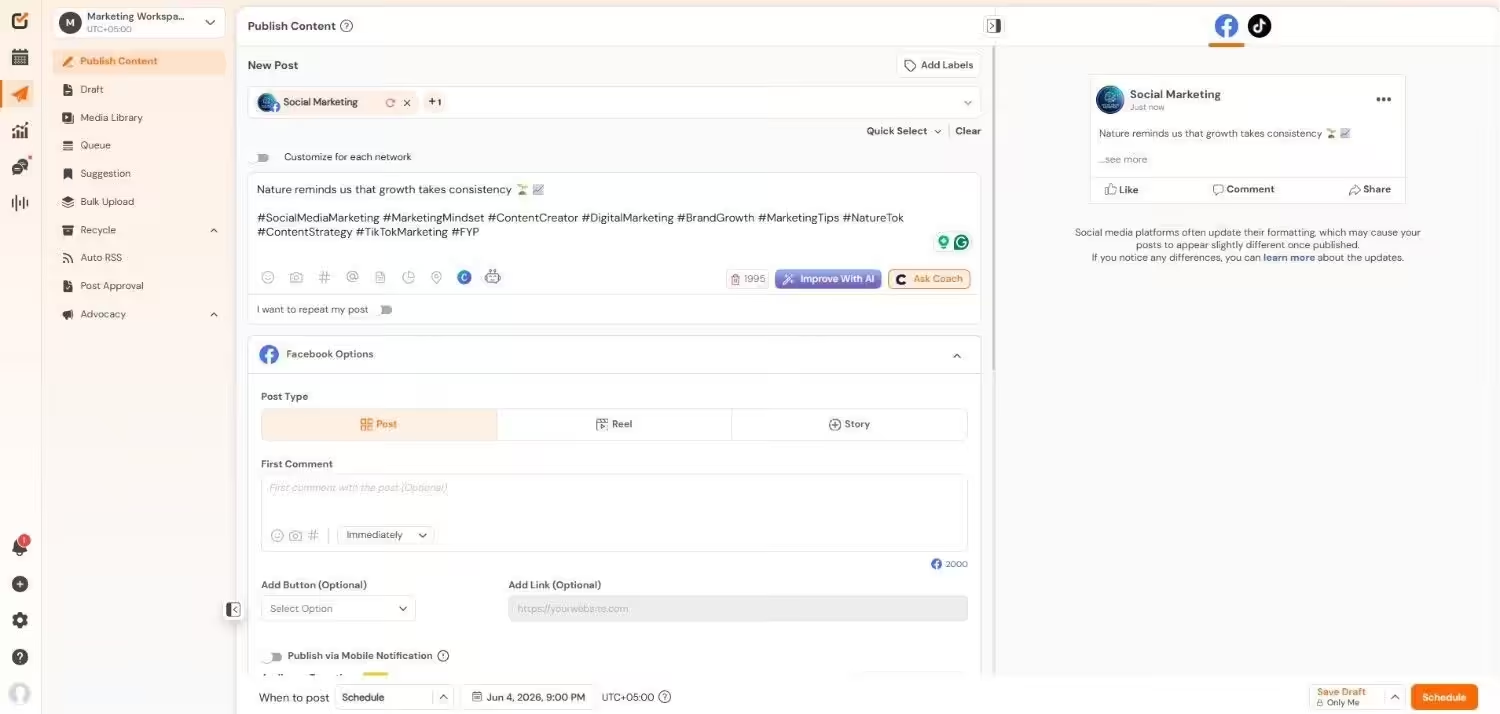
Social Champ’s Dashboard Why I Picked Social Champ
I picked Social Champ because it’s one of the few tools that doesn’t make you choose between affordability and functionality. It covers 11+ platforms, including the newer ones like Threads, Bluesky, and Mastodon that a lot of competitors still ignore. The pricing is transparent, and the flat-rate bundles mean you can easily predict your monthly bill instead of watching it balloon every time you add a user.
Standout Features
- Multi-Platform Publishing: Post to over 11 social networks, including Facebook, Instagram, X, LinkedIn, Pinterest, YouTube, TikTok, Google Business Profile, Threads, Mastodon, and Bluesky.
- AI-Powered Content Creation: Use the built-in Champ AI Suite to generate post ideas, captions, and visuals in seconds.
- Advanced Scheduling: Bulk upload, repeat schedules, and evergreen queues with a drag-and-drop content calendar.
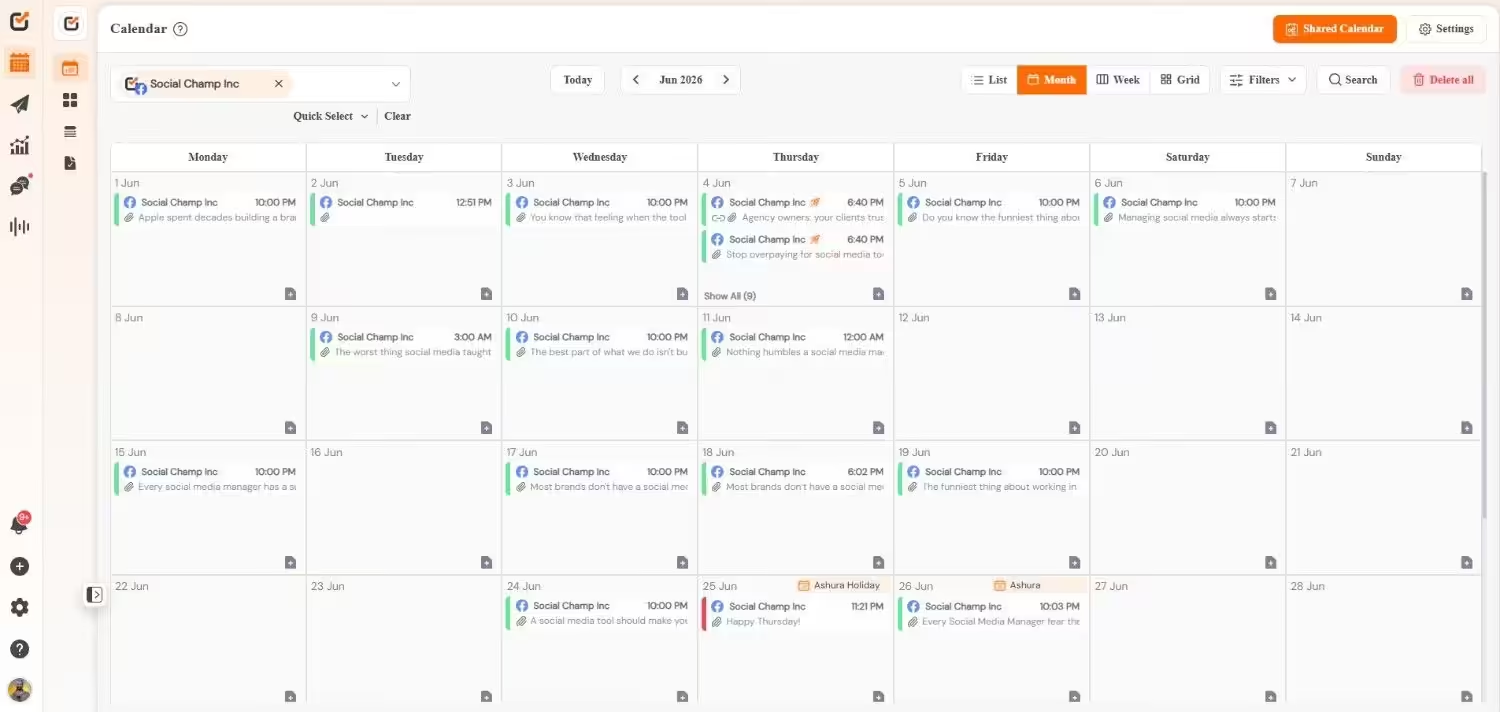
Social Champ’s Calendar - Social Inbox: Centralized conversation management with team collision detection to avoid duplicate responses.
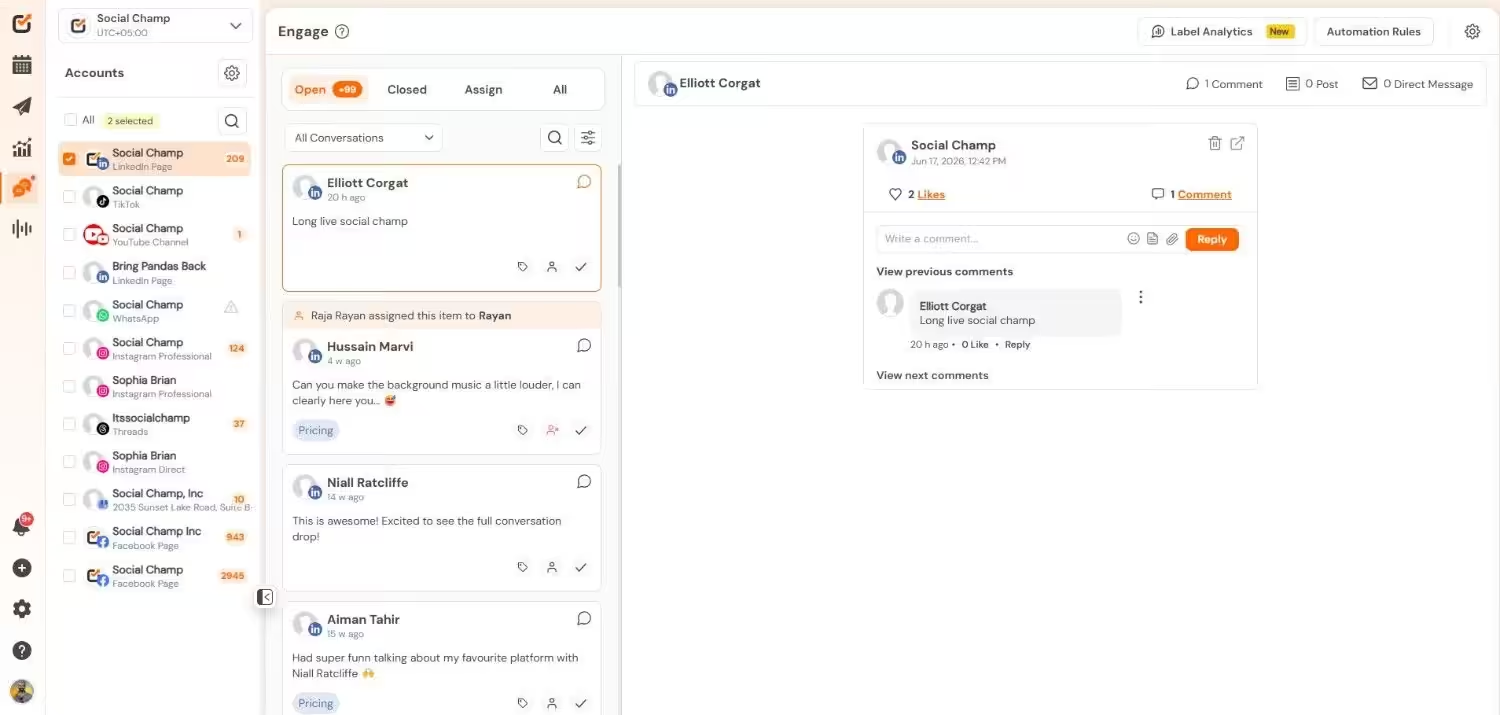
Social Champ’s Social Inbox - Approval Workflows: Assign roles, set up post approval steps, and collaborate efficiently—perfect for agencies.
- Competitor Tracking & Social Listening: Monitor what others are doing and track trending conversations.
- Analytics & Reporting: Get rich insights into post performance, engagement metrics, and downloadable white-labeled reports.
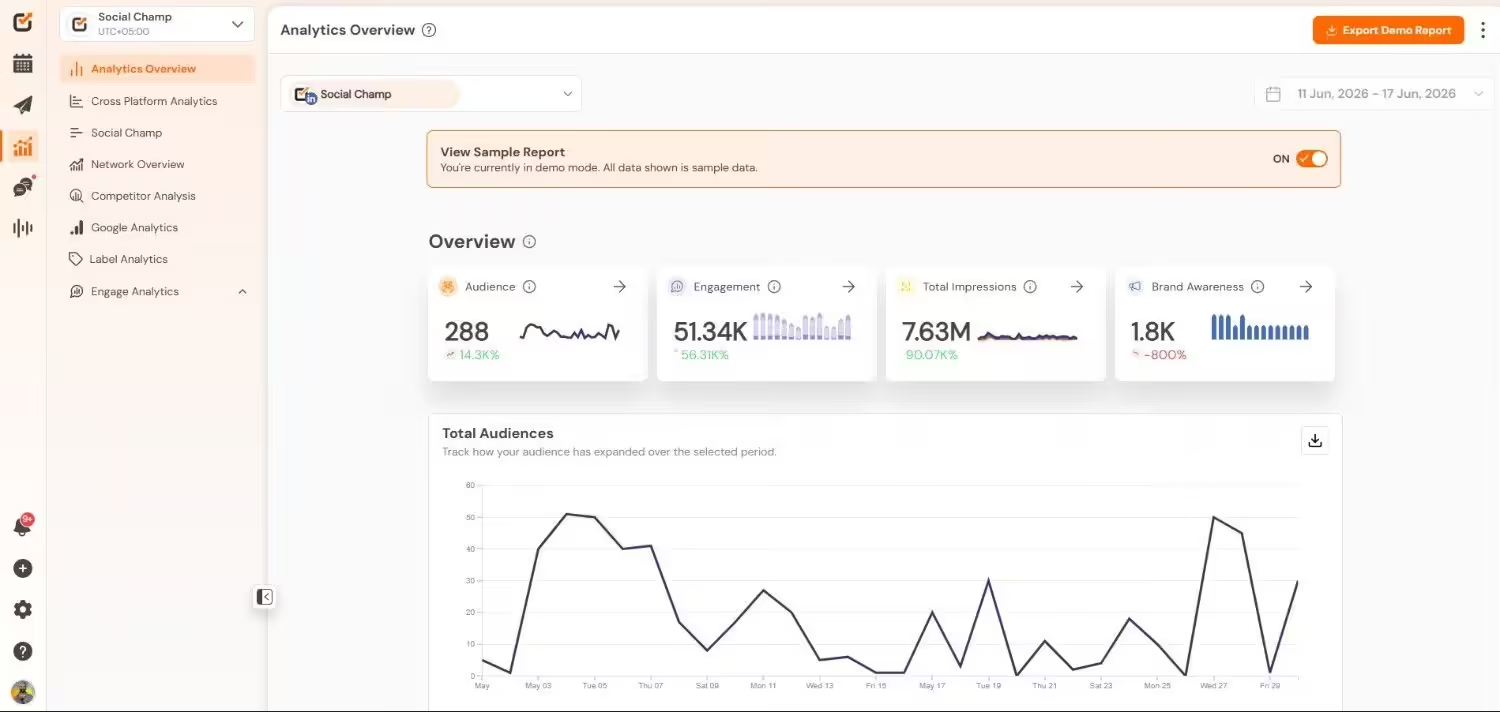
Social Champ’s Analytics Pricing
Social Champ comes with two pricing tiers, including a Pay-Per-Profile and a Flat-Rate model.
Pay Per Profile Plans (Flexible Scaling)
If you only manage a few profiles but want access to advanced features or have a large team, these plans let you pay strictly for the accounts you connect.
Plan Price What’s included Starter $4/profile/month (billed annually) 1 User, 1 Workspace, unlimited scheduling, analytics, Social Inbox Growth $8/profile/month (billed annually) unlimited Users, unlimited workspaces, client management, post approvals, social listening, competitor analysis Bundled Plans (Best for Most Teams)
These plans come with a fixed number of social accounts and users. If you want to add more accounts and users, you can get them as add-ons.
Plan Price What’s included Free $0 3 Social Accounts, 1 User, 15 Scheduled Posts Per Account Standard $23/month (billed annually) 6 Social Accounts, 2 Users, 1 Workspace, Bulk Upload, Basic Approvals, Champ AI Suite, Brand Advocacy Professional $47/month (billed annually) 12 Social Accounts, 5 Users, 3 Workspaces, Multi-Layer Approvals, Competitor Analysis, Automation Rules Agency $119/month (billed annually) 30 Social Accounts, unlimited Users, Unlimited Workspaces, White-Label Reports, REST API Access, Social Listening Enterprise Custom Everything in Agency, Salesforce & HubSpot integrations, SSO, Custom Integrations, Dedicated Account Manager What Works Well
- The pay-per-profile model starts at just $4 per account, which is genuinely hard to beat if you’re managing a handful of profiles
- Platform support is extensive; you get WhatsApp Business, Google Analytics 4, and even Mastodon, where others come up short
- The drag-and-drop content calendar is clean and actually pleasant to use, not something I can say about every scheduler I’ve tested
Limitations
- The free plan is pretty restrictive at 15 scheduled posts per profile, so you’ll outgrow it fast
- Some advanced features, like social listening, only unlock at the Agency tier, which might push smaller teams to upgrade sooner than planned
Source: Social Champ
Built for Agencies, Perfect for Teams!
Manage multiple brands and users easily. Use approval flows and role-based access to streamline collaboration. -
Buffer
Best for: Solopreneurs and small teams who want dead-simple scheduling
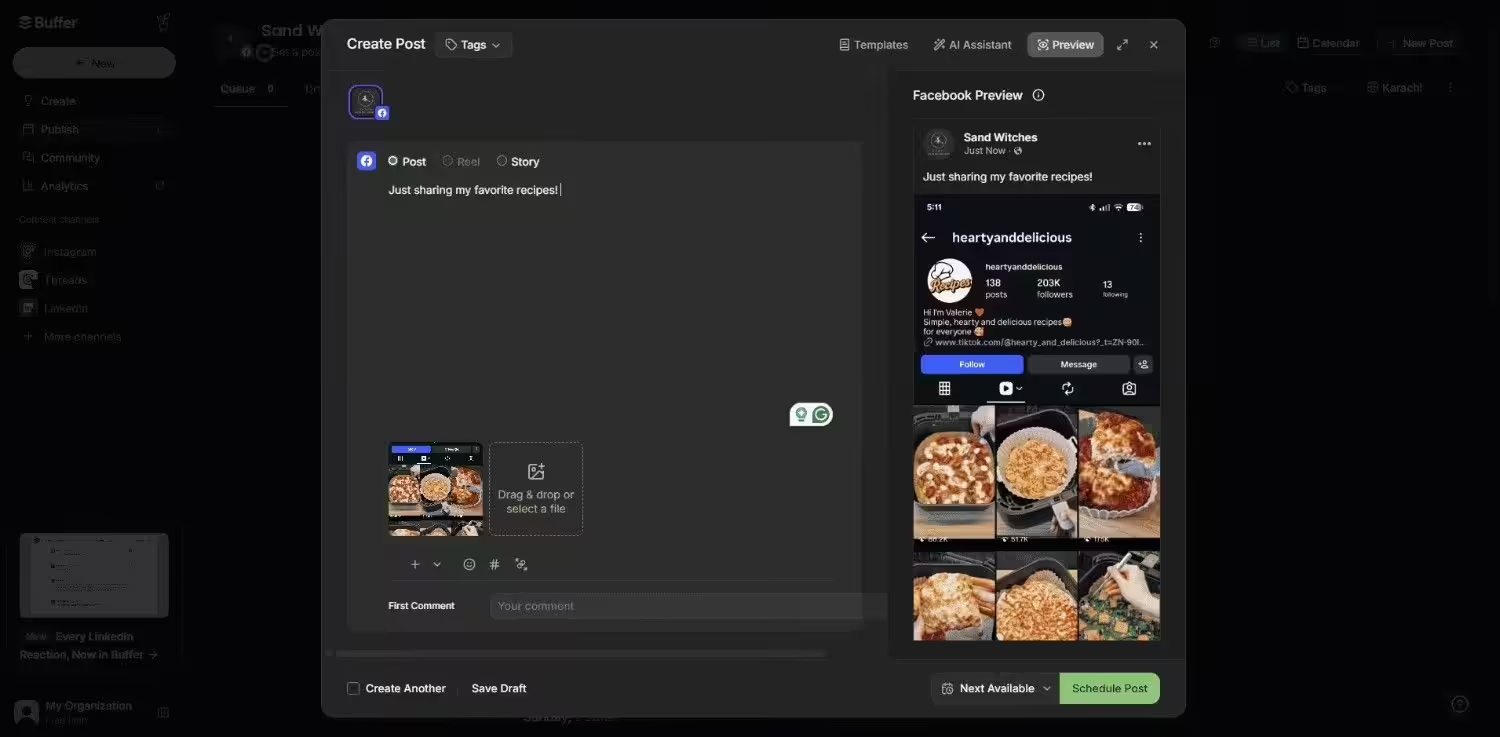
Buffer’s Dashboard Why I Picked Buffer
Buffer is the tool I recommend when someone tells me they just want to schedule posts without having to read a 50-page manual first. It’s been around forever, and there’s a reason for that: it does the basics exceptionally well. If Sprinklr feels like overkill and you just need to get content out the door, Buffer is one of the best Sprinklr alternative.
Standout Features
- Set up posting times once, and Buffer fills them automatically from your content queue
- Schedule the first comment on Instagram posts, which is a small but genuinely useful feature for engagement
- Save and organize hashtag groups so you’re not retyping the same 30 tags every time
Pricing
Plan Price What’s included Free $0 3 Channels, 10 Scheduled Posts Per channel, Basic Analytics Essentials $5/channel/month (billed annually) Unlimited Scheduling, Advanced Analytics, Hashtag Manager, and First Comment Scheduling Team $10/channel/month (billed annually) Unlimited Scheduling, Team collaboration, Approval Workflows, Unlimited Users What Works Well
- The free plan is genuinely usable for light posting schedules, unlike a lot of competitors who bait you with free tiers that are basically demos
- The interface is so clean that even someone who’s never touched a scheduler before can figure it out in under 10 minutes
- The AI assistant is included in paid plans and actually writes decent captions
Limitations
- Per-channel pricing adds up quickly if you’re managing 5+ accounts across multiple platforms
- No social listening or competitor tracking, so if those matter to your strategy, you’ll need a separate tool
- Team collaboration features are locked behind the higher tier
Source: Buffer
-
Later
Best for: Visual-first brands and Instagram-heavy creators
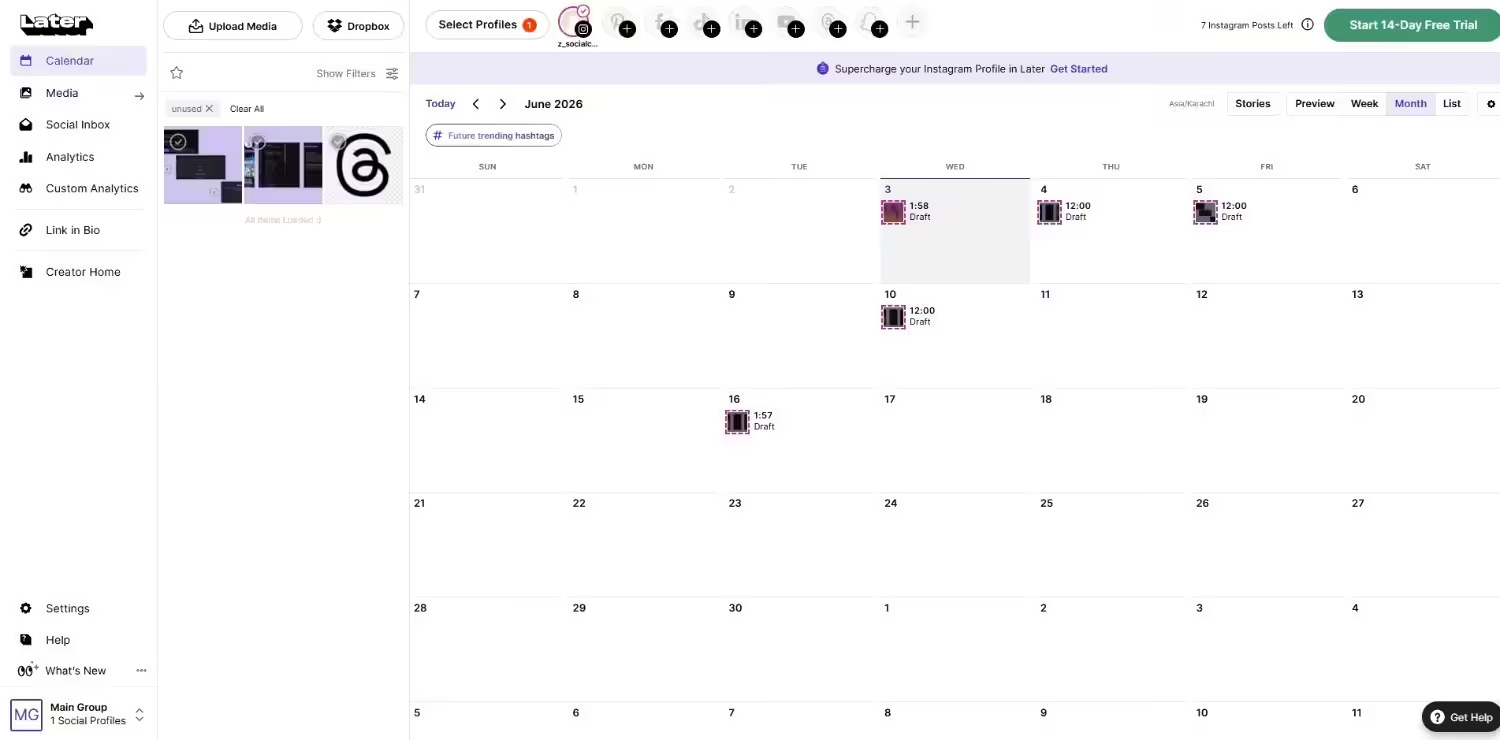
Later’s Dashboard Why I Picked Later
Later is the tool that made visual planning mainstream, and it still leads the pack if your content strategy revolves around aesthetics. I picked it because if you’re running a brand where how things look is half the battle, Later gives you tools that help you curate a cohesive visual identity.
Standout Features
- Drag and drop posts to see exactly how your Instagram feed will look before anything goes live
- Create a mini landing page from your Instagram bio link that mirrors your feed layout
- Data-driven suggestions for when your specific audience is most active
Pricing
Plan Price What’s included Free $0 1 User, 1 Social Set, Limited Monthly Scheduling, Customizable Link in Bio Page, 1 Access Group, and 24/7 Help Center/Chatbot Access Starter $18.75/month (billed annually) 1 User, 1 Social Set (Up to 8 Profiles Total), 30 Posts per profile/month, Basic Visual Planner, Link in Bio, and 5 AI Credits Growth $37.50/month (billed annually) 2 Users, 2 Social Sets (Up to 16 Profiles Total), 180 Posts per profile/month, Social Inbox, Basic Team Workflows, and 50 AI Credits Scale $82.50/month (billed annually) 4 Users, 6 Social Sets (Up to 48 Profiles Total), Unlimited Posts, Advanced Approval Workflows, Social Listening, Competitor Benchmarking, and 100 AI Credits What Works Well
- The visual planning tools are best-in-class; no other scheduler makes it this easy to curate an Instagram grid
- Social Sets are a clever way to bundle profiles if you’re active across most of Later’s supported platforms
- Canva integration is seamless, so you can design and schedule without leaving the platform
Limitations
- The Social Set structure can be confusing if you only use 2 or 3 platforms; you might end up paying for profiles you don’t need
- Post limits on Starter and Growth tiers are hard caps, so if you hit your monthly quota, scheduling pauses until the next cycle
- No support for Google Business Profile, which is a dealbreaker if local SEO is part of your strategy
Source: Later
-
Agorapulse
Best for: Mid-sized teams who want power without complexity
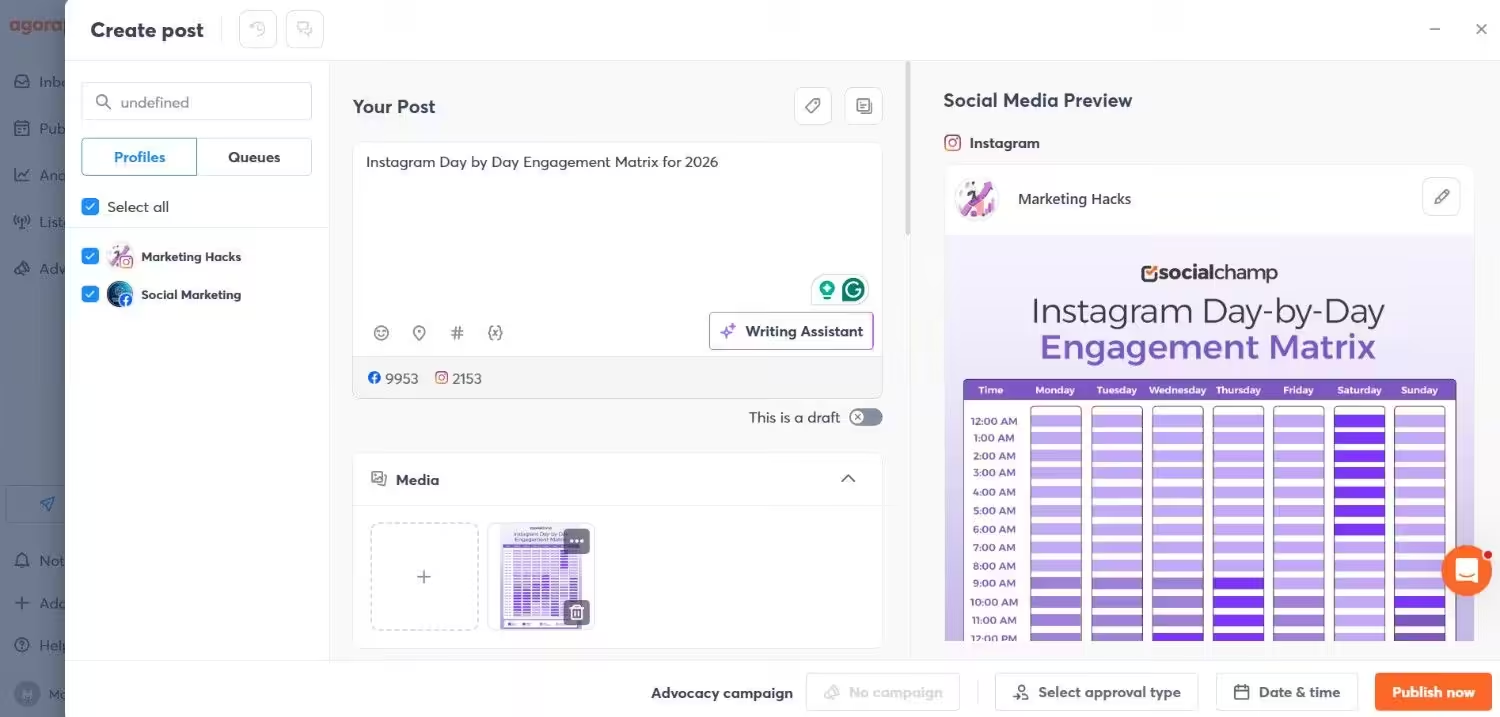
Agorapulse’s Dashboard Why I Picked Agorapulse
Agorapulse hits a sweet spot that many tools miss: it’s robust enough for serious social media management yet doesn’t require a certification course to figure out. The unified inbox is genuinely excellent. I picked it for teams that have outgrown basic schedulers but aren’t ready to drop enterprise money on Sprinklr.
Standout Features
- All comments, DMs, and reviews from every connected platform in one place
- Set up keyword triggers and auto-responses to handle repetitive engagement at scale
- Track which social activities are actually driving revenue, not just vanity metrics
Pricing
Plan Price What’s included Standard $79/user/month (billed annually) 10 Social Profiles, Unlimited Post Scheduling, Unified Social Inbox (Organic Messages & Comments), Basic Audience and Content Reporting, PDF/Excel Report Exports Professional $119/user/month (billed annually) Everything in Standard, Plus: Instagram Product Tagging, Pulselink in Bio, Calendar Notes, Ad Comment Monitoring, Basic Post/Inbox Assignment Workflows, and Team Performance Reports Advanced $149/user/month (billed annually) Everything in Professional, Plus: 5 Shared Content Calendars, Bulk Post Scheduling, Automated Moderation Rules, Saved Replies, Bulk Inbox Actions, Advanced ROI Reporting, and Competitor Benchmarking Custom Custom Everything in Advanced, Plus: Unlimited Social Profiles, Multi-Step Custom Approval Workflows, Custom User Roles, SSO, API Access, Sentiment Analysis, and a Dedicated Account Manager What Works Well
- The inbox is the best I’ve tested in this price range; sorting, assigning, and responding to messages feels natural
- Customer support is fast and actually helpful, which is rarer than it should be
- White-label report exports are included even on the Standard plan, which agencies will appreciate
Limitations
- Per-user pricing gets expensive fast; a 4-person team on Professional is pushing $500/month
- Only 10 profiles per user on most tiers, and extra profiles cost $10/month each on annual billing
- No free plan anymore, just a 30-day trial, so you can’t test it indefinitely
Source: Agorapulse
-
Hootsuite
Best for: Large teams managing many channels at scale
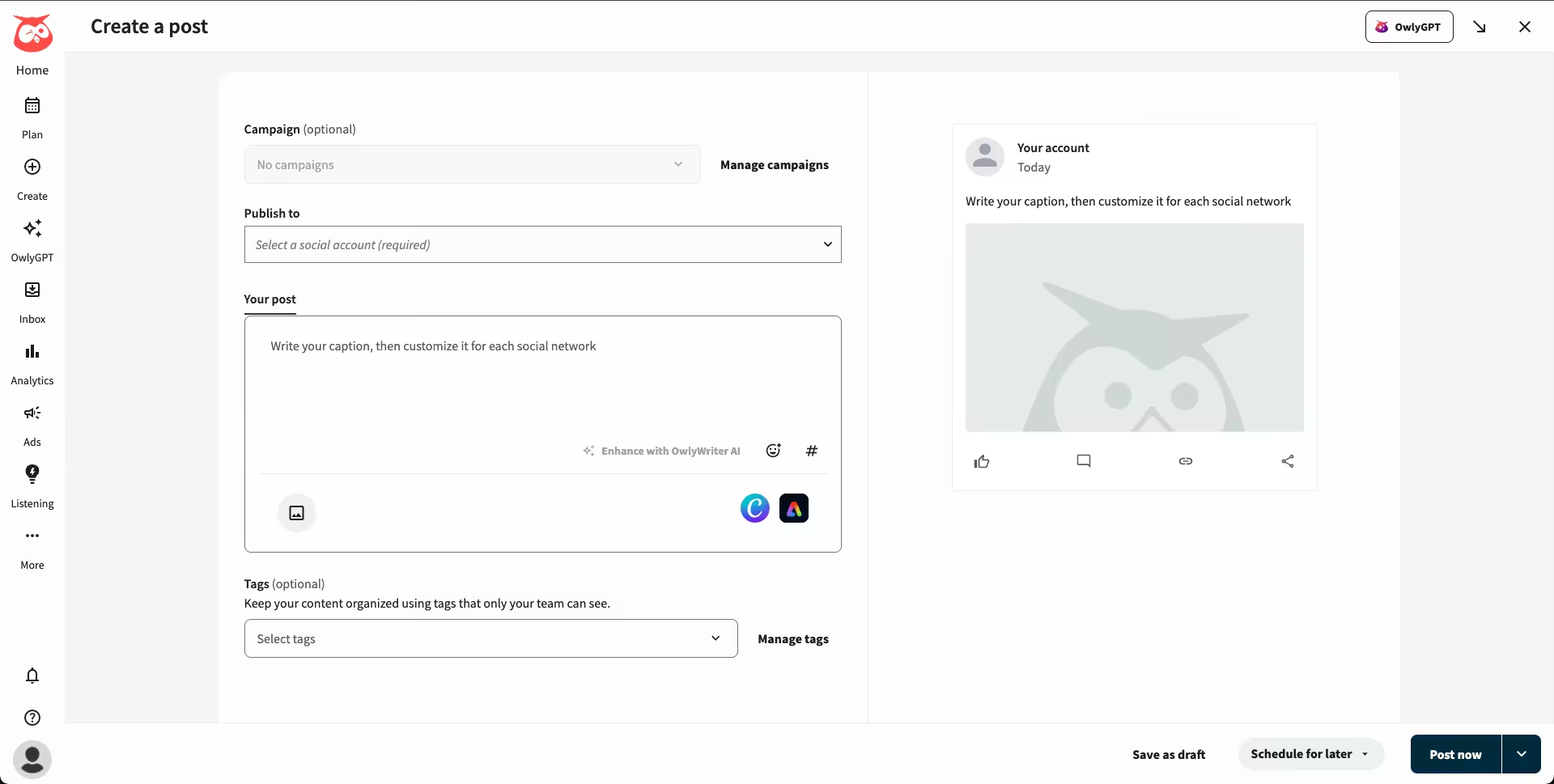
Hootsuite’s Dashboard Why I Picked Hootsuite
Hootsuite is the old guard for a reason. It’s been around since 2008 and has the platform support and reliability to show for it. I picked it for teams that need to manage a wide variety of social networks without worrying whether the tool supports the latest platform update. If you need breadth and stability, Hootsuite delivers.
Standout Features
- Generate captions, get content ideas, and optimize posting times with built-in AI
- Track up to 20 competitors, depending on your tier, and compare performance side by side
- Covers pretty much every social platform worth being on, plus some you’ve probably never heard of
Pricing
Plan Price What’s included Standard $99/user/month (billed annually) 1 User, Up to 10 Social Media Accounts, Unlimited Scheduled Posts, AI Post and Image Generation (Via Wisdom), Unified Inbox for Public & Private Messages, Brand and Competitor Monitoring Professional $199/user/month (billed annually) 1 User Unlimited Social Media Accounts, Everything in Standard, Plus: Automated Inbox Replies & Workflows, Custom Performance Reports, Social Trend Forecasting (Up to 90 Days Ahead) Advanced $399/user/month (billed annually) 1 User (Additional Seats Scale Pricing), Everything in Professional, Plus: Team Collaboration & Approval Workflows, Message Auto-Routing and Assignment, Team Productivity & Efficiency Metrics Enterprise Custom pricing (contact sales) Unlimited Users, Everything in Advanced , Plus: Advanced Social Listening and Market Trend Analysis, Custom Compliance Solutions, Single Sign-on (SSO), Dedicated Enterprise-Grade Support What Works Well
- Network coverage is unmatched; if a social platform exists, Hootsuite probably supports it
- The platform is mature and stable; you won’t hit weird bugs or downtime during critical campaigns
- Wisdom is genuinely useful for speeding up content creation without sounding robotic
Limitations
- The interface feels dated compared to newer tools; it’s functional but not inspiring
- Per-user pricing is steep, and all the plans are limited to just one user
- Analytics lack the depth you’d expect at this price point; for serious reporting, you’ll want to integrate with other tools
Source: Hootsuite
-
Sprout Social
Best for: Teams prioritizing inbox management and review monitoring
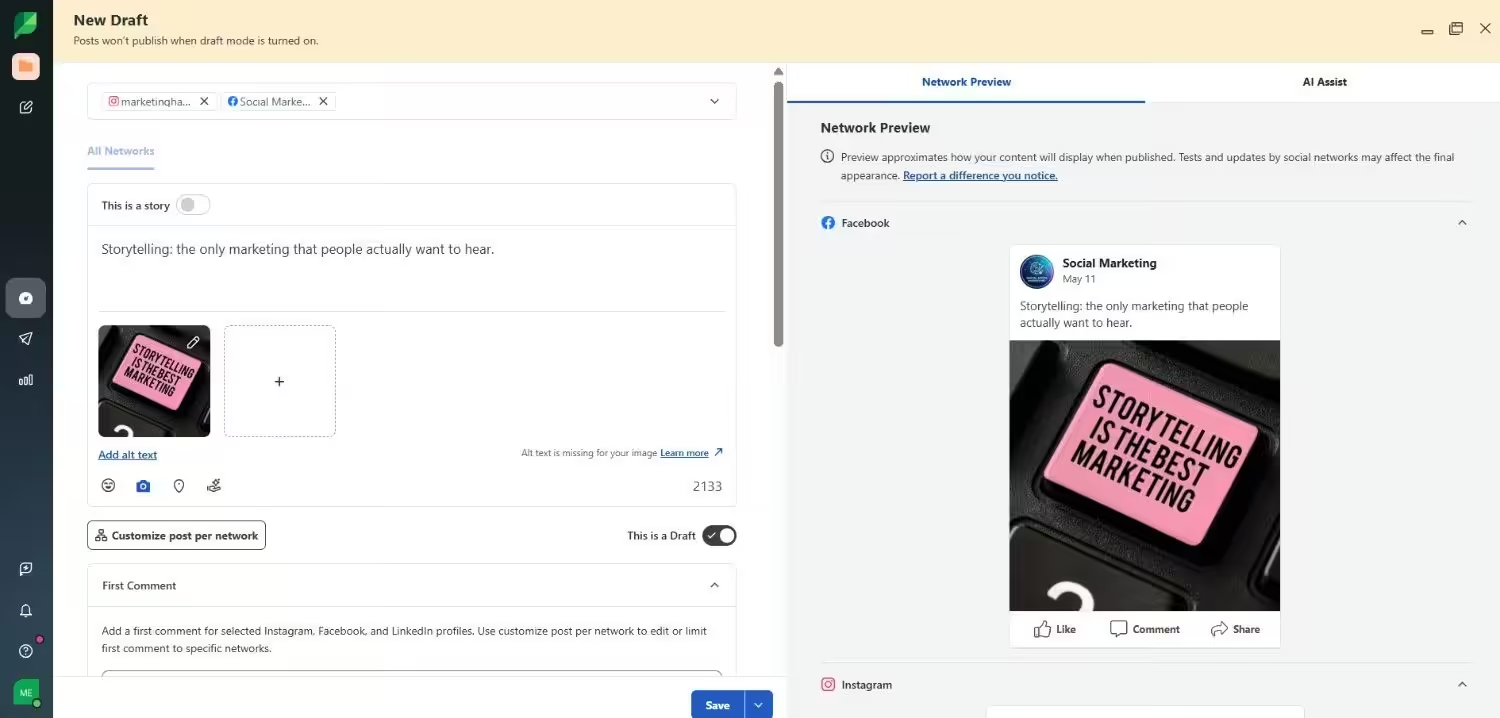
Sprout Social’s Dashboard Why I Picked Sprout Social
Sprout Social is the tool I point to when someone says they need to manage social media and reputation in one place. The Smart Inbox is excellent, but what really sets it apart is its ability to monitor and respond to Google reviews without leaving the platform. I picked it for teams where customer care and brand reputation are just as important as content publishing.
Standout Features
- Unified message stream across all networks with sentiment analysis and spike alerts for crisis detection
- Monitor and respond to reviews from Google Business Profile and more
- Create and track performance of link-in-bio pages directly within the platform
Pricing
Plan Price What’s included Essentials $79/user/month (billed annually) Up to 5 Social Profiles, Basic Publishing & Scheduling, Consolidated Smart Inbox, Post-Level & Profile Reporting, Review Management, Mobile App Access Standard $199/user/month (billed annually) 5 Social Profiles, Unified Smart Inbox With Basic Team Collaboration, Keyword & Location Monitoring, Review Management, AI-Generated Alt Text, Task Assignment Professional $299/user/month (billed annually) unlimited Social Profiles, Competitive Reports, Custom URL Tracking, Saved Replies, Paid Social Insights, Message Tagging, Message Spike Alerts Advanced $399/user/month (billed annually) unlimited Social Profiles, Automated Message Approval Workflows, Digital Asset Library, Chatbot Integrations, Team Productivity Reports, Saved Replies Automation Enterprise custom unlimited Social Profiles, SSO & SAML Setup, Priority 24/5 Customer Support, Professional Consulting Services, Tailored Onboarding What Works Well
- The review management integration is a genuine differentiator; most tools ignore reviews entirely
- Onboarding is fast; most teams are scheduling within an hour of signing up
- Reporting is polished and client-ready without needing to export to PowerPoint
Limitations
- Per-seat pricing is the highest on this list; scaling beyond a small team gets painful fast
- Social listening is an add-on on lower tiers, which feels stingy
- Collaboration features like approval workflows are less intuitive than what competitors offer
Source: Sprout Social
Choosing the Right Sprinklr Competitors for Your Needs
So you’re ready to move on from Sprinklr—but which tool actually fits your workflow?
There’s no one-size-fits-all answer here. Some teams need simplicity. Others want agency-level control. And then there’s the budget.
Below, we break down how to choose from the best sprinklr competitors based on what matters most to you: budget, platform needs, team size, and long-term flexibility.
-
If You’re Budget-Conscious
Not every business has the luxury of spending $200+ per month on a tool that still feels bloated.
If your goal is to save without sacrificing core functionality, look for an affordable alternative to Sprinklr that still checks the essentials: scheduling, analytics, collaboration, and platform coverage.
Look for tools like:
- Social Champ: Starts at $4/month, full-featured, supports over 11 platforms.
- Buffer: Clean interface, starts at $5/month per channel.
Avoid: High-tier pricing traps and tools that charge for every add-on or team member.
-
If You Prioritize Platform Support
Sprinklr supports a wide range of platforms, but do you really need all of them?
If your audience primarily resides on specific channels like TikTok, LinkedIn, or Threads, opt for platforms like Sprinklr that offer native integrations without unnecessary bloat.
Key Considerations:
- Make sure the tool covers your top-performing platforms.
- Check whether it allows platform-specific features (like Instagram Reels or TikTok scheduling).
Top Picks for Wide Platform Support:
-
- Social Champ: Supports 11+ platforms, including Threads, TikTok & Bluesky.
- Agorapulse: Good for social inbox and publishing across major networks.
- Later: Best for Instagram-heavy brands, but limited elsewhere.
-
If You Work In a Team or Agency
When more than one person is managing your brand’s social media, collaboration tools become non-negotiable.
If Sprinklr feels clunky or overcomplicated for your team, look for tools similar to Sprinklr but with simpler, role-based workflows.
Must-Haves:- Approval workflows
- User roles & permissions
- Shared calendars
- Comment threads for content reviews
Top Tools With Strong Collaboration:
- Social Champ: Approval flows, team roles, collision detection.
- Sprout Social: Task assignment and structured team collaboration workflows.
-
If You Need Flexibility to Scale
Some tools like Sprinklr look good now, but will they keep up with your team when you double your output?
Make sure you pick a platform that can grow with you and adapt as your needs change.
Questions to Ask:
- Can it handle bulk uploads or content libraries?
- Does it offer custom reporting?
- Can you add users without a huge price jump?
Scalable Options Include:
- Social Champ: Built for growing teams, from solo users to enterprises.
- Hootsuite: Enterprise-level, but expensive and less user-friendly.
The best Sprinklr alternative for you depends on your goals, not just on what’s trending.
Don’t go with a bloated platform you’ll outgrow—or never grow into. Start with something that gives you exactly what you need.
Featured Article: Best Pallyy Alternatives for Social Media Management
So… Which One Should You Actually Pick?
I wish I could just tell you “buy this one” and call it a day. But the honest truth is that it depends on what you’re trying to fix.
If Sprinklr’s pricing is what’s killing you, Social Champ and Buffer are your go-to alternatives to Sprinklr. If the interface is what’s driving you nuts, Agorapulse or Later will feel like a vacation. If you need enterprise-level coverage without the enterprise-level headache, Hootsuite is still the safest bet. And if reputation management and customer care are core to your strategy, Sprout Social is worth the premium.
My advice is to pick the two or three that best fit your needs, sign up for their free trials, and use them for a week. The tool that feels invisible in your workflow, the one you don’t have to fight with, that’s your winner.
Don’t overthink it. The whole point of leaving Sprinklr is to spend less time managing your management tool and more time doing the work that matters.
