

I test social media tools for a living, and this routine still annoys me. You write one good post. Then you open three apps to publish it.
More creators and brands now post on more than one text-based network. Threads reached 500 million monthly active users in June 2026. Bluesky has nearly 46 million registered accounts, although its mobile activity has dropped from its late 2024 peak.
Mastodon runs on independent servers connected through a shared network. Each platform has its own audience, format, and habits.
TL;DR
Social Champ is the best scheduler for Bluesky, Threads and Mastodon if you manage several accounts or clients. It supports all three platforms from one dashboard. Check the Social Champ pricing plans for the free option. Buffer, Publer, Fedica, Postiz, Typefully, and Nuelink each fit a more specific need. The comparison below shows where each tool works best.
I’ve seen how fast manual posting falls apart. You forget one network, paste the wrong format, or post hours late. A social media scheduler for multiple platforms fixes that. You plan content once, adjust it for each network, and publish on time from one social media content calendar.
I compared seven tools on platform support, scheduling features, pricing, and ease of use. This guide shows which one fits your workflow, so you can pick the best scheduler for Bluesky, Threads and Mastodon without trying them all yourself.
Quick Comparison of the Best Schedulers for Bluesky, Threads and Mastodon
This table shows how the seven social media scheduling tools compare on platform support, free plans, and best use. Each row comes from the tool’s own pricing and help pages, checked in November 2026.
| Tool | Bluesky | Threads | Mastodon | Free Plan | Best For |
|---|---|---|---|---|---|
| Social Champ | Yes | Yes | Yes | Yes (3 accounts, 15 scheduled posts) | Multiple platforms and client accounts |
| Buffer | Yes | Yes | Yes | Yes (3 channels) | Simple scheduling |
| Publer | Yes | Yes | Yes | Yes (3 accounts) | Visual content planning |
| Fedica | Yes | Yes | Yes | Yes | Analytics and audience insights |
| Postiz | Yes | Yes | Yes | Self-hosted only | Open source management |
| Typefully | Yes | Yes | Yes | Yes | Writing and scheduling threads |
| Nuelink | Yes | Yes | Yes | No (7-day trial) | Automation and recycling |
All seven tools support Bluesky, Threads, and Mastodon, so platform coverage won’t decide this for you. Free plans and use case will.
Buffer, Publer, Fedica, and Typefully all include a free plan. Social Champ does too, with 3 accounts and 15 scheduled posts. Postiz is free only if you host it yourself, and Nuelink offers a 7-day trial instead.
The real differences show up in depth. Buffer keeps scheduling simple. Fedica adds analytics. Typefully centers on thread writing. Social Champ gives you one dashboard for multiple client accounts across all three networks and its other supported platforms. The sections below cover each tool in detail.
Pricing and limits change often, so confirm current numbers on each tool’s pricing page before you commit. Free plans also cap accounts and scheduled posts, which matters if you manage several brands.
One Calendar for Every Network
How We Tested the Best Schedulers for Bluesky, Threads and Mastodon
You might wonder if you can trust a comparison that Social Champ publishes. We get that. So here is exactly how our team tested each tool.
We tested every scheduler against the same six points:
- Platform compatibility with Bluesky, Threads, and Mastodon
- Scheduling and publishing features, including threads and media
- Content calendar and bulk scheduling
- Team collaboration and analytics
- Pricing and free plan limits
- Usability, such as calendar views, queues, and how it manages several accounts
We tested the scheduling flow in each tool, then checked our notes against its official pricing page, help center, and feature pages. We left out any claim those pages didn’t back up. A wrong feature claim wastes your money, and we want to help you avoid that. Our own tool went through the same tests, so its limits show up in its pros and cons too.
Pricing and plan limits reflect November 2026. Tools change them often, so check each pricing page before you buy.
Featured Article: 10 Best AI Caption Generators for Social Media
Best Scheduler for Bluesky, Threads and Mastodon: 7 Tools Compared
We tested seven tools against the same six points, so you can compare them side by side.
-
Social Champ – Best for Managing Multiple Social Platforms and Client Accounts
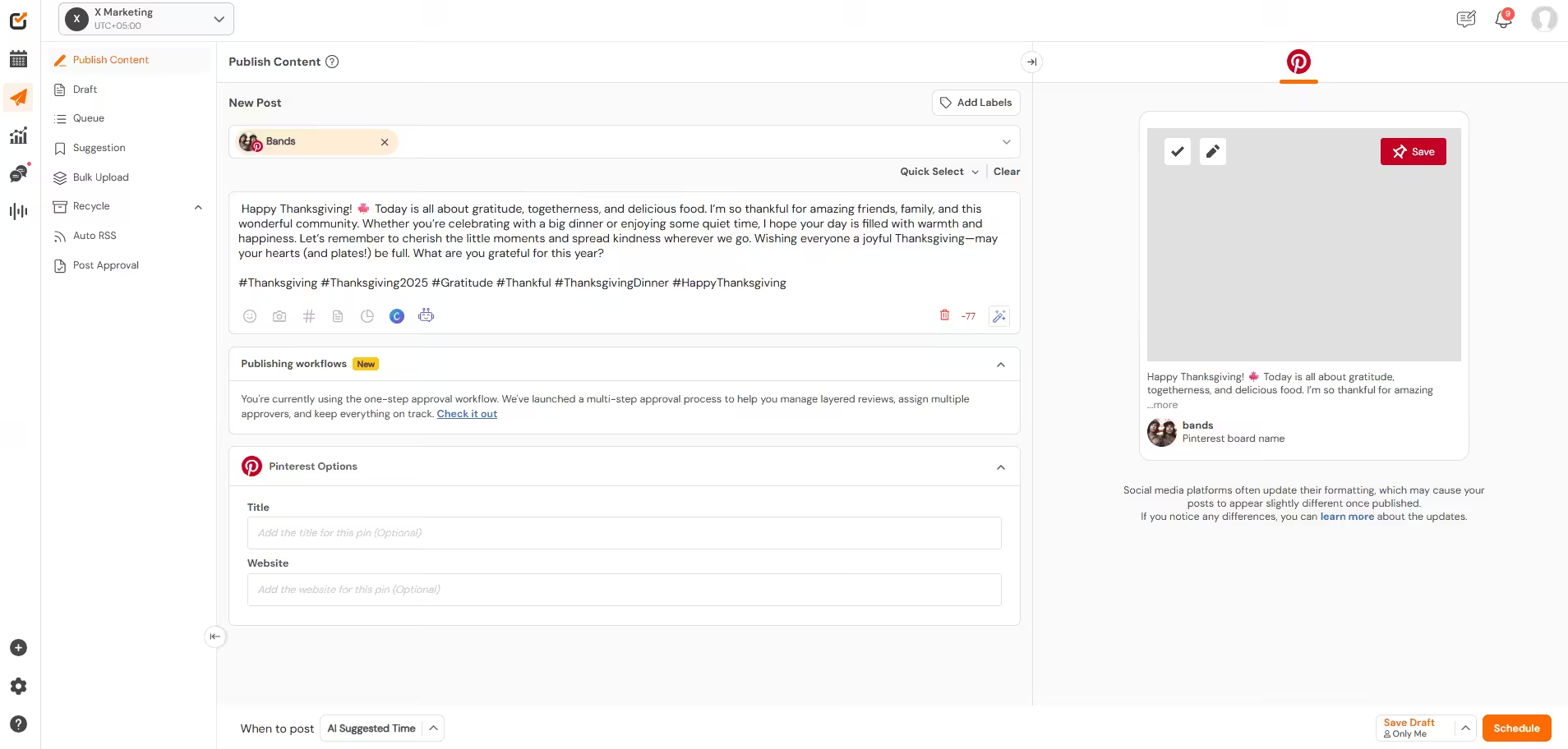
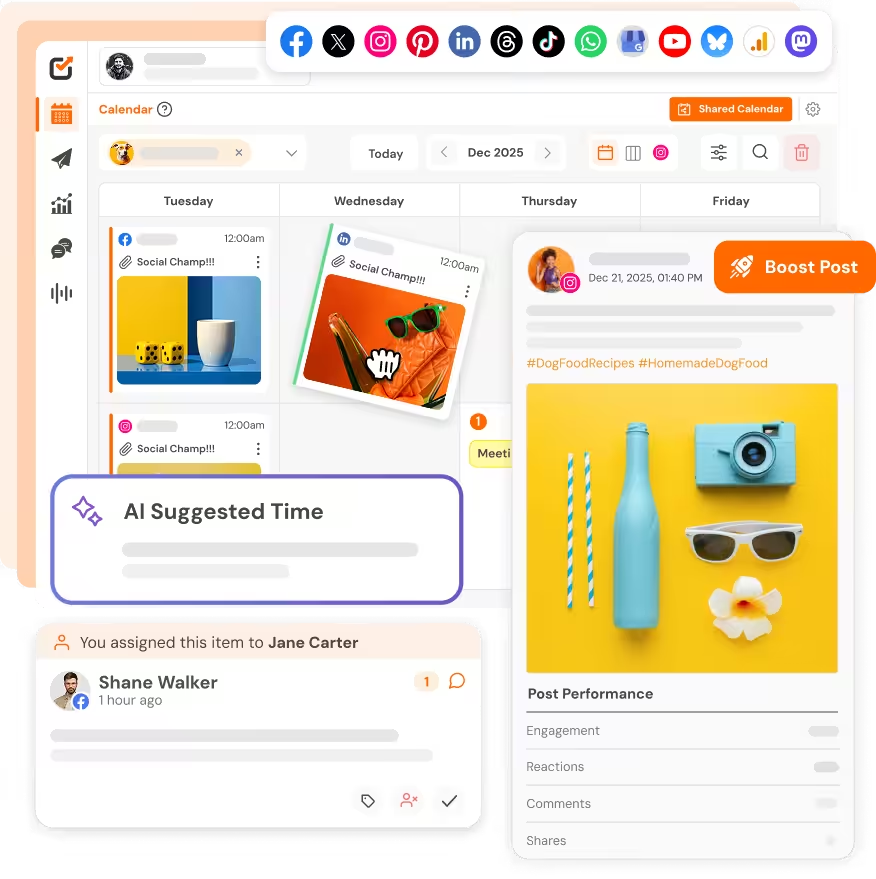
Social Champ’s Dashboard Social Champ fits agencies and businesses that run many accounts from one dashboard. It supports 12 networks, including all three here.
- Platform compatibility: Bluesky, Threads, and Mastodon work on every plan, including Free. Dedicated pages cover its Bluesky scheduler, Mastodon scheduler, and Threads scheduler.
- Scheduling and publishing: Smart queues and drafts work across networks. Thread scheduling covers Bluesky, Threads, Mastodon, and X.
- Calendar and bulk scheduling: Weekly and monthly calendar views include search. Bulk scheduling runs from 15 posts on Free to unlimited on Agency.
- Collaboration and analytics: Growth, Professional, and Agency add approval workflows and client management. Paid plans include advanced analytics.
- Pricing and free plan: Free covers 3 accounts, 15 scheduled posts, and 1 user. Paid plans start at $4 per account.
Pros: One dashboard for 12 networks, a free plan that includes all three, and client approval workflows.
Cons: Post analytics list Facebook, Instagram, LinkedIn, and YouTube only; the Free plan allows one scheduled thread, and paid plans charge for every connected account.
Plan Monday, Publish All Week
Queue a week of posts for every client in one sitting with Social Champ's calendar. -
Buffer – Best for Simple Multi-Platform Scheduling
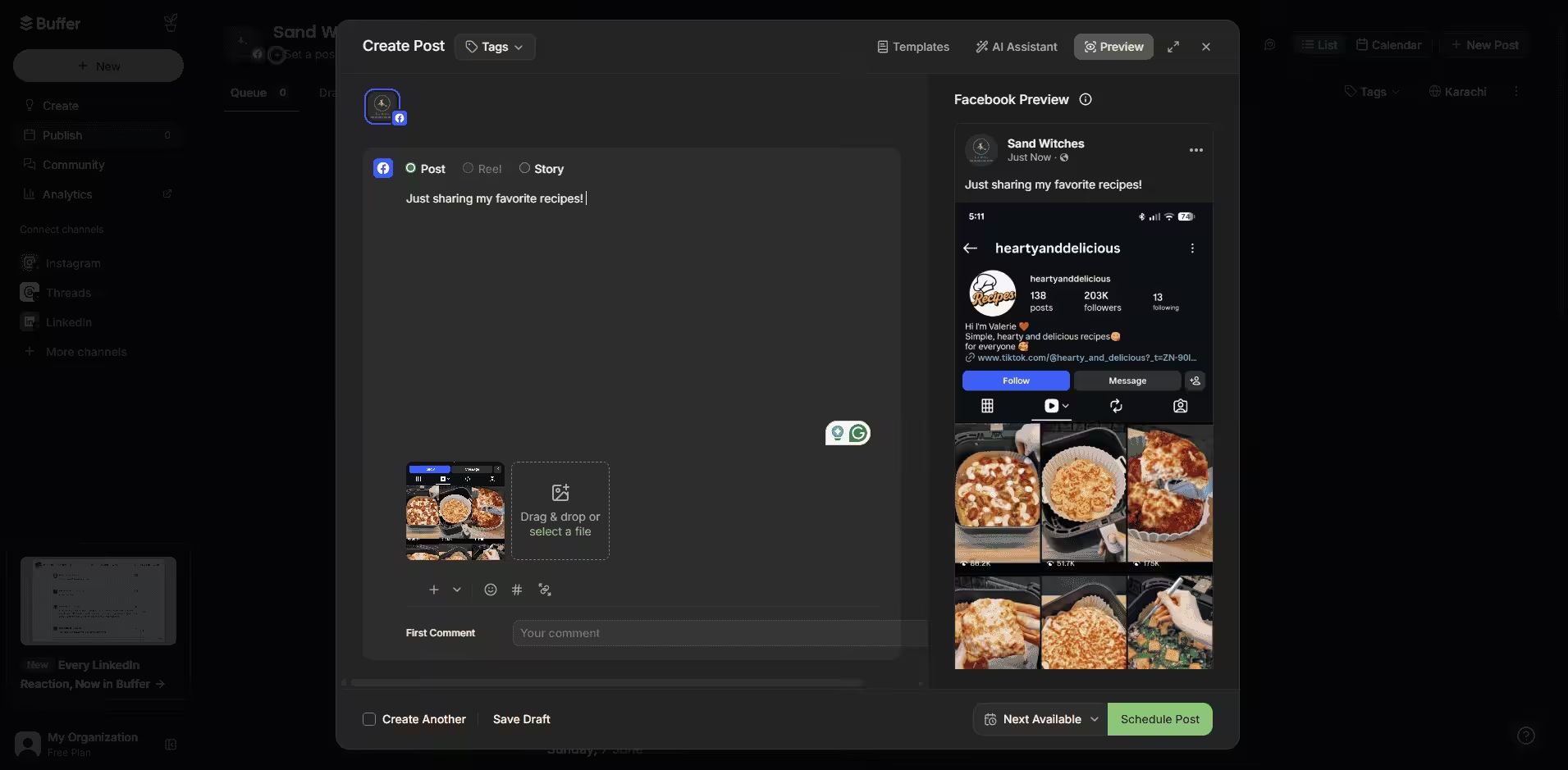
Buffer’s Dashboard Buffer suits creators and small teams who want a clean queue and little setup. It supports 12 channels, including all three here.
- Platform compatibility: Bluesky, Threads, and Mastodon work on every plan, including Free.
- Scheduling and publishing: A queue and composer let you adjust each post per network. Threads publish to X, Bluesky, Threads, and Mastodon.
- Calendar and bulk scheduling: A visual calendar shows every scheduled post. CSV bulk upload works on every plan, including Free.
- Collaboration and analytics: The Team plan adds unlimited users. Insights cover your channels, with 30 days of history on Free.
- Pricing and free plan: Free connects 3 channels with 10 scheduled posts each. Paid plans start at $5 per channel per month.
Pros: A straightforward queue and calendar, a free plan that includes all three networks, and CSV upload on every plan.
Cons: Per-channel pricing adds up fast, the Free plan allows one scheduled thread, and 10 scheduled posts per channel limits advance planning.
-
Publer – Best for Visual Content Planning
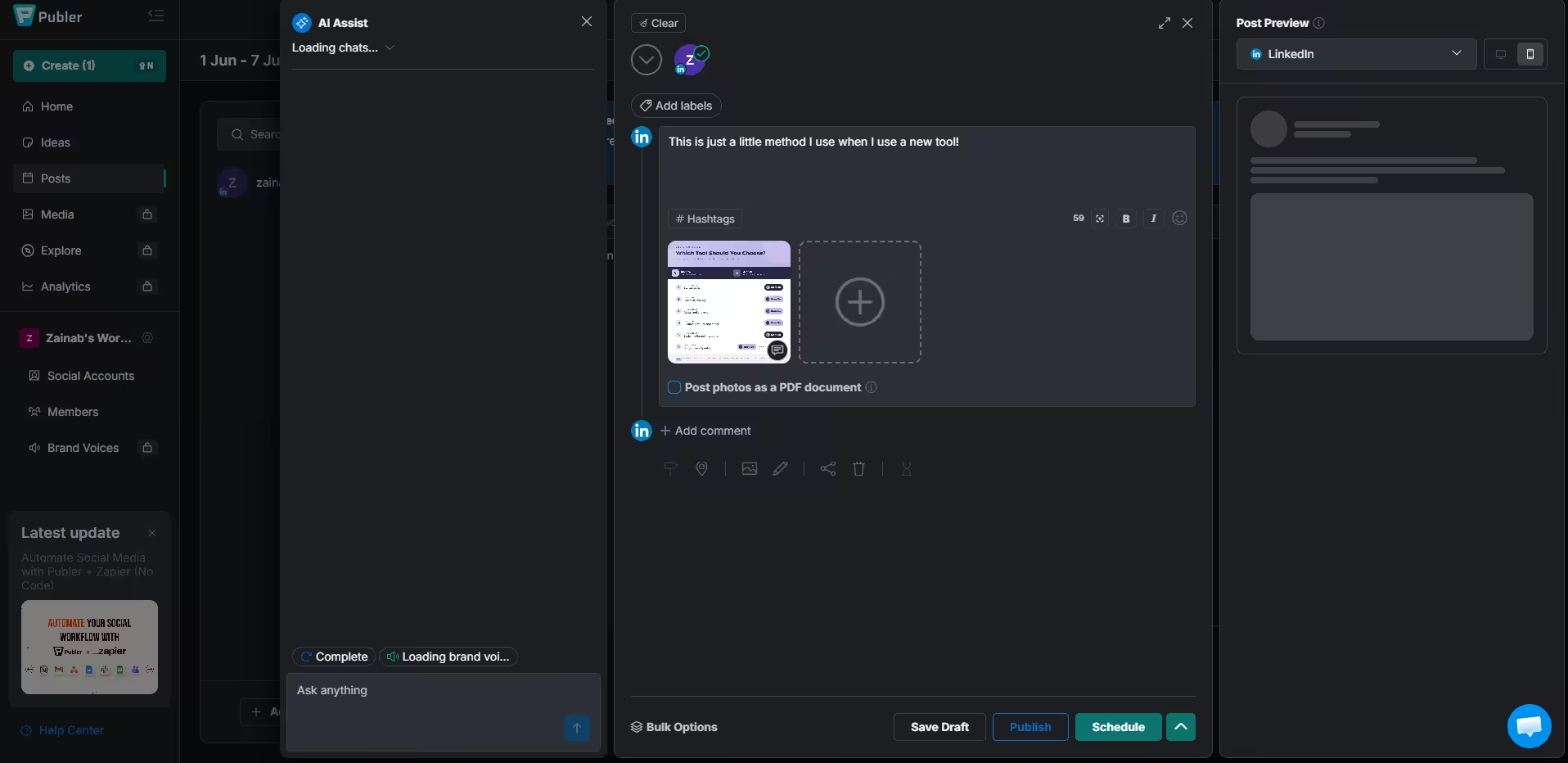
Publer’s Dashboard Publer works for creators, freelancers, and small agencies who plan content around images and video. It lists Bluesky, Threads, and Mastodon among its supported networks.
- Platform compatibility: All three networks connect on every plan, including Free.
- Scheduling and publishing: Paid plans add AutoSchedule, RSS automation, and Canva export.
- Calendar and bulk scheduling: You can schedule straight from the media library, which has unlimited storage on paid plans. Bulk scheduling handles up to 500 posts.
- Collaboration and analytics: Paid plans include unlimited workspaces and team collaboration. Advanced analytics require the Business plan.
- Pricing and free plan: Free covers 3 accounts with 10 scheduled posts each. Professional starts at $4 per month and Business at $8, before you add accounts and members.
Pros: A media library built for visuals, bulk scheduling up to 500 posts, and unlimited workspaces.
Cons: The Free plan keeps only 24 hours of post history; advanced analytics and AI sit on Business, and prices rise as you add accounts and members.
-
Fedica – Best for Social Analytics and Audience Insights
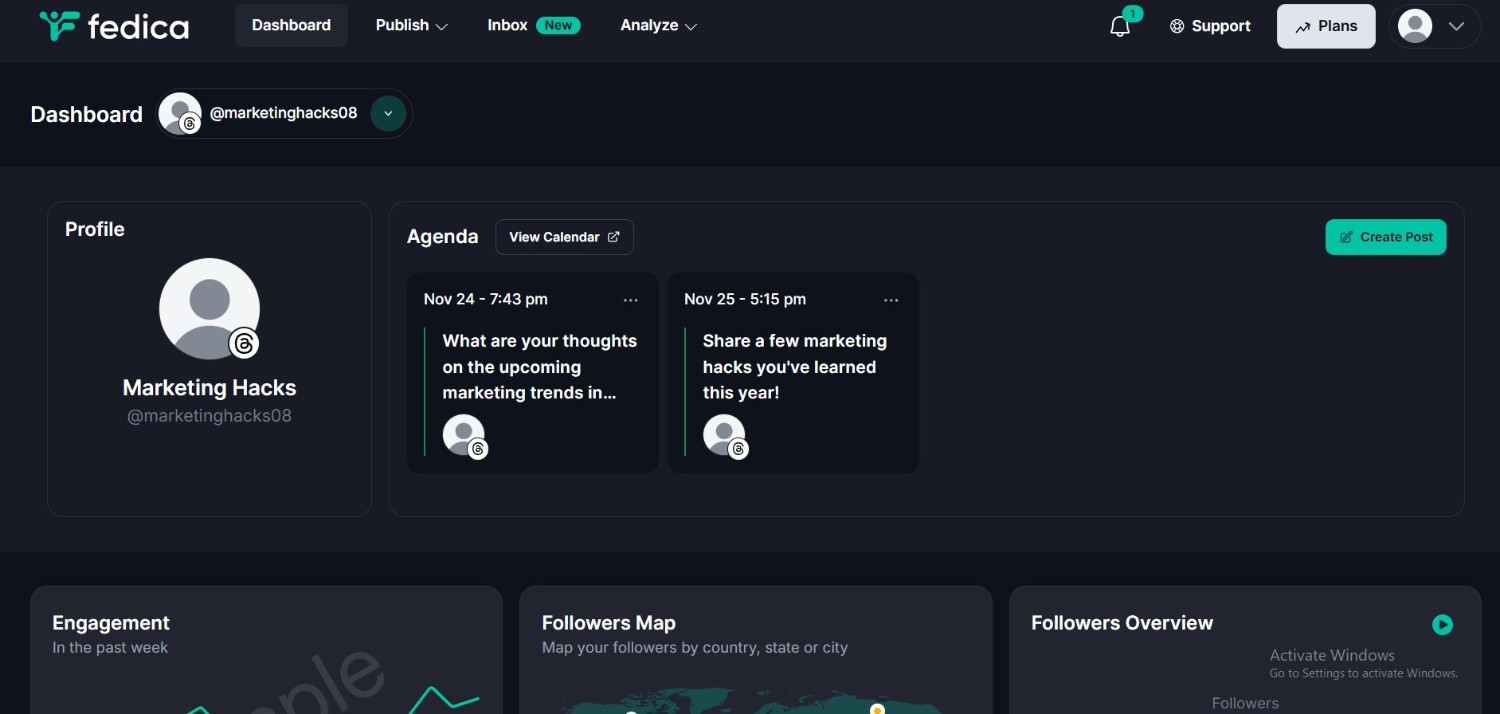
Fedica’s Dashboard Fedica fits creators and analysts who want audience data next to their scheduler. It supports Bluesky, Threads, and Mastodon, plus platforms such as Instagram, LinkedIn, and X.
- Platform compatibility: Bluesky, Threads, and Mastodon work on the Free plan, with cross-posting between them.
- Scheduling and publishing: Free schedules threads, polls, and reposts. Drafts are unlimited.
- Calendar and bulk scheduling: An organized calendar comes on every plan. Bulk upload to drafts or the calendar is free.
- Collaboration and analytics: Engagement metrics start on the Publish plan, and follower tracking starts on Grow. Unlimited users start on Research.
- Pricing and free plan: Free includes 1 account per platform and up to 10 scheduled posts at a time. Paid plans start at $10 per month billed annually, or $15 billed monthly.
Pros: A free plan that includes all three networks, audience analytics, and free bulk upload.
Cons: One user until the Research plan, a cap of 10 scheduled posts at a time on Free, and analytics tiers that add cost.
-
Postiz – Best for Open-Source Social Media Management
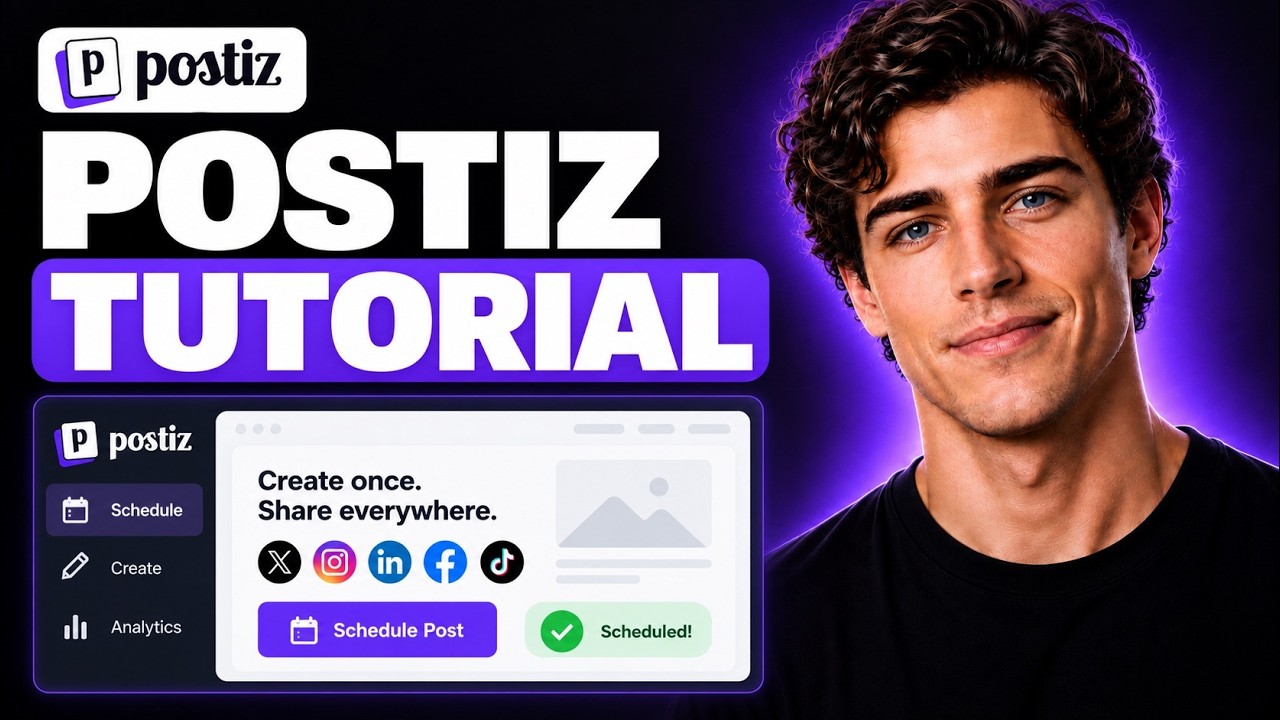
Postiz suits developers and technical teams who want open-source control. You can use the hosted platform or run it on your own server.
- Platform compatibility: Bluesky, Threads, and Mastodon are supported, with cross-posting from one composer.
- Scheduling and publishing: Threads, scheduled comments, post delays, and repeated posts are included. Posts per month are unlimited.
- Calendar and bulk scheduling: Day, week, and month calendar views come on every plan. Bulk upload does not appear in the plan list.
- Collaboration and analytics: Team members start on the Team plan. Analytics and customer groups come on every plan.
- Pricing and free plan: The hosted version has no free plan, only a 7-day trial. Plans start at $29 per month, or $23 billed annually. Self-hosting is free.
Pros: An open-source option, unlimited posts per month, and analytics on every plan.
Cons: No hosted free plan, no team members on Standard, and self-hosting means you handle network app approvals, which can take weeks.
-
Typefully – Best for Writing and Scheduling Social Threads
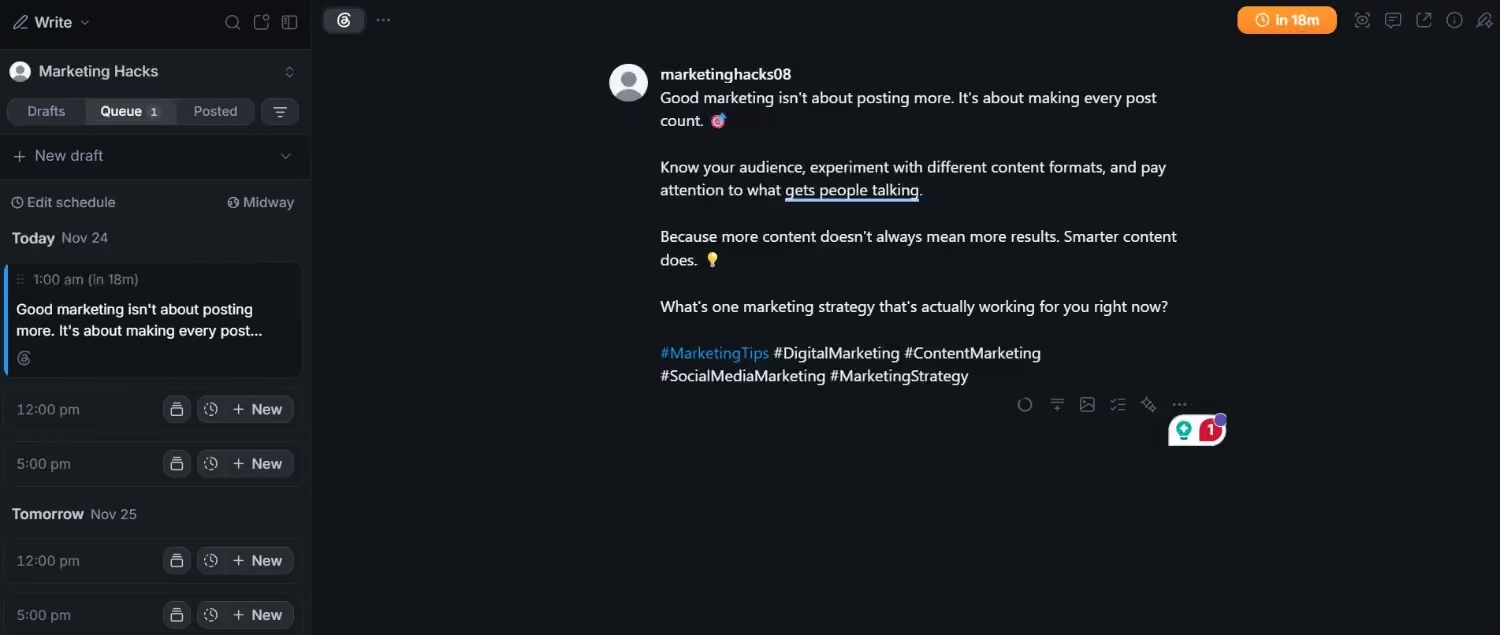
Typefully’s Dashboard Typefully suits writers, founders, and creators who shape posts and threads before they publish. It covers X, LinkedIn, Threads, Bluesky, and Mastodon.
- Platform compatibility: Bluesky, Threads, and Mastodon work from one social set, alongside X and LinkedIn.
- Scheduling and publishing: A thread composer with accurate previews sits at its core. Even Free includes advanced scheduling, API access, and MCP access.
- Calendar and bulk scheduling: A calendar organizes your drafts. Bulk upload does not appear in its plan lists.
- Collaboration and analytics: Teams, roles, and Slack alerts need the Business plan. X analytics start on Creator.
- Pricing and free plan: Free covers 1 social set and 10 posts a month. Creator costs $99 per year, and Business costs $18 per social set each month on annual billing.
Pros: A writing-first editor, accurate previews, and unlimited users on Business.
Cons: 10 posts a month on Free, analytics listed for X only, and Business charges per social set.
-
Nuelink – Best for Content Automation and Recycling
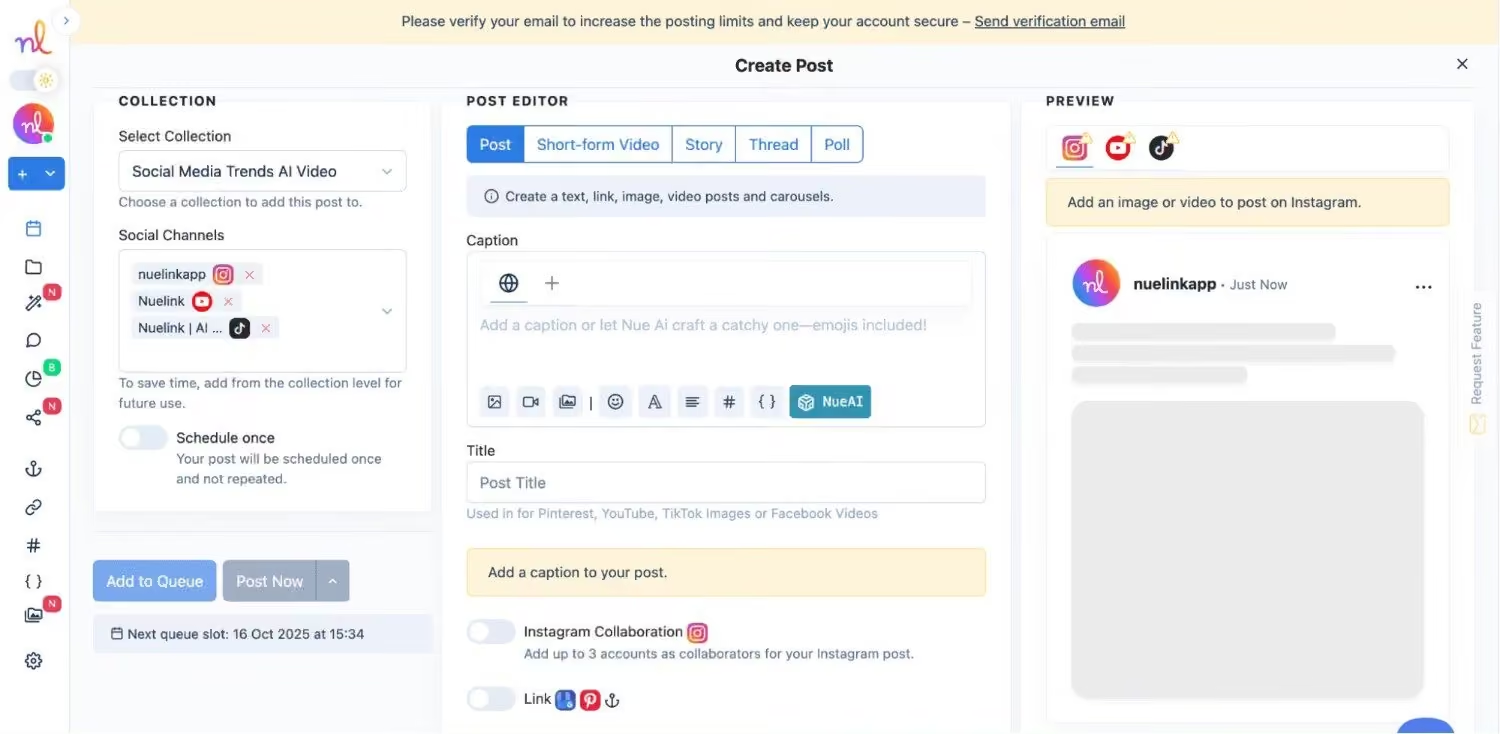
Nuelink’s Dashboard Nuelink fits agencies and creators who want posts to publish and repeat with little manual work. It supports 12 platforms, including all three here.
- Platform compatibility: Bluesky, Threads, and Mastodon work on every plan, with cross-posting between them, X, and LinkedIn.
- Scheduling and publishing: Connected threads publish in one action, and follow-up comments can post after a delay you set. Evergreen recycling and store automations handle repeat content.
- Calendar and bulk scheduling: CSV bulk upload queues up to 100 Bluesky posts at once. Collections group evergreen content for recycling.
- Collaboration and analytics: Team members start on Premium. Bluesky analytics show followers, growth, likes, and posts published.
- Pricing and free plan: There is no free plan, only a 7-day trial with a 30-day money-back guarantee. Plans start at $12 per month for 10 channels.
Pros: Recycling and automation tools, multiple Bluesky accounts, and CSV upload.
Cons: No free plan, team members only available on Premium, and plan limits on automations and queued posts.
Featured Article: 10 Best Content Workflow Software & Tools
What Makes a Good Multi-Platform Social Media Scheduler?
A long feature list can hide the few things that matter. After we tested these seven social media scheduling tools, five criteria stood out for Bluesky, Threads, and Mastodon.
Real thread support. Conversation drives all three networks. Check that a tool publishes connected threads, not separate posts. Buffer, for example, can split a long post into a thread for you. Also check the cap, since some free plans allow only one scheduled thread.
Per network limits. Bluesky allows 300 characters. Threads allows 500. Mastodon sets its limit by server, with 500 as the default. A good tool warns you before a post fails.
Account and plan limits. Some tools charge per channel, others per social set or bundle. Each network you connect counts toward your limit. Add up your real accounts before you compare prices. Free plans also cap scheduled posts, usually at 10 to 15.
Team and client tools. Agencies need approvals, roles, and client separation. Solo creators can skip these.
Posting times. Each network has its own rhythm. Start with the best time to post on Bluesky and the best time to post on Threads, then adjust with your own data.
Can You Schedule the Same Post on Bluesky, Threads and Mastodon?
Yes, you can. A multi-platform social media scheduler makes it easy. Buffer, Fedica, Nuelink, and Postiz all publish to more than one network from a single composer. Each network has its own limits, though. Bluesky stops at 300 characters, while Threads allows 500, and Mastodon follows its server limit. Adjust every version before you schedule.
Use this weekly workflow:
- Plan your weekly content topics.
- Write a caption for each network.
- Prepare images and videos.
- Schedule posts on a shared calendar. Pick slots based on the best time to post.
- Review everything in the queue.
- Monitor publishing status.
- Check engagement and adjust next week’s topics.
Keep steps 2 and 3 platform-specific, and share steps 4 to 6.
Here’s how that looks in practice. Picture an agency with three clients. Each client gets its own row on the shared calendar. On Monday, the team picks topics. Tuesday goes to captions and media. Clients approve drafts on Wednesday. The team schedules posts on Thursday. On Friday, someone checks publishing status. The next Monday starts with a quick engagement review.
Bring Every Account Together
Which Scheduler Should You Choose for Your Social Media Workflow?
The right tool depends on how many accounts you run and what you need beyond scheduling. Here’s the quick way to decide:
- Agencies managing multiple clients: Social Champ. Approval workflows and client management keep every brand separate on one calendar.
- Individual creators: Typefully, if you write a lot of threads and want accurate previews before you post.
- Analytics: Fedica, for follower tracking and audience data next to your scheduler.
- Open-source users: Postiz, if you’re comfortable hosting and maintaining it yourself.
- Simple scheduling: Its queue gets you posting in minutes with almost no setup.
- Automation: Nuelink, for evergreen recycling and store automations.
If you need one social media scheduler for Bluesky, Threads, and Mastodon plus your other networks, with room to add clients later, Social Champ covers the most ground. If you want options beyond these three networks, our list of social media sharing tools covers more.
Final Recommendation
There’s no single best scheduler for Bluesky, Threads and Mastodon for everyone. Typefully fits writers, Fedica fits data-driven teams, Postiz fits developers, Buffer fits anyone who wants a simple queue, and Nuelink fits content on repeat.
If you manage several brands or client accounts, Social Champ is the most practical pick. You can schedule posts on Bluesky, Threads, and Mastodon from one dashboard, next to 9 other networks, with approvals built in.
Start on the free plan, connect three accounts, and see how your weekly workflow feels before you upgrade.