Did you ever take a screenshot of a TikTok video and then immediately think that the creator knew about this?
I know your stress is justified here because I’ve gone through the same. I once screenshotted a comment thread so unhinged I needed proof. And literally for 10 minutes, I was stressed out, thinking, what if the creator called me out?
They did not. Luckily, TikTok does not work like Snapchat.
But that doesn’t mean the answer is simple yes or no. There are a few parts in the app that care about screenshots.
Short Summary
- TikTok does not notify anyone on the app for videos, profiles, comments, Stories, or LIVEs.
- You can easily take screenshots of anything, no matter if it’s your favorite recipe or a workout video.
- If you do a screen recording of anything on a public page, the creator will not get any notification.
- TikTok does not notify anyone about screen recording private chats either.
- Many people assume TikTok notifies creators or senders about taking the screenshots because Snapchat and Instagram trained them to expect it.
- Misleading phone pop-ups and viral rumors keep the myth alive even though the feature does not exist.
In this guide, I’m going to cover the following to clarify your doubts:
- Does TikTok notify screenshots of videos, profiles, comments, and Stories?
- The one place where you should stay alert while taking the screenshots.
- Does TikTok notify you when screen recording?
- Why do so many people think TikTok sends screenshot warnings in the first place?
By the end, you will know exactly when you are safe and when you need to be careful. Let’s get into it.
P.S. If you want to post on TikTok without stress, do try the TikTok scheduler by Social Champ to plan your content ahead of time.
Post While You Sleep!
Does TikTok Notify Screenshots? The Quick Answer
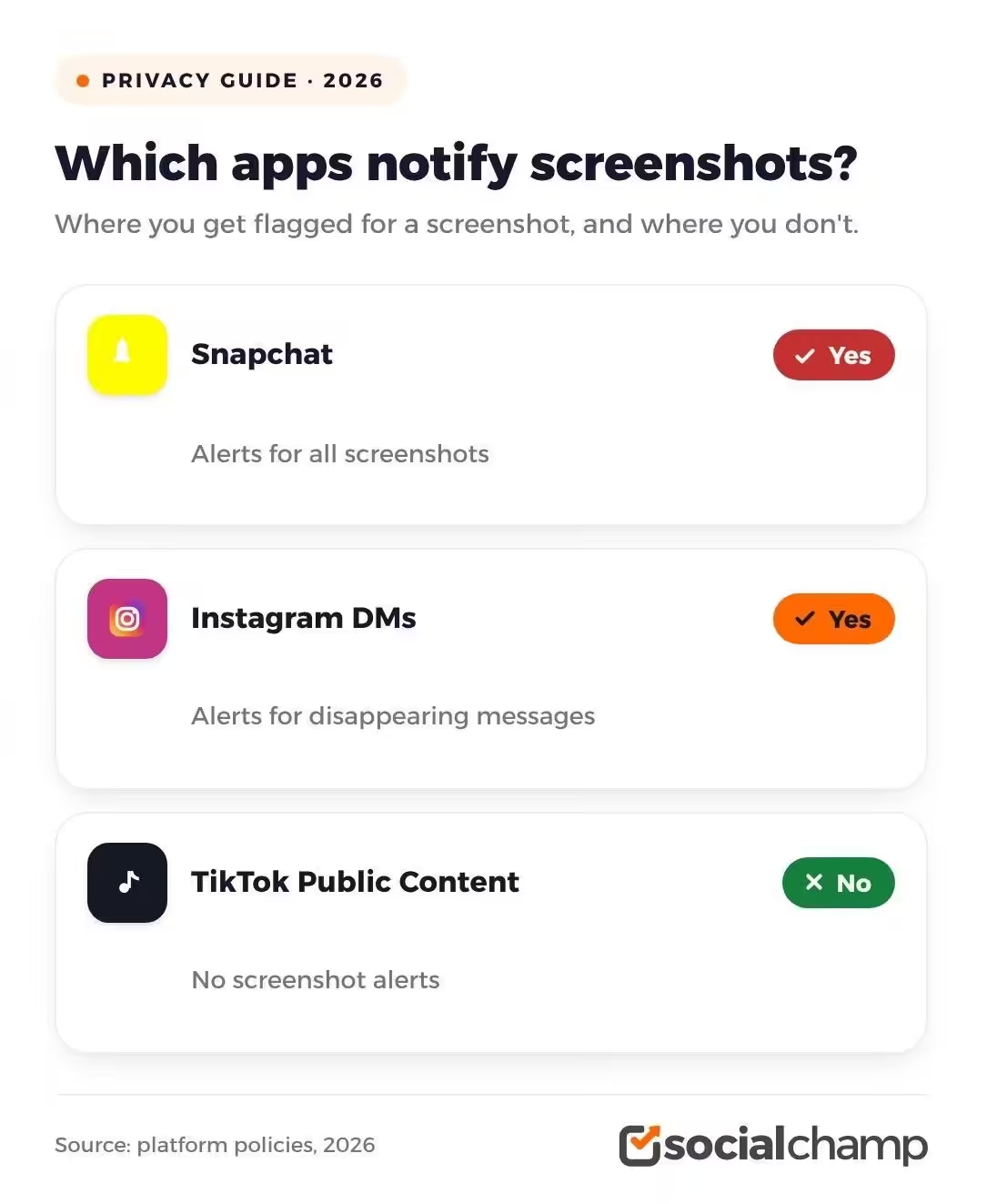
The quick answer to this question is simply no. TikTok does not let anyone know when you take screenshots for videos, profiles, comments, or Stories.
You can screenshot anything on a public TikTok page, and the creator will never know.
The only exception is disappearing messages in DMs. But many users misunderstood that if they take a screenshot of a once-viewed message, TikTok will notify the creator.
That’s not true. TikTok doesn’t notify that either.
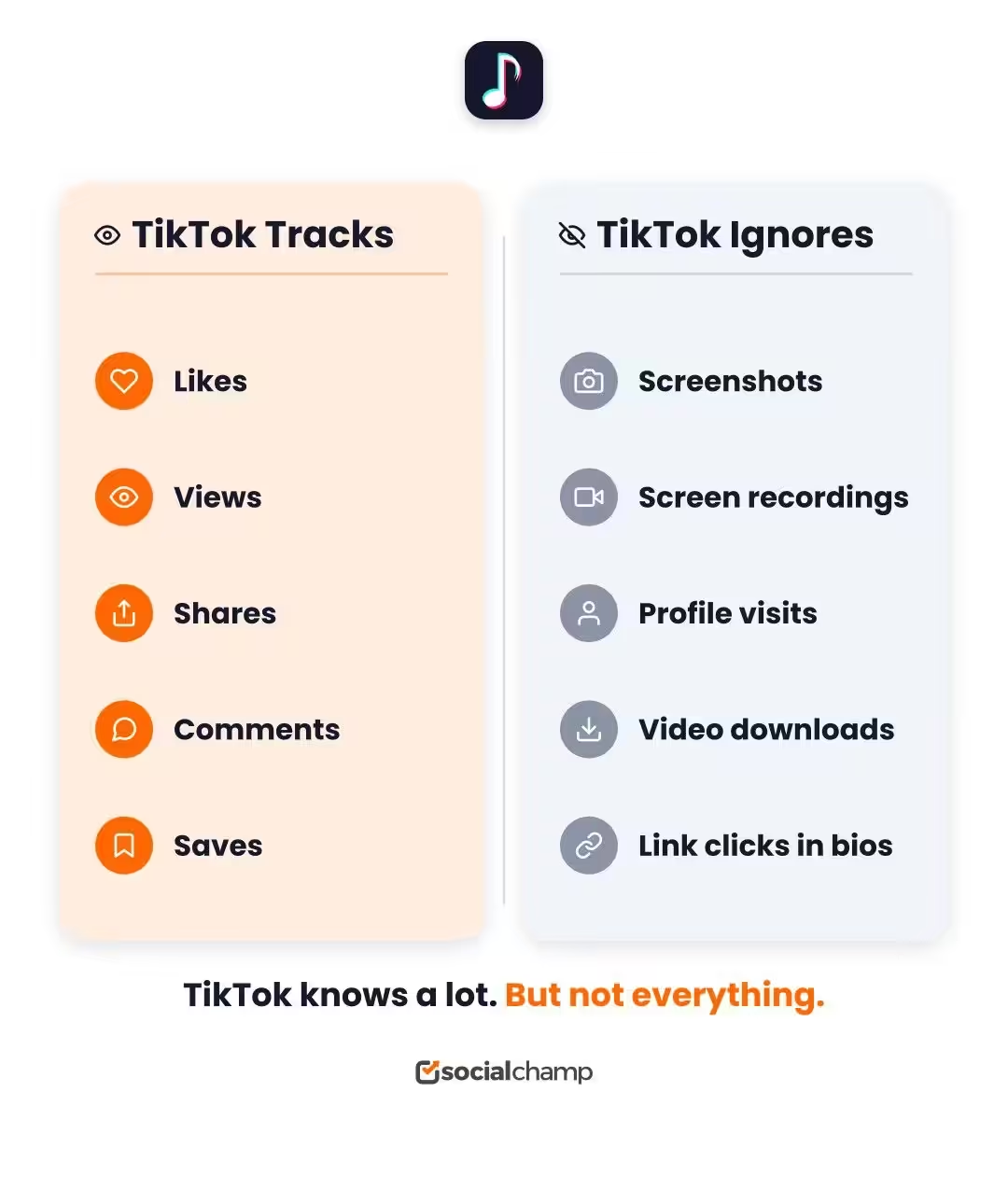
You can screenshot everything that is on TikTok. You can screenshot a viral dance video. You can screenshot a creator’s bio. You can screenshot a comment war. TikTok will not send a notification. The app simply does not track screenshots for public content.
So does this mean you should take screenshots of everything? No. It would feel like you’re not respecting creators.
Featured Article: TikTok Algorithm: How to Go Viral and Master the FYP
Does TikTok Notify Screenshots of Videos, Profiles, Comments, and Stories?
Since you already know the answer, let’s break it down piece by piece to get a clearer picture. I’m breaking it down because each part of TikTok works a little differently.
Videos
Let’s say you’re watching a random dance video on TikTok and you really like it and want to take a screenshot. You can do that easily without any single thought because TikTok does not let the creator know you took a screenshot of their video.
Also, if you want your own videos to go viral and get more views, you can check out our guide on the best time to post on TikTok to reach your audience when they are active the most.
Profiles and Bios
Same deal here. When you visit or stalk any profile on TikTok, and you take a screenshot of their bio or profile, TikTok doesn’t notify them.
Actually, people screenshot profiles for all kinds of reasons. Maybe you want to remember a small business. Maybe you want to copy a link in bio later. Maybe you are just curious. Either way, the profile owner will not know.
Comments
Everyone reads the comment sections of the videos they find interesting because people are going crazy there.
They are arguing, joking, or giving good advice, also. If you take a screenshot of comments just to send it to your friend, no one gets notified.
Stories
You can say TikTok Stories and Instagram Stories are the same, but not when it comes to taking screenshots.
When you take a screenshot of any Story, TikTok does not notify the creator. This is a big difference from some other apps. And it catches people off guard.
LIVE Streams
The same goes for LIVE streams. When you watch a LIVE on TikTok, and you take a screenshot of a funny moment, the streamer will not get any notification.
If you are thinking about going LIVE yourself, you should know the numbers first. These TikTok stats show exactly how big the platform is and why going live can pay off.
BTW, if you really want to grow your TikTok, you should know how top creators earn from their content. Read this full guide on how to make money on TikTok to learn the strategies that work right now.
Does TikTok Notify Screenshots in DMs and Disappearing Messages?
Again, the answer is no. Whenever you take a screenshot of any DM on TikTok, a text message, a shared video, or a profile someone sent you in DM, no one gets notified.
TikTok treats regular DMs like regular content. You can screenshot without stress.
Disappearing messages are no different. If someone sends you a disappearing video or photo in DM, and you screenshot it, TikTok doesn’t notify the sender.
Many people think that this feature mimics Snapchat and Instagram, but that’s not true. TikTok doesn’t notify that either.
Never Miss Prime Posting Hours!
Does TikTok Notify Screen Recordings?
You might wonder if screen recording is safer than screenshots. After all, it feels less obvious. Just like on Snapchat, people do screen recording to not get caught taking screenshots. But many people get notifications when someone does a screen recording of their chats and snaps.
However, like Snapchat, TikTok does not notify anyone when you screen record any video, comment, or message.
Screen Recording Public Content
If you screen record any public video on TikTok, the creator won’t know about this. You can record a full dance tutorial. You can capture a cooking video step by step. The creator gets zero alerts.
This applies to profiles, comments, Stories, and LIVEs too. Screen recording of public content on TikTok is invisible to the person who posted it.
Screen Recording in Private Chats
Now, you probably think that TikTok may notify the sender when you screen record the private chats. But here, the answer is no, too.
So does that mean you should screen record a private chat? You should not. It’s better if you inform the sender first and then screen record to respect everyone’s privacy.
Why People Still Get Confused
Your phone itself might add to the confusion. Some Android devices show a “screen recording started” banner that looks like a TikTok alert. Some iPhones flash a red bar at the top. These are system notifications. They are not TikTok, telling the other person what you did.
But at the moment, it feels the same. Your heart races. You close the app. You check if anyone knows. Then you realize it was just your phone doing its thing.
Here is the next section. Let me know what you think.
You just spent ten minutes reading about screenshots. Now spend five minutes learning how to actually win on TikTok.
Why People Think TikTok Sends Screenshot Notifications
Now, after knowing the answer, you may be wondering why TikTok does not alert screenshots for anything, then why does everyone think it does?
Let me tell you the reasons that make sense.
Snapchat Trained Us
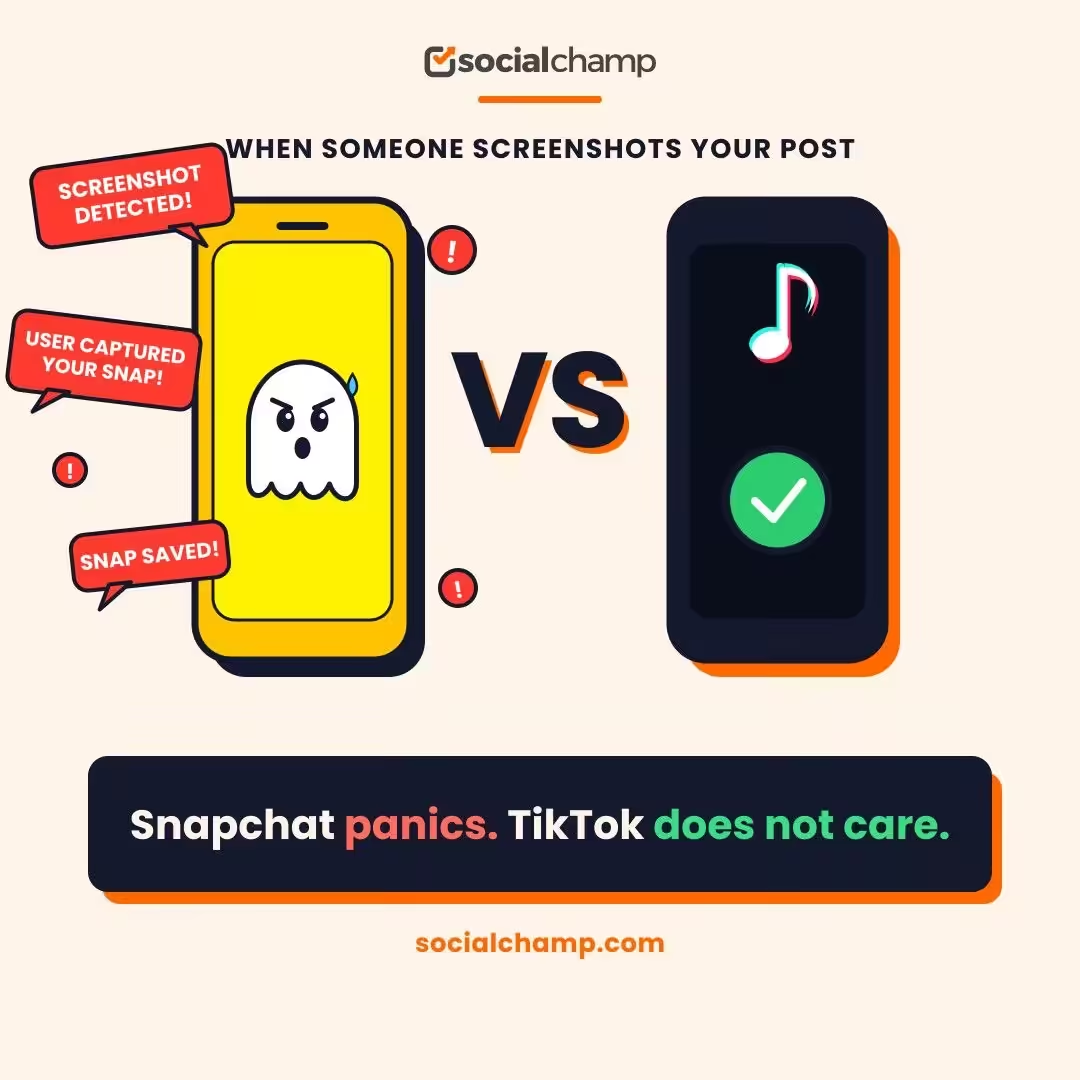
Since you all know that Snapchat started the screenshot panic. For years, that little “X took a screenshot of your chat” notification ruined friendships and started drama.
Then Instagram added screenshot alerts for disappearing DMs. So when TikTok added Stories and DMs, people assumed the same rules applied.
They do not. TikTok never promised full screenshot transparency for public content. But our brains connected the dots anyway.
Misleading Phone Popups
Some phones show weird alerts that look like TikTok warnings. An Android device might flash “TikTok detected this screenshot” when you use certain gesture controls. An iPhone might show a system banner that feels like an app notification.
These are phone features. Not TikTok features. Your device tracks screenshots for its own tools. TikTok itself stays silent.
Viral Rumors Spread Fast
Some people post random videos saying “TikTok now tells creators when you screenshot” just to get the audience’s attention.
Everyone panics. Then someone else repeats it. Then another person. Soon, it feels like common knowledge.
But it is not true. TikTok has never announced public screenshot notifications. The feature does not exist. Yet the rumor lives on because fear spreads faster than facts.
Featured Article: How Much Do TikTok Likes Matter?
Conclusion
You landed on this guide overthink: “Does TikTok notify screenshots?” And now you know the truth that it does not.
TikTok does not have this feature, and you can take a screenshot of anyone’s videos, profile, comments, messages, Stories, and LIVEs.
So from now on, you should stop worrying that TikTok lets the creator or the sender know when you take a screenshot because TikTok does not work like Snapchat, and it never has.
Now you can easily go back to scrolling, save what you want, and share what makes you laugh without any negative thoughts.