Last month, I walked past two pizza places on the same street at around 7 PM. One was packed, and the other had hardly three or four people, with a bored cook scrolling his phone.
I checked both on Instagram. The packed one posted a fresh oven video daily. The other hadn’t posted since March.
Same street. Same prices. Same pizza. Only one showed up in my feed when I got hungry.
If this sounds familiar to you, you probably feel the pressure too. Posting feels like one more job on the already long to-do list. But social media marketing for restaurants plays a big part in who gets the table tonight.
Many owners treat social media marketing and social media management as the same job, and that costs them guests. This guide fixes that.
I’m going to show you a clear plan to fill more tables in your restaurant in 2026.
Short Summary
- Social media helps restaurants attract diners and fill more tables.
- Choose the right platforms based on your restaurant type and audience.
- Follow six steps to plan, create, schedule, and manage restaurant content.
- Share posts that promote dishes, events, offers, and customer reviews.
- Post consistently when diners are planning their meals.
- Use Social Champ to schedule posts and manage your content calendar.
- Track bookings, walk-ins, and engagement to improve your strategy.
What Is Social Media Marketing for Restaurants, and Does It Increase Sales?
Social media marketing for restaurants is how you attract diners, promote your menu, and fill tables on social platforms. It includes food photos, short videos, events, replies, and special offers.
Basically, the goal is to turn people who scroll past your food into guests who walk through your door.
Now the main question is: Does it work? I checked the numbers for you. Here’s what the data says about social media for restaurants.
| What It Shows | Stat | Source |
|---|---|---|
| Diner discovery | 74% of diners use social media to pick their next meal | MGH survey |
| Revenue lift | A strong social strategy can lift restaurant revenue by an average of 10% | Deloitte study |
| Platform-driven visits | 58% of TikTok users have visited a restaurant after seeing it on TikTok | MGH survey |
So does it increase sales? According to the data, it does, but only with a proper plan. A random post here and there won’t fill your tables. A steady schedule, a clear profile, and fast replies will.
That’s the core of restaurant social media management. You plan what to post, publish it on time, and reply to every guest who reaches out.
I understand that you may think that it takes a lot of time. Restaurant owners already work long shifts. The good news is that social media for restaurants follows the same logic as social media marketing for local businesses.
You show up where your neighbors look, and you give them a reason to visit. On top of sales, the benefits of social media marketing include stronger brand awareness and loyalty.
Now, let’s take a look at which platforms you should post on. Strong restaurant social media management starts with the right platforms.
Featured Article: How to Clear Cache on Instagram
Which Social Media Platforms Are Best for Restaurants?
You can’t post everywhere. A lot of restaurants have a small team and very little spare time.
If you want to stay active on six apps, you end up doing all of them halfway.
The good news is you don’t need every platform. You need the ones your guests already use. Social media management for restaurants gets easier when you reduce your list.
I mapped each restaurant type to the platform and format that fits it best. Use this table as your starting point.
| Restaurant Type | TikTok | Google Business Profile | YouTube Shorts | ||
|---|---|---|---|---|---|
| Quick service | Reels of fast prep and deals | Trend-based promo videos | Local deal posts | Offer posts with hours | Short menu item clips |
| Casual dining | Reels and carousels of signature dishes | Kitchen and staff stories | Family promos and event posts | Photos, menu, and review replies | Chef or recipe clips |
| Fine dining | Polished photos and plating Reels | Chef behind the scenes | Tasting menu and event announcements | Reservation link and photos | Chef craft clips |
| Café | Drink pour Reels and photo carousels | Barista and pastry process videos | Community posts | Daily hours, specials, and photos | Drink recipe clips |
| Bar | Stories for nightly specials | Cocktail making videos | Live music and event pages | Happy hour posts | Mixology clips |
| Delivery only | Reels of packed orders and menu drops | Dish reveal videos | Promo codes and local groups | Menu and order link | Dish reveal clips |
Let’s take a look at why every platform is included in this list.
Food content performs well on Instagram. According to Statista data, Gen Z users rank it among their top two social sources for food recommendations. Reels and Stories give you plenty of content formats to test.
TikTok
A lot of viral food trends start on TikTok. The platform attracts a younger audience, and short videos of your menu or staff make a strong first post.
According to the data, 25.9% of Facebook users are aged between 25 and 34. If a lot of your customers are in this age group, this platform can be the best fit for your restaurant. You can promote specials and parties with the Event feature.
Google Business Profile
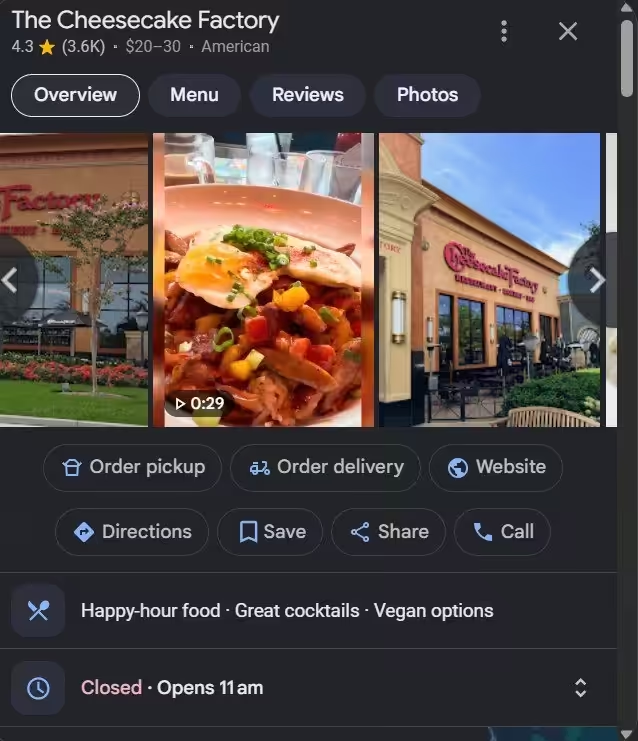
Google Business Profile isn’t a social network. Still, diners use it in Search and Maps to check hours, photos, and reviews. Posts and offers here reach people who already look for a place to eat.
YouTube Shorts
Pew Research found that 84% of US adults have used YouTube. You can cut long videos into Shorts, and the content can last longer because people find it through search.
Start with two platforms. When you can post at a regular time, add a third one. That’s the simplest way to promote your restaurant on social media without burning out. Good social media management for restaurants starts with focus, not volume. For a wider look at channels and tactics, you can read our social media marketing guide.
Once you pick your channels, you need a plan. Let’s build one in six steps.
How to Market a Restaurant on Social Media in 6 Steps
Many restaurant posts fail for one reason. There’s no plan behind them. You post a dish when you remember, collect a few likes, and the tables still sit empty on Tuesday night.
Here’s how to market a restaurant on social media in six steps. Follow them in order. Each step builds on the last, and none of them needs a big budget or a big team.
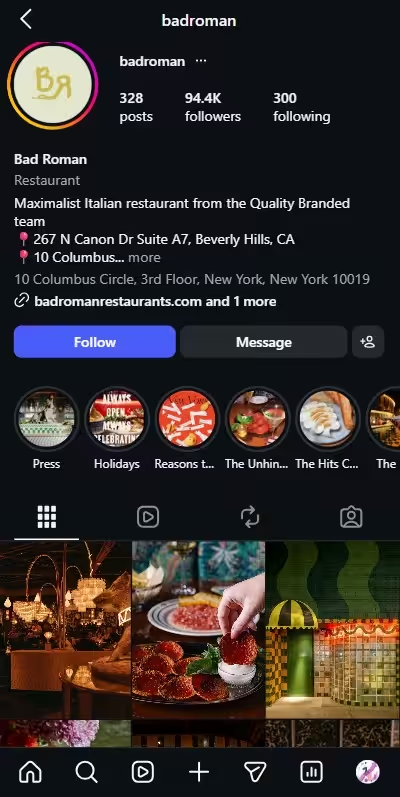
Step 1: Turn Your Profile Into a Booking Page
Put your cuisine, neighborhood, hours, and booking link in your bio today. A diner who likes your post visits your profile next. At that moment, they decide to book or move on. Your profile has to answer their questions before they ask.
Write a Bio That Answers the Basics
State what you serve, where you’re, and when you open. Add your neighborhood if you work in a big city. Clear words also help your profile match what diners type into search.
Add a Link That Moves People to Action
Use your profile link to send guests to your menu, a reservation platform, or your pickup order page. Facebook uses a button instead of a link, so connect that button to the same pages. If you’ve several pages to share, a link tool with multiple options keeps everything in one place.
Fix Your Menus for Phones
Most guests read your menu on a phone. A large PDF loads slowly and frustrates people. A fast mobile page keeps them on your profile and closer to a booking.
Use Highlights as a Mini Website
Save reviews, team introductions, guest posts, and creators’ visits to your Story Highlights. New visitors see your best work in seconds. They don’t need to scroll through your whole grid.
Step 2: Choose 4 to 5 Content Pillars
Pick four or five themes you will post about again and again. These are your content pillars. They give an answer to the daily question: what do I post today? Without content pillars, you stare at a blank caption box before every post.
Here are some of the good content pillars for restaurants:
- Signature dishes and new items: Show the food guests come for, and name each dish clearly.
- Behind the scenes: Show the kitchen, the prep, and the process.
- Your team: Introduce the chef, the bartender, and the servers. Diners care about the people behind the food.
- Events and specials: Share trivia nights, live music, and seasonal menus.
- Guest love: Share reviews and photos from real diners.
Match your pillars to your restaurant type. A bar can lean on events and cocktails. A cafe can lean on drinks and pastries. Keep your posts honest, too. If your feed promises a quiet date night and your room is loud, guests notice.
Step 3: Batch a Week of Content in One Prep Shift
Set aside one slow shift each week to film and write all your posts. Batching saves you from a daily scramble. It also keeps your feed steady when service gets busy.
Shoot Everything in One Session
Shoot photos and short videos of five or six dishes. Use natural light near a window. You can shoot them with your phone. Capture the movement that makes your food tempting, such as cheese pull, sauce drizzle, sizzling plate, or cocktail pour.
Hook Viewers Fast
Start each video with the finished dish, then show how you make it. You’ve about three seconds to hold attention on Stories and short videos. Bold colors and steam help.
Write Captions That Work Like a Menu
Mention your dish name, price, and the key ingredients. Guests scan your posts for details before they visit.
Schedule Before the Week Starts
Load every post into a schedule so it goes live on its own. Then you can focus on service. You can also cut one video for Reels, TikTok, and Shorts. Check each platform’s size rules before you film.
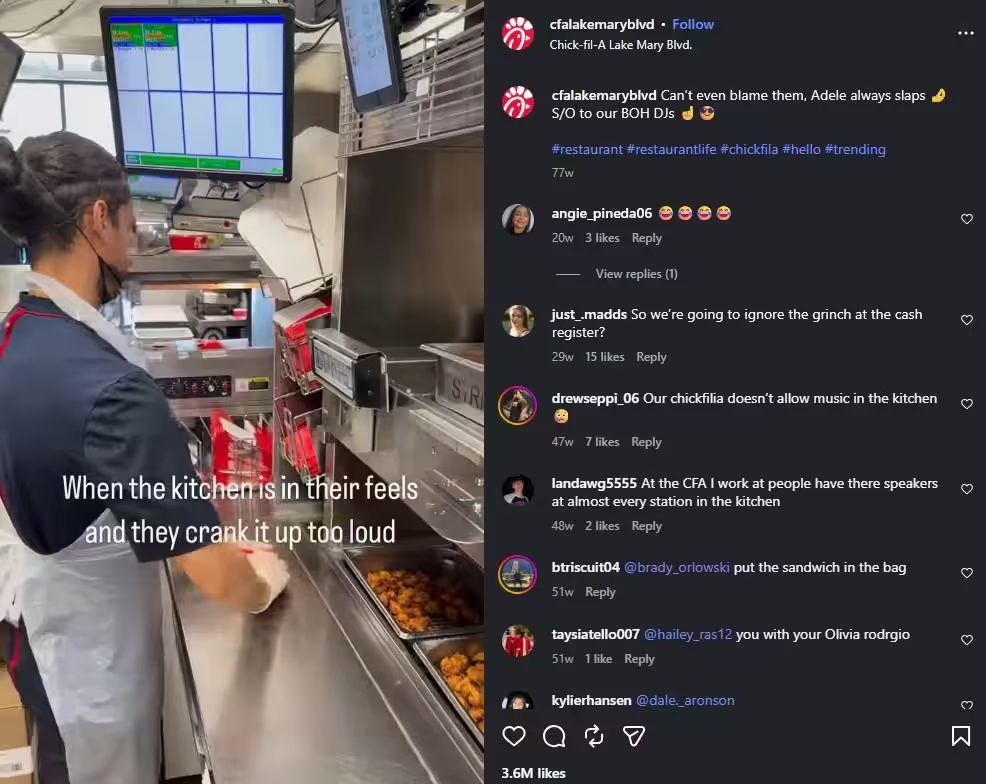
Check out this Nando’s TikTok food video showing restaurant dishes.
@nandosuk PERi-PERi chicken living rent free in our head #nandos #nandosuk ♬ âm thanh gốc – Sera chơi support 🎮🪄
Step 4: Get Diners and Local Creators Posting About You
Make it easy for guests to tag you, then invite local creators to visit. Many people trust a friend’s opinion over a polished ad. Guest posts work like word of mouth, and they carry real trust.
Turn Tables Into Tagging Spots
- Print your handle and hashtag on menus, table tents, and receipts.
- Send your guest wifi page to your Instagram or TikTok account.
- Ask permission before you reshare a guest post.
Invite Local Creators
Creators with roughly 10K to 100K followers are often called micro creators. Their reach is smaller than a big name, yet they often reply to their audience. That builds credibility.
Treat each partnership like a vendor deal. Set clear deliverables, agree on expectations, and name one contact person on your side. Then reuse the content on your own feed and in your ads.
If your restaurant sits inside a hotel, our guide to hotel social media marketing covers the guest and event angles.
Step 5: Boost Your Best Posts on Slow Nights
Choose your best post and put a small ad budget behind it before a quiet night. Organic reach has limits. Paid reach lets you target diners near your location.
Choose the Right Post
Look at your last month of content. Choose the post that got strong comments, saves, or shares. A post that already works gives a boost to build on.
Set a Simple Target and Time
Target those people who live or work near your restaurant. Boost the post a day or two before the night you want to fill. Instagram ads and Facebook promotions are both options.
Run It Like a Campaign
Treat each boost as a small social media campaign. Give it one goal, one dish, and one audience. For example, promote Tuesday pasta night to people within a short drive.
Then check reservations and walk-ins afterward. If the night is filled, repeat the formula. If it didn’t, change the post or the audience.
Step 6: Reply to Every Comment, DM, and Review
Answer every message and mention as fast as you can. Guests use social media to ask about hours, wait times, and bookings. A quick reply helps them feel cared for and may bring them back.
Build these habits:
- Watch your mentions: Some guests mention you without a tag. Search your restaurant name and location once a week.
- Thank good reviews: A short, personal thank you takes seconds.
- Handle bad reviews calmly: Reply in public with a brief apology, then offer to fix the issue offline. Other diners read your reply too.
- Answer DMs like a host: Treat each message like a guest at your front door.
That’s how you market a restaurant on social media without guesswork. You now have a system. Next, let’s decide what to post inside it.
Too Busy to Post Consistently?
What Should Restaurants Post on Social Media?
What do I post today? I know it has become your daily question and stalls most restaurant social media feeds. You can find the answer fast when you start with a goal instead of a platform.
Every post should have a purpose, like bringing more customers to the restaurant, selling out a dish, or hiring a new employee.
Take a look at this quick guide. Match your goal to the idea, format, and platform that fit it best.
| Your Goal | Post Idea | Best Format | Best Platform |
|---|---|---|---|
| Fill slow nights | A one-night offer, such as Tuesday pasta night | Stories with a clear call to action | Instagram and Google Business Profile |
| Launch a menu item | A teaser, then a first bite reaction | Short video and photo carousel | TikTok and Instagram |
| Promote an event | A countdown, the lineup, and a recap | Event page, Stories, and Reels | Facebook and Instagram |
| Hire staff | A day in the life of your team | Short team video | Instagram and Facebook |
| Earn reviews | Guest photos and thank-you reshares | Story reshares and a table sign with a QR code | Google Business Profile and Instagram |
Now let’s break down each goal.
How to Fill Slow Nights With Customers?
Give people a reason to visit on your quietest day. Mention the day, deal, and timing clearly. For example, “Get 50% off on pasta until 8 PM on Tuesday only.”
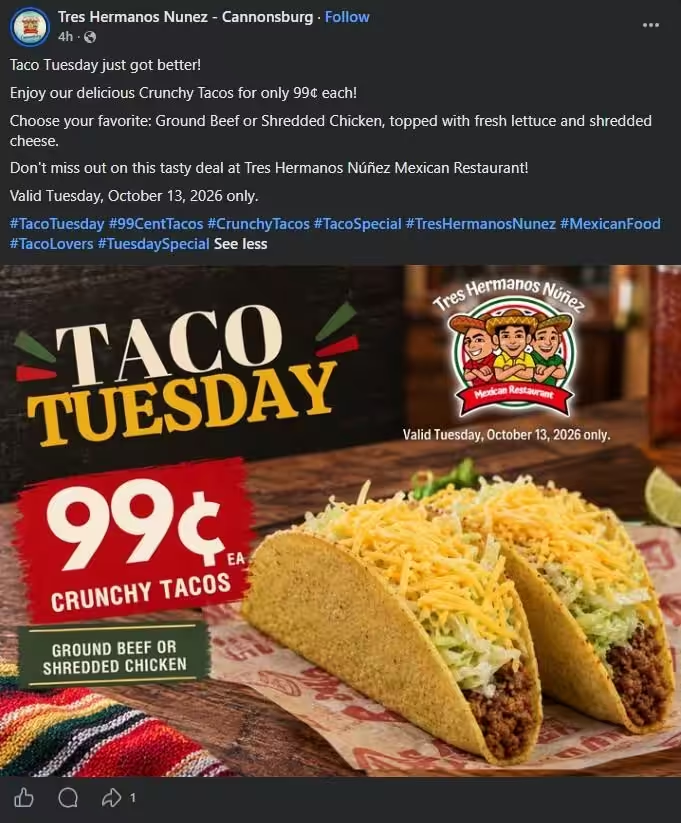
You can post this offer in the morning and during the lunch hours. Also, add this offer to your Google Business Profile so people searching for a place to eat can see it too.
How to Launch a New Menu Item?
Build interest before you launch a new dish. Share a teaser a few days ahead, then post a first bite reaction on launch day. Show the preparation, plating, and price.
If you’ve options, you can ask your followers to vote on a flavor or name the dish. A vote gets comments, and comments help more people see your post.
How to Promote an Event?
Give your event a short countdown. Create a Facebook event page so guests can RSVP. Share the lineup or menu in Stories as the date gets closer.
After the event, post a recap Reel with the best moments. It builds interest for the next one. Ask permission before you reuse guest clips.
How to Hire Staff?
Staff hiring posts perform best when they show your team. Film a short day-in-the-life with a cook or a server. Show what the shift looks like, what the team enjoys, and how to apply. Applicants want to see the workplace before they walk in.
How to Earn Reviews?
Ask customers for reviews at the right moment. Place a QR code or receipt that links to your Google review page. Reshare guest posts and thank each guest by name in a comment.
When customers see you read their reviews, they feel encouraged to leave one.
I keep it simple. Choose a goal every week. A clear goal keeps your feed focused and your results easy to measure. Strong social media marketing for restaurants starts there. You can plan every one of these ideas in one place with Social Champ’s tools for restaurants.
Next, let’s talk about how often to post and when.
Featured Article: How to Unarchive a Story on Instagram
How Often and When Should a Restaurant Post?
A common mistake is posting after the rush, usually late at night. By then, guests have already picked where to eat.
Timing is as important as content. Diners decide before they leave the house. Your post has to land when someone asks, “Where should we go?” So post before people decide, not after.
Frequency matters too. A steady rhythm beats a burst of posts followed by silence. Start with a schedule you can keep, then adjust it with your own data.
A Starting Schedule by Restaurant Type
Use this table as your first draft. Each time, line up with a meal decision.
| Restaurant Type | Feed Posts per Week | Stories per Week | Best Time to Post |
|---|---|---|---|
| Quick service | 4 to 5 | Daily | 10 to 11 AM for lunch, 3 to 4 PM for dinner |
| Casual dining | 3 to 4 | 4 to 5 | 11 AM to noon, and 4 to 5 PM |
| Fine dining | 2 to 3 | 2 to 3 | Late morning, plus early afternoon ahead of weekend bookings |
| Café | 4 to 5 | Daily | 6:30 to 8 AM, before the morning rush |
| Bar | 3 to 4 | Daily on event nights | 4 to 6 PM, before the evening crowd plans |
| Delivery only | 4 to 5 | 4 to 5 | 10:30 to 11:30 AM, and 4 to 5 PM |
These numbers are a starting point. Check your analytics after one month, then shift your posts to match when your own guests engage. For a wider look at timing across platforms, read our guide on the best time to post on social media.
Match Posts to Your Service Rhythm
Think about when your guests make choices. Then post to fit it.
- Lunch deals: Post in the morning before 11 AM.
- Dinner specials: Post them in the mid-afternoon.
- Weekend events and tasting menus: Post on Wednesday or Thursday so guests can plan ahead.
- Slow night offers: Post them the morning of, and again at lunch.
Choose the pace that you can keep. Three posts a week for six months beats daily posts for two weeks.
Plan the Whole Week in One Place
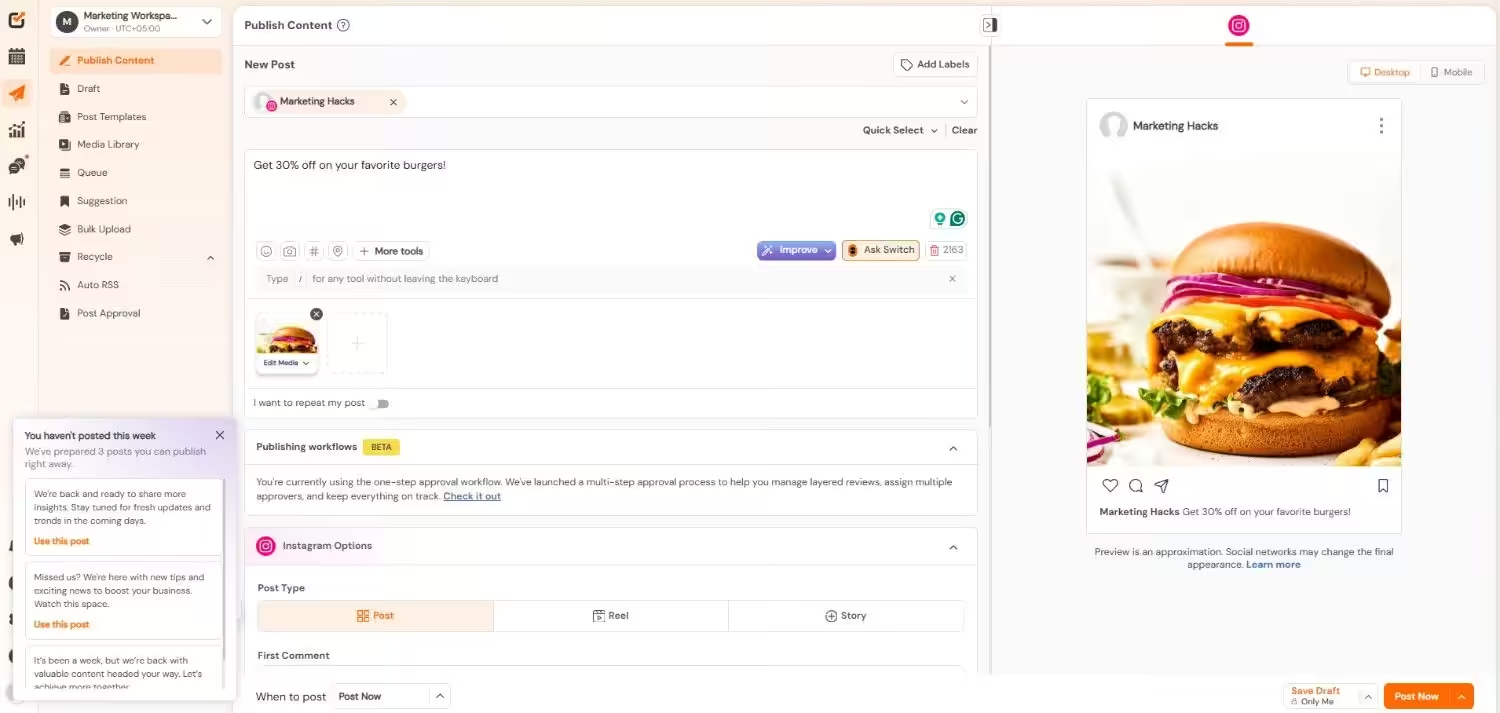
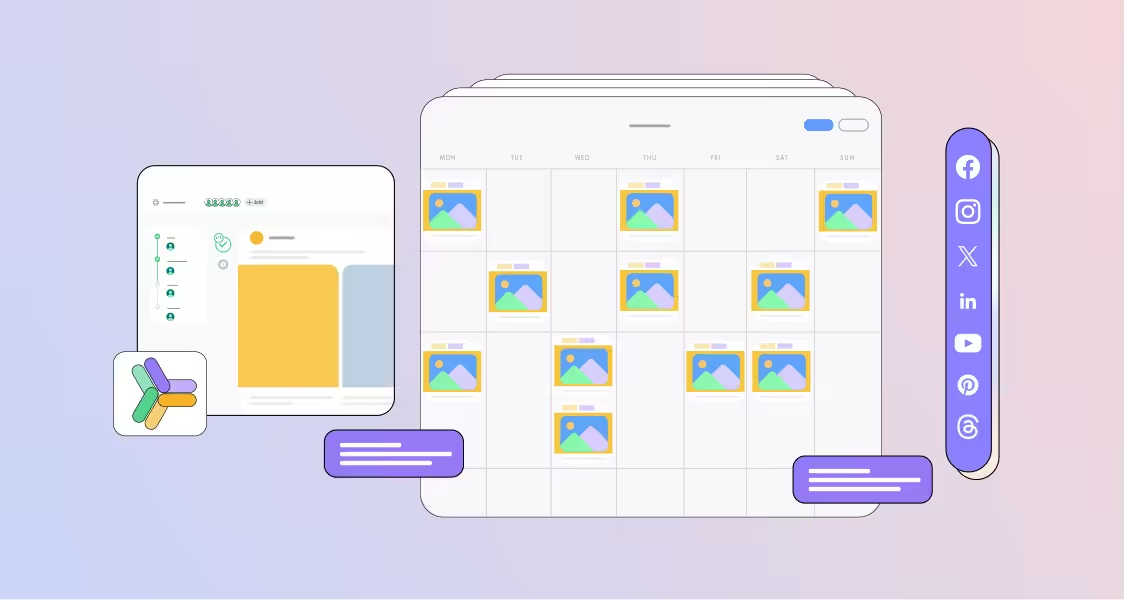
Schedule only works if you can follow it. That’s where a tool can help you. Social Champ lets you plan your whole week in one calendar. You can bulk upload the batch from Step 3 and schedule it in one sitting.
Your photos and videos stay in the media library so you don’t have to go through your camera roll before posting. Also, best time recommendations suggest slots so your posts land before service starts.
Maricel’s Kitchen, a culinary experience destination in East Brunswick, NJ, moved to Social Champ from Hootsuite. Chef and owner Maricel Gentile credits its value for money and simple interface.
Get the timing right, and the rest of your plan works harder. Let’s wrap it up.
Conclusion
Remember the two pizza shops on the same street? Same price, same pizza, and very different Tuesday nights. The gap showed up in their feeds.
You can close that gap too. Social media marketing for restaurants comes down to six moves. Turn your profile into a booking page. Pick your content pillars. Batch your content. Invite guests and creators to tag you. Boost your best posts. Reply to everyone.
You can start small, pick two platforms and one goal for this week. Post before your guests decide where to eat.
So if you’re ready to save time, you can try Social Champ and plan your first week of posts on one calendar. Your next full Tuesday night starts with one post.