If ContentCal was your favorite social media management tool, you must have been disappointed when it was discontinued. But the end of ContentCal didn’t mean you should go back to being miserable when planning content. There are so many ContentCal alternatives that can match or even outperform it.
In this guide, we’ll explore 9 top ContentCal alternatives worth checking out. We’ll break down their features, pricing, and unique perks so you can find the best social media scheduler that actually fits your workflow. If you want to switch without spending much, Social Champ has a Free plan and paid plans from $4/month.
UPDATE: ContentCal is currently discontinued and no longer accepting new users. The platform was acquired and subsequently shut down, which means existing users need to migrate to a new solution. If you’re searching for a ContentCal alternative that matches or exceeds what ContentCal offered, this guide covers the best ContentCal competitors and alternatives available today. We update this list regularly as pricing and features change.
Short Summary
- Many tools like ContentCal offer collaboration, scheduling, and analytics similar to ContentCal.
- Agencies and teams benefit most from platforms with approval workflows and client-friendly features.
- AI-powered content creation and caption suggestions are now standard across top ContentCal competitors.
- Free social media scheduling tools like ContentCal exist without sacrificing core capabilities.
- Choosing the right option depends on team size, platform support, and desired automation features.
- The best ContentCal alternative for agencies will depend on whether you need deep analytics, multi-client workspaces, or budget-friendly scaling.
Supercharge Your Posting With Social Champ!
Why Are Users Searching for ContentCal Alternatives?
The biggest reason for searching for a ContentCal alternative is that it is no longer available. As social media strategies grow and tools evolve, you may want to explore options that better fit your workflow.
Here are a few reasons users may be on the hunt for ContentCal alternatives:
- Wanting more integrations with other apps and platforms without jumping through hoops
- Looking for extra automation to save time on repetitive posting
- Needing flexible pricing that scales with team size and content volume
- Craving a fresh interface or user experience that feels snappier
- Seeking advanced analytics to get smarter insights into what actually works
The following list of ContentCal alternatives is here to help you spot options that match or even improve on what you’re used to.
9 Best ContentCal Alternatives to Try in 2026
Without further ado, here are the 9 best ContentCal competitors and alternatives you can consider:
-
Social Champ
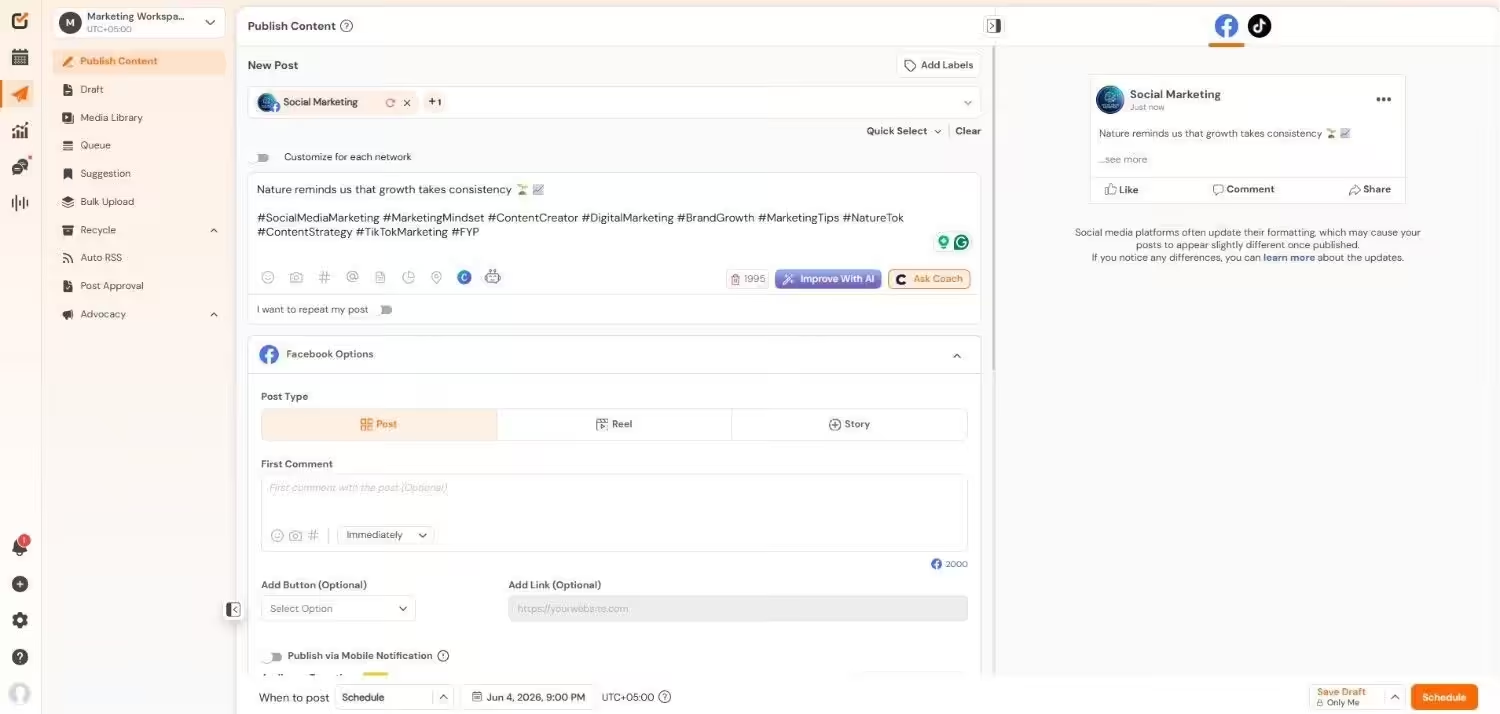
Social Champ’s Dashboard Managing multiple social accounts without losing track can feel impossible, but Social Champ keeps everything organized in one place while staying simple to use.
It balances powerful features with ease of use and gives users full control over scheduling, collaboration, and analytics without any unnecessary complexity.
Who is Social Champ for? Well, there’s a plan for everyone.
Social Champ comes with two pricing models, including a Pay-Per-Profile and a Flat-Rate model.
Here’s what you get in the Pay-Per-Profile:
- Starter, which costs $4 and has 1 user. In this plan, you can manage 1 social account.
- Growth, which costs $8 and has unlimited users. In this plan, you can manage 1 social account.
These plans also offer discounts as you scale. Here’s how much you can save in the Starter:
- For 1-10 social accounts: $4
- For 11-20 social accounts: $3
- For 21-40 social accounts: $2
- For 41+ social accounts: $0.50
Here’s how much you can save in the Growth:
- For 1-10 social accounts: $8
- For 11-20 social accounts: $3.50
- For 21-40 social accounts: $2.50
- For 41+ social accounts: $1
With Social Champ, you also get Flat-Rate bundles, which are:
- Free, which costs $0 and has 1 user. In this plan, you can manage 3 social accounts.
- Standard, which costs $23 and has 2 users. In this plan, you can manage 6 social accounts. This plan also comes with add-ons for accounts. You can add another account for $5/account.
- Professional, which costs $47 and has 5 users. In this plan, you can manage 12 social accounts. This plan also comes with add-ons for accounts. You can add another account for $4/account and pay $8/user for another user.
- Agency, which costs $119 and has unlimited users. In this plan, you can manage 30 social accounts. This plan also comes with add-ons for accounts. You can add another account for $3/account.
- Enterprise, which is Custom and has unlimited users. In this plan, you can manage unlimited social accounts.
Social Champ also supports: Instagram, Facebook, TikTok, LinkedIn, YouTube, Threads, Pinterest, X, Google Business Profile, Bluesky, Mastodon, and WhatsApp Business
Features
- Visual Content Calendar: Like ContentCal, the platform gives you a clear calendar view of all scheduled posts, but it also offers more flexibility to adjust and manage content across multiple accounts with ease.
- Post Approval Workflows: Similar to ContentCal, approval workflows allow teams and clients to review posts before publishing, while offering smoother control for growing teams with multiple reviewers.
- Multi-Platform Scheduling: Both tools support posting across several social networks, though this platform makes it easier to manage more profiles without increasing complexity.
- Collaboration Tools: Just like ContentCal, team members can comment and assign tasks, with added flexibility for agencies that manage several clients at once.
- Analytics and Reporting: While ContentCal provides solid performance insights, this platform goes further with clearer engagement data and deeper reporting to support better decision-making.
With Social Champ, you’ve got a lot of useful features to unpack. All of its features show that this tool matches ContentCal in core functionality. At the same time, it adds extra flexibility and deeper insights for teams that want more control over their social media workflow.
G2 Rating: 4.4/5
Pros
- Free plan available with basic features
- Flexible pricing plans that scale with your needs
- Bulk upload feature that saves time for planners with many posts
- Best Time To Post feature that suggests optimal posting slots
- Competitive analysis that shows how you compare with others in your space
- Sentiment analysis that helps you understand audience reaction
- Strong collaboration and approval workflows
Cons
- Advanced integrations require higher-tier plans
- Analytics are useful but less detailed than specialized reporting tools
If Social Champ reviews are anything to go by, it is a user-friendly tool that consistently delivers on its promise. It combines essential features, flexible pricing, and collaboration tools to help teams manage social media efficiently.
Simplify Your Social Media Planning!
Explore Social Champ’s powerful features that help you plan, collaborate, and publish content without the chaos. - Starter, which costs $4 and has 1 user. In this plan, you can manage 1 social account.
-
Agorapulse
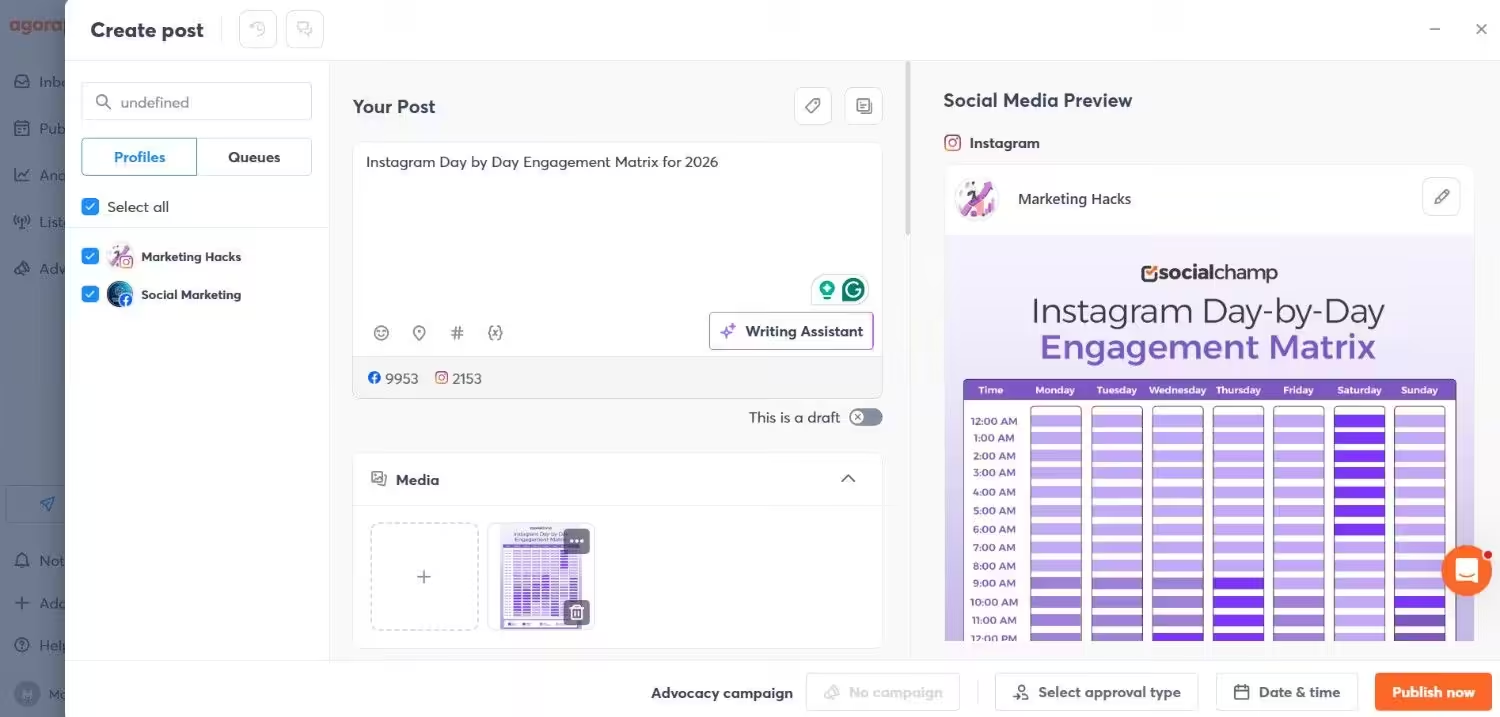
Agorapulse’s Dashboard For growing teams and agencies that need deep engagement tools along with publishing features, Agorapulse offers a solid mix of power and structure.
It suits teams that want to schedule posts, track engagement, monitor brand mentions, analyze performance, and collaborate seamlessly.
Features
- Unified Publishing Calendar: You get a clear calendar view much like ContentCal, and you can plan posts across accounts in one place.
- Social Inbox and Engagement Tools: Agorapulse handles comments, messages, and mentions in a single interface with moderation rules, giving deeper engagement tracking than ContentCal.
- Team Workflows: Internal assignment and review features help teams coordinate content without losing track of approval loops, similar to ContentCal’s collaboration tools.
- Advanced Reporting: The tool offers detailed performance reports and ROI insights that go beyond the basics, making it easier to prove impact to stakeholders.
- Sentiment and Listening: Some plans include sentiment detection and listening capabilities, which expand insights beyond what ContentCal typically covers.
G2 Rating: 4.5/5
Pros
- Free plan and generous 30-day trial let you test features before paying.
- Strong social inbox and engagement tools centralize communication.
- Advanced reporting and ROI insights provide deeper performance data.
- Team workflows and shared calendars support collaboration across groups.
- Custom enterprise options scale for larger organizations.
Cons
- Pricing is higher compared with some alternatives, especially for teams with many users.
- Free plan is limited in posts and reporting.
- Some advanced features require moving to higher tiers.
Agorapulse delivers a robust alternative to ContentCal with extra strength in engagement and advanced reporting. For teams and agencies that need inbox management, collaboration, and detailed insights all in one platform, it’s definitely a compelling choice.
Featured Article: 15 Affordable Agorapulse Alternatives & Competitors to Try
-
Hootsuite
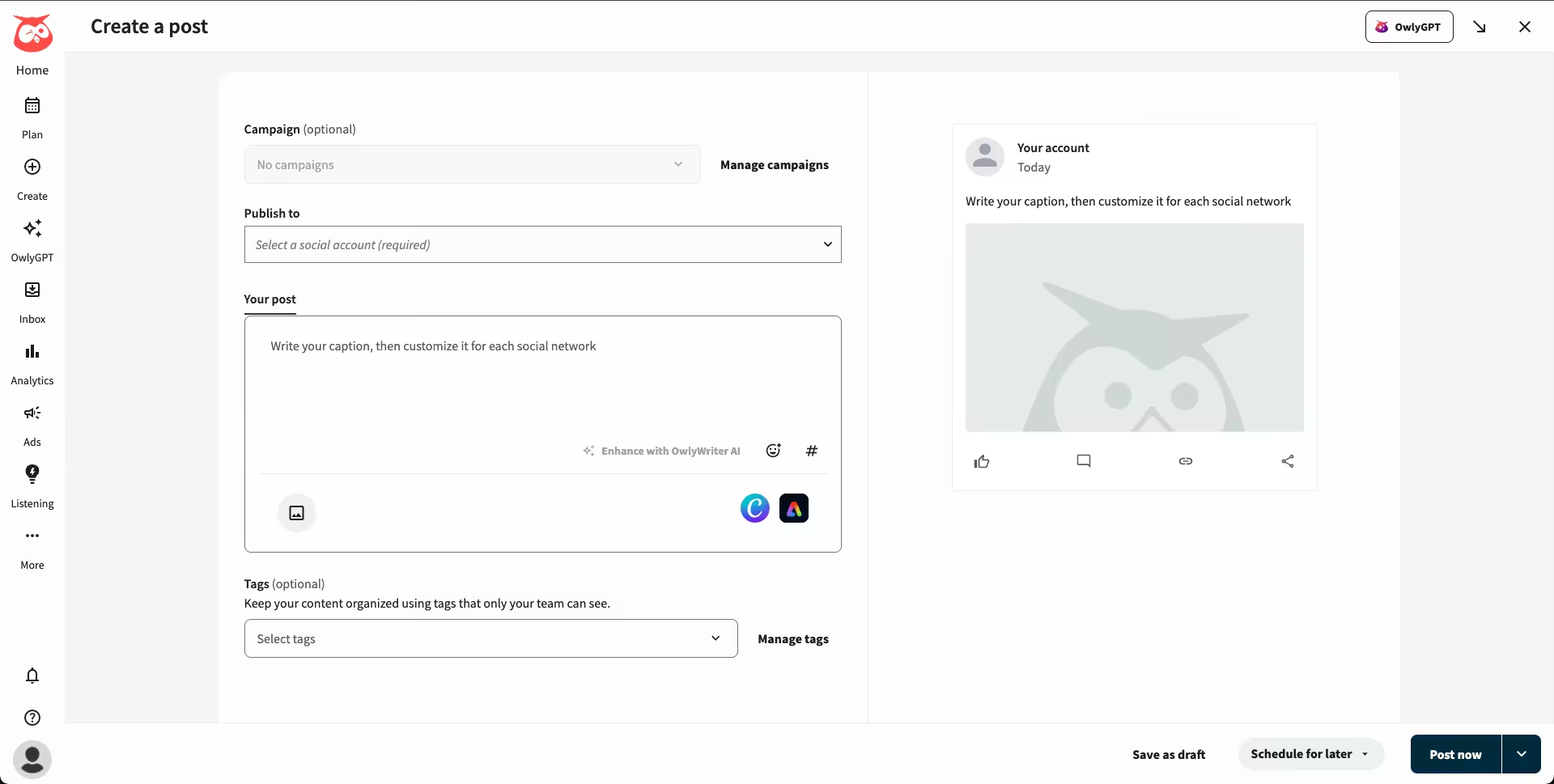
Hootsuite’s Dashboard Hootsuite is built to juggle publishing, engagement, analytics, and campaign insights across dozens of networks from one central hub. That makes it especially appealing if you’re running social for a small business with ambitious growth goals or an agency that needs team collaboration and robust reporting in one place.
Features
- Multi-platform scheduling & publishing: You can plan and schedule posts for all your social accounts from one unified calendar, with bulk scheduling helping you stay on top of high-volume content.
- AI-powered content support: You get help generating captions, hashtags, and post ideas through tools like Wisdom, without leaving the platform.
- Unified engagement inbox: You can manage comments, DMs, and mentions from multiple networks in one place, so responding feels faster and more organized.
- Advanced analytics & reporting: You gain access to detailed performance insights, customizable reports, and competitor benchmarks that help you refine your strategy.
- Social listening & trend tracking: You’re able to track brand mentions, hashtags, sentiment, and emerging trends to stay ahead of conversations.
- Ad management and optimization: You can manage both organic posts and paid campaigns together, while easily boosting your top-performing content.
- Rich integrations: You can connect tools like Canva, Adobe Express, Slack, and CRM platforms to keep your workflow smooth and efficient.
G2 Rating: 4.3/5
Pros
- It’s an all-in-one platform that combines scheduling, analytics, inbox management, and advanced reporting.
- It allows for powerful team collaboration with approval workflows, tagging, and roles that help keep bigger teams coordinated.
- It provides competitive insights and allows for benchmarking against competitors.
- It connects seamlessly with CRM tools, ad platforms, and popular apps, which makes it easier to manage social media as part of a wider marketing stack.
- It handles growing volumes of posts, accounts, and users without slowing down, which is ideal as teams and social strategies expand.
Cons
- Hootsuite is generally more expensive than ContentCal and many simpler schedulers.
- Its extensive toolset can feel overwhelming if you only need basic planning and publishing.
Hootsuite is a great next step once you outgrow the basics of tools like ContentCal. It’s an ideal choice if your social strategy involves team alignment, campaign performance tracking, and managing multiple networks across clients or brands.
Featured Article: 15 Best Hootsuite Alternatives
-
Planable
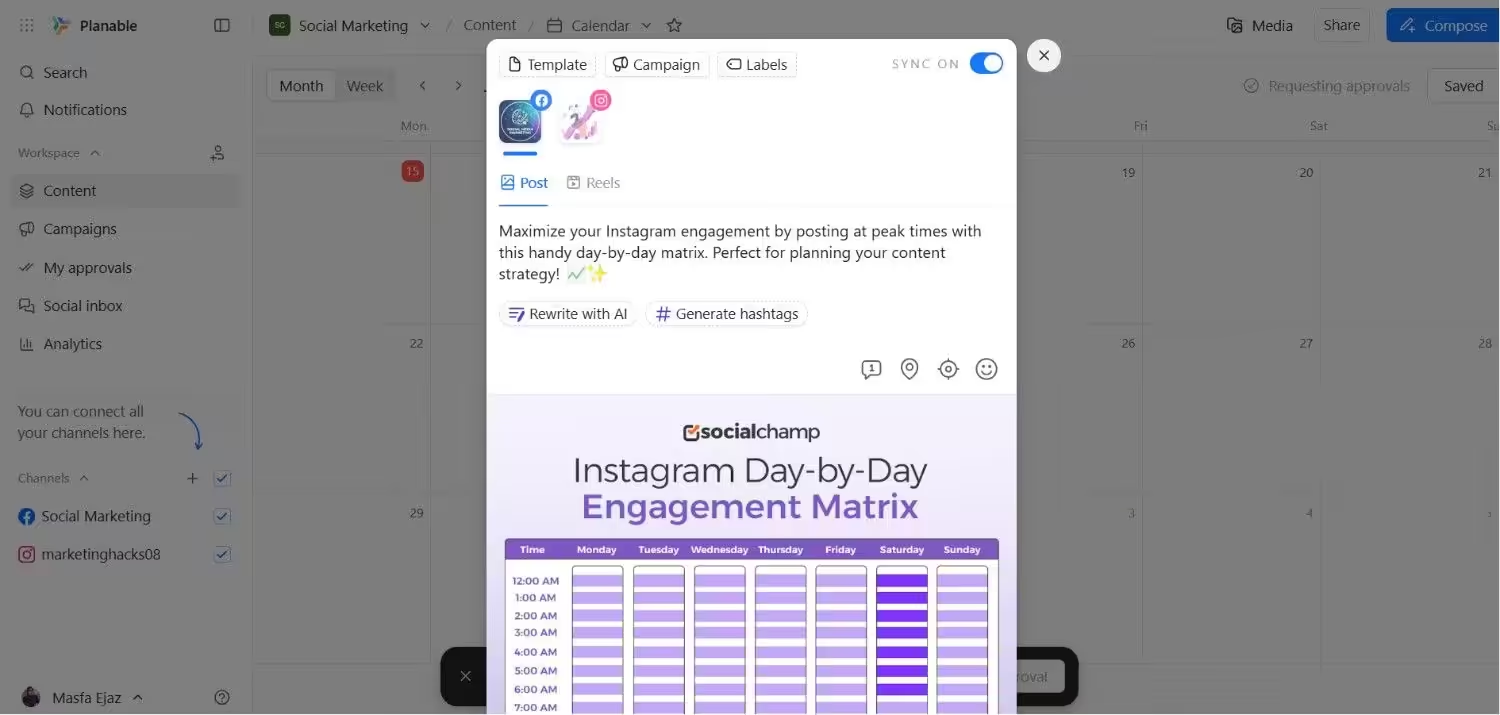
Planable’s Dashboard While ContentCal was known for its intuitive editorial calendar and streamlined scheduling, Planable takes the experience a step further with collaboration-first design and multi-level approval workflows.
The social preview feature (showing exactly how posts will look on each platform) helps teams avoid formatting hiccups before publishing. That makes Planable especially suitable for teams and agencies that work alongside clients or need more structured approvals.
Features
- Visual content planning calendar: You can drag and drop posts on a rich calendar that shows how your schedule comes together over time, helping you plan campaigns clearly and efficiently.
- Real-time collaboration & feedback: You’re able to leave comments, annotations, and suggestions directly on posts so teams and clients can review content together without endless emails.
- Customizable approval workflows: You can set approval stages, from optional to required or multi-level, ensuring content is reviewed and signed off before publication.
- Live post previews: You get pixel-perfect previews that show exactly how your content will appear on each platform, reducing formatting surprises after publishing.
- Multiple content views: You can switch between feed, calendar, grid (e.g., Instagram grid view), and list views to organize and act on posts in the way that works best for you.
- AI-powered content tools: You’re able to generate captions, hashtags, and suggestions using AI — helping speed up creation and maintain consistency.
- Bulk actions & quick edits: You can approve, schedule, duplicate, or delete multiple posts at once from the list view.
G2 Rating: 4.6/5
Pros
- You can invite teammates and clients to review, comment, and approve posts in real time, which cuts down on endless email threads.
- You get to see exactly how your content will look on each social platform before it goes live, helping you avoid formatting surprises.
- You can set up simple or multi-step approvals, making it easier to stay organized as your team grows.
- You can test the platform without spending anything, which is ideal if you’re experimenting or managing light workloads.
- You can switch between calendar, feed, or grid views to plan campaigns in a way that feels most natural to you.
Cons
- You may find the monthly post caps restrictive if you publish content at scale.
- You’ll need to pay extra if in-depth performance reporting is a priority for you.
- Managing multiple brands or clients can increase costs faster than expected.
- You won’t get a full social inbox for managing comments and messages directly.
Planable works best if your priority is smooth collaboration and clear approvals, especially when clients or multiple stakeholders are involved. Nevertheless, it’s worth weighing the limits if analytics and engagement sit high on your must-have list.
Featured Article: Exploring Beyond Planable: Top Planable Alternatives
-
Buffer

Buffer’s Dashboard Buffer offers a clean and straightforward approach to social media scheduling that helps you plan and publish posts with minimal friction. Its calendar and thoughtful tools make routine posting feel less like a task and more like a strategy.
Whether you’re a solopreneur or a small team, Buffer keeps your social presence consistent without overwhelming you.
Features
- Simple scheduling interface: You can plan and schedule posts across all your social platforms with a clean, easy-to-navigate calendar.
- Custom queues & reminders: You’re able to set posting schedules that fit your audience’s habits, and Buffer fills in content automatically.
- Basic analytics: You get clear insights into post performance and engagement trends to help you refine your approach.
- Content planning tools: You can draft, save, and organize posts ahead of time so nothing gets lost in the shuffle.
- Team collaboration: You’re able to invite teammates, assign roles, and manage approvals without complexity.
G2 Rating: 4.3/5
Pros
- You’ll find it easy to learn and use, especially if you’re new to social scheduling.
- You get essential features without paying for extras you might not need.
- You can keep your content calendar full with minimal effort.
- It offers flexible pricing so you can choose the number of social accounts to pay for.
Cons
- You won’t get the deep analytics or social listening tools some other platforms offer.
- You can’t manage comments and DMs inside Buffer itself.
- You might outgrow its feature set as your strategy becomes more complex.
Overall, Buffer gives you a straightforward, efficient way to maintain your social presence. It’s perfect if you value simplicity and steady growth over bells and whistles. But if you want a tool that provides deeper analytics, you might want to check out Buffer alternatives.
-
Sendible
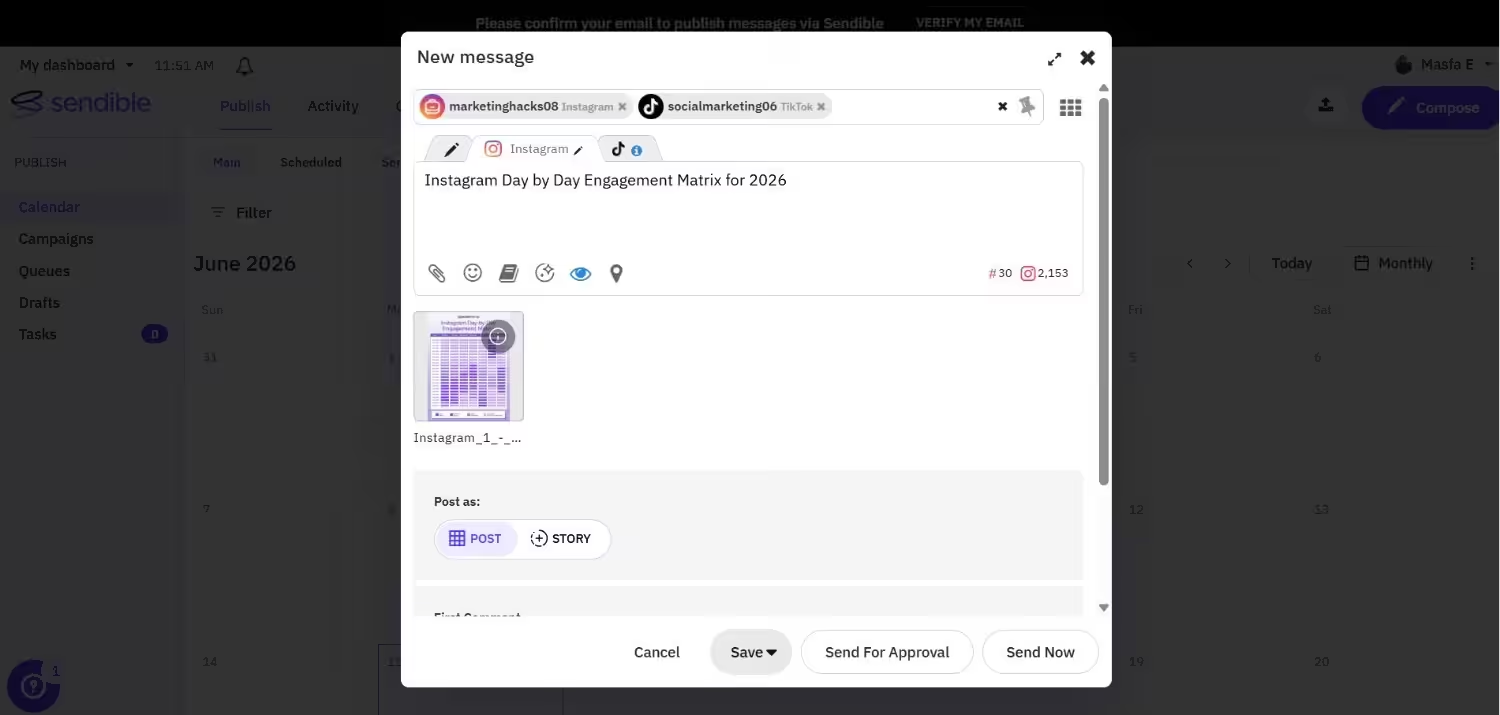
Sendible’s Dashboard Sendible lets you manage, schedule, and optimize your social posts all from a customizable dashboard that bends to the way you work. It’s especially useful if you’re running multiple brands or managing social for clients, as it groups everything clearly and helps you stay on top of deadlines.
With smart automation and detailed reporting, it gives you more depth than basic planners without overwhelming complexity.
Features
- Customizable dashboard: You can tailor your workspace to spotlight the tools and metrics that matter most to you.
- Client management tools: You’re able to create white-label reports, assign tasks, and streamline approvals.
- Robust scheduling options: You can queue content, schedule posts in bulk, and set optimal posting times based on performance.
- Social inbox: You get a unified place to see and respond to comments, mentions, and messages across platforms.
- In-depth analytics: You’re able to dive into comprehensive performance reports that help you shape smarter strategies.
G2 Rating: 4.5/5
Pros
- You’ll find tools here that scale from solo use to full-service agency workflows.
- You get granular, professional reports you can customize or brand.
- You can manage your responses and interactions without switching tools.
- You can discover trending topics and automatically pull relevant content into your queue and keep your posts fresh without extra effort.
- You can be able to assign tasks, set deadlines, and track progress within your team, which keeps campaigns on schedule and reduces miscommunication.
Cons
- There’s a learning curve, so you may need some time to get comfortable with all the options.
- Some plans can feel expensive if you don’t need all the advanced features.
- With so many tools in one place, things can feel a bit crowded at first.
Sendible gives you a solid balance of planning power and workflow flexibility. This makes it a smart choice if you need a little more muscle and structure than basic content calendars can offer.
-
Later
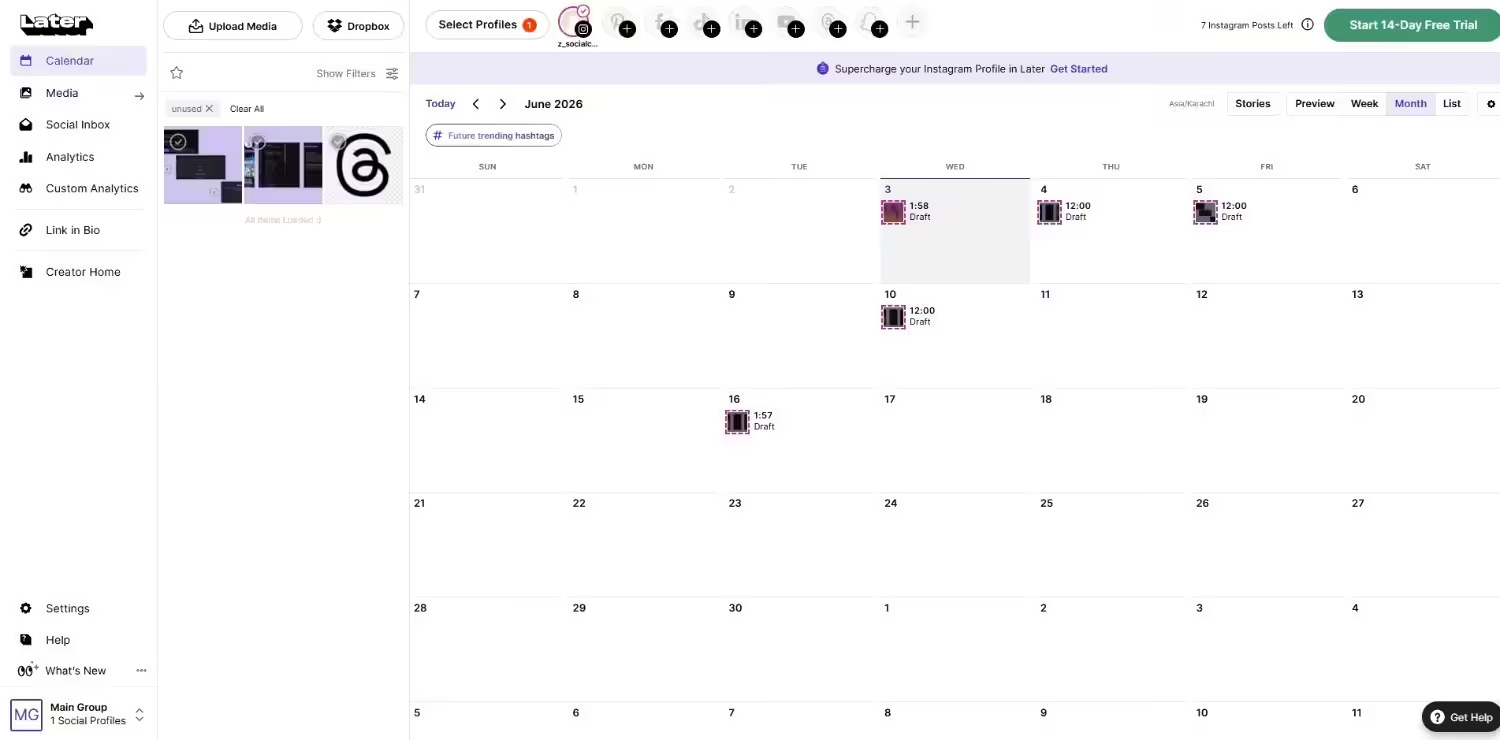
Later’s Dashboard Later gives you a visually-driven way to plan and schedule your social posts, making it easier to see how your content will look before it goes live. It’s especially strong if your strategy leans into Instagram, TikTok, and other visual platforms, with tools designed for creators and small teams alike.
With drag-and-drop planning, hashtag suggestions, and publishing across multiple networks, it helps you keep your social calendar organized and consistent.
Features
- Visual content planner: You get a drag-and-drop calendar that lets you preview how your posts will appear on feeds before scheduling, which is great for visual consistency.
- Multi-platform scheduling: You can plan and auto-publish posts across Instagram, Facebook, TikTok, Pinterest, LinkedIn, and more from one interface.
- Linkin.bio integration: You’re able to drive traffic from your social profiles to websites or landing pages using customizable link pages.
- Social inbox: You can manage comments and direct messages for supported platforms directly inside the dashboard on higher-tier plans.
- AI content tools: You get AI-powered caption and content idea generation with monthly credits to spark your creativity.
G2 Rating: 4.5/5
Pros
- You’ll find the drag-and-drop planner easy to use, especially for visually oriented content.
- You can organize and schedule multiple profiles in bundles, which helps you manage brands or clients.
- You’re able to auto-publish posts across many major platforms from one place.
- With a built-in Linkin.bio, you can turn your social profiles into clickable landing pages to drive traffic.
- Provides AI content assistance, as you get tools to help generate captions and content ideas each month.
Cons
- You’ll pay extra for additional social sets, users, and AI credits, which add up quickly.
- Entry plans limit posts and users, so you might outgrow them fast if you post a lot.
- Later works best for visual content, and may feel less feature-rich for text-heavy or B2B strategies.
Later is a solid choice if you want visual planning and easy scheduling with tools that support creativity and consistency, particularly on Instagram-centric strategies.
-
Sprout Social
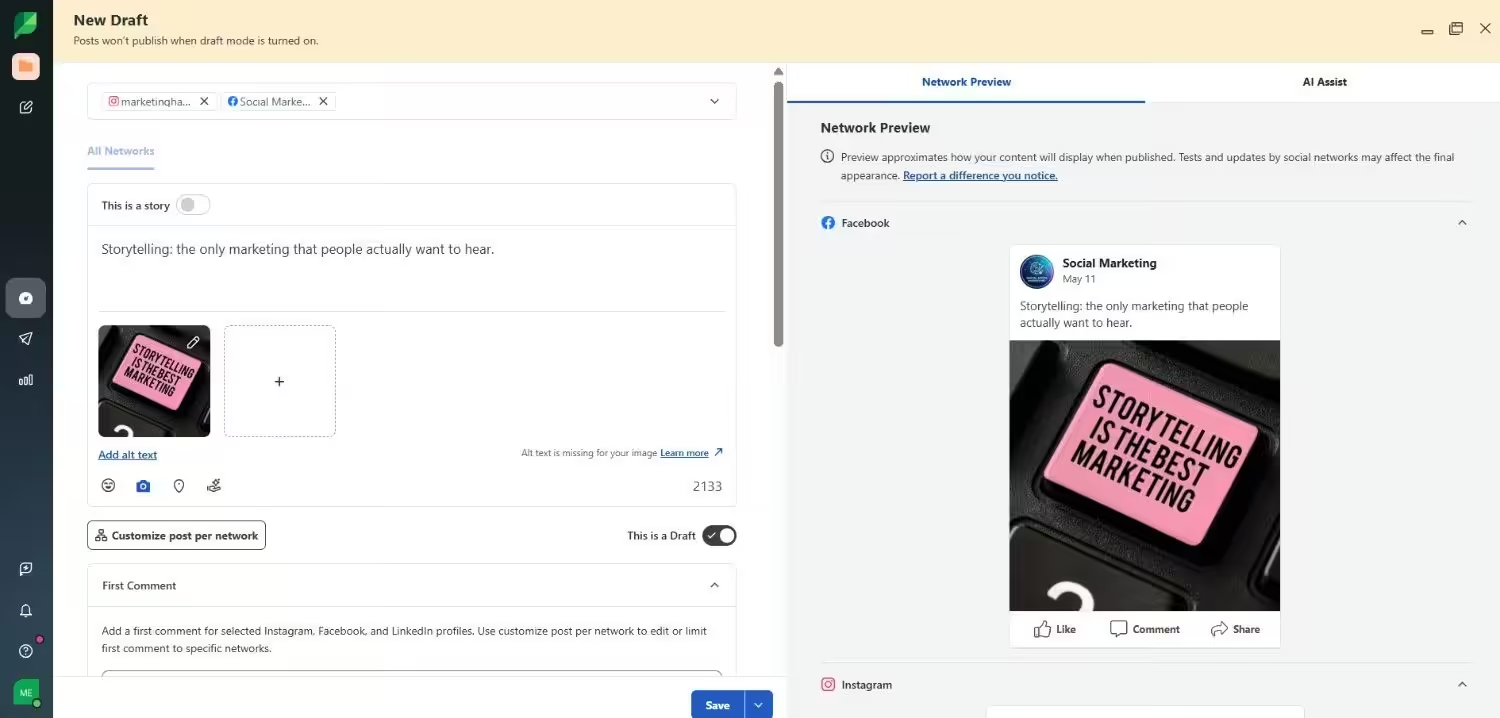
Sprout Social’s Dashboard Sprout Social gives you a full-spectrum social media management experience that goes far beyond simple scheduling, blending publishing, engagement, analytics, and listening.
It’s built to support teams that take social seriously, from small marketing squads to larger organizations, with tools that help you maintain a consistent presence and gather deep performance insights across networks.
Features
- Smart Inbox: You can monitor and respond to messages, comments, and reviews across all your social profiles in one consolidated stream.
- Collaborative content calendar: You’re able to schedule, queue, draft, and publish posts across multiple networks with precision and team visibility.
- ViralPost® send time optimization: You can let the system suggest the best posting times to maximize reach and engagement.
- Advanced reporting: You get robust analytics across networks with group, profile, and post-level insights that help you prove ROI.
- Social listening add-ons: You’re able to uncover audience sentiment, key trends, and competitive context with AI-powered listening tools.
- Team & workflow features: You can organize tasks, tag messages, and set up approvals or automated workflows to keep teams aligned.
G2 Rating: 4.4/5
Pros
- It has a comprehensive feature set that includes publishing, engagement, reporting, and listening tools, all in one platform.
- It has unified engagement tools that let you manage messages, reviews, and comments from across networks with the Smart Inbox.
- It provides strong analytics and insights that help you get deeper visibility into performance and trend data than many basic planners offer.
- You’re able to grow into higher tiers that support advanced workflows, automation, and CRM integrations.
Cons
- You may find the per-user cost steep compared with simpler tools, especially if you’re a small team or solo user.
- There’s no free plan, and you can only test features with a trial.
- You might need time and training to navigate the platform’s deeper capabilities.
- Some advanced analytics and listening features are sold separately, pushing the total price higher.
Sprout Social delivers a level of depth and integration that goes well beyond basic content calendars like ContentCal. So, if you’re looking for a robust, scalable platform that handles scheduling, community management, analytics, and social listening in one place, this platform is a solid choice.
-
SocialBee
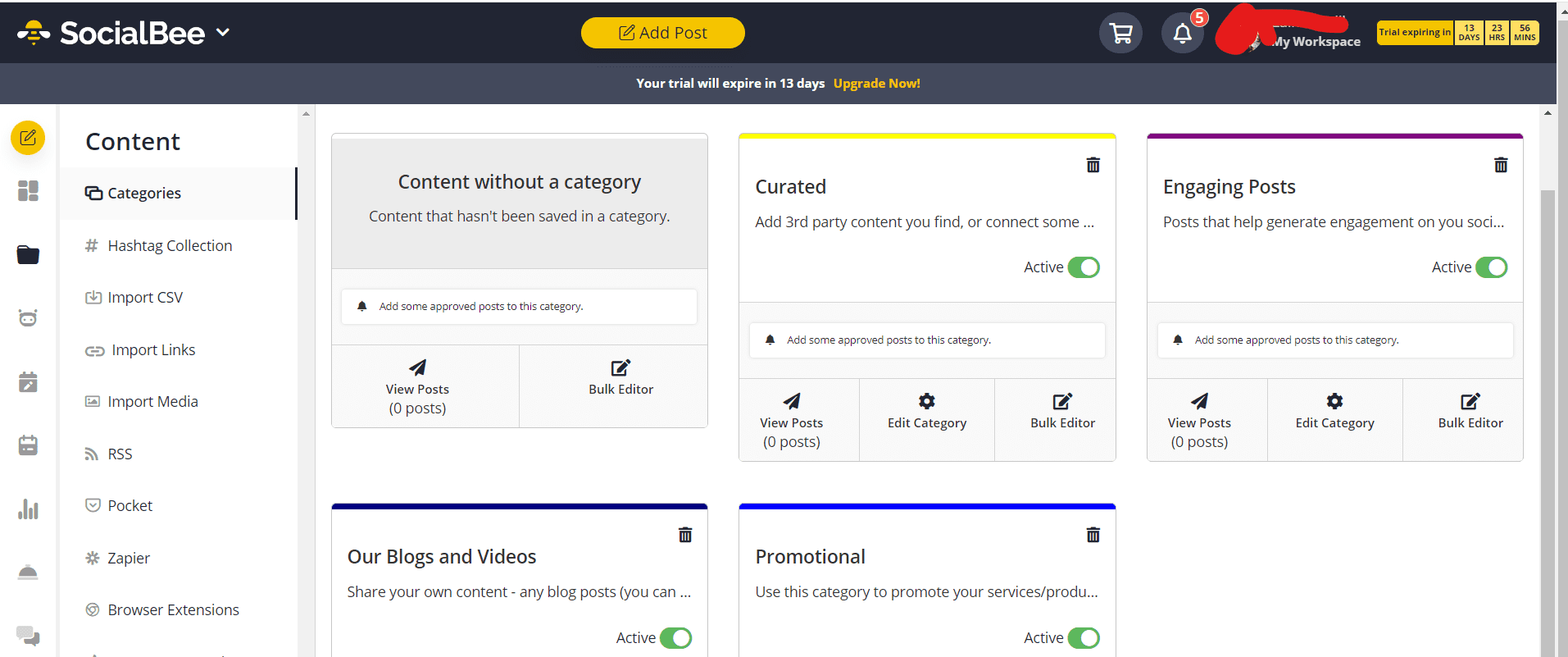
SocialBee’s Dashboard SocialBee gives you efficient scheduling, smart automation, and AI-driven content support in an affordable package that works whether you’re flying solo or managing multiple brands. It combines planning, publishing, engagement, and analytics into one unified dashboard that helps you keep content flowing without the usual tool overload.
Features
- Content categories & recycling: You can organize your posts into thematic buckets and automatically reshare evergreen content to keep your feeds active.
- AI assistant & content generation: You’re able to use AI tools to help craft captions, hashtags, and even complete social strategies faster.
- Flexible scheduling & best-time suggestions: You can schedule posts at specific times or let SocialBee suggest optimal publishing windows.
- Bulk editing & posting: You’re able to manage large batches of posts at once, which is handy for planning ahead.
- Analytics & reporting: You can track performance, audience growth, and other key metrics to refine your strategy.
- Team collaboration & workflows: You’re able to invite teammates, leave internal notes, and approve posts before they go live.
G2 Rating: 4.7/5
Pros
- You can explore features with a 14-day free trial before choosing a plan that matches your needs.
- Content buckets help diversify and automate posting without manual effort.
- You get tools to speed up writing and planning.
- Plans support multiple workspaces and users as your operation grows.
Cons
- After the trial, you’ll need a paid subscription to keep publishing.
- You may not see all accounts’ schedules at once.
- Deep social listening or content discovery tools aren’t as robust as specialized platforms.
- Performance insights are good for most needs, but not as deep as some high-end tools.
If you want a budget-smart alternative that helps you plan, organize, and automate your social media with smart content tools, SocialBee is a great pick. It delivers a compelling mix of features that keeps your content consistent without breaking the bank.
What to Look for in a ContentCal Alternative
When choosing the best ContentCal alternative for agencies, it helps to know what really matters in a social media tool. The right platform should make your life easier, keep your team in sync, and let your creativity shine without extra headaches.
Here’s a quick peek at the features of ContentCal alternatives that can make all the difference for teams, agencies, or solo social stars:
- Content calendar: The right tool should give you a clear view of all your posts in one place so nothing slips through the cracks.
- Approval workflows: A good platform makes sign-offs simple and painless, keeping your boss, client, or teammate happy.
- Multi-platform scheduling: Your ideal tool lets you post everywhere at once without turning social management into a game of tech whack-a-mole.
- Collaboration tools: The perfect solution encourages brainstorming, commenting, and tweaking together without endless email chains.
- Analytics and reporting: A smart platform shows what’s working and what’s not, so your strategy isn’t just a guessing game.
Choosing the right ContentCal replacement comes down to finding a tool that fits your workflow, team size, and creative style.
Focusing on these key features ensures you spend less time juggling tasks and more time making social media shine.
How to Choose the Right ContentCal Alternative for Your Team
I’ll let you in on the biggest mistake I used to make when choosing a tool. I’d get dazzled by features and fancy dashboards, then realize half of them were stuff I’d never actually use.
Before you make that same mistake, here’s my piece of (solicited) advice: Finding the right tool for your team is all about matching the tool to how you actually work, not just picking the flashiest name on the list.
No two social media users are the same, so the best ContentCal alternative for your team depends on whether you’re flying solo, running a marketing squad, or juggling multiple clients. Let’s break it down:
- Solo content creators: Are you looking for something simple, fast, and low-maintenance? Focus on tools with an intuitive UI, straightforward scheduling, and basic analytics. Pricing flexibility matters too. You don’t want a plan that drains your coffee budget.
- Marketing teams: Collaboration is everything here. Can teammates comment, approve, or tweak posts without endless back-and-forth emails? Look for platforms with multi-platform posting, approval workflows, strong integrations, and reporting features that keep everyone on the same page.
- Agencies or freelancers: If you’re managing multiple clients and campaigns, flexibility and scalability are key. White-label reporting, advanced analytics, client access, and responsive support can save you hours (and headaches) each week. Pricing tiers that grow with your workload are a huge bonus.
A smart move is to shortlist two to three tools that seem like a good fit and take advantage of free trials. It’s like test-driving social media platforms to see which one feels right in action before committing.
This is the most practical way to figure out how to pick a ContentCal replacement your team will actually enjoy using.
Why Social Champ Is a Strong ContentCal Alternative
With a blend of simplicity, powerful features, and affordability, it’s a tool that can easily match or even improve on what you love about ContentCal.
The following are some of the top features that make Social Champ stand out as the best social media calendar tool:
- Visual calendar: Just like ContentCal, Social Champ gives you a clean, drag-and-drop content calendar so you can see all your posts at a glance.
- Post approval workflows: It keeps teams aligned with smooth approval processes that ensure nothing goes live without a thumbs-up.
- Team collaboration: With this tool, you can comment, brainstorm, and assign tasks within the platform. This reduces the back-and-forth across emails or chat apps.
- Analytics: Social Champ also allows you to track performance, measure engagement, and see which posts hit the mark, all in one dashboard.
And for you who love flexible pricing (I mean, who doesn’t?), Social Champ has got you covered. It offers flexible pricing plans that let you pay based on how many social accounts you want to manage, so you’re never stuck paying for more than you actually need.
It also includes a free plan, so you can test the platform and see how it stacks up in the ContentCal vs Social Champ debate before committing.
Explore Social Champ Pricing Today!
Conclusion
Choosing from the many ContentCal alternatives comes down to one simple truth: the right tool should work the way you do, not the other way around. Whether you’re scheduling posts solo, collaborating with a growing team, or managing multiple clients, picking a platform that fits your workflow, budget, and goals can make your social media life noticeably easier.
We’ve explored many social media scheduling tools for business, but it’s safe to say that Social Champ stands out as a strong all-rounder. With its visual content calendar, smooth approval workflows, team collaboration features, and clear analytics, it delivers everything you’d expect from a modern social media management tool. Plus, it delivers all that without unnecessary complexity or inflated pricing.