

If you’ve been posting on Instagram, you probably know there’s a whole lot of competition on the platform. After all, it houses 2 billion monthly active users!
This is where tools like Hopper HQ come to your rescue. This Instagram-first social media marketing management platform helps you plan, automate, and publish content across 9 platforms.
If that’s your primary usage, Hopper HQ could be ideal.
However, if you’re looking for more options like integration with emerging networks, team collaboration tools, and even social listening, you might need a different solution.
In this guide, we’ll explore some of the best Hopper HQ alternatives and apps like Hopper HQ, so you can compare, contrast, and pick the right tool for your business. Social Champ is on the list too, with a Free plan and paid plans from $4/month.
Short Summary
- Many users look for alternatives to Hopper HQ due to limited platforms and automation, as well as no free plan.
- Social Champ and Buffer offer affordable scheduling, analytics, and team collaboration.
- Sprout Social, Metricool, and Agorapulse provide advanced reporting and performance insights.
- Later helps plan, schedule, and optimize visual content efficiently.
- The right Hopper HQ alternative depends on budget, team size, platform support, and collaboration needs.
Apropos of your needs, you’ll see which platforms stand out so you can pick the one that works better than Hopper HQ for your business.
Why Users Seek Hopper HQ Alternatives
Hopper HQ may be perfect for simple scheduling. Unfortunately, it comes with certain limitations that make it difficult to manage multiple accounts.
Let’s take a look at some reasons users look for Hopper HQ competitors:
-
Limited Platform Support
Hopper HQ integrates with the major social media platforms, including X, Facebook, Instagram, TikTok, LinkedIn, Pinterest, and YouTube.
Although this provides extensive coverage, it may fail to cater to the requirements of businesses or agencies that wish to build a presence on emerging platforms or niche networks.
As a result, teams often feel restricted when trying to reach audiences outside these channels.
-
No Free Plan
Budget is also very important when selecting a social media tool, especially when committing to a platform can be costly.
So, unless you’re absolutely sure the tool is right for you, it’s best to experiment with your options. That’s where a free plan becomes a necessity.
Unfortunately, Hopper HQ pricing structure does not offer a free plan, which is why it may be challenging for startups or small groups to experiment before investing.
-
Limited Automation Options
Automation is essential for the regular posting of content.
Hopper HQ lacks features like RSS posting, which means you will have to post manually.
If your team is managing multiple accounts, this extra step can become time-consuming and affect consistency.
-
Lack of a Centralized Inbox
Engagement is as important as posting. Sadly, Hopper HQ doesn’t offer a centralized message inbox, comments, or mentions.
This means you can’t use the same platform to engage with your audience, which may slow down the communication process and make it difficult to follow up on conversation threads.
It is no wonder that users start looking into alternatives to Hopper HQ based on these factors.
Each business has different priorities, and knowing these limitations helps you consider other tools that might better match your needs and save time as your social media strategy grows.
Hopper HQ Alternatives at a Glance
| Hopper HQ Alternative | Best For | Starting Price |
| Social Champ | Agencies, Enterprises, and SMBs | $4/month |
| Later | Instagram focus, visual planning, and link in bio | $18.75/month |
| Buffer | Simple scheduling, ease of use, and cost-effective management | $5/channel/month |
| Sprout Social | Enterprise level, advanced analytics, and social listening | $79/user/month |
| Hootsuite | Brands, teams, and managing multiple accounts | $99/user/month |
| SocialBee | Content categorization, solopreneurs, and small businesses | $24/month |
| Agorapulse | Team collaboration, social inbox management, and agencies | $79/user/month |
| Metricool | Multi-brand management, data analytics, and competitor tracking | $20/month |
Don’t Let Your Content Go Unseen!
Featured Article: How to Schedule Facebook Posts
Top 8 Hopper HQ Alternatives for 2026
The right social media management tools can change how effectively your team works.
Many users who want to access more features, better pricing, and broader platform support look for free Hopper HQ alternatives and paid solutions.
Here’s a curated list of the top 8 Hopper HQ alternatives this year:
-
Social Champ
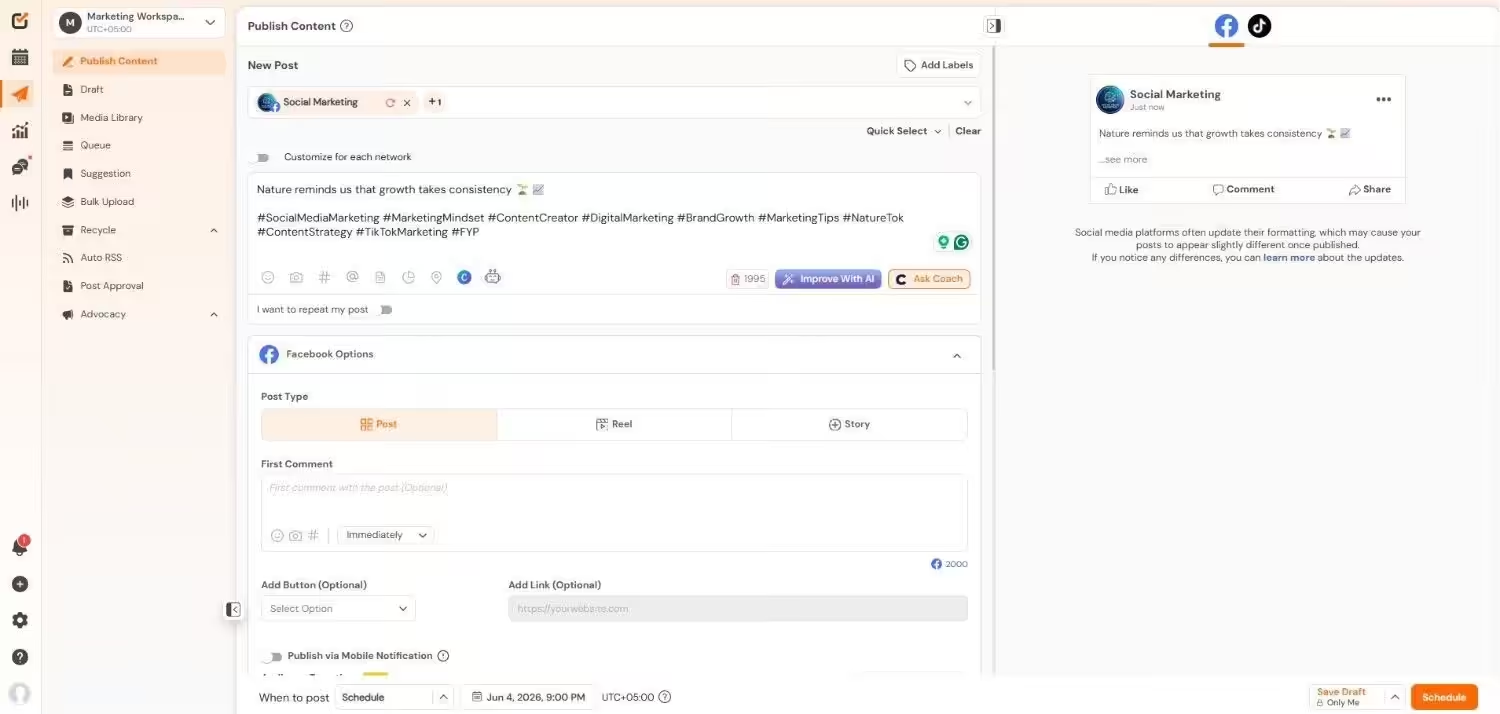
Social Champ’s Dashboard If you’re looking for a Hopper HQ alternative that keeps pace with the times, Social Champ is a great option.
This platform connects with 11+ platforms, including emerging platforms like Mastodon, Threads, and Bluesky.
Not only that, it centralizes all major social media management tools on one single dashboard. You can access tools like a multi-platform scheduler, social inbox, social listening, analytics, and even competitor analysis.
Key Features
- You can connect and manage over 11 platforms, including Facebook, Instagram, X (Twitter), LinkedIn, YouTube, TikTok, Google Business, Pinterest, and Threads, all from one dashboard.
- You can keep your conversations organized with a unified inbox for comments and messages from major platforms, including WhatsApp Business.
- It also comes with AI tools, including a caption writer and an image generator, to create and design your content.
- You can further plan your posts visually using a drag-and-drop calendar to maintain consistency in your posting schedule.
- Social Champ also allows you to assign roles and approvals to your team so everyone stays on the same page.
- You can generate client-ready reports in seconds, branded and easy to understand, without extra effort.
Pricing
Social Champ comes with two pricing models, including a Pay-Per-Profile and a Flat-Rate model.
Here’s what you get in the Pay-Per-Profile:
- Starter, which costs $4 and has 1 user. In this plan, you can manage 1 social account.
- Growth, which costs $8 and has unlimited users. In this plan, you can manage 1 social account.
These plans also offer discounts as you scale. Here’s how much you can save in the Starter:
- For 1-10 social accounts: $4
- For 11-20 social accounts: $3
- For 21-40 social accounts: $2
- For 41+ social accounts: $0.50
Here’s how much you can save in the Growth:
- For 1-10 social accounts: $8
- For 11-20 social accounts: $3.50
- For 21-40 social accounts: $2.50
- For 41+ social accounts: $1
With Social Champ, you also get Flat-Rate bundles, which are:
- Free, which costs $0 and has 1 user. In this plan, you can manage 3 social accounts.
- Standard, which costs $23 and has 2 users. In this plan, you can manage 6 social accounts. This plan also comes with add-ons for accounts. You can add another account for $5/account.
- Professional, which costs $47 and has 5 users. In this plan, you can manage 12 social accounts. This plan also comes with add-ons for accounts. You can add another account for $4/account and pay $8/user for another user.
- Agency, which costs $119 and has unlimited users. In this plan, you can manage 30 social accounts. This plan also comes with add-ons for accounts. You can add another account for $3/account.
- Enterprise, which is Custom and has unlimited users. In this plan, you can manage unlimited social accounts.
Social Champ also supports: Instagram, Facebook, TikTok, LinkedIn, YouTube, Threads, Pinterest, X, Google Business Profile, Bluesky, Mastodon, and WhatsApp Business
Want to Beat Your Competitors Every Time?
Post smarter, track results, and stay ahead using Social Champ across all platforms. -
Later
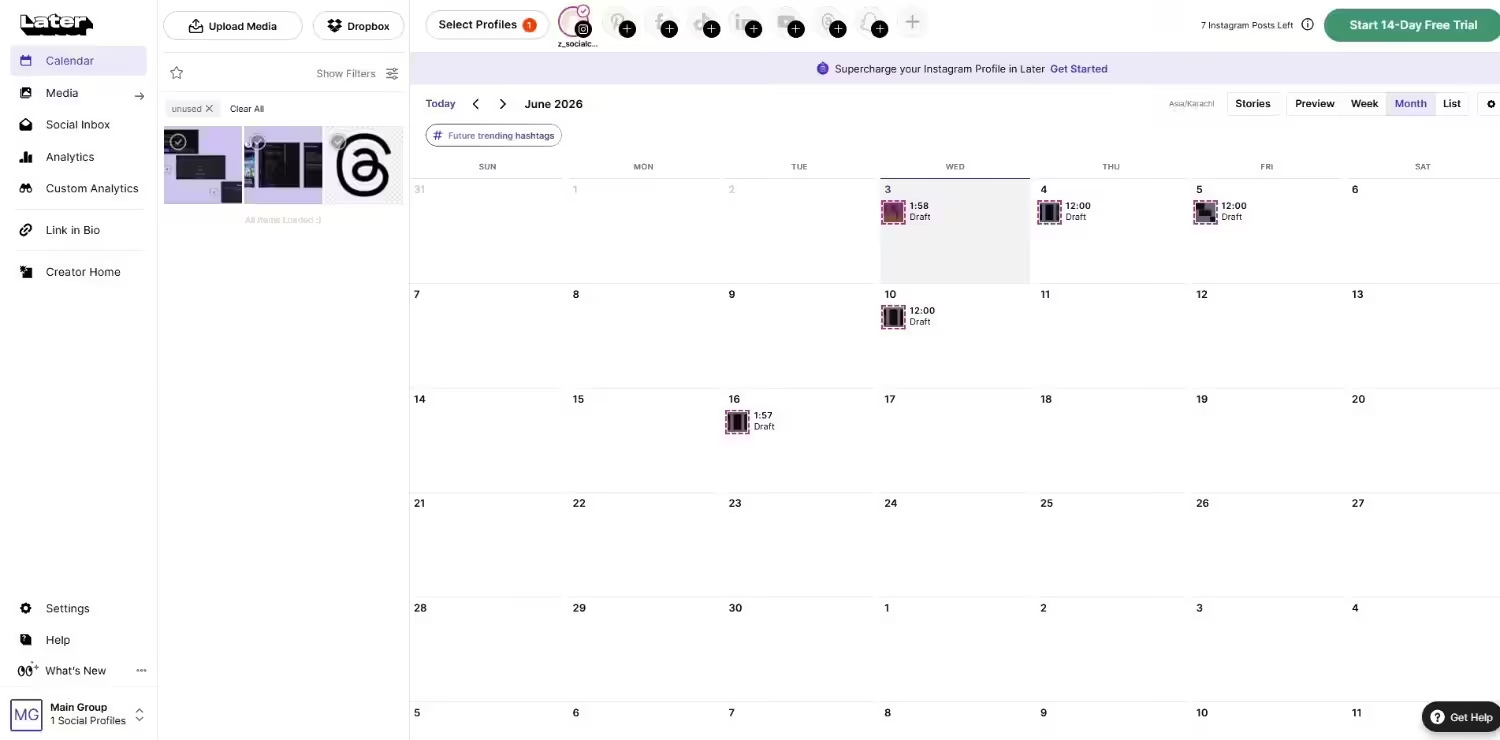
Later’s Dashboard Later is also worth checking out, especially if you’re looking for an Instagram-first social media management platform.
Unlike Hopper HQ, Later comes with a plethora of premium features, including social listening and a centralized social inbox.
Key Features
- Later allows you to schedule posts for Instagram, Facebook, TikTok, Pinterest, and X from one dashboard.
- It offers AI-powered features that help you write captions and generate content ideas quickly.
- There is a visual content calendar that keeps your posting consistent and organized.
- With analytics, you can also examine which posts perform best, so you can adjust your strategy.
- You can collaborate with your team by assigning roles and approving posts efficiently.
- The “Link in Bio” feature helps you guide followers to multiple destinations easily.
Pricing
Later offers four plans, including:
- Free, which costs $0 and has 1 user. In this plan, you can manage 8 social accounts.
- Starter, which costs $18.75 and has 1 user. In this plan, you can manage 8 social accounts.
- Growth, which costs $37.50 and has 2 users. In this plan, you can manage 16 social accounts.
- Scale, which costs $82.50 and has 4 users. In this plan, you can manage 48 social accounts.
Later also supports: Instagram, Facebook, Threads, Pinterest, TikTok, LinkedIn, YouTube, and Snapchat.
Check out other Later alternatives.
-
Buffer
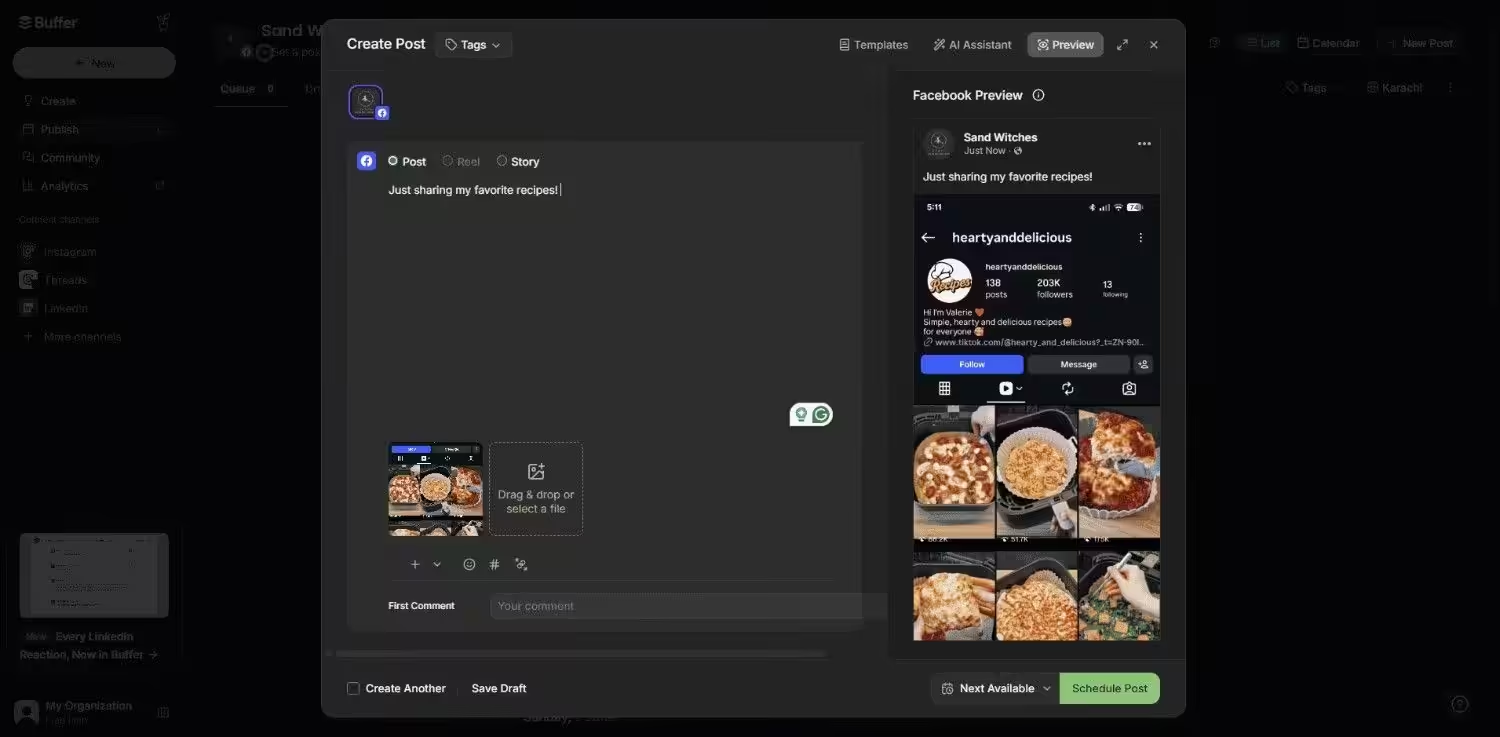
Buffer’s Dashboard If you’re looking for a basic scheduling tool to manage your social media, Buffer is one of the top cheaper Hopper HQ alternatives.
It helps you schedule posts, analyze performance, and collaborate with your team without jumping between platforms.
Key Features
- Buffer offers content creation tools that let you craft captions and design posts quickly.
- You can publish across major platforms like Facebook, Instagram, X, LinkedIn, and Pinterest.
- The analytics show you which posts perform best so you can adjust your strategy.
- You can keep engagement organized by managing comments and messages in one place.
- You can easily collaborate with your team using shared calendars and approval workflows.
Pricing
Buffer offers three plans, including:
- Free, which costs $0 and has 1 user. In this plan, you can manage 3 social accounts.
- Essentials, which costs $5 and has 1 user. In this plan, you can manage 1 social account.
- Team, which costs $10 and has Unlimited users. In this plan, you can manage 1 social account.
Buffer also supports: Facebook, Instagram, X, Bluesky, Google Business Profile, LinkedIn, Mastodon, Pinterest, Threads, TikTok, and YouTube
Check out other alternatives to Buffer.
-
Sprout Social
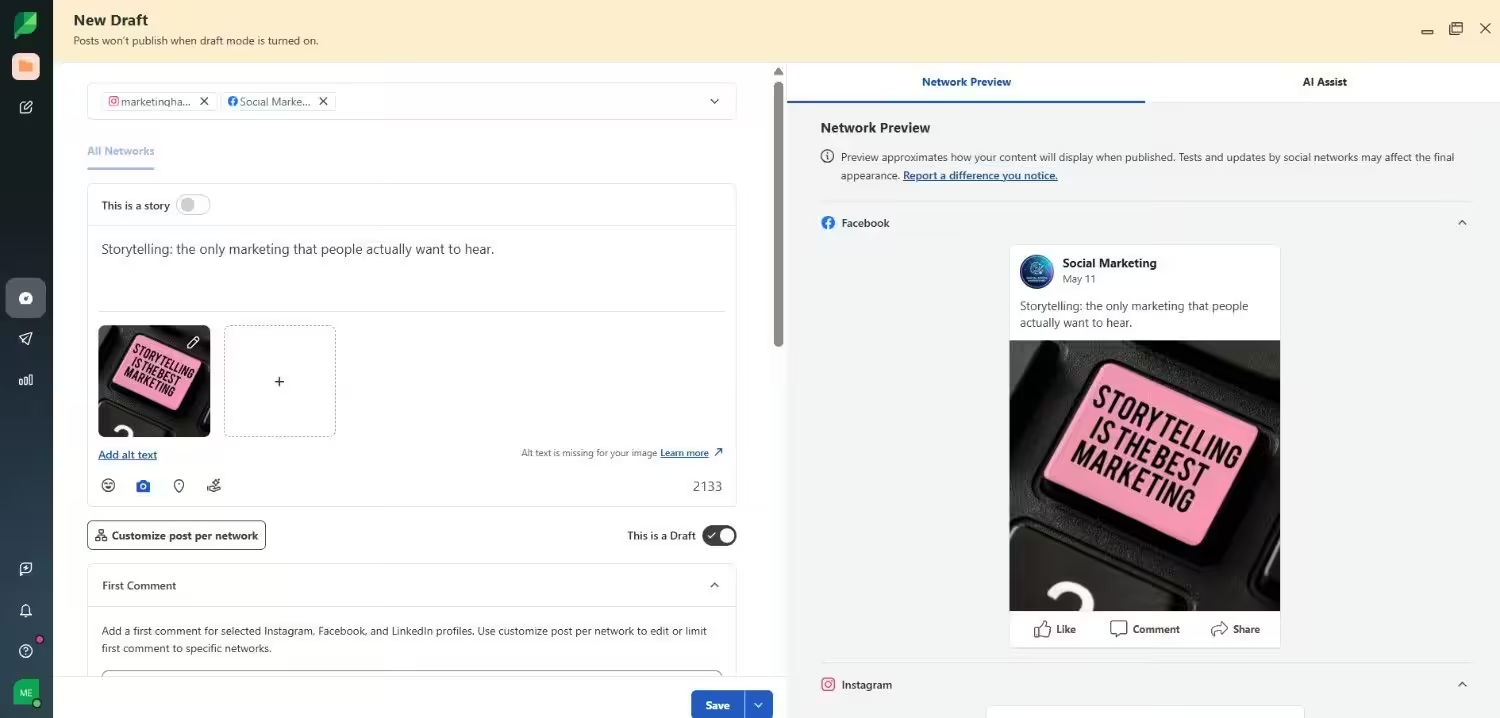
Sprout Social’s Dashboard For businesses that want advanced features in one place, Sprout Social is often regarded as one of the top Hopper HQ alternatives for small businesses and enterprise teams alike.
It offers advanced publishing, analytics, and engagement tools to help you manage your social media with ease.
Key Features
- It offers publishing and content planning tools that help you schedule posts and stay consistent across platforms.
- There is a unified social inbox that lets you respond to messages and comments without switching between accounts.
- You can leverage advanced analytics to gain detailed insights into performance, trends, and audience behavior.
- Sprout Social offers team management features, including roles, permissions, and collaboration workflows, which are helpful for agencies and larger teams.
Pricing
Sprout Social offers five plans, including:
- Essentials, which costs $79 and has 1 user. In this plan, you can manage 5 social accounts.
- Standard, which costs $199 and has 1 user. In this plan, you can manage 5 social accounts.
- Professional, which costs $299 and has 1 user. In this plan, you can manage unlimited social accounts.
- Advanced, which costs $399 and has 1 user. In this plan, you can manage unlimited social accounts.
- Enterprise, which is custom and has custom users. In this plan, you can manage unlimited social accounts.
Sprout Social also supports: Facebook, Instagram, X, LinkedIn, Pinterest, TikTok, YouTube, Threads, Bluesky, WhatsApp, Reddit, Tumblr, and Google Business Profile
Check out other alternatives to Sprout Social.
-
Hootsuite
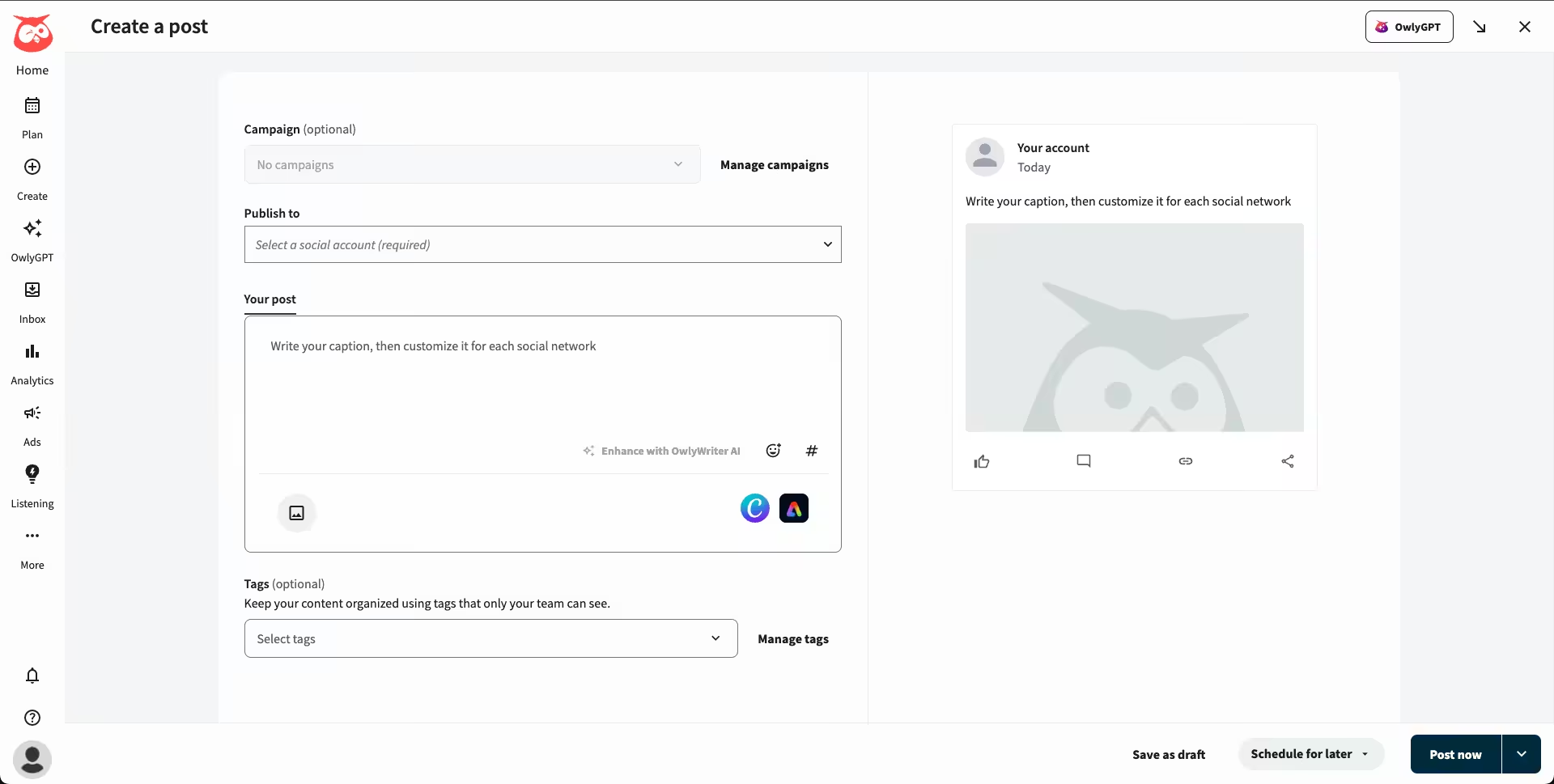
Hootsuite’s Dashboard Hootsuite has been a well-known name among Hopper HQ competitors for a long time.
The platform is designed for businesses that want publishing, monitoring, and advertising tools under one roof.
Key Features
- You can publish and create content for platforms like Facebook, Instagram, LinkedIn, TikTok, and YouTube from a single dashboard.
- There are built-in analytics to track engagement, reach, and conversions to guide your strategy.
- It offers social listening tools that allow you to monitor conversations, trends, and competitors in real time.
- Its ad management features let you run, track, and optimize paid campaigns directly through the tool.
Pricing
Hootsuite offers four plans, including:
- Standard, which costs $99 and has 1 user. In this plan, you can manage 10 social accounts.
- Professional, which costs $199 and has 1 user. In this plan, you can manage Unlimited social accounts.
- Advanced , which costs $399 and has 1 user. In this plan, you can manage Unlimited social accounts.
- Enterprise, which is Custom and has Unlimited users. In this plan, you can manage Unlimited social accounts.
Hootsuite also supports: Facebook, Instagram, TikTok, LinkedIn, X, YouTube, Pinterest, Threads, WhatsApp, Google Business Profile, and Bluesky.
Check out other Hootsuite alternatives.
-
SocialBee
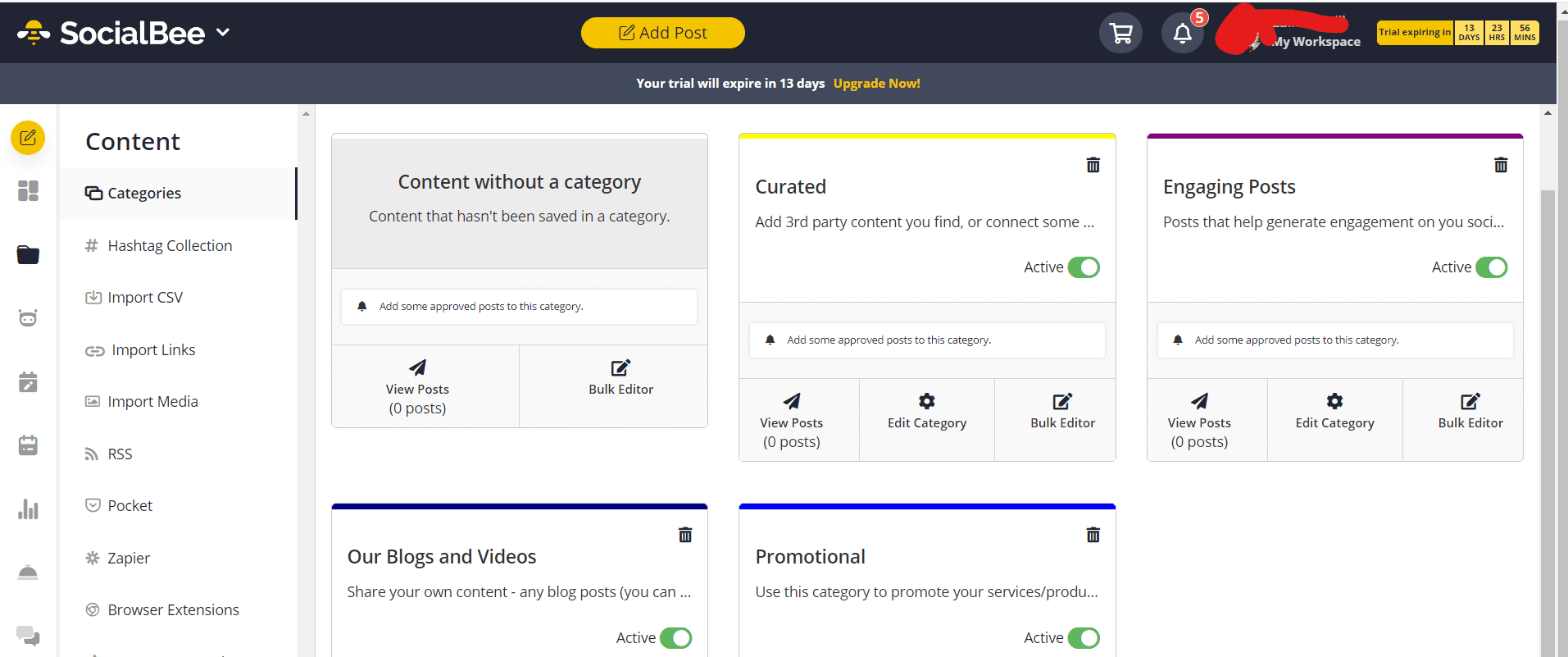
SocialBee’s Dashboard SocialBee is another strong choice among Hopper HQ similar tools if you need more than just simple scheduling.
It helps your business to plan content, stay consistent, and keep audiences engaged while offering advanced collaboration and listening features.
Key Features
- SocialBee offers content creation tools to help you write, organize, and recycle posts to keep your feeds active.
- Its scheduling and publishing options let you plan posts for platforms like Facebook, Instagram, LinkedIn, TikTok, and more.
- With its built-in analytics, you can see how your posts perform, allowing you to refine your strategy.
- There are engagement features that let you reply to comments and messages without leaving the platform.
- It also helps you track mentions and conversations around your brand.
- Its team collaboration tools make it easier to assign roles and manage approvals, similar to Hopper HQ but with more flexibility.
Pricing
SocialBee comes with two pricing categories, including Standard and Agency models.
Here’s what you get in the Standard plans:
- Bootstrap, which costs $24 and has 1 user/ workspace. In this plan, you can manage 5 social accounts.
- Accelerate, which costs $40 and has 1 user/ workspace. In this plan, you can manage 10 social accounts.
- Pro, which costs $82 and has 3 users/ workspace. In this plan, you can manage 25 social accounts.
With SocialBee, you also get Agency plans, which are:
- Pro50, which costs $149 and has 5 users/ workspace. In this plan, you can manage 50 social accounts.
- Pro100, which costs $274 and has 5 users/ workspace. In this plan, you can manage 100 social accounts.
- Pro150, which costs $374 and has 5 users/ workspace. In this plan, you can manage 150 social accounts.
SocialBee also supports: Facebook, Instagram, Threads, LinkedIn, TikTok, Pinterest, Google Business Profile, YouTube, X, and Bluesky
Check out other SocialBee alternatives.
-
Agorapulse
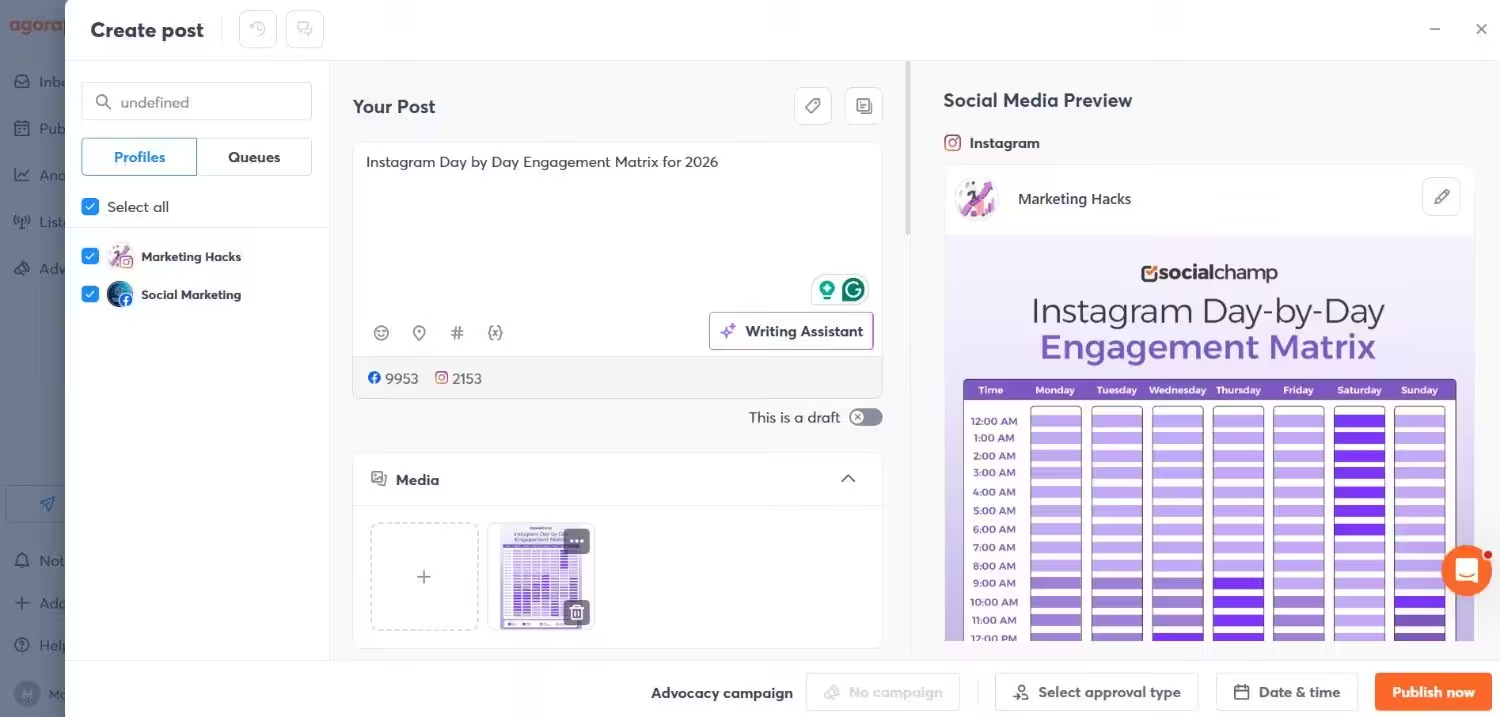
Agorapulse’s Dashboard If you’re after a Hopper HQ alternative that balances publishing, collaboration, and reporting, Agorapulse might be right up your alley.
It’s designed for teams and agencies like you to provide everything you need to stay productive.
Key Feature
- You can schedule and publish posts across multiple platforms in one place.
- With Agorapulse, you can work better as a team with task assignments, approvals, and shared calendars.
- It allows you to stay productive with automated workflows that cut down on repetitive tasks.
- You can manage all your comments, messages, and mentions from one easy inbox.
- Agorapulse lets you monitor competitors and trends using its social listening features.
- You can also share client-ready reports packed with insights to prove ROI.
Pricing
Agorapulse offers four plans, including:
- Standard, which costs $79 and has 1 user. In this plan, you can manage 10 social accounts.
- Professional, which costs $119 and has 1 user. In this plan, you can manage 10 social accounts.
- Advanced, which costs $149 and has 1 user. In this plan, you can manage 10 social accounts.
- Custom, which is Custom and has Custom users. In this plan, you can manage Unlimited social accounts.
Agorapulse also supports: Facebook, Instagram, Threads, X, LinkedIn, YouTube, Pinterest, Google Business Profile, TikTok, Bluesky, and Reddit
Check out other alternatives to Agorapulse.
-
Metricool
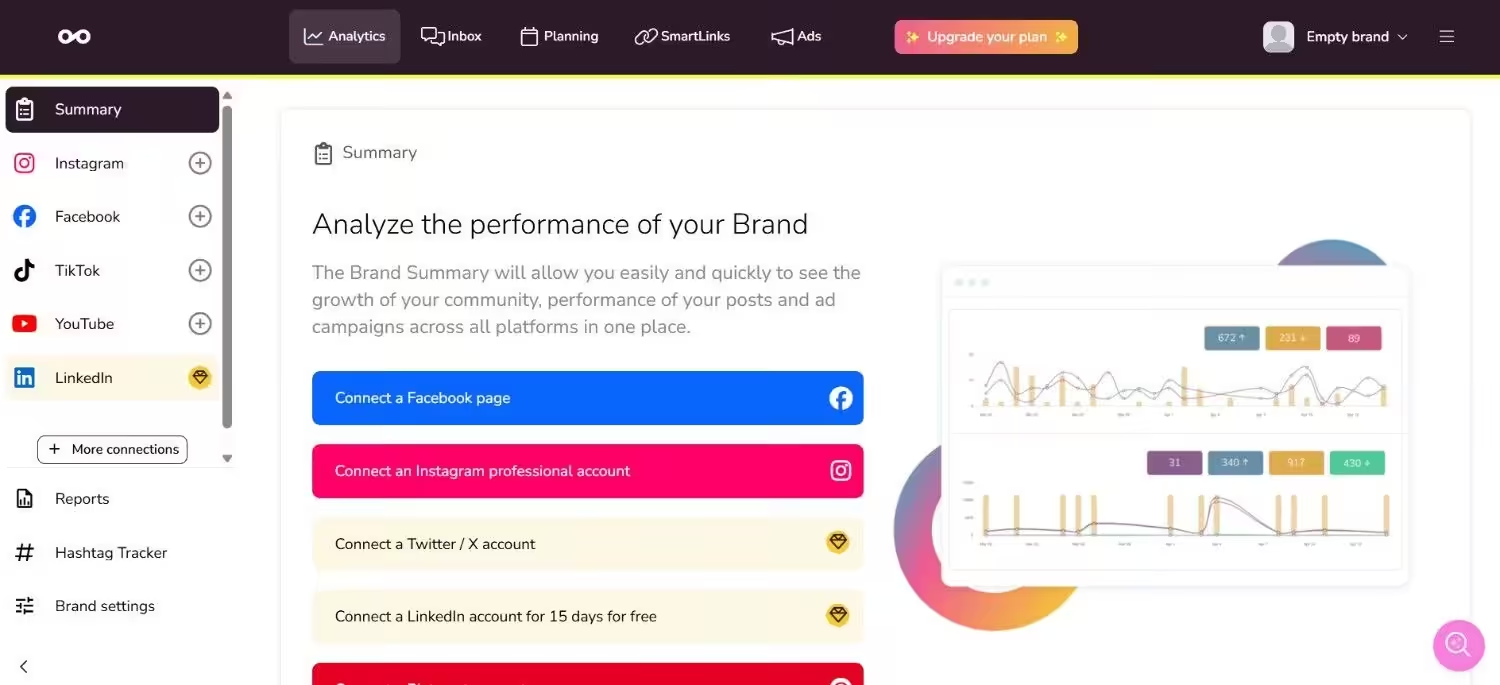
Metricool’s Dashboard If numbers and reports are your thing, Metricool is a great alternative to Hopper HQ to try.
It’s built for marketers who want a clean planner, detailed analytics, and reporting that actually makes sense.
Key Features
- You can plan and schedule posts with a simple, drag-and-drop calendar.
- It lets you access in-depth analytics to track performance across platforms.
- Metricool helps you generate branded reports for clients in just a few clicks.
- You can manage all your messages and comments through the inbox tool.
- It offers SmartLinks to optimize your bio links for higher engagement.
- You can also track hashtags to see which ones boost your reach.
Pricing
Metricool offers four plans, including:
- Free, which costs $0. In this plan, you can manage 1 brand.
- Starter, which costs $20. In this plan, you can manage 10 brands.
- Advanced, which costs $53. In this plan, you can manage 50 brands.
- Custom, which is Custom. In this plan, you can manage Custom brands.
Metricool also supports: Instagram, TikTok, YouTube, Threads, X, Twitch, Google Business Profile, Facebook, Bluesky, Pinterest, and LinkedIn
Check out other alternatives to Metricool.
Choosing the Right Hopper HQ Alternative for Your Needs
If you’re in search of the best Hopper HQ alternatives to manage your social media, your choice would depend on your unique needs.
Every tool has its own unique features, so before choosing one, you should look into your budget, the platforms you use, and how big your team is.
-
Consider Your Budget
The first factor that you should look into for any tool is the budget.
Social Champ and Buffer are great and affordable Hopper HQ alternatives for small business.
They offer core features such as scheduling, analytics, and engagement tools without costing you hefty price tags.
Both tools also offer a free plan that allows smaller teams and startups to manage their social media with ease.
-
Focus on Analytics and Reporting
Many teams don’t just require simple scheduling.
Platforms like Sprout Social and Social Champ provide detailed reporting and performance monitoring.
If you need information to help plan your content strategy, these tools provide the necessary data to make more informed decisions.
-
Collaboration and Team Management
Agencies or growing teams just can’t live without collaboration features.
Tools like Agorapulse and Social Champ make it a lot easier to manage approvals, assign roles, and keep communication organized.
-
Platform Preferences Matter
Not every tool supports the same networks as others.
Later is ideal for Instagram-intensive campaigns, whereas Social Champ is more versatile for working across applications.
-
Match Features With Team Size
It’s very important to match features with your team size before selecting any tool.
You should make sure the tool you’re choosing is scalable with your team and allows multiple users without charging you a huge cost.
By comparing the budget, feature set, support for platforms, and team requirements, you can select a suitable Hopper HQ alternative and make working with social media much easier and more consistent.
Everything You Need for Your Social Success!
Conclusion
Choosing the Hopper HQ alternatives completely depends on your team’s needs.
If you’re budget-conscious, Social Champ and Buffer are great picks for you with all the essential features at an affordable price.
Sprout Social and Metricool are best for gaining deeper insights.
Agencies or larger teams may prefer Hootsuite and Agorapulse for their team management tools.
Ultimately, you should pick a tool that matches your budget, supports the platforms that you use, and keeps your team organized.
That’s how you can easily make your social media management easier and smarter.
