If you’re looking for an easier way to manage your social media posts, SmarterQueue is a worthwhile option to consider. It helps you plan content, schedule posts, and reuse your best-performing updates, ensuring your accounts stay active.
Still, it might not be perfect for everyone. Some users find the pricing a bit high or wish it offered more detailed reports, collaboration tools, and integration options.
If that sounds familiar, don’t worry. There are plenty of other social media tools that offer similar features with more flexibility and better value. Social Champ, for instance, has a Free plan and paid plans from $4/month.
Short Summary
- Some users feel SmarterQueue lacks modern features like AI automation, in-depth analytics, and advanced collaboration options.
- Social Champ, Buffer, and SocialPilot are affordable and easy-to-use SmarterQueue alternatives with powerful scheduling tools.
- If budget isn’t a concern, you can also explore premium options like Metricool, ContentStudio, Sendible, and CoSchedule.
In this guide, I’ll walk you through 7 top SmarterQueue alternatives that can help you stay consistent, save time, and boost your social media results.
Why Users Seek SmarterQueue Alternatives
SmarterQueue is a good social media management tool that helps users plan, publish, and recycle posts across platforms like Facebook, Instagram, TikTok, YouTube, Threads, X, LinkedIn, Pinterest, and Google Business Profile. It also includes features such as analytics, a visual calendar, and competitor tracking.
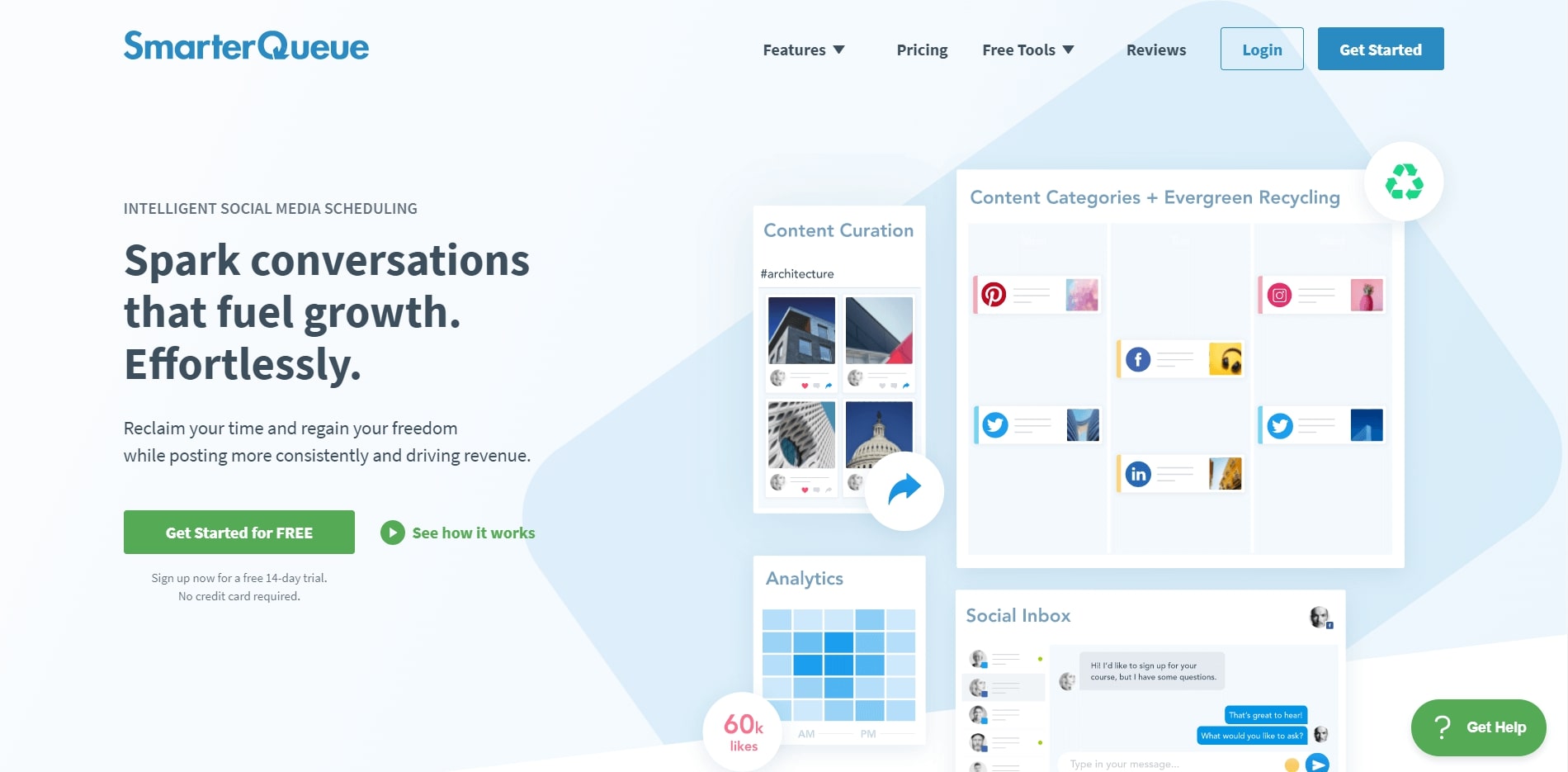
Still, many users search for SmarterQueue alternatives because the tool does not meet every business need. One common reason is limited platform support since it does not include other networks such as Bluesky, Mastodon, and WhatsApp Business, which are now very popular among marketers.
Another concern is that while SmarterQueue offers useful analytics, the reports are not as deep or customizable as some advanced tools. People who want more detailed insights or real-time data often look for platforms like SmarterQueue that provide stronger tracking and performance analysis.
For larger teams, SmarterQueue can feel limited in collaboration features. It works well for individuals or small businesses, but agencies that manage several clients might prefer a better SmarterQueue option that supports teamwork and approvals.
Some businesses also want a more affordable alternative to SmarterQueue that offers similar tools, such as scheduling, analytics, and automation at a lower price.
My Top Alternatives to SmarterQueue
SmarterQueue is a good tool for planning and recycling posts, but when compared with other popular platforms, it falls short in some areas. Many users now prefer tools that offer free plans, better teamwork options, and advanced analytics without extra costs.
Here’s a simple comparison of SmarterQueue and some of its top alternatives:
| Tool | Best For |
|---|---|
| Social Champ | Teams wanting strong features at a low cost, with AI support, teamwork tools, and bulk scheduling |
| CoSchedule | Individuals or small teams wanting a cleaner, organized workflow across content, social, and campaigns |
| Metricool | Data-focused users who want detailed analytics, performance tracking, and competitor comparison |
| ContentStudio | Creators, marketers, and agencies wanting content discovery, scheduling, and influencer tools in one place |
| Planoly | Creators, influencers, and visual brands who want strong visual grid planning for Instagram and other platforms |
| SocialPilot | Small teams, agencies, or consultants doing high-volume posting while staying budget-conscious |
| Sendible | Agencies and freelancers managing many clients or social accounts who need client dashboards and reporting |
Top 7 SmarterQueue Competitors for 2026
If you feel SmarterQueue doesn’t offer everything you need, don’t worry. There are plenty of tools that give you better features, easier teamwork, and flexible pricing.
Here’s a list of the top 7 SmarterQueue alternatives you can try in 2026.
-
Social Champ
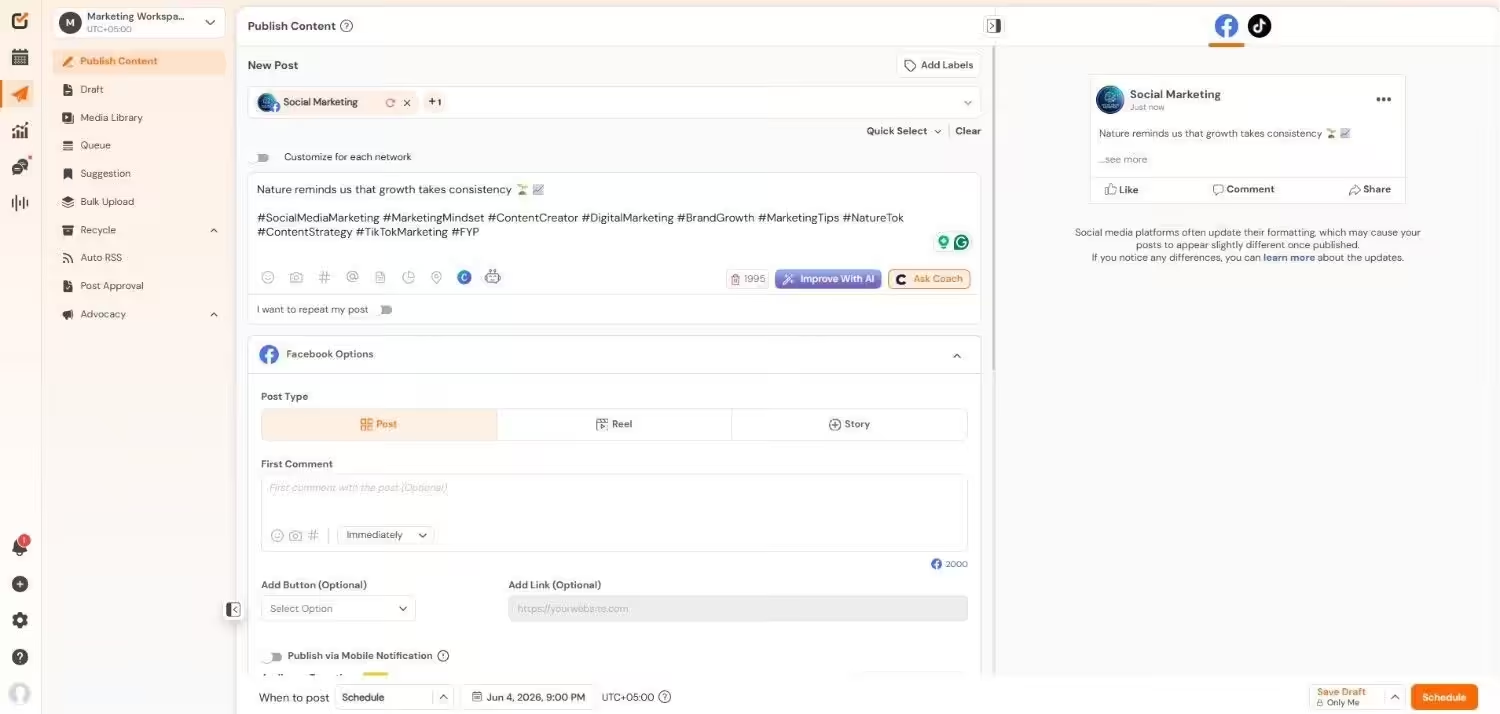
Social Champ’s Dashboard Social Champ is a tool that helps you manage posts on many social media accounts from one place.
You can plan your posts, get ideas, see how your account grows, and respond to messages. It also has tools to listen to what people say about your brand and see what competitors are doing.
Many users like Social Champ because its features are strong, even at a low cost. The tool supports teamwork, where you can assign roles and approve posts. You can upload many posts at once, edit content ideas with AI support, and track performance with analytics.
Key Features:
- Bulk upload (CSV) and scheduling
- Drag-and-drop calendar for planning content
- AI tools for captions, content ideas, and hashtags
- Role-based access and workflow for teams
- Social listening and brand mention tracking
- Analytics and visual reports for engagement and growth
- Unified inbox to manage comments and messages
Starting Price:
Social Champ comes with two pricing tiers, including a Pay-Per-Profile and a Flat-Rate model.
Here’s what you get in the Pay-Per-Profile:
- Starter, which costs $4 and has 1 user. In this plan, you can manage 1 social account.
- Growth, which costs $8 and has unlimited users. In this plan, you can manage 1 social account.
These plans also offer discounts as you scale. Here’s how much you can save in the Starter:
- For 1-10 social accounts: $4
- For 11-20 social accounts: $3
- For 21-40 social accounts: $2
- For 41+ social accounts: $0.50
Here’s how much you can save in the Growth:
- For 1-10 social accounts: $8
- For 11-20 social accounts: $3.50
- For 21-40 social accounts: $2.50
- For 41+ social accounts: $1
With Social Champ, you also get Flat-Rate bundles, which are:
- Free, which costs $0 and has 1 user. In this plan, you can manage 3 social accounts.
- Standard, which costs $23 and has 2 users. In this plan, you can manage 6 social accounts. This plan also comes with add-ons for accounts. You can add another account for $5/account.
- Professional, which costs $47 and has 5 users. In this plan, you can manage 12 social accounts. This plan also comes with add-ons for accounts. You can add another account for $4/account and pay $8/user for another user.
- Agency, which costs $119 and has unlimited users. In this plan, you can manage 30 social accounts. This plan also comes with add-ons for accounts. You can add another account for $3/account.
- Enterprise, which is Custom and has unlimited users. In this plan, you can manage unlimited social accounts.
Social Champ also supports: Instagram, Facebook, TikTok, LinkedIn, YouTube, Threads, Pinterest, X, Google Business Profile, Bluesky, Mastodon, and WhatsApp Business
Wish Your Scheduler Did More Than Post?
-
CoSchedule
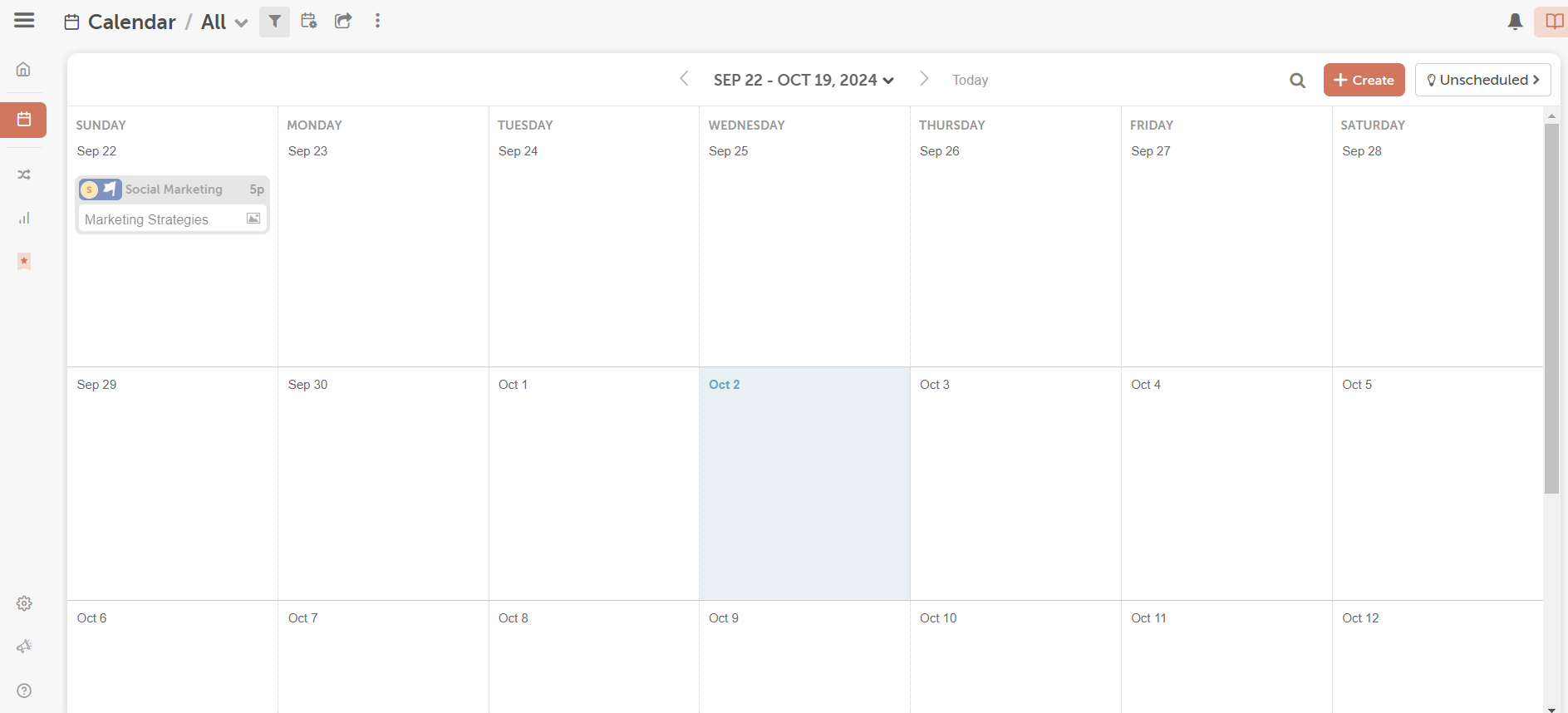
CoSchedule’s Dashboard CoSchedule is a tool for planning content, social media, and teamwork all in one calendar. It helps you see posts, tasks, and campaigns in one place. You can drag posts around, move deadlines, and get a visual view of what is coming up. It works well for people or small teams who want a cleaner, organized workflow.
You can use CoSchedule for free to try simple social post scheduling. When you use a paid plan, you get more power: you can use more profiles, do report generation, automate reposts, work with a team inbox, and have more control. It makes things easier when you have more people to coordinate or lots of posts to manage.
Key Features:
- Drag-and-drop calendar to plan posts and tasks
- Best-time social publishing (sends posts when engagement is likely better)
- Social analytics and reports to see how your posts do over time
- Social inbox for Facebook & Instagram to respond to messages or comments from one place
- Bulk scheduling with CSV uploads
- Automation to reshare your best content (automated repetition)
Starting Price:
A Free exists with limited features. The first paid plan (“Starter”) starts at $29 per month (billed annually).
-
Metricool
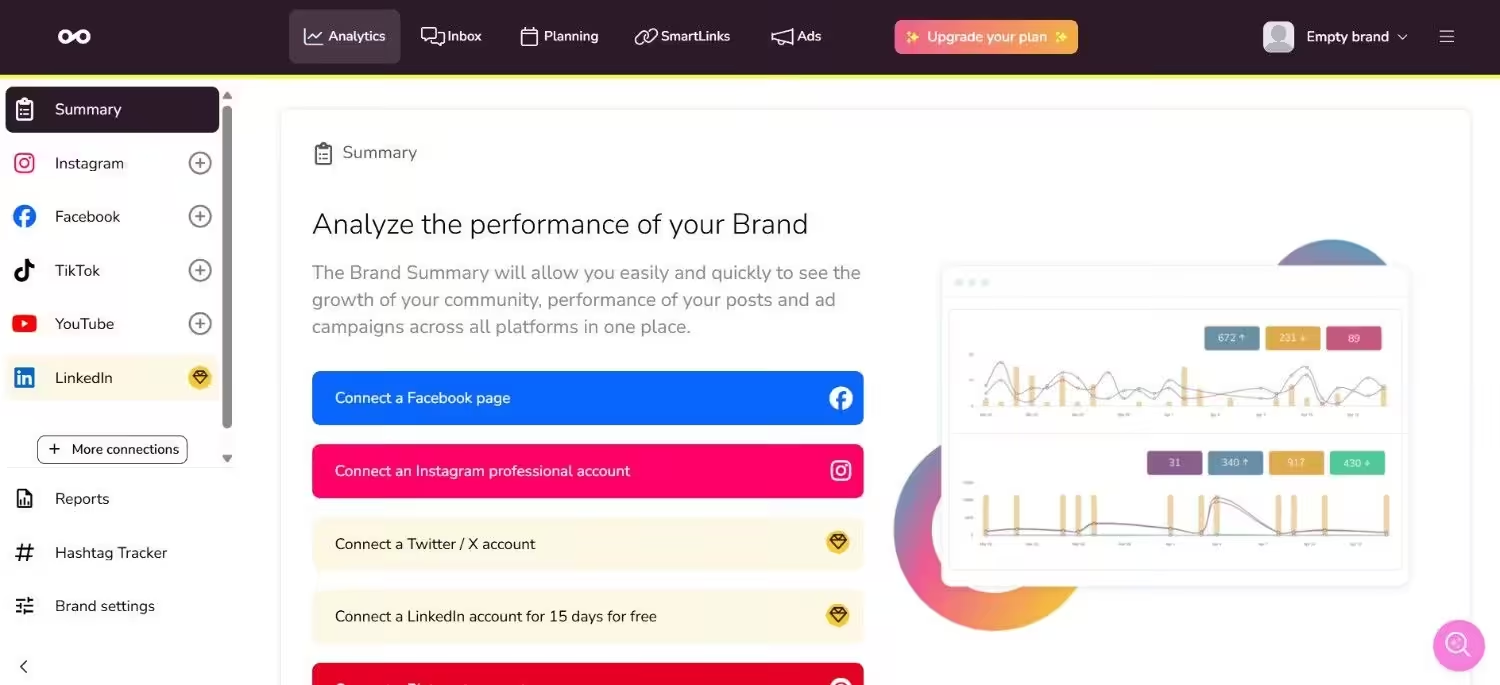
Metricool’s Dashboard Metricool is a tool focused on data and performance. It lets you schedule posts, monitor your accounts, analyze how your posts do, and compare performance with competitors. You can also connect it to websites or ad platforms.
People who use Metricool say it gives good analytics and reports. It also provides insight into reach, clicks, follower growth, and more. The tool also supports a free plan, so you can try basic functions without cost.
Key Features:
- Content scheduling across social networks
- Detailed analytics and performance metrics
- Competitor tracking and comparison
- Unified inbox to reply to comments
- Report generation for clients or the team
- “Link in bio” pages with tracking
Starting Price:
Metricool offers a Free plan. For paid use, some tiers begin around $20/month, depending on the number of accounts.
-
ContentStudio
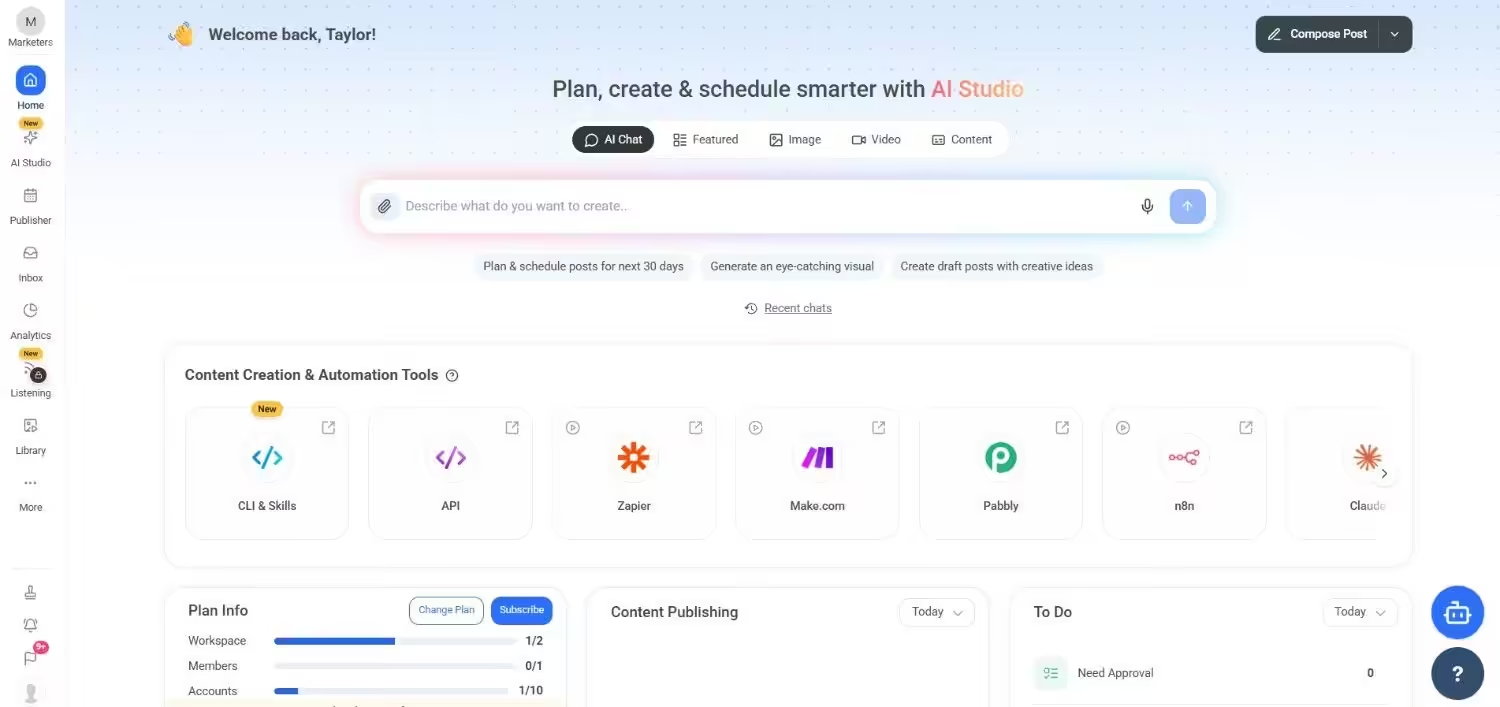
ContentStudio’s Dashboard ContentStudio aims to be a full tool for creators, marketers, and agencies. It helps you discover content, schedule posts, manage your social inbox, do analytics, and find influencers.
It is good if you want many capabilities in one place. It supports many social accounts and gives you options to grow with more users or more social profiles.
You can start with a plan that has basic tools. Then move up to “Advanced” or “Agency” to get more controls, more social accounts, unlimited workspaces, white label options, and more. It gives options to add extra users and extra social profiles when needed.
Key Features:
- Content discovery (find trending content by AI, RSS feeds)
- Multi-platform publishing and scheduling
- Unified social inbox and social monitoring tools
- Influencer tracking and outreach tools
- Analytics and campaign performance reports
Starting Price:
Standard plan starts at $19/month.
-
Planoly
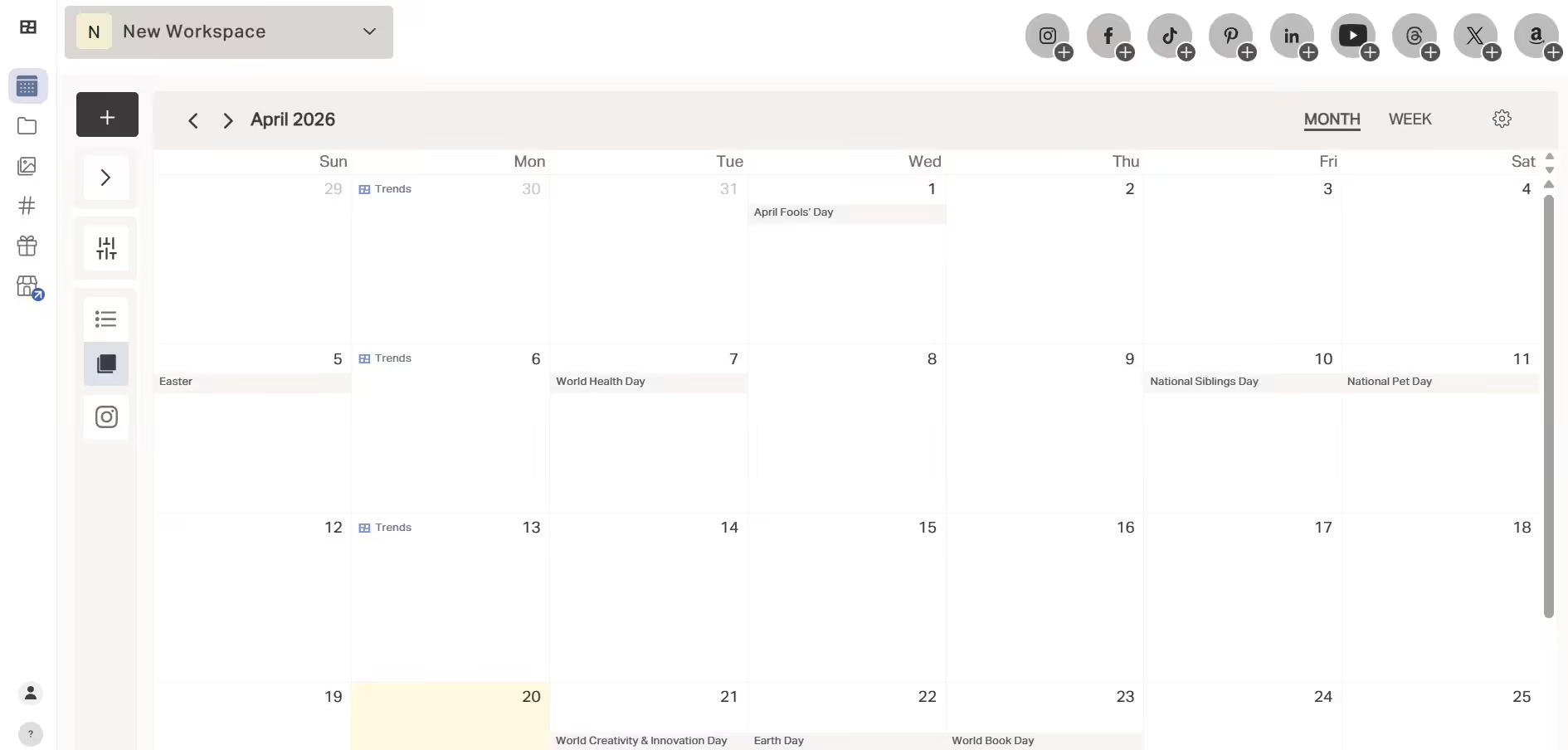
Planoly’s Dashboard Planoly is good for creators, influencers, and visual brands. It helps plan how your feed will look, uploads images and videos, schedules posts, and also gives tools like a hashtag manager, analytics, and a media library. It is simpler than full agency tools but strong for visuals.
You get tools like visual grid planning, reminders, and basic analytics. As you upgrade, you get more users, more social sets, more uploads, and auto-post, among others.
Key Features:
- Social calendar with visual layout for Instagram & other visual platforms
- Grid preview to see how posts look together in feed
- Basic analytics & best time to post tools
- Hashtag manager and auto-post reminders
- Media editing (image/video) within the tool
Starting Price:
Starter Plan is about $14/month for one social set.
-
SocialPilot
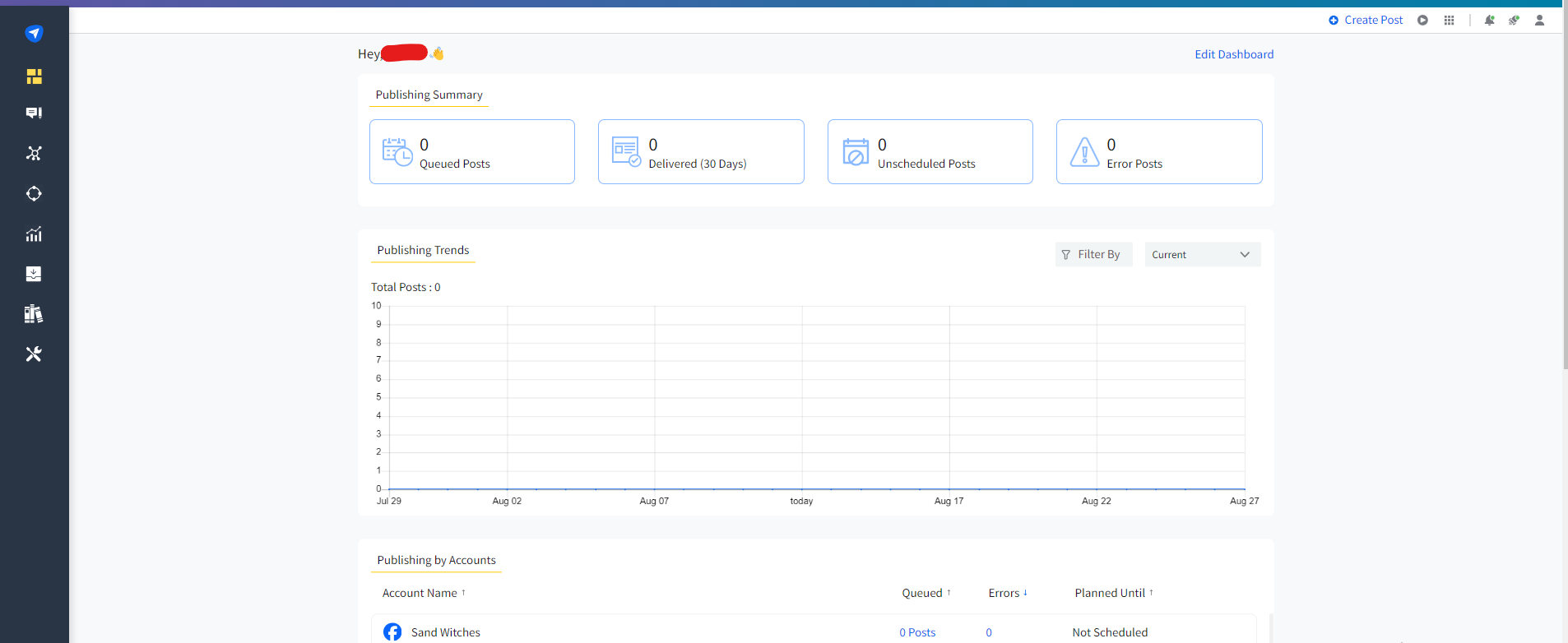
SocialPilot’s Dashboard SocialPilot is a tool that many small teams, agencies, or consultants like. It gives many posting slots, lets you manage many social accounts, has tools for teamwork, and gives good reports. It allows bulk post scheduling, approval workflows, a content library, and more.
It is more affordable for teams that do a lot of social posting but are mindful of their budget. Many features in middle plans, like team collaboration, inbox, and advanced analytics, get unlocked with higher tiers.
Key Features:
- Bulk scheduling (many posts at once)
- Content library and tags to organize content
- Team collaboration and manager approval tools
- Social media inbox for messages/comments
- White-label reports for clients
- Analytics and performance tracking
Starting Price:
The Essentials plan begins around $25.50/month (billed annually) for 7 social media accounts.
Featured Article: 13 Top SocialPilot Alternatives for Smarter Social Media Management
-
Sendible
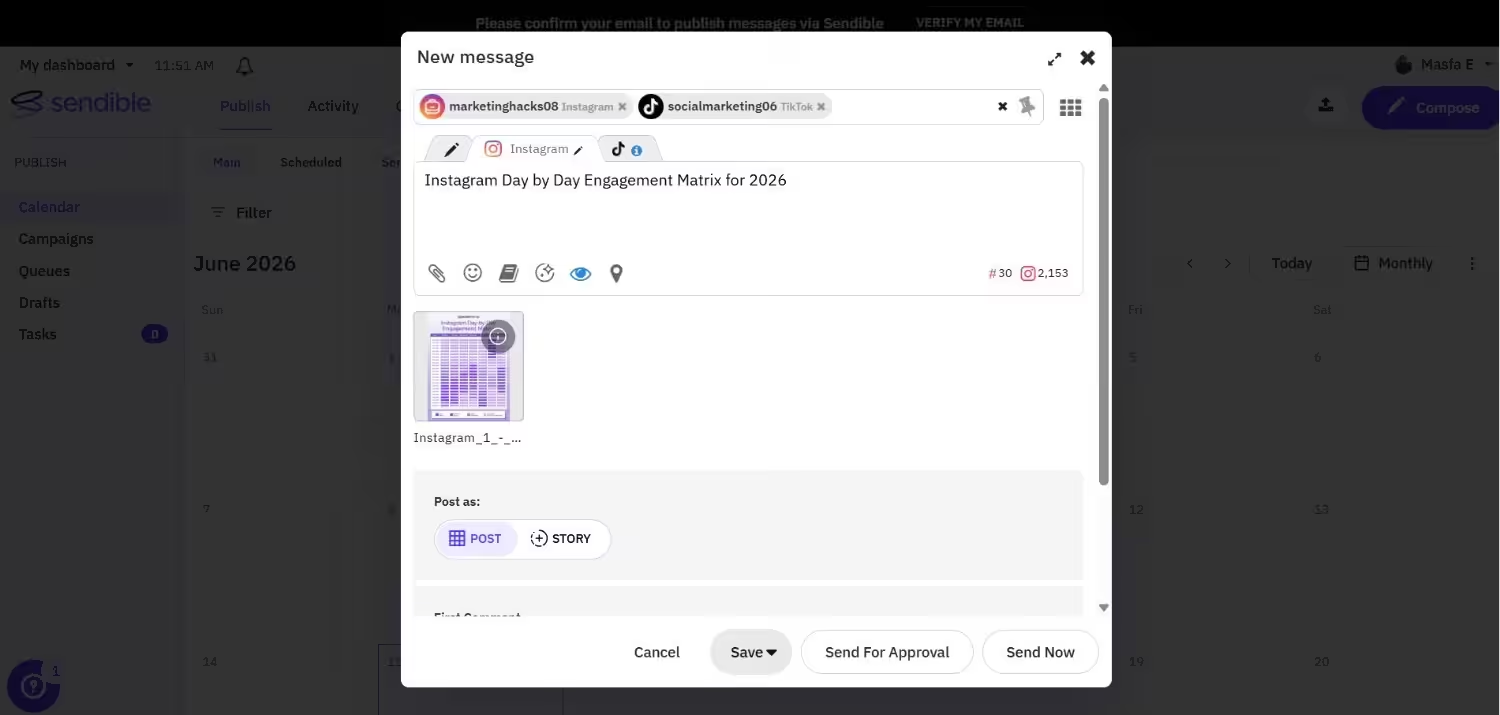
Sendible’s Dashboard Tools like Sendible are built to help people who manage many clients or many social accounts. It offers dashboards for clients, has scheduling rules, and works with tools like Canva or Google Drive. It helps you monitor brand mentions, reply to comments, manage content, and schedule better.
It has many plans depending on how many users and social profiles you need. It also has features for teamwork, approving content, and generating reports. It works well for agencies or people working with clients.
Key Features:
- Automatic scheduling and smart queues of posts
- Client dashboards and white-label reporting
- Content and hashtag library for reuse
- Social listening (watching brand mentions or keywords)
- Integrations like Canva and Google Drive
Starting Price:
The Core plan starts at $35/month. You can also browse our Sendible pricing analysis.
Choosing the Right SmarterQueue Alternative for Your Needs
Choosing the right SmarterQueue alternative depends on what your business needs most. Every team is different. Some focus on saving time, some want better reports, and others just need a tool that is simple to use.
If you want a tool with many features at a low price, Social Champ is a great option.
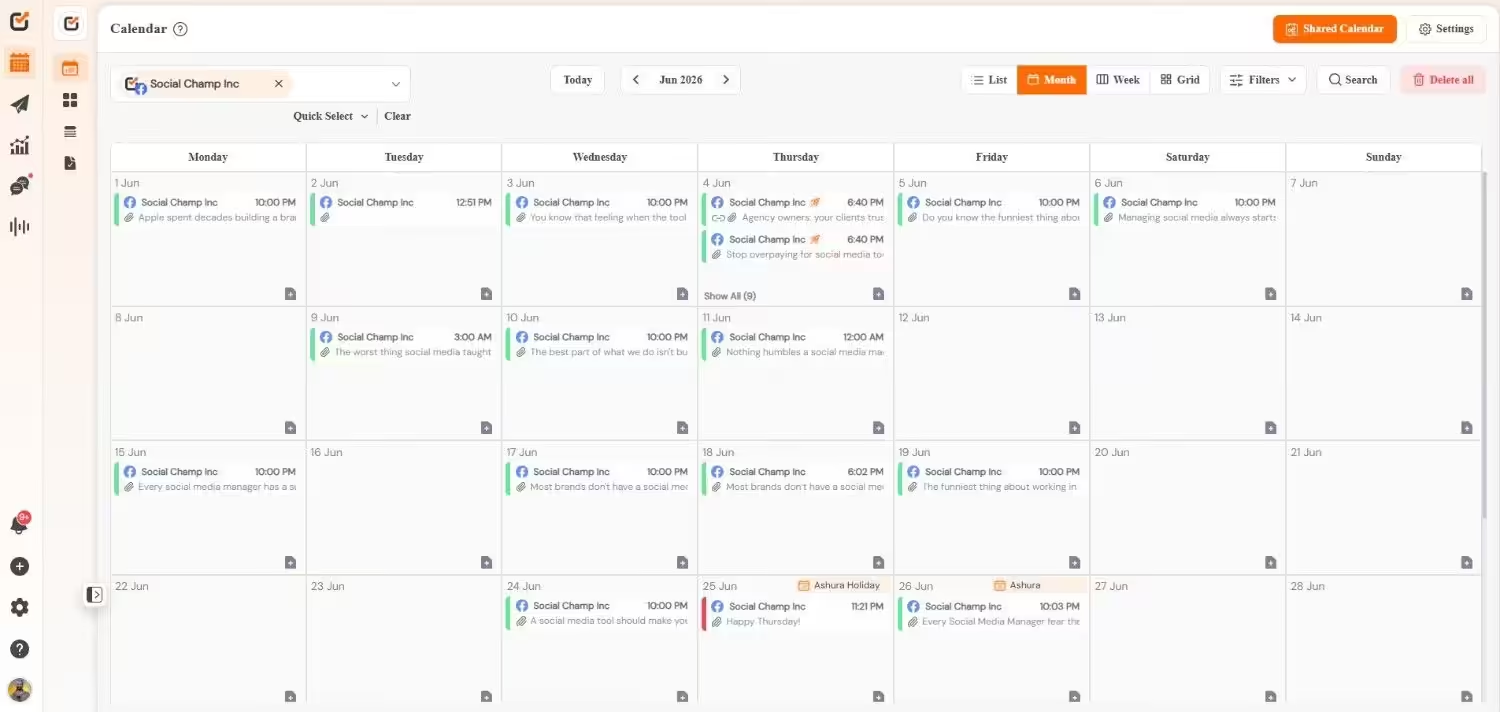
It lets you schedule posts, monitor analytics, and use AI tools to create content easily. It’s one of the best SmarterQueue alternatives for small businesses, freelancers, or startups who want everything in one place without spending too much.
If you need a simple tool that helps you plan and publish posts without much setup, you can look for options that focus on easy scheduling and clean dashboards. If your goal is to track results or manage several accounts, you might prefer a tool that includes better reports and teamwork features.
Many platforms today also offer built-in calendars, AI help for writing captions, and smart posting times. Exploring a few of them can help you see what works best for your workflow.
The best approach is to test a few SmarterQueue alternatives with free trials. This way, you can see which one feels comfortable to use and fits your budget. In the end, the right tool is the one that saves you time and makes managing social media easier every day.
Featured Article: Best Ocoya Alternatives for Social Media Management
Conclusion
SmarterQueue is a great tool for many users, but it might not suit everyone’s needs. As your business grows, you might look for other SmarterQueue alternatives that fit your goals better.
Some options, like Metricool, offer stronger analytics, while others, like Social Champ, provide an all-in-one solution that’s easier on the budget. These alternatives to SmarterQueue can help you save time and manage your social media more smoothly.
The best approach is to try a few tools, explore their free trials, and see which one feels easiest to use. In the end, the right tool is the one that helps you stay consistent and makes managing your social media simple.
Featured Article: Everything You Need to Know About Lately Pricing