

Buffer built its whole reputation on one thing: keeping social scheduling dead simple. So why do so many longtime users start browsing alternatives the moment their team or budget grows?
Buffer still nails the basics. But if you’re dealing with disconnected accounts, watching your bill creep up with every new channel, or bouncing between five different social media management tools just to schedule, report, and publish, “simple” starts to feel like a stretch.
You’re not imagining it. And you’re definitely not the only one reconsidering it.
In 2026, running social media takes more than a posting calendar. You need dependable publishing, AI that actually saves time, analytics you don’t have to pay extra to unlock, and pricing that doesn’t punish you for growing.
So I skipped the marketing copy and tested the top 12 Buffer alternatives myself, digging into pricing, reliability, analytics, AI features, collaboration, and exactly who each platform is built for.
Let’s find the one that fits how you manage social media today.
Quick Comparison of the Best Buffer Alternatives
| Tool | Starting Price | Accounts Supported | Key Features | Best For |
| Social Champ | $4 | Facebook Threads Google Business Profile YouTube TikTok X Mastodon Bluesky GA4 |
Scheduling Social Inbox Analytics Social Listening Calendar Competitor Analysis Team Collaboration |
Scheduling/Auto posting Team Collaboration Engaging Followers Analyzing Social Media Efforts Competitor Analysis Social Listening Visual Content Calendar Pricing- * plans available for agencies, enterprises, and SMBs |
| Hootsuite | $99 | Facebook X Threads TikTok YouTube |
Scheduling Analytics Engagement Social Inbox Content Calendar Team Collaboration |
Brands & Enterprises Teams Social Customer Service Managing Multiple Accounts |
| Sprout Social | $79 | Facebook TikTok X Threads |
Scheduling Analytics Engagement Social Inbox Content Calendar Team Collaboration Review Management |
Agencies and Enterprises With Multi-Location Brands or Multiple Clients Teams Comprehensive Features Customer Care Social Listening |
| SocialPilot | $25.50 | Facebook TikTok X Threads YouTube Bluesky Google Business Profile |
Scheduling Analytics Engagement Social Inbox Content Calendar Team Collaboration Client Management White Label Reports |
Agencies & Small Businesses Teams Client Management Affordable Pricing |
| Later | $18.75 | Facebook TikTok X |
Scheduling Creator & Brand Collaboration Analytics Social Listening Social Inbox |
Visual Planning Instagram Focus Link in Bio Content Scheduling Analytics |
Short Summary
- Top Buffer alternatives include Social Champ, Hootsuite, Sprout Social, Zoho Social, and Agorapulse.
- These Buffer alternatives give you better value, smarter automation, and powerful audience engagement tools.
- You might face slow customer support and limited technical help if you stay with Buffer.
- You gain powerful scheduling, deep analytics, and highly organized team collaboration features with these competing platforms.
- Your perfect choice depends entirely on your specific goals, required platforms, and daily budget.
Best Buffer Alternatives to Manage Your Social Media Accounts
I remember when Buffer was the only application I needed to schedule posts. I relied on it daily.
However, times change. Your business requires more power and support today. I tested dozens of options to find the best Buffer alternatives for you. You need smarter scheduling to grow your brand.
With this in mind, I put together this factual guide. Here is a look at the top tools available right now.
Buffer Alternative #1: Social Champ
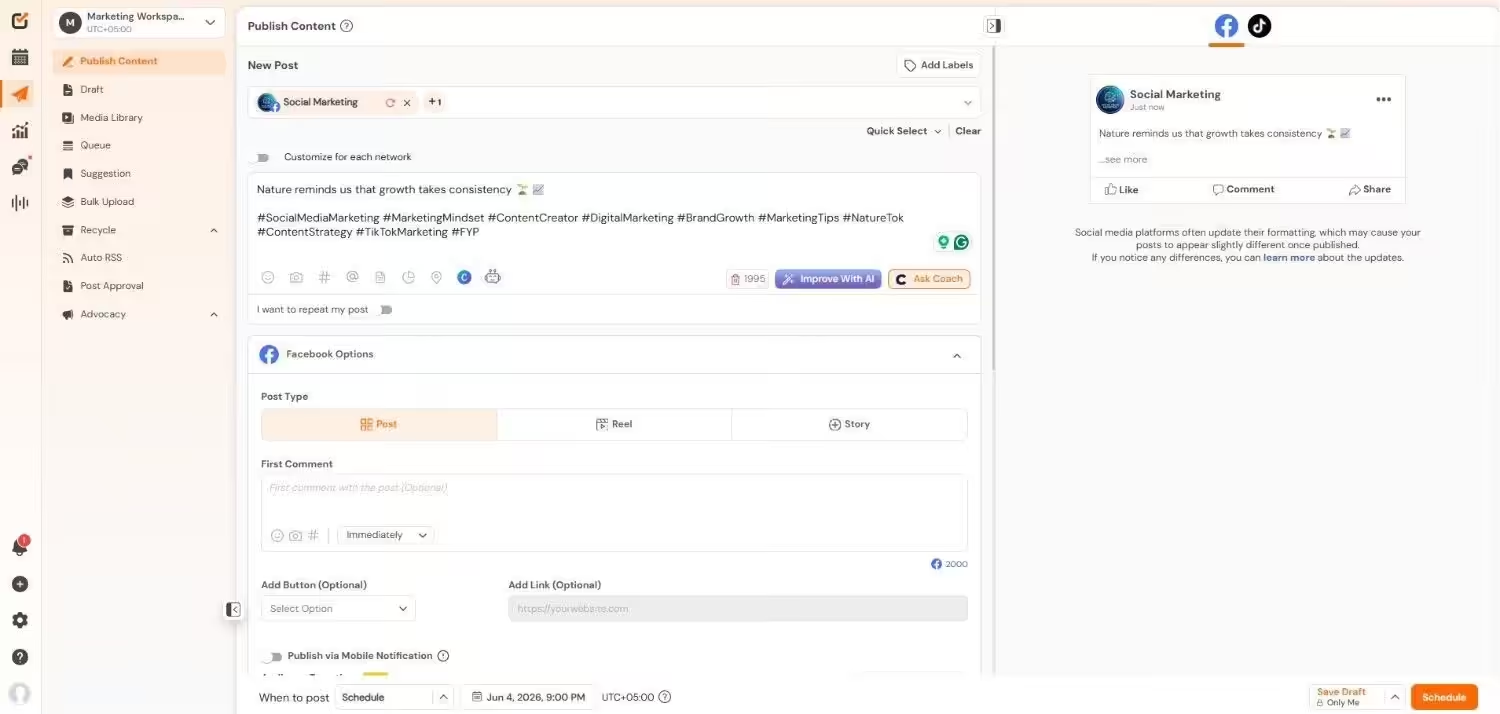
Best for: Marketers and agencies seeking an all-in-one management platform
Why I Picked Social Champ
I used to spend hours managing content manually. I picked Social Champ because it automates posting beautifully. You can collaborate with your team and analyze data from one clean dashboard.
It gives you advanced options without a massive price tag. If you need a reliable Buffer free alternative, it’s the best option.
Key Features
- Multi-Platform Publishing: You can schedule and publish posts to 11 major networks. This includes Facebook, Instagram, X, LinkedIn, Pinterest, YouTube, TikTok, Google Business Profile, Threads, Mastodon, and Bluesky.
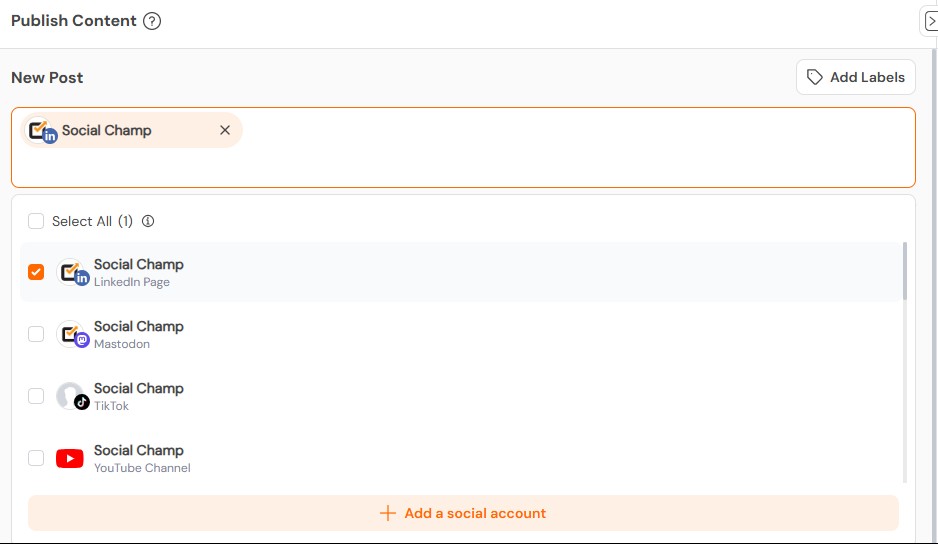
Social Champ’s Multi-Platform Management - AI Content Creation: The AI Suite helps you write content ideas and descriptions. You can also generate images for your audience. Beyond simple captions, Social Champ’s AI analyzes your specific brand identity to ensure consistency.
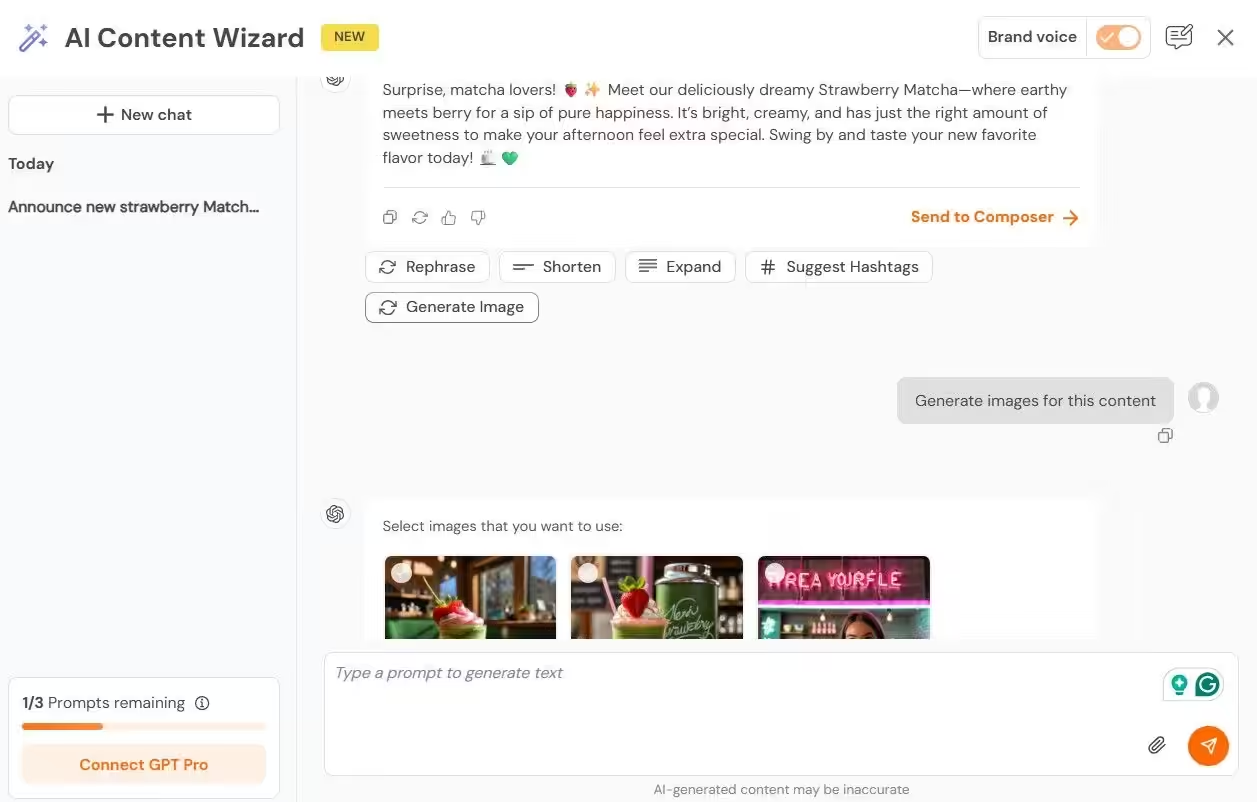
Social Champ’s AI Content Wizard 
Social Champ’s AI Imaginator - Advanced Scheduling Features: You get bulk upload and repeat post options. The visual calendar makes it simple to organize your content.
- Social Inbox: You can manage all conversations in one space. It includes team collision detection to prevent double replies.
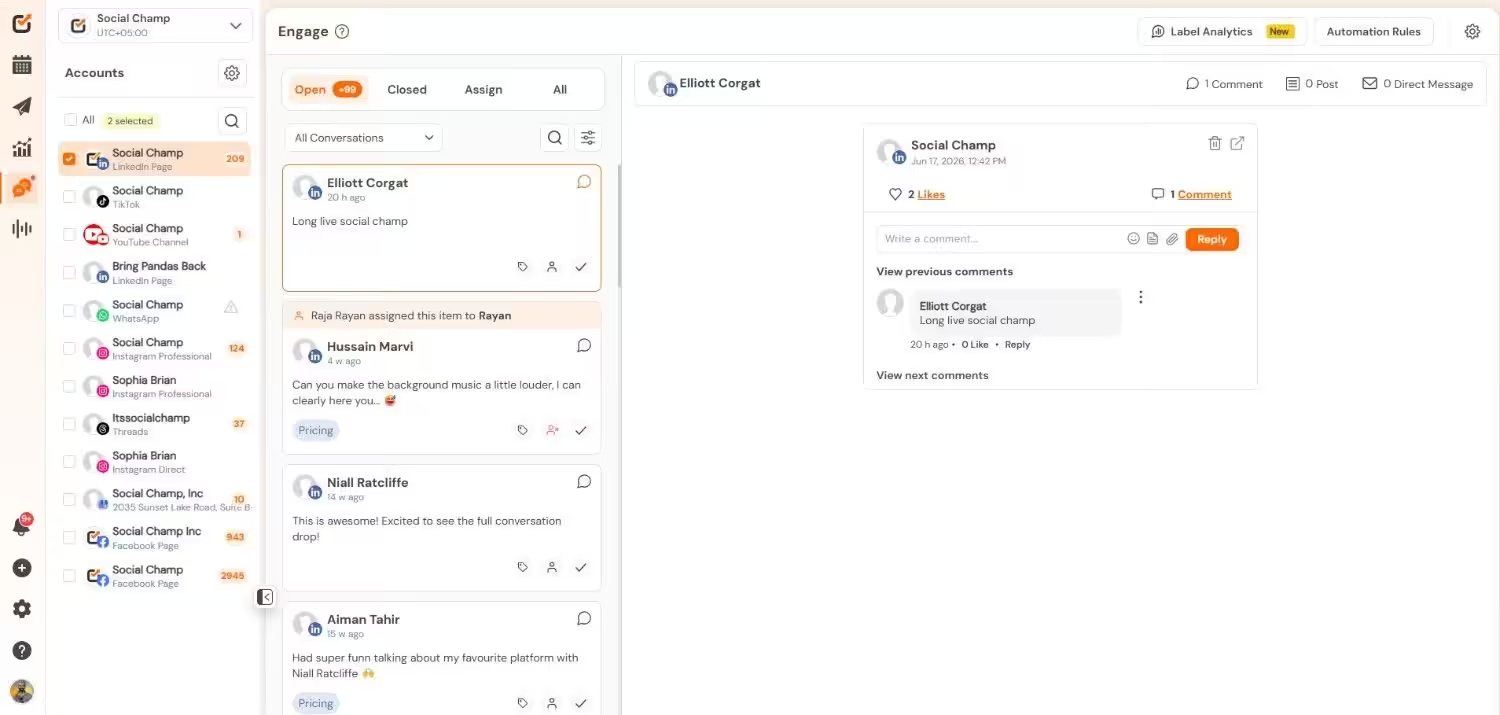
Social Champ’s Social Inbox - Approval Workflows and Collaboration: You can allocate user roles and define permissions. This helps teams manage content review and publishing.
- Analytics and Reporting: You gain deep insights into post performance and audience engagement. You can integrate with Google Analytics 4 for advanced tracking.
- Competitor Tracking and Social Listening: You can track competitors and monitor social conversations. This helps you adjust your strategy quickly.
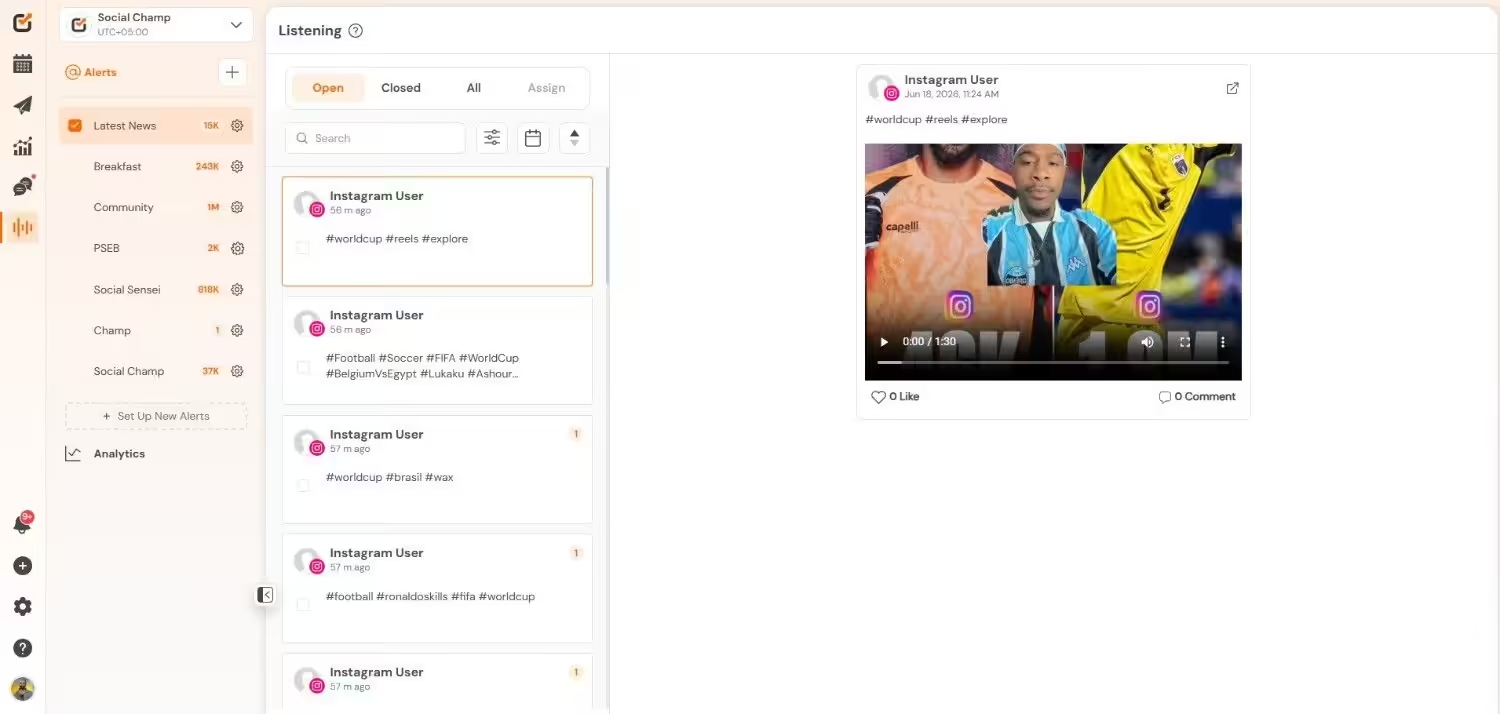
Social Champ’s Listening Dashboard - Content Discovery and Hashtag Management: You can quickly find popular articles and media. You can also create reusable hashtag groups.
Supported Platforms: Instagram, Facebook, TikTok, LinkedIn, YouTube, Threads, Pinterest, X, Google Business Profile, Bluesky, Mastodon, and WhatsApp Business
G2 Ratings: 4.4
Trustpilot Ratings: 4.5
Pros |
Cons |
|---|---|
| Cost-effective without sacrificing features | New users may need a little time to get familiar with all features. A one-on-one demo is available to speed things up. |
| Simple, intuitive interface for beginners and experienced users | Some features are limited due to social media platform API restrictions |
| Complete toolset built for modern social media teams |
Pricing
Social Champ comes with two pricing tiers, including a Pay-Per-Profile and a Flat-Rate model.
Here’s what you get in the Pay-Per-Profile:
- Starter, which costs $4 and has 1 user. In this plan, you can manage 1 social account.
- Growth, which costs $8 and has unlimited users. In this plan, you can manage 1 social account.
These plans also offer discounts as you scale. Here’s how much you can save in the Starter:
- For 1-10 social accounts: $4
- For 11-20 social accounts: $3
- For 21-40 social accounts: $2
- For 41+ social accounts: $0.50
Here’s how much you can save in the Growth:
- For 1-10 social accounts: $8
- For 11-20 social accounts: $8
- For 21-40 social accounts: $8
- For 41+ social accounts: $8
With Social Champ, you also get Flat-Rate bundles, which are:
- Free, which costs $0 and has 1 user. In this plan, you can manage 3 social accounts
- Standard, which costs $23 and has 2 users. In this plan, you can manage 6 social accounts. This plan also comes with add-ons for accounts. You can add another account for $5/account
- Professional, which costs $47 and has 5 users. In this plan, you can manage 12 social accounts. This plan also comes with add-ons for accounts. You can add another account for $4/account and pay $8/user for another user.
- Agency, which costs $119 and has unlimited users. In this plan, you can manage 30 social accounts. This plan also comes with add-ons for accounts. You can add another account for $3/account
- Enterprise, which is Custom and has unlimited users. In this plan, you can manage unlimited social accounts.
Buffer vs Social Champ
Buffer has a simple user interface for individuals. However, it has a limited feature set. The pricing increases rapidly when you add more profiles.
In contrast, Social Champ provides more features at a lower price point. Hence, it’s a top choice for advanced scheduling. Where Buffer falls short on platform support, Social Champ succeeds.
Buffer Alternative #2: Hootsuite
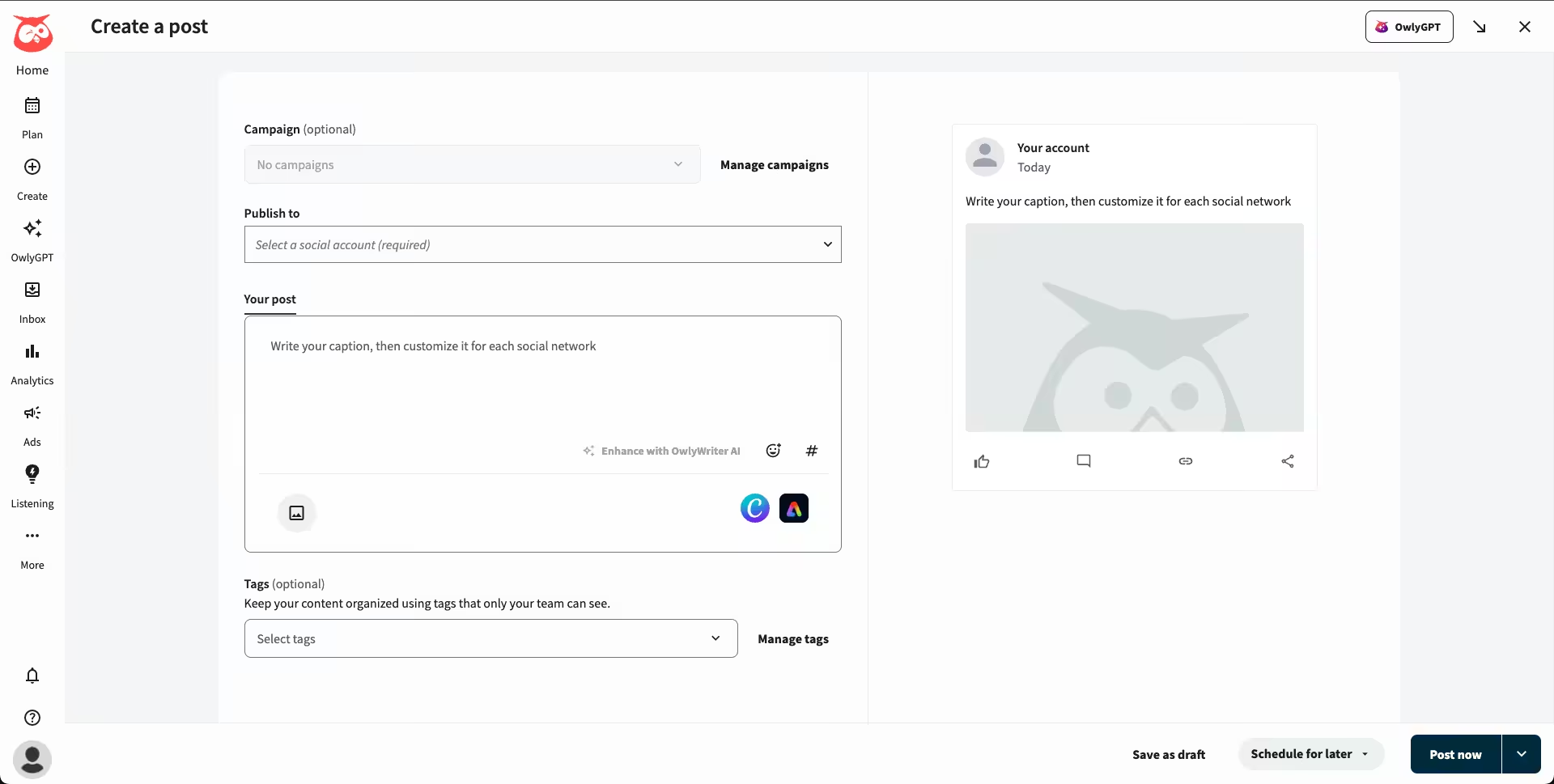
Best for: Enterprise firms and large marketing teams
Why I Picked Hootsuite
I noticed big teams struggling with basic scheduling software. I picked Hootsuite because it provides powerful tools for large-scale operations.
You can plan posts across multiple platforms well in advance. It costs more than other social media marketing tools. However, it prevents major mistakes for large departments. If you run a massive team, it’s for you.
Key Features
- Enterprise-Scale Scheduling: You can plan and automate content across multiple accounts. It includes team assignments and customizable workflows.
- Deep Analytics and Reporting: You receive in-depth performance insights and editable reports. You can track return on investment easily with Google Analytics integrations.
- Social Listening and Monitoring: You can track brand mentions and keywords in real-time. This protects your strategy and your brand reputation.
Supported Platforms: Facebook, Instagram, TikTok, LinkedIn, X, YouTube, Pinterest, Threads, WhatsApp, Google Business Profile, and Bluesky.
G2 Ratings: 4.3
Trustpilot Ratings: 1.3
Pros |
Cons |
|---|---|
| Trusted by global brands with a proven track record of performance across industries. | Not the affordable alternative to Buffer—it can be costly for small companies or new businesses. |
| Built for smooth approval workflows, task assignment, and cross-functional communication. | Because of its rich features, onboarding can be time-consuming and might need training for new users. |
Pricing
Hootsuite offers four plans, including:
- Standard, which costs $99 and has 1 user. In this plan, you can manage 10 social accounts.
- Professional, which costs $199 and has 1 user. In this plan, you can manage Unlimited social accounts.
- Advanced , which costs $399 and has 1 user. In this plan, you can manage Unlimited social accounts.
- Enterprise, which is Custom and has Unlimited users. In this plan, you can manage Unlimited social accounts.
Buffer vs Hootsuite
Comparing Buffer Vs Hootsuite, both have solid scheduling and analytics.
Hootsuite, however, extends far beyond that with enterprise-level features, in-depth reporting, social listening, and multi-team management.
While Buffer is perfect for solopreneurs and small teams, Hootsuite operates as a top platform for large-scale operations.
Related Alternatives: Hootsuite Alternatives
Buffer Alternative #3: Sprout Social
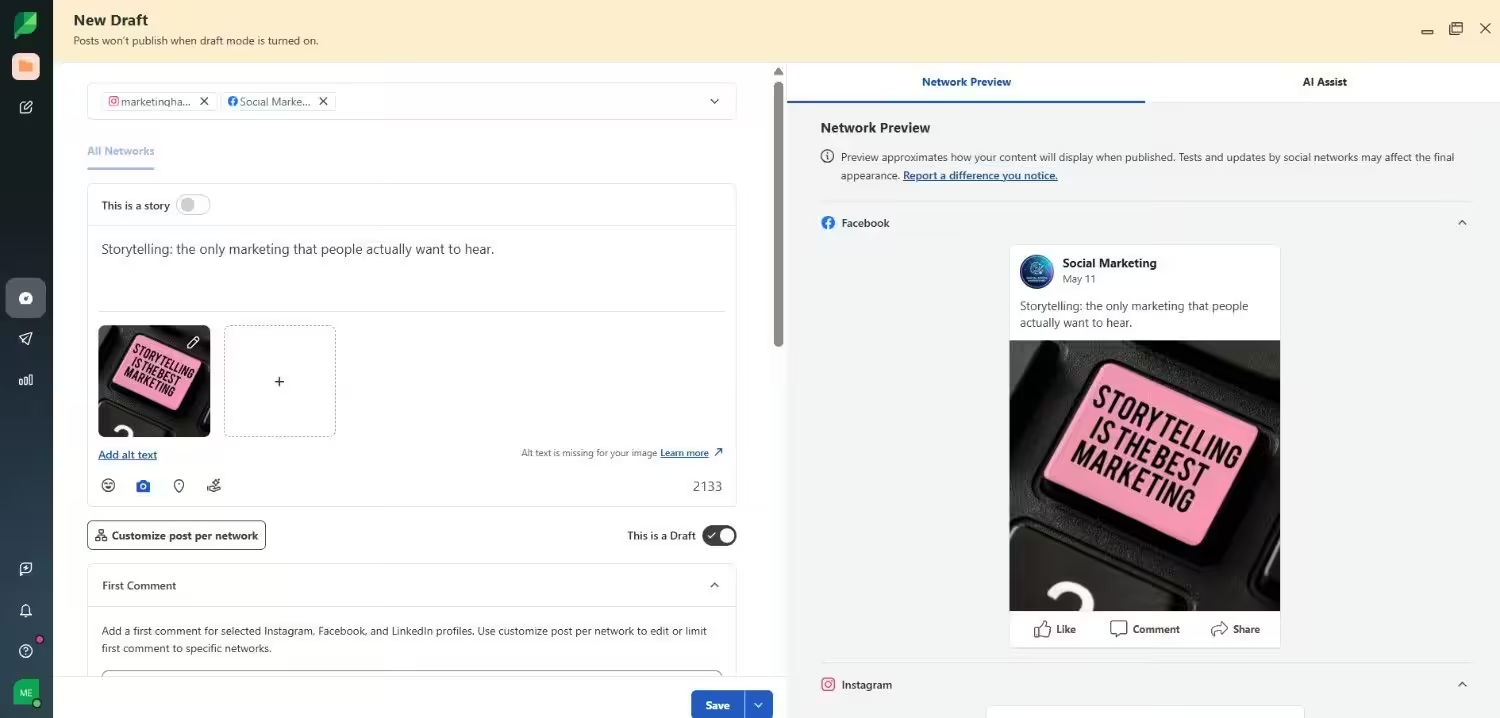
Best for: Brands requiring advanced analytics and customer relationship connections
Why I Picked Sprout Social
I hate missing important audience data. I picked Sprout Social because it goes far beyond basic metrics. It gives you comprehensive, real-time data across multiple platforms.
You get deep reports and strong relationship management tools. It stops you from guessing what your audience actually wants. If you need powerful alternatives to Buffer for a data-driven team, it ranks higher on the list.
Key Features
- Advanced Analytics and Reports: You get in-depth analytics of audience engagement and content performance. You can easily generate custom reports based on your specific business requirements.
- CRM Integration: It connects with leading customer systems. This helps you track customer interactions perfectly across all platforms
- Smart Inbox: It consolidates all social messages in one stream. Your team can respond faster to customer questions and comments.
Supported Platforms: Facebook, Instagram, X, LinkedIn, Pinterest, TikTok, YouTube, Threads, Bluesky, WhatsApp, Reddit, Tumblr, and Google Business Profile
G2 Ratings: 4.4
Trustpilot Ratings: 1.7
Pros |
Cons |
|---|---|
| Best suited for teams seeking in-depth analysis of social media data and patterns. | Sprout Social’s advanced features are more costly, making it less suitable for smaller firms or startups. |
| Offers extensive resources to help users get up and running quickly. | Certain features are only available in higher-tier plans, which may limit functionality on the basic tier. |
Pricing
Sprout Social offers five plans, including:
- Essentials, which costs $79 and has 1 user. In this plan, you can manage 5 social accounts.
- Standard, which costs $199 and has 1 user. In this plan, you can manage 5 social accounts.
- Professional, which costs $299 and has 1 user. In this plan, you can manage unlimited social accounts.
- Advanced, which costs $399 and has 1 user. In this plan, you can manage unlimited social accounts.
- Enterprise, which is custom and has custom users. In this plan, you can manage unlimited social accounts.
Buffer vs Sprout Social
Comparing Buffer and Sprout Social, the biggest difference is the depth of analytics.
Buffer covers essential scheduling and engagement. Sprout Social goes further with advanced insights, detailed reports, and CRM connections.
Buffer provides a budget-friendly option starting at just $5 per month. However, Sprout Social offers the exact structure required by large, data-driven teams.
Related Alternatives: Sprout Social Alternatives
Buffer Alternative #4: SocialPilot
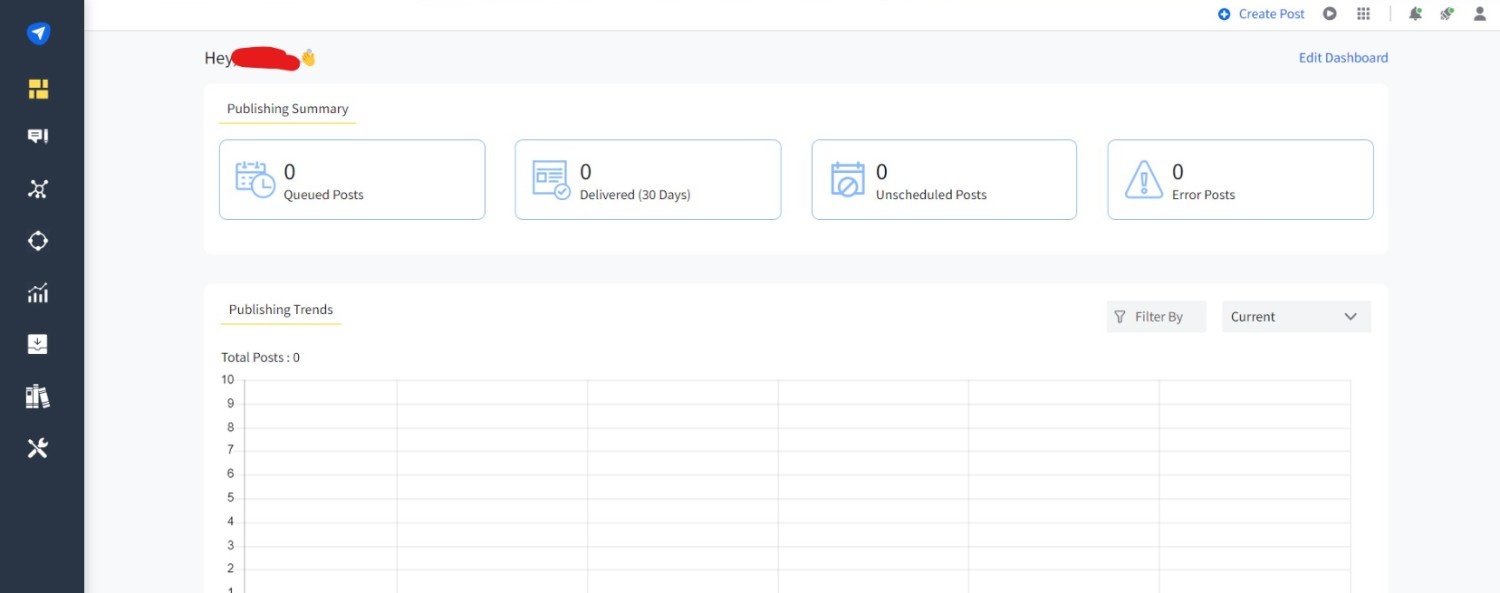
Best for: Agencies, consultants, and growing teams managing multiple client accounts.
Why I Picked SocialPilot
I saw agencies losing money on expensive software as they tried to grow. I picked SocialPilot because it provides a comprehensive toolset specifically designed for agencies.
You can manage multiple client accounts effortlessly without stretching your budget. It stands out for its affordability and practical tools.
If you need reliable Buffer alternatives to support a growing team, this works perfectly. You can manage client workflows and present a professional image easily.
Key Features
- White-Label Reports: You can design branded analytics reports for your customers. This gives agencies a professional appearance.
- Bulk Scheduling: You can upload and schedule hundreds of posts at once. This saves your team time and organizes campaign planning.
- Client Management Tools: Clients can preview content without logging in. This maintains smooth and stress-free approval workflows.
Supported Platforms: Facebook, Instagram, TikTok, X, LinkedIn, Threads, YouTube, Pinterest, Google Business Profile, and Bluesky
G2 Ratings: 4.5
Trustpilot Ratings: 2.3
Pros |
Cons |
|---|---|
| One of the more affordable Buffer alternatives with solid features for agencies. | Does not offer advanced social monitoring or listening features. |
| Simplifies managing multiple client accounts with specialized tools and a clean interface. | The interface works well, but feels less polished compared to some other alternatives. |
Pricing
SocialPilot offers four plans, including:
- Essentials, which costs $25.50 and has 1 user. In this plan, you can manage 7 social accounts.
- Standard, which costs $42.50 and has 3 users. In this plan, you can manage 15 social accounts.
- Premium, which costs $85.00 and has 6 users. In this plan, you can manage 25 social accounts.
- Ultimate, which costs $170.00 and has Unlimited users. In this plan, you can manage 50 social accounts.
Buffer vs SocialPilot
Buffer focuses heavily on simplicity for individual users. However, adding more profiles becomes expensive quickly. SocialPilot offers stronger value for agencies handling multiple clients. It includes specific tools like white-label reports and client approvals.
If you want a cost-effective option that covers more ground, SocialPilot is a fantastic alternative to Buffer.
Related Alternatives: SocialPilot Alternatives
Buffer Alternative #5: Later
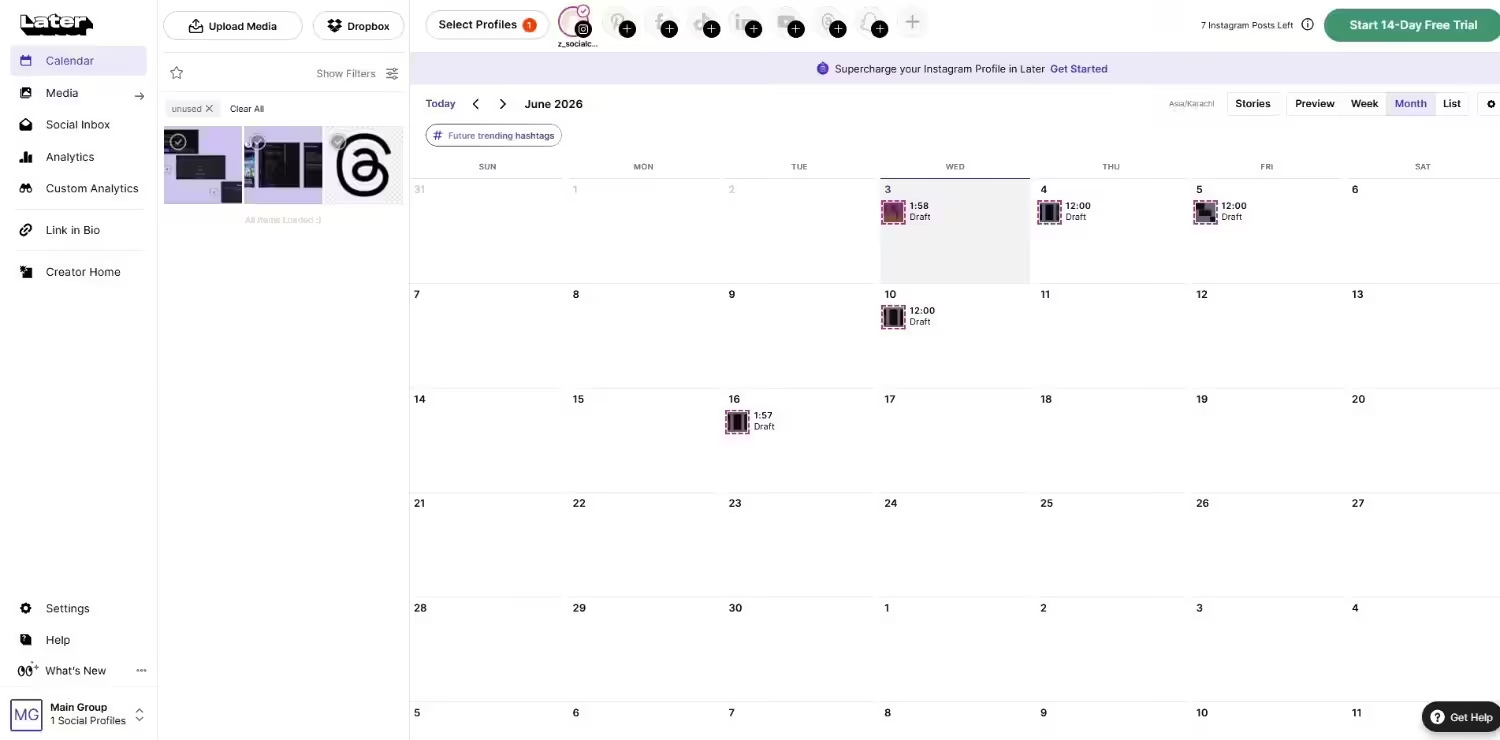
Best for: Brands, influencers, and content creators focusing on visual platforms like Instagram and Pinterest.
Why I Picked Later
I always struggled to plan my Instagram grid. I picked Later because it provides a highly visual drag-and-drop calendar.
It focuses on visual storytelling perfectly. You can organize your media library easily. If you prioritize images and video, Later ranks among the best Buffer alternatives available today.
It takes the guesswork out of your visual strategy.
Key Features
- Visual Drag-and-Drop Calendar: You can plan and schedule content visually. Simply drag your media directly into specific time slots.
- Media Library and Content Curation: You can store, label, and reuse images and videos easily. You can organize assets across different campaigns or clients.
- Instagram-Specific Tools: It provides link in bio features and helpful hashtag suggestions. It also analyzes the best time to post for maximum engagement.
Supported Platforms: Instagram, Facebook, Threads, Pinterest, TikTok, LinkedIn, YouTube, and Snapchat.
G2 Ratings: 4.5
Trustpilot Ratings: 1.6
Pros |
Cons |
|---|---|
| Ideal for brands and creators focused on Instagram, Pinterest, or TikTok. | Not the best fit for brands primarily using platforms like LinkedIn or X. |
| Creator-friendly interface that’s easy to use and requires little onboarding. | Advanced analytics are only available on higher-priced plans. |
Pricing
Later offers three plans, including:
- Free, which costs $0 and has 1 user. In this plan, you can manage 8 social accounts.
- Starter, which costs $18.75 and has 1 user. In this plan, you can manage 8 social accounts.
- Growth, which costs $37.50 and has 2 users. In this plan, you can manage 16 social accounts.
- Scale, which costs $82.50 and has 4 users. In this plan, you can manage 48 social accounts.
Buffer vs Later
When comparing Buffer vs Later, the difference comes down to use case.
Buffer works well for overall content management across multiple platforms, while Later focuses on visual content scheduling, especially for Instagram and Pinterest.
For visual-first brands and creators building a strong visual presence, Later can be a better fit than Buffer.
Related Alternatives: Later Alternatives
Buffer Alternative #6: Zoho Social
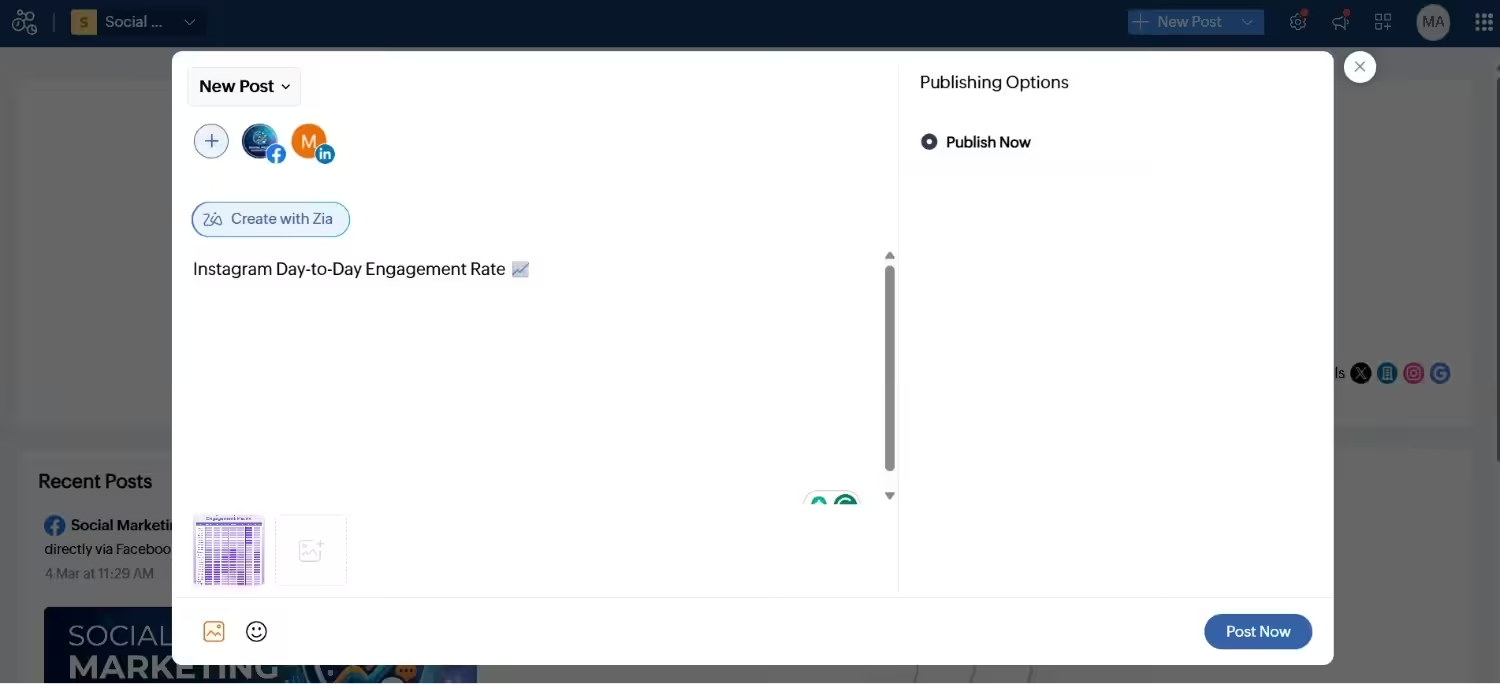
Best for: Expanding businesses currently using Zoho software.
Why I Picked Zoho Social
I know how hard it is to connect sales with marketing. I selected Zoho Social because it syncs directly with your customer database. You can track leads intelligently and never miss an opportunity.
It is one of the best alternatives to Buffer if you want deep CRM connections. You save money while getting serious results. You should think of your sales pipeline as the business pulse because it’s the backbone of predictable business growth.
Finding a Buffer free alternative or a budget-friendly option is crucial for your continuous growth.
Key Features
- Zoho CRM Integration: You can sync social interactions with customer data. It brings leads and conversations directly into Zoho CRM.
- Team Collaboration Tools: You can assign roles and approve posts before publishing. This keeps your internal workflows smooth and organized.
- Real-Time Monitoring: You can track brand mentions and engagement across platforms. You also gain granular detail into competitor activities.
Supported Platforms: Facebook, X, LinkedIn, Instagram, WhatsApp, Google Business Profile, YouTube, Pinterest, TikTok, Mastodon, Threads, and Bluesky
G2 Ratings: 4.6
Trustpilot Ratings: 3.9
Pros |
Cons |
|---|---|
| Seamless integration with other Zoho tools creates a smooth, connected workflow. | Some features deliver their full value only when used alongside other Zoho apps. |
| Competitive pricing with a strong feature set that rivals more expensive platforms. | Offers fewer third-party integrations compared to tools like Buffer, which may limit non-Zoho users. |
Pricing
Zoho Social comes with Flat-Rate bundles for Businesses and Agencies.
For Businesses, you get:
- Free, which costs $0 and has 1 user. In this plan, you can manage 6 social accounts.
- Standard, which costs $10 and has 1 user. In this plan, you can manage 12 social accounts.
- Professional, which costs $30 and has 1 user. In this plan, you can manage 12 social accounts.
- Premium, which costs $40 and has 3 users. In this plan, you can manage 14 social accounts.
For Agencies, you get:
- Agency, which costs $230 and has 5 users. In this plan, you can manage 140 social accounts.
- Agency Plus, which is $330 and has 5 users. In this plan, you can manage 280 social accounts.
Buffer vs Zoho Social
Zoho Social stands out for businesses already embedded in Zoho software. Buffer keeps things simple with a clean interface for basic scheduling.
However, Zoho Social delivers CRM-aligned management and stronger value for your money. Buffer lacks the granular detail and competitor monitoring that Zoho Social provides.
For companies wanting deeper insights into customer journeys, Zoho Social is a stronger choice.
Related Alternatives: Zoho Social Alternatives
Buffer Alternative #7: Planable
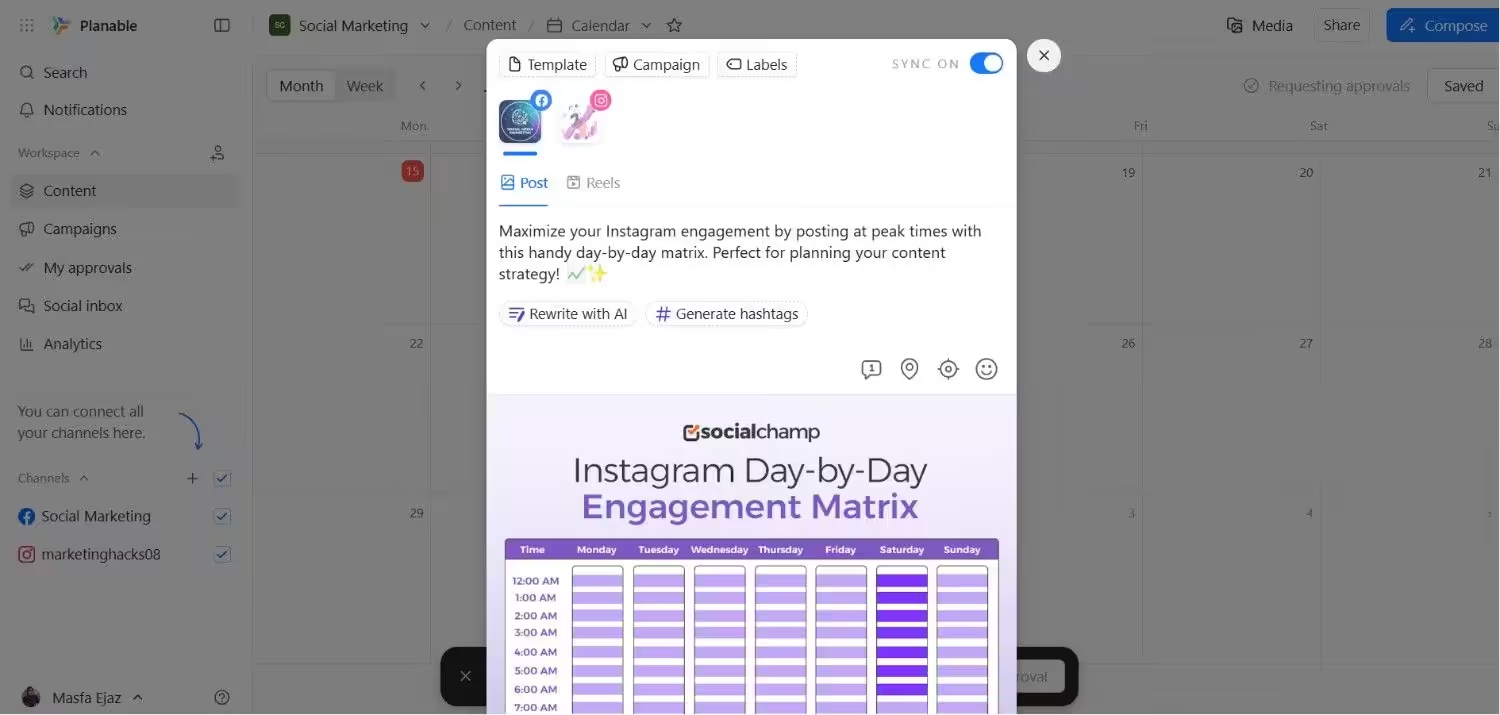
Best for: Agencies and marketing teams requiring collaborative content approval.
Why I Picked Planable
I hated the chaotic back-and-forth emails for post approvals. I picked Planable because it turns that mess into a smooth workflow. You and your clients can comment directly on posts before they go live.
It is one of the top alternatives to Buffer for agencies focused on teamwork. If you want a reliable Buffer free alternative for planning, Planable offers a great starting point. Thus, your team will stop making embarrassing publishing mistakes.
Key Features
- Real-Time Feedback and Approvals: You can collaborate with clients easily. Simply comment on and approve posts directly inside the platform.
- Visual Post Preview: You can see exactly how posts will appear once published. This includes platforms like Facebook, LinkedIn, and Instagram.
- Multi-Level Permissions: You can assign specific roles like creators and reviewers. This keeps your content workflows strictly organized and controlled.
Supported Platforms: Instagram, Facebook, TikTok, LinkedIn, YouTube, Threads, Pinterest, X, and Google Business Profile
G2 Ratings: 4.6
Trustpilot Ratings: 4.4
Pros |
Cons |
|---|---|
| Well-suited for agencies managing multiple clients and stakeholders. | Lacks bulk scheduling and evergreen content features found in some other Buffer alternatives. |
| Visual previews and a simple layout make approvals easy, even for non-technical users. | Offers fewer third-party integrations compared to more comprehensive platforms. |
Pricing
Planable offers four plans, including:
- Free, which costs $0 and has Unlimited users.
- Basic, which costs $33 and has Unlimited users. In this plan, you can manage 4 pages/workspace.
- Pro, which costs $49 and has Unlimited users. In this plan, you can manage 10 pages/workspace.
- Enterprise, which is Custom and has Unlimited users. In this plan, you can manage 50 pages/workspace.
Buffer vs Planable
Buffer covers basic publishing needs. However, it falls short on collaborative content workflows.
Planable is built specifically for collaboration and post approvals. Based on this, it works perfectly for agencies needing transparency and fast feedback loops.
If your team prioritizes shared planning over complex automation, Planable stands out as a fantastic choice.
Related Alternatives: Planable Alternatives
Buffer Alternative #8: Metricool
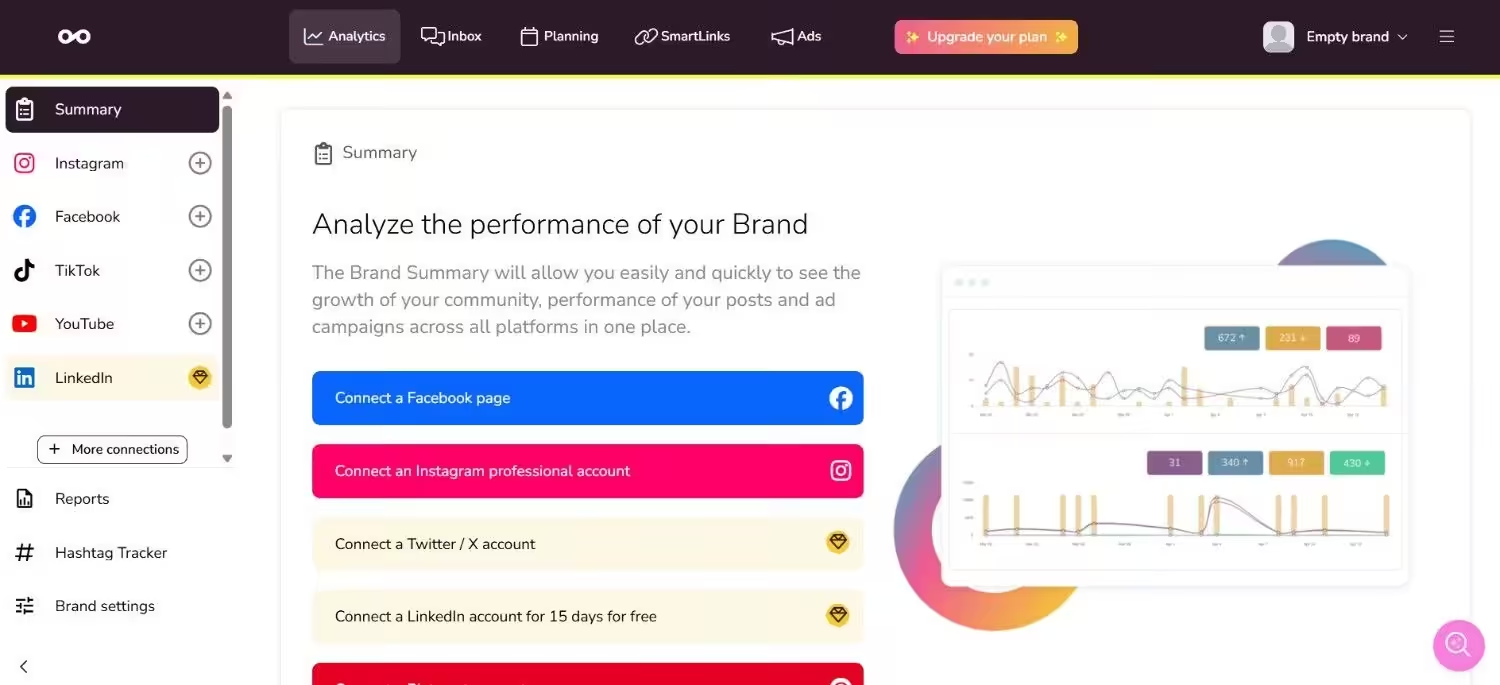
Best for: Marketers needing budget-friendly analytics and reporting.
Why I Picked Metricool
I was tired of overpaying for simple data. I chose Metricool because it provides top-notch analytics without a massive bill.
Many marketers search for Buffer alternatives, free options, and Metricool offers an amazing starting plan. It combines smart scheduling and deep performance tracking easily.
When you check your analytics, you have a clear look at what your audience actually likes, so you can just do more of that. Given this, Metricool serves as a top player for metrics-focused teams.
Key Features
- Central Analytics Dashboard: You can track social, blog, ad, and website performance from one clear dashboard.
- Multi-Platform Scheduling: You can schedule and manage posts across Facebook, Instagram, TikTok, and Google Business Profile.
- Competitor and Hashtag Analysis: You can access detailed competitor insights and hashtags to fine-tune your content strategy.
Supported Platforms: Instagram, TikTok, YouTube, Threads, X, Twitch, Google Business Profile, Facebook, Bluesky, Pinterest, and LinkedIn
G2 Ratings: 4.5
Trustpilot Ratings: 3.9
Pros |
Cons |
|---|---|
| Provides detailed analytics and reporting across multiple channels. | Not ideal for large teams that need approval workflows or advanced user permissions. |
| Clean, easy-to-use dashboard that makes analytics and content planning approachable. | Does not include native CRM integration. |
Pricing
Metricool offers four plans, including:
- Free, which costs $0. In this plan, you can manage 1 brand.
- Starter, which costs $20. In this plan, you can manage 10 brands.
- Advanced, which costs $50. In this plan, you can manage 50 brands.
- Custom, which is Custom. In this plan, you can manage Custom brands.
Buffer vs Metricool
The main difference between Buffer and Metricool comes down to cost and reporting depth.
Buffer focuses on straightforward scheduling and light reporting. Metricool delivers deeper insights at a much lower price point.
Consequently, it provides massive value. For small businesses wanting strong analytics without high software costs, Metricool is a better choice than Buffer.
Related Alternatives: Metricool Alternatives
Buffer Alternative #9: Agorapulse
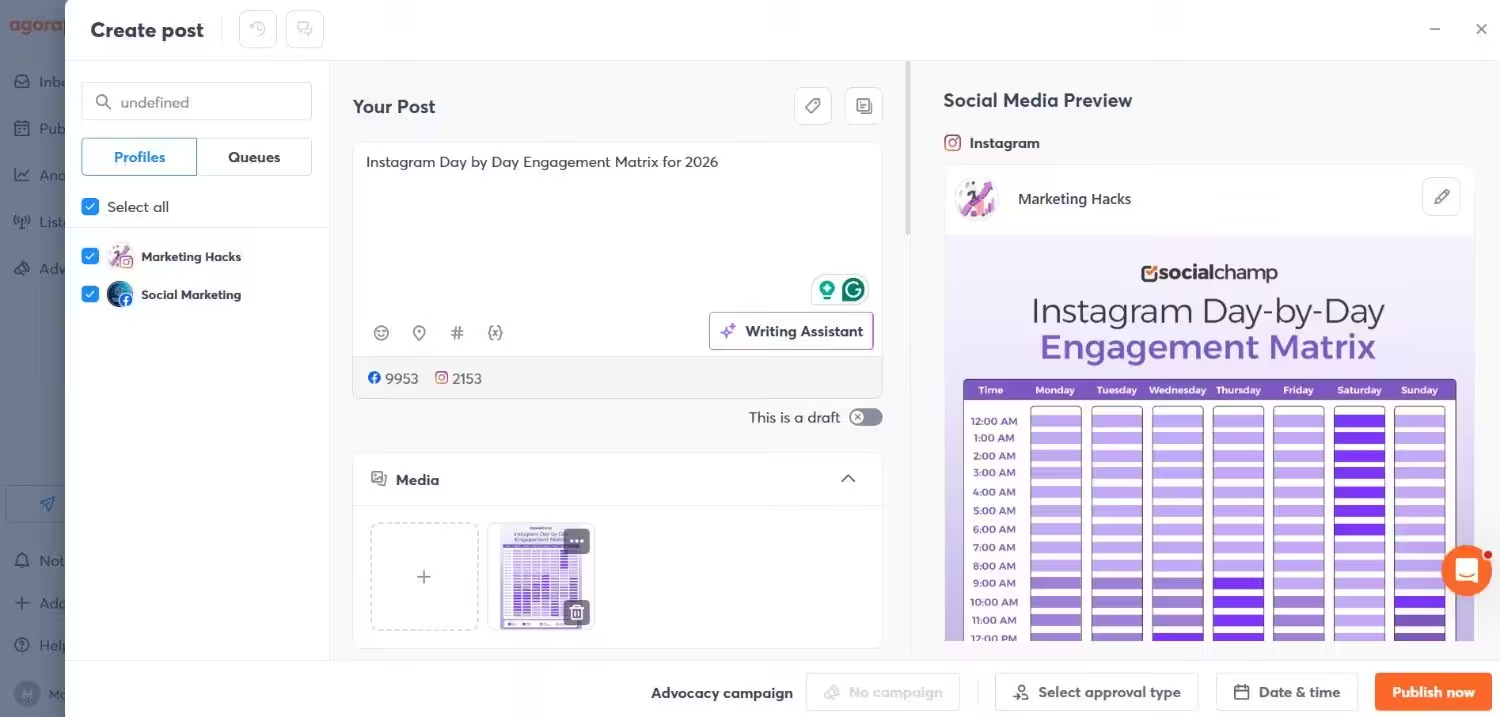
Best for: Teams and agencies requiring an all-in-one social inbox and extensive reporting.
Why I Picked Agorapulse
I know how easily customer comments get lost. I selected Agorapulse because it tracks every single message perfectly. Reviewers actually rate the Agorapulse social inbox significantly higher than Buffer’s inbox.
It ranks as a fantastic choice for businesses prioritizing community engagement. You can build detailed reports to prove your value to clients easily.
Consistent community management is what turns casual followers into loyal brand advocates. You need strong alternatives to Buffer to handle these interactions. Agorapulse transforms your marketing efforts into tangible business success.
Key Features
- Unified Social Inbox: You can track and manage all messages, comments, and mentions from one centralized inbox. This helps you stay on top of audience engagement easily.
- Advanced Reporting and Analytics: You can build detailed and customizable reports. These reports highlight your return on investment perfectly for client-facing teams.
- Team Collaboration Tools: You can use approval workflows and role-based permissions. Shared content calendars help you manage multiple stakeholders easily.
Supported Platforms: Facebook, Instagram, Threads, X, LinkedIn, YouTube, Pinterest, Google Business Profile, TikTok, Bluesky, and Reddit
G2 Ratings: 4.5
Trustpilot Ratings: 4.0
Pros |
Cons |
|---|---|
| Strong analytics and reporting capabilities make it well-suited for client-facing teams. | More expensive than many Buffer alternatives, especially for small businesses. |
| Unified social inbox simplifies engagement across multiple platforms. | The feature-rich interface comes with a steeper learning curve. |
Pricing
Agorapulse offers four plans, including:
- Standard, which costs $79 and has 1 user. In this plan, you can manage 10 social accounts.
- Professional, which costs $119 and has 1 user. In this plan, you can manage 10 social accounts.
- Advanced, which costs $149 and has 1 user. In this plan, you can manage 10 social accounts.
- Custom, which is Custom and has Custom users. In this plan, you can manage Unlimited social accounts.
Buffer vs Agorapulse
Buffer stands out for its simplicity and easy scheduling.
Buffer also offers Unlimited users on its Team plan, making it highly scalable. However, Agorapulse works perfectly for businesses needing advanced engagement management and client-ready reports.
For teams that rely on detailed analytics and structured collaboration, Agorapulse ranks among the strongest Buffer alternatives.
Considering this, if your priority is deeper insights and team-focused features, Agorapulse acts as a powerful option worth serious consideration.
Related Alternatives: Agorapulse Alternatives
Buffer Alternative #10: Sendible
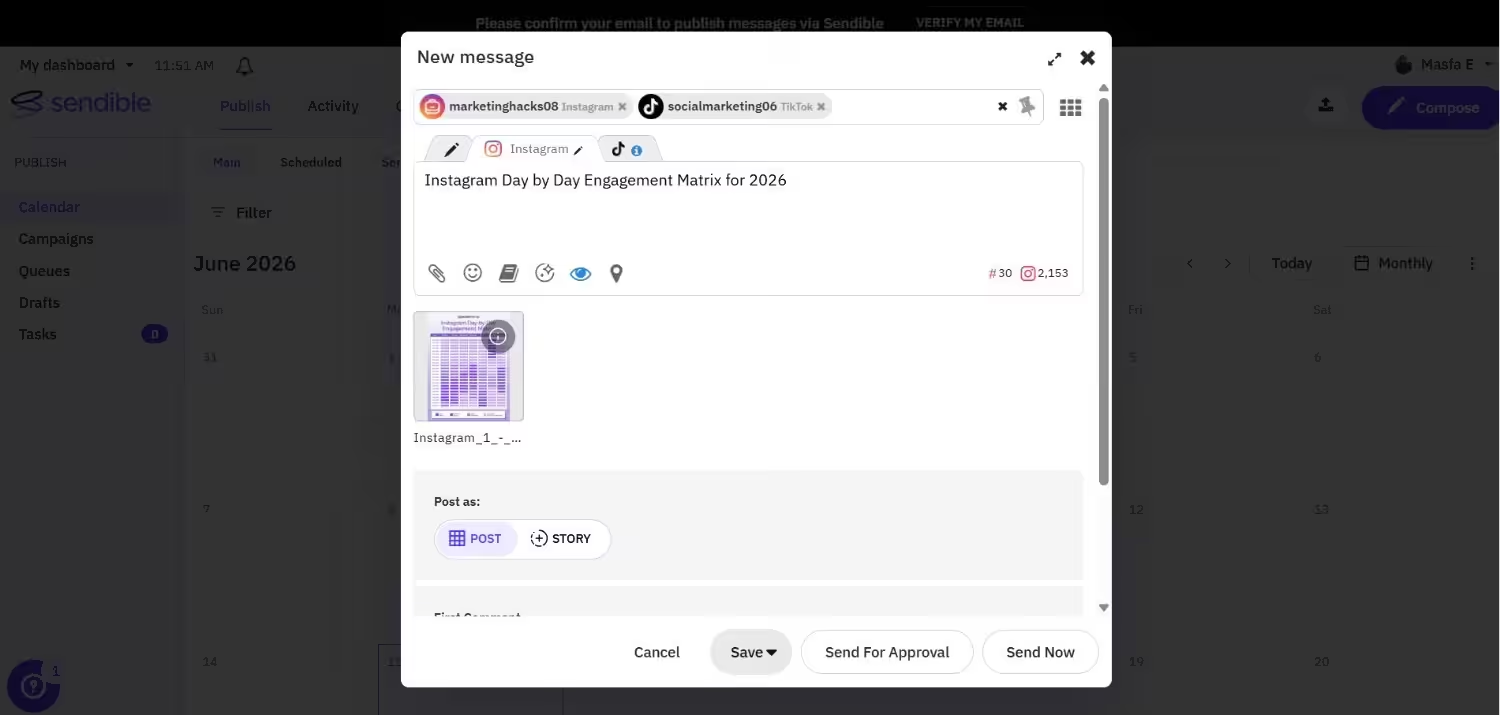
Best for: Agencies and multi-brand businesses managing multiple client accounts.
Why I Picked Sendible
I saw agencies constantly confusing different brand voices. I picked Sendible because it creates separate dashboards for every single client. It shines when you manage multiple social accounts from a centralized location.
You can automate the delivery of branded reports easily. It serves as one of the strongest alternatives to Buffer for keeping client work completely organized.
It handles high-volume management much better than software using per-channel pricing models. If you handle content for numerous clients, Sendible is fantastic.
Key Features
- Client and Brand Management: You can create separate dashboards for each client. This keeps your content, users, and reports neatly organized.
- Customizable Reporting: You can build branded, in-depth analytics reports. You can also automate their delivery to clients on a scheduled basis.
- Smart Queues and Scheduling: You can simplify publishing with smart queues. These queues adjust posting schedules based on specific platforms and audience behavior.
- Team Approvals: Team members can draft posts for your review and approval. This ensures consistent quality across all client channels.
Supported Platforms: Facebook, Instagram, TikTok, X, LinkedIn, Google Business Profile, YouTube, Threads, and Bluesky
G2 Ratings: 4.5
Trustpilot Ratings: 4.2
Pros |
Cons |
|---|---|
| Well-suited for agencies managing multiple clients or social media brands. | The interface can feel busy compared to more lightweight scheduling tools. |
| White-label reports and brand-specific workflows add a professional touch to client work. | May be more than what solo users or small teams with limited clients need. |
Sendible Pricing
Sendible offers five pricing plans, including:
- Core, which costs $35 and has unlimited user. In this plan, you can manage 6 social accounts.
- Plus, which costs $99 and has unlimited users. In this plan, you can manage 18 social accounts.
- Premium, which costs $199 and has unlimited users. In this plan, you can manage 42 social accounts.
- Elite, which costs $299 and has unlimited users. In this plan, you can manage 90 social accounts.
- Enterprise, which costs $750 and has unlimited users. In this plan, you can manage 300 social accounts.
Buffer vs Sendible
Buffer is often the go-to choice for solo marketers wanting simple scheduling.
Buffer charges per channel, and that gets expensive quickly. Sendible outperforms Buffer for agencies handling multiple clients by offering more profiles at a lower fixed cost.
It handles varied brand voices and detailed reporting requirements beautifully. For teams looking beyond basic scheduling, Sendible is one of the most capable Buffer alternatives available.
Related Alternatives: Sendible Alternatives
Buffer Alternative #11: Loomly
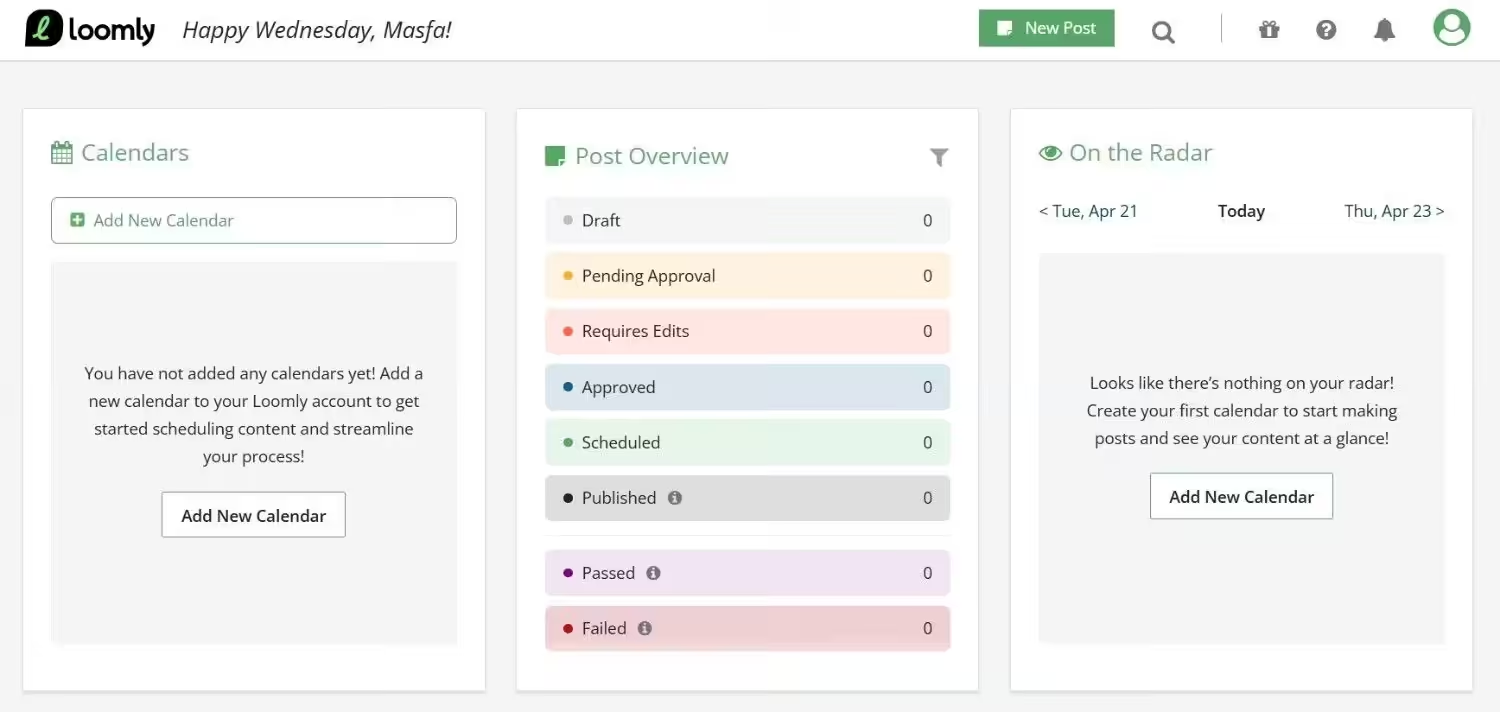
Best for: Marketing teams focused on content creation and brand consistency.
Why I Picked Loomly
I have seen teams publish off-brand posts too many times. I chose Loomly because it maintains strict visual consistency.
People often search for Buffer alternatives free of charge, and Loomly offers a free plan with basic features. It provides a highly organized workflow for crafting and approving your content.
With this in mind, it delivers a clean and organized experience. If you need a reliable Buffer alternative to enforce your brand guidelines, Loomly works perfectly.
Key Features
- Post Optimization and Idea Suggestions: You get real-time post ideas and hashtag suggestions automatically. You also receive tips based on platform best practices.
- Approval Workflows and Commenting: You can collaborate smoothly using internal comments. Built-in approval flows keep everyone completely aligned.
- Brand Library and Asset Management: You can maintain consistent branding easily. You use a centralized library for logos, templates, and style guidelines.
Supported Platforms: Instagram, LinkedIn, Facebook, TikTok, YouTube, Threads, Google Business Profile, Pinterest, and Snapchat
G2 Ratings: 4.6
Trustpilot Ratings: 3.8
Pros |
Cons |
|---|---|
| Ideal for teams focused on maintaining brand voice and visual consistency. | Does not include advanced engagement tools such as a social inbox. |
| User-friendly interface makes collaboration and onboarding straightforward. | Analytics and reporting are more limited compared to some other Buffer alternatives. |
Pricing
Loomly offers four plans, including:
- Free, which costs $0 and has 1 user. In this plan, you can manage 3 social accounts.
- Starter, which costs $49 and has 3 users. In this plan, you can manage 12 social accounts.
- Beyond, which costs $249 and has Unlimited users. In this plan, you can manage 60 social accounts.
- Enterprise, which is Custom and has Unlimited users. In this plan, you can manage 61+ social accounts.
Buffer vs Loomly
Buffer works well for basic scheduling. Loomly stands out for content organization, brand consistency, and structured collaboration.
For teams that rely on clear approval processes and coordinated post creation, Loomly is a strong option.
If maintaining a clear and on-brand presence is your priority, Loomly is a solid alternative to Buffer.
Related Alternatives: Loomly Alternatives
Buffer Alternative #12: Publer
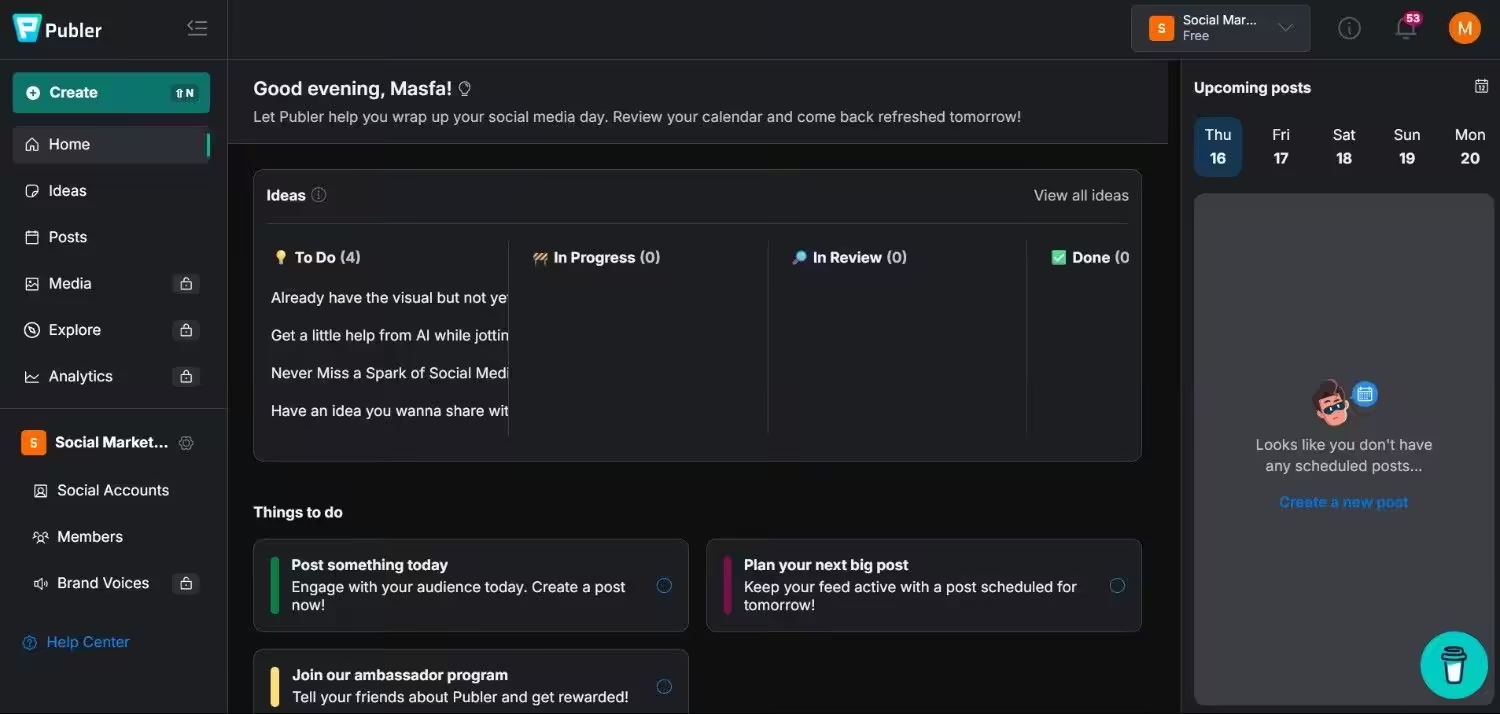
Best for: Solo creators, freelancers, and small teams who want strong automation without a big price tag.
Why I Picked Publer
I wanted a scheduler that didn’t punish me for wanting a little automation. I picked Publer because it packs post recycling, an AI assistant, and a genuinely fast interface into a plan that costs less than a coffee subscription.
You can connect a wide range of platforms and still get room to grow. If you’re a solo user or small team looking for Buffer alternatives that are free or nearly free to start, Publer is one of the strongest picks on this list.
Key Features
- Post Recycling: You can automatically reshare your best-performing evergreen content on a schedule. This keeps your queue full without you writing new posts every day.
- AI Assist: You can generate captions, complete drafts, and even create images through Publer’s built-in AI tools. It saves you from staring at a blank post editor.
- Bulk Scheduling and Auto-Scheduling: You can upload posts in bulk or let Publer’s auto-scheduler slot content into your queue automatically, based on a posting schedule you set.
Supported Platforms: Facebook, Instagram, LinkedIn, Google Business Profile, X, YouTube, TikTok, Pinterest, Threads, Bluesky, Mastodon, Telegram, and WordPress
G2 Ratings: 4.7
Trustpilot Ratings: 4.8
Pros |
Cons |
|---|---|
| Fast, intuitive interface with a genuinely short learning curve. | Costs climb quickly once you add several accounts or teammates. |
| Strong AI and automation features are available even on lower-priced plans. | Analytics feel lighter than tools built specifically for reporting. |
Pricing
Publer offers four plans, including:
- Free, which costs $0 and has 1 user. In this plan, you can manage 1 social account.
- Professional, which costs $4 and has 1 user. In this plan, you can manage 1 social account.
- Business, which costs $8 and has 1 user. In this plan, you can manage 1 social account.
- Enterprise, which is Custom and has Custom users. In this plan, you can manage Custom social account.
Buffer vs Publer
Buffer and Publer both keep things simple at the entry level, and their starting prices land close together.
The real difference shows up in what’s included. Publer bundles unlimited AI prompts, post recycling, and competitor analysis into its Business plan, features that either cost more or don’t exist on Buffer at all.
Buffer still wins on predictable, flat pricing. Publer wins by getting more automation for your money, as long as you’re comfortable with per-account add-on costs as you scale.
If you want more scheduling firepower without a big price increase, Publer is worth testing.
Related Alternatives: Publer Alternatives
Why Look for an Alternative to Buffer?
I didn’t just pull this list from a search engine. To write this guide, I went back to the basics: I spent weeks using Buffer again to see where it stands in 2026, and I spent my Tuesday morning digging through the latest G2 and Trustpilot reviews from this year.
I wanted to see if my own frustrations matched what real users are saying right now.
Buffer has always been the “affordable” choice, and its minimalist UI is still great for beginners. But in my experience, and based on the feedback from hundreds of verified users, affordability is a double-edged sword. Low cost means nothing if the tool creates more manual work than it saves.
Through my research and testing, I found these recurring “deal-breakers” that are driving marketers away from Buffer this year:
-
Unreliable Publishing and Glitches
A recent April 2026 Buffer review on G2 from a strategist named Alexie caught my eye.
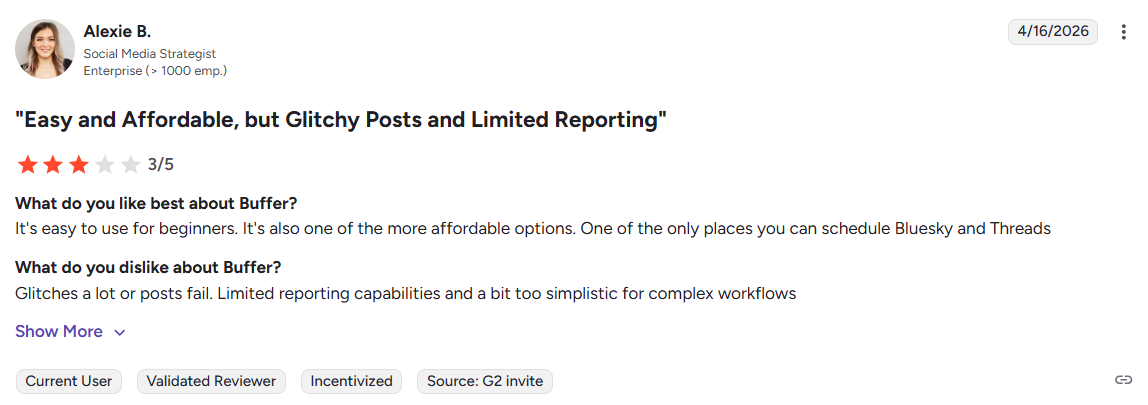
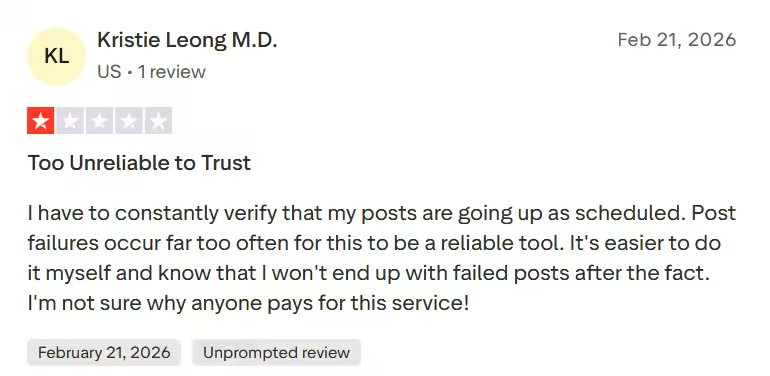
A G2 User Reviewed Buffer She praised the affordability but highlighted a major issue. The platform glitches constantly, and scheduled posts frequently fail. Another Trustpilot user, Kristie, echoed this in February 2026. She called the tool too unreliable to trust due to constant post failures.
A Trustpilot User Reviewed Buffer Additionally, you face strict limits on free scheduling slots. A March 2026 Trustpilot review from Karen pointed out that her posts often fail because she hits scheduling limits, even when she schedules just five posts a day.
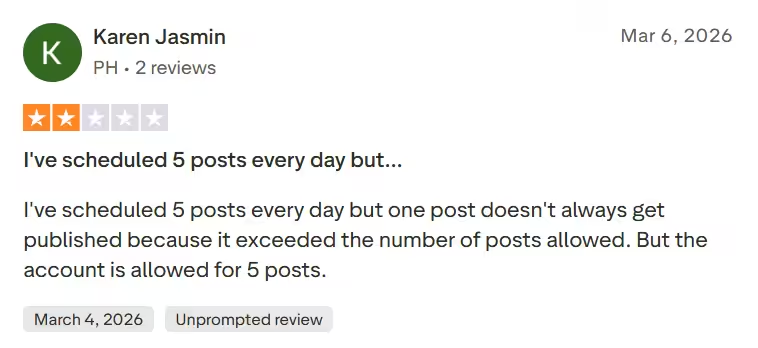
A Review of Buffer on Trustpilot This leads to wasted time checking if your content actually went live. A better free Buffer alternative resolves this problem fast.
-
Analytics Locked Behind a Paywall
You need solid data to grow your accounts. Yet, Buffer restricts your access.
A late March 2026 G2 review from a Senior Advisor named Sneh confirmed this exact problem. He noted that deeper analytics and competitor tracking are either missing or locked behind higher-tier paywalls.
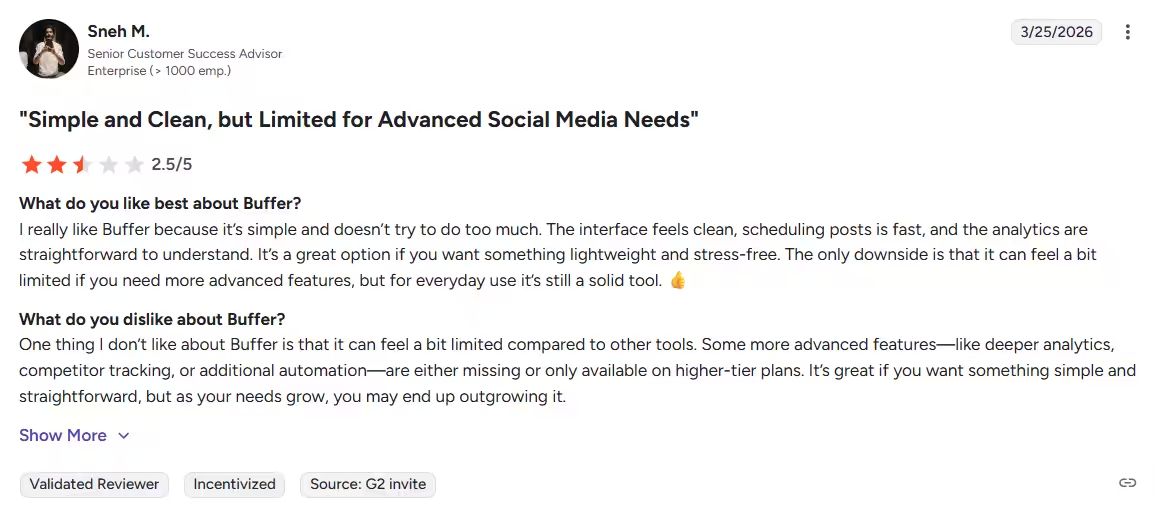
A Review of Buffer on G2 On this point, Alexie also complained about very limited reporting capabilities.
This begs the question: Why pay extra just to see how your posts perform? Many Buffer Alternatives include these insights in their standard tiers. For instance, Buffer alternatives’ free plans, such as that of Social Champ, provide you with all the basic reporting, as well as downloadable reports, without any payment.
The 2026 Pricing Shift
While Buffer’s $5 entry point looks attractive for a single profile, the costs compound quickly as you grow. For a brand managing 10 channels on a Team plan, you’re looking at $120/month.
In 2026, smart marketers avoid “growth penalties.” Unlike Buffer, Social Champ offers hybrid pricing for total control:
- Pay-Per-Profile: Pay only for the exact accounts you need.
- Flat-Rate Bundles: Predictable monthly costs for high-volume agencies.
You get premium essentials like Competitor Benchmarking and GA4 Integration included in your tier, so your bill doesn’t skyrocket as you expand.
-
Too Simplistic for Agencies
Does your team manage multiple brands? Buffer lacks a dedicated Agency plan.
Users consistently note that it feels too simplistic for complex workflows. Alexie specifically mentioned this exact limitation for enterprise demands.
If you want advanced automation, Buffer falls short. Sneh mentioned that additional automation features simply do not exist on basic plans. You need platforms that actually support your growing business.
Given this, finding the right Buffer alternatives protects your valuable time. Explore your options today and take complete control of your daily content.
Key Features To Compare While Buying a Buffer Alternative
How do you pick the right platform when so many options exist?
I used to just look at the monthly price tag. That was a huge mistake. As your business grows, you realize that limited tools actually cost you hours of wasted time.
Keeping this in mind, you must evaluate specific features before you spend a single dime. You need a platform that actually scales with your agency.
With that in mind, comparing the right functions prevents frustrating buyer’s remorse. Keep this simple checklist handy when you test different competitors this week.
- Publishing and Scheduling: Look for features like bulk scheduling, visual content calendars, and built-in content curation to keep planning simple.
- Analytics: Prioritize platforms with detailed reporting, performance tracking, and competitor benchmarking for smarter decisions.
- Engagement: A unified inbox, community management tools, and monitoring features help you stay responsive across channels.
- Social Listening: Social Listening has become an integral part of social media management. You need it to manage reviews and respond to mentions.
- Competitor Analysis: Knowing what your competitor is doing can make or break your strategy. A competitor analysis tool is a must!
- Integrations: The best tools connect smoothly with CRMs and creative apps such as Canva to support your workflow.
- Pricing & Scalability: Check for free plans, agency-ready tiers, and enterprise options that won’t box you in as you grow.
Vertical-First Support
Ensure the tool supports the 3:4 Vertical Grid for Instagram and native TikTok/Reels auto-publishing with trending audio suggestions. In 2026, a tool that doesn’t prioritize vertical video is already obsolete.
Why Social Champ Is the Best Affordable Buffer Alternative?
You need a tool that works hard without draining your budget. I highly recommend Social Champ if you want a highly affordable Buffer alternative.
It serves as one of the best social media marketing platforms available right now in 2026. It simplifies your content planning completely. You get actionable insights without a massive price tag.
Within your budget, Social Champ leads the pack for growing teams and enterprises alike. Upgrading your toolkit now means your team spends less time fighting with clunky software and more time creating great content.
-
Easy to Use for Complete Beginners
I know complicated software frustrates you. Social Champ provides a clean and modern dashboard. You can schedule and manage content easily.
The visual drag-and-drop calendar helps you plan your posting strategy perfectly. Additionally, it features guided walkthroughs to help non-technical users start quickly.
-
A Flexible Pricing Advantage
You lose money overpaying for rigid software. Social Champ stands out with a massive pricing advantage.
You can choose between two highly flexible billing options. The Pay Per Profile model starts at just $4 per month for 1 account, while Bundled Plans start at $23 per month for 6 accounts. This gives you significantly more value for your budget.
-
Smart Automation Workflows
Manual posting wastes your valuable time. You can set up recurring queues for your evergreen content. This ensures your best posts never go stale.
You can automate your publishing using bulk uploads and RSS feeds. Smart automation rules save you hours of manual work every single week.
-
Detailed Analytics and Tracking
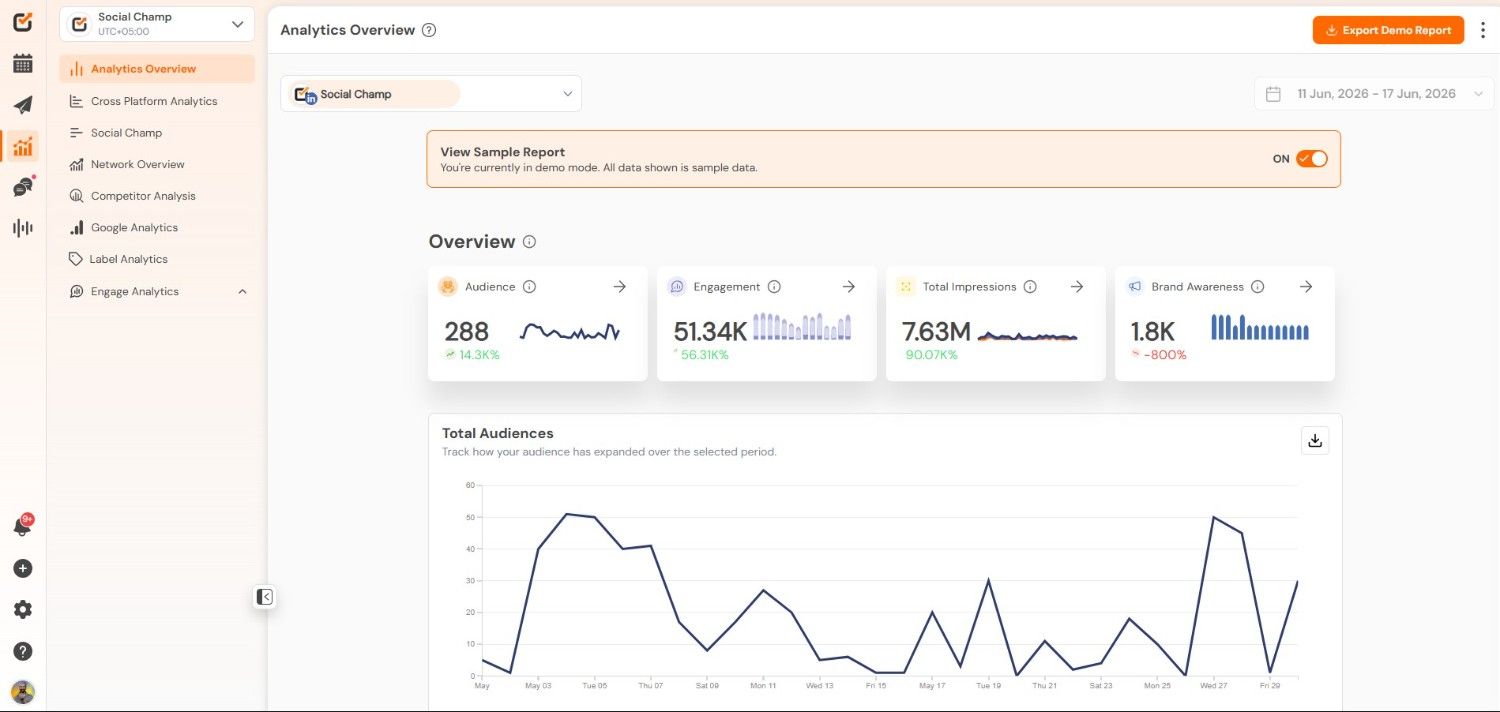
Social Champ’s Analytics Guessing your strategy leads to poor results. You can monitor your exact performance with detailed post-level insights.
You can export professional reports easily to share with your clients. Furthermore, built-in UTM parameters help you track your traffic and conversions accurately.
-
Team Collaboration Features
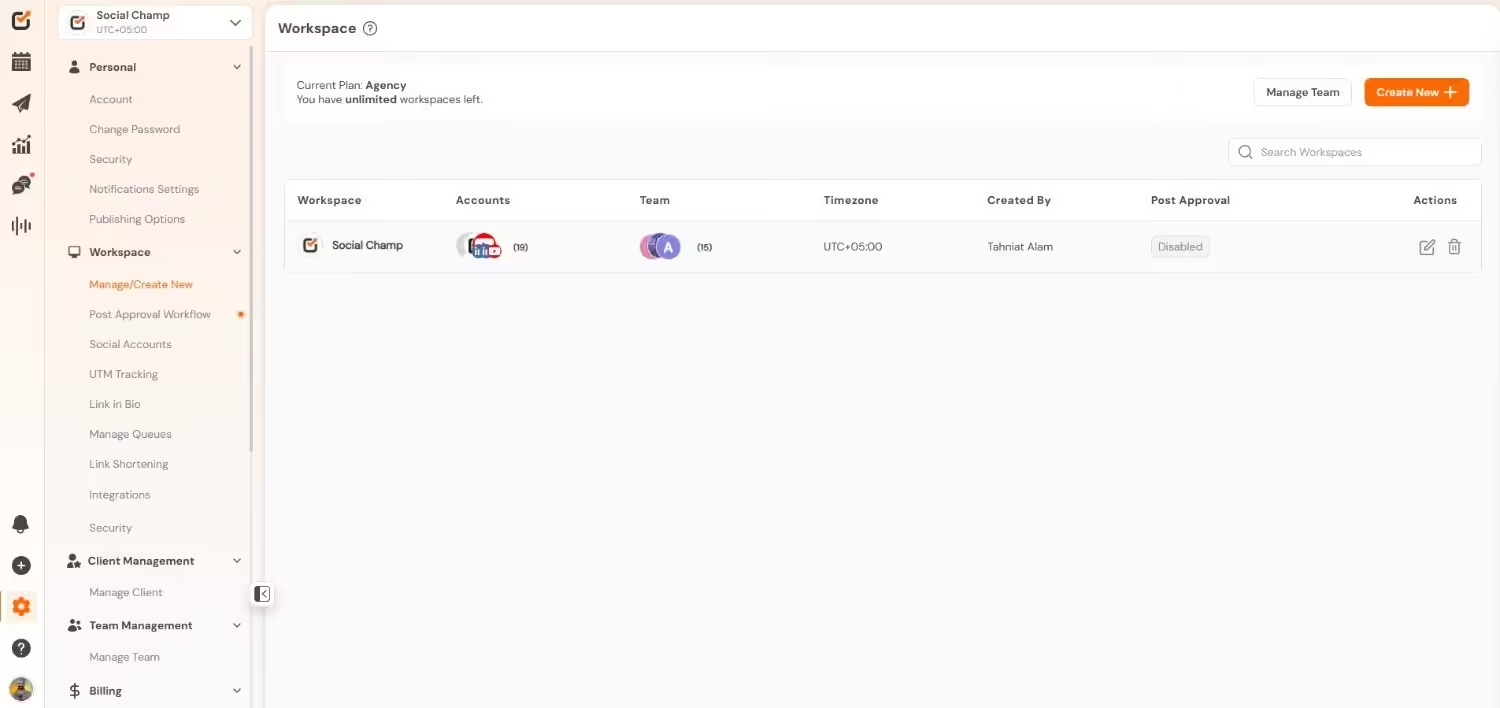
Social Champ’s Team Management Feature I have seen messy workflows ruin great campaigns. You can collaborate perfectly using team roles and approval workflows. Your team can draft, review, and approve posts inside the platform.
Each user accesses specific workspaces without causing confusion. This works beautifully for busy agencies.
-
Strong Customer Support
Waiting days for help is unacceptable. You get highly responsive live chat and fast email support. You can access a massive help center and detailed video tutorials.
The support team resolves your issues quickly and answers questions instantly.
How to Pick the Right Platform Similar to Buffer for Your Needs?
I know picking a new platform feels completely overwhelming right now. You have dozens of options staring at you. If you pick the wrong software, your competitors will quickly pass you. You will waste money and lose valuable time.
Considering this, I built a simple framework for you. You need to focus on these specific areas to find the perfect fit.
Define Your Exact Budget
Start by deciding exactly how much you want to spend. I see businesses overpay for software constantly. If you run a small business, affordable alternatives to Buffer offer plenty of power.
You do not need a premium price tag to succeed. Conversely, large agencies must invest heavily in advanced features to satisfy their clients.
Evaluate Your Team Size
Small teams easily survive using very basic tools. However, adding more users changes everything. If you manage a large group, you need strict approval workflows and internal commenting.
A solid Buffer alternative for one person will instantly fail a team of ten. Always prioritize role-based access for safe team growth.
Check Platform Support
Do not assume every tool supports every single network. I made this exact mistake early in my career. Some tools focus on specific networks, while Social Champ or Hootsuite give you a broader reach across LinkedIn and Facebook.
Prioritize Automation Tools
Manual posting steals hours from your week. If you want to save time, you must pick tools featuring smart automation.
With tools like Social Champ, your best posts are recycled automatically, keeping your feeds active around the clock.
Demand Deep Analytics
Basic likes and shares mean nothing today. Do you need detailed client reports? You must demand comprehensive analytics to prove your value.
Schedulers like Agorapulse and Social Champ provide deep data insights. In terms of your growth, accurate reporting proves your return on investment instantly.
Focus on these specific areas to narrow down your choices. You will find the perfect software and stop paying for useless features.
How I Selected the Best Buffer Alternatives (Selection Criteria Explained)
I did not guess when picking these applications. I analyzed dozens of platforms based on common buyer pain points. If you choose blindly today, your competitors will easily outpace you.
Here is exactly how I evaluated the best Buffer alternatives.
- Pricing and Scalability: Buffer charges expensive per-channel fees for teams. I specifically looked for package-based pricing and reliable Buffer alternatives with free options.
- Analytics Depth: Basic metrics mean nothing. I focused on tools delivering detailed reporting and machine learning insights. You must prove your return on investment to clients.
- Team Collaboration: Messy workflows destroy campaigns. I prioritized platforms offering role-based access, post status tags, and strict approval workflows .
- Scheduling Flexibility: Buffer struggles with specific formats like Instagram slideshows. Considering this, I chose alternatives to Buffer, providing complete multi-platform integration.
Benefits and Features of Using Social Media Management Tools
I remember logging into five different applications every single morning. It completely drained my energy. Social networks exist primarily for consumers, not businesses.
If you post natively, you waste hours of your valuable time. Your competitors already use automation to grow much faster. You will quickly fall behind if you ignore these powerful applications.
Using the best alternatives to Buffer lightens your daily workload. You manage your entire strategy from one single interface. On that basis, I built a simple table to explain the exact advantages you gain.
| Core Feature | The Direct Benefit for Your Business |
|---|---|
| Centralized Dashboard | You stop logging into separate applications manually. You avoid irrelevant consumer functions and focus strictly on your growth. |
| Automated Scheduling | You plan and schedule your posts weeks ahead of time. This automation removes human error and keeps your feeds constantly active. |
| Unified Social Inbox | You receive real-time notifications for every new comment and message. Consequently, you never miss important customer feedback or complaints. |
| In-Depth Analytics | You pull accurate performance data into custom reports instantly. You can also track competitor benchmarking to guide your future strategy. |
| AI Content Creation | You write better posts and generate fresh ideas automatically. To save time, you can fill your content calendar in minutes instead of hours. |
| Multi-Platform Integration | You can easily connect diverse networks like TikTok, LinkedIn, and Pinterest while maintaining a consistent brand voice across all your channels. |
If you’re budget-conscious, a reliable free Buffer alternative gives you these features instantly, helping you work smarter, satisfy your customers, and get your time back.
Conclusion
I know how fast social media changes. You need strong, affordable tools today.
Buffer works for basic scheduling, but its limited features can slow growing teams down. That’s why exploring Buffer alternatives is a smart move.
Platforms like Social Champ, Hootsuite, and Sprout Social deliver advanced automation and deeper analytics that agencies and solo professionals increasingly depend on. Start by evaluating your budget, team size, and platform needs to find the right Buffer alternative.
