

Still posting on Instagram by hand? Yikes, that’s a lot of work for your thumbs.
And how long can you keep posting manually without missing prime engagement opportunities or feeling completely burned out?
You know, there’s a smarter way to stay active and grow on Instagram without spending hours planning, posting, and crunching numbers. It’s Instagram automation!
With Instagram automation, you can stay consistent and strategic, which not only saves time but also plays nicely with the Instagram algorithm.
In this guide, you’ll learn what Instagram automation is, the pros and cons of automating your Instagram, and tips for automating your Instagram so you can stay safe and compliant.
Short Summary
- Instagram automation makes your workflow a whole lot simple, so you can focus on other important aspects of running your business.
- You can automate repetitive tasks like scheduling, posting, replying, and tracking analytics.
- Scheduling posts and engaging automatically helps maintain a regular presence that keeps your audience engaged.
- It’s important to select automation tools that comply with Instagram’s rules, offer analytics, and fit your workflow and budget.
- Instagram automation tools like Social Champ, Hootsuite, and Buffer, among others, can handle comments, DMs, and interactions without losing the personal touch when used wisely.
Most importantly, we’ll share the 9 best Instagram automation tools so you can easily find the right one for your strategy.
Disclaimer: How We Chose Instagram Automation Tools
We tested over fifteen tools, and assessed factors like:
- Pricing
- Scalability
- Instagram-friendly features
- Ease of use
- Collaboration
With this information, we hand-picked 9 automation tools that impressed us the most. We hope you love them too!
What Is Instagram Automation?
Instagram automation refers to the practice of using an app or tool to perform repetitive tasks on Instagram automatically.
These tasks include scheduling posts, replying to comments on posts, sending direct messages, and tracking performance, among others.
You might already have someone who does all these tasks, and you may wonder why you should even consider Instagram automation.
But ask yourself, how many times have you missed posting at the perfect time because your social media manager got caught up in something else?
Or how often did comments go unanswered because they were juggling multiple accounts?
You probably didn’t count, but I can safely say it happened more times than you’d like.
People who’ve ditched manual processes and switched to modern ways of doing things can tell you for free that automation has a lot of benefits. For instance, Instagram automation can enable you to save time, maintain consistency, and grow your audience.
Its benefits, such as those that have different types of users turning to Instagram automation to make their lives easier. The likes of:
- Influencers: They use Instagram automation tools to schedule posts and stories in advance, respond to followers efficiently, and spend more energy creating content that truly reflects their personality.
- Brands: They leverage the tools to manage campaigns smoothly, track performance across multiple posts, and maintain a consistent presence.
- Agencies: Instagram automation tools enable them to handle multiple client accounts at once, ensure posting schedules are always on point, and monitor engagement without feeling overwhelmed.
If you’ve not jumped on the Instagram automation bandwagon, you’re seriously falling behind.
Save Time With Smart Instagram Automation!
Top 9 Instagram Automation Tools to Streamline Your Workflow
Now, let’s jump into the top 9 Instagram automation tools that prove Instagram management doesn’t have to eat up your entire day.
Ready?
-
Social Champ
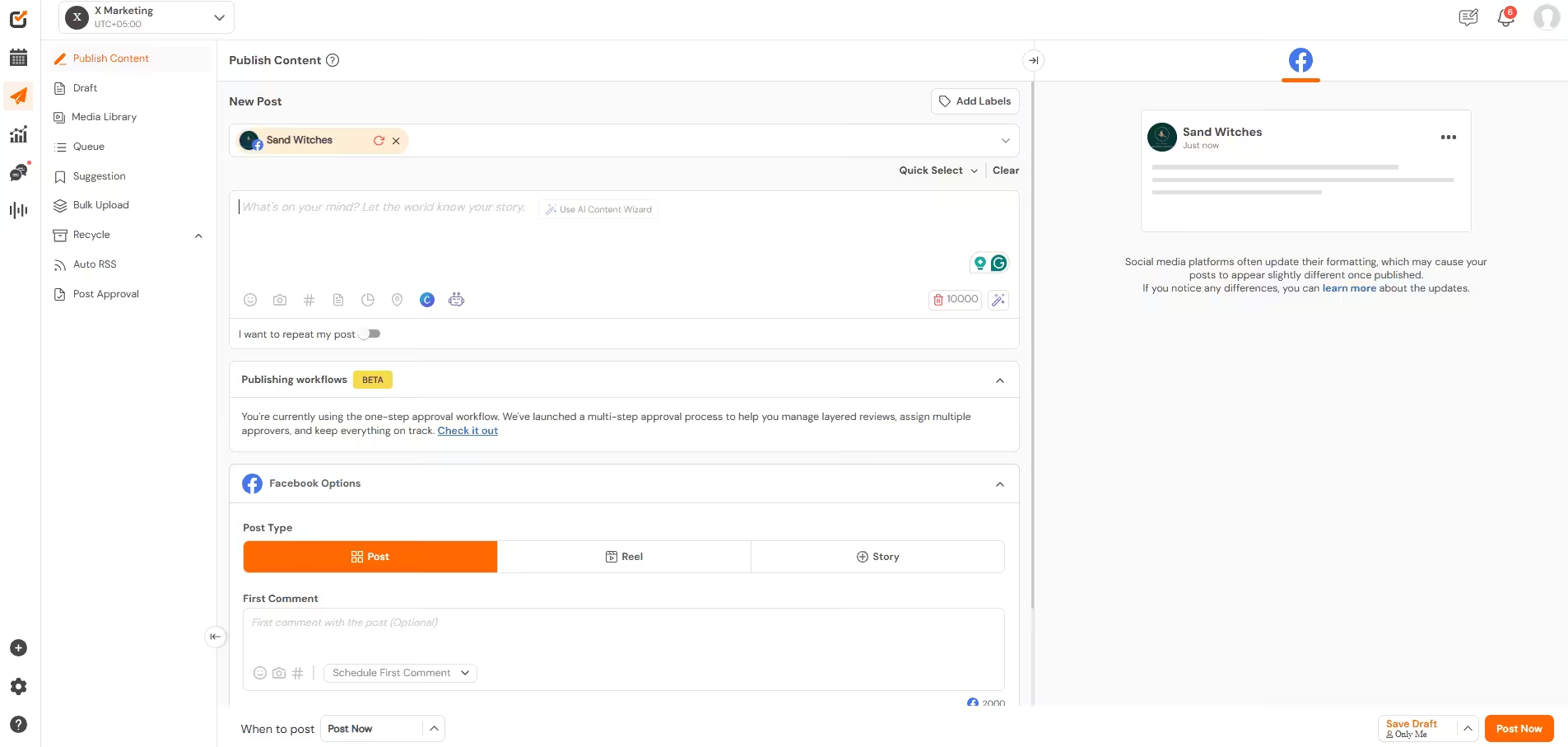
Social Champ’s Dashboard It comes as no surprise that Social Champ sits at the top of this list. This is a powerful Instagram automation tool with a lot of valuable features to unpack.
Let’s mention the most important ones for Instagram automation.
Top Features
Here’s where Social Champ really stands out:
- Scheduling: You can schedule posts in advance, so you can plan ahead and keep your content flowing without daily effort. You can also use it to post to all social media at once.
- Engagement: The Unified Social Inbox brings all your comments, mentions, and DMs into one place. This makes it easy to stay responsive and keep conversations flowing without jumping between accounts.
- Analytics: The tool gives you clear insights into post performance, audience engagement, and growth trends. These analytics help you refine your strategy and make smarter content decisions.
That’s just a tip of the Social Champ’s iceberg. Beyond these core social media management features, the tool offers even more advanced capabilities, like:
- Instagram Link in Bio to optimize your Instagram profile with a customizable link.
- Competitor analysis to track how others in your niche perform.
- Social listening to monitor brand mentions.
- Team collaboration tools to help you work seamlessly with teammates, assign roles, and approve content.
- Sentiment analysis to understand how your audience really feels about your content.
In combination, all these features make automating tasks on Instagram a breeze.
Pros
- Flexible, affordable, and transparency pricing with no hidden costs. A free plan is also available.
- It offers multi-platform support.
- Intuitive dashboard that makes automation super easy. No learning curve.
- It has a feature that highlights the best time to post on Instagram so your posts can go live when your audience is most likely to engage.
- You can schedule posts in bulk and save up to 50% of content scheduling time.
- You can recycle evergreen content to post later.
- You get top-tier customer support, as they aim to respond within 30 minutes.
Cons
- Some users find the interface a little dated and older-looking.
- Although support across platforms is strong, certain actions may be restricted on some networks.
Overall, Social Champ stands out as a reliable and efficient tool for social media automation. It checks most of the right boxes for creators, marketers, and businesses.
That said, every workflow is different. So, if you need specific features or want to compare similar platforms, it’s always a good idea to explore a few Social Champ alternatives before making your final choice.
This Hootsuite vs. Social Champ In-Depth Comparison Guide is a good place to start.
Post in Bulk the Smart Way!
Stop creating your posts last minute! Try Social Champ's Bulk Upload feature and schedule up to 300 posts in one go! -
SocialPilot
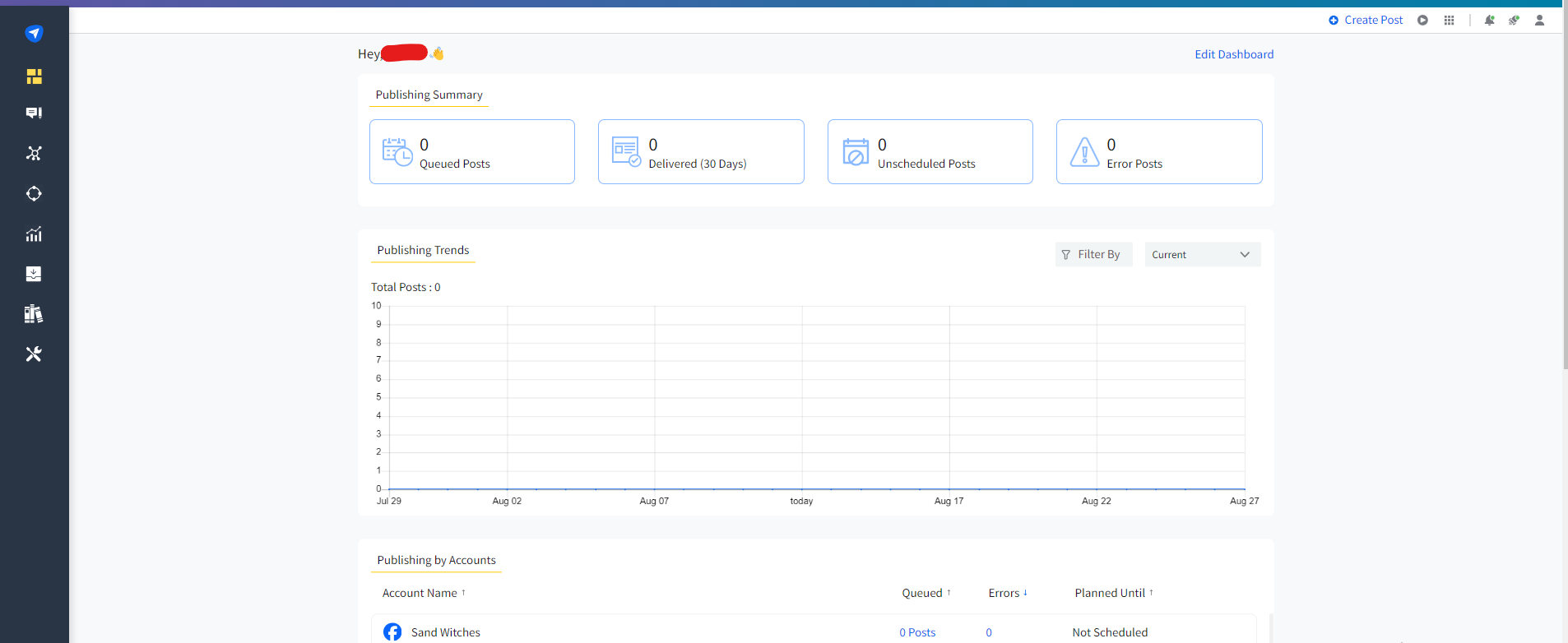
SocialPilot’s Dashboard SocialPilot is among the best Instagram automation tools you can find today, thanks to its balance of powerful features and competitive pricing.
It’s a solid choice for professionals, marketing agencies, SMBs, and multi-location brands.
Top Features
- Instagram Bulk Scheduling
- Instagram Post Preview
- Direct Publishing
- Smart Queues
- Automated Analytics and Reporting
- Instagram Story Scheduling
- Unified Social Inbox
Pros
- Easy-to-use interface that doesn’t require much skill to navigate.
- Allows you to publish posts in bulk.
- RSS feed integration lets you automatically pull content from your favorite blogs or websites.
- The White Labeling feature lets you create branded Instagram performance reports to impress clients and showcase your agency’s professional touch.
- Provides reliable customer support across different channels, including call, mail, chat, and mobile app.
Cons
- SocialPilot doesn’t offer a free plan.
- Although advanced features for Instagram business accounts are available, SocialPilot does not have many options for personal Instagram accounts.
- It doesn’t automate DMs or allow for comment management.
In general, SocialPilot is a reliable and user-friendly Instagram scheduler that you can use to streamline social media management, schedule content, and track performance efficiently.
The fact that SocialPilot doesn’t offer a free plan is a blow for small businesses and solo creators. If this puts you at a disadvantage, you might want to explore SocialPilot alternatives that fit your budget and needs.
-
Later
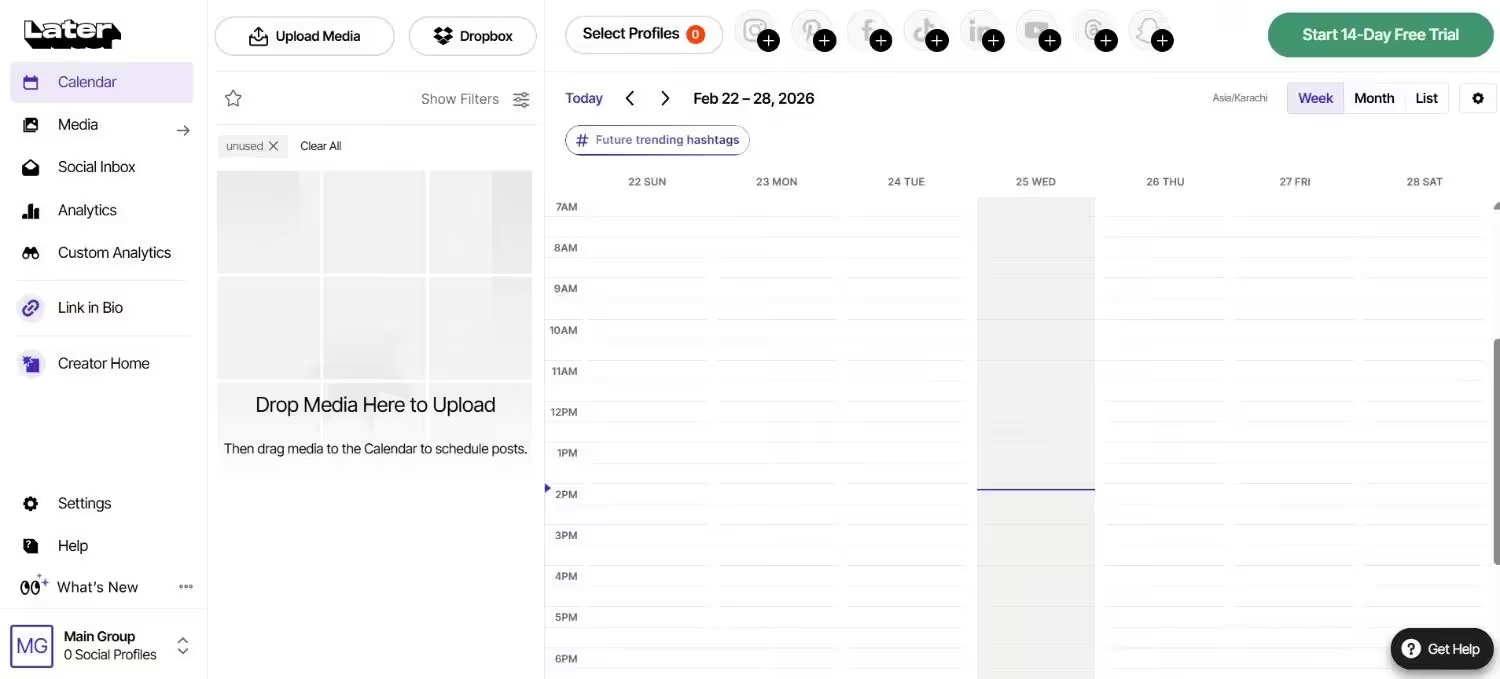
Later’s Dashboard Later is a popular Instagram automation tool known for its visual content calendar and simple drag-and-drop interface.
Its focus on Instagram-first features makes it a top choice for influencers, marketers, and businesses who want to maintain a consistent posting schedule without the manual hassle.
Top Features
- Visual Content Calendar
- Scheduling
- Media Library
- Linkin.bio
- Analytics
- Hashtag Suggestions
- Team Collaboration
Pros
- Offers a free plan
- Easy-to-use visual content calendar.
- Drag-and-drop scheduling makes planning simple.
- Instagram-first design with features tailored to the platform.
- Provides analytics to measure post performance.
- Linkin.bio integration helps drive traffic from Instagram.
Cons
- The free plan has limited posts per month.
- Some advanced analytics features are locked behind higher-tier plans.
- Focuses primarily on Instagram, so cross-platform management is limited.
Later is an excellent Instagram automation tool for visually planning and scheduling posts, tracking engagement, and keeping your content organized.
And like Social Champ, Later has a feature that lets you know the best time to post reels on Instagram.
If any of the Later limitations will be a hindrance to your Instagram marketing efforts, you might want to explore Later alternatives.
-
Upleap
Upleap’s Landing Page With Upleap, you won’t have to do all the manual legwork when trying to build a real, engaged following on Instagram.
This growth automation tool works behind the scenes by interacting with users who are likely to care about your content. As such, it’s a great pick if your goal is authentic growth rather than random likes.
Top Features
- Account and Hashtag Targeting
- Advanced Targeting Filters
- Real-Time Growth Analytics
- Weekly Instagram Audits
- Whitelist and Blacklist
- Welcome DM Automation
- Close Friends Auto-Adder
- Filter Targets by Gender
- Auto-Like After Follow
Pros
- Focuses on attracting real followers who are likely to engage with your content.
- Personalized support helps improve targeting and results.
- Simple setup with minimal hands-on work.
- Targeted engagement feels more natural than random automation.
- Easy-to-read growth tracking keeps you informed.
Cons
- Doesn’t include advanced features like post scheduling or analytics reports.
- Engagement automation is limited to follows and likes, not comments or DMs.
- Limited dashboard features compared to all-in-one tools.
And who is Upleap for? Well, from musicians and bloggers to businesses, A-listed brands, and celebrities, they can all find this tool incredibly useful. Designers, models, and athletes use this tool to grow their Instagram accounts organically.
-
Sendible
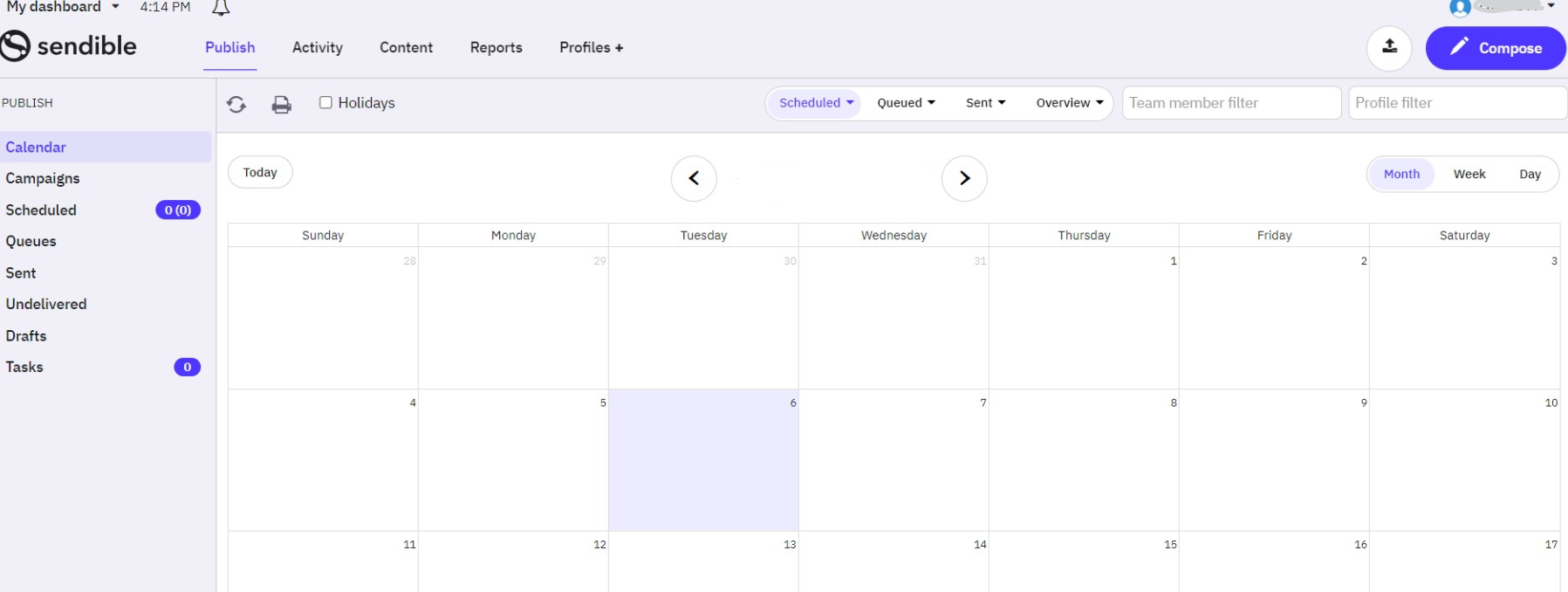
Sendible’s Dashboard If managing Instagram sometimes feels like spinning plates, Sendible keeps everything balanced.
It’s a tool that’s beloved by marketers, influencers, and brands for its automation features that make planning, scheduling, and monitoring a success.
In addition to offering support for Instagram, it also supports several other social media platforms, including X, Facebook ads, Pinterest, YouTube, Google Business Profile, and LinkedIn.
Top Features
- Content Management
- Auto Publishing
- Social Listening
- Auto RSS Feed
- Keyword Filtering
- Brand tracking
Pros
- Comprehensive dashboard for managing multiple accounts effortlessly.
- Powerful analytics and reporting to track performance.
- Collaboration features make team management easy.
- Scheduling across multiple platforms saves time.
- Content suggestions help keep your feed lively and engaging.
Cons
- Doesn’t offer a free plan.
- Can feel overwhelming for beginners due to the many features.
- Pricing is higher than some other Instagram tools.
Sendible is a strong choice for businesses and agencies that need a good platform to manage Instagram and other social media accounts efficiently.
Featured Article: Best Sendible Alternatives
-
Tailwind
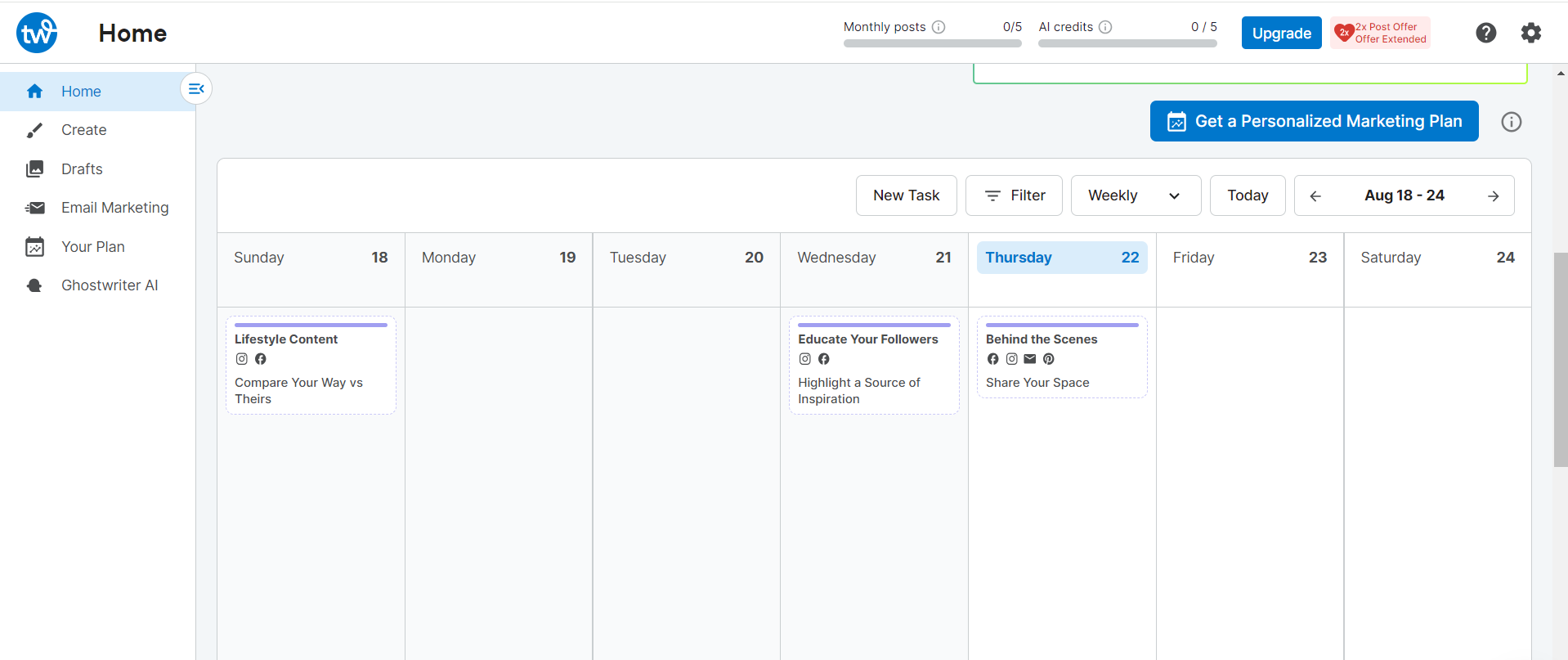
Tailwind’s Dashboard According to Tailwind, their tool is built on data-backed best practices, not guesswork. It’s basically a smart Instagram, Pinterest, and Facebook automation tool that offers a range of helpful tools at an affordable price.
Similar to Social Champ, Tailwind helps you post at the right times, discover trending hashtags, and grow your audience with minimal effort.
Top Features
- Visual Planning
- SmartSchedule
- Hashtag Finder
- Auto-Updating Bio Link
- Analytics
Pros
- Has a Free Forever plan that provides essential tools to get started.
- SmartSchedule helps you post at optimal engagement times.
- Hashtag Finder makes growing your audience easier.
- A visual content calendar helps maintain a cohesive feed.
- Analytics provide insights to improve your Instagram strategy.
- Saves time by automating repetitive posting tasks.
Cons
- Primarily designed for Pinterest and Instagram, so not ideal for multi-platform management.
- The free plan has restricted features.
- Mobile app functionality can be less smooth than desktop.
Tailwind is a great choice if your focus is on visually planning, scheduling, and growing your Instagram efficiently. You can use it to schedule your Instagram posts weeks or even months in advance so you can relax and focus on other things.
Check out Tailwind alternatives to explore more similar options.
-
Hootsuite
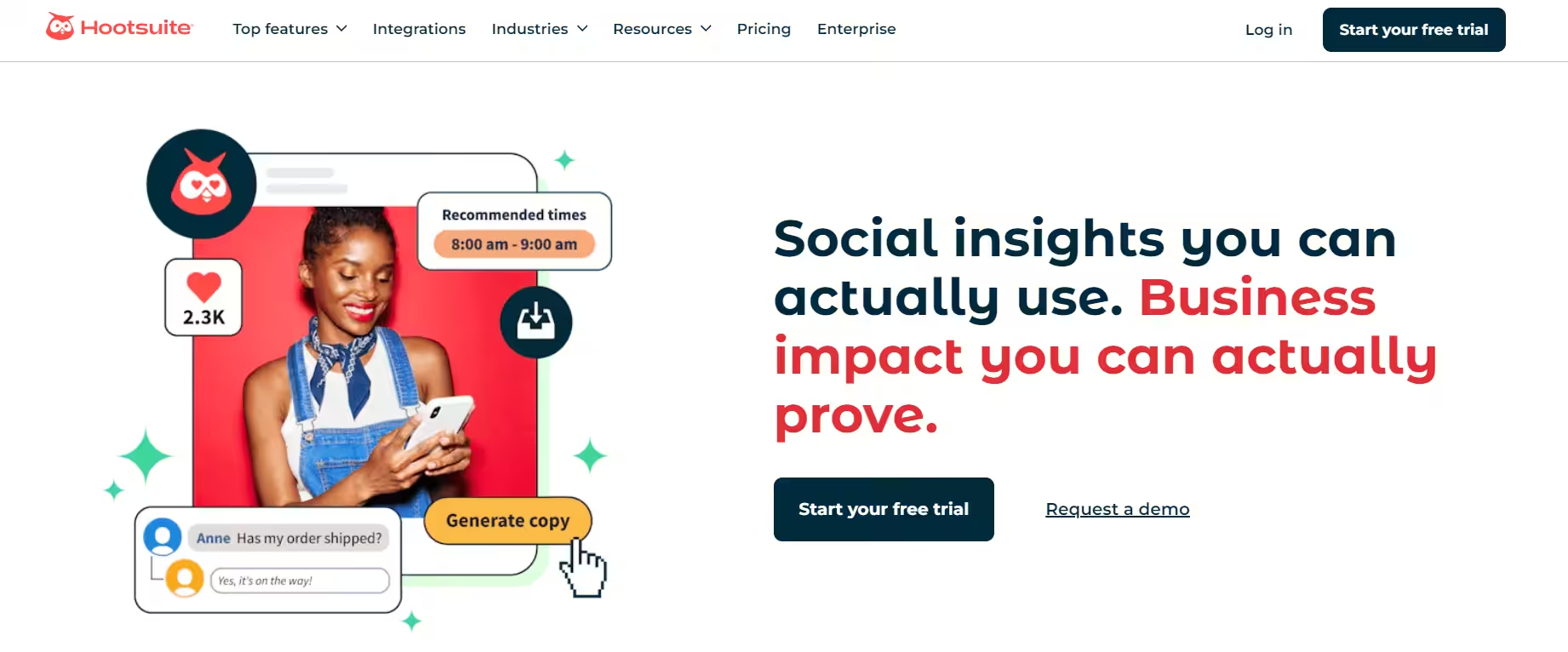
Hootsuite’s Landing Page Hootsuite is a veteran in the social media management world, and its popularity keeps on rising. It’s known for its advanced features that help brands, agencies, and marketers stay on top of Instagram.
If you’re looking for more than just scheduling (think social listening, team collaboration, and content curation), this tool is just perfect.
Top Features
- Scheduling
- Social Listening
- Team Collaboration
- Content Curation
- Analytics and Reporting
Pros
- Excellent for social listening and staying on top of trends.
- Team collaboration features make workflows smooth.
- Content curation tools save time and boost engagement.
- Scalable for small teams and large agencies alike.
- Supports multiple social platforms from one dashboard.
Cons
- Pricing is on the higher side as their starting plan, the Standard Plan, costs $99/month. This price may be a bit high for small businesses or solo users.
- Some features can feel overwhelming for beginners.
- Reporting customization can be complex for new users.
Were it not for its pricey plans, Hootsuite would be a leading choice, and for good reason. Nevertheless, it’s still a powerhouse for Instagram automation, thanks to its powerful features.
-
CoSchedule
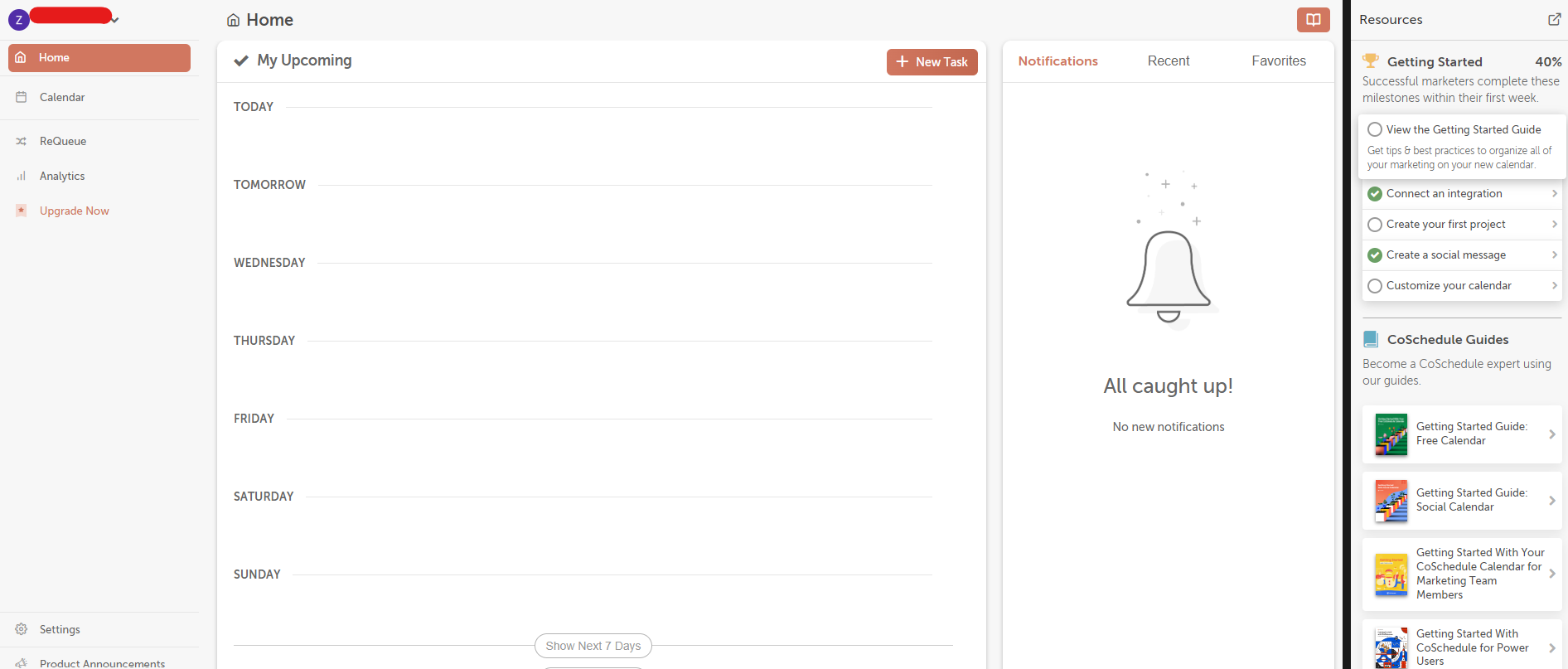
CoSchedule’s Dashboard CoSchedule is a versatile marketing calendar and social media management tool that helps you automate Instagram and organize your workflow alongside your broader content strategy.
It’s ideal for marketers and teams who want everything, from blog posts to social campaigns, planned, scheduled, and tracked in one place.
Top Features
- Content Management
- Drag and Drop Scheduling
- Social Media Monitoring
- Content Calendar
- Approval Workflows
- Keyword Filtering
Pros
- Excellent for synchronizing Instagram with broader marketing efforts.
- A central content calendar keeps everything organized.
- Task and team management features improve collaboration.
- Integrations make it easy to tie in other marketing tools.
- Analytics help you refine your strategy over time.
Cons
- Not purely focused on Instagram automation, so some features may feel spread out.
- Advanced features are behind higher-tier pricing plans.
- Can have a learning curve for new users.
- Mobile experience is less intuitive than desktop.
CoSchedule is a strong choice if you want to automate your Instagram posts while keeping your content strategy, deadlines, and campaigns streamlined.
-
Sprout Social

Sprout Social’s Dashboard Sprout Social is a premium social media management platform that brings powerful automation and smart insights to your Instagram workflow.
It’s perfect for brands, agencies, and growing teams that want a deep understanding of their audience, seamless scheduling, and engagement tools.
Top Features
- Scheduling
- Smart Inbox
- Analytics and Reporting
- Listening and Social Intelligence
Pros
- Engagement tools that help you stay connected with your audience.
- Deep analytics and reporting deliver valuable strategic insights.
- Unified inbox keeps all interactions organized.
- Social listening capabilities help you track trends and opportunities.
- Reliable support and frequent updates keep the platform modern.
- A feature that lets you know when to post on Instagram.
Cons
- One of the pricier options, which may not suit smaller creators or solo users.
- Some advanced features require higher-tier plans.
- Automation for DMs and replies is helpful, but not as extensive as some niche tools.
- It can feel complex for beginners.
- Mobile app features are significantly limited compared to the desktop experience.
If you have a fat budget and want Instagram automation that feels strategic rather than robotic, Sprout Social has a lot to offer.
However, if you’re looking for a more budget-friendly or lightweight automation tool with simpler features, you might want to explore Sprout Social alternatives that better match your needs.
Benefits of Instagram Automation
Running an Instagram account is no joke; it’s a full-time job. You need to strategize, create content, analyze performance, and maintain consistency by yourself. This is exactly why you need Instagram automation.
Unlike the popular belief, automation is not about making your social media seem like a robot.
It’s about setting up smart, behind-the-scenes systems that handle the heavy lifting so you can get back to doing what you actually love: creating and connecting.
Here is exactly how automation transforms your day-to-day Instagram grind into a smooth operation.
-
Get Your Time Back
Think about how many times a day your flow gets broken because you have to reply to the exact same DM question for the twentieth time (“Where can I buy this?”). Or how stressed you get trying to manually post right on the dot at 6:00 PM. Automation takes those repetitive, brain-draining tasks off your plate. You get to step away from the screen, take a breath, and focus on the big-picture stuff you actually enjoy doing.
-
Consistency Becomes Effortless
You must have heard the golden rule of Instagram: you need to post consistently to succeed! But life happens! You get busy, you go on vacation, or you just have a day where you don’t want to look at your phone. With automation tools, you can just sit down, batch-create your content for the week (or month), schedule it, and walk away. Your account stays active, the algorithm stays happy, and you’re growing your page even while you’re asleep.
-
No More Guessing Game
Building a real, loyal community means knowing what your followers actually like. Instead of staring at your feed trying to guess why one post blew up and another flopped, automation tools do the heavy lifting for you. They track the patterns, watch how people behave, and give you clear insights into what your audience wants more of. It takes out the guesswork so you can create stuff people genuinely love.
-
Lighting Fast Replies
We live in an era where everyone wants an answer right now. If someone pops into your DMs to ask about your pricing or a link, and it takes you ten hours to see it, they’ve probably already moved on. Setting up automated quick replies for your FAQs means your followers get instant, helpful answers the second they reach out. It looks super professional, keeps your audience happy, and keeps you from having your phone glued to your hand 24/7.
Limitations of Instagram Automation
As amazing as automation is for freeing up your schedule, it’s definitely not magic. If you lean into it too hard or expect it to do absolutely everything, it can backfire pretty quickly.
Before you automate your entire account, we need to talk about where these tools hit a hard wall. Keeping these limitations in mind will save you from a lot of frustration later on!
-
You Can’t Automate Real, Human Connection
Instagram is a social network where people follow you to connect with you. While a bot can instantly send a link or answer an FAQ about your business hours, it cannot build deep trust. It can’t understand inside jokes, it can’t offer genuine empathy to a frustrated customer, and it definitely can’t mimic that spark of human personality that turns a casual viewer into a loyal fan. If your feed starts looking and sounding like a generic customer service hotline, people will tune out.
-
The Instagram Algorithm Is Always Watching
Instagram wants real people on its platform, not a bunch of scripts talking to each other. Because of this, Meta has incredibly strict rules about how third-party tools interact with your account. If you use shady apps to automate things like mass-liking other people’s pictures, mass-following accounts, or leaving generic comments, Instagram’s security filters will flag it instantly.
-
It Struggles With Nuance and Complex Situations
Automation works perfectly when things are black and white. “If a user comments the word LINK, send them the URL.” Simple!
But human conversations are rarely that straightforward. If someone leaves a complex comment or mixes a typo into their message, the automation can get totally confused. Even worse, if someone sends an angry or sensitive message and a cheerful, automated bot replies with a generic promotional coupon, it looks incredibly out of touch. You always need a real person monitoring things to step in when a conversation goes off-script.
-
It Requires Constant Babysitting and Tweaking
A lot of people think automation is a “set it and forget it” situation.
Spoiler alert: it’s not! Links break, tool integrations disconnect after app updates, and your audience’s habits change over time. If you don’t regularly audit your setups, look at your analytics, and tweak your messaging, your automated sequences will quickly become outdated or broken. It still takes time and effort to manage the systems that manage your page.
Types of Instagram Automation
When we think of Instagram automation, there’s usually one thing that comes to mind: a bot replying to our comments and DMs, but Instagram automation goes beyond this!
Different tools do completely different jobs, and you definitely don’t have to use all of them. To help you figure out what might actually be useful for your account, let’s break down the main types of automation you’ll run into, using normal, everyday language.
-
Content Scheduling and Publishing
This is the ultimate entry-level automation, and honestly, almost every creator should be using it. You can’t expect yourself to open Instagram at a certain time every day to create a post and hit publish, unless you have nothing else to do! Scheduling tools allow you to have a life while keeping your Instagram posts consistent. You can schedule your content for weeks in advance, and your posts will go live at your selected time.
-
Interaction and Engagement Automation
Instagram algorithm values engagement. Accounts that don’t actively reply to comments and DMs don’t grow as easily as the ones that do. So you need a tool that makes interaction easier for you. However, there’s a thin line between healthy and unhealthy engagement. Set up a system that replies to your generic comments with a Thanks and keeps your engagement strong, but avoid bots that do mass-likes and comments on your posts. Instagram identifies these practices and absolutely hates them.
-
Analytics and Reporting Automation
If staring at a spreadsheet of numbers sounds like your worst nightmare, you’ll love this. Instead of manually digging through your phone to see which Reel performed best or how many followers you gained this month, these tools automatically pull all your data into a clean, easy-to-read dashboard. They track the patterns over time and can even email you a weekly summary telling you exactly what worked and what didn’t. It takes the headache out of data and tells you exactly how to pivot your strategy.
What to Look for When Choosing an Instagram Automation Tool
To keep things simple, here is a checklist of what actually matters when you’re shopping around for a tool.
-
A Clean, Stress-Free Dashboard
Automation is not rocket science! You don’t need to watch YouTube tutorials just to learn how to schedule your Instagram posts, and if a tool requires you to do that, it just not the right tool for you! Grab a tool with a clean interface and a drag-and-drop workflow that makes sense to your brain.
-
Solid Analytics You Can Actually Understand
A great automation tool doesn’t just do the work; it reports back to you. Your bulk scheduling won’t make sense if you don’t know if it’s working. You need to choose a tool that offers you strong analytics that help you shape your future strategies
-
Room to Grow (Scalability)
You plan to grow your account, right? Before you sign up, check the pricing of the tool and see if it’s ready to scale with you. If the price skyrockets when you add another member to your team, that is a red flag! Pick a tool that offers flexible plans so it can grow right alongside your brand without breaking the bank later on.
Work Smarter, With Affordable Automation
Start automating posts, replies, and analytics like a pro with Social Champ. Hurry, the prices won't be as low forever!
Conclusion
Instagram automation is not as difficult as it may seem to someone who’s just starting out, especially not when you partner with the right tool and use proven social media hacks.
Manually managing your Instagram or any other social network is definitely not the way to go in this age, when competitors are switching to automation at the speed of light. You can either waste another hour creating a new post on Instagram, or you can opt to use an affordable option like Social Champ and bulk upload 300 posts at once. The choice is yours, and to be honest, it’s never been easier.
So make your life easy and rely on Instagram automation before you stay behind and everyone else embraces what you’re still thinking about!










Charlotte
I was in search of an article about Instagram automation for so long. Thanks for sharing an amazing article.
Benjamin
Thanks for sharing such a wonderful content. Definitely will try this!