If you’re ready to invest in social media cross-posting tools, this guide is for you.
But first, let me give you an idea of what these tools are and what they can do for you. Essentially, a cross-posting tool lets you post to all social media platforms at once, without having to log in to every social network to create posts manually.
These tools primarily help you:
- Schedule content on all social platforms from one place
- Analyze the impact of your social content
- Respond to all socials from a unified inbox
- See your populated content calendar (for all calendars and clients
- Some even let you perform social listening and competitor analysis.
Short Summary
- Cross-posting tools let you publish, analyze, and engage across all social platforms from a single dashboard.
- The right tool depends on your budget, team size, and feature needs; this guide covers 12 options from free starters to enterprise-grade platforms.
- Social Champ tops the list for offering premium features like social listening, AI assistance, and white-label reporting at the most competitive pricing.
- Buffer and Publer are excellent budget-friendly picks for freelancers and small businesses just getting started.
- Planable and SocialBee are great for teams that need strong collaboration, content categorization, and niche platform support.
- Zoho Social is the natural choice if you’re already using Zoho tools.
- Sendible and SocialPilot cater to agencies needing white-label dashboards, custom workflows, and MCP integration.
- Later is designed for visual-first creators and influencer-brand partnerships on Instagram, TikTok, and Pinterest.
- Hootsuite and Sprout Social are for large enterprises with complex needs, though their high price tags put them out of reach for smaller teams.
- CoSchedule uniquely bridges blog content, email, and social management for content marketers.
Let’s Skim Through the Best Social Media Cross-Posting Tools
I know you’re busy. So before we dive deep, here’s a quick comparison table so you can make a fast decision. This is the stuff Google loves to pull into featured snippets, and honestly, I wish someone had handed me this table three years ago.
PublerSmall businesses or freelancers on a tight budget, especially if they use Telegram.
| Social Media Cross-Posting Tool | Best For |
|---|---|
| Social Champ | Literally everyone, including small businesses, freelancers, enterprises, agencies, creators, and anyone wanting premium features at affordable prices. |
| Buffer | Freelancers and startups on tight budgets. |
| AdaptlyPost | Solo marketers and small teams who want AI writing and image generation in the same composer they schedule from. |
| Planable | Larger teams that want to collaborate while managing their socials. |
| SocialBee | Those who like to stay organized and are active on Telegram and Quora. |
| Zoho Social | Those already using Zoho for its CRM. |
| Sendible | Agencies that want to build a custom white–label dashboard for clients. |
| SocialPilot | Mid-sized teams that need MCP integration. |
| Later | Creators who are mostly active on Instagram, Pinterest, and TikTok, and work with brands as influencers |
| Hootsuite | Large enterprises that need |
| Sprout Social | Enterprises that need team management, social listening, and customer care |
| CoSchedule | Bloggers and marketers who want content + social in one place |
Your All-in-One Growth Partner!
What to Look for in a Social Media Cross-Posting Tool
Essentially, the right social media cross-posting tool is the one that fits perfectly with how your team works. That said, here are a few things you must consider:
- Make sure it connects to all your must-have networks, including newer ones like Threads or Bluesky.
- The best tools let you tweak captions, hashtags, and formats so posts feel native to the platform (and not copy-pasted!).
- Look for queueing, auto-RSS, and optimal time suggestions to keep content flowing.
- Unified reporting beats jumping between five dashboards. Bonus points for white-label options if you have clients.
- Approval workflows and role permissions matter if you’re working with a team
- It’s best to choose a tool that offers upfront pricing, so you can avoid hidden costs.
- Always check the features to make sure they grow with your needs.
Featured Article: How to Post on Instagram and Facebook at the Same Time
The Top 12 Social Media Cross-Posting Tools
Here are my top 12 picks for the best cross-posting tools!
-
Social Champ
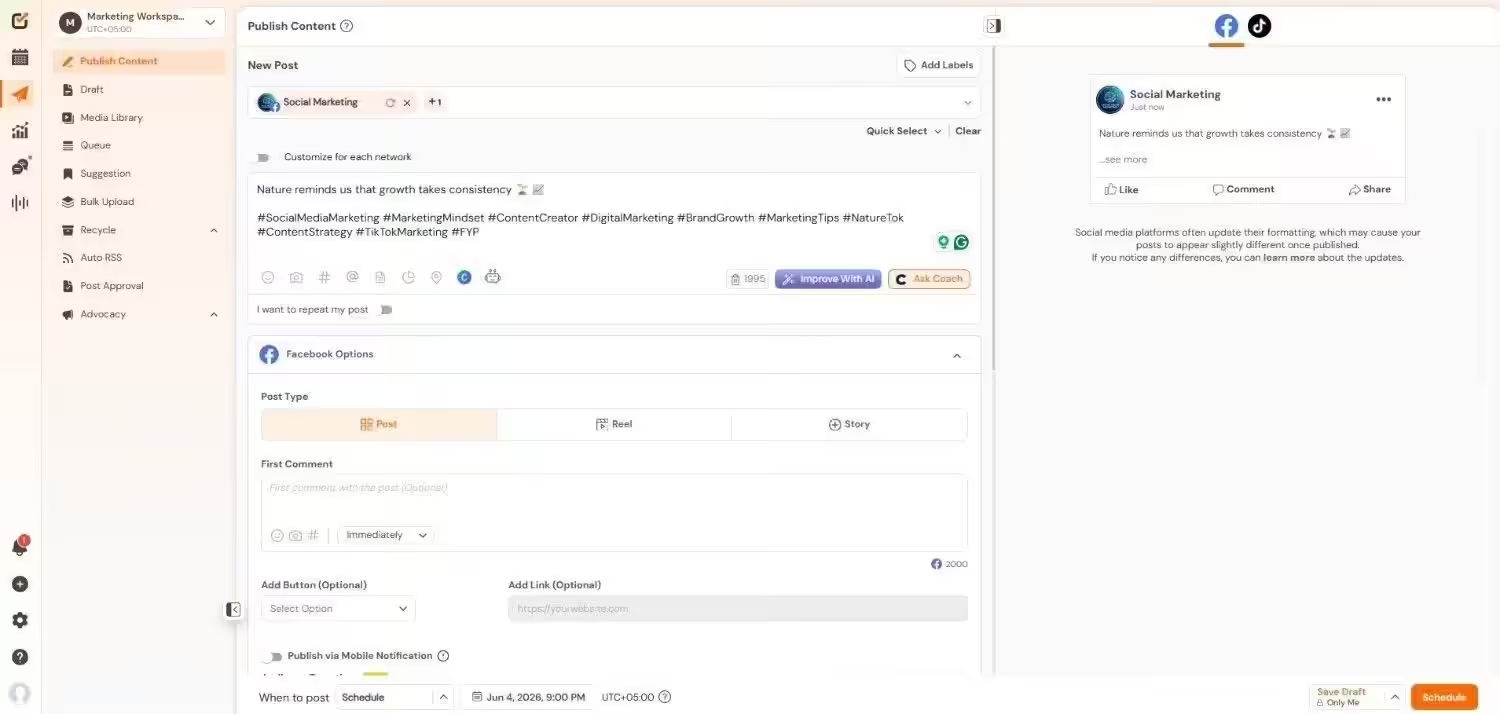
Social Champ’s Dashboard Best for: Businesses, creators, agencies, and anyone who wants to grow without paying extra costs.
Social Champ has all the features that you can think of: scheduling, analytics, social inbox, employee advocacy, MCP integration, and so much more.
What places it at the top of the list is that it offers all of this at a cost that no one else is offering. I believe it’s one of the best websites that posts to all social media.
What Makes Social Champ Stand Out
- It supports Instagram, Facebook, TikTok, LinkedIn, YouTube, Threads, Pinterest, X, Google Business Profile, Bluesky, Mastodon, and WhatsApp Business
- You can use it for social listening and competitor analysis
- It has in-depth analytics, including cross-platform analytics, for cross-channel marketing
- It has a great AI assistant, along with MCP integration
- It also comes with white-label features for reporting
- You can also manage your reviews on G2, App Store, and Play Store
Pros and Cons:
Pros Cons No other tool has a better price. You get both pay-per-profile and flat-rate bundles. Its social listening does not support X It has all the features that you possibly need for social media management It does not support ticket management yet The customer support is always available, even for free plan users! You may require some help understanding the tool (but you can always book a one-on-one demo with the CS team) Pricing:
Pay-Per-Profile:
- Starter Plan – $4/month
- Growth Plan – $8/month
Flat-Rate Bundles:
- Free Plan – $0/month
- Standard Plan – $23/month
- Professional Plan – $47/month
- Agency Plan – $119/month
- Enterprise Plan – Custom/month
-
Buffer
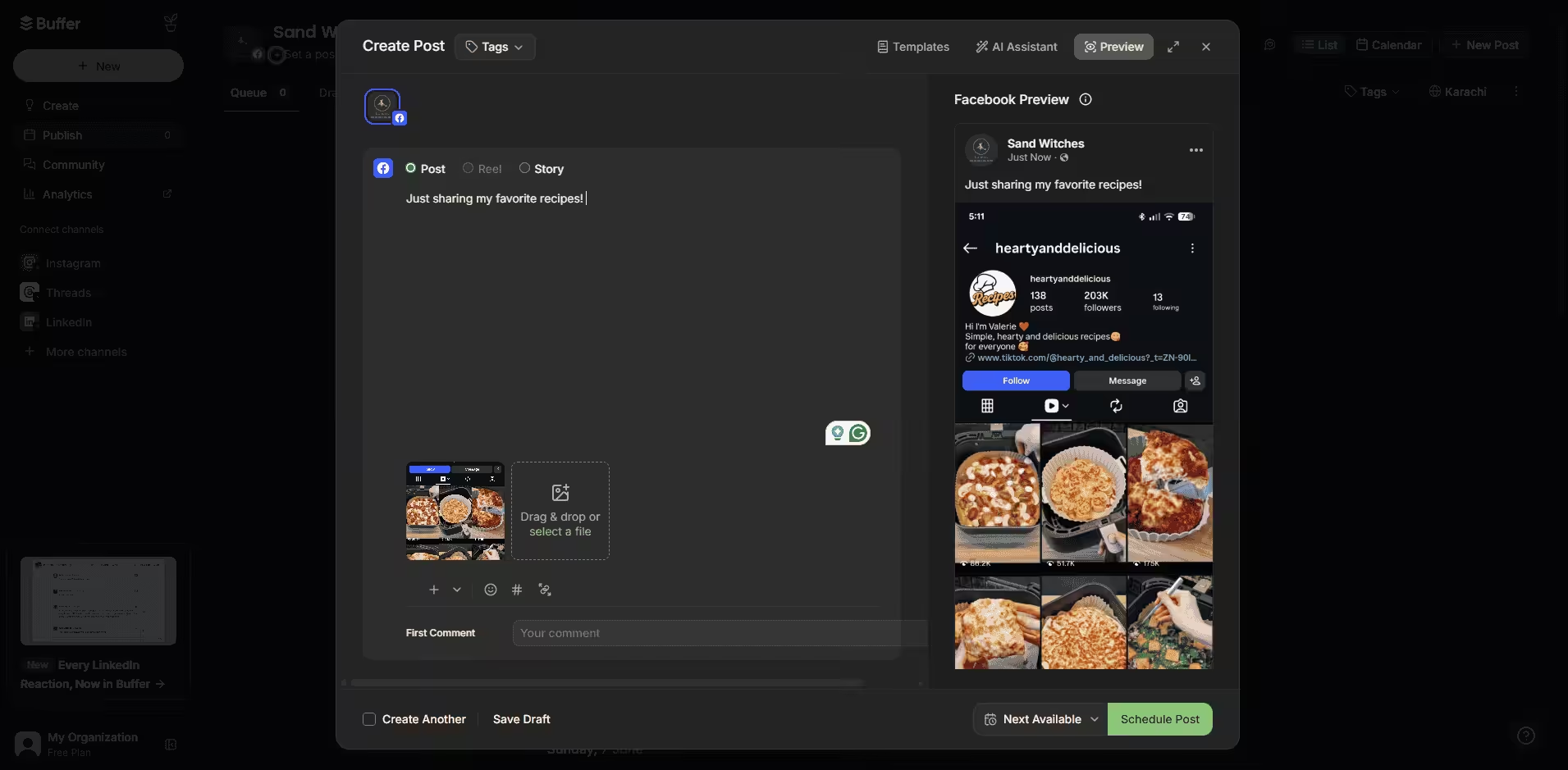
Buffer’s Dashboard Best for: Freelancers and startups with limited budgets.
If you need a social media cross-posting tool that gets you through the day, Buffer is a good option. It’s affordable, has all the basic features, and it’s super easy to use.
What Makes Buffers Stand Out?
- It supports Facebook, Instagram, X, Bluesky, Google Business Profile, LinkedIn, Mastodon, Pinterest, Threads, TikTok, YouTube
- It comes with pre-made templates that you can just edit and post
- You can organize your tasks in the ideas tab
- It’s very easy to use.
Pros and Cons:
Pros Cons It is one of the most affordable tools No social listening or competitor analysis Its AI Assistant is decent It does not have a bulk upload feature Its free plan can also work if you’re not posting frequently Analytics are quite basic (CSV/image exports only) Pricing:
- Free Plan – $0/month
- Essentials Plan – $5/month
- Team Plan – $10/month
-
AdaptlyPost
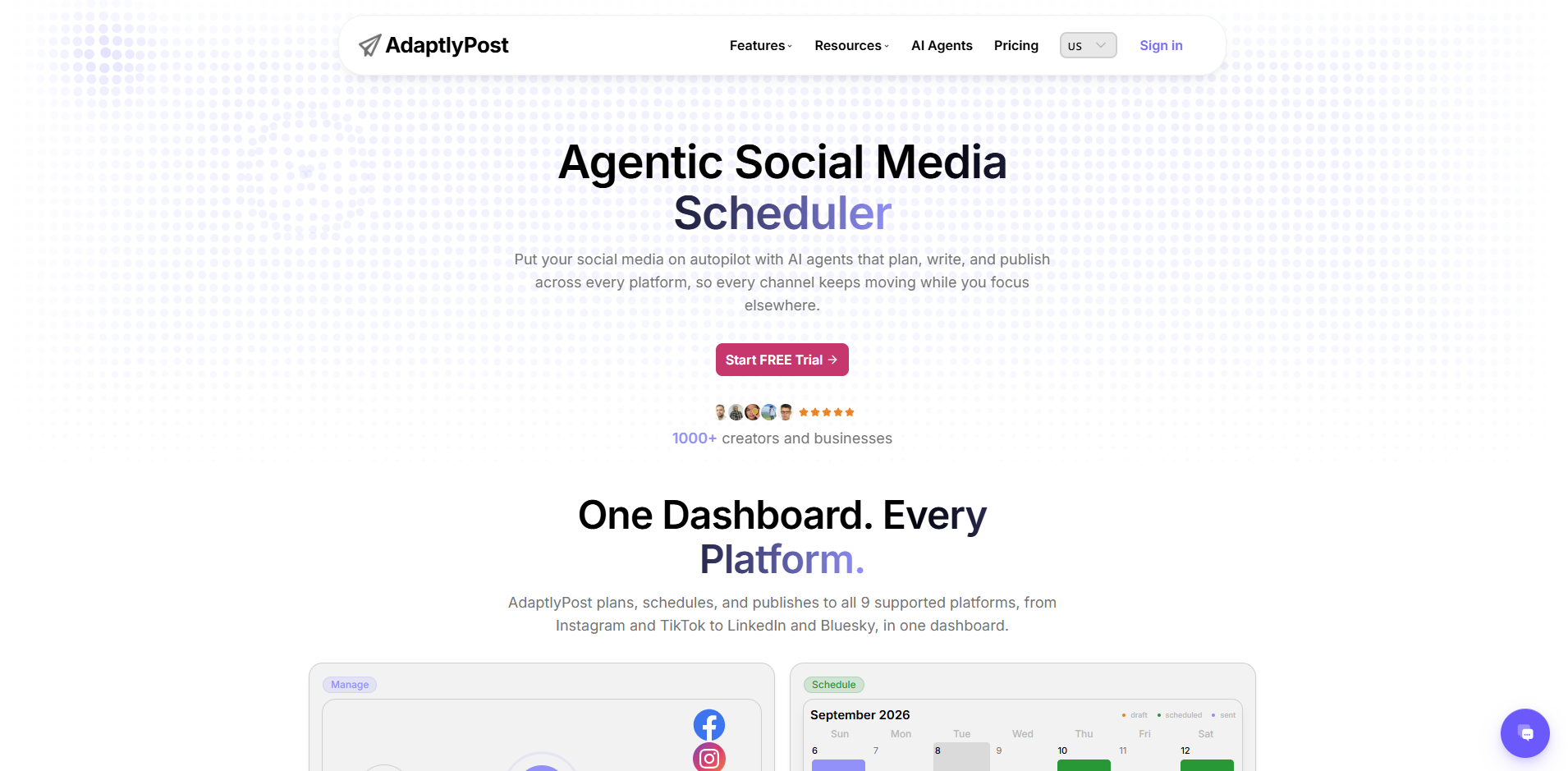
AdaptlyPost Dashboard Best for: Solo marketers and small teams who want the caption and the image made in the same place they schedule from.
AdaptlyPost is built around one idea: write the post once and send it everywhere in the right format. You draft in a single composer, and the same post goes out to nine networks, with aspect ratio, caption length, and hashtag formatting adjusted for each platform. A live preview shows each version before it publishes.
The AI sits inside the composer rather than in a separate tab. The caption copilot drafts and rewrites per platform, and the AI Image Studio generates the visual from a prompt, so writing, designing, and scheduling happen in one pass.
What Makes AdaptlyPost Stand Out?
- It supports Instagram, Facebook, TikTok, LinkedIn, YouTube, Pinterest, X, Threads, and Bluesky
- AI caption writing and AI image generation live inside the composer, not in a separate tool
- One draft adapts per network instead of nine manual rewrites
- Bulk scheduling with per-post overrides for platform settings like YouTube privacy or Pinterest boards
- Public API and MCP support, so an AI agent can draft and schedule posts directly
- Flat pricing with no per-seat charges and no feature paywall between tiers
Pros and Cons:
Pros Cons Every feature is available on every tier, so you are paying for volume rather than for unlocking the basics. There is no unified social inbox for replies and DMs. AI captions and images are included rather than sold as an add-on. Approval workflows are lighter than those offered by feature-rich platforms. MCP and API access let an AI assistant schedule without a human in the composer. No permanent free plan available. Pricing:
- Creator – $19/month
- Pro – $39/month
- Enterprise – $89/month
- Custom – Custom pricing
-
Publer
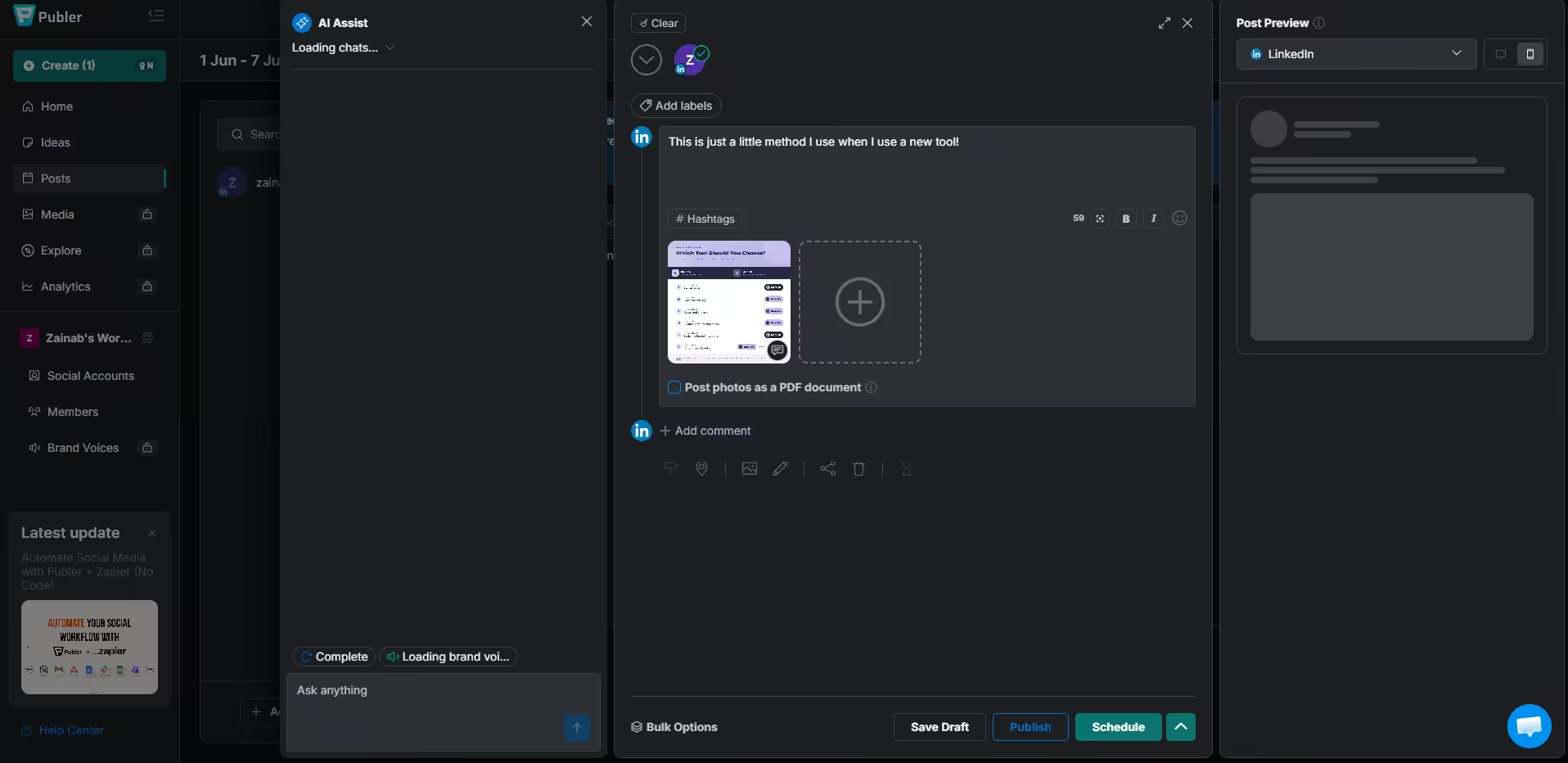
Publer’s Dashboard Best for: Small businesses that want a generous free plan and do not mind daily post limits.
Tools like Publer is a great starter tool. It covers all the basics, including scheduling and analytics (though they‘re only available on the advanced plans).
But its scheduling is quite affordable and generous. All paid plans come with unlimited scheduling, unlimited media storage, unlimited RSS automation, and unlimited workspaces.
However, it does have a daily posting limit. So, those unlimited workspaces may feel like a sham if you’re managing 20+ clients.
What Makes Publer Stand Out?
- It supports all the basic platforms, including Facebook, Instagram, LinkedIn, Google Business Profile, X, YouTube, TikTok, Pinterest, Threads, Bluesky, Mastodon, Telegram, and WordPress
- Its AI content generation is absolutely spectacular
- You can use the link in bio tool even in the free plan
- You get bulk scheduling with CSV upload
- It comes with auto-scheduling with optimal time suggestions.
Pros and Cons:
Pros Cons Its free plan is great; you get 3 social accounts,10 posts per account, and 24-hour post history. Its social inbox (Kibo) is a separate platform and requires a separate subscription. Bulk scheduling is included even on the lower tiers It does not offer analytics on the free and Professional plan. The free plan comes with a free trial for paid features. It does not support social listening yet. Pricing:
- Free Plan
- Professional Plan – $4 /month
- Business Plan – $8/month
- Enterprise – priced for your needs.
-
Planable
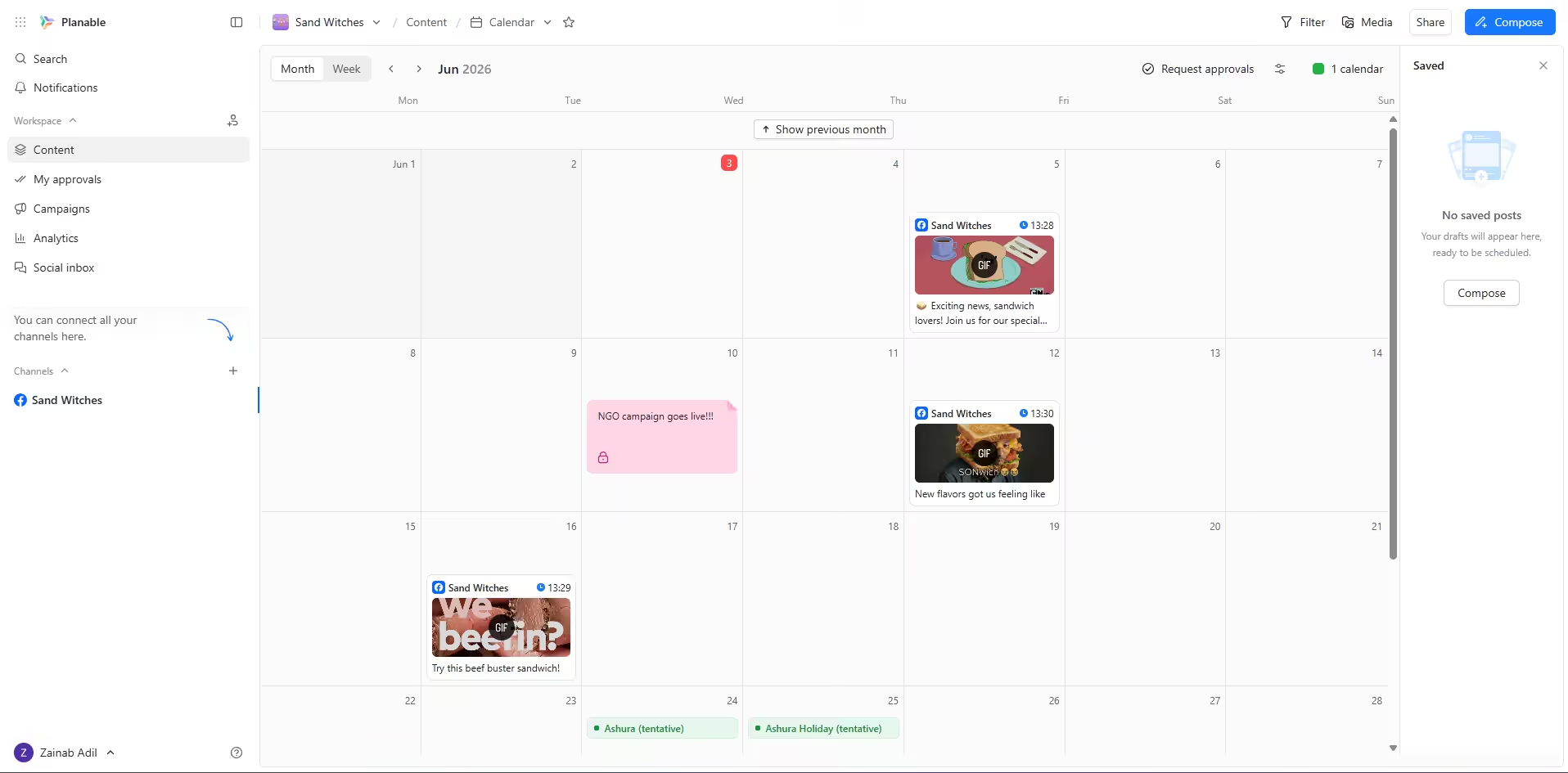
Planable’s Dashboard Best For: Larger teams that want to add unlimited users without having to pay a ridiculous amount per user.
If your social media process involves designers, copywriters, clients, and legal review, Planable was built for you. It’s almost a combination of a social media marketing tool and a team collaboration platform.
How Planable Stands Out:
- You can create visual mockups of how posts will look on each platform
- Your team can comment and use the approval system directly on post previews
- It has a side-by-side comparison of post versions
- It supports all the major platforms, including Instagram, Facebook, TikTok, LinkedIn, YouTube, Threads, Pinterest, X, and Google Business Profile
- You can add unlimited users even in the free plan. However, you can only schedule 50 posts. After the 50th post, you’ll have to either delete older data or upgrade your plan.
Pros and Cons:
Pros Cons Has great collaboration and approval workflows Social inbox costs an additional $9/month/workspace You can access all features even on the basic plans (via add-ons) Analytics cost an additional $14/month/ workspace It offers unlimited users on all its plans Social listening is missing, despite the heavy pricing. Pricing:
- Free Plan
- Basic Plan/ $33 month
- Pro Plan/ $49
- Enterprise Plan, which is custom-made for you.
-
SocialBee
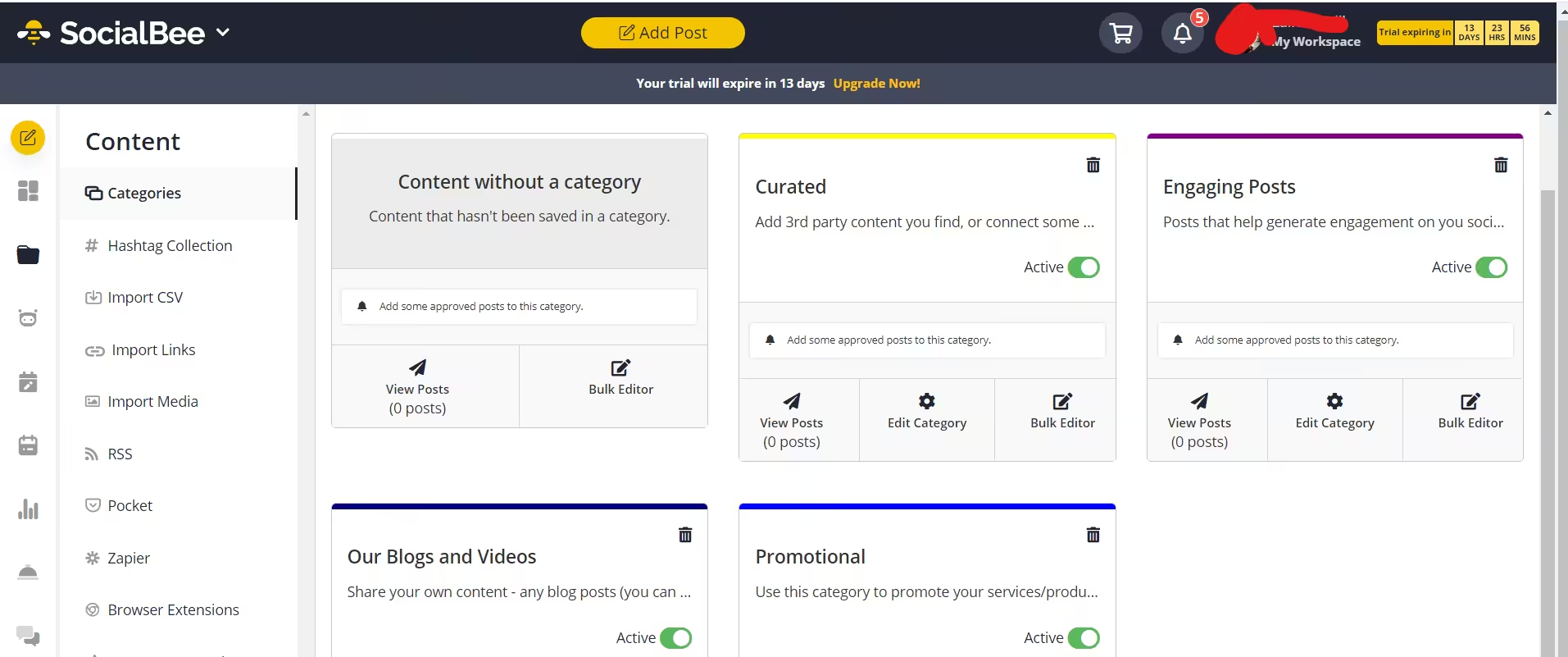
SocialBee’s Dashboard Best for: People who like to stay organized
SocialBee is a cookie-cutter social media cross-posting platform. It has just about all the features you’d expect, including scheduling, analytics, social listening, social inbox, and a calendar.
However, it’s mostly famous among those who like an organized workspace, as it comes with content categories for promotional, educational, curated, and engagement posts.
What Makes SocialBee Stand Out?
- It supports Facebook, Instagram, Threads, LinkedIn, TikTok, Pinterest, Google Business Profile, YouTube, X, and Bluesky
- It integrates with Microsoft Copilot to help you create content
- It helps you schedule on niche platforms like Quora and Telegram
- It has all the key elements of a social media management tool, i.e., scheduling, bulk upload, auto RSS, analytics, listening, and inbox.
Pros and Cons:
Pros Cons It supports niche platforms like Telegram and Quora Its price cannot be justified, especially compared to other tools like Social Champ You can buy add-ons for Workspaces, users, and profile sets in every plan. Its integrations are limited when compared with other tools It integrates with AI Copilot, which helps with content creation It has a limit for posts per category (but it’s generous, so you won’t have to worry about it much!) Pricing:
Standard Plans
- Bootstrap Plan – $24/month
- Accelerate Plan – $40/month
- Pro Plan – $82/month
Agency Plans
- Pro50 Plan – $149/month
- Pro100 Plan – $274/month
- Pro150 Plan –$374/ month
-
Zoho Social
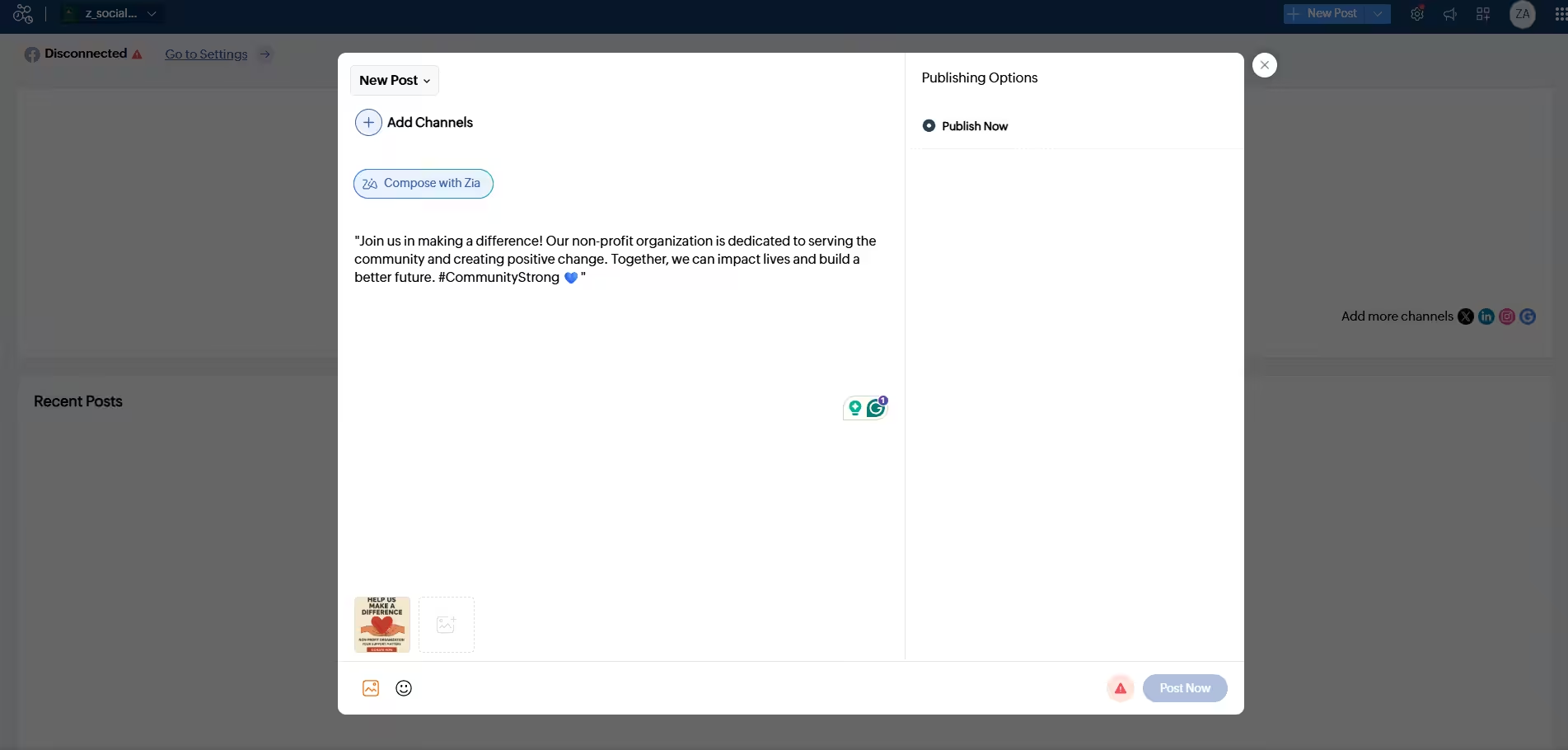
Zoho Social Dashboard Best for: Businesses that are already invested in other Zoho tools
If you’re using Zoho CRM, Zoho Desk, or any other Zoho product, Zoho Social makes a lot of sense. It integrates easily with the rest of the Zoho suite, which is a huge advantage if you’re already in that world.
What’s Special About Zoho Social?
- It supports Facebook, X, LinkedIn, Instagram, WhatsApp, Google Business Profile, YouTube, Pinterest, TikTok, Mastodon, Threads, and Bluesky
- You get scheduling, analytics, listening, white-label reports, and team collaboration
- If you’re already using Zoho, you can connect it with your Salesforce account.
Pros and Cons:
Pros Cons Its agency plans come with portal customization, which lets you create a custom dashboard to impress clients. Standalone value is questionable if you don’t use Zoho It includes social listening at a cost-effective price Its interface can feel cluttered It has great analytics and reporting tools Its customer support also has mixed reviews Pricing:
For Businesses
- Free Plan – $0/month
- Standard Plan – $10/month
- Professional Plan – $30/month
- Premium Plan – $40/month
For Agencies
- Agency Plan – $230/month
- Agency Plus Plan – $330/month
-
Sendible
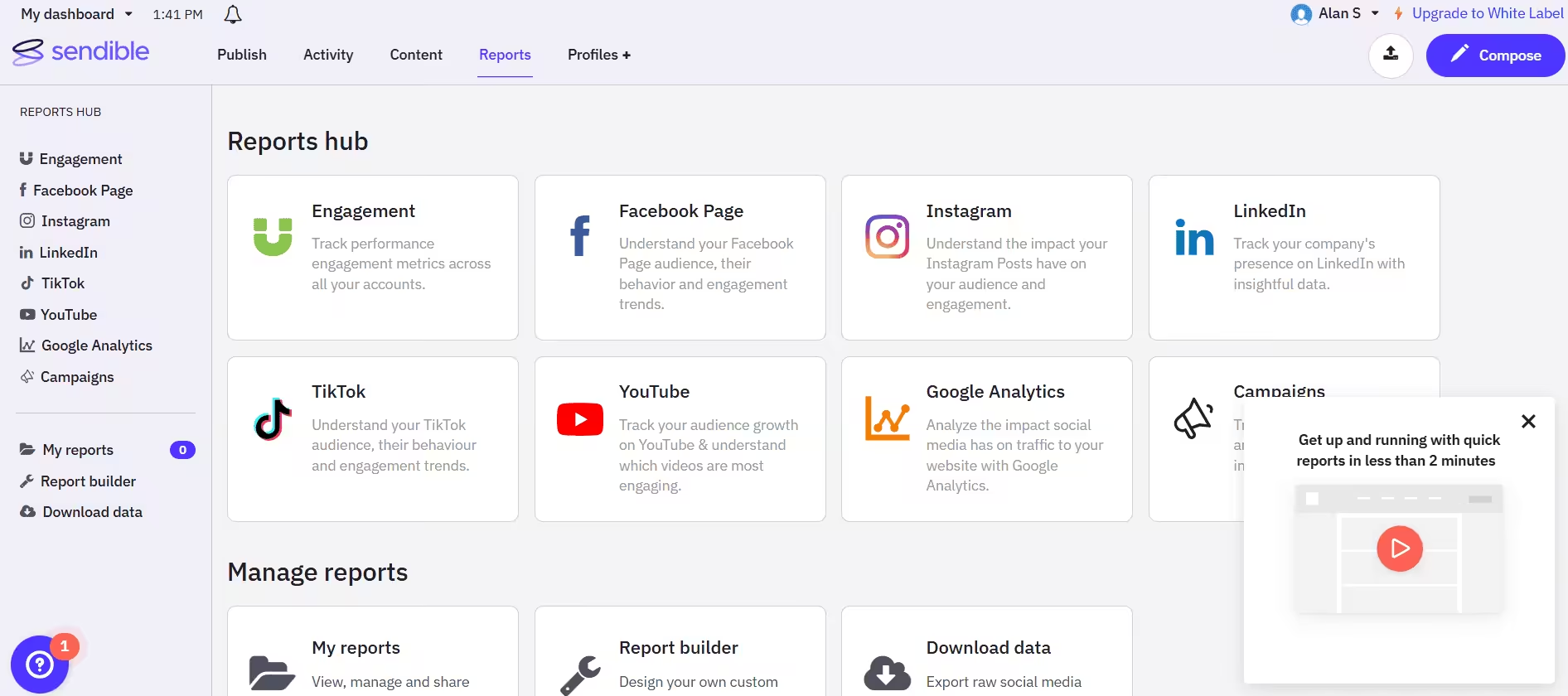
Sendible’s Dashboard Best for: Agencies managing multiple clients and brands.
Sendible is built for agencies. Everything about it, including the Zapier integration, white-label options, and custom approval workflows, makes it a great choice for an agency.
What Makes Sendible Stand Out?
- It supports Facebook, Instagram, TikTok, X, LinkedIn, Google Business Profile, YouTube, Threads, and Bluesky
- You can create white-label dashboards for clients
- It has a content suggestion engine that helps with planning
- You can set up a priority inbox for better engagement
- It also includes advanced analytics and reporting
Pros and Cons:
Pros Cons It frequently hosts webinars, so you can ask any query related to the tool It’s more expensive than other tools, especially when you consider what it offers Its client management features are impressive It’s a little difficult to use You can integrate it with project management tools like Airtable, Notion, Monday.com, and ClickUp. It lacks social listening and competitor analysis Pricing:
- Core Plan – $35/month
- Plus Plan – $99/month
- Premium Plan – $199/month
- Elite Plan – $299/month
- Enterprise Plan – $750/month
-
SocialPilot
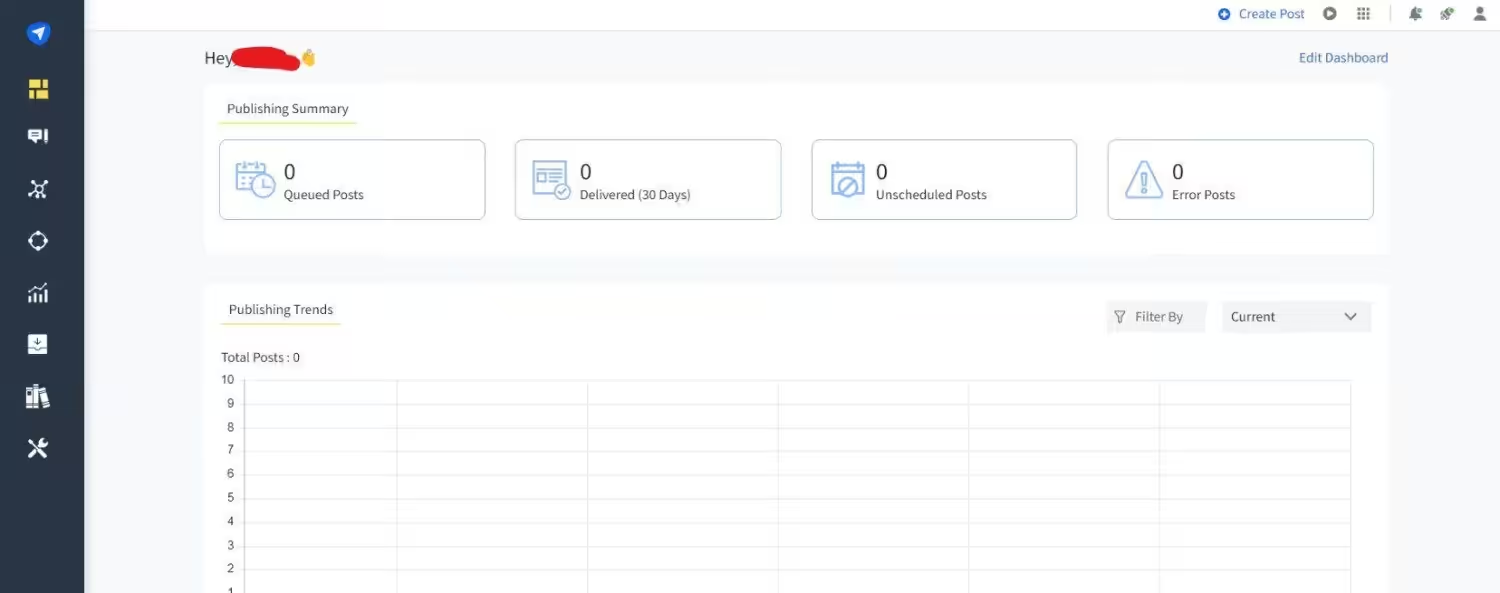
SocialPilot’s Dashboard Best for: Mid-level agencies needing MCP integration
SocialPilot can be considered a middle ground between basic schedulers and agency-grade tools. For instance, it does offer more features than Buffer, but it also costs a little more.
What You Can Find In SocialPilot
- It supports Facebook, Instagram, TikTok, X, LinkedIn, Threads, YouTube, Pinterest, Google Business Profile, and Bluesky
- You can find white-label reports and client management tools
- It comes with MCP server integration, which allows you to connect it to your preferred AI tools.
- It comes with advanced team management tools
Pros and Cons:
Pros Cons You can reply to Stories directly from the social inbox The interface is a little boring for a cross-posting platform You can schedule analytics reports to be delivered directly to your email It does not have social listening It has separate client, manager, and content approval workflows AI features are quite basic, especially compared to other tools Pricing:
- Essentials Plan – $25.50/month
- Standard Plan – $42.50/month
- Premium Plan – $85.00/month
- Ultimate Plan – $170.00/month
-
Later
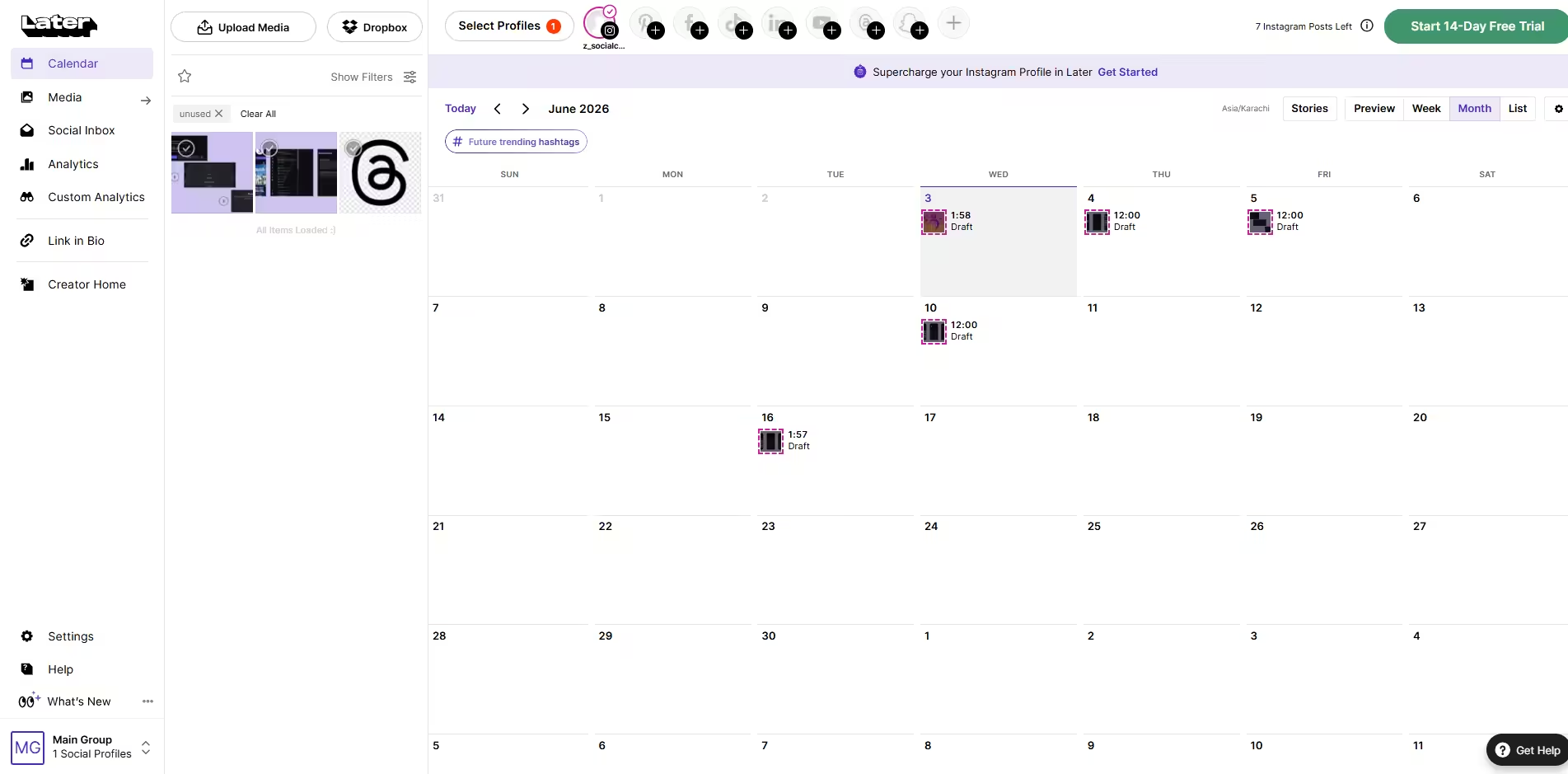
Later’s Dashboard Best for: Creators that frequently partner with brands.
If you’re a creator trying to monetize on Instagram and TikTok, there’s no better multi-platform social media posting tool for you than Later.
The platform is super visual-friendly, and it comes with built-in features like creating brand kits and an influencer outreach platform (for brands), which makes it great for partnerships.
What Makes Later Different?
- Later supports Instagram, Facebook, Threads, Pinterest, TikTok, LinkedIn, YouTube, and Snapchat.
- When it comes to visuals, this tool is the best you can do
- Its influencer outreach and brand kit templates are quite unique
- Its link in bio dashboard is also the best in the industry
- It also has features like user-generated content management.
Pros and Cons:
Pros Cons Best visual planner in the market Its influencer outreach platform is available as an add-on. Linkin.bio is genuinely useful You’re limited by social sets, which means you can manage a restricted number of brands. Great for creators and brands that work with influencers Analytics are platform-specific and quite limited Pricing:
- Free Plan – $0/month
- Starter Plan – $18.75/month
- Growth Plan – $37.50/month
- Scale Plan – $82.50/month
-
Hootsuite
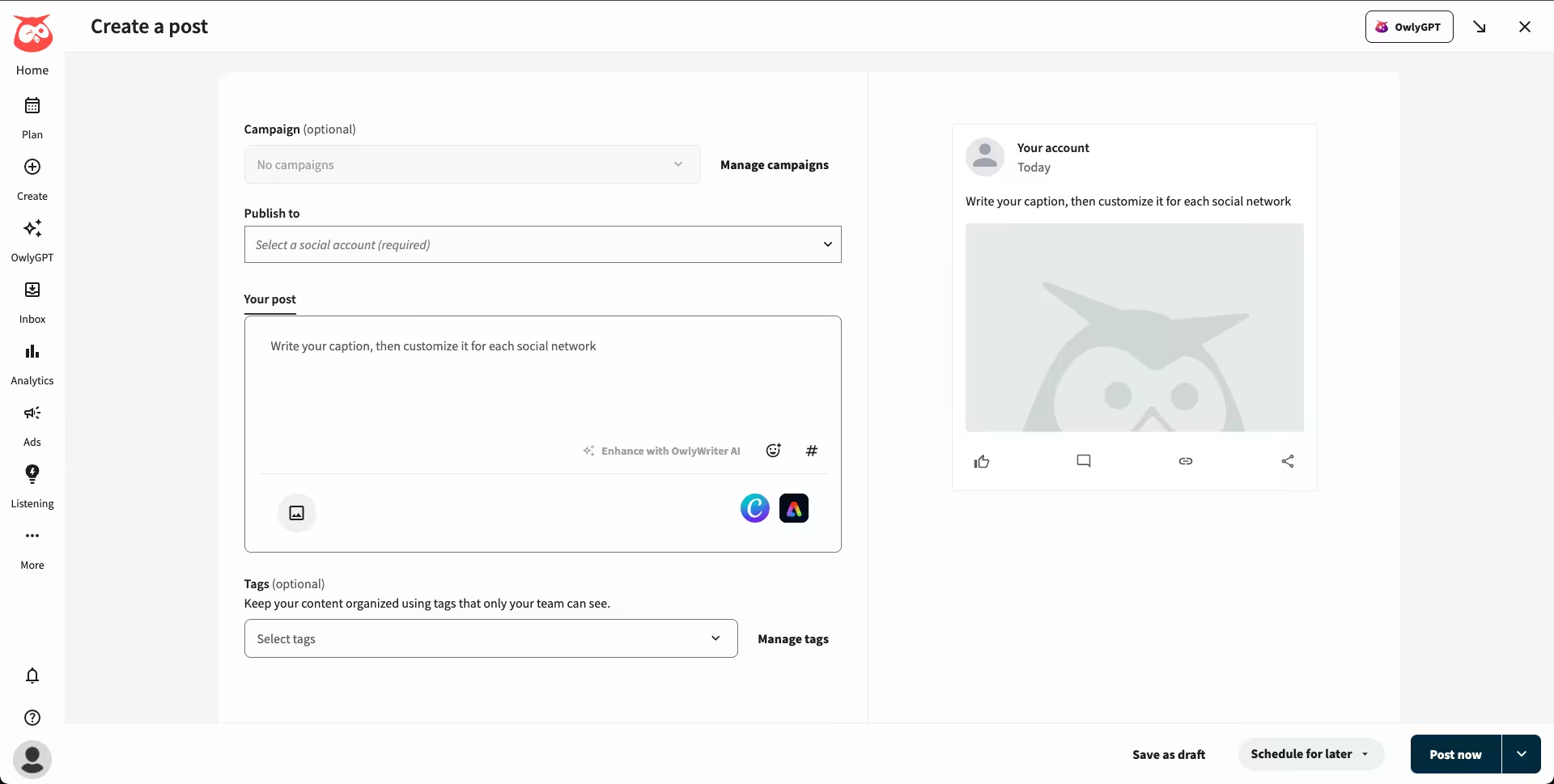
Hootsuite’s Dashboard Best for: Large enterprises with complex social media needs and big budgets.
Hootsuite is the granddaddy of social media management tools for agencies. It’s been around forever, and it shows (in both good ways and bad ways).
While it offers everything you’d need for typical cross-platform posting, its high price can drive most people away,
What Makes Hootsuite Stand Out?
- It supports Facebook, Instagram, TikTok, LinkedIn, X, YouTube, Pinterest, Threads, WhatsApp, Google Business Profile, and Bluesky.
- It does offer social listening, but through an add-on, which costs even more
- It comes with employee advocacy tools
- It also offers ROI reporting and analytics, along with internal reports for your team
Pros and Cons:
Pros Cons Its analytics and reporting tools are amazing It’s super expensive, especially considering limited accounts, add-ons, and per-user pricing It has a message masking feature in its social inbox, which really helps with customers’ privacy It has partnered up with some shady organizations It also offers cross-channel conversation history, which is a rare feature that not many tools offer. It’s overkill for small businesses Pricing:
- Standard Plan – $99/month
- Advanced Plan – $399/month
- Enterprise Plan – Custom/month
-
Sprout Social
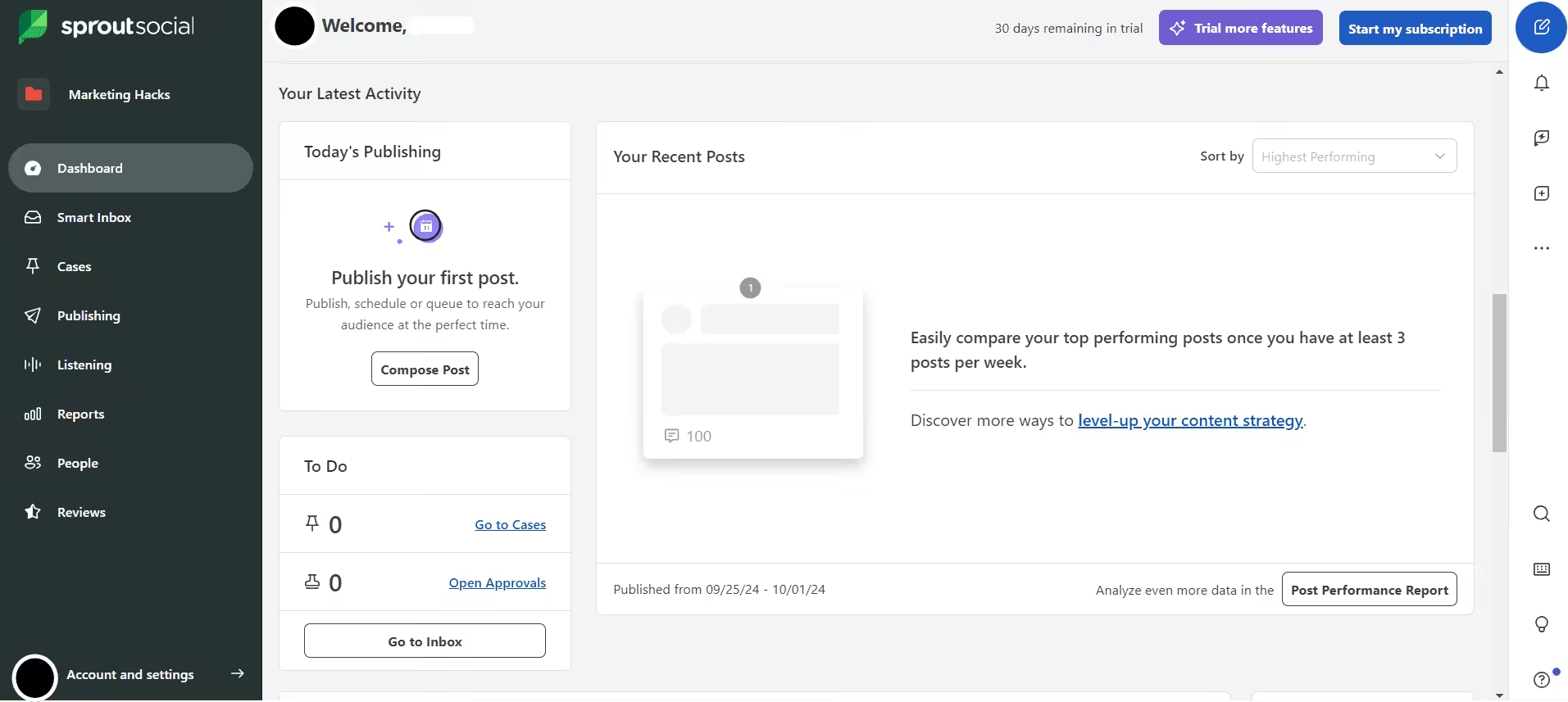
Sprout Social’s Dashboard Best for: Enterprises with a large budget that need advanced analytics, social listening, and customer care.
I wrote an entire comparison about Sprout Social vs Buffer, so I won’t repeat everything here. But the short version: Sprout Social is an amazing tool for social listening, sentiment analysis, competitor tracking, and customer care ticket management.
It’s unlike any other, but if you just need to schedule posts, it’s not worth the high cost.
What Makes Sprout Social Stand Out?
- It supports Facebook, Instagram, X, LinkedIn, Pinterest, TikTok, YouTube, Threads, Bluesky, WhatsApp, Reddit, Tumblr, and Google Business Profile
- You can create custom bots within the tool for various purposes
- The customer care features are better than any other tool
- Social listening is also far better than other platforms
- Its AI Assistant is super useful for creating content
Pros and Cons:
Pros Cons It offers ticket management that is far better than any other tool on this list You need a huge budget, plus there are add-ons for users, too. Its AI Assistant is super evolved. You can use it in the social inbox too! It’s not worth the cost if you just need it for cross-posting. Its publisher is the same as that of other tools on this list. You can create custom bots It requires annual billing for all plans (except Essentials) Pricing:
- Essentials Plan – $79/month
- Standard Plan – $199/month
- Professional Plan – $299/month
- Advanced Plan – $399/month
- Enterprise Plan – Custom/month
-
CoSchedule
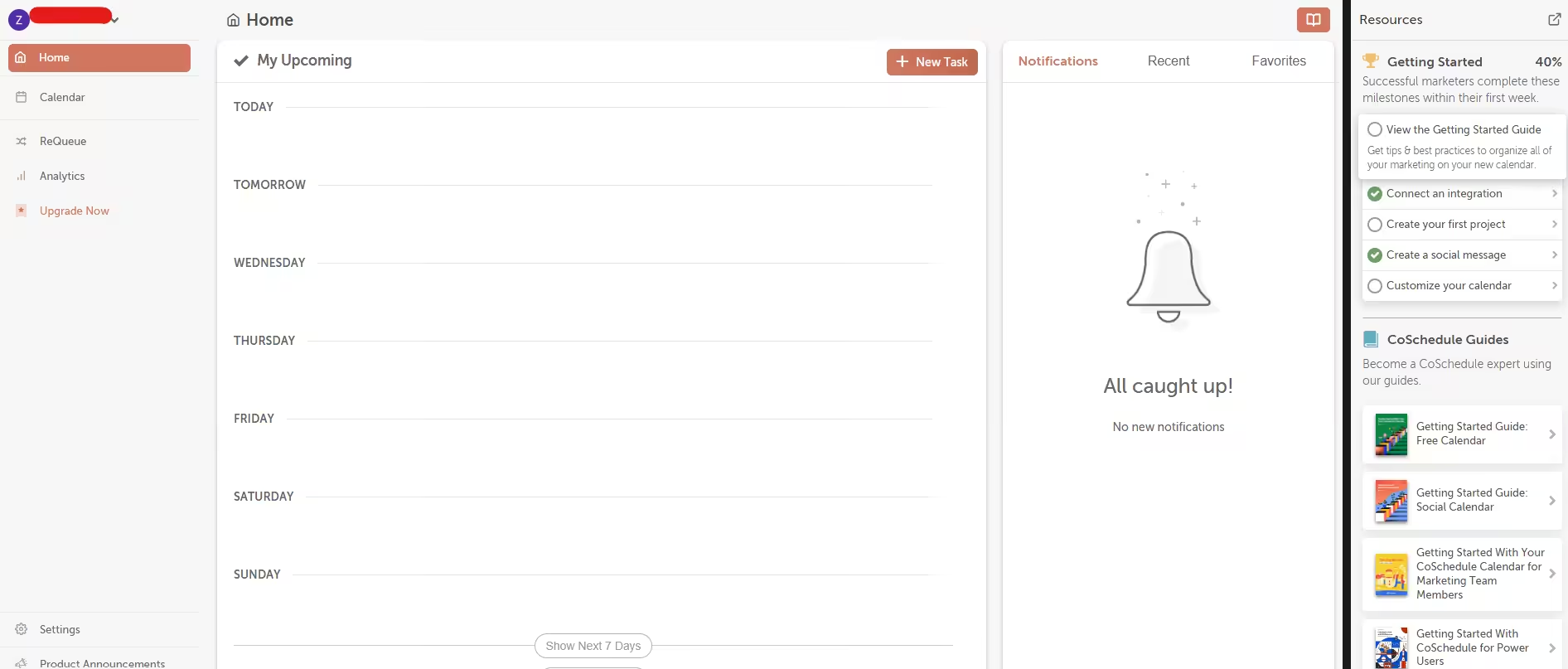
CoSchedule’s Dashboard Best for: Bloggers, content marketers, and anyone who wants to manage blog content and social media in one place.
If your content strategy involves blog posts, email newsletters, and social media, CoSchedule ties it all together.
What Makes CoSchedule Stand Out?
- It supports Facebook, Instagram, LinkedIn, Pinterest, TikTok, Threads, X, YouTube, Google Business Profile, Mastodon, and Bluesky
- It offers a marketing calendar with a blog, social, and email integration
- You can use its headline studio to improve blog headlines
- It offers several social templates to speed up recurring campaigns
- It has decent team collaboration features.
Pros and Cons:
Pros Cons If you’re a content marketer, this is the tool for you It does not have social listening or competitor analysis The Headline Studio is genuinely useful If you compare it with other social tools, it is slightly expensive It has a ReQueue tool, which saves time on evergreen content Its interface is a little difficult to get a hold of Pricing:
- Free Calendar Plan – $0/month
- Social Calendar Plan – $19/month
- Agency Calendar Plan – $59/month
- Content Calendar Plan – Custom/month
- Marketing Suite Plan – Custom/month
Grow With Smarter Pricing!
5 Benefits of Cross-Posting on Social Media
Wondering why you even need to cross-post? Here are five reasons:
- You can squeeze the life out of a single content piece by publishing it on multiple platforms without spending loads of time.
- You can schedule content for multiple platforms in one go. And if you’re using bulk uploads, it becomes even more of a time-saving ordeal.
- You can stay consistent on your socials
- You can keep your brand’s voice the same on every platform you publish.
- You get to see the full impact of how your content performs. And if you choose a tool with cross-platform analytics, you can even compare platforms and make better decisions.
Featured Article: How to Manage Multiple TikTok Accounts
Conclusion
Look, cross-posting is about being smart with your time. If you’re still manually posting across platforms, you’re spending time on logistics instead of strategy.
The right social media scheduling tool for businesses depends on your specific needs. My personal recommendation is that you start with a tool that gives you room to grow. You don’t want to outgrow your social media cross-posting tool in six months and have to migrate everything.
Most tools offer free trials, so use them. Test the interface, check the analytics, and see which one feels right for your workflow.