
Here’s a comparison I never thought I’d write: Buffer vs Sprout Social, only because these tools are so vastly different.
Buffer starts at $5/month (and it offers a free plan!), while Sprout Social plays hard to get with its $79/month Essentials plan. (It does give a 30-day free trial, though!)
And the pricing really sets the stage for what each tool gives back. While both offer basic scheduling, Buffer sticks to it as its core feature.
But if you go for Sprout Social, you’ll get a plethora of enterprise-style tools like social listening, customer care, bot creation, competitor analysis, and a huge variety of reports you didn’t even know you needed.
In this guide, I’ll compare both tools in more detail. We’ll cover:
- The pricing
- How easy it is to use
- The benefits and drawbacks of scheduling on both tools
- The benefits and drawbacks of analytics on both tools
- If there’s an alternative that combines the best of both (there is!)
So, let’s get cracking!
Short Summary
- Buffer targets small businesses, freelancers, and startups with limited budgets
- Sprout Social targets mid-to-large agencies and enterprises needing advanced analytics, social listening, and customer care
- Buffer offers simple scheduling, a clean interface, CRM-style task lists, and affordable pay-per-profile pricing
- Sprout Social offers social listening, sentiment analysis, competitor tracking, AI Assist, custom bots, review management, and case/ticket creation
- Buffer lacks social listening, competitor analysis, bulk uploads, and multi-step approvals
- Sprout Social’s AI is more advanced than Buffer’s, offering content generation from top posts, custom topics, or articles
- Sprout Social allows multi-layer approval workflows and team conversations; Buffer only offers single-step approvals on the Team plan
- Buffer’s analytics are basic with CSV/image exports only; Sprout Social offers comprehensive cross-network analytics, white-label reports, and customer care performance metrics
- Social Champ is a good middle-ground alternative, combining Buffer’s pricing with Sprout Social’s advanced features
Which Is Better: Sprout Social vs. Buffer? (The Quick Answer)
I won’t beat around the bush. When we compare Sprout Social vs Buffer, there’s a clear answer for each situation.
Go for Buffer if you:
- Own a small business with a limited marketing budget
- Have a startup that is growing steadily
- Manage social media for clients as a side hustle
- Do not need full-fledged social media tools like social listening or competitor analysis.
Sprout Social works for you if:
- You have the budget to pay at least $79/month for just one user
- You’re an agency (mid-level or giant), managing a myriad of clients that demand reports for their social media progress
- You manage the client’s public relations (you’ll need social listening + ticket creation)
- You have a huge team that needs to communicate properly
- You can’t live without AI. (Sprout Social’s AI is pretty impressive!)
So, what is the difference between Buffer and Sprout Social? It’s just who they target.
Get the Best of Both Worlds!
The Side-by-Side Buffer vs Sprout Social Comparison
Before we really get into what each tool does, I want to give you the chance to see a buffer vs sprout social comparison that is done side by side. (I’m also adding another alternative, just to give you a brief idea of what else is on the market).
| Features | Buffer | Sprout Social | Social Champ |
|---|---|---|---|
| Starting Price | $5/month | $79/month | $4/month |
| Free Plan | Yes. (3 channels, 10 posts/channel) | No (Only a 30-day free trial) | Yes. (3 channels, 15 scheduled posts) + full access 14-day free trial |
| Social Platforms | Facebook, Instagram, X, Bluesky, Google Business Profile, LinkedIn, Mastodon, Pinterest, Threads, TikTok, YouTube | Facebook, Instagram, X, LinkedIn, Pinterest, TikTok, YouTube, Threads, Bluesky, WhatsApp, Reddit, Tumblr, and Google Business Profile | Instagram, Facebook, TikTok, LinkedIn, YouTube, Threads, Pinterest, X, Google Business Profile, Bluesky, Mastodon, and WhatsApp Business |
| Scheduled Posts | Unlimited | Unlimited | Unlimited |
| Scheduling and Publishing | Yes | Yes | Yes |
| Bulk Scheduling | No | Yes | Yes |
| CSV Upload | No | Yes | Yes |
| AI Content Assistant | Yes | Yes | Yes |
| Social Listening | No | Yes | Yes |
| Smart Inbox | Yes | Yes (Advanced) | Yes |
| Analytics and Reporting | Yes | Yes (Advanced) | Yes (Advanced) |
| Approval Workflows | Yes | Yes | Yes |
| Optimal Post Times | No | Yes (AI-powered) | Yes |
| Team Collaboration | Yes | Yes | Yes |
| Visual Grid Planner | Yes | Yes | Yes |
| Customer Support | Email, video tutorials, social | Chatbot, live chat, help center, demos | Live chat, email, help center, demos |
Want More Details?
Check out these guides:
What You Can Expect From Buffer
Let me start by stating the obvious. Buffer is a basic social media management tool that offers the primary features you need to manage brands.
- It supports Facebook, Instagram, X, Bluesky, Google Business Profile, LinkedIn, Mastodon, Pinterest, Threads, TikTok, YouTube
- It has four main features: Create, Publish, Community, and Analytics
- It is quite affordable, especially with its pay-per-account pricing.
- You can find a huge library of post templates inside the tool, which you can customize (either yourself or with its AI assistant).
- You can also automate posting with auto RSS feeds.
Now, let me just point out what I liked and disliked:
It’s Super Easy on the Eyes (And Easy to Use!)
It has to be said, I absolutely love Buffer’s colors. They’re light on the eyes, they highlight all the important features, and you’re not overwhelmed by the dark shades of blues and blacks.
Besides the color story, the tool is also super easy to use. Everything is tucked away in a little sidebar, where you can access all the features (like Publish, Create, Community, and Analytics). In the same space, you can see which channels you’ve connected to and which ones you can connect further.
It Can Help You Stay On Top of Your Tasks
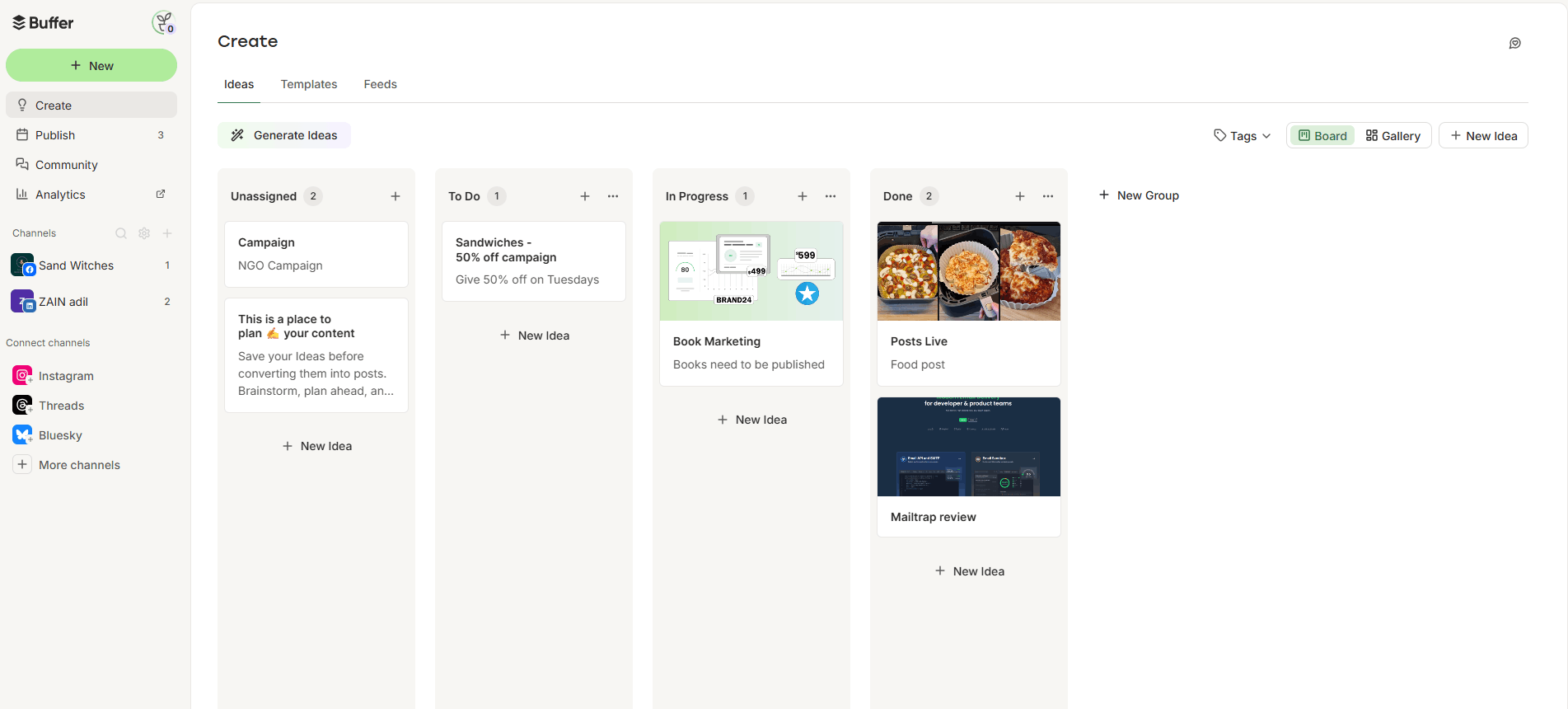
I personally think Buffer has a shot at becoming a productivity tool. Its Create feature provides CRM-style lists, which include “ideas” labeled:
- Unassigned
- To-do
- In Progress
- Done
You can drag and move these ideas around from one list to another, which is amazing if you’re someone who relies on lists to get things done.
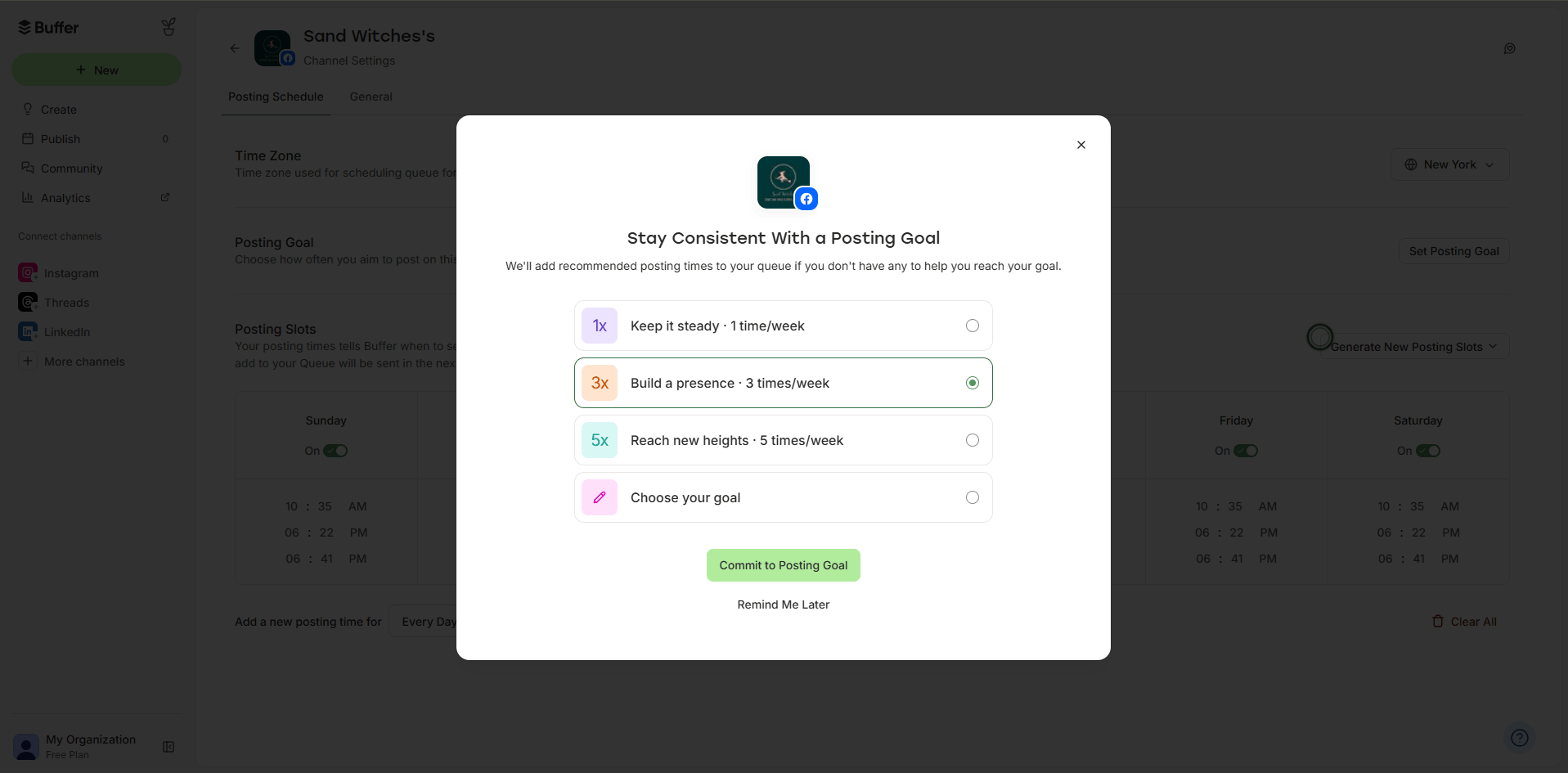
Following this theme of helping you be productive, Buffer also lets you set goals for the number of posts you publish on a particular channel. If you’re someone who is managing multiple accounts and finds it hard to keep up with posting, this feature is something that will truly make a difference for you.
It’s Affordable and Convenient
When you compare leading social media management platforms, price is often the deciding factor, and Buffer’s pay-per-profile pricing can really push you towards it.
It offers three plans, including:
- Free, which costs $0.
- Essentials, which costs $5.
- Team, which costs $10.
Despite the low cost of plans, the platform also gives you a discount when you add more accounts. Upon testing, I discovered that the cost dropped after adding my 14th social account (on both paid plans!).
So, even if you’re managing more accounts, Buffer will not prove to be cost-heavy.
But It’s Not Everything You’ve Ever Wanted
Don’t get me wrong, Buffer is great if you just want to schedule and engage. But if you need a full suite for social media management, it can feel limited.
For instance, it does not offer:
- Social listening, which is the most important thing for brands these days
- Competitor analysis (you’ll have to analyze your competitors manually)
- Bulk uploads. You have to queue each post up, one by one.
- Multi-step approvals, which means the post will be approved by one person only.
Although these features are not necessary for small businesses or freelancers, they do become important in the long run, especially when your brand grows.
What You Can Expect From Sprout Social
You need Sprout Social if you’re managing a big brand that people love to talk about. Honestly, some of its best features are social listening, sentiment analysis, analytics, and cases.
While the platform does offer publishing and scheduling, it’s not really what you want Sprout Social for.
Instead, this tool is what you need if you’re managing customer care and public relations on your social media.
You Can Manage Your Customer Care Tickets
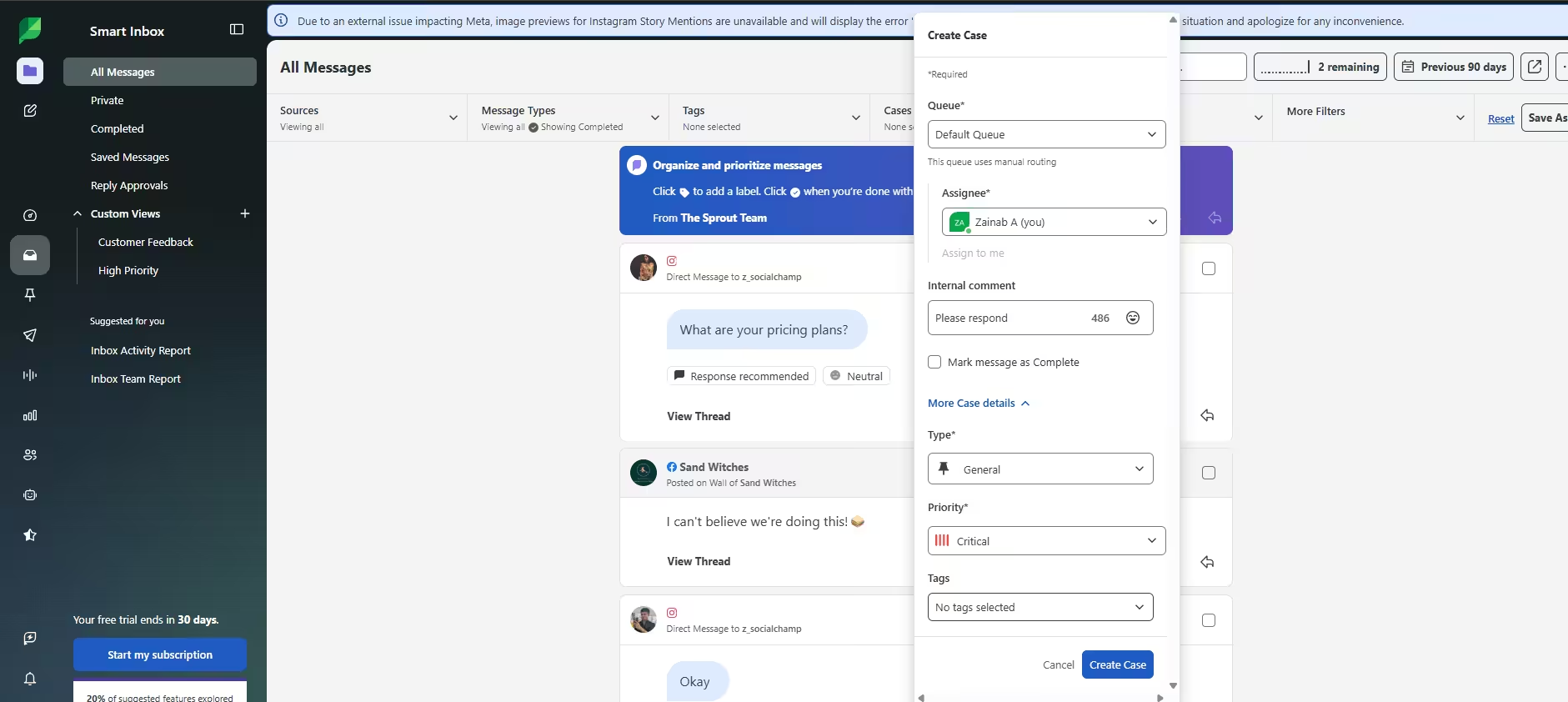
One of its unique features is “Cases”, which is basically a list of customer support tickets that are created from incoming social media messages, reviews, or comments. Once a case is received, you can check for the next available agent and assign it accordingly (or you can set up automation rules and get it done automatically)
You can also use Sprout’s social inbox to resolve cases directly from the platform. This is where the AI Assist comes in handy. You can use AI to change the tone of your content or make it more professional. This is great if your team is dealing with a huge number of queries on a daily basis.
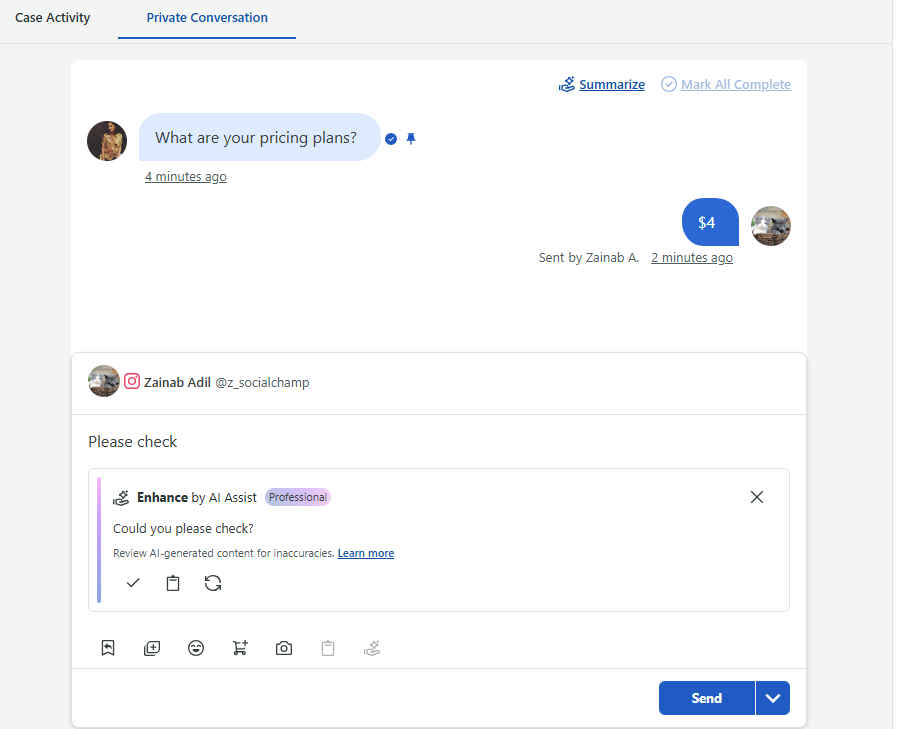
Other than that, Sprout Social’s inbox is also quite organized. You have separate tabs for private, completed, and saved messages.
Plus, you can also set up approvals for your team’s replies and sort through them in the “Reply Approvals” tab.
The Social Listening Is Next-Level
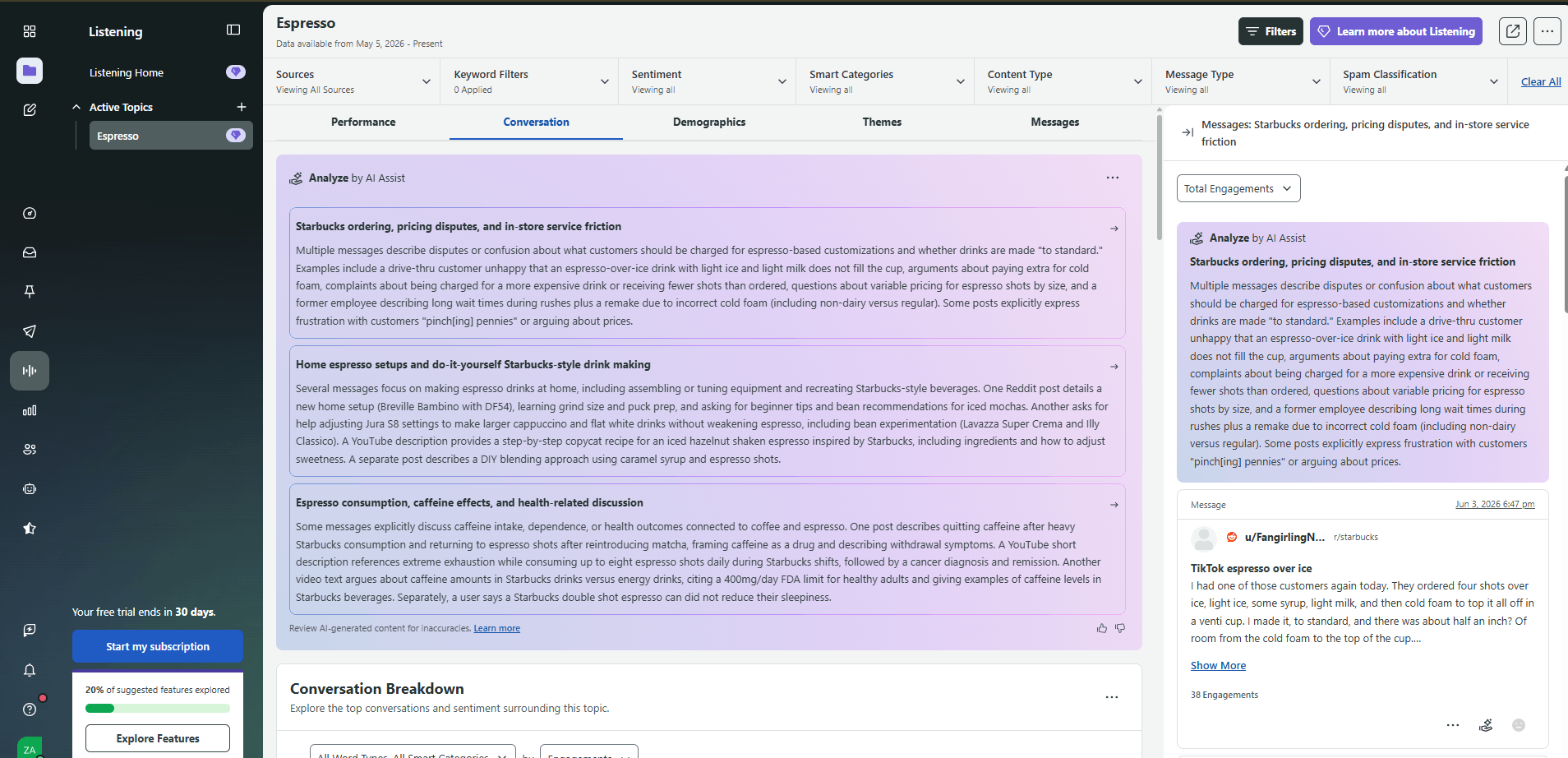
Next, we have social listening, which picks up the chatter from:
- The web
- Bluesky
- Tumblr
- X
- YouTube
- Public sources
Again, you get heaps of data, which tells you the sentiment, related keywords or hashtags, message type, span classifications, and so much more.
Plus, the AI Assist comes in handy here, again, as it analyzes the social listening data for you!
You Can Create Custom Bots
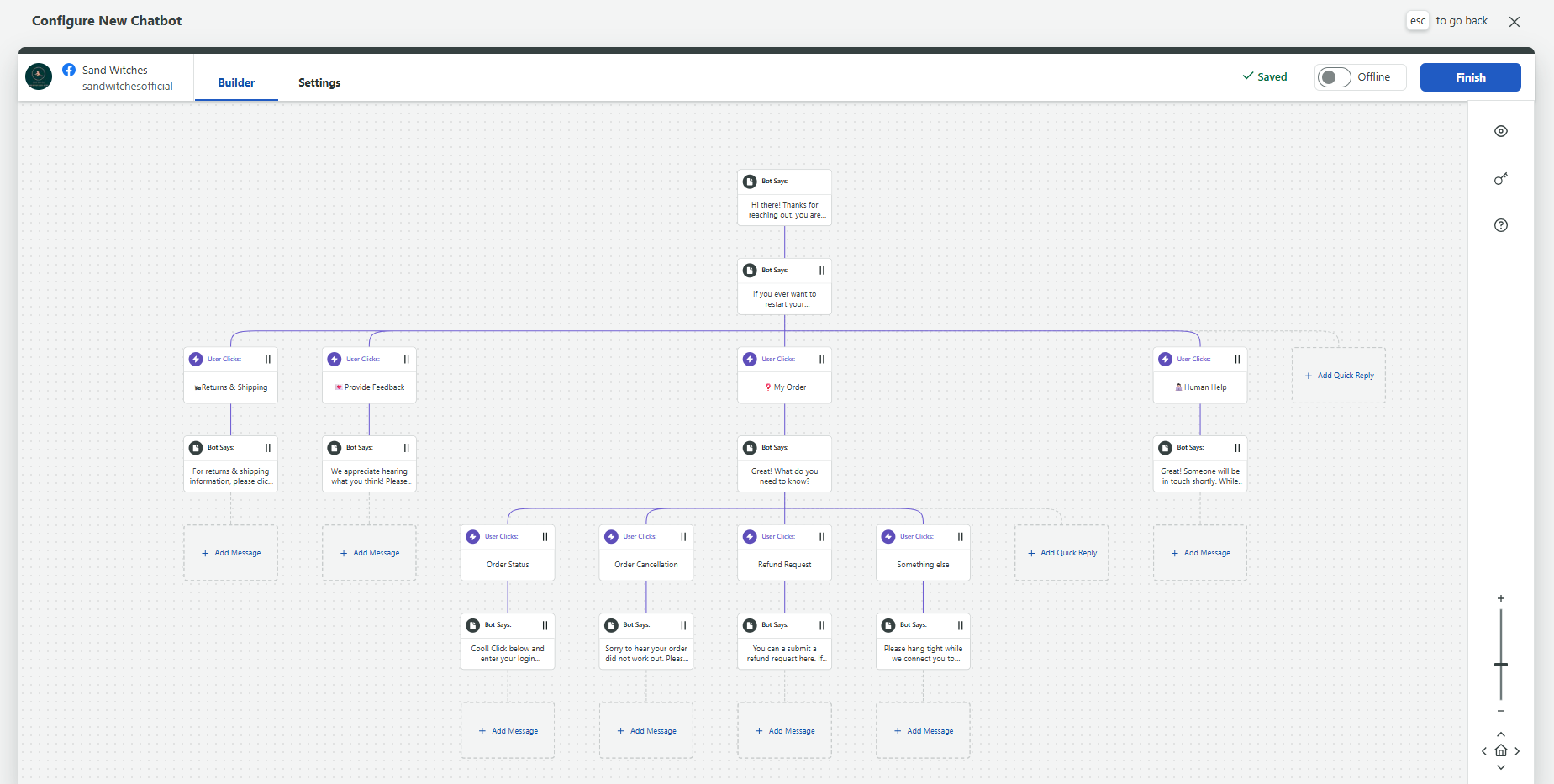
The next best thing about Sprout Social is that you can create custom bots from scratch, and you don’t even need coding experience!
You can create one with a blank template or customize a pre-made template for customer care, shopping, lead generation, and content discovery.
You Can Manage Reviews
You can also manage your reviews directly from the app. The platform integrates with the App Store, Google Play Store, Facebook, Google Business Profile, Trustpilot, Tripadvisor, Glassdoor, and even Yelp!
But Do You Really Need All This?
If you absolutely need all of these features, I’d say Sprout Social is worth every cost. But if you’re just a brand trying to get your name out there, its more reasonable to go for a brand like Buffer or Social Champ.
Let’s Meet in the Middle!
What You’ll Actually Pay for Buffer vs Sprout Social
What are the pricing differences between two leading social media platforms?
I’ve already touched upon the cost, but let me break down the plans even more, so you can understand both tools better.
Softwares like Buffer charges you for each social account you connect. So, let’s say you run a small vegan bakery, and you promote it on TikTok, Instagram, Threads, and Facebook.
In this case, you’ll need to purchase four accounts, which you can buy from the Essentials or Team plans.
Here’s what each plan costs:
- Essentials will costs $5 and has 1 user. In this plan, you can manage 1 social account.
- Team costs $10 and has Unlimited user. In this plan, you can manage 1 social account.
Buffer is a great option if you’re managing fewer accounts. But if you keep growing, it can become a little heavy on the wallet. For example, let’s say your vegan bakery opens up 30 franchises worldwide, and now you’re managing 120 accounts.
In this case, it can cost you around $220.83 to $329.17, depending on the plan you choose.
On the other hand, tools like Sprout Social has designed its pricing for those with a larger marketing budget.
The starting plan itself costs $79/month, and it’s the only plan that can be billed monthly. If you sign up for any other plan, you’ll be charged for the whole year!
Plus, Sprout Social also restricts you to one user per plan. Even when you’re paying that much, you can’t add more team members (unless you pay for them), which can be a huge downside.
Here’s what you get with Sprout Social:
- Essentials, which costs $79 and has 1 user. In this plan, you can manage 5 social accounts.
- Standard, which costs $199 and has 1 user. In this plan, you can manage 5 social accounts.
- Professional, which costs $299 and has 1 user. In this plan, you can manage unlimited social accounts.
- Advanced, which costs $399 and has 1 user. In this plan, you can manage unlimited social accounts.
- Enterprise, which is custom and has custom users. In this plan, you can manage unlimited social accounts.
So, if you’re running a bakery, you’ll be paying up to $59 more compared to Buffer for the same four accounts!
With that said, Sprout Social is not really just for scheduling. You’re getting customer support, custom bots, and so much more!
Choosing the right tool is more about your needs.
Free Plan vs Free Trial
Both these tools offer a free or freemium plan. Buffer gives you both a free plan and a 14-day free trial. You don’t have to add your credit card either.
Buffer’s Free plan comes with 1 user, and lets you connect 3 social accounts.
You can also sign up for a 14-day free trial to test out advanced features, such as first-comment scheduling, advanced analytics, and team approvals.
With Sprout Social, you only get a free trial, but it’s a generous one! You can test out any plan for up to 30 days.
This will give you enough time to see what’s good about the tool and whether you actually need those premium tools. Plus, since there’s no credit card required, you have absolutely nothing to lose!
Featured Article: Sprout Social Pricing: Is It Worth the Cost?
How Does Onboarding Compare?
One thing about Buffer is that it is really easy to use. Once you sign up, you’re taken to the dashboard, which shows you a little checklist of what you need to do to start using the platform.
For me, personally, Buffer’s interface really takes the cake, because it uses fresh colors like light green and white, which really helps relax the mind.
Plus, all the features you need are neatly stacked in the left sidebar, which means you can find all the tools and settings easily.
Sprout Social also made things super easy. When you sign up and connect the accounts, you’re taken to a dashboard that asks whether you’ve used it before. If you haven’t, it lists all the features that you can click to check out the feature.
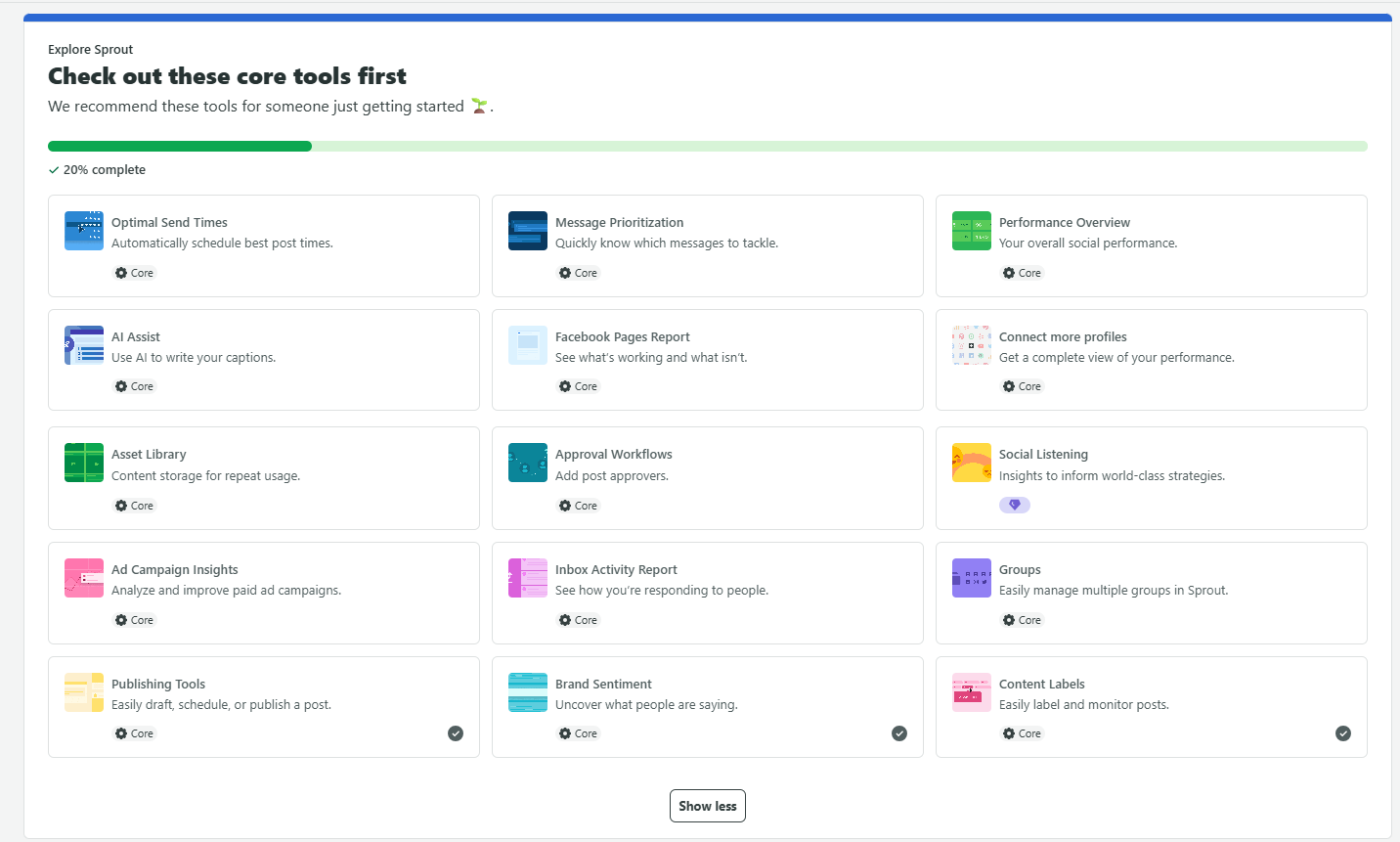
When you scroll down on the dashboard, you can see all the basic things like:
- Sprout’s integrations
- A post composer
- Your recent posts
- Resource center
- Helpdesk
- Option to sign up for a free webinar
- Other information about your account (like billing, keyboard shortcuts, mobile apps, etc.)
Sprout Social has made its onboarding fairly simple, but I will say that because there are so many things present, it can be a little overwhelming to start. However, once you use it for a while, the tool becomes super easy to explore.
Which Is Better for Scheduling and Publishing?
Now, let’s see which social media management tool offers better scheduling features.
Inside Buffer’s Scheduling
Buffer, for starters, offers four things that I really liked:
- Ideas tab
- AI assistant
- Templates
- Feeds
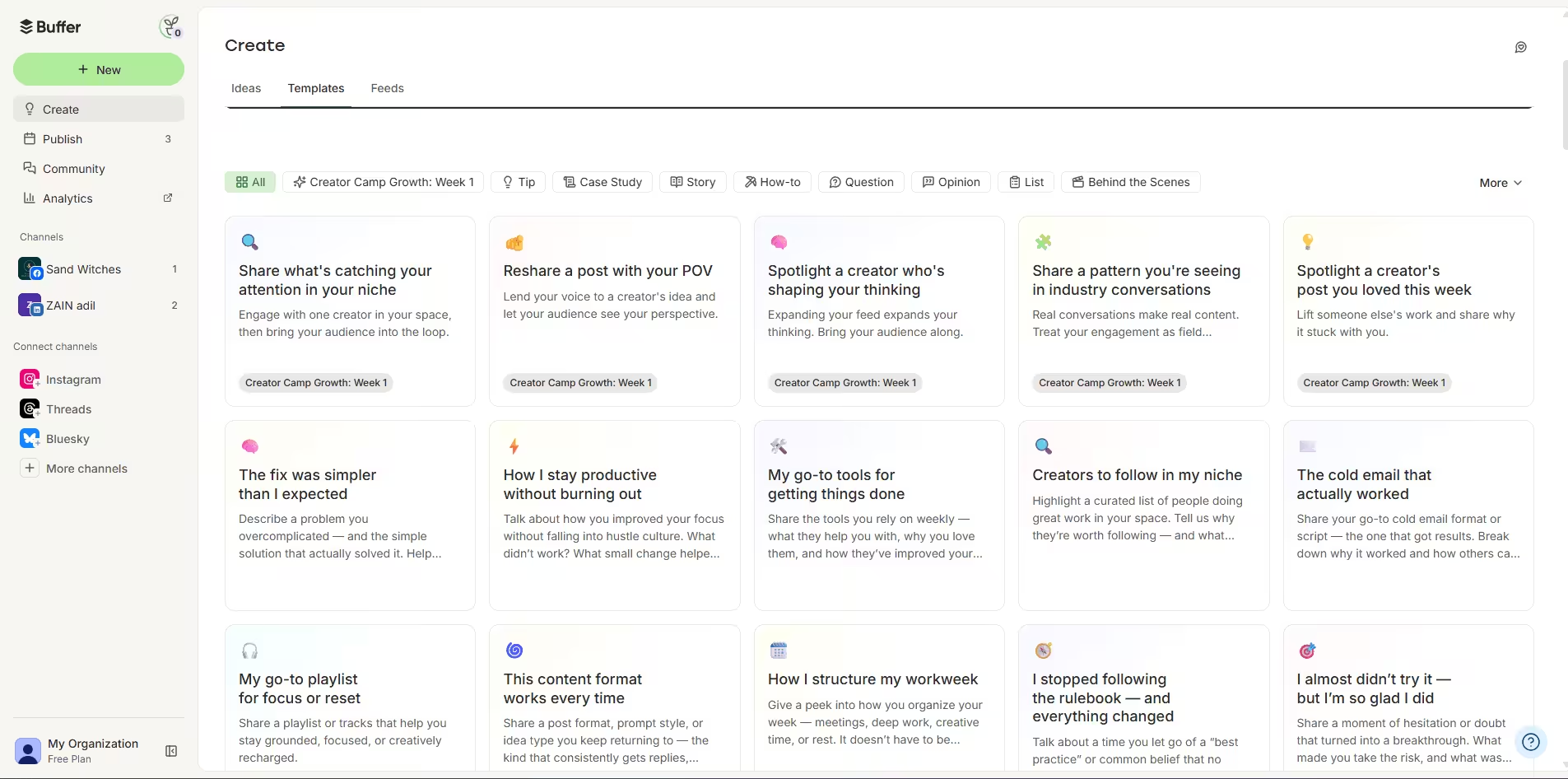
The “ideas” feature really helps you stay organized, as you can plan and jot down ideas in one place as they come.
When paired with the templates (and Buffer offers so many), it really makes content creation easy. You can find a template for almost any type of post, edit it yourself, and send it to the composer.
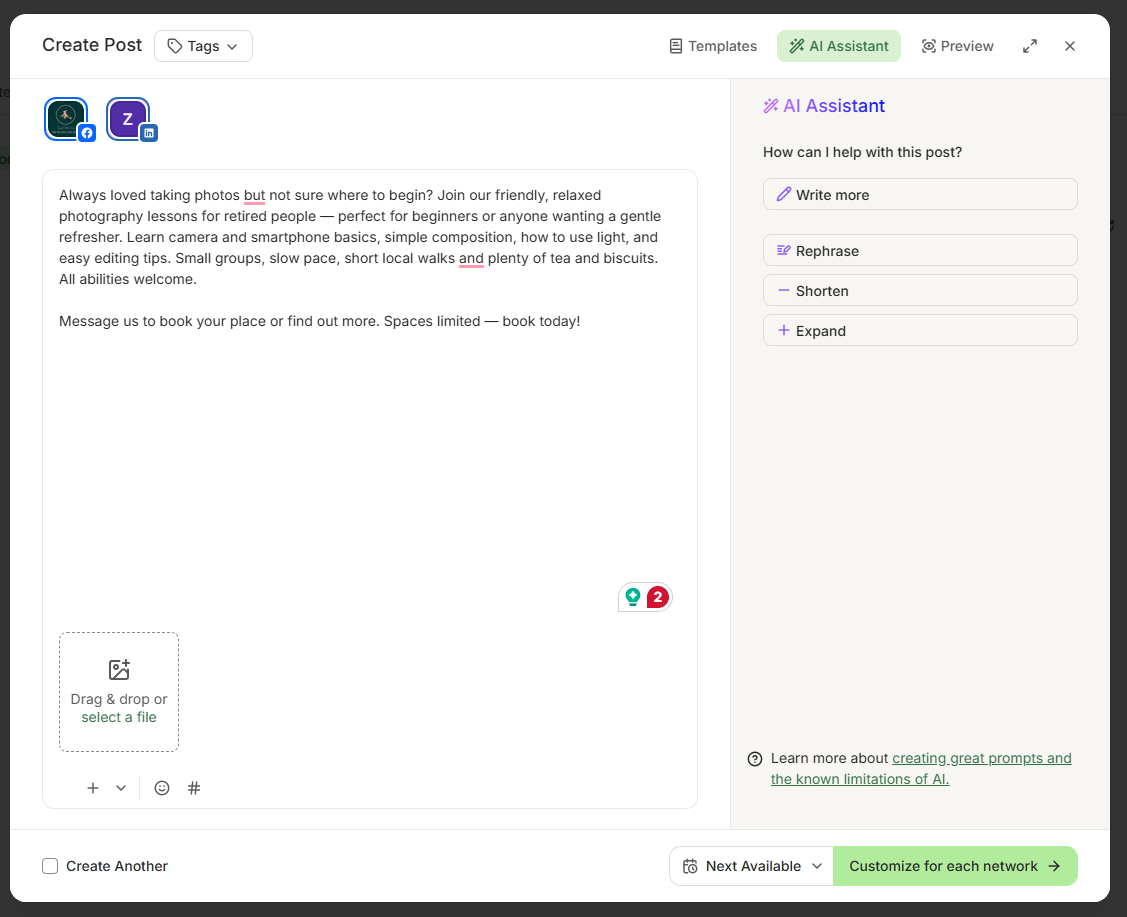
Now, when it comes to AI, Buffer feels a little behind. For instance, you can create the text for the post. It does not give images or anything else to support the post. I had to specifically request hashtags in my prompt to receive them.
After the AI gives its result, it does not offer many suggestions. I only received recommendations to “rephrase”, “shorten”, “expand”, and alter the tone of the content.
Most AI Assistants (like Social Champ) offer to create images, provide hashtags, and even alter the content to meet your brand’s voice. Unfortunately, this is where Buffer falls short.
Buffer’s feed (auto RSS) is also quite easy to set up. You just add the link to the website you want to publish, and you’ll get a list of the most recent posts that you can save as an idea or edit and schedule.
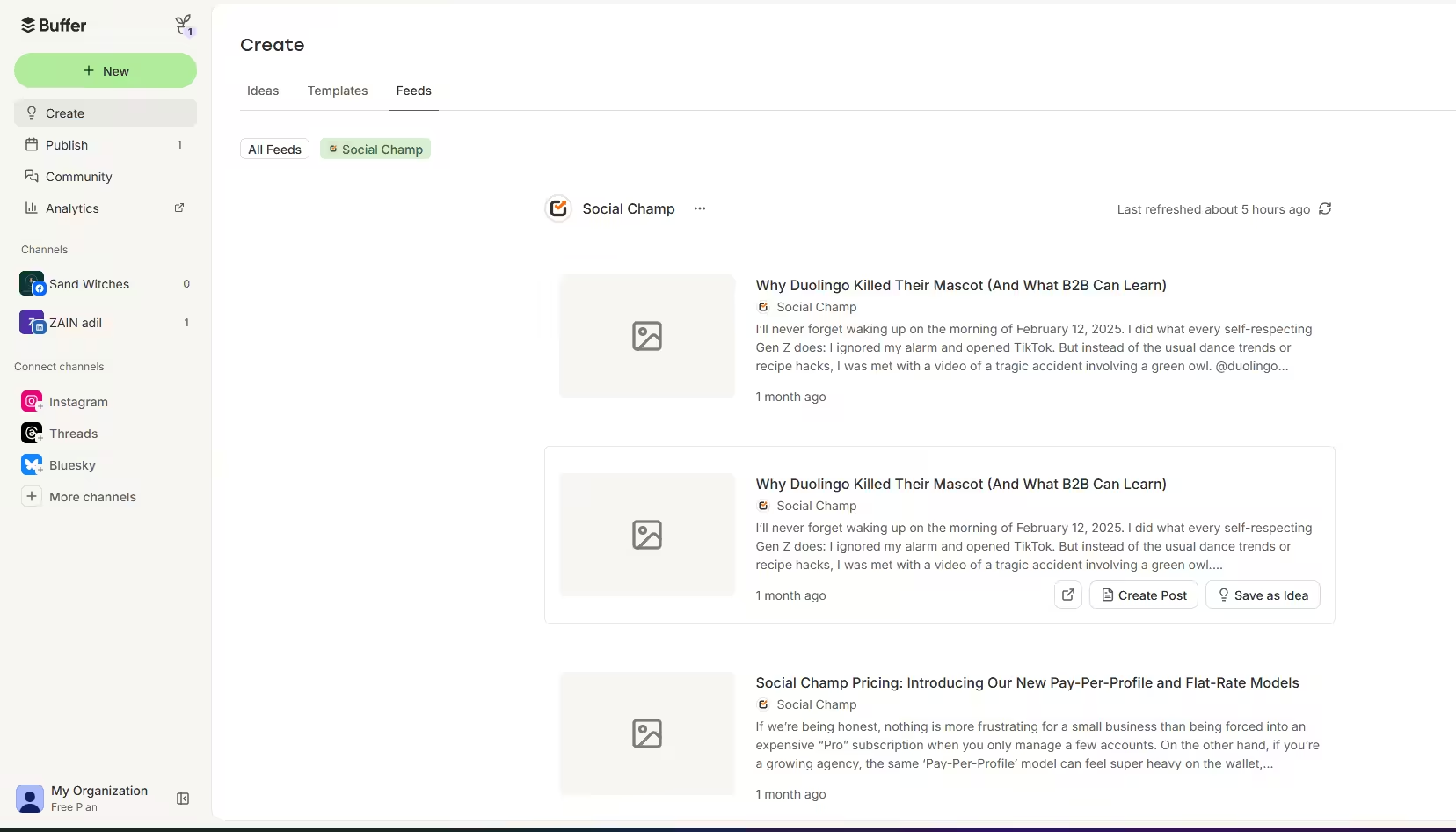
Buffer’s Feed (Auto RSS)
Buffer also runs on a slot queue system. You get fixed posting slots, and if you want to change them, you have to dig into your settings and shuffle things around manually.
You also get a calendar view where you can see all your posts across every social channel in one place and drag them around. (Just FYI, you can accidentally change the timezone if you’re not paying attention.)
What I really liked is that you can customize the timezone for each individual channel, which is genuinely useful if you’re managing accounts for different regions.

Inside Sprout Social’s Publishing
When you access Sprout Social’s scheduling, you’ll see why it charges what it does. The tool offers a plethora of features just inside the ‘Publish’ tool. You can:
- Assign labels to posts to categorize your campaigns (for example, BTS posts, customer stories, or case studies).
- Add a first comment
- Add the post to a campaign
- Promote it while scheduling it
- Select the timezone for posting (and yes, you can set a different one for each post!)
- Add alt-text to images while adding them!
Creating a post is also super easy. Everything you need is inside the publisher. You can also use its AI Assist to help you create the content.
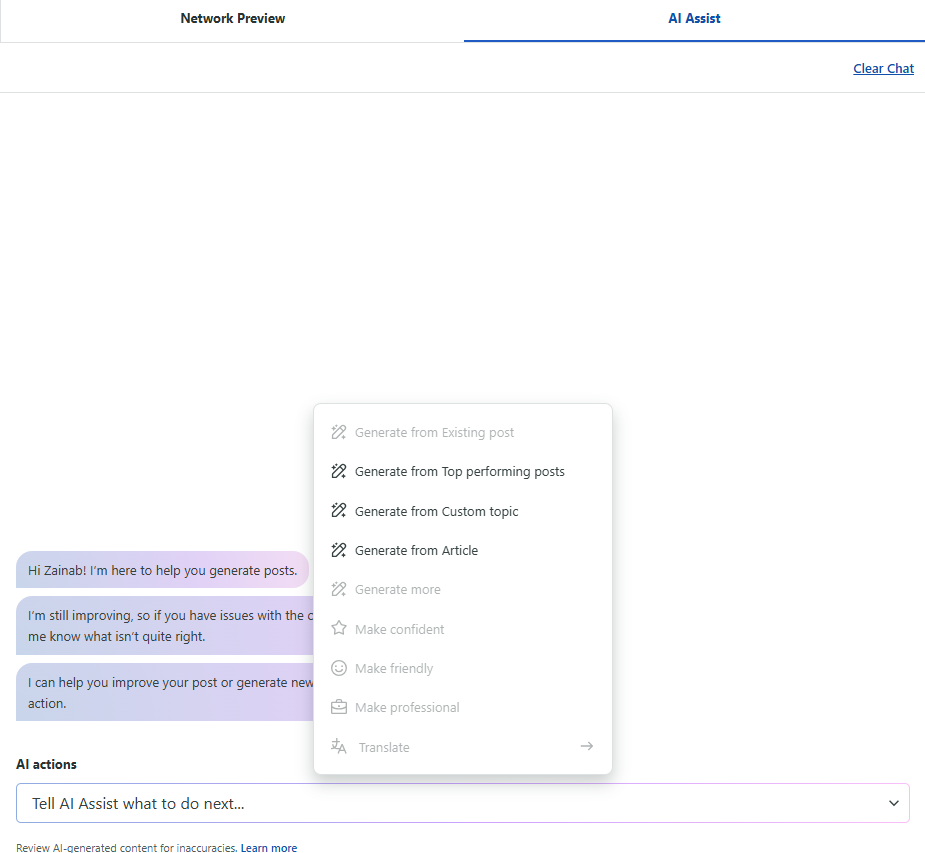
Compared to Buffer, Sprout Social’s AI tool is far more advanced. Before you even add the prompt, you’re asked about your preference to:
- Generate from top-performing posts
- Generate from a custom topic
- Generate from an article
Based on what you select, the AI will ask follow-up questions and then create the content for you. The results are also far better than what Buffer gave me.
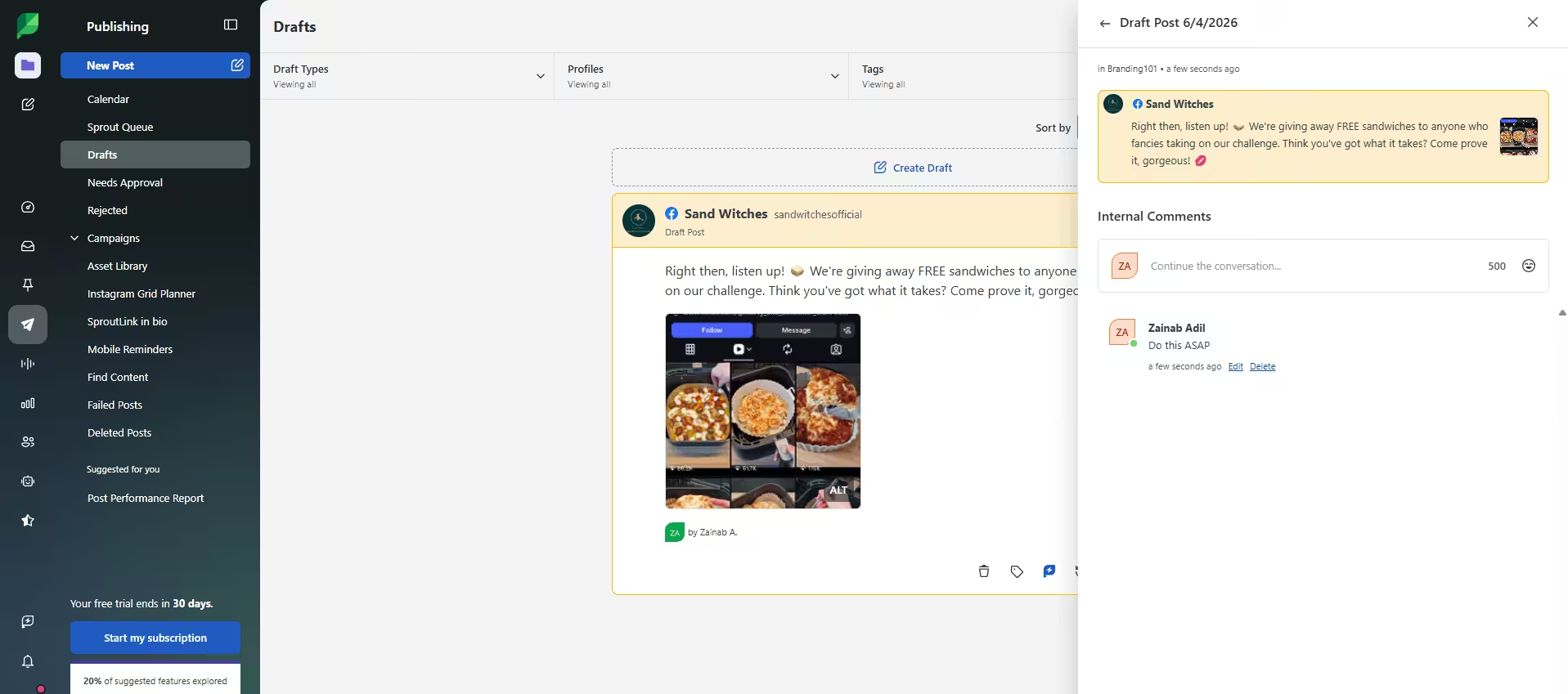
Its content composer also gives you the option to set up multi-layer approvals. This means your post can get approved by a hierarchy of people, such as the legal department, followed by the content manager, so you can rest assured that no PR crisis will happen on your social media.
Additionally, once the post is drafted, you can also start a team conversation (in the Advanced plan) to make sure everyone is on the same page.
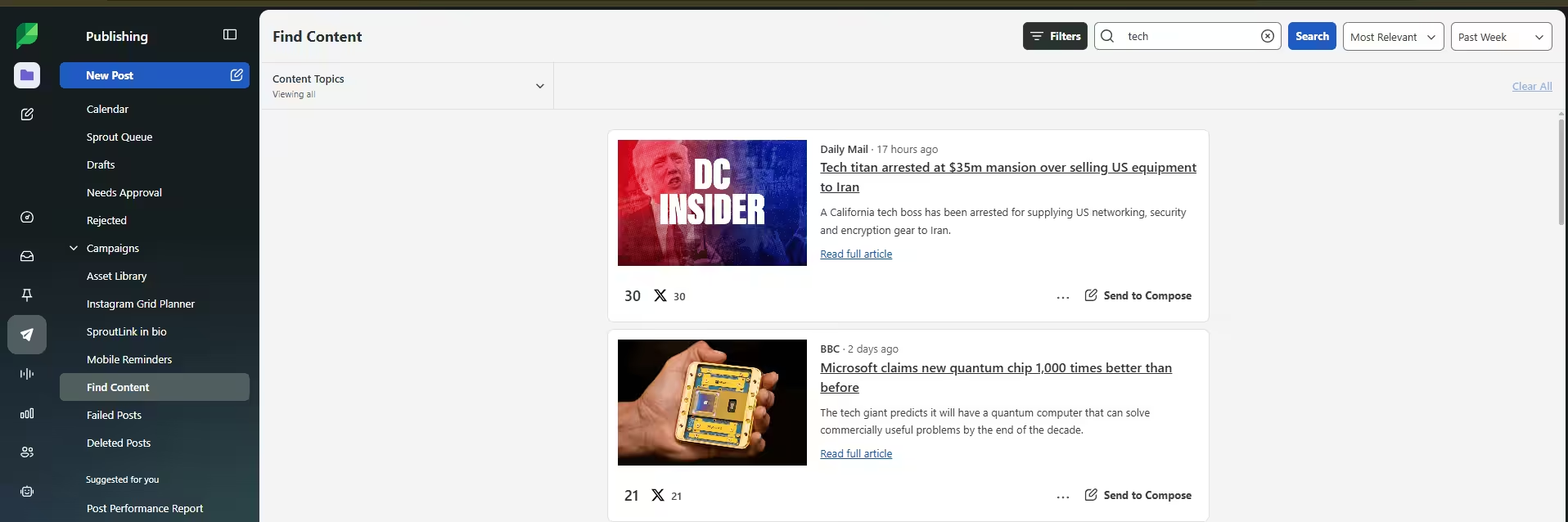
Its auto RSS feed is also simple to use. You can go to “Find Content” and search for a keyword to discover all the latest articles in the industry. You can send the link directly to the composer, make edits, and schedule accordingly.
Featured Article: Sprout Social Reviews
Which Tool Has Better Analytics and Reporting?
Let’s compare the analytics.
What Buffer Offers
Buffer’s analytics are quite basic, and you can only access them on the paid plans. There are four main metrics:
- Overview
- Posts
- Audience
- Answers
You can learn about your average engagement, which posts perform best, where your audience is active, and what time your posts perform best.
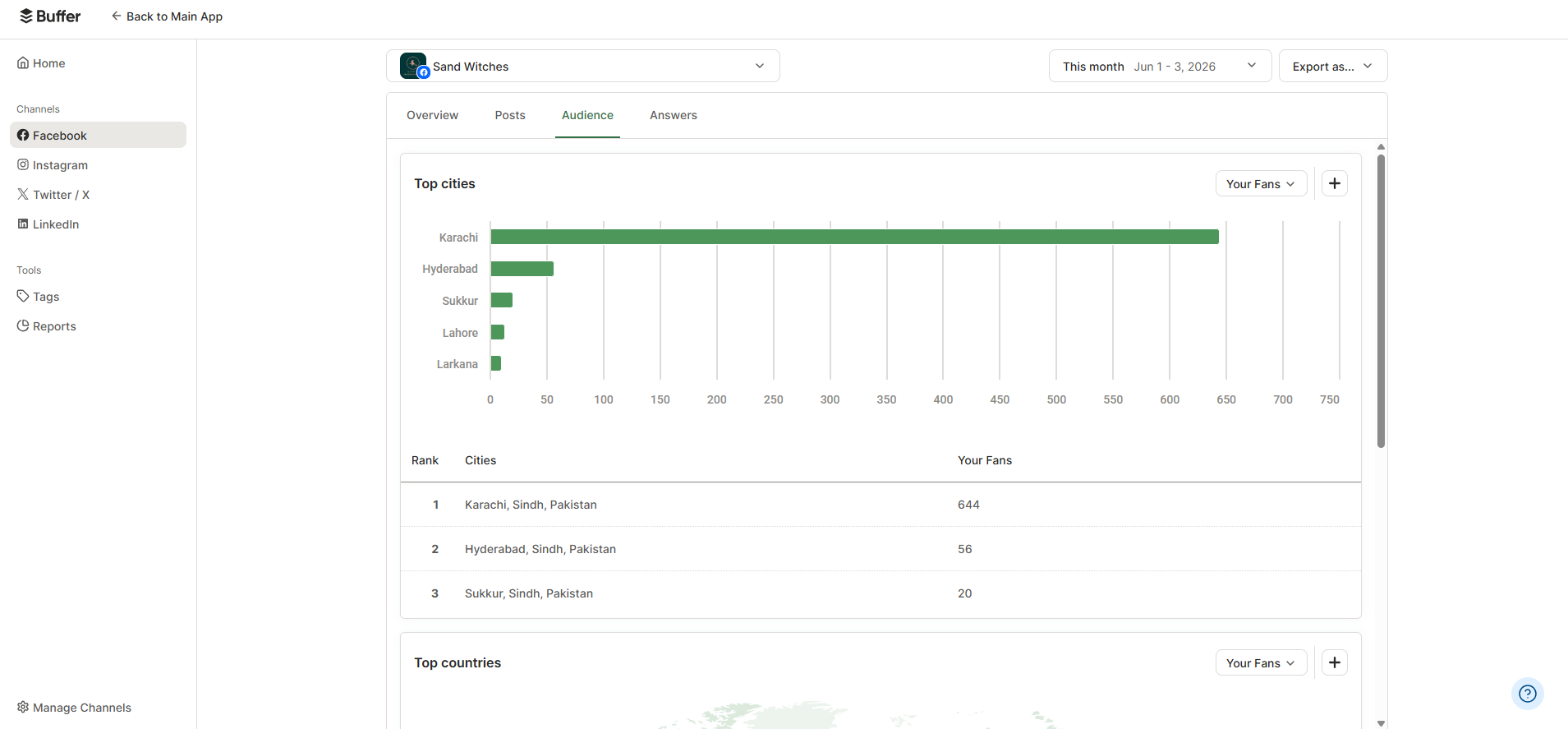
Additionally, you can only download as a CSV file or export the charts as images. Unfortunately, Buffer does not offer white-label reporting, so you cannot create custom reports.
What Sprout Social Offers
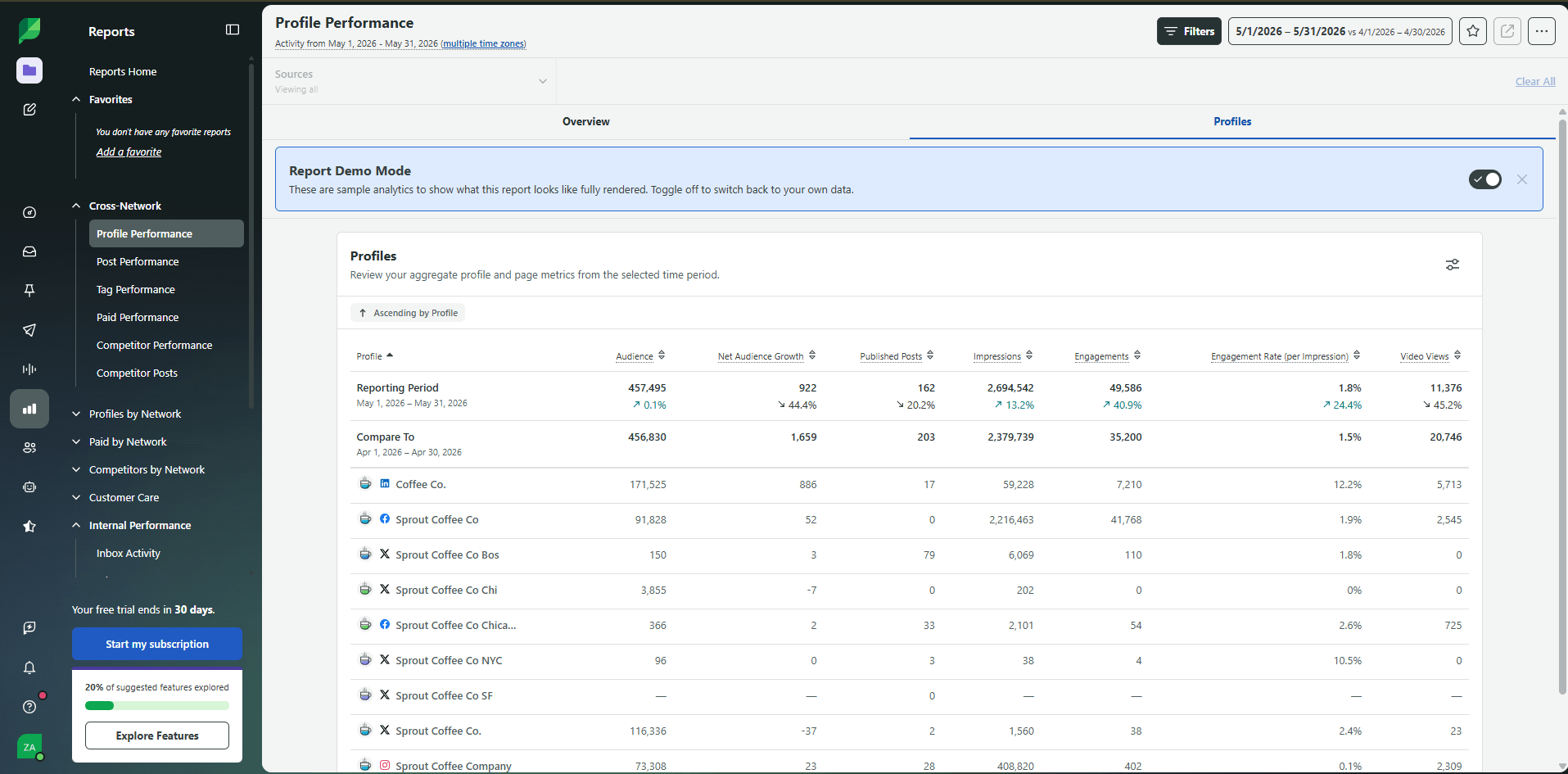
Now, this is what you’re paying Sprout Social for! The analytics in this tool are so comprehensive that you won’t know what to do with all the data.
You also get:
- Cross-network analytics (comparison of how your content is performing on two different platforms)
- Analytics of how different profiles are performing on Facebook, Instagram, or X
- How your paid content is performing on Facebook, LinkedIn, X, and Instagram
- Competitor analytics
- How your customer care team is performing (you can measure things like case volume, assignee performance, case handling time, and first reply time)
- How well is your internal communication? (NGL, this is pretty impressive!)
- Your review management statistics
The best part is that you can customize all these reports with your own branding and download them in PDF or CSV formats.
Another Alternative to Consider…
Both Sprout Social and Buffer are great tools individually, but they fall on opposite ends of the spectrum.
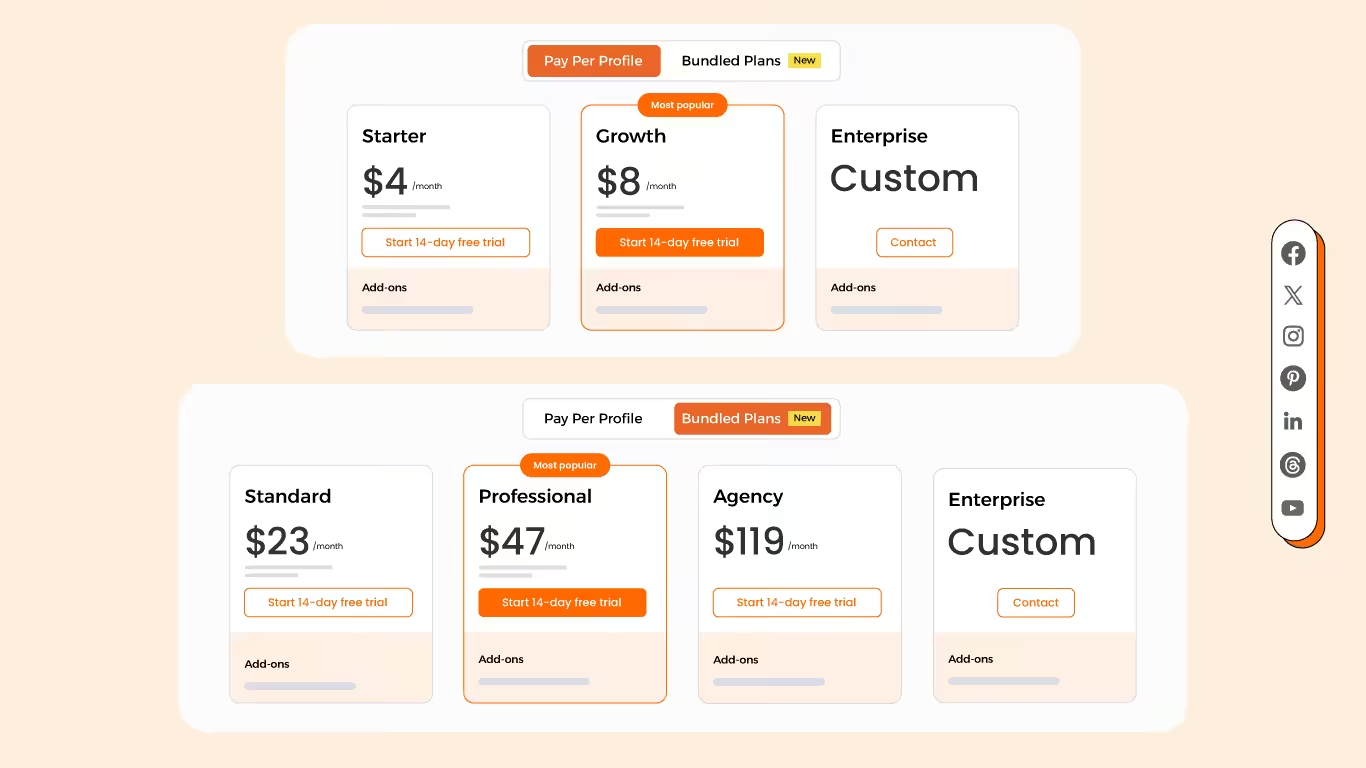
If you want something that’s in the middle, Social Champ is a great option. This tool gives you Buffer’s pricing and Sprout Social’s advanced features. You can opt for pay-per-profile plans, or you can choose bundled packages, so you don’t have to pay extra for anything you don’t want to use.
It offers:
- Scheduling and publishing
- Calendar view
- Social listening
- Competitor analysis
- White-label reporting
- API access
- Review management
- AI suite
- Multi-layer approvals
- Monitoring analytics (including cross-platform analytics and GA4 integration)
If you want to try it out, you can opt for the free version or start a 14-day, all-access free trial.
Social Champ Is Your Middle Ground!
Conclusion
Buffer vs Sprout Social offers no comparison. Both tools are designed for different users with different budgets. Each has its own pros and cons. For example, Buffer is great with its pricing and interface, while Sprout Social’s analytics and customer care features are out of this world.
If you fall somewhere in the middle, you can also opt for options like Social Champ, which give you all the benefits at a much lower cost!