
Feeling like ContentStudio is holding you back?
You’re not the only one.
What starts off looking like an all-in-one social media tool can eventually turn into a daily source of frustration—slow load times, missing features, and a user experience that feels anything but smooth.
When you’re managing multiple channels or clients, those minor hiccups add up fast.
Ouch—but also, not surprising.
With over 70% of businesses relying on social media, using a tool that doesn’t meet your standards is a significant risk.
While you’re troubleshooting, your competitor might be posting, engaging, and growing.
That’s why now is a smart time to explore alternatives to ContentStudio that actually fit the way you work. Social Champ is one of them, and you can try it on the Free plan before moving to paid plans from $4/month.
Short Summary
- ContentStudio has limitations, including platform restrictions and scalability issues, which can push users to seek better-performing ContentStudio alternatives.
- Social Champ is the top pick for its pricing, features, and user-friendly design.
- Other ContentStudio competitors like Buffer, Hootsuite, and Sendible offer strong alternatives depending on needs.
- Publer, Buffer, and Social Champ are ideal for solo users and small teams.
- Sendible, Sprout Social, and Social Champ are suitable for agencies and larger organizations.
- The right choice depends on budget, team size, and platform needs.
In this guide, we’ll break down 7 of the best ContentStudio alternatives for 2026, so you’re not stuck while others move ahead.
Why Users Seek ContentStudio Alternatives?
If you’ve been using ContentStudio for a while, there’s a good chance you’ve run into a few roadblocks.
You’re not alone—many teams are actively looking for ContentStudio alternatives that offer more flexibility, reliability, and support without breaking the budget.
Here’s why more users are exploring the best ContentStudio alternatives—and what’s pushing them to finally switch.
-
Limited Platform Support
While ContentStudio covers major social platforms, some users find its integration options too narrow.
- Missing support for newer or niche platforms
- Delays in rolling out updates for algorithm changes
- Lack of flexibility in customizing content per platform
For brands trying to keep up with fast-changing trends, apps like ContentStudio can feel too rigid.
-
Scalability Becomes a Challenge
As your team or client list grows, you may find that ContentStudio doesn’t scale as you had hoped.
- Pricing jumps that don’t provide added value
- Workflow bottlenecks with multi-user collaboration
- Limited features in lower-tier plans
Here’s a ContentStudio user review on G2.
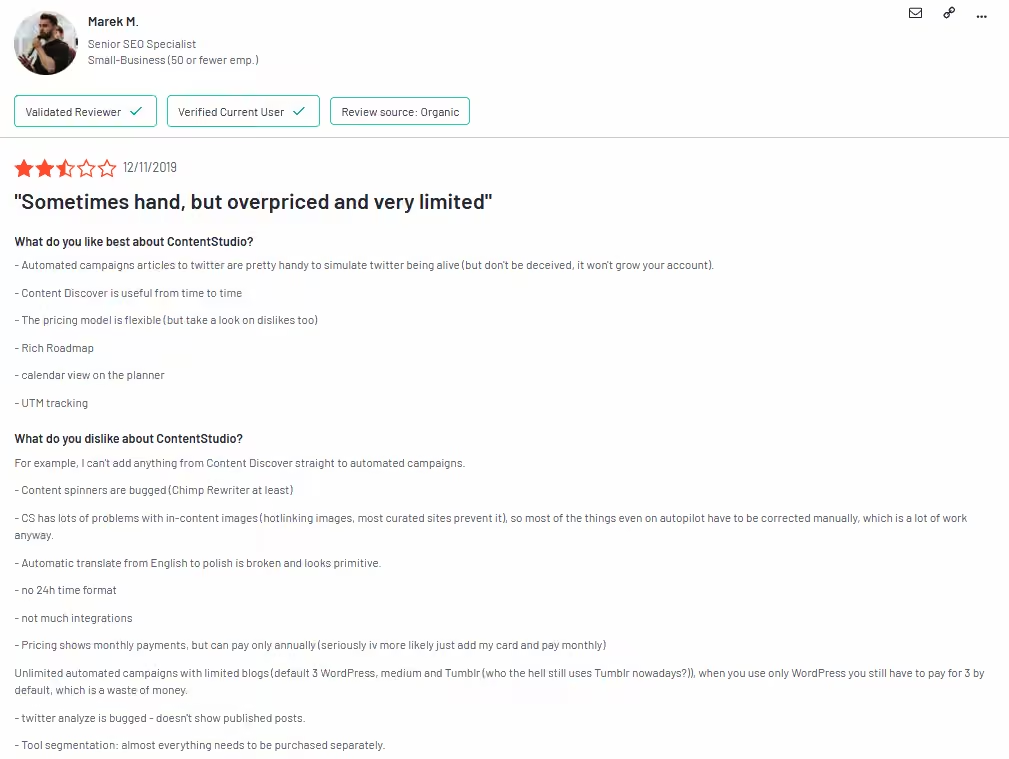
A ContentStudio User Review of Its Pricing and Features Many companies start looking for options better than ContentStudio—tools that can grow with them without forcing an upgrade every time they add a new client.
-
Customer Support Can Be Hit or Miss
No one wants to wait days for a basic answer. Unfortunately, ContentStudio’s support has been noted to provide:
- Slow response times
- Lack of personalized or technical guidance
- Inconsistent knowledge across support staff
One frustrated user reviewed ContentStudio on G2:
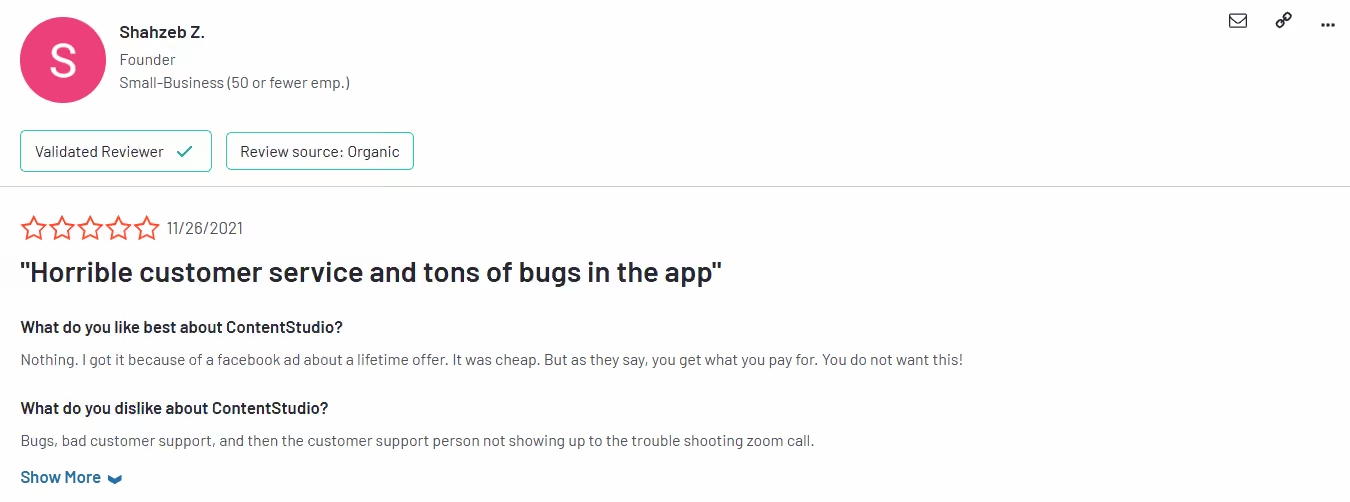
A User Review of ContentStudio’s Customer Service When things go wrong, fast and reliable support matters. That’s one reason people search for ContentStudio similar tools that offer more responsive help.
Featured Article: How to Market Your Business on Social Media: 15+ Proven Strategies for Explosive Growth
7 Best ContentStudio Alternatives at a Glance
| ContentStudio Alternative | Best For | Starting Price |
| Social Champ | Agencies, enterprises, and SMBs | $4/month |
| Buffer | Simple Scheduling, Cost-Effective, Ease of Use | $5/channel/month |
| Hootsuite | Brands & Enterprises, Teams, Social Customer Service | $99/user/month |
| Sendible | Agency Focused, Client Management, Reporting Tools | $35/month |
| Later | Visual Planning, Instagram Focus, Link in Bio | $18.75/month |
| Publer | Budget-Friendly Automation, Solo Creators, Small Teams | $4/channel/month |
| Sprout Social | Large Teams, Enterprises, Advanced Reporting | $79/seat/month |
Ready to Upgrade From ContentStudio?
Top 7 ContentStudio Alternatives for 2026
If you’ve outgrown ContentStudio—or just need a platform that runs smoother, scales better, and supports your team when it matters—you’re not short on options.
Below is a curated list of the best ContentStudio alternatives for this year.
These platforms offer more flexibility, stronger features, and better value for businesses and agencies looking for more innovative ways to manage their social presence.
-
Social Champ – A Scalable Social Media Solution
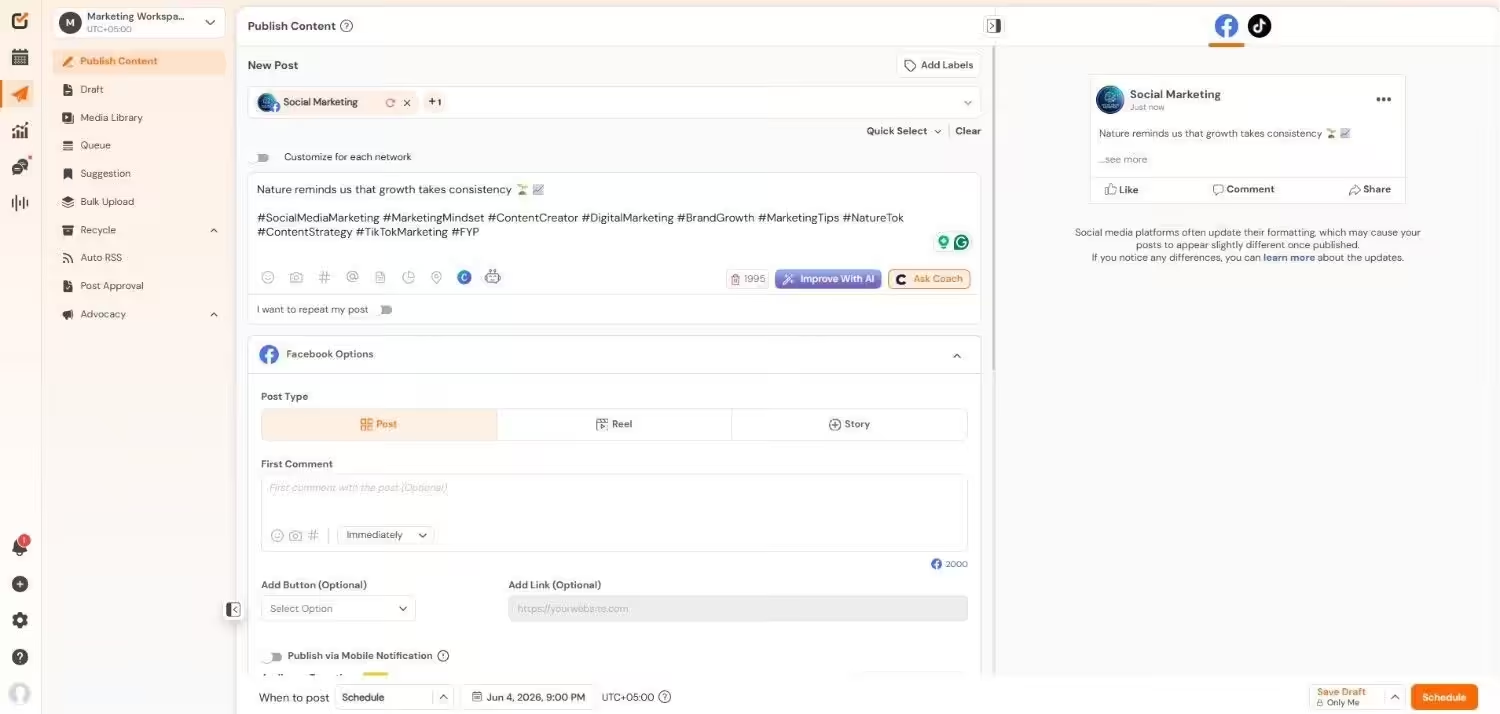
Social Champ’s Dashboard Social Champ is a powerful social media management platform built to simplify workflows for businesses of all sizes.
Whether you’re a solo marketer, part of a growing agency, or running a large organization, it brings everything into one place: content creation, scheduling, collaboration, analytics, and real-time engagement tools.
What makes it the top ContentStudio alternative is its rich feature set combined with affordability and ease of use.
Key Features
- Multi-Platform Publishing: Post to 11+ platforms, including Facebook, Instagram, LinkedIn, YouTube, TikTok, Pinterest, X, Google Business Profile, Threads, Mastodon, and Bluesky.
- AI-Powered Content Tools: Generate captions, posts, and graphics with the Champ AI Suite.
- Smart Scheduling Options: Use bulk upload, recurring posts, and evergreen queues with a drag-and-drop calendar for easy planning.
- Detailed Analytics & White-Label Reports: Analyze post performance and download reports with your branding.
- Unified Social Inbox: Respond to messages and comments from all networks in one place, ideal for customer support.
- Approval Workflows & Team Management: Assign roles, set up content approvals, and collaborate without overlap.
- Competitor Insights & Listening: Keep tabs on your industry with social listening and performance tracking of competitors.
Pricing
Social Champ comes with two pricing tiers, including a Pay-Per-Profile and a Flat-Rate model.
Here’s what you get in the Pay-Per-Profile:
- Starter, which costs $4 and has 1 user. In this plan, you can manage 1 social account.
- Growth, which costs $8 and has unlimited users. In this plan, you can manage 1 social account.
These plans also offer discounts as you scale. Here’s how much you can save in the Starter:
- For 1-10 social accounts: $4
- For 11-20 social accounts: $3
- For 21-40 social accounts: $2
- For 41+ social accounts: $0.50
Here’s how much you can save in the Growth:
- For 1-10 social accounts: $8
- For 11-20 social accounts: $3.50
- For 21-40 social accounts: $2.50
- For 41+ social accounts: $1
With Social Champ, you also get Flat-Rate bundles, which are:
- Free, which costs $0 and has 1 user. In this plan, you can manage 3 social accounts.
- Standard, which costs $23 and has 2 users. In this plan, you can manage 6 social accounts. This plan also comes with add-ons for accounts. You can add another account for $5/account.
- Professional, which costs $47 and has 5 users. In this plan, you can manage 12 social accounts. This plan also comes with add-ons for accounts. You can add another account for $4/account and pay $8/user for another user.
- Agency, which costs $119 and has unlimited users. In this plan, you can manage 30 social accounts. This plan also comes with add-ons for accounts. You can add another account for $3/account.
- Enterprise, which is Custom and has unlimited users. In this plan, you can manage unlimited social accounts.
Social Champ also supports: Instagram, Facebook, TikTok, LinkedIn, YouTube, Threads, Pinterest, X, Google Business Profile, Bluesky, Mastodon, and WhatsApp Business
What Do People Think About Social Champ
A reviewer admired Social Champ and specifically highlighted the “OUTSTANDING Customer Service,” praising the team’s responsiveness and genuine care for their product and service.
They enthusiastically recommended switching to Social Champ, stating that they and others have left multiple other platforms to do so.
“Great software, OUTSTANDING Customer Service.” — Trustpilot
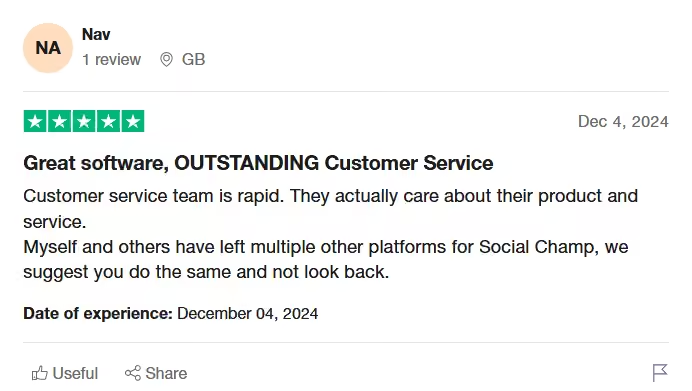
A Social Champ User Praised Its Customer Service
Tired of Overpaying?
-
Buffer – Simple Social Media Scheduling
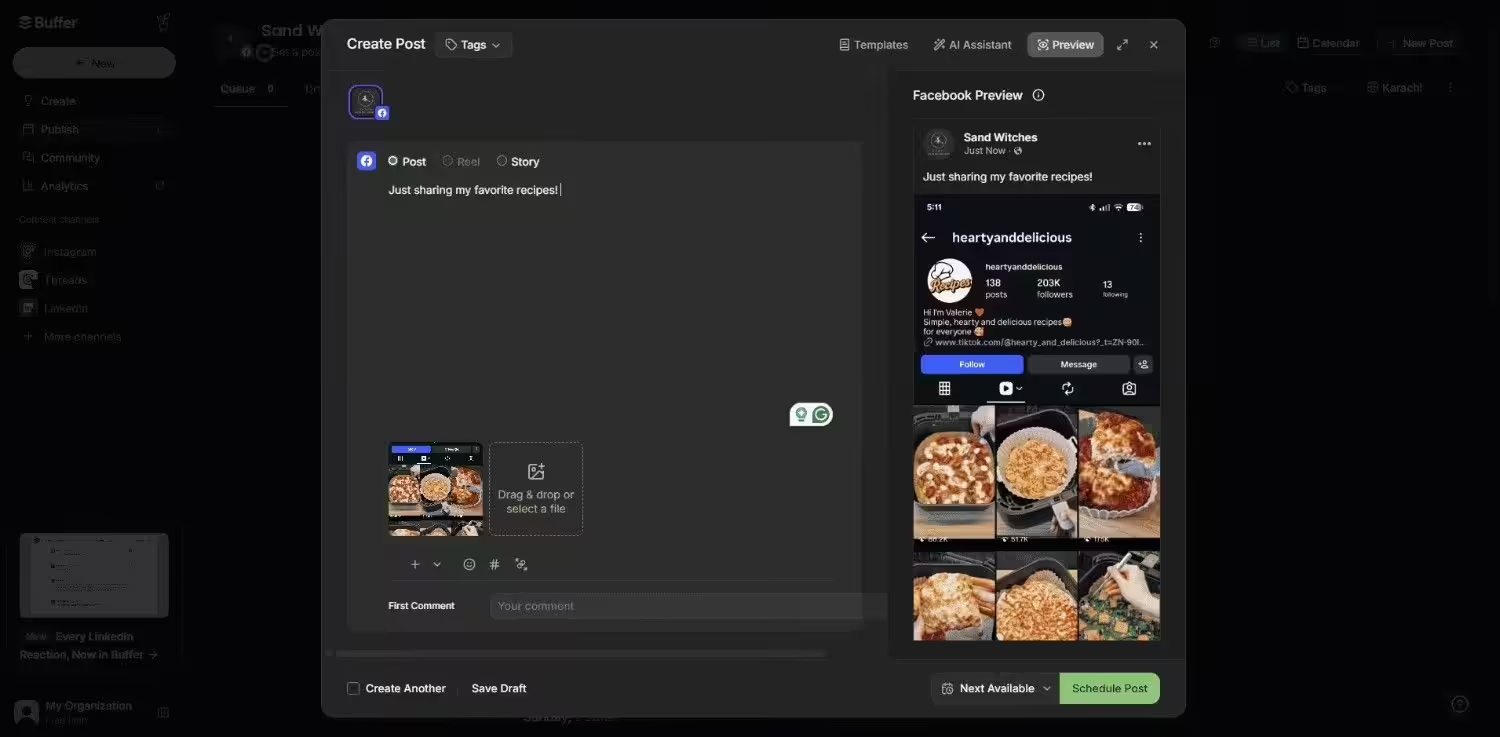
Buffer’s Dashboard Buffer has been a go-to option for years, especially among freelancers and small teams.
It’s built for simplicity, making it easy to schedule content and track engagement without unnecessary complexity.
If you’re looking for something light and clean, Buffer might feel familiar, but trying out alternatives to Buffer can help you find features that better match your workflow.
Key Features
- Easy-to-use post scheduler
- Engagement analytics
- Custom post queues
Pricing
A free plan is available; paid plans start at $5/channel/month.
What Do People Think About Buffer?
A small business owner had a highly negative experience, labeling the software:
“Junk Software that never worked for me.” — G2
They reported spending countless hours trying to get it to function, experiencing immense aggravation due to horrible customer support, confusing instructions, and glitches, leading them to advise, “DO NOT BUY!”
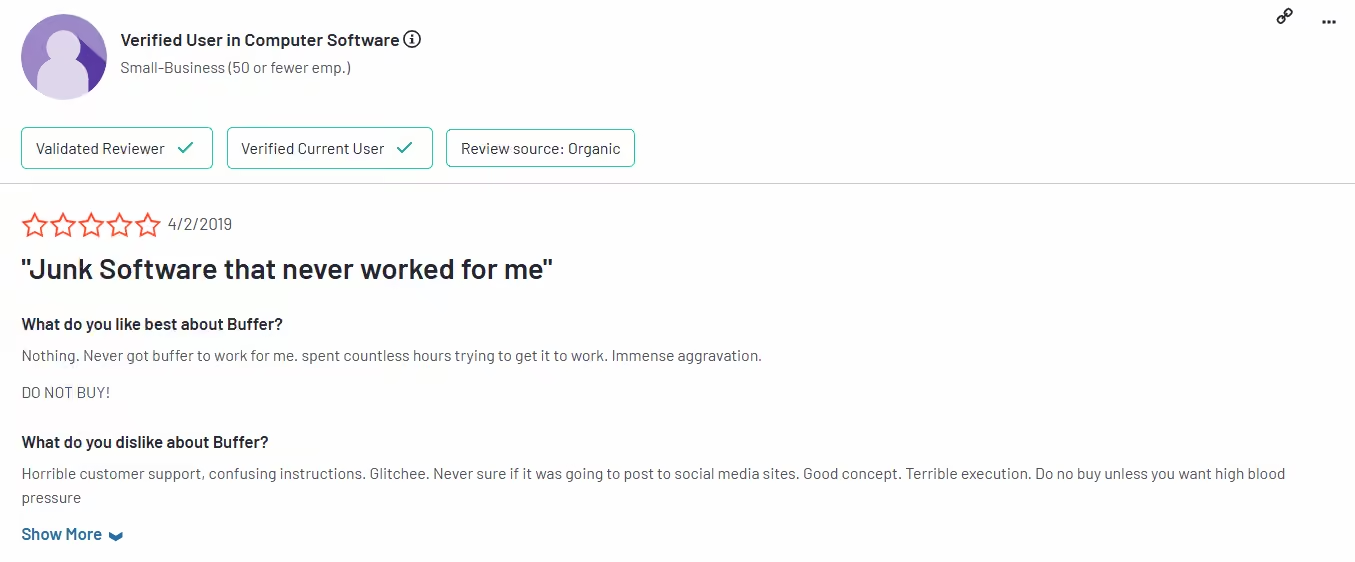
A Frustrated Buffer User Review on G2 -
Hootsuite – Enterprise-Level Power, but at a Premium Cost
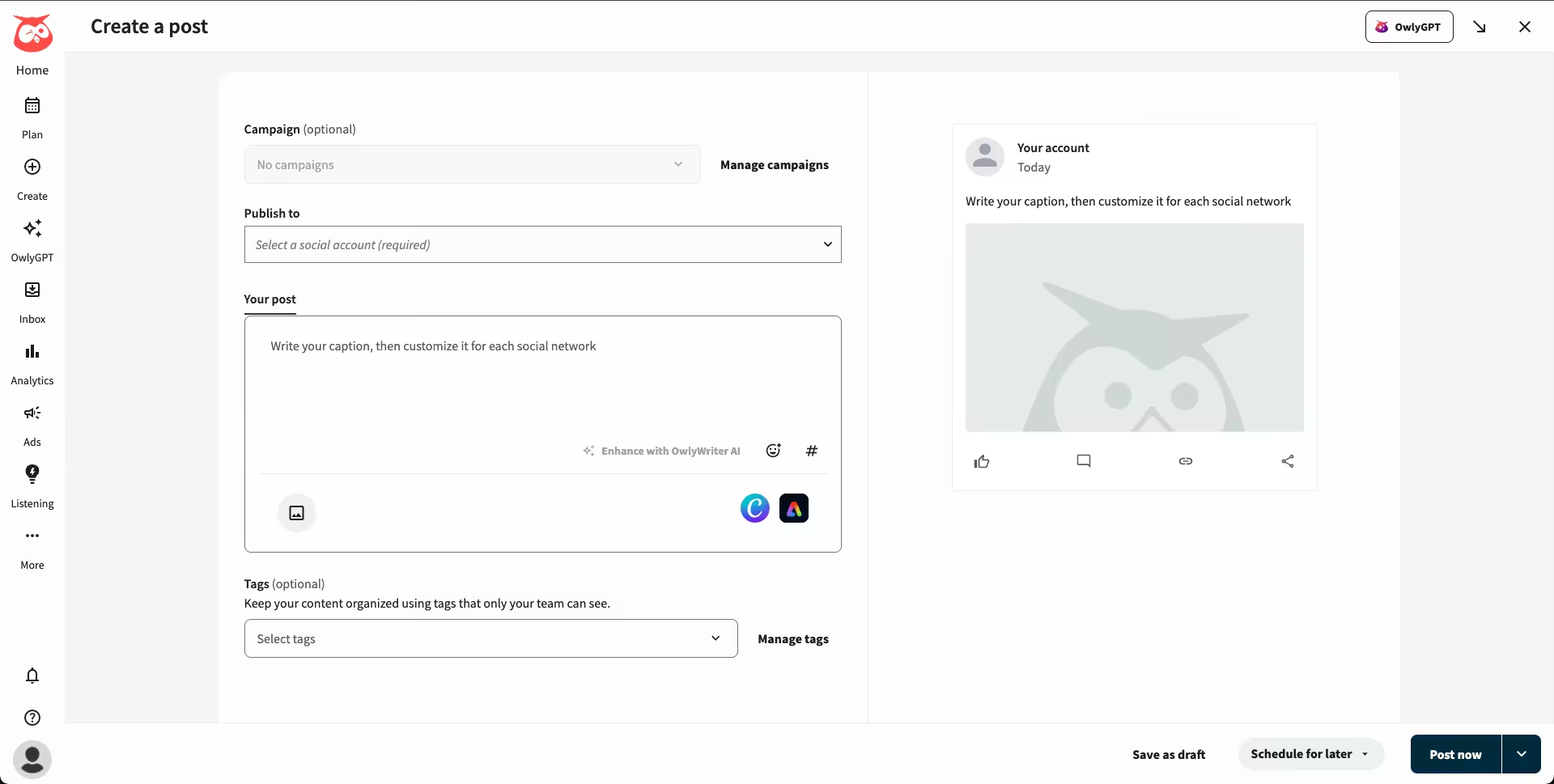
Hootsuite’s Dashboard Hootsuite is often one of the first names that come up when discussing ContentStudio competitors, especially for enterprise teams.
It offers a broad set of features, but with that comes a steeper learning curve and a higher price point.
It’s best suited for companies that require deeper integrations and are willing to pay more for them.
Key Features
- Advanced analytics
- Multiple users and permissions
- Paid ad integration
Pricing
Starts at $99/month, making it a pricey but powerful alternative to ContentStudio.
What Do People Think About Hootsuite?
One Hootsuite user expressed significant dissatisfaction with the Hootsuite platform.
While they appreciated the ability to schedule posts, their primary complaint revolved around a dramatic—roughly tenfold—increase in cost over the past five years.
He reviewed:
“A history of price increases for features not worth the cost.” — G2
Many users appreciate the breadth of features but question their value, especially when compared to more affordable and agile alternatives to ContentStudio.
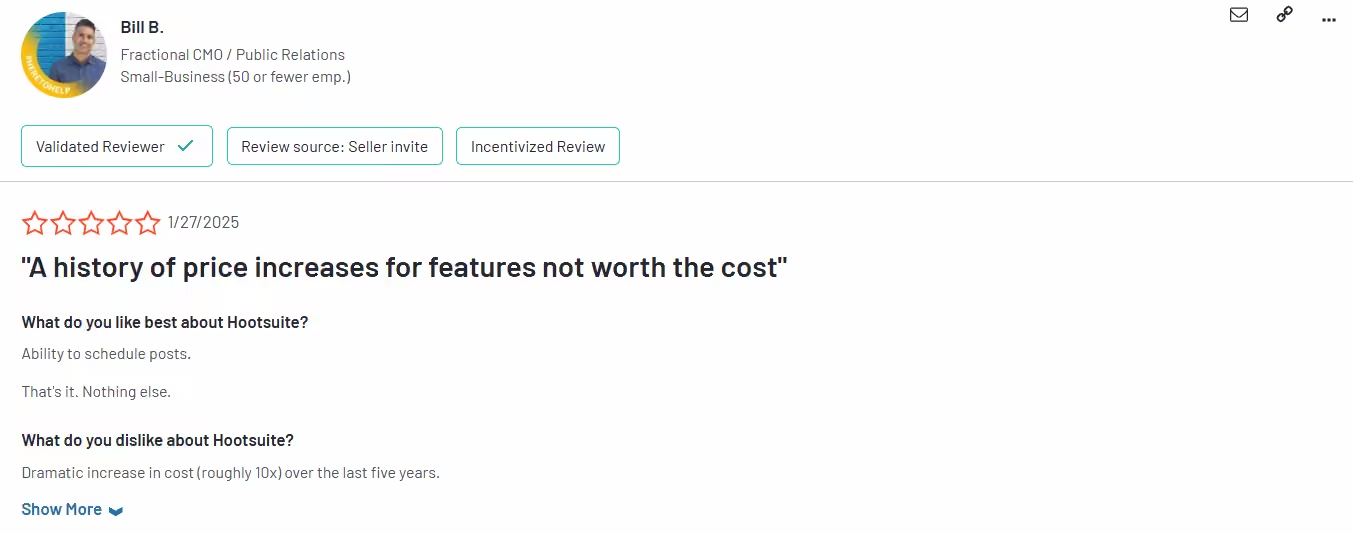
A Frustrated Hootsuite User Review On G2 -
Sendible – Built for Agencies
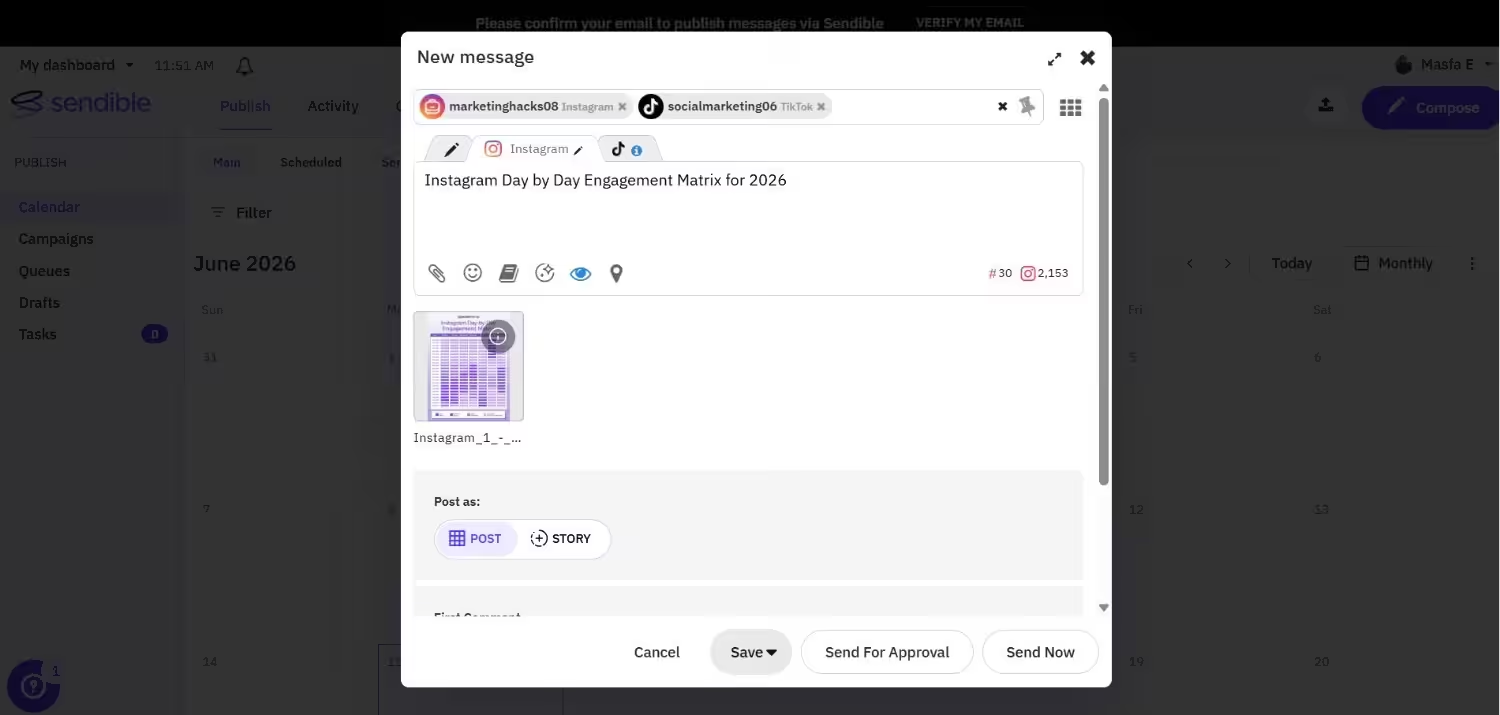
Sendible’s Dashboard Sendible is a go-to pick for agencies needing to streamline workflows across multiple brands.
With white-labeled dashboards and client-friendly features, it’s designed to simplify approvals, reporting, and collaboration, eliminating the need for constant back-and-forth emails.
Key Features
- Branded dashboards
- Approval workflows
- CRM integration
Pricing
Its pricing starts at $35/month. Sendible’s higher-tiered plans are available with more advanced features tailored to your business needs. Check out our Sendible pricing guide anytime to make an informed decision.
What Do People Think About Sendible
A user working with a small business found Sendible “Not Reliable.”
The user appreciated the tool’s ability to schedule posts across multiple platforms simultaneously.
However, they highlighted a major flaw where scheduled posts often fail to publish on platforms like Facebook and LinkedIn despite being marked as “sent”.
As a result, the user ended up spending heaps of time conducting manual checks.
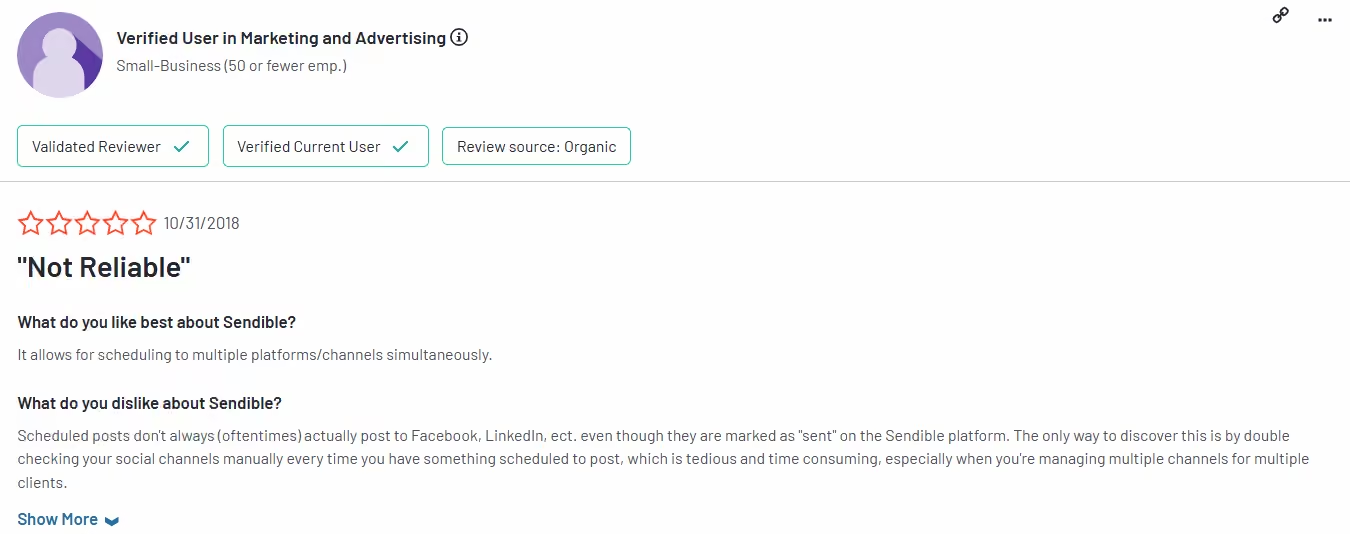
A Sendible User Complained About Failed Posts on G2 -
Later – A Visual-First Scheduler for Instagram-Heavy Brands
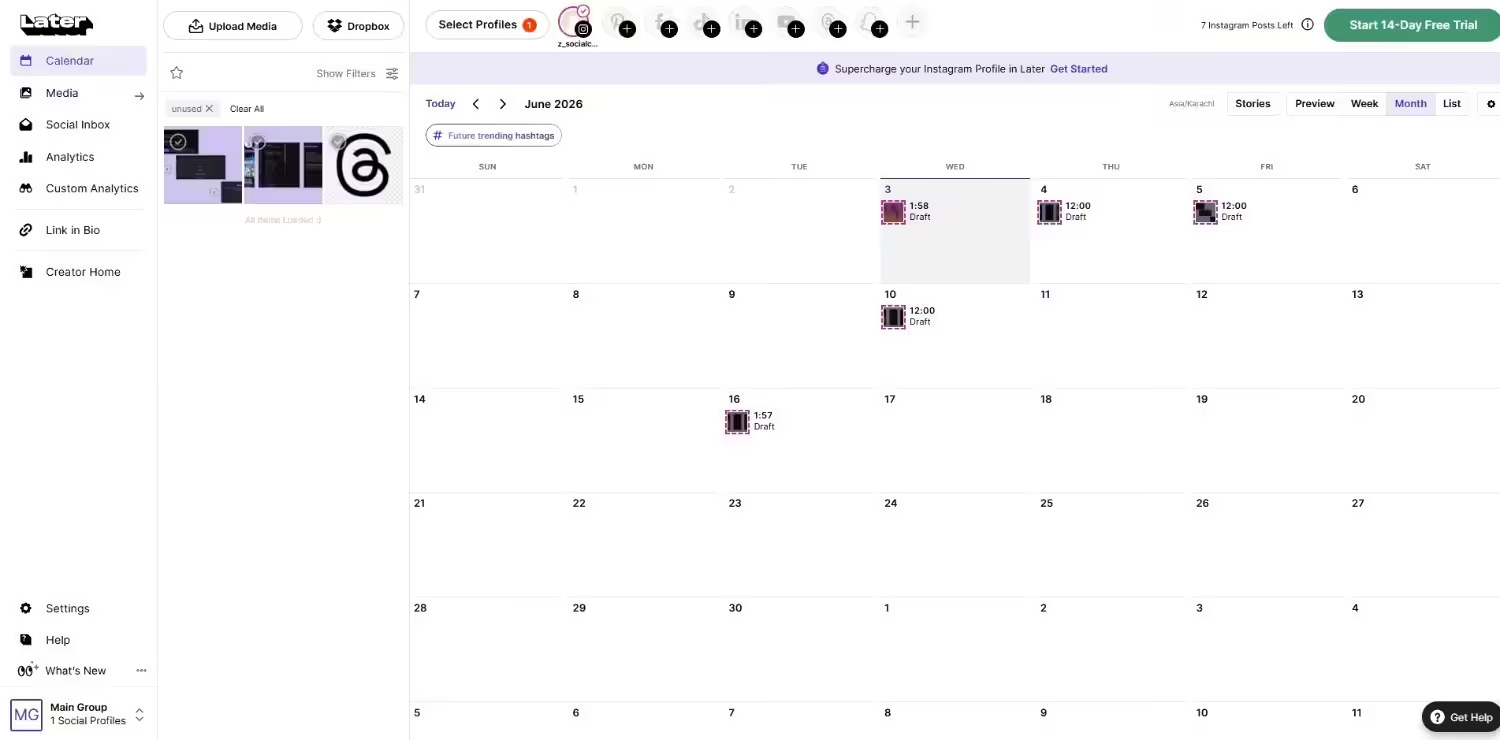
Later’s Dashboard Later stands out among apps like ContentStudio for teams focused on visual storytelling.
It’s especially loved by e-commerce stores, influencers, and lifestyle brands that rely heavily on Instagram.
The drag-and-drop calendar makes content planning fast, visual, and stress-free.
Key Features
- Drag-and-drop visual calendar
- Instagram-first features
- Link in bio tracking
Pricing
Free plan available; paid options start at $18.75/month.
What Do People Think About Later
A frustrated user vehemently denounced the company as “Horrible,” alleging their business model relies on charging users for services they don’t use and tricking them into recurring payments they are unaware of.
He challenged the company to review their support logs, asserting they would find numerous complaints about unauthorized charges.
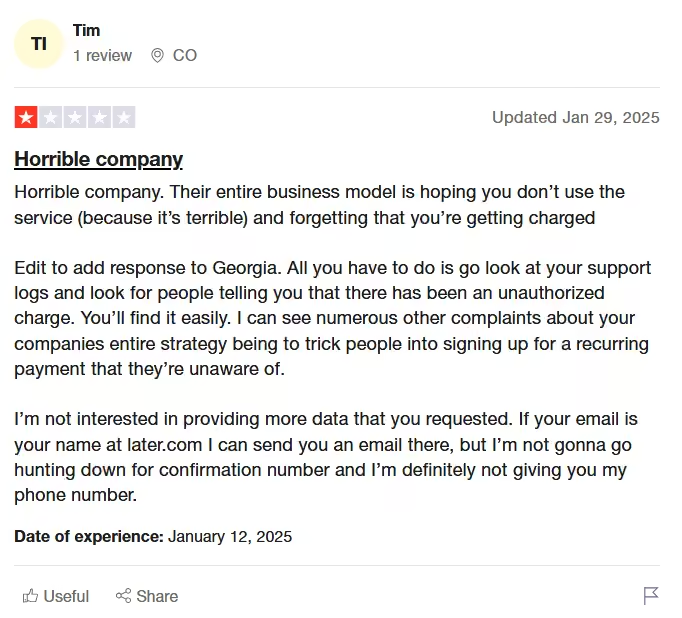
A Later User Review With a 1-Star Rating -
Publer – A Budget-Friendly Tool With Time-Saving Automation
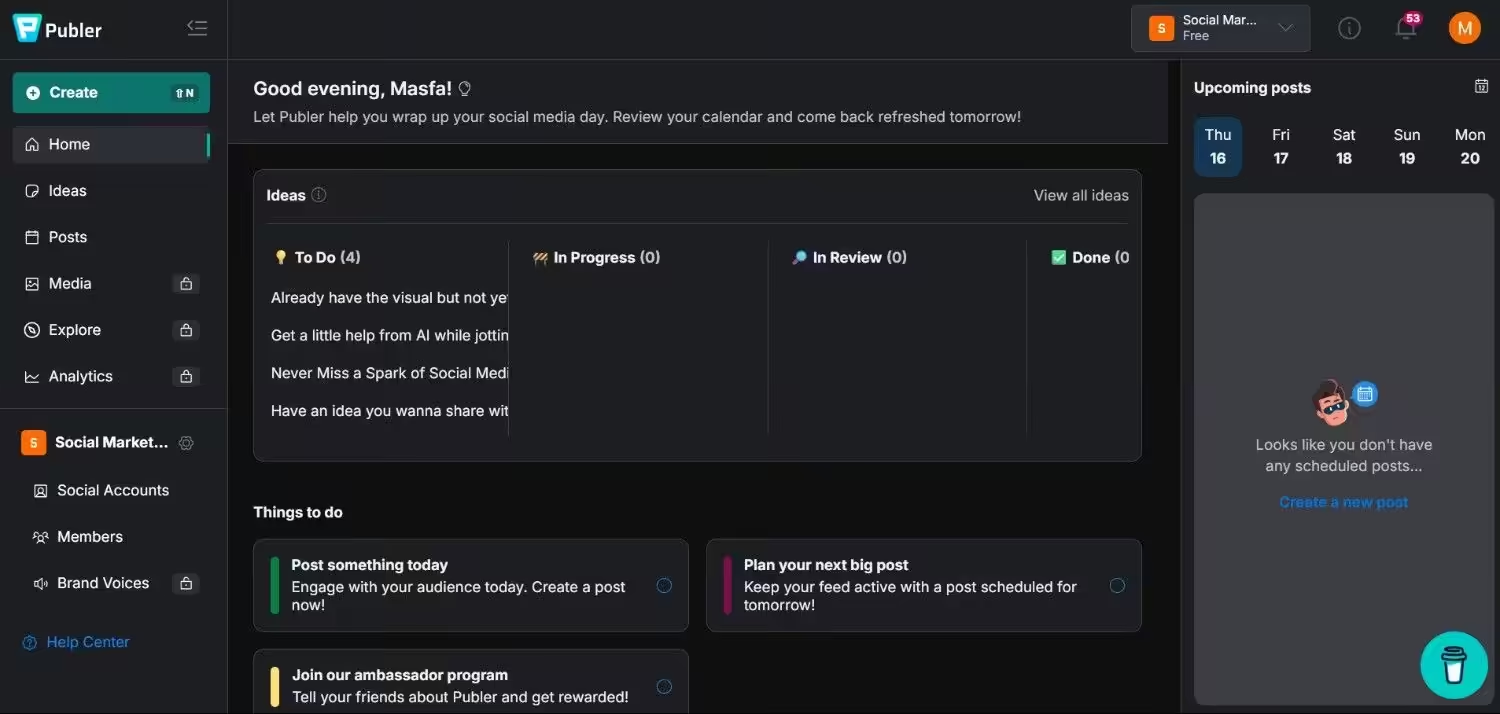
Publer’s Dashboard If you’re searching for an affordable ContentStudio alternative with solid automation features, Publer is worth a look.
It’s designed to help solo creators and small teams save time by reusing content, scheduling posts in advance, and streamlining repetitive tasks. Publer is also one of the best free ContentStudio alternatives for users just getting started.
Key Features
- Auto-scheduling
- Watermark and hashtag tools
- AI content assistant
Pricing
Free basic plan available; premium plans start at $4/channel/month.
What Do People Think About Publer
A Publer user noted the inability to add tags, add to playlists, or adjust other YouTube settings when publishing via the platform.
This limitation meant having to go directly to YouTube to complete essential settings, severely impacting video visibility.
The user reviewed:
“It’s ok but lacking fundamental features.” — Trustpilot
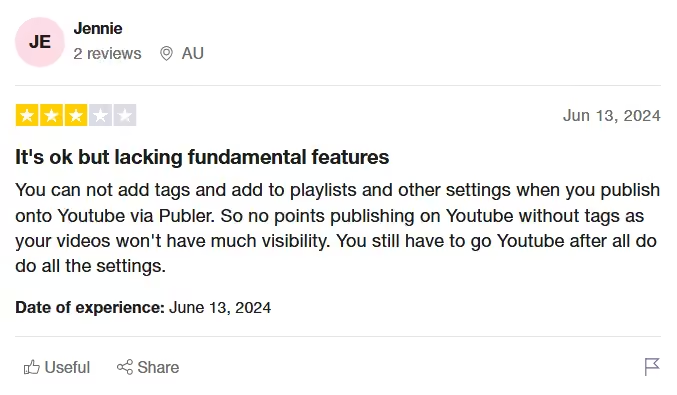
A Publer User Highlighted Its Lackness of Fundamental Features -
Sprout Social – Full-Scale Management for Enterprises
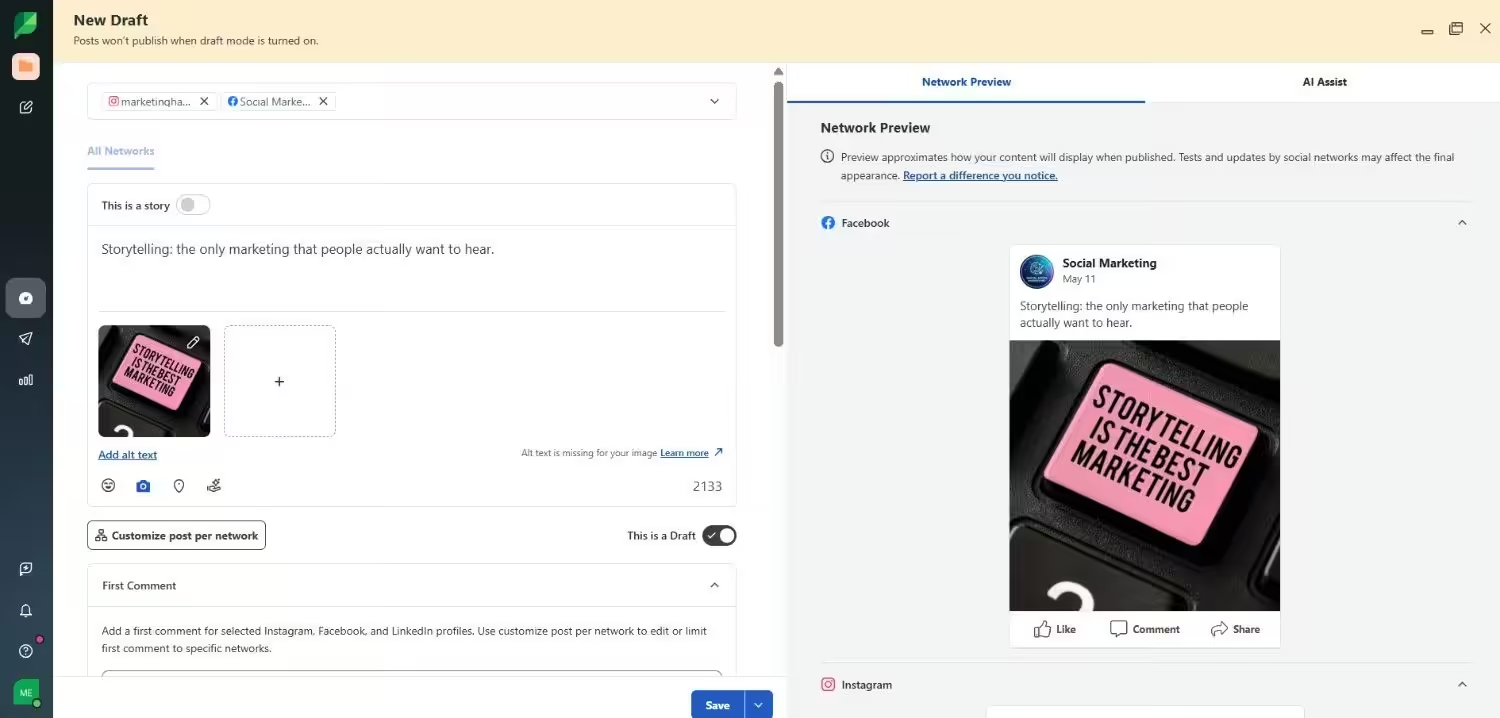
Sprout Social’s Dashboard If you’re managing social at scale and need serious power behind your strategy, Sprout Social delivers.
Often considered one of the most feature-rich ContentStudio competitors, it’s built for large teams that need advanced analytics, team coordination, and client reporting—all in one place.
Key Features
- Deep analytics
- Smart inbox for all platforms
- Team task assignment
Pricing
Plans start at $79/month, making it a high-investment alternative to ContentStudio for enterprise users.
What Do People Think About Sprout Social
A long-term user of Sprout Social for three years expressed strong dissatisfaction, labeling it:
“POOR SERVICE & HIGH PRICE. SCAM!!” — Trustpilot
They noted a recent decline in service quality coinciding with rising costs. Therefore, users turn to Sprout Social alternatives to reduce expenses.
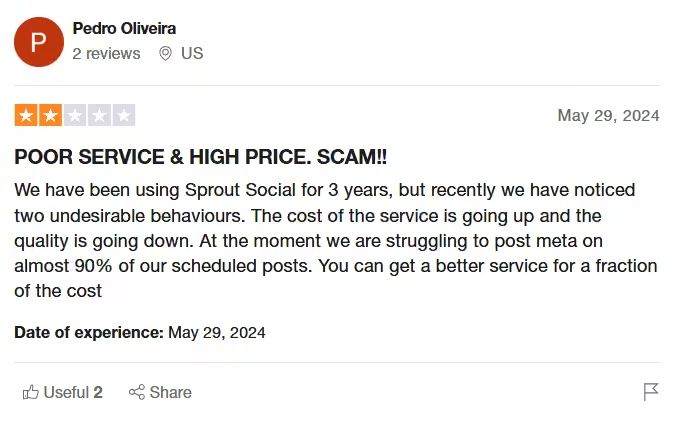
A Sprout Social User Review on Trustpilot
These ContentStudio similar tools are all strong options, depending on your team’s size, needs, and growth goals.
Your social media platform should keep up with your momentum, not slow you down. Now’s the time to choose a tool that helps you move faster, post smarter, and finally ditch the daily workarounds.
Featured Article: Best Metricool Alternatives
How to Choose the Right ContentStudio Alternative for Your Needs?
With so many alternatives to ContentStudio available, it’s easy to feel overwhelmed.
The truth is, no single tool works for everyone, and that’s okay.
The key is finding the right match based on your goals, budget, team setup, and the platforms you prioritize.
Here’s how to narrow it down:
-
Consider Your Budget
Whether you’re a solo creator or a growing agency, cost matters—but so does value.
Some tools offer generous free plans, while others require a bigger investment.
- Best low-cost options: Social Champ, Publer, Buffer
- Premium tools with more features: Sprout Social, Hootsuite, Social Champ
- Mid-range balance: Sendible, Later, Social Champ
Make sure to factor in what each plan includes—some low-cost tools offer more than pricey competitors if you’re willing to explore.
-
Match Your Team Size and Workflow
Not every tool is built for collaboration.
Some are best for individuals, while others shine in team environments with approval workflows, role assignments, and shared calendars.
- Best for solo marketers: Buffer, Publer, Social Champ
- Best for small teams or startups: Social Champ, Publer, Buffer
- Best for agencies or large teams: Sendible, Social Champ, Sprout Social
If you’re constantly collaborating or juggling client accounts, choose a tool that supports streamlined communication and clear role definitions. For ContentStudio alternatives for small businesses, flexibility and affordability are key.
-
Check Platform Compatibility
Your social media strategy depends heavily on where your audience is. Not all tools support every platform equally.
- Strong Instagram support: Later, Social Champ
- Broad platform coverage (including TikTok, Google Business): Social Champ
- Built-in ad management: Sprout Social, Hootsuite
Ensure the tool supports the platforms you actually use—and that it can handle native features like Reels, Stories, or Carousels when needed.
-
Prioritize Features That Matter Most
Every tool has its strengths. Some focus on content scheduling, others on analytics or engagement.
- Best for analytics: Sprout Social, Social Champ, Hootsuite
- Best for automation: Social Champ, Publer
- Best for collaboration: Sendible, Loomly
Featured Article: Alternatives to Pallyy for Streamlined Social Media Scheduling
Conclusion
If you’re here, you’re already feeling the friction with ContentStudio.
Whether it’s pricing, performance, or platform limitations, you’re not alone in your search for something that works better.
There are plenty of the best ContentStudio alternatives out there that offer smarter workflows, stronger support, and real value for your money.
From all-in-one solutions like Social Champ to enterprise-grade platforms like Hootsuite, these alternatives to ContentStudio are built to match the pace and complexity of modern social media marketing.
So ask yourself—are you still forcing a tool to fit your needs, or is it time to switch to one that’s built for you?
The sooner you make the move, the faster you’ll see results.